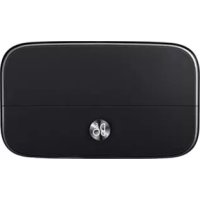
AFD1200 - Cellphone LG - Free user manual and instructions
Find the device manual for free AFD1200 LG in PDF.



| Product type | Mobile phone |
| Brand and model | LG AFD1200 |
| Dimensions (approx.) | 115 x 50 x 12 mm |
| Weight (approx.) | 90 g |
| Power supply | Removable lithium-ion battery, 3.7V, estimated capacity 1500 mAh |
| Display | TFT color screen, 2.4 inches, resolution 320x240 pixels |
| Network | Quad-band GSM, 2G compatible |
| Connectivity | Bluetooth, Micro-USB 2.0, 3.5 mm headphone jack |
| Main functions | Calls, SMS, phonebook, VGA camera, FM radio, audio/video player, expandable memory via microSD |
| Care and cleaning | Use a soft, dry cloth. Avoid alcohol, benzene, or detergents. |
| Safety | Do not expose to water, extreme temperatures, or shocks. Use only certified accessories. |
| Spare parts and repairability | Removable battery. For repairs, contact an authorized LG center. |
| General information | Limited 1-year warranty. Manufactured by LG Electronics. |
Frequently Asked Questions - AFD1200 LG
User questions about AFD1200 LG
0 question about this device. Answer the ones you know or ask your own.
Ask a new question about this device
Download the instructions for your Cellphone in PDF format for free! Find your manual AFD1200 - LG and take your electronic device back in hand. On this page are published all the documents necessary for the use of your device. AFD1200 by LG.
USER MANUAL AFD1200 LG
Any modifications or changes to this manual due to typographical errors or inaccuracies of stated information shall only be made by LG Electronics Inc.

LG
Life's Good
User Guide
LG
Hi-Fi Plus
with B&O PLAY
AFD-1200
Compatible with GS worldwide except Korea
Contact office for compliance of this product :
LG Electronics European Shared Service Center B.V.
Krijgsman 1, 1186 DM Amstelveen, The Netherlands
LG
Life's Good
User Guide
LG
Hi-Fi Plus
with B&O PLAY
AFD-1200
All rights reserved. LG Electronics Inc., 2016
Note: Please read all information carefully prior to using the LG Hi-Fi Plus in order to enjoy the best performance and prevent damage to the product.
Product Overview
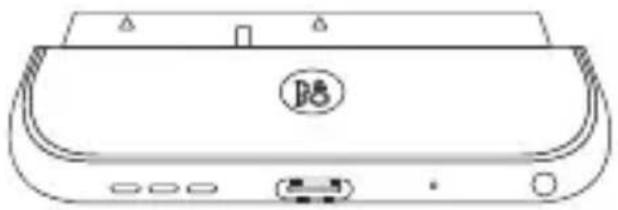
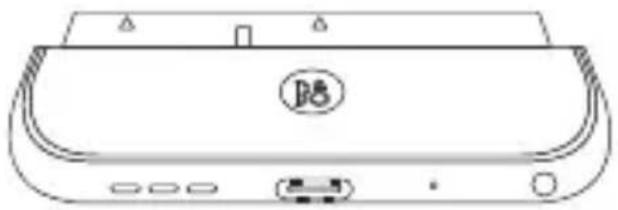
The LG Hi-Fi Plus is a 32-bit hi-fi digital-to-analogue converter (DAC) module that can be attached to the bottom of your LG G5.
- You can enjoy a rich hi-fi sound by connecting your audio devices, such as headsets and speakers, to this 32-bit DAC.
- 32-bit high-quality audio content can be played in its original sound quality.
- The LG Hi-Fi Plus can upbit and upsample your existing audio content with less than 32-bit quality so that it plays closer to the originally intended sound.
Open Source Software Notice Information
To obtain the source code under GPL, LGPL, MPL, and other open source licenses, that is contained in this product, please visit http://opensource.lge.com. In addition to the source code, all referred license terms, warranty disclaimers and copyright notices are available for download. LG Electronics will also provide open source code to you on CD-ROM for a charge covering the cost of performing such distribution (such as the cost of media, shipping, and handling) upon email request to opensource@lge.com. This offer is valid for three (3) years from the date on which you purchased the product.
Important Safety Information
• Always use genuine products. Do not use this product for any unintended purpose.
- Using or connecting products that are not genuine may shorten the product's longevity or cause an explosion. Doing so may also damage the product and thereby void the service warranty.
- If you insert a module that is not compatible with your service provider (for example, a module bought from another service provider or in an area that is not covered by your service provider), your device does not operate normally.
- Do not disassemble the product or allow anything to impact it. Doing so may cause an electric shock, short circuit, or fire.
- Applying heavy pressure to the product may damage it.
- Some functions of this product may be damaged, or its appearance may become altered or impaired if it is bent or crushed and not repaired immediately.
- In order to prevent any damage, be careful to not drop the product on a hard surface or subject it to a severe shock.
- Keep the product away from water, alcohol, benzene, etc.
- Do not use or store the product in environments with extreme temperatures. Do not leave the product in direct sunlight for long periods of time. Doing so may cause damage or an explosion.
- Do not use alcohol, benzene, thinners, or detergents to clean the product. Doing so may cause a fire.
- Use a soft cloth to wipe the product.
- Do not place the product near metal objects, such as necklaces, keys, coins, nails, or clocks. In the case of a short circuit, there is also a risk of explosion.
- Keep the product out of the reach of small children and pets. Do not put the product in your mouth or subject it to a severe shock. There is a risk of electric shock, explosion, or suffocation.
- Do not connect or insert conductive materials (metal pieces, pencil leads, etc.) into the connectors.
- Do not cover or wrap the product with a blanket while in use.
- The product may become hot after long periods of use. Avoid touching the product when it becomes hot as it may cause a low-temperature burn.
- Do not dispose of the product as household waste. Doing so may cause a fire or damage the environment.
Excessive sound pressure from earphones and headphones can cause hearing loss. To prevent possible hearing damage, do not listen at high volume levels for long periods.
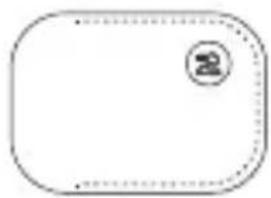
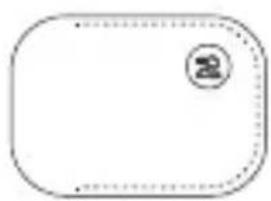
Product Components
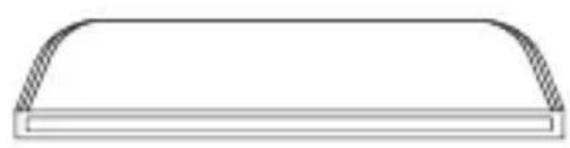
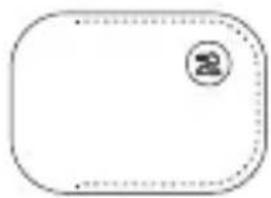
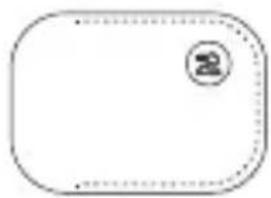
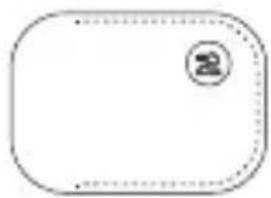
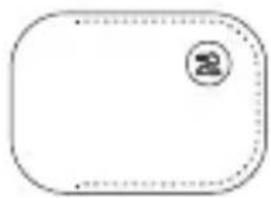
natural_image
Simple line drawing of a rectangular object with curved top and horizontal base (no text or symbols)Cap
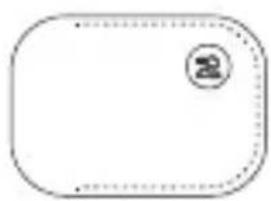
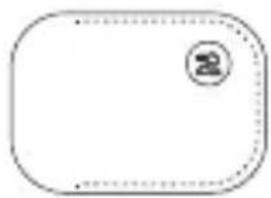
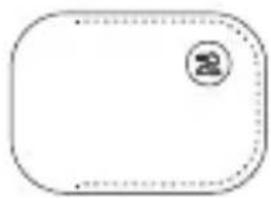
natural_image
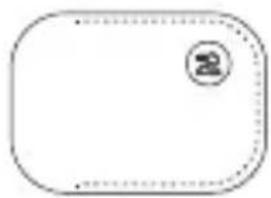
Blank rounded rectangular shape with a small circular logo in the top-left corner (no text or symbols)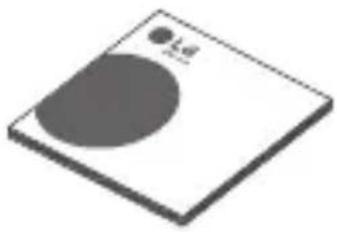
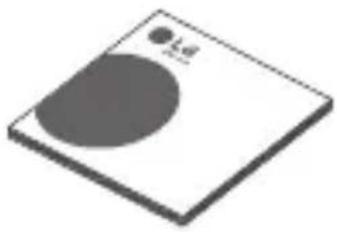
natural_image
3D illustration of a square plate with a circular cutout and a small dot labeled 'Ld' (no text or symbols beyond the label)User GuidePouch
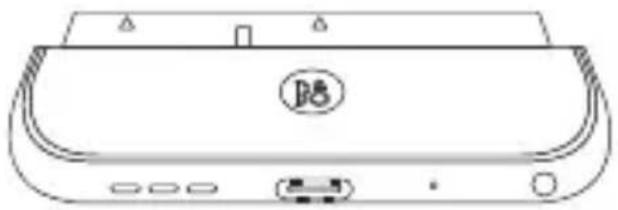
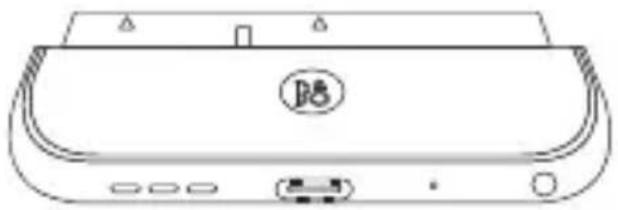
natural_image
Line drawing of a portable electronic device with ports and a circular logo (no text or symbols)LG Hi-Fi Plus
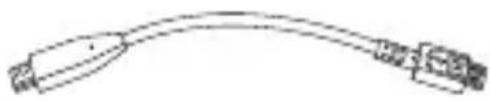
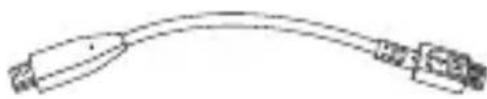
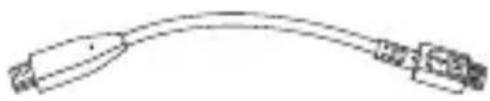
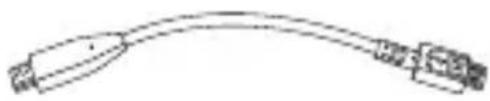
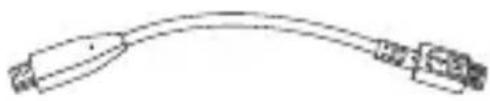
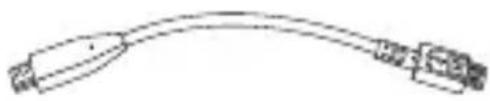
natural_image
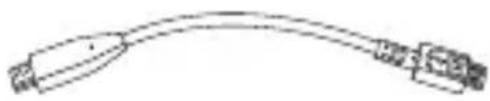
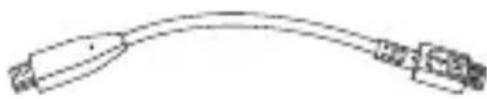
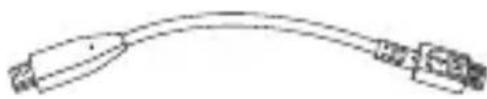
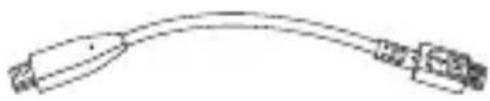
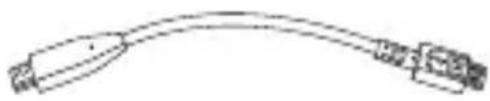
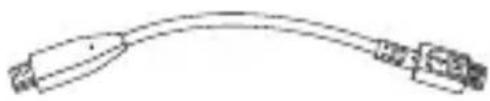
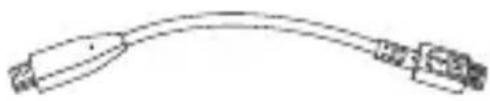
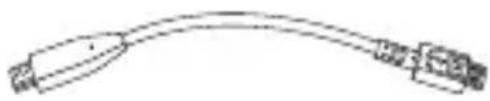
Pure electrical circuit lines without any symbolsOTG Cable
(USB Type-C to Type-B)
- The cap of the LG Hi-Fi Plus is attached to the main unit of the LG Hi-Fi Plus when packaged.
- If there are any missing components, contact the retailer where you purchased the product.
- Some items are subject to change without prior notice depending on the circumstances.
- The appearance and specifications of the product are subject to change without prior notice to improve performance.
Product Description
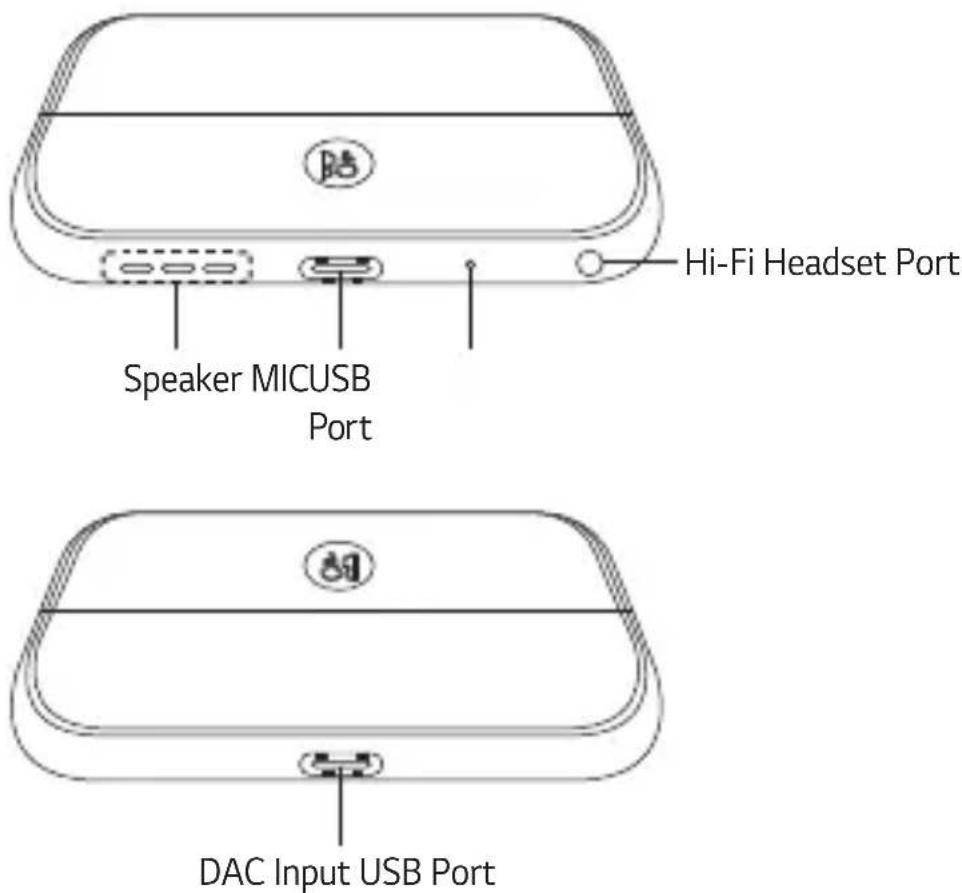
Some functions may not be available depending on the product specifications.
Connections
Inserting the Battery
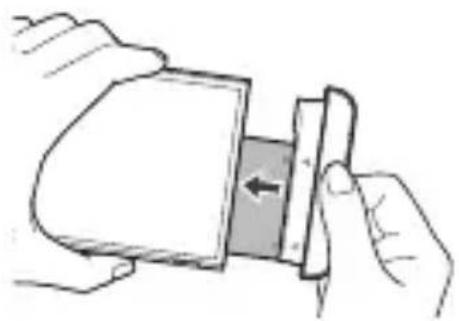
1 Align the arrows on both the battery and the module and firmly connect the battery terminals to the module.
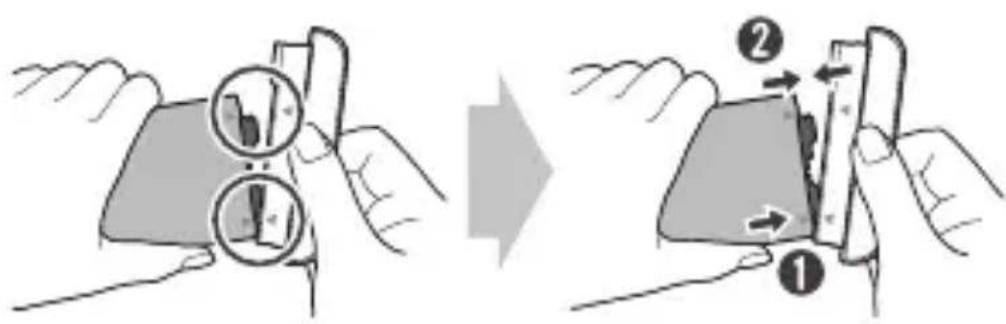
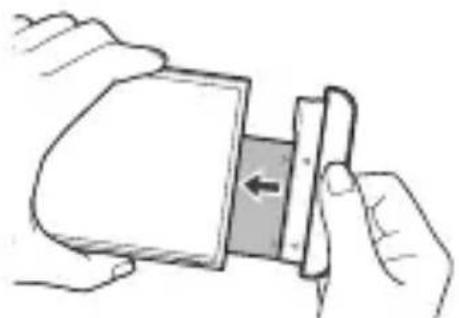
2 Align the battery with the lower edge and carefully slide the module back into the device.
natural_image
Illustration of hands holding a device with an arrow indicating direction (no text or symbols)- Never press the Module Eject Key when inserting the module into the device.
- When inserting the battery into the device, make sure the battery is attached to the module.
Removing the Battery
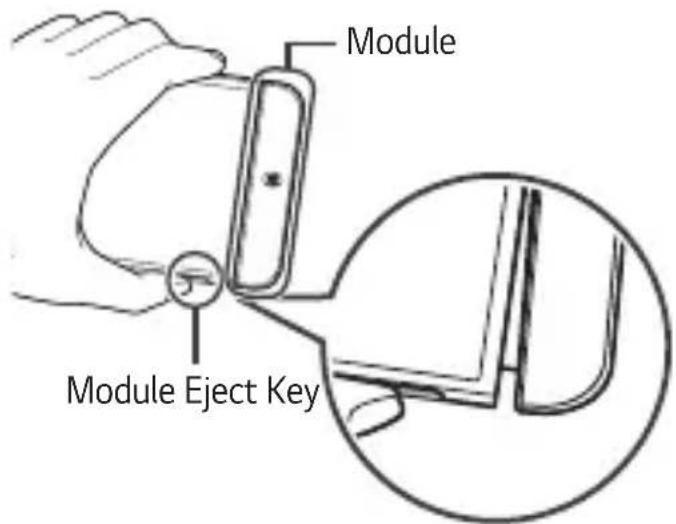
1 Press the Module Eject Key to partly eject the module from the device.
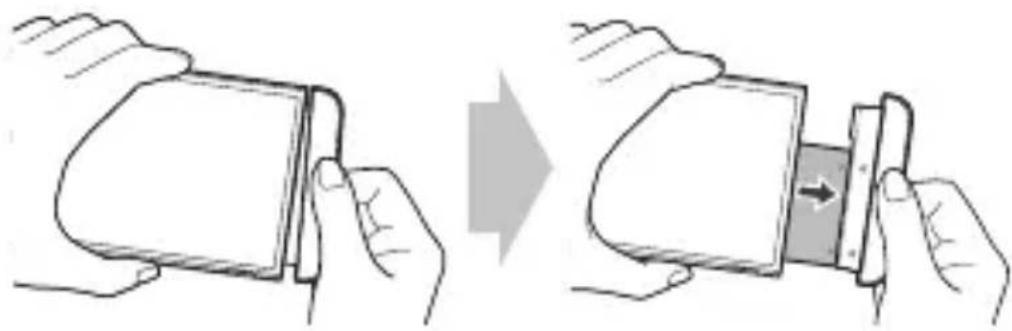
2 Grip the middle of the ejected module and pull it out.
natural_image
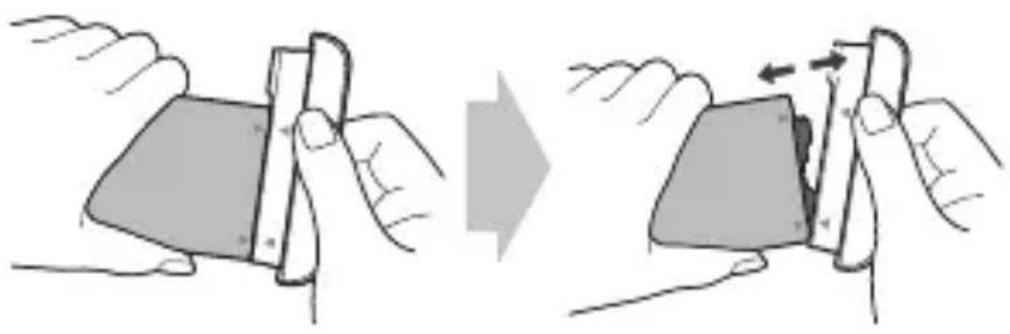
Illustration of two hands folding a card into a slot, showing the change from left to right (no text or symbols present)3 Hold the battery and the module with both hands and separate them from one another in an outward arc (as indicated below) to disconnect the battery terminals.
natural_image
Illustration of two hands holding a smartphone, showing the change from left to right (no text or symbols present)- Do not detach the module while it is in use.
- Immediately attach the module to the main unit if it becomes loose or detached during use.
- Be careful to not hurt your hands or fingers when attaching or detaching the module.
- Be careful to not be injured by the edges of the product or the module.
- Make sure the battery and the module are properly inserted. Otherwise, the product may be damaged or fail to turn on.
- Failing to follow the instructions in this user guide may result in damage to the product.
Instructions
- This product will not operate normally if your G5 and LG Hi-Fi Plus are supported by different countries or operators.
- While your earphones are connected to the LG Hi-Fi Plus, USB data communication is not available. (Hi-Fi features and charging are available. High-speed charging is not available.)
- While your earphones are connected to the LG Hi-Fi Plus, the audio cannot be adjusted in Settings > General > Accessibility > Hearing.
- While the LG Hi-Fi Plus is attached to your LG G5, unplugging your earphones from the LG Hi-Fi Plus while it is not in use will help reduce power consumption.
- 384 kbps hi-fi audio is supported. Power consumption will increase slightly when this feature is in use.
- All sounds except for the ringtone and alarm will be blocked while playing DSD files (.dff, .dsf). Your device will vibrate if you receive any notifications.
- If a Bluetooth® headset is connected during a call, the Bluetooth® device will be used for the audio output. If there is not a Bluetooth® device connected, then any earphones connected to your phone will be used for the audio output. If your earphones are connected to only the Hi-Fi Plus, then those earphones will be used for the audio output.
- To play FM radio or DMB (if it is a DMB-compatible model), connect your earphones to the earphone jack on the upper part of the LG G5 to serve as an antenna.
- When your LG Hi-Fi Plus is attached to your G5 while your earphones are connected, any voice or external audio will be recorded via the microphone on your LG Hi-Fi Plus when recording voice or videos.
- The call feature is not supported while you are using 3-pole earphones.
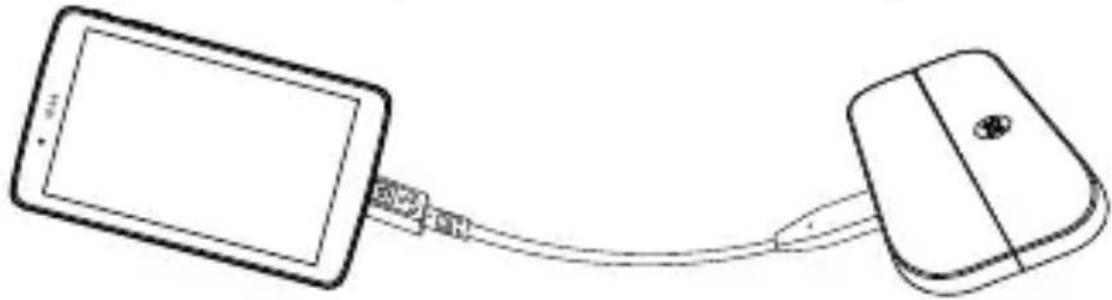
- You can use the hi-fi feature on phones other than the LG G5 using OTG cables.
natural_image
Line drawing of a tablet connected to a computer via cable (no text or symbols)If you connect OTG devices to an LG Hi-Fi Plus that is attached to an LG G5, the OTG devices will not be recognised (OTG is not supported).
- If the LG Hi-Fi Plus is attached to a an LG G5 that was sold in North America, the phone will not turn on.
PC Driver Downloads
- The LG Hi-Fi Plus can be connected to a PC once you download and install "Hi-Fi Plus PC Driver.exe" from the LG Electronics website (Korea: www.lgmobile.co.kr, or global: www.lg.com).
About Firmware Upgrades
- Firmware upgrades are available by downloading and installing "Hi-Fi Plus Manager.exe" from the LG Electronics website (Korea: www.lqmobile.co.kr, or global: www.lq.com).
- Firmware upgrades are also available using the LG Friends Manager app.
Specifications and Features
| USB Type USB 2.0 (Type-C) | |
| Voltage | 5 V ± 10% |
| Current Consumption | 220 mA (with earphone jack), 3 mA (without earphone jack) |
| Headphone Jack | 4 Pole / 3 Pole 3.5 mm |
| Audio Speaker and digital MIC | |
| Sound Pressure | 1 m sound pressure 60 dB ↑ (100%)*based on a full charge |
| Antenna GSM/CDMA, WCDMA, LTE ^TM | |
| Operating Temperature | -20 °C – 40 °C |
| Dimensions/Weight | 73.9 mm x 43.9 mm x 7.4 mm / 23.6 g |
Additional Information
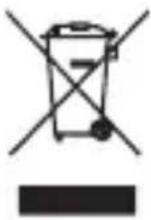
Disposal of your old appliance
1 This crossed-out wheeled bin symbol indicates that waste electrical and electronic products (WEEE) should be disposed of separately from the municipal waste stream.
2 Old electrical products can contain hazardous substances so correct disposal of your old appliance will help prevent potential negative consequences for the environment and human health. Your old appliance may contain reusable parts that could be used to repair other products, and other valuable materials that can be recycled to conserve limited resources.
3 You can take your appliance either to the shop where you purchased the product, or contact your local government waste office for details of your nearest authorised WEEE collection point. For the most up to date information for your country please see www.lg.com/global/recycling
CE
Limited Warranty
SUBJECT TO THE CONDITIONS OF THIS LIMITED WARRANTY, LG ELECTRONICS WARRANTS THIS PRODUCT TO BE FREE FROM DEFECTS IN DESIGN, MATERIAL AND WORKMANSHIP AT THE TIME OF ITS ORIGINAL PURCHASE BY A CONSUMER, AND FOR A SUBSEQUENT PERIOD OF ONE (1) YEAR. SHOULD YOUR PRODUCT NEED WARRANTY SERVICE, PLEASE RETURN IT TO THE DEALER FROM WHOM IT WAS PURCHASED OR CONTACT YOUR LOCAL LG ELECTRONICS CONTACT CENTRE TO GET FURTHER INFORMATION.
According to the regional service policies, Spain, Sweden, Czech Republic, Poland, Greece, Portugal, Romania, Denmark, Slovakia, Turkey, Montenegro, Norway, Finland, Iceland, Serbia and Bulgaria will now offer two-year warranties.

LG
Life's Good
natural_image
Simple line drawing of a rectangular object with curved top and horizontal base (no text or symbols)Kryt
natural_image
Blank rounded rectangle with a circular logo in the top-left corner (no text or symbols)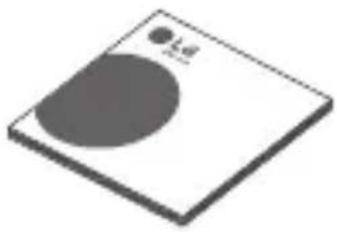
natural_image
3D illustration of a square plate with a circular cutout and a small dot labeled '1.d' (no text or symbols on the plate itself)natural_image
Line drawing of a portable electronic device with ports and a circular logo (no text or symbols)Modul LG Hi-Fi Plus
natural_image
Pure electrical circuit lines without any symbolsnatural_image
Illustration of hands holding a device with a left-pointing arrow indicating motion (no text or symbols)natural_image
Illustration of two hands folding a card into a slot, showing the change from left to right (no text or symbols present)natural_image
Illustration of two hands holding a smartphone with a device, showing a change in the image (no text or symbols present)natural_image
Line drawing of a smartphone connected to a tablet (no text or symbols)natural_image
Simple line drawing of a rectangular object with curved top and horizontal base (no text or symbols)Hætte
natural_image
Blank rounded rectangle with a circular logo in the top-left corner (no text or symbols)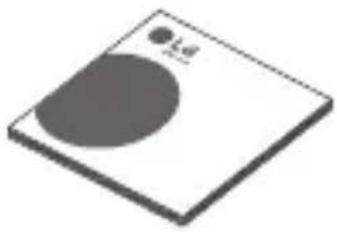
natural_image
3D illustration of a square plate with a circular cutout and a small dot labeled 'Ld' (no text or symbols beyond the label)natural_image
Line drawing of a portable electronic device with ports and a circular logo (no text or symbols)LG Hi-Fi Plus

natural_image
Pure electrical circuit lines without any symbolsOTG-kabel
(USB-C Type til B Type)
natural_image
Illustration of hands holding a device with a left-pointing arrow (no text or symbols)natural_image
Illustration of two hands folding a card into a slot, showing the change from left to right (no text or symbols present)natural_image
Illustration of two hands holding a smartphone, showing the change from left to right (no text or symbols present)natural_image
Line drawing of a tablet connected to a computer via cable (no text or symbols)natural_image
Simple line drawing of a rectangular object with curved top and horizontal base (no text or symbols)Couvercle
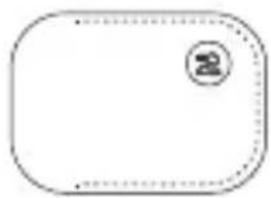
natural_image
Blank rounded rectangular shape with a circular logo in the top-right corner (no text or symbols)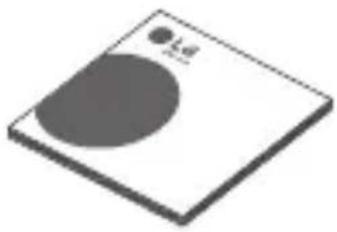
natural_image
3D illustration of a square plate with a circular cutout and a small dot labeled '1.d' (no text or symbols on the plate itself)natural_image
Line drawing of a portable electronic device with ports and a circular logo (no text or symbols)LG Hi-Fi Plus
natural_image
Pure electrical circuit lines without any symbolsnatural_image
Illustration of hands holding a device with an arrow indicating direction (no text or symbols)natural_image
Illustration of two hands holding a smartphone, one being open and the other being inserted (no text or symbols)natural_image
Illustration of two hands holding a smartphone with a device, showing a change in the action (no text or symbols present)natural_image
Line drawing of a tablet connected to a computer via cable (no text or symbols)LG Electronics Inc., 2016
natural_image
Simple line drawing of a rectangular object with curved top and horizontal base (no text or symbols)Κάλυμμα
natural_image
Blank rounded rectangle with a circular logo in the top-left corner (no text or symbols)
natural_image
3D illustration of a square plate with a circular cutout and a small dot labeled 'Ld' (no text or symbols beyond the label)Οδηγίες χρήσηςΘήκη
natural_image
Line drawing of a portable electronic device with ports and a circular logo (no text or symbols)LG Hi-Fi Plus
natural_image
Pure electrical circuit lines without any symbolsnatural_image
Illustration of hands holding a device with an arrow indicating direction (no text or symbols)natural_image
Illustration of hands folding a card into a slot, showing the process with an arrow indicating shift (no text or symbols present)natural_image
Illustration of two hands holding a smartphone with a magnified view showing the screen (no text or symbols)natural_image
Line drawing of a tablet connected to a computer via cable (no text or symbols)natural_image
Simple line drawing of a rectangular object with curved top and horizontal base (no text or symbols)Abdeckung
natural_image
Blank rounded rectangular shape with a small circular logo in the top-right corner (no text or symbols)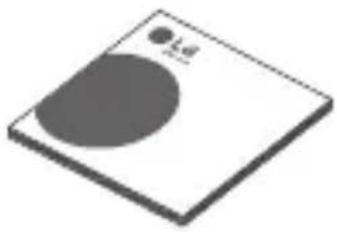
natural_image
3D illustration of a square plate with a circular cutout and a small dot labeled 'Ld' (no text or symbols beyond the label)natural_image
Line drawing of a portable electronic device with ports and a circular logo (no text or symbols)LG Hi-Fi Plus
natural_image
Pure electrical circuit lines without any symbolsnatural_image
Illustration of hands holding a device with a left-pointing arrow (no text or symbols)natural_image
Illustration of two hands folding a card into a slot, showing the change from left to right (no text or symbols present)natural_image
Illustration of two hands holding a smartphone with a device, showing a change in the action (no text or symbols present)natural_image
Line drawing of a tablet connected to a computer via cable (no text or symbols)natural_image
Simple line drawing of a rectangular object with curved top and horizontal base (no text or symbols)Tok
natural_image
Blank rounded rectangular shape with a small circular logo in the top-right corner (no text or symbols)Védőtok
natural_image
3D illustration of a square plate with a circular cutout and a small dot labeled 'Ld' (no text or symbols beyond the label)Használati útmutató
natural_image
Line drawing of a portable electronic device with ports and a circular logo (no text or symbols)LG Hi-Fi Plus
natural_image
Pure electrical circuit lines without any symbolsnatural_image
Illustration of hands holding a device with a left-pointing arrow (no text or symbols)natural_image
Illustration of two hands folding a card into a slot, showing the change from left to right (no text or symbols present)natural_image
Illustration of two hands holding a device, showing a change from left to right (no text or symbols present)natural_image
Line drawing of a tablet connected to a computer via cable (no text or symbols)natural_image
Simple line drawing of a rectangular object with curved top and horizontal base (no text or symbols)Coperchio
natural_image
Blank rounded rectangular shape with a small circular logo in the top-right corner (no text or symbols)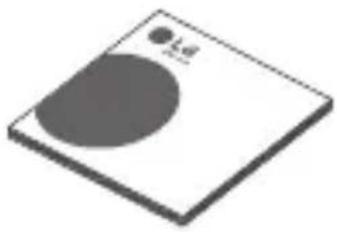
natural_image
3D illustration of a square plate with a circular cutout and a small dot labeled 'Ld' (no text or symbols beyond the label)natural_image
Line drawing of a portable electronic device with ports and a circular logo (no text or symbols)LG Hi-Fi Plus

natural_image
Pure electrical circuit lines without any symbolsnatural_image
Illustration of hands holding a device with a left-pointing arrow (no text or symbols)natural_image
Illustration of two hands folding a card into a slot, showing the change from left to right (no text or symbols present)natural_image
Illustration of two hands holding a smartphone, showing the change from left to right (no text or symbols present)natural_image
Line drawing of a tablet connected to a computer via cable (no text or symbols)natural_image
Simple line drawing of a rectangular object with curved top and horizontal base (no text or symbols)Kap
natural_image
Blank rounded rectangular shape with a small circular logo in the top-right corner (no text or symbols)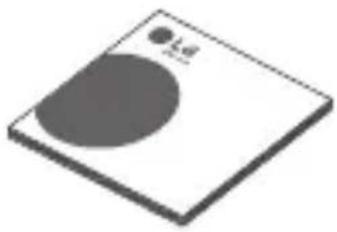
natural_image
3D illustration of a square plate with a circular cutout and a small dot labeled 'Ld' (no text or symbols beyond the label)natural_image
Line drawing of a portable electronic device with ports and a circular logo (no text or symbols)LG HiFi-Plus
natural_image
Pure electrical circuit lines without any symbolsnatural_image
Illustration of hands holding a rectangular object with a shaded section and an arrow indicating direction (no text or symbols)natural_image
Illustration of two hands folding a card into a slot, showing the change from left to right (no text or symbols present)natural_image
Illustration of two hands holding a smartphone, showing the change from left to right (no text or symbols present)natural_image
Line drawing of a smartphone connected to a tablet via cable (no text or symbols)natural_image
Simple line drawing of a rectangular object with curved top and horizontal base (no text or symbols)Pokrywa
natural_image
Blank rounded rectangular shape with a circular logo in the top-right corner (no text or symbols)
natural_image
3D illustration of a square plate with a circular cutout and a small dot labeled 'Ld' (no text or symbols beyond the label)natural_image
Line drawing of a portable electronic device with ports and a circular logo (no text or symbols)LG Hi-Fi Plus
natural_image
Pure electrical circuit lines without any symbolsnatural_image
Illustration of hands holding a device with an arrow indicating direction (no text or symbols)natural_image
Illustration of two hands folding a card into a slot, showing the change from left to right (no text or symbols present)natural_image
Illustration of two hands holding a smartphone with a slide, showing a change in the image (no text or symbols present)natural_image
Line drawing of a tablet connected to a computer mouse via cable (no text or symbols)natural_image
Simple line drawing of a rectangular object with curved top and horizontal base (no text or symbols)Tampa
natural_image
Blank rounded rectangle with a circular logo in the top-left corner (no text or symbols)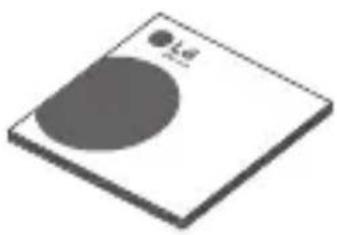
natural_image
Simple 3D illustration of a square plate with a circular cutout and a small circle labeled '1/2' (no text or symbols on the plate itself)natural_image
Line drawing of a portable electronic device with ports and a circular logo (no text or symbols)LG Hi-Fi Plus
natural_image
Pure electrical circuit lines without any symbolsCabo OTG
(USB Tipo C para Tipo B)
natural_image
Illustration of hands holding a device with a left-pointing arrow (no text or symbols)natural_image
Illustration of two hands folding a card into a slot, showing the change from left to right (no text or symbols present)natural_image
Illustration of two hands holding a smartphone, showing the change from left to right (no text or symbols present)natural_image
Line drawing of a tablet connected to a computer via cable (no text or symbols)natural_image
Simple line drawing of a rectangular object with curved top and horizontal base (no text or symbols)Tapa
natural_image
Blank rounded rectangular shape with a small circular logo in the top-right corner (no text or symbols)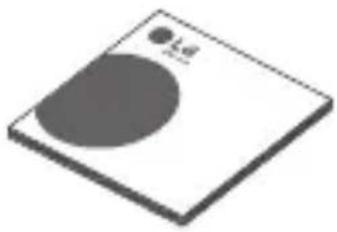
natural_image
3D illustration of a square plate with a circular cutout and a small dot labeled 'Ld' (no text or symbols beyond the label)natural_image
Line drawing of a portable electronic device with ports and a circular logo (no text or symbols)LG Hi-Fi Plus
natural_image
Pure electrical circuit lines without any symbolsCable OTG (USB tipo C a tipo B)
natural_image
Illustration of hands holding a device with an arrow indicating direction (no text or symbols)natural_image
Illustration of two hands holding a smartphone, one being open and the other being inserted (no text or symbols)natural_image
Illustration of two hands holding a smartphone, showing the change from left to right (no text or symbols present)natural_image
Line drawing of a tablet connected to a computer via cable (no text or symbols)natural_image
Simple line drawing of a rectangular object with curved top and horizontal base (no text or symbols)Kryt
natural_image
Blank rounded rectangular shape with a small circular logo in the top-right corner (no text or symbols)
natural_image
Isometric view of a square plate with a circular cutout and a small dot labeled '1.d' (no text or symbols beyond the label)natural_image
Line drawing of a portable electronic device with ports and a circular logo (no text or symbols)Modul LG Hi-Fi Plus
natural_image
Pure electrical circuit lines without any symbolsKábel OTG (USB, typ C na typ B)
2 Zarovnajte batériu so spodným okrajom a opatrne zasuňte modul spät do zariadenia.
natural_image
Illustration of hands holding a device with an arrow indicating left motion (no text or symbols)- Pri vkladaní modulu do zariadenia nikdy nestláčajte tlačidlo na vysunutie modulu.
- Pri vkladaní batérie do zariadenia sa uistite, že je batéria pripojená k modulu.
Vybratie batérie
natural_image
Illustration of two hands folding a card into a slot, showing the change from left to right (no text or symbols present)natural_image
Illustration of two hands holding a smartphone, showing the change from left to right (no text or symbols present)natural_image
Line drawing of a tablet connected to a computer mouse via cable (no text or symbols)natural_image
Simple line drawing of a rectangular object with curved top and horizontal base (no text or symbols)Lock
natural_image
Blank rounded rectangular shape with a small circular logo in the top-right corner (no text or symbols)
natural_image
3D illustration of a square plate with a circular cutout and a small dot labeled 'Ld' (no text or symbols beyond the label)natural_image
Line drawing of a portable electronic device with ports and a circular logo (no text or symbols)LG Hi-Fi Plus
natural_image
Pure electrical circuit lines without any symbolsOTG-kabel (USB C-typ till B-typ)
natural_image
Illustration of hands holding a device with an arrow indicating direction (no text or symbols)natural_image
Illustration of two hands folding a card into a slot, showing the change from left to right (no text or symbols present)natural_image
Illustration of two hands holding a smartphone, showing the change from left to right (no text or symbols present)natural_image
Line drawing of a tablet connected to a computer via cable (no text or symbols)natural_image
Simple line drawing of a rectangular object with curved top and horizontal base (no text or symbols)Capac
natural_image
Blank rounded rectangular shape with a circular logo in the top-left corner (no text or symbols)
natural_image
Simple 3D illustration of a square plate with a circular cutout and a small circle labeled '1/2' (no text or symbols on the plate itself)natural_image
Line drawing of a portable electronic device with ports and a circular logo (no text or symbols)LG Hi-Fi Plus
natural_image
Pure electrical circuit lines without any symbolsCablu OTG
(USB Tip C - Tip B)
natural_image
Illustration of hands holding a device with an arrow indicating left motion (no text or symbols)natural_image
Illustration of two hands folding a card into a slot, showing the change from left to right (no text or symbols present)natural_image
Illustration of two hands holding a smartphone, showing the change from left to right (no text or symbols present)natural_image
Line drawing of a tablet connected to a computer mouse via cable (no text or symbols)Descărcări driver PC
natural_image
Simple line drawing of a rectangular object with curved top and horizontal base (no text or symbols)Kapak
natural_image
Blank rounded rectangular shape with a small circular logo in the top-right corner (no text or symbols)Kilif
natural_image
3D illustration of a square plate with a circular cutout and a small dot labeled 'Ld' (no text or symbols beyond the label)Kullanıcı
Kilavuzu
natural_image
Line drawing of a portable electronic device with ports and a circular logo (no text or symbols)LG Hi-Fi Plus
natural_image
Pure electrical circuit lines without any symbolsOTG Kablosu
(USB C Type - B Type)
natural_image
Illustration of hands holding a rectangular object with a shaded section and an arrow indicating direction (no text or symbols)natural_image
Illustration of two hands folding a card into a slot, showing the change from left to right (no text or symbols present)natural_image
Illustration of two hands holding a smartphone, showing the change from left to right (no text or symbols present)natural_image
Line drawing of a tablet connected to a computer via cable (no text or symbols)EU DECLARATION OF CONFORMITY
1

LG
Number
DoC_MC_AFD1200_160420
Name and address of the Manufacturer ^3
LG Electronics Inc
LG Twin Tower
128 Yeoui-daero, Yeongdeungpo-gu
Seoul 150-721
Korea
This declaration of conformity is issued under the sole responsibility of the manufacturer.
Object of the declaration 5
Product information 6 Product Name USB HIFI DAC
Model Name
AFD-1200
7 N/A
Additional information
The object of the declaration described above is in conformity with the relevant Union harmonisation legislation. ^8
References to the relevant harmonised standards used or references to the technical specifications in relation to which conformity is declared 9
Electromagnetic Directive 2014/30/EU RoHS Directive 2011/65/EU
EN 55022:2010/AC:2011
EN 55024:2010
EN 61000-3-2:2014
EN 61000-3-3:2013
EN 50581:2012
The notified body ^10 N/A
performed
- a conformity assessment of the technical construction file
and issued the certificate
N/A
The last two digits of the year in which the CE marking was affixed
N/A
Additional information 7
N/A
11
Signed for and on behalf of: ^11 LG Electronics Inc.
Authorised Representative:
LG Electronics European Shared Service Center B.V.
Krijgsman 1, 1186 DM Amstelveen, The Netherlands
Date of issue:
- Apr. 2016
Name and Sumame / Function:
Jeong Won Lee / Director
Annex
ENRGESCSDADEETELFRCAITHVLTHUMTNPLFROSKSLFISVTRNOHRIS)

LG
1 (EN)EU Declaration of Conformity (IBO)FIKTAI/AR SA CHOTRETCTRME O KIMICRAHIRA TA HA EC (IB)Declaración UE de Conformidad (CS)EU Problésor o sinald (DA)EU Overexpressionesveränderung (DELEU-KONFATISOPORTEUR) EU Voraçaoedecionel (VELI)MADL ILL SYMCIPROZI 3.5 EL IFR/Derciation: UL de Conforma VI ADASHTO Compræceriada an AE (IT)Dcravadas UE o Conformà (IDV) Adalictus Diclostrata (IL)ES AHAOS Diclostrata (IE)NO-Megrosciop Kylkazakas(MT)Dekapazatni Tarkoformà TA-UL (INEU Conformisotivierung (PL)DIekarozio Zocorod US) PI/PTDcansana de Conformada UE (MO)Declaración de Conformate UE (KO)Yklhlasia or称ce US (IL)Bijrgos EU e Sliadasi (IF) EU Veclamabembeckmukacinkulus (SV)EFL-Försikom om Oversemaheimen(TR)/zuyanik Espan (FR)/EU Servar oskorech (HR)/EZ ljörse u subkataln (US)EFS Sere reiefriging
2 (EN) Number / [BG] Nr. / (ES) N° (CS) C. / (DA) Nr. / (DE) Nr. / (ET) Nr. / (EL) Apt. / (FR) N° (GA) Unhr / (IT) Nr. / (LV) Nr. / (LT) Nr. / (HU) Span / [MT] Kurni / (NL) Nr. / (PL) Nr. / (PT)N. 3 / (RO) Nr. / (SK) Cede / (SL)St. / (FI) No. / (SV) Nr. (TR)Sayts / (NO) Nr. / (HR) Gro. [IS] Numor
3. (EN)Name and address of the M manufacturer (IB)(H)Nanerjene e adrese na de la production (IES)Name y direccion da fabrication (IC)(O)chrodtne prains de adrese výce (DA) Faklunitas nán og address (IDcName and Anschlle o třonljenie (IE)(P)Anerjene mű na accesse (IE)(U)prays te očetovat, sotocouzov, iR(II)Nom et adresse du fabricin (GA) Aman gras sesach na Monator a(IT)hione o litera collabitano ilv(R)Vazkina nosukums an accesse (IL)(G)entombyg adrimiser adress (IH)(V)yvne novs de cimo (AM) om eret za tomnitel (NI) Namor adure na de van de planar (IV)Nanerje adres producanta (PI)(N)te a sendere do bankare (IR)(V)nurne a dresse producitoral (IR)(O)chrodtne néro a dresse výceu (SL)(V)nir in redo provojekte (IV)(V)en openeri rimi je osite (SV)(T)owkorma nunn och address (TR)(r)alaprum sit av sehees (NO)(Namor pa og address du productien) (HR)(Navir a dresse producitorid)(IS)(Nafir og hormladag transferanda
4. (EN)This declaration of conformity is issued under the so le responsibility of the manufacturer (BG)la nastruktura zoncursiun za costortanje otooropocjekt HSPL adictetica nayasuparant (EB)la presente declonate de conformidad se acelde belo, a exclusiva responsabilidad del fanicante (CB) Telo prioritised a svolvo weba naštrav odgovornet výrone (DA)Teno nevektonfomienzodnning tataldies pe faktorníkes anion (DE)Konsen Kafamikinszokrader und um i denjen bierent Verlustanlje des Handelētse abgejatlan (FR)kačenost vastavučeklaracson on valja antus valhensu aravačeslal (EU)I moneca obiteln suppovornog, trávća en je einkredening, čoužin tu kanačskurční (FR)la presente decolorar de sortorné cet doctba, sus a scujo responsabilce du fabricant(GAE)ljen za donštěni contriborechta red flognozama annar za omognačná VTPLE prysloci obieznolnosti pl conformità a rpsloci sotla la responsabilna acuvate de svovartila (LV)la materišna deklavistre i dačda ovela ogva naša inadna stratisla (LT)LA litoria deklavistre dinita di partilnju alimazionna (PR)le megilebné na yjelostat i gyrteni kvalendne febloszene meti i klonosstasis (MT)Dr idežkovanje selekomnita inforing beti i represtatnja unite a sveniditel učen (NI)Dce servizičnitysvanljaming words versedal, oner výstige verlatvendskrednem za domi de fabricant (PL)Najagda odránne opocneta wyzena osztaje na výstige výstige výstavzky produčte (PTA)tra výstavne odo bydžine a výstige výstavne odo bydžine a výstige výstavne odo bydžine a výstige výstavne odo bydžine a výstige výstavne odo bydžine a výstige výstavne odo bydžine a výstige výstavne odo bydžine a výstige výstavné (SK)To vehtresne ocho seva výstva na výrhadna zodovodnest výroku (LSI)a třeva a skladnosti se lesa na lasno odgovornet prozej kapal (FITM)a veultimosternkalsuševakutnas on annaltu valmistan výklimnatsala vastuila (V)DIterne foršavan na ovesagtšimtelese uřídidas te štviranera sept anvar (TRIBU ajegnik hagen na latojin surgniluktu atniki ovina (MO)) na svenitlenne výrhadna na izvedali pe prostorničen osovrace (TRIBU klasnja roči třejna si sukustnih odvajte je odgovornet výrone (BSI)sa univitomizetvýroku je spati ni pinnogu a atyrgo fremeleanda
5 (EN)Object de la declaration (IBIO)Obst at naanapau net, IEBIObste da la déclaración (ISIP)Prednet profahlant (IDAS)Endleriospe osstand (XED)Cagstand der Erflurane (IET)Declerierter vis le ELLKOMO, up, opjumis, ENTRClde la declaración (IAEL)Egtrár en dehraltbalm (IT)Gefgára delde dectera-zone (IL)Vditerlasse proklama (IL)Dedellos optes elidera (IY)A myelodar laryca (AYTL-Gran latadirazazgan), IVNLvorwerp van de verdrilling (VLP)Prednet ocelaracil (IPT)Obcto da coclarayao (IR)Ocbudul destadejer (ISK)Prednet vylkasonia (SL)Prednet lase (IF)Vakultuksan kaisi (SVF)Ofemil for forderan (TR)Bayaminesse (ND)Endleriosgesenstand (IHE)Prednet lase (ISI)Hutur liylyfajiva
6 | ENIProduct Information, Product e Name; Model Name (IB)YfImperforms as a productu, imete na productu, imete na modela (IB)YfImperforms in du producto; nombre del producto; nombre del modelo (IC)YfImperforms o yvården; Nåse výtården; Nåse modela (ID)YfImperakt information, Produkturem; Modelinen (IE)YfProleitinformation, Produkturem; Modelinen (IE)YfModee, Modelinen (IE)YfModee, Modelinen (IE)YfModee, Modelinen (IE)YfModee, Modelinen (IE)YfModee, Modelinen (IE)YfModee, Modelinen (IE)YfModee, Modelinen (IE)YfModee, Modelinen (IE)YfModee, Modelinen (IE)YfModee, Modelinen (IE)YfModee
7 ENI Additional information I/BIGI/Informationa, adogonima I/BIGI Information, adogonai iBISiData, informace iDMSGusipamide, subsporlar (iBID)odotonic. Anapten iBTIL/Indetase iE/Lup/Intraparate, intrasportat, iRIF/Informatione, subpaparate (iBAS) inserb (iBTL) inserb. Informatizn (iVLP)adpati, intrasportat, iRIF/Informatione, iBTU/Indetase informaticn.
iNTI/Informationa, adogonai (iNL/Pavulando informale, iPL/Informace dodokowe, iPT)/informacoes complementares iRO/informali suplementare iSKI/Dodotonic informaticn[iSL]Dodalni padarki (iFIBI/Seljaia (iSV)/Indikare information (iTRIs), high iNOI) kloggospolyanspur iHR/Doczne informace (iBLI/Obtaboray/surgar
6 (EN)The object of the declaration described above is in conformity with the relevant Union harmonisation legislation (IBG) [pre-dominant de lausopazista, cinnan nope, cisterni si contrastente, sanguisancenato da Cnusa ca koperouzakuen (IBG) Ilet tijolo da lecración descita antoramente os conforme con la loglackde do amorizacion portinando la Unión (IS) Veste pansing phadmit promlante si va aguda a plutidremi harmanginalmi bylingbyy Unia (DA) Cerrlandan for arkainguen, som basarexet ovefner, et overa asymelise madjem relevante EUHarmangineskingoportnii (DE) Obr den bestimene Gezostano der Erdenung eftelt die zanziekingen Harnamioneringszuschwirchen der UNI (UO) Ovoges, oveg, oveg, ummipropertum napeleteria oza obvajos y, por i cygnal, emvorn, vapuloto e cycovpura. (FR) Logot se lo declaration ocunt d'essuca est conforme a se eg idarion dhammonisation ce Unión aplicace o (GA) Ta capoort a desmatrife a truolictorlos linias i anopterin e reasentroject gonarla um chromchulbri lo, chug a Angitas (IT) Loocto dels dichiarodice di cui sp o la propria di unio di unio di unio di unio di unio di unio di unio di unio di unio di unio di unio di unio di unio di unio di unio di unio di unio di unio di unio di unio di unio di unio di unio di unio di unio di unio di unio di unio di unio di unio di unio di unio di unio di unio. Anpasses delafargeasoscelitas attiva suslaitas dernamestus Salpino tasales atus (MU) A font smartered nyitalkonal strque megloef a vordikado anishormonzalada poszahlycknai (MT) lighen befehlizomilizni didelklt been fau huxi kampeli melaideklojati si le sammorzizemig rhaoli unileti Unia (NL) Pal tamaricose chevemon wawng is in a semamenzemig and de descorellende harmasmoniewegeling vande Unia (PL) Wynnlenfony powezej prednimontreksz declaraci jest gredni b binorejni wymagamansmirirone prawid awelda harmazogiglio (RPT) O objete da decração a dima descita osi com conformidade com a legislação do harmonização ce. Unión aplicado (RO) Orciol de characariot oces mais use ote si conformate cu legislação relevanta de amorizanas e Unión (IBG) Lyeogiro predictat hylasenia si je znoa a plutidremi na manharginalmi polymi peoplami ni rile (SBL) Pradner navescens grage su aduda is a mandrara nim olerotromismu Unia o lecukmente (IL). Elde valuta valutumii latite na assistance em 1000000000000000000000000000000000000000000000000000000000000000000000000000000000
9. (EN)Reference to the relevant harmonised standards used or reference to the technical specifications in relation to which conformity is declared (IBD)nonmonosensitive an antennaemic seconstrativeness, eugrenning and reneuerer se constaenzenzen, tristente seron, ote opuscens eurensicngene (IE). Scliterencles a los normas ammonizales perientes ocultadas, o referente a las especificaciones tecnicas rescuto a los cladas se deciera to confermose (ICB). Ploodie adozky na plutine harmonizante normo, rove yoyy pasz, roteo noch nose speciflucose, rajejo de náblada a shoda prochitale (AD)Referancier II da relevante arrendia harmonisense stercardar else referente til la tektalise specifiatior, som dar erideras oversaestermatisde me (IDB)paral de los intersegenes harmonisenses formem, que sus rote gelagti apolym, dar Araples de los technischen Spekholderias. Or la de la Konstolid etel avr. (IT)Inlet algealudiali, se ha locte, se ha locte, se ha locte, se ha locte, se ha locte, se ha locte, se ha locte, se ha locte, se ha locte, se ha locte, se ha locte, se ha locte, se ha locte, se ha locte, se ha locte, se ha locte, se ha locte, se ha la confeil de oleracea (IAO)Paralgta si ne pachogin chondichthitta Arantha a nadiglar ni basati do a son sonechostal lekiti e a rindi la en apontireacht a daehtafettes (IT)Pleptneri di ante partirna norma antecritaria bruttare o marmantia leape cibircaherstena in slattana ale quali è contratace a conformità (CL)Nordales zeta bodogium asperianes standardiam vel noradala; lebimokam specklinjeni, seltetta si ho la kie, decelerà seltetta (LT)Takinyi marigia altenbri, mormatos az lechining speckliming, pagal kures brun. Declaros suil ide, mannosus (HUB)Adel iemocen tiroksas se abdimeasera sereti vergoligo tegmentali capazivatogly. Bnigna a notoza a piniposa incereia, arrellava neva a peccelotener voloikorius. (IIB)terresta el fide-bancere a uncoziongual de 2018/2019. In Mio. 2019. A la de 2018/2019. A la de 2018/2019. A la de 2018/2019. A la de 2018/2019. A la de 2018/2019. A la de 2018/2019. A la de 2018/2019. A la de 2018/2
10 (EN)The notified body: performed; and issued the certificatio (IBG) to implement organics, oeraceae, a cepaciae, eupercaptoacere/IEGI organismes literificatio, ha conductiva; y expede et certificado IHC/SDN/mgase subunit; provoet a vadal generale/IDM/dl be medicato organ. der bar fortologii; op uedertel alstonen IHD/Ete not inigeste Stico; lat uter levence Oestemburgiaus spessitati IHT/IRV/mgase subunit; vesicose; jaardite vala lenteri IHD/LK konsterviruses; cyvevuretis; apyuretafornitrile; kan ogolone in triptomutri/HP; Cumparione in ble; a litrose; es a detrit diadenion IGA/Irino an embiohici da biglar flogra; agus delichte en domintrali (ITI)organismes notificato na diffusa to a rilascisto II certificato (ILV/P)invista testudo; ir voikut; un izaneges certificata IHT/IRV/mgase subunit; a patens specifizas IHD/A implementi sporenski; ovelesha a ses aksis afetemabianomicto/IIa. IHT/IRV/mgase subunit; vesicose a bares certificat IHD/IEP, organismes internequity, i amazion, i amazion, i amazion, i amazion, i amazion, i amazion, i amazion, i amazion, i amazion, i amazion, i amazion, i amazion, i amazion, i amazion, i amazion, i amazion, i amazion, i amazion, i amazion, i amazion, i amazium; ce radechal a perma certificato (ISR)/Involvance organ. voryot: a vadal investevene IHD/LK insulatori organ. lenteri in zebi certifikat IHP/EBT/muclita latose; sartiti; a caena et certificat sucoen IHD/Ete angosa acuprate; kar diffuta och lgr tota reoprot/RTR Ukratsuk hafres; vistain se certificare eltr AHD/Ete mays organ. vtifi: sem osfa inksivoreo test resulta ng atlobadae as certificat IHP/ROEsterolste. Plsio, proveto je udditiv inksivare a depivirava. Izola je certificat IHD/LK Eptyrini conta: kai nevomodii se marde oculana serovateurum var. ga il valvulata.
11 (EN)Signed for and an behalf of [RO]Teglesse v. en a non-a non-a non-a (ES)Fremdejor pr. v. nnona (CS)Podoplasne zn. jinisera (DA)Understand for og pa segura se (DE) Understeckeltr. und in Nomenen vortel E/Kholo cmlm al. nohralsat insplated TBLY podolase zn. opovom (FRS)Ginsme pr. av. som den GAGIne the b-horstene ze that ceron and l-lumate in woe per some of TBLY podolase (LTLY) de la feve varta (pazlajta)Paplozalasalras (MT)Imferna (M) zu flem (NL)undetekeltr. osr. na nantie (JP)Podoplasne z mictu (JP)Prudinata por e am nana de (RO)Seminal pertuir al. v nurna (SE)Podolase ze v. a neveine (BLY)Podoplasne ze in v. henna (FP) pac lekai atakf.Hattard (WV)undeteknal fin(TR)As scinta arizalkemgtr (NOQ)Indeslegnir for og pa segura ze HRP/Podolase zn. i ve (NE)indehedt. fyr og fur hind


- Product Overview
- Open Source Software Notice Information
- Important Safety Information
- Product Components
- Product Description
- Connections
- Inserting the Battery
- Removing the Battery
- Instructions
- PC Driver Downloads
- About Firmware Upgrades
- Additional Information
- Disposal of your old appliance
- Limited Warranty
- Vybratie batérie
- Descărcări driver PC
- EU DECLARATION OF CONFORMITY
- Annex
Brand : LG
Model : AFD1200
Category : Cellphone