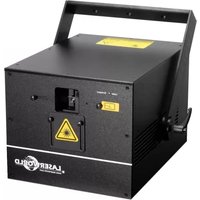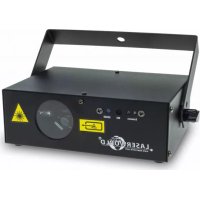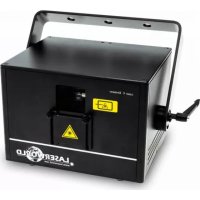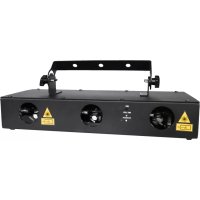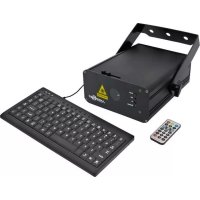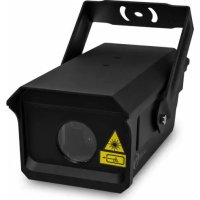
FX700 Hydro - Laser pointer Laserworld - Free user manual and instructions
Find the device manual for free FX700 Hydro Laserworld in PDF.




| Product type | Professional laser projector (class 3R) |
| Brand | Laserworld |
| Model | FX700 Hydro |
| Dimensions (L x W x H) | 240 x 125 x 95 mm |
| Weight | 2.4 kg |
| Power supply | 85-250 V AC, 50-60 Hz, 15 W |
| Laser class | 3R (EN 60825-1:2014) |
| Total optical power | 700 mW |
| Wavelengths | Red (638 nm, 300 mW), Green (520 nm), Blue (450 nm) |
| Protection rating | IP65 |
| Operating modes | Standalone (Auto), DMX (7 channels), Master-Slave |
| Laser source | Diode |
| Scanning system | Multi-mirror reflection |
| Operating temperature | +10°C to +35°C |
| Intended use | Professional (show and display) |
| Package contents | Projector, power cable, mounting bracket, DMX cable, instruction manual |
| Maintenance and cleaning | Avoid humidity and heat; regularly clean fans and fins; do not turn on at short intervals |
| Safety | Installation by qualified personnel; respect safety distances; use an emergency stop switch; wear appropriate protective goggles |
| Repairability | Repairs only by authorized personnel; use Laserworld spare parts |
| Warranty | Warranty void if sticker removed or in case of non-compliant use |
| General information | Manufacturer: Laserworld (Switzerland) AG, Kreuzlingerstrasse 5, CH-8574 Lengwil, Switzerland |
Frequently Asked Questions - FX700 Hydro Laserworld
User questions about FX700 Hydro Laserworld
0 question about this device. Answer the ones you know or ask your own.
Ask a new question about this device
Download the instructions for your Laser pointer in PDF format for free! Find your manual FX700 Hydro - Laserworld and take your electronic device back in hand. On this page are published all the documents necessary for the use of your device. FX700 Hydro by Laserworld.
USER MANUAL FX700 Hydro Laserworld
Please spend a few minutes to read this manual fully before operating this laser!
natural_image
Black industrial laser projector with warning symbol and label (no readable text or symbols beyond labels)English
Deutsch
Français
10/2021
Legal notice:
Thank you for purchasing this Laserworld product. Due to continual product developments and technical improvements, Laserworld (Switzerland) AG reserves the right to make modifications to its products. This manual and its content have been made with due care but Laserworld (Switzerland) AG cannot however, take any responsibility for any errors, omissions or any resulting damages forthwith. The brands and product names mentioned in this manual are trade marks or registered trade marks of their respective owners.
Attention: This device is a show laser device for commercial use. This device is not a laser pointer, not suitable for pointing purposes and must not be used as a laser pointer.
Please read manual before operation
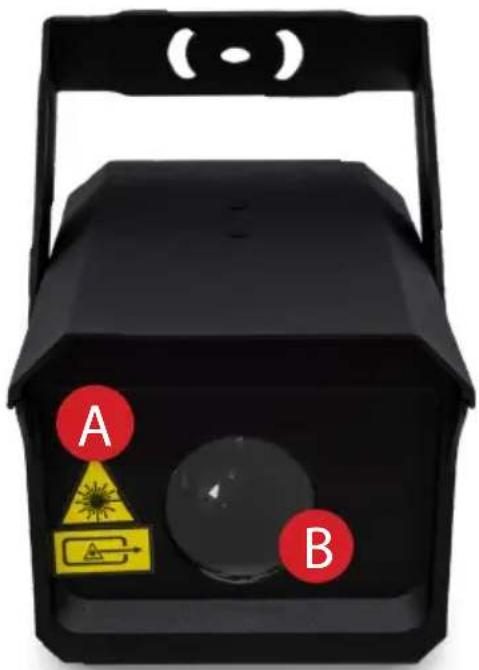
Front Panel | Frontplatte | Panneau frontal
text_image
(·) A BA. Laser aperture warning label | Warnhinweis Laseraustritt | Ouverture de sortie laser
B. Laser aperture | Laseraustritts-fenster | Ouverture laser
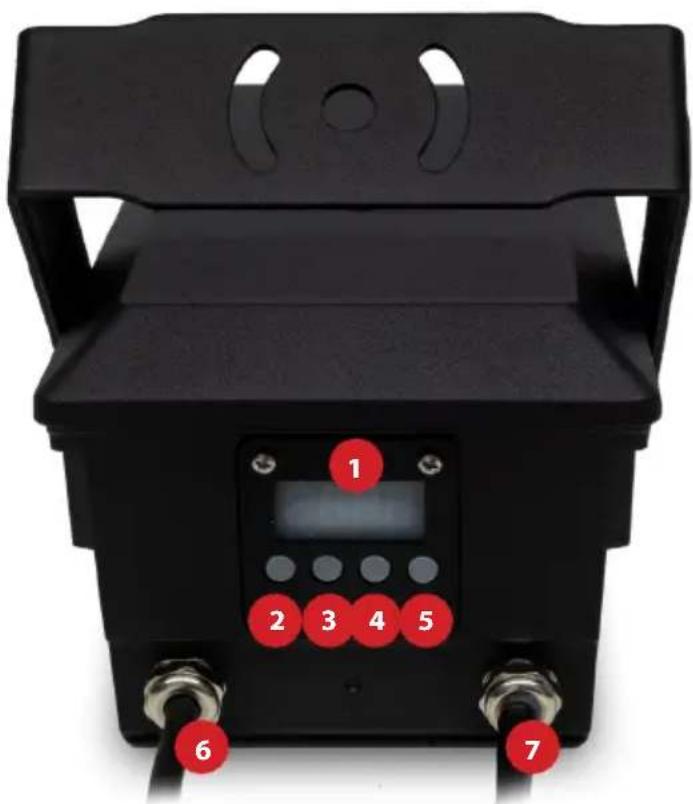
Back Panel | Rückwand | Panneau arrière
text_image
1 2 3 4 5 6 7- LED display | LED Display | Affichage LED
- Mode
- Up
- Down
- Enter
- DMX cable | DMX-Kabel | Câble DMX
- Power cable | Stromkabel | Câble d'alimentation secteur
Content:
- Product and package contents 6
- Preliminary warning notices 6
- Initial operations, safety instructions 6
- Working on the device 7
- Service notes 7
- General Operation 8
Final statement 11
Technical data 26
1. Product and package contents
Please check if all listed parts are included and undamaged. Included in delivery:
Laser system with power cable, mount, DMX cable, manual
2. Preliminary warning notices
- Please use this device only according to these operating instructions.
- Do not use the device if there are any visible damages on housing, connector panels, power supplies or power cords.
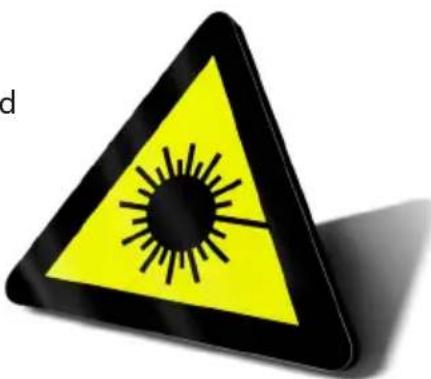
- Never look directly into the light source of a laser projector. Danger of damage to the eyes or even blindness in extreme circumstances!
- This device must not be permanently connected to mains. Disconnect it from mains or use the power button to switch if off if not in use.
Any warranty claims are void if the warranty label is removed or tampered with in any way.
3. Initial operations, safety instructions
- Make sure to use correct voltage; see information on device & in this manual.
- Make sure that the device is not connected to mains during installation.
- Installation has to be done by technical experienced and qualified persons according to safety regulations of the respective country.
- Always ensure that maximum permissible exposure (MPE) is not exceeded in areas accessible to the public or members of staff.
- In some countries an additional inspection by technical control institutes could be necessary.
- Connect an easily accessible circuit breaker to the projector.
- The power supply should be easily accessible.
- When installing the laser mount it with a minimum distance of 15 cm from walls
and objects.
-
For safe setup e.g. on walls or ceilings please use a safety cord. The safety cord should be able to withstand tenfold the weight of the device. Please follow the accident prevention regulations of professional associations and/or comparable regulations for accident prevention.
-
If the device has been exposed to great temperature changes, do not switch it on immediately. Condensation (or any moisture/water formed) may damage this device.
-
Never use dimmer, RC or other electronically switched sockets. Whenever possible, do not use the laser projector together with large appliances (especially fog machines) on the same mains!
-
Ensure sufficient ventilation and do not place the device on any warm or heat radiating surface. Especially the ventilation openings must not be covered!
-
Ensure that device does not get overheated. Make sure that the device is not exposed to spotlights (especially moving heads). Heat of spotlights could overheat
laser in a little while and leads to a degradation of performance.
- This unit is intended for indoor as well as outdoor use.
4. Working on the device
-
This product has no user serviceable parts inside and should only be maintained and serviced by a qualified engineer.
-
Be sure that the mains plug is not connected to the power supply while installing the device.
-
Take off all reflecting things like rings, watches, etc. before starting to work with or at the projector.
-
Only use non-reflecting tools to work on device.
-
Wear protective clothing (like goggles, gloves etc.) according to laser power and wavelength of the laser.
text_image
d5. Service notes
- Moisture and heat can reduce lifetime of the laser system dramatically and expires any warranty claim.
- Quick on/off switching of this device will reduce durability of the laser diode dramatically.
- Avoid sharp knocks and shocks to this device an endure sufficient protection during transportation. Look after your Laserworld product.
• To increase durability of your laser, protect device against overheating:
- Always ensure sufficient ventilation.
- Do not face spotlights (especially moving heads) to the device.
- Check temperature after approx. 30
minutes with each new installation. If necessary install the projector at a placewithdifferenttemperatures.
- Switch off device when it is not needed. Diodes are switched on and can wear out even if there is no visible laser output.
- Please ensure the fans and heatsinks are clear from dust and debris otherwise the risk of overheating may occur. If the unit or air inlets appear to be blocked, please contact a qualified service engineer to maintain and service the product.
- Removal of the warranty label as well as damages to the device caused by improper handling, neglect of the safety instructions and service notes will void the warranty.
6. General Operation
1. Power
Connect device power plug to the mains. Make sure that your device is provided with the correct voltage. Wrong voltage could lead to irreparable damages. Please find the correct voltage data in the synoptical table at the end of this manual. Make sure that the device is not directed to people or inflammable objects during installation. To start the device just switch it on.
2. Modes / Functions
The different operation modes can be selected via the four buttons next to the „Settings“ display.
„Mode“ button allows navigation through menu. Press once to jump to next menu point.
„Up“ / „Down“ allows for changing values.
„Exit“ confirms a selection.
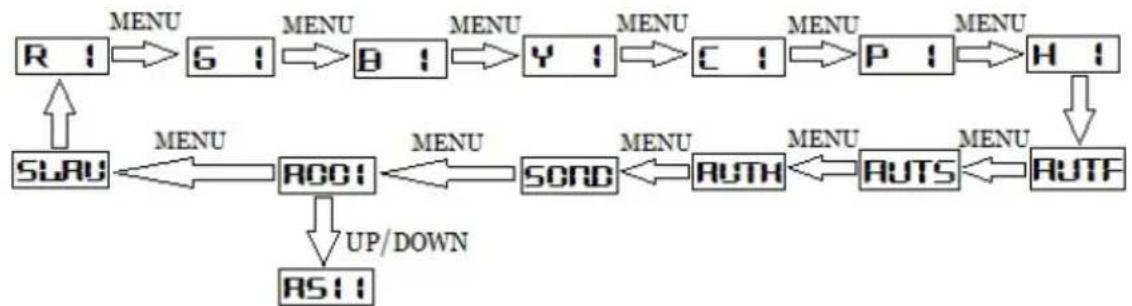
2.1. MENU DESCRIPTION
flowchart
graph TD
    R1["R 1"] --> G1["G 1"]
    G1 --> B1["B 1"]
    B1 --> Y1["Y 1"]
    Y1 --> C1["C 1"]
    C1 --> P1["P 1"]
    P1 --> H1["H 1"]
    H1 --> RUTF["RUTF"]
    RUTF --> RUTS["RUTS"]
    RUTS --> RUTH["RUTH"]
    RUTH --> SORD["SORD"]
    SORD --> ROOT["ROOT"]
    ROOT --> SLRU["SLRU"]
    SLRU --> R1
    R1 -->|MENU| G1
    R1 -->|MENU| B1
    R1 -->|MENU| Y1
    R1 -->|MENU| C1
    R1 -->|MENU| P1
    R1 -->|MENU| H1
    R1 -->|UP/DOWN| RS11["RS11"]
| LED Display Description | |
| R 1 Single | Red, the number shows the current rotation speed |
| G 1 Single | Green, the number shows the current rotation speed |
| B 1 Single | Blue, the number shows the current rotation speed |
| Y 1 Single | Yellow, the number shows the current rotation speed |
| C 1 Single | Cyan, the number shows the current rotation speed |
| P 1 Single | Purple, the number shows the current rotation speed |
| H 1 Single | White, the number shows the current rotation speed |
| AUTF Auto | mode with fast run |
| AUTS Auto | mode with slow run |
| AUTH Auto | mode with slow run for white color laser |
| A001 DMX | mode, DXM address range from 1 to 511 |
| SLAV Slave | mode |
2.2. AUTO
Auto operation allows to random playback the internal sequences. They are played back according to the internal system settings.
Select „AUTF“ for fast run by navigating with the „Up“ / „Down“ buttons and confirm with „Enter“.
Select „AUTS“ for slow run by navigating with the „Up“ / „Down“ buttons and confirm with „Enter“.
Select „AUTH“ for slow run for white color by navigating with the „Up“ / „Down“ buttons and confirm with „Enter“.
2.3. DMX 512
The DMX mode requires a DMX controller or a Master laser (see 2.4. Master-Slave operation) to be connected to the laser.
To switch to DMX mode, select „A001“ by navigating with the „Up“ / „Down“ buttons. Use the „Up“ / „Down“ buttons to set the desired DMX address and confirm with „Enter“.
DMX Chart
The laser uses 7 DMX channels, so make sure that the next device uses an address that doesn't overlap with this range.
| Channel Value Function | |||
| 1 Operation mode 0 - 49 Laser off | |||
| 50 - 99 AUTO Fast Mode, seven-color laser effect | |||
| 100 - 149 AUTO Slow Mode, seven-color laser effect | |||
| 150 - 199 AUTO White Mode, white color laser effect | |||
| 200 - 255 DMX Manual Mode, CH2~CH7 valid | |||
| 2 Red Laser Dimmer 0 - 255 Dimmer laser output power from 0% to 100% | |||
| 3 Green Laser Dimmer 0 - 255 Dimmer laser output power from 0% to 100% | |||
| 4 Blue Laser Dimmer 0 - 255 Dimmer laser output power from 0% to 100% | |||
| 5 Strobe 0 - 4 No strobe | |||
| 6 Rotation Speed 0 - 255 Speed from fast to slow, 255 is stop | |||
| 7 Rotation Direction 0 - 99 Clockwise rotation | |||
2.4. MASTER-SLAVE
This laser is Master-Slave capable. This means that the Master laser system can hand on a control signal to one or more Slave lasers, so all do the same.
Master-Slave only works with lasers of the same product series of the same product generation.
A: Link lasers with DMX cable
To use Master-Slave operation, link the Master with the Slave lasers with DMX cables. Make sure to use the „DMX out“ port on the Master and the „DMX in“ on the Slave lasers. If several Slave lasers are used, link the first one to the Master laser and daisy-chain the control signal from the first Slave laser to the second etc..
B: Establish link to Slave lasers
The Slave units must be set to SLAVE („SLAV“) mode.
C: Activate Master Laser
The Master laser needs to be set as control source. To do that simply select „A001“ by navigating with the „Up“ / „Down“ buttons. Confirm with „Enter“.
D: Set Auto mode on Master laser
To use the Master-Slave operation: set the Master to Auto mode (2.2.).
Final statement
Laserworld products are tested and product packaging is inspected before leaving our warehouse.
Users must to follow the local safety regulations and warnings within this manual and adhere to any regulations within its place of use. Damages through inappropriate use will void any liability or warranty of our products.
Due to continual product developments, please check for the latest update of this product manual at www.laserworld.com. If you do have any further questions, then please contact your dealer/place of purchase or use our contact section on our website.A
For service issues, please contact your dealer/place of purchase and ensure only genuine
Laserworld spare parts are used in any service repairs.
Errors and Omissions excepted and products are subject to change.
Laserworld (Switzerland) AG
Kreuzlingerstrasse 5
8574 Lengwil
Switzerland
Registered office:
8574 Lengwil / Switzerland
Company number: CH-440.3.020.548-6
Commercial Registry Kanton Thurgau
CEO: Martin Werner
VAT no. (Switzerland): 683 180
UID (Switzerland): CHE-113.954.889
VAT no. (Germany): DE 258030001
WEEE-Reg.-No. (Germany): DE 90759352
www.laserworld.com
info@laserworld.com
representative according to EMVG:
Managing Director: Martin Werner
Mühlbachweg 2
83626 Valley / Germany

text_image
C€Inhaltverzeichnis:
representative according to EMVG:
Managing Director: Martin Werner
Mühlbachweg 2
83626 Valley / Germany

text_image
C€Table des matières:
Managing Director: Martin Werner
Mühlbachweg 2
83626 Valley / Germany