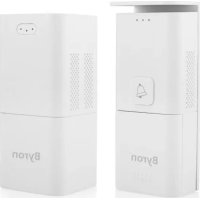
DIC24815 - Doorbells BYRON - Free user manual and instructions
Find the device manual for free DIC24815 BYRON in PDF.



User questions about DIC24815 BYRON
0 question about this device. Answer the ones you know or ask your own.
Ask a new question about this device
Download the instructions for your Doorbells in PDF format for free! Find your manual DIC24815 - BYRON and take your electronic device back in hand. On this page are published all the documents necessary for the use of your device. DIC24815 by BYRON.
USER MANUAL DIC24815 BYRON
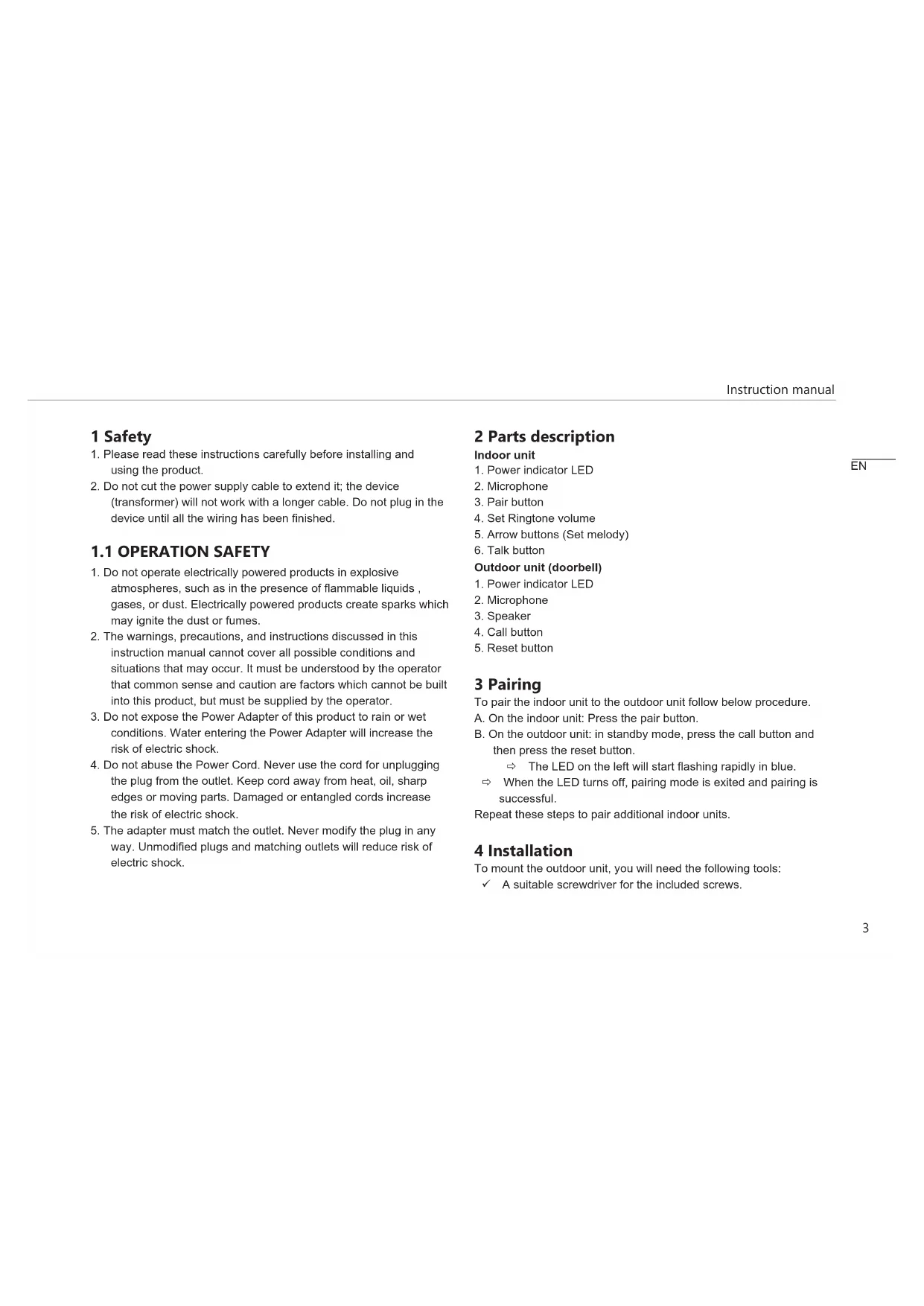
- Please read these instructions carefully before installing and using the product.
- Do not cut the power supply cable to extend it; the device (transformer) will not work with a longer cable. Do not plug in the device until all the wiring has been finished.
- Do not operate electrically powered products in explosive atmospheres, such as in the presence of flammable liquids, gases, or dust. Electrically powered products create sparks which may ignite the dust or fumes.
- The warnings, precautions, and instructions discussed in this instruction manual cannot cover all possible conditions and situations that may occur. It must be understood by the operator that common sense and caution are factors which cannot be built into this product, but must be supplied by the operator.
- Do not expose the Power Adapter of this product to rain or wet conditions. Water entering the Power Adapter will increase the risk of electric shock.
- Do not abuse the Power Cord. Never use the cord for unplugging the plug from the outlet. Keep cord away from heat, oil, sharp edges or moving parts. Damaged or entangled cords increase the risk of electric shock.
- The adapter must match the outlet. Never modify the plug in any way. Unmodified plugs and matching outlets will reduce risk of electric shock.
2 Parts description
Indoor unit
- Power indicator LED
- Microphone
- Pair button
- Set Ringtone volume
- Arrow buttons (Set melody)
- Talk button
Outdoor unit (doorbell)
- Power indicator LED
- Microphone
- Speaker
- Call button
- Reset button
3 Pairing
To pair the indoor unit to the outdoor unit follow below procedure.
A. On the indoor unit: Press the pair button.
B. On the outdoor unit: in standby mode, press the call button and then press the reset button.
The LED on the left will start flashing rapidly in blue.
When the LED turns off, pairing mode is exited and pairing is successful.
Repeat these steps to pair additional indoor units.
4 Installation
To mount the outdoor unit, you will need the following tools:
A suitable screwdriver for the included screws.
A drill and suitable drill bit for the included screw plugs.
A. Position the provided mounting plate where desired.
B. Mark the screw positions with a pen.
C. Drill the necessary holes.
D. Insert the plugs.
E. (Optional) Pull the required cables through the cable gland if you wish to use a power adapter.
F. Fasten the mounting plate with the screws. NOTE: Before proceeding with below steps, make sure you have paired the indoor unit with the outdoor unit (See chapter 3 Pairing).
G. Attach the outdoor unit to the mounting plate.
H. Fasten the screw at the bottom.
4.1 ELECTRICAL INSTALLATION
You can either connect the outdoor unit to an AC adapter or use batteries for power.
4.1.1 Connecting the AC power adapter
To connect the terminals, you will need the following tool: A small flat head screw driver.
A. On the outdoor unit: Loosen the terminal screws.
B. Insert the wires of the AC adapter with the cable shoes.
C. Fasten the terminal screws.
D. After wiring the outdoor unit: Plug in the AC adapter into a compatible wall outlet.
4.1.2 Insert batteries
A. Slide off the battery cover at the front of the outdoor unit.
B. Install 3 AAA' batteries following the polarity as shown.
C. Replace the battery cover.
5 Use
5.1 SET MEODY
Press the arrow buttons to set a melody.
5.2 SET RINGTONE VOLUME
Press the Ringtone button to set the ringtone volume.
5.3 TALK
When a visitor presses the call button of the outdoor unit, the indoor unit will give a sound. Press the talk button on the indoor unit to answer and talk to the person outside. Press again to end the conversation.
5.4 INTERNAL CALL
When someone presses the talk button on the indoor unit, another indoor unit will give a sound. Press the talk button to answer the call, press again to end the call.
6 Specifications
| General Operating frequency | 868MHz | |
| Operating temperature | -10°C ☐ +40°C | |
| Operating humidity <85%RH | ||
| Unobstructed Effective Range | >100m | |
| Outdoor unit Battery 3 x AAA | ||
| 100mA ☐ 200mA | ||
| Power supply DC 8-24V | ||
| Indoor unit Power supply DC 5V / 1A | ||
7 Declaration of Conformity
Hereby, Smartwares Europe declares that the radio equipment type DIC-24815 is in compliance with Directive 2014/53/EU
The full text of the EU declaration of conformity is available at the following internet address: www.chbyron.eu/doc