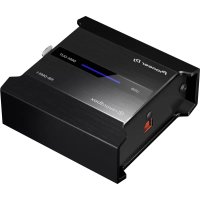
RBDMX1 - DJ Equipment PIONEER - Free user manual and instructions
Find the device manual for free RBDMX1 PIONEER in PDF.



| Brand | Pioneer |
| Model | RBDMX1 |
| Category | DJ Equipment |
| Product Type | DMX Interface for DJ Lighting |
| DMX Channels | 1 set (512 channels) |
| Power Supply | 5 V DC, 500 mA |
| Main unit weight | 0.3 kg (0.65 lb) |
| Dimensions (W × H × D) | 90 mm × 41.5 mm × 90 mm (3.5″ × 1.6″ × 3.5″) |
| Operating temperature | +5 °C to +35 °C |
| Operating humidity | 5% to 85% (non-condensing) |
| USB port | Type B, 1 set |
| DMX output port | XLR connector (3-pin), 1 set |
| Compatible software | rekordbox dj (LIGHTING mode) |
| Box contents | USB cable, instruction manual, warranty, rekordbox dj license key card |
| Main functions | Transmits DMX signals from rekordbox dj to control lighting |
| Maintenance and cleaning | Disconnect USB cable before cleaning; use a dry cloth |
| Safety | Do not expose to moisture, static electricity; disconnect in case of malfunction |
| Spare parts and repairability | Contact an authorized Pioneer service center for repair |
| General information | Manufactured by Pioneer DJ Corporation; warranty included depending on region |
Frequently Asked Questions - RBDMX1 PIONEER
User questions about RBDMX1 PIONEER
0 question about this device. Answer the ones you know or ask your own.
Ask a new question about this device
Download the instructions for your DJ Equipment in PDF format for free! Find your manual RBDMX1 - PIONEER and take your electronic device back in hand. On this page are published all the documents necessary for the use of your device. RBDMX1 by PIONEER.
USER MANUAL RBDMX1 PIONEER
For various types of information and services regarding rekordbox™, see the Pioneer website above.
flowchart
```mermaid
graph LR
    A["1: recordbox"] --> B["2: USB port"]
    B --> C["3: USB port"]
    C --> D["4: display device with monitor and lamp"]
    C --> E["Powertrain by"]
1 Computer / Ordinateur / Computer / Computer / Computer / Computer / Ordenador / Computador / Компьютер / コンピューター
2 USB cable / Câble USB / USB-Kabel / Cavo USB / USB-Kabel / Cable USB / Cabo USB / Кабель USB / USBケーブル
3 DMX cable (XLR 3 pin) / Câble DMX (XLR à 3 broches) / DMX-Kabel (XLR, 3-polig) / Cavo DMX (XLR a 3 pin) / DMX-kabel (XLR 3-polig) / Cable DMX (XLR 3 clavijas) / Cabo DMX (XLR 3 pinos) / Кабель DMX (XLR 3-контактный) / DMXケーブル (XLR 3ピン)
4 Fixture / Dispositif / Beleuchtungskörper / Impianto / Verlichtingstoestel / Instalación / Dispositivo de iluminação / Подсветка / 照明
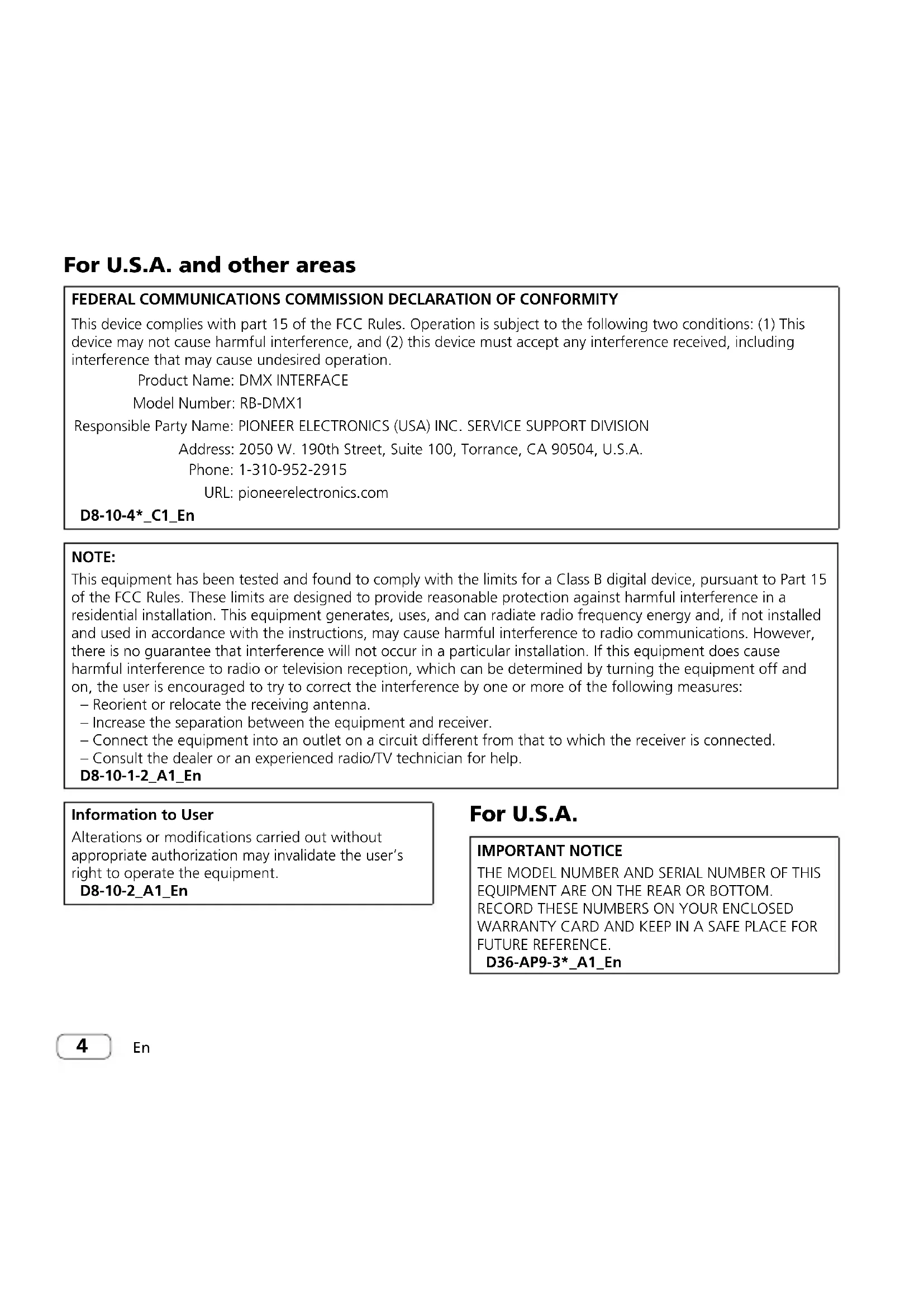
For U.S.A. and other areas
FEDERAL COMMUNICATIONS COMMISSION DECLARATION OF CONFORMITY
This device complies with part 15 of the FCC Rules. Operation is subject to the following two conditions: (1) This device may not cause harmful interference, and (2) this device must accept any interference received, including interference that may cause undesired operation.
Product Name: DMX INTERFACE
Model Number: RB-DMX1
Responsible Party Name: PIONEER ELECTRONICS (USA) INC. SERVICE SUPPORT DIVISION
Address: 2050 W. 190th Street, Suite 100, Torrance, CA 90504, U.S.A.
Phone: 1-310-952-2915
URL: pioneelectronics.com
D8-10-4*_C1_En
NOTE:
This equipment has been tested and found to comply with the limits for a Class B digital device, pursuant to Part 15 of the FCC Rules. These limits are designed to provide reasonable protection against harmful interference in a residential installation. This equipment generates, uses, and can radiate radio frequency energy and, if not installed and used in accordance with the instructions, may cause harmful interference to radio communications. However, there is no guarantee that interference will not occur in a particular installation. If this equipment does cause harmful interference to radio or television reception, which can be determined by turning the equipment off and on, the user is encouraged to try to correct the interference by one or more of the following measures:
– Reorient or relocate the receiving antenna.
– Increase the separation between the equipment and receiver.
- Connect the equipment into an outlet on a circuit different from that to which the receiver is connected.
- Consult the dealer or an experienced radio/TV technician for help.
D8-10-1-2_A1_En
Information to User
Alterations or modifications carried out without appropriate authorization may invalidate the user's right to operate the equipment.
D8-10-2_A1_En
For U.S.A.
IMPORTANT NOTICE
THE MODEL NUMBER AND SERIAL NUMBER OF THIS EQUIPMENT ARE ON THE REAR OR BOTTOM.
RECORD THESE NUMBERS ON YOUR ENCLOSED WARRANTY CARD AND KEEP IN A SAFE PLACE FOR FUTURE REFERENCE.
D36-AP9-3*_A1_En
Informational Note for Customers in EU Only:

If you want to dispose this product, do not mix it with general household waste. There is a separate collection system for used electronic products in accordance with legislation that requires proper treatment, recovery and recycling.
Private households in the member states of the EU, in Switzerland and Norway may return their used electronic products free of charge to designated collection facilities or to a retailer (if you purchase a similar new one). For countries not mentioned above, please contact your local authorities for the correct method of disposal. By doing so you will ensure that your disposed product undergoes the necessary treatment, recovery and recycling and thus prevent potential negative effects on the environment and human health.
K058b_A1_En
Before start
How to read this manual
Thank you for buying this Pioneer DJ product. Be sure to read this Operating Instructions manual which includes important information that you must understand before using this product.
After reading the manual, store it in a safe place for future reference.
Features
This unit is a DMX interface designed specifically for "rekordbox dj." Lighting information from rekordbox dj can be output as a lighting signal compatible with DMX512, and control the fixtures connected to the unit. It has a robust compact body for easy carrying, and lighting is possible in conjunction with DJ performances.
What's in the box
- USB cable (be sure to use the USB cable supplied with the unit for optimum performance.)
• Operating Instructions (this manual)
• Warranty (for some regions) - License key card for "rekordbox dj"
☐ Use the warranty for your region.
Note
Please keep the license key because it cannot be provided again.
About rekordbox
- rekordbox rekordbox is comprehensive software which can manage audio tracks and make DJ performances. In LIGHTING mode, you can create and edit lighting in conjunction with audio tracks, and set the fixtures.
- rekordbox dj rekordbox dj is the DJ performance function of rekordbox. You can use this function after entering the license key which is shown on the supplied license key card for "rekordbox dj." You can also make DJ performance in conjunction with lighting created in LIGHTING mode.
En
Viewing the rekordbox manual and installing rekordbox
- Launch a web browser on the computer and access the rekordbox site. rekordbox.com
- Click [Support] > [Manual] from the menu.
- Click the desired language from the list on the download page.
- For information and services for rekordbox, refer to the rekordbox site above.
- Install rekordbox by following the installation steps in [Preparing rekordbox] on the download page.
Operating environment
Operation is possible with computers which fulfill all the required rekordbox operating environment conditions.
- For information on the latest system requirements, compatibility, and supported operating systems of rekordbox, see [System Requirements] on the rekordbox.com site below. rekordbox.com
- Use of the Internet requires a separate contract with a provider offering Internet services and payment of provider fees.
- The computer must have two or more USB 2.0 ports, one for connecting with the unit and the others for connecting with the DJ controller etc.
- For a computer with only a USB Type-C port, a USB Type-C (male) - USB A (female) cable is required.
Troubleshooting
- If you think that there is something wrong with this unit, access the Pioneer DJ support site and check [FAQ].
pioneerdj.com/support/
Sometimes the problem may lie in another component. Inspect the other components and electrical appliances being used. If the problem
cannot be rectified, ask your nearest Pioneer authorized service center or your dealer to carry out repair work.
- This unit may not operate properly due to static electricity or other external influences. In this case, proper operation may be restored by unplugging the USB cable then plugging it back in.
About trademarks and registered trademarks
- "Pioneer DJ" is a trademark of PIONEER CORPORATION, and is used under license.
- rekordbox is a trademark or registered trademark of the Pioneer DJ Corporation.
The names of companies and products mentioned herein are trademarks or registered trademarks of their respective owners.
Cautions on copyrights
rekordbox restricts playback and duplication of copyright-protected music contents.
- When coded data, etc., for protecting the copyright is embedded in the music contents, it may not be possible to operate the program normally. - When rekordbox detects that coded data, etc., for protecting the copyright is embedded in the music contents, processing (playback, reading, etc.) may stop.
Recordings you have made are for your personal enjoyment and according to copyright laws may not be used without the consent of the copyright holder.
- Music recorded from CDs, etc., is protected by the copyright laws of individual countries and by international treaties. It is the full responsibility of the person who has recorded the music to ensure that it is used legally.
- When handling music downloaded from the Internet, etc., it is the full responsibility of the person who has downloaded the music to ensure that it is used in accordance with the contract concluded with the download site.
Specifications
General – Main Unit
DMX channels ....1 universe (512 ch)
Power supply ...... DC 5 V
Rated current....500 mA
Main unit weight....0.3 kg (0.65 lb)
Max. dimensions
90 mm (W) × 41.5 mm (H) × 90 mm (D)
(3.5 in. (W) × 1.6 in. (H) × 3.5 in. (D))
Tolerable operating temperature .....+5 °C to +35 °C
Tolerable operating humidity
5% to 85% (no condensation)
Input / Output terminals
USB terminal
B type 1 set
DMX output terminal
XLR connector (3 pin)....1 set
- The specifications and design of this product are subject to change without notice.
• © 2018 Pioneer DJ Corporation. All rights reserved.
To register your product, find the nearest authorized service location, to purchase replacement parts, operating instructions, or accessories, please go to one of following URLs :
pioneerelectronics.com
S018_B1_EnFr_PSV
En
Pour l'Europe
To register your product, find the nearest authorized service location, to purchase replacement parts, operating instructions, or accessories, please go to one of following URLs :
pioneerelectronics.com
S018_B1_EnFr_PSV
Fr

General – Unidad principal
Canales DMX....1 universo (512 canales)
This warranty is valid only in Japan.
For FAQs and other support information for this product, visit the above site.
© 2018 Pioneer DJ Corporation. All rights reserved.
Pioneer DJ Corporation
6F, Yokohama i-Mark Place, 4-4-5 Minatomirai, Nishi-ku, Yokohama, Kanagawa 220-0012 JAPAN
Pioneer DJ 株式会社
Pioneer DJ Europe Limited
Anteros Building, Odyssey Business Park, West End Road, South Ruislip, Middlesex, HA4 6QQ, U.K. TEL: +44-203-7617-220
Pioneer DJ Americas, Inc.
2050 W. 190th Street, Suite 109, Torrance, CA 90504, U.S.A. TEL: +1 (424) 488-0480
PIONEER ELECTRONICS ASIACENTRE, PTE. LTD.
2 Jalan Kilang Barat, #07-01, Singapore 159346 TEL: +65-6378-7888
PIONEER ELECTRONICS AUSTRALIA PTY. LTD.
5 Arco Lane, Heatherton, Victoria, 3202, Australia TEL: +61-3-9586-6300
PIONEER ELECTRONICS (THAILAND) CO., LTD.
17th Fl., KPN Tower, 719 Rama 9 Road, Bangkapi, Huaykwang, Bangkok 10310 TEL: +66-2-717-0777
PIONEER TECHNOLOGY (MALAYSIA) SDN. BHD
16th Floor, Menara Liberty, 1008 Jalan Sultan Ismail 50250 Kuala Lumpur TEL: +60-3-2697-2920
先鋒股份有限公司
PIONEER INDIA ELECTRONICS PRIVATE LTD.
216, Second Floor, Time Tower, M.G. Road, Sector 28, Gurgaon 122001, Haryana, India TEL: +91-124-463-6100
<502-RBDMX1A-3736>