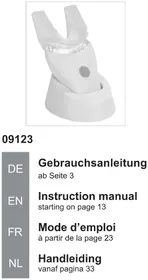
09123 - Toothbrush VitalMaxx - Free user manual and instructions
Find the device manual for free 09123 VitalMaxx in PDF.



| Product type | Sonic toothbrush |
| Brand | VitalMaxx |
| Model | 09123 |
| Supply voltage | 3.7 V (Li-ion rechargeable battery) |
| Power | 0.4 – 0.6 W |
| Number of LEDs | 7 |
| LED wavelength | 460 – 465 nm |
| LED light intensity | 4000 – 6000 mcd |
| Sonic pulses | 10,000 per minute |
| Battery capacity | 200 mAh |
| Power supply | USB mains adapter 5 V, 1 A |
| Battery type | Integrated lithium-ion |
| Package contents | 1 handheld device, 2 mouthpieces, 1 base station, 1 USB mains adapter, 1 USB cable, 1 instruction manual |
| Use | Teeth cleaning, domestic use |
| Recommended age | From 14 years |
| Cleaning | Mouthpieces washable with water; wipe handheld device with a damp cloth |
| Safety | Do not immerse the mains adapter; do not use if damaged |
| After-sales service | DS Produits GmbH, phone: +49 38851 314650 |
Frequently Asked Questions - 09123 VitalMaxx
User questions about 09123 VitalMaxx
0 question about this device. Answer the ones you know or ask your own.
Ask a new question about this device
Download the instructions for your Toothbrush in PDF format for free! Find your manual 09123 - VitalMaxx and take your electronic device back in hand. On this page are published all the documents necessary for the use of your device. 09123 by VitalMaxx.
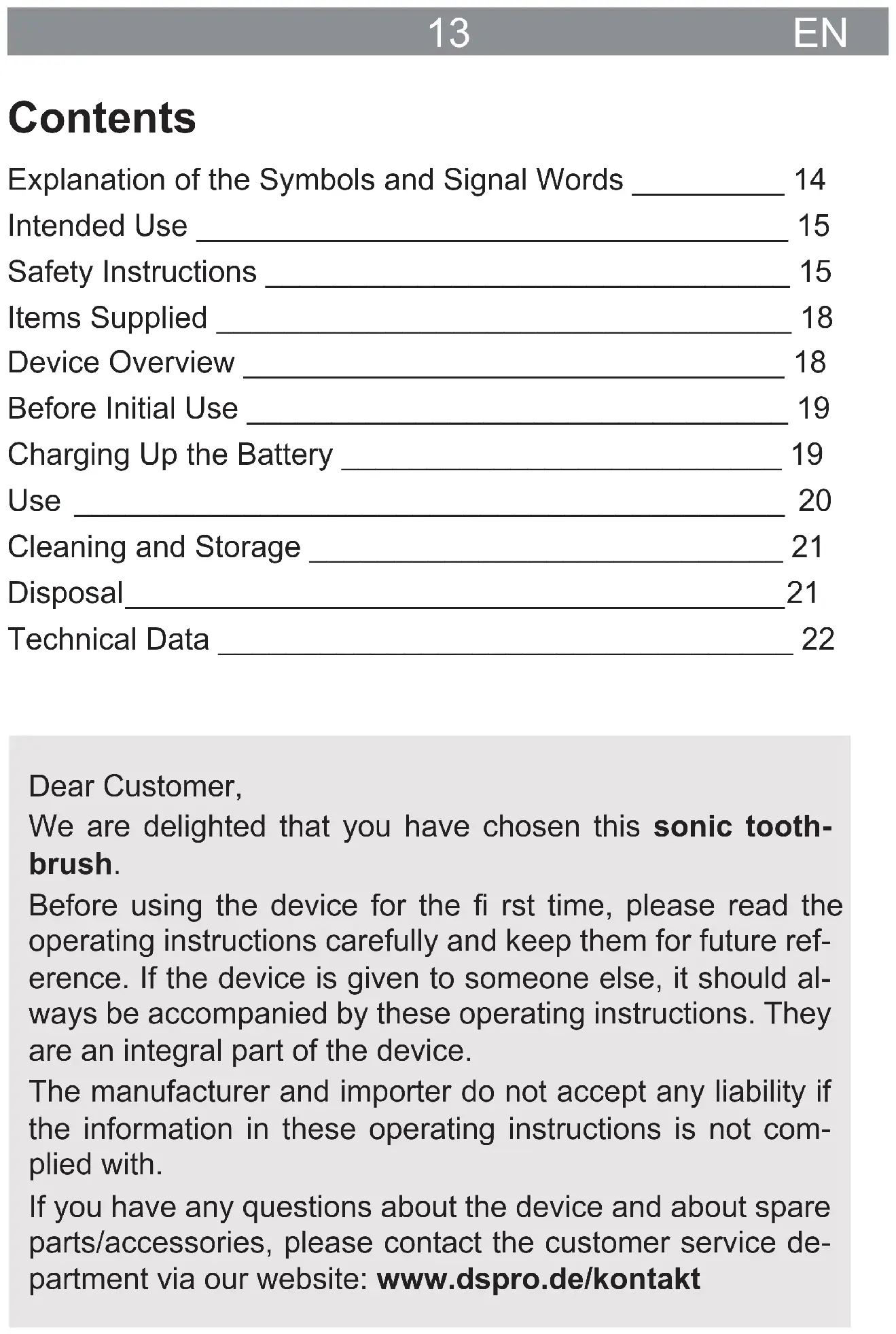
USER MANUAL 09123 VitalMaxx
Explanation of the Symbols and Signal Words 14
Intended Use 15
Safety Instructions 15
Items Supplied 18
Device Overview 18
Before Initial Use 19
Charging Up the Battery 19
Use 20
Cleaning and Storage 21
Disposal 21
Technical Data 22
Dear Customer,
We are delighted that you have chosen this sonic toothbrush.
Before using the device for the first time, please read the operating instructions carefully and keep them for future reference. If the device is given to someone else, it should always be accompanied by these operating instructions. They are an integral part of the device.
The manufacturer and importer do not accept any liability if the information in these operating instructions is not complied with.
If you have any questions about the device and about spare parts/accessories, please contact the customer service department via our website: www.dspro.de/kontakt
Explanation of the Symbols and Signal Words



Danger symbols: These symbols indicate risks of injury (e.g. from electricity or fire). Read through the associated safety instructions carefully and follow them.

Only use indoors!
Polarity of the coaxial connector (mains adapter)
Circuit symbol for direct current
Switching power supply

Safe electrical isolation

Protection class II

Supplementary information

Read operating instructions before use!
DANGER warns of serious injuries and danger to life
WARNING warns of possible serious injuries and danger to life
NOTICE warns of material damage
Intended Use
- This device is intended to be used for cleaning teeth. Do not use it on any other body part.
- The device is only suitable for people aged 14 years or above.
- The device is intended for personal domestic use only and is not suitable for commercial applications.
- The device should only be used as described in the operating instructions. Any other use is deemed to be improper.
- The warranty does not cover faults caused by incorrect handling, damage or attempted repairs. The same applies to normal wear and tear.
Safety Instructions
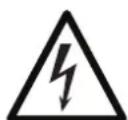
DANGER - Risk of Electric Shock!
Use and store the device only in closed spaces. Do not charge the device in rooms with high humidity.
No liquid must get into the USB port. Do not immerse it in water or expose it to persistent moisture! Only the handheld device and the mouthpieces may become wet.
- Never immerse the USB mains adapter in water or other liquids! Ensure that it cannot fall into water or become wet.
Should the base station fall into water, switch off the power supply immediately. Do not attempt to pull the base station out of the water while it is still connected to the mains power!
- Never touch the USB mains adapter with wet hands when it is connected to the mains power.
- Do not use the device if it has malfunctioned or been dropped in water. Have it checked in a specialist workshop before using it again.

WARNING - Danger of Injury
- Keep children and animals away from plastic bags and fi lms. There is a danger of suffocation.
Make sure that the USB cable is always kept out of the reach of small children and animals. There is a danger of strangulation.
Make sure that the connected USB cable does not present a trip hazard.
Supervise children to ensure that they do not play with the device.
Children must not connect the device to the mains power or disconnect it from the mains power.
- Never look directly into the light source! This could damage your eyes.
- Do not use the device if it is damaged. Before each use, check whether the device and the mouthpiece are in good condition. If there is any damage or wear, this could cause injuries.

WARNING - Danger of Fire
- Do not use the device in rooms containing easily ignitable or explosive substances.
Unwind the USB cable fully before connecting the USB mains adapter.
NOTICE - Risk of Damage to Material and Property
The USB mains adapter should only be connected to a properly installed plug socket with safety contacts. The plug socket must also be readily accessible after connection so that the connection to the mains can quickly be isolated.
The mains voltage must match the rating plate of the device and the USB mains adapter.
- Do not use the USB mains adapter or the USB cable with another device and never use the device with another USB mains adapter or USB cable.
Make sure that the USB cable is not squashed, bent or laid over sharp edges and does not come into contact with hot surfaces. - When the USB mains adapter is removed from the plug socket, always pull on the mains adapter and never the USB cable. Never wind the USB cable around the base station or the USB mains adapter.
-
Never place heavy objects on the USB cable.
-
Protect the device from: impacts, fire, heat, direct sunlight, sub-zero temperatures. The base station, USB cable and USB mains adapter must also be protected from wet conditions and persistent moisture.
Use only original spare parts from the manufacturer in order to guarantee that there is no interference that may prevent the device from working and to avoid damage.
In the event of damage / faults, switch the device off immediately. Do not use the device if it is damaged. - Do not make any modifications to the device. Do not try to repair it yourself or to replace any individual parts. In the event of any damage, please contact our customer service department.
The individual LEDs cannot be replaced.
Items Supplied
1 x handheld device
2xmouthpiece
1 x base station
1 x USB mains adapter
1 x USB cable (A connector to Micro B connector)
1 x operating instructions
Check the items supplied for completeness and transport damage. If you find any damage to the components, do not use them (!), but contact our customer service department.
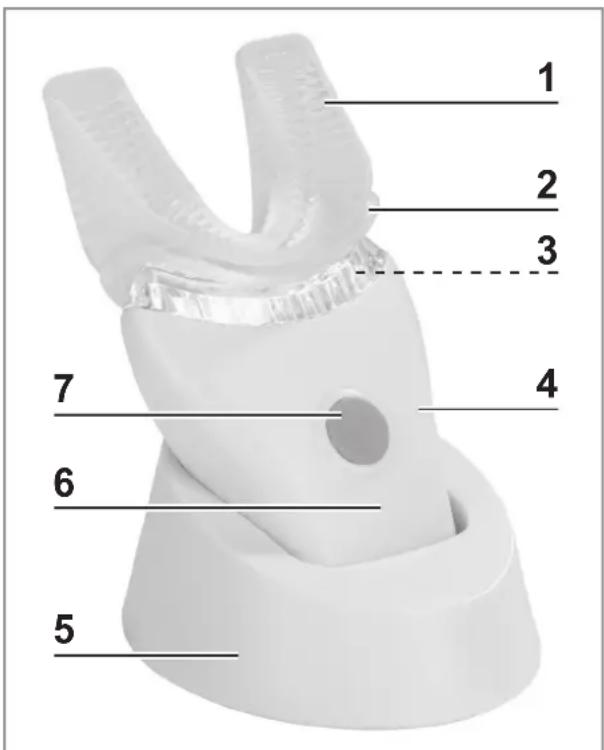
Device Overview
1 Mouthpiece
2 Mount for the mouthpiece
3 LED lights (below the mount)
4 Handheld device
5 Base station
6 Charge control lamp
7 On/Off switch
Before Initial Use
- Before using the device, remove all packaging materials and any labels that may be on the device and are used for protection during transportation or for advertising. Never remove the rating plate and any possible warnings!
- There may still be some production residues on the mouth-pieces. To avoid harmful effects to your health, clean them thoroughly before you first use them (see the "Cleaning and Storage" chapter).
- Charge the battery (see the "Charging Up the Battery" chapter).
Charging Up the Battery

PLEASE NOTE!
The device should not be charged via a computer, because the high charging current could damage the computer.
Before initial use the battery should be fully charged, so that it reaches its full capacity.
- Plug the USB cable into the USB mains adapter and then plug this into an easily accessible plug socket.
- Plug the USB cable with the Micro B connector into the connecting socket on the base station.
- Place the handheld device into the base station. The handheld device is charged. The charge control lamp flashes.
- The battery is fully charged when the charge control lamp is permanently lit.
Use

PLEASE NOTE!
Only ever use the device on your teeth!
If using the device is unpleasant, you should stop immediately.
Attaching / Removing the Mouthpiece
- Attaching: Pull the mouthpiece over the mount for the mouthpiece. Make sure that the edge fi ts fully over the mount.
- Removing: Pull the mouthpiece off the mount.
Application
- Apply a thin layer of toothpaste to both sides of the mouthpiece.
- Place the mouthpiece between your teeth and gently bite on it.
- Press the On / Off switch to switch on the device.
- As required, move the mouthpiece on the teeth for 20 to 30 seconds slowly and without applying pressure so that all the teeth are cleaned.
- Once all the teeth have been cleaned, press the On / Off switch to switch off the device.
Cleaning and Storage

PLEASE NOTE!
-
Do not use any corrosive or abrasive cleaning agents to clean the device. These can damage the surface.
-
Remove the mouthpiece from the handheld device and clean it thoroughly. If necessary, clean the handheld device as well.
- If required, wipe down the base station with a clean damp cloth.
- Then dry everything thoroughly.
- Place the handheld device into the base station.
- Store the device and accessories in a dry place which is not accessible to children and animals.
Disposal

Dispose of the packaging material in an environmentally friendly manner so that it can be recycled.
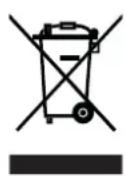
Dispose of devices with a battery inserted at a recycling centre for used electrical and electronic devices, and not in the household waste (!). This device is governed by the European Directive 2012/19/EU on waste electrical and electronic equipment (WEEE). Dispose of it in an environmentally friendly manner via an offi cially approved waste disposal company.
Technical Data
Article number: 09123
Model number: YLX-307i
Voltage supply: 3.7 V (Li-Ion battery, 200 mAh)
Power: 0.4 W
LEDs: 7 pieces
Wavelength: 460 - 465 nm
Light intensity: 4000 - 6000 mcd
Acoustic pulse: 10000 P / min
ID of instructions: Z 09123 M DS V1.1 1118
USB Mains Adapter
Model number: GQ05-050100-ZG
Input: 100 - 240V 50 - 60Hz, .0.3A
Output: 5 V DC, 1 A
Protection class: II


Customer Service/Importer:
DS Produkte GmbH
Am Heisterbusch 1, 19258 Gallin, Germany
Tel.: +49 38851 314650 (Calls to German landlines are subject to charges. The cost varies depending on the service provider.)
All rights reserved.
Contenu
Chere cliente, cher client,