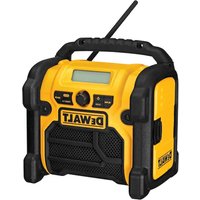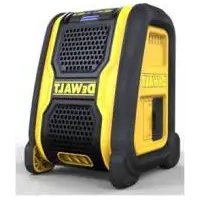
DCR006 - Radio DEWALT - Free user manual and instructions
Find the device manual for free DCR006 DEWALT in PDF.



| Product type | Bluetooth wireless speaker (Radio) |
| Brand | DeWalt |
| Model | DCR006 |
| Weight (without battery) | 0.92 kg |
| Audio power | 6 W |
| Battery type | Li-ion (10.8 / 14.4 / 18 V) |
| Compatible battery capacities | DCB123, DCB125, DCB127 (10.8 V); DCB140-DCB145 (14.4 V); DCB180-DCB185 (18 V) |
| Connectivity | Bluetooth, AUX input 3.5 mm |
| Bluetooth range | Approximately 10 m (without obstacles) |
| Compatible chargers | DCB105, DCB107, DCB112 |
| Charging time (example) | 30 min for 1.5 Ah (DCB105) |
| Features | Bluetooth pairing, volume control, pause, auto power off after 1 hour of inactivity |
| Maintenance and cleaning | Clean with a damp cloth and mild soap; do not immerse |
| Safety | Do not expose to water or flames; use only DeWalt batteries and chargers |
| Spare parts and repairability | Batteries and chargers available as options; no user-serviceable parts |
| General information | Designed for indoor use; max storage temperature 40.5 °C |
Frequently Asked Questions - DCR006 DEWALT
User questions about DCR006 DEWALT
0 question about this device. Answer the ones you know or ask your own.
Ask a new question about this device
Download the instructions for your Radio in PDF format for free! Find your manual DCR006 - DEWALT and take your electronic device back in hand. On this page are published all the documents necessary for the use of your device. DCR006 by DEWALT.
USER MANUAL DCR006 DEWALT
text_image
j DEWALT gFigure 3
text_image
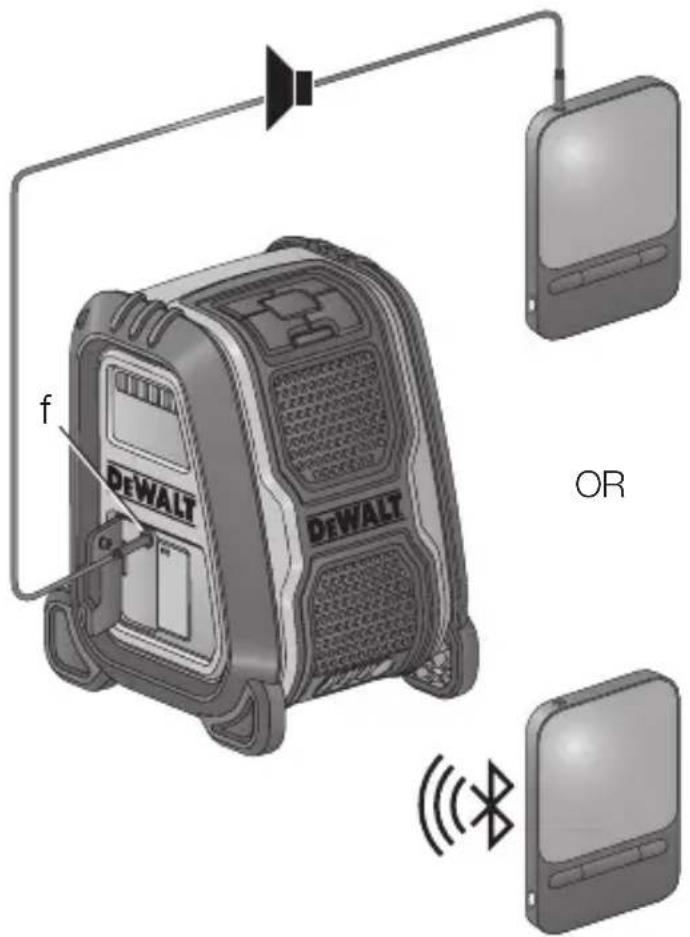
f DEWALT DEWALT ORFigure 4
text_image
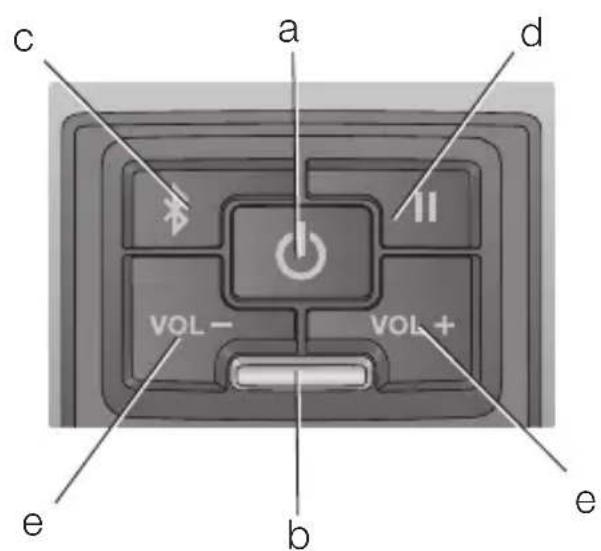
c a d VOL- VOL+ e b eDANSK
TRÅDL∅S BLUETOOTH® H∅JTTALER DCR006
Tillykke!
DEWALTConnector DCR006
You have chosen a DEWALTunit. Years of experience, thorough product development and innovation make DEWALT one of the most reliable partners for professional power tool users.
Technical Data
| DCR006 | |||||||
| Battery type Li-ion | |||||||
| Battery voltage V | DC | 10.8 / 14.4 / 18 | |||||
| Weight (without battery) kg 0.92 | |||||||
| Audio output power W 6 | |||||||
| Battery pack | DCB123 DCB125 DCB127 | ||||||
| Battery type Li-Ion Li-Ion Li-Ion | |||||||
| Voltage V | DC | 10.8 | 10.8 | 10.8 | |||
| Capacity A | h | 1.5 | 1.3 | 2.0 | |||
| Weight | kg | 0.2 | 0.2 | 0.2 | |||
| Battery pack | DCB140 | DCB141 | DCB142 | DCB143 | DCB144 | DCB145 | |
| Battery type | Li-Ion | Li-Ion | Li-Ion | Li-Ion | Li-Ion | Li-Ion | |
| Voltage V | DC | 14.4 | 14.4 | 14.4 | 14.4 | 14.4 | 14.4 |
| Capacity A | h | 3.0 | 1.5 | 4.0 | 2.0 | 5.0 | 1.3 |
| Weight | kg | 0.53 | 0.30 | 0.54 | 0.30 | 0.52 | 0.30 |
ENGLISH
| Battery pack | DCB180 DCB181 DCB182 DCB183 DCB184 DCB185 | ||
| Battery type Li-lon Li-lon Li-lon Li-lon Li-lon | |||
| Voltage V | DC | 18 18 18 18 18 18 | |
| Capacity A | h | 3.0 1.5 4.0 2.0 5.0 1.3 | |
| Weight kg 0.64 0.35 0.61 0.40 0.62 0.35 | |||
| Charger DCB105 | |||
| Mains voltage V | AC | 230 V | |
| Battery type Li-lon | |||
| Approx. charging time of battery packs | min | 30 (1.5 Ah) 40 (2.0 Ah) 55 (3.0 Ah)70 (4.0 Ah) | 90 (5.0 Ah) |
| Weight | kg | 0.49 | |
| Charger DCB107 | |||
| Mains voltage | V_AC | 230 V | |
| Battery type Li-lon | |||
| Approx. charging time of battery packs | min | 60 (1.3 Ah) 70 (1.5 Ah) 90 (2.0 Ah)140 (3.0 Ah) | 185 (4.0 Ah) |
| Weight | kg | 0.29 | |
| Charger DCB112 | |||
| Mains voltage | V_AC | 230 V | |
| Battery type Li-lon | |||
| Approx. charging time of battery packs | min | 40 (1.3 Ah) 45 (1.5 Ah) 60 (2.0 Ah)90 (3.0 Ah) | 120 (4.0 Ah) |
| Weight | kg | 0.36 | |
ENGLISH
Definitions: Safety Guidelines
The definitions below describe the level of severity for each signal word. Please read the manual and pay attention to these symbols.

DANGER: Indicates an imminently hazardous situation which, if not avoided, will result in death or serious injury.
WARNING: Indicates a potentially hazardous situation which, if not avoided, could result in death or serious injury.
CAUTION: Indicates a potentially hazardous situation which, if not avoided, may result in minor or moderate injury.
NOTICE: Indicates a practice not related to
personal injury which, if not avoided, may result in property damage.
Denotes risk of electric shock.


Denotes risk of fire.
The Bluetooth ^® word mark and logos are registered trademarks owned by the Bluetooth ^® , SIG, Inc. and any use of such marks by DEWALT is under license. Other trademarks and trade names are those of their respective owners.

WARNING: To reduce the risk of injury, read the instruction manual.
EC-Declaration of Conformity

WIRELESS BLUETOOTH® SPEAKER DCR006
DEWALT hereby declares that the DEWALT wireless speaker DCR006 is in compliance with the Directive 2014/53/EU and to all applicable EU directive requirements.
The full text of the EU declaration of conformity can be requested at DEWALT, Richard- Klinger-Straße 11, D-65510, Idstein, Germany or is available at the following internet address: www.2helpu.com
Search by the Product and Type Number indicated on the nameplate.
General Safety Warnings

WARNING! Read all safety warnings and all instructions. Failure to follow the warnings and instructions may result in electric shock, fire and/or serious injury.
SAVE ALL WARNINGS AND INSTRUCTIONS FOR FUTURE REFERENCE
- DO NOT splash or immerse in water or other liquids.
- DO NOT store or use in locations where the temperature may reach or exceed 40.5 °C (such as outside sheds or metal buildings in summer). For best life store in a cool, dry location.
- Please note that changes or modifications not expressly approved by the party responsible for compliance could void the user's authority to operate the equipment.
- Only use attachments/accessories specified by the manufacturer.

CAUTION! Risk of explosion if battery is replaced by an incorrect type. Dispose of used batteries according to the instructions.
Safety Instructions for Bluetooth® Speakers

WARNING: Observe all operating instructions and safety regulations contained in the manual for the Bluetooth ^® speaker and battery pack.
- Do not store the device in cold areas. When the device returns to its normal temperature, moisture can form inside the device and damage electronic circuit boards.
- Do not install near any heat sources such as radiators, heat registers, stoves, or other apparatus that produce heat.
- Please note that changes or modifications not expressly approved by the party responsible for compliance could void the user's authority to operate the equipment.
ENGLISH
- Remove the battery pack. Switch off before leaving it unattended. Remove the battery pack when not in use, before changing accessories or attachments and before servicing.
- This appliance is intended to be used in moderate climates.
- This appliance is not intended for use by persons (including children) with reduced physical, sensory or mental capabilities, or lack of experience and knowledge, unless they have been given supervision or instruction concerning use of the appliance by a person responsible for their safety.
- Do not attempt to remove any screws, or open the casing of the unit; there are no user serviceable parts inside. Refer all servicing to qualified service personnel.
- Children should be supervised to ensure that they do not play with the appliance.
- Charger/Bluetooth ^® speaker shall not be exposed to dripping or splashing; no objects filled with liquids, such as vases, shall be placed on it.
- No exposed flame sources, such as lighted candles, should be placed on the Bluetooth® speaker/charger.
- Mains plug of battery charger is used as the disconnect device; the disconnect device (plug) shall remain readily operable.
- Speaker should be placed only in safe, secure locations with no danger of falling. People could be injured by falling objects.
Markings on Bluetooth® Speaker
The following pictograms are shown on the Bluetooth ^® speaker:

Read instruction manual.
Important Safety Instructions for All Battery Chargers
SAVE THESE INSTRUCTIONS: This manual contains important safety and operating instructions for compatible battery chargers.
- Before using charger, read all instructions and cautionary markings on charger, battery pack, and product using battery pack.

WARNING: Shock hazard. Do not allow any liquid to get inside charger. Electric shock may result.

CAUTION: Burn hazard. To reduce the risk of injury, charge only DEWALT rechargeable batteries. Other types of batteries may burst causing personal injury and damage.

CAUTION: Children should be supervised to ensure that they do not play with the appliance.
NOTICE: Under certain conditions, with the charger plugged in to the power supply, the charger can be shorted by foreign material. Foreign materials of a conductive nature such as, but not limited to, grinding dust, metal chips, steel wool, aluminum foil, or any buildup of metallic particles should be kept away from charger cavities. Always unplug the charger from the power supply when there is no battery pack in the cavity. Unplug charger before attempting to clean.
- DO NOT attempt to charge the battery pack with any chargers other than the ones in this manual. The charger and battery pack are specifically designed to work together.
- These chargers are not intended for any uses other than charging DEWALT rechargeable batteries. Any other uses may result in risk of fire, electric shock or electrocution.
- Do not expose charger to rain or snow.
- Pull by plug rather than cord when disconnecting charger. This will reduce risk of damage to electric plug and cord.
- Make sure that cord is located so that it will not be stepped on, tripped over, or otherwise subjected to damage or stress.
- Do not use an extension cord unless it is absolutely necessary. Use of improper extension cord could result in risk of fire, electric shock, or electrocution.
- Do not place any object on top of charger or place the charger on a soft surface that might block the ventilation slots and result in excessive internal heat. Place the charger in a position away from any heat source. The charger is ventilated through slots in the top and the bottom of the housing.
ENGLISH
- Do not operate charger with damaged cord or plug — have them replaced immediately.
- Do not operate charger if it has received a sharp blow, been dropped, or otherwise damaged in any way. Take it to an authorised service centre.
- Do not disassemble charger; take it to an authorised service centre when service or repair is required. Incorrect reassembly may result in a risk of electric shock, electrocution or fire.
- In case of damaged power supply cord the supply cord must be replaced immediately by the manufacturer, its service agent or similar qualified person to prevent any hazard.
- Disconnect the charger from the outlet before attempting any cleaning. This will reduce the risk of electric shock. Removing the battery pack will not reduce this risk.
- NEVER attempt to connect 2 chargers together.
- The charger is designed to operate on standard 230V household electrical power. Do not attempt to use it on any other voltage. This does not apply to the vehicular charger.
SAVE THESE INSTRUCTIONS
Chargers
The DCB105, DCB107 and DCB112 charger accepts 10.8 V, 14.4 V and 18 V Li-Ion (DCB123, DCB125, DCB127, DCB140, DCB141, DCB142, DCB143, DCB144, DCB145, DCB180, DCB181, DCB182, DCB183, DCB184 and DCB185) battery packs.
DEWALT chargers require no adjustment and are designed to be as easy as possible to operate.
Charging Procedure (Fig. 2)
- Plug the charger into an appropriate outlet before inserting battery pack. Also make sure that the voltage of your charger corresponds to that of your mains.
-
Insert the battery pack (j) into the charger. The red (charging) light will blink continuously indicating that the charging process has started.
-
The completion of charge will be indicated by the red light remaining ON continuously. The pack is fully charged and may be used at this time or left in the charger.
NOTE: To ensure maximum performance and life of Li-Ion batteries, charge the battery pack fully before first use.
Charging Process
Refer to the table below for the charge status of the battery pack.
| Charge indicators: DCB105 | |
| charging | — — — — |
| fully charged | — |
| hot/cold pack delay | — • — • — • |
| replace battery pack | • • • • • • • • • |
| Charge indicators: DCB107, DCB112 | |
| charging | — — — — — |
| fully charged | — |
| hot/cold pack delay* | — — — | — |
*DCB107, DCB112: The red light will continue to blink, but a yellow indicator light will be illuminated during this operation. Once the battery has reached an appropriate temperature, the yellow light will turn off and the charger will resume the charging procedure.
The compatible charger(s) will not charge a faulty battery pack. The charger will indicate faulty battery by refusing to light or by displaying problem pack or charger blink pattern.
ENGLISH
NOTE: This could also mean a problem with a charger.
If the charger indicates a problem, take the charger and battery pack to be tested at an authorised service centre.
HOT/COLD PACK DELAY
When the charger detects a battery that is too hot or too cold, it automatically starts a Hot/Cold Pack Delay, suspending charging until the battery has reached an appropriate temperature. The charger then automatically switches to the pack charging mode. This feature ensures maximum battery life.
A cold battery pack will charge at about half the rate of a warm battery pack. The battery pack will charge at that slower rate throughout the entire charging cycle and will not return to maximum charge rate even if the battery warms.
XR Li-Ion tools are designed with an Electronic Protection System that will protect the battery against overloading, overheating or deep discharge.
The speaker will automatically turn off if the Electronic Protection System engages. If this occurs, place the Li-Ion battery on the charger until it is fully charged.
Important Safety Instructions for All Battery Packs
When ordering replacement battery packs, be sure to include catalog number and voltage.
The battery pack is not fully charged out of the carton. Before using the battery pack and charger, read the safety instructions below. Then follow charging procedures outlined.
READ ALL INSTRUCTIONS
- Do not charge or use battery in explosive atmospheres, such as in the presence of flammable liquids, gases or dust. Inserting or removing the battery from the charger may ignite the dust or fumes.
- Never force battery pack into charger. Do not modify battery pack in any way to fit into a non-compatible charger as battery pack may rupture causing serious personal injury.
- Charge the battery packs only in DEWALT chargers.
- DO NOT splash or immerse in water or other liquids.
- Do not store or use the tool and battery pack in locations where the temperature may reach or exceed 40 °C (such as outside sheds or metal buildings in summer).

WARNING: Never attempt to open the battery pack for any reason. If battery pack case is cracked or damaged, do not insert into charger. Do not crush, drop or damage battery pack. Do not use a battery pack or charger that has received a sharp blow, been dropped, run over or damaged in any way (i.e., pierced with a nail, hit with a hammer, stepped on). Electric shock or electrocution may result. Damaged battery packs should be returned to service centre for recycling.

CAUTION: When not in use, place tool on its side on a stable surface where it will not cause a tripping or falling hazard. Some tools with large battery packs will stand upright on the battery pack but may be easily knocked over.
SPECIFIC SAFETY INSTRUCTIONS FOR LITHIUM ION (Li-Ion)
- Do not incinerate the battery pack even if it is severely damaged or is completely worn out. The battery pack can explode in a fire. Toxic fumes and materials are created when lithium ion battery packs are burned.
- If battery contents come into contact with the skin, immediately wash area with mild soap and water. If battery liquid gets into the eye, rinse water over the open eye for 15 minutes or until irritation ceases. If medical attention is needed, the battery electrolyte is composed of a mixture of liquid organic carbonates and lithium salts.
- Contents of opened battery cells may cause respiratory irritation. Provide fresh air. If symptoms persist, seek medical attention.

WARNING: Burn hazard. Battery liquid may be flammable if exposed to spark or flame.
Transportation
DEWALT batteries comply with all applicable shipping regulations as prescribed by industry and legal standards which include UN Recommendations on the Transport of Dangerous Goods; International
ENGLISH
Air Transport Association (IATA) Dangerous Goods Regulations, International Maritime Dangerous Goods (IMDG) Regulations, and the European Agreement Concerning The International Carriage of Dangerous Goods by Road (ADR). Lithium-ion cells and batteries have been tested to section 38.3 of the UN Recommendations on the Transport of Dangerous Goods Manual of Tests and Criteria.
In most instances, shipping a DEWALT battery pack will be excepted from being classified as a fully regulated Class 9 Hazardous material. In general, the two instances that require shipping Class 9 are:
- Air shipping more than two DEWALT lithium-ion battery packs when the package contains only battery packs (no tools), and
- Any shipment containing a lithium-ion battery with an energy rating greater than 100 watt hours (Wh). All lithium-ion batteries have the watt hour rating marked on the pack.
Regardless of whether a shipment is considered excepted or fully regulated, it is the shipper's responsibility to consult the latest regulations for packaging, labeling/marking and documentation requirements.
Transporting batteries can possibly cause fire if the battery terminals inadvertently come in contact with conductive materials. When transporting batteries, make sure that the battery terminals are protected and well insulated from materials that could contact them and cause a short circuit.
The information provided in this section of the manual is provided in good faith and believed to be accurate at the time the document was created. However, no warranty, expressed or implied, is given. It is the buyer's responsibility to ensure that its activities comply with the applicable regulations.
Battery Pack
BATTERY TYPE
The DCR006 operates on an 10.8, 14.4 or 18 volt XR Li-ion battery pack.
Storage Recommendations
-
The best storage place is one that is cool and dry away from direct sunlight and excess heat or cold. For optimum battery performance and life, store battery packs at room temperature when not in use.
-
For long storage, it is recommended to store a fully charged battery pack in a cool, dry place out of the charger for optimal results.
NOTE: Battery packs should not be stored completely depleted of charge. The battery pack will need to be recharged before use.
Labels on Charger and Battery Pack
In addition to the pictographs used in this manual, the labels on the charger and the battery pack may show the following pictographs:



Read instruction manual before use.
See Technical Data for charging time.
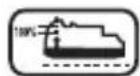
Battery charging.
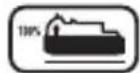
Battery charged.
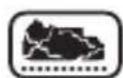
Battery defective.
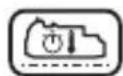
Hot/cold pack delay.

Do not probe with conductive objects.

Do not charge damaged battery packs.

Do not expose to water.

Have defective cords replaced immediately.

Charge only between 4 °C and 40 °C.
ENGLISH
Only for indoor use.
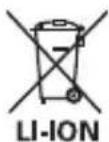
Discard the battery pack with due care for the environment.
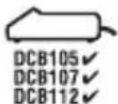
Charge DEWALT battery packs only with designated DEWALT chargers. Charging battery packs other than the designated DEWALT batteries with a DEWALT charger may make them burst or lead to other dangerous situations.
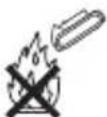
Do not incinerate the battery pack.
Package Contents
The package contains:
1 Bluetooth ^® speaker
1 Instruction manual
- Check for damage to the unit, parts or accessories which may have occurred during transport.
• Take the time to thoroughly read and understand this manual prior to operation.
Description (Fig. 1)

WARNING: Never modify the unit or any part of it. Damage or personal injury could result.
a. Power button
b. LED indicator light
c. Bluetooth® pairing button
d. Pause button
e. Volume buttons +/-
f. AUX audio port
g. Battery port
h. Carry handle
INTENDED USE
The DEWALT Bluetooth ^® speaker is designed to receive a Bluetooth ^® signal from a mobile phone or other device with Bluetooth ^® audio functionality for audio playback.
DO NOT use under wet conditions or in the presence of flammable liquids or gases.
DO NOT let children come into contact with the unit. Supervision is required when inexperienced operators use this unit.
- Young children and the infirm. This appliance is not intended for use by young children or infirm persons without supervision.
- This product is not intended for use by persons (including children) suffering from diminished physical, sensory or mental abilities; lack of experience, knowledge or skills unless they are supervised by a person responsible for their safety. Children should never be left alone with this product.
Electrical Safety
Always check that the battery pack voltage corresponds to the voltage on the rating plate.
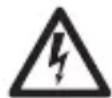
WARNING: Risk of electric shock. Use in dry locations only.
ASSEMBLY AND ADJUSTMENTS
Inserting a Battery Pack (Fig. 1, 2)
WARNING: Use only D
EWALT battery packs and chargers.
NOTE: Make sure your battery pack is fully charged. If the battery pack does not produce sufficient power, charge the battery pack following the instructions in the manual of the charger.
NOTE: To ensure maximum performance and life of Li-Ion batteries, charge the battery for a minimum of 10 hours before first use.
ENGLISH
- Align the battery pack (j) with the rails on the sides of the battery port (g).
- Insert the battery pack (j) into the port until it is fully seated.
FUEL GAUGE BATTERY PACKS (FIG. 2)
Some DEWALT battery packs include a fuel gauge which consists of three green LED lights that indicate the level of charge remaining in the battery pack.
To actuate the fuel gauge, press and hold the fuel gauge button (i). A combination of the three green LED lights will illuminate designating the level of charge left. When the level of charge in the battery is below the usable limit, the fuel gauge will not illuminate and the battery will need to be recharged.
NOTE: The fuel gauge is only an indication of the charge left on the battery pack. It does not indicate tool functionality and is subject to variation based on product components, temperature and end-user application.
OPERATION
Instructions for Use
WARNING: Always observe the safety instructions and applicable regulations.

WARNING: Do not place the Bluetooth ^® speaker in locations where it may be exposed to dripping or splashing.

Bluetooth® Speaker Functionality (Fig. 1, 3, 4)
The speaker operates off of DC power (a battery pack). Audio can be played through the speaker via a wireless Bluetooth® connection to a compatible Bluetooth® device or by connecting audio device or mobile phone using a 1/8" (3.5 mm) audio cable to the audio port (f).
POWERING THE SPEAKER ON AND OFF
To turn the Bluetooth® speaker on, press the power button (a). When turned on, the LED indicator (b) will indicate the speaker's status.
Upon initial use, the speaker will require pairing. To pair speaker to a Bluetooth® device refer to Pairing Speaker with a Bluetooth® Audio Device.
LED Speaker Status Indicator
| LED indicator Status/Mode | |
| Steady blinking (half second interval) | Speaker is unpaired or in connecting mode. |
| Rapid Blinking Speaker | er is in pairing mode and discoverable by your device. |
| Solid light Speaker is | connected with a device. |
| No light Speaker has | timed out and/or is off. |
PAIRING SPEAKER WITH A BLUETOOTH® AUDIO DEVICE (FIG. 3, 4)
- Place the speaker and the Bluetooth ^® audio source within 1 m (3.3') of each other.
- Turn speaker on by pressing the power button (a). The LED (b) will light solid for 4 seconds to indicate the apparatus powered on successfully and then go into a half second interval blink pattern.
- Press the Bluetooth ^® pairing button (c). The LED indicator light blinks rapidly indicating the speaker is in pairing mode and is discoverable by your Bluetooth ^® device.
- Confirm pairing on your device. (Please consult your device's instruction manual for specific pairing instructions.)
NOTE: If pairing is not confirmed within 2 minutes, the LED will stop flashing and the speaker will return to half second interval blink pattern.
ENGLISH
- Once pairing is successful the LED indicator (b) will turn solid and the speaker will emit a short tone. The speaker will now play music from your device.
CONNECTING A PREVIOUSLY PAIRED BLUETOOTH® AUDIO DEVICE (FIG. 1, 3, 4)
If a Bluetooth ^® device has been previously paired to the speaker it should automatically reconnect when speaker is powered on. After 4 seconds the speaker will go into connecting mode. This is indicated by the LED (b) blinking steady. Once the previously paired Bluetooth ^® device is recognised and connected, the LED will go solid. If connection does not occur and you are unable to stream music please follow the instructions for Pairing Speaker with a Bluetooth ^® Audio Device.
ADJUSTING THE SPEAKER VOLUME (FIG. 1, 4)
The speaker volume can be decreased or increased by using the corresponding volume buttons (e). Pressing the “VOL +” button increases the volume. Pressing the “VOL -” decreases the volume.
The pause button (d) can silence the speaker at any volume by being pressed once. Pressing the pause button again will unpause the speaker. The speaker will emit a tone when the maximum or minimum volume is reached.
TIMEOUT FUNCTIONALITY (FIG. 1)
To conserve battery life the speaker is designed to power off automatically after an hour of inactivity. This inactivity could be due to the device being unpaired for an hour or in the case of the Bluetooth® connection being broken for the same period of time. If the speaker powers off due to inactivity of any kind refer to Connecting a Previously Paired Bluetooth® Audio Device.
If Bluetooth® connection is lost due to exceeding time of separation, exceeding the optimum distance, obstacles or otherwise, reconnecting your device with the speaker may be necessary.
Important Bluetooth® Speaker Notes
- When receiving a phone call on a mobile phone which is streaming to the Bluetooth® speaker, music playback stops. After phone call is finished, music resumes playing.
PHONE CALL AUDIO THROUGH BLUETOOTH SPEAKER
Depending on your device it may be possible to have the audio from a phone call play through the Bluetooth® Speaker. This is dependent on the device and the way the device's settings are configured. Please refer to the device's owner's manual for capability and settings information.
- Due to the characteristics of Bluetooth ^® technology, the sound heard through the Bluetooth ^® speaker is slightly delayed from the sound played on your audio device or mobile phone while talking on a phone call or streaming music.
MAINTENANCE
Your DEWALT Bluetooth ^® speaker has been designed to operate over a long period of time with a minimum of maintenance. Continuous satisfactory operation depends upon proper care.
Service Notes
This product is not user serviceable. There are no user serviceable parts inside the Bluetooth ^® speaker. Servicing at an authorised service centre is required to avoid damage to static sensitive internal components.
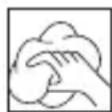
Cleaning

WARNING: Never use solvents or other harsh chemicals for cleaning the non-metallic parts of the Bluetooth® speaker. These chemicals may weaken the materials used in these parts. Use a cloth dampened only with water and mild soap. Never let any liquid get inside the Bluetooth® speaker; never immerse any part of the Bluetooth® speaker into a liquid.
CHARGER CLEANING INSTRUCTIONS

WARNING: Shock hazard. Disconnect the charger from the AC outlet before cleaning. Dirt and grease may be removed from the exterior of the Bluetooth® speaker using a cloth or soft non-metallic brush. Do not use water or any cleaning solutions.
ENGLISH
Optional Accessories

WARNING: Since accessories, other than those offered by DEWALT, have not been tested with this product, use of such accessories with this Bluetooth® speaker could be hazardous. To reduce the risk of injury, only DEWALT recommended accessories should be used with this product.
Consult your dealer for further information on the appropriate accessories.
Protecting the Environment
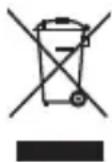
Separate collection. Products and batteries marked with this symbol must not be disposed of with normal household waste.
Products and batteries contain materials that can be recovered or recycled reducing the demand for raw materials. Please recycle electrical products and batteries according to local provisions. Further information is available at www.2helpU.com.
ALTAVOZ INALÁMBRICO BLUETOOTH® DCR006
¡Enhorabuena!
Suspension de charge.