FQASL 4060 - Battery For_Q - Free user manual and instructions
Find the device manual for free FQASL 4060 For_Q in PDF.



| Product Type | Battery Charger |
| Brand | For_Q |
| Model | FQASL 4060 |
| Input Voltage | 200 – 240 V~ |
| Mains Frequency | 50 – 60 Hz |
| Rated Current | 3 A |
| Rated Power | 250 W |
| Charging Voltage | 40 V |
| Charging Current | 5 A |
| Charging Time (6 Ah battery) | 90 min |
| Weight (without battery) | 1.2 kg |
| Operating Temperature | 0 – 40 °C |
| Protection Class | II / ☐ |
| LED Indicator Displays | Red (ready), Flashing green (charging), Solid green (finished), Flashing red (error/temperature) |
| Safety Functions | Overheating protection, short-circuit protection, non-rechargeable batteries |
| Maintenance and Cleaning | Clean with a dry cloth, unplug before maintenance |
| Reparability | Reserved for authorized service centers, original spare parts |
| Package Contents | 1 charger, 1 power cable |
Frequently Asked Questions - FQASL 4060 For_Q
User questions about FQASL 4060 For_Q
0 question about this device. Answer the ones you know or ask your own.
Ask a new question about this device
Download the instructions for your Battery in PDF format for free! Find your manual FQASL 4060 - For_Q and take your electronic device back in hand. On this page are published all the documents necessary for the use of your device. FQASL 4060 by For_Q.
USER MANUAL FQASL 4060 For_Q
- FQ-LIO 4020 (40 V/2,0 Ah)
- FQ-LIO 4040 (40 V/4,0 Ah)
- FQ-LIO 4060 (40 V/6,0 Ah)

- FQ-LIO 4020 (40 V/2,0 Ah)
- FQ-LIO 4040 (40 V/4,0 Ah)
- FQ-LIO 4060 (40 V/6,0 Ah)

- FQ-LIO 4020 (40 V/2,0 Ah)
- FQ-LIO 4040 (40 V/4,0 Ah)
- FQ-LIO 4060 (40 V/6,0 Ah)

- FQ-LIO 4020 (40 V/2,0 Ah)
- FQ-LIO 4040 (40 V/4,0 Ah)
- FQ-LIO 4060 (40 V/6,0 Ah)

We are convinced that this appliance will exceed your expectations and wish you joy while using it.
Please read this user manual completely and observe the safety instructions.
Scope of delivery
1x Battery charger
1x Power cable
If any parts are missing or damaged, please contact your Hornbach Store.
Table of content
Scope of Delivery 65
Symbols 65
Safety Instructions 66
Product Overview 68
Intended Use 68
Technical Data 68
Preparing the charger 68
LED indicator displays 69
Charging process 69
Troubleshooting 70
Care & Maintenance 70
Disposal 71
Symbols

Please read this user manual carefully and keep it for further reference.

Warning of accident and injury to persons and serious damage to property.

Protection class II

Do not use outdoors or in damp environments.

Spare fuse.
Safety Instructions
WARNING Read all safety warnings and all instructions. Failure to follow the warnings and instructions may result in electric shock, fire and/or serious injury.
Save all warnings and instructions for future reference.
This charger is not intended for use by children and persons with physical, sensory or mental limitations or a lack of experience or knowledge.
This charger can be used by children aged 8 or older and by persons who have physical, sensory or mental limitations or a lack of experience or knowledge if they have been supervised or instructed in the safe operation of the charger and understand the associated dangers. Otherwise, there is a danger of operating errors and injuries.
Supervise children. This will ensure that children do not play with the charger.
Cleaning and user maintenance of the battery charger shall not be made by children without supervision.
SAFETY INSTRUCTIONS FOR BATTERY CHARGER
- Keep the battery charger away from rain or moisture.
Penetration of water in the battery charger increases the risk of an electric shock.
- Keep the battery charger clean. Contamination can lead to danger of an electric shock.
- Before each use, check the battery charger, cable, plug and battery. If damage is detected, do not use the battery charger. Never open the battery charger yourself.
• Repairs may be carried out only by an authorised customer service centre, only using original spare parts. Damaged battery chargers, cables and plugs increase the risk of an electric shock.
- Do not place any objects on the battery charger and do not place the battery charger on soft surfaces. There is a risk of fire.
• Always check that the mains voltage matches the voltage indicated on the rating plate of the battery charger.
- Never use the charger if cable, plug or the unit itself has been damaged by external influences. Take the charger to the nearest service centre.
- Never open the battery charger. If the battery charger is defective, take it to a service centre.
- Never use this charger to charge non-rechargeable batteries.
- Ensure that the work area is clean and well lit.
- Modification of the charger or tampering with its parts is not permissible.
- Do not operate the charger in explosive atmospheres such as in the presence of flammable liquids, gases or dust.
- Keep children and other persons away from the working area while the charger is in use.
- The plug of the power cable must match the outlet. Never modify the plug in any way.
- Avoid body contact with earth or grounded surface such as pipes, radiators, ranges and refrigerators.
- Do not abuse the power cable.
- Never use the power cable to carry, pull or unplug the charger.
- Keep the cable away from heat, oil, sharp edges and moving parts.
- Do not wear jewellery such as rings and chains when operating the charger.
- Ensure that the charger is standing in a steady, secure position.
- Avoid touching the contacts.
- Use the charger only to charge the specified batteries.
- When not in use, keep the
charger away from paper-clips, coins, keys, nails, screws, or other small metal objects, that can cause a short-circuit at the charging contacts.
For safety instructions for Li-ion batteries please refer to the manual of the battery.
Product overview
1 Battery slot
2 Contacts
3 Ventilation slots
4 LED indicator
5 Socket
Intended Use
The battery charger FQ-AL 40135 / FQ-ASL 4060 is designed for charging batteries of types
- FQ-LIO 4020 (40 V/2,0 Ah)
- FQ-LIO 4040 (40 V/4,0 Ah)
- FQ-LIO 4060 (40 V/6,0 Ah)

Warning! Do not immediately recharge the 4Ah and the
6Ah battery after they are discharged.
Technical Data
| Type | FQ-AL 40135 FQ-ASL 4060 | ||
| Input voltage 100-240 V~ 200-240 V~ | |||
| Mains frequency 50-60 Hz 50-60 Hz | |||
| Rated current 1 A 3 A | |||
| Rated power | 100 W | 250 W | |
| Charging voltage | 40V | 40V | |
| Charging current | 2 A 5 A | ||
| Charging time (depending on charge state) | FQ-LIO 4020 | 50 min | 30 min |
| FQ-LIO 4040 | 115 min | 60 min | |
| FQ-LIO 4060 | 190 min | 90 min | |
| Operating temperature | 0 - 40°C | 0 - 40°C | |
| Weight (without battery) | 0,9 kg | 1,2 kg | |
| Protection class | II / ☐ | II / ☐ | |
Preparing the charger
Insert the power cable into the socket 5.
Insert the mains plug. 12
LED indicator displays
1 Indicator lights red: The charger is ready for use.
2 Indicator flashes green: The battery is charging.
3 Indicator lights green: Charging process finished. Maintenance charging.
4 Indicator flashes red: - Battery is too hot or too cold. - Battery or charger is faulty.
Charging process
1 Fit the battery into the duct of the battery slot 5.
Warning! Do not cover batteries and/or the battery charger during the charging process.
2 Push the battery into the battery slot 1 until it clicks into place. The LED indicator 4 flashes green, the battery is charged. Note: Battery and charger heat up during the charging process. This is perfectly normal!
3 When the LED indicator 4 lights green continuously, the battery is fully charged. Press the release button ...
4 ... and pull the battery out of the battery charger. After use, pull the mains plug.
Caution! Never charge batteries at temperatures below 0 °C or above 40 °C.
Caution! Do not charge batteries in an environment which has high air humidity or at a high ambient temperature.
Troubleshooting
Problem Possible cause Solution
| LED indicator flashes red after battery is inserted into the battery slot. | The battery is too hot or too cold. | The charging process starts when the battery reaches the charging temperature (0°C - 40°C). |
| The contacts or the battery are dirty or blocked. | Remove battery from the charger. Check contacts and battery for contamination and clean if necessary. |
If the LED indicator keeps flashing red, replace the battery or have it checked by a professional workshop. If the LED indicator also flashes red with a new battery, the charger is faulty. Have it checked by a professional workshop.
Care & Maintenance
Regular and proper cleaning will not only ensure safe use, it also prolongs the life time of the appliance.

Warning! Before performing any work, pull out the mains Do not use water or liquid de- nts.
-Remove dirt and dust from the housing with a paint brush or dry cloth.
-Store the charger in a dry and frost-free place (10-25 °C).
-Store the battery and the charger separately.
-Repairs may be carried out by an authorised customer service centre only.
Disposal
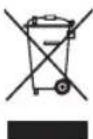
The crossed-out wheeled bin logo requires the separate collection of waste electric and electronic equipment (WEEE).
Such equipment may contain dangerous and hazardous substances. These appliances must be returned to a designated collection point for the recycling of WEEE and must not be disposed as unsorted municipal waste. By doing so, you will help to conserve resources and protect the environment. Contact your local authorities for more information.
Children must not play with plastic bags and packaging material, due to possible injury or danger of suffocation. Store such material safely or dispose of environmentally friendly.
Used batteries must be disposed of properly. Battery selling stores and municipal collection points offer special containers for battery disposal.