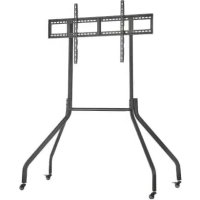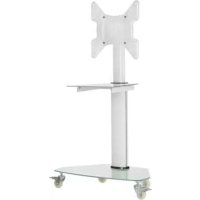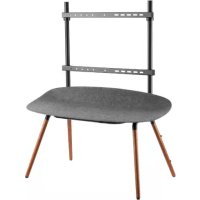
DMPDS5570S - TV Stand Tripp Lite - Free user manual and instructions
Find the device manual for free DMPDS5570S Tripp Lite in PDF.



| Product Type | Portable digital display stand (mobile cart) |
| Brand | Tripp Lite |
| Model | DMPDS5570S |
| Screen Compatibility | Screens from 55 to 70 inches (139.7 to 177.8 cm) |
| Supported VESA Standards | 200x200, 300x200, 300x300, 400x200, 400x300, 400x400, 600x400 |
| Warranty | 5-Year Limited Warranty |
| Usage | Indoor Use Only |
| Safety | Anti-tip device (steel cable), security cable ties |
| Assembly | Required, by a person with mechanical skills |
| Maintenance | Check every 3 months for safety and stability |
| Package Contents | Stand, mounting brackets, cable ties, anti-tip cable, hardware |
| Country of Origin | United States (headquarters in Chicago, IL) |
Frequently Asked Questions - DMPDS5570S Tripp Lite
User questions about DMPDS5570S Tripp Lite
0 question about this device. Answer the ones you know or ask your own.
Ask a new question about this device
Download the instructions for your TV Stand in PDF format for free! Find your manual DMPDS5570S - Tripp Lite and take your electronic device back in hand. On this page are published all the documents necessary for the use of your device. DMPDS5570S by Tripp Lite.
USER MANUAL DMPDS5570S Tripp Lite
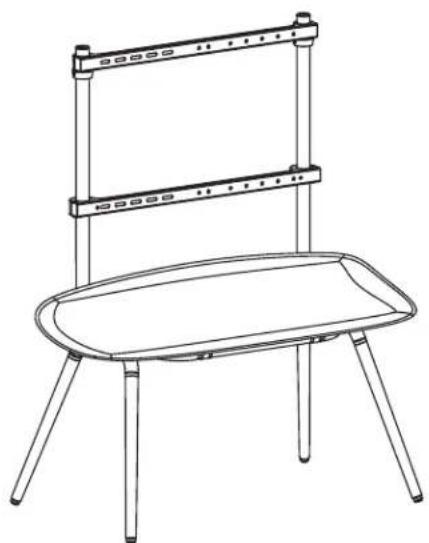
Portable Digital Signage Stand for 55" to 70" Screens
Model: DMPDS5570S

CAUTION: DO NOT EXCEED MAXIMUM LISTED WEIGHT CAPACITY. SERIOUS INJURY OR PROPERTY DAMAGE MAY OCCUR!

200x200/300x200
300x300/400x200
400x300/400x400
600x400

Espanol 12 • Français 23 • Pycckn 34 • Deutsch 45
WARRANTY REGISTRATION
Register your product today and be automatically entered to win an ISOBAR® surge protector in our monthly drawing!

triplite.com/warranty


1111 W. 35th Street, Chicago, IL 60609 USA · triplite.com/support
Copyright © 2021 Tripp Lite. All rights reserved.
Safety Instructions
Note: Read the entire instruction manual before you start assembly and installation.

- Do not begin the installation until you have read and understood the instructions and warnings contained in this manual. If you have any questions regarding any of the instructions or warnings, please visit triplite.com/support.
- This mount was designed to be installed and utilized ONLY as specified in this manual. Improper installation of this product may cause damage or serious injury.
This product should only be installed by someone of good mechanical ability, with basic building experience and a full understanding of this instruction manual. - Make sure that the mounting surface can safely support the combined load of the equipment and all attached hardware and components.
- Always use an assistant or mechanical lifting equipment to safely lift and position equipment.
- Tighten screws firmly, but do not over-tighten. Over-tightening screws can damage the items, greatly reducing their holding power.
- This product is intended for indoor use only. Using this product outdoors could lead to product failure and personal injury.
Warranty and Product Registration
5-Year Limited Warranty
Seller warrants this product, if used in accordance with all applicable instructions, to be free from original defects in material and workmanship for a period of 5 years from the date of initial purchase. If the product should prove defective in material or workmanship within that period, Seller will repair or replace the product, at its sole discretion.
THIS WARRANTY DOES NOT APPLY TO NORMAL WEAR OR TO DAMAGE RESULTING FROM ACCIDENT, MISUSE, ABUSE OR NEGLECT. SELLER MAKES NO EXPRESS WARRANTIES OTHER THAN THE WARRANTY EXPRESSLY SET FORTH HEREIN. EXCEPT TO THE EXTENT PROHIBITED BY APPLICABLE LAW, ALL IMPLIED WARRANTYES, INCLUDING ALL WARRANTYES OF MERCHANTABILITY OR FITNESS, ARE LIMITED IN DURATION TO THE WARRANTY PERIOD SET FORTH ABOVE; AND THIS WARRANTY EXPRESSLY EXCULES ALL INCIDENTAL AND CONSEQUENTIAL DAMAGES. (Some states do not allow limitations on how long an implied warranty lasts, and some states do not allow the exclusion or limitation of incidental or consequential damages, so the above limitations or exclusions may not apply to you. This warranty gives you specific legal rights, and you may have other rights which vary from jurisdiction to jurisdiction.)
WARNING: The individual user should take care to determine prior to use whether this device is suitable, adequate or safe for the use intended. Since individual applications are subject to great variation, the manufacturer makes no representation or warranty as to the suitability or fitness of these devices for any specific application.
PRODUCT REGISTRATION
Visit tripplete.com/warranty today to register your new Tripp Lite product. You'll be automatically entered into a drawing for a chance to win a FREE Tripp Lite product!*
- No purchase necessary. Void where prohibited. Some restrictions apply. See website for details.
Tripp Lite has a policy of continuous improvement. Specifications are subject to change without notice. Photos and illustrations may differ slightly from actual products.
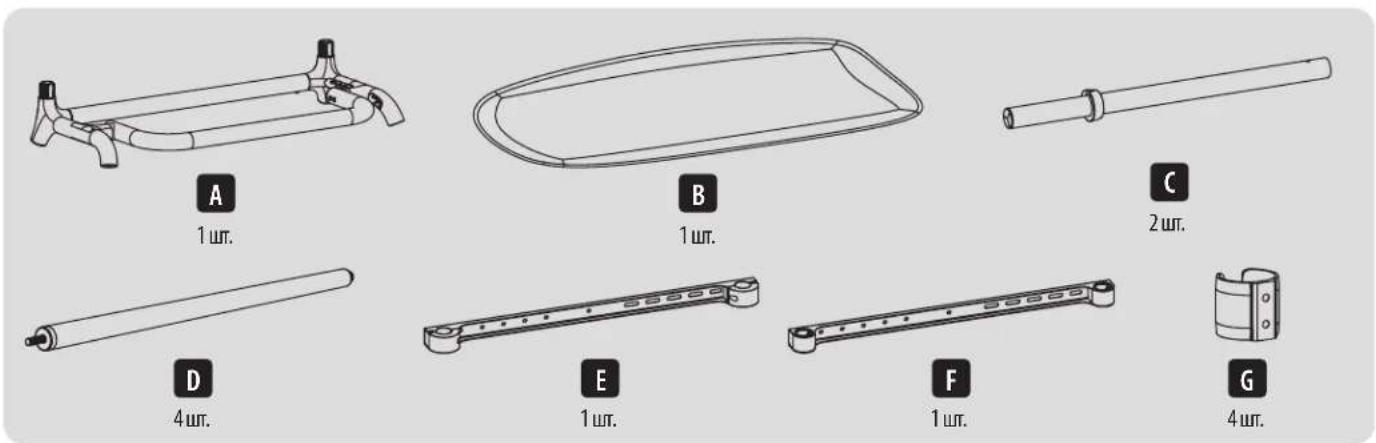
Component Checklist
IMPORTANT: Ensure you have received all parts according to the component checklist prior to installing. If any parts are missing or faulty, visit tripplite.com/support for service.
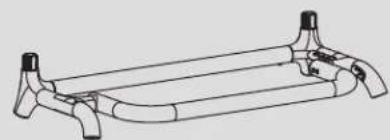
A
(x1)
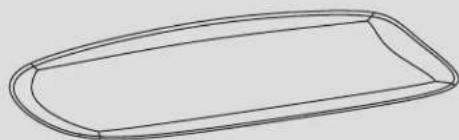
B
(x1)
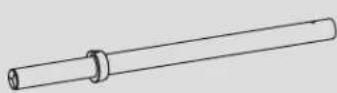
C
(x2)

D
(x4)
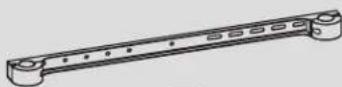
E
(x1)
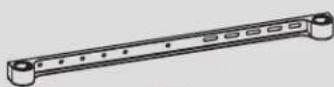
F
(x1)

G
(x4)
Package W

H
(x8)

0
(x4)

J
(x4)

K
(x1) 4mm
Package P
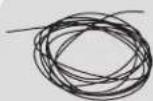
P-A
(x1)

P-B
(x2)
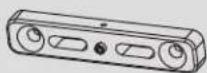
P-C
(x2)

P-D
(x1) 2mm
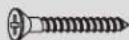
P-E
(x4)
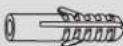
P-F
(x4)

P-G
(x2)
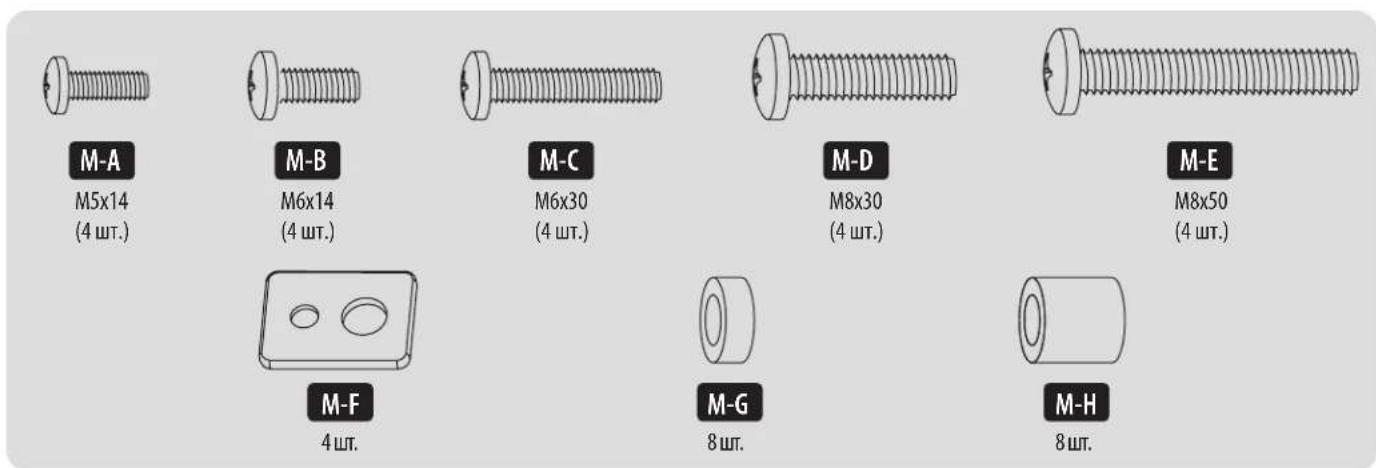
Package M

M-A
M5x14
(x4)

M-B
M6x14
(x4)
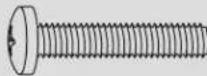
M-C
M6x30
(x4)
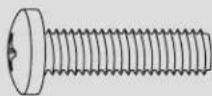
M-D
M8x30
(x4)
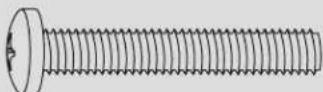
M-E
M8x50
(x4)
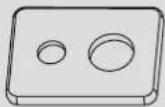
M-F
(x4)

M-G
(x8)
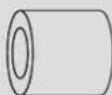
M-H
(x8)
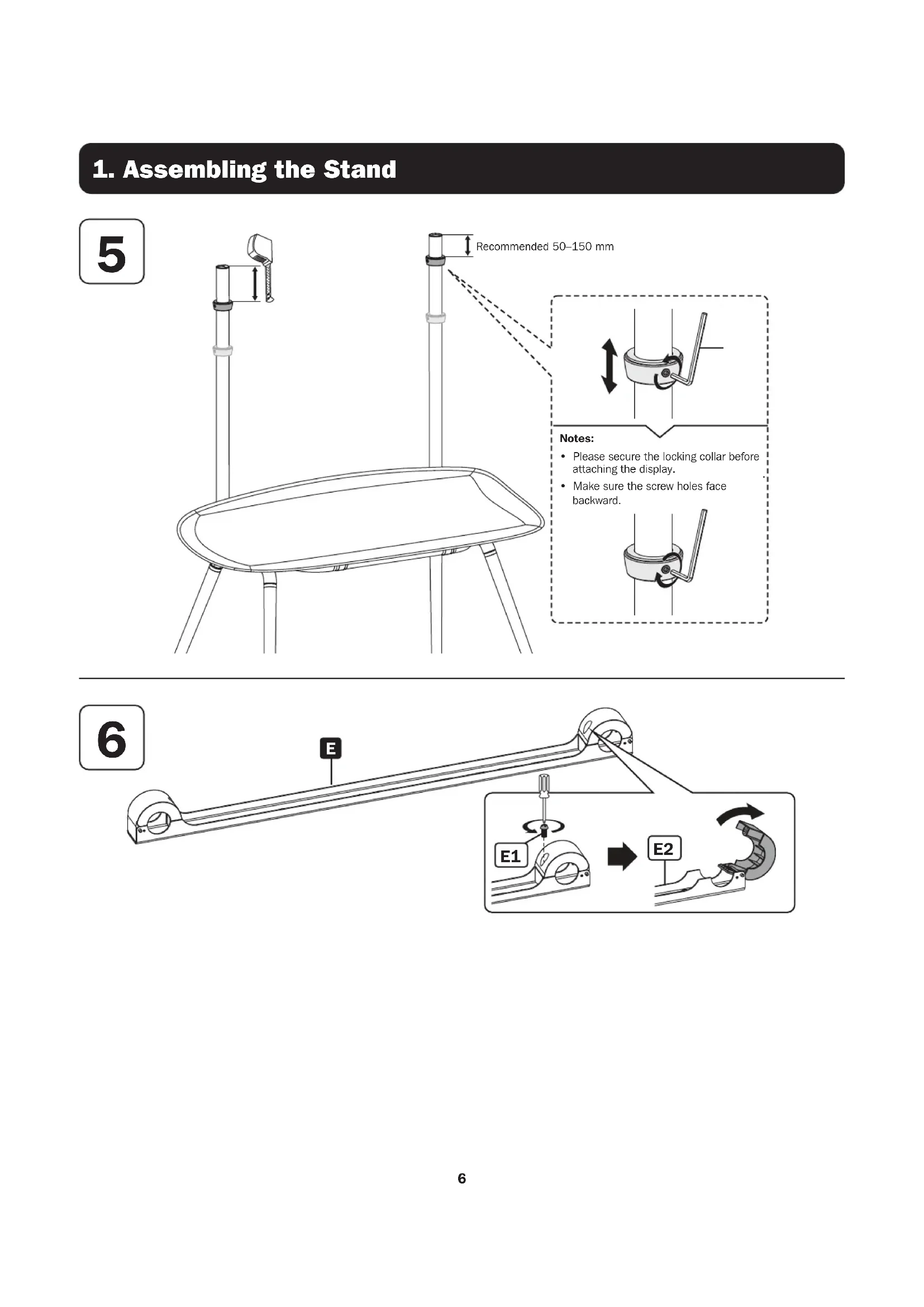
1. Assembling the Stand

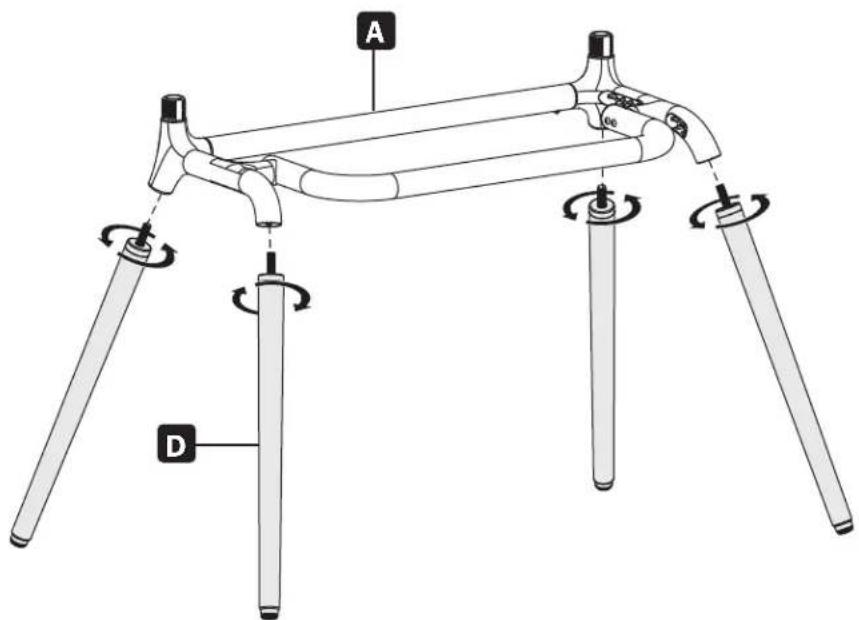

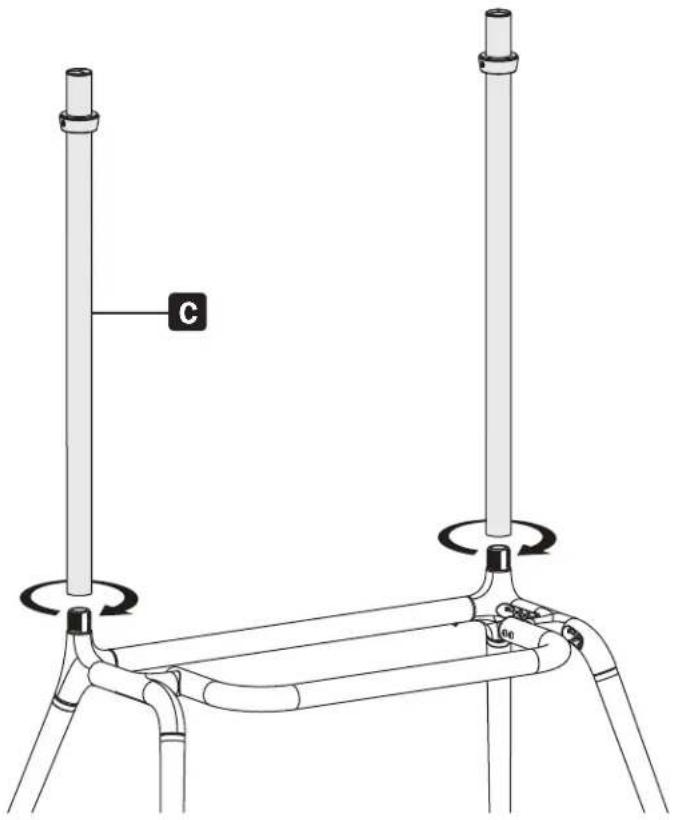
1. Assembling the Stand
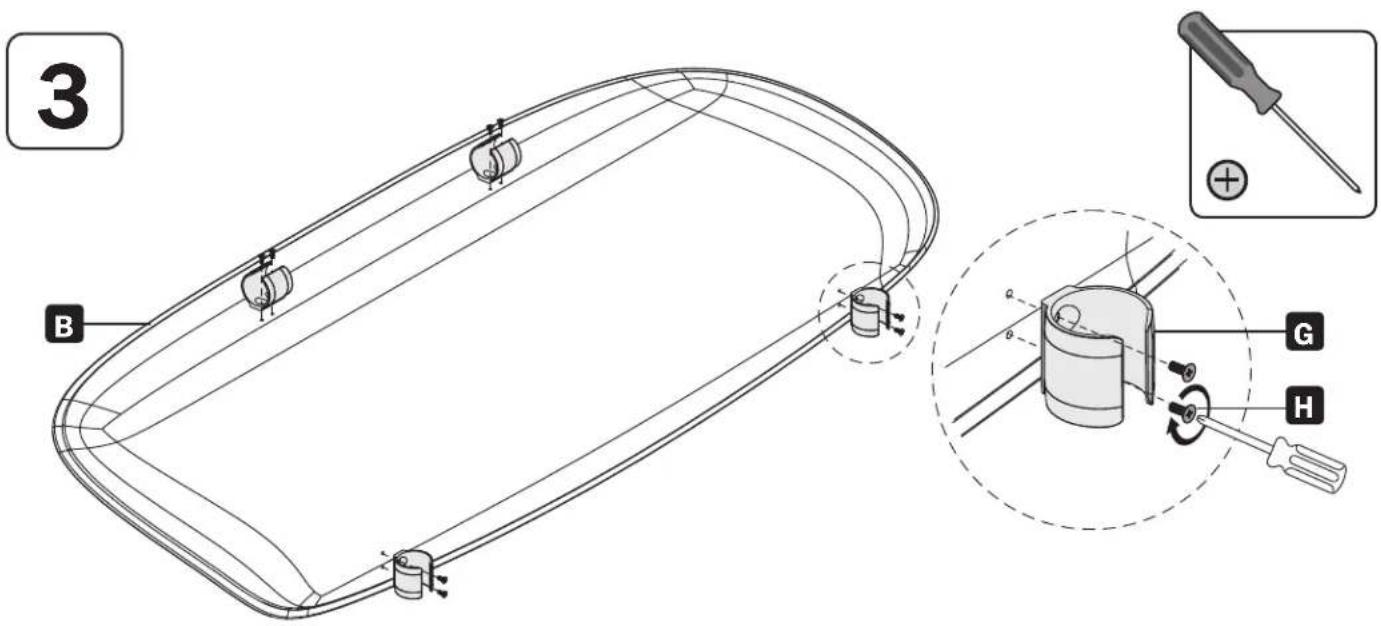
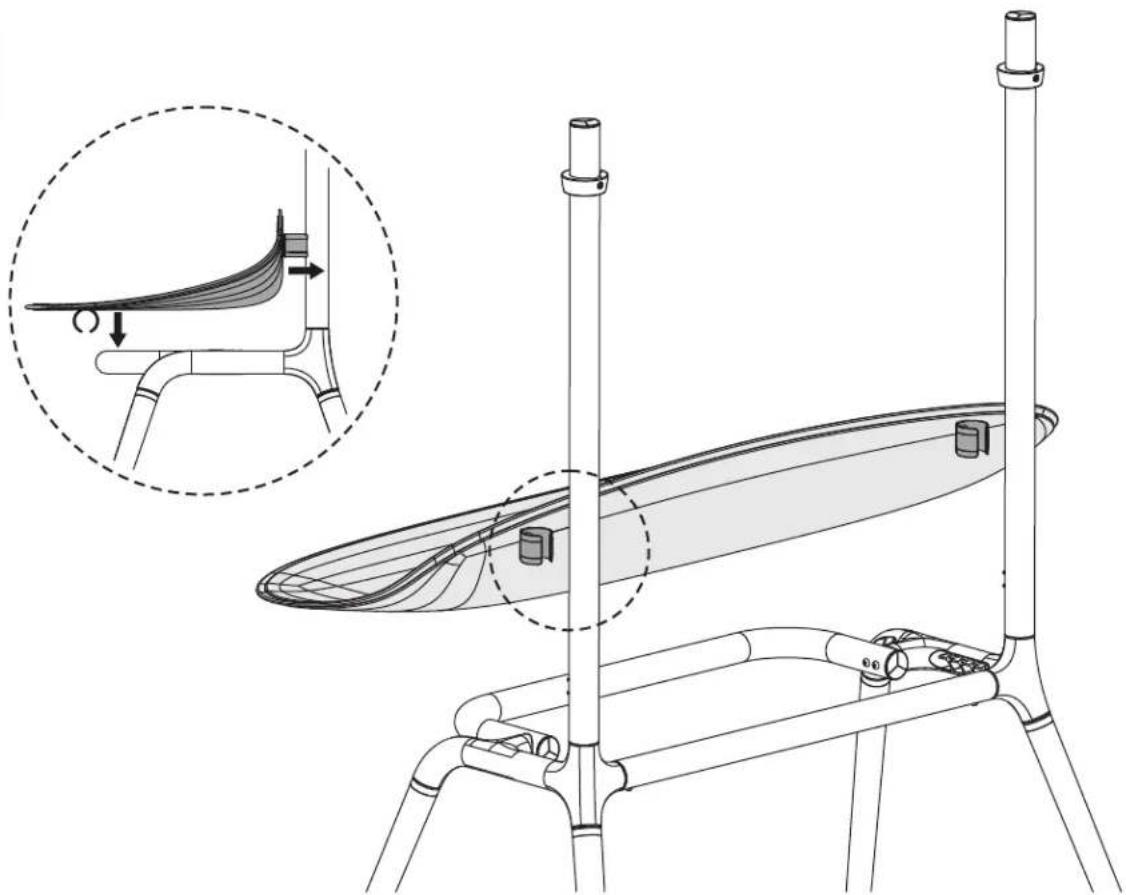
4
1. Assembling the Stand

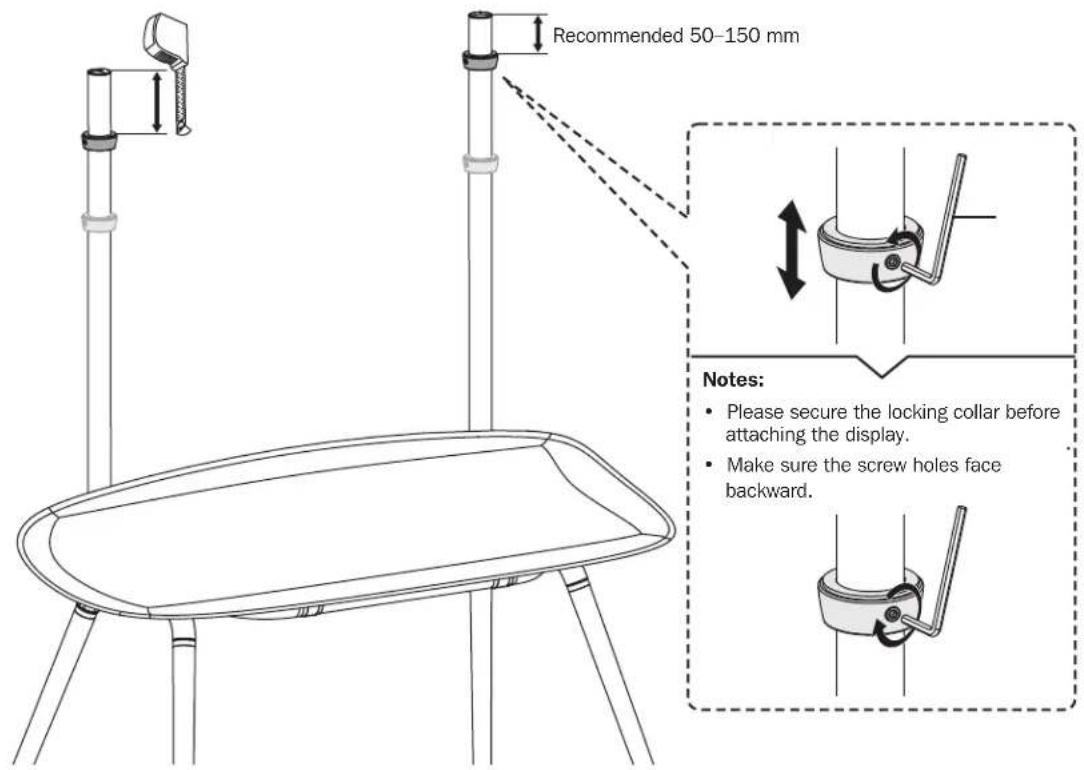

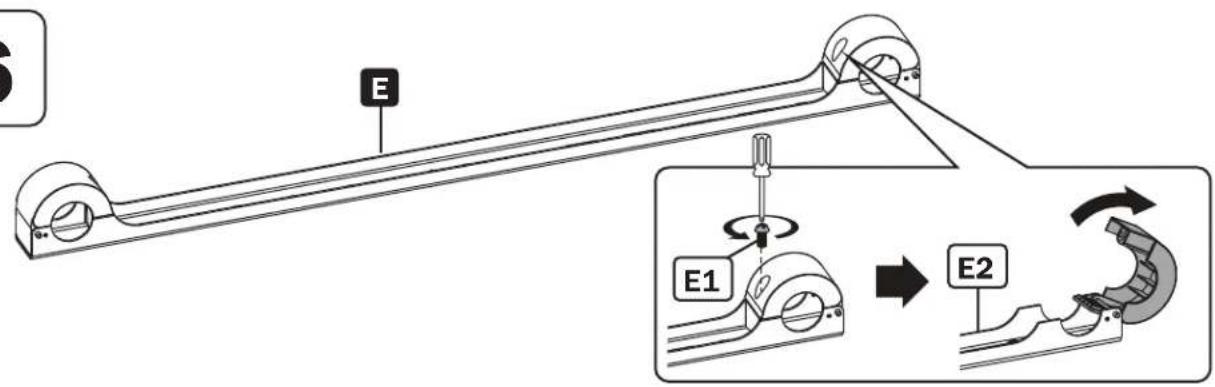
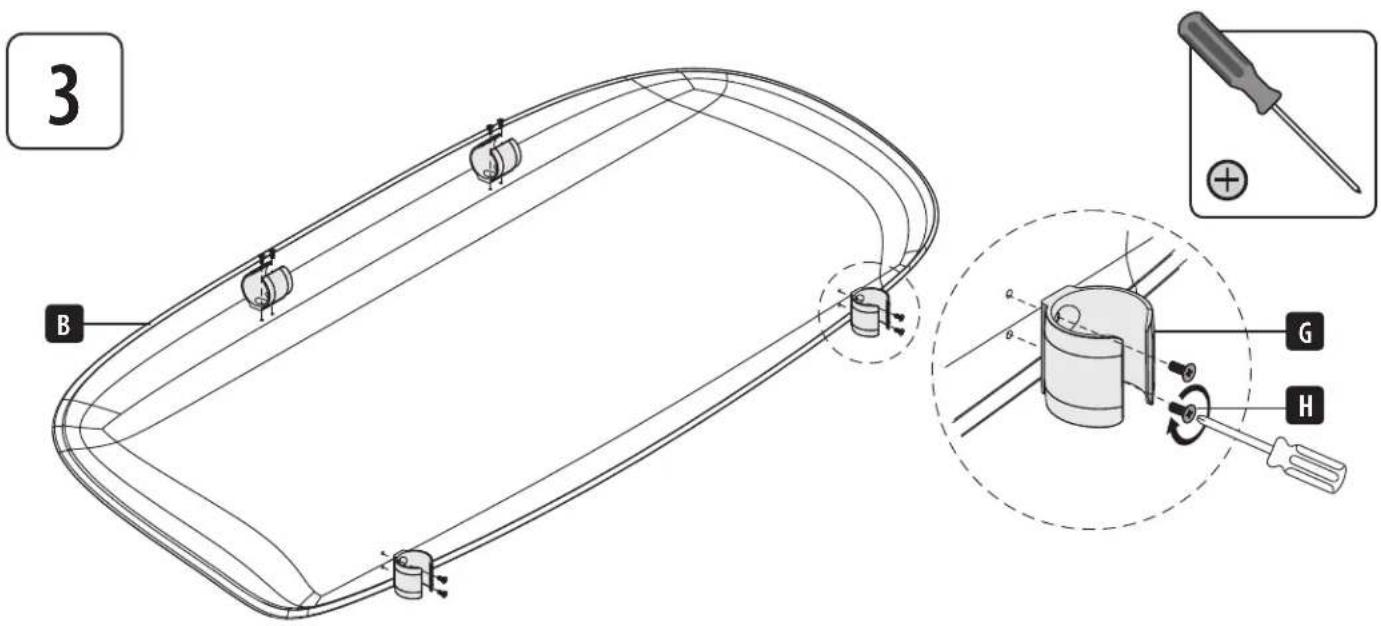
2. Attaching the Brackets to the Display
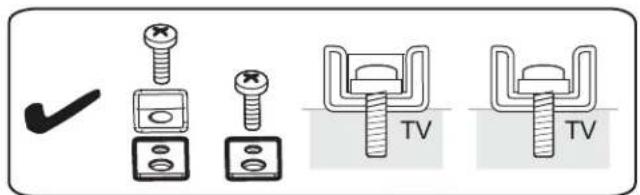
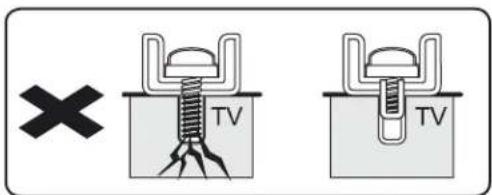
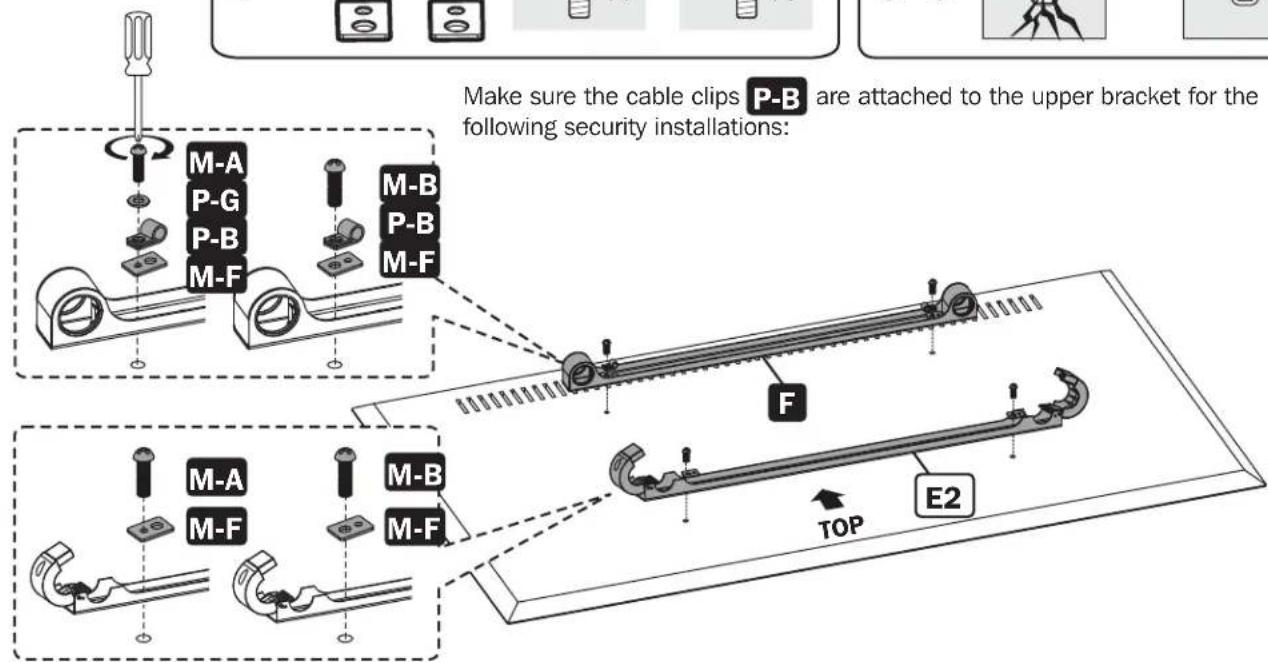
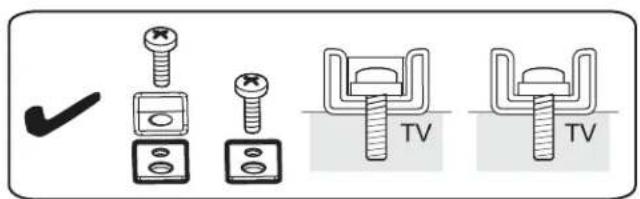
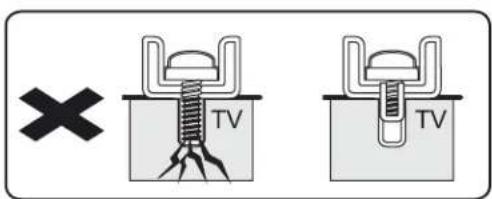
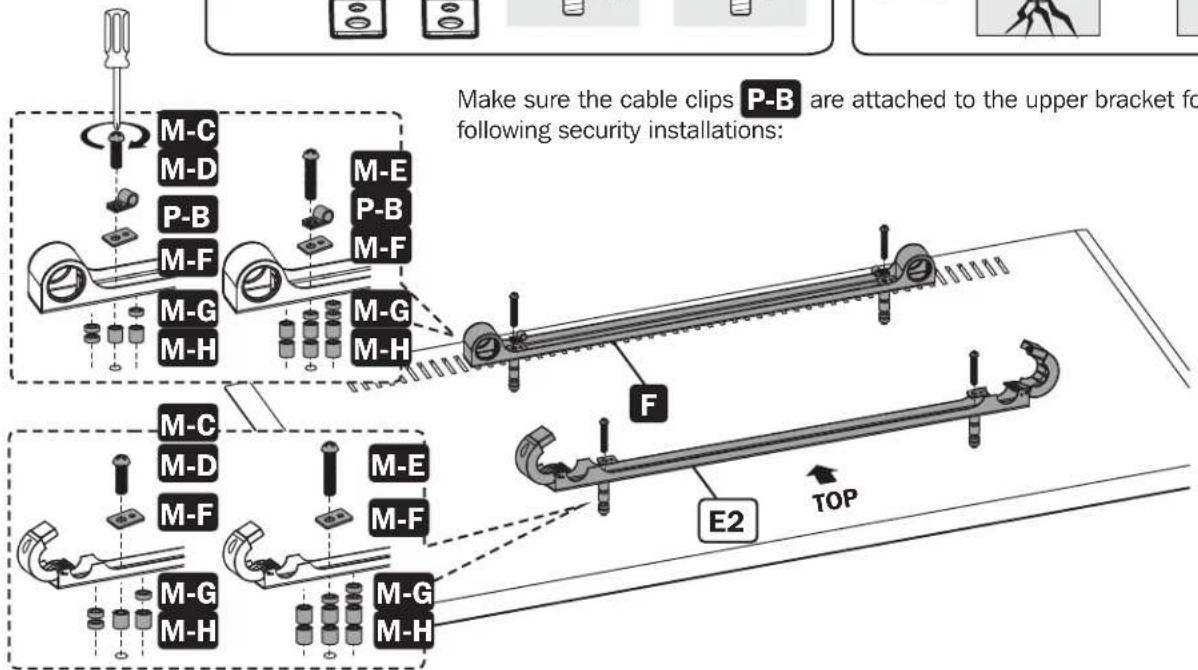
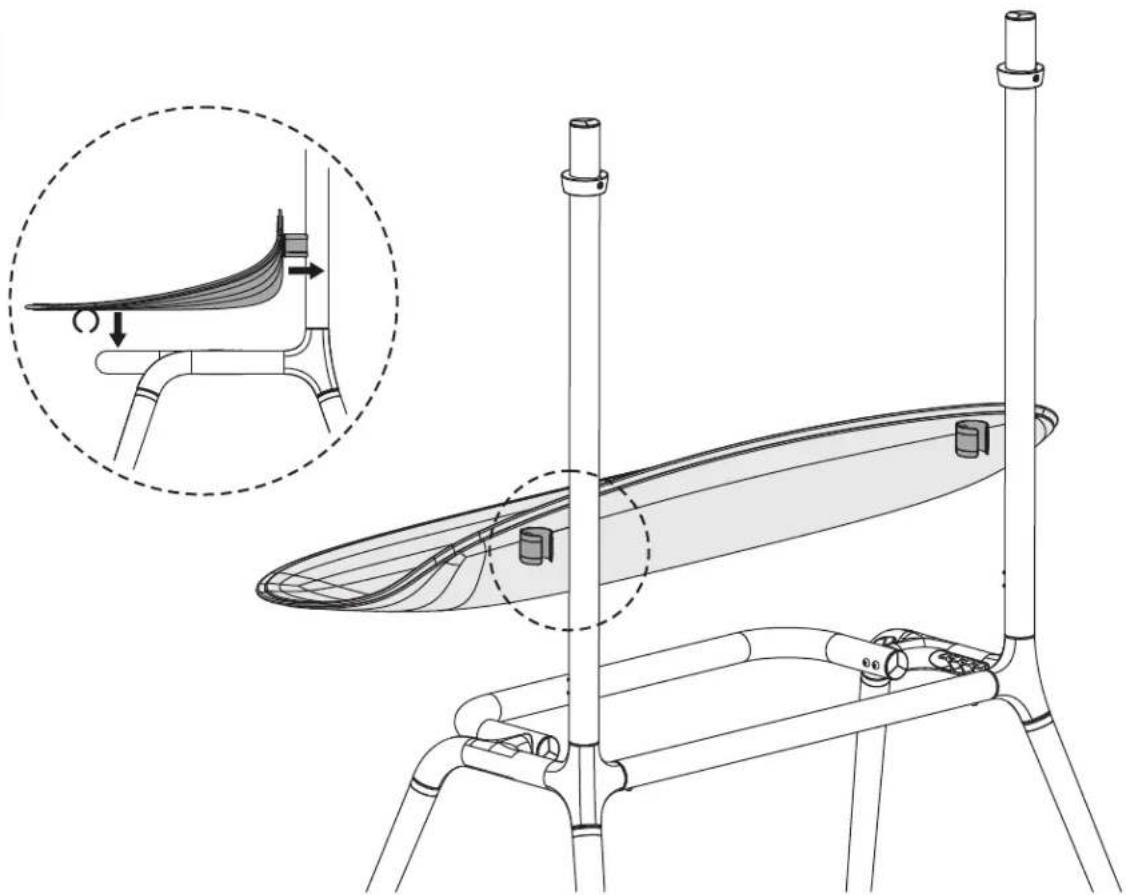
3. Attaching the Display to the Stand


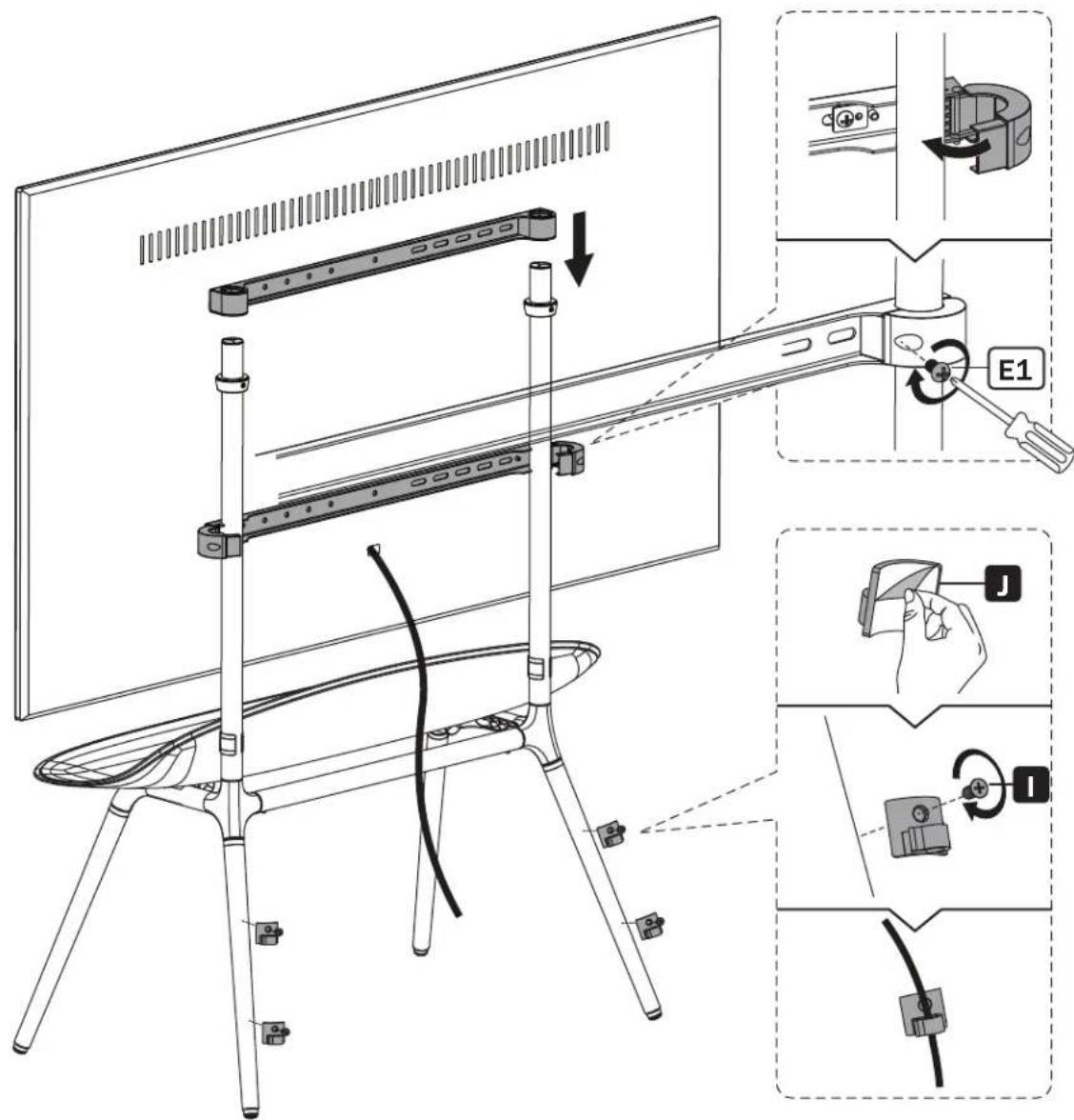
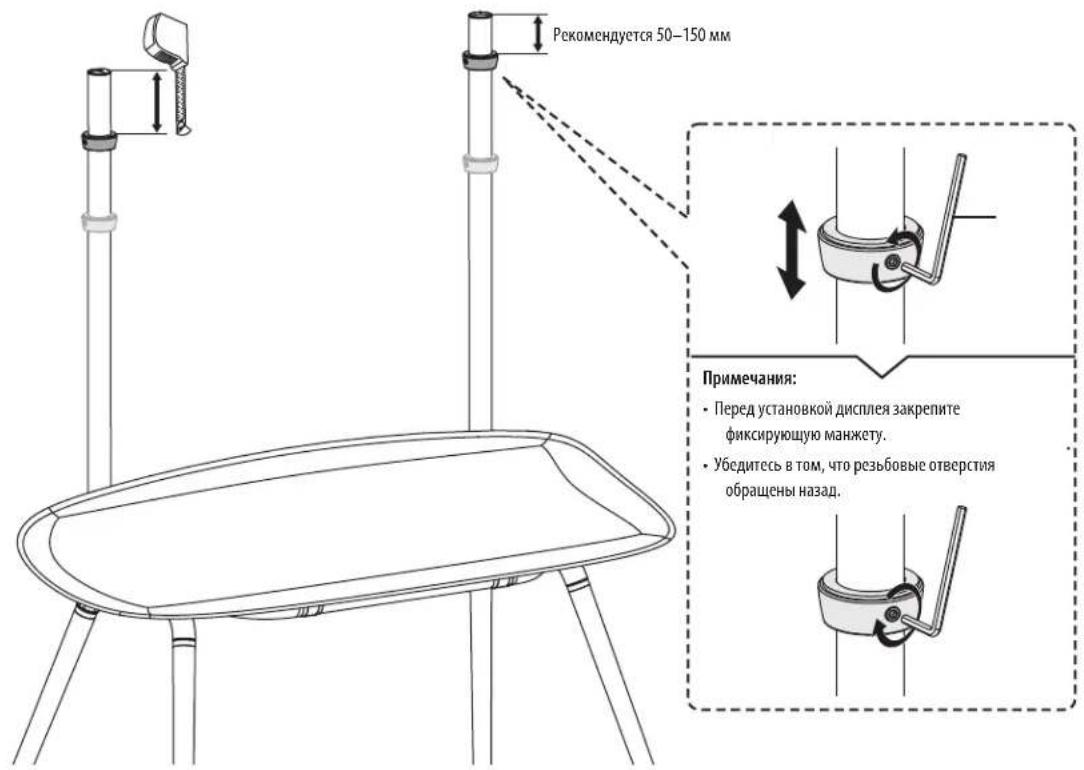
3. Attaching the Display to the Stand
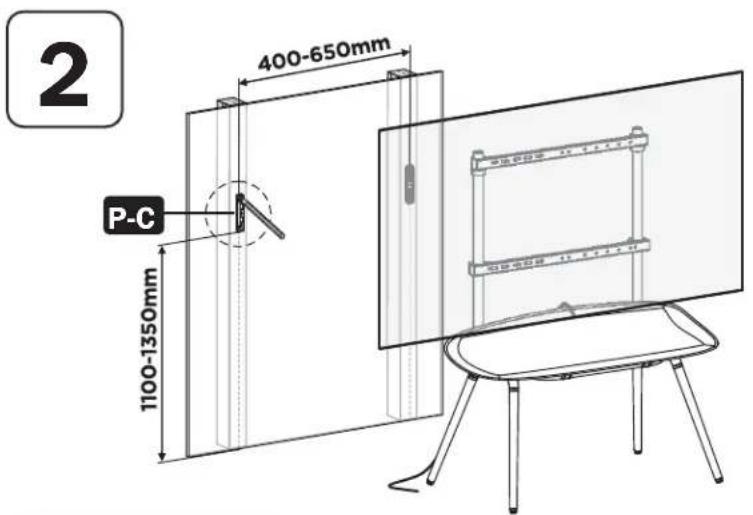
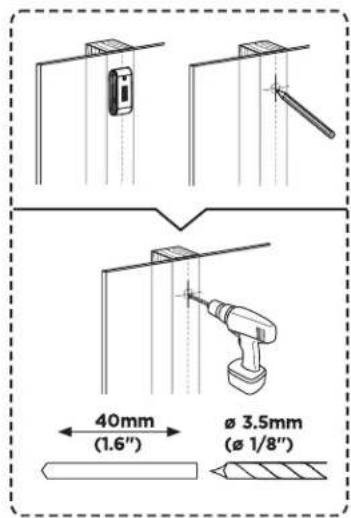
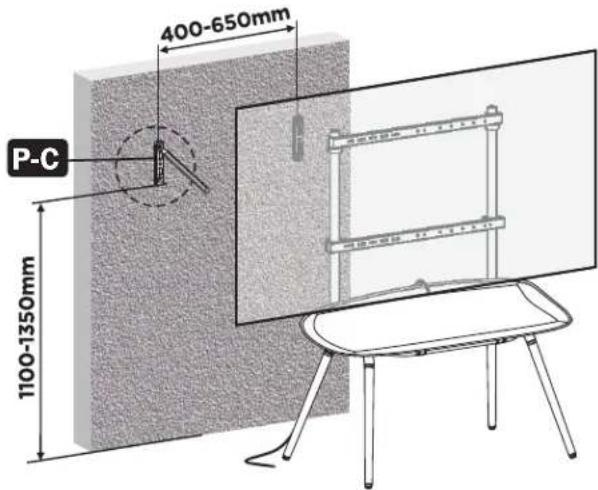
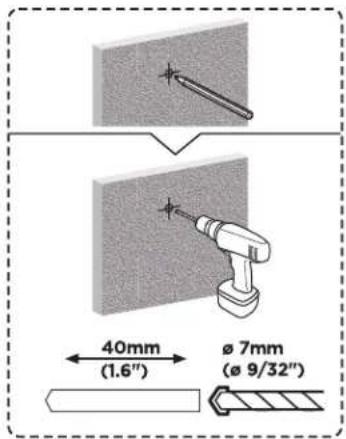
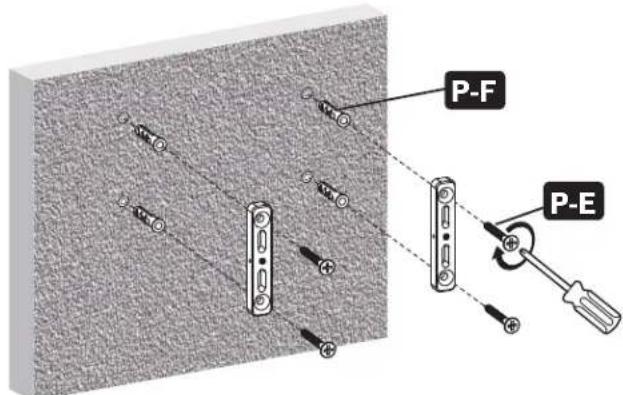
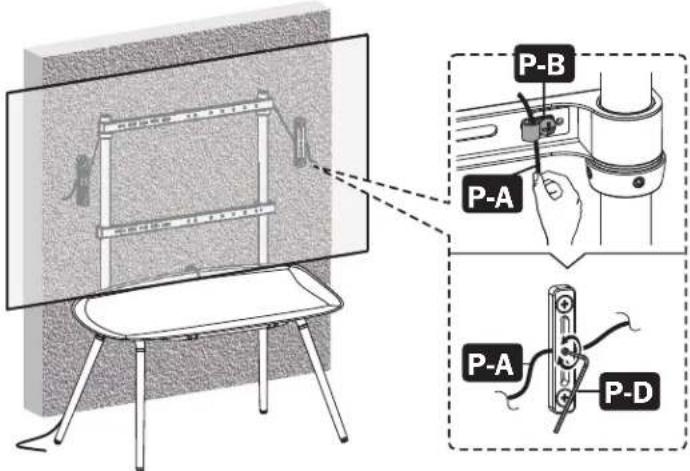
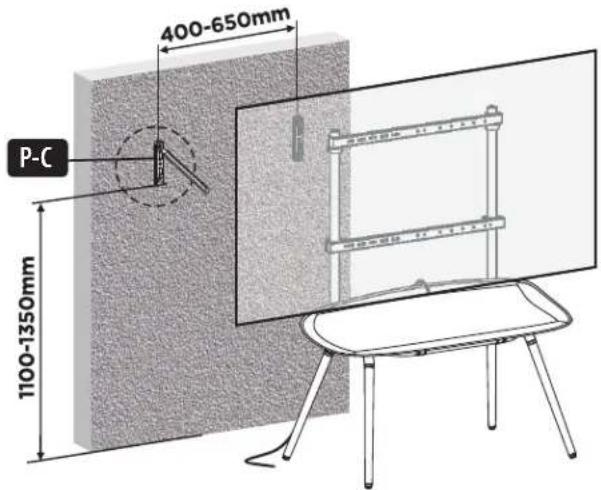
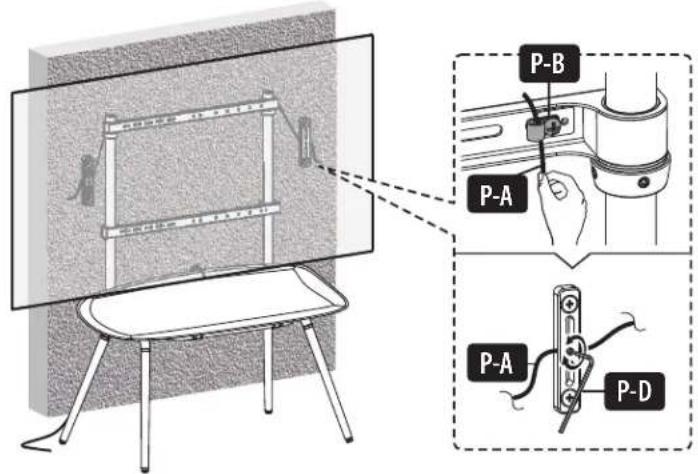
To prevent the display from tipping, anti-fall wire rope should be installed.
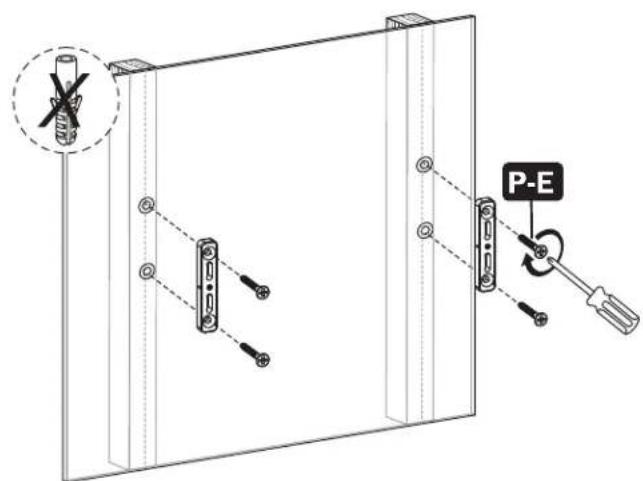
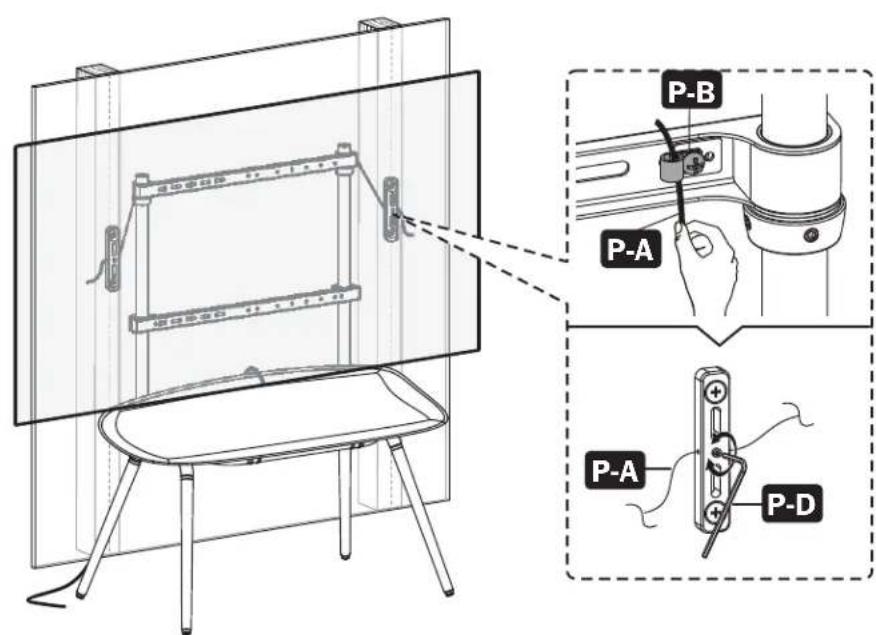
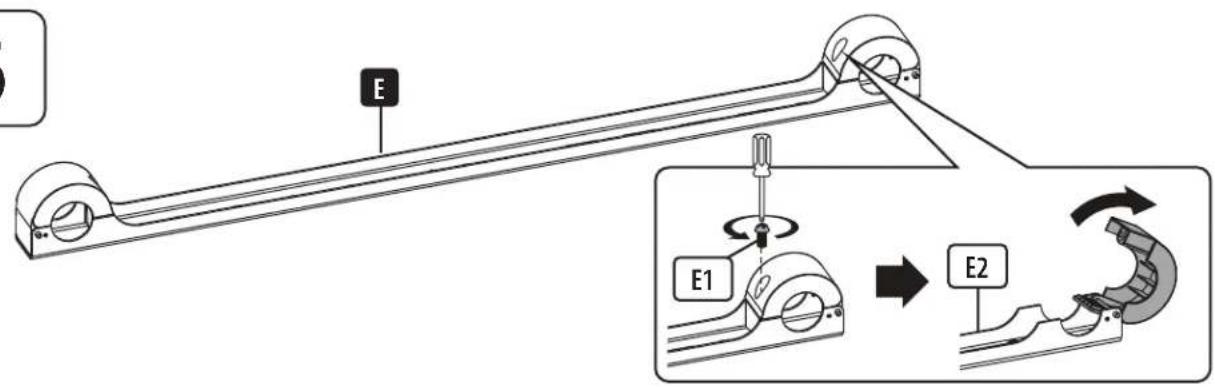
3. Attaching the Display to the Stand
To prevent the display from tipping, anti-fall wire rope should be installed.
Maintenance
Check at regular intervals (at least every 3 months) to make sure the display is secure and safe to use.


Manufacturing Excellence
1111 W. 35th Street, Chicago, IL 60609 USA • tripplite.com/support
1111 W. 35th Street, Chicago, IL 60609, EE UU • triplite.com/support
1111 W. 35th Street, Chicago, IL 60609 USA • tripplite.com/support
PykoBODCTBO N0Ib30BaTeJia
1111 W. 35th Street, Chicago, IL 60609 USA - triplite.com/support
OxpanaTcT aBTOpCKM npabOM 2021 Tripp Lite. Nepeneuatka 3anpeuaTcN.
Yka3aHnnoTexHnke6e30nacHOCTN
IpymueaHHe.IpeJHaayamOn yCTaHOBKn i6OpKn MoyJb BHMaTeNbHO 3yUHe Bc pa3dJIbI pyKOBoCTBa.

BHUMAHNE!
He HauHnHaTe yCTaHOBky Do Tex nop, noka He 03HaKOMITcB CO BCEMM yka3aHmM IN PpeynpexkdeHmN B HacToIe pykoBoCTBe IN He noMeTe Ix Cmbic. IpN BO3HKnHOBeHH BONPOCBOTHOCtBbHO IIIO6bIX yka3aHm INPpeynpexkdeHm NocETte CTpaHuy tripnite.com/support.
3OTKPOHHTeINPpeHa3aHueENyCTaHOKNiNCONb3OBAHnTOJIbKO BcIeXyKa3aHHbIXB HAcTOnIeMpykoBDCTBe.HenpaBnHbA yCTaHOKa DaHHoro 13dennMOKeTnpBEcNKnpUHNHeHNO MaTePnAbHoRO yIep6aNN cyuEcTBHeHO BpeDaDOpOBbIO NIOeI.
- YctaHOBKa DaHHoro I3dEINRA DOnKHa IpnOu3BODInTcBcra T0JIbKO CneuaJNCTOM CIOCTaTOOH TeHNuecko KBaIIMKauiee N 6a3OBbIMn HABbIKAMn CTPOITbCTBa, B NOHHOpe NoHIMaUOzIM CMbICl INHOpMaun, INIOXeHHo B HAcTOrIeM pyKOBoCTBE.
- 6eIntecB TOM, YTO MOHTaJHnA NOBepXHocTb MoKET C3aNACOM BblpeKnBaTb CymMapHyO HArpy3Ky, Co3DaBaemyO 6OpdyoBaHnEM N BcEMN BXoJaUMN B KOMJIeKT DeTaJIAMN OCHACTKN I DpyrIMN KOMNoHEHTaMn.
-Дябзэпаногу подьеми Надлескшero pa3мшениооборуданью obpaаитсь 3a пошью пипьытсьгузэдьемьIM obopydobahem.
BnHtblcnyet 3aTnBaBbPiIOTHo,HO He nepetraBbAix. NpeTnBaHne MoKet npmbctn K nobpeXdHIO KpeNEXbIX Detalei, TTO 3NaHTeBHO yxyuHNT npouHocTB KpennHeHH.
JaHHe 3eHne IpeHa3NaueHO nIg HcNtB3OBAHnra T0bKo B 3aKpbItbIX NmEueHnx. NcNtB3OBaHne daHHoro 3dEJIHA OTKpbITOM BO3dyXe MoKeT npMBecn Kero BvIXOy IV cTPOI INPnUHHeHIO Bpe Da 3doOpBObIO IIOJe.
TapaHTnHbIe 06aTeIbCTBa
YcNoBna 5-NetHeor OpaHueHHOraPANTn
PpOaBecuT aapHtpyet OTCyTcBHe u3HaauhBix DeEeKTOB MaepnAna HIN H3ROTBENH B TeHMe 5 nT C MoMeHTa nebHOaHbHoi NOkyTN DAnHOro H3ENH PnYCobH erO HcNIOB3OBAHn B COOTBTCTBNco BcEMn pImEHmMbIMn K Hemy yka3aHnMn. B cnyae ppoBnna KaHX-16o DeEeKTOB MaepnAna HIN H3ROTBENH B TeHMe Yka3aHnHO nepnOda PpOaBeU ocUeCTBnET peMOHT nHn 3AmHy DAHOH NkCNIOHTeBnNo CBOeMy yCMOTpeHNO.
JHCTBHE HACTOIEH IAPAHHTNI HE PACPPOCTPAHRETCA H CUYA ECETCEBHNOHO NIOOBPEKDEHMB P3EYbATE ABAPIN, HEADIXEAUEOHCN0BAAH, HAPWEHMA PPABIN 3KCIPIYATAIIM INXANATHOCTNI. PPOJAEBUH I PNEOCTABPNRT HNKAKNX BBBO BpAXEHbIX IAPAHNTI 3A NCKLIQHEHM NPMROM N3IOKEHHOB H ACTORIEM JOKVMEHTE. 3A NCKLIQVEHEM CUYAEB, 3AIPUEENHBI X DECTBYKUOMM ZAKOOHDATEBCTOBM, BCE NOIPA3YMEBAEMBE IAPAHNTM, BKIOUAR BCE IAPAHNTM INPRIOHOCTN DIA INPOJAAKIM NIN KONIOB3OBAHNO PIHOHAHEHMI POIPOJOLXITIELBOCHN DECTBBA BIIJEYKA3AHBM IAPAHNTHBIM CPOKOM; KPOME TOI, M3 HACTORI EAPAHNTM RBbIM O5P3OM NCKLIQVAOTBCSE06OYbIE, CUYAAYHBE I KOCBEHNBEYbIKN. (B HekOTobx WATATAx He DOyNAcTaC BBEDeHne ORpaHNeHMe HA pDOJNkTbNbHcTb DeKTbMaTex IMN HbIX NoDpa3yMeBaEMbX rapaHTN, a B NEKToPbX - NKNIOUeHMe IMN ORpaHHeHne pa3MePA noooyhix mnn KOCBEHNbX b6YbIKN. B 3xN CUYAAX BbENoLKeHEnE OrpaHHeHn IMN NckIOuHn PApeoCTpTaCB. Hactouaan rapahtna npdeocTabraet KOHPeTbe oipinueckme npaba, a Ha60 dpyrnx npab MoKet 6bIt Pa3NUHmB 3aBnMCMOCTN OT IpNCdNtui.
BHMMAHME! Do hauana nnonb30aHaHn DaHHoro yCTpoBCTBa nonb3oBaTeB doNKeH y6eMItBcB TOM, 10O OHO RAIErTc PnIFOhBM, COOTBeTcBYOuHM Hm 6eONaChbIM nnpEpanonaerMo rnpMeHHeH. B CBA3C 60blmm pa3Hoo6pa3nem KOHKPeTHbIX pPnIH3BODHTB He daet KAKHX-NMO 3abepeHH mIraPaHTMH OTHCHTBHO pRTOHOCTMaHHbIX N3denn dAkanO-N60 KOHKpTeHOro npImHeHn HIN INXCOBTETBn KaKHM-NMO KOHKpeTbM Tpe60BaHnM.
KOMnHr Tripp Lite noctoHNO cOepeWHeCTByet CBOIO npOduKuHO. B CB3N C 3TmB03MOHX H3MeHHe TExHHueckHX xapaTePepntHK 6e3 npeBaHPtebHoro yBeDMNEHn. BHeHN Bn peJIbHbIX h3denn MoKeT HECKOBKO tONMATCBGR TnpcTcABHEHORo Ha oToTpaHnx HnIIOCTpAax.
IpeueHb KOMnneKtaun
BHIMAHNE! Npea Hauanom yTaHOBKn y6eNTecb B hAnuHn BceX deTanei corNaCHO nepeuHIO KOMNKeTauHn. B cnyae oTCyTCTBn IN nobpexdeHn KaKnx-160 deTanei o6pataTEcb 3a nomouhno Ha cTpaHnU triplite.com/support.
YnakoBouHbI KOMnIeKT W

YnaKOBOHybI KOMnJIeKT P

YnakoBouHbI KOMnJIeKTM
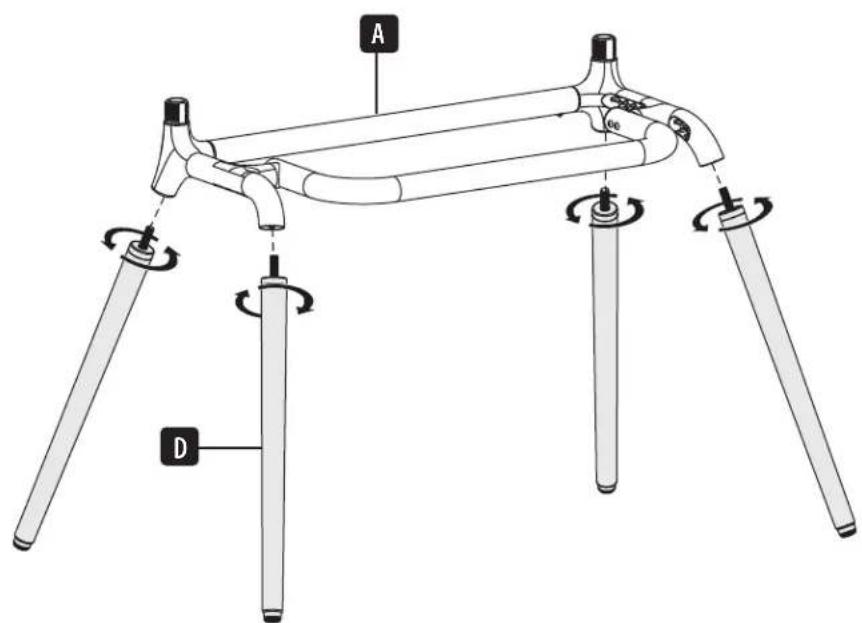
1. C6opka noDCTaBkn
1
2
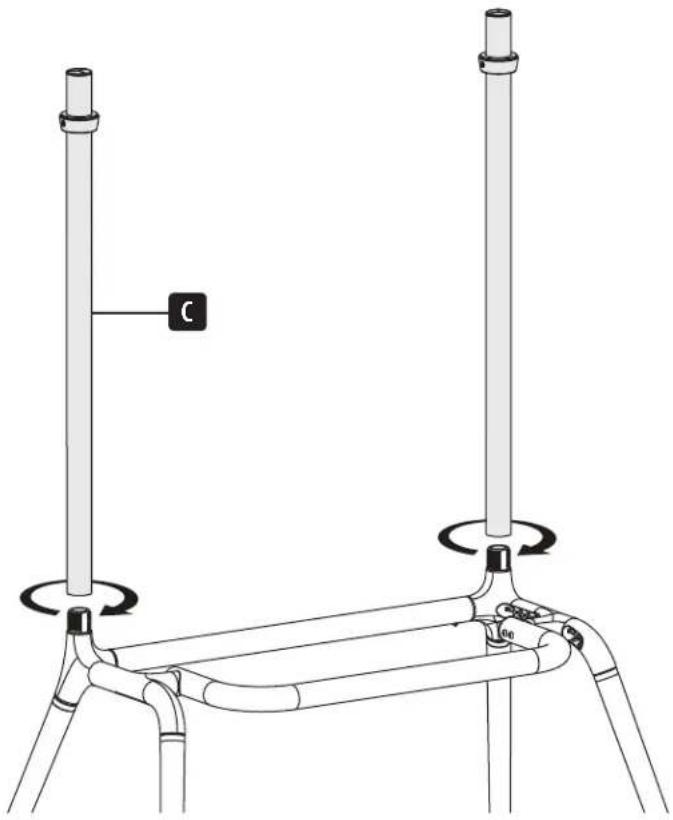
1. C6opka noDCTaBkn
4
1. C6opka noDCTaBkn


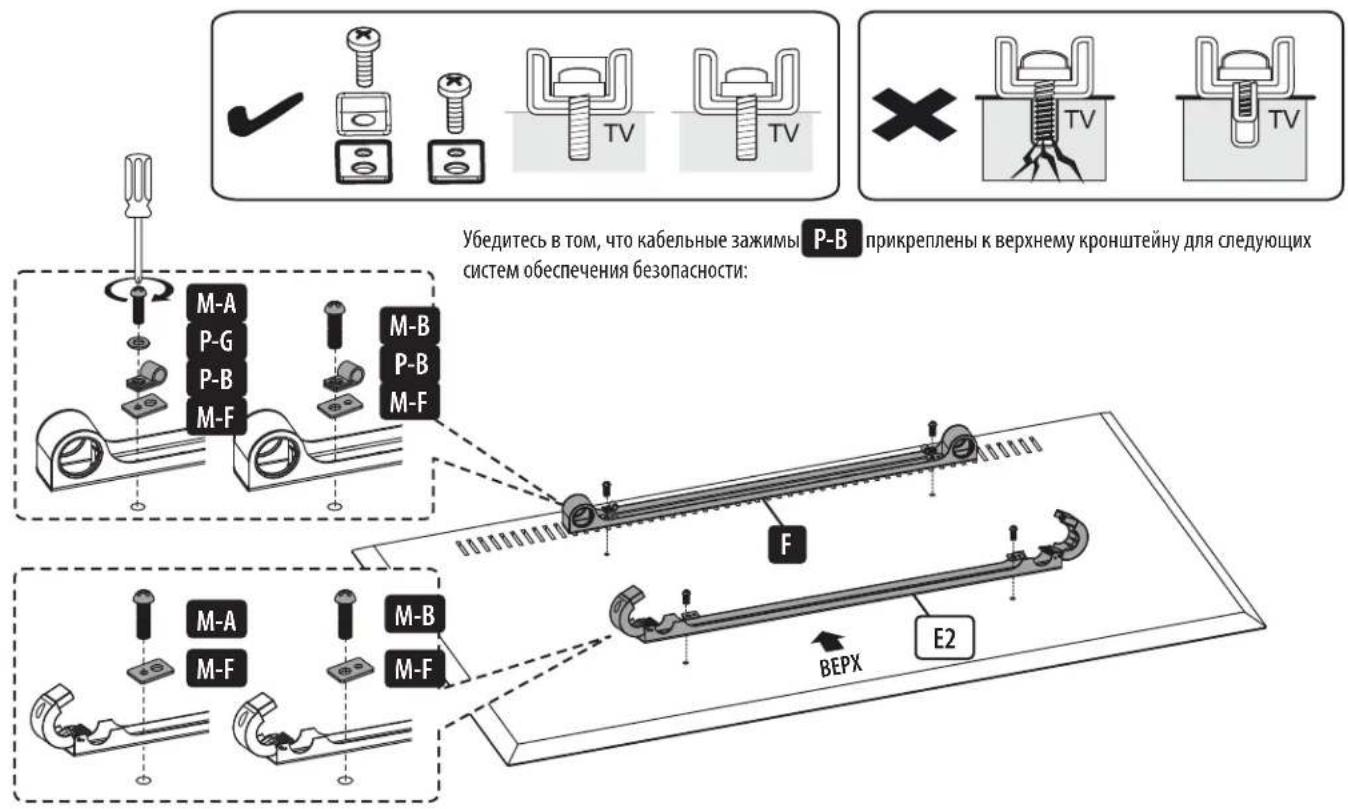
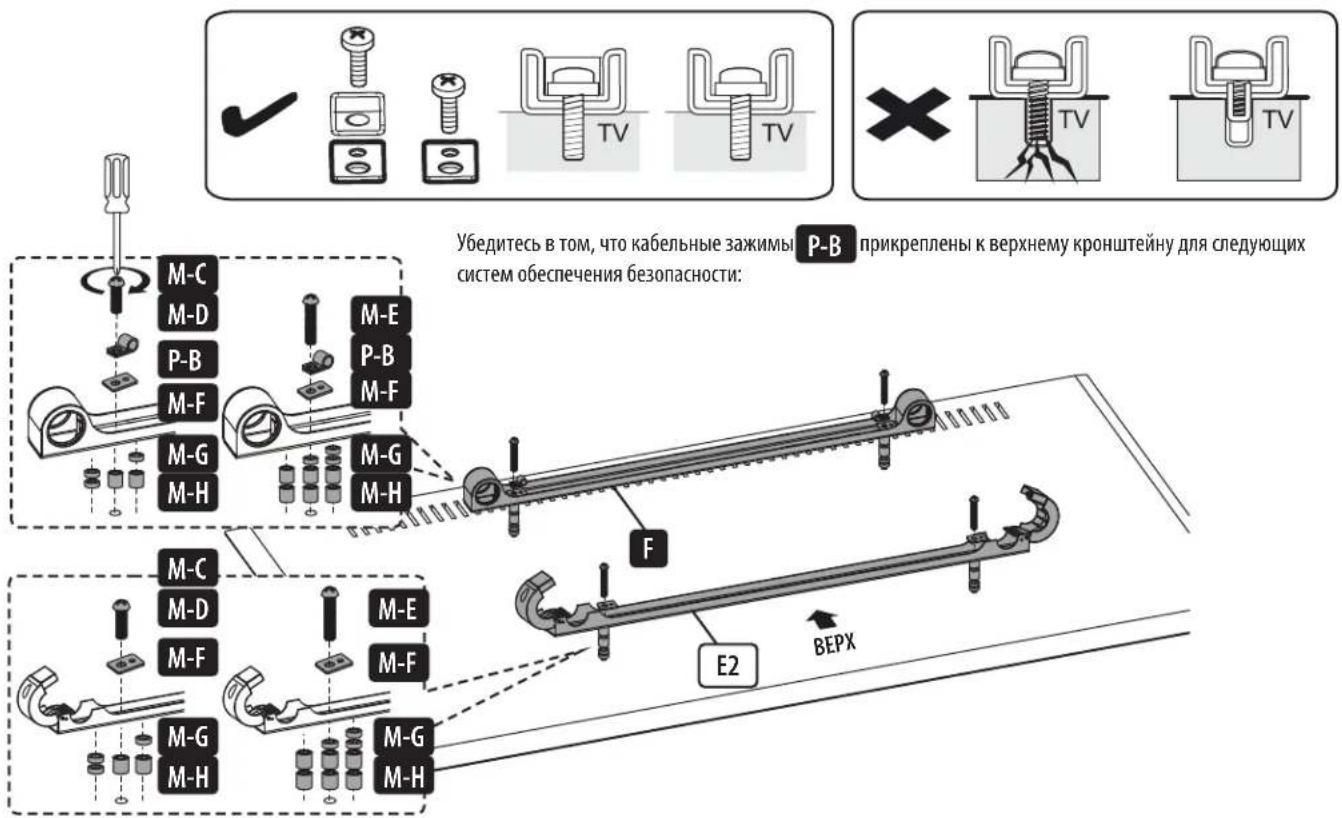
2.KpenenneKpoHHTeINHOB K DnCnIeIO
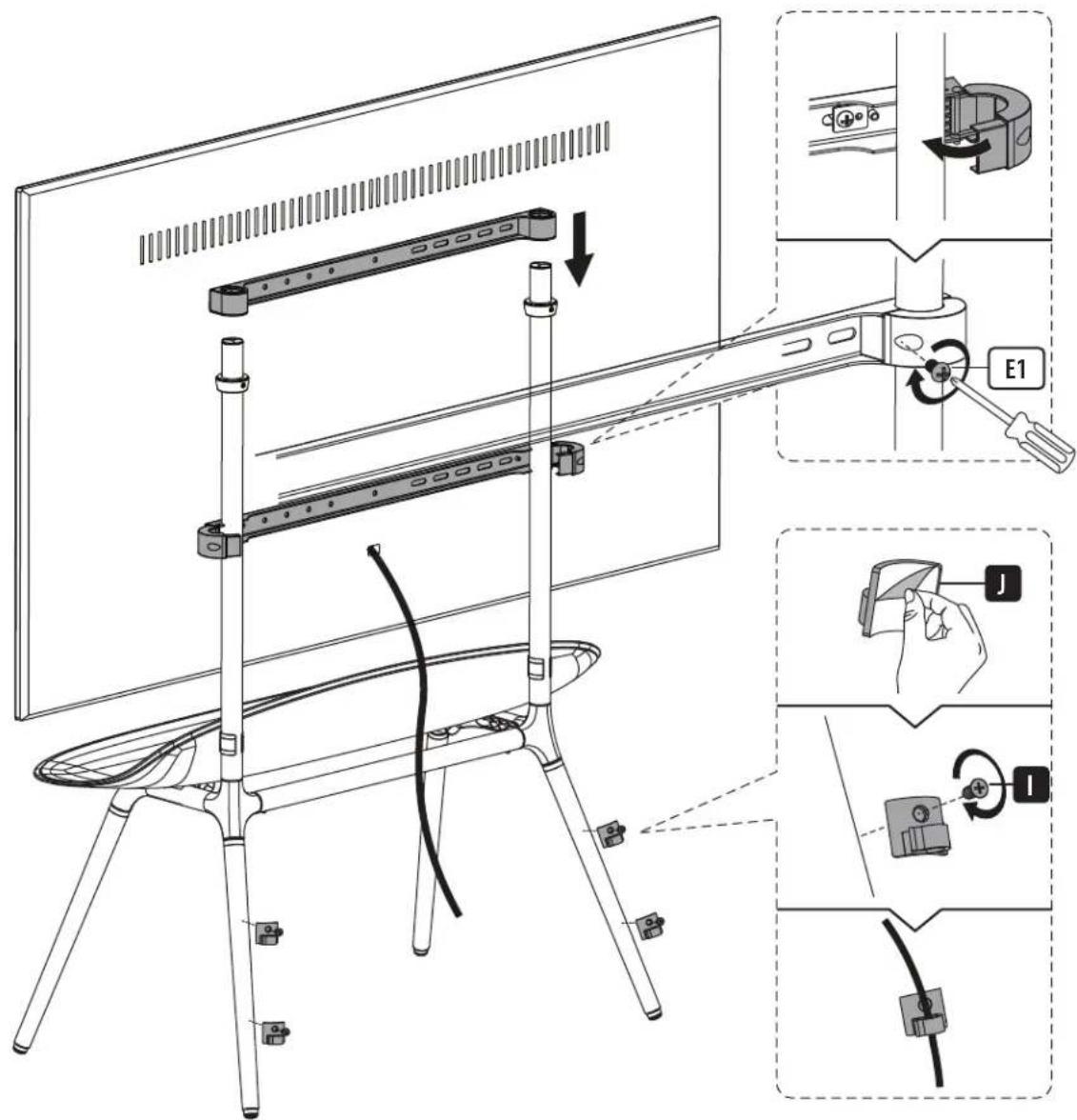
3. Kpenenne duicnpe Kaodctabke
1

3. Kpenenne duocnpea K noctabke
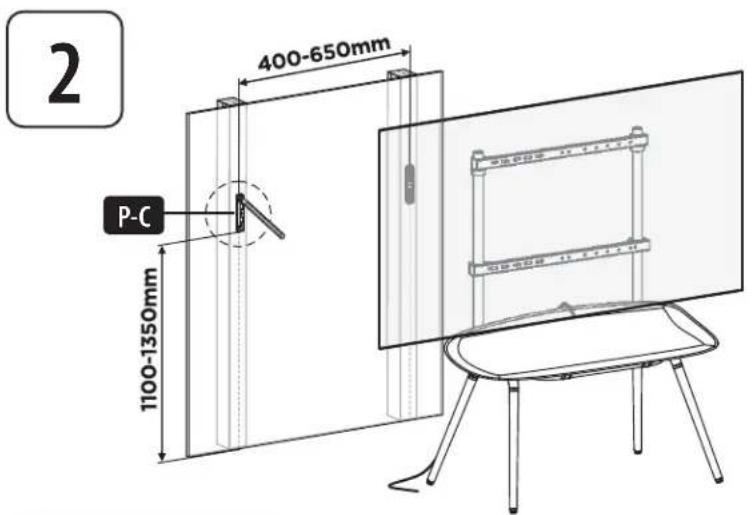
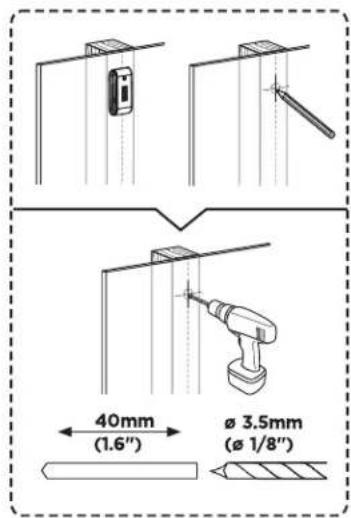
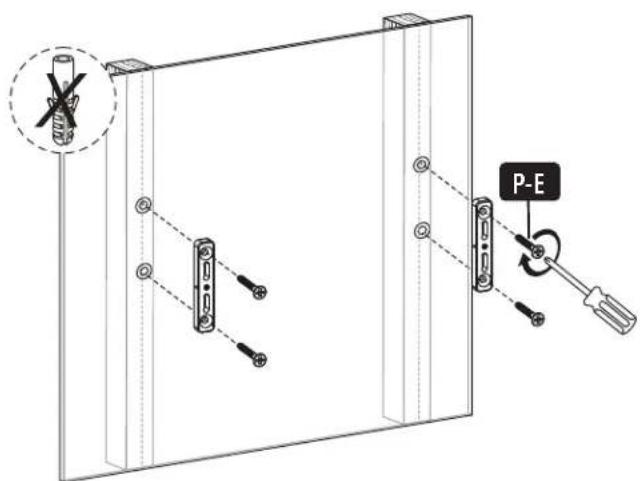
Bo 36ekaHne onpoknDbHaHn Hcnnner Heo6xOIMo yctaHOBtbpnoBOIoHbI TPOC, npenTCTByoUe Iero onpoknDbHaHNo.
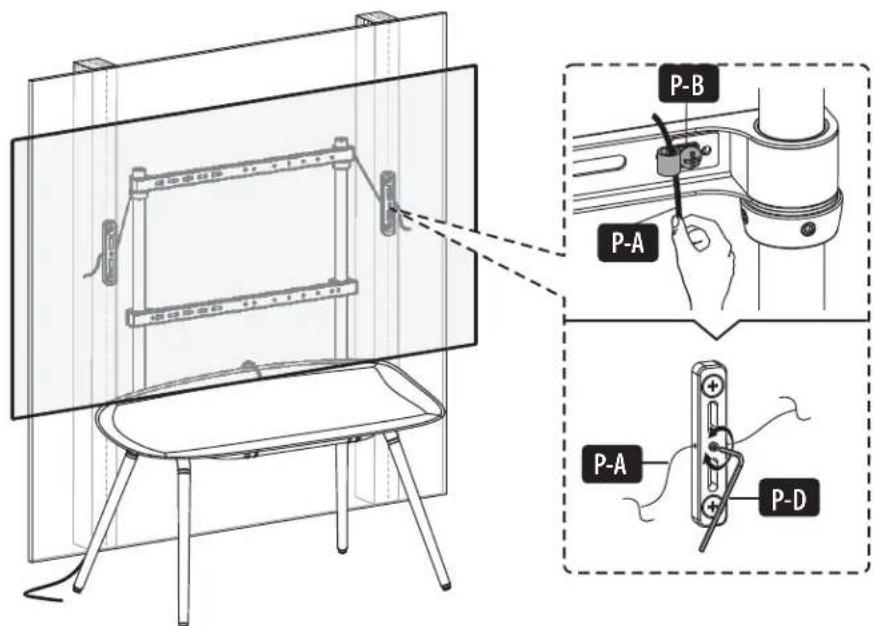
3. Kpenenne duocnpe K noctabke
Bo 36ekaHne onpoknDbHaHHa
Dcnnner Heo6xOIMMO
yctahOBNTb npOBOLOHb
TPOC, npenTCTByOuNi erO
onpoknDbHaHHo.
Texnueckoe 6cbnykBaHne
Perynphno (he pexke, hem pa3 B 3 meca) npobepaTe hAdexhoctb kpenneHm dncnne H620nachoctb ero nCnObl30BaHm.


PINOZDNIK HIXMOHIO KINCHSTOR
1111 W. 35th Street, Chicago, IL 60609 USA · triplite.com/support
Bedienungsanleitung
Manufacturing Excellence
1111 W. 35th Street, Chicago, IL 60609 USA • tripplite.com/support
Manufacturing Excellence
1111 W. 35th Street, Chicago, IL 60609 USA · triplite.com/support