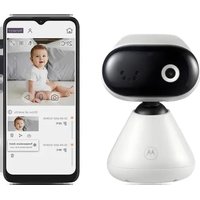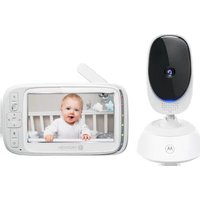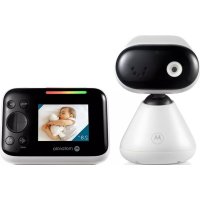
PIP1610 HD Connect - Baby monitors MOTOROLA - Free user manual and instructions
Find the device manual for free PIP1610 HD Connect MOTOROLA in PDF.



User questions about PIP1610 HD Connect MOTOROLA
0 question about this device. Answer the ones you know or ask your own.
Ask a new question about this device
Download the instructions for your Baby monitors in PDF format for free! Find your manual PIP1610 HD Connect - MOTOROLA and take your electronic device back in hand. On this page are published all the documents necessary for the use of your device. PIP1610 HD Connect by MOTOROLA.
USER MANUAL PIP1610 HD Connect MOTOROLA
natural_image
Two devices: a white smart dog-shaped device and a black Motorola phone displaying a sleeping child's face (no visible text or symbols on the devices themselves)Models:
PIP1610 HD CONNECT
PIP1610-2 HD CONNECT
PIP1610-3 HD CONNECT
PIP1610-4 HD CONNECT
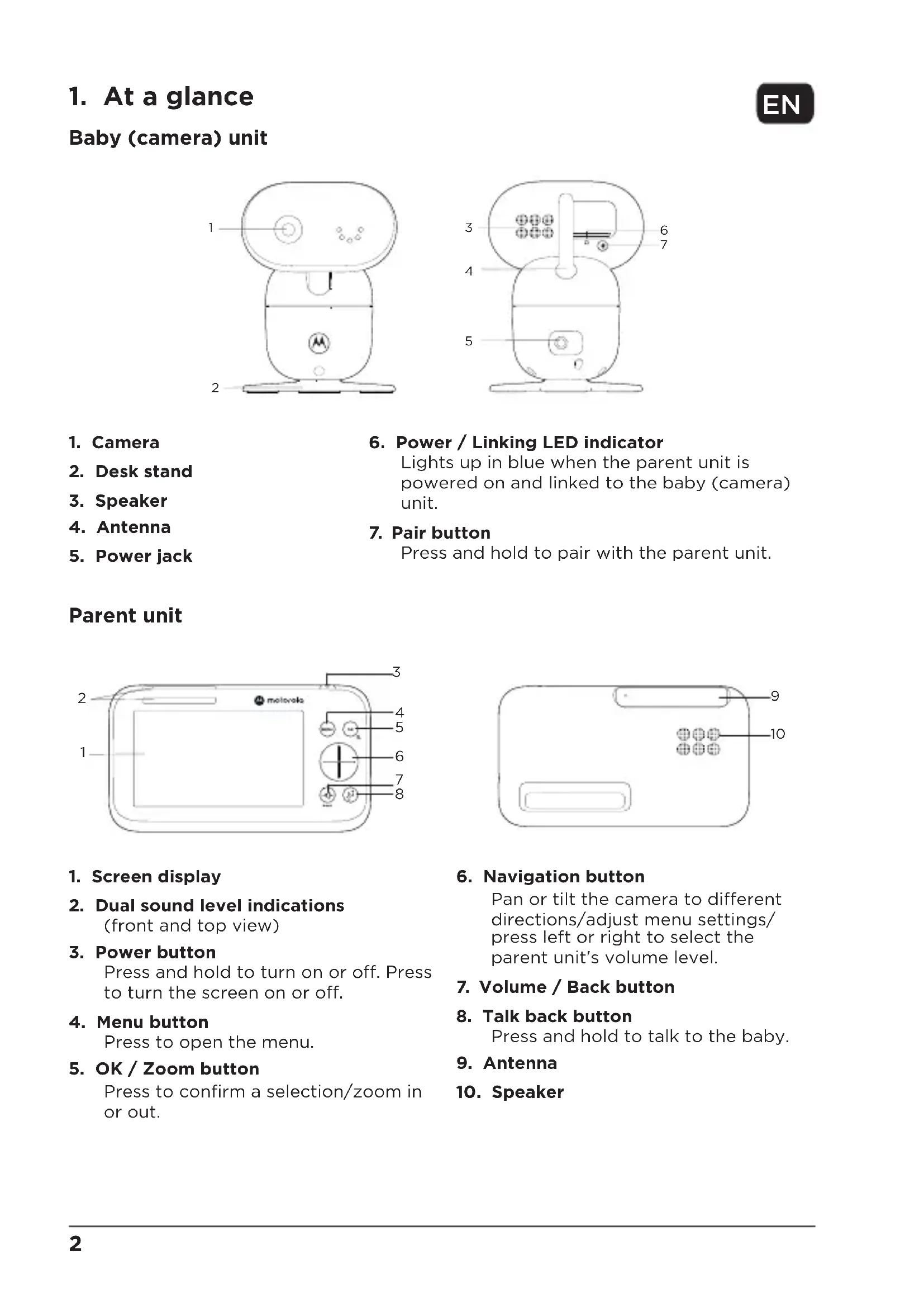
1. At a glance
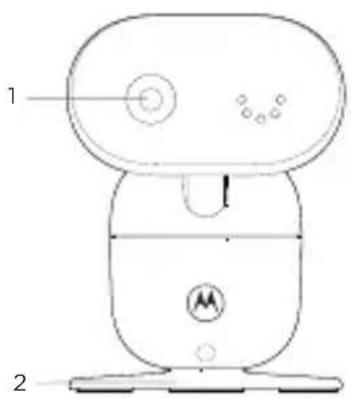
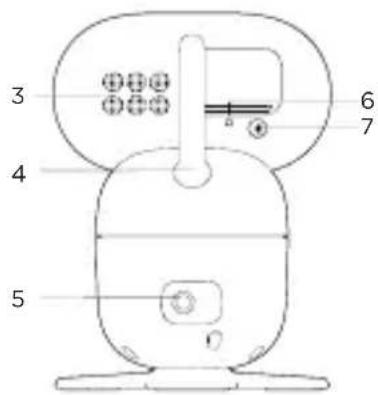
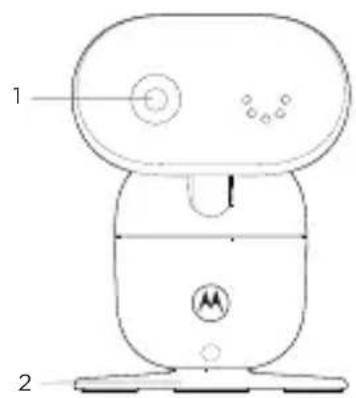
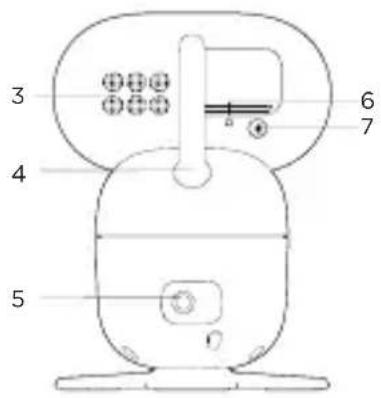
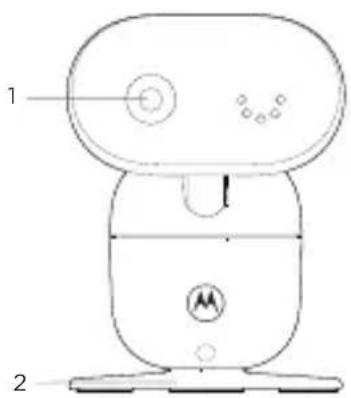
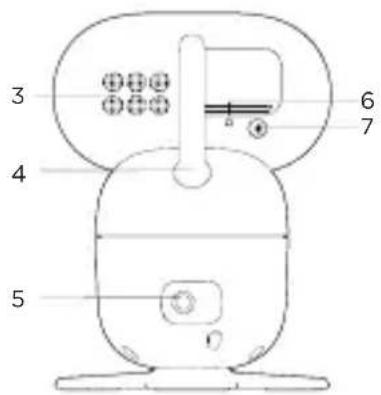
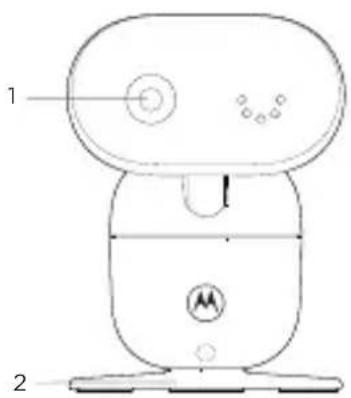
Baby (camera) unit
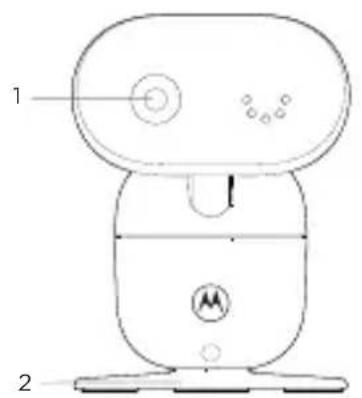
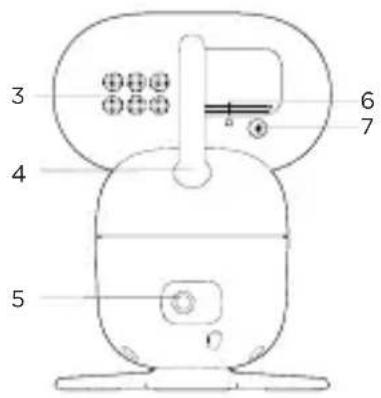
- Camera
- Desk stand
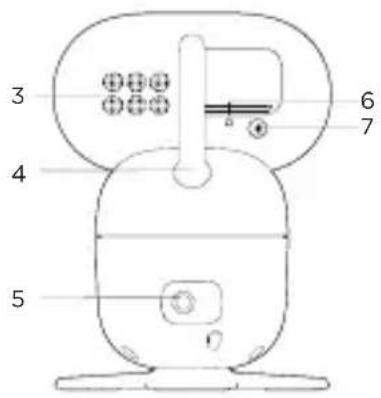
- Speaker
- Antenna
-
Power jack
-
Power / Linking LED indicator
Lights up in blue when the parent unit is powered on and linked to the baby (camera) unit.
- Pair button
Press and hold to pair with the parent unit.
Parent unit
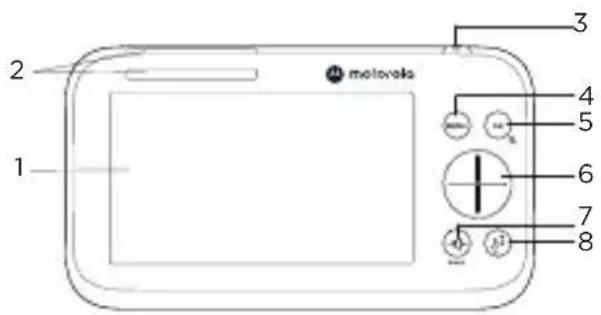
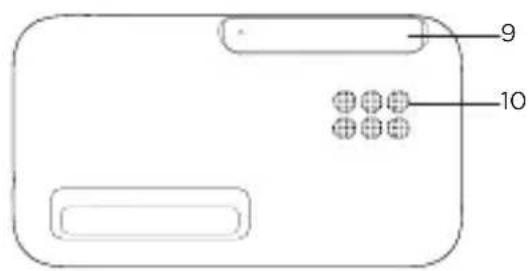
- Screen display
- Dual sound level indications (front and top view)
- Power button Press and hold to turn on or off. Press to turn the screen on or off.
- Menu button Press to open the menu.
-
OK / Zoom button Press to confirm a selection/zoom in or out.
-
Navigation button
Pan or tilt the camera to different directions/adjust menu settings/press left or right to select the parent unit's volume level.
- Volume / Back button
- Talk back button Press and hold to talk to the baby.
- Antenna
- Speaker
2. Connect and charge
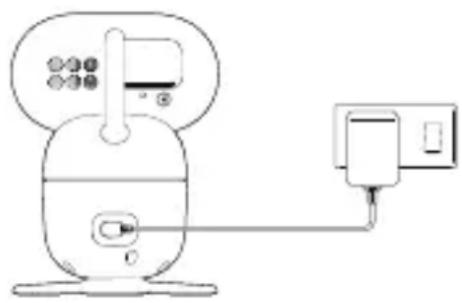
Baby (camera) unit
natural_image
Simple line drawing of a device with a power outlet and a connected plug (no text or symbols)-
Plug the DC plug of the power adapter into the power socket on the rear of the baby (camera) unit and plug the other end of the AC adapter into the wall socket.
-
The baby unit turns on and the power indicator lights up in blue and blinks in red after 30 seconds if the parent unit has not been powered up.

WARNING
Strangulation Hazard. Children have STRANGLED in cords. Keep this cord out of the reach of children (more than 1 meter or 3 feet away). Do not remove the tags from the AC Adapters. Only use the AC Adapters provided.
Parent unit
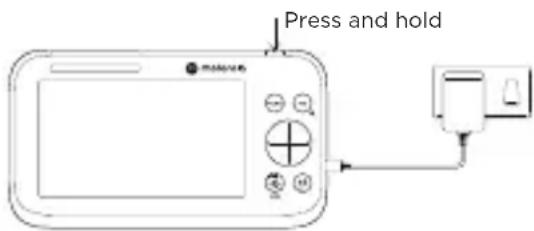
A rechargeable battery is already pre-installed inside the parent unit. When fully charged, you can move the parent unit without losing the link and picture from the baby (camera) unit. When charging the battery for the first time, charge for at least 16 hours continuously.
-
Plug the DC plug of the power adapter into the power socket on the side of the parent unit and plug the other end of the AC adapter into the wall socket.
-
Switch on the AC power.
-
Press and hold the power button on the top of the parent unit to turn it on.
-
When the parent unit is fully charged, will appear steadily on the screen display.
Note
Use only the supplied power adapter (DC5V / 1500 mA).
Pair the baby (camera) unit to the parent unit
We have paired the baby unit to the parent unit in the pack. In case you want to pair an extra camera, press and hold on the rear of the baby (camera) unit until the voice prompt 'Ready for pairing' is heard.
3. Wall mount the baby (camera) unit
-
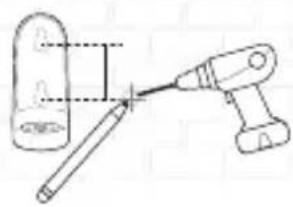
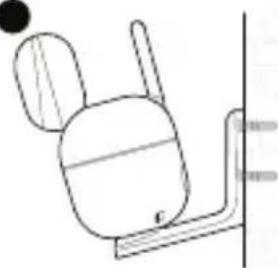
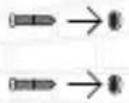
Mark the positions of 2 screw holes on the wall. Drill a screw hole at each marking.
-
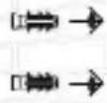
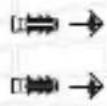
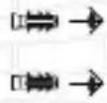
Install the supplied wall anchors into 2 screw holes on the wall.
-
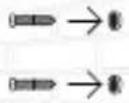
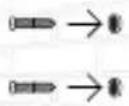
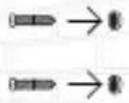
Insert the supplied wall mounting screws into the wall anchors.
-
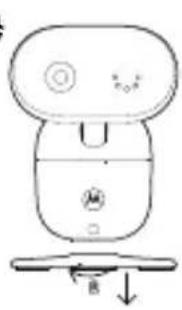
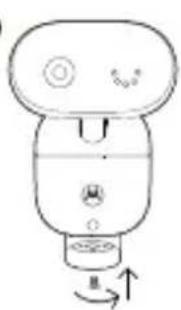
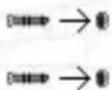
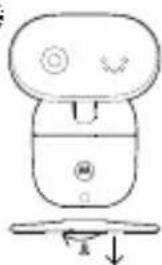
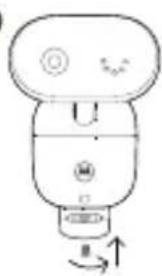
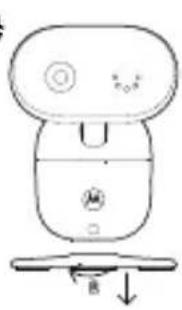
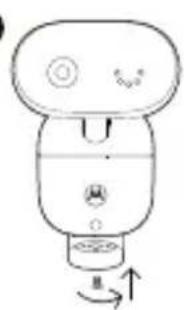
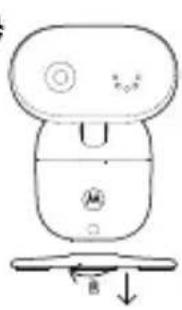
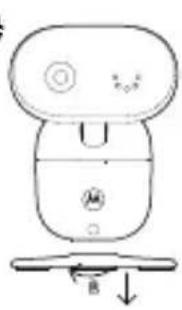
Remove the desk stand by loosening the screw on the underside of the desk stand.
-
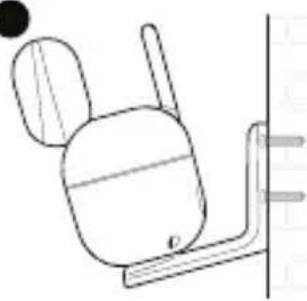
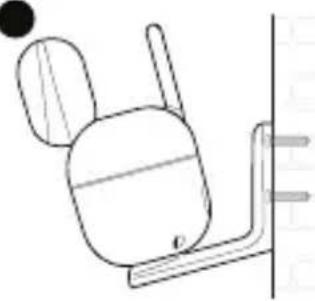
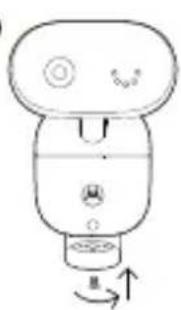
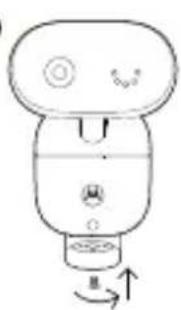
Fix and fasten this screw on the baby (camera) unit and the wall mount bracket.
-
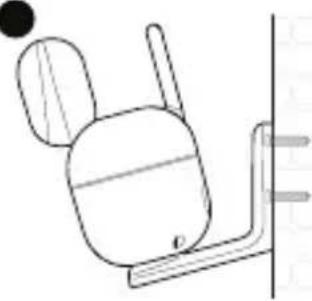
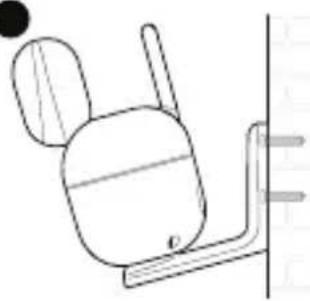
Hang the wall mount bracket on the wall mounting screws on the wall.
1
natural_image
Diagram of a tool interacting with a cylindrical object, showing a pointer and dashed lines indicating alignment (no text or symbols present)2
3
4
natural_image
Simple line drawing of a device with a handle and base, no text or symbols present●
natural_image
Line drawing of a smart air purifier with control buttons and directional arrows (no text or symbols)●
natural_image
Simple line drawing of a mechanical device with no text or symbolsNote
The pack includes a power adapter with a longer cord which is beneficial for wall mount application, where your wall socket is far from the camera.
4. Use your video baby monitor
Parent unit main menu

Zoom in/out

Adjust LCD brightness

Play list

Set the alarm

Temperature unit °C or °F selection

Camera selection

Screen on/off timer

View multiple cameras

Message inbox
Status icons

Signal strength

Battery level indication

Zoom in

Alarm set

Playing lullaby

Playing audio book

Playing personal recording

Speaker off

Talk back

Night vision

Screen off time (5/30/60 minutes)

Screen saver enabled

Cycle view from camera


Camera selected
Other menu options
Inside the playlist menu

Lullabies playback

Audiobook playback

Personal recording playback

Volume control of the audio playback
Note
The personal recording is only available when you have recorded your personal sound through the Motorola Nursery App.
For more detailed explanation of all features and instructions, visit or download the user manual from motorolanursery.com.
5. View the baby through your device
Minimum system requirement
- Android™ System: Version 7.0 or above
- iPhone®/iPad® iOS: Version 10.0 or above
- High Speed (Wi-Fi®) Internet: At least 0.6 Mbps upload bandwidth per camera (you can test your internet speed on this site: http://www.speedtest.net).
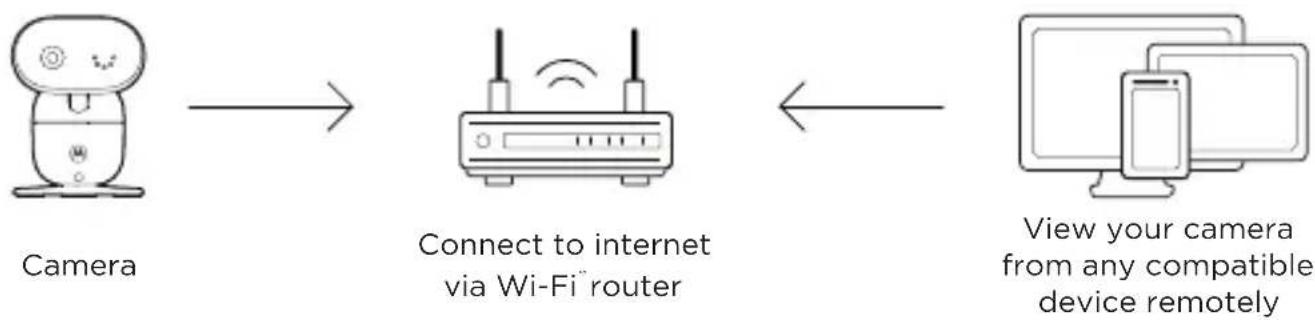
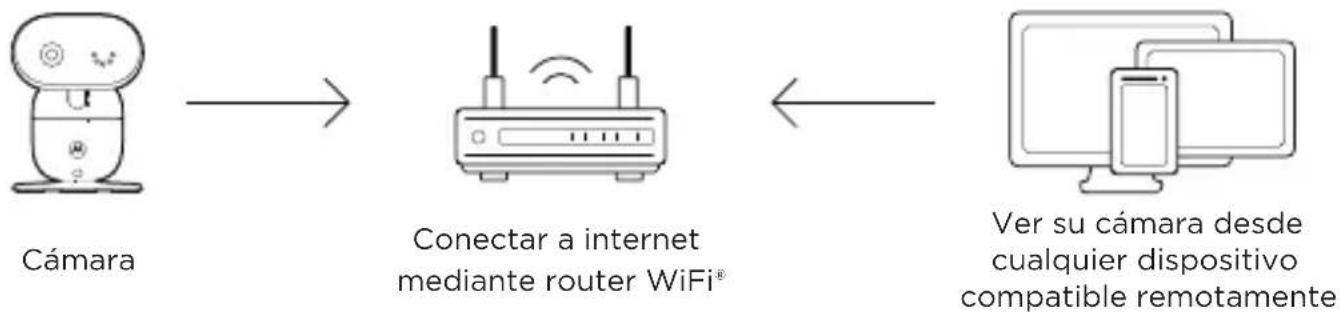
Connect to Wi-Fi® and use the Nursery App
flowchart
graph LR
    A["Camera"] --> B["Connect to internet via Wi-Fi router"]
    B --> C["View your camera from any compatible device remotely"]
- Scan the QR code with your smart device and download the Motorola Nursery App from App Store for iOS devices or from Google Play™ Store for Android™ devices.
- Install the App on your device.
- Follow the on-screen instructions to run and sign up or log in to the App.
- Open the Motorola Nursery App on your compatible smartphone or tablet.
- Follow the in-app instructions to create your account and connect to your device.
natural_image
Simple line drawing of a device with a pump and connection point (no text or symbols)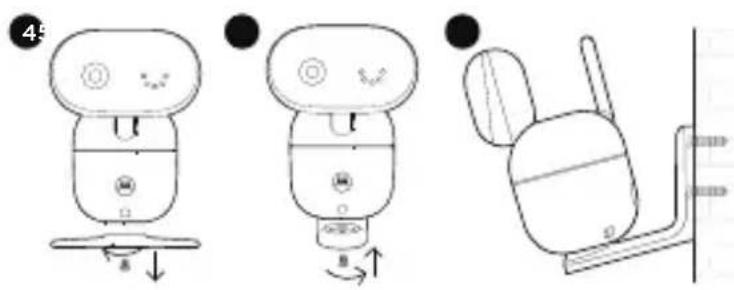
Hinweis
natural_image
Simple line drawing of a device with a control panel and connected to a power outlet (no text or symbols)natural_image
Simple line drawing of a tool and a cylindrical object, no text or symbols present2

3
45
natural_image
Simple line drawing of a robot-like device with a handle and control panel (no text or symbols)●
natural_image
Simple line drawing of a device with a knob and scroll, no text or symbols present●
natural_image
Simple line drawing of a mechanical device with no text or symbolsRemarque
1. Overzicht
Baby-eenheid (camera)
- Camera
- Bureaustandaard
- Luidspreker
- Antenne
-
Voedingsaansluiting
-
LED-indicator Aan/Uit/koppeling
natural_image
Simple line drawing of a device with a power outlet and a connected plug (no text or symbols)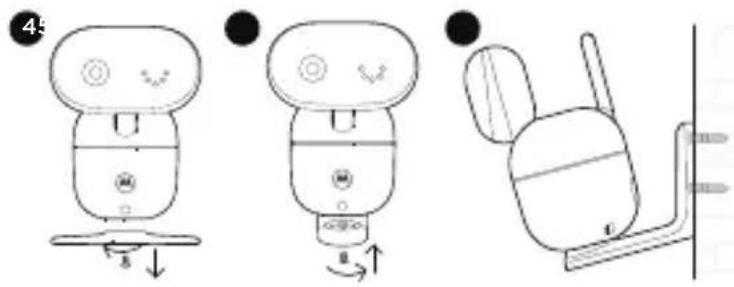
Opmerking
1. Resumen
natural_image
Simple line drawing of a device with a pump and connection point (no text or symbols)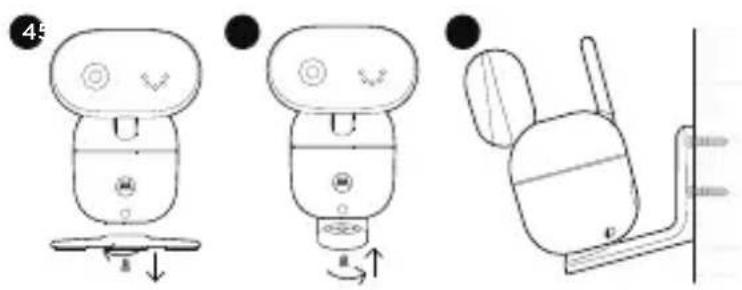
Nota
Conectar a WiFi® usar la app Nursery
1. Panoramica
natural_image
Simple line drawing of a device with a control panel and connected to a wall-mounted device (no text or symbols)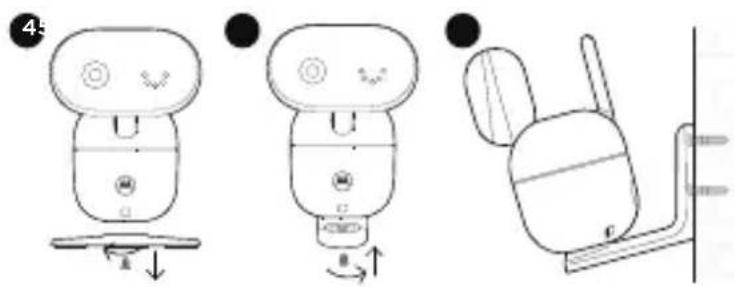
Nota
The pack includes a power adapter with a longer cord which is beneficial for wall mount application, where your wall socket is far from the camera.
natural_image
Line drawing of two desktop devices: a computer and a smartphone, both overlapping (no text or symbols)
1. Visão geral
natural_image
Line drawing of a small electronic device connected to a power outlet (no text or symbols)
1. Przegład
natural_image
Simple line drawing of a device with a pump and connection point (no text or symbols)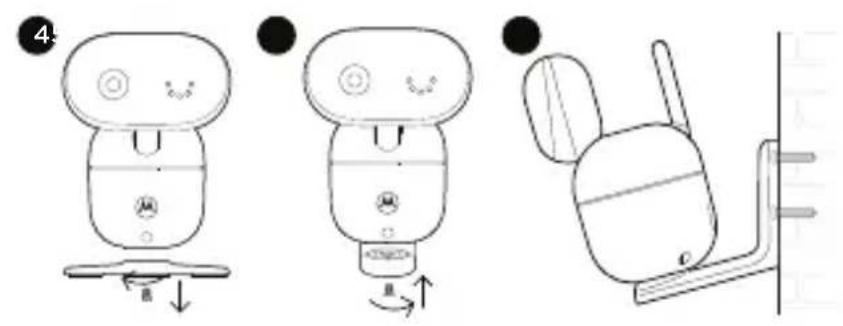
Uwaga
Odtwarzanie audiobooka

Odtwarzanie audiobooków


1. Přehled
Kamera
natural_image
Simple line drawing of a device with a switch and battery, no text or symbols presentnatural_image
Simple line drawing of a tool interacting with a cylindrical object (no text or symbols)2
3
4
natural_image
Simple line drawing of a device with a handle and base, no text or symbols present●
natural_image
Simple line drawing of a device with a knob and scroll, showing a rotation arrow (no text or symbols)●
natural_image
Simple line drawing of a mechanical component with no text or symbolsPoznámka
1. Prehl'ad
Detské zariadenie (kamera)
- Kamera
- Stojan na stôl
- Reproduktor
- Anténa
-
Napájací konektor
-
LED indikátor napájania/pripojenia
natural_image
Simple line drawing of a device with a switch and battery, no text or symbols present
natural_image
Line drawing of a smart water heater connected to a power outlet (no text or symbols)natural_image
Simple line drawing of a tool interacting with a cylindrical object (no text or symbols)2
3
4
natural_image
Simple line drawing of a device with a knob and base, no text or symbols present●
natural_image
Line drawing of a stylized device with a knob and scroll, showing rotational motion (no text or symbols)●
natural_image
Simple line drawing of a mechanical device with no text or symbolsObs
1. Hurtig oversigt
Baby-enhed (kamera)
natural_image
Simple line drawing of a device with a switch and battery, no text or symbols presentnatural_image
Simple line drawing of a tool interacting with a cylindrical object (no text or symbols)2
3
4
natural_image
Simple line drawing of a device with a knob and base, showing no text or symbols.●
natural_image
Simple line drawing of a device with a knob and scroll, no text or symbols present●
natural_image
Simple line drawing of a mechanical device with no text or symbolsBemaerk
For customers in Europe and UK:
Imported and Distributed by: A.I.&E., Adriaan Mulderweg 9-11, 5657 EM Eindhoven, The Netherlands. Edco UK Ltd, 1st Floor, Two Chamberlain Square, Birmingham, B3 3AX, UK.
EU Declaration of Conformity
Hereby, MZGW declares that the radio equipment type is in compliance with RE Directive 2014/53/EU. The full text of the EU declaration of conformity is available on the website: motorolanursery.com.
UK Declaration of Conformity
Hereby, MZGW declares that this product is in compliance with the requirements for UKCA marking. The Declaration of Conformity can be obtained at motorolanursery.com.
Distributed or sold by Meizhou Guo Wei Electronics Co. LTD., official licensee for this product. MOTOROLA and the Stylized M Logo are trademarks or registered trademarks of Motorola Trademark Holdings, LLC. and are used under license. All other trademarks are the property of their respective owners. © 2022 Motorola Mobility LLC. All rights reserved.
Version 1 (EU)