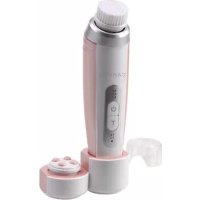
Sonic FC1800 - Face cleansing Carmen - Free user manual and instructions
Find the device manual for free Sonic FC1800 Carmen in PDF.



| Product Type | Sonic facial cleansing brush |
| Brand | Carmen |
| Model | Sonic FC1800 |
| Technology | Advanced sonic: 20,000 micro-vibrations/min |
| Number of speeds | 3 (S1, S2, S3) |
| Speeds | S1 gentle (sensitive skin), S2 normal, S3 deep |
| Cleaning programs | T-zone timer (T1: 60s, T2: 120s), massage mode (60s) |
| Battery life | 1h30 minimum at maximum speed |
| Charging time | Approximately 4 hours |
| Battery | Rechargeable lithium-ion |
| Power supply | USB (cable included) on mains adapter (not included) or computer |
| Included brushes | Ultra-soft normal brush, knobby massage head |
| Optional brushes | Acne, deep pore, exfoliating, sensitive (sold separately) |
| Brush replacement | Every 3 months |
| Waterproof | Waterproof (use in shower, do not submerge) |
| Safety | Automatic shut-off after 3 min, travel lock, overheating protection at 15 min |
| Warranty | 2 years |
| Included accessories | Charging base, USB cable, protective cover |
| Compliance | CE (EMC 2014/30/EU and low voltage 2014/35/EU) |
| EAN | 5 011 832 064 080 |
Frequently Asked Questions - Sonic FC1800 Carmen
User questions about Sonic FC1800 Carmen
0 question about this device. Answer the ones you know or ask your own.
Ask a new question about this device
Download the instructions for your Face cleansing in PDF format for free! Find your manual Sonic FC1800 - Carmen and take your electronic device back in hand. On this page are published all the documents necessary for the use of your device. Sonic FC1800 by Carmen.
USER MANUAL Sonic FC1800 Carmen
natural_image
3D rendering of a modern women's hairbrush with a circular base, power button, and connector (no text or symbols visible)FC1800 Carmen Sonic Facial Cleansing Brush
Fase 4: Linker wang x 10s
Fase 5: Rechter wang x 10s
"T2" Timer 120s
Fase 4: Linker wang x 20s
Fase 5: Rechter wang x 20s
text_image
1 2 4 5 3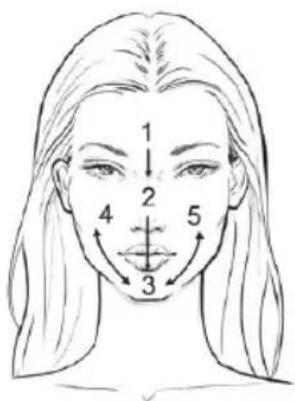
text_image
1 2 4 3 5Brush heads need to be replaced every 3 months as the bristles become fatigued and less effective over time. Once a week, remove the brush head from the handle and rinse with warm soapy water to remove any residue.
36 • Deutsch
sec. the indicator (M/T1/T2) will lit on, the device is now unlocked.
This appliance contains Lithium-ion battery. To protect the environment, this appliance and its batteries must be disposed of safety. At the end of its life, please take this appliance to a recycling center, where the internal rechargeable battery should be removed by a professional and recycled separately. For more information about the recycling of electrical and battery operated appliances, please contact your local council office or your household waste disposal service.
72 • Italiano
> GARANZIA
Thank you for purchasing this device from CARMEN.
Carefully read these safety instructions before using the device and store them cautiously for possible future use.
> SAFETY INSTRUCTIONS

- DANGER! Never allow the device to get wet (in the rain, at a tap, near a bathtub, etc.) as you might experience an electrical shock.
- Never use this device near water, in or near a bathtub, a sink or another basin containing water.
- Never handle the device with wet or damp hands.
- Never submerse the device in water or another liquid.
- Immediately unplug the device if it has become wet or damp.
- Never place the device on a damp surface or a damp cloth when the plug is in the wall socket.
- Unplug the device after use when using it in a bathroom. The presence of water nearby is a hazard, even when the device is switched off.
- This device is not intended to be used by persons, including children, whose physical, sensory or mental capacity is impaired, or who lack the necessary experience or knowledge, even when a person responsible for their safety supervises them and gives them clear
74 • English
instructions for the use of the device.
• Children should not have access to the device, nor should they play with it.
- Packaging material, including plastic bags, must be stored out of the reach of children.
- You must use the device only for its intended purpose to prevent hazardous situations.
- The mains voltage must match the voltage specified on the product.
- Risks can occur even when your devices are not switched on. For safety reasons, switch off the device and unplug it when not in use.
- Pull the plug out of the wall socket when:
- the device malfunctions when in use;
- the device has fallen;
- the device has bumped against
something;
- before cleaning the device;
- after use.
- Switch off the device when not in use, even for a brief period.
• Always unplug the device when leaving it unattended for a longer period.
• Never leave the device unattended. - Never use the device when it is damaged. Regularly check the device and the lead for damage. The lead cannot be replaced. The device will have to be discarded if the lead is damaged. Repairs must be performed exclusively by experts. Repairs that are inexpertly performed can be very hazardous for the user.
- If the device is damaged, contact the supplier to find out if you can still use it.
• Grab the lead by the plug when
unplugging it. Never pull on the lead itself.
- Do not insert the plug in the wall socket when:
- the lead is damaged;
- the device is visibly damaged;
- the device has fallen.
- Do not let the lead touch the hot parts of the device.
• Always make sure that the lead is unencumbered when you move the device around. - Avoid tripping over the lead.
- Never cover the lead with a rug, mat, blanket etc.
- Never wrap the lead around the device.
- Let the device cool before storing or cleaning it.
-
Store the device in a safe place to prevent accidental erroneous use.
-
The device must be stored in a dry place at temperatures between 15°C and 25°C.
- Do not expose the device to heat (radiator, oven, etc.), direct sunlight or humidity.
- Keep the device clean and do not use abrasives or products containing solvents.
- Connect the device only to an electrical system that meets the prevailing regulations and that is equipped with a delay fuse. Make sure that the maximum current of all devices connected to this fuse does not exceed its maximum current (16A).
• We recommend equipping the group to which the bathroom is connected with a residual current operated circuit breaker of maximum 16A to increase safety. Ask your electrician for advice.
76 • English
- This device is designed solely for cleaning and caring for human facial skin. All other uses are expressly prohibited.
- The battery must be removed from the device before it is scrapped.
- The device must be disconnected from the supply mains when removing the battery.
- The battery is to be disposed of safely. Use straight screwdriver to remove internal body, then remove the battery off and respectively use the return and collection systems or contact the retailer where the product was purchased. They can take this product for environmental safe recycling.
- The device can only be charged by USB port on a computer or approved wall mount AC adaptor.
• The device must only be supplied at
safety extra low voltage corresponding to the marking on the device.
WARNING:
For the purposes of recharging the battery, only use the USB Charging Cable supplied with this device and connect to a traditional wall mount approved AC adaptor (not supplied).
> CARMEN SONIC FACIAL CLEANSING BRUSH
Model: FC1800
EAN code: 5 011 832 064 080

EC Conformity
This device conforms to the Electromagnetic Compatibility Directive 2014/30/EU and the Low Voltage Directive 2014/35/EU.
> SPECIFICATIONS
- Advanced Sonic Technology: 20 000 sonic micro-movements to clean your skin and remove impurities. Daily use will result in healthier, clearer, brighter and smoother skin and refined pores.
• 1 Ultra Soft Brush head for normal skin, for gentle cleaning and massage - 1 Roller Massage to relax and massage your facial muscles for a firmer and lifted skin
- Timer Program Mode to remind you to change to different facial sections
- Speeds: soft, normal and deep cleaning / massage
- Water resistant: can be used in the shower
- Cordless: rechargeable Lithium-ion battery, with USB micro plug (charger not included)
• Minimum 1.5h usage time with the high speed mode - Other brush heads available for purchase
• 2 Year warranty
> INSTRUCTIONS
INSTRUCTIONS FOR CHARGING
- Always ensure that your hands, Handle and USB charging stand are dry before charging.
- Make sure the device is power off.
- The charging stand allows charging the device either a traditional wall mount approved AC adaptor (not provided) or USB port on a computer. A USB charging cable is provided.
- Connect the USB micro plug to the USB charging slot at the back of the charging stand.
- Connect the USB charging cable to the approved AC adaptor (not provided) or USB port on a computer for charging the device.
- Put the device into the charging stand.
- Both LED indicator will lit on and then the LED indicator (M/T1/T2) will flashing, the device is now in charging mode.
- When the battery is fully charged, LED indicator (M/T1/T2) will fully lit on, after 5 minutes the LED will come dimmer. The device is now fully charged.
- Now unplug the AC adaptor or disconnect from the computer USB port.
- The device is now fully charged and ready for use.
Note:
• Make sure the device is fully charged before you use it for the first time.
- Do not use charger inside bathroom or on any metal surfaces to prevent interfere with proper device charging.
• Fully charge the device takes approximately 4 hours.
78 • English
Note:
When the battery is almost empty, the LED indicator (M/T1/T2) will flashes. The battery still have enough power for a complete cleansing cycle. To charge the device, follow the steps in section "Instructions for Charging" above.
INSTRUCTION FOR USE
- This device can be used under the shower or in front of the sink.
- DO NOT submerge the device in water.
- Always choose the speed setting & brush head most comfortable for you.
- Moisten the brush bristles by running under water.
- Dampen your skin with water and apply cleanser onto your skin. Alternatively, apply your cleanser directly onto the brush.
- Place the brush directly onto your skin.
- Press the Power Switch to switch-on the device.
- Press and hold the Power Switch to select your desire cleansing intensity (S1/S2/S3)
- You can further choose the T-zone timer cleansing programs or massage mode. For details, refer to "How to use" section.
- When finish, press the Power Switch to switch off the device.
HOW TO USE
1. Speed Selection
When switch-on the device, the default speed level is S1. Press and hold the Power Switch to select your desire cleansing intensity (S1/S2/S3).
3 Speed Levels
S1 - Gentle Soft power
Safe for compromised or delicate skin, ideal for sensitive skin conditions.
S2 - Normal power
Designed for normal cleansing, universal for all type of facial skins.
S3 - Full Sonic power
Provide the maximum sonic power for extra boost to loosen and remove dirt and dead skin debris.
Note:
The device will remember the last operation speed level after switch-off.
2. T-zone timer cleansing programs and massage mode
When switch-on the device, press "T" button to enter the T-Zone Timer and Massage mode.
Massage mode
- Under the Massage mode you can select different speeds for your desire massage intensity by press the Power Switch to select S1/S2/S3. (follow the "Speed Selection" above)
- Massage mode preset timing is 60secs, different speed level will generate different massage intensity frequency to boost and relax your facial status.
T-Zone Timer Cleansing Programs
Press and hold the "T" button to enter the T-Zone Timer program mode. "T1" and "T2" timer are programmed with pause interval to remind you change to different facial cleansing sections. A gently pause twice every 10 or 20 secs, it depends on the timer program. The device will automatically switch-off after end of the program.
T-Zone Timer
- "T1" pause 2 times at 20/10/10/10 sec. and pause 4 times at 60secs
- "T2" pause 2 times at 40/20/20/20 sec. and pause 4 times at 120secs
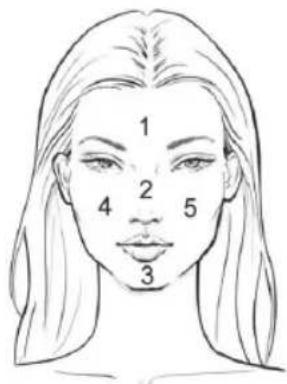
Facial Sections
Section 1 - Forehead
Section 2 - Nose
Section 3 - Chin
Section 4 - Left cheek
Section 5 - Right cheek
"T1" Timer 60s
Stage 1: Forehead cleansing x 20s
Stage 2: Nose x 10s
Stage 3: Chin x 10s
Stage 4: Left Cheek x 10s
Stage 5: Right Cheek x 10s
"T2" Timer 120s
Stage 1: Forehead cleansing x 40s
Stage 2: Nose x 20s
Stage 3: Chin x 20s
Stage 4: Left Cheek x 20s
Stage 5: Right Cheek x 20s
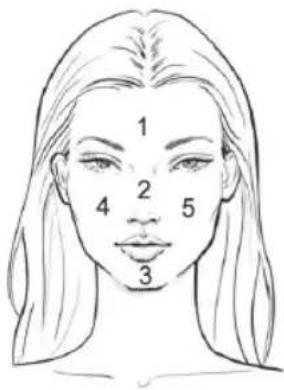
text_image
1 2 4 5 3
text_image
1 2 4 3 53. How to remove and Replace the Brush Head
- Make sure the device is switch-off
- Hold the Handle with one hand.
- With the other hand, gently pull the brush head upwards until it comes off.
- To replace the brush head, gently push the brush head back to the Handle until it fits in firmly.
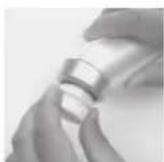
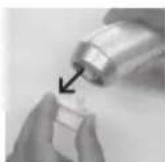
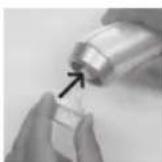
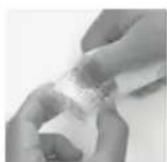
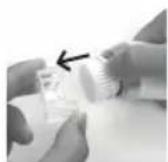
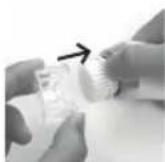
4. How to remove and Replace the Protective Cap
- Make sure the device is switch-off
- Hold the brush head edge with one hand.
- With the other hand, gently lift up the Protective Cap sideway and upwards.
- To replace the Protective Cap, gently put the Protective Cap back to the brush head until you hear a click.
80·English
BRUSH HEAD
Sonic Facial Cleansing Brush comes with one Normal cleansing head and one Massage roller head. More brush heads described below (buy separately) for different skin type and purpose. You can choose the brushes that suit your skin needs and cleaning routine.
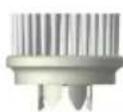

Brush for Normal Skin (included)
This brush is recommended for normal skin. Soft bristle for gentle clean and massager your facial skin.
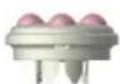
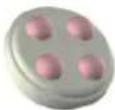
Relax and Boost your facial status
(included)
This rolling head is designed to relax the facial muscles and boost circulation that makes your facial firmer and lifted.
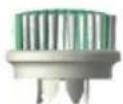
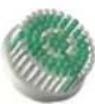
Brush for Acne Prone Skin
(to buy separately)
This brush provides gentlest cleansing for acne prone skin. It helps reduce oil and dead skin cells that may clog your pores.
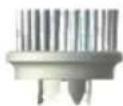

Brush for Deep Pore cleansing
(to buy separately)
This brush with special combination of thin and thick filaments that helps to reduce blackheads and the appearance of pores. Thin bristles reach the pores better, while thick bristles swipe away the dirt.
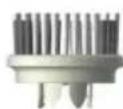

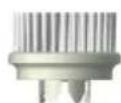
Brush for Skin Exfoliation (to buy separately)
This brush with double layer bristles specially designed for gentle remove dull and dead skin cells. Short bristles exfoliating the facial skin gently while the longer bristles swipe away the dead skin cells.
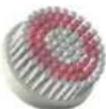
Brush for Sensitive Skin (to buy separately)
Super thin and soft filaments special designed for delicate cleansing on sensitive skin.
Brush heads need to be replaced every 3 months as the bristles become fatigued and less effective over time. Once a week, remove the brush head from the handle and rinse with warm soapy water to remove any residue.
AUTO-SHUT-OFF TIMER FUNCTION
The device preset with 3 mins auto-shut-off timer. After 3 mins, continue operation, it will automatically switch-off.
Note
When you change speed setting during cleansing, the auto switch-off timer will set back to zero and the timer will start again to count in 3 mins to switch-off.
Special note:
For extra protection to the Sonic System against overheat, the device preset with a smart over-heal protection. When the intergraded smart IC system detected the device continuous operation for 15 minutes, the device will automatically switch-off (the LED indicator S1/S2/S3 will flash simultaneously). Let the device cool down for 30 minutes before next use.
LOCK FUNCTION
This device has a lock function to prevent the device accidental switch-on when travelling in your travel bag.
To Lock: Switch off the device, press and hold the Power Switch for 5 sec until the indicator (M/T1/T2) lit on. Now the lock function is activated.
To unlock: Switch off the device, press the Power Switch twice in 1 sec. the indicator (M/T1/T2) will lit on, the device is now unlocked.
> MAINTENANCE / CLEANING
• Always make sure to disconnect the device from the electric socket before cleaning it.
- Never let children clean the device.
- Never submerge the device in water.
- Protect the device from dust.
- You can clean the device with a slightly damp cloth and then wipe it with a dry cloth.
CARING FOR YOUR SONIC FACIAL CLEANSING BRUSH
To keep your device in optimum condition, care for it as follows: Do not use abrasive cleaners or chemicals to clean any part of the device. Do not put any part of the device in a dishwasher.
HANDLE
Once a week remove the brush head and wash the handle using warm soapy water to remove any residue buildup.
INFREQUENT USE
The device should receive a charge occasionally. If you rarely use the device, charge it every 3 months to maintain its charging capability.
> ENVIRONMENT AND WASTE
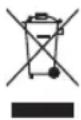
In accordance with the European Directive 2002/96/EC on Waste Electrical and Electronic Equipment (WEEE), this device is marked with the symbol of a crossed-out wheelie bin indicating that this product cannot be disposed of as household waste.
The device must be brought to the appropriate waste collection point for treatment, removal, and recycling of WEEE (information can be obtained at the town hall of your domicile) or brought back to a dealer based on the principle of "1 for 1 free of charge" (the dealer's take-back does not create a right to a payment or rebate).
The consumer or user contributes to the preservation of the natural resources and to the protection of human health by respecting the environment in this manner.
Battery disposal
This appliance contains Lithium-ion battery. To protect the environment, this appliance and its batteries must be disposed of safety. At the end of its life, please take this appliance to a recycling center, where the internal rechargeable battery should be removed by a professional and recycled separately. For more information about the recycling of electrical and battery operated appliances, please contact your local council office or your household waste disposal service.
> WARRANTY
This CARMEN device comes with a two (2)-year warranty to be counted from the date of purchase under normal conditions of use. This warranty does not cover damage directly or indirectly caused by misuse, neglect, unauthorised use, accidents, unauthorised repairs or modifications, as well as a lack of maintenance. Please save your receipt/invoice as proof of your purchase.
This device's accessories are not covered by a warranty.
Exclusions from the warranty
- Modifications, dismantling or integration with another device or an assembly making the device fixed or semi-fixed,
• Normal wear and tear of the parts,
• Degradation due to improper use, - Failure to comply with the user manual or with the maintenance and safety instructions,
• Damage resulting from poor maintenance or a lack of maintenance,
• Damage caused by external factors (lightening...),
• Abnormal use of the device, - Improper storage,
- Shocks,
- Deformation of the tank,
• The device having been submerged,
• The use of parts or accessories unauthorised by Glen Dimplex France, - Expired warranty.
|
—
|
|
—
[Non-Text]
[Non-Text]
[Non-Text]
[Non-Text]
[Non-Text]
[Non-Text]
[Non-Text]
[Non-Text]
[Non-Text]
[Non-Text]
[Non-Text]
[Non-Text]
[Non-Text]
[Non-Text]
[Non-Text]
[Non-Text]
[Non-Text]
[Non-Text]
[Non-Text]
[Non-Text]
[Non-Text]
[Non-Text]
[Non-Text]
[Non-Text]
[Non-Text]
[Non-Text]
[Non-Text]
[Non-Text]
[Non-Text]
[Non-Text]
[Non-Text]
[Non-Text]
一
|
1
[Non-Text]
[Non-Text]
[Non-Text]
[Non-Text]
[Non-Text]
[Non-Text]
[Non-Text]
[Non-Text]
[Non-Text]
[Non-Text]
[Non-Text]
[Non-Text]
[Non-Text]
[Non-Text]
[Non-Text]
[Non-Text]
[Non-Text]
[Non-Text]
[Non-Text]
[Non-Text]
[Non-Text]
[Non-Text]
[Non-Text]
[Non-Text]
[Non-Text]
[Non-Text]
[Non-Text]
[Non-Text]
[Non-Text]
[Non-Text]
[Non-Text]
[Non-Text]
[Non-Text]
[Non-Text]
[Non-Text]
[Non-Text]
[Non-Text]
[Non-Text]
[Non-Text]
[Non-Text]
[Non-Text]
[Non-Text]
[Non-Text]
[Non-Text]
[Non-Text]
[Non-Text]
[Non-Text]
CARMEN
FC1800 Carmen Sonic Facial Cleansing Brush
NL
Glen Dimplex BV
Saturnus 8
8448 CC Heerenveen
Nederland
Tel: +31 (0)513 78 98 40
Fax: +31 (0)513 78 98 41
Service: +31 (0)513 78 98 58
www.carmen.nl
info@glendimplex.nl
FR