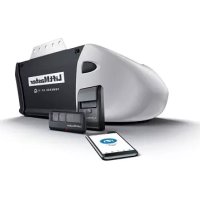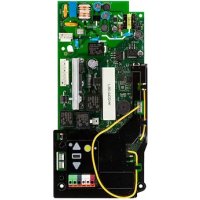
050DCRJWFMC - Garage door LIFT-MASTER - Free user manual and instructions
Find the device manual for free 050DCRJWFMC LIFT-MASTER in PDF.



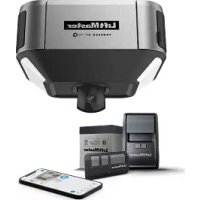
| Product Type | Motorized garage door opener |
| Brand | LIFT-MASTER |
| Model | 050DCRJWFMC |
| Power Supply | Mains 120 V, 60 Hz |
| Motor Power | 1/2 HP (standard estimate) |
| Drive Type | Belt or chain drive (not specified) |
| Dimensions (approx.) | 30 x 20 x 15 cm (estimated) |
| Weight (approx.) | 7 kg (estimated) |
| Remote Compatibility | Up to 40 Security+ 2.0 remotes |
| Connectivity | Built-in Wi-Fi (MyQ) |
| Main Functions | Travel programming, automatic force adjustment, safety reversal system, cable tension monitor, automatic lock, built-in light |
| Safety | Protector System (photoelectric sensors), automatic reversal upon contact with an obstacle, mandatory monthly test |
| Maintenance and Cleaning | Monthly check of reversal system, test Protector System, check cable tension |
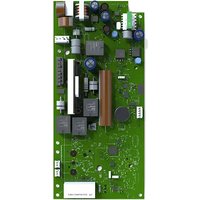
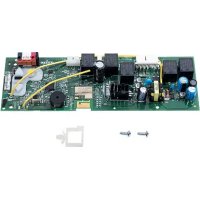
| Spare Parts | Replacement logic board (050DCRJWFI), remote control 893LM, keypad 877LM, reversal sensors, cable tension monitor |
| Repairability | Replacement of logic board by a qualified technician |
| General Information | Works with MyQ smartphone app; requires MyQ serial number for Wi-Fi connection |
Frequently Asked Questions - 050DCRJWFMC LIFT-MASTER
User questions about 050DCRJWFMC LIFT-MASTER
0 question about this device. Answer the ones you know or ask your own.
Ask a new question about this device
Download the instructions for your Garage door in PDF format for free! Find your manual 050DCRJWFMC - LIFT-MASTER and take your electronic device back in hand. On this page are published all the documents necessary for the use of your device. 050DCRJWFMC by LIFT-MASTER.
USER MANUAL 050DCRJWFMC LIFT-MASTER
To prevent possible SERIOUS INJURY or DEATH:
- Disconnect ALL electric and battery power BEFORE performing ANY service or maintenance.

CAUTION
To prevent damage to the receiver/logic board, DO NOT touch printed circuit board of replacement receiver/logic board during installation. ALWAYS wear protective gloves and eye protection when changing the battery or working around the battery compartment.

WARNING: This product can expose you to chemicals including lead, which are known to the State of California to cause cancer or birth defects or other reproductive harm. For more information go to www.P65Warnings.ca.gov.
NOTICE: This device complies with Part 15 of the FCC rules and Industry Canada's license-exempt RSs. Operation is subject to the following two conditions: (1) this device may not cause harmful interference, and (2) this device must accept any interference received, including interference that may cause undesired operation.
Any changes or modifications not expressly approved by the party responsible for compliance could vest the user's authority to operate the equipment. This device must be installed to ensure a minimum 20 cm (8 in.) distance is maintained between userstabilizers and device.
This device has been tested and found to comply with the limits for a Class B digital device, pursuant to part 15 of the FCC regulations and Industry Canada IESG standard. These limits are designed to provide reasonable protection against harmful interference in a residential installation. This equipment generates, uses and can radiate radio frequency energy and, if not installed and used in accordance with the instructions, may cause harmful interference to radio communications. However, there is no guarantee that interference will not occur in a particular installation. If this equipment does cause harmful interference to radio or television resolution, which can be determined by turning the equipment off and on, the user is encouraged to try to correct the interference by one or more of the following measures:
- Recipient or relocate the receiving antenna.
- Increase the separation between the equipment and receiver.
- Connect the equipment into an outlet on a circuit different from that to which the receiver is connected.
- Consult the dealer or an experienced radio/TV technician for help.
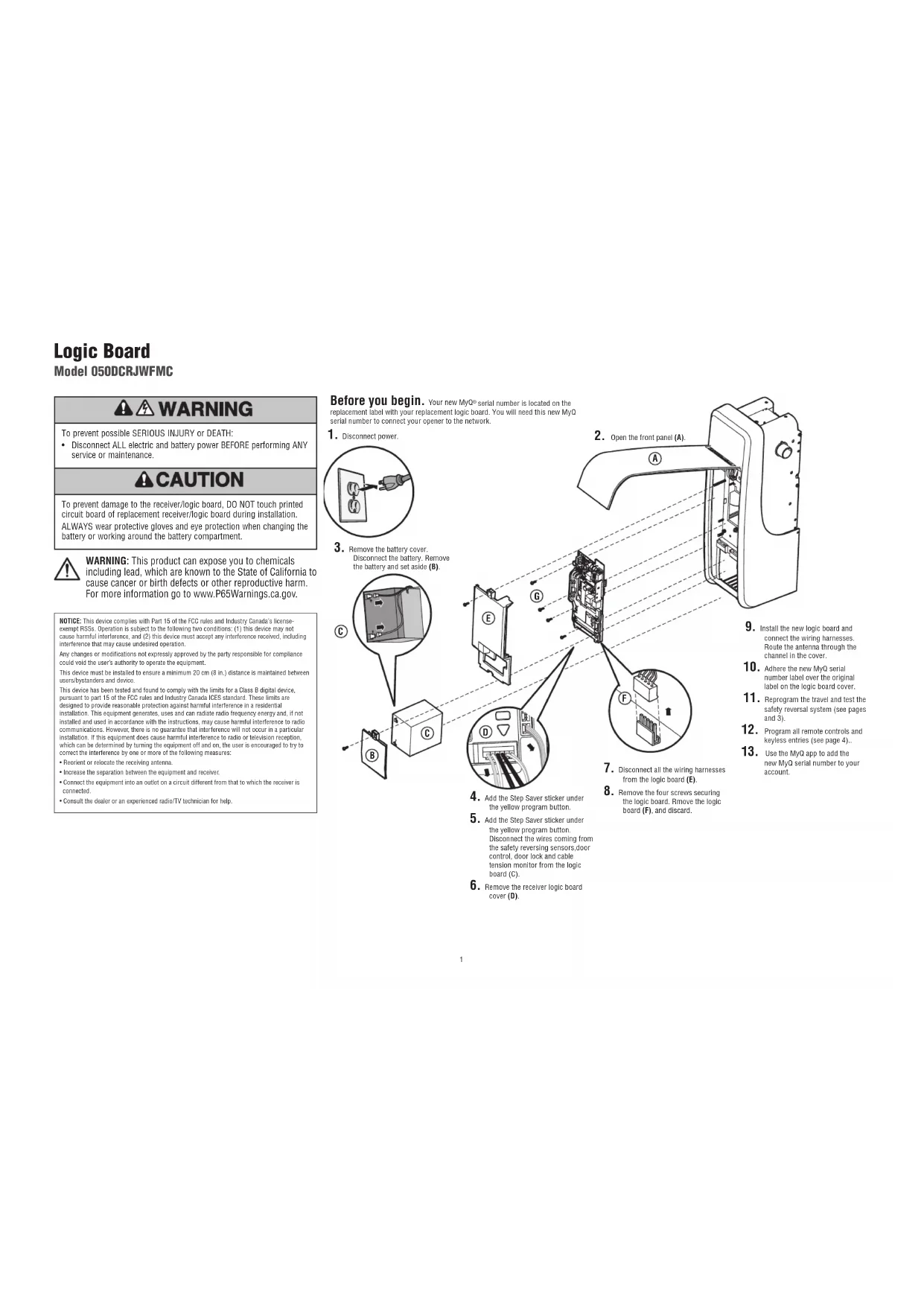
Before you begin. Your new MyQ serial number is located on the replacement label with your replacement logic board. You will need this new MyQ serial number to connect your opener to the network.
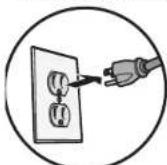
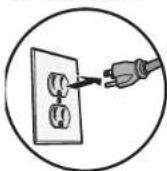
- Disconnect power.
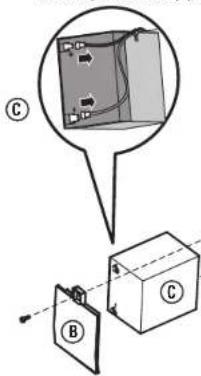
- Remove the battery cover. Disconnect the battery. Remove the battery and set aside (B).
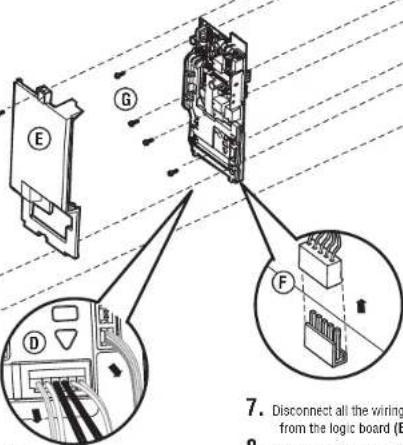
- Add the Step Saver sticker under the yellow program button.
5.Add the Slay Saver sticker under the yellow program button. Disconnect the wires coming from the safety reversing sensors, door control, door lock and cable tension monitor from the logic board (C). - Remove the receiver logic board cover (D).
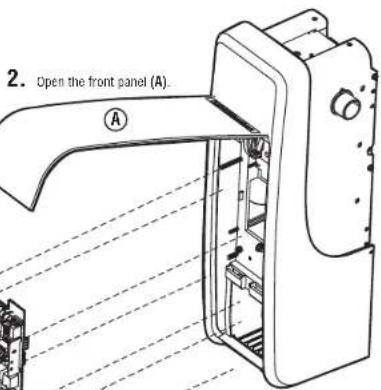
F
A
Dis

P

1

b


- Install the new logic board and connect the wiring harnesses. Route the antenna through the channel in the cover.
- Adhere the new MyQ serial number label over the original label on the logic board card
Reprogram the travel and test the safety reversal system (see pages 31
Program all remote controls and keyless entries (see page 4).
Use the MyO app to add the new MyO serial number to your account.
Adjustment
Program the Travel
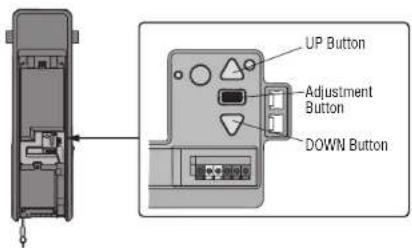
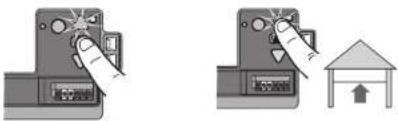
- Press and hold the Adjustment Button until the UP Button begins to flash and/or a beep is heard. The Safety Reversing Sensors will be disconnected during the Program the Travel process.
- Press and hold the UP Button until the door is in the desired UP position.
- Once the door is in the desired UP position, press and release the Adjustment Button. The garage door opener lights will flash twice and the DOWN Button will begin to flash.
- Press and hold the DOWN Button, until the door is in the desired DOWN position.
- Once the door is in the desired DOWN position, press and release the Adjustment Button. The garage door opener lights will flash twice. Program the Travel is now complete. If the garage door opener lights flash 5 times, then programming has timed out and the Travel Limits have not been set. Please restart the Program the Travel process.
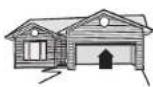
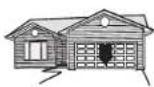
- To prevent damage to vehicles, be sure fully open door provides adequate clearance.
Automatic Force Setup
Once both the up and down positions have been manually set, the Safety Reversing Sensors will reconnect and become operational. Then, the opener will enter a force-sensing operation by automatically moving the door open and close. The garage door opener will sound an audible and visual alert before automatically opening and closing the door. The garage door opener will beep three times, confirming that the Automatic Force Setup completed successfully. Adjustment is complete.
If you hear one long beep after the door attempts to move, then the Automatic Force Set Up has not completed successfully. Please start over at step 1 of Program the Travel.
1.2.
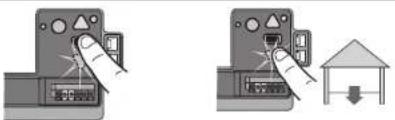
3.4.
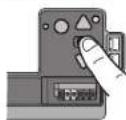
5.
WARNING
Without a properly installed safety reversal system, persons (particularly small children) could be SERIOUSLY INJURED or KILLED by a closing garage door.
- Incorrect adjustment of garage door travel limits will interfere with proper operation of safety reversal system.
- After ANY adjustments are made, the safety reversal system MUST be tested. Door MUST reverse on contact with 1-1/2" high (3.8 cm) object (or 2x4 laid flat) on floor.
CAUTION
To prevent damage to vehicles, be sure fully open door provides adequate clearance.
Adjustment
Test the Safety Reversal System
- With the door fully open, place a 1-1/2" (3.8 cm) board (or a 2x4 laid flat) on the floor, centered under the garage door.
- reess the remote control push button to close the door. The door MUST reverse when it makes contact with the board.
If the door stops but does not reverse:
- Review the installation instructions provided to insure all steps were followed:
- Repeat Program the Travel (see Adjustment Step 1);
- Repeat the Safety Reversal test. If the test continues to fail, call a trained door systems technician.
Test the Protector System
- Press the remote control push button to open the door.
- Place the opener carton in the path of the door.
- Press the remote control push button to close the door. The door will not move more than 1^ .
The garage door opener will not close from a remote if the indicator light in either sensor is off (alerting you to the fact that the sensor is misaligned or obstructed).
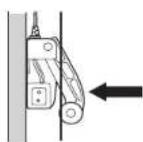
Test Cable Tension Monitor
With the door fully closed, push on the front of the cable tension monitor. A click should be heard. If there is no click, the roller may be hitting the jamb and not allowing the switch to detect slack in the cable. Make sure the cable tension monitor is mounted flush with the wall and the roller is free from any obstructions.
If your cable tension monitor has been activated the UP and DOWN arrows will flash diagnostic code 3-5 will activate the garage door opener.
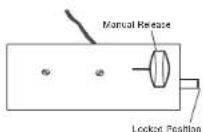
Test the Automatic Garage Door Lock
- With the garage door fully closed, the automatic garage door lock bolt should be protruding through the track.
- Open the garage door. The automatic garage door lock should retract before the garage door begins to move.
- Close the garage door. When the garage door reaches the fully closed position, the automatic garage door lock should automatically activate to secure the door.
Disengage the automatic garage door lock by sliding the manual release to the open position.
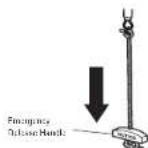
To Open the Door Manually
Disengage any door locks before proceeding. The door should be fully closed if possible. Pull down on the emergency release handle until a click is heard from the garage door opener and lift the door manually.
To reconnect the door to the garage door opener, pull the emergency release handle straight down a second time until a click is heard from the garage door opener. The door will reconnect on the next UP or DOWN operation.
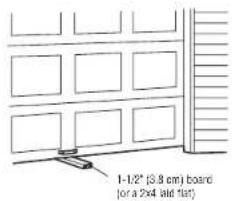
WARNING
Without a properly installed safety reversal system, persons (particularly small children) could be SERIOUSLY INJURED or KILLED by a closing garage door.
- Safety reversal system MUST be tested every month.
- After ANY adjustments are made, the safety reversal system MUST be tested. Door MUST reverse on contact with 1 - 1 / 2^* (3.8cm) high object (or 2x4 laid flat) on the floor.
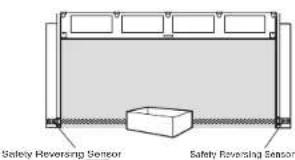
WARNING
Without a properly installed safety reversing sensor, persons (particularly small children) could be SERIOUSLY INJURED or KILLED by a closing garage door.
Programming
Remote Control
Your remote control has been programmed at the factory to operate with your garage door opener. If the remote does not work or you would like to program additional devices, follow the programming steps below.
Up to 40 Security+ 2.0* remote controls can be programmed to the garage door opener. Older LiftMaster remote controls are NOT compatible. Programming can be done through the door control or the learn button on the garage door opener. To program additional accessories refer to the instructions provided with the accessory or visit LiftMaster.com. If your vehicle is equipped with a Homelink, you may require an external adapter depending on the make, model, and year of your vehicle. Visit www.homelink.com for additional information.
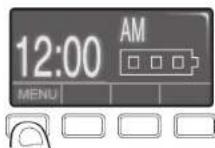
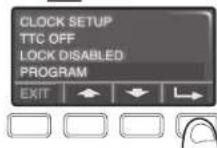
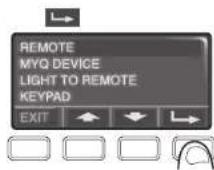
To add, reprogram, or change a 893LM remote control/877LM keyless entry pin using the door control
- Press the navigation button below 'MENU' to view the Features menu
- Use the navigation buttons to scroll to 'PROGRAM'.
- Select 'REMOTE' or 'KEYPAD' to program from the program menu.
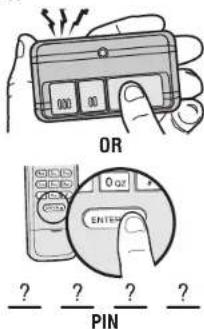
- Remote Control: Press the button on the remote control that you wish to operate your garage door.
- Keyless Entry: Enter a 4-digit personal identification number (PIN) of your choice on the keyless entry keypad. Then press the ENTER button.
The garage door opener lights will flash (or two clicks will be heard) when the code has been programmed. Repeat the steps above for programming additional remote controls or keyless entry devices. If programming is unsuccessful, program the remote using the learn button.
1.
2.
Press to continue Press to continue
4.
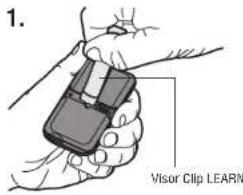
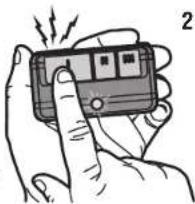
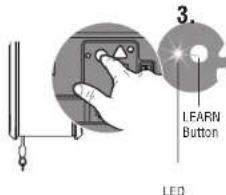
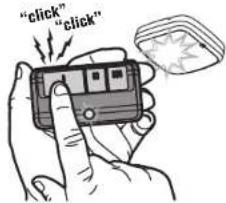
Program a 893MAX remote control using the learn button on the garage door opener
- Press and hold the program button on the remote control until the LED on the front of the remote control turns on.
- Press and release the remote control button you wish to use and then press any other button to exit programming.
- Press and release the Learn button on the garage door opener. The Learn LED will light. Within 30 seconds...
- Press the remote control button programmed in step 2 until the garage door opener light flashes or two clicks are heard.
To program other types of remote controls or keyless entries see the instructions included with the device or visit LiftMaster.com.
1.
2.
Add MyQ serial number to MyQ App
To program the Wi-Fi garage door opener to your network, refer to your owner's manual.
- Debranchez Iallmentation.