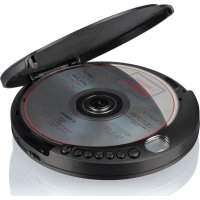
PCD435NCD - Hi-fi system ROADSTAR - Free user manual and instructions
Find the device manual for free PCD435NCD ROADSTAR in PDF.


| Product type | Portable hi-fi system with CD player |
| Brand | Roadstar |
| Model | PCD435NCD |
| Power supply | AC/DC mains adapter 230V/5V (not included) or 2 alkaline 1.5V UM-3/AA batteries |
| Headphone output | 3.5 mm jack |
| CD functions | Play, pause, stop, previous/next track, fast forward/rewind, programming up to 20 tracks |
| Play modes | Repeat one, repeat all, random, intro (10 seconds per track) |
| Automatic shutdown | After about 30 seconds in standby mode, the device turns off automatically |
| Low battery indicator | "LOW BATTERY" symbol on display |
| Cleaning the device | Soft cloth moistened with water and mild detergent |
| Cleaning CDs | Soft, lint-free cloth, from center to edge; do not use chemicals |
| Laser precautions | Do not open the housing; invisible laser radiation if opened; refer repairs to qualified technician |
| Use and placement | Do not expose to moisture, rain, direct sunlight or heat sources; ensure adequate ventilation |
| Warranty | Conforms to directive 99/44/EC; does not cover wear, aesthetic damage or misuse |
| Declaration of conformity | Conforms to directive 2014/53/EU; full text available at http://roadstar.com/images/ce/PCD-435NCD.pdf |
| Dimensions (approx.) | Not specified in the manual, typical compact dimensions of a portable CD player |
| Weight (approx.) | Not specified, light for portable use |
Frequently Asked Questions - PCD435NCD ROADSTAR
User questions about PCD435NCD ROADSTAR
0 question about this device. Answer the ones you know or ask your own.
Ask a new question about this device
Download the instructions for your Hi-fi system in PDF format for free! Find your manual PCD435NCD - ROADSTAR and take your electronic device back in hand. On this page are published all the documents necessary for the use of your device. PCD435NCD by ROADSTAR.
USER MANUAL PCD435NCD ROADSTAR
- Your new unit was manufactured and assembled under strict ROADSTAR quality control. Thank-you for purchasing our product for your music enjoyment. Before operating the unit, please read this instruction manual carefully. Keep it also handy for further future references.
Use with regular batteries
- Open the battery compartment door, located on the bottom of the unit, by sliding the door and lift it up. (Do not remove the battery door);
- Insert 2 x 1.5V /UM-3/AA size alkaline batteries, following the correct polarity, as indicated in the battery compartment;
- Close the battery compartment door.
Notes: If the symbol "LOW BATTERY" appears in the display, batteries are weak and ought to be replaced.
Use with AC/DC adaptor (not included)
- Insert the DC plug, at the end of the AC/DC adaptor cord, into the DC 5 V INPUT socket (12) located on the back of the unit;
- Connect the AC/DC adaptor into a 100-240V \~ 50-60 Hz AC power outlet.
Notes:
- If the AC adaptor is connected when regular batteries are installed, the power supply automatically switches to the AC power source.
- Use only the supplied AC/DC adaptor. Using other types of adaptor may damage the unit.
- Make sure that the AC/DC adaptor matches with your household voltage before connecting it into the wall outlet.
- When not using AC power, disconnect the AC/DC adaptor from the wall outlet.
- Do not touch the AC/DC adaptor with wet hands.
AUTO POWER-OFF
When the unit is stopped for approximately 30 seconds, the Auto Power Off function will activated and turn the unit off automatically.
CD OPERATION
- Connect your earphones into the [HEADPHONES SOCKET] (11);
- Press [OPEN] (8) to open the [CD DOOR] (9) and place a CD with the label up in the CD compartment;
- Close the [CD DOOR] (9);
- Press [PLAY] (2). Focus search is performed and playback will start automatically from the first track;
- Adjust the volume with the [VOLUME KNOB] (10) to the desired level;
- To turn the unit off, press the [STOP] button (3) twice.
Note:
- Press [PLAY-PAUSE] (2) to play. When it plays, press to stop playback temporarily and press again to resume playback.
- Press [STOP] (3) when you want to finish playback. Press twice to switch OFF the unit.
- Press [SKIP -] (4) to go to the previous track, press & hold to go back fast.
- Press [SKIP +] (5) to go to the next track, press & hold to go fast forward.
PROGRAMMING
Up to 20 tacks can be programmed and play in any order.
- Stop the playback by pressing [STOP] (3);
- Press [PROGRAM] (6), the display (1) will show the number of the track on the left side and the number of program on the right side.
- Select desired track by using [SKIP -/+] buttons (4/5);
- Press [PROGRAM] (6) to confirm desired track into the program memory;
- Repeat step 3 and 4 to enter additional tracks into the program memory.
- When all the desired tracks have been programmed, press [PLAY] (2) to play the disc in the order you have programmed.
Note: Press [STOP] (3) to terminate programmed play.
REPEAT - RANDOM MODE
During playback, press repeatedly the [MODE] (7) to select:
- REP-ONE: The current track is played repeatedly.
• REP-ALL: All tracks are played repeatedly.
• RANDOM: Tracks are played randomly. - INTRO: All tracks are played for 10 seconds.
MAINTENANCE
Cleaning the unit
Wipe the outside surface of the unit with a soft cloth moistened with water and mild soap.
Handling CDs
Your CD player has been especially designed for the reproduction of compact discs bearing the CD mark. No other discs should be loaded into the player.
Always place the disc in tray with the label facing up.
Although compact discs are impervious to wear during play, damage to the surface of
3
English
a disc through improper handling will result in playback irregularities.
To preserve your compact discs, please handle them with care.
Although minute dust particles and fingerprints should have no effect on playback, you should keep the surface of the recorded side of your discs clean by wiping the disc with a clean, dry, lint-free soft cloth with straight movements from the centre outwards.
Never use record cleaners, record sprays, antistatic sprays, liquids nor chemical based liquids to clean the surface of a disc. They may in fact irreparably damage the disc's plastic surface.
Always return the disc to its protective plastic case when not using it. Avoid exposing discs to direct sunlight, excessive temperatures or high humidity for extended periods of time. Do not write on the label side of the disc with a ball/point pen as this may scratch the disc.
IMPORTANT
Since movement of the CD mechanism and the sensitive circuitry may cause interference to a radio tuner nearby switch this unit off while operating other radio devices. This product utilizes a laser:
Danger - Invisible laser radiation when opened and interlock failed or defeated. Avoid direct exposure to the beam.
Caution - Use of controls, adjustments, or procedures not listed in this manual may result in hazardous radiation exposure.
TECHNICAL SPECIFICATIONS
Power Supply: DC 5V (Adaptor).
DC 3V = (2 x "LR6" Batteries not incl).
General
Headphones Out: 3.5mm jack plug.
Specifications and the design are subject to possible modifications without notice due to improvement.
WARNINGS


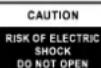



The exclamation point within the triangle is a warning sign alerting the user of important instructions accompanying the product.
The lightening flash with arrowhead symbol within the triangle is a warning sign alerting the user of “dangerous voltage” inside the unit.
To reduce the risk of electric shock, do not remove the cover. No user serviceable parts inside the unit. Refer all servicing to qualified personnel.
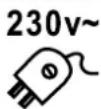
This unit operates on 230V \~ 50Hz. If the unit is not used for a long period of time, remove the plug from the AC mains.
Ensure all connections are properly made before operating the unit.
This unit must not be exposed to moisture or rain.
This unit should be positioned so that it is properly ventilated. Avoid placing it, for example, close to curtains, on the carpet or in a built-in installation such as a bookcase.
Do not expose this unit to direct sunlight or heat radiating sources.
natural_image
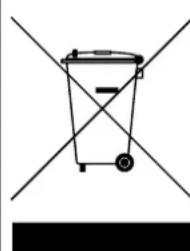
Simple line drawing of a trash bin with two crossed lines above and below, no text or symbols present.CORRECT DISPOSAL OF THIS PRODUCT (Waste Electrical & Electronic Equipment)
This marking shown on the product or its literature, indicates that it should not be disposed with other household wastes at the end of its working life. To prevent possible harm to the environment or human health from uncontrolled waste disposal, please separate this from other types of wastes and recycle it responsibly to promote the sustainable reuse of material resources. House hold users should contact the retailer where they purchased this product, or their local government office, for details of where and how they can take this item for environmentally safe recycling. Business users should contact their supplier and check the terms and conditions of the purchase contract. This product should not be mixed with other commercial wastes for disposal.
ORT DER BEDIENELEMENTE
- LCD DISPLAY (LCD ANZEIGE)
- PLAY/PAUSE
- STOP
- SKIP -
- SKIP +
- PROGRAM
- MODE
- OPEN (CD FACH ÖFFNEN)
- CD DOOR (CD-LAUFWERK)
- VOLUME KNOB (LAUTSTÄRKEREGLER)
- HEADPHONES OUT (KOPFHÖRERAUSGANG)
- DC INPUT JACK (DC BUCHSE)
- BATTERY COMPARTMENT (BATTERIEFACH)
STROMVERSORGUNG
natural_image
Simple line drawing of a trash bin with two crossed lines and a black bar below (no text or symbols)KORREKTE ENTSORGUNG DIESES PRODUKTS (Elektromüll)
natural_image
Simple line drawing of a trash bin with two crossed lines and a black rectangular block below (no text or symbols)COMMENT ÉLIMINER CE PRODUIT
natural_image
Simple line drawing of a trash bin with two crossed lines and a black rectangular block below (no text or symbols)natural_image
Simple line drawing of a trash bin with two crossed lines and a black bar at the bottom (no text or symbols)natural_image
Simple line drawing of a trash bin with two crossed lines and a black bar at the bottom (no text or symbols)ELIMINAÇÃO CORRECTA DESTE PRODUTO (Resíduo de Equipamentas Eléctricos e Electrónicos)
natural_image
Simple line drawing of a trash bin with two crossed lines and a black bar at the bottom (no text or symbols)natural_image
Simple line drawing of a trash bin with two crossed lines and a black bar at the bottom (no text or symbols)To reduce the risk of electric shock, do not remove the cover. No user serviceable parts inside the unit. Refer all servicing to qualified personnel.
natural_image
Simple line drawing of a trash bin with two crossed lines and a black bar below (no text or symbols)natural_image
Abstract geometric logo design with stylized 'R' letters and curved lines (no text or symbols)
Roadstar®
is a registered Trademark of Roadstar S.A. - Switzerland. All rights reserved.
FRANÇAIS
Conditions Générales de Garantie Roadstar
Roadstar Warranty Terms and Conditions
Roadstar- by means of its sales organisation, representative or distributor- guarantees its products against manufacturing defects in material and/or workmanship throughout the period of warranty.
Should the product fail to work or shows manufacturing defect within the warranty period,
Roadstar- by means of its sales organisation, representative or distributor - will take the necessary actions to restore the perfect functioning of the product. To repair or to replace is at discretion of Roadstar or it's representative or distributor.
The warranty period is in accordance with directive 99/44/CE of the European Union. For all non EU members, please refer to the local law of each country.
This warranty does not cover normal wear and tear of the product and/or its parts, any damage, failure, or loss caused by accident, misuse, and any other failure not directly related to a defect of the product.
This warranty does not void consumer's rights in accordance with EU Directive99/44/CE. For further information please visit the website www.roadstar.com, or write to aftersales@roadstar.com.
DEUTSCH
Allgemeine "Roadstar" Garantiebedingungen
Hereby, Roadstar Management SA declares that the radio equipment type PCD-435NCD is in compliance with Directive 2014/53/EU. The full text of the EU declaration of conformity is available at the following internet address: http://roadstar.com/images/ce/PCD-435NCD.pdf or by scanning the following QR Code.
MANUAL VER.: 1.4
21/01/2021
Roadstar Management SA, via Passeggiata 7 CH 6883 Novazzano (Switzerland)
- Use with regular batteries
- Use with AC/DC adaptor (not included)
- Notes:
- AUTO POWER-OFF
- CD OPERATION
- Note:
- PROGRAMMING
- REPEAT - RANDOM MODE
- MAINTENANCE
- Cleaning the unit
- Handling CDs
- 3
- English
- IMPORTANT
- TECHNICAL SPECIFICATIONS
- General
- WARNINGS
- CORRECT DISPOSAL OF THIS PRODUCT (Waste Electrical & Electronic Equipment)
- ORT DER BEDIENELEMENTE
- STROMVERSORGUNG
- KORREKTE ENTSORGUNG DIESES PRODUKTS (Elektromüll)
- COMMENT ÉLIMINER CE PRODUIT
- ELIMINAÇÃO CORRECTA DESTE PRODUTO (Resíduo de Equipamentas Eléctricos e Electrónicos)
- FRANÇAIS
- Conditions Générales de Garantie Roadstar
- Roadstar Warranty Terms and Conditions
- DEUTSCH
- Allgemeine "Roadstar" Garantiebedingungen
Brand : ROADSTAR
Model : PCD435NCD
Category : Hi-fi system