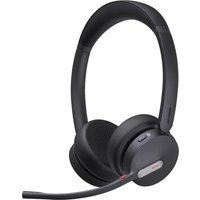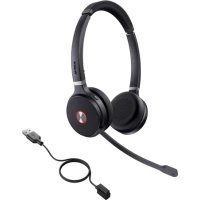
WHD622 - Headphones Yealink - Free user manual and instructions
Find the device manual for free WHD622 Yealink in PDF.


| Brand | Yealink |
| Model | WHD622 |
| Category | DECT audio headset |
| Product type | Wireless DECT audio headset |
| Power supply | Built-in rechargeable battery |
| Charging time | Approximately 3 hours |
| Charging LED indicator | Flashing red (battery <20%), flashing green (20-99%), solid green (100%) |
| Main functions | Answer/end calls, reject call, redial, volume up/down control, microphone mute |
| Mute activation | Mute button or moving the microphone arm |
| Headset wearing | Microphone on the right ear side |
| Cushion replacement | 45° rotation for removal |
| Compatibility | DECT manager W80DM/W90DM |
| DECT registration | Via manager's web interface; set in pairing mode by holding 5s when powered off |
| Pairing with handset | Possible via web interface after handset registration |
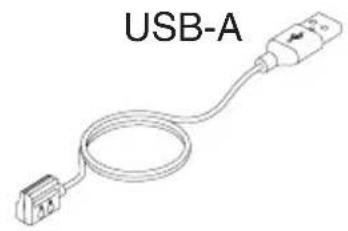
| Included accessories | 1.2m charging cable, quick start guide |
| Operating temperature | -10 °C to 50 °C |
| Relative humidity | 5% to 90% without condensation |
| Storage temperature | -30 °C to 70 °C |
| Maintenance and cleaning | Clean with a slightly damp antistatic cloth; unplug before cleaning |
| Safety | Do not expose to water, heat, flames; use Yealink accessories; dispose of batteries according to regulations |
Frequently Asked Questions - WHD622 Yealink
User questions about WHD622 Yealink
0 question about this device. Answer the ones you know or ask your own.
Ask a new question about this device
Download the instructions for your Headphones in PDF format for free! Find your manual WHD622 - Yealink and take your electronic device back in hand. On this page are published all the documents necessary for the use of your device. WHD622 by Yealink.
USER MANUAL WHD622 Yealink
WHM621 with Charging Cable & WHD622 with Charging Cable
DECT Wireless Headset
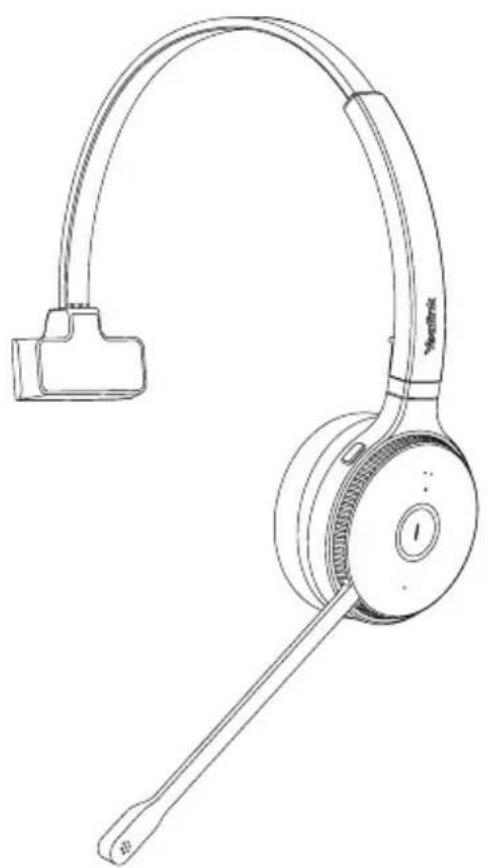
natural_image
Line drawing of a Jirovo耳机 headset with adjustable head and antenna (no text or symbols)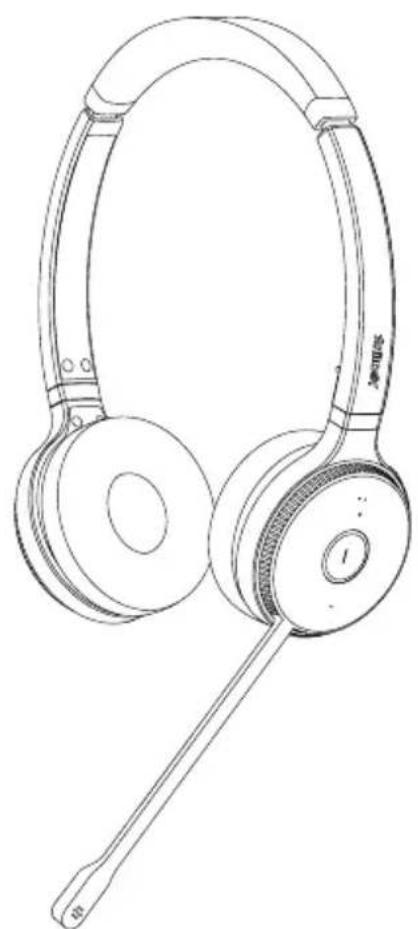
natural_image
Line drawing of a pair of Searbuds (no text or symbols present)English | Deutsch | Español | Français
Quick Start Guide
V1.0
Table of Contents
English 1
Deutsch 5
Español 9
Français 13
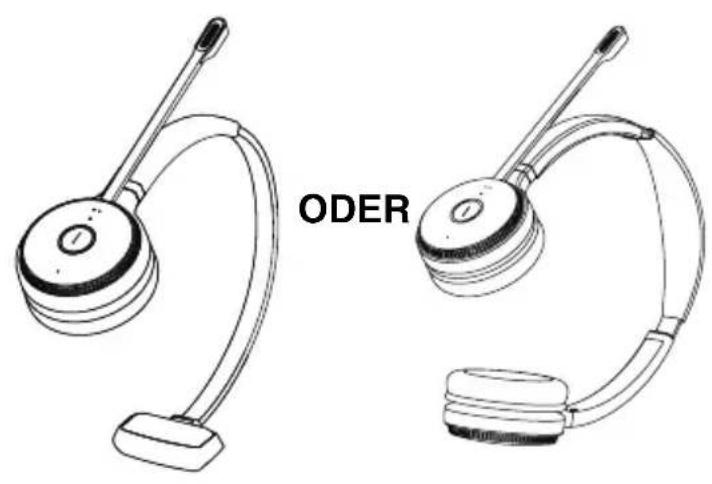
1 Package Contents
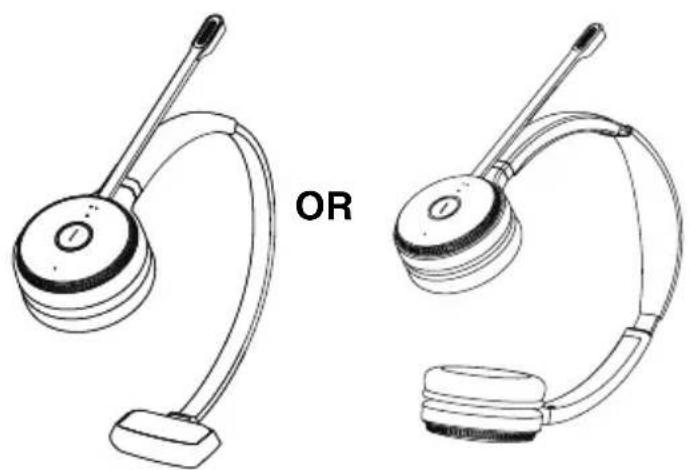
natural_image
Line drawings of two earphones with adjustable arm and head (no text or symbols)WHM621 with Charging Cable or WHD622 with Charging Cable
natural_image
Line drawing of a USB-A cable with a connector (no text or symbols on the diagram itself)Charging Cable 1.2 M
natural_image
Simple line drawing of a closed book or folded paper (no text or symbols)Quick Start Guide
Note: We recommend that you use the included accessories, because other accessories may have compatibility issues that prevent them from working properly.
2 Charging the Headset
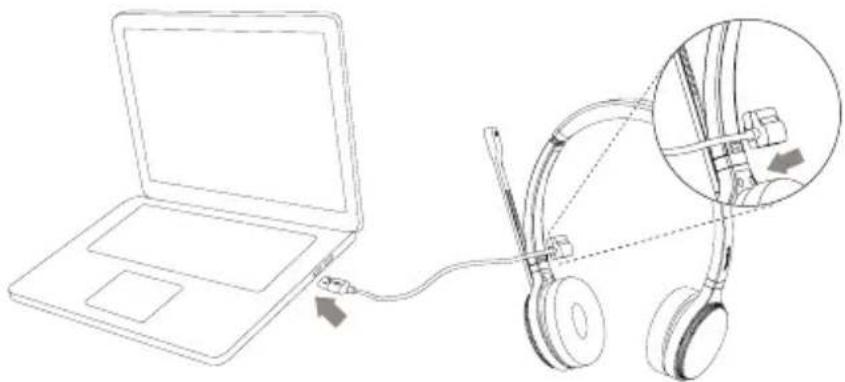
natural_image
Line drawing of a laptop connected to an ear with a cable, showing mechanical components (no text or symbols)
| Battery Charge Level | <20% | ≥20% and <100% | Full |
| LED | Flash Red Flash | Flash Green Green | I |
Note: It takes approx. 3 hours to fully charge the headset.
3 Powering on/off
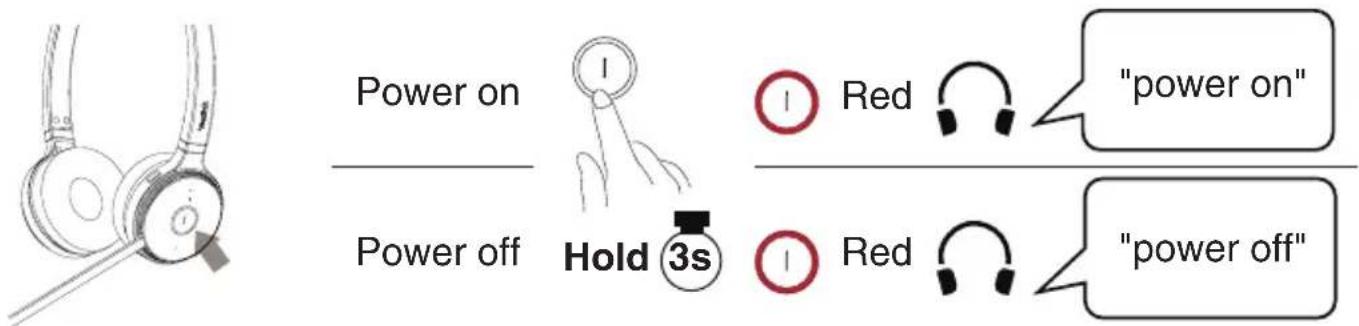
4 Registering the Headset to W80/W90 DECT Manager (DM)
1 Put the DM into registration mode
On the W80DM/W90DM web user interface, go to Handset & Account->Handset Registration->Add Handset->Start Register Handset.
2 Put the headset into registration mode
Power off state
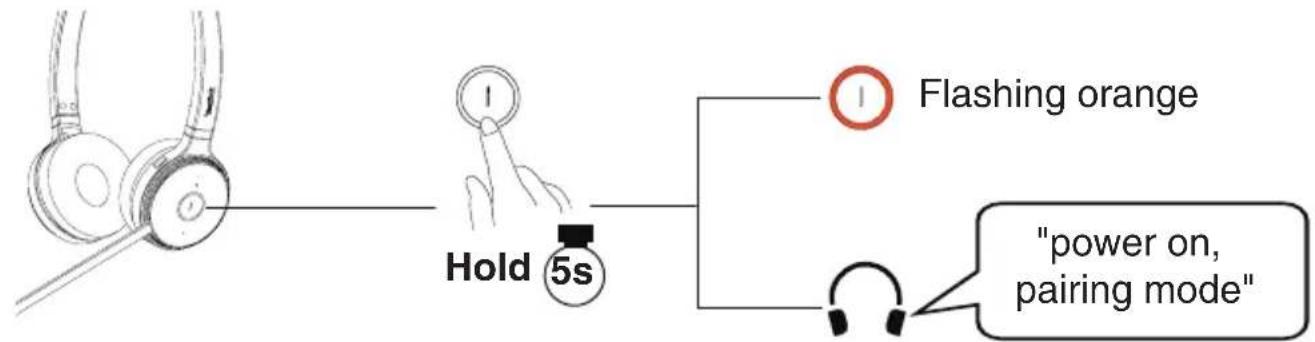
After the headset and DM are all in the registration mode, the headset will automatically register to the DM.
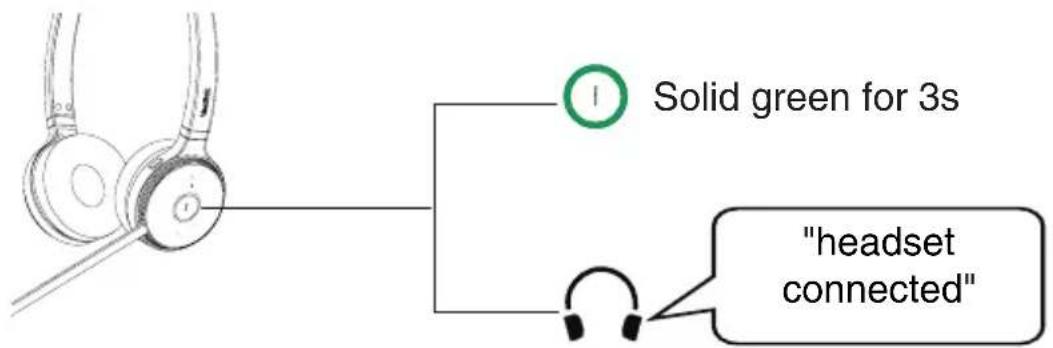
5 Pairing the Headset with a Handset
You can pair the headset with a handset registered on the DM.
The headset will get the same extension number as the handset.
On the W90DM/W80DM web user interface, go to Handset & Account-
Handset Registration->Edit->Paired Terminal.
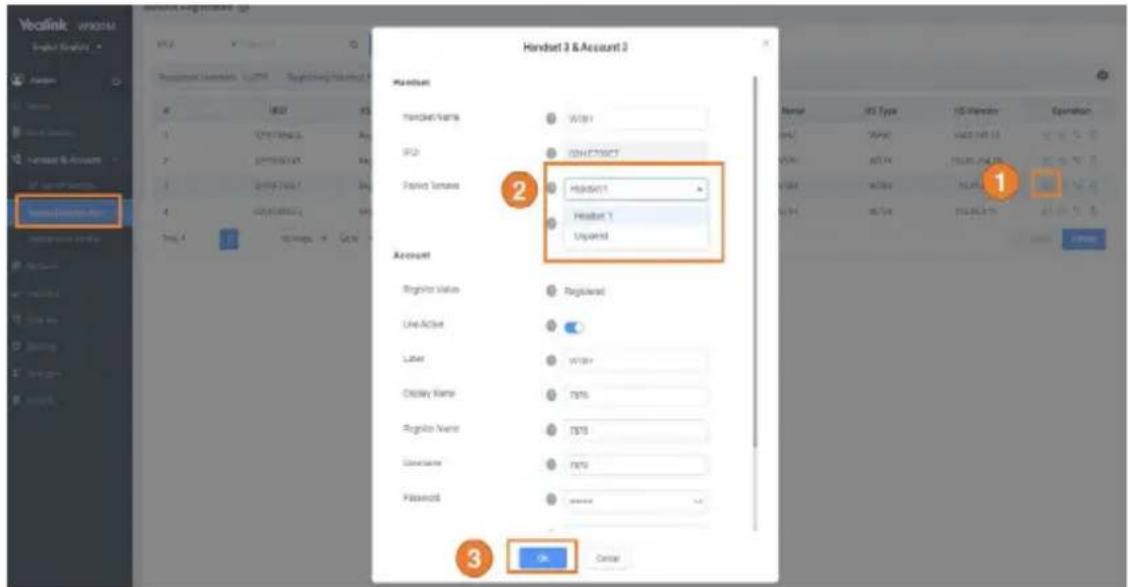
Note: The handsets need to be registered on the DM first.
6 Usage
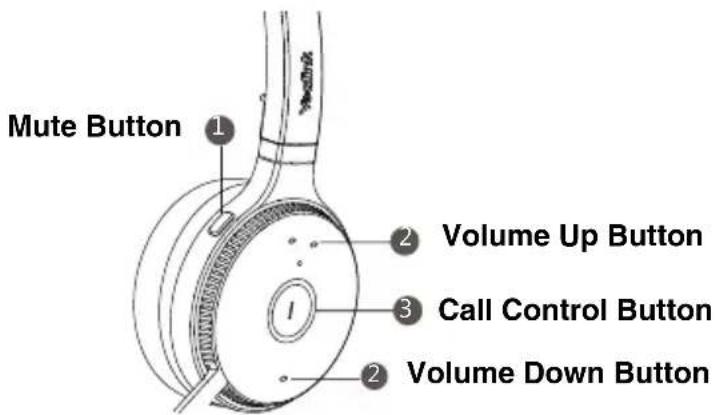
| 1 | Mute or unmute your microphone | Press the Mute Button or move the microphone boom-arm up/down |
| 2 | Volume up/down | Press the Volume Up/Down Button |
| 3 | Answer or end a call | Press the Call Control Button |
| Reject a call | Press the Call Control Button twice when receiving a call | |
| Redial a call | Press the Call Control Button twice when the head-set in the idle status |
7 Wearing the Headset
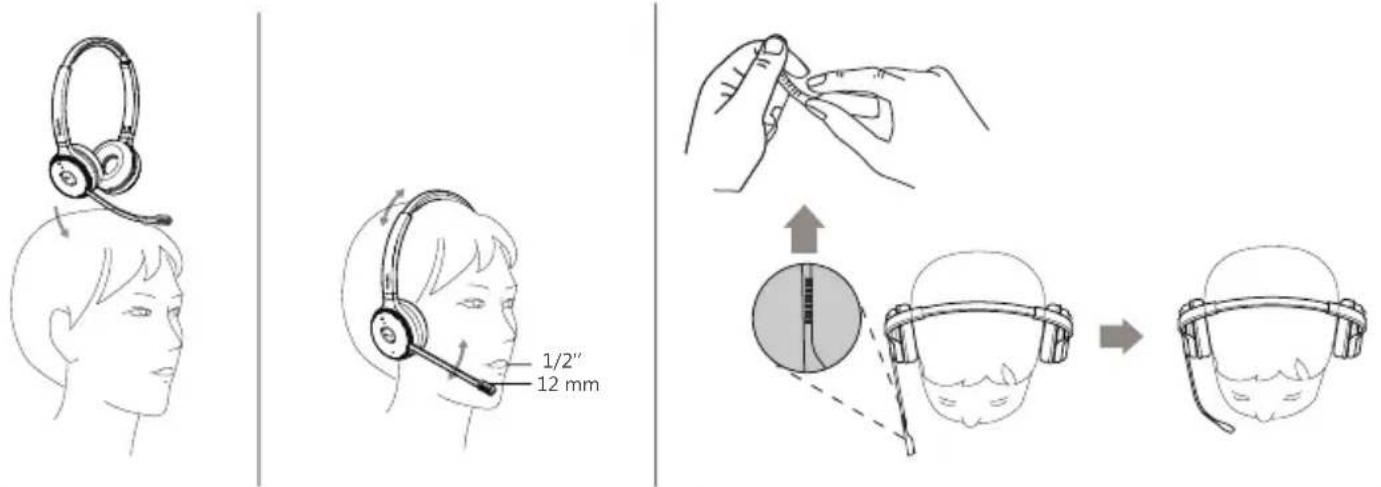
Note: The side with the microphone is the right ear.
8 Replacing Ear Cushions
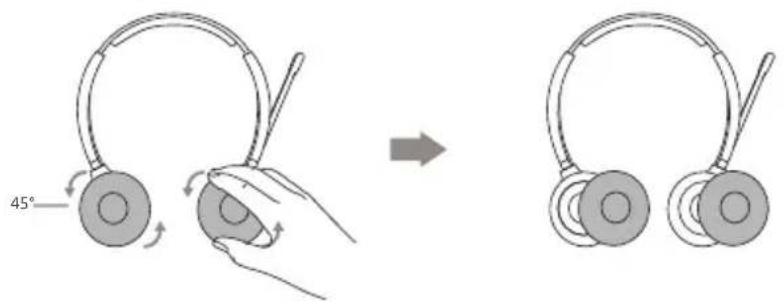
1 Verpackungsinhalt
natural_image
Line drawings of two ODER earphones with adjustable arm and head (no text or symbols on the devices themselves)natural_image
Line drawing of a USB-A cable with connector (no text or symbols on the diagram itself)Ladekabel 1,2 m
natural_image
Simple line drawing of a closed book or document (no text or symbols visible)Kurzanleitung
natural_image
Line drawing of a laptop connected to a headset, showing cable and head assembly (no text or symbols)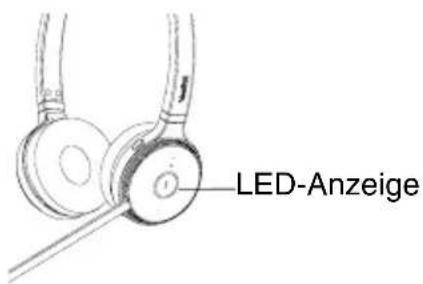
natural_image
Line drawings of two earphones with adjustable arm and head (no text or symbols)natural_image
Line drawing of a USB-A cable with a connector (no text or symbols on the diagram itself)natural_image
Simple line drawing of a closed book or folded paper (no text or symbols)natural_image
Line drawing of a laptop connected to an ear with a cable, showing mechanical components (no text or symbols)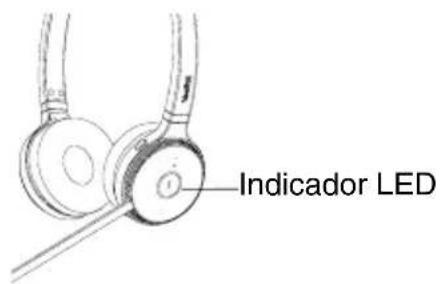
natural_image
Line drawings of two earphones with adjustable arm and head (no text or symbols)natural_image
Line drawing of a USB-A cable with connector (no text or symbols on the diagram itself)natural_image
Simple line drawing of a closed book or folded paper (no text or symbols)natural_image
Line drawing of a laptop connected to a pair of headphones, showing cable routing and mechanical assembly (no text or symbols)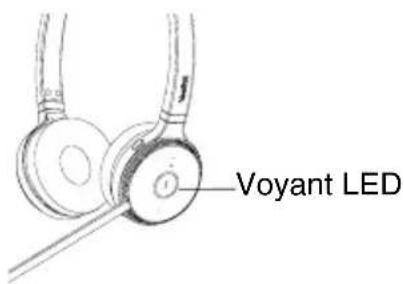
Operating Ambient Temperatures
- Operating temperature: +14 to 122^ (-10 to 50^ )
• Relative humidity: 5% to 90%, noncondensing
• Storage temperature: -22 to +160°F (-30 to +70°C)
Warranty
Our product warranty is limited only to the unit itself, when used normally in accordance with the operating instructions and the system environment. We are not liable for damage or loss resulting from the use of this product, or for any claim from a third party. We are not liable for problems with Yealink device arising from the use of this product; we are not liable for financial damages, lost profits, claims from third parties, etc., arising from the use of this product.
DC symbol

is the DC voltage symbol.
Restriction of Hazardous Substances Directive (RoHS)
This device complies with the requirements of the EU RoHS Directive. Statements of compliance can be obtained by contacting support@yealink.com.
Safety Instructions
Save these instructions. Read these safety instructions before use! The following basic safety precautions should always be followed to reduce risk of fire, electrical shock, and other personal injury.

Environmental Requirements
- Place the product on a stable, level and non-slip surface.
- Do not place the product close to heat sources, in direct sunlight or next to any house hold appliance with strong magnetic field or electromagnetic field, such as a microwave oven or a refrigerator.
- Do not allow the product to come into contact with water, dust and chemicals.
- Protect the product from aggressive liquids and vapors.
- Do not place the product on or near any inflammable or fire-vulnerable object, such as rubber-made materials.
- Do not install the product in rooms with high humidity, for example, in bathrooms, laundry rooms and wet basements.

Safety Notes During Operation
- Use only spare parts and accessories supplied or authorized by Yealink. The operation of non-authorized parts cannot be guaranteed.
- Do not place heavy objects on top of the handset or the base station in case of damage and deformation caused by the heavy load.
- Do not open the handset or the base station by yourself for repair purpose, which could expose you to high votages. Have all repairs carried out by authorized service personnel.
- Do not let a child operate the product without guidance
- Keep the small accessories contained in your product out of reach of small children in case of accidental swallowing.
- Before plugging or unplugging any cable, make sure that your hands are completely dry.
- Do not hold the handset up to your ear when speakphone is on or when the ringer is ringing as the volumn can be very loud, which may be harmful to your hearing.
- During a thunderstorm, stop using the product and disconnect it from the power supply to avoid lightning strike.
- If the product is left unused for a rather long time, disconnect the base station from the power supply and unplug the power adapter.
- When there is smoke emitted from the product, or some abnormal noise or smell, disconnect the product from the power supply, and unplug the power adapter immediately.
- Remove the electrical cord from an outlet by pulling gently on the power adapter, not by pulling the cord.

Battery Precautions
- Do not immerse the battery into water, which could short-circuit and damage the battery.
-
Do not expose the battery to an open flame or leave the battery where it could be subjected to extremely high temperatures, which could cause the battery to explode.
-
Do power the handset off before removing the battery.
- Do not try to use the battery for the power supply of any device other than this handset.
- Do not open or mutilate the battery, released electrolyte is corrosive and may cause damage to your eyes or skin.
- Use only the rechargeable battery pack delivered with the handset or those rechargeable battery packs expressly recommended by Yealink.
- Defective or exhausted battery should never be disposed of as municipal waste. Return old battery to the battery supplier, a licensed battery dealer or a designated collection facility.

Notices of Cleaning
- Before cleaning the base station, stop using it and disconnect it from the power supply.
- Remove the battery before cleaning the handset to reduce risk of electric shock.
- Only clean your product with a piece of slightly moist and anti-static cloth.
- Keep the power plug clean and dry. Using a dirty or wet power plug may lead to electric shock or other perils.

ENVIRONMENTAL RECYCLING
natural_image
Symbol of a trash bin crossed with no text or labels, representing waste sorting or disposal (no text present)
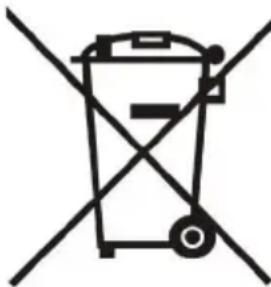
Never dispose of the device with
domestic waste
Ask your Town Council about how to dispose of it in an environmentally friendly way. The cardboard box, plastic packaging and player components may be recycled in accordance with prevailing recycling regulations in your country.
Always adhere to prevailing regulations
Those who fail to do so may be fined or prosecuted in accordance with the law. The crossed out garbage can that appears on the device means that when it has reached the end of its useful life, it should be taken to a special waste disposal center and treated separately to general urban waste.
Batteries: Be sure that the batteries have been placed in the right position. This phone use rechargeable batteries only.
Compulsory information according to regulations for battery-operated devices. Caution: Risk of explosion if battery is replaced with a battery of a wrong kind. Dispose of batteries in accordance with the instructions.
Troubleshooting
The unit cannot supply power to Yealink device.
There is a bad connection with the plug.
-
Clean the plug with a dry cloth.
-
Connect it to another wall outlet
The usage environment is out of operating temperature range.
- Use in the operating temperature range.
The cable between the unit and the Yealink device is connected incorrectly.
- Connect the cable correctly
You cannot connect the cable properly.
-
You may have connected a wrong Yealink device.
-
Use the correct power supply.
Some dust, etc., may be in the port.
- Clean the port
Contact your dealer or authorized service facility for any further questions.
Contact Information
YEALINK NETWORK TECHNOLOGY CO.,LTD.
309, 3rd Floor, No.16, Yun Ding North Road, Huli District, Xiamen City, Fujian, P.R.C
YEALINK (EUROPE) NETWORK TECHNOLOGY B.V.
Strawinskylaan 3127, Atrium Building, 8th floor, 1077ZX Amsterdam, The Netherlands
YEALINK (USA) NETWORK TECHNOLOGY CO., LTD.
999 Peachtree Street Suite 2300, Fulton, Atlanta, GA, 30309, USA
Made in China
Sicherheitshinweise
natural_image
Symbol of a trash bin crossed out by two diagonal lines (no text or labels)309, 3rd Floor, No. 16, Yun Ding North Road, Huli District, Xiamen City, Fujian, VR China
YEALINK (EUROPE) NETWORK TECHNOLOGY B.V.
Strawinskylaan 3127, Atrium Building, 8th floor, 1077ZX Amsterdam, Niederlande YEALINK (USA) NETWORK TECHNOLOGY CO., LTD.
999 Peachtree Street Suite 2300, Fulton, Atlanta, GA, 30309, USA
natural_image
Symbol of a trash bin crossed with no text or labels, representing waste sorting or disposal (no text present)309, 3rd Floor, No.16, Yun Ding North Road, Huli District, Xiamen City, Fujian, P.R.C YEALINK (EUROPE) NETWORK TECHNOLOGY B.V.
Strawinskylaan 3127, Atrium Building, 8th floor, 1077ZX Amsterdam, The Netherlands YEALINK (USA) NETWORK TECHNOLOGY CO., LTD.
999 Peachtree Street Suite 2300, Fulton, Atlanta, GA, 30309, USA
Made in China
natural_image
Symbol of a trash bin crossed with no text or numbers, representing waste sorting or disposal (no text present)309, 3rd Floor, No.16, Yun Ding North Road, Huli District, Xiamen City, Fujian, Chine
YEALINK (EUROPE) NETWORK TECHNOLOGY B.V.
Strawinskylaan 3127, Atrium Building, 8th floor, 1077ZX Amsterdam, Pays-Bas YEALINK (USA) NETWORK TECHNOLOGY CO., LTD.
Declaration of Conformity
We,
YEALINK(XIAMEN) NETWORK TECHNOLOGY CO.,LTD
Address: 309, 3rd Floor, No.16, Yun Ding North Road,
Huli District, Xiamen City, Fujian, P.R. China
CE DATE: 05 ^th /January/2021
declare that the product
Type: DECT IP Wireless Headset
Manager
Model: WH62(Contains WHB620, WHD622 or WHM621)
meets the essential requirements and other relevant provisions according to the following EC directive
Directive: 2014/30/EU, 2014/35/EU, RED 2014/53/EU;
The presumption of conformity with the essential requirement is ensure according to :
Article 3.1 a :(protection of the health &the safety of the user)
Safety: EN 62368-1:2014+A11:2017
SAR: EN 50663:2017,EN 62479:2010
Article 3.1 b :(protection requirement with respect to electromagnetic compatibility)
EMC: EN55032:2015, EN55035:2017,
EN301489-6 V2.2.2,EN301489-1 V2.2.1
Article 3.2 (effective use of the radio spectrum)
Radio: ETSI EN 301406 V2.2.2
Directive 2011/65/EU and (EU)2015/863 of the European Parliament and of the Council of 8 June 2011 and 4 June 2015 on the restriction of the use of certain hazardous substances in electrical and electronic equipment(RoHS 2.0)
Directive 2012/19/EU of the European Parliament and of the Council of 4.July.2012 on Waste electrical and electronic equipment(WEEE)
Regulation (EC) No.1907/2006 of the European Parliament and of the Council of 18.December.2006 on Registration, Evaluation, Authorization, and Restriction of Chemicals (REACH)
NAME: Huahu Wang
DATE:
TITLE: Manager
Huahu Wang 29-Jun-2021
Need more help?

Yealink Documentation & Video

Yealink Headset Compatibility Guide
Technical Support
Visit Yealink WIKI (http://support.yealink.com/) for the latest firmware, guides, FAQ, Product documents, and more. For better service, we sincerely recommend you to use Yealink Ticketing system (https://ticket.yealink.com) to submit all your technical issues.