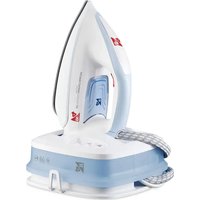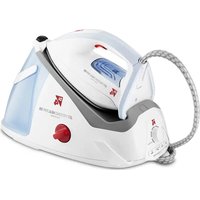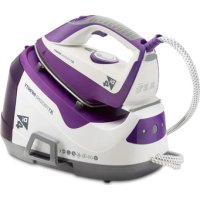
Jet Pressing Infinity - Iron Di4 - Free user manual and instructions
Find the device manual for free Jet Pressing Infinity Di4 in PDF.


| Product Type | Steam Station |
| Brand | Di4 |
| Model | Jet Pressing Infinity |
| Category | Iron |
| Soleplate | Ceramic |
| Water Tank | Removable with MAX level indicator |
| Steam Functions | Continuous steam, steam blast, steam boost |
| ECO Mode | Yes (reduces steam flow) |
| Vertical Steam Ironing | Yes |
| Anti-scale System | Replaceable anti-scale cartridge |
| Self-cleaning | Yes (reminder after 36 hours of use) |
| Indicator Lights | Temperature, water shortage, ECO mode |
| Safety | Automatic steam shutdown in case of water shortage |
| Included Accessories | Graduated cup, anti-scale cartridge |
| Maintenance | Clean soleplate with non-metal pad; self-cleaning; replace anti-scale cartridge every 3-6 months |
| Warranty | 2 years (conforms to Directive 1999/44/EC) |
| Usage | Domestic use only |
Frequently Asked Questions - Jet Pressing Infinity Di4
User questions about Jet Pressing Infinity Di4
0 question about this device. Answer the ones you know or ask your own.
Ask a new question about this device
Download the instructions for your Iron in PDF format for free! Find your manual Jet Pressing Infinity - Di4 and take your electronic device back in hand. On this page are published all the documents necessary for the use of your device. Jet Pressing Infinity by Di4.
USER MANUAL Jet Pressing Infinity Di4
Jet Pressing Infinity
CENTRO DE PLANCHADO
Centro de engomar
Steam station
Central vapeu
Ferri da stiro a vapore
text_image
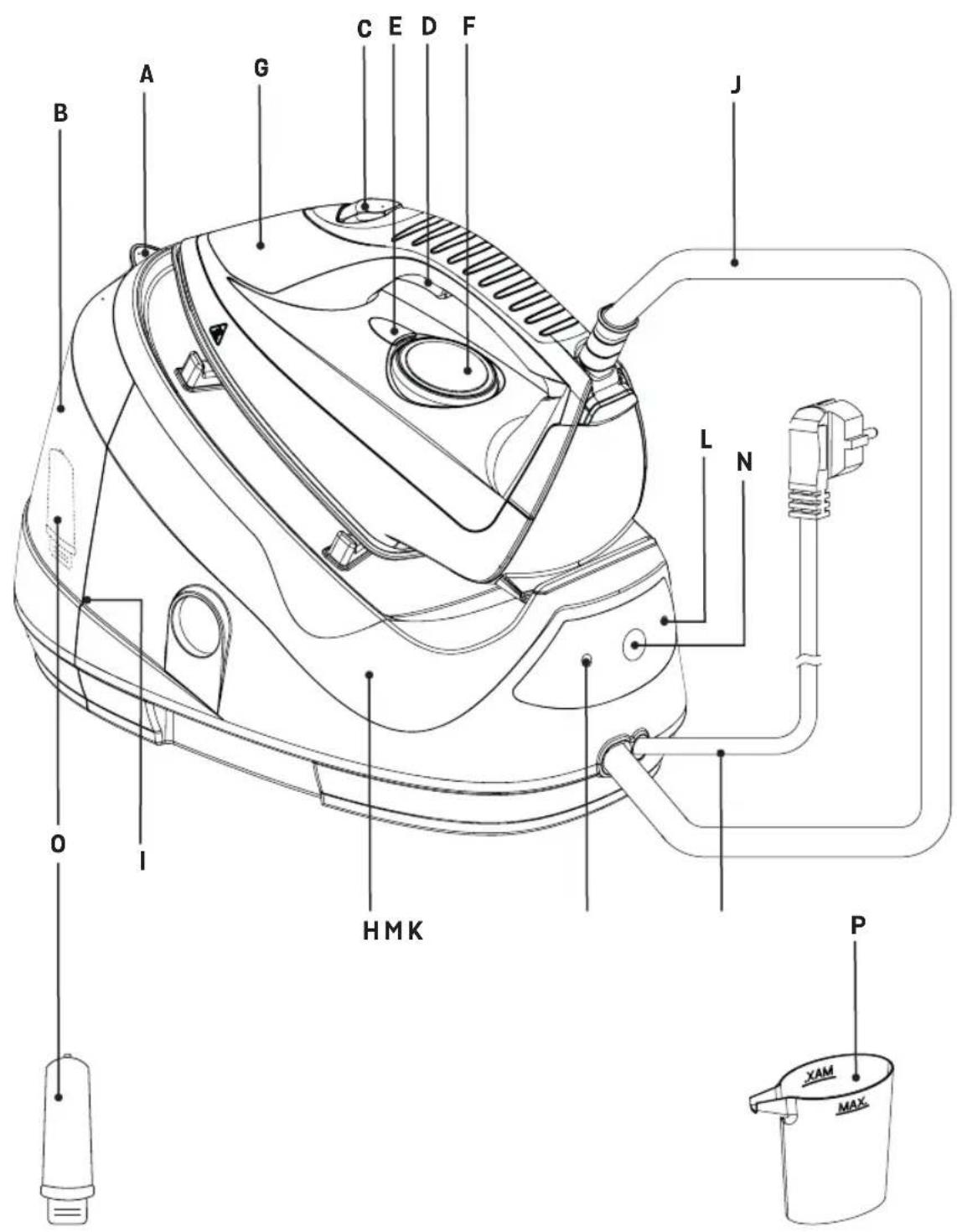
A B C E D F G H MK I J L N O P XAM MAXESPAÑOL
LE AGRADECEMOS QUE HAYA ELEGIDO DI4 Y ESPERAMOS
QUE EL PRODUCTO LE SATISFAGA.
ATENCIÓN
WE WOULD LIKE TO THANKS YOU FOR CHOOSING DI4, WE WISH THE PRODUCT PERFORMS TO YOUR SATISFACTION AND PLEASURE.
WARNING
PLEASE READ THE INSTRUCTIONS FOR USE CAREFULLY PRIOR TO USING THE PRODUCT. STORE THESE IN A SAFE PLACE FOR FUTURE REFERENCE.
DESCRIPTION
A -Water Inlet Cover
B - Water Tank
C - Steam Button
D - Steam Trigger
E - Temperature pilot lamp
F - Temperature Control Dial
G - Iron
H - Station
I - Water Tank Locker
J - Interconnection Cord
K - Power Cord
L - ECO steam mode indicator
M - Lower Water Indicator Light
N - Switch Button
O - Anti-calc cartridge
P - Measure cup
This appliance can be used by children aged from 8 years and above and persons with reduced physical, sensory or mental capabilities or lack of experience and knowledge if they have been given supervision or instruction concern-
ing use of the appliance in a safe way and understand the hazards involved. Children shall not play with the appliance. Cleaning and user maintenance shall not be made by children without supervision.
If the supply cord is damaged it must be replaced by the manufacturer, its service agent or similarly qualified persons in order to avoid a hazard.
The iron must not be left unattended while it is connected to the supply mains.
The plug must be removed from the socket-outlet before the water reservoir is filled with water.
The irons must be used and rested on a flat, stable surface
When placing the iron on its stand, ensure that the surface on which the stand is placed is stable.
The iron is not to be used if it has been dropped, if there are visible signs of damage or if it is leaking.
Keep the iron and its cord out of reach of children less than 8 years of age when it is energized or cooling down.
Instruction for the safe refilling of the water reservoir are given at filling the water tank section.

CAUTION Hot surfaces. Surfaces are liable to get hot during use.
IMPORTANT WARNINGS
This appliance is designed for home use and should never be used for commercial or industrial use under any circumstances. Any incorrect use or improper handling of the product shall render the warranty null and void.
Prior to plugging in the product, check that your mains voltage is the same as the one indicated on the product label.
If you use one adaptor make sure it can reach 16 A and is provided with earth socket
The mains connection cable must not be tangled or wrapped around the product during use.
Do not use the device, or connect and disconnect to supply mains with the hands and / or feet wet.
Do not pull on the connection cord in order to unplug it or use it as a handle
Do not direct steam at people and animals.
Do not place the appliance under the tap to fill the water tank, or immerse it in water or other liquids.
Unplug the product immediately from the mains in the event of any breakdown or damage and contact an Official Technical support service. In order to prevent any risk of danger, do not open the device. Only qualified technical personnel from the brand's Official Technical support service may carry out repairs or procedures on the device.
Proceed according to the conservation and cleaning section of this manual for cleaning
B&B TRENDS SL. disclaims all liability for damages that may occur to people, animals or objects, for the non-observance of these warnings.
BEFORE THE FIRST USE
Before using the Steam Station, please ensure you read the user manual and understand all parts and features of the Steam Station. Be sure to remove any packaging material and labels before using for the first time.
In the first use they can break off odors or fumes that sent quickly. Do not spray for the first time on clothes and there may be traces of dirt on the soleplate.
Water to be used
The device is designed for use with tap water. If the water in your area is hard or semi-hard use mix tap water with distilled or demineralized water purchased in stores, in the ratio 2:1 and 1:1 respectively. Check with your water supplier to determine the type of water in your area.
Never use 100% distilled or demineralized, rain water, softened water, scented water, water from other appliances such as refrigerators, air conditioners, dryers or other types of home water preparation water.
Filling the Water Tank
Locate the water tank release latch under the front of the water tank and push up. This will release the water tank, enabling you to pull it out.
Place the water tank inlet under a tap and fill. Do NOT fill over the MAX level indicator.
Slide the water tank back in position and push in, you will hear it click when it is locked in place.
OPERATING INSTRUCTIONS
NB: If it is the first time you have steam-ironed or if the product has not been used for some time, turn the temperature control to a steam ironing position and press the steam button continuously until steam comes out. This process can take a few minutes.
Place the Steam Station on a firm level table, bench or ironing board.
Plug the unit into a power outlet and switch on at the power point.
Adjust the temperature dial in terms of choose the kind of fabrics that you want to iron.
Note: If you want to use the steam ironing, we suggest you to adjust the temperature dial on MAX.
When the iron operating light indicator goes out the device will be ready for use.
Note: During the whole operating time, the iron operating light indicator will go on and off in erratic intervals, this is normal.
To make the steam jet come out, press the steam button (C), and if you want to stop the steam press the steam trigger (D), in a few seconds steam will stop.
If need lower steam rate, long press the power switch for 3 seconds, release the power switch to start ECO mode (This mode is based on energy efficiency, the steam rate is lower). For ECO mode, all the function is exactly the same as the normal mode, except the steam rate is smaller. If the user need to exit to the normal mode, long press the power switch for 3 seconds and release the power switch; If need to turn off the iron, please press the power switch.
Steam boost
In normal using the iron, press the steam trigger by 2 times in 1 second, and the iron will release a large number of steam to form the steam explosion in 2 seconds.
Please wait for some seconds before repeating this operation.
Ironing Tips
- Start with the fabrics to be ironed at a low temperature and finish with those which need higher temperatures.
- For mixed fibre fabric, set the ironing temperature to a lower setting.
- For woollen garments, press the steam trigger repeatedly over the garment without physically touching it with the iron.
- For thicker fabrics, raise the iron temperature.
- For low temperature setting, reduce the iron temperature.
Ironing Guide Chart
Below is a guide on the temperature setting required for different types of fabric, along with the recommended iron method.
| Fabric Temperature | Setting | Ironing Recommendation |
| Acrylic Synth Dry iron | on wrong side of garment. | |
| Acetate Synth Dry iron | on wrong side while still damp or use spray to dampen. | |
| Silk Silk/Wool Iron on | wrong side. Place iron cloth on top to prevent shine marks. | |
| Nylon Silk/Wool Iron on | wrong side while still damp or use spray to dampen. | |
| Polyester Silk/Wool Iron | on wrong side while still damp or use spray to dampen. | |
| Wool Silk/Wool Steam | iron on wrong side or use an ironing cloth. | |
| Wool Blends Silk/Wool | Steam iron on wrong side or use an ironing cloth. | |
| Cotton Blends Cot/Lin | Check label and follow manufacturer's instructions. Use setting for the fibre requiring the lowest setting. | |
| Cotton Cot/Lin Use steam medium to high. | ||
| Linen Cot/Lin Iron on | wrong side or use an ironing cloth to prevent shine marks. | |
| Denim Max | Use maximum steam. |
Vertical Steam Ironing
This feature allows you to smooth out creases in garments or drapery in a similar manner to a garment steamer. The high steam pressure of the Steam Station can provide bursts of steam while holding the iron vertically. For best results, utilise on delicate or light fabrics. To produce the maximum amount of steam, set the temperature setting to MAX. Only direct steam at hanging garments in a safe area and ensure you always refer to garment manufacturer recommendations.
WARNING: Do NOT direct the steam onto a garment that is being worn or at any person.
Refilling the Water Tank
When running low on water, the Steam Station will stop emitting steam even if you press the steam trigger, and the low water indicator light will flash red. You do not have to switch off the Steam Station to refill the water tank. Simply remove the water tank to refill, or use a cup or bottle to pour water into the easy-fill water tank inlet.
MAINTENANCE AND CLEANING
Cleaning
Turn off the Steam Station and unplug at the power outlet.
Remove the water tank, empty and rinse.
Regularly clean the ceramic soleplate with a damp, non-metallic washing pad.
Wipe the exterior of the Steam Station with a soft cloth.
Do NOT use abrasive cleaners, detergent or other chemicals to clean the Steam Station.
Self-clean Mode
When cleaning, the steam hole of the soleplate will discharge a lot of sewage, please be prepared well in advance. The iron has an intelligent reminder for cleaning mode and active cleaning mode respectively. The intelligent reminder for cleaning mode means after accumulates to 36 hours using, the power indicator will blink and beep for three times to remind the user to clean the iron, then long press the power switch for 6 seconds until the power indicator blink and beep for 3 times again, this is just the time for pressing the trigger, the iron will enter into cleaning mode and begin to discharge the sewage from the steam hole of the soleplate; It will automatically exit the cleaning model after cleaning for 1 minute, and the power indicator will stop blinking and beep for 3 times. If the user need to exit the cleaning mode at any time, please press 6 second until the power indicator stop blinking and beep for three times, then cleaning mode is finished.
Change anti-scale cartridge
depending on the water hardness in your region the water softening anti-scale cartridge should be replaced every 3–6 months.
Note: Do not use the unit without the water softening cartridge!
1- Remove the water tank from the station.
2- Pull anti-calc cartridge downwards from the water tank and remove it for changing.
Note: Be careful – there can be water inside the cartridge body.
Install a new water-softening cartridge to its place
Troubleshooting Guide
Please consult troubleshooting table below for any issues you may face prior to contacting our support centre.
| PROBLEM POSSIBLE CAUSE | SOLUTION | |
| Unit fails to heat up and steam. Power indicator light does not illuminate. | Unit is not plugged in. Plug into electrical outlet. | |
| Water runs out of the holes in the soleplate. | Water has condensed in the pipes because you are using for the first time or you have not used it for some time. | Press the steam trigger away from your ironing board until the iron produces steam. |
| The soleplate is not hot enough. | Decrease the steam output while ironing at low temperature. | |
| White streaks come through the holes in the soleplate. | The iron has a build-up of scale because it has not been rinsed out regularly. | Apply the self clean function. Change anti scale cartridge. |
| Brown streaks come through the holes in the soleplate and stain the linen. | You are using chemical descaling agents or additives in the water for ironing. | Never add this type of product in the water tank or in the steam chamber. |
| The soleplate is dirty or brown and may stain the garment .The clothe sticks in the soleplate. | You are ironing at too high a temperature. | Adjust the temperature dial to a lower heat setting. |
| There is no steam or there is little steam. | The water tank is empty. Fill the water tank. |
PRODUCT DISPOSAL

This product complies with European Directive 2012/19/EU on electrical and electronic devices, known as WEEE (Waste Electrical and Electronic Equipment), provides the legal framework applicable in the European Union for the disposal and reuse of waste electronic and electrical devices. Do not dispose of this product in the bin, instead going to the electrical and electronic waste collection centre closest to your home.
FRANÇAIS
NOUS TENONS À VOUS REMERCIER D'AVOIR CHOISI DI4. NOUS ESPÉRONS QUE VOUS SEREZ PLEINEMENT SATISFAIT DE CE PRODUIT ET QU'IL RÉPONDRA À VOS ATTENTES.
ATTENTION
VEUILLEZ LIRE ATTENTIVEMENT LE MANUEL D'UTILISATION AVANT D'UTILISER LE PRODUIT. CONSERVEZ CE MANUEL D'UTILISATION DANS UN ENDROIT SÛR EN VUE DE CONSULTATION FUTURE.
DESCRIPTION
ÉLIMINATION DU PRODUIT

B&B TRENDS, SL. guarantees compliance of this product for the use for which it is intended for a period of two years. In the case of breakdown during the term of this warranty, users are entitled to repair or else the replacement of the product at no charge if the former is unavailable, unless one of these options proves impossible to fulfill or is disproportionate. In this case, you can then opt for a reduction in price or cancellation of the sale, which must be dealt with directly with the sales vendor. This also covers replacement of spare parts provided that the product has been used according to the recommendations specified in this manual for both cases, and has not been tampered with by any third party that is not authorised by B&B TRENDS, SL. The warranty will not cover any parts subject to wear and tear. This warranty does not affect your rights as a consumer in accordance with the provisions in Directive 1999/44/EC for member states of the European Union.
USE OF WARRANTY
Customers must contact a B&B TRENDS, SL., authorised Technical Service for repair of the product. Since any tampering of the same by anyone not authorised by B&B TRENDS, SL., or the careless or improper use of the same shall render this warranty null and void. The warranty must be fully completed and delivered along with the receipt or delivery docket for the effective exercise of rights under
this warranty.
This warranty should be retained by the user as well as the invoice, receipt or the delivery docket to facilitate the exercise of these rights. For technical service and after-sales care outside the Spanish territory, please submit your query to the point of sale where you purchased the item.
BOLETIM DE GARANTIA
SUM. ELECT. DALMAU, S.C.P.
VILADOMAT, 108
934539276
sdalmau@ono.com
08240 MANRESA
SERVICIO ELDE - JORGE MANERO
BRUCH, 55
938728542
elde@eldeservei.com
08027 BARCELONA
SELAROM
PASSEIG MARAGALL, 102
933 521 805
amoralesnieto@hotmail.com
08020 BARCELONA
SAT MARINE, S.C.P.
C/HUELVA, 67–69
932664697
satmarine@satmarinescp.com
08620 SANT VICENÇ DELS HORTS
SAT JARO -
C/ MALAGA, 20-22
647 054 779
jroca78@gmail.com
08950 ESPLUGUES DE LLOBREGAT
SAT J. BAUTISTA
POL.INDR."DOMENYS I" NAVE 9
938904852
fred@fredvilafranca.com
SUREDA I ASSOCIATS, S.C.
FRANCESC ARTAU, 2
972236588
resuredgirona@gmail.com
17200 PALAFRUGELL
NEW MERESA
DE LA SURERA BERTRAN, 23
972304454
comercial@newmeresa.com
17300 BLANES
FRANCISCO PORTILLO PEIRO
ASIAS MARC 1
972331249
serviciotecnico@portillotv.com
17740 VILAFANT
ELECTRONICA VILAFANT - SAT
NAVATA.13
972506515/615090154
electronicavilafant@hotmail.com
GRANADA
18015 GRANADA
LUNSOL, S.L.
SANTIAGO APOSTOL 18 Local
959283415/627349431
URBISAT (BALEAR SERVICE)
C/MATEU OBRADOR,8
971-733886/733879
alanurbisat@gmail.com
7740 MENORCA
ES MERCADAL
SERVEIS MENORCA, S.L.
CARRER NOU N° 53
971375380
serveismenorca@gmail.com
JAÉN
23400 UBEDA
MAGOCA UBEDA
GRANADA 7
953751838
ubedasatmagoca@gmail.com
23001JAEN
CARRIL DE LAS FLORES, 34-B
982242015
teleservicio@telefonica.net
27400 MONFORTE DE LEMOS
RAUL E HIJOS,S.L.
CAMPO DE LA COMPAÑÍA, 19
982400711
raulehijos@gmail.com
27850 VIVERO (CASCO
SERVICIO TECNICO SILDO 101, S.L.U.
LODEIRO, 26
982061819
MADRID
28931 MOSTOLES
Valle Inclan 32 Local
917054624
pimaruno@gmail.com
28047 CARABANCHEL
REPARACIONES CARLOS (CARLOS
GOMEZ YUSTE)
GUABAIRO,2
914665369
Electro Servicio Muñoz S. L. (ESM
Corella)
C/ Santa Barbara, 52
948780729
satcorella@gmail.com
31500 TUDELA
ELECTRICIDAD FERNANDO, S.C.I.
YANGUAS Y MIRANDA, 12
948826457
electrohogar@electrohogartoledo.com
VALENCIA
46600 ALZIRA
TALLERES MOYA
C/ FAVARETA,49
96 241 85 87
tamoya@talleresmoya.com
46011 VALENCIA
ROBERTO BARRACHINA ALIAGA
-VALENCIANA, SA TECNICA-
C/FRANCISCO BALDOMA, 86 Bajos
963554244/607304279
valencianasat@gmail.com
46700 GANDIA
RELGAN - CAMILO GARCIA
MAGISTRADO CATALA, 16
962872810
relgangandia@gmail.com
46005 VALENCIA
RELEVAN,S.L.
C/ MATIAS PERELLO,49
963 222 529
merce@relevansl.com
46800 XATIVA
JOSE PASTOR DIEZ
C/ ABU MASAIFA, 6
962274794
sat-xativa@josepastor.es
46680 ALGEMESI
JOSE A. LLACER SANGROS
ALBALAT, 88
962423519
satllacer@hotmail.com
46700 GANDIA
JOAQUIN MAYOR ESTRUGO
(TECNOGAR)
PRIMER DE MAIG 41-B
962865335
tecnogar33@gmail.com
46470 CATARROJA
Jet Pressing Infinity
B&B TRENDS, S.L.
C. Cataluña, 24
P.I. Ca N'Oller 08130
Santa Perpètua de Mogoda
(Barcelona) España
C.I.F. B-86880473
www.di4.eu