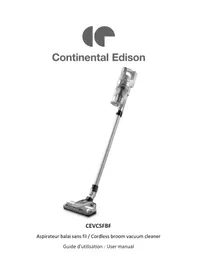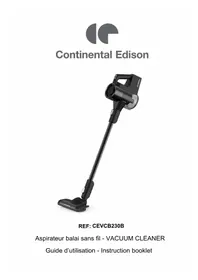
CEVCB230B - Vacuum Cleaner CONTINENTAL EDISON - Free user manual and instructions
Find the device manual for free CEVCB230B CONTINENTAL EDISON in PDF.
Download the instructions for your Vacuum Cleaner in PDF format for free! Find your manual CEVCB230B - CONTINENTAL EDISON and take your electronic device back in hand. On this page are published all the documents necessary for the use of your device. CEVCB230B by CONTINENTAL EDISON.
USER MANUAL CEVCB230B CONTINENTAL EDISON
France ÉLIMINATION CORRECTE DE CE PRODUITGuide d’utilisation - Instruction booklet REF: Aspirateur balai sans fil - VACUUM CLEANERIMPORTANT SAFETY INSTRUCTIONS Please read the manual before use. If the supply cord IS damaged, It must be replaced by the manufacturer, its service agent or qualified persons in order to avoid a hazard. This appliance can be used by children aged from 8 years and above and persons with reduced physical, sensory or mental capabilities or lack of experience and knowledge if they have been given supervision or instruction concerning use of the appliance in a safe way and understand The hazards involved. Cleaning and user maintenance shall not be made by children without supervision. Children should not play with the appliance. The appliance is only to be used with the power supply unit provided with the appliance. The appliance must only be supplied at safety extra low voltage corresponding to the marking on the appliance. If the batteries are damaged, It must be replaced by the manufacturer, its service agent or qualified persons in order to avoid a hazard. The plug must be removed from the socket-outlet before cleaning or maintaining the appliance. Please keep the vacuum cleaner in laid down position when storing. The vacuum cleaner can't stand by itself, please put it to the base stand after use. When you pause using the vacuum cleaner please put it to the base stand or leave it in laid down position. Before charging, read the instructions. For indoor use only, do not expose to rain.
WARNING: Explosive gases. Prevent flames and sparks. Provide adequate
ventilation during charging Disconnect the supply before making or breaking the connections to the battery. Beware of the risk of being caught in hair and loose clothing. The charger must not be used if the enclosure is damaged because this will cause hazard of electric shock. Damaged batteries must be replaced with new battery of the same type provided by the manufacturer. The battery charger is designed for charging the rechargeable battery provided by manufacturer. Do not use any other charger to recharge the battery provided by manufacturer and do not try recharge other types of battery with this charger. Also do not try to charge non-rechargeable batteries with this charger.
Main body Main body Extension tube Electric brush Before charging, check whether the voltage specified on the marking label corresponds to the mains voltage. During charging, the appliance must be placed at well-ventilated area. Keep the charger from all sources of heat. Do not insert any item through the ventilation slots on the charger. Do not expose the charger to rain, snow or any other environment of high humidity. Do not immerse the appliance in water. When separating the charger from the socket, pull the body of the plug rather than the supply cord; this will avoid hazard. Do not continue to use the appliance in such and similar cases: drop, impact by a heavy object, other means of damage, etc. If it occurs, get the charger repaired by our service agent. Do not disassemble the battery charger by yourself to avoid fire hazard or electric shock. Please remove the plug from the socket before cleaning or maintaining the charger.
2-in-1 brush Adapter
Accessories can be installed on the extension tube when clean high area
Installaon and use of wall mount
1. Place the bracket on the wall and fix it with two screws.
2. Place the vacuum cleaner on the support: Keep the cleaner in the power-off state,
and align the hook hole on the main body (back) to the hook of the wall mount.
Reminder Other accessories listOperaon Instrucons 1、Press the “Start Buon” to start cleaning; 2、Press the “Start Buon” again to stop cleaning; 3、The flashing of indicator light 1, 2 and 3 at the same me indicates a warning requiring the service from professionals;
The default mode aer starng the cleaner is at Middle level. Press the “Power Regulaon Buon” to change to the High level. Press the buon to change to the Low level. The speed is regulated in the order of Middle level, High-level and Low level in a circle.
Baery level indicaon during charging: The indicator 1 blinks for low power, and the charging shall be connued.The indicator 1 to indicator 3 are on at the same me for full power, which will be off aer the cleaner has been fully charged for a while;
Baery level indicator during operaon (discharging): Indicator 1 to indicator 3 are on t the same me for sufficient baery power, and the cleaner could be used. Indicator 1 blinks for low power and the cleaner shall be charged mely.
Host hook hole Wall-mounted hook Switch buon
uon Indicator light (Baery level indicator) (Baery level indicator) (Baery level indicator)Cleaning and Maintenance Disassembly, installaon and cleaning of dust binbin To maintain the sucon power of the vacuum cleaner, please clean it regularly. Disassembly of dust bin Place the cleaner in the way shown in the picture with the hand grabbing the boom of the dust bin. Press the dust bin release buon and pull down the dust bin to remove it.
Installaon of dust bin.Push the dust bin upward into with the sucon port facing outward, unl a click could be heard.
Dust bin release buon. AenonDisassembly and cleaning of filter components
1. Ensure that the components are installed in place, otherwise product failure may
2. Do not let water get into the electrical components of the vacuum cleaner,
otherwise product failure may be caused.
1. Gently remove the filter components from the dust bin assembly by holding the
tendon posions on both sides with hands;
2. Remove the filter sponge and pat it; (filter sponge must not be tapped in
reverse) (filter sponge must not be tapped in reverse) Dust bin release buon.
Filter Aenon Empty the dust binPress the release buon of the dust bin, the boom lid of the dust bin will open automacally, enabling one-touch dust emptying.3. Remove the cyclone system by rotang it as shown in the picture and clean it.
Disassembly and cleaning of electric brush
1. To ensure the normal operaon of the electric brush, please clean it mely in
case that the rolling brush and wheels are tangled or dirty;
2. When disassembling it for maintenance, please be sure to stop the operaon of
3. Water is not recommended for cleansing the electric brush. The hairs winding on
it could be removed with scissors. The dust on the rolling brush could be removed with hair brush
Assembly Disassembly Flap down Aenon1. Press the buon to remove the electric brush;
2. Rotate the brush end cap upward and remove it, then remove the brush and
clean it. Aer cleaning the brush, reinstall it in the reversed order as above. Aer cleaning the brush, reinstall it in the reversed order as above.
Press Brush end capTroubleshoong In case of any abnormal condions when using this product, please read the following table first. Abnormal condion
- The brush is entangled
Ambient temperature is too high or too low - Clean the floor brush or mite brush - Use the cleaner in a proper environment
Electric brush does not work
- Any large garbage (e.g. packing film) is rolled into the cleaner - The brush is tangled by hair
- Remove the hair on the brush - Remove the garbage Operaon duraon shortened - Aged baery - Ambient temperature is too high or too low - The baery is not fully charged - Contact the store or post- sales service to purchase a new baery - Use the cleaner in a proper environment - Charge the cleaner Sucon power weakened
- Too much dust in dust bin - Filtering sponge is blocked - Brush or accessory sucon port is blocked - Not fully dried aer washing with water - Remove the garbage mely - Clean the filtering sponge - Remove the blocking things - Put the components in a cool place for drying aer washing them with water The cleaner could not be charged - Ambient temperature is too low or too high during charging - Put the cleaner in a proper place for charging at appropriate temperature Baery liquid leakage - The baery is not used for a long me - Change the baerySPECIFICATION Item reference : CEVCB230B Model : V21Q01Q32226EU Voltage : 21.6V 33000 Bordeaux IMPORT BY : AMC
EasyManual