Cinema Max - Monitor Prixton - Free user manual and instructions
Find the device manual for free Cinema Max Prixton in PDF.



| Product Type | Electric Projection Screen |
| Brand | Prixton |
| Model | Cinema Max |
| Power Supply | 230 VAC ±10% (50 Hz) or 120 VAC ±10% (60 Hz) |
| Motor Output Current | ≤ 3 A |
| Operating Frequency | RF 315 MHz or 433.9 MHz; IR 38 kHz |
| RF Remote Control Range | ≤ 20 m |
| IR Remote Control Range | ≤ 10 m, ±15° horizontally |
| Max Number of Remote Controls | ≤ 40 units |
| Max Activation Time per Button | 120 seconds |
| Automatic Stop | Yes (screen retracted or border deployed) |
| Installation | Wall or ceiling, with level measurement and wall plugs |
| Use | Remote control or built-in control panel |
| Maintenance and Cleaning | Slightly damp cloth, without solvents or chemicals |
| Precautions | Do not fold the fabric, do not pull manually, keep away from heat sources |
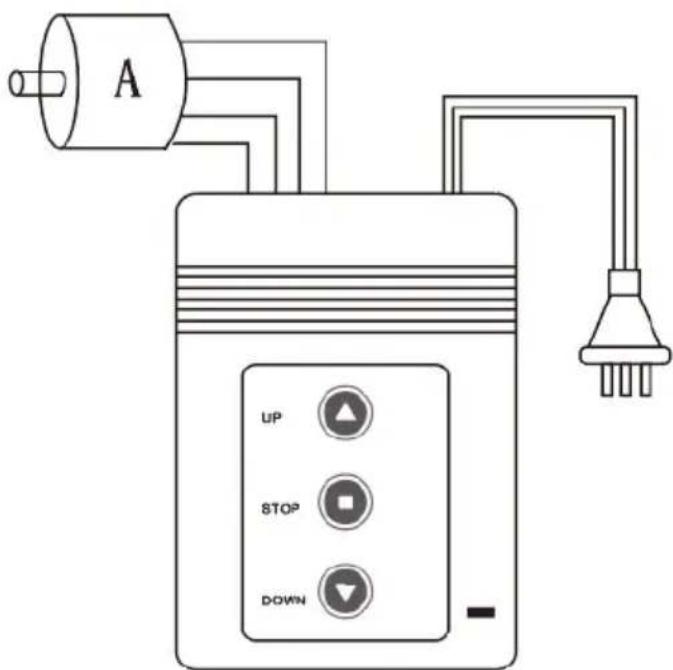
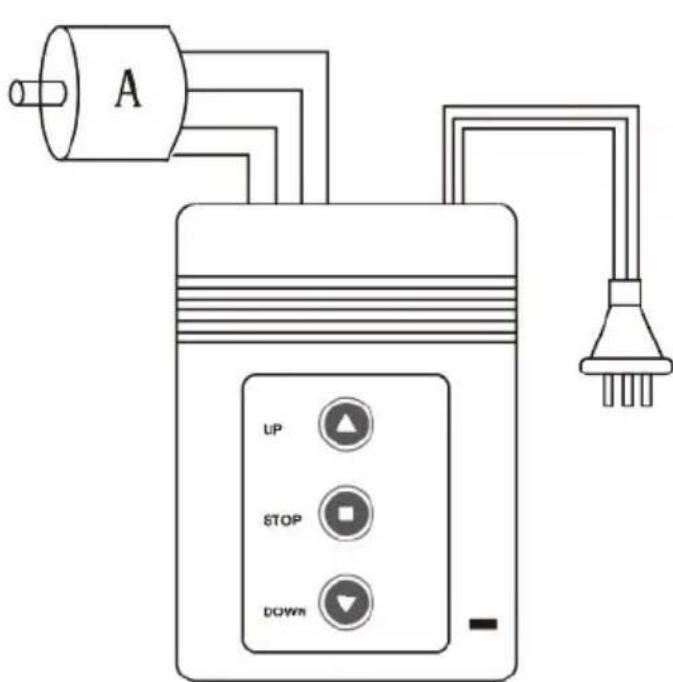
| Wiring | Up: Brown, Middle: Blue, Down: Black, Ground: Yellow-Green |
| Remote Control Battery | 23A 12V |
| Warranty | According to the law of the country of purchase |
| Support Website | www.prixton.com |
Frequently Asked Questions - Cinema Max Prixton
User questions about Cinema Max Prixton
0 question about this device. Answer the ones you know or ask your own.
Ask a new question about this device
Download the instructions for your Monitor in PDF format for free! Find your manual Cinema Max - Prixton and take your electronic device back in hand. On this page are published all the documents necessary for the use of your device. Cinema Max by Prixton.
USER MANUAL Cinema Max Prixton
natural_image
Pure architectural diagram of a rectangular room with vertical supports and a horizontal beam, no text or symbols present.natural_image
Technical line drawing of a mechanical clamp or bracket with four screws (no text or symbols)natural_image
Technical diagram of a mechanical component with a downward arrow indicating force or direction (no text or symbols present)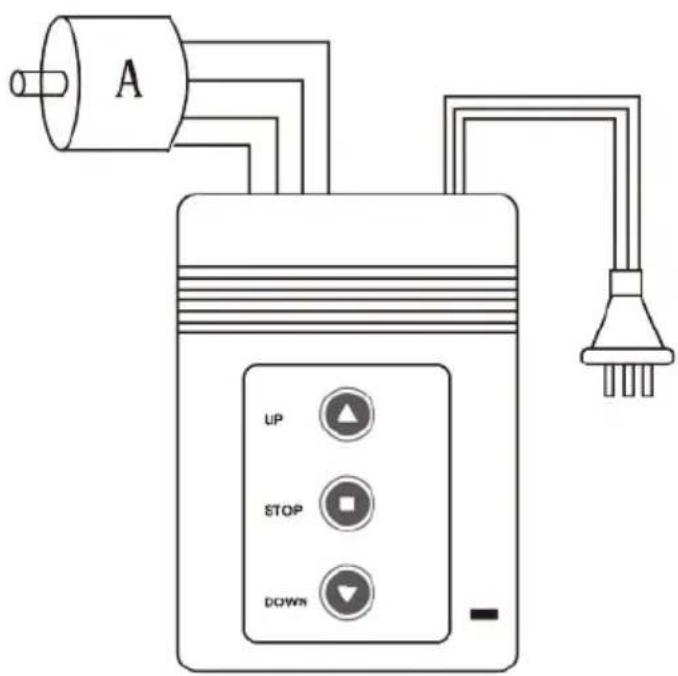
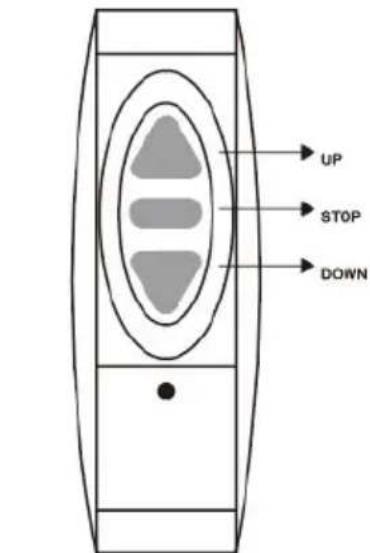
MANDO A DISTANCIA
CONTROLADOR
Alternador
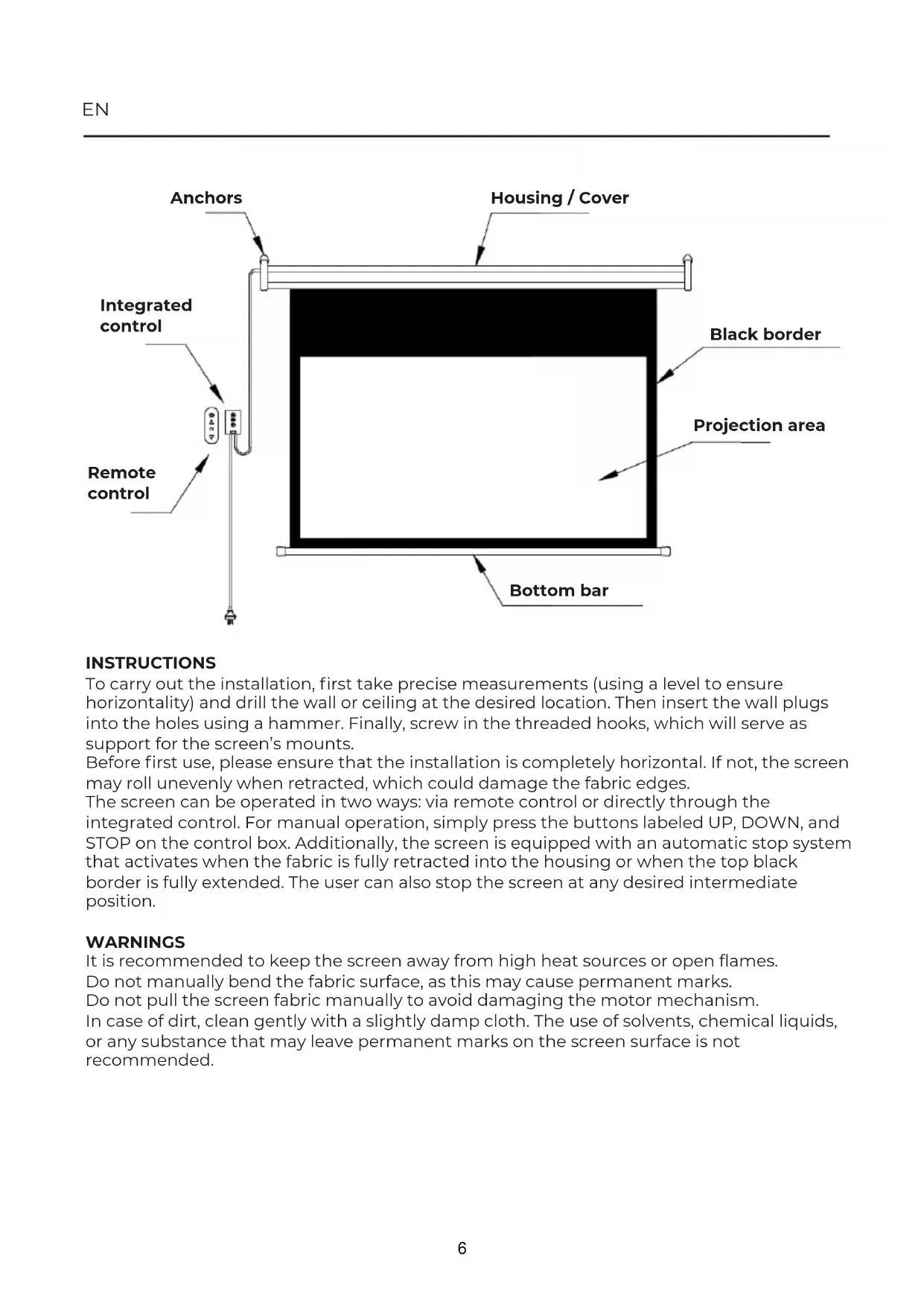
INSTRUCTIONS
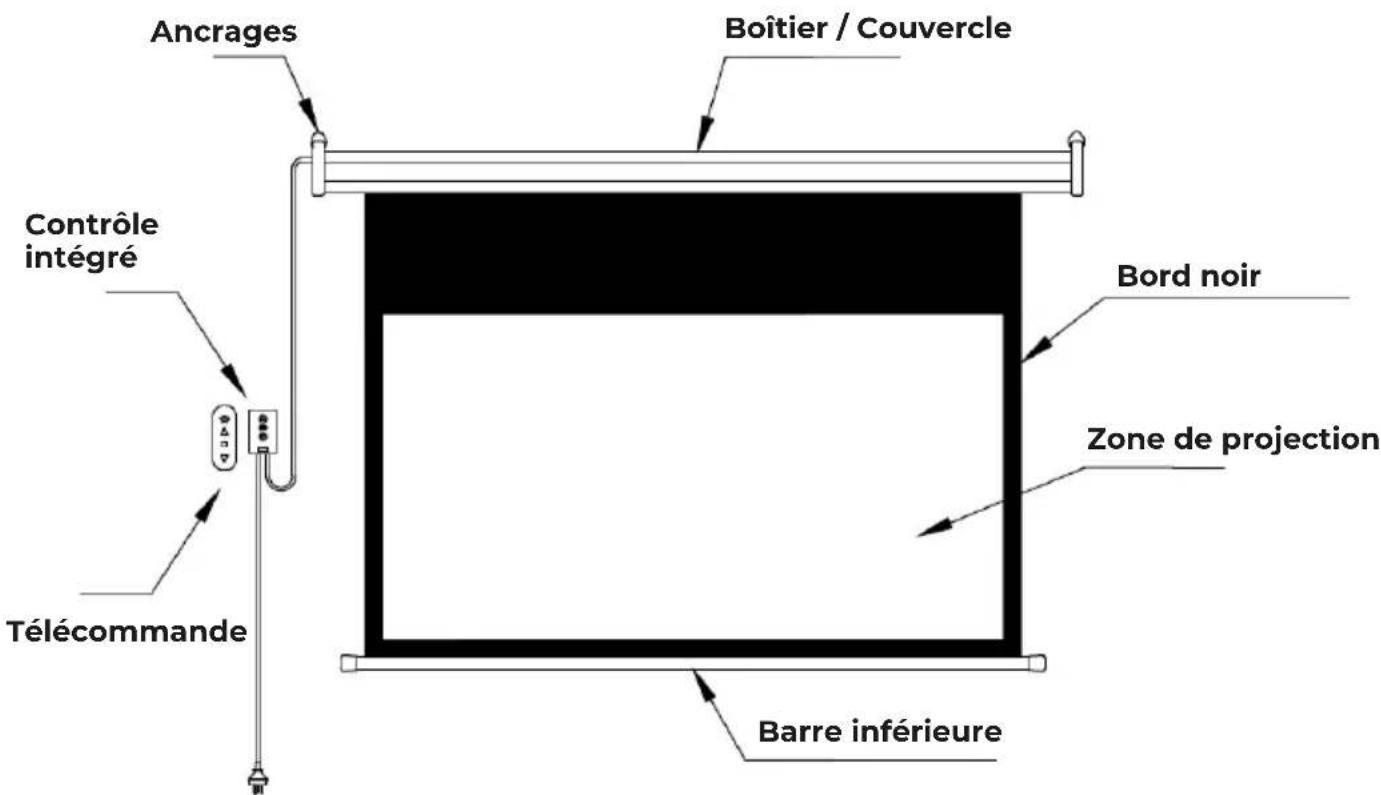
To carry out the installation, first take precise measurements (using a level to ensure horizontality) and drill the wall or ceiling at the desired location. Then insert the wall plugs into the holes using a hammer. Finally, screw in the threaded hooks, which will serve as support for the screen's mounts.
Before first use, please ensure that the installation is completely horizontal. If not, the screen may roll unevenly when retracted, which could damage the fabric edges.
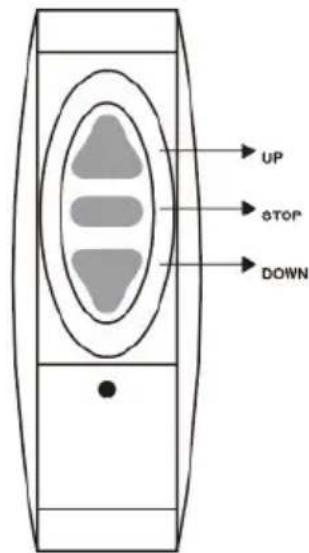
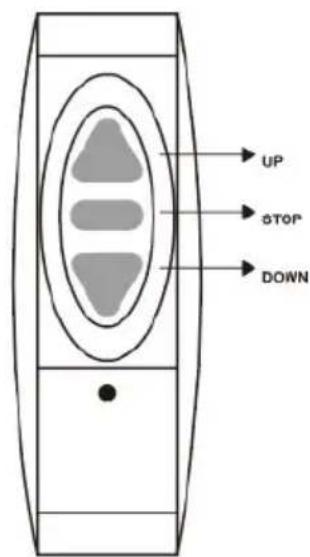
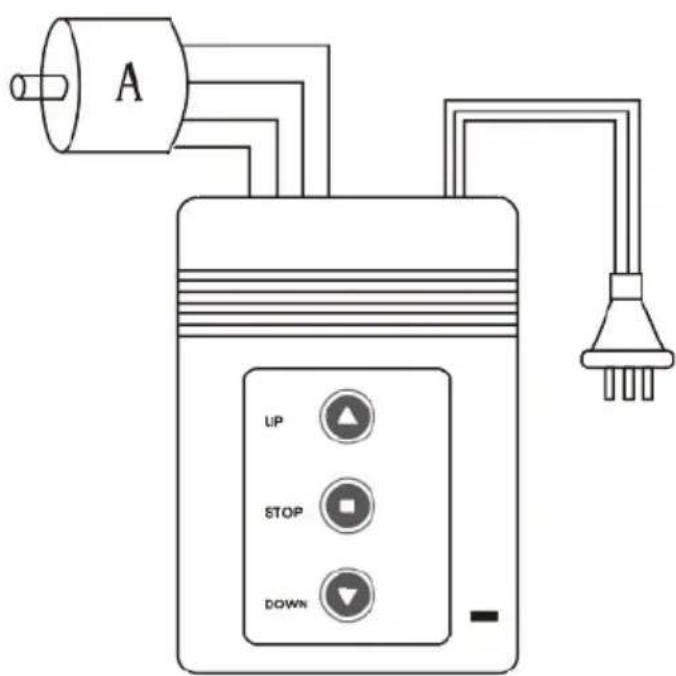
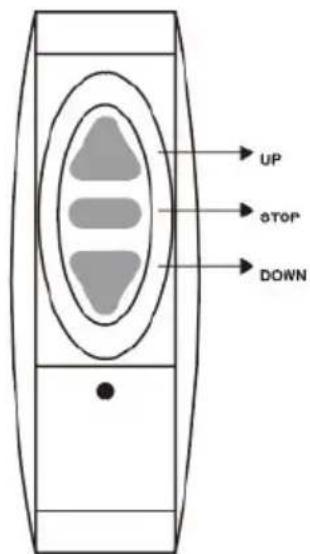
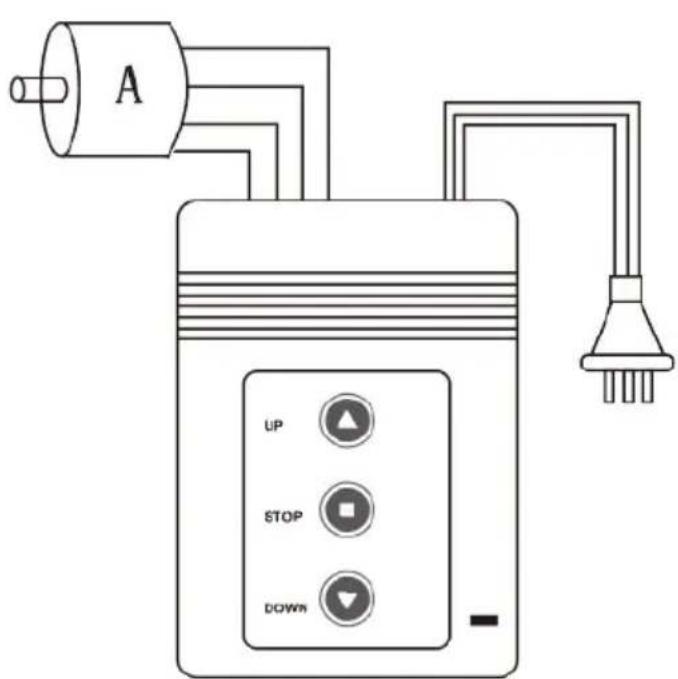
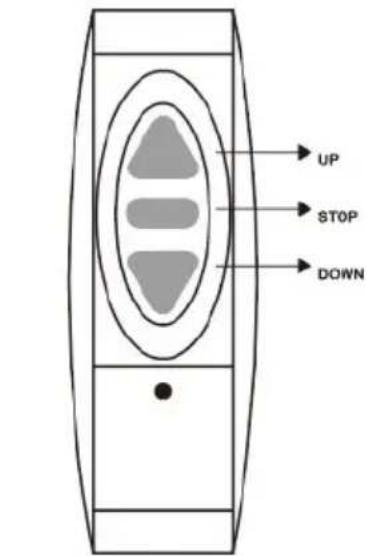
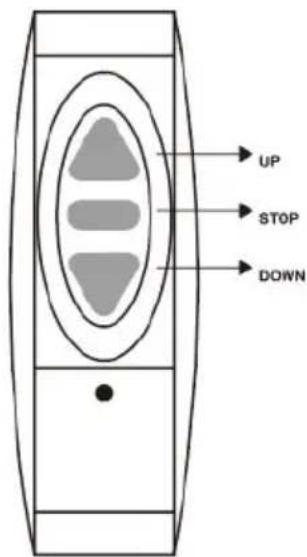
The screen can be operated in two ways: via remote control or directly through the integrated control. For manual operation, simply press the buttons labeled UP, DOWN, and STOP on the control box. Additionally, the screen is equipped with an automatic stop system that activates when the fabric is fully retracted into the housing or when the top black border is fully extended. The user can also stop the screen at any desired intermediate position.
WARNINGS
It is recommended to keep the screen away from high heat sources or open flames.
Do not manually bend the fabric surface, as this may cause permanent marks.
Do not pull the screen fabric manually to avoid damaging the motor mechanism.
In case of dirt, clean gently with a slightly damp cloth. The use of solvents, chemical liquids, or any substance that may leave permanent marks on the screen surface is not recommended.
Electromotor Remote Controller
Installs the schematic drawing
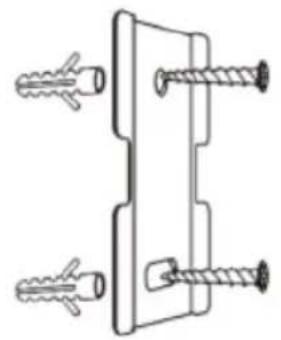
natural_image
Technical line drawing of a mechanical clamp or bracket with four screws (no text or symbols)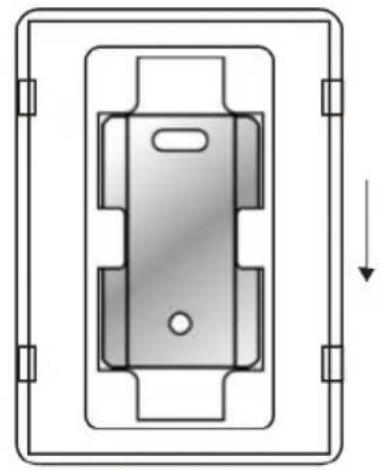
natural_image
Technical diagram of a mechanical component with a downward arrow indicating force or direction (no text or symbols present)Wiring schematic drawing
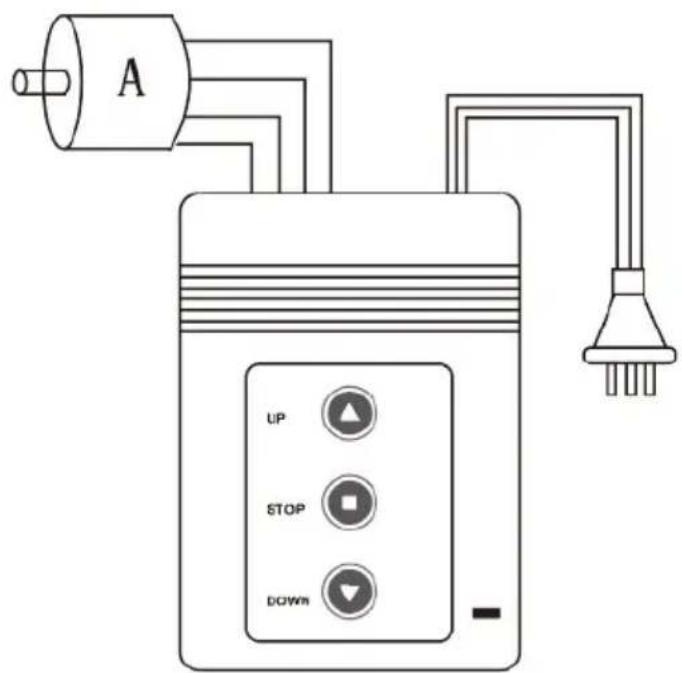
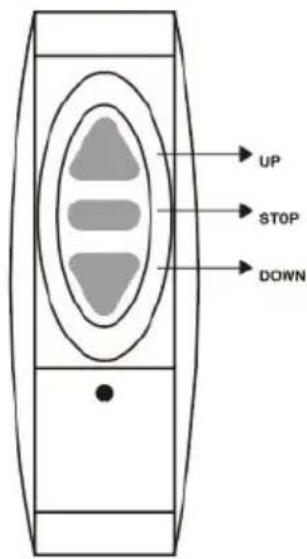
HANDSET
CONTROLLER
Alternator
Up wire colour (Brown)
Middle Wire colour (Blue)
Down wire colour (Black)
Earth wire colour (Yellow Green)
TECHNICAL DATA
Output: current to motor: ≤3A(230VAC or 120VAC)
Maximum effective time of one press button:120's, If over 120's, controller will cut off the power of motor
Working Frequency: RF 315MHz or 433.9MHz; IR 38KHz
Remote control distance: RF≤20m; IR≤10m, ±15° Horizontal
Maximum effective handset for one screen:≤40pcs
NORMAL OPERATION
When screen plug in the power, Power LED on controller will light.
Press Up button,you will hear "du-",Screen will go up.
Press Down button,you will hear "du-",Screen will go down.
Press Stop button, you will hear "du-", Screen will stop.
MATCHING
Keep pressing Stop2 button of controller for 5 seconds, after hearing "du-du-", controller is in matching status.
Press any button of any handset that you want to match with this controller, after hearing "du---", this handset is matched with this controller. Then the controller is out of set up status. (If no other operations in 8 seconds, then the controller is out of set up status.) Keep pressing Stop2 button of controller for 15 seconds, after hearing "du-du-du-", the learned content in the remote control is deleted at the same time.
TROUBLE SHOOTING
Controller no reaction - Please check power Controller working handset not working - Refer matching step to copy signal of handset Only go up or go down - Check connection according to instruction of screen The control distance is shorten or available - Change the battery(23A 12V) Motor not working - Check connection of wires
Warranty policy
This product complies with the warranty law in force in the country of purchase. When you have a problem that you can not solve, you must access the web www.prixton.com and click on the contact option to send us your assistance form. These technical and electrical specifications are those of typical units and may be changed without prior notice in order to provide improved equipment.
Simplified EU Declaration Of Conformity
We, La Trastienda Digital located in Avenida Cervantes 49, módulo 25, Basauri 48970, Bizkaia hereby declare that the following goods, imported and selling at European market:
| BRAND | MODEL NAME DESCRIPTION | CATEGORY | |
| Prixton | CINEMA MAX | Electric projection screen | Image |
Are in compliance with the EC Council Directive of 2014/53/EU (EM DIRECTIVE) and harmonized standards and with the board of the 16th of April 2014.
The complete text of the UE Declaration of conformity is available anytime at this website address:
www.prixton.com
LA TRASTIENDA DIGITAL
natural_image
Technical line drawing of a mechanical clamp or bracket with four screws (no text or symbols)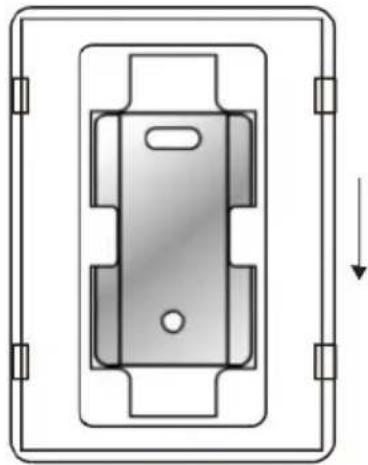
natural_image
Pure technical diagram of a mechanical component with no text or symbolsSchéma de câblage
TÉLÉCOMMANDE
CONTRÔLEUR
Alternateur
natural_image
Technical line drawing of a mechanical clamp or bracket with four screws (no text or symbols)natural_image
Technical diagram of a mechanical component with mounting brackets and a downward arrow indicating force or direction (no text or symbols)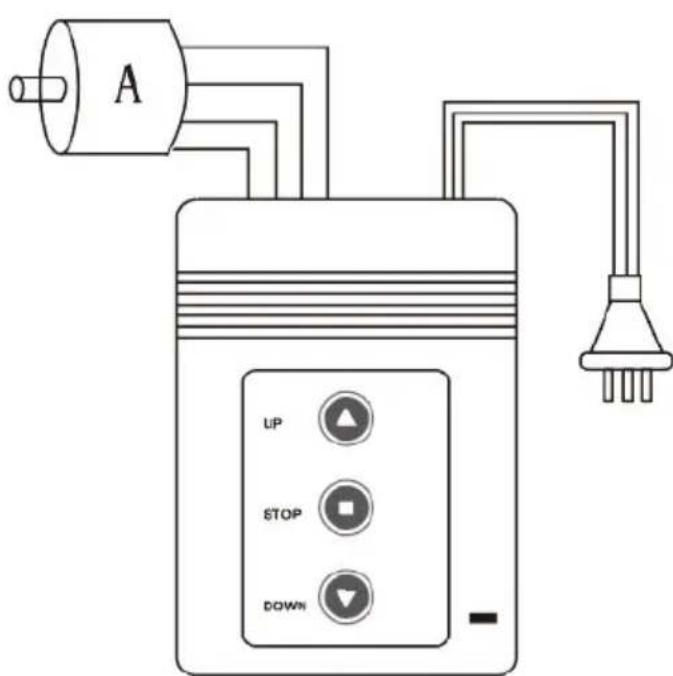
TELECOMANDO
CONTROLLER
Alternatore
natural_image
Technical line drawing of a mechanical clamp or bracket with four screws (no text or symbols)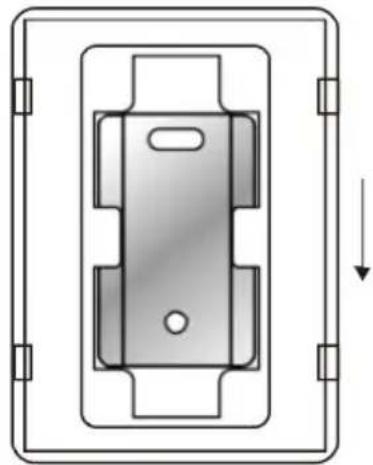
natural_image
Technical diagram of a mechanical component with mounting brackets and a central slot, showing no text or symbols.Verdrahtungsplan
natural_image
Technical line drawing of a mechanical clamp or bracket with four screws (no text or symbols)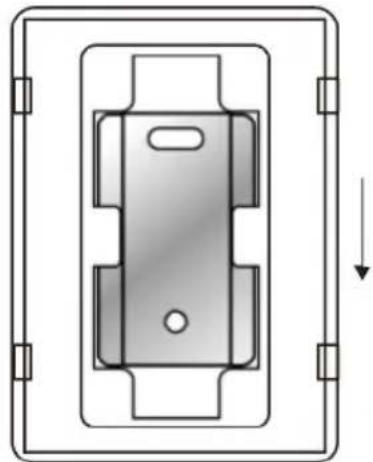
natural_image
Technical diagram of a mechanical component with mounting brackets and a downward arrow indicating force or direction (no text or symbols)Diagrama de Fiação
CONTROLADOR
CONTROLE REMOTO
Alternador
Cor do fio de subida: Marrom
natural_image
Technical line drawing of a mechanical clamp or bracket with four screws (no text or symbols)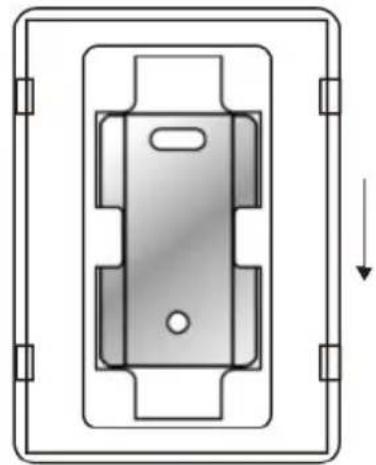
natural_image
Technical diagram of a mechanical component with a downward arrow indicating force or direction (no text or symbols present)Bedradingsschema
AFSTANDSBEDIENING
CONTROLLER
Alternator
| MERK MODEL BESCHRIJVING | CATEGORIE | ||
| Prixton | CINEMA MAX | Electric projection screen | Image |
Brand : Prixton
Model : Cinema Max
Category : Monitor