Easy Creator Selfie Monitor - Monitor ROLLEI - Free user manual and instructions
Find the device manual for free Easy Creator Selfie Monitor ROLLEI in PDF.


| Product type | Wireless selfie monitor for smartphone |
| Brand | Rollei |
| Model | Easy Creator Selfie Monitor |
| Screen | 3.97" (10.08 cm) IPS LCD screen, resolution 480x800, 16:9 format |
| Brightness | 400 nits, adjustable in 3 steps |
| Viewing angle | 0 to 180° |
| Speaker | Built-in, 85 dB, adjustable in 3 steps |
| Wireless connection | Bluetooth 5.8 GHz (5.180-5.825 GHz band, 20 dBm) and screen projection |
| Power supply | Lithium-ion battery 3.7 V / 1300 mAh / 4.81 Wh, USB-C input 5.0 V / 2.0 A |
| Battery life | Approximately 3 hours |
| Dimensions (W x D x H) | 11 x 6.5 x 1.3 cm |
| Weight | 118 g |
| Mounting | Magnetic (adhesive ring included) |
| Operating temperature | -20 to 70°C |
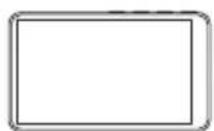
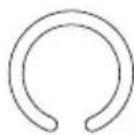
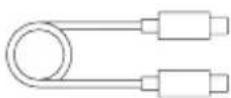
| Box contents | Monitor, adhesive magnetic ring, USB-C charging cable |
| Main functions | Remote shutter, full/standard view toggle, brightness/volume adjustment, channel selection, wireless shooting |
| Safety | Avoid moisture, shocks, extreme temperatures; do not open; use certified 5V/2A charger; lithium-ion battery |
| Maintenance | Clean with a dry, soft cloth; do not use chemicals |
| Repairability | Repairs by qualified personnel only |
| Included accessories | Adhesive magnetic ring, USB-C cable |
Frequently Asked Questions - Easy Creator Selfie Monitor ROLLEI
User questions about Easy Creator Selfie Monitor ROLLEI
0 question about this device. Answer the ones you know or ask your own.
Ask a new question about this device
Download the instructions for your Monitor in PDF format for free! Find your manual Easy Creator Selfie Monitor - ROLLEI and take your electronic device back in hand. On this page are published all the documents necessary for the use of your device. Easy Creator Selfie Monitor by ROLLEI.
USER MANUAL Easy Creator Selfie Monitor ROLLEI
Easy Creator Selfie Monitor
MANUAL IN GERMAN, ENGLISH, CZECH, SLOVAK, SPANISH, FRENCH, ITALIAN, DUTCH, DANISH, SWEDISH, NORWEGIAN, AND FINNISH
www.rollei.de
Rollei
Inhalt
Before First Use. 13
Symbol Explanation 13
Intended Use. 13
Warning and Safety Instructions 13
Product Overview 15
What's in the box 15
Quick Start 16
Functions 17
Technical Specification 20
Disposal 21
EU Declaration of Conformity 22
Deutsh....3
English 13
Česky....23
Slovensky....33
Español....43
Français 53
Italiano 63
Nederlands 73
Dansk 83
Svenska 93
Norsk....103
Suomi 113
natural_image
Line drawing of a smartphone with front camera and rear panel (no text or symbols)Zeichenerklärung
Easy Creator Selfie Monitor x1
natural_image
Diagram of a smartphone showing the front panel and rear camera with an internal circular button (no text or symbols)Aufladen
natural_image
Line drawing of a QSR3898 dual-chamber electronic device with ports and indicator lights (no text or symbols on body)natural_image
Diagram showing a device with ports and an external connector (no text or symbols)Telefon koppeln
natural_image
Illustration of a finger pressing down on a smartphone screen (no text or symbols)8
Spiegeln / Drehen
Technische Daten
Thank you for choosing Rollei.
Read the operating instructions and the safety instructions carefully before using the device for the first time. Keep the operating instructions together with the device for future use. If other people use this device, make this manual available to them. If you pass on the device to a third party, this manual belongs to the device and must be supplied with it.
Symbol Explanation
The following symbols are used in this manual, on the product, or on the packaging.

Products marked with this symbol comply with all applicable regulations of the European Economic Area.

Products marked with this symbol are operated with direct current.
Intended Use
This device is only designed as a wireless smartphone monitor. It must not be used for other purposes.
Warnings and Safety Instructions
NOTICE! Risk of Injury and property damage!
Improper handling of the product may cause damage.
- Do not expose the device to moisture, water, direct sunlight, high humidity or extreme temperatures.
- Keep away from fire, heat sources, and flammable or corrosive chemicals.
- Protect from drops, pressure or mechanical shock.
- Do not cover ventilation openings. Ensure sufficient airflow.
- Do not open or modify the device. Repairs must be carried out by qualified personnel.
– Clean only with a dry, soft cloth. Do not use cleaning agents or solvents.
- Use only original accessories and a certified 5.0 V / 2.0 A USB-C power supply. Keep the device and packaging out of reach of children.
- This device contains a lithium battery. Do not open, expose to heat, or incinerate.
- Keep a safe distance from medical equipment and pacemakers.
- Never place the device on or near hot surfaces (e.g., stovetops) or open flames. Never expose the device to high temperatures (e.g., heaters).
- Do not use a steam cleaner to clean the device.
- Do not continue using the device if any plastic or metal components have cracks, fractures, or deformations.
- Handle the device carefully. Impacts, drops, or shocks may damage the device.
- Do not operate the device if it has visible damage or defects.
- When not using the device, during cleaning, or in case of a malfunction, always turn off the device, remove the battery, and disconnect all connections.
- If the product experiences issues due to static discharge, turn it off and switch it back on after approximately 10 seconds.
Dangers for children and individuals with reduced physical, sensory, or mental capabilities (e.g., partially disabled persons, elderly individuals with physical or mental limitations) or lack of experience and knowledge (e.g., older children).
- This product may be used by children aged 14 years and above.
Cleaning and user maintenance must not be performed by children without supervision. - The packaging material is not a toy. Do not allow children to play with the packaging film. They could become entangled while playing and suffocate.
– Supervise children to ensure they do not play with small parts (e.g., memory cards). If you suspect that a small part has been swallowed, seek medical attention immediately. - Store small parts in a place that is inaccessible to children and animals.
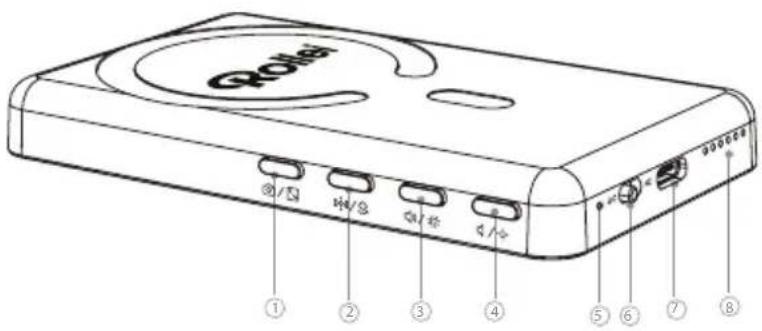
Product Overview
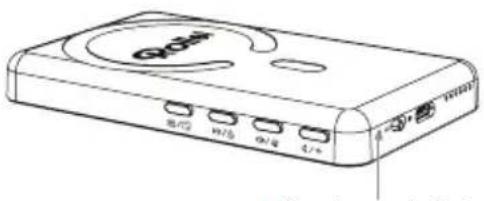
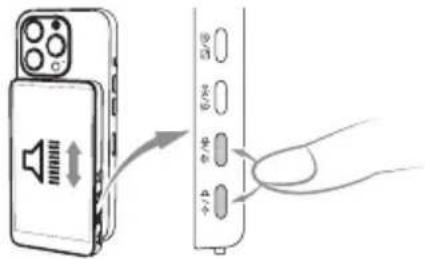
1 Remote Shutter / Aspect Ratio Adjustment Button
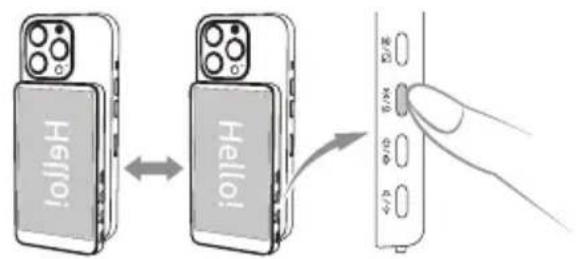
2 Screen Mirror / Rotation Button
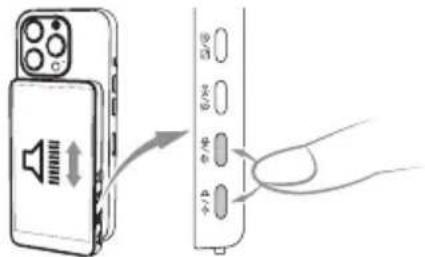
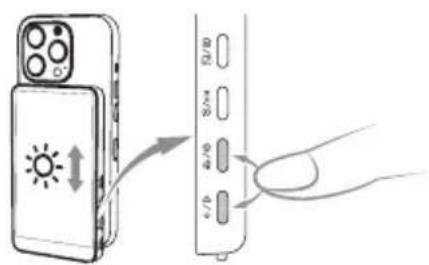
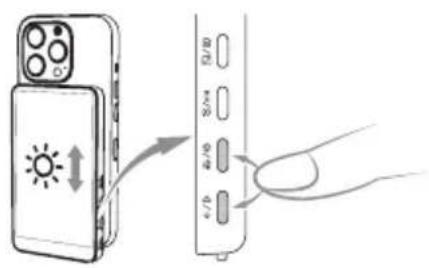
3 Volume / Brightness + Button
4 Volume / Brightness - Button
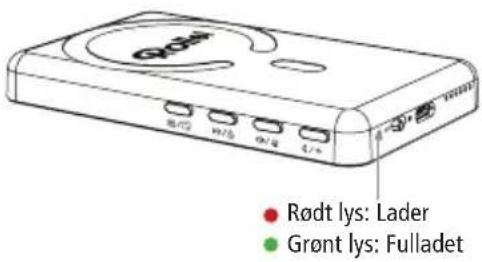
5 Charing Indicator
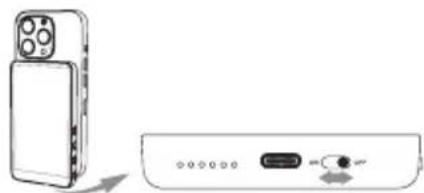
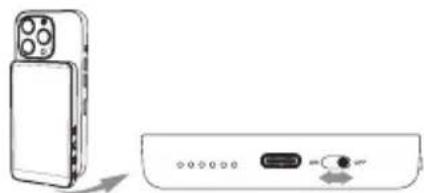
6 Power On/Off Toggle
7 USB-C Charging Port
8 Speaker
What's in the box
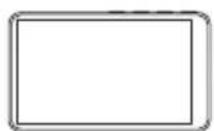
Easy Creator Selfie Monitor x1
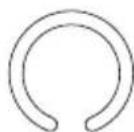
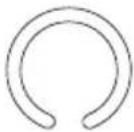
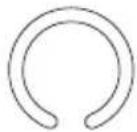
Magnetic Ring Sticker x1
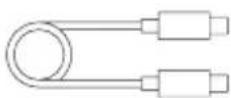
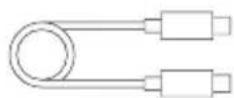
USB-C Charging Cable x1
Quick Start
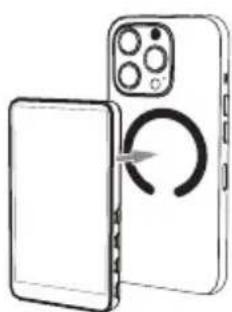
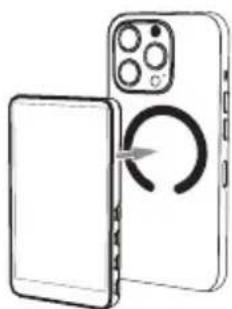
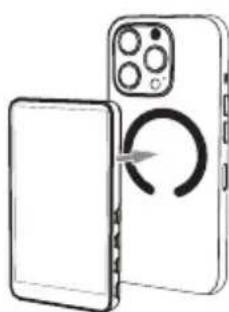
Mounting
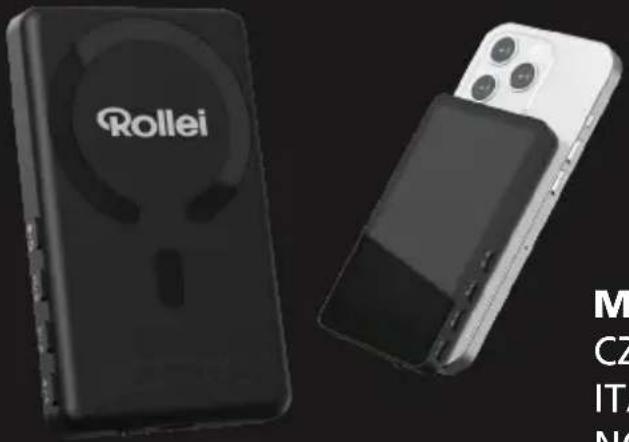
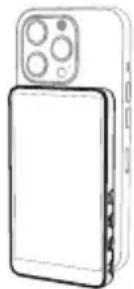
Attach the magnetic ring to your phone. Align and snap the monitor.
Charging
Use a 5.0 V DC 2.0 A USB-C power input.
natural_image
Diagram of a smartphone showing front and back views with a circular arrow indicating rotation (no text or symbols)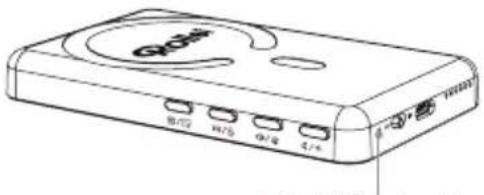
natural_image
Line drawing of a Q2481 desktop computer case with ports and indicator lights (no text or symbols on body)- Red Light: Charging
- Green Light: Fully Charged
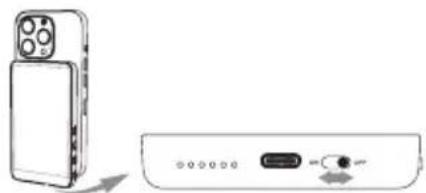
Power On/Off
Slide the switch to On/OFF.
natural_image
Diagram showing a device with a phone and a separate electronic device with an input button (no text or symbols present)Phone Pairing
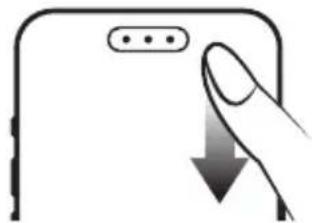
- Swipe down from the top-right corner of your phone screen to open the control center.
- Turn on Bluetooth®*.
natural_image
Illustration of a finger pressing down on a smartphone screen (no text or symbols)ENGLISH
Screen Projection
- Enable the screen projection function (Android: Wireless Projection, iOS: Screen Mirroring) on your phone.
- Click to connect the device (Rollei-XXXX). Some phones may require the PIN code (1234) for first-time connection.
Camera Control
- Enable Bluetooth®* on your phone.
- Click to connect the device (Photo-XXXXXX).
Functions
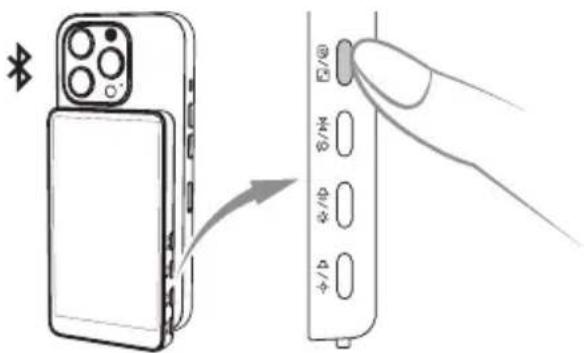
Wireless Shooting
Connect your phone via Bluetooth®*, open the camera, and short press the shutter button to shoot or record.
Screen Mirroring
- iOS: Use "Screen Mirroring".
- Android: Use "Wireless Projection" or "Smart View".
- Connect to "Rollei-XXX".
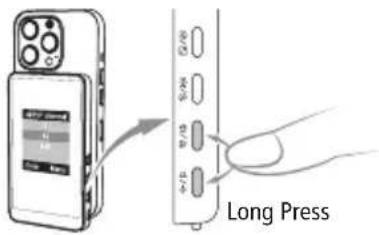
*Some phones require changing the Selfie Monitor channel to connect. Please:
-
Long press both the and on the Selfie Monitor to enter the Channel Selection menu.
-
Short press / to choose a channel. Wait 3 seconds—the system will automatically confirm your selection and return to the connection guide.
-
Reconnect your phone.
ENGLISH
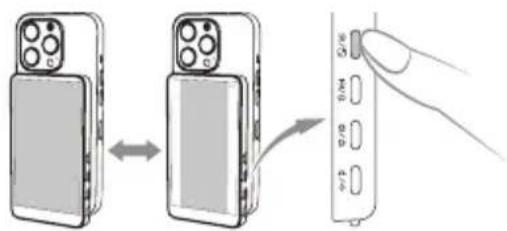
Aspect Ratio
- Long press the shutter button to switch between full and standard view.
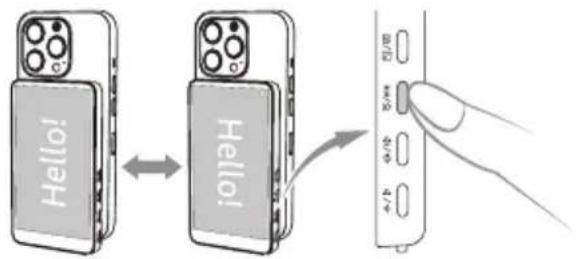
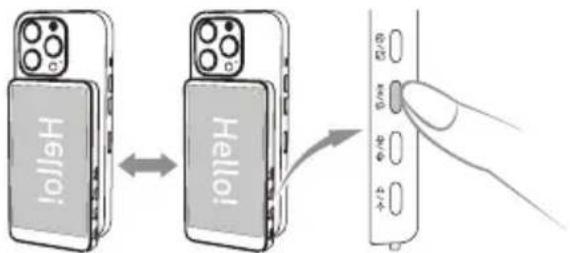
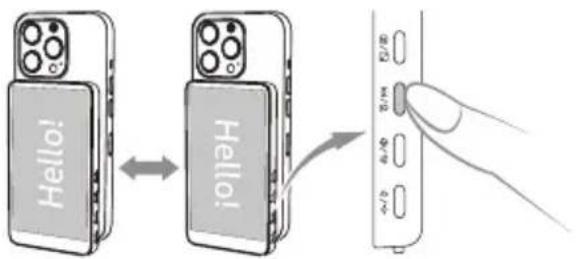
Mirror / Rotate
- Short press: mirror screen.
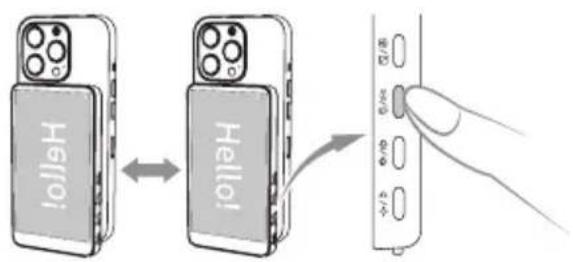
- Long press: rotate 180^ .
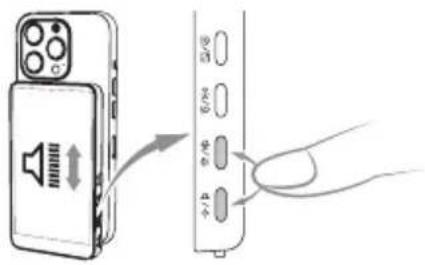
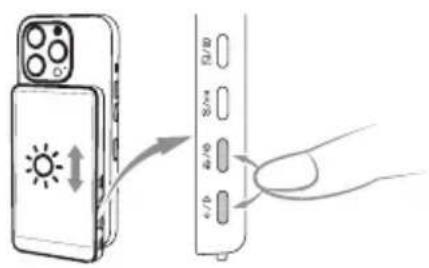
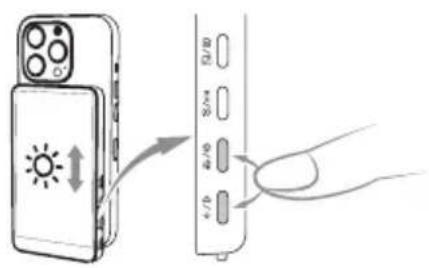
Volume / Brightness
- Volume: short press +/-
- Brightness: long press +/-
Technical Specifications
Screen Type | Panel Type LCD Screen | IPS Panel
Screen Size - Resolution | -Format 3.97" / 10,08 cm | 480 x 800 p | 16:9
Screen Brightness | Viewing angle 400 nits, adjustable in 3 steps | 0 – 180°
Loudspeaker Integrated
Volume 85 db, adjustable in 3 steps
Frequency band | Frequency range | Power 5.8 GHz | 5.180 – 5.825 GHz | 20 dBm
Power supply Lithium-ion battery (3.7 V / 1,300 mAh / 4.81 Wh), input DC 5.0 V / 2.0 A
Connection USB-C
Runtime Approx. 3 hours
Operating temperature -20 – 70°C
Connection Magnetic attachment
Dimensions (L x W x H) | Weight 11 x 6.5 x 1.3 cm | 118 g
What's in the Box and Packaging Details
What's in the box Easy Creator Selfie Monitor, Magnetic Ring Sticker, Charging Cable
We reserve the right to make technical and visual modifications to the product as part of product improvements. *Bluetooth® is a registered trademark of Bluetooth SIG, Inc. and is used under license.
Disposal

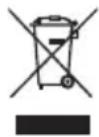
Dispose of the packaging according to its type. Use the local possibilities for collecting paper, cardboard and other materials (applicable in the European Union and other European countries with systems for the separate collection of recyclable materials).
Devices that are marked with this symbol must not be disposed of with household waste! You are legally obliged to dispose of old devices separately from to dispose of household waste. Information on collection points that accept old appliances free of charge can be obtained from your local authority or town council.
Batteries and rechargeable batteries must not be disposed of with household waste! As a consumer, you are legally obligated to ensure that all batteries and rechargeable batteries, whether they contain hazardous substances* or not, are disposed of in an environmentally friendly manner. Batteries and rechargeable batteries are therefore marked with the adjacent symbol. For more information, contact your retailer or return and collection points in your community.
* Labeled as follows: Cd = Cadmium, Hg = Mercury, Pb = Lead
EU Declaration of Conformity
Rollei GmbH & Co. KG hereby declares that the radio equipment type „Easy Creator Selfie Monitor“ complies with Directive
2014/53/EU. The full text of the EU Declaration of Conformity is available at the following internet address:
http://www.rollei.com/egk/ec-selfie-monitor
natural_image
Line drawing of a smartphone with front camera module (no text or symbols)Vysvětlení symbolů
Easy Creator Selfie Monitor x1
natural_image
Diagram of a smartphone showing the right-hand side of its front panel and internal components (no text or symbols present)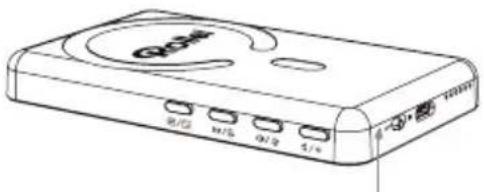
natural_image
Diagram showing a device with a front panel and a rear panel connected to a USB port (no text or symbols present)Párování telefonu
natural_image
Illustration of a finger pressing down on a smartphone screen (no text or symbols)ČEŠTINA
Promítání obrazovky
Zrcadlení obrazovky
Zrcadlo / otáčení
– Jas: dlouhé stisknutí +/-
natural_image
Line drawing of a smartphone with front camera and rear panel (no text or symbols)Vysvetlenie symbolov
Easy Creator Selfie Monitor x1
natural_image
Diagram of a smartphone showing front and back views with an open lid and circular button (no text or symbols)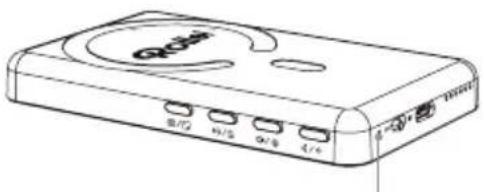
natural_image
Line drawing of a Qwen device with ports labeled 0/2, 0/3, 0/4, and 4/6 (no text beyond labels)- Červené svetlo: Nabíja sa
natural_image
Diagram showing a device with a front panel and a close-up of its internal ports (no text or symbols present)Párovanie telefónu
natural_image
Illustration of a finger pressing down on a smartphone screen (no text or symbols)SLOVENČINA
Zrkadlo/otáčanie
natural_image
Line drawing of a smartphone with front camera and rear panel (no text or symbols)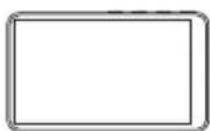
Easy Creator Selfie Monitor x1
Anillo magnético adhesivo x1
natural_image
Diagram of a smartphone showing front and back views with an internal circular component (no text or symbols)Cargando
natural_image
Diagram showing a device with an external rear panel and a separate front view of a device (no text or symbols present)ESPAÑOL
natural_image
Illustration of a finger pressing down on a smartphone screen (no text or symbols)Reflejo de pantalla
- iOS: Utilice "Screen Mirroring".
Espejo / Girar
Volumen / Brillo
natural_image
Line drawing of a smartphone with front camera and rear camera (no text or symbols)natural_image
Diagram of a smartphone showing front and back views with an open screen and a circular button indicating rotation (no text or symbols)Chargement
natural_image
Diagram showing a device with a phone and a USB port, no text or symbols presentFRANÇAIS
natural_image
Hand pointing at a device screen with a downward arrow (no text or symbols visible)Projection d'écran
Miroir d'écran
- iOS : Utiliser le "Screen Mirroring".
- Android : Utilisez "Wireless Projection" ou "Smart View".
FRANÇAIS
Rapport d'aspect
Miroir / Rotation
- Appui court : miroir screen.
- Appui long : rotation de 180°.
Volume / Luminosité
- Volume : appui court +/-
natural_image
Line drawing of a smartphone with front camera and screen (no text or symbols)
Monitor selfie Easy Creator x1
natural_image
Diagram of a smartphone showing the front panel, rear camera, and internal rotation arrow (no text or symbols)Ricarica
natural_image
Diagram showing a device with ports and an external switch, no text or symbols present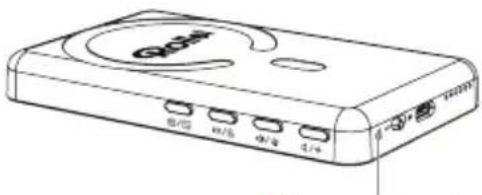
• Luce rossa: In carica
• Luce verde: Completamente carico
ITALIANO
natural_image
Illustration of a finger pressing down on a smartphone screen (no text or symbols)Specifiche tecniche
natural_image
Line drawing of a smartphone with front camera and screen (no text or symbols)Uitleg symbolen
Easy Creator Selfie Monitor x1
Magnetische ringsticker x1
USB-C oplaadkabel x1
Snel starten
Montage
natural_image
Diagram of a smartphone showing front and back views with an internal circular component (no text or symbols)Opladen
natural_image
Diagram showing a smartphone connected to an external device with ports and arrows indicating orientation (no text or symbols present)Telefoon koppelen
natural_image
Illustration of a finger pressing down on a smartphone screen (no text or symbols)Schermprojectie
Scherm spiegelen
Spiegel / Draaien
- Kort indrukken: spiegel screen.
Volume / Helderheid
- Volume: kort indrukken +/-
Technische specificaties
Type scherm LCD-scherm | IPS-scherm
Easy Creator Selfie Monitor x1
natural_image
Diagram of a smartphone showing front and back views with a circular arrow indicating rotation (no text or symbols)Tænd/sluk
Skub kontakten til Til/Fra.
natural_image
Diagram showing a device with a phone and a USB port, no text or symbols presentParring med telefon
natural_image
Illustration of a finger pressing down on a smartphone screen (no text or symbols)DANSK
Skærmprojektion
Skærm spejling
- iOS: Brug "Skærmspejling".
- Android: Brug "Trådløs projektion" eller "Smart View".
- Forbind til "Rollei-XXX".
Spejl / Rotér
- Lysstyrke: langt tryk +/-
Tekniske specifikationer
Easy Creator Selfie Monitor x1
natural_image
Line drawing of a Qwen device with ports labeled 0/2, 0/3, 0/4 and an external connector (no text or symbols beyond labels)• Rött Ijus: Laddar
• Grönt ljus: Fulladdad
natural_image
Diagram of a smartphone showing front and back views with an internal circular component (no text or symbols)Ström på/av
natural_image
Illustration of a smartphone and a USB device with ports and an arrow indicating direction (no text or symbols)Telefonparning
natural_image
Illustration of a finger pressing down on a smartphone screen (no text or symbols)SVENSKA
Skärmprojektion
Spegla / Rotera
Tekniska specifikationer
Easy Creator Selfie Monitor x1
Magnetisk ring-klistremerke x1
USB-C ladekabel x1
Hurtigstart
Montering
Fest den magnetiske ringen til telefonen din. Juster og fest monitoren.
Lading
Bruk en 5,0 V DC 2,0 A USB-C-strøminngang.
natural_image
Diagram of a smartphone showing front and back views with a circular button on the right side (no text or symbols)Av/på
Skyv bryteren til På / AV.
natural_image
Diagram showing a device with a phone module and a separate electronic device with an open button (no text or symbols present)Koble til telefon
natural_image
Illustration of a finger pressing down on a smartphone screen (no text or symbols)NORSK
Skjermprojeksjon
Skjerm speiling
Speil / Roter
- Lysstyrke: langt trykk +/-.
Strømforsyning Lithium-ion batteri (3,7 V / 1 300 mAh / 4,81 Wh), inngang DC 5,0 V / 2,0 A
Tilkobling USB-C
Driftstid Ca. 3 timer
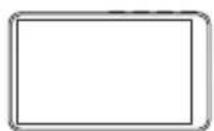
Easy Creator Selfie Monitor x1
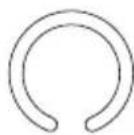
Magneettirengastarra x1
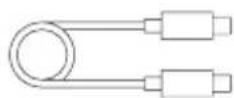
USB-C-latauskaapeli x1
Pika-aloitus
Kiinnitys
natural_image
Diagram of a smartphone showing front and back views with a circular arrow indicating rotation (no text or symbols)