EasyManual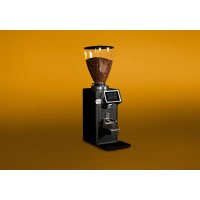
REV Titan - Coffee grinder Ceado - Free user manual and instructions
Find the device manual for free REV Titan Ceado in PDF.


User questions about REV Titan Ceado
0 question about this device. Answer the ones you know or ask your own.
Ask a new question about this device
Download the instructions for your Coffee grinder in PDF format for free! Find your manual REV Titan - Ceado and take your electronic device back in hand. On this page are published all the documents necessary for the use of your device. REV Titan by Ceado.
USER MANUAL REV Titan Ceado
Fig. 3 CONTROL PANEL Grinding degree (grinding adjustment)
1. Read the following instructions carefully before using the appliance.
2. This appliance is intended for internal use only.
3. This appliance is not intended to be used in kitchens (except models
with an equipotential terminal and mentioned in the Installation paragraph).
4. The maximum and minimum room temperature for correct operation
of the appliance are respectively 32°C and 10°C.
5. Installation and maintenance should be carried out by qualified
personnel only who are authorized for such tasks.
6. Make sure that the mains voltage is as indicated on the rating label
of the appliance and that the electrical system is grounded and equipped with a switch.
7. Plug the power cable into a socket protected by a suitably rated
circuit breaker (MCB) or fuses. Do not use an adaptor plug.
8. Install the appliance in a DRY, PROTECTED place, far from water
sprays and jets, heat sources, open flames and inflammable substances.
9. Place the appliance on a flat, horizontal, stable surface where it
cannot tip over. The highest resting surface (bean hopper) must be at a height of not less than 1,5 m.
10. This appliance is intended for professional use, and should therefore
be used by experienced personnel only who are trained for this purpose. This appliance is NOT intended for industrial food processing in mass production.
11. This appliance is not intended for use by persons (including children)
with reduced physical, sensory or mental abilities, or without experience and knowledge, unless they have been instructed in the use of the appliance and are under the supervision of a person who is responsible for their safety. CHILDREN SHOULD BE SUPERVISED SO AS TO ENSURE THAT THEY DO NOT PLAY WITH THE APPLIANCE.41
12. Never use this appliance for purposes other than grinding coffee
beans. Any other use is dangerous. Do not operate without hopper and lid in place.
13. Always work under safe conditions: do not use the appliance with
wet hands or feet. Do not use outdoors.
14. Keep the original package for possible future use. It is the most
suitable protection against damage during transport.
extinguishers. Do not use water or powder extinguishers.
16. Never place the appliance in water!
17. Do not disassemble the appliance or attempt to perform any repairs
18. Always unplug the appliance before performing any maintenance or
cleaning and when it is not in use.
19. Never pull the appliance by the cord to move it. Never unplug it by
pulling the cord or touching it with wet hands. If the power cable is damaged it must be replaced by the manufacturer or by the technical assistance service, or at any rate by a person with similar qualifications, so as to prevent all risks.
20. WARNING: Never place any utensils, metal or other hard materials,
in the bean hopper. This is dangerous and could cause damage.
21. Do not use the appliance if it is damaged or has loose parts.
Immediately contact an authorized Service Center.
22. Noise: the appliance does not exceed 70 dB.
The appliance complies with European regulation CE 1935/2004 and subsequent updates. Note: Due to statistical tests on the product in the factory, some coffee grounds may be found in the appliance.
SAVE THESE INSTRUCTIONS
To consult these instructions on-line, visit the site www.ceado.com42
The EC declaration of conformity for this appliance is available in the Products section of our website www.ceado.com. INSTALLATION Comply with the Safety recommendations indicated above and hereafter when installing the appliance. For the installation of the appliance, qualified personnel must be present who are able to check the fineness of the grind.
1. Make sure that the mains voltage is as indicated on the rating label of the appliance and that
the electrical system is grounded and equipped with a switch.
2. Install the appliance in a DRY, PROTECTED place, far from water sprays and jets, heat
sources, open flames and inflammable substances. Place the appliance on a flat, horizontal, stable surface where it cannot tip over.
3. Put the tray in its housing to keep the work area as clean as possible.
Before connecting the plug to the power socket, make sure that the ON-OFF switch (12 Fig. 2) is in position “O” (OFF).
5. Plug the power cable into a socket protected by a suitably rated circuit breaker (MCB) or fuses.
Do not use an adaptor plug.
6. Stretch the power cable out to full length. Do not let it pass over sharp edges or hot surfaces.
Do not let oil spill on it. Do not let the power cable hang loose from the counter on which the appliance stands.
7. Make sure that the bean hopper is correctly positioned and that its shutter (13 Fig. 1) is
completely open (to the last click). For the installation of the WAM module and the PFA module see the relevant paragraphs.43
Before first use: rinse all of the parts that will have contact with food in running water i.e.: bean hopper, lid, shutter, tray. SWITCHING ON Fill the hopper with coffee beans and close the lid. Turn the ON-OFF switch to position “I” (12 Fig. 2). The control panel display (4 Fig. 1) lights up (see Fig. 4).
Automatic operation with start button (if present): “PFA bypass” mode (Fig. 4) Position the filter-holder on the fork (10 Fig. 1) blocking it under the support (7 Fig. 1) adjusted beforehand according to the model of filter-holder used. Press on the desired dose on the display to start it: To pause the dispensing of the dose in progress, press . To resume dispensing, press . To exit without finishing the dose, press . The display shows the main page. NOTE! Keep the filter holder cup in position until dispensing is completed! In particular in the REV ZERO model, wait for the emptying to complete (Sweep out).
Automatic operation with start button (if present): “Two step start” mode (Fig. 5) Press on the desired dose on the display to select it. The selected dose icon is highlighted. To start the dose, press the start button (8, Fig. 1) with the filter-holder, positioning the latter on the fork (10 Fig. 1). To pause the dispensing of the dose in progress, release the start button. The button starts flashing.
At the start of each dose and during grinding and in any mode (except manual), the work light turns on (colour and brightness can be set in the relevant menu). When pausing the dose, the light turns off. When the dose is complete, the light turns green and flashes slowly three times. Press to exit without finishing the dose End of dose Press t o complete the dose Press to pause the dose45
Fig. 5 Release the button to pause the dose Dose selection Press the start button with the filter-holder to start the dose Press to exit without finishing the dose End of dose
Press the start button again to resume the dose To resume dispensing, press the start button again. To exit without finishing the dose, press . The display shows the main page. NOTE! Keep the filter holder cup in position until dispensing is completed! In particular in the REV ZERO model, wait for the emptying to complete (Sweep out).
Fig. 6 Dose selection Automatic operation with start button (if present): “Click start” mode (Fig. 7) To start the dose, press the start button (8, Fig. 1) once, twice or three times with the filter holder positioned over the fork (10, Fig. 1) to start dose A, B or C respectively. To pause the dispensing of the dose in progress, press . To resume dispensing, press . To exit without finishing the dose, press . The display shows the main page. NOTE! Keep the filter holder cup in position until dispensing is completed! In particular in the REV ZERO model, wait for the emptying to complete (Sweep out).
Automatic operation with start button (if present): “Pre-selected” mode (Fig. 6) In Pulsing ON “Pre-selected” mode, operation is identical to that of the “Two step start” mode with the only difference that the selected dose remains the same even at the end of the dose until another dose is selected (see Fig. 6).47
Press the start button with the filter-holder once, twice or three times Press to pause the dose Press to exit without finishing the dose End of dose Press to complete the dose48
Operation with load cell (if present) (Fig. 8) Position the filter-holder over the load cell (9 Fig. 1) blocking it under the support (7 Fig. 1) adjusted beforehand according to the model of filter-holder used. Press on the desired dose on the display to start it: To exit without finishing the dose, press . The display shows the main page. NOTE! Keep the filter holder cup in position until dispensing is completed! In particular in the REV ZERO model, wait for the emptying to complete (Sweep out).
Fig. 8 Dose selection Press to exit without finishing the dose49
Manual operation To grind coffee continuously, without any time or weight setting, press and hold it until dispensing ends (for the desired time or weight). NOTE! Keep the filter holder cup in position until dispensing is completed! In particular in the REV ZERO model, wait for the emptying to complete (Sweep out).
Fig. 9 Dose: setting the dose grinding time or weight Only for REV ZERO model Reverse time (Sweep out): setting the emptying time. Note: The minimum time is 1.50 seconds. Display layout: customization of the main page Counters: total and partial doses and their reset Burrs: indication of the wear of the burrs and relative reset Fan: Fan mode and filter cleaning Work area light: setting the color and intensity of the working light Start: startup mode settings51
Display Stand-by: inactivity time setting to switch to stand-by Language: display language selection Date/Hour: date and time setting User manual: download the manual on your smartphone Scale: activation/deactivation and calibration of the load cell Manager menu: administrator level Display Brightness: screen brightness adjustment Info: software version information etc. Fig. 1052
To obtain a coarser grind, move the grinding adjustment knob in a counter-clockwise direction.
To obtain a finer grind, move the grinding adjustment knob in a clockwise direction. The grind adjustment page appears (see Fig. 11). To memorize a particular value, select the desired value and press . This value remains set even if you change the grinding degree until a new one is set (see Fig. 11). Fig. 11 Press to fix the value53
INSTALLATION OF THE WAM MODULE (see Fig. 13 e 14) Carry out this operation in a suitable place with the appliance disconnected from the electric power supply. To remove the PFA module, unscrew the relevant screws (1, Fig. 13) with a Phillips screwdriver. Pull the module out slightly, holding it with one hand and with the other detach the two fastons from the module itself (2, Fig. 13). Store the module in a safe place. Insert the cable with the two fastons into the appliance and pull out the connector for the load cell module. Take the WAM module, bring it close to the appliance and connect the connector coming out of the appliance to the module (3, Fig. 14). Carefully insert the module into the appliance and tighten the relevant screws (4, Fig. 14). Turn on the appliance and calibrate the load cell. Fig. 13 Disconnect the two fastons from the module Load cell module connection connector Unscrew the 4 screws of the module
Fig. 15 Activating the load cell mode and its calibration (Fig. 15) To activate the load cell mode, access the relative menu and set the Scale to ON (see Fig. 15). Confirm57
Fig. 16 Place the sample weight Load cell calibration To calibrate the load cell, access the relevant page of the Scale menu (see Fig. 16). Place a sample weight or a known weight (previously weighed with a very precise scale) over the load cell (9 Fig. 1). Write its value. Confirm with the button . Wait for the system to finish the process. Exit the page. Note 1: Wait for confirmation of the completion of the operation (it may take a long time). Note 2: For optimal calibration, it is recommended to use a weight of approximately 500 grams. Write the value of the sample weight and confirm58
INSTALLATION OF THE PFA MODULE (Fig. 17 and 18) Carry out this operation in a suitable place with the appliance disconnected from the electric power supply. To remove the WAM module, unscrew the relevant screws (1, Fig. 17) with a Phillips screwdriver. Pull the module out slightly while holding it with one hand and with the other hand detach the connector (2, Fig. 17) from the module itself. Store the module in a safe place. Insert the cable with the connector into the appliance and pull out the cable with the two fastons for the module with the start button. Take the PFA module, bring it close to the appliance and connect the two fastons (3, Fig. 18) coming out of the appliance with the module (see Fig. 18). Carefully insert the module into the appliance and tighten the relevant screws (4, Fig. 18). Fig. 17 Unscrew the 4 screws of the module Disconnect the connector from the load cell module
Fig. 20 Click start PFA bypass Pre-selected Two step start Setting the start button and start mode (see Fig. 20) To change the operation of the start button, access the Start setup page. Set the “Pulsing” function to “ON” or “OFF” and select the desired mode with and . “Pulsing” to “ON” mode: - Pre-selected - Two step start In these two modes the appliance dispenses coffee only as long as the start button (8 Fig. 1) remains pressed. If this button is released during distribution of a dose, the motor stops, the system goes into pause status and the display shows the time remaining to complete the dose. At this point, to complete the dose just press the start button (8 Fig. 1) again with the filter-holder and keep it pressed until the dose is completed. If, however, you no longer wish to finish the dose, press . The only difference between the two modes is that in Pre-selected the selected dose always remains active while in Two step start you must select the dose each time.61
“Pulsing” to “OFF” mode: - Click start - PFA bypass With the “Click start” mode, dose A will be dispensed by simply pressing the start button (8 Fig. 1), dose B or dose C by quickly pressing the start button two or three times respectively (8 Fig. 1). In this case, coffee dispensing will end only at the end of the time set to dispense the required dose. With the “PFA bypass” mode, the dose will be dispensed by pressing the desired dose. Also in this case the coffee dispensing will end only at the end of the time set to dispense the requested dose. In both modes, to pause the dispensing of the current dose, press the button . To resume dispensing, press . To exit without finishing the dose press . NOTE! In these two modes, keep the filter holder in place until the dispensing is finished! In particular in the REV ZERO model, wait for the emptying to complete (Sweep out). When switching from load cell mode to start button mode, always set the start button.62
WARNINGS AND SUGGESTIONS
Never operate without hopper and lid in place. Make sure that shutter is completely open (to the last click) (see Fig. 22). When the grinder is not to be used during the time when the business is closed, it should always be switched off with the main switch. Put only coffee beans in the hopper, not ready-ground coffee or other substances.
ADJUSTING THE FILTER-HOLDER SUPPORT
The filter-holder support has been designed to work with the different holders found on the most widespread coffee machines on the market. Using a medium size Phillips screwdriver, slacken the support retaining screw, adjust its height and then tighten the screw again (see Fig. 21). The optimum adjustment is the one that supports the filter-holder in a perfectly horizontal position. Fig. 22 Loosen the sc rew with a Phillips screwdriver Loosen the screw with a Phillips screwdriver Fig. 21 Adjust the height of the filter-holder support Module with start button Module with load cell63
FILTER CLEANING For proper ventilation, it is necessary to clean the ventilation grille cover filter when the filter cleaning warning appears (see Fig. 23) by accessing the Filter cleaning page in the Fan menu. Once cleaning is complete, confirm the operation. Furthermore, always in the Fan menu, it is possible to select its operating duration (see Fig. 23). Fig. 23 Confirm that you have cleaned the filter Fan mode: operating time when on: increasing from 1 to 3 Warning filter cleaning To clean the filter and the grille, unscrew the ventilation grille and remove the filter (see Fig. 24). Simply wash the filter with water and leave it to dry in a ventilated place. When the filter is clean and dry, insert it into its seat and fix the ventilation grille with the appropriate screws.64
CLEANING It is important to keep the appliance clean and in good working order to ensure optimum quality of the products and long life of the appliance. Cleaning of the appliance must be carried out by persons with knowledge and practical experience of the appliance. At the end of each working day, clean the outer surfaces dirty with coffee (motor housing, tray, discharge opening etc.). Clean the appliance completely at least once a week. Always disconnect the plug of the appliance from the power socket before cleaning it. To clean the discharge opening (Fig. 25), remove it from its housing after unscrewing the screw that holds it in place (see Fig. 26). Remove dirt and coffee residue using a small brush, taking care not to damage the flap. After cleaning, insert discharge opening into its housing and tighten the screw again. Clean the motor housing and the tray with a cloth dampened with water or alcohol. Wipe with a dry cloth. Never put the appliance under running water and never immerse in water. Once the hopper has been removed it can be washed with lukewarm water and neutral soap, then rinse it and dry well. - Use a brush or a paintbrush to clean the most hidden areas inside the unit and a dry cloth for the other surfaces. Discharge opening Insertion guide into housing (screw side) Fig. 24 Unscrew the screws with a Phillips screwdriver Clean the filter and grille Insert the filter into its seat, position and screw the grille Fig. 2565
MAINTENANCE Maintenance must be carried out exclusively by qualified technical personnel. Care for the mechanical and electrical parts of the appliance is indispensable in order to guarantee their safety and efficiency. If any parts need replaced, authentic spare parts must always be used. The burrs are a part subject to normal wear and the manufacturer recommends replacing them when the coffee grinder signals the need for it with a warning message on the display. The normal wear of the burrs, however, can change according to the type of coffee blend/origin used and the degree of roast, making this indication purely indicative, also because it is influenced by the cleaning and maintenance intervals of the burrs, based on the use of a brush or paintbrush and/or the use of specific products such as Puly Grind. The efficiency of the burrs is important in order to guarantee the quality of the grind as regards size and the temperature of the ground product; these parameters may have a considerable influence on the success of a good espresso coffee. Fig. 26 Unscrew the screw with a Phillips screwdriver Pull out the discharge opening Insertion guide66
TROUBLESHOOTING (see Table) In case of any malfunction, defect of the appliance or if you suspect any breakage after a fall, unplug the appliance immediately. If you are unable to solve the problem referring to the table below, contact an Authorized Service Centre. Only qualified experts should repair the appliance. We are not liable for any damage caused by repairs not made correctly and/or by unauthorized personnel. In these cases the warranty does not apply. Problem Solution The appliance does not turn on.
- Make sure it is plugged in.
- Make sure the safety circuit breaker is closed.
- Check that the main switch of the appliance is ON.
- If the problem occurs itself after a long period of intensive use or overfilling, the motor could be in thermal protection lock! Wait at least 20 minutes and try again. The waiting time can be reduced by putting the appliance in a cool place. The coarseness of the grind is not uniform.
- Try grinding very coarsely for a few seconds, then return to the correct setting.
- Call the Technical Assistance Service to check and change the burrs. The coffee is not coming out of the discharge opening correctly.
- Check that the coffee discharge opening is free and clean it if necessary (see page 64). The motor gets blocked.
- If the motor gets blocked due to incorrect regulation of grinding or to the presence of a foreign body in the burrs, try increasing to the coarsest grain size by turning the adjustment knob counterclockwise (11 Fig. 1). If this is not enough, switch off the appliance, disconnect the plug from the socket and consult technically qualified personnel.67
THE APPLIANCE WITHOUT NOTICE
The manufacturer will not accept any liability and the warranty will be invalidated if there is a failure to follow these instructions and the technical and/or safety standards in the country where the appliance is to be used. In any case these instructions cannot cover every possible event and the user is recommended to use the appliance responsibly. WARRANTY This product is guaranteed against faulty materials and workmanship. The warranty period may vary according to local laws or commercial uses of the country where the product is marketed. Therefore, please contact the retailer from whom the product was purchased. During the warranty period, this product can either be repaired or replaced, at the manufacturer's discretion, at no additional cost only if it has been used according to the instructions in this use and maintenance manual. If the product needs maintenance or repairs during the warranty period, contact your retailer for shipping instructions. The product should be shipped in its original package or other suitable packing. The warranty does not apply in case of neglect, misuse, abuse or unauthorized repairs. This warranty does not apply to parts subject to deterioration through normal use such as wear to the burrs and to the electric parts. The warranty is limited to the costs of repair or replacement of the product or its defective parts, or an amount equivalent to the price paid for its purchase. No additional requests of damages will be available to the purchaser. DISPOSAL Correct disposal of this product (waste electrical and electronic equipment) (Applicable in the European Union and other countries with separate collection systems in conformity with European Directive 2012/19/EU and subsequent updates) This product has been made from high-quality parts and materials, which can be re-used and recycled. Therefore, do not throw the product away with normal household waste at the end of its working life. Take it to a collection point for recycling electrical and electronic devices. This is indicated by this symbol on the product and in the operating manual. Please contact your local government office for information about the exact location of the closer collection point.68