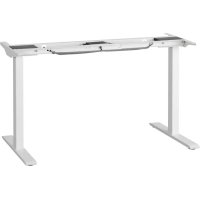
RODULF 604.642.90 - Office IKEA - Free user manual and instructions
Find the device manual for free RODULF 604.642.90 IKEA in PDF.



| Product Type | Height-adjustable sit-stand desk |
| Brand and Model | IKEA RODULF 604.642.90 |
| Desktop Dimensions | 140 x 80 cm |
| Height Adjustment Range | 68 - 115 cm |
| Power Supply | 100-240 V AC, 50/60 Hz, 3.2-1.5 A |
| Standby Power Consumption | < 0.1 W |
| Maximum Load | 70 kg (154 lb) |
| Noise Level | < 50 dB(A) |
| Main Functions | Electromechanical adjustment, single memory, collision detection, automatic stop at end of travel |
| Safety | Do not overload (max 70 kg), do not lift persons, maintain a safe distance during adjustment, always remove chairs before movement |
| Maintenance | Check tightness of screws after 1 week of use; unplug before cleaning or maintenance |
| Repairability | Do not repair yourself; contact your IKEA store or customer service |
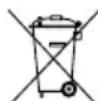
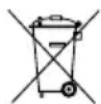
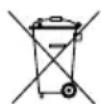
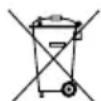
| Recycling | Selective sorting according to local regulations; the crossed-out wheelie bin symbol indicates electronic waste |
| Declaration of Conformity | Included in the packaging as a separate document |
| Intended Use | Indoor, dry rooms (offices or similar environments) |
| Operating Cycle | 1 minute continuous operation, then 9 minutes rest |
| Storage Conditions | Temperature: -18 °C to 70 °C; humidity: 20-90% RH at 40 °C |
Frequently Asked Questions - RODULF 604.642.90 IKEA
User questions about RODULF 604.642.90 IKEA
0 question about this device. Answer the ones you know or ask your own.
Ask a new question about this device
Download the instructions for your Office in PDF format for free! Find your manual RODULF 604.642.90 - IKEA and take your electronic device back in hand. On this page are published all the documents necessary for the use of your device. RODULF 604.642.90 by IKEA.
USER MANUAL RODULF 604.642.90 IKEA
natural_image
Line drawings of two simple wooden desks with vertical supports, no text or symbols presentEnglish 4 Latviešu 49
Deutsch 7 Lietuvių 52
Français 10 Portugues 55
Nederlands 13 Româna 58
Dansk 16 Slovensky 61
Íslenska 19 Български 64
Norsk 22 Hrvatski 67
Suomi 25 Ελληνικά 70
Svenska 28 Русский 73
Česky 31 Українська 76
Español 34 Srpski 79
Italiano 37 Slovenščina 82
Magyar 40 Türkçe 85
Polski 43 عربی 88
Eesti 46
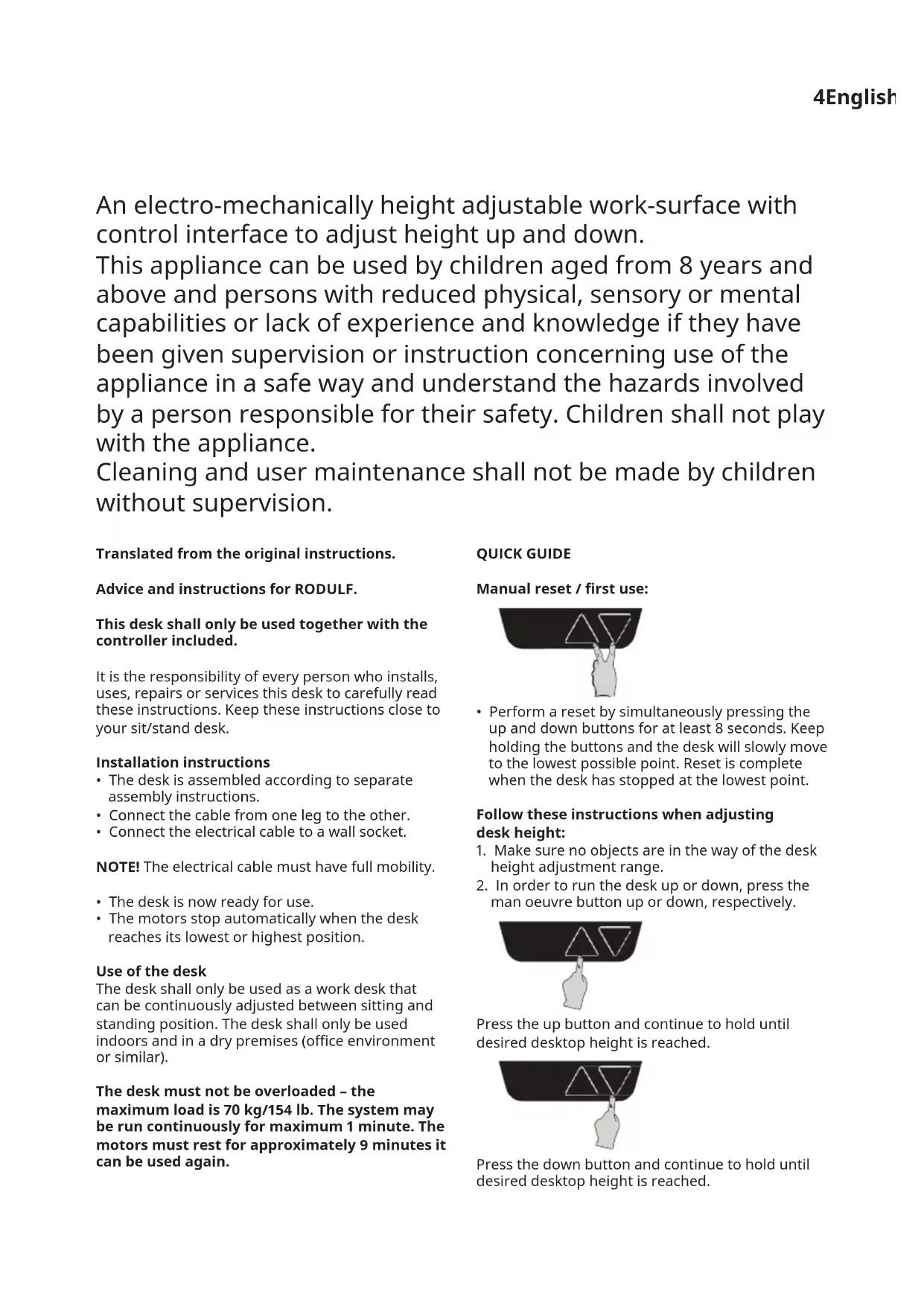
An electro-mechanically height adjustable work-surface with control interface to adjust height up and down.
This appliance can be used by children aged from 8 years and above and persons with reduced physical, sensory or mental capabilities or lack of experience and knowledge if they have been given supervision or instruction concerning use of the appliance in a safe way and understand the hazards involved by a person responsible for their safety. Children shall not play with the appliance.
Cleaning and user maintenance shall not be made by children without supervision.
Translated from the original instructions.
Advice and instructions for RODULF.
This desk shall only be used together with the controller included.
It is the responsibility of every person who installs, uses, repairs or services this desk to carefully read these instructions. Keep these instructions close to your sit/stand desk.
Installation instructions
- The desk is assembled according to separate assembly instructions.
- Connect the cable from one leg to the other.
- Connect the electrical cable to a wall socket.
NOTE! The electrical cable must have full mobility.
- The desk is now ready for use.
- The motors stop automatically when the desk reaches its lowest or highest position.
Use of the desk
The desk shall only be used as a work desk that can be continuously adjusted between sitting and standing position. The desk shall only be used indoors and in a dry premises (office environment or similar).
The desk must not be overloaded – the maximum load is 70 kg/154 lb. The system may be run continuously for maximum 1 minute. The motors must rest for approximately 9 minutes it can be used again.
QUICK GUIDE
Manual reset / first use:
natural_image
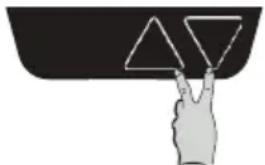
Hand placing a peace sign into a triangular shape (no text or symbols)- Perform a reset by simultaneously pressing the up and down buttons for at least 8 seconds. Keep holding the buttons and the desk will slowly move to the lowest possible point. Reset is complete when the desk has stopped at the lowest point.
Follow these instructions when adjusting desk height:
- Make sure no objects are in the way of the desk height adjustment range.
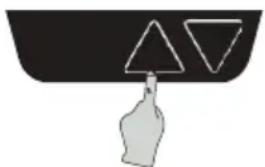
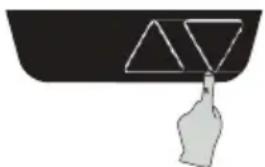
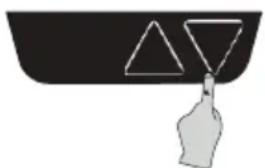
- In order to run the desk up or down, press the man oeuvre button up or down, respectively.

natural_image
Simple line drawing of a hand pressing down on a black surface with two triangles (no text or symbols)Press the up button and continue to hold until desired desktop height is reached.
natural_image
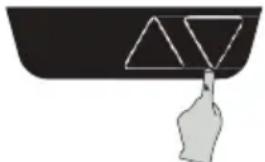
Simple line drawing of a hand holding a triangular object above a container (no text or symbols)Press the down button and continue to hold until desired desktop height is reached.
To access full stroke
- Release the down button at the lowest safe point and then press the down button again for 5 seconds. The desk will move to the mechanical lowest height to have full stroke access.
Simple memory
• To set memory/end positions:
- Move your desk to the level you want to store.
- Press both buttons three times (0.5-1 second between each press).
- Then press "up" or "down" to set the position (0.5-1 second).
- Do the same for your second stored setting.
Collision detection
- The system is designed to avoid possible damages to equipment due to collision. When desk detects a sudden change in resistance it will stop the movement and reverse approximately 50mm. 25mm of travel to activate in both direction.
Safety regulations
- When the desk is run up/down, keep the necessary safety distance to avoid being trapped between the moving desk top and fixed objects in the surrounding area.
- When the desk is run up/down the user should keep watch so that nobody is injured or no object is damaged. The desk top must not bump into a fixed object in case it overturns. Remove any office chair before the desk is run up/down, each time.
- The desk legs must not be altered or reconstructed in any way. During service and repair work of the desk, the electrical cable must always be disconnected from the wall socket.
- Modifications to the legs are absolutely prohibited.
- The desk must not be used as a hoisting device for people.
Maintenance and repair instructions
After approximately 1 week of use, check that the screws are properly tightened.
- If the desk cannot be lowered or raised, check the connections between the control box and the wall socket.
- If any part of the electrical system is to be replaced, the electrical cable must first be disconnected from the wall socket.
- Replace the electrical part and then reconnect the electrical cable to the wall socket. The desk is now ready for use.
If the desk still does not work, please contact your nearest IKEA store or customer service.
Product servicing
Do not attempt to repair this product yourself, as opening or removing covers may expose you to dangerous voltages or other risks.
EU Declaration of Conformity is included in the packaging as a separate document.
Manufacturer: IKEA of Sweden AB
Address: Box 702, SE-343 81 Älmhult, SWEDEN
Telephone no.: +46(0)476-648500
SAVE THESE INSTRUCTIONS
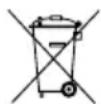
The crossed-out wheeled bin symbol indicates that the item should be disposed of separately from household waste. The item should be handed in for recycling in accordance with local environmental regulations for waste disposal. By separating a marked item from household waste, you will help reduce the volume of waste sent to incinerators or land-fill and minimize any potential negative impact on human health and the environment. For more information, please contact your IKEA store.
Technical data
| Model name RODULF si/st desk 140x80 | |
| Type number RODULF-GF-470 | |
| Input 100–240 V AC 50/60 Hz, 3.2-1.5 A | |
| Standby power consumption <0.1 W | |
| Temperature interval at usage: 50–104 °F or 10–40 °C | |
| Temperature interval at storage: 0–158 °F or -18–70 °C | |
| Operating humidity 20–90 % RH at 40 °C | |
| Sound level: <50 dB(A) | |
| Height setting interval: 68–115 cm or 26.8–45.3 inches | |
| Maximum load: 70 kg or 154 lb | |
Trouble shooting guide
NOTE!
Do always disconnect the cable from the wall socket before maintenance!
| Symptom Check Try | ||
| The desk does not move. | Make sure that all cable are connected. | Connect the cables.Follow installation instructions and perform a reset. |
| Unplug the desk from the wall socket for roughly 1 minute and reconnect. | ||
| Only one column is moving. | Perform a reset. If there's still only one column moving, replace the column that is not moving. | |
| The columns are moving at different speeds. | It is possible to move the slower column by pulling/pushing. | Replace the column that is moving slower. |
| It is not possible to move the slower column by pulling/ pushing. | Replace the column that is moving faster. | |
| The desk only moves short distances. | Make sure that the desk is not overloaded. | Unload the desk. If the problem remains, replace the control box. |
| The desk stops and reverse during operation. | Make sure that nothing is blocking the desk movement. | Remove the obstacle. If the problem remains replace the whole underframe. |
| The desk is not able to drive all the way up or all the way down. | Check all connections.Perform a reset. | |
| The desk can only drive in one direction (up or down). | ||
| The desk is not horizontal. |
natural_image
Hand pointing at a triangular shape on a dark surface (no text or symbols)natural_image
Simple line drawing of a hand pressing down on a black surface with two triangles (no text or symbols)natural_image
Simple line drawing of a hand holding a triangular object above a container (no text or symbols)natural_image
Hand gesture showing a hand pressing down at a triangular shape (no text or symbols)natural_image
Simple line drawing of a hand pressing down on a black surface with two triangles (no text or symbols)natural_image
Simple line drawing of a hand holding a triangular object above a container (no text or symbols)Fabricant : IKEA of Sweden AB
Adresse : Box 702, SE-343 81 Älmhult, SUÈDE
Téléphone n: +46(0)476-648500
CONSERVER CES INSTRUCTIONS
natural_image
Hand placing a peace sign into a triangular shape (no text or symbols)natural_image
Simple line drawing of a hand pressing down on a black container with two triangles above (no text or symbols)natural_image
Simple line drawing of a hand holding a bottle with two triangles above it, no text or symbols present.natural_image
Hand gesture pointing at two triangles on a dark surface (no text or symbols)natural_image
Simple line drawing of a hand pressing down on a black surface with two triangles (no text or symbols)natural_image
Simple line drawing of a hand holding a triangular object above a black container (no text or symbols)Producent: IKEA of Sweden AB
natural_image
Hand gesture pointing at a triangle shape on a dark surface (no text or symbols)natural_image
Simple line drawing of a hand pressing down on a black surface with two white triangles (no text or symbols)natural_image
Simple line drawing of a hand holding a triangular object above a black container (no text or symbols)Framleiðandi: IKEA of Sweden AB
Heimilisfang: Box 702, SE-343 81 Älmhult, SWEDEN
natural_image
Hand gesture pointing at two triangles on a dark surface (no text or symbols)natural_image
Simple line drawing of a hand pressing down on a black surface with two white triangles (no text or symbols)natural_image
Simple line drawing of a hand holding a bag attached to a black container with two white triangles above (no text or symbols)Produsent: IKEA of Sweden AB
Adresse: Box 702, SE-343 81 Älmhult, SWEDEN
Telefonnr.: +46(0)476-648500
TA VARE PÅ DISSE INSTRUKSENE
natural_image
Hand placing a peace sign into a triangular shape on a dark surface (no text or symbols)natural_image
Simple line drawing of a hand pressing down on a black surface with two white triangles (no text or symbols)natural_image
Simple line drawing of a hand holding a triangular object above a black container (no text or symbols)natural_image
Hand pointing at a black triangular shape with two white triangles above it (no text or symbols)natural_image
Simple line drawing of a hand pressing down on a black surface with two white triangles (no text or symbols)natural_image
Simple line drawing of a hand holding a triangular object above a container (no text or symbols)natural_image
Hand gesture pointing at two triangles on a dark surface (no text or symbols)natural_image
Simple line drawing of a hand pressing down on a black surface with two triangles (no text or symbols)natural_image
Simple line drawing of a hand holding a bottle with two triangular shapes above it (no text or symbols)natural_image
Hand pointing at a triangular shape with a triangle inside, above a curved surface (no text or symbols)natural_image
Simple line drawing of a hand pressing down on a black surface with two white triangles (no text or symbols)natural_image
Simple line drawing of a hand holding a triangular object above a black container (no text or symbols)natural_image
Hand gesture pointing at two triangles on a dark surface (no text or symbols)natural_image
Simple line drawing of a hand pressing down on a black surface with two white triangles (no text or symbols)natural_image
Simple line drawing of a hand holding a triangular object above a black container (no text or symbols)natural_image
Hand gesture pointing at two triangles on a dark surface (no text or symbols)natural_image
Simple line drawing of a hand holding a triangular object above a curved container (no text or symbols)natural_image
Simple line drawing of a hand holding a triangular object above a black container (no text or symbols)natural_image
Hand pointing at a triangular shape with a hand gesture (no text or symbols)natural_image
Simple line drawing of a hand pressing down on a black surface with two white triangles (no text or symbols)natural_image
Simple line drawing of a hand holding a triangular object above a black container (no text or symbols)Producent: IKEA of Sweden AB
Adres: Box 702, SE-343 81 Älmhult, SZWECJA
Numer telefonu: +46 (0) 476-648500
ZACHOWAJ TĘ INSTRUKCJĘ
natural_image
Hand pointing at a triangular shape on a dark surface (no text or symbols)natural_image
Simple line drawing of a hand pressing down on a black surface with two triangles above (no text or symbols)natural_image
Simple line drawing of a hand holding a triangular object above a black container (no text or symbols)Tootja: IKEA of Sweden AB
Aadress: Box 702, SE-343 81 Älmhult, SWEDEN
Telefoninumber: +46(0)476-648500
HOIA SEE JUHEND ALLES
natural_image
Hand gesture pointing at a triangular shape on a dark surface (no text or symbols)natural_image
Simple line drawing of a hand pressing down on a black surface with two white triangles above (no text or symbols)natural_image
Simple line drawing of a hand holding a triangular object above a container (no text or symbols)natural_image
Hand pointing at two triangles on a dark surface (no text or symbols)natural_image
Simple line drawing of a hand pressing down on a black surface with two white triangles (no text or symbols)natural_image
Simple line drawing of a hand holding a triangular object above a container (no text or symbols)natural_image
Hand pointing at two triangles on a dark surface (no text or symbols)natural_image
Simple line drawing of a hand pressing down on a black surface with two triangles (no text or symbols)natural_image
Simple line drawing of a hand pressing down on a black surface with two white triangles (no text or symbols)natural_image
Hand pointing at a geometric shape resembling a triangle and inverted triangle (no text or symbols)natural_image
Simple line drawing of a hand pressing down on a black surface with two white triangles (no text or symbols)natural_image
Simple line drawing of a hand holding a triangular object above a curved surface (no text or symbols)natural_image
Hand gesture showing a hand pressing down on a black surface with two triangles (no text or symbols)natural_image
Simple line drawing of a hand pressing down on a black surface with two white triangles (no text or symbols)natural_image
Simple line drawing of a hand holding a triangular object above a dark container (no text or symbols)natural_image
Hand gesture pointing at a triangular shape (no text or symbols)natural_image
Simple line drawing of a hand holding a triangular object above a curved surface (no text or symbols)natural_image
Simple line drawing of a hand holding a triangular object above a container (no text or symbols)natural_image
Hand pointing at a triangular shape on a dark surface (no text or symbols)- Proizvod se ponovno pokreće istovremenim pritiskom na gumbe za pomicanje gore i dolje barem 8 sekundi. Držati gumbe pritisnutima te će se stol polako pomicati do najnižeg položaja. Ponovno pokretanje je završeno kada se stol zaustavi u najnižem položaju.
natural_image
Simple line drawing of a hand holding a triangular object above a black container (no text or symbols)natural_image
Simple line drawing of a hand holding a triangular object above a black container (no text or symbols)natural_image
Hand gesture pointing at two triangles on a dark surface (no text or symbols)natural_image
Simple line drawing of a hand pressing down on a black surface with two white triangles (no text or symbols)natural_image
Simple line drawing of a hand holding a triangular object above a container (no text or symbols)natural_image
Hand placing a peace sign into a triangular shape (no text or symbols)natural_image
Simple line drawing of a hand pointing at two triangles inside a container (no text or symbols)natural_image
Simple line drawing of a hand holding a triangular object above a black container (no text or symbols)natural_image
Hand gesture pointing at two triangles on a black background (no text or symbols)natural_image
Simple line drawing of a hand pressing down on a black surface with two white triangles (no text or symbols)natural_image
Simple line drawing of a hand holding a triangular object above a container (no text or symbols)natural_image
Hand pointing at two triangles on a dark surface (no text or symbols)- Resetuj proizvod tako što ćeš istovremeno držati dugmad za pomeranje gore i dole tokom najmanje 8 sekundi. Nastavi da držiš dugmad, a sto će se lagano spustiti na najniži položaj. Resetovanje je završeno kada se sto zaustavi u najnižem položaju.
Prati ova uputstva prilikom podešavanja visine radnog stola:
- Pobrini se da nema prepreka koje bi blokirale putanju kretanja stola.
- Da sto pomeriš gore ili dole, pritisni odgovarajuće dugme za željeni smer.
natural_image
Simple line drawing of a hand pressing down on a black surface with two triangles (no text or symbols)Pritisni i drži dugme za pomeranje naviše i nastavi da ga držiš dok se sto ne popne na željenu visinu.
natural_image
Simple line drawing of a hand holding two triangles above a black container (no text or symbols)Pritisni i drži dugme za pomeranje naniže i nastavi da ga držiš dok se sto ne spusti na željenu visinu.
Da aktiviraš pomeranje duž celog raspona
- Otpusti dugme za pomeranje naniže u najnižem bezbednom položaju, a zatim pritisni i drži isto dugme 5 sekundi. Sto će početi da se pomera do mehanički najniže tačke, pružajući ti potpuni raspon.
natural_image
Hand gesture showing a hand pressing down on a black surface with two triangles above (no text or symbols)natural_image
Simple line drawing of a hand pressing down on a black surface with two white triangles (no text or symbols)Pritisni za pomik navzgor in ga drži, dokler ni miza ustrezno visoka.
natural_image
Simple line drawing of a hand holding a triangular object above a black container (no text or symbols)Pritisni gumb za pomik navzdol in ga drži, dokler ni miza ustrezno visoka.
Celoten razpon
natural_image
Hand pointing at a geometric shape resembling a triangle and an inverted triangle (no text or symbols)natural_image
Simple line drawing of a hand pressing down on a black surface with two white triangles (no text or symbols)natural_image
Simple line drawing of a hand holding a triangular object above a black container (no text or symbols)natural_image
Hand pointing at a triangle symbol (no text or labels)natural_image
Simple line drawing of a hand pressing down on a black surface with two white triangles (no text or symbols)natural_image
Simple line drawing of a hand holding two triangles above a black container (no text or symbols)- Installation instructions
- Use of the desk
- QUICK GUIDE
- Follow these instructions when adjusting desk height:
- To access full stroke
- Simple memory
- Collision detection
- Safety regulations
- Maintenance and repair instructions
- Product servicing
- Manufacturer: IKEA of Sweden AB
- SAVE THESE INSTRUCTIONS
- Trouble shooting guide
- NOTE!
- Producent: IKEA of Sweden AB
- Framleiðandi: IKEA of Sweden AB
- Tootja: IKEA of Sweden AB
- HOIA SEE JUHEND ALLES
- Prati ova uputstva prilikom podešavanja visine radnog stola:
- Da aktiviraš pomeranje duž celog raspona
- Celoten razpon
Brand : IKEA
Model : RODULF 604.642.90
Category : Office