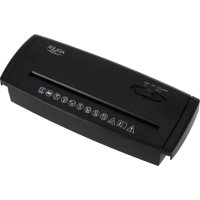
AD 1040 - Shredder ADLER - Free user manual and instructions
Find the device manual for free AD 1040 ADLER in PDF.
 FR
FR
 AZ
AZ
 BG
BG
 CS
CS
 DA
DA
 DE
DE
 EL
EL
 EN
EN
 ES
ES
 ET
ET
 FI
FI
 HU
HU
 IT
IT
 KA
KA
 LT
LT
 LV
LV
 MK
MK
 NL
NL
 PL
PL
 PT
PT
 RO
RO
 RU
RU
 SK
SK
 SL
SL
 SQ
SQ
 SR
SR
 SV
SV
 UK
UK
| Product Type | Document shredder |
| Brand | Adler |
| Model | AD 1040 |
| Power Supply | 220-240 V ~ 50/60 Hz |
| Power | 150 W |
| Cutting Capacity | 5 A4 sheets (80 g/m²) |
| Cutting Width | 6.8 mm |
| Security Level | P-1 |
| Noise Level | 72 dB |
| Continuous Run Time | 2 minutes |
| Required Cool-down Time | 30 minutes |
| Max Paper Width | 22 cm |
| Max Paper Weight | 80 g/m² |
| Functions | Auto, Reverse, Off |
| Expandable Frame (for basket) | 26 to 34 cm |
| Intended Use | Domestic, indoor only |
| Accepted Materials | Paper (without staples or paper clips) |
| Maintenance | Clean with a damp cloth; do not use aerosol |
| Safety | Auto stop at end of cycle; Reverse anti-jam function |
| Power Supply Type | Mains plug with earth connection |
Frequently Asked Questions - AD 1040 ADLER
User questions about AD 1040 ADLER
0 question about this device. Answer the ones you know or ask your own.
Ask a new question about this device
Download the instructions for your Shredder in PDF format for free! Find your manual AD 1040 - ADLER and take your electronic device back in hand. On this page are published all the documents necessary for the use of your device. AD 1040 by ADLER.
USER MANUAL AD 1040 ADLER
natural_image
Black electronic device with control buttons and a logo (no readable text or symbols beyond branding)AD 1040
| EN | User Manual | 3 | PL | Instrukcja obsługi | 114 |
| DE | Bedienungsanleitung | 9 | IT | Manuale d'uso | 121 |
| FR | Mode d'emploi | 17 | SV | Bruksanvisning | 128 |
| ES | Manual de usuario | 24 | BG | Ръководство за употреба | 134 |
| PT | Manual de Instruções | 31 | DA | Brugsanvisning | 142 |
| LT | Naudojimo instrukcija | 38 | SK | Používatel'ská príručka | 148 |
| LV | Lietošanas instrukcija | 45 | BS | Korisnički priručnik | 155 |
| ET | Kasutusjuhend | 51 | MK | Упатство за употреба | 162 |
| HU | Használati útmutató | 58 | HR | Korisnički priručnik | 169 |
| RO | Manual de utilizare | 65 | UK | Керівництво користувача | 176 |
| CS | Návod k použití | 72 | SR | Упутство за употребу | 183 |
| RU | Руководство пользователя | 79 | AR | دليل المستخدم | 190 |
| EL | Еүүхειρίδιο χρήσης | 86 | AZ | İstifadəçi təlimatı | 195 |
| NL | Gebruikershandleiding | 93 | SQ | Manuali i përdorimit | 202 |
| SL | Navodila za uporabo | 100 | KA | Общёملاجلاز | 208 |
| FI | Käyttöohje | 107 |


User Manual (EN)
Warning: Read the safety instructions before operating the device. Improper operation may cause injury.
SAFETY SYMBOLS
 | Warning: Read the safety instructions before operating the unit. Improper operation may cause injury. |
 | The device is not intended for use by children (the product is not a toy). |
 | Be careful that items of clothing and long necklaces or bracelets do not get into the feeder slot. |
 | Keep away from aerosol products (for products containing a universal (brush) motor). |
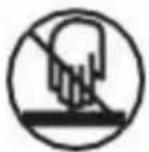 | Do not touch the feeder slot with your hands. |
 | Be careful not to let hair get into the feeder. |
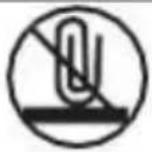 | Do not put paper clips or staples into the feeder slot. |
 | Read the operating instructions |
 | Moving - rotating parts |
- Before using the device, read the instruction manual and follow the instructions contained therein. The manufacturer is not responsible for damage caused by using the device contrary to its intended use or improper operation.
- Before using the shredder, read the instruction manual, and use extreme caution when using it.
- WARNING: Pay special attention to loose pieces of clothing, such as ties, jewelry, as well as hair and other small objects, and keep them away from the paper feed slot to prevent them from getting into the cutting blades and causing injury.
- WARNING: Remember to remove paper clips and staples before inserting sheets of paper into the shredder.
- WARNING: Do not place your hands or fingers in the shredder slot - serious injury could result. If a paper jam occurs, always unplug the shredder before removing it.
- WARNING: Always unplug the shredder if left unattended, and before moving, disassembling or cleaning.
- WARNING: The unit must not be cleaned with compressed gas, or lubricated, with compressed oil. The use of compressed gas or oil may result in fire.
- WARNING: The device has dangerous moving SHARPS cutting elements. Do not use the device if there are children in the room.
-
The device is for household use only. Do not use for other purposes incompatible with its intended use.
-
Connect the device only to a 220-240 V \~ 50/60 Hz outlet. In order to increase the safety of use, multiple electrical appliances should not be plugged into a single circuit at the same time.
-
To provide additional protection, it is advisable to install in an electrical circuit, a residual current device (RCD) with a rated residual current
not exceeding 30 mA. In this regard, consult a specialist electrician.
-
The equipment is not designed to operate with external timers or a separate remote control system.
-
Take special care when using the appliance when children are around. Do not allow children to play with the appliance do not allow children or anyone unfamiliar with the appliance to use it.
-
WARNING: This equipment may be used by children over 8 years of age and persons with limited physical, sensory or mental ability, or persons without experience or familiarity with the equipment, if this is done under the supervision of a person responsible for their safety or they have been given instructions on the safe use of the equipment and are aware of the dangers associated with its use. Children should not play with the equipment. Cleaning and maintenance of the equipment should not be performed by children unless they are over 8 years of age and these activities are performed under supervision.
-
Always remove the plug from the power outlet after use by holding the outlet with your hand. DO NOT pull on the power cord.
-
Do not immerse the cord, plug and entire device in water or other liquid. Do not expose the device to weather conditions (rain, sun, etc.) or use in high humidity conditions (bathrooms, humid camping houses).
-
Periodically check the condition of the power cord. If the power cord is damaged, it should be replaced by a specialized repair facility to avoid danger.
-
Do not use the device with a damaged power cord or if it has been dropped or damaged in any other way or malfunctions. Do not
repair the device yourself, as there is a risk of electric shock. Take the damaged device to a competent service center for inspection or repair. All repairs may be carried out only by authorized service centers. Improper repair may cause serious danger to the user.
- The power cord must not touch hot surfaces.
- Do not use the device near flammable materials.
- Do not leave the device plugged into an outlet unattended.
- Do not let the motor part of the device get wet.
- Do not use the device outside the home, use only indoors.
- Place the appliance on a cool stable, level surface, away from heating kitchen appliances such as electric stove, gas burner, etc....
- The maximum - one-time operation time of the device is 2 minutes, after this time, the shredder can be turned on again, after 30 minutes.
- Do not leave the device unattended during operation.
- Do not operate the device with wet hands.
- Do not insert CDs/DVDs/Cards into the paper feeder.
SAFETY NOTES
 | The device must not be used by more than one person at the same time. |
 | While the documents are being shredded, no other operation of the device (e.g. cleaning, etc.) may be carried out |
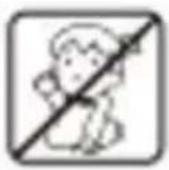  | Do not allow children in the vicinity of the device. The device has been designed under the needs of adults and adapted for safety, use and operation only by adults.Repairs must be performed by a qualified service technician. |
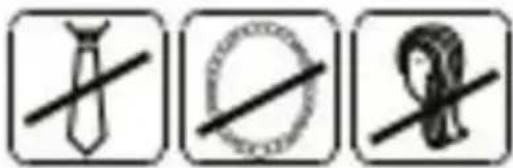 | Keep loose items (e.g. Ties, jewelry, hair) away from the input slot of the shredder. Failure to do so may result in injury. |
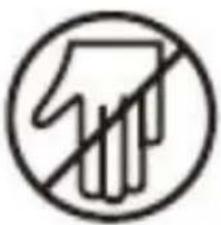 | Do not insert inches or whole hands into the input slot of the shredder. |
 | In case of danger, turn off the machine immediately |
 | Always unplug the device from the power outlet before cleaning it. |
 | The document shredder is designed for shredding paper. Shredding other materials, may cause injury or damage to the device. |
 | If the device has a grounded plug, it must be connected to a grounded outlet. |
 | The shredder is designed for indoor use only |
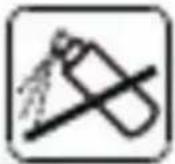 | Do not use for maintenance of the shredder, any substances in areosol. |
Device description:
- Shredder cassette
- Extractable arm
- Mounting bracket for the basket
- Function switch
A. AUTO function
B. REV function
C. Turn off device OFF
- Paper feeder
Before use.
- Place the shredder cassette (1) on the basket. The shredder is equipped with an extendable frame, so you can adjust the width of the shredder to fit your basket. The adjustment range is from 26cm to 34cm. Be careful during this operation. Make sure that the shredder cassette (1) is correctly placed on the basket (2). See Figure 1.
- Plug the power cord into a 220-240V 50/60Hz power outlet.
ATTENTION!
Before removing the shredder cassette from the garbage can (basket), always switch the switch to the OFF (C) position and disconnect the device from the power supply.
Shredder operation:
The switch (4) located on top of the shredder cassette has three settings.
- Setting the switch to AUTO (A), the shredding process starts automatically when paper is inserted into the feeder (5). The shredder will automatically stop when the paper shredding process is complete.
The machine destroys sheets of paper up to 80 g/m2 and width from 1cm to 22cm.
You can destroy 5 sheets of paper at a time. When destroying small materials, such as envelopes or receipts, insert them through the center of the feeder (5).
- Set the switch to the REV (B) position. Setting the switch to the REV position is used to help clear jams in the feeder, reversing the process of the knives so that the knives can be cleaned.
3.OFF (C) position. Is required when emptying the garbage can (2), cleaning and when the shredder is not in use.
Emptying the basket
It is recommended to empty the basket when it is filled to 34 of its capacity.
To do this, switch the switch (4) to the OFF position and unplug the power cord from the outlet.
NOTE
The duty cycle for continuous shredding at maximum capacity is 2 minutes. After that, the device must be turned off for 30 minutes.
In case of a paper jam, set the switch (4) to the REV position to clean the knives. Then unplug the power cord from the outlet, pull out the remaining sheets of paper from the feeding slot. Remove the uncut portion of the paper from the top and clean any excess paper cuttings from the feeding hole. !!! Be careful not to place your fingers near the feeder opening and blades, as this can cause serious injury.
Cleaning the machine:
Before cleaning the machine, switch the switch (4) to the OFF position and unplug from the power outlet.
Clean with a damp and then dry cloth (or paper towel).
Do not immerse the device in water.
Do not spray knives anything.
Technical Data:
Cutting cartridge capacity : 5 A4 sheets up to 80g/m2,
Security level: P-1
Paper cutter width : 6.8mm
Noise level: 72 dB
Run time: 2 minutes
Break time: 30 minutes
Power: 150W
Voltage: 220-240V \~ 50/60Hz

For the sake of the environment. Dispose of cardboard packaging and polyethylene (PE) bags in the appropriate containers for separate collection of municipal waste according to their description. If there are batteries in the device, remove them and separately return them to the collection and storage facility. Return the used device to a suitable collection and storage facility, as the hazardous substances in it may pose a threat to health and the environment. The marking on the product indicates that the device should not be disposed of in the container with municipal waste. Waste electrical equipment, is waste that contains substances harmful to humans, animals and the environment. These substances can lead to contamination of the soil, water or air, and through this they can get into the human body and lead to numerous health ailments, such as: vision, hearing, speech disorders, they can also lead to kidney, liver and heart damage, and cause skin diseases. Harmful substances can also have adverse effects on the respiratory and reproductive systems and lead to cancerous changes. Consumption of plants growing on the complained of soils, and products made from them may risk the above-mentioned health effects. Do not dispose of the device in the municipal waste container!!!

Service If you wish to purchase spare parts or report any complaints, please contact directly with the seller who issued the receipt.
ஞநாஷஒஷஷஷஷஷஷஷஷஷஷஷஷஷஷஷஷஷஷஷஷஷஷஷஷஷஷஷஷஷஷஷஷஷஷஷஷஷஷஷஷஷஷஷஷஷஷஷஷஷஷா.
Brand : ADLER
Model : AD 1040
Category : Shredder