R 1218 BT - Radio METABO - Free user manual and instructions
Find the device manual for free R 1218 BT METABO in PDF.



| Brand | Metabo |
| Model | R 1218 BT |
| Product type | Portable radio with Bluetooth |
| Power supply | Original Metabo mains power supply or Metabo Li-ion battery (12 V, 14.4 V, 18 V) |
| Radio reception | FM (very high frequency), AM (medium wave), DAB/DAB+ |
| Wireless connectivity | Bluetooth (device name: METABO R 12-18 BT / METABO R 12-18 DAB+BT) |
| Audio functions | Treble, bass adjustment and preset M-Sound mode |
| Station memory | Radio station storage with memory numbers |
| Display | Digital screen with battery charge indicator |
| Antenna | Integrated swivel antenna |
| Care and cleaning | Clean with a dry cloth; do not expose to water or moisture |
| Safety | Safety instructions included: keep away from children, do not open the device, use only Metabo accessories |
| Repairability | Repairs by qualified electrician with genuine Metabo spare parts |
| Operating temperature | -20 °C to 40 °C |
Frequently Asked Questions - R 1218 BT METABO
User questions about R 1218 BT METABO
0 question about this device. Answer the ones you know or ask your own.
Ask a new question about this device
Download the instructions for your Radio in PDF format for free! Find your manual R 1218 BT - METABO and take your electronic device back in hand. On this page are published all the documents necessary for the use of your device. R 1218 BT by METABO.
USER MANUAL R 1218 BT METABO
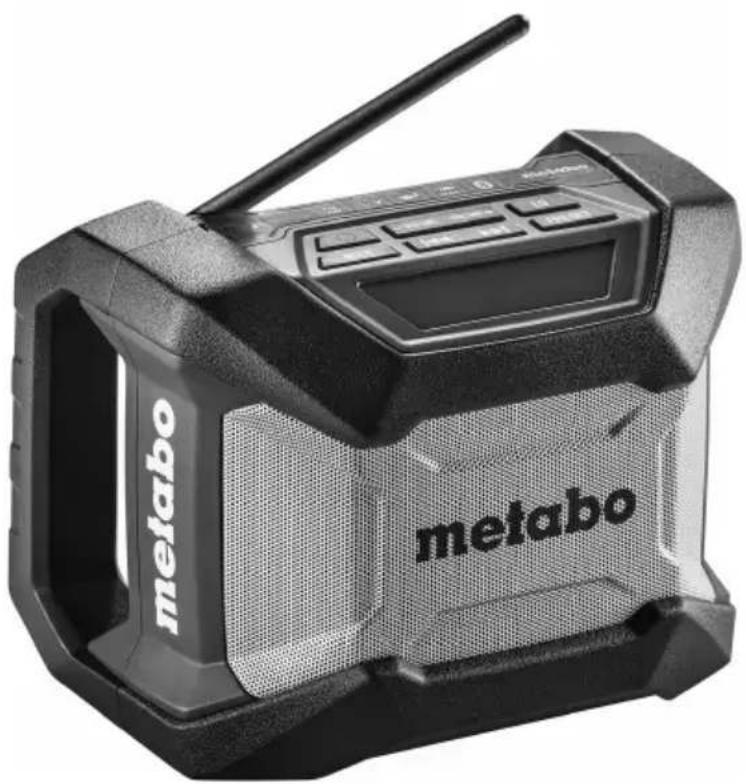
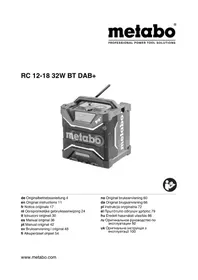
R 12-18 BT R 12-18 DAB+ BT

de Originalbetriebsanleitung 4
en Original instructions 9
fr Notice originale 13
nl Oorspronkelijke gebruikaanwijzing 17
it Istruzioni originali 22
es Manual de instrucciones original 26
pt Manual original 30
sv Bruksanvisning i original 34
fi Alkuperäiset ohjeet 38
no Original bruksanvising 42
da Original brugsanvising 46
pl Oryginalna instrukcja obstugi 50
el ω τOT π oBnyieC λI O γI α 54
hu Eredeti hasznalati utasitas 59
ru OpunHaJIbHoe pyKOBoDCTBO no
eKcnJyatauN 63

| 11. i | R 12-18 BT R 12-18 DAB+ BT *1) Serial Number: 00777.. | *1) Serial Number: 00778.. |
| Bluetooth® | ✓ | ✓ |
| DAB/DAB+ - 174-240 MHz | ||
| FM (UKW) 87,5-108 MHz (US: 87.5-107.9 MHz) | ||
| AM (MW) 522-1620 kHz (US: 530-1710 kHz) | ||
| UA | 12 V / 14.4 V / 18 V | |
| UN | input: 100-240 V ~ 50/60 Hz 0,8 A Max output: 18 V=0,8 A | |
| m 1,85 kg (4.1 lbs) | ||

2) 2014/53/EU; 2011/65/EU
3) EN 60065:2014, Final Draft ETSI EN 303 345 V1.1.7, EN 50581:2012
Model R 12-18 DAB+BT: EN 55032:2015, EN 61000-3-2:2014, EN 61000-3-3:2013
Model R 12-18 BT & R 12-18 DAB+BT: EN 62479:2010, Draft EN 301 489-1 V2.2.0,
Draft EN 301 489-17 V3.2.0, ETSI EN 300 328 V2.1.1
Model 12-18 BT only: Final Draft ETSI EN 301 489-3 V2.1.1
Model 12-18 DAB + BT only: EN 55035:2015
4) R12-18 BT: 18-210108, R12-18 DAB+ BT: 18-211262
5) PHOENIX TESTLAB GmbH, Königswinkel 10, 32825 Blomberg, Germany, NB 0700

DAB/DAB+ (Digital Audio Broadcasting)
FCC ID: 2ABL5WSR1701R1218BT
DEUTSCHde
Original instructions
1. Declaration of Conformity
We, being solely responsible, hereby declare that these radios, identified by type and serial number 1 , meet all relevant requirements of directives 2 and standards 3 . Test report 4 , Issuing testing authority 5 , Technical documents for 6 - see page 3.
2. Specified Conditions of Use
Operate the radio only with the supplied original Metabo power supply or a matching original Metabo-Li-lon battery pack (12 V, 14,4 V, 18 V).
This device is not designed for use by persons (including children) with physical, sensory or mental disabilities, or with insufficient experience and/or knowledge, unless they are supervised by a person responsible for their safety, or have received instructions on how to use the tool by this person.
The user bears sole responsibility for any damage caused by inappropriate use.
Generally accepted accident prevention regulations and the enclosed safety information must be observed.
3. General Safety Information

For your own protection and for the protection of your radio, pay attention to all parts of the text that are marked with this symbol!

WARNING - Reading the operating instructions will reduce the risk of injury.

WARNING Read all safety warnings and instructions. Failure to follow all safety
warnings and instructions may result in electric shock, fire and/or serious injury.
Keep all safety instructions and information for future reference.
Pass on your radio only together with these documents.
4. Special Safety Instructions

Only use the device indoors!

Protect the device from moisture.
Children should be supervised to ensure that they do not play with the tool.
Keep children away from the device and the working area! Keep the device out of reach of children!
Disconnect the device from the mains supply immediately if it begins to smoke or catch fire!

Protect battery packs from water and moisture!

Do not expose battery packs to fire!
Do not use faulty or deformed battery packs!
Do not open battery packs!
Do not touch or short circuit battery pack contacts!

A slightly acidic, flammable fluid may leak from defective Li-ion battery packs!

If battery fluid leaks out and comes into contact with your skin, rinse immediately with plenty of water. If battery fluid leaks out
and comes into contact with your eyes, wash them with clean water and seek medical attention immediately!
If the radio is defective, remove the battery pack from the machine.
When not in use, keep batteries away from paper clips, coins, keys, nails, screws or other small metal objects that could bridge the contacts. Shorting the battery terminals together may cause burns or a fire.
Protect the battery pack and batteries from heat (including lengthy exposure to direct sunlight), fire, water and moisture. There is a risk of explosion.
Only recharge with the charger specified by the manufacturer. Chargers designed for a specific type of battery may pose a fire hazard when used together with other battery types.
Do not use this device near water.
Clean it using a dry cloth only.
Do not place the radio near any heat sources such as radiators, heat registers, stoves, or other apparatus that produce heat. Do not expose to open fire.
Only use attachments/accessories specified by the manufacturer.
Disconnect the device from the power supply in storms, before adjustment or repair work and when it will not be used for long periods.
Refer all servicing to qualified service personnel, who must use original spare parts only. Servicing is required when the device has been damaged in any way, such as when a mains adapter is damaged, liquid has been spilled or objects have fallen into the apparatus, the radio has been exposed to rain or moisture, does not operate normally, or has been dropped.
To reduce the risk of fire or electric shock, do not expose this device to rain or moisture.
The apparatus must not be exposed to dripping or splashing and no objects filled with liquids may be placed on the device.
ENGLISHen
Use only the battery packs provided for this purpose in the device. Use of any other battery packs may create a risk of injury, fire and explosion.
Do not operate the device in closed shelves or cabinets without adequate ventilation.
The ideal storage temperature is between 10°C and 40°C .
Do not open the device or modify it in any way.
Do not leave an empty rechargeable battery pack in the unplugged radio for longer than 2 weeks.
Leaving the pack there for any longer can result in total discharge and damage to the storage cells. It is possible to recharge completely discharged battery packs using a Metabo charger.
The mains plug is used as the disconnect device and therefore should remain readily operable.
Transport of li-ion battery packs:
The shipping of li-ion battery pack is subject to laws related to the carriage of hazardous goods (UN 3480 and UN 3481). Inform yourself of the currently valid specifications when shipping li-ion battery packs. If necessary, consult your freight forwarder. Certified packaging is available from Metabo.
Only send the battery pack if the housing is intact and no fluid is leaking. Remove the battery pack from the machine for sending. Prevent the contacts from short-circuiting (e.g. by protecting them with adhesive tape).
5. Overview
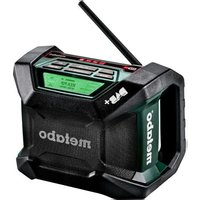
See page 2.
1 On/Off button
2 Button to decrease volume / bass / treble
3 Button to increase volume / bass / treble
4 Button for sound adjustment (bass / treble / "M sound")
5 Button to change between FM (ultra shortwave / UKW), AM (medium wave), BT (Bluetooth) and DAB/DAB+
6 Button to search radio stations (downwards)
7 Button to search radio stations (upwards)
8 Button to save radio stations
9 Menu key to select diverse functions
10 Radio station memory number
11 Bluetooth: activated
12 Bluetooth: radio is connected to a different Bluetooth device
13 Display of battery pack charge level
14 Display
15 Antenna
16 Interface socket for power supply
17 Battery pack release button
18 Battery pack *
19 Power supply
* not in scope of delivery
6. Initial Operation
Before plugging in, check to see that the rated mains voltage and mains frequency, as specified on the rating label, match your power supply.
Always install an RCD with a maximum trip current of 30mA upstream.
Before initial use, ensure proper ventilation. Minimum distance to other objects is 5cm . Do not operate the device in closed shelves or cabinets without adequate ventilation.
Use a freely accessible power outlet to ensure fast disconnection from the mains if necessary.
- Aligning the antenna (15).
- Insert charged battery pack (18) until it locks and / or connect power supply (19).
Rem.: The battery pack (18) is not charged by the power supply (19).
7. Use
7.1 Switching On and Off
To switch on: Press button (1).
To switch off: Press button (1) again.
7.2 Adjusting the volume
Increase volume: press "+" button (3).
Decrease volume: press "-" button (2).
7.3 Change between FM (ultra shortwave), AM (medium wave) and Bluetooth (BT) and DAB/DAB+
The set mode is shown in the display (14) (FM / AM / BT / DAB).
To change between FM (ultra shortwave / UKW), AM (medium wave), BT (Bluetooth) and DAB/ DAB+, press the "MODE" button (5) several times.
7.4 Operation R 12-18 BT AM/FM
- Searching for radio stations
Press " | < . button (6) or ^ 一 > > button (7) to change the frequency. The current frequency is shown on the display (14).
To search the next radio station with high signal strength, press the . | < < | . button (6) or press the . | > > | | button (7) and keep pressed briefly. The frequency of the radio station found is shown on the display (14).
- Store set radio station
Press the "STATION" button (8) for a long time. The selected memory number blinks on the display (14).
Rem.: The radio station can only be stored as long as the number is blinking.
Set the desired memory number by pressing buttons " |<< " (6) or >>" (7).
Press the "STATION" button (8) briefly (store radio station).
- Listening to stored radio stations:
Press "STATION" button (8) briefly until the desired stored radio station is shown on the display (14) and played.
7.5 Operation R 12-18 DAB+BT AM/FM
- Searching for radio stations:
Press "I < < 一 ^ key (6) or > > | key (7) to change the frequency. The current frequency is shown on the display (14). To search the next radio station with high signal strength, press and briefly hold the | < < | key (6) or >> key (7). The frequency of the radio station found is shown on the display (14).
- Store set radio station:
Briefly press "SELECT" key (9), click with >>|'' key (7) to the point "Store to Preset" and confirm with briefly pressing on the "SELECT" key (9), select storage space with | < key (6) or >>|'' key (7) and confirm with "SELECT" key (9).
- Listening to stored radio stations:
Press "SELECT" key (9) and navigate with arrow >>l" key (7) to point "Select Preset". Confirm briefly with "SELECT" key (9) and select station using |I| < < | key (6) or >>1" key (7) and confirm with "SELECT" key (9).
DAB/DAB+ (Digital Audio Broadcasting)
- Station scan (starts automatically on initial commissioning):
Press "SELECT" key (9) and select between "Auto Scan" and "Manual Tune" using the >>| key (7)- confirm your selection by briefly pressing the "SELECT" key (9) (Auto Scan should be preferred)
- Set the desired station:
After the auto scan, all found stations are stored automatically, browse the received stations with "I<<" key (6) and >>|key (7).
- Selection display settings:
Press "SELECT" key (9), jump to the subitem "RDS Display" using >>| key (7). You will get to the menu by pressing again the "SELECT" key (9). Here select your favourites with | < | key (6) and >>| key (7).
Note: DAB / DAB+ is not transmitted in all countries or areas and cannot be received then.
7.6 Bluetooth (depending on configuration)
- To change to BT (Bluetooth), press the "MODE" button (5) several times, until BT shows on the display (14).
- Activate Bluetooth on your smart phone (or another mobile device such as a tablet).
- If your smart phone has detected the radio, it will be shown with the device name "METABO R 12-18 BT" / METABO R 12-18 DAB+BT".
- On your smart phone establish the connection to the device "METABO R 12-18 BT" / „METABO R 12-18 DAB+BT".
The successful connection is shown on the display (14) by pressing the symbol (12).
- Start replay e.g. of a song on your smart phone.
7.7 Setting treble, bass, M-sound (depending on configuration)
"M-sound" is a fixed, predefined value for treble and bass.
To change between treble, bass and M-sound, press the "EQ" button (4) several times.
The active mode is shown on the display (14): "TREBLE", "BASS" and "M-sound".
The set value is shown in the display (14).
To change the setting, press the - button (2) or the + button (3).
7.8 Battery pack, displaying the battery pack charge level

100%
66%
33%
The battery symbol (13) on the display (14) shows the charge level of the battery pack (18).
Recharge an empty battery pack in a suitable Metabo charger.
Remove battery pack:
Press the battery pack release (17) button and remove the battery pack (18).
Insert battery pack:
Slide in the battery pack (18) until it engages.
8. Accessories
Only use original Metabo battery packs and Metabo accessories.
Use only accessories that fulfil the requirements and specifications listed in these operating instructions.
See www.metabo.com or the catalogue for a complete range of accessories.
9. Repairs
Repairs to radios must only be carried out by qualified electricians!
If the mains adapter of this device is damaged, it must be replaced with an original Metabo spare part to prevent hazards.
Contact your local Metabo representative if you have Metabo radios requiring repairs. See www.metabo.com for addresses.
You can download a list of spare parts from www.metabo.com.
10. Environmental Protection
Observe the national regulations on environmentally compatible disposal and on the recycling of disused tools, packaging and accessories.
ENGLISHen
Battery packs may not be disposed of with regular waste. Return faulty or used battery packs to your Metabo dealer!
Do not allow battery packs to come into contact with water!

Only for EU countries: never dispose of power tools in your household waste!
According to European Directive 2012/19/EU
on Waste from Electric and Electronic Equipment and implementation in national law, used power tools must be collected separately and recycled in an environmentally-friendly manner.
Discharge the battery pack in the power tool before disposal. Prevent the contacts from short-circuiting (e.g. by protecting them with adhesive tape).
11. Technical Specifications
Explanatory notes on the specifications on page 3.
Subject to change in accordance with technical progress.
FM (UKW) = ultra shortwave reception range
AM (MW) = medium wave reception range
UA = voltages of the battery packs
UN = details on power supply
m = Weight (without battery pack)
direct current
AC power
The technical specifications quoted are subject to tolerances (in compliance with the relevant valid standards).
Permitted ambient temperature during operation: -20 °C to 40 °C.
12. FCC statement/ IC statement for USA and Canada
CAUTION This product has been tested and found to comply with the limits for a Class B digital device, pursuant to part 15 of the FCC Rules. These limits are designed to provide reasonable protection against harmful interference in a residential installation. These products generate, use and can radiate high frequencies and, if not installed and used in accordance with the instructions, may cause interference to radio communications.
There is no guarantee that interference will not occur in a particular installation. If this product does cause harmful interference to radio or television reception, which can be determined by turning the product off and on, the user is encouraged to try to correct the interference by taking the following measures:
- Re-orient or move the receiving antenna.
- Increase the distance between the product and receiver.
- Connect the product to a power outlet on a circuit other than that to which the receiver is connected.
- Consult your dealer or an experienced TV / radio technician for assistance.
Changes or modifications not expressly approved by Metabo may restrict the user's right to operate the product. This product complies with the requirements in Paragraph 15 of the FCC Rules and RSS 210 of the IC. Use of the product is subject to the following conditions:
- This product should cause no harmful interference.
- This product must accept any interference received, including interference that may cause undesired operation.
FCC ID: 2ABL5WSR1701R1218BT
The device has been evaluated to meet general RF exposure requirement, The device can be used in portable exposure condition without restriction Federal Communication Commission (FCC)
Radiation Exposure Statement Power is so low that no RF exposure calculation is needed.
Notice originale
7.4 Operation R 12-18 BT
7.5 Operation R 12-18 DAB+BT AM/FM
- Searching for radio stations:
Press "I < < 一 ^ key (6) or > > |* key (7) to change the frequency. The current frequency is shown on the display (14). To search the next radio station with high signal strength, press and briefly hold the | < < | key (6) or >>| key (7).The frequency of the radio station found is shown on the display (14).
- Store set radio station:
Briefly press "SELECT" key (9), click with >>|'' key (7) to the point "Store to Preset" and confirm with briefly pressing on the "SELECT" key (9), select storage space with | < "key (6) or >>|'' key (7) and confirm with "SELECT" key (9).
- Listening to stored radio stations:
Press "SELECT" key (9) and navigate with arrow >>| key (7) to point "Select Preset". Confirm briefly with "SELECT" key (9) and select station using |一 | < < " key (6) or >>1 key (7) and confirm with "SELECT" key (9).
DAB/DAB+ (Digital Audio Broadcasting)
- Station scan (starts automatically on initial commissioning):
Press "SELECT" key (9) and select between "Auto Scan" and "Manual Tune" using the >>I key (7)- confirm your selection by briefly pressing the "SELECT" key (9) (Auto Scan should be preferred)
- Set the desired station:
After the auto scan, all found stations are stored automatically, browse the received stations with "I<<" key (6) and >>l" key (7).
- Selection display settings:
Press "SELECT" key (9), jump to the subitem "RDS Display" using >>| key (7). You will get to the menu by pressing again the "SELECT" key (9). Here select your favourites with | < key (6) and >>| key (7).
Note: DAB / DAB+ is not transmitted in all countries or areas and cannot be received then.
ID FCC:2ABL5WSR1701R1218BT
Transport van Li-ion-accupacks:
DAB/DAB+ (Digital Audio Broadcasting)
FCC ID: 2ABL5WSR1701R1218BT
DAB/DAB+ (Digital Audio Broadcasting)
FCC ID: 2ABL5WSR1701R1218BT
DAB/DAB+ (Digital Audio Broadcasting)
FCC ID: 2ABL5WSR1701R1218BT
DAB/DAB+ (Digital Audio Broadcasting)
FCC ID: 2ABL5WSR1701R1218BT
DAB/DAB+ (Digital Audio Broadcasting)
FCC ID: 2ABL5WSR1701R1218BT
DAB/DAB+ (Digital Audio Broadcasting)
FCC ID: 2ABL5WSR1701R1218BT
DAB/DAB+ (Digital Audio Broadcasting)
7.7 Still inn diskant ("TREBLE"), bass
( BASS ) , M -Sound" (modellavhengig)
"M-Sound" er feste, forhändsdefinerte verdier for diskant og bass.
FCC ID: 2ABL5WSR1701R1218BT
Transport of Li-ion-batteries:
DAB/DAB+ (Digital Audio Broadcasting)
FCC ID: 2ABL5WSR1701R1218BT
Produktet blev evalueret i overensstemmelse med de generelle krav til RF-eksponering. Produktet kanuten begraesning anwendes i naerfeltområdet.
DAB/DAB+ (Digital Audio Broadcasting)
FCC ID: 2ABL5WSR1701R1218BT
PntnoTe to nAnkTpo "STATION" (8)
DAB/DAB+ (Digital Audio Broadcasting)
FCC ID: 2ABL5WSR1701R1218BT
H ouokun aiooyn0nke oouwva uTc yevikec anaiTnoic yiaek0eon 0v uynlncuovotntc HF. H ouokun mopei va xnpoiomtoieitai xwpic nepiopioouc otnv npioxknovtivwv n6iwv. H avapepooucv tuih ek0eoc 0e aktivoBoia tnC Federal Communication Commission (FCC) evai tooo xaun, wotv va unaiTeiTai unooyiouc Tns ek0eoc HF.
DAB/DAB+ (Digital Audio Broadcasting)
FCC ID: 2ABL5WSR1701R1218BT
He BCKpbIbAte aKHyMylTOpHbIe 6JOKn!
He kacaTecb KOHTaKTOB aKKyMylTopHOro 6JIOKa H He 3amblKaIte INx HaKOpOTko!

H3 HeNCpabHOrO JNTn-NOHOro
aKHyMylTOpHOrO 6I0Ka MoKeT BbITEKaTb
cna6okncna ropouar KNDKOCTb!

Ecnn 3neKtpoJnt npOJIncs n nonaI Ha KOxy, HemeJeHHOpOMOte 3TOT yAcTOK 60bIIM KOnUcTeBOM BObbl. B clyuae aHINr 3neKtpoJNTa B rJa3a npOMOte IN N BOOn I CPOH O6paTInTeC b K Bpauy!
B clyuae noIOMKn paIIOnpHemHnKa n3BJIeKHTe n3 Hero aKKymyIaTOpHbI 6Jok.
He xpaHnte HeNCNoJIb3YeMbI aKHyMylJTop BMeCTe C KaHcJIepCKHMn CKepeKNaMn, MOHeTaMn, KJIUOaMn, rBO3dAMn, BVHTaMn IIN dpyrIMn He6oJIbShIMN MeTaNJIuYeCKHMn IpeDMeTaMn, KOToPbIE MOryT Bbl3BaTb NepeMbIkaHne KOHTaKTOB. HopOTKoe 3aMbIkaHne NOJIUCOB aKHMyJIaTOPa MOKeT pNBeCTn K OXKOram IIN noJapy.
3aunuaiTe aKKMyJTopHbI 6JOK H6aTapeN OT BO3DeIcTBn BbICOKHX Tempeatyp (HaNPIMep, DInTeJIbHO r HaxOKeHn IOD COINHeM), OTKpbIToro ORH, BObl N BlaRn. OnacHOCTB B3pbIBa!
3apKaTe aKHyMylrTOpbI TOJbKO B peKOMeHdyEmbIX N3rOToBnTeJIeM 3apdNbIX ycTpoiCTbax. Ha 3apdHOM yCTpOiCTBe, npedHa3HaueHHOM dIa ONpeJeHHO BVda aKHyMylrTOPOB, MoKeT BO3HNKHyTb NOxAp, eCIn ero npimHeJOT dJa 3apdKn Dpyrnx aKHyMylrTOPOB.
PYCCHNIRu
I36eraIte nonaHaHb yCTpOcTBO BObl.
OuHauTe erToTbHo cyxO caTko.
He cTaBbTe paAnOpnpHmHK B6Iln3n HcToUHKnOB TeNla,HaPnIMep,paDnATopoB,OTOnNTeJIbHbIX np6OpOB,neey nNoO6HbIX yCTpoiCTB, KOTOpbIe n3JyauT ToNIO. He noDBepraTe paAnOpnpHmHK Bo3DeInCTBIO OTKpbIToro ORH.
IcnoJb3yIte TOnbKO yKa3aHHbIe npOn3BOJNTeJIem npncnOco6JeHnI aKceccyapbl.
OTcoeHnHnTe yCTpoNCTBO OT 3JIeKTPocETn BO BpeM rpo3bl, nepeD pa6oTaMn NO erO peRyIInpOBKe nII pEmOHr, a TaKHe eCIn OHO DInTeJbHoe BpeM He NcNoJIb3YeTcra.
PemontdoJIkeH BbINOLHrTbcraToIbKO CneuaJIncTaMn C NcNoIb3OBAHHeM OpiHaJIbHbIX 3aIyAcTei. Pemont Tpe6yeTc, ecIn yCTpoIcTBo 6blIO NOBpeJDeHO IIO6bIM cNoCobom; HApnpMeR, 6blIO NOBpeJDeH 6loK NTaHnA,ByCTPOIcTBo IOnaIa BOda HnHa Hero NaadJI KacKe-Imo IpEeMtbl,paDIOpNEmHnK IOdBepraLCBa03deIcTBuO DoJdIy HnBlaRn, pa6OTae HeNpaBnIbHO nI npaI Ha 3eMIIIO.
Дя снжehн рисka ydapaэлктprueckm TOKOM NIN BO3HKNHOBEHn NOKapa He NOBepraTe yctpoiCTBO BO3deIcTBIO DOJNn NIN BlaRn.
YCTPOINCTBO HeIb3I NOBBePraTb BO3DeNCTBnIO KaIeJIb IIN paCtbIeHHoB ODbI, Ha Hero HeJIb3r CTaBNTb PpeDMtbl, COePkaUne KNDKOCTI.
IcnoJb3yIte ToJIbKO npedyCMOTpeHHbIe dJIaDaHHOro npnbOpa aKKymJrTOpHbIe 6JIOKmMetabo. IcnoJb3OBAHne dpyrnx aKKymJrTOpOB MoKeT npNBecTN K TpaBMam, CTaTb pNCHOHnIOkapa nII B3pbIbA.
He 3KcIpyaTnpyIte yCtpoIcTBO B 3aKpbItbIX CTeJIaJax IIN IkaΦax 6e3 DoCTaTOHOr BEHTnlaqnn.
OnTmAbHnA TeMnepaTpyxpaHeHnHaXoHITcB npedeJax oT 10 ° C do 40°C
He BCKpbIbAte yCTpoiCTBO H He N3MeHnTe erO KaHIM-JIN6o 6pa3OM.
He octabJnTe pa3pKaHHeHHb aKHyMylTOpHbI 6JOK B OTHIOUeHHOM paDNOpPneMHKe DOJIbWe 2 HeJeB. B npOTNBom Clyuae BO3MOKeH Iy60Kn pa3prnIOBpeKHeHne aKKMyJrTOphBX 3JeMeHTOB. Iy60KO pa3pKaHHeHHbI aKHMyJrTOphBle 6LOHN MOxHO 3apJNTb C NOMOsbIO 3apJNDHO yCTpoNCTBa Metabo.
CeteBOJ wTeKep CnyHNT dIa OTHIOUeHHN yCTpoiCTBa OT 3JIeKTPoPiTaHHN, NO3TOMy K Hemy DOJXKeH 6bITb XopoWNI DoCTyn B IIO6OE BpEMr.
TpaHcnpTnPOBbKa IHTN-NOHHbIX aKHyMylrTOphbIX 6LOKOB:
TpaHcnpTnpoBka JInTHN-NOHHbIX aKMyJrAToPbX 6JIOKOB NOJaadae TNOd DeiCTBHe IpaBnI nepeBO3Kn OAnChbIX rpy3OB (UN 3480 n UN 3481). Ppi OTnpaBKe JInTHNHOHHbIX aKMyJrAToPbX 6JIOKOB yTOuHNTe DeiCTByUOJIne npednncAHn. Ppi
Heo6xoIIMOCTn pOKOHcyJIbTnpyIeScb CO CBOeI
TpaHcnpTHoN KOMnAHHe. CepTuΦnIpuBaHHyU yNaKOBky MoJHO npNo6peCTu BΦnPme Metabo.
TpaHcnpTnpoBbKa aKMyJrTOpHbIX 6IIOKOB BO3MOHHa TOJIbHO B TOM Clyuae, ecIn KOpNyc He IOBpeKJeH N3 Hero He BbITeHaet HnIDKocTb. JIy OTnpaBKn aKMyJrTOpHoro 6IOKa BbIHbTe erO n3 IHCTpyMeHTa. PpIMTe MepbI dJa IcKJIIOUeHn KOpOTKOro 3AmblKaHnja KOHTaKToB (HaNPmEp, N3OJIpyTe KJIeHKn JIeHTOn).
5.063op
CM. cTp. 2.
1 KhoIIKa BkIIOueHn/ByIKIIOueHn
2 HONKa yMeHbIeHn rPOMKoCTn/Hn3KnX/ BbICOKHX YaCTOT
3 HONka yBéJIuHEnI rPOMKoCTn/HN3KHX/ BbICOKNX YACTOT
4 KhoNka HAcTpoKn 3ByuHaHnA (Hn3Kne/ BbICOKne YacToTbI/«M-Sound»)
5 KhoNka nepeKluOeHnFM (yJbTpakOpOTKne BOJIHbI/YKB), AM (cpeHNHe BOJIHbI/CB),BT (Bluetooth) n DAB/DAB+
6 KhoNka noncka paadoctaHcNn (BnepeD)
7 KhoNka noncka paAnocTaHun (Ha3aD)
8 Hhonka coxpanenpaanoctaun
9 KhoNMeHIOIaBbIbOpapaa3nHbIXyHKu
10 Homep coxpaHHeHHo paAnocTaHcHn
11 Bluetooth: aKTHBnpoBaH
12 Bluetooth: yCTaHOBJIeHO CoEДHHeHne MeJy paДиОпгсЕМнКOM И ДPyГИM yCTpoIcTBOM Bluetooth
13 HndkaTop ypOBn 3apJa aKHyMylrTOPHO 6Joka
14 DnCnJIeI
15 AHTeHHa
16 Pa3bEmДЯбLOKaПNTaHnA
17 KhoHa pa36IOKnpOBKn aHHymyIaTOPHO 6loKa
18 AKHymyIaTOPbIb 6LoK*
19 BLOK NITaHNA
*B KOMNJIeHT NocTabKHe BXOJNT
6. BbOaB 3KcPnyatauHIO
IpeD BBODOM B 3KcNlyaTaunIO npOBepbTe COOTBETCTBHe HAnpKaJKeHnI N YaCTOTbI CETn, Yka3aHHbIe Ha 3aBOdCKoT Ta6nUKe, NapaMeTpam CETn 3JIeKTPoNTaHnI.
Ipeepnp60pOM Bcerda nodkluohaTe yCTpoiCTBO 3aunTHoro OTKluoHnra (Y3O) c MaKC.TOKOMOTKluoHnra 30 mA.
IpeB BBODOM B3KcNlyaTaunio y6eDnTecb XopoWeBENTINAUNB MeTe 3apAn. MinHmAlbHOe pacCToRHe Do DpyrNx PpeDMToB DOJHKHO COCTABJIaTB He MeHee 5 cm.He 3KcNlyaTpyuTe yCTpoiCTBO B 3AkpbItbIX
CTeJIaJax IINIshKaΦax 6e3 DocTaToUHoi BENTIIaIuN.
Iy 6bictpO OTKIOUeHn yCTPOINCTBa OT 3JIeKTPoCETN HcNOJb3yIte PO3ETKy, paCNoJIOKeHHyIO B DOCTYINHom MecTe.
- BbipabHnIe aHTehHy (15).
- BCTaBbTe 3apJxHbI aKMyJIaTOpHbI 6JOK (18)do fHKcauIN n/nnn noDKJIIOUHTe 6JOK NITaHn (19).
PnimeaHHe: aHHyMylTOpHbI 6Jok (18) He 3apjkaetc0T 6Joka nITaHn (19).
7. Применье
7.1 BkIoueHne/BbIKIOueHne
BkIIOueHHe:HaKMITE KHOINKy (1). BbIKIOueHHe:HaKMITE KHOINKy (1) eue pa3.
7.2 Khonha HacTroHrPomKocTH
YBeJIuHHeHne rPOMKoCTn:HaXMMTe KHOJKy + (3).
YMehbIeHne rPOMKoCTn:HaXMMTe KHOJKy - (2).
7.3 IpeekIIOueHne FM (YKB), AM (CB), BT (Bluetooth) n DAB/DAB+
Bb6paHbI peKIM oTo6paKaetcHa dncnlee (14) (FM / AM / BT / DAB).
Дяпени FM (YKB), AM (CB), BT (Bluetooth) и DAB/DAB+ слдует нахаТь Кногку «MODE» (5) нескоьko pa3.
7.4 YnpaBJIeHne R 12-18 BT AM/EM
-Поиск радиocтанци
ДяизмehнячactOTbHaHIMaHTe KHOHky 《 1 < < > (6)ИИN «>>》(7).AkTuJIbHaJyacTota OTo6paKaTeCnHaДncnlee(14).
ДЯпОСКаСледуюшЕй padnoctaHcHnC LyuSHM CnHAlOM nPHeMa CLEdYeT KHOHKy 《 1 < < > (6)ИИN «>>》(7)HaKHaTb N HeDOnro nOdePkTa. YAcTota HaIDeHHoI paNoCTaHcHn OTo6paKaTeCnHaДncnlee(14).
- CoхpaHeHne HauDeHHo paHocTaHcHn
HaKaTaB KHOHky «STATION» (8) nДЛNTeIbHo ydepeKHBaTbe. Homep coxpaHeHNo paNocTaHcN Miraet Ha DCnlee (14). PpIMeuaHne: coxpaHTb paNocTaHcNIO MOXHO, NOKa MIRaET HOMep.
BbIbpaTb HOMep coxpaHHeHHo paHIOCTaHcnn nyTem HaKaTnKHOHN « < < > (6) nIN «>>]» (7).
HaKaTaB KhoNky «STATION» (8) KpaTHOBpeMeHNO (coXpaHeHne paIIOCTaHcH).
- Bb6op coxpaehHNoi paHocTaHcHn HaKIMMaTb KHOJky «STATION» (8) KpaTHOBpeMeHHo Do Tex nop, NOKa Ha DInCpIee (14) He noBHTcH oHmep HHe 3a3ByuHT COOTBeTCTByIOUaH paHIOCTaHcHn.
7.5 YnpaBJIeHne R 12-18 DAB+BT AM/EM
-Поиск радиocтанци:
- CoxpaHHeHaJdeHHoPaHIOCTaHcNt:
KopoTko HaKaTaB KhoNHy «SELECT» (9), c NOMOuBIO KhoNKn «>>|» (7) BbIbpaTb NyHKT MeHIO «Store to Preset» и NOdTBepDnTb KopoTknM NaKaTneM KhoNKn «SELECT» (9), c NOMOuBIO KhoNKn «|<<» (6) ИИ «>>|» (7) BbIbpaTb MeCTo COxpaHeHry N NOdTBePdNtB KhoNKnOJ «SELECT» (9).
- Bbl6op coxpaHeHHo paHocTaHn:
HaKaTaB KHOHky «SELECT» (9) n c NOMOuBIO KHOHKn CO CTpeJIHoN «>>|» (7) nepeeHTn KpyHKtMy MeHIO «Select Preset». NOpTBePdNTb KOpOTKm HAKaTHem KHOHKn «SELECT» (9), c NOMOuBIO KHOHKn «|<<» (6) nIIN «>>|» (7) NaHTn paAnIOCTaHcUHO I NOdTBePdNTb KHOHKn «SELECT» (9).
DAB/DAB+ (Digital Audio Broadcasting)
- PeKHIM noncha paHIOCTaHcH (3aNyCKaETcA aBTOMaTHueChn npn nepBOM BkIIOUeHN): HaKaTb KHOIpKy «SELECT» (9) nC nOmoUbK HONKn «>>|» (7) BbIbpaTb «Auto Scan» nIN «Manual Tune», noDITbePdntb BblOp KOpOTKm HAnKaTneM KHOIpKn «SELECT» (9) (Фуннця «Auto Scan»ЯВЯETcR 6oJIee npednoHTtTeJbHoN)
- HactpoHa hyHNoi paHIOCTaHcHn:
Pocne aBTOMaTnueCKoro noncha BCE
HaJeHHbIe paNIOCTaHcUN aBTOMaTnueCKn COxpaHrOToC, IpOCJyWAtb PnIHrTbIE
paNIOCTaHcUN MOKHO C NOMOUsbIO KHOJOK | < < > (6) n > |> (7).
- BbI6Op HacTpoEh DnCnJIe:
HaKaTaB KHOHKnY «SELECT» (9), c NOMOuBIO KHOHKn «>>|» (7) nepeTn K NOdnyHKTy «RDS Display>. Pnp NOBTOpHOM HaKaTmN KHOHKn «SELECT» (9) BbINOJHReTc NEpExoD B MeHIO. 3Decb c NOMOuBIO KHOHOK «I<<» (6) n «>>|» (7) CDeLaTb HxHbI Bb6Op.
YkaaHne: DAB/DAB+ TpaHcJIpyeTcR He BO BCex CTpaHax IIN peHoHax, INO3Tomy B TaKHX MeCTax npHem HeBO3MOKeH.
7.6 Bluetooth (B 3aBcHMoCTn OT KOMnJIeKtauu)
- YTo6bI Bb6paTb BT (Bluetooth), cNeDyET HaKaTb KhoNky «MODE» (5) HeckoJbKO pa3, noka Ha dncnlee (14) He noBntcBT.
- AKNBpyNe Bluetooth Ha CBOem CmapTfoHe (HIN DpyROM MO6NJIbHOM yCTpOYCTBe, HApnpMeP, NlaHWeTe).
PYCCKHru
- KOrda cMapTfoH haIeT paIIOnpneMnK,Haero 3KpaHe NOBHTcR NmR "METABO R 12-18BT" / METABO R 12-18 DAB+BT".
- yctaHOBnte coeINHeHne MeJy cMapTfoHOM n yCTpoiCTbOM "METABO R 12-18 BT"/ METABO R 12-18 DAB+BT". Ipn ycNeuho yCTaHOBJIeHHom coeINHeHn Ha dinCJIee (14) noRBJeTcra CmBOI (12).
- MoJHo HauHnHaTb BocPpOn3BeDeHne, HanpImep My3bIkaJIbHOro TpeKa, Ha cMaprTfoHe.
7.7 HactpoHa BbICOHx YactOT (TREBLE>),6aCoB (BASS>),M-Sound>(B3aBnCHMoCTNOT KOMnJIeKtauuH)
«M-Sound» — npeyctaHOBJeHHoe 3HaueHne dIy BBICOKHX YactOT N 6acOB.
Iporpammy npnHaJeKHOCTe CM. Ha caTe www.metabo.com nIn B KaTaNore.
9. PemoHT
IpnH3BODHTb peMOHT paDnO npHeMHNka pa3peuaeTcra TOLbKO CneuaJIncTaM- 3JIeKTPnKam!
B clyuae noBpeKdEHN6Ioka nHTaHn DaHHoro yCTpoiCTBa eRO Heo6xOAnMo 3aMeHHTb Ha opunHaJIbHbI 6Iok nTAtHn Metabo BO N36eKaHHe BO3MOKhbIX yrpo3.
Ceptnuikat COOTBETCTBNA:
No TC RU C-DE.BJ08.B.01148 HOtHΦnKaun, cpoK DeiCTBnC 26.01.2018 no 25.01.2023 r., BbIaH opraHOM NO cepTnΦnKaun npOdyuKun «IBAHOBO-CEPTNΦHKAT» OOO «IBaHOBCKn IOnD CepTnΦnKaun); AApEc(lop. n PaKT.): 153032, PocsnckaЯ ΦepeauN, IBaHOBcKaay obl., r. IBaHOBO, yI. CtaHKOcTpOHTeJe, d. 1; TeI.(4932)77-34-67; paKc (4932)77-34-67; E-mail: ivfs@mail.ru; ATTecTa aKnpeiTaun N Ra.RU.116J08 ot 24.03.16 r., BbIaHΦepepaHbHou cnjXboN no aKKpeiTaun
CTpHa n3rToBJIeHHa:KntaI
ПОНЗВОДИТЕЛ: "Metabowerke GmbH", Metaboallee 1, D-72622 Nuertingen, Германя
HmnpTeB Poccn:
OOO"MeTa6o EBypa3nA
Poccn,127273,MockBa
yI. Bepe3oBa aIJIe, I 5 a, cTp 7, oΦIc 106 TeI.: +7 495 980 78 41
ДаТа поизВODСТВа 3aшифрованВ 10-3нанHom серийHom Homepe ИНСТPyмЕТа, уKaЗаHHOM Ha ero ШьдИke. 1Я сифра обознayaeТ roД, нанpresмр «4» обознayaeТ, чTO ИЗделп обиз- ВedeHoВ 2014 roу. 2яи 3я сифрbl obozнayaюT Homep мecяcaВ рOуnpОиЗВODСТВа, Habримр «05» - Мaɪ
Cpok cIyK6bl n3dJIINn COCTaBJIeT 7 let. He peKOMeHdyeTcR K 3KcNJIyaTaUIN NO HCTeUeHN 5 let XpaHeHn C DaTbI N3rTOBJIeHn 6e3 PpeBa-puTeJbHO npOBepKn (DaTy n3rTOBJIeHn CM. Ha 3TNKeTke).

- DAB/DAB+ (DIGITAL AUDIO BROADCASTING)
- DEUTSCHDE
- ORIGINAL INSTRUCTIONS
- DECLARATION OF CONFORMITY
- SPECIFIED CONDITIONS OF USE
- GENERAL SAFETY INFORMATION
- SPECIAL SAFETY INSTRUCTIONS
- ENGLISHEN
- TRANSPORT OF LI-ION BATTERY PACKS
- OVERVIEW
- INITIAL OPERATION
- USE
- 7.1 SWITCHING ON AND OFF
- 7.2 ADJUSTING THE VOLUME
- 7.3 CHANGE BETWEEN FM (ULTRA SHORTWAVE), AM (MEDIUM WAVE) AND BLUETOOTH (BT) AND DAB/DAB
- 7.4 OPERATION R 12-18 BT AM/FM
- SEARCHING FOR RADIO STATIONS
- STORE SET RADIO STATION
- 7.5 OPERATION R 12-18 DAB+BT AM/FM
- 7.6 BLUETOOTH (DEPENDING ON CONFIGURATION)
- 7.7 SETTING TREBLE, BASS, M-SOUND (DEPENDING ON CONFIGURATION)
- 7.8 BATTERY PACK, DISPLAYING THE BATTERY PACK CHARGE LEVEL
- REMOVE BATTERY PACK
- ACCESSORIES
- REPAIRS
- ENVIRONMENTAL PROTECTION
- TECHNICAL SPECIFICATIONS
- FCC STATEMENT/ IC STATEMENT FOR USA AND CANADA
- NOTICE ORIGINALE
- 7.4 OPERATION R 12-18 BT
- LISTENING TO STORED RADIO STATIONS
- SET THE DESIRED STATION
- SELECTION DISPLAY SETTINGS
- TRANSPORT VAN LI-ION-ACCUPACKS
- FCC ID: 2ABL5WSR1701R1218BT
- TRANSPORT OF LI-ION-BATTERIES
- PYCCHNIRU
- TPAHCNPTNPOBBKA IHTN-NOHHBIX AKHYMYLRTOPHBIX 6LOKOB
- 5.063OP
- BBOAB 3KCPNYATAUHIO
- ПРИМЕНЬЕ
- 7.1 BKIOUEHNE/BBIKIOUEHNE
- 7.2 KHONHA HACTROHRPOMKOCTH
- 7.3 IPEEKIIOUEHNE FM (YKB), AM (CB), BT (BLUETOOTH) N DAB/DAB
- 7.4 YNPABJIEHNE R 12-18 BT AM/EM
- ПОИСК РАДИOCТАНЦИ
- COХPAHEHNE HAUDEHHO PAHOCTAHCHN
- 7.5 YNPABJIEHNE R 12-18 DAB+BT AM/EM
- COXPAHHEHAJDEHHOPAHIOCTAHCNT
- BBL6OP COXPAHEHHO PAHOCTAHN
- HACTPOHA HYHNOI PAHIOCTAHCHN
- BBI6OP HACTPOEH DNCNJIE
- 7.6 BLUETOOTH (B 3ABCHMOCTN OT KOMNJIEKTAUU)
- PYCCKHRU
- 7.7 HACTPOHA BBICOHX YACTOT (TREBLE>),6ACOB (BASS>),M-SOUND>(B3ABNCHMOCTNOT KOMNJIEKTAUUH)
- PEMOHT
Brand : METABO
Model : R 1218 BT
Category : Radio