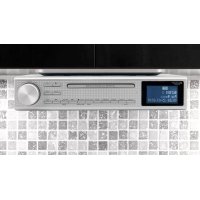
UR2195 - Radio Soundmaster - Free user manual and instructions
Find the device manual for free UR2195 Soundmaster in PDF.



| Product type | Clock radio with CD player, Bluetooth, USB |
| Brand | Soundmaster |
| Model | UR2195 |
| Power supply | 5V DC, 2A power adapter |
| Power consumption | 12 W |
| Radio bands | DAB (Band III 174.928-239.2 MHz) and FM (87.5-108.0 MHz) |
| Supported audio formats | CD, CD-R/RW, MP3, WMA |
| Connectivity | Bluetooth, USB, auxiliary input |
| Number of radio presets | 20 DAB + 20 FM (manual) / 30 DAB + 30 FM (automatic) |
| Alarm functions | 2 dual alarms, wake-up on CD, DAB, FM or buzzer |
| Sleep timer | Yes, up to 90 minutes |
| Equalizer | 5 modes: Flat, Rock, Classical, Jazz, Pop |
| Display | LCD with adjustable backlight |
| Clock | 12/24 hour display, automatic synchronization via DAB/FM |
| Calendar | Built-in, leap years 2000-2099 |
| Remote control | Included |
| Maintenance | Clean with a dry cloth only |
| Safety | Do not open the device; keep batteries out of reach of children |
| Operating temperature | 0°C to +45°C |
| Storage temperature | -10°C to +65°C |
Frequently Asked Questions - UR2195 Soundmaster
User questions about UR2195 Soundmaster
0 question about this device. Answer the ones you know or ask your own.
Ask a new question about this device
Download the instructions for your Radio in PDF format for free! Find your manual UR2195 - Soundmaster and take your electronic device back in hand. On this page are published all the documents necessary for the use of your device. UR2195 by Soundmaster.
USER MANUAL UR2195 Soundmaster
Festsender speichern
Hung Key Industrial Co., Ltd
© Copyrights by Wörlein GmbH, 90556 Cadolzburg, Germany
This product contains a coin/button cell battery. If the coin/button cell battery is swallowed, it can cause severe internal burns in just 2 hours and can lead to death.
Keep new and used batteries away from children. If the battery compartment does not close securely, stop using the product and keep it away from children.
If you think batteries might have been swallowed or placed inside any part of the body, seek immediate medical attention.
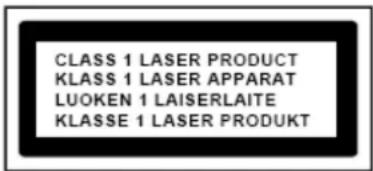
CAUTION - INVISIBLE LASER RADIATION WHEN OPENING THE COVER OR PRESSING THE SAFETY INTERLOCK. AVOID EXPOSURE TO THE LASER BEAM.
WARNING
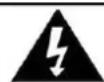
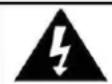
Risk of electric shock
Do not open!
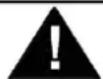
Caution: To reduce the risk of electric shock, do not remove the cover (or back). There are no user serviceable parts inside. Refer servicing to qualified service personnel.
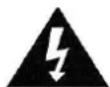
This symbol indicates the presence of dangerous voltage inside the enclosure, sufficient enough to cause electric shock.
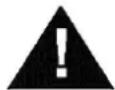
This symbol indicates the presence of important operating and maintenance instructions for the device.
Safety, Environmental and Setup Instructions
- Use the device in dry indoor environments only.
- Protect the device from humidity.
- Do not open the device. RISK OF ELECTRIC SHOCK! Refer opening and servicing to qualified personnel.
- Connect this device to a properly installed and earthed wall outlet only. Make sure the mains voltage corresponds with the specifications on the rating plate.
Make sure the mains cable stays dry during operation. Do not pinch or damage the mains cable in any way. - Disconnect device warning: Main plug is used as the connection, so it should always remain ready operate.
The mains plug is used as the disconnect device, the disconnect device shall remain readily operable. - A damaged mains cable or plug must immediately be replaced by an authorized service center.
- In case of lightning, immediately disconnect the device from the mains supply.
- Children should be supervised by parents when using the device.
- Clean the device with a dry cloth only.
Do NOT use CLEANING AGENTS or ABRASIVE CLOTHS!
- Do not expose the device to direct sunlight or other heat sources.
Install the device at a location with sufficient ventilation in order to prevent heat accumulation.
- Do not cover the ventilation openings!
The ventilation should not be impeded by covering the ventilation openings with items, such as newspaper, table-cloths, curtains, etc.
It shall be not be exposed to dripping or splashing and that no objects filled with liquids, such as vases, shall be placed on the apparatus.
The unit should not be exposed to direct sunlight, very high or low temperature, moisture, vibrations or placed in dusty environment.
- Never attempt to insert wires, pins or other such objects into the vents or opening of the unit.
- Install the device at a safe and vibration-free location.
- No naked flame sources, such as lighted candles, should be placed on the apparatus.
Install the device as far away as possible from computers and microwave units; otherwise radio reception may be disturbed.
Do not open or repair the enclosure. It is not safe to do so and will void your warranty. Repairs only by authorized service/ customer center.
The device is equipped with a "Class 1 Laser". Avoid exposure to the laser beam as this could cause eye injuries.
- Only use mercury and cadmium-free batteries.
- Batteries shall not be exposed to excessive heat such as sunshine, fire or the like.
Used batteries are hazardous waste and NOT to be disposed of with the household waste!! Return the batteries to your dealer or to collection points in your community.
- Keep batteries away from children. Children might swallow batteries. Contact a physician immediately if a battery was swallowed.
- Check your batteries regularly to avoid battery leakage.
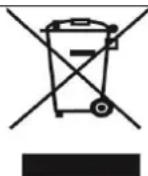
ENVIRONMENTAL PROTECTION
Do not dispose of this product with the normal household waste at the end of its life cycle. Return it to a collection point for the recycling of electrical and electronic devices. This is indicated by the symbol on the product, user manual or packaging.
The materials are reusable according to their markings. By reusing, recycling or other forms of utilization of old devices you make an important contribution to the protection of our environment. Please contact your local authorities for details about collection points.
Used batteries are hazardous waste and NOT to be disposed of with the household waste! As a consumer you are legally obligated to return all batteries for environmentally responsible recycling - no matter whether or not the batteries contain harmful substances*).
Return batteries free of charge to public collection points in your community or to shops selling batteries of the respective kind.
Only return fully discharged batteries.
*) marked Cd = cadmium, Hg = mercury, Pb = lead
General Description
DAB&FM Digital Tuning System (20DAB+20FM Preset Stations by manual)
AMS function (Automatic Memory System) (30DAB+30FM Stored Stations)
- RDS feature provide radio station name display & automatic time up-date
- CD|MP3|WMA and USB playback function provided
- Precise crystal is used for system operation
Real time clock display with day-flag
12|24 Hour clock display
Built in calendar with auto leap year handling within 2000-2099
- 4 mode dual alarms can be set to daily, weekday, week-end and single day independently
- Alarm output can be set to CD, DAB, FM or Buzzer sound
Automatic or Manual search and Up, Down features are provided
Electronic Volume Control (32 level)
- Back light with high-low dimmer
Automatic change to standby mode after 15 minutes if not any sources playing.
- 5 Preset EQ (Flat, Rock, Classic ,Jazz ,Pop)
- Radio Frequency range:
FM:87.5\~108.0MHz,50kHz|Step
DAB Band III 174.928-239.2 MHz
- CD playback function provided incl. below feature:
CD Disc & MP3 Disc & WMA Disc
CD Disk
Programmable Memories: (Max. 32 tracks)
MP3|WMA Disk
Programmable Memories: (Max. 99 tracks)
- 8cm&12cm CD-R, CD-RW, Unclosed, Multi-Session, Mix Mode (CDDA only)
- Play, Pause, Fast Forward and Fast Backward Playback
- Repeat one / Repeat all /Repeat Folder/Random Playback
-
USB Mode
-
Programmable Memories: (Max. 99 tracks)
USB Charging
AUX Mode
- Bluetooth® Mode
- LED light
Assembly Drawing
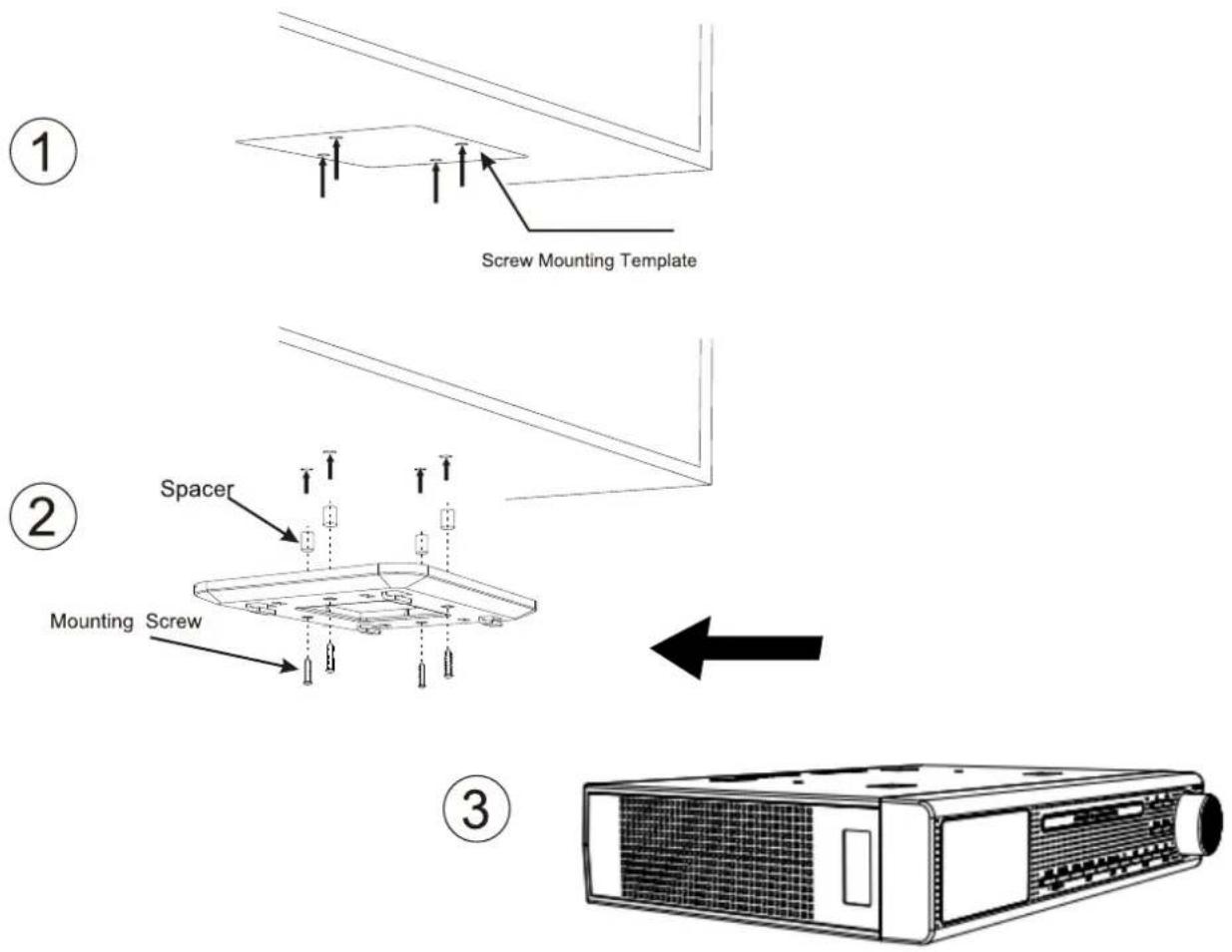
Install the unit as below 3 steps:
- Place the mounting/drill template under the cabinet with tape, so the unit will be located where you want to, and drill four holes with diameter 1/16 inch drill bit
2、Fasten the screw as the above drawing with supplied Spacer+ mounting bracket+ long screw or mounting bracket + short screw
3、Buckle the unit to the mounting bracket
Warning: To prevent damage, do not place any heating or cooking appliance beneath the unit, install the unit as far as possible from a source of noise such as fridge, microwave oven etc.
Key List
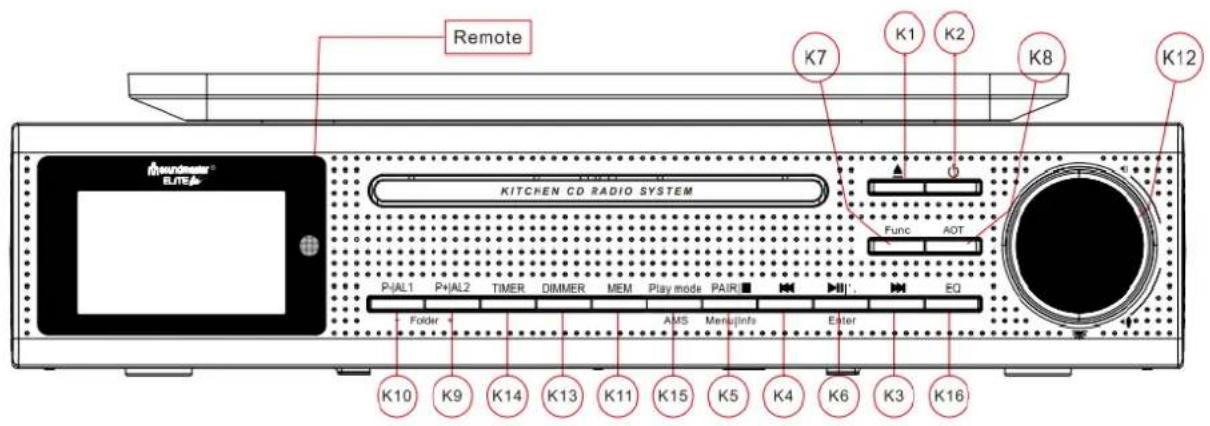
K-1. : Control of CD tray to open or close
K-2. Device power On | Off
K-3. Tune up Radio station and forward of CD playback at that mode
K-4. : Tune down Radio Station and backward of CD play back at that mode
K-5. PAIR/■| Menu/Info Pairing BT, Mode set and Stop of CD/USB playback, Set menu /press to show information of station
K-6. /Enter : Answer cellphone, Function Setup / Exit Setting, Enter or Confirm, Play & Pause of CD/USB/BT play back at that mode
K-7. FUNC: DAB,FM ,CD, USB ,AUX, BT selector
K-8.AOT: Automatic OFF Timer
K-9. P+ | Folder+/AL2: Call back preset station for up / Review alarm at standby mode
K-10. P- | Folder-/AL1: Call back preset station for down/ Review alarm at standby mode
K-11. MEM: Station Memory entry/ Preset Station review
K-12. /VOL+/VOL-: LED light on/off/ Volume increase/ Volume decrease
K-13. Dimmer: Display backup light level control
K-14. Timer: Operate for timer function
K-15. Play mode/AMS: Play mode, AMS (Auto Memory Setting for radio station)
K-16. EQ: EQ (Flat | Rock | Classic | Jazz | Pop)
Getting start
Power Up
- When device connect to power and it's powered up first time, Automatic update function will start automatically and scrolling text "Update, Please Wait" is display on LCD, it may need few minutes depends signal strength and device working environment, when signal was received, the right time should be display on LCD accordingly. To terminate it, press any key during the period
- When the automatic system setting had been terminate by user or update un-succeed, the date and clock are defaulted to 01.01.2016 . 0:00
The all alarms are defaulted to 0:00
The unit is switched to clock auto-run mode - Default back light automatically set to dim from 23:00 to 05:59 unless you set the auto dimmer to OFF
Setup Device
When Auto-Run Mode, Press
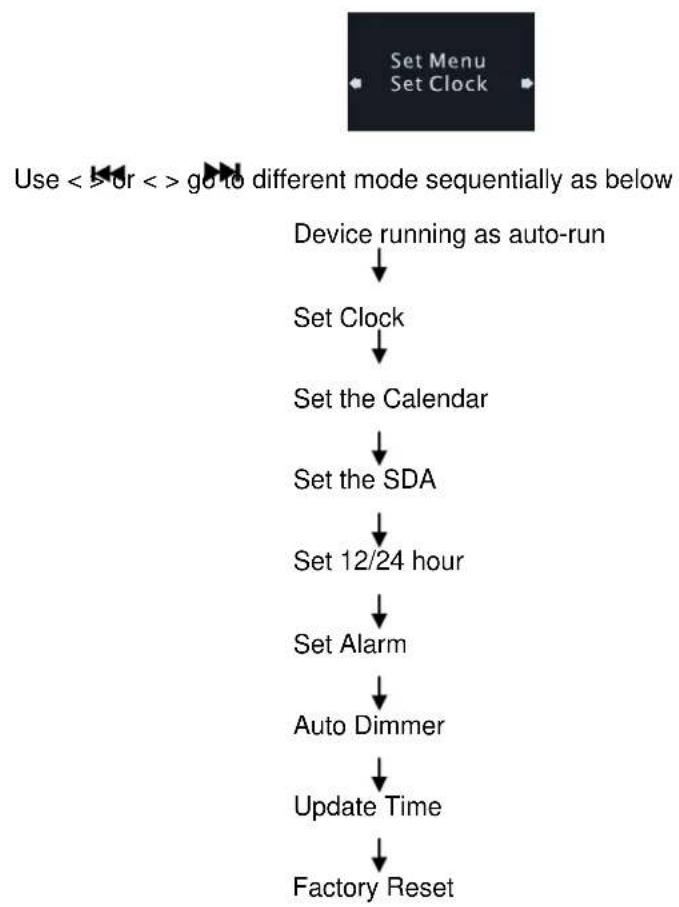
Set the clock
- Press < > or < > to select 'Set Clock' when set menu mode
- Press
to enter Set Clock and display will show as below
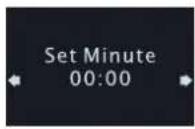
- Press < > or < > to set value of minutes.
Pressto Confirm minute Set and enter set hour mode, display show as below
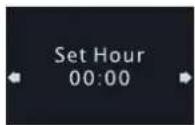
- Press < > or < > to set value of hours.
- Press
to Confirm hour value and return to set menu
Setup Calendar
- Press < > to select 'Set Calendar' when set menu mode.
- Press
to setup value of calendar.
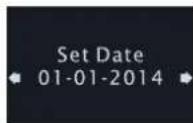
- Press < > or < > to sell value of dates.
Pressto Confirm date value and enter to month selection, display show as below.
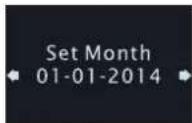
- Press < > or < > to select value of months.
Press < Enter > to Confirm it and enter to setting up year value, display show as below
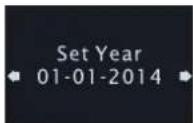
- Press <串> or <串> to select value of years, once it's meeting right value, press
confirm and return to setup Manu
Set the SDA
- Press < > to set SDA when device stay on setting menu mode.
- Press
to enter set SDA timer
There are total 10 SDA timers for select.
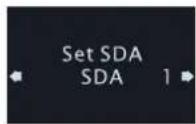
- Press < 1 × 1 > or < 1 × 1 > to select number of SDA.
- Press
to confirm selected timer and enter to set up it
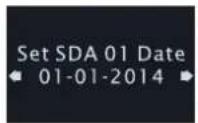
- Press < > or < > to set value of date.
- Press
to confirm date and enter set month mode.
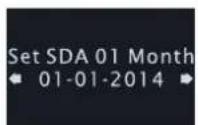
- Press < > to set value of month.
- Press
to confirm month and enter set year mode.
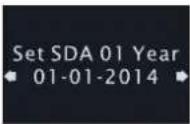
- Press < > or < > to set value of year.
- Press
to confirm year and return to set menu.
Select Clock format which 12 or 24
Press < > or < > to select 12/24 hour format when set menu mode, display show as below:
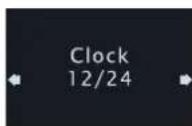
- Press
to enter set 12/24 hour format - Press < > or < > to select 12 or24 hour format.
- Press
to confirm select and return to set menu.
Setup the alarm
- Press <串> or <串> to select 'Set Alarm' when stay on the setting menu display show as below:
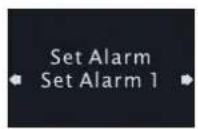
- Press
to enter to be start setup alarm : - Press < > or < > to select number of alarm.
- Press
to confirm selected number and enter to Minute of alarm selection, display show as below
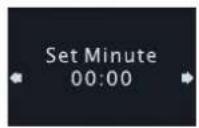
- Press < > or < > to setup value of minute for alarm.
Pressto confirm minute and enter to hour of alarm selection, display show as below
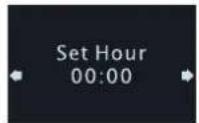
- Press < > or < > to set value of hour for alarm.
Pressto confirm selected hour value and enter to select output of alarm active:
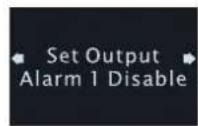
- there are five kinds of choices, it is respectively as table 1
Table (1)
| Kinds | Means | Alarm duration time |
| Disable | Alarm is disable (default) | 0 |
| DAB | DAB sound for alarm active | 60 minutes |
| FM | FM sound for alarm active | 60 minutes |
| Buzzer | Buzzer sound for alarm active | 10 minutes |
| CD | CD sound for alarm active | 60 minutes |
- Press <串> or <串> to select the kind of output, if choose CD output mode, you have to put the CD into the device, otherwise the alarm by Buzzer will take over.
Pressto Confirm it and enter to days selection, display show as below
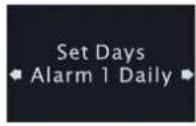
- There are ten kinds of choices, it is respectively as table 2
Table 2
| Kinds | Means |
| Daily | Alarm work in every day |
| Weekday | Alarm work in weekday |
| Weekend | Alarm work in weekend |
| Sun, Mon ... Sat | Alarm work in one day of week |
- Press < > or < > to select the kind alarm active arrangement
- Press
to Confirm the select and return to set menu.
Set Auto Dimmer
- Press <山> or <山> to select 'Auto Dimmer' when stay on setup menu stage.
Pressto enter set auto dimmer and the LCD display screen show as below
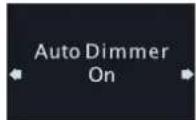
- Press < > or < > to select ON or OFF. Default is On
- Press
to confirm selection and return to set up menu. - When you choose "On", the default back light automatically set to dim from 23:00 to 05:59
- When you choose "Off", the device won't dim the back light automatically.
Set factory reset (Be careful to use this action)
When stay on setup menu and press <串串> or <串串> to select "Factory Reset"
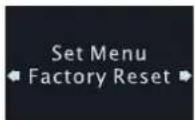
- Make sure you want delete all setup and reset the device to factory default, Press
to done it.
Using Device
Once Automatic done or finish all setup, Device ready for use now.
Using Cooking Timer
- Press
once to entry the timer mode, Display show as below:
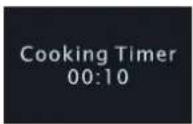
- Press <串> or <串> to choose the five value (00:10 or 00:15 or 00:30 or 00:40 or 1:00), press
to start counting. - Press <P or <P to choose the ten value (00:10/00:15/00:30/00:40/1:00/01:10/01:20/01:30/01:40/02:00), Press
to confirm, press to start counting. - if you want to set any time you need, press
once, then press to set minute by <串> and <串> , then press to set hour by <串> and <串> , then press to confirm the set, press to start counting. - When the timer is running press
could be pause it or press again to continue. - Press and hold
for 2 seconds to terminate the timer and leave, when the timer is running. - Beep sound alarm is selected,
a. Sound of beep toggles at the Speaker
b. The duration of alarm is 10 minutes
- Press any key to terminate the currently active alarm.
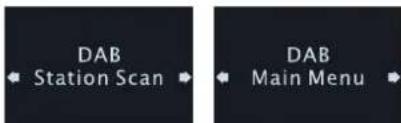
Listen the radio DAB
- Press < > once to turn on the radio.
Pressto select device work mode to DAB
Electronic Volume Control
a. Turn < VOL + > to increase speaker volume.
b. Turn < VOL> to decrease speaker volume.
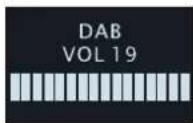
How to listen DAB station
a. When device first to using DAB, Automatic Scan function will start automatically and "Scanning" on LCD as below :
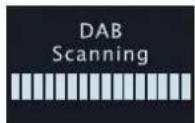
b. Till the action finish,Select DAB station
c. Press < > or < > once to select DAB station list.
d. Press < Enter > once to confirm and tune to the station.
e. Another way to search stations, In DAB mode: Press and hold
- How to store station into preset station
a. When listen to DAB station, press <P+> or <P-> to change location.
b. Press and hold < Enter > to store value of station into current location.
- Recall the preset station
a. Press < MEM> once to select location of preset, display show on below information
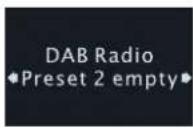
b. Press <P+> or <P-> to change location.
c. Press
How to using AMS
a. Press and hold AMS for 2 seconds to active AMS mode.
b. At the moment, the device will automatically scan the DAB station and store the station that had been scanned until scan up all the frequency or stored all the memory station, it will exit automatically.
Review AMS stored station
a. Press < > or < > to select station.
b. Press
Review the information of station
a) Press
b) There are Seven kinds of choices, it is respectively:
- Station frequency and block number
- Data rate
- Station RSSI
- Signal error Rate
- DLS (Scrolling text)
- Program type
- Station name
How to Listen FM Radio
Press <> key to turn device on, press <Func> select work mode to FM, Display should be show as below:
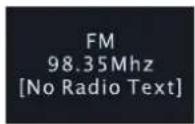
How to search station
- When the radio is ON, press < > once to change the receiving frequency up by 1 step
- Press < > once to change the receiving frequency down by 1 step.
- Press and hold < > to search the next radio station automatically by moving the receiving frequency up.
-
Press and hold < > to search the next radio station automatically by moving the receiving frequency down.
-
How to store station into preset location
-
Press <MEM> once to select location of preset station.
- Press <P+> or <P-> to change location.
-
Press and hold < Enter > to store value of station into the current location.
-
Recall the presented station
-
Press
once to select location of preset. - Press <P+> or <P-> to change location.
-
Press
to confirm select and recall the frequency. -
How to use AMS (Automatic Memory Setup)
-
Press and hold <AMS> for 2 seconds to active AMS mode.
- In this mode, the radio will automatically scan the radio station and store the station that had been scanned until scan up all the frequency or stored all the memory station, it will exit automatically.
Review AMS stored station:
- Press and hold <MEM> to enter FM station list.
- Press < > to select station.
-
Press
to confirm select and recall the frequency -
How to enable or disable stereo feature
If received a weak station that may cause background noise, user can be stereo feature to improve sound quality.
- Press
for 2 seconds to 'FM set menu' mode. - Press <> or <> to select 'Audio setting'.
- Press
Confirm select and enter 'Audio setting' set mode. - Press < > to < > to select set.
- Press
Confirm and return to 'FM set menu' mode.
Review information of station
- Press
to review information of station. - There are three kinds of choices, it is respectively:
√ Station text
Station Program type
Station RSSI
Listen Music from CD
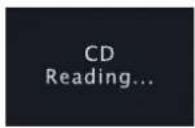
Press <山> key to tune device on, press <Func> select work mode to CD or press <▲> key to open CD tray, Display should be show as below:
-
How to play a CD|MP3 CD
-
Press <> to open tray of CD and put CD media to tray, press <> key again to close door of CD tray, at the moment, device will catch data from CD and "Reading, ... " for about 5-10 seconds, it will depends CD quality.
- Once the CD read and confirm it's workable format, device will play from beginning of play list if not any key press.
- When need to pause for the moment under playing, press "▶" once, press once again will play again.
- Press "Play mode" to select play back mode as "rep one", "rep all" or "random"
- Press and hold "▶" to fast speed forward, press once to next track
- Press and hold "▶" to Fast speed rewind, press once back to previously track.
- Press < Folder > or < Folder to select folder for first of program list.
- Let device play under Pre-Program selected music (Pre-Program play)
a. Press <MEM> once to program mode when stop mode.
b. Press < 出> or < 出> to select track for first of program list.
c. Press
d. Press < to confirm the setting and play.
e. Press < twice to cancel program play
Listen music from a USB
Press <U> key to turn device on, press <Func> select work mode to USB work mode, Display should be show as below:
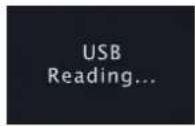
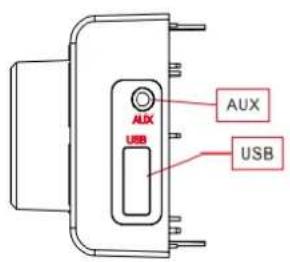
a. Insert USB-Disk into UBS jack, device will reading.
- The device seek complete, device will play from beginning of play list if not any key press.
- Press "▶" to play or Pause under music play back
- Press "Play mode" to select play back mode as Rep one .rep all, rep fol, random
- Press and hold “▶” to fast speed forward, press once to next track
- Press and hold " 心 to fast speed rewind, press once back to previously track.
b. Program play
- Press <MEM> once to program mode when stop mode.
- Press < > or < > to select track for first of program list.
- Press < Folder + or < Folder- to select folder for first of program list.
- Press
again to select track for next. Up to 64 - Press < > confirm the setting and play.
- Press < twice to cancel program play
c. Electronic Volume Control
- Turn < VOL + > to increase speaker volume
- Turn
to decrease speaker volume. - Adjust Volume control sound output to a comfortable level , don't make it too loud
USB charging function
When a smartphone or tablet is connected to USB socket, it will be automatically charged.
Aux mode
The music resource connect device with AUX cable, press <FUNC> change to AUX.
Bluetooth® mode
- Press
to select the mode to be Bluetooth® mode, display show “Pairing...” then search for UR2195, if connecting successfully, the display will show “Connected”. - Choose the music you want to play.
- Press < > to play last music
- Press < to play next music
- Press < 串 > to pause, press < 串 > again to continue playing
- If your cellphone is connected with the device, when receiving call in Bluetooth mode you can press < once to answer/end the call, and press and hold < to reject the call,
- In BT mode, press
once to stop of BT playback, press and hold to disconnect paired device and pairing new device.
Using AOT (Automatic OFF Timer)
The function let user setup a onetime timer to let device automatic power off
- Press
once to active AOT function, if device stay on the standby, will turn on the device. The display will show as below:
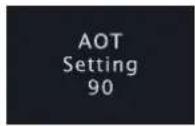
- Press the key every time will change each 5 minutes, value of timer since 90 to OFF.
- Press other key to start its corresponding function with the AOT timer is run at background
- When no key has been pressed for 15 seconds, the system exit AOT timer display mode, but the AOT timer is run at background
5.Once < AOT> was press, The current AOT value should show on display.
6.If want to cancel the AOT, press < AOT> several times until it to OFF.
LED Back Light Dimmer
- At the any mode, press
to select dimmer high or dimmer low., the display will show as below:
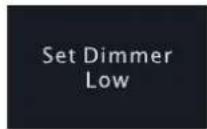
- Select dimmer high with high level back light; select dimmer low with low level back light.
LED light
Press < > to turn on or turn off the light on the bottom of the unit.
Technical Data
Use only the supplied AC-Adapter
Model: HKP12-0502000dV
Hung Key Industrial Co., Ltd.
Input: 100-240V~50/60Hz, 0,3A max.
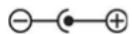
Output: 5V,2.0A DC
Device
Input voltage, current: DC5V, 2A
Power consumption: 12W
Radio Frequency range: FM: 87.5 ~ 108.0 MHz, 50kHz | Step
DAB Band III 174.928-239.2 MHz
Store temperature: -10°to +65°
Operating temperature: 0^ + 45^
Specifications are subject to change without further notice.
Copyright by Wörlein GmbH
CE
Remote control:
| Key Mark | Function |
| ○ | Device power On | Off |
| EQ | EQ(Flat | Rock | Classic | Jazz | Pop) |
| VOL- | Volume decrease |
| VOL+ | Volume increase |
| Play mode | Select play mode of rep one/rep all/random for CD/USB |
| ← | Tune down Radio Station and backward of CD/USB play back at that mode |
| Enter | Play & Pause of CD/USB play back at that mode, Function Setup | Exit Setting, Enter or Confirm |
| → | Tune up Radio station and forward of CD/USB playback at that mode |
| Func | DAB、FM 、CD、USB、AUX、BT selector |
| P-/Fol- | Call back preset station for down |
| ■/Info | Mode set and Stop of CD/USB playback, press to show information of station |
| P+/Fol+ | Call back preset station for up |
| ▲ | Control of CD tray to open or close |
| DIM | Display backup light level control |
| MEM | Station Memory entry/ Preset Station review |
| AMS | AMS(Auto Memory Setting for radio station) |
| AL1 | Review Alarm1 |
| AL2 | Review Alarm2 |
| Timer | Operate for timer function |
| Turn off the sound | |
| Pick up /end the call | |
| PAIR | Pairing Bluetooth device |
| Turn on/off LED light | |
| AOT | Automatic OFF Timer |
N'INGÉRZ PAS LA PILE: RISQUE DE BRULURES CHIMIQUES
CLASS 1 LASER PRODUCT KLASSE 1 LASER PRODUKT LUOKAN 1 LASER LAITE KCLASS 1 LASER APPARAT PRODUCTO LASER CLASE 1
ATTENTION - RADIATION LASER INVISIBLE LORSQUE VOUS OUVREZ LE COUVERCLE OU APPUYEZ SUR L'ENCLENCHEMENT DE SECURITE. EVITEZ Toute EXPOSITION AU RAYON LASER
ATTENTION
Hung Key Industrial Co., Ltd
CLASS 1 LASER PRODUCT
KLASSE 1 LASER PRODUKT
LUOKAN 1 LASER LAITE
KCLASS 1 LASER APPARAT
PRODUCTO LASER CLASE 1
WAARSCHUWING - ONZICHTBARE LASERSTRALING WANNEER DE BEHUIZING GEOPEND WORDT OF DE INTERNE BEVEILIGING UITGESCHAKELD. VERMIJD BLOOTSTELLING AAN DE LASERSTRAAL.
WAARSCHUWING
FM:87,5\~108,0 MHz, 50kHz | Passo
DAB in banda III 174.928-239.2 MHz
FM: 87,5 ~ 108,0 MHz, 50kHz | Passo
DAB in banda III 174.928-239.2 MHz
Bruke AOT (Automatic OFF Timer)
Copyright by Wörlein GmbH

Fjernkontroll:
*) markerade Cd = kadmium, Hg = kvicksilver, Pb = bly
Allman beskrivning
K-10. P- | Folder-/AL1:
Spara forinstalldkanal/Granska forinstalldkanal
K-11. MEM:
LED-belsninq pa/av//oka volym/minska volym
K-12. VOL+/VOL:
Radions frekvensomrade: FM: 87,5 ~ 108,0 MHz, 50kHz | Steg
DAB Band III 174,928-239,2 MHz
Volic rezimu DAB, FM, CD, USB, AUX, BT
K-8. AOT:
K-10. P- | Folder-/AL1:
Hung Key Industrial Co., Ltd
Vstupni napeti: 100-240V~50/60Hz, 0,3A max.
Vystupni napeti: 5V,2,0A DC
Zařizení
Vstupni napeti, proud: 5V DC, 2 A
D 90556 Cadolzburg, Germany
Tel: +49 9103 71 67 0
Fax: +49 9103 71 67 12
E-Mail: info@soundmaster.de
Internet: www.soundmaster.de
Hereby, Wörlein GmbH declares that this device is in compliance with the essential requirements and other relevant provisions of Directive 2014/53/EU.
A copy of the declaration of conformity can be obtained from the above address.
