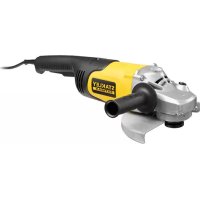
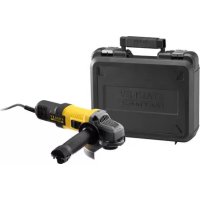
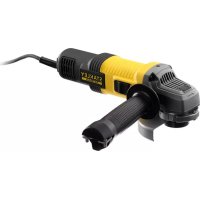
FMEG232 - Grinder STANLEY - Free user manual and instructions
Find the device manual for free FMEG232 STANLEY in PDF.



| Product Type | Angle Grinder (Grinder) |
| Brand | Stanley |
| Model | FMEG232 |
| Category | Grinder |
| Input Voltage | 230 V AC |
| Power Input | 2000 W |
| Rated Speed | 6500 min⁻¹ |
| Max. Disc Diameter | 230 mm |
| Disc Bore | 22 mm |
| Max. Grinding Disc Thickness | 6 mm |
| Max. Cutting Disc Thickness | 3.5 mm |
| Shaft Size | M14 |
| Weight | 5 kg |
| Insulation | Double insulation (Class II) |
| Sound Pressure Level (LpA) | 94 dB(A) (uncertainty K=3 dB(A)) |
| Sound Power Level (LWA) | 105 dB(A) (uncertainty K=3 dB(A)) |
| Vibration (Surface Grinding) | 7.8 m/s² (uncertainty K=1.5 m/s²) |
| Main Functions | Grinding, sanding, wire brushing |
| Side Handle | Yes, positionable left or right |
| Protection | Adjustable guard, spindle lock |
| Maintenance | Clean ventilation slots regularly |
| Warranty | 12 months |
| Intended Use | Metal grinding, professionals and DIY users |
Frequently Asked Questions - FMEG232 STANLEY
User questions about FMEG232 STANLEY
0 question about this device. Answer the ones you know or ask your own.
Ask a new question about this device
Download the instructions for your Grinder in PDF format for free! Find your manual FMEG232 - STANLEY and take your electronic device back in hand. On this page are published all the documents necessary for the use of your device. FMEG232 by STANLEY.
USER MANUAL FMEG232 STANLEY
English (original instructions) 5
natural_image
Line drawing of a hand using a Stanley Remaster electric grinder on a workbench (no text or symbols)Intended use
Your STANLEY FATMAX FMEG232 angle grinder has been designed for grinding metal using the appropriate type of accessories. When fitted with the appropriate guard, This tool is intended for professional and private, non professional users.
Safety instructions
General power tool safety warnings

WARNING! Read all safety warnings and all instructions. Failure to follow the warnings and instructions listed below may result in electric shock, fire and/or serious injury.
Save all warnings and instructions for future reference.
The term "power tool" in all of the warnings listed below refers to your mains operated (corded) power tool or battery operated (cordless) power tool.
-
Work area safety
a. Keep work area clean and well lit. Cluttered or dark areas invite accidents.
b. Do not operate power tools in explosive atmospheres, such as in the presence of flammable liquids, gases or dust. Power tools create sparks which may ignite the dust or fumes.
c. Keep children and bystanders away while operating a power tool. Distractions can cause you to lose control. -
Electrical safety
a. Power tool plugs must match the outlet. Never modify the plug in any way. Do not use any adapter plugs with earthed (grounded) power tools. Unmodified plugs and matching outlets will reduce risk of electric shock.
b. Avoid body contact with earthed or grounded surfaces such as pipes, radiators, ranges and refrigerators. There is an increased risk of electric shock if your body is earthed or grounded.
c. Do not expose power tools to rain or wet conditions.
Water entering a power tool will increase the risk of electric shock.
d. Do not abuse the cord. Never use the cord for carrying, pulling or unplugging the power tool. Keep cord away from heat, oil, sharp edges or moving parts. Damaged or entangled cords increase the risk of electric shock.
e. When operating a power tool outdoors, use an extension cord suitable for outdoor use. Use of a cord suitable for outdoor use reduces the risk of electric shock.
f. If operating a power tool in a damp location is unavoidable, use a residual current device (RCD) protected supply.
Use of an RCD reduces the risk of electric shock.
- Personal safety
a. Stay alert, watch what you are doing and use common sense when operating a power tool. Do not use a power tool while you are tired or under the influence of drugs, alcohol or medication. A moment of inattention while operating power tools may result in serious personal injury.
b. Use personal protective equipment. Always wear eye protection. Protective equipment such as dust mask, non-skid safety shoes, hard hat, or hearing protection used for appropriate conditions will reduce personal injuries.
c. Prevent unintentional starting. Ensure the switch is in the off-position before connecting to power source and/or battery pack, picking up or carrying the tool. Carrying power tools with your finger on the switch or energising power tools that have the switch on invites accidents.
d. Remove any adjusting key or wrench before turning the power tool on. A wrench or a key left attached to a rotating part of the power tool may result in personal injury.
e. Do not overreach. Keep proper footing and balance at all times. This enables better control of the power tool in unexpected situations.
f. Dress properly. Do not wear loose clothing or jewellery. Keep your hair, clothing and gloves away from moving parts. Loose clothes, jewellery or long hair can be caught in moving parts.
g. If devices are provided for the connection of dust extraction and collection facilities, ensure these are connected and properly used. Use of dust collection can reduce dust-related hazards.
- Power tool use and care
a. Do not force the power tool. Use the correct power tool for your application. The correct power tool will do the job better and safer at the rate for which it was designed.
b. Do not use the power tool if the switch does not turn it on and off. Any power tool that cannot be controlled with the switch is dangerous and must be repaired.
c. Disconnect the plug from the power source and/or the battery pack from the power tool before making any adjustments, changing accessories, or storing power tools. Such preventive safety measures reduce the risk of starting the power tool accidentally.
d. Store idle power tools out of the reach of children and do not allow persons unfamiliar with the power tool or these instructions to operate the power tool. Power tools are dangerous in the hands of untrained users.
ENGLISH
(Original instructions)
e. Maintain power tools. Check for misalignment or binding of moving parts, breakage of parts and any other condition that may affect the power tools operation. If damaged, have the power tool repaired before use. Many accidents are caused by poorly maintained power tools.
f. Keep cutting tools sharp and clean. Properly maintained cutting tools with sharp cutting edges are less likely to bind and are easier to control.
g. Use the power tool, accessories and tool bits etc. in accordance with these instructions, taking into account the working conditions and the work to be performed. Use of the power tool for operations different from those intended could result in a hazardous situation.
5. Service
a. Have your power tool serviced by a qualified repair person using only identical replacement parts. This will ensure that the safety of the power tool is maintained.
Additional power tool safety warnings

Warning! Additional safety warnings for grinding, sanding, wire brushing, operations
- This power tool is intended to function as a grinder, sander or wire brush. Read all safety warnings, instructions, illustrations and specifications provided with this power tool. Failure to follow all instructions listed below may result in electric shock, fire and/or serious injury.
◆ Operations for which the power tool was not designed may create a hazard and cause personal injury.
Do not use accessories which are not specifically designed and recommended by the tool manufacturer. Just because the accessory can be attached to your power tool, it does not assure safe operation. - The rated speed of the accessory must be at least equal to the maximum speed marked on the power tool. Accessories running faster than their rated speed can break and fly apart.
- The outside diameter and the thickness of your accessory must be within the capacity rating of your power tool. Incorrectly sized accessories cannot be adequately guarded or controlled.
- The arbour size of wheels, flanges, backing pads or any other accessory must properly fit the spindle of the power tool. Accessories with arbour holes that do not match the mounting hardware of the power tool will run out of balance, vibrate excessively and may cause loss of control.
Do not use a damaged accessory. Before each use inspect the accessory such as abrasive wheels for chips and cracks, backing pad for cracks, tear or excess wear, wire brush for loose or cracked wires. If power tool or accessory is dropped, inspect for damage or install an undamaged accessory. After inspecting and installing an accessory and run the power tool at maximum no-load speed for one minute. Damaged accessories will normally break apart during this test time.
- Wear personal protective equipment. Depending on application, use face shield, safety goggles or safety glasses. As appropriate, wear dust mask, hearing protectors, gloves and workshop apron capable of stopping small abrasive or workpiece fragments.
The eye protection must be capable of stopping flying debris generated by various operations. The dust mask or respirator must be capable of filtering particles generated by your operation. Prolonged exposure to high intensity noise may cause hearing loss.
- Keep bystanders a safe distance away from work area. Anyone entering the work area must wear personal protective equipment. Fragments of workpiece or of a broken accessory may fly away and cause injury beyond immediate area of operation.
- Hold power tool by insulated gripping surfaces only, when performing an operation where the cutting accessory may contact hidden wiring or its own cord. Cutting accessory contacting a "live" wire may make exposed metal parts of the power tool "live" and shock the operator.
- Use clamps or another practical way to secure and support the workpiece to a stable platform. Holding the work by hand or against your body leaves it unstable and may lead to loss of control.
◆ Position the cord clear of the spinning accessory. If you lose control, the cord may be cut or snagged and your hand or arm may be pulled into the spinning accessory.
- Never lay the power tool down until the accessory has come to a complete stop. The spinning accessory may grab the surface and pull the power tool out of your control.
Do not run the power tool while carrying it at your side. Accidental contact with the spinning accessory could snag your clothing, pulling the accessory into your body.
- Regularly clean the power tool's air vents. The motor's fan will draw the dust inside the housing and excessive accumulation of powdered metal may cause electrical hazards.
- Do not operate the power tool near flammable materials. Sparks could ignite these materials.
- Do not use accessories that require liquid coolants.
Using water or other liquid coolants may result in electrocution or shock.
Note: The above warning does not apply for power tools specifically designed for use with a liquid system.
Kickback and related warnings
Kickback is a sudden reaction to a pinched or snagged rotating wheel, backing pad, brush or any other accessory. Pinching or snagging causes rapid stalling of the rotating accessory which in turn causes the uncontrolled power tool to be forced in the direction opposite of the accessory's rotation at the point of the binding.
For example, if an abrasive wheel is snagged or pinched by the workpiece, the edge of the wheel that is entering into the pinch point can dig into the surface of the material causing the wheel to climb out or kick out. The wheel may either jump toward or away from the operator, depending on direction of the wheel's movement at the point of pinching.
Abrasive wheels may also break under these conditions.
Kickback is the result of power tool misuse and/or incorrect operating procedures or conditions and can be avoided by taking proper precautions as given below.
- Maintain a firm grip on the power tool and position your body and arm to allow you to resist kickback forces. Always use auxiliary handle, if provided, for maximum control over kickback or torque reaction during start-up. The operator can control torque reactions or kickback forces, if proper precautions are taken.
- Never place your hand near the rotating accessory. Accessory may kickback over your hand.
Do not position your body in the area where power tool will move if kickback occurs. Kickback will propel the tool in direction opposite to the wheel's movement at the point of snagging.
Use special care when working corners, sharp edges etc. Avoid bouncing and snagging the accessory. Corners, sharp edges or bouncing have a tendency to snag the rotating accessory and cause loss of control or kickback.
Do not attach a saw chain woodcarving blade or toothed saw blade. Such blades create frequent kickback and loss of control.
Safety warnings specific for grinding operations
Use only wheel types that are recommended for your power tool and the specific guard designed for the selected wheel. Wheels for which the power tool was not designed cannot be adequately guarded and are unsafe.
- The guard must be securely attached to the power tool and positioned for maximum safety, so the least amount of wheel is exposed towards the operator.
The guard helps to protect operator from broken wheel fragments and accidental contact with wheel.
- Wheels must be used only for recommended applications. For example: do not grind with the side of cut-off wheel. Abrasive cut-off wheels are intended for peripheral grinding, side forces applied to these wheels may cause them to shatter.
◆ Always use undamaged wheel flanges that are of correct size and shape for your selected wheel. Proper wheel flanges support the wheel thus reducing the possibility of wheel breakage. Flanges for cut-off wheels may be different from grinding wheel flanges.
Do not use worn down wheels from larger power tools. Wheel intended for larger power tool is not suitable for the higher speed of a smaller tool and may burst.
Safety warnings specific for sanding operations
Do not use excessively oversized sanding disc paper. Follow manufacturers recommendations, when selecting sanding paper. Larger sanding paper extending beyond the sanding pad presents a laceration hazard and may cause snagging, tearing of the disc or kickback.
Safety warnings specific for wire brushing operations
- Be aware that wire bristles are thrown by the brush even during ordinary operation. Do not overstress the wires by applying excessive load to the brush. The wire bristles can easily penetrate light clothing and/or skin.
If the use of a guard is recommended for wire brushing, do not allow any interference of the wire wheel or brush with the guard. Wire wheel or brush may expand in diameter due to work load and centrifugal forces.
Safety of others
- This appliance is not intended for use by persons (including children) with reduced physical, sensory or mental capabilities, or lack of experience and knowledge, unless they have been given supervision or instruction concerning use of the appliance by a person responsible for their safety.
◆ Children should be supervised to ensure that they do not play with the appliance.
Residual risks.
Additional residual risks may arise when using the tool which may not be included in the enclosed safety warnings. These risks can arise from misuse, prolonged use etc.
Even with the application of the relevant safety regulations and the implementation of safety devices, certain residual risks can not be avoided. These include:
◆ Injuries caused by touching any rotating/moving parts.
ENGLISH
(Original instructions)
◆ Injuries caused when changing any parts, blades or accessories.
◆ Injuries caused by prolonged use of a tool. When using any tool for prolonged periods ensure you take regular breaks.
◆ Impairment of hearing.
◆ Health hazards caused by breathing dust developed when using your tool (example:- working with wood, especially oak, beech and MDF.)
Vibration
The declared vibration emission values stated in the technical data and the declaration of conformity have been measured in accordance with a standard test method provided by EN 60745 and may be used for comparing one tool with another. The declared vibration emission value may also be used in a preliminary assessment of exposure.
Warning! The vibration emission value during actual use of the power tool can differ from the declared value depending on the ways in which the tool is used. The vibration level may increase above the level stated.
When assessing vibration exposure to determine safety measures required by 2002/44/EC to protect persons regularly using power tools in employment, an estimation of vibration exposure should consider, the actual conditions of use and the way the tool is used, including taking account of all parts of the operating cycle such as the times when the tool is switched off and when it is running idle in addition to the trigger time.
Labels on tool
The following pictograms, along with the date code, are shown on the tool:

Warning! To reduce the risk of injury, the user must read the instruction manual.

Wear safety glasses or goggles when operating this tool.

Wear ear protection when operating this tool.
Electrical safety

This tool is double insulated; therefore no earth wire is required. Always check that the power supply corresponds to the voltage on the rating plate.
If the supply cord is damaged, it must be replaced by the manufacturer or an authorised STANLEY FATMAX Service Centre in order to avoid a hazard.
Voltage drops
Inrush currents cause short-time voltage drops. Under unfavourable power supply conditions, other equipment may be affected.
If the system impedance of the power supply is lower than 0.107 , disturbances are unlikely to occur.
Features
This tool includes some or all of the following features.
- Switch
- Spindle lock
- Guard
- Side handle
Purpose of design
This angle grinder is designed especially for grinding. Do not use sandpaper discs and grinding wheels other than those with depressed center.
Do not use the tool in wet conditions or environments in the presence of flammable liquids or gases.
This angle grinder is a professional power tool.
Do not allow children to come in contact with this tool. Inexperienced operators are required to use this tool under supervision.
Assembly
Warning! To minimize the danger of serious personal injury, please switch off the tool power and disconnect all plugs before adjusting or removing/installing any accessory. Before reassembling the tool, press and release the trigger switch to make sure the tool is already switched off.
Attaching and removing the wheel guard (Fig. A)
Warning! To minimize the danger of serious personal injury, please switch off the tool power and disconnect all plugs before adjusting or removing/installing any accessory. Before reassembling the tool, press and release the trigger switch to make sure the tool is already switched off.
Attaching the guard
◆ Place the angle grinder on a work bench, groove facing up.
◆ Bring the flange of the guard (3) collar over the groove (5) of the gear housing.
◆ Turn the guard (3) counterclockwise by 150 degrees.
◆ Make sure that the screws (20) are tightened.
Removing the guard
◆ Loosen the screws (20) on the guard collar.
◆ Pull up the guard (3).
Warning! Do not operate the tool when the safety guard is not in place.
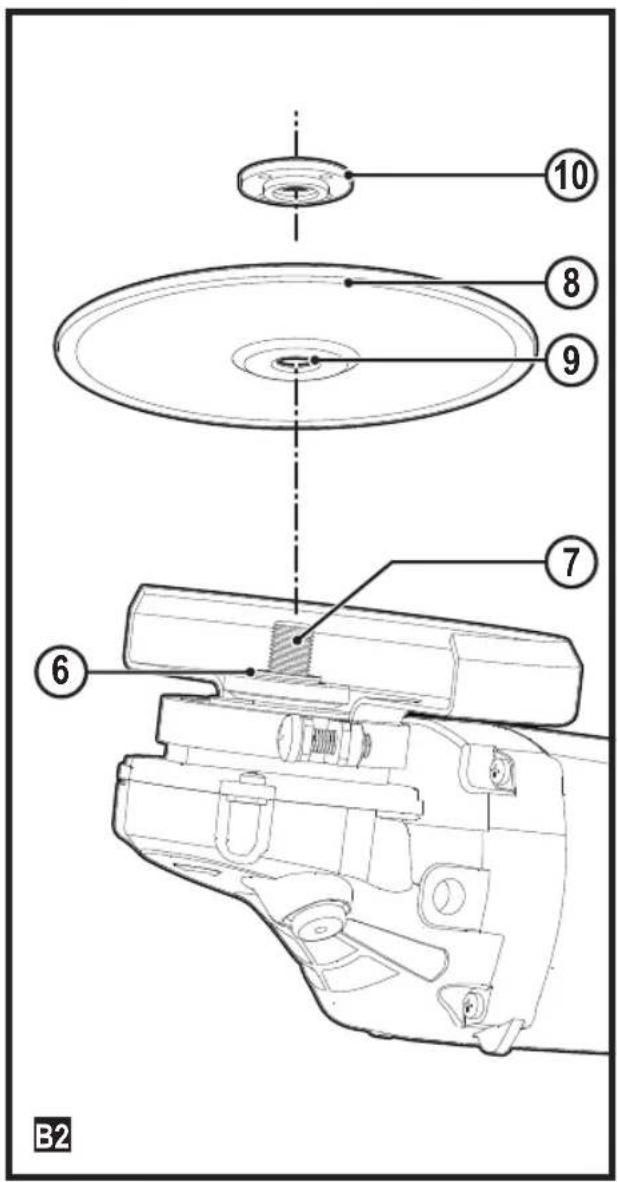
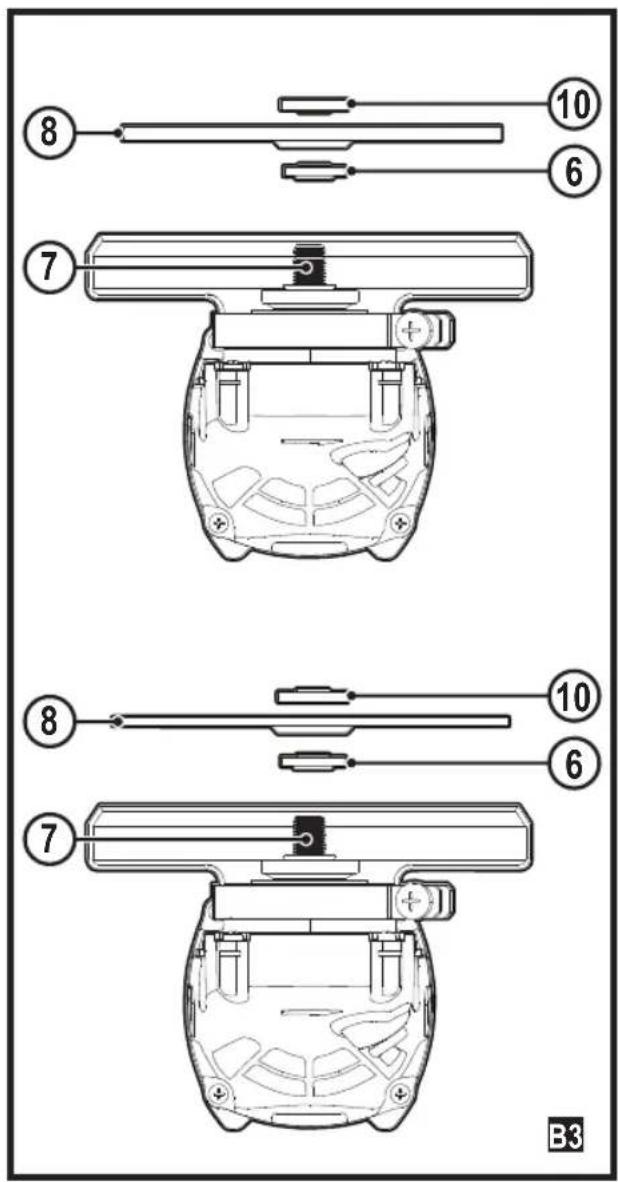
Fitting and removing a grinding wheel (Fig B1, B2, B3)
Warning! Do not use damaged grinding wheels.
◆ Place the tool on a work bench, guard up.
◆ Fit the inner flange (6) correctly onto the spindle (7) (Fig. B1).
◆ Place the disc (8) on the flange (6) (Fig.B2). When fitting a disc with a raised center, make sure that the raised centre (9) is facing the flange (6).
- Screw the out flange (10) onto the spindle (7) (Fig. B3) the ring on the flange (10) must face towards the disc when fitting a grinding disc (A)
the ring on the flange (10) must face away from the disc when fitting a cutting disc (B)
◆ Press the spindle lock (2) and rotate the spindle (7) until it locks in position (Fig. B2).
◆ Tighten the flange (10) with the two-pin spanner supplied.
◆ Release the spindle lock.
- To remove the disc, loosen the flange (10) with the two-pin spanner.
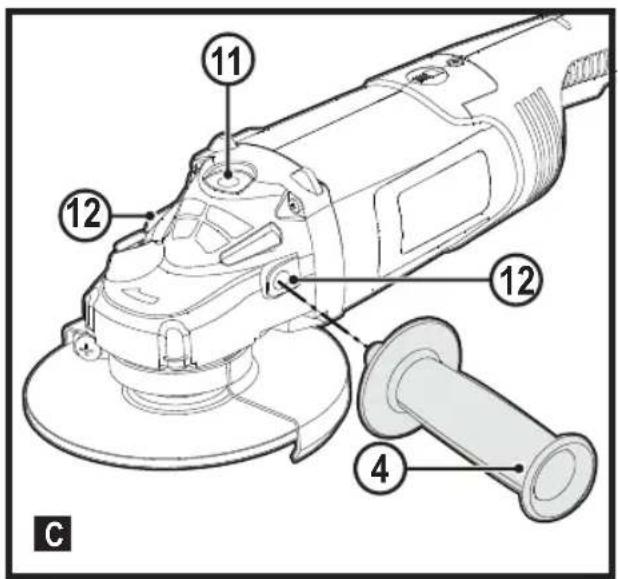
Attaching the side handle (Fig C)
Warning! Before using the tool, check that the handle is tightened securely.
Warning! The side handle should always be used to maintain control of the tool at all times.
Screw the side handle (4) tightly into one of the holes (11) or (12) on either side of the gear case.
Preparation before use
◆ Attach the safety guard and appropriate abrasive or grinding wheels. Do not use abrasive or grinding wheels that are overly worn.
◆ Make sure that the inner and outer flanges are attached correctly.
◆ Make sure that the abrasive or grinding wheels are rotating in the direction of the arrows on the accessories and tool.
Use
Warning! Always observe the safety instructions and applicable regulations.
Warning! To minimize the danger of serious personal injury, please switch off the tool power and disconnect all plugs before adjusting or removing/installing any accessory. Before reassembling the tool, press and release the trigger switch to make sure the tool is already switched off.
◆ Make sure all materials to be grinded are secured in position.
◆ Apply slight pressure to the tool. Do not apply side pressure to the abrasive disc.
◆ Avoid overloading. If the tool becomes hot, let it spin for a few minutes with no load.
- Be sure to hold the tool tightly with both hands (one hand on housing, the other on side handle). Start the tool and bring the grinding wheel on the workpiece.
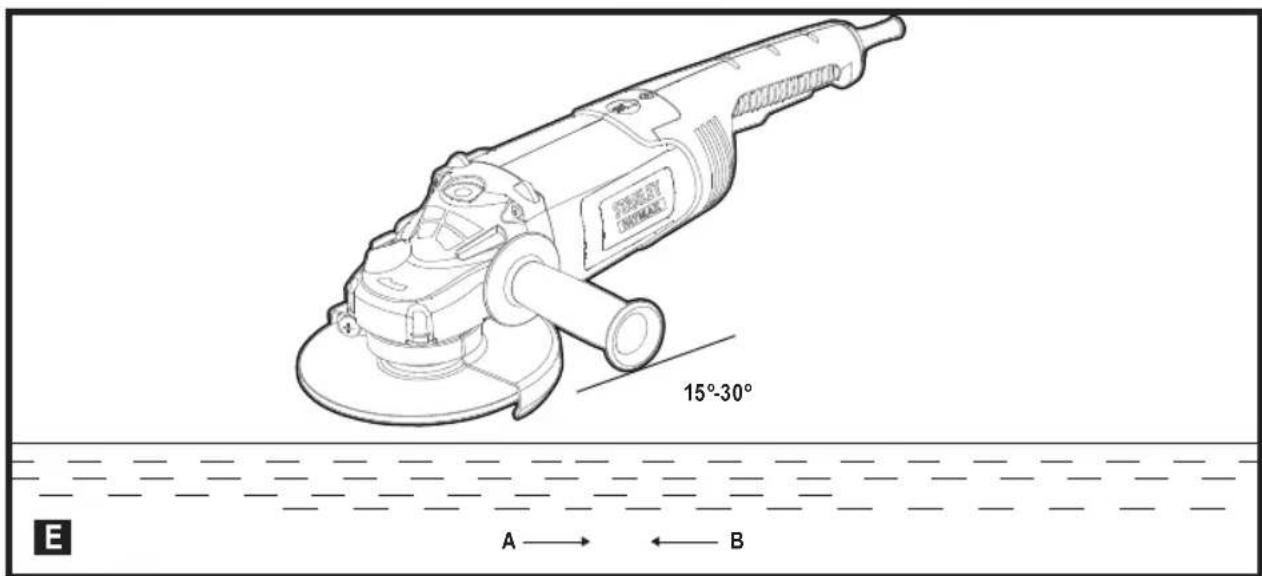
- Keep the edge of the wheel tilted at angle from 15 to 30 degrees against the surface of the workpiece.
When using a new grinding wheel, do not operate the wheel in the B direction, otherwise, it will cut into the workpiece. When the edge of wheel has been rounded off, you are free to operate the grinder in either the A or B direction.
Starting and stopping
Warning! Before using the tool, check whether the handle is tightened securely. Check whether the ON/OFF switch is working normally. Before plugging in the tool to the power supply, check whether the switch is in the OFF position when pressing the rear end of the switch.
To start the tool, press the rear end of the switch and slide it forward. Then press the front end of the switch to lock it. Press the rear end of the switch to stop the tool.
Warning! Do not switch the tool on or off while under load conditions.
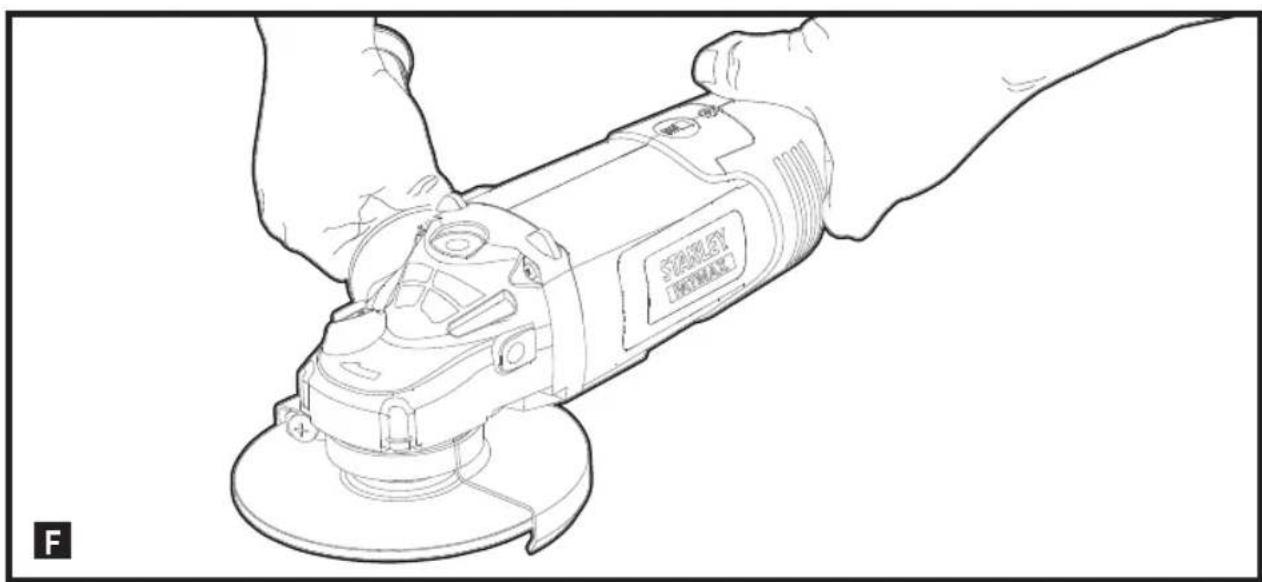
Proper hand position (Fig F)
Warning! To reduce the risk of serious personal injury, ALWAYS use proper hand position as shown.
Warning! To reduce the risk of serious personal injury, ALWAYS hold securely in anticipation of a sudden reaction. Proper hand position requires one hand on the side handle (figure A), with the other hand on the body of the tool, as shown in figure F.
Lock-Off feature of the switch
Slide trigger (1) to the front of the tool and then press the trigger (1), the tool will start. Release the trigger (1), the tool will stop running.
Explanation: Before coming into contact with the object you are working on, make sure the abrasive wheel is turning at maximum speed. Before turning off the tool, lift the tool up from the object you are working on.
Caution: Make sure the abrasive wheel is completely stopped before putting down the tool.
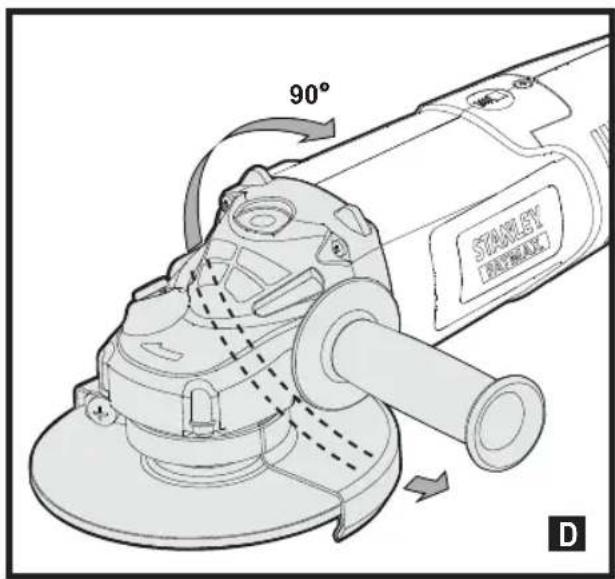
Rotating the gear case (Fig D)
The gear case is mounted onto the tool casing, and it can be rotated to give the user a more comfortable experience while cutting.
The rotating gear case can be turned 90 degrees, 180 degrees, and 270 degrees to the left or to the right.
◆ Loosen the four screws on the gear case.
◆ Rotate the gear case till it reaches its ideal location.
◆ Tighten the four screws on the gear case.
◆ Ensure that the rotating mechanism is locked.
ENGLISH
(Original instructions)
Warning! Do NOT use the tool when the gear case is unlocked.
Application on metals
residual-current device (RCD) is inserted to prevent danger from metal chips.
If the RCD causes power disconnection, have the tool sent to an authorized STANLEY FATMAX dealer for repair.
Warning! Under extreme working conditions, conductive dust and grit may accumulate on the housing interior when handling metal workpieces. This could create an electric shock hazard as it weakens the protective insulation in the grinder.
To avoid accumulation of metal chips in the interior of the grinder, we recommend cleaning the ventilation ducts daily. Refer to Maintenance.
Using grinding wheels
Warning! Metal powder accumulates. Excessive use of the grinding wheel on metals may increase the risk of electric shock.
To reduce the risk, insert the RCD before use and clean the ventilation ducts daily. Follow the maintenance instructions below to blow dry compressed air into the ventilation ducts.
Maintenance
Your STANLEY FATMAX corded/cordless appliance/tool has been designed to operate over a long period of time with a minimum of maintenance. Continuous satisfactory operation depends upon proper tool care and regular cleaning.
Warning! Before performing any maintenance on corded/cordless power tools:
◆ Switch off and unplug the appliance/tool.
- Or switch off and remove the battery from the appliance/tool if the appliance/tool has a separate battery pack.
- Or run the battery down completely if it is integral and then switch off.
◆ Unplug the charger before cleaning it. Your charger does not require any maintenance apart from regular cleaning.
- Regularly clean the ventilation slots in your appliance/tool/charger using a soft brush or dry cloth.
◆ Regularly clean the motor housing using a damp cloth. Do not use any abrasive or solvent-based cleaner.
◆ Regularly open the chuck and tap it to remove any dust from the interior (when fitted).
Mains plug replacement (U.K. & Ireland only)
If a new mains plug needs to be fitted:
◆ Safely dispose of the old plug.
- Connect the brown lead to the live terminal in the new plug.
◆ Connect the blue lead to the neutral terminal.
Warning! No connection is to be made to the earth terminal. Follow the fitting instructions supplied with good quality plugs. Recommended fuse: 13 A.
Protecting the environment

Separate collection. This product must not be disposed of with normal household waste.
Products and batteries contain materials that can be recovered or recycled reducing the demand for raw materials. Please recycle electrical products and batteries according to local provisions. Further information is available at www.2helpU.com
Technical data
| FMEG232 (Type 1) | ||
| Input voltage V | ac | 230 |
| Power input | W | 2000 |
| Rated speed min | -1 | 6500 |
| Disc diameter mm | 230 | |
| Disc bore mm | 22 | |
| Max disc thickness | ||
| grinding discs mm | 6 | |
| cutting discs mm | 3.5 | |
| Spindle size | M14 | |
| Weight kg 5 | ||
| L_pA (sound pressure) 94 dB(A), Uncertainty (K) 3 dB(A) |
| L_WA (acoustic power) 105 dB(A), Uncertainty (K) 3 dB(A) |
| Vibration total values (triax vector sum) according to EN 60745: |
| Surface grinding ( a_h,SG ) 7.8 m/s ^2 , uncertainty (K) 1.5 m/s ^2 |
EC declaration of conformity
MACHINERY DIRECTIVE

FMEG232
Stanley Europe declares that these products described under "technical data" are in compliance with:
2006/42/EC, EN 60745-1, EN 60745-2-3
These products also comply with Directive 2004/108/EC and 2011/65/EU. For more information, please contact Stanley Europe at the following address or refer to the back of the manual.
The undersigned is responsible for compilation of the technical file and makes this declaration on behalf of Stanley Europe.
Ed Higgins
Director – Consumer Power Tools
STANLEY FATMAX Europe, Egide
Stanley Fat Max is confident of the quality of its products and offers consumers a 12 month guarantee from the date of purchase. This guarantee is in addition to and in no way prejudices your statutory rights. The guarantee is valid within the territories of the Member States of the European Union and the European Free Trade Area.
To claim on the guarantee, the claim must be in accordance with Stanley Fat Max Terms and Conditions and you will need to submit proof of purchase to the seller or an authorised repair agent. Terms and conditions of the Stanley Fat Max 1 year guarantee and the location of your nearest authorised repair agent can be obtained on the Internet at www.2helpU.com, or by contacting your local Stanley Fat Max office at the address indicated in this manual.
Please visit our website www.stanleytools.co.uk/ to register
your new Stanley Fat Max product and receive updates on new products and special offers
| Accessory Chart | |||
| Guard Type Accessory | Description How to Fit Grinder | ||
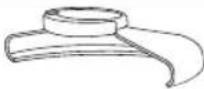 Type 27Guard Type 27Guard |  | Depressed centre grinding disc | 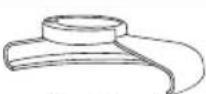 Type 27 guard Type 27 guard Backing flange Backing flange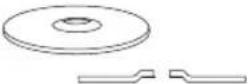 Type 27 depressed centre wheel Type 27 depressed centre wheel Locking flange Locking flange |
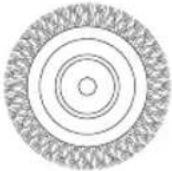 | Wire wheels | ||
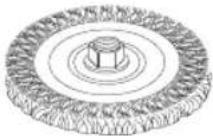 | Wire wheels with threaded nut | 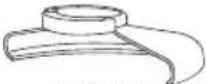 Type 27 guard Type 27 guard Wire wheel Wire wheel | |
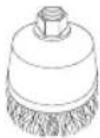 | Wire cup with threaded nut | 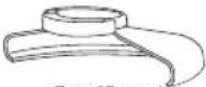 Type 27 guard Type 27 guard Wire brush Wire brush | |
Verwendungszweck
Director – Consumer Power Tools
STANLEY FATMAX Europe, Egide
Director – Consumer Power Tools
STANLEY FATMAX Europe, Egide
Director – Consumer Power Tools
STANLEY FATMAX Europe, Egide


- English (original instructions) 5
- Intended use
- Safety instructions
- General power tool safety warnings
- Save all warnings and instructions for future reference.
- ENGLISH
- (Original instructions)
- Service
- Additional power tool safety warnings
- Kickback and related warnings
- Safety warnings specific for grinding operations
- Safety warnings specific for sanding operations
- Safety warnings specific for wire brushing operations
- Safety of others
- Residual risks.
- Vibration
- Labels on tool
- Electrical safety
- Voltage drops
- Features
- Purpose of design
- Assembly
- Attaching and removing the wheel guard (Fig. A)
- Attaching the guard
- Removing the guard
- Fitting and removing a grinding wheel (Fig B1, B2, B3)
- Attaching the side handle (Fig C)
- Preparation before use
- Use
- Starting and stopping
- Proper hand position (Fig F)
- Lock-Off feature of the switch
- Rotating the gear case (Fig D)
- Application on metals
- Using grinding wheels
- Maintenance
- Mains plug replacement (U.K. & Ireland only)
- Protecting the environment
- EC declaration of conformity
- Verwendungszweck
Brand : STANLEY
Model : FMEG232
Category : Grinder