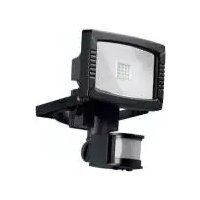
HG00108A - LED Spotlight Livarno Lux - Free user manual and instructions
Find the device manual for free HG00108A Livarno Lux in PDF.

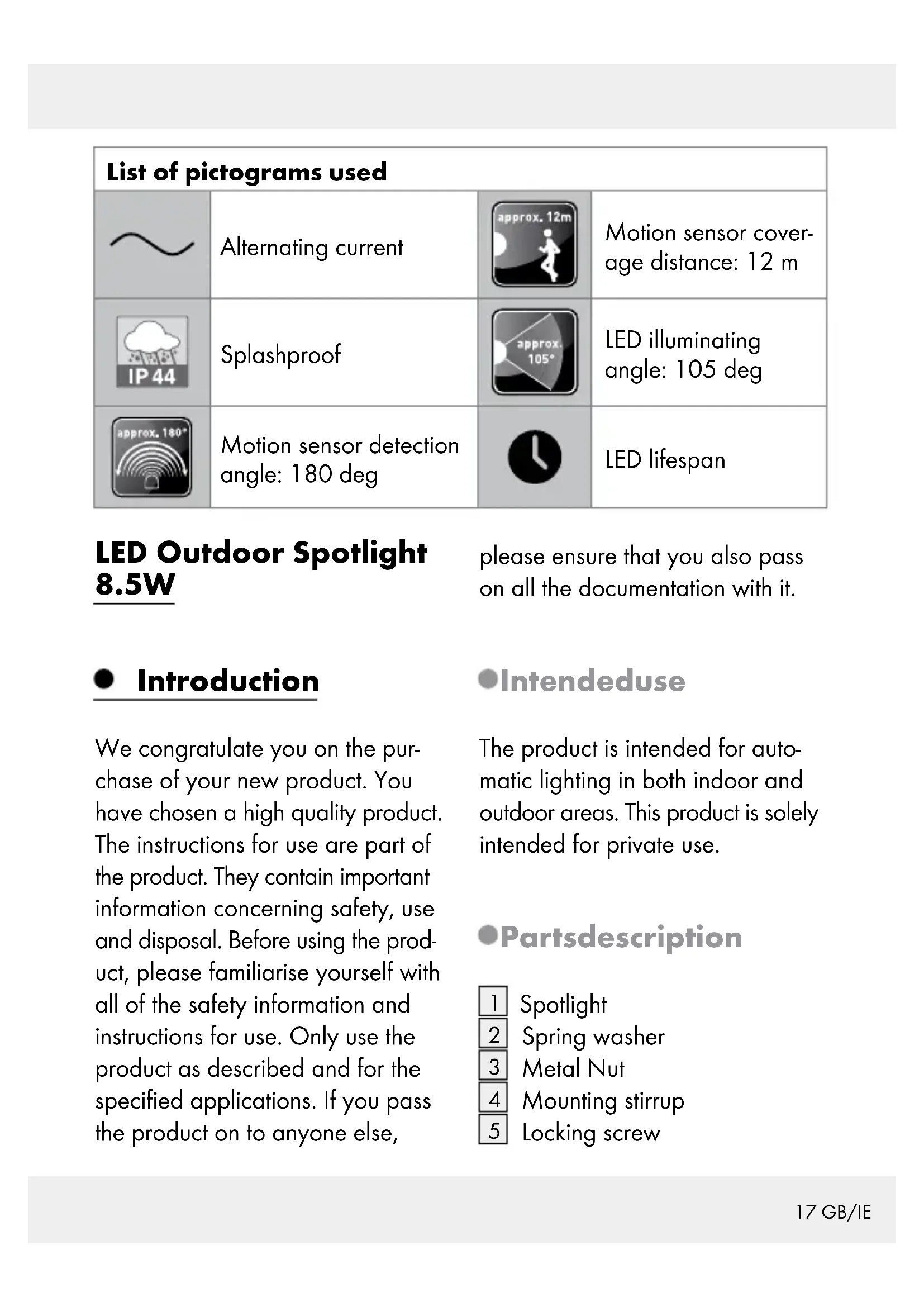


| Product type | Outdoor LED spotlight with motion detector |
| Brand | Livarno Lux |
| Model | HG00108A |
| Dimensions (H x W x D) | Approx. 197 x 149 x 121 mm |
| Weight | Approx. 640 g |
| Power supply | 230 V~, 50 Hz |
| Power consumption | 8.5 W |
| Number of LEDs | 16 x LEDs at 0.5 W |
| Protection rating | IP44 (splash-proof) |
| Protection class | I |
| LED beam angle | 105° |
| Motion detection range | 12 m |
| Motion detection angle | 180° |
| Recommended mounting height | Approx. 2.5 m |
| Max. projection area | 190 x 149 mm |
| Twilight threshold adjustment | 10 lx to 20,000 lx |
| Lighting duration adjustment | Approx. 10 s to 4 min |
| Sensor sensitivity adjustment | Yes, via SENS button |
| Package contents | Spotlight, mounting bracket, wall plugs (∅6 mm), screws, manual |
| Required cable type | H05RN-F 3G 1.0 mm² (not supplied), max. 2.5 m |
| Warranty | 3 years |
| Care and cleaning | Clean with a damp, lint-free cloth and mild cleaner |
| Important safety instructions | Installation by a professional electrician; min. distance 0.5 m from illuminated objects |
Frequently Asked Questions - HG00108A Livarno Lux
User questions about HG00108A Livarno Lux
0 question about this device. Answer the ones you know or ask your own.
Ask a new question about this device
Download the instructions for your LED Spotlight in PDF format for free! Find your manual HG00108A - Livarno Lux and take your electronic device back in hand. On this page are published all the documents necessary for the use of your device. HG00108A by Livarno Lux.
USER MANUAL HG00108A Livarno Lux
LED-AUSSENSTRAHLER 8,5 W / LED OUTDOOR SPOTLIGHT 8.5W / PROJECTEUR EXTÉRIEUR LED 8,5 W
DE AT CH
LED-AUSSENSTRAHLER8,5W
Assembly, operating and safety instructions
NL BE
LED-BUITENSCHIJNWERPER 8,5 W
Intended use......Page 17
Parts description......Page 17
Technical Data Page 18
Scope of delivery....Page 18
General safety instructions......Page 18
Before installation Page 20
Before use......Page 20
Installation......Page 20
Start-up Page 22
Adjusting the motion detector......Page 22
Setting the lighting duration....Page 22
Adjusting the sensitivity of the sensor......Page 22
Setting the daylight level ......Page 23
Aligning the motion detector....Page 23
Cleaning and Care......Page 24
Disposal Page 24
Warranty Page 24
| List of pictograms used | |||
 | Alternating current |  | Motion sensor coverage distance: 12 m |
 | Splashproof |  | LED illuminating angle: 105 deg |
 | Motion sensor detection angle: 180 deg |  | LED lifespan |
LED Outdoor Spotlight 8.5W
please ensure that you also pass on all the documentation with it.
- Introduction
We congratulate you on the purchase of your new product. You have chosen a high quality product. The instructions for use are part of the product. They contain important information concerning safety, use and disposal. Before using the product, please familiarise yourself with all of the safety information and instructions for use. Only use the product as described and for the specified applications. If you pass the product on to anyone else,
Intendeduse
The product is intended for automatic lighting in both indoor and outdoor areas. This product is solely intended for private use.
Partsdescription
1 Spotlight
2 Spring washer
3 Metal Nut
4 Mounting stirrup
5 Locking screw
6 Connection box
7 Cable gland
8 Fastening screws
9 Motion detector
10 Rotary control SENS (sensitivity)
11 Rotary control TIME (switched on duration)
12 Rotary control LUX (light sensitivity)
13 Terminal block
14 Cable clamp
Dimensions
(H x W x D): approx. 197 x 149 x 121 mm
Projected area: max. 190 x 149 mm
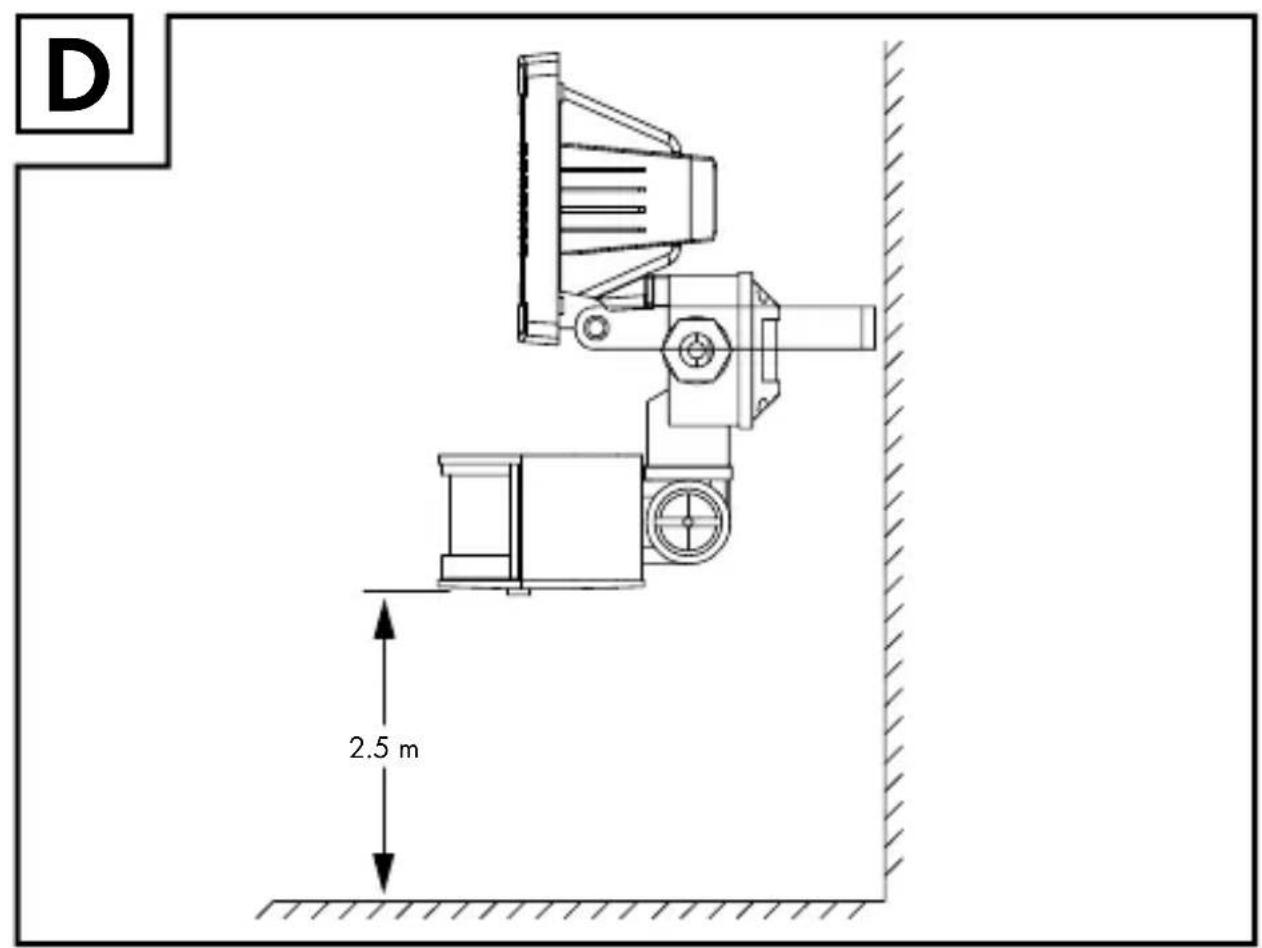
Mounting height: approx. 2.5 m
Weight: approx. 640 g
- TechnicalData
Operating voltage: 230V\~50Hz, 8.5W
LEDs: 16 x LED x 0.5 W
Dimming switch: Adjustable from 10lx-20,000lx
Light on time: Adjustable between approx.10 s - 4 min
Protection class: I
Protection class: IP44 (Splashproof)
- Scope of delivery
1 LED Spotlight with motion detector
2 Wall plugs (∅ 6 mm)
2 Screws
1 Set of mounting and operating instructions

Generalsafety instructions
Before using the product, please familiarise yourself with all of the safety information and instructions for use! When passing this product on to others, please also include all the documents!
DANGER TO LIFE AND ACCIDENT
HAZARD FOR
TODDLERS AND SMALL
CHILDREN! Never leave children unattended with the packaging material. The packaging material represents a danger of suffocation. Children frequently underestimate the dangers. Please keep children away from the product at all times.
This product may be used by children age 8 years and up, as well as by persons with reduced physical, sensory or mental capacities, or lacking experience and/or knowledge, so long as they are supervised or instructed in the safe use of the product and understand the associated risks. Children should not be allowed to play with the product. Cleaning and user maintenance should not be performed by children without supervision.
Risk of electric shock
■ Always check product for damage before connecting it to power. Never use the product if it shows any signs of damage.
Prior to installation, verify that the mains voltage on site corresponds with the operating voltage required for the product (230 V\~ 50 Hz). Otherwise do not install the product.

CAUTION! DANGER OF
BURN INJURIES! To prevent burns, verify the product is switched off and has cooled down for at least 15 min before touching it. The product can become very hot.

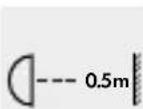
FIRE HAZARD!
Fit the product so that it is at least
0.5 m away from the material to be illuminated. Excessive heat can result in a fire.

CAUTION! RISK OF INJURY! Bro-
ken lamp glass must
be replaced before any further use is made of the product.
■ Only intended for installations out of normal reach.
This product does not contain any parts that can be serviced by the user. The LEDs cannot be replaced by end user.
If the LEDs fail at the end of their lives, they must be repaired by qualified electrician or the entire product must be replaced.
■ The spotlight is only suited for use with the built-in LED control gear.
The product continues to draw a small amount of power even if the lamp is off as long as product is connected to supply mains. To switch the product off completely, the mains switch should be switched off.
- Before installation
Important: The electrical connection must be established by a qualified electrician or a person trained to perform electrical installations. This person must be familiar with the properties of the product and the connection regulations.
Before installation ensure that the circuit, to which the product will be connected, is not energised. To do so, remove the fuse or switch off the circuit breaker in the fuse box (0 position).
■ Use the voltage tester to verify the de-energised status.
The included mounting material is suitable for ordinary solid concrete or masonry construction. Check which mounting material is suitable for your chosen mounting surface. If necessary, seek expert advice.
Before use
Note: Remove all packaging materials from the product.
- Installation
☐ Make sure you will not be drilling into electrical, gas or water lines inside the wall. Use a power drill to drill the holes into the brick wall. Always observe all safety instructions for the
power drill in the manual for the power drill. Death or injury due to electric shock may otherwise result.
When selecting the mounting location, pay attention to the following:
Make sure that the spotlight illuminates the desired area. You can move the spotlight 1 vertically.
Make sure the motion detector 9 covers the desired area. The motion detector 9 has a maximum coverage range of 12 m, with a coverage angle of about 180° (depending on the mounting height - a height of 2.50 m is ideal) (Fig. D).
Make sure the motion detector 9 is not illuminated at night by street lighting. This can influence its functioning.
During mounting, proceed as described below:
☐ Unscrew locking screw by using a screw driver (cross type) to detach the mounting stirrup 4 from the spotlight 1.
Hold the mounting stirrup so that it is horizontal (possibly with a spirit level) against the wall and mark the fastening holes.
Now drill the fastening holes ( 6 mm) and push the wall plugs into the drill holes (Fig. A).
Secure the mounting stirrup onto the wall using the screws provided.
Now use the screw driver (cross type) to attach the spotlight 1 to the mounting stirrup 4 by using the previously removed locking screw 5, spring washer 2, and metal nut 3 (Fig A).
Open the connection box after you have released the lid of the connection box 6 with a cross type screwdriver.
☐ Insert the connection cable (not include in the product), type H05RN-F 3G 1.0 mm², through the cable gland 7 and into the connection box 6. The length for the connection cable line should not exceed 2.5 m. Fix the connection cable with the cable clamp 14 first and
then by turning the nut of the cable gland 7.
Connect the lead of the cable with the terminal block 13 in the connection box 6. Pay attention to the markings on the terminal block 13 (L for live, N for neutral and ⊥ for the earth wire) (Fig. C).
Close the connection box.
Align the spotlight into the desired direction. For this, you may need to slacken the fastening screws 8. After finish the alignment, tighten the fastening screws 8 again, to ensure a secure hold.
Reinsert the fuse or switch the circuit breaker back on. Your product is now ready to use.
- Start-up
•Adjusting the motion detector
Depending on the pre-adjustments of the motion detector 9, the spotlight 1 will switch itself on for a certain period of time as soon as the motion detector 9 detects movement. These pre-adjustments are made using the three controllers on the underside of the motion detector 9 (Fig. B).
- Settingthe lighting duration
Turn the rotary control TIME clockwise to increase the duration of the illumination. The lighting duration can be adjusted within a time window of approx. 10 seconds to 4 minutes.
• Adjusting the sensitivity of the sensor
Turn the rotary control SENS clockwise to increase the sensitivity of the sensor.
Note: The motion detector responds to heat radiation. When outdoor temperatures are low, it is more sensitive to body heat than when outdoor temperatures are warm. Be
sure to regulate the sensitivity of the sensor over the course of the year.
- Setting the daylight level
Turn the rotary control LUX to increase the daylight level: In the Ⓐ position, the motion detector only reacts at night (at approx. 10 lx). In the ✱ position, the motion detector also responds at daylight levels, as long as about 20,000 lx are not exceeded.
• Aligning the motion detector
Note: Perform this adjustment at twilight.
☐ Slacken the locking screw. ☐ Turn the rotary control LUX2 to position ✱.
□ Align the motion detector into the central region of the desired coverage area.
Move about through the coverage area until you are satisfied with the response characteristics of the motion detector 9. To find the proper orientation, change the position of the rotary control SENS 10 or the orientation of the motion detector 9.
Note: Please note that the motion detector 9 primarily detects movements transverse to the motion detector 9. If you move directly towards the motion detector 9, it cannot detect this movement.
When you have aligned the motion detector 9 satisfactorily, re-tighten the fastening screws 8 to fix the adjustment.
Turn the rotary control LUX to the desired position. These can be determined during the dawn or twilight hours during which the spotlight 1 should respond.
Slowly turn the rotary control LUX 12 clockwise until it reacts to movement within the coverage area.
- Cleaning and Care
■ Before cleaning, remove the fuse or switch off the circuit breaker at the fuse box.
■ Never immerse the product in water or other liquids. Otherwise the product can be damaged.
□ Clean the product with a lint-free, slightly moist cloth and mild cleaning agent.
☐ Reconnect the fuse or circuit breaker for use after cleaning.
paper and fibreboard/80-98: composite materials.

The product and packaging materials are recyclable, dispose of it separately for better waste treatment. The Triman logo is valid in France only.

Contact your local refuse disposal authority for more details of how to
dispose of your worn-out product.
●Disposal

The packaging is made entirely of recyclable materials, which you may dispose of at local recycling facilities. The Green Dot is not valid for Germany.
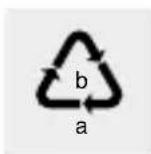
Observe the marking of the packaging materials for waste separation,
which are marked with abbreviations (a) and numbers (b) with following meaning: 1-7: plastics/20-22:
To help protect the environment, please dispose of the product properly
when it has reached the end of its useful life and not in the household waste. Information on collection points and their opening hours can be obtained from your local authority.
Warranty
The product has been manufactured to strict quality guidelines and meticulously examined before delivery. In the event of product defects you
have legal rights against the retailer of this product. Your legal rights are not limited in any way by our warranty detailed below.
The warranty for this product is 3 years from the date of purchase. Should this product show any fault in materials or manufacture within 3 years from the date of purchase, we will repair or replace it – at our choice – free of charge to you.
The warranty period begins on the date of purchase. Please keep the original sales receipt in a safe location. This document is required as your proof of purchase. This warranty becomes void if the product has been damaged, or used or maintained improperly.
The warranty applies to defects in material or manufacture. This warranty does not cover product parts subject to normal wear, thus possibly considered consumables (e.g. batteries) or for damage to fragile parts, e.g. switches, rechargeable batteries or glass parts.
CE IP44


- LED-AUSSENSTRAHLER 8,5 W / LED OUTDOOR SPOTLIGHT 8.5W / PROJECTEUR EXTÉRIEUR LED 8,5 W
- GENERAL SAFETY INSTRUCTIONS......PAGE 18
- BEFORE INSTALLATION PAGE 20
- BEFORE USE......PAGE 20
- INSTALLATION......PAGE 20
- START-UP PAGE 22
- CLEANING AND CARE......PAGE 24
- DISPOSAL PAGE 24
- WARRANTY PAGE 24
- LED OUTDOOR SPOTLIGHT 8.5W
- INTRODUCTION
- INTENDEDUSE
- PARTSDESCRIPTION
- TECHNICALDATA
- SCOPE OF DELIVERY
- GENERALSAFETY INSTRUCTIONS
- DANGER TO LIFE AND ACCIDENT
- HAZARD FOR
- TODDLERS AND SMALL
- RISK OF ELECTRIC SHOCK
- CAUTION! DANGER OF
- FIRE HAZARD
- CAUTION! RISK OF INJURY! BRO
- BEFORE INSTALLATION
- BEFORE USE
- INSTALLATION
- START-UP
- ADJUSTING THE MOTION DETECTOR
- SETTINGTHE LIGHTING DURATION
- ADJUSTING THE SENSITIVITY OF THE SENSOR
- SETTING THE DAYLIGHT LEVEL
- ALIGNING THE MOTION DETECTOR
- CLEANING AND CARE
- ●DISPOSAL
- WARRANTY
- CE IP44
Brand : Livarno Lux
Model : HG00108A
Category : LED Spotlight