TG H74 - Microphone BEYERDYNAMIC - Free user manual and instructions
Find the device manual for free TG H74 BEYERDYNAMIC in PDF.



| Product type | Supercardioid condenser headset microphone |
| Brand | Beyerdynamic |
| Model | TG H74 |
| Directivity | Supercardioid |
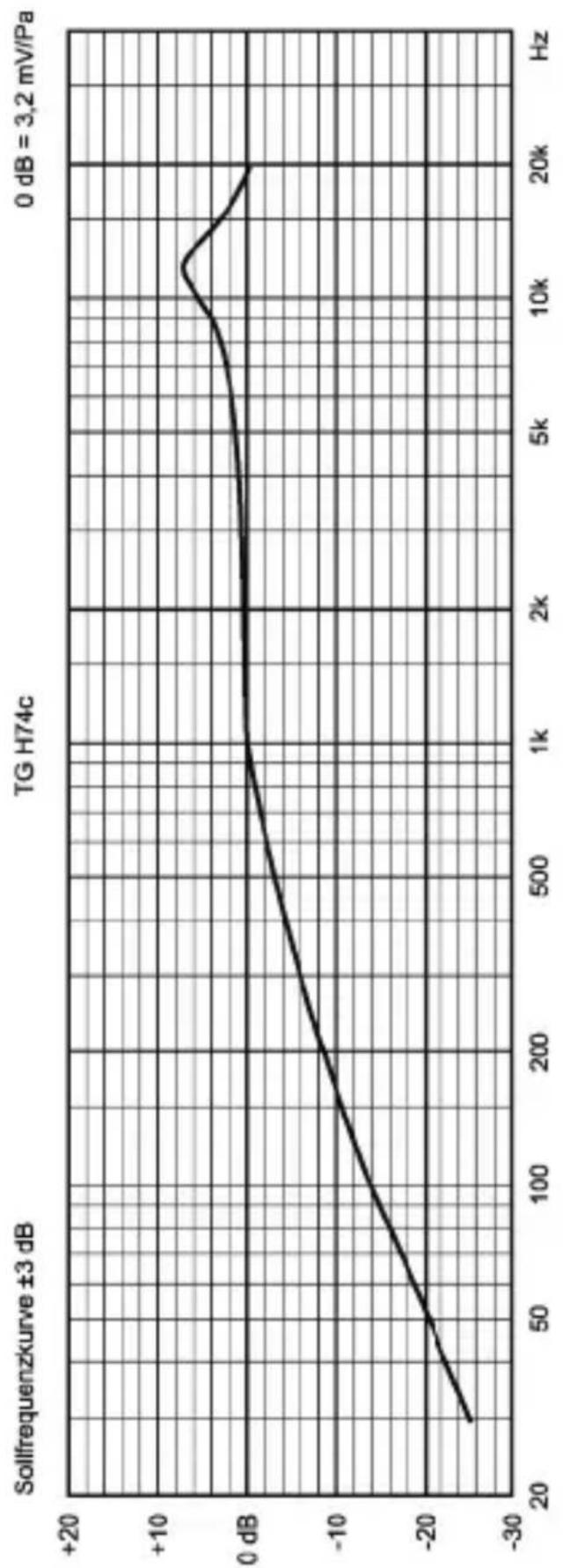
| Frequency response (close) | 40 – 20,000 Hz |
| Frequency response (at 1 m) | 160 – 17,000 Hz |
| Sensitivity | 3.2 mV/Pa (-49.9 dBV ±3 dB) |
| Nominal impedance | 650 Ω |
| Max. sound pressure level | 144 dB SPL |
| Power supply | DC current (micro) or CV18 adapter for wired connection |
| Max. consumption | 780 μA |
| Connector | Mini XLR 4-pin female |
| Dimensions (capsule) | Diameter 7.7 mm, length 158 mm |
| Weight | 32 g |
| Included accessories | Windscreen WS 54, synthetic leather pouch |
| Maintenance | Clean with a soft damp cloth (no solvents); windscreen washable in clear water |
| Safety | Protect from moisture and shocks; do not open; do not bend the arm with tools |
| Spare parts available | Windscreen WS 54 (black or beige), CV18 adapter |
| Available colors | Black and beige |
| Versions | Opus (for Opus 600/910 systems) and TG (for TG 1000 system) |
Frequently Asked Questions - TG H74 BEYERDYNAMIC
User questions about TG H74 BEYERDYNAMIC
0 question about this device. Answer the ones you know or ask your own.
Ask a new question about this device
Download the instructions for your Microphone in PDF format for free! Find your manual TG H74 - BEYERDYNAMIC and take your electronic device back in hand. On this page are published all the documents necessary for the use of your device. TG H74 by BEYERDYNAMIC.
USER MANUAL TG H74 BEYERDYNAMIC
PRODUKTINFORMATION PRODUCT INFORMATION INFORMATIONS DE PRODUIT
Inhalt
Sicherheitsinformationen ..... 4
Anwendung 4
Anschluss 4
Einstellung. 4
Pflege 5
Service. 6
Entsorgung. 6
Versionen 6
natural_image
Line drawing of a pair of earphones with connectors (no text or symbols)natural_image
Illustration of two medical or surgical tools with curved hooks and a tool (no text or symbols)natural_image
Illustration of a pair of earphones with attached wires (no text or symbols)How to use the Microphone ..... 12
Maintenance 13
Service 14
Disposal.... 14
Versions 14
Supplied Accessories....14
Technical Specifications ..... 15
Frequency Response Curves ..... 24
Polar Patterns....25
Wiring Diagrams 25
RODUCT INFORMATION TG H74
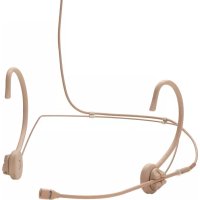
Thank you for selecting the TG H74 neckworn microphone. Please take some time to read carefully through this information before using the product.
Safety Information
- Protect the microphone from moisture and sudden impacts. You could damage the microphone!
- Do not blow into the microphone, you could damage the transformer. To check the function we recommend speaking into the microphone.
- The microphone arm is rigid stainless steel tube, which must not be bent by using tools.
Application
The TG H74, which is designed for wireless operation, allow great freedom of movement.
The TG H74 with super cardioid characteristic and compensated proximity effect is particularly suitable for musical and theatre use.
Perfectly adaptable, beautifully subtle, left and right positioning, pleasingly small and robust – what more could you want from a headset microphone? Available in black and beige.
Connection
The TG H74 provides a female 4-pin mini XLR connector and is available in two versions:
as Opus version it can be connected to beltpack transmitters of the wireless Opus 600 and Opus 910 microphone systems; as TG version it is used with the wireless TG 1000 microphone system.
For wired applications with phantom power sources the TG H74 must be used with an optional power adapter. If the
TG H74 is directly connected to phantom power, the microphone can be damaged!
How to use the Microphone
The TG H74 eleminates background noise to a large extent due to the supercardioid polar pattern. In order to achieve a high gain-before-feedback, position the microphone capsule as close as possible to the corner of the mouth. Use the supplied WS 54 wind shield to avoid “popping” noise.
The flexible neckband of the TG H74 can be adapted optimally to almost every head size and shape and is also
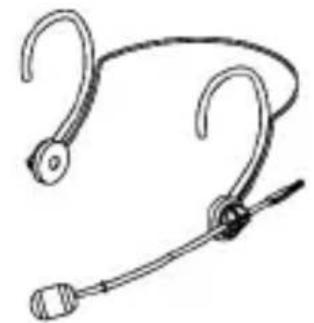
suitable when wearing spectacles. Make sure that the rigid microphone arm is never bent by using tools! The rotatable and slideable microphone arm allows positioning the microphone next to the mouth.
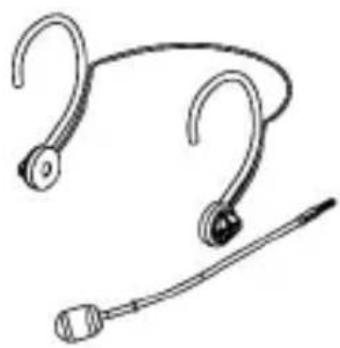
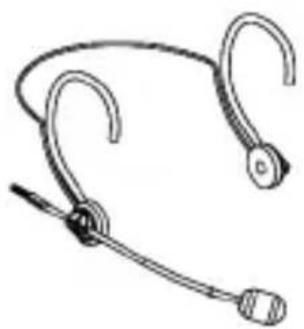
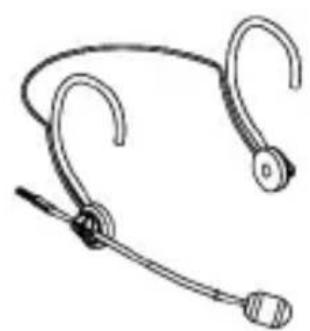
The microphone can be worn on the right or left hand side. Attach the microphone arm to the appropriate microphone and cable holder. For transport purposes, the headset can be collapsed and folded inwards.
natural_image
Line drawing of a pair of earphones with connectors (no text or symbols)The microphone arm has been attached to the left holder.
natural_image
Illustration of two medical or surgical tools with curved hooks and a tool (no text or symbols)Pull the microphone armf rom the holder.
natural_image
Line drawing of a pair of earphones with clips, no text or symbols presentAttach the mi crophonearm to the right holder.
Maintenance
Use a soft, damp cloth for cleaning the TG H74 microphone and connecting cable. If necessary, you can use a gentle cleansing agent (such as washing-up liquid). Make sure not to allow any water to enter the microphone capsule and never use any solvent cleansers.
The supplied pop shield should regularly be removed from the microphone capsule and cleaned in clear water. Make sure the pop shield is completely dry before it is replaced back onto the microphone.
Service
Servicing must be carried out by qualified service personnel only. Dismantling the microphone yourself will invalidate the guarantee.
Disposal
This symbol on the product, in the instructions or on the packaging means that your electrical and electronic equipment should be disposed at the end of its life separately from your household waste. There are separate collection systems for recycling in the EU. For more information, please contact the local authority or your retailer where you purchased the product.

Versions
Mod. Description .... .Order #
TG H74 (Opus) Condenser headset microphone, supercardioid, cable with 4-pin female mini XLR connector, black .....707.090
TG H74 tan (Opus) same as above, but beige . . .707.104
TG H74 (TG) Condenser headset microphone, supercardioid, cable with 4-pin female mini XLR connector, black .....708.364
TG H74 tan (TG) same as above, but beige . . .708.372
Supplied Accessories
WS 54 SW Wind shield, black, supplied with the black microphone only .....700.193
WS 54 SC Wind shield, dark beige, supplied with the beige microphone only .....700.207
Leatherette bag . . . . . . . . . . . . . . . . . . . . . . . . . . . . . . . . . . . . . . . . . . . . . . . . . . . . . . . . . . 609.137
Technical Specifications
TG H74 Microphone
Transducer type ..... Condenser (back electret)
Operating principle ..... Pressure gradient
Polar pattern .... Supercardioid
Frequency response
Close miking. 40 – 20,000 Hz
Distant miking
(measured at 1 m) ..... 160 – 17,000 Hz
Open circuit voltage ..... 3.2 mV/Pa; -49.9 dBV ±3 dB*
Nominal impedance ..... approx. 650 Ω
Load impedance ....>3.5 kΩ
Max. SPL at 1 kHz ..... 144 dB*
Equivalent SPL .... 37 dB SPL*
Power supply .... Direct current
Max. power consumption ..... 780 μA
Connector. 4-pin Tiny QG
Pin 1 = 0 V
Pin 2 = 0 V
Pin 3 = AF output
Pin 4 = bias voltage input
Dimensions
Diameter 7.7 mm
Length 158 mm
Weight 32 g
*measured with CV 18
CV 18 Power Adapter
Dimensions
Diameter 22 mm
Length 95 mm
Weight 98 g
Connector
Input 4-pin Tiny QG (mini XLR)
Pin 1 = 0 V
Pin 2 = AF input
Pin 3 = AF input
Pin 4 = bias voltage output:
+8.5 V static
Output 3-pin XLR, balanced
Pin 1 = 0 V
Pin 2 = Hot
Pin 3 = Cold
Sommaire
INFORMATIONS PRODUIT TG H74
natural_image
Line drawing of a pair of earphones with hooks and a connector (no text or symbols)natural_image
Illustration of three medical or surgical tools: a hook, a circular device with a black dot, and a tool with a pointed tip (no text or symbols)Retirez le bras de microphone du support.
natural_image
Line drawing of a pair of earphones with clips (no text or symbols)broche 2 = point chaud
broche 3 = point froid
frangais

text_image
françaisFrequenzkurven / Frequency Response Curves / Courbes de fréquence (mit/with/avec CV 18)
TG H74
line
| Frequency (Hz) | Amplitude (dB) | | -------------- | -------------- | | 20 | -25 | | 50 | -20 | | 100 | -15 | | 200 | -10 | | 500 | -5 | | 1k | 0 | | 2k | 0 | | 5k | 0 | | 10k | 5 | | 20k | 0 |TG H74
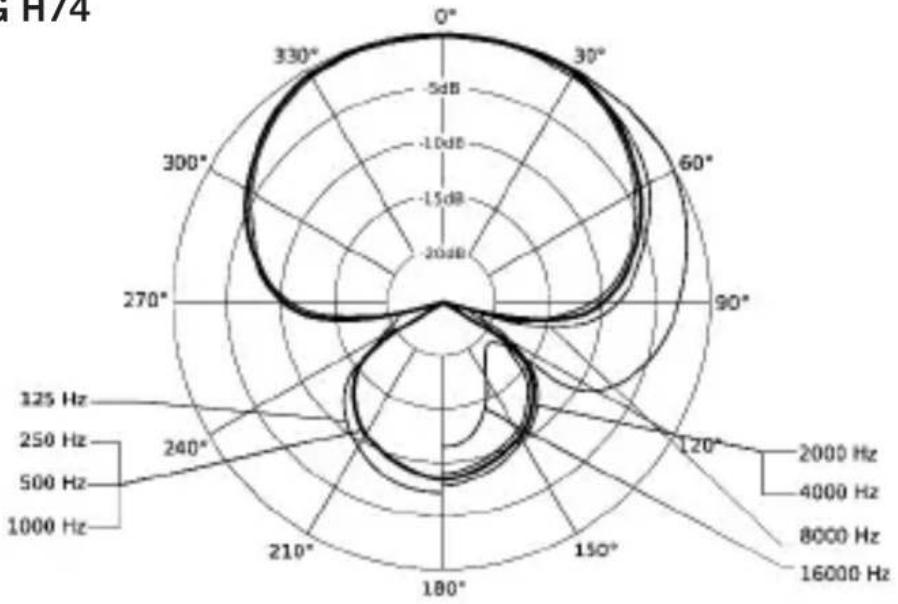
radar
| Angle | Frequency | |-------|---------| | 0° | 20 | | 30° | 5 | | 60° | 10 | | 90° | 15 | | 120° | 20 | | 150° | 25 | | 180° | 30 | | 210° | 25 | | 240° | 20 | | 270° | 15 | | 300° | 10 | | 330° | 5 |For further distributors worldwide, please go to www.beyerdynamic.com
Non-contractual illustrations. Subject to change without notice.
DE-EN-FR 4 / TG H74 / 624.810 (03.19)