34043 - Alarm system CHACON - Free user manual and instructions
Find the device manual for free 34043 CHACON in PDF.



| Product type | Wireless alarm control panel with keypad |
| Brand | Chacon |
| Model | 34043 |
| Use | Indoor only |
| Power supply | 3 AAA 1.5V batteries (not included) |
| Standby current | ≤ 350 μA |
| Alarm current | ≤ 150 mA |
| Alarm volume | 100 dB |
| Alarm duration | 30 seconds |
| Maximum number of transmitters | 32 |
| Operating modes | Home (opening detection only), Away (opening + motion), Panic (buttons 1 and 4) |
| Default code | 1234 (changeable at each battery change) |
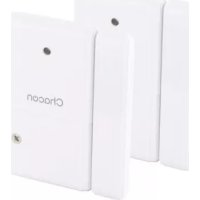
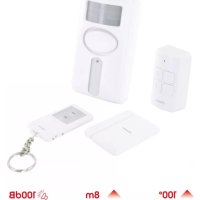
| Box contents | Control panel with keypad, opening detector, mounting hardware, manual |
| Compatible products | 34035, 34036, 34038, 34044, 34045, 34046, 34048 |
| Dimensions (control panel, estimated) | 10 x 8 x 3 cm |
| Weight (control panel, estimated) | 150 g |
| Installation | Wall mounting or double-sided adhesive |
| Maintenance | Clean with a dry cloth, do not immerse |
| Safety | Do not disassemble, do not mix batteries, keep out of reach of children |
| Warranty | Online registration mandatory at www.chacon.com/warranty |
Frequently Asked Questions - 34043 CHACON
User questions about 34043 CHACON
0 question about this device. Answer the ones you know or ask your own.
Ask a new question about this device
Download the instructions for your Alarm system in PDF format for free! Find your manual 34043 - CHACON and take your electronic device back in hand. On this page are published all the documents necessary for the use of your device. 34043 by CHACON.
USER MANUAL 34043 CHACON
Medicine cabinet kit
EN Registering the guarantee
To register your warranty, fill in the online form at www.chacon.com/warranty
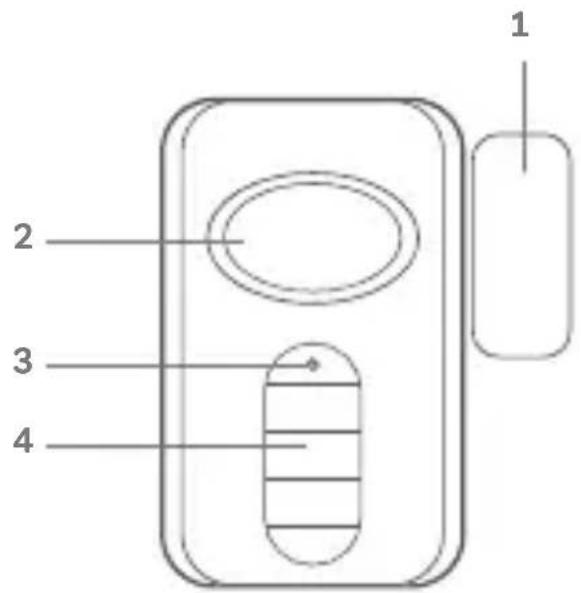
Présentation du produit / Productpresentatie / Presentación del producto / Apresentação do produits / Presentazione del prodotto / Product overview
| FR NL ES PT | ||||
| 1. Partie magnétique Magnétique Magnetisch deel Parte magnétique Parte magnétique | ||||
| 2. Haut-parleur Spreker Altavoz Orador | ||||
| 3. Led clignotant Knipperende LED LED parpadeante LED Intermitte | ||||
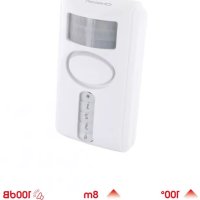
| 4. Clavier à code Toetsenbord metcode | Teclado con)código | Teclado com)código | ||
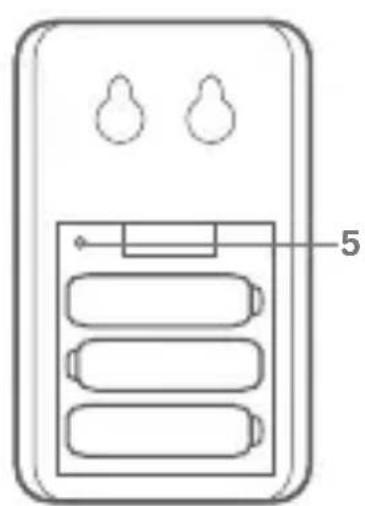
| 5. Bouton d'appairage | Koppelingsknop Botón de empare - Jamiento | Botão de emparel-hamento | ||
Thank you for using this product.
- Please read all instructions carefully before using the product.
- Do not attempt to disassemble or repair the product yourself, as this will invalidate the warranty.
- This product is compatible with these references: 34035, 34036, 34038, 34044, 34045, 34046, 34048)
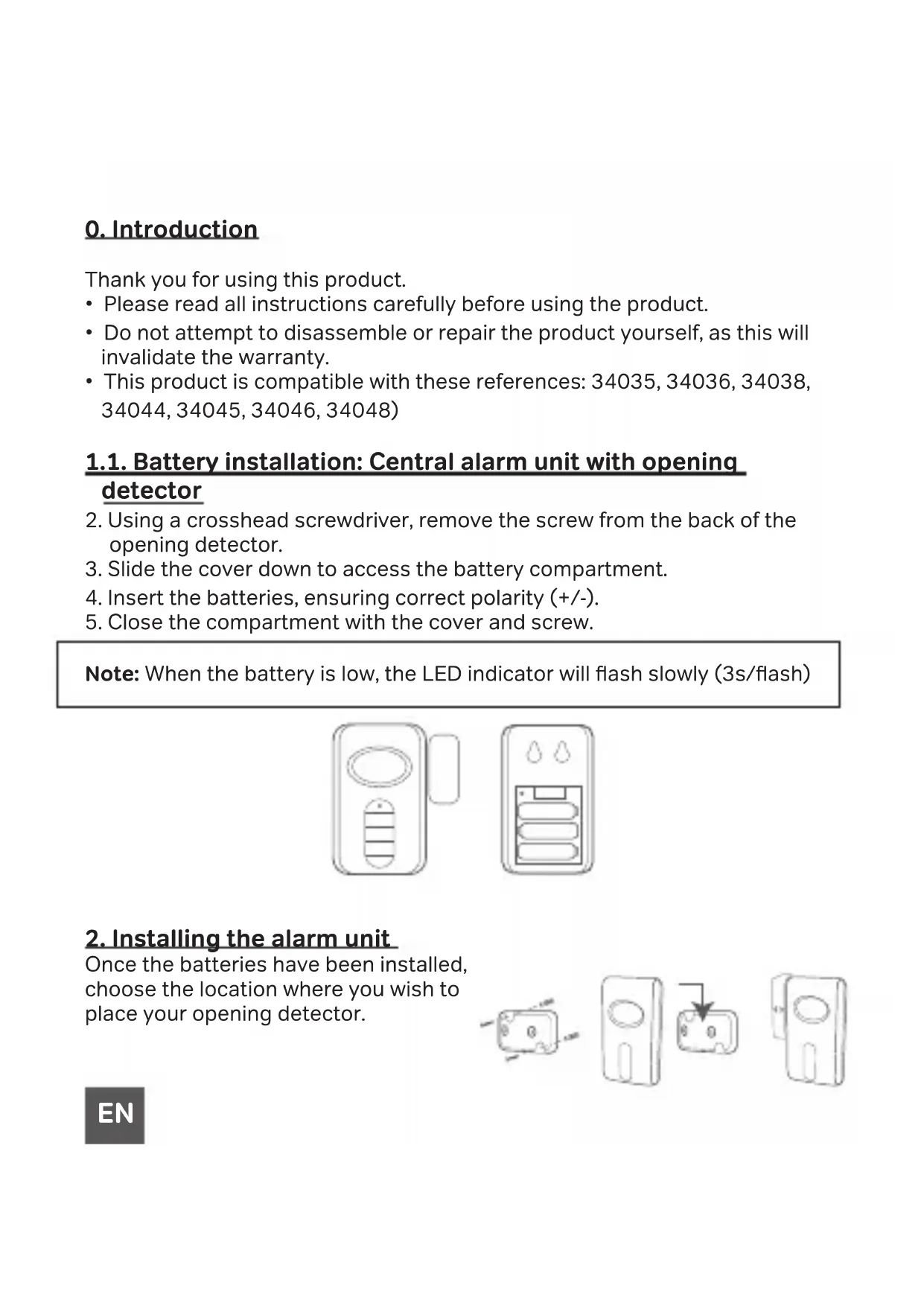
1.1. Battery installation: Central alarm unit with opening detector
- Using a crosshead screwdriver, remove the screw from the back of the opening detector.
- Slide the cover down to access the battery compartment.
- Insert the batteries, ensuring correct polarity (+/-) .
- Close the compartment with the cover and screw.
Note: When the battery is low, the LED indicator will flash slowly (3s/flash)
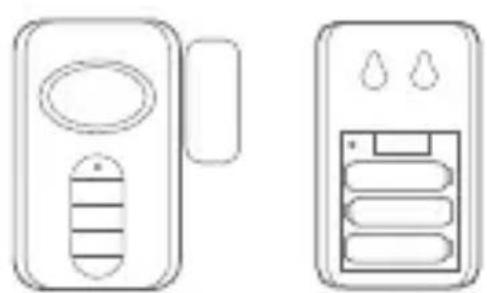
2. Installing the alarm unit
Once the batteries have been installed, choose the location where you wish to place your opening detector.
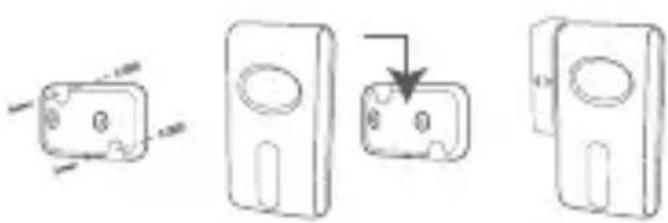
EN
There are two methods:
a) Fix the bracket to the wall using the dowels and screws provided and then snap the detector onto the bracket.
b) Use the double-sided adhesive tape included in the pack and stick the detector in the desired location.
3. Setting up the personal code
Once you have placed your batteries, you have 15 seconds to choose a four-digit code. If you have not had time to enter your personal code, the code 1234 will be saved by default.
Note: Each time you install batteries, you will need to set up your 4-digit code again.
4.Keypad functionality
a) Home Mode: Enter your 4-digit code, then press the «1» button. You will hear a «beep» to indicate that the alarm will enter «home» mode after 30 seconds.
NOTE: In this case, the motion detection function is disabled. Only the magnetic door sensor will trigger an alarm.
b) Away mode: Enter your 4-digit code, then press the «2» button. You will hear a «beep» to indicate that the alarm will enter the «Away» mode after 30 seconds.
NOTE: In this case, if someone opens the door or window equipped with the opening detector or enters the field of vision of your motion detector, the alarm will be triggered.
c) Emergency mode: Press buttons 1 and 4 simultaneously in an emergency. An alarm will sound without time limit to scare off intruders.
5. Combining your alarm unit with other accessories
- Using a screwdriver, open the battery compartment of the main unit.
- Press and hold the learn button until you hear a «beep». The unit enters pairing mode. (see diagram point 1)
a. Remote control: Press any button on the remote control. You will hear a «beep» sound to indicate that the pairing was successful.
b. Opening detector: Separate the two parts of the opening sensor to send a signal to the main unit. You will hear a «beep» indicating successful coupling.
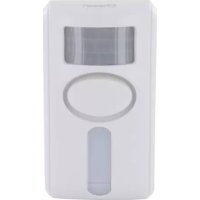
c. Motion detector with or without code: Wave your hand in front of the motion detector. You will hear a «beep» indicating successful pairing.
d. Remote keypad: Press any button on the remote keypad. You will hear a «beep» indicating successful pairing.
- To exit pairing mode, press and hold the learn button for 3 seconds. You will hear a double «beep»
NOTE: A maximum of 32 transmitters can be paired to a main unit.
6. Reset pairing
In order to reset your entire alarm, remove the batteries from your device. Then press and hold the learning button of your central unit. When you reinsert the batteries, you will hear two «beeps» indicating that the reset was successful.
7. A 100% compatible ecosystem
We have created a 100% compatible alarm system to meet your needs. Here, we offer accessories that can work alone but also as a kit. This allows you to personalise your alarm and to associate several accessories but also several alarms between them. For example, when a person trig
gers the opening detector, all your alarms will sound. You can deactivate your alarm using the code units, remote control or the remote keyboard.
More information on our website: https://chacon.com/fr/
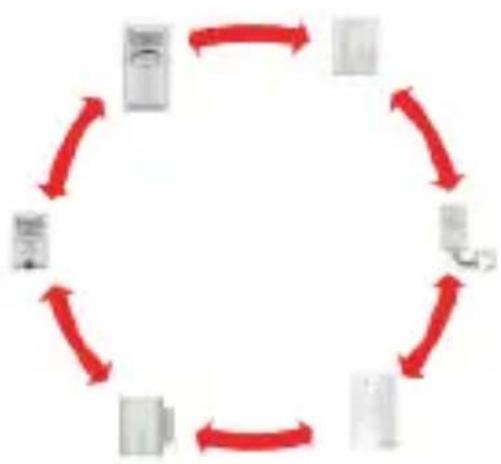
Compatible products: 34035, 34036, 34038, 34044, 34045, 34046, 34048
8. Problem solving
- False alarms from the main unit
a) Check that there are no animals near the motion detector.
b) In hot weather, moving shadows may also activate the alarm. Also ensure that the detector is not installed near a radiator or heat source.
c) Check that there are no devices with strong electromagnetic fields near the door/window sensor. Strong electromagnetic fields can cause false alarms.
- The main unit doesn't receive a signal from the transmitter
a) Check if the pairing between the transmitter and the main unit was successful.
b) If pairing was successful, check the battery voltage of the main unit and transmitter. Low voltage will result in product failure.
- No alarm sounds after a detection
a) Check if the low battery indicator is flashing (please replace the batteries immediately).
b) If the unit is armed and set to HOME mode and the PIR sensor detects an intrusion, the alarm will not sound. The PIR sensor is disabled in HOME mode. Check if the main unit is installed correctly.
9. Safety advice
- Don't mix new and used batteries.
- Don't mix alkaline, standard (zinc carbon) or rechargeable (ni-cad, ni-mh, etc.) batteries.
- Please use only the type of battery specified in the manual.
- Don't leave used batteries lying around in the unit, as this may damage the unit.
- Incorrect use of the battery may damage nearby objects and result in fire or serious injury.
- Please keep batteries away from children. If you suspect that batteries have been ingested, seek medical attention immediately. Swallowing the battery can lead to serious consequences; internal burns within 2 hours or death.
Recycle used batteries in accordance with environmental protection practices - Don't place the unit near a heat source, where it may be exposed to direct sunlight, rain or strong light.
- The unit is not waterproof. Don't expose it to rain or immerse it in water.
- Don't attempt to disassemble or repair the product yourself.
- Please keep this manual in a safe place.
- The reception distance may be affected if a strong interference signal exists in the area of use.
EN
10. Technical specifications
- Easy to install
- Can be switched on or off via the keypad on the unit
- Compatible products: 34035, 34036, 34038, 34044, 34045, 34046, 34048
Alarm time: 30s - Alarm volume: 100 dB
- Standby current: ≤ 350uA
- Alarm current: ≤ 150mA
- Battery: 3x AAA 1.5V (not included)
- Box contents: Opening detector with code + fixing material + manual
Support
www.chacon.com/support

EN: For indoor use only
This product must be treated in accordance with European Directive 2002/96/EC with the aim of being recycled or dismantled to minimise its impact on the environment. For further information, please contact your local or regional authorities.

FR:
Hereby, Chacon declares that the radio equipment type 34044 is in compliance with Directive 2014/53/EU.
The full text of the EU declaration of conformity is available at the following internet address: www.chacon.com/conformity
v1 210809
Chacon S.A. – Avenue Mercator 2 – 1300 Wavre – Belgium Made in PRC