DR 54 Mini - Audio Receiver ALBRECHT - Free user manual and instructions
Find the device manual for free DR 54 Mini ALBRECHT in PDF.



| Product type | Digital audio receiver DAB/DAB+ |
| Brand | Albrecht |
| Model | DR 54 Mini |
| Radio reception | DAB/DAB+ |
| FM band (transmitter) | 87.6 - 107.9 MHz |
| SNR | 90 dB |
| Distortion | < 0.1 % |
| Frequency response | 20 Hz - 20 kHz |
| Channel separation | > 80 dB |
| Audio output | 3.5 mm Jack (Line Out) |
| Power supply | 5 V / 1 A DC via micro USB |
| Dimensions (diameter x height) | 53 x 23 mm |
| Weight | 30 g |
| Operating temperature | 10 - 70 °C |
| Package contents | DR 54 adapter, copper foil antenna, SMB antenna cable, 12 V car power supply, 3.5 mm audio cable, USB charging cable, suction cup, adhesive mount, clips |
| Car use | Window antenna, suction cup mount, cigarette lighter power |
| Home use | USB mains adapter (not supplied), SMB antenna cable |
| Warranty | 2 years |
| Maintenance and cleaning | Wipe with a dry cloth, avoid liquids and dust |
| Safety instructions | Do not open, avoid high temperatures and humidity, do not install antenna in driver's field of vision |
Frequently Asked Questions - DR 54 Mini ALBRECHT
User questions about DR 54 Mini ALBRECHT
0 question about this device. Answer the ones you know or ask your own.
Ask a new question about this device
Download the instructions for your Audio Receiver in PDF format for free! Find your manual DR 54 Mini - ALBRECHT and take your electronic device back in hand. On this page are published all the documents necessary for the use of your device. DR 54 Mini by ALBRECHT.
USER MANUAL DR 54 Mini ALBRECHT
natural_image
Product photo of a smart speaker with attached cable, earplifier, and power cord (no visible text or symbols)2. Übersicht
text_image
Technical diagram of a mechanical component with numbered parts labeled 1 to 5natural_image
Close-up of a car interior showing a hand inserting a cable into the seat, with another hand adjusting the cable inside (no visible text or symbols)natural_image
Three-panel image showing a car interior with a close-up of a small electronic component being handled, and a 3D model of a device mounted on a wall (no visible text or symbols)natural_image
Close-up of a hand holding a car window outdoors, with a parked vehicle visible in the background (no text or symbols)→
natural_image
Exterior view of a residential area with parked cars and trees (no visible text or signage)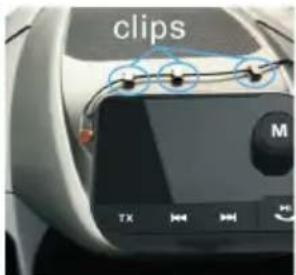
text_image
clips M TX→
natural_image
View from a window showing trees and a glass with a blue circle labeled 'clips' (no other text or symbols visible)2.1. Controls....11
2.2. Accessory for use inside your car: 11
2.3. Use in the living room:....12
- Car Installation....12
3.1. Power Supply 12
3.2.Antenna Installation 12
-
Home Installation....14
-
Listen to DAB Radio 14
- Transmission to an audio system 14
6.1. Audio Cable Output 14
6.2.FM Transmitter 14
-
Factory Reset 14
-
Safety Instructions....14
- Troubleshooting....15
- Technical Specification 15
- Warranty and Recycling Information....16
1. Delivery Content
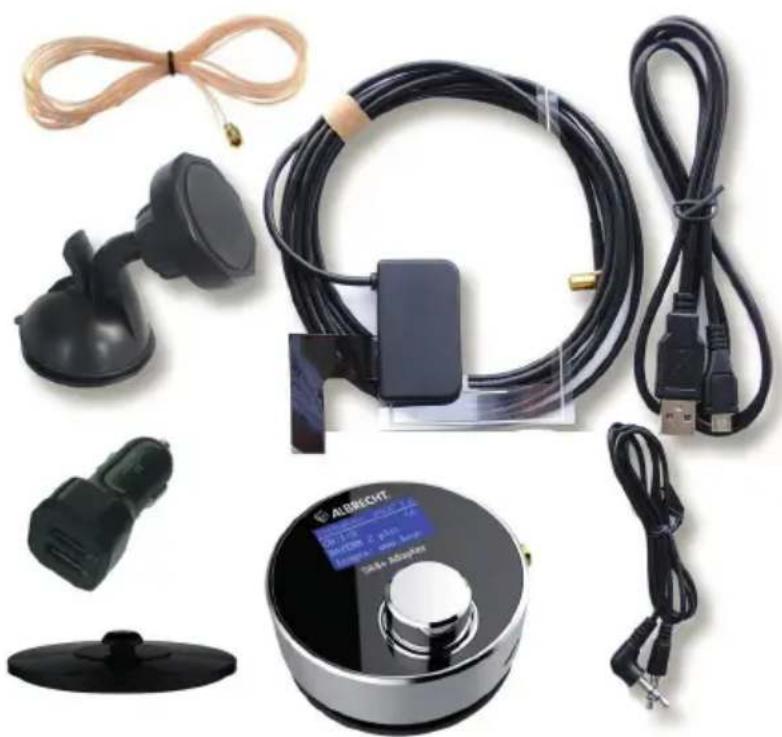
Please make sure that the box contains the following accessories:
- DR 54 adapter
- SMB-Foil window antenna (for use in your car)
- SMB-Cable antenna (for use at home)
- 12V car power supply
- 3.5mm audio cable
- USB charging cable
- Suction holder (for car windshield)
- Adhesive mount (for use at home)
- Mounting clips
natural_image
Product display of a NB-1280 sensor device with attached cable, earplugs, and power cord (no visible text or symbols)2. Overview Radio
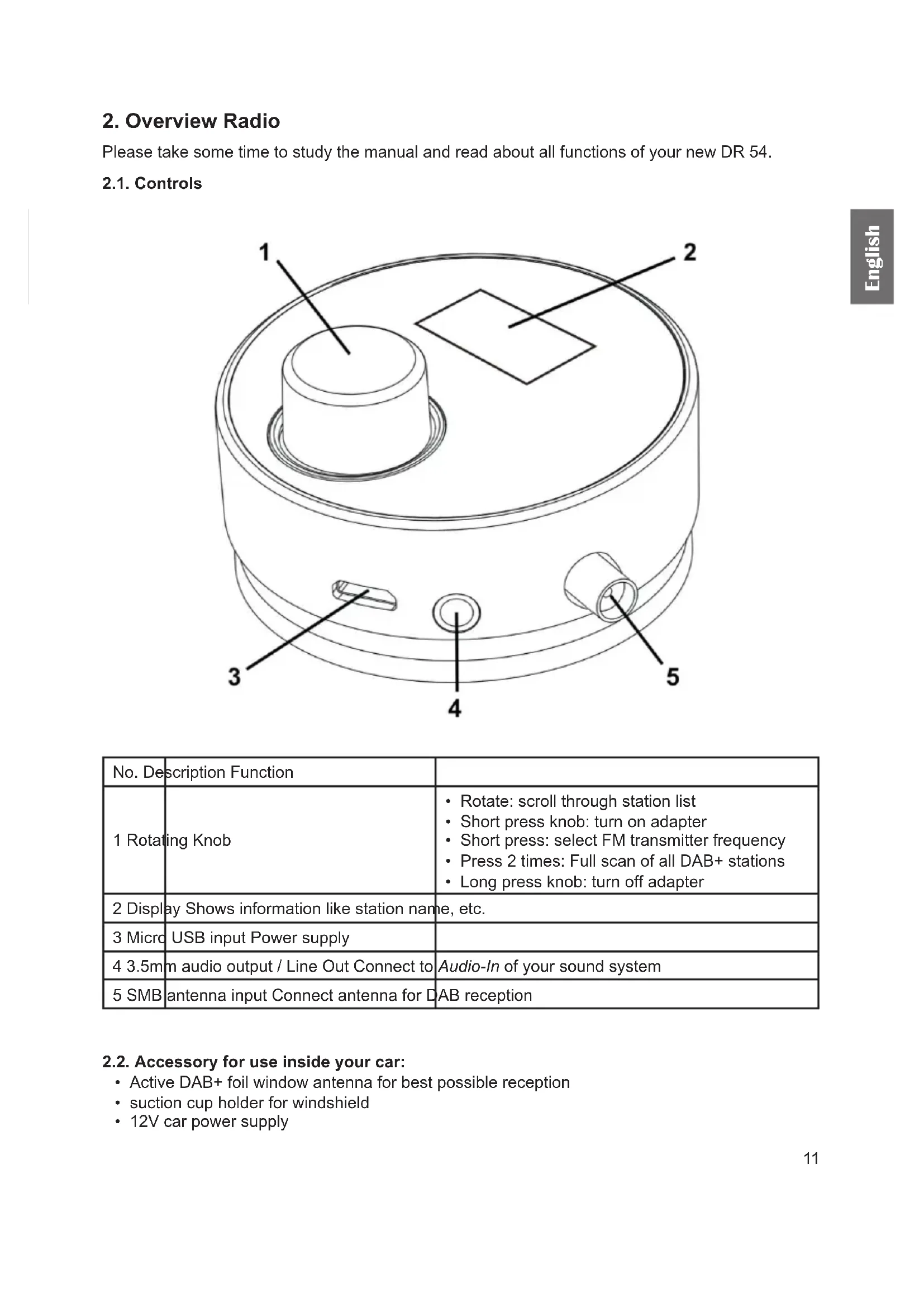
Please take some time to study the manual and read about all functions of your new DR 54.
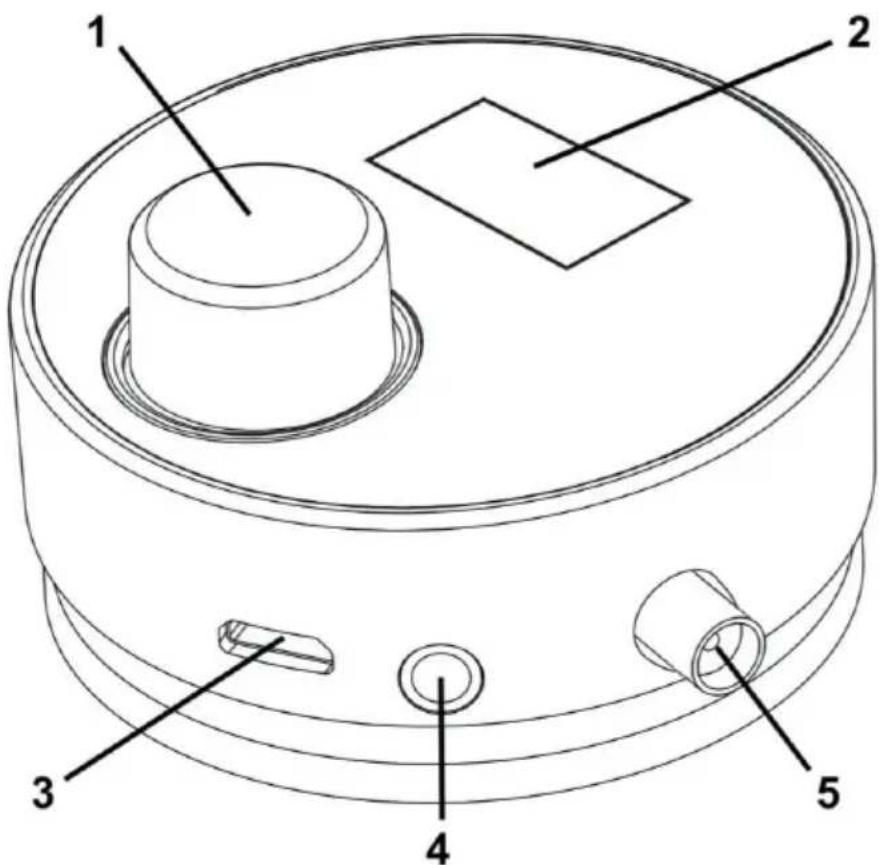
2.1. Controls
text_image
Technical diagram of a mechanical component with labeled parts 1 through 5| No. | Description Function | |
| 1 | Rotating Knob | Rotate: scroll through station listShort press knob: turn on adapterShort press: select FM transmitter frequencyPress 2 times: Full scan of all DAB+ stationsLong press knob: turn off adapter |
| 2 | Display Shows information like station name, etc. | |
| 3 | Micro USB input Power supply | |
| 4 | 3.5m audio output / Line Out Connect to | Audio-In of your sound system |
| 5 | SMB antenna input Connect antenna for D | AB reception |
2.2. Accessory for use inside your car:
• Active DAB+ foil window antenna for best possible reception
- suction cup holder for windshield
• 12V car power supply
2.3. Use in the living room:
Flexible use e.g. control from the couch thanks to the small cable antenna. You can transfer the DAB+ signal wireless to the home stereo system or other radios.
3. Car Installation
We recommend having the installation carried out by a specialist dealer.
Otherwise follow these steps to install the antenna on your own.
3.1. Power Supply
Connect the Micro USB charging cable with the DR 54. Then plug the other end into the 12V car power supply and put it into the cigarette lighter of your car.
3.2. Antenna Installation
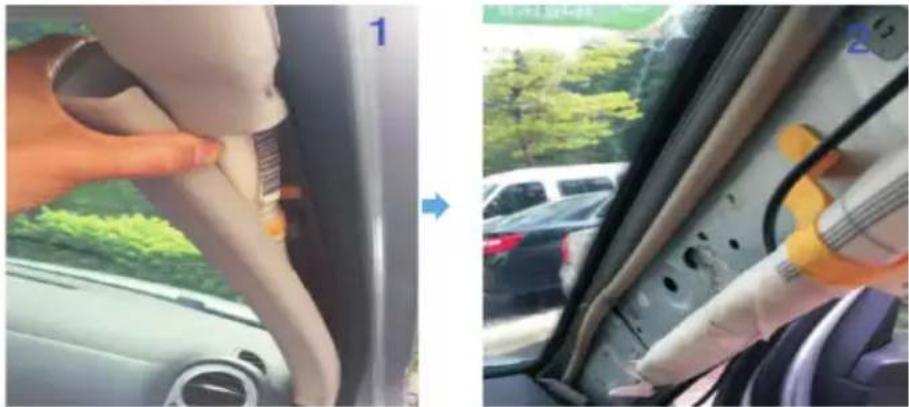
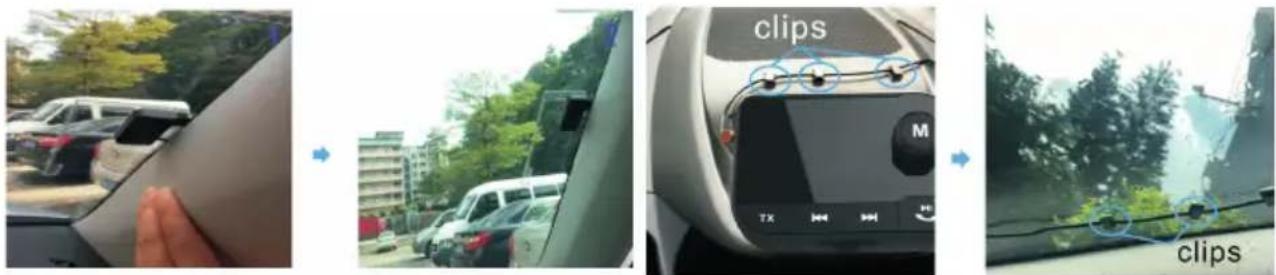
Remove the cover of the A-pillar inside your car.
natural_image
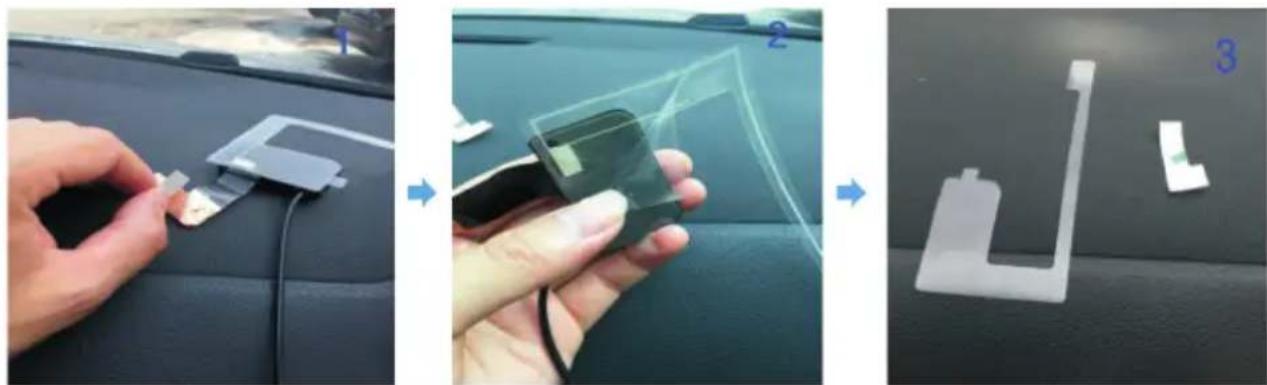
Interior view of a car showing a finger inserting a cable into the seat, with a close-up of hands installing components on the back panel (no visible text or symbols)Remove the adhesive sticker on the backside of the antenna
natural_image
Three-step automotive assembly process showing hand positioning, handling a component, and assembling a 3D mechanical part (no text or symbols visible)Stick the copper foil part of the antenna on the metal part of your A-pillar. Stick the remaining part of the antenna on the windshield. Make sure to clean both spots before placing the antenna.
Attention: the copper foil must be sticked on a metal underground otherwise the signal strength might decrease up to 30%
natural_image
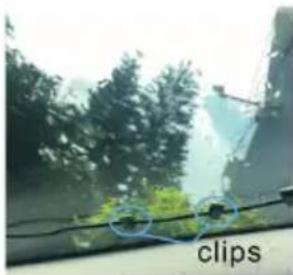
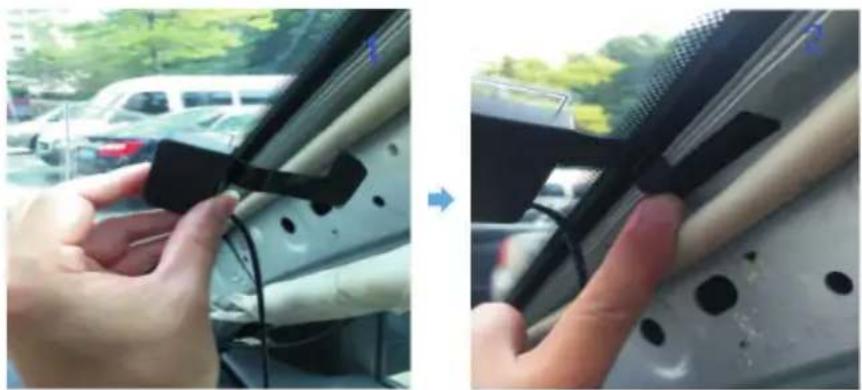
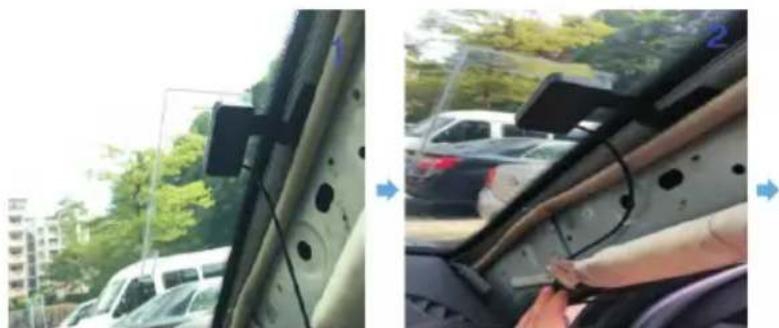
Two-panel photo showing hands installing a black plastic clip on a car's side panel, with a car and greenery in the background (no visible text or symbols)Wire the antenna cables by using the self-adhesive clips to secure the cables.
natural_image
Two-panel photo showing a car interior with a mounted sensor device and a hand inserting a cable into the dashboard (no visible text or symbols)Afterwards put the A-pillar cover carefully back without breaking the cables.
text_image
clips M TX clipsNote: the installation may differ depending on the model of your car.
4. Home Installation
For use at home with your stereo system, use your own USB wall adapter with the Micro USB cable. Connect the included cable antenna to the SMB socket of the adapter and move it to a position with good reception.
5. Listen to DAB Radio
When you start the DR 54 for the first time, the adapter will perform a Full Scan automatically. Once the scan is finished the stations can be scrolled by simply turning the knob.
If you need to do a manual Full Scan (for example if you are using the adapter in a different area), double press the rotating knob.
Note: in case the station scan does not find any stations, check the antenna connection (car) or move the cable antenna to a different position (at home).
6. Transmission to an audio system
6.1. Audio Cable Output
In order to get better sound quality, please use the 3.5mm audio cable to connect the Line Out jack of the DR 54 and Audio In jack of your car/home stereo.
6.2. FM Transmitter
You can also connect the DR 54 to your car/home audio system wirelessly via FM transmitter. Shortly press the Rotating Knob, then rotate it to adjust the frequency within 87.6-107.9MHz and confirm your selection. Select the same frequency on your car/home radio. In order to get better sound performance, please select a frequency which is not used by another FM radio station.
Note: please use the supplied USB power supply cable with integrated FM antenna. When the Aux cable is plugged in, the FM transmitter is automatically turned off.
7. Factory Reset
While the adapter is turned off, press and hold the rotating knob and then connect the adapter to a power source. The DR54 is now reset to the factory settings and starts automatically with a Full Scan.
8. Safety Instructions
- The radio should not be used in a high temperature or high humidity environment over long periods of time as this may damage the unit.
- Keep the radio away from liquids as it may get damaged. Please switch off the radio immediately if water or liquids is spilled into the radio.
- Avoid using or storing the unit in dusty or sandy environment.
- Do not open and repair the adapter by yourself.
- Clean only with dry cloth
- Do not install the foil antenna in the view of the driver
9. Troubleshooting
No DAB reception:
- If the radio displays “no service”, change the position of the antenna or the complete adapter and perform a Full Scan again by long pressing the rotating knob.
- Move the radio closer to a window (at home)
- Perform a factory reset
Radio reception is poor:
- Please check that the antenna is contected correctly
- Please use the supplied power supply and USB cable with integrated FM antenna.
- Move the antenna around in different directions to get the best signal (at home)
- Check that you do not have other electrical equipment too close to your radio or close to any sources of interference such as microwaves, fluorescent lights, etc which may cause interferences.
No sound:
- Check if the volume is mute. Adjust the volume level.
- Check that the radio is powered on.
- Try changing to another radio station.
10. Technical Specification
| Receiver Digital DAB/DAB+ | |
| FM Transmitter Range 87.6-107.9 MHz | |
| SNR 90dB | |
| Distortion <0.1% | |
| Input 5V / 1A DC | |
| Frequency Response 20Hz-20kHz | |
| Channel Separation >80dB | |
| Audio Output 3.5 mm Audio Jack | |
| Operating Temperature 10-70°C | |
| Dimension Dia x H 53 x 23 mm | |
| Weight 30g |
11. Warranty and Recycling Information
We are legally obliged to include disposal and warranty information as well as EU declaration of conformity with the use instructions in different countries for every unit. Please find this information on the following pages.
2-year warranty from date of purchase
The manufacturer/retailer guarantees this product for two years from date of purchase. This warranty includes all malfunctions caused by defective components or incorrect functions within the warranty period excluding wear and tear, such as exhausted batteries, scratches on the display, defective casing, broken antenna and defects due to external effects such as corrosion, over voltage through improper external power supply or the use of unsuitable accessories. Defects due to unintended use are also excluded from the warranty.
Please contact your local dealer for warranty claims. The dealer will repair or exchange the product or forward it to an authorized service center. You can also contact our service partner directly. Please include your proof of purchase with the product and describe the malfunction as clearly as possible.
WEEE and Recycling
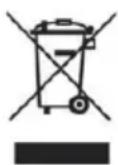
The European laws do not allow any more the disposal of old or defective electric or electronic devices with the household waste. Return your product to a municipal collection point for recycling to dispose of it. This system is financed by the industry and ensures environmentally responsible disposal and the recycling of valuable raw materials.
Service address and technical hotline (for units sold in Germany)
Contact our service hotline by phone +49 (0) 6103 9481 66 (regular costs for German fixed network) or e-mail at service@albrecht-midland.de
Declaration of Conformity
Hereby, Alan Electronics GmbH declares that the radio equipment type DR 54 is in compliance with Directive 2014/53/EU. The full text of the EU declaration of conformity is available at the following internet address:
http://service.alan-electronics.de/CE-Papiere/

Printing errors reserved.
Information in this user manual are subject to change without prior notice.