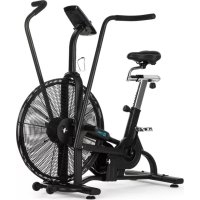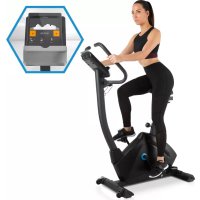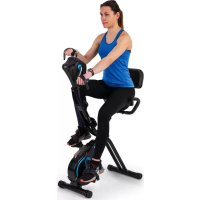
Azura Full Body Comfort - Indoor bike trainer Capital Sports - Free user manual and instructions
Find the device manual for free Azura Full Body Comfort Capital Sports in PDF.



| Product type | Indoor bike with moving handlebars (full body) |
| Brand | Capital Sports |
| Model | Azura Full Body Comfort |
| Maximum user weight | 100 kg |
| Monitor power supply | 2 AA batteries |
| Display | Speed, distance, time, calories, odometer, SCAN mode |
| Resistance | Adjustable friction brake |
| Frame material | Steel |
| Pedals | Left and right pedals with reverse threading |
| Adjustable seat | Yes, height adjustable |
| Adjustable handlebars | Yes, tilt and height |
| Backrest | Adjustable padded backrest |
| Safety distance | At least 0.6 m around the device |
| Intended use | Household only, non-therapeutic use |
| Maintenance | Clean with a damp cloth; lubricate moving parts; check screw tightness |
| Batteries | 2 AA batteries (replace if display is dim) |
| Dimensions (estimated) | 130 x 60 x 120 cm (L x W x H) |
| Net weight (estimated) | 35 kg |
| Included tools | Wrenches A, B, C |
| Warranty | See manufacturer (Chal-Tec GmbH) |
Frequently Asked Questions - Azura Full Body Comfort Capital Sports
User questions about Azura Full Body Comfort Capital Sports
0 question about this device. Answer the ones you know or ask your own.
Ask a new question about this device
Download the instructions for your Indoor bike trainer in PDF format for free! Find your manual Azura Full Body Comfort - Capital Sports and take your electronic device back in hand. On this page are published all the documents necessary for the use of your device. Azura Full Body Comfort by Capital Sports.
USER MANUAL Azura Full Body Comfort Capital Sports
text_image
QR code image containing encoded data, no visible human-readable textINHALTSVERZEICHNIS
text_image
Technical diagram of a stationary exercise machine with numbered components and labeled parts1
text_image
155Member of Berlin Brands Group
Handwerkerstr. 11
15366 Dahlwitz-Hoppegarten
Deutschland
natural_image
Symbol of a trash bin crossed with a diagonal line, no text or numbers presentBerlin Brands Group UK Limited
PO Box 42
272 Kensington High Street
London, W8 6ND
United Kingdom
Dear Customer,
Congratulations on purchasing this device. Please read the following instructions carefully and follow them to prevent possible damages. We assume no liability for damage caused by disregard of the instructions and improper use. Scan the QR code to get access to the latest user manual and more product information.
text_image
QR code image containing encoded data, no visible human-readable textCONTENTS
Safety Instructions 20
Single Parts 22
Assembly 23
Functions of the Training Computer 29
Care and Maintenance 30
Disposal Considerations 31
Manufacturer & Importer (UK) 31
SAFETY INSTRUCTIONS
Before operating this unit, please read this manual carefully to ensure optimum performance and safety. This is manual should be kept available for future reference. For product improvement, the company reserves the right to change the design and specification at any time without prior notice. Pictures are for reference use only and may differ from the actual product.
- Please keep this manual in a safe place for your reference when necessary.
- Please do not assembly or use this equipment until you read this manual thoroughly & carefully. The safety and efficiency only can be achieved when the equipment is assembled, maintained and used properly. It is your responsibility to ensure that all the users are informed of all the warnings and precautions.
- For totally safe use, a stable, leveled surface is required. Protect your floor with a mat. Do not use the equipment in a damp areas such as swimming pool sauna, etc. For safety space, the equipment must have at least 0.6 meter of free space all around it.
- Before starting any exercise program you must consult your doctor to determine if you have any physical or health conditions that could create a risk to your health and safety, or prevent you from using the equipment properly. Your doctor's advice is essential if you are taking medication that affects your heart rate, blood pressure or cholesterol level.
- Be aware of your body's signals. Incorrect or excessive exercise can damage your health. Stop exercising if you experienced any of the following symptoms: pain, tightness in your chest, irregular heartbeat, extreme shortness of breath, feeling light headed, dizzy or nauseous. If you do experience any of these conditions you must consult your doctor before continuing with your exercise program.
- Do not workout immediately after meals.
- Keep children and pets away from the equipment, the equipment must be assembled and used by adults only.
• The equipment is designed for home use only. - The equipment is not suitable for therapeutic use, may only be used for exercises indicated in the training instructions
- Wearing proper clothing and athletic shoes while using the equipment, Avoid wearing loose clothing that may get caught in the equipment or that may restrict or prevent movements.
-
Keep your back straight while exercising.
-
Before using the equipment, check the handle bar, seat, and the nuts & bolts are securely tightened.
- For adjustable parts, bear the maximum position in your mind, do not exceed the mark „stop“, otherwise will cause risk.
- Always use the equipment as indicated. If you find any defective components while assembling or checking the equipment, or if you hear any unusual noises coming from the equipment during use, stop immediately. Do not use the equipment until the problem has been solved.
- Care must be taken when lifting or moving the equipment so as not to injure your back. always use proper lifting techniques and /or seek assistance if necessary.
- All moveable accessories(e.g. pedal, handlebar, saddle...etc.) require weekly maintenance. Check them before use every time. If anything broken or loose, please fix them immediately. You may continue using them only after they return to good conditions.
- Keep power cord away from heat sources.
- Do not insert or drop any object into any opening.
- Unplug exercise bike before moving or cleaning it. To clean, wipe surfaces down with mild detergents and a slightly damp cloth only; never use solvents.
- Do not use the exercise bike in any location that is not temperature controlled, such as, but not limited to, garages, porches, pool rooms, bathrooms, car ports or outdoors.
- Use the equipment only as described in this manual.
- Incorrect repair and structural modifications(e.g. removal or replacement of original parts) may endanger the safety of the user.
- This product is not designed for use by persons (including children) who have reduced physical, sensory or mental capacities or persons with no experience or knowledge, unless they are instructed and supervised in the use of the appliance by a person responsible for their safety.
- Children should be supervised to ensure that they do not play with the appliance.
- Before use, check the voltage on the device badge. Only connect the device to sockets that correspond to the voltage of the device.
Note: Maximum weight of the user is 100 kg.
SINGLE PARTS
text_image
Technical diagram of a stationary exercise machine with numbered components and labeled partsASSEMBLY
1
text_image
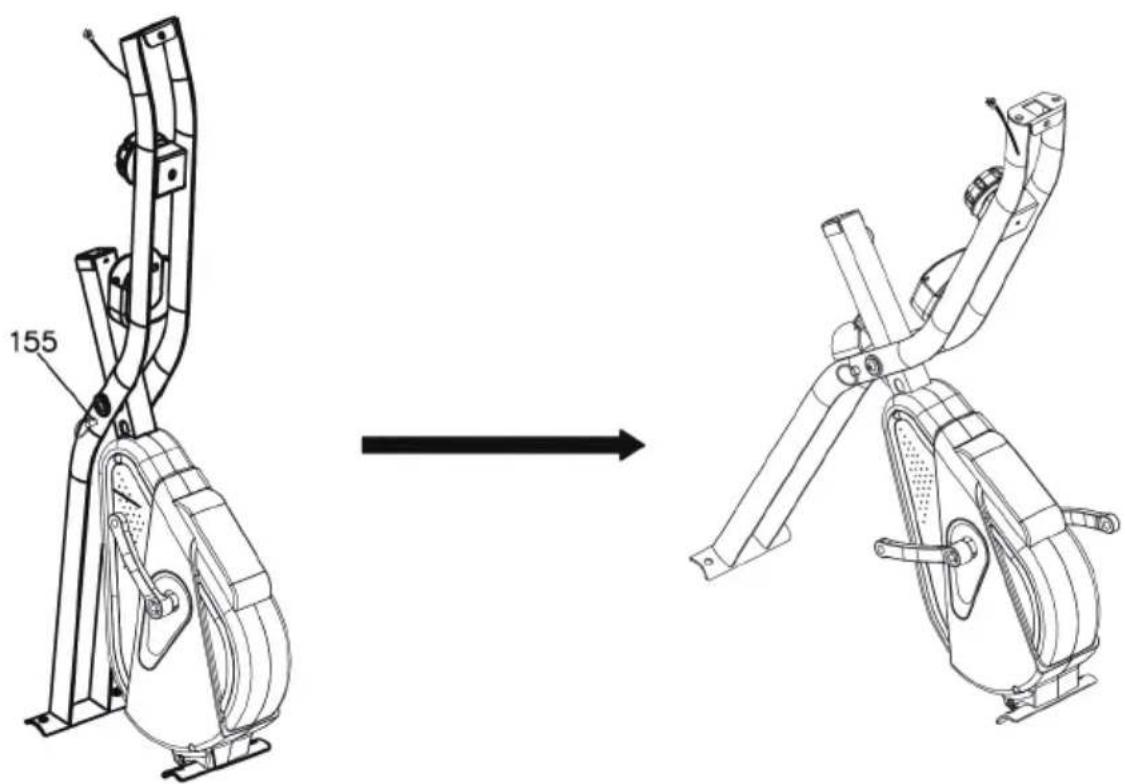
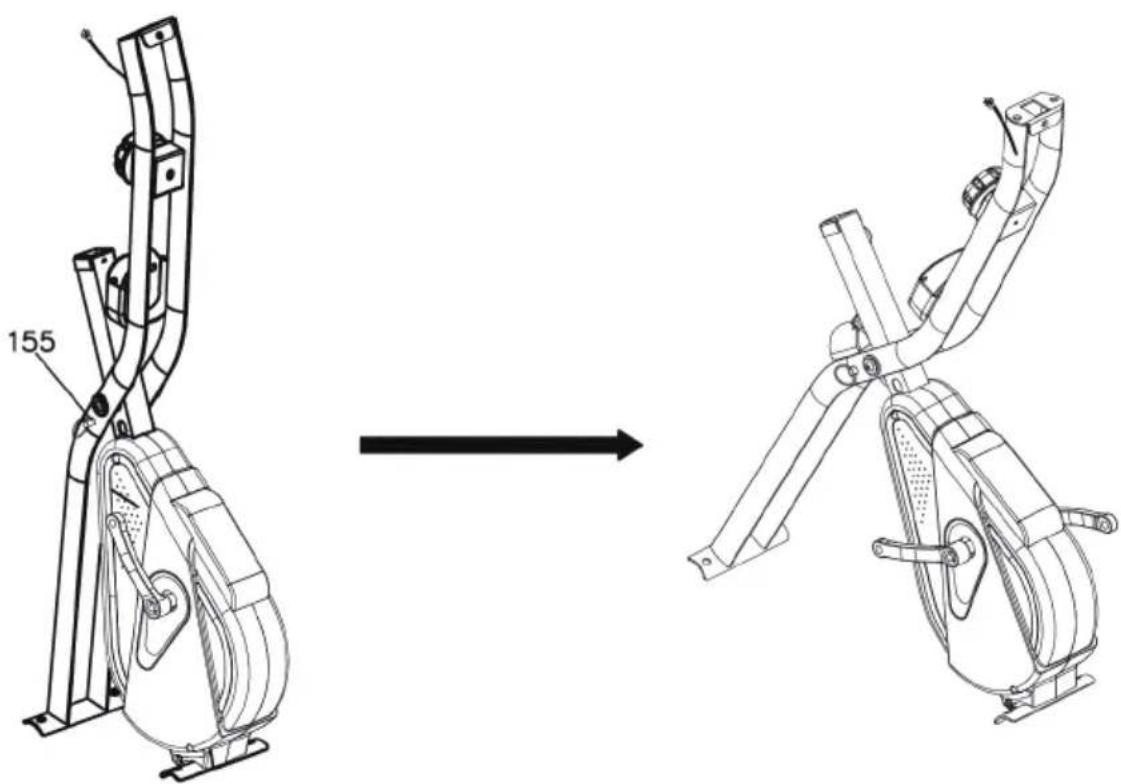
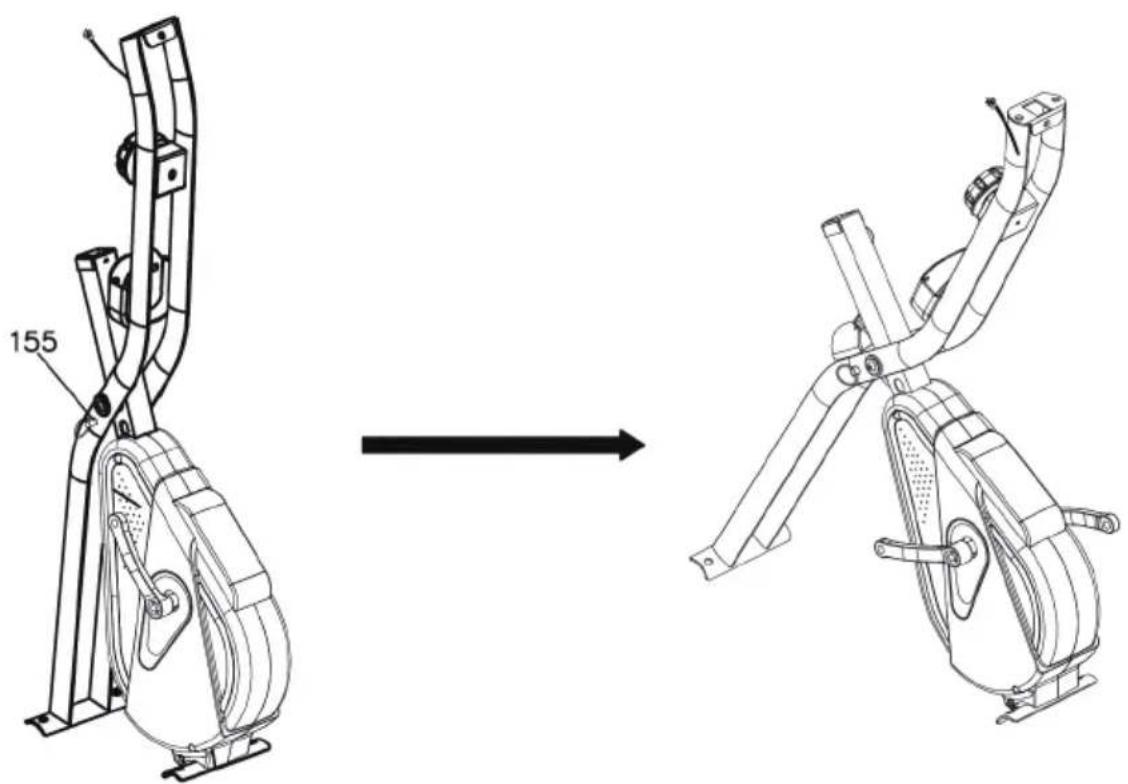
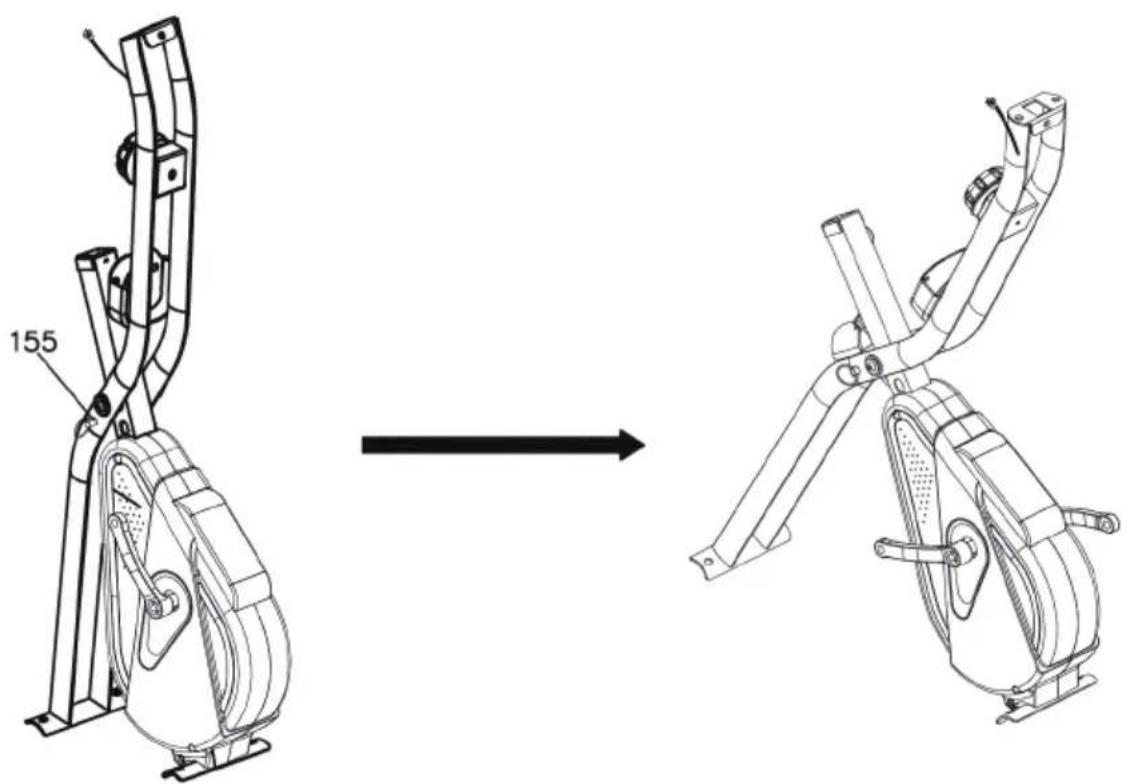
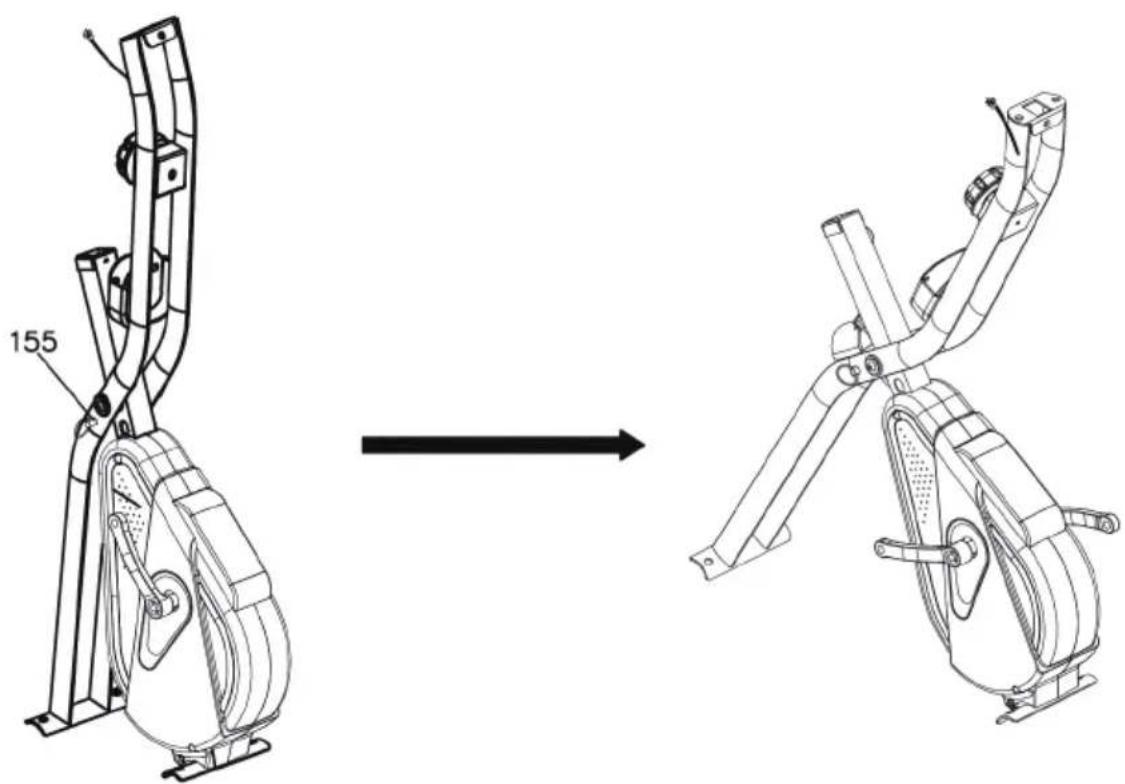
155Pull out the pin (155) and unfold the main frame. Then insert pin (155) on the hole of Main frame.
| 2 |
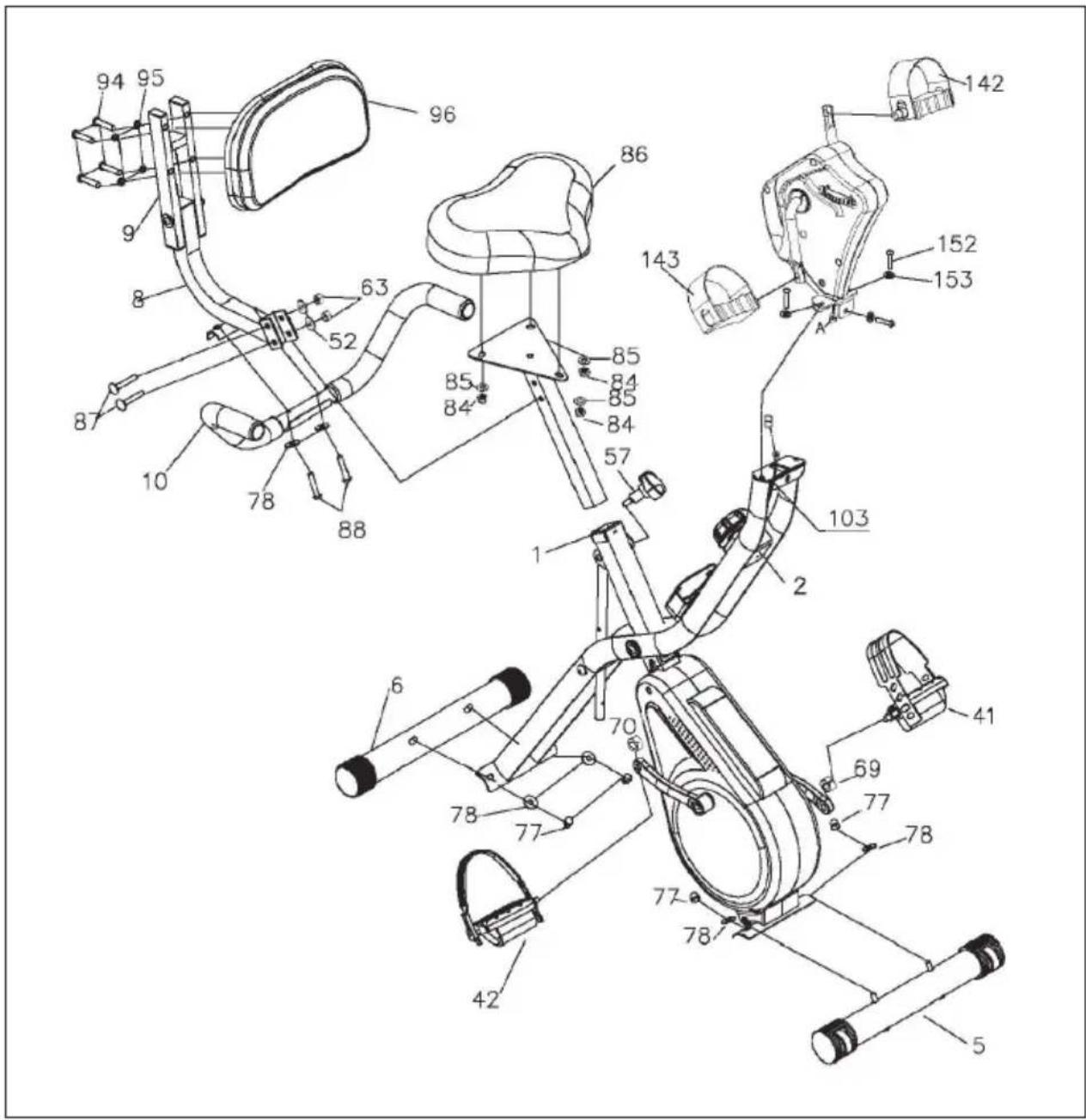
| Attach the front anti-roll bar (5) to the main frame (1) with 2 washers (78) and 2 cap nuts (77). Use the tool (B) for this. |
| Attach the rear stabilizer (6) to the front support (2) with 2 washers (78) and 2 cap nuts (77). Use the tool (B) to do this. |
3
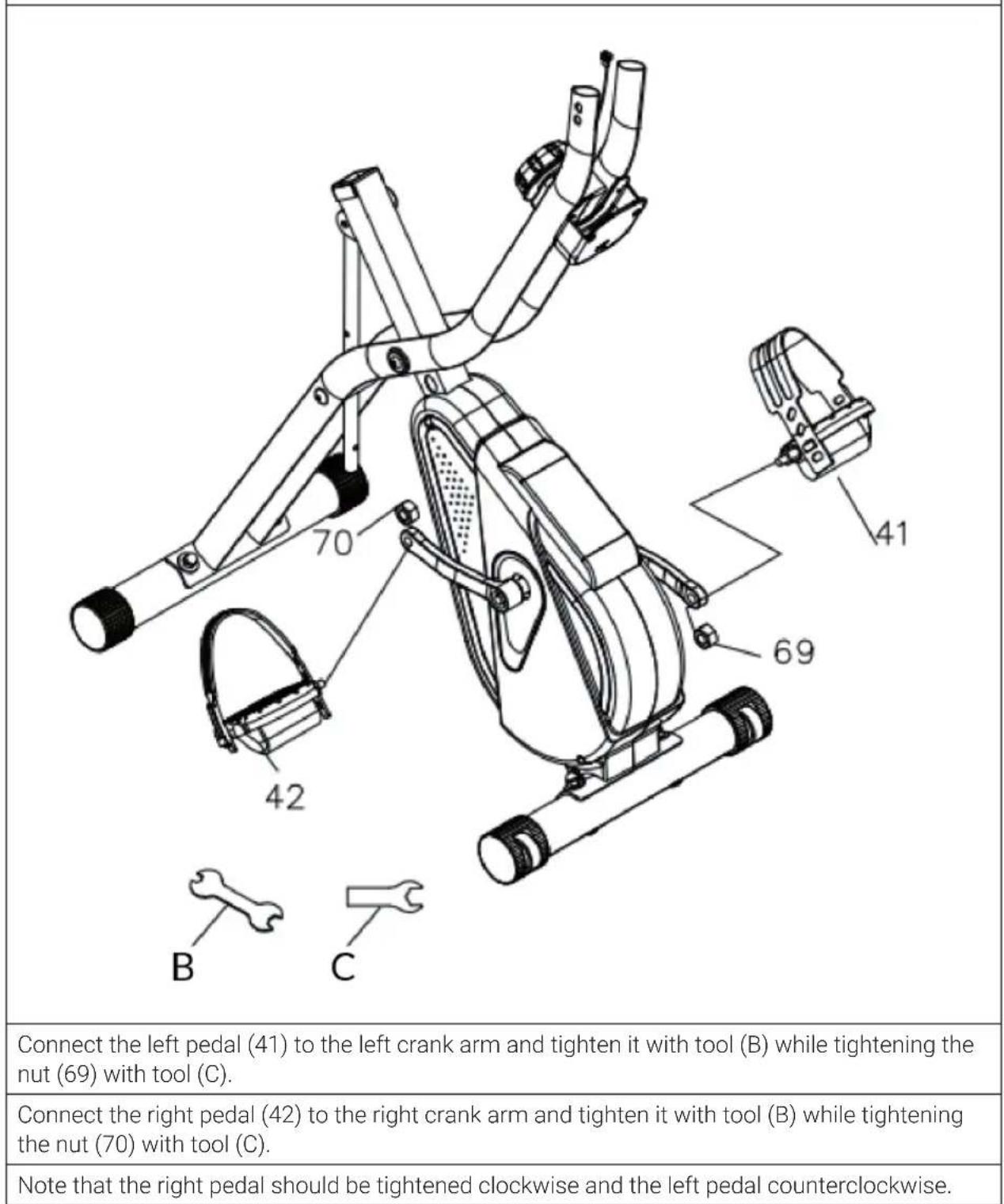
| 4 |
| 142 152 153 143 A B 2 A B |
| Connect sensor plug A with sensor plug B. |
| Attach the crank handle (119) to the front support (2) with screws (152) and washers (153). Use tool (A) to do this. |
| Mount the handles (142 & 143) to the crank handle (119) with tool (B). |
text_image
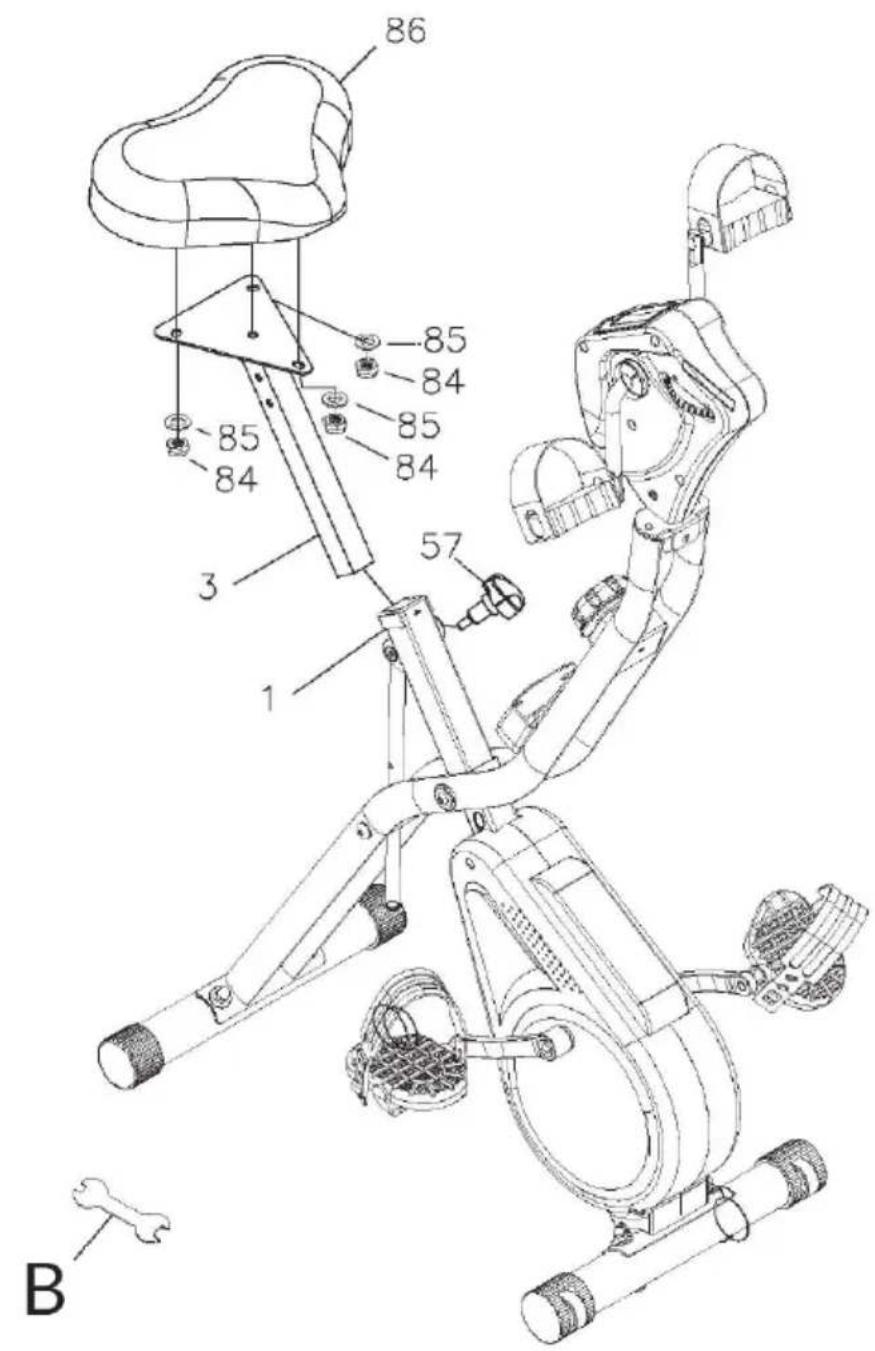
86 85 84 85 84 85 84 3 57 1 BSecure the seat (86) to the seat post (3) with 3 washers (85) and 3 nuts (84).
Insert the seat post (3) into the main frame (1). Adjust the seat post to the desired height and secure the seat post by inserting the quick release knob (57) into the hole in the seat post.
| 6 |
| Fasten the backrest cushion (96) to the backrest cushion support tube (9) with 4 screws (94) and 4 spring washers (95). Use tool (A) for this. |
| Fasten the handlebar of the seat (10) to the backrest cushion connecting tube (8) with 2 screws (88) and 2 washers (78). Use tool (A) for this. |
| Fasten the backrest cushion connecting tube (8) to the seat post (3) with 2 screws (87), 2 washers (52) and 2 nuts (63). |
| Check again that all bolts and nuts are tightened before using the device. |
FUNCTIONS OF THE TRAINING COMPUTER
- Use the MODE button to select between the functions.
- Press and hold the RESET button for 2 seconds to clear the time, distance and calories.
| SCAN | Press MODE to access the SCAN function. The display automatically changes every 6 seconds between all available function displays. |
| SPEED Display of the current speed. | |
| DIST | Display of the training distance. Press MODE to access the DIST function. Then press SET to set the distance. When the distance is counted down, an alarm sounds for 10 seconds. |
| TIME | Display the training duration. Press MODE to access the TIME function. Then press SET to set the time. When the time counts down, an alarm sounds for 10 seconds. |
| ODO | Displays the total distance travelled (since startup. Cleared when the battery is changed). |
| CAL | Display of calories burned so far. Press MODE to access the CAL function. Then press SET to set the calories. When the calories are counted down, an alarm sounds for 10 seconds. |
| AUTO ON/OFF | The training computer will automatically turn on at the beginning of the workout and will automatically turn off after the unit has not been used for 4 minutes. |
Note: Replace the batteries with 2 new batteries type AA when the display decreases.
CARE AND MAINTENANCE
Note: As with all training machines with mechanical, moving components, screws may loosen due to frequent use. We therefore recommend that you check them regularly and, if necessary, retighten them with a suitable key. Clean your training device regularly with a damp cloth to clean the surfaces from sweat and dust.
- When you don't use the exercise bike for a long time, please take out the console battery to avoid running out of battery.
- Often clean the exercise bike with clean cloth to keep the clean appearance.
- The safety level of the equipment only can be maintained if it is regularly examined for damage and or /wear and tear.(e.g. handle bar, pedals and seat ...etc.).It is vital that any faulty parts are replaced and the it is not used until completed repaired.
- Regularly check that the elements fastened with nuts and bolts are correctly tightened.
- Remember regularly to grease moving parts.
- Special attention to the component, most of them are susceptible to wear like brake system, foot pad etc.
- As sweat is very corrosive, do not allow it to come into contact with the enameled or chromed parts of the equipment, particularly the computer. Immediately wipe the equipment after using. The enameled parts can be cleaned using a damp sponge. All aggressive or corrosive products must be avoided.
- Storing the equipment in a clean and dry environment away from children.
DISPOSAL CONSIDERATIONS
natural_image
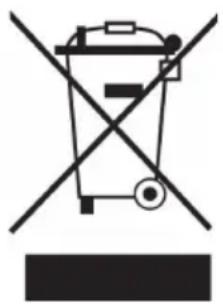
Symbol of a trash bin crossed with a diagonal line, no text or labels presentIf there is a legal regulation for the disposal of electrical and electronic devices in your country, this symbol on the product or on the packaging indicates that this product must not be disposed of with household waste. Instead, it must be taken to a collection point for the recycling of electrical and electronic equipment. By disposing of it in accordance with the rules, you are protecting the environment and the health of your fellow human beings from negative consequences. For information about the recycling and disposal of this product, please contact your local authority or your household waste disposal service.
This product contains batteries. If there is a legal regulation for the disposal of batteries in your country, the batteries must not be disposed of with household waste. Find out about local regulations for disposing of batteries. By disposing of them in accordance with the rules, you are protecting the environment and the health of your fellow human beings from negative consequences.
MANUFACTURER & IMPORTER (UK)
Manufacturer:
Chal-Tec GmbH, Wallstrasse 16, 10179 Berlin, Germany.
Importer for Great Britain:
Berlin Brands Group UK Limited
PO Box 42
272 Kensington High Street
London, W8 6ND
United Kingdom
Estimado cliente:
text_image
QR code image containing encoded data, no visible human-readable textÍNDICE
text_image
Technical diagram of a stationary exercise machine with numbered components and labeled partsMONTAJE
1
text_image
155natural_image
Symbol of a trash bin crossed with a diagonal line, representing no waste or discharge (no text or labels)Berlin Brands Group UK Limited
PO Box 42
272 Kensington High Street
London, W8 6ND
United Kingdom
Chère cliente, cher client,
text_image
QR code image containing encoded data, no visible human-readable textSOMMAIRE
text_image
Technical diagram of a stationary exercise machine with numbered components and labeled parts1
text_image
155natural_image
Symbol of a trash bin crossed with a diagonal line, no text or numbers presentBerlin Brands Group UK Limited
PO Box 42
272 Kensington High Street
London, W8 6ND
United Kingdom
Gentile cliente,
text_image
QR code image containing encoded data, no visible human-readable textINDICE
text_image
Technical diagram of a stationary exercise machine with numbered components and labeled parts1
text_image
155natural_image
Symbol of a trash bin crossed with a diagonal line, no text or labels presentPRODUTTORE E IMPORTATORE (UK)
Produttore:
Chal-Tec GmbH, Wallstraße 16, 10179 Berlino, Germania.
Berlin Brands Group UK Limited
PO Box 42
272 Kensington High Street
London, W8 6ND
United Kingdom