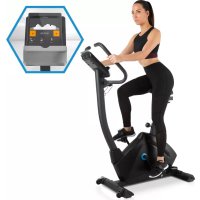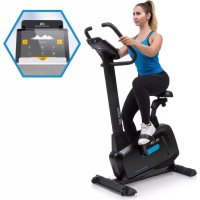
Evo Pro - Indoor bike trainer Capital Sports - Free user manual and instructions
Find the device manual for free Evo Pro Capital Sports in PDF.



User questions about Evo Pro Capital Sports
0 question about this device. Answer the ones you know or ask your own.
Ask a new question about this device
Download the instructions for your Indoor bike trainer in PDF format for free! Find your manual Evo Pro - Capital Sports and take your electronic device back in hand. On this page are published all the documents necessary for the use of your device. Evo Pro by Capital Sports.
USER MANUAL Evo Pro Capital Sports
text_image
QR code image containing encoded data, no visible human-readable textINHALTSVERZEICHNIS
text_image
Technical diagram of a stationary exercise machine with labeled parts and rotation arrowstext_image
Technical diagram of a mechanical device with numbered components for identification2. Cardio-Trainingsphase
text_image
Kinomap Anmelden Home Playlists Alle Videos Karte Kaufen Auswertung Geräte Einlösen 11:32 Kinomap SIGN IN Username or email Password Sign in Connect with Facebook Connect with STRAYA Sign in with Google LOG IN WITH UNDER ARMOUR Create accountAktivierungscode
text_image
Kinomap cedirect Home Featured PROFILES MANAGEMENT Manage profiles Current profile details Preview data Subscribe Activity History Kinomap Bike Power Sensors - Power sensors Primary: connected 283 KM/H WATT RPM BPM 90 Additional sensors 72 bpm rpm wallTraining
Videoauswahl
text_image
Pick your settings Select your training mode and if you wish to resume a previous activity, or start a new one. DISCOVERY CHALLENGE Challenge selected: the video plays at your speed. NEW TRAINING PREVIOUS TRAINING EXIT STARTTrainingsanzeige
text_image
Quiet ride in Central Park 0.00 m02s 283 watts 15.3 km 8 cm -8pm 90 rpm HD Your training is starting 0.3% RANKING Elevation 30 20 10 2000 4000 6000 8000 2019 Google Map data 62158 Googlenatural_image
Black-and-white landscape photo of a winding mountain road through a valley with snow-capped peaks and forested slopes (no text or symbols visible)
natural_image
Simple diagram of a flat rectangular shape with vertical bars, labeled 'Flat' at the bottom (no other text or symbols)
text_image
Valley Trail
text_image
Rolling Hills
text_image
In the Mountains
text_image
The Alpine Pass
text_image
The Interval
text_image
Tour d'Egypt
bar
| Category | Value | |---|---| | Bar 1 | 20 | | Bar 2 | 35 | | Bar 3 | 60 | | Bar 4 | 85 | | Bar 5 | 70 | | Bar 6 | 90 | | Bar 7 | 65 | | Bar 8 | 75 | | Bar 9 | 80 | | Bar 10 | 70 | | Bar 11 | 60 | | Bar 12 | 55 | | Bar 13 | 45 | | Bar 14 | 35 | | Bar 15 | 25 | | Bar 16 | 20 | Change label below the bars is 'Change'.
bar
| Altitude | Value | |---|---| | 1 | 0.5 | | 2 | 0.7 | | 3 | 0.9 | | 4 | 1.1 | | 5 | 1.3 | | 6 | 1.5 | | 7 | 1.7 | | 8 | 1.9 | | 9 | 2.1 | | 10 | 2.3 | | 11 | 2.5 | | 12 | 2.7 | | 13 | 2.9 | | 14 | 3.1 | | 15 | 3.3 | | 16 | 3.5 | | 17 | 3.7 | | 18 | 3.9 | | 19 | 4.1 | | 20 | 4.3 | | 21 | 4.5 | | 22 | 4.7 | | 23 | 4.9 | | 24 | 5.1 | | 25 | 5.3 | | 26 | 5.5 | | 27 | 5.7 | | 28 | 5.9 | | 29 | 6.1 | | 30 | 6.3 | | 31 | 6.5 | | 32 | 6.7 | | 33 | 6.9 | | 34 | 7.1 | | 35 | 7.3 | | 36 | 7.5 | | 37 | 7.7 | | 38 | 7.9 | | 39 | 8.1 | | 40 | 8.3 | | 41 | 8.5 | | 42 | 8.7 | | 43 | 8.9 | | 44 | 9.1 | | 45 | 9.3 | | 46 | 9.5 | | 47 | 9.7 | | 48 | 9.9 | | 49 | 10.1 | | 50 | 10.3 | | 51 | 10.5 | | 52 | 10.7 | | 53 | 10.9 | | 54 | 11.1 | | 55 | 11.3 | | 56 | 11.5 | | 57 | 11.7 | | 58 | 11.9 | | 59 | 12.1 | | 60 | 12.3 | | 61 | 12.5 | | 62 | 12.7 | | 63 | 12.9 | | 64 | 13.1 | | 65 | 13.3 | | 66 | 13.5 | | 67 | 13.7 | | 68 | 13.9 | | 69 | 14.1 | | 70 | 14.3 | | 71 | 14.5 | | 72 | 14.7 | | 73 | 14.9 | | 74 | 15.1 | | 75 | 15.3 | | 76 | 15.5 | | 77 | 15.7 | | 78 | 15.9 | | 79 | 16.1 | | 80 | 16.3 | | 81 | 16.5 | | 82 | 16.7 | | 83 | 16.9 | | 84 | 17.1 | | 85 | 17.3 | | 86 | 17.5 | | 87 | 17.7 | | 88 | 17.9 | | 89 | 18.1 | | 90 | 18.3 | | 91 | 18.5 | | 92 | 18.7 | | 93 | 18.9 | | 94 | 19.1 | | 95 | 19.3 | | 96 | 19.5 | | 97 | 19.7 | | 98 | 19.9 | | 99 | 20.1 | | Altitude:
bar
| Altitude | Value | |---|---| | 1 | 0.5 | | 2 | 1.2 | | 3 | 2.1 | | 4 | 3.5 | | 5 | 4.8 | | 6 | 5.2 | | 7 | 4.9 | | 8 | 4.1 | | 9 | 3.8 | | 10 | 3.2 | | 11 | 2.5 | | 12 | 1.8 | | 13 | 1.2 | | 14 | 0.8 | | 15 | 0.5 | | 16 | 0.3 | | 17 | 0.2 | | 18 | 0.1 | | 19 | 0.05 | | 20 | 0.03 | | 21 | 0.02 | | 22 | 0.01 | | 23 | 0.005 | | 24 | 0.003 | | 25 | 0.002 | | 26 | 0.001 | | 27 | 0.0005 | | 28 | 0.0003 | | 29 | 0.0002 | | 30 | 0.0001 | | 31 | 0.00005 | | 32 | 0.00003 | | 33 | 0.00002 | | 34 | 0.00001 | | 35 | 0.000005 | | 36 | 0.000003 | | 37 | 0.000002 | | 38 | 0.000001 | | 39 | 0.0000005 | | 40 | 0.0000003 | | 41 | 0.0000002 | | 42 | 0.0000001 | | 43 | 0.00000005 | | 44 | 0.00000003 | | 45 | 0.00000002 | | 46 | 0.00000001 | | 47 | 0.00000001 | | 48 | 0.00000001 | | 49 | 0.00000001 | | 50 | 0.00000001 | | 51 | 0.00000001 | | 52 | 0.00000001 | | 53 | 0.00000001 | | 54 | 0.00000001 | | 55 | 0.00000001 | | 56 | 0.00000001 | | 57 | 0.00000001 | | 58 | 0.00000001 | | 59 | 0.00000001 | | 60 | 0.5 | | 61 | 1.2 | | 62 | 2.1 | | 63 | 3.5 | | 64 | 4.8 | | 65 | 5.2 | | 66 | 4.9 | | 67 | 4.1 | | 68 | 3.8 | | 69 | 3.2 | | 70 | 2.5 | | 71 | 1.8 | | 72 | 1.2 | | 73 | 1.8 | | 74 | 2.5 | | 75 | 3.2 | | 76 | 4.8 | | 77 | 5.2 | | 78 | 4.9 | | 79 | 4.1 | | 80 | 3.8 | | 81 | 3.2 | | 82 | 2.5 | | 83 | 1.8 | | 84 | 1.2 | | 85 | 1.8 | | 86 | 2.5 | | 87 | 3.2 | | 88 | 4.8 | | 89 | 5.2 | | 90 | 4.9 | | 91 | 4.1 | | 92 | 3.8 | | 93 | 3.2 | | 94 | 2.5 | | 95 | 1.8 | | 96 | 1.2 | | 97 | 1.8 | | 98 | 2.5 | | 99 |
bar
| Interval | Value | |---|---| | 1 | 0.5 | | 2 | 0.7 | | 3 | 0.9 | | 4 | 1.1 | | 5 | 1.3 | | 6 | 1.5 | | 7 | 1.7 | | 8 | 1.9 | | 9 | 2.1 | | 10 | 2.3 | | 11 | 2.5 | | 12 | 2.7 | | 13 | 2.9 | | 14 | 3.1 | | 15 | 3.3 | | 16 | 3.5 | | 17 | 3.7 | | 18 | 3.9 | | 19 | 4.1 | | 20 | 4.3 | | 21 | 4.5 | | 22 | 4.7 | | 23 | 4.9 | | 24 | 5.1 | | 25 | 5.3 | | 26 | 5.5 | | 27 | 5.7 | | 28 | 5.9 | | 29 | 6.1 | | 30 | 6.3 | | 31 | 6.5 | | 32 | 6.7 | | 33 | 6.9 | | 34 | 7.1 | | 35 | 7.3 | | 36 | 7.5 | | 37 | 7.7 | | 38 | 7.9 | | 39 | 8.1 | | 40 | 8.3 | | 41 | 8.5 | | 42 | 8.7 | | 43 | 8.9 | | 44 | 9.1 | | 45 | 9.3 | | 46 | 9.5 | | 47 | 9.7 | | 48 | 9.9 | | 49 | 10.1 | | 50 | 10.3 | | 51 | 10.5 | | 52 | 10.7 | | 53 | 10.9 | | 54 | 11.1 | | 55 | 11.3 | | 56 | 11.5 | | 57 | 11.7 | | 58 | 11.9 | | 59 | 12.1 | | 60 | 12.3 | | 61 | 12.5 | | 62 | 12.7 | | 63 | 12.9 | | 64 | 13.1 | | 65 | 13.3 | | 66 | 13.5 | | 67 | 13.7 | | 68 | 13.9 | | 69 | 14.1 | | 70 | 14.3 | | 71 | 14.5 | | 72 | 14.7 | | 73 | 14.9 | | 74 | 15.1 | | 75 | 15.3 | | 76 | 15.5 | | 77 | 15.7 | | 78 | 15.9 | | 79 | 16.1 | | 80 | 16.3 | | 81 | 16.5 | | 82 | 16.7 | | 83 | 16.9 | | 84 | 17.1 | | 85 | 17.3 | | 86 | 17.5 | | 87 | 17.7 | | 88 | 17.9 | | 89 | 18.1 | | 90 | 18.3 | | 91 | 18.5 | | 92 | 18.7 | | 93 | 18.9 | | 94 | 19.1 | | 95 | 19.3 | | 96 | 19.5 | | 97 | 19.7 | | 98 | 19.9 | | 99 | nan |
bar
| Interval | Value | |---|---| | 1 | 0.5 | | 2 | 1.2 | | 3 | 2.1 | | 4 | 3.5 | | 5 | 4.8 | | 6 | 5.9 | | 7 | 6.7 | | 8 | 7.2 | | 9 | 6.1 | | 10 | 5.3 | | 11 | 4.2 | | 12 | 3.1 | | 13 | 2.0 | | 14 | 1.5 | | 15 | 0.8 | | 16 | 0.3 | | 17 | 0.6 | | 18 | 1.1 | | 19 | 1.8 | | 20 | 2.5 | | 21 | 3.2 | | 22 | 4.0 | | 23 | 4.9 | | 24 | 5.6 | | 25 | 6.3 | | 26 | 7.0 | | 27 | 7.8 | | 28 | 8.5 | | 29 | 9.2 | | 30 | 8.8 | | 31 | 7.5 | | 32 | 6.2 | | 33 | 4.9 | | 34 | 3.6 | | 35 | 2.3 | | 36 | 1.0 | | 37 | 0.5 | | 38 | 0.8 | | 39 | 1.4 | | 40 | 2.1 | | 41 | 2.9 | | 42 | 3.7 | | 43 | 4.5 | | 44 | 5.2 | | 45 | 6.0 | | 46 | 6.8 | | 47 | 7.5 | | 48 | 8.2 | | 49 | 8.9 | | 50 | 9.6 | | 51 | 8.3 | | 52 | 7.0 | | 53 | 5.7 | | 54 | 4.4 | | 55 | 3.1 | | 56 | 1.8 | | 57 | 0.5 | | 58 | 0.2 | | 59 | 0.6 | | 60 | 1.2 | | 61 | 1.9 | | 62 | 2.7 | | 63 | 3.5 | | 64 | 4.3 | | 65 | 5.1 | | 66 | 5.9 | | 67 | 6.7 | | 68 | 7.4 | | 69 | 8.1 | | 70 | 8.8 | | 71 | 9.5 | | 72 | 8.9 | | 73 | 7.6 | | 74 | 6.3 | | 75 | 4.9 | | 76 | 3.5 | | 77 | 2.1 | | 78 | 0.8 | | 79 | 0.3 | | 80 | -0.2 | | Interval: Interval_2text_image
Activity History - 408 Profile Training 01/03/2018 at 11:05 a.m. 00:00:32 93 m 1 sessions 3.5 kJ K 1 # 56 Profile Training 01/03/2018 at 11:00 a.m. 00:00:37 132 m 1 sessions 2.2 kJ K 2 # 59 Quiet ride in Central Park 28/02/2018 at 2:49 p.m. 00:00:24 71 m 1 sessions Challenge K 1 # 59 Semi Marathon Meaux 2014 - Allure 4mn/KM 28/02/2018 at 11:26 a.m. 00:01:31 392 m 1 sessions Challenge K 36 # 395 Rocheserviere => Saint Fulgent 26/02/2018 at 10:48 a.m. 01:14:21 48.832 KM 1 sessions Challenge K 1754 # 282 Profile Training 23/02/2018 at 12:46 p.m. 00:01:25 143 m 1 sessions 0.6 kJ K 0 # 7Suche
Member of Berlin Brands Group
Handwerkerstr. 11
15366 Dahlwitz-Hoppegarten
Deutschland
natural_image
Symbol of a trash bin crossed with a diagonal line, no text or numbers presentBerlin Brands Group UK Ltd
PO Box 1145
Oxford, OX1 9UW
United Kingdom
Congratulations on the purchase of your device. Please read the following instructions carefully and follow them to prevent potential damage. We accept no liability for damage caused by disregarding the instructions and improper use. Please scan the QR code to access the latest operating instructions and further information about the product.

text_image
QR code image containing encoded data, no visible human-readable textCONTENTS
Safety Instructions 38
Mounting accessories 40
Assembly 41
Overview of cardio training 45
Warm-up before the training 48
Console and button functions 51
Training via KINOMAP App 54
Care and Maintenance 66
Disposal Considerations 67
Declaration of Conformity 67
TECHNICAL INFORMATION
| Product code 10032847 | |
| Power supply 220-240 V ~ 50/60 Hz |
SAFETY INSTRUCTIONS
Read the operating instructions carefully before using the appliance and keep them for future use. Product features may differ slightly from those shown in the illustrations. Changes can be made by the manufacturer without notification.
- Keep the operating instructions in a safe place so that you can access them at any time.
- Do not assemble the appliance until you have read the operating instructions completely. The safety and efficiency of the appliance can only be guaranteed if the appliance has been correctly assembled and is properly maintained and used. It is your own responsibility to ensure that all users of the appliance are informed of warnings and precautions.
- The appliance must be placed on a stable and straight surface to be used safely. Protect the floor with a mat. Do not use the appliance in humid environments, such as pools, etc. The safety distance around the appliance must be at least 0,5 metres.
- Before using the exercise programmes, it is essential that you consult a doctor to determine whether you have any physical or health problems that could pose a risk to your health and safety by using the machine or prevent you from using the machine properly. Your doctor's advice is vital if you are taking medication that affects your pulse, blood pressure or cholesterol levels.
- Pay attention to your body's signals. Exercising incorrectly or excessively can be detrimental to your health. Stop exercising if any of the following symptoms occur: pain, tightness in the chest, irregular heartbeat, extreme shortness of breath, dizziness or nausea. If you experience any of these conditions, you must consult a doctor before continuing your training.
- Do not exercise directly after meals.
- The device may only be assembled by adults. Keep children and pets away from the appliance.
- The device may only be used in domestic areas.
Note: maximum user weight: 130 kg (286 lbs).
- The device is not suitable for therapeutic use. It can only be used for the exercises shown in the instructions.
- Wear adequate exercise clothing and exercise shoes when using the machine. Avoid loose clothing as it may get caught in the appliance or clothing that may restrict your movement.
- Keep your back straight during exercise.
- Before each use of the device, always check that the handles, saddle, nuts and bolts have been properly tightened.
- Observe the maximum position for adjustable parts of the appliance and never go beyond the "Stop" mark as this would pose a risk.
- Only use the appliance as shown. If you notice any defective parts during assembly or inspection, or if you hear strange noises coming from the appliance during use, stop use immediately. Do not use the machine again until the problem has been corrected.
- Take care when lifting or moving the unit so that you do not injure your back. Always use back-friendly lifting techniques and seek help from another person if necessary.
- All moving parts of the device (e.g. pedals, handles, saddle... etc.) must be serviced weekly. Check these before each use. If something is broken or loose, repair or fix the relevant part immediately. Do not continue using the appliance until you have restored it to a good initial condition.
- Look out for the absence of a freewheel system, which is a serious risk.
- Keep the power cord away from heat sources.
- Do not insert any objects into the machine openings.
- Switch off and unplug the appliance before moving or cleaning the appliance. To clean, rub the surfaces with a mild detergent and a damp cloth. Do not use solvents under any circumstances.
- Do not use the appliance in places that are not temperature-controlled, such as garages, verandas, bathrooms, carports or outdoors.
- Only use the appliance as described in the operating instructions.
- Incorrect repair and structural modifications (e.g. removal or replacement of original parts) may put the user of the device at risk.
- The flywheel becomes very hot during use.
- Activate the key lock when you are not using the machine.
MOUNTING ACCESSORIES

text_image
9# M8*16 20x 10# d8*Φ20*1.5 20x 35# d10*Ø20*2 1x 36# M10 1x 39# M16 1x S6 S13-S14-S15ASSEMBLY
1

text_image
9# M8*16 8x 10# d8*Φ20*1.5 8x S15 S6
text_image
Technical diagram of a stationary exercise machine with labeled parts and rotation arrowsAttach the front support tube (17) and the rear support tube (20), with bolts (9) and washers (10), to the main frame (26). Attach the pedals (40 L/R) to the cranks (41 L/R) as shown in figure 1.
Make sure that the right pedal (40R) is attached to the right crank (41R) with the "R" marking clockwise and the left pedal (40L) is attached to the left crank with the "L" marking anticlockwise.

text_image
2 9# M8*16 8x 10# d8*Φ20*1.5 8x S6 15 23 10 9 16 12 24 12 23 24 25 26Fit the front plastic cover (23) to the support tube (15) and then connect the sensor wires (16 & 25) to the control wires (12 & 14) as shown in Figure 2. Then attach the support tube to the main frame with bolts (9) and washers (10).
3

—2#
M5*10
1x
35# d10*∅20*2 1x
33#
M8 3x
10# d8*∅20*1.5 3x
Attach the saddle (27), with washer (10) and nylon nut (33), to the seat tube and then tighten the saddle (27). Slide the seat tube (28) into the seat post (32) and fix it in the desired position by bringing the holes to the same height and fixing them with the knob (36) and washers (35). Insert the seat post (32) into the main frame and bring the holes to the same height. Secure the saddle position with the adjustment knob (39). The correct height of the saddle can be adjusted when the unit is fully assembled.
4

text_image
9# M8*16 4x 10# d8*Φ20*1.5 4x 2# M5*10 4x S6 S15
text_image
Technical diagram of a mechanical device with numbered components for identificationAttach the handles (4&5) to the support tube (15) with screws (9) and washers (10). Connect the sensor as shown in figure 4 and then install the computer (1) with a bolt (2) in the support tube (15). Before training, make sure that all bolts and nuts are properly tightened and fastened.
Note: The end cap, which is attached to the front support tube, is movable, allowing you to move the unit. The end cap on the rear support tube can be adjusted in parallel.
Regular cardio training stimulates the cardiovascular system (heart and respiration). You improve your fitness, lose weight and burn fat. So this is the recommended workout if you want to lose weight. During exercise, glucose is burnt first, then the fats stored in the body are burnt through the exercises.
Demanding cardio training (e.g. interval training, training with high resistance and over a longer period of time) requires more effort and also trains the muscles in addition to endurance. As a rule, the more regular the training, the more efficient it is (even for short 20-minute sessions).
During the training
The resistance during the cardio training phase decisively determines the training intensity and the related training results.
Optimal training includes a warm-up phase (1), a more intense cardio training phase (2) and the final recovery phase (3). If you want to make progress or burn calories, you should go through these 3 phases and train on the ergometer for at least 20 - 30 minutes.
1. Warm-up phase
Always start your workout with a low resistance. A warm-up of 5-10 minutes is important because your muscles need to be warmed up. Especially during the warm-up phase, you should give the circulation and muscle groups time to adjust to the subsequent workout. As a beginner, you can train for the first 3 minutes at the easiest level and increase gradually according to your personal well-being.
2. Cardio training phase
After about 10 minutes you can then switch to the cardio training phase. If you are using interval training programmes, the training computer controls the resistance according to the type of interval, simulating changing demands.
The cardio training phase is assigned to the aerobic or anaerobic training range depending on the energy consumption. These areas are defined as follows:
Aerobic training area
In this zone you improve your cardiovascular system and burn fat.
Despite the slight exertion with increased heart rate, deeper breathing, getting warm and light sweating, you do not feel very exerted, however, breathing is not significantly accelerated so that you could still have a conversation with someone without getting out of breath, and you feel that you could sustain this exertion for a longer time without getting exhausted. It is like walking uphill at a leisurely pace.
The muscles and heart work more intensively and can obtain the majority of their energy requirements from aerobic energy production using oxygen. Anaerobic energy production is activated to a small amount, but only to the extent that all the lactic acid produced can be broken down again at the same time. You should do the majority of your training in this aerobic training zone.
If you continue to increase the load, then at some point you will reach a limit where oxygen-based energy production is no longer able to increase energy production, so anaerobic energy production has to join in to a greater extent. You are now entering the anaerobic training zone.
Anaerobic training area
In this zone you improve your performance and speed.
Once you increase your training again in this phase, the physical activity becomes much more strenuous because of the rising lactate level, you start to sweat more, your breathing speeds up, and after more or less time, depending on the training condition, the muscles get tired, you feel exhausted overall and can no longer continue at this level.
3. Recovery phase
Finally, remain in the recovery phase for at least 5 minutes and again use low resistance levels without high effort. The recovery or recuperation phase is also helpful in preventing possible muscle soreness after training. After an intensive training session, active regeneration is also highly advisable, such as a hot bath, a visit to the sauna or a massage.
Training progress
Your training can be increased monthly in this way, especially by extending the cardio training phase or performing a higher resistance level (or more challenging interval training).
Food and drink
- Drink before, during and after exercise.
- Drink at least 2 sips of water (10 to 20 cl) every 10-15 minutes during exercise.
- If your workout lasts longer than 1 hour, you should drink a sports drink to prevent the body from becoming dehydrated during exercise.
- For optimal cardio training, it is very important to have an aligned diet both before and after physical activity.
Before training, you should preferably eat carbohydrates, which can be found in rice and pasta, for example, as they provide the body with an important amount of energy.
After training, you need to "refuel" with proteins, which you can find in eggs, yoghurt and dried fruits. Even if you want to lose weight, it is absolutely necessary to eat after training so that your body regenerates.
WARM-UP BEFORE THE TRAINING
Perform the warm-up movements before each training session. In this way you mobilise your joints and activate the muscles.
If you feel discomfort or pain during individual movements, skip this exercise and consult your doctor or fitness trainer about specific warm-up training.
Each movement should have a few repetitions (right and left) allowing you to start your cardio workout feeling relaxed.
Take about 5 minutes for the following Capital Sports workout routine :
| 1 | |
 |  |
| Tilt your head, slowly alternating back and forth and right to left. Then mobilise the shoulders (circular movements). | |
| 2 | 3 |
 |  |
| Rotate the hips while the arms are extended. The feet are not firmly fixed to the floor (the ankles accompany the body rotation). | Bend hips, one arm stretched upwards. Remain in this position for a few seconds on each side. |
| 4 | |
 |  |
| Stand on one leg and hold the instep with your hand. Here you mobilise your ankle and stretch your thigh slightly. Support yourself if necessary to keep your balance. Remain on one leg and now rotate the ankle in a circular motion in both directions. | |
| 5 | 6 |
 |  |
| When squatting, place your feet about shoulder-width apart and lower your hips with your arms straight. Try to keep your back straight while doing this. | Sit with your legs bent so that the soles of your feet touch. Bounce lightly with your knees. Here you mobilise not only the ankles but also the entire outer thigh. Hold the ankles with the back straight. |
| 7 |
 |
| Bend forward in a seated position with your legs straight. Try to hold the ankles and continue to move towards the tips of the toes. |
CONSOLE AND BUTTON FUNCTIONS

text_image
USB charging port Calculate body fat percentage and BMI Heart rate and recovery status down/-1 up/+1 Mode Start training/ end training When you press this key for 2 seconds and hold, all user-related data will be deleted. Back to the main menu: during value setting or the stop modeSwitch on
When you plug the machine's power plug into the wall socket, the control computer is switched on and all the elements light up on the LCD screen for 2 seconds. After 4 minutes, the device switches to energy-saving mode if the device is not used and no pulse is recorded. Press any button to exit the energy-saving mode.

text_image
TIME 8:00:00 ♥ 8:00:00 SPEED R/WH 8.00 FIRE ROAD 8.00 DISTANCE 8.00:00 COLORS 8.00:00
text_image
780 KM ESelection of the training programme
Press the UP and DOWN buttons to select Manual > Beginner > Advanced > Sporty > Cardio > Watt.
Manual Mode
In the main menu, press the START button to begin training in manual mode.
1 Press the UP or DOWN buttons to select your training programme, select MANUAL and press the MODE button to confirm.
2 To set TIME, DISTANCE, CALORIES, PULSE, press the UP or DOWN buttons and press the MODE button to confirm.
3 Press the START/STOP button to begin training. Press the UP or DOWN buttons to adjust the load level.
4 Press the START/STOP button to pause training. Press the RESET button to return to the main menu.

1 Press the UP or DOWN buttons to select your training programme, select WATT and press the MODE button to confirm.
2. Press the MODE button to set the target wattage (default: 120).
3. Press the UP or DOWN buttons to set the time.
4 Press the START/STOP button to start training. Press the UP or DOWN buttons to adjust the watt level.
5 Press the START/STOP button to pause training. Press the RESET button to return to the main menu.
Display indications and functions
| Function Description | |
| TIME | Time already passed during trainingRange: 0:00 ~ 99:59 |
| SPEED | Training speedRange: 0.0 ~ 99.9 |
| DISTANCE | Training distanceRange: 0:00 ~ 99:59 |
| CALORIES | Calories burned during trainingRange: 0 ~ 999 |
| PULSE | Heartbeats per minute are displayed during exercise.Alarm when the pulse is higher than the target pulse. |
| RPM | Revolutions per minuteRange: 0:00 ~ 99:59 |
| WATT | In the Watt programme, the unit maintains a preset Watt value (adjustable range: 0 ~ 350) |
| MANUAL | Training in manual mode. |
| PROGRAM | Choose between "Beginner", "Advanced" and "Sporty" programmes. |
| CARDIO | Training mode with the target heart rate. |
iConsole and App
Activate BT on your tablet, search for the device in the list and press connect (password:0000).


Note: As soon as the console is connected to the tablet via BT, the tablet switches off. Close the app and switch off BT on the iPad. The console then switches on again automatically.
TRAINING VIA KINOMAP APP
With the KINOMAP app, you can walk, ride or row more than 100,000 km of motion videos around the world, updated daily by the users themselves.
Try to follow their pace under the same conditions as they were recorded. Use the KINOMAP portal and choose your own Real Life Video. Increase your fitness by using your own interval in resistance or power mode.

text_image
KConnect your compatible devices directly. Alternatively, you can use the
camera, which gives you an optical cadence, step or rowing stroke sensor. Join our multiplayer sessions and try to be the first to the finish.
Create account
If you want to use KINOMAP, you must first connect to your KINOMAP account. Once you have successfully registered, you can start training. If you do not log out, you will remain logged in the next time you start the app. If you don't have a KINOMAP account yet, please sign up to get a free account.

text_image
Kinomap Anmelden Home Playlists Alle Videos Karte Kaufen Auswertung Geräte Einlösen 11:32 Kinomap SIGN IN Username or email Password Sign in Connect with Facebook Connect with STRAYA Sign in with Google LOG IN WITH UNDER ARMOUR Create accountActivation code
- The standard version is free and gives you access to a range of free videos as well as interval workouts (currently not available on all devices).
- A subscription will be required later to access all eligible content, including thousands of real-life videos, a multiplayer mode and much more.
- After the first login, the app may ask you for an activation code. If you have one, enter it in the relevant settings to activate your subscription to the app.
- You can access the "Add Activation Code" option at a later time.
Enter activation code
Subscription note: You can also subscribe to the service on a monthly or annual subscription basis, which gives you access to advanced features. Go to "Subscribe to settings".
After activation, you will see your subscription on "My subscription":
Connect to the training device
To connect the unit to the KINOMAP app:
1 Go to the "Equipment" menu.
2 Add new devices with the + button
3 Select your equipment type from the list (ergometer for the CapitalSports Helix Pro).
4 Select the CapitalSports brand.
5 Select the Helix Pro model.
6 When the device has been recognised, confirm by touching the field.
7 Now simply press SAVE. Your device has now been added.
Note: Even if your fitness device does not have a BT connection, you can train on Kinomap.
Preview the data
With the "Preview data" function, you can immediately see the data sent by the unit. This function is particularly useful if you have problems starting an activity. Depending on the equipment, the app must receive some values from this.

text_image
Kinomap Credict Home Freshred PROFILES MANAGEMENT Manage profiles Current profile details Preview data Kinomap Bike Power Sensors - Power sensors Primary: connected 283 KM/H WATT RPM BPM 90 Additional sensors 72 bpm rpm waltTraining
Video selection
- Several lists of videos are available from which you can select the video you want.
- To train with it during the workout. There is a filter function to ensure you get access to the videos you are looking for (featured, popular, most viewed, most recent, duration, distance, incline....).
- For each video you can see relevant information: its name, the contributor (who published the video), country, duration, distance, average positive slope, average speed.

text_image
All videos - 2543 videos Cycling VTT MTB - Rochefort du Gard - France TRADERA de Colmentar ESTIMATED DIFFICULTY YOUR BEST PERFORMANCE Cycling VITD_20180104_164626 ESTIMATED DIFFICULTY YOUR BEST PERFORMANCE Cycling VITD_20180104_164626 ESTIMATED DIFFICULTY YOUR BEST PERFORMANCE Cycling VITD_20180104_164626 ESTIMATED DIFFICULTY YOUR BEST PERFORMANCE Cycling VITD_20180104_273 ESTIMATED DIFFICULTY YOUR BEST PERFORMANCE Cycling VITD_20180104_273 ESTIMATED DIFFICULTY YOUR BEST PERFORMANCE Cycling VITD_20180104_273 ESTIMATED DIFFICULTY YOUR BEST PERFORMANCE Cycling VITD_20180104_273 ESTIMED DIFFICULTY YOUR BEST PERFORMANCE Cycling VITD_20180104_273 ESTIMED DIFFICULTY YOUR BEST PERFORMANCE Cycling VITD_20180104_273 ESTIMED DIFFICULTY YOUR BEST PERFORMANCE Cycling VITD_20180104_273 ESTIMED DIFFICULT Y COLOR CATEGORY NC < / > HC SavePlaylists
- There are also many playlists here that have been created by Kinomap or the users themselves.
- Each playlist has a specific theme, for example, to exercise for 30 minutes or to visit a country.
- You can track your progress on every playlist and video it creates.
- At the moment, you cannot manage your playlists directly from the app.

text_image
Public playlists - 137 1% 37 1% 6 3 Kinomap 10 minutes Cycling Kinomap 30 minutes Ribet Allemagne 1% 32 1% 9 2% 3 polbelou ALPES mjakob Altmühltal Ribet Australia 1% 5 1% 4 8 WhyteRob AWL Tour 2013 Ribet Benelux nicolasraybaud Bike OisansStart of training

Discovery and challenge mode
Challenge mode: The video plays at your speed so that you can achieve the same overall performance as the video producer. If you are not fast enough, the video slowly reduces the frame rate. With good performance, the frame rate can be increased up to twice the original speed. Use this mode to participate in challenges such as Indoor Challenges and to export to third-party websites such as Strava with full coordinates and a map of your virtual ride.
Discovery mode: The video plays at the original speed and pauses when your speed reaches 0. Whatever your performance, the frame rate is not changed. But you will still see if you are performing well by looking at the energy performance measured in cinemas. Note that the export on third-party websites like Strava is limited to watts and additional data like cadence, heart rate, but does not show coordinates or a map.

text_image
Pick your settings Select your training mode and if you wish to resume a previous activity, or start a new one. DISCOVERY CHALLENGE Challenge selected: the video plays at your speed. NEW TRAINING PREVIOUS TRAINING EXIT STARTTraining display
Relevant information is displayed at the top of the screen:
- The duration
• The electricity generated immediately - The instant speed
- Your heart rate (only if you add an additional heart sensor strap or if your equipment has one built in)
• The instant cadence - The distance
- Your map position is synchronised with the video.

text_image
Quiet ride in Central Park 0.00 m02s 283 watts 15.3 km 8 cm -8pm 90 rpm HD Your training is starting 0.3% Elevation 30 20 10 2000 4000 6000 8000 MAP RANKING ©2018 Google Map data ©2018 GoogleThe "Ranking" tab is only available in multiplayer mode.
• Abscissa: height in metres
- Ordinate: distance in KM in challenge mode.
• Duration: in seconds in Discovery mode.
Set resistance / gears
The screen will instruct you how to set the resistance according to the elevation profile (altitude) if you are using a speed/cadence sensor or an optical sensor.
End training
If you want to pause or stop the workout, simply stop pedalling or use the pause button in the corner of the workout. Click on the "Resume session" button to continue an unfinished training. If you want to end this activity, simply confirm by tapping "Save and exit".
Profile training

natural_image
Black-and-white landscape photo of a mountain valley with snow-capped peaks, forested slopes, and a winding river (no text or symbols visible)
natural_image
Simple diagram of a flat rectangular shape with vertical bars, labeled 'Flat' at the base (no other text or symbols)
text_image
Valley Trail
text_image
Rolling Hills
text_image
In the Mountains
text_image
The Alpine Pass
text_image
The Interval
text_image
Tour d'Egypt
bar
| Category | Value | |---|---| | Bar 1 | 20 | | Bar 2 | 35 | | Bar 3 | 60 | | Bar 4 | 75 | | Bar 5 | 80 | | Bar 6 | 70 | | Bar 7 | 65 | | Bar 8 | 60 | | Bar 9 | 55 | | Bar 10 | 50 | | Bar 11 | 45 | | Bar 12 | 40 | | Bar 13 | 35 | | Bar 14 | 30 | | Bar 15 | 25 | | Bar 16 | 20 | | Bar 17 | 15 | | Bar 18 | 10 | | Bar 19 | 5 | | Bar 20 | 2 |
bar
| Category | Value | |---|---| | Bar 1 | 20 | | Bar 2 | 35 | | Bar 3 | 48 | | Bar 4 | 52 | | Bar 5 | 60 | | Bar 6 | 55 | | Bar 7 | 65 | | Bar 8 | 70 | | Bar 9 | 68 | | Bar 10 | 75 | | Bar 11 | 80 | | Bar 12 | 72 | | Bar 13 | 60 | | Bar 14 | 50 | | Bar 15 | 40 | | Bar 16 | 30 | | Bar 17 | 25 | | Bar 18 | 20 | | Bar 19 | 15 | | Bar 20 | 10 | | Bar 21 | 5 | | Bar 22 | 3 | | Bar 23 | 2 | | Bar 24 | 1 | | Bar 25 | 0.5 | | Bar 26 | 0.3 | | Bar 27 | 0.2 | | Bar 28 | 0.1 | | Bar 29 | 0.05 | | Bar 30 | 0.03 | | Bar 31 | 0.02 | | Bar 32 | 0.01 | | Bar 33 | 0.005 | | Bar 34 | 0.003 | | Bar 35 | 0.002 | | Bar 36 | 0.001 | | Bar 37 | 0.0005 | | Bar 38 | 0.0003 | | Bar 39 | 0.0002 | | Bar 40 | 0.0001 | | Bar 41 | 0.00005 | | Bar 42 | 0.00003 | | Bar 43 | 0.00002 | | Bar 44 | 0.00001 | | Bar 45 | 0.000005 | | Bar 46 | 0.000003 | | Bar 47 | 0.000002 | | Bar 48 | 0.000001 | | Bar 49 | 0.0000005 | | Bar 50 | 0.0000003 | | Bar 51 | 0.0000002 | | Bar 52 | 0.0000001 | | Bar 53 | 0.00000005 | | Bar 54 | 0.00000003 | | Bar 55 | 0.00000002 | | Bar 56 | 0.00000001 | | Bar 57 | 0.00000001 | | Bar 58 | 0.00000001 | | Bar 59 | 0.00000001 | | Bar 60 | 0.00000001 | | Bar 61 | 0.00000001 | | Bar 62 | 0.00000001 | | Bar 63 | 0.00000001 | | Bar 64 | 0.00000001 | | Bar 65 | 0.00000001 | | Bar 66 | 0.00000001 | | Bar 67 | 0.00000001 | | Bar 68 | 0.00000001 | | Bar 69 | 0.00000001 | | Bar 70 | 1.5 | | Bar 71 | -1.5 | | Bar 72 | -2.5 | | Bar 73 | -3.5 | | Bar 74 | -4.5 | | Bar 75 | -5.5 | | Bar 76 | -6.5 | | Bar 77 | -7.5 | | Bar 78 | -8.5 | | Bar 79 | -9.5 | | Bar 80 | -11.5 | | Bar 81 | -13.5 | | Bar 82 | -15.5 | | Bar 83 | -17.5 | | Bar 84 | -19.5 | | Bar 85 | -21.5 | | Bar 86 | -23.5 | | Bar 87 | -25.5 | | Bar 88 | -27.5 | | Bar 89 | -29.5 | | Bar 9

text_image
Interval 1
bar
| Interval | Value | |---|---| | 1 | 0.5 | | 2 | 1.2 | | 3 | 2.1 | | 4 | 3.5 | | 5 | 4.8 | | 6 | 5.9 | | 7 | 6.7 | | 8 | 7.2 | | 9 | 6.1 | | 10 | 5.3 | | 11 | 4.9 | | 12 | 4.2 | | 13 | 3.8 | | 14 | 3.1 | | 15 | 2.5 | | 16 | 1.9 | | 17 | 1.4 | | 18 | 0.9 | | 19 | 0.5 | | 20 | 0.3 | Interval 2Profile training is a form of training that involves a series of low to high intensity workouts and rest or relief periods.
Varying the intensity of your effort trains the heart muscle, provides a cardiovascular workout, improves aerobic capacity and allows the person to exercise longer and/or more intensely.
Profile training is not yet available for all devices. You can easily check it in the main menu: If you see the profile training menu, it means that the function is available for your equipment. You can choose between two modes, depending on your device.
Resistance: You define a resistance level and we send the instructions to the home trainer, regardless of the power produced.
Target power: You define a target power and the resistance changes automatically so that you generate it.

bar
| Indicator | Value | |---|---| | POWER | - | | CADENCE | - | | DISTANCE | - | | KCAL | - | | HEART RATE | - | | % DIFFICULTY | - | | > | > | | < | < | START- If you see an orange line, it means you are close to your destination.
- Conversely, the orange line means that you are moving away from your target. (Increase or slow down target power)
- All you have to do is select the time (< >) for the countdown and start training.
- Once the activity has started, you can increase or decrease the target power or resistance according to the mode you have chosen.
Evaluations
Training protocol
- Open the main menu on the left to click on "Training log".
- You can see the history of your past training sessions here, including the name of the video you trained, the date of the training, the duration and the distance.
- Click on a specific training to get all the information.
- You can also go to http://www.kinomap.com/myactivities.
- Your training log includes a map, a summary and a series of detailed graphs showing your previous speed, power, cadence and heart rate. Note that the training log can be automatically exported to various platforms such as RunKeeper, Strava or Under Armour.

text_image
Activity History - 408 Profile Training 01/03/2018 at 11:05 a.m. 00:00:32 93 m 1 sessions 3.5 kJ K 1 # 56 Profile Training 01/03/2018 at 11:00 a.m. 00:00:37 132 m 1 sessions 2.2 kJ K 2 # 59 Quiet ride in Central Park 28/02/2018 at 2:49 p.m. 00:00:24 71 m 1 sessions Challenge K 1 # 59 Semi Marathon Meaux 2014 - Allure 4mn/KM 28/02/2018 at 11:26 a.m. 00:01:31 392 m 1 sessions Challenge K 36 # 395 Rocheserviere => Saint Fulgent 26/02/2018 at 10:48 a.m. 01:14:21 48.832 KM 1 sessions Challenge K 1754 # 282 Profile Training 23/02/2018 at 12:46 p.m. 00:01:25 143 m 1 sessions 0.6 kJ K 0 # 7Search
This button is always available in the top right corner to browse videos no matter what menu you are in.
There are several ways to find the right video:
- You can search by clicking on the Search button. As soon as you have entered at least 3 characters, an automatic completion search is carried out.
- You can also perform a geographical search. Select "Map" in the main menu.
- You can explore all available videos by clicking on "Public Playlists" or "All Videos".
Settings
User settings
- Go to the Settings menu and set your user data, including units, height, weight, birthday, gender and frontal area.
- This information influences the speed calculation.
External display
Follow the instructions to view via Chromecast or Apple TV on your TV.
CARE AND MAINTENANCE
Note: As with all exercise equipment with mechanical, moving components, this product may have screws that loosen due to frequent use. We therefore recommend that you check them regularly and tighten them with a suitable key if necessary. Clean your exercise equipment regularly with a damp cloth to remove sweat and dust from the surfaces.
- Remove the control panel battery if you are not going to use the unit for a long period of time.
- Clean the unit regularly with a clean cloth to maintain its clean appearance.
- Safe use of the device can only be guaranteed if the device is regularly checked for damage and wear (for example on handles, pedals, saddle, etc.). It is essential that damaged parts of the appliance are replaced and that the appliance is not used again until it has been repaired.
- Check regularly that bolts and nuts are properly fixed.
- Grease moving parts of the appliance regularly.
- Pay particular attention to components that are especially susceptible to wear and tear, such as the brake system, footrest, etc.
- As sweat is very aggressive, it must not come into contact with the enamelled or chrome-plated parts of the appliance, especially the computer. Wipe the device immediately after use. The enamelled parts can be cleaned with a damp sponge. All aggressive or corrosive products must be avoided during cleaning.
- Store the appliance in a clean and dry environment out of the reach of children.

natural_image
Symbol of a trash bin crossed with a diagonal line, no text or numbers presentIf there is a legal regulation for the disposal of electrical and electronic devices in your country, this symbol on the product or on the packaging indicates that this product must not be disposed of with household waste. Instead, it must be taken to a collection point for the recycling of electrical and electronic equipment. By disposing of it in accordance with the rules, you are protecting the environment and the health of your fellow human beings from negative consequences. For information about the recycling and disposal of this product, please contact your local authority or your household waste disposal service.
This product contains batteries. If there is a legal regulation for the disposal of batteries in your country, the batteries must not be disposed of with household waste. Find out about local regulations for disposing of batteries. By disposing of them in accordance with the rules, you are protecting the environment and the health of your fellow human beings from negative consequences.
DECLARATION OF CONFORMITY

text_image
CE UK CAManufacturer:
Chal-Tec GmbH, Wallstrasse 16, 10179 Berlin, Germany.
Importer for Great Britain:
Berlin Brands Group UK Ltd
PO Box 1145
Oxford, OX1 9UW
United Kingdom
Hereby, Chal-Tec GmbH declares that the radio equipment type Evo Pro is in compliance with Directive 2014/53/EU. The full text of the EU declaration of conformity is available at the following internet address: use.berlin/10032847
For Great Britain: Hereby, Chal-Tec GmbH declares that the radio equipment type Evo Pro is in compliance with the relevant statutory requirements. The full text of the declaration of conformity is available at the following internet address: use.berlin/10032847
Estimado cliente:
text_image
QR code image containing encoded data, no visible human-readable textÍNDICE
text_image
Technical diagram of a stationary exercise machine with labeled parts and rotation arrowstext_image
Kinomap Anmelden Home Playlists Alle Videos Karte Kaufen Auswertung Geräte Einlösen 11:32 Kinomap SIGN IN Username or email Password Sign in Connect with Facebook Connect with STRAYA Sign in with Google LOG IN WITH UNDER ARMOUR Create accounttext_image
Kinomap Credict Home Freshred PROFILES MANAGEMENT Manage profiles Current profile details Preview data Kinomap Bike Power Sensors - Power sensors Primary: connected 283 KM/H WATT RPM BPM 90 Additional sensors 72 bpm rpm watt Subscribe Activity HistoryEntrenamiento
Selección de vídeo
text_image
Options Start Segments (28) Quiet View profile 9.8 EXT 57 29 min ESTIMATED DIFFICULTY K 77 Video 43 img, watts Quiet ride in Central Park Pick your settings Select your training mode and if you wish to return a previous activity, or start a new zone. SINIONARY CHALLENGE Challenge selected the video plays at your speed. NEW TRAINING PREVIOUS TRAINING EXIT START Select the video from the park Select the video from the park Select the video from the park Select the video from the park Select the video from the park Select the video from the park Select the video from the park Select the video from the park Select the video from the park Select the video from the park Select the video from the park Select the video from the park Select the video from the park Select the video from the park Select the video from the park Sort pedaling Solo tiene que empezar a moverse para iniciar el entrenamiento.text_image
Pick your settings Select your training mode and if you wish to resume a previous activity, or start a new one. DISCOVERY CHALLENGE Challenge selected: the video plays at your speed. NEW TRAINING PREVIOUS TRAINING EXIT STARTtext_image
Quiet ride in Central Park 0.00 m02s 283 watts 15.3 km 8 cm -8pm 90 rpm HD Your training is starting 0.3% Elevation 30 20 10 2000 4000 6000 8000 MAP RANKING ©2018 Google Map data ©2018 Googlenatural_image
Black-and-white landscape photo of a winding mountain road through a valley with snow-capped peaks and forested slopes (no text or symbols visible)
natural_image
Simple diagram of a flat rectangular shape with vertical bars, labeled 'Flat' at the bottom (no other text or symbols)
text_image
Valley Trail
text_image
Rolling Hills
text_image
In the Mountains
text_image
The Alpine Pass
text_image
The Interval
text_image
Tour d'Egypt
bar
| Category | Value | |---|---| | Bar 1 | 20 | | Bar 2 | 35 | | Bar 3 | 60 | | Bar 4 | 85 | | Bar 5 | 70 | | Bar 6 | 90 | | Bar 7 | 75 | | Bar 8 | 80 | | Bar 9 | 70 | | Bar 10 | 85 | | Bar 11 | 75 | | Bar 12 | 80 | | Bar 13 | 70 | | Bar 14 | 85 | | Bar 15 | 75 | | Bar 16 | 80 | | Bar 17 | 70 | | Bar 18 | 85 | | Bar 19 | 75 | | Bar 20 | 80 | | Bar 21 | 70 | | Bar 22 | 85 | | Bar 23 | 75 | | Bar 24 | 80 | | Bar 25 | 70 | | Bar 26 | 85 | | Bar 27 | 75 | | Bar 28 | 80 | | Bar 29 | 70 | | Bar 30 | 85 | | Bar 31 | 75 | | Bar 32 | 80 | | Bar 33 | 70 | | Bar 34 | 85 | | Bar 35 | 75 | | Bar 36 | 80 | | Bar 37 | 70 | | Bar 38 | 85 | | Bar 39 | 75 | | Bar 40 | 80 | | Bar 41 | 70 | | Bar 42 | 85 | | Bar 43 | 75 | | Bar 44 | 80 | | Bar 45 | 70 | | Bar 46 | 85 | | Bar 47 | 75 | | Bar 48 | 80 | | Bar 49 | 70 | | Bar 50 | 85 | | Bar 51 | 75 | | Bar 52 | 80 | | Bar 53 | 70 | | Bar 54 | 85 | | Bar 55 | 75 | | Bar 56 | 80 | | Bar 57 | 70 | | Bar 58 | 85 | | Bar 59 | 75 | | Bar 60 | 80 | | Bar 61 | 70 | | Bar 62 | 85 | | Bar 63 | 75 | | Bar 64 | 80 | | Bar 65 | 70 | | Bar 66 | 85 | | Bar 67 | 75 | | Bar 68 | 80 | | Bar 69 | 70 | | Bar 70 | 85 | | Bar 71 | 75 | | Bar 72 | 80 | | Bar 73 | 70 | | Bar 74 | 85 | | Bar 75 | 75 | | Bar 76 | 80 | | Bar 77 | 70 | | Bar 78 | 85 | | Bar 79 | 75 | | Bar 80 | 80 | | Bar 81 | 70 | | Bar 82 | 85 | | Bar 83 | 75 | | Bar 84 | 80 | | Bar 85 | 70 | | Bar 86 | 85 | | Bar 87 | 75 | | Bar 88 | 80 | | Bar 89 | 70 | | Bar 90 | 85 | | Bar 91 | 75 | | Bar 92 | 80 | | Bar 93 | 70 | | Bar 94 | 85 | | Bar 95 | 75 | | Bar 96 | 80 | | Bar 97 | 70 | | Bar 98 | 85 | | Bar 99 | 75 | | Change (bar) = Change
bar
| Altitude | Value | |---|---| | 1 | 0.5 | | 2 | 0.7 | | 3 | 0.9 | | 4 | 1.1 | | 5 | 1.3 | | 6 | 1.5 | | 7 | 1.7 | | 8 | 1.9 | | 9 | 2.1 | | 10 | 2.3 | | 11 | 2.5 | | 12 | 2.7 | | 13 | 2.9 | | 14 | 3.1 | | 15 | 3.3 | | 16 | 3.5 | | 17 | 3.7 | | 18 | 3.9 | | 19 | 4.1 | | 20 | 4.3 | | 21 | 4.5 | | 22 | 4.7 | | 23 | 4.9 | | 24 | 5.1 | | 25 | 5.3 | | 26 | 5.5 | | 27 | 5.7 | | 28 | 5.9 | | 29 | 6.1 | | 30 | 6.3 | | 31 | 6.5 | | 32 | 6.7 | | 33 | 6.9 | | 34 | 7.1 | | 35 | 7.3 | | 36 | 7.5 | | 37 | 7.7 | | 38 | 7.9 | | 39 | 8.1 | | 40 | 8.3 | | 41 | 8.5 | | 42 | 8.7 | | 43 | 8.9 | | 44 | 9.1 | | 45 | 9.3 | | 46 | 9.5 | | 47 | 9.7 | | 48 | 9.9 | | 49 | 10.1 | | 50 | 10.3 | | 51 | 10.5 | | 52 | 10.7 | | 53 | 10.9 | | 54 | 11.1 | | 55 | 11.3 | | 56 | 11.5 | | 57 | 11.7 | | 58 | 11.9 | | 59 | 12.1 | | 60 | 12.3 | | 61 | 12.5 | | 62 | 12.7 | | 63 | 12.9 | | 64 | 13.1 | | 65 | 13.3 | | 66 | 13.5 | | 67 | 13.7 | | 68 | 13.9 | | 69 | 14.1 | | 70 | 14.3 | | 71 | 14.5 | | 72 | 14.7 | | 73 | 14.9 | | 74 | 15.1 | | 75 | 15.3 | | 76 | 15.5 | | 77 | 15.7 | | 78 | 15.9 | | 79 | 16.1 | | 80 | 16.3 | | 81 | 16.5 | | 82 | 16.7 | | 83 | 16.9 | | 84 | 17.1 | | 85 | 17.3 | | 86 | 17.5 | | 87 | 17.7 | | 88 | 17.9 | | 89 | 18.1 | | 90 | 18.3 | | 91 | 18.5 | | 92 | 18.7 | | 93 | 18.9 | | 94 | 19.1 | | 95 | 19.3 | | 96 | 19.5 | | 97 | 19.7 | | 98 | 19.9 | | 99 | 20.1 | | Altitude:
bar
| Altitude | Value | |---|---| | 1 | 0.5 | | 2 | 1.2 | | 3 | 2.1 | | 4 | 3.5 | | 5 | 4.8 | | 6 | 5.2 | | 7 | 4.9 | | 8 | 4.1 | | 9 | 3.8 | | 10 | 3.2 | | 11 | 2.5 | | 12 | 1.8 | | 13 | 1.2 | | 14 | 0.8 | | 15 | 0.5 | | 16 | 0.3 | | 17 | 0.2 | | 18 | 0.1 | | 19 | 0.05 | | 20 | 0.03 | | 21 | 0.02 | | 22 | 0.01 | | 23 | 0.005 | | 24 | 0.003 | | 25 | 0.002 | | 26 | 0.001 | | 27 | 0.0005 | | 28 | 0.0003 | | 29 | 0.0002 | | 30 | 0.0001 | | 31 | 0.00005 | | 32 | 0.00003 | | 33 | 0.00002 | | 34 | 0.00001 | | 35 | 0.000005 | | 36 | 0.000003 | | 37 | 0.000002 | | 38 | 0.000001 | | 39 | 0.0000005 | | 40 | 0.0000003 | | 41 | 0.0000002 | | 42 | 0.0000001 | | 43 | 0.00000005 | | 44 | 0.00000003 | | 45 | 0.00000002 | | 46 | 0.00000001 | | 47 | 0.00000001 | | 48 | 0.00000001 | | 49 | 0.00000001 | | 50 | 0.00000001 | | 51 | 0.00000001 | | 52 | 0.00000001 | | 53 | 0.00000001 | | 54 | 0.00000001 | | 55 | 0.00000001 | | 56 | 0.00000001 | | 57 | 0.00000001 | | 58 | 0.00000001 | | 59 | 0.00000001 | | 60 | 0.5 | | 61 | 1.2 | | 62 | 2.1 | | 63 | 3.5 | | 64 | 4.8 | | 65 | 5.2 | | 66 | 4.9 | | 67 | 4.1 | | 68 | 3.8 | | 69 | 3.2 | | 70 | 2.5 | | 71 | 1.8 | | 72 | 1.2 | | 73 | 1.8 | | 74 | 2.5 | | 75 | 3.2 | | 76 | 4.8 | | 77 | 5.2 | | 78 | 4.9 | | 79 | 4.1 | | 80 | 3.8 | | 81 | 3.2 | | 82 | 2.5 | | 83 | 1.8 | | 84 | 1.2 | | 85 | 1.8 | | 86 | 2.5 | | 87 | 3.2 | | 88 | 4.8 | | 89 | 5.2 | | 90 | 4.9 | | 91 | 4.1 | | 92 | 3.8 | | 93 | 3.2 | | 94 | 2.5 | | 95 | 1.8 | | 96 | 1.2 | | 97 | 1.8 | | 98 | 2.5 | | 99 |
bar
| Interval | Value | |---|---| | 1 | 0.5 | | 2 | 0.7 | | 3 | 0.9 | | 4 | 1.1 | | 5 | 1.3 | | 6 | 1.5 | | 7 | 1.7 | | 8 | 1.9 | | 9 | 2.1 | | 10 | 2.3 | | 11 | 2.5 | | 12 | 2.7 | | 13 | 2.9 | | 14 | 3.1 | | 15 | 3.3 | | 16 | 3.5 | | 17 | 3.7 | | 18 | 3.9 | | 19 | 4.1 | | 20 | 4.3 | | 21 | 4.5 | | 22 | 4.7 | | 23 | 4.9 | | 24 | 5.1 | | 25 | 5.3 | | 26 | 5.5 | | 27 | 5.7 | | 28 | 5.9 | | 29 | 6.1 | | 30 | 6.3 | | 31 | 6.5 | | 32 | 6.7 | | 33 | 6.9 | | 34 | 7.1 | | 35 | 7.3 | | 36 | 7.5 | | 37 | 7.7 | | 38 | 7.9 | | 39 | 8.1 | | 40 | 8.3 | | 41 | 8.5 | | 42 | 8.7 | | 43 | 8.9 | | 44 | 9.1 | | 45 | 9.3 | | 46 | 9.5 | | 47 | 9.7 | | 48 | 9.9 | | 49 | 10.1 | | 50 | 10.3 | | 51 | 10.5 | | 52 | 10.7 | | 53 | 10.9 | | 54 | 11.1 | | 55 | 11.3 | | 56 | 11.5 | | 57 | 11.7 | | 58 | 11.9 | | 59 | 12.1 | | 60 | 12.3 | | 61 | 12.5 | | 62 | 12.7 | | 63 | 12.9 | | 64 | 13.1 | | 65 | 13.3 | | 66 | 13.5 | | 67 | 13.7 | | 68 | 13.9 | | 69 | 14.1 | | 70 | 14.3 | | 71 | 14.5 | | 72 | 14.7 | | 73 | 14.9 | | 74 | 15.1 | | 75 | 15.3 | | 76 | 15.5 | | 77 | 15.7 | | 78 | 15.9 | | 79 | 16.1 | | 80 | 16.3 | | 81 | 16.5 | | 82 | 16.7 | | 83 | 16.9 | | 84 | 17.1 | | 85 | 17.3 | | 86 | 17.5 | | 87 | 17.7 | | 88 | 17.9 | | 89 | 18.1 | | 90 | 18.3 | | 91 | 18.5 | | 92 | 18.7 | | 93 | 18.9 | | 94 | 19.1 | | 95 | 19.3 | | 96 | 19.5 | | 97 | 19.7 | | 98 | 19.9 | | 99 | nan |
bar
| Interval | Value | |---|---| | 1 | 0.5 | | 2 | 1.2 | | 3 | 2.1 | | 4 | 3.5 | | 5 | 4.8 | | 6 | 5.9 | | 7 | 6.7 | | 8 | 7.2 | | 9 | 6.1 | | 10 | 5.3 | | 11 | 4.2 | | 12 | 3.1 | | 13 | 2.0 | | 14 | 1.5 | | 15 | 0.8 | | 16 | 0.3 | | 17 | 0.6 | | 18 | 1.1 | | 19 | 1.8 | | 20 | 2.5 | | 21 | 3.2 | | 22 | 4.0 | | 23 | 4.9 | | 24 | 5.6 | | 25 | 6.3 | | 26 | 7.0 | | 27 | 7.8 | | 28 | 8.5 | | 29 | 9.2 | | 30 | 8.8 | | 31 | 7.5 | | 32 | 6.2 | | 33 | 4.9 | | 34 | 3.6 | | 35 | 2.3 | | 36 | 1.0 | | 37 | 0.5 | | 38 | 0.8 | | 39 | 1.4 | | 40 | 2.1 | | 41 | 2.9 | | 42 | 3.7 | | 43 | 4.5 | | 44 | 5.2 | | 45 | 6.0 | | 46 | 6.8 | | 47 | 7.5 | | 48 | 8.2 | | 49 | 8.9 | | 50 | 9.6 | | 51 | 8.3 | | 52 | 7.0 | | 53 | 5.7 | | 54 | 4.4 | | 55 | 3.1 | | 56 | 1.8 | | 57 | 0.5 | | 58 | 0.2 | | 59 | 0.6 | | 60 | 1.2 | | 61 | 1.9 | | 62 | 2.7 | | 63 | 3.5 | | 64 | 4.3 | | 65 | 5.1 | | 66 | 5.9 | | 67 | 6.7 | | 68 | 7.4 | | 69 | 8.1 | | 70 | 8.8 | | 71 | 9.5 | | 72 | 8.9 | | 73 | 7.6 | | 74 | 6.3 | | 75 | 4.9 | | 76 | 3.5 | | 77 | 2.1 | | 78 | 0.8 | | 79 | 0.3 | | 80 | -0.2 | | Interval: Interval_2text_image
Activity History - 408 Profile Training 01/03/2018 at 11:05 a.m. 00:00:32 93 m 1 sessions 3.5 kJ K 1 56 Profile Training 01/03/2018 at 11:00 a.m. 00:00:37 132 m 1 sessions 2.2 kJ K 2 59 Quiet ride in Central Park 28/02/2018 at 2:49 p.m. 00:00:24 71 m 1 sessions Challenge K 1 59 Semi Marathon Meaux 2014 - Allure 4mn/KM 28/02/2018 at 11:26 a.m. 00:01:31 392 m 1 sessions Challenge K 36 395 Rocheserviere => Saint Fulgent 26/02/2018 at 10:48 a.m. 01:14:21 48.832 KM 1 sessions Challenge K 1754 282 Profile Training 23/02/2018 at 12:46 p.m. 00:01:25 143 m 1 sessions 0.6 kJ K 0 7Búsqueda
natural_image
Symbol of a trash bin crossed with a diagonal line, no text or numbers presentBerlin Brands Group UK Ltd
PO Box 1145
Oxford, OX1 9UW
United Kingdom
Cher client, chère cliente,
text_image
QR code image containing encoded data, no visible human-readable textSOMMAIRE
text_image
Technical diagram of a stationary exercise machine with labeled parts and rotation arrowstext_image
Technical diagram of a mechanical device with numbered components for identificationtext_image
Kinomap Anmelden Home Playlists Alle Videos Karte Kaufen Auswertung Geräte Einlösen 11:32 Kinomap SIGN IN Username or email Password Sign in Connect with Facebook Connect with STRAYA Sign in with Google LOG IN WITH UNDER ARMOUR Create accountCode d'activation
text_image
Kinomap cedirect Home Featured PROFILES MANAGEMENT Manage profiles Current profile details Preview data Subscribe Activity History Kinomap Bike Power Sensors - Power sensors Primary: connected 283 KM/H WATT RPM BPM 90 Additional sensors 72 bpm rpm wallEntraînement
Sélection de vidéos
text_image
All videos - 2543 videos Cycling VTT MTB - Rochefort du Gard - France Retimated Difficulty K 71 # 93 Your BEST PERFORMANCE K ... F ... Cycling VID_20180104_164626 32 1145 46 Estimated Difficulty K 1210 # 436 Your BEST PERFORMANCE K ... F ... Cycling Cycling Retiated Difficulty K 273 # 717 Your BEST PERFORMANCE K ... F ... Cycling Remove Filters Order by RECENT POPULAR VIEWED Videos HD quality only ON Include Strava segments OFF Duration (min.) 0 < 300 Distance (km) 0 < 300 Average Speed (km/h) 0 < 300 Positive slope (m) 0 < 5000 Kinos 0 < 5000 Avg. watts 0 < 800 Col category NC < HC SaveListes de lecture
text_image
Pick your settings Select your training mode and if you wish to resume a previous activity, or start a new one. DISCOVERY CHALLENGE Challenge selected: the video plays at your speed. NEW TRAINING PREVIOUS TRAINING EXIT STARTtext_image
Quiet ride in Central Park 0.00 m02s 283 watts 15.3 kph 8 am -2pm 50 rpm Your training is starting 0.3% Elevation 30 20 10 2018 Google Map data ©2018 Googlenatural_image
Black-and-white landscape photo of a winding mountain road through a valley with snow-capped peaks and forested slopes (no text or symbols visible)
text_image
Flat
text_image
Valley Trail
text_image
Rolling Hills
text_image
In the Mountains
text_image
The Alpine Pass
text_image
The Interval
text_image
Tour d'Egypt
bar
| Category | Value | |---|---| | 1 | 20 | | 2 | 35 | | 3 | 60 | | 4 | 85 | | 5 | 70 | | 6 | 90 | | 7 | 65 | | 8 | 75 | | 9 | 80 | | 10 | 70 | | 11 | 75 | | 12 | 80 | | 13 | 70 | | 14 | 75 | | 15 | 80 | | 16 | 70 | | 17 | 75 | | 18 | 80 | | 19 | 70 | | 20 | 65 | | 21 | 60 | | 22 | 55 | | 23 | 50 | | 24 | 45 | | 25 | 40 | | 26 | 35 | | 27 | 30 | | 28 | 25 | | 29 | 20 | | 30 | 15 | | 31 | 10 | | Change | - |
bar
| Altitude | Value | |---|---| | 1 | 0.5 | | 2 | 0.8 | | 3 | 1.2 | | 4 | 1.5 | | 5 | 1.8 | | 6 | 2.0 | | 7 | 2.2 | | 8 | 2.5 | | 9 | 2.8 | | 10 | 3.0 | | 11 | 3.2 | | 12 | 3.5 | | 13 | 3.8 | | 14 | 4.0 | | 15 | 4.2 | | 16 | 4.5 | | 17 | 4.8 | | 18 | 5.0 | | 19 | 5.2 | | 20 | 5.5 | | 21 | 5.8 | | 22 | 6.0 | | 23 | 6.2 | | 24 | 6.5 | | 25 | 6.8 | | 26 | 7.0 | | 27 | 7.2 | | 28 | 7.5 | | 29 | 7.8 | | 30 | 8.0 | | 31 | 8.2 | | 32 | 8.5 | | 33 | 8.8 | | 34 | 9.0 | | 35 | 9.2 | | 36 | 9.5 | | 37 | 9.8 | | 38 | 10.0 | | 39 | 10.2 | | 40 | 10.5 | | 41 | 10.8 | | 42 | 11.0 | | 43 | 11.2 | | 44 | 11.5 | | 45 | 11.8 | | 46 | 12.0 | | 47 | 12.2 | | 48 | 12.5 | | 49 | 12.8 | | 50 | 13.0 | | 51 | 13.2 | | 52 | 13.5 | | 53 | 13.8 | | 54 | 14.0 | | 55 | 14.2 | | 56 | 14.5 | | 57 | 14.8 | | 58 | 15.0 | | 59 | 15.2 | | 60 | 15.5 | | 61 | 15.8 | | 62 | 16.0 | | 63 | 16.2 | | 64 | 16.5 | | 65 | 16.8 | | 66 | 17.0 | | 67 | 17.2 | | 68 | 17.5 | | 69 | 17.8 | | 70 | 18.0 | | 71 | 18.2 | | 72 | 18.5 | | 73 | 18.8 | | 74 | 19.0 | | 75 | 19.2 | | 76 | 19.5 | | 77 | 19.8 | | 78 | 20.0 | | 79 | 20.2 | | 80 | 20.5 | | 81 | 20.8 | | 82 | 21.0 | | 83 | 21.2 | | 84 | 21.5 | | 85 | 21.8 | | 86 | 22.0 | | 87 | 22.2 | | 88 | 22.5 | | 89 | 22.8 | | 90 | 23.0 | | 91 | 23.2 | | 92 | 23.5 | | 93 | 23.8 | | 94 | 24.0 | | 95 | 24.2 | | 96 | 24.5 | | 97 | 24.8 | | 98 | 25.0 | | 99 | 25.2 | | Altitude: The chart displays a single bar series representing a single variable (likely a time or frequency) for each altitude level from the first to the last altitude level (labeled on the bars). The y-axis label is explicitly written as “Altitude:”, but it is not explicitly labeled in the image.
bar
| Altitude | Value | |---|---| | 1 | 0.5 | | 2 | 0.8 | | 3 | 1.2 | | 4 | 1.5 | | 5 | 1.8 | | 6 | 2.0 | | 7 | 2.2 | | 8 | 2.1 | | 9 | 1.9 | | 10 | 1.7 | | 11 | 1.5 | | 12 | 1.3 | | 13 | 1.1 | | 14 | 0.9 | | 15 | 0.7 | | 16 | 0.5 | | 17 | 0.3 | | 18 | 0.2 | | 19 | 0.1 | | 20 | 0.05 | The chart displays a single bar for each altitude level from 1 to 20, with the y-axis representing the corresponding value and the x-axis representing the altitude level. The label 'Altitude 2' is displayed below the chart.
text_image
Interval 1
bar
| Interval | Value | |---|---| | 1 | 0.5 | | 2 | 1.2 | | 3 | 2.1 | | 4 | 3.5 | | 5 | 4.8 | | 6 | 5.9 | | 7 | 6.7 | | 8 | 7.2 | | 9 | 6.5 | | 10 | 5.8 | | 11 | 4.9 | | 12 | 3.7 | | 13 | 2.8 | | 14 | 1.9 | | 15 | 1.3 | | 16 | 0.8 | | 17 | 0.5 | | 18 | 0.3 | | 19 | 0.2 | | 20 | 0.1 | | 21 | 0.3 | | 22 | 0.6 | | 23 | 0.9 | | 24 | 1.4 | | 25 | 2.0 | | 26 | 3.1 | | 27 | 4.3 | | 28 | 5.6 | | 29 | 6.8 | | 30 | 7.9 | | 31 | 8.5 | | 32 | 7.8 | | 33 | 6.9 | | 34 | 5.7 | | 35 | 4.5 | | 36 | 3.3 | | 37 | 2.1 | | 38 | 1.0 | | 39 | 0.5 | | 40 | 0.3 | | 41 | 0.2 | | 42 | 0.4 | | 43 | 0.7 | | 44 | 1.2 | | 45 | 2.0 | | 46 | 3.0 | | 47 | 4.2 | | 48 | 5.5 | | 49 | 6.8 | | 50 | 7.9 | | 51 | 8.6 | | 52 | 7.7 | | 53 | 6.5 | | 54 | 5.3 | | 55 | 4.1 | | 56 | 3.0 | | 57 | 2.0 | | 58 | 1.0 | | 59 | 0.5 | | 60 | 0.3 | | 61 | 0.2 | | 62 | 0.4 | | 63 | 0.7 | | 64 | 1.3 | | 65 | 2.2 | | 66 | 3.4 | | 67 | 4.7 | | 68 | 5.9 | | 69 | 7.1 | | 70 | 8.3 | | 71 | 7.5 | | 72 | 6.4 | | 73 | 5.2 | | 74 | 4.0 | | 75 | 2.9 | | 76 | 1.8 | | 77 | 1.1 | | 78 | 0.6 | | 79 | 0.3 | | 80 | -0.2 | | Interval: Interval_2text_image
Activity History - 408 Profile Training 01/03/2018 at 11:05 a.m. 00:00:32 93 m 1 sessions 3.5 kJ K 1 56 Profile Training 01/03/2018 at 11:00 a.m. 00:00:37 132 m 1 sessions 2.2 kJ K 2 59 Quiet ride in Central Park 28/02/2018 at 2:49 p.m. 00:00:24 71 m 1 sessions Challenge K 1 59 Semi Marathon Meaux 2014 - Allure 4mn/KM 28/02/2018 at 11:26 a.m. 00:01:31 392 m 1 sessions Challenge K 36 395 Rocheserviere => Saint Fulgent 26/02/2018 at 10:48 a.m. 01:14:21 48.832 KM 1 sessions Challenge K 1754 282 Profile Training 23/02/2018 at 12:46 p.m. 00:01:25 143 m 1 sessions 0.6 kJ K 0 7Recherche
natural_image
Symbol of a trash bin crossed with a diagonal line, no text or numbers presentDÉCLARATION DE CONFORMITÉ

text_image
CE UK CAFabricant :
Chal-Tec GmbH, Wallstraße 16, 10179 Berlin, Allemagne.
Berlin Brands Group UK Ltd
PO Box 1145
Oxford, OX1 9UW
United Kingdom
text_image
QR code image containing encoded data, no visible human-readable textINDICE
text_image
Kinomap Anmelden Home Playlists Alle Videos Karte Kaufen Auswertung Geräte Einlösen 11:32 Kinomap SIGN IN Username or email Password Sign in Connect with Facebook Connect with STRAYA Sign in with Google LOG IN WITH UNDER ARMOUR Create accounttext_image
Kinomap cedirect Home Featured PROFILES MANAGEMENT Manage profiles Current profile details Preview data Subscribe Activity History Kinomap Bike Power Sensors - Power sensors Primary: connected 283 KM/H WATT RPM BPM 90 Additional sensors 72 bpm rpm wallAllenamento
Selezione del video
text_image
Pick your settings Select your training mode and if you wish is return a previous activity, or start a new time. SACOINDY CHALLENGE Challenge selected the video plays at your speed. NEW TRAINING PREVIOUS TRAINING EXIT START
text_image
Quiet ride in Central Park 0.00 0.0 Start pedalingtext_image
Pick your settings Select your training mode and if you wish to resume a previous activity, or start a new one. DISCOVERY CHALLENGE Challenge selected: the video plays at your speed. NEW TRAINING PREVIOUS TRAINING EXIT STARTtext_image
Quiet ride in Central Park 0.00 m02s 283 watts 15.3 km 8 cm -8pm 90 rpm HD Your training is starting 0.3% RANKING Elevation 30 20 10 2000 4000 6000 8000 2019 Google Map data 62158 Googlenatural_image
Black-and-white landscape photo of a winding mountain road through a valley with snow-capped peaks and forested slopes (no text or symbols visible)
natural_image
Simple diagram of a flat rectangular shape with vertical bars, labeled 'Flat' at the bottom (no other text or symbols)
text_image
Valley Trail
text_image
Rolling Hills
text_image
In the Mountains
text_image
The Alpine Pass
text_image
The Interval
text_image
Tour d'Egypt
bar
| Category | Value | |---|---| | Bar 1 | 20 | | Bar 2 | 35 | | Bar 3 | 60 | | Bar 4 | 85 | | Bar 5 | 70 | | Bar 6 | 90 | | Bar 7 | 75 | | Bar 8 | 80 | | Bar 9 | 70 | | Bar 10 | 85 | | Bar 11 | 75 | | Bar 12 | 80 | | Bar 13 | 70 | | Bar 14 | 85 | | Bar 15 | 75 | | Bar 16 | 80 | | Bar 17 | 70 | | Bar 18 | 85 | | Bar 19 | 75 | | Bar 20 | 80 | | Bar 21 | 70 | | Bar 22 | 85 | | Bar 23 | 75 | | Bar 24 | 80 | | Bar 25 | 70 | | Bar 26 | 85 | | Bar 27 | 75 | | Bar 28 | 80 | | Bar 29 | 70 | | Bar 30 | 85 | | Bar 31 | 75 | | Bar 32 | 80 | | Bar 33 | 70 | | Bar 34 | 85 | | Bar 35 | 75 | | Bar 36 | 80 | | Bar 37 | 70 | | Bar 38 | 85 | | Bar 39 | 75 | | Bar 40 | 80 | | Bar 41 | 70 | | Bar 42 | 85 | | Bar 43 | 75 | | Bar 44 | 80 | | Bar 45 | 70 | | Bar 46 | 85 | | Bar 47 | 75 | | Bar 48 | 80 | | Bar 49 | 70 | | Bar 50 | 85 | | Bar 51 | 75 | | Bar 52 | 80 | | Bar 53 | 70 | | Bar 54 | 85 | | Bar 55 | 75 | | Bar 56 | 80 | | Bar 57 | 70 | | Bar 58 | 85 | | Bar 59 | 75 | | Bar 60 | 80 | | Bar 61 | 70 | | Bar 62 | 85 | | Bar 63 | 75 | | Bar 64 | 80 | | Bar 65 | 70 | | Bar 66 | 85 | | Bar 67 | 75 | | Bar 68 | 80 | | Bar 69 | 70 | | Bar 70 | 85 | | Bar 71 | 75 | | Bar 72 | 80 | | Bar 73 | 70 | | Bar 74 | 85 | | Bar 75 | 75 | | Bar 76 | 80 | | Bar 77 | 70 | | Bar 78 | 85 | | Bar 79 | 75 | | Bar 80 | 80 | | Bar 81 | 70 | | Bar 82 | 85 | | Bar 83 | 75 | | Bar 84 | 80 | | Bar 85 | 70 | | Bar 86 | 85 | | Bar 87 | 75 | | Bar 88 | 80 | | Bar 89 | 70 | | Bar 90 | 85 | | Bar 91 | 75 | | Bar 92 | 80 | | Bar 93 | 70 | | Bar 94 | 85 | | Bar 95 | 75 | | Bar 96 | 80 | | Bar 97 | 70 | | Bar 98 | 85 | | Bar 99 | 75 | | Change (bar) = Change
bar
| Altitude | Value | |---|---| | 1 | 0.5 | | 2 | 0.7 | | 3 | 0.9 | | 4 | 1.1 | | 5 | 1.3 | | 6 | 1.5 | | 7 | 1.7 | | 8 | 1.9 | | 9 | 2.1 | | 10 | 2.3 | | 11 | 2.5 | | 12 | 2.7 | | 13 | 2.9 | | 14 | 3.1 | | 15 | 3.3 | | 16 | 3.5 | | 17 | 3.7 | | 18 | 3.9 | | 19 | 4.1 | | 20 | 4.3 | | 21 | 4.5 | | 22 | 4.7 | | 23 | 4.9 | | 24 | 5.1 | | 25 | 5.3 | | 26 | 5.5 | | 27 | 5.7 | | 28 | 5.9 | | 29 | 6.1 | | 30 | 6.3 | | 31 | 6.5 | | 32 | 6.7 | | 33 | 6.9 | | 34 | 7.1 | | 35 | 7.3 | | 36 | 7.5 | | 37 | 7.7 | | 38 | 7.9 | | 39 | 8.1 | | 40 | 8.3 | | 41 | 8.5 | | 42 | 8.7 | | 43 | 8.9 | | 44 | 9.1 | | 45 | 9.3 | | 46 | 9.5 | | 47 | 9.7 | | 48 | 9.9 | | 49 | 10.1 | | 50 | 10.3 | | 51 | 10.5 | | 52 | 10.7 | | 53 | 10.9 | | 54 | 11.1 | | 55 | 11.3 | | 56 | 11.5 | | 57 | 11.7 | | 58 | 11.9 | | 59 | 12.1 | | 60 | 12.3 | | 61 | 12.5 | | 62 | 12.7 | | 63 | 12.9 | | 64 | 13.1 | | 65 | 13.3 | | 66 | 13.5 | | 67 | 13.7 | | 68 | 13.9 | | 69 | 14.1 | | 70 | 14.3 | | 71 | 14.5 | | 72 | 14.7 | | 73 | 14.9 | | 74 | 15.1 | | 75 | 15.3 | | 76 | 15.5 | | 77 | 15.7 | | 78 | 15.9 | | 79 | 16.1 | | 80 | 16.3 | | 81 | 16.5 | | 82 | 16.7 | | 83 | 16.9 | | 84 | 17.1 | | 85 | 17.3 | | 86 | 17.5 | | 87 | 17.7 | | 88 | 17.9 | | 89 | 18.1 | | 90 | 18.3 | | 91 | 18.5 | | 92 | 18.7 | | 93 | 18.9 | | 94 | 19.1 | | 95 | 19.3 | | 96 | 19.5 | | 97 | 19.7 | | 98 | 19.9 | | 99 | 20.1 | | Altitude:
bar
| Altitude | Value | |---|---| | 1 | 0.5 | | 2 | 1.2 | | 3 | 2.1 | | 4 | 3.5 | | 5 | 4.8 | | 6 | 5.2 | | 7 | 4.9 | | 8 | 4.1 | | 9 | 3.8 | | 10 | 3.2 | | 11 | 2.5 | | 12 | 1.8 | | 13 | 1.2 | | 14 | 0.8 | | 15 | 0.5 | | 16 | 0.3 | | 17 | 0.2 | | 18 | 0.4 | | 19 | 0.6 | | 20 | 0.9 | | 21 | 1.5 | | 22 | 2.8 | | 23 | 4.2 | | 24 | 5.5 | | 25 | 6.0 | | 26 | 5.3 | | 27 | 4.7 | | 28 | 4.0 | | 29 | 3.3 | | 30 | 2.7 | | 31 | 2.0 | | 32 | 1.4 | | 33 | 0.9 | | 34 | 0.5 | | 35 | 0.3 | | 36 | 0.2 | | 37 | 0.4 | | 38 | 0.6 | | 39 | 0.9 | | 40 | 1.6 | | 41 | 2.9 | | 42 | 4.5 | | 43 | 5.8 | | 44 | 6.5 | | 45 | 5.9 | | 46 | 5.2 | | 47 | 4.6 | | 48 | 3.9 | | 49 | 3.2 | | 50 | 2.5 | | 51 | 1.9 | | 52 | 1.3 | | 53 | 0.8 | | 54 | 0.5 | | 55 | 0.3 | | 56 | 0.2 | | 57 | 0.4 | | 58 | 0.6 | | 59 | 0.9 | | 60 | 1.7 | | 61 | 2.8 | | 62 | 4.1 | | 63 | 5.4 | | 64 | 6.7 | | 65 | 7.2 | | 66 | 6.5 | | 67 | 5.8 | | 68 | 5.1 | | 69 | 4.4 | | 70 | 3.7 | | 71 | 3.0 | | 72 | 2.3 | | 73 | 1.7 | | 74 | 1.1 | | 75 | 0.6 | | 76 | 0.3 | | 77 | 0.2 | | 78 | 0.4 | | 79 | 0.7 | | 80 | 1.0 | | 81 | 1.5 | | 82 | 2.2 | | 83 | 3.1 | | 84 | 4.3 | | 85 | 5.6 | | 86 | 6.8 | | 87 | 7.3 | | 88 | 6.6 | | 89 | 5.9 | | 90 | 5.2 | | 91 | 4.5 | | 92 | 3.8 | | 93 | 3.1 | | 94 | 2.4 | | 95 | 1.8 | | 96 | 1.3 | | 97 | 0.9 | | 98 | 0.6 | | 99 | 0.4 | | Note: The actual values may vary due to the random nature of the data generation and sampling process (e.g., data generation, sampling time). The provided values are just an example from the code execution.
bar
| Interval | Value | |---|---| | 1 | 0.5 | | 2 | 0.7 | | 3 | 0.9 | | 4 | 1.1 | | 5 | 1.3 | | 6 | 1.5 | | 7 | 1.7 | | 8 | 1.9 | | 9 | 2.1 | | 10 | 2.3 | | 11 | 2.5 | | 12 | 2.7 | | 13 | 2.9 | | 14 | 3.1 | | 15 | 3.3 | | 16 | 3.5 | | 17 | 3.7 | | 18 | 3.9 | | 19 | 4.1 | | 20 | 4.3 | | 21 | 4.5 | | 22 | 4.7 | | 23 | 4.9 | | 24 | 5.1 | | 25 | 5.3 | | 26 | 5.5 | | 27 | 5.7 | | 28 | 5.9 | | 29 | 6.1 | | 30 | 6.3 | | 31 | 6.5 | | 32 | 6.7 | | 33 | 6.9 | | 34 | 7.1 | | 35 | 7.3 | | 36 | 7.5 | | 37 | 7.7 | | 38 | 7.9 | | 39 | 8.1 | | 40 | 8.3 | | 41 | 8.5 | | 42 | 8.7 | | 43 | 8.9 | | 44 | 9.1 | | 45 | 9.3 | | 46 | 9.5 | | 47 | 9.7 | | 48 | 9.9 | | 49 | 10.1 | | 50 | 10.3 | | 51 | 10.5 | | 52 | 10.7 | | 53 | 10.9 | | 54 | 11.1 | | 55 | 11.3 | | 56 | 11.5 | | 57 | 11.7 | | 58 | 11.9 | | 59 | 12.1 | | 60 | 12.3 | | 61 | 12.5 | | 62 | 12.7 | | 63 | 12.9 | | 64 | 13.1 | | 65 | 13.3 | | 66 | 13.5 | | 67 | 13.7 | | 68 | 13.9 | | 69 | 14.1 | | 70 | 14.3 | | 71 | 14.5 | | 72 | 14.7 | | 73 | 14.9 | | 74 | 15.1 | | 75 | 15.3 | | 76 | 15.5 | | 77 | 15.7 | | 78 | 15.9 | | 79 | 16.1 | | 80 | 16.3 | | 81 | 16.5 | | 82 | 16.7 | | 83 | 16.9 | | 84 | 17.1 | | 85 | 17.3 | | 86 | 17.5 | | 87 | 17.7 | | 88 | 17.9 | | 89 | 18.1 | | 90 | 18.3 | | 91 | 18.5 | | 92 | 18.7 | | 93 | 18.9 | | 94 | 19.1 | | 95 | 19.3 | | 96 | 19.5 | | 97 | 19.7 | | 98 | 19.9 | | 99 | nan |
bar
| Interval | Value | |---|---| | 1 | 0.5 | | 2 | 1.2 | | 3 | 2.1 | | 4 | 3.5 | | 5 | 4.8 | | 6 | 5.9 | | 7 | 6.7 | | 8 | 7.2 | | 9 | 6.1 | | 10 | 5.3 | | 11 | 4.2 | | 12 | 3.1 | | 13 | 2.0 | | 14 | 1.5 | | 15 | 0.8 | | 16 | 0.3 | | 17 | 0.6 | | 18 | 1.1 | | 19 | 1.8 | | 20 | 2.5 | | 21 | 3.2 | | 22 | 4.0 | | 23 | 4.9 | | 24 | 5.6 | | 25 | 6.3 | | 26 | 7.0 | | 27 | 7.8 | | 28 | 8.5 | | 29 | 9.2 | | 30 | 8.8 | | 31 | 7.5 | | 32 | 6.2 | | 33 | 4.9 | | 34 | 3.6 | | 35 | 2.3 | | 36 | 1.0 | | 37 | 0.5 | | 38 | 0.8 | | 39 | 1.4 | | 40 | 2.1 | | 41 | 2.9 | | 42 | 3.7 | | 43 | 4.5 | | 44 | 5.2 | | 45 | 6.0 | | 46 | 6.8 | | 47 | 7.5 | | 48 | 8.2 | | 49 | 8.9 | | 50 | 9.6 | | 51 | 8.3 | | 52 | 7.0 | | 53 | 5.7 | | 54 | 4.4 | | 55 | 3.1 | | 56 | 1.8 | | 57 | 0.5 | | 58 | 0.2 | | 59 | 0.6 | | 60 | 1.2 | | 61 | 1.9 | | 62 | 2.7 | | 63 | 3.5 | | 64 | 4.3 | | 65 | 5.1 | | 66 | 5.9 | | 67 | 6.7 | | 68 | 7.4 | | 69 | 8.1 | | 70 | 8.8 | | 71 | 9.5 | | 72 | 8.9 | | 73 | 7.6 | | 74 | 6.3 | | 75 | 4.9 | | 76 | 3.5 | | 77 | 2.1 | | 78 | 1.0 | | 79 | 0.5 | | 80 | 0.2 | | Interval: Interval_2 Interval: Interval_2text_image
Activity History - 408 Profile Training 01/03/2018 at 11:05 a.m. 00:00:32 93 m 1 sessions 3.5 kJ K 1 # 56 Profile Training 01/03/2018 at 11:00 a.m. 00:00:37 132 m 1 sessions 2.2 kJ K 2 # 59 Quiet ride in Central Park 28/02/2018 at 2:49 p.m. 00:00:24 71 m 1 sessions Challenge K 1 # 59 Semi Marathon Meaux 2014 - Allure 4mn/KM 28/02/2018 at 11:26 a.m. 00:01:31 392 m 1 sessions Challenge K 36 # 395 Rocheserviere => Saint Fulgent 26/02/2018 at 10:48 a.m. 01:14:21 48.832 KM 1 sessions Challenge K 1754 # 282 Profile Training 23/02/2018 at 12:46 p.m. 00:01:25 143 m 1 sessions 0.6 kJ K 0 # 7Ricerca
natural_image
Symbol of a trash bin crossed with a diagonal line, no text or numbers presentBerlin Brands Group UK Ltd
PO Box 1145
Oxford, OX1 9UW
United Kingdom