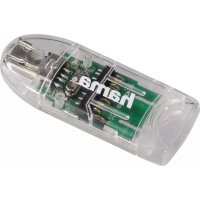
8in1 091092 - Memory reader HAMA - Free user manual and instructions
Find the device manual for free 8in1 091092 HAMA in PDF.


| Product type | Universal remote control for audiovisual devices |
| Model | Hama 8in1 091092 |
| Compatibility | Up to 8 devices (TV, DVD, SAT, VCR, etc.) |
| Power supply | 2 alkaline LR03 (AAA / Micro) batteries |
| Code memory | 350 preprogrammed codes per device type |
| Transmission | Infrared |
| Range | Approximately 10 meters (depending on conditions) |
| Dimensions | Approximately 20 x 5 x 2 cm |
| Weight | Approximately 100 g (with batteries) |
| Main functions | On/off, device selection, volume control, channel change, teletext, EPG, Smart TV, macro-power, punch-through |
| Programming modes | Direct code entry, manual search, automatic search, code recognition |
| LED indicator | Yes, confirms actions |
| Energy saving | Automatic shutdown after 15 seconds of inactivity |
| Maintenance | Clean with a soft, dry cloth; do not use abrasive products |
| Safety | Do not expose to moisture, heat, do not open, observe battery polarity |
| Spare parts and repairability | No user-serviceable internal parts; contact a qualified technician |
| General information | Non-commercial domestic use; follow battery and WEEE recycling guidelines |
Frequently Asked Questions - 8in1 091092 HAMA
User questions about 8in1 091092 HAMA
0 question about this device. Answer the ones you know or ask your own.
Ask a new question about this device
Download the instructions for your Memory reader in PDF format for free! Find your manual 8in1 091092 - HAMA and take your electronic device back in hand. On this page are published all the documents necessary for the use of your device. 8in1 091092 by HAMA.
USER MANUAL 8in1 091092 HAMA
OperatingInstructions
Bedienungsanleitung
Moded'emploi
Istruzioniperl'uso
Instruccionesdeuso
Thankyouforyourdecisionfora H amaproduct. Takeourttimeandreadthefollowinginstructionsand informationcompletely.P leasekeeptheseinstructionsin a safeplaceforfuture r reference.
Functionbuttons
1.MuteSwitch
2.Deviceselectionkeys
3.TextON:SwitchonTeletext
4.Hold:HoldthecurrentTeletextpage
5. Rewinded
Play/yellow
Fastforward/blue
Startrecording
Stop/green
Pause/magenta
6.Shiftkey
7.Menu:Opendevicemenu
8.Modekeyforselectionofsecondarydevicegroup
9.Vol+/Vol-Volumecontrol
10. Setup: Remotecontrolsettings
11.NumberKeys0-9
12.SmartTV: o pensmartTVmenu(ifsupportedbythe terminaldevice) Shift+SmartTV:selectexternalAVsource
13.APPS:openappmenu(ifsupportedbytheterminal device) Shift+APPS:switchtotwo-digitTVstationnumbers
14.PROG+/PROG:-Programmeselectionup/down
15.EXIT: e exitsdevicemenu
16. OK: Confirms a selection
17.EPG:ElectronicProgrammeGuide(ifsupportedby selectedA/Vdevice)
18. Info:On-Screeninformation(ifsupportedbyA/Vdevice)
19.TextOFF:existsTeletext
20.Power:ON/OFF/LEDindicator
1.ExplanationoftheNotesymbol
Warning
Thissymbolisusedtoindicatesafetyinstructionsoarto draw your attention to specific hazards and risks.
Note
Thissymbolisusedtoindicateadditionalinformationor importantnotes.


2.PackageContents
- UniversalRemoteControl(URC)
- CodeList
- Thisoperatinginstructions
3.Safetynotes
- DonotusetheUniversalRemoteControlinmoistorwet environmentsandavoidspray-watercontact.
- DonotexposetheUniversalRemoteControltoheat sourcesordirectsunlight.
- DonotdroptheUniversalRemoteControl.
- NeveropentheUniversalRemoteControl.
Itcontainsnouser-serviceableparts. - Aswithallelectricaldevices,keeptheUniversalRemote Controlawayfromchildren.
Thisproductisintendedforprivate,non-commercial useonly. - Usetheproductforitsintendedpurposeonly.
- Protect the product from dirt, moisture and overheating, andonlyuseitina d ryenvironment.
- Do not use the product in areas where the use of electronic devices is not permitted.
- Donotdroptheproductanddonotexposeittoany majorshocks.
- Do not modify the product in any way. Doing so voids the warranty.
- Keepthepackagingmaterialoutofthereachofchildren duetotheriskofsuffocation.
- Disposeofpackagingmaterialimmediatelyaccordingto locallyapplicableregulations.
- Donotoperatetheproductoutsidethepowerlimitsgiven inthespecifications.
- Donotopenthedevicorcontinuetooperateititifit becomesdamaged.
- Donotattemptoserviceorrepairtheproductyourself. Leaveanyvandallsserviceworktoqualifiedexperts.
- Usetheitemonlyinmoderateclimaticconditions.
Warning-Batteries

-
When inserting batteries, notethe correct polarity (+ and - m markings) and insert the batteries accordingly. Failure to do so could result in the batteries leaking or exploding.
-
Onlyusebatteries(orrechargeablebatteries)that match thespecifiedtype.
-
Before you insert the batteries, clean the battery contacts and thehepolarcontacts.
-
Donotallowchildrentochangebatterieswithout supervision.
-
Donotmixoldandnewbatteriesorbatteriesofa differenttypeormake.
-
Remove the batteries from products that are not being used for an extended period (unless these are being kept ready for an emergency).
-
Donotshort-circuitbatteries.
-
Donotchargebatteries.
-
Donotthrowbatteriesinafire.
-
Keepbatteriesoutofthereachofchildren.
-
Neveropen,damageorswallowbatteriesorallow themtoentertheenvironment.Theycancontaintoxic, environmentallyharmfulheavymetals.
-
Immediately remove and dispose of dead batteries from the product.
-
Avoidstoring, charging or using the device in extreme temperatures and extremely low atmospheric pressure (forexample, at high altitudes).
4. Gettingstarted- installingtheBatteries

Note
- Alkalinebatteries are recommended. Use 2, AAA" (LR03/Micro) typebatteries.
- Removethebatterycompartmentlidonthebackof yourURC(A).
- Checktherequiredbatterypolarityandinsertbatteries accordingtothe + / - marksinsidethecompartment (B).
- Closebatterycompartmentlid(C).
Note-Codesaver

Anycodesyouhaveprogrammedremainstoreforupto 10 minutes while you replace the battery. Make sure you do notpressanybuttonsbefore you haveplacednewbatteries inside the remote control. All the codes will be erased if a button is pressed while there are no batteries in the remote control.
Note-Batterysavingfunction

Theremotecontrolswitchesoffautomaticallywhena buttonispresseddownformore t han15seconds.This conservesbatterypoweriftheremotecontrolgetsstuckin a position where the buttons are continually pressed down, suchasbetweensofacushions.
5. Setup

Note
To obtain a proper infrared (IR) transmission, allways pointyourRemotecontrolintheapproximatedirection ofthedeviceyouwanttocontrol.
Pressthe"MODE"keytoselecttthesecondarydevice group:AUX,AMP,DVB-TCBL.
PresstheShiftkeytooperatethebluefunctionkeys.The ShiftfunctiondeactivatesbypressingtheShiftkeyagain, orautomaticallyafterapprox.30sec.withoutuse.
- Noentryforapprox.30secondswilltimeouttheSetup mode.TheLEDindicatorshowssixflashesandturnsoft.
Eachdevice type can be programmed under any device key, i.e a TV can be programmed under DVD, AUX, etc.
- If you want to control a device, it's not possible while theUniversalRemoteControlisintheSetupMode. ExittheSetupmodeandselectthedeviceyouwantto controllingthedeviceselectionkeys.
5.1DirectCodeEntry
Your Universal Remote Control Package contains a code list. The coderlistshows4-digitcodesformostA/Vdevicemanufacturers in alphabeticalorderandgroupedbydevicetype(e.g.TV, D VD, etc.).Ifthedeviceyouwanttocontroliscoveredbythecodelist, theDirectCodeEntryisthemostconveniententrymethod.
5.1.1 Turnonthedeviceyouwanttocontr ol
5.1.2Pr esstheSETUPkeyuntiltheLEDindicatoris permanentlylit.
5.1.3Selectthedeviceyouwanttocontrolusingthedevic key(e.g.TV).A s successfselectionisindicatedbythe LEDwithoneflashfollowedbympermanentlight.
5.1.4 Checkcoderlistforbrandandtypeofthedeviceyou wanttocontrol.
5.1.5 Enter the corresponding 4-digit code using the 0-9 keys.TheLEDindicatorconfirmseachentereddiginvia a s hortflashandturnsoffafterthefourthdigit.
Note
Ifthecodeisvalid,itissavedautomatically.
- Ifcodeisinvalid, theLEDindicatorflashessixtimes andthenturnoff. R repeatsteps5.1.1to5.1.5orusea differentcodeentrymethod.
5.2Manualcodesearch
YourUniversalRemoteControlisequippedwithaninternal memory, w hichispreloadedwithupto350codesperdevice type for the most common A/V devices. You can zap through thesecodesuntilthedeviceyouwanttocontrolshowsa reaction.Thismighthethethedeviceyouwanttocontrol switchesoff(POWERkey)orchangesthechannel(PROG+/ PROG-keys).
5.2.1Turnonthedeviceyouwanttocontrol
5.2.2PresstheSETUPkeyuntiltheLEDindicatoris permanentlylit.
5.2.3Selectthedeviceyouwanttocontrollingthedevic key(e.g.TV).A s successfselectionisindicatedbythe LEDwithoneflashfollowedbympermanentlight.
5.2.4Pressthe"POWER"orthoPROG+/PROG-keytozap throughepreloadedcodesuntilthedeviceyouwant tocontrolreacts.
5.2.5PressMUTE(OK)tosavethecodeandexitthecodesearch.TheLEDindicatorturnsoff.
Note

Internalmemorylimitationsallowonlyupto350most
commondevicecodestobepreloaded.Duetothete
extensivenumberofdifferentavailableA/Vdevicesonthe
market, itmaybepossiblethatomlythemostcommon
mainfunctionsare a available. Ifso, repeatsteps5.2.1to
5.2.5 to find a more compatible code. No code may be available for some special devicemodels.
5.3AutoCodeSearch
AutoCodeSearchusesthesamepreloadedcodesasthe ManualCodeSearch(5.2)butyourUniversalRemoteControl scannstroughthecodesautomaticallyuntilthedeviceyouwanttocontrolswitchesoff(POWERkey)or changesthechannel (P + / P -keys).
5.3.1Turnonthedeviceyouwanttocontrol
5.3.2 PresstheSETUPkeyuntiltheLEDindicatoris permanentlylit.
5.3.3Selectthedeviceyouwanttocontrollingthedevickey(e.g.TV).A s successfselectionisindicatedbytheLEDwithoneflashfollowedbympermanentlight.
5.3.4PressthePROG+/PROG-keysorPOWERtostartthe AutoCodeSearch.TheLEDindicatorflashesonc followedbypermanentlight.TheUniversalRemote Control has a latency of 6 seconds before the first scan starts.
Note-S canSpeedSettings

ScanSpeedSettingsscanbesetateeither1 or 3 seconds.
Thedefaultsettingforthescantimepersinglecodeis1
sec. If this feels uncomfortable, you can switch to 3 sec.
scantimepersinglecode.Toswitchbetweenthescan
times,pressPROG+orPROG-duringthe6 s ec-latency
before A autoCodeSearchstartsscanning.
5.3.5TheLEDindicatorconfirmseachsinglecodescanwith a singleflash.
5.3.6PressMUTE(OK)tosavethecodeandexittthecodesearch.TheLEDindicatorturnsoff.
5.3.7TostoptheAutoCodeSearchduringthescanprocess, presstheEXITkey.
Note

When all codes are searched without success, the Universal RemooteControl exits AutoCode Search and returnsto operationalmodeautomatically. C currently stored code is not changed.
5.4Codeldentity
TheCodeidentificationoffersyouthepossibility, to deter mine analreadyenteredcode.
5.4.1 PresstheSETUPkeyuntiltheLEDindicatoris permanentlylit.
5.4.2 Select the device you want to control using the device key (e.g. TV). A successful selection is indicated by the LED with one flash followed by permanent light.
5.4.3 Press SETUP key. The LED indicator flashes once followedbypermanentlight.
5.4.4 To find the first digit, press the numeric keys from 0 to 9.TheLEDindicatorflashesoncetoindicatethefirst digitofthe4-digitcodenumber.
5.4.5Repeatstep5.4.4forthesecond, third a ndfourth digit.
| CODES | |||
| TVVCRSAT D V D | |||
| AUXAMPBCBLDVBT | |||
6.SpecialFunctions
6.1PunchThroughChannel
ThePunchThroughChannelallowsthePROG+orPROG-commandstobypasssthecurrentlycontrolleddevice and switchthechannelsonas econddevice.Alothercommands remainuninfluenced.
Toactivate the punch through channel setting:
- Pressdesireddevicemodekey(e.g.TV).
- Pressandhold"PROG+"key.
- Pressdesireddevicemodekey(e.g.SAT).
- Release"PROG+"(theindicatorflashesonceifthesetting isactivated).
Todeactivatethepunchthroughchannelsetting:
- Pressdesireddevicemodekey(e.g.TV).
- Pressandhold"PROG-"key.
- Pressdesireddevicemodekey(e.g.SAT).
- Release "PROG-" (theindicatorisflashingtwiceif the settingisdeactivated).
6.2PunchThroughVolume
ThePunchThroughVolumeallowstheVOL+orVOL-commandstobypassthecurrentlycontrolleddeviceandadjustthevolumeona sconddevice. Allothercommands remainuninfluenced.
Toactivate the punchthrough volumesetting:
- Pressdesireddevicemodekey(e.g.TV).
- Pressandhold"VOL+"key.
Pressdesireddevicemodekey(e.g.SAT). - Release"VOL+"(theindicatorflashesonceifthesetting isactivated).
Todeactivatethepunchthroughvolumesetting:
Pressdesireddevicemodekey(e.g.TV).
- Pressandhold "VOL-"key.
- Pressdesireddevicemodekey(e.g.SAT).
- Release"VOL-(theindicatorisflashingtwiceifthesetting isdeactivated).
6.3MacroPower
Macro PowerenablesyoutoturntwoA/Vdeviceson/off simultaneously.
Toactivatethemacro powersetting:
Pressdesireddevicemodekey(e.g.TV)
- Pressandhold"POWER"key.
Pressdesireddevicemodekey(e.g.SAT).
- Release "POWER" (the indicator flashes once if the setting is activated).
Todeactivatethemacro powersetting:
Pressdesireddevicemodekey(e.g.TV).
- Pressandhold"POWER"key.
Pressdesireddevicemodekey(e.g.SAT).
- Release "POWER" (the indicator is flashing twice if the setting is deactivated).
7.Maintenance
- Donotmixnewandusedbatteriesforpoweringthe UniversalRemoteControl,asoldbatteriestendtoleak and maycausepowerdrain.
- DonotusecorrosiveorabrasivecleanersoryourUniversal RemoteControl.
- KeeptheUniversalRemoteControldustfreebywipingit with a soft, drycloth.
8.Troubleshooting
Q.MyUniversalRemoteControldoesnotworkatall!
A. Check your AV device. If the device's main switch is turned off, your URC cannot operate your device.
A. Check whether your batteries are inserted properly and are in the correct +/- position.
A. Check whetheryouhavepressed the corresponding device modekeyforyourdevice.
A. If the batteries are low, replace the batteries.
Q.IfseveralDeviceCodesare Iistedunderthebrandof myAVdevice,howcanI s electttherecorrectDevice Code?
A.TodeterminethecorrectDeviceCodeforyourAV device,testthecodesonebyoneuntilmostkeyswork properly.
Q.MyA/Vequipmentrespondsonlytosomeofthe commands.
A. Try other codes until most keys work properly.
9. Recycling Information
Noteonenvironmentalprotection:

AftertheimplementationoftheEuropeanDirective 2012/19/EUand2006/66/Euinthenationallega! system, the following applies: Electricandelectronic devicesaswellasbatteryismustnotbedisposed of
withhouseholdwaste. Consumers are bligedbylawto returnelectricalandelectronicdevicesaswellasbatteriesat theendoftheirservicelivestothepubliccollectingpointsset up for this purpose or point of sale. Details to this are defined bythenationallawoftherespectivecountry. Thissymbolon theproduct, theinstructionmanualorthepackageindicates that a product is subject to these regulations. By recycling, reusingthematerialsorotherformsofutilisingolddevices/ batteries,youare makinganimportantcontributionto protectingourenvironment.
- Functionbuttons
- 1.ExplanationoftheNotesymbol
- Warning
- Note
- 2.PackageContents
- 3.Safetynotes
- Warning-Batteries
- Gettingstarted- installingtheBatteries
- Note-Codesaver
- Note-Batterysavingfunction
- Setup
- 5.1DirectCodeEntry
- 5.2Manualcodesearch
- 5.3AutoCodeSearch
- Note-S canSpeedSettings
- 5.4Codeldentity
- 6.SpecialFunctions
- 6.1PunchThroughChannel
- 6.2PunchThroughVolume
- 6.3MacroPower
- 7.Maintenance
- 8.Troubleshooting
- Recycling Information
- Noteonenvironmentalprotection:
Brand : HAMA
Model : 8in1 091092
Category : Memory reader