SWRC120 - Vacuum Cleaner H.KOENIG - Free user manual and instructions
Find the device manual for free SWRC120 H.KOENIG in PDF.



User questions about SWRC120 H.KOENIG
0 question about this device. Answer the ones you know or ask your own.
Ask a new question about this device
Download the instructions for your Vacuum Cleaner in PDF format for free! Find your manual SWRC120 - H.KOENIG and take your electronic device back in hand. On this page are published all the documents necessary for the use of your device. SWRC120 by H.KOENIG.
USER MANUAL SWRC120 H.KOENIG
robot vacuum cleaner
Aspirateur robot
Staubsaugerroboter
robotstofzuiger
robot aspirador
robot aspirapolvere
odkurzacz automatyczny
ENGLISH
SAFETY REGULATIONS
Before using this product, please read the following safety instructions and follow all routine safety precautions.
Please read the instructions carefully, please keep these instructions.
Any operations inconsistent with this instructions manual may cause damage to this product.
Note:
- Only authorized technicians can disassemble this product. Users are not recommended to disassemble this product by themselves.
- This product can only use the power adapter provided by the factory. If other adapters are used, the product may cause damage.
- Do not touch wires, sockets or power adapters when your hands are wet.
- Take care to prevent fabric or body parts from coming into contact with the product's drive wheels.
- Do not place this product near cigarette butts, lighters and other smoldering fires.
- Please clean the product after charging.
- Do not bend wires excessively or place heavy objects and sharp objects on the machine.
- This product is an indoor household product. Do not use it outdoors.
- Do not sit on the product.
-
Do not use this product in a wet environment (e.g. bathroom).
-
Before using this product, please remove all vulnerable items (e.g. glasses, lamps, etc.) from the ground as well as items (e.g. wires, paper sheets, curtains) that may get stuck in the side brushes and air suction passages.
- Do not put this product in a place where it is easy to fall (e.g. on desks and chairs).
- Please carefully check whether the power adapter is connected to the socket before using it, otherwise it may cause battery damage.
- To prevent tripping, please inform other people in the house when the product is working.
- Please empty the dust container before using this product when the dust container is full.
- The temperature for this product to be used in is 0 to 40 degrees Celsius.
- Do not use this product in high temperature environment.
- Please remove the battery from the machine before disposing of this machine.
- Please make sure that this product is not powered on when removing the battery.
- Please recycle the discarded batteries safely
- The supply cord cannot be replaced. If the cord is damaged the charger should be discarded and replaced. It must be replaced by the manufacturer, its service agent or a qualified technician in order to avoid a hazard.
-
This appliance may be used by children of at least 8 years of age, as long as they are supervised and have been given instructions about using the appliance safely and are fully aware of the dangers involved.
-
Cleaning and maintenance should not be carried out by children unless they are at least 8 years of age and are supervised by an adult.
- Keep the appliance and its power cord out of reach of children under 8 years of age.
- When using electrical equipment, safety precautions must always be taken to prevent the risk of fire, electric shock and/or injury in the event of misuse.
- Make sure that the voltage rating on the typeplate corresponds to your main voltage of your installation. If this is not the case, contact the dealer and do not connect the unit
- The device must not be used if it has been dropped, it obvious signs of damage are visible or if it has leaks.
- Please keep this document at hand and give it to the future owner in case of transfer of your device
- The charger must be removed from the socket before removing the battery, cleaning or maintaining the appliance.
- This appliance may be used by persons with reduced physical, sensory or mental capabilities or lack of experience or knowledge, provided that they are supervised or instructed in the safe use of the appliance and that they fully understand the potential hazards.
- Your appliance has been designed for domestic use only. It is not intended for use in the following situations which are not covered by the warranty:
- in staff kitchen areas in shops, offices and other professional environments,
- in farm hostels,
-
by guests in hotels, motels and other residential environments,
-
in bed and breakfast type environments
Warning:
- Use only the original rechargeable battery and charging seat specially equipped by the manufacturer. Non -rechargeable batteries are strictly prohibited, please refer to "product parameters" for battery specification information.
- Do not use product in an environment with open flames or fragile objects.
- Do not use product in extremely hot (above 40^ ) or extremely cold (below 0^ ) environments.
- Do not allow human hair, clothes, fingers and other parts to come into contact with the opening and operating parts of the product.
- Do not use product on wet or ponding ground.
- Do not allow product to collect any items such as stones and waste paper, this may clog the product.
- Do not allow product to collect any inflammable substances, such as petrol, toner and pastels used for printers or photocopies. Do not use the product to clean areas with flammable items.
- Do not allow product to collect any burning items,
- such as cigarettes, matches, ashes and other articles that may cause fire.
-
Do not place articles at the suction opening. Do not use the product when the suction port is blocked. Use a small item such as dust, cotton wool, hair, etc. at the suction opening to check that the suction air flow is working.
-
Use the power cord carefully to avoid damage. Do not use the power cord to drag or pull the product and the product charging seat. Do not use the power cord as a handle. Do not clamp the power cord in the crack of the door. Do not pull the power cord around corners. Do not allow the product to operate on the power cord, the power cord should be far away from the heat source.
- Do not use a damaged charging seat.
- Even if the product has been severely damaged, burning of the product is prohibited, this may lead to the explosion of the battery of the product.
PRODUCT COMPOSITION / PACKAGE CONTENTS

Robot
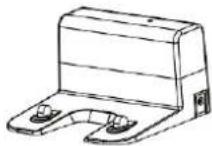
Charging dock
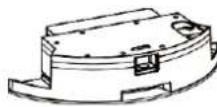
Water Tank
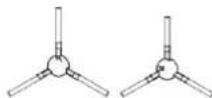
Side Brush x2
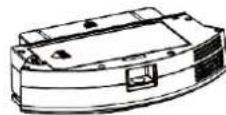
Dust Container
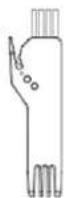
Cleaning Brush
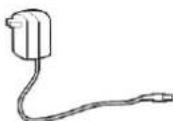
Adapter
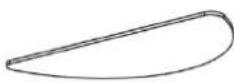
Mopping Pad
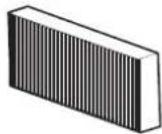
HEPA filter
Instruction manual
PRODUCT COMPOSITION / PART NAME
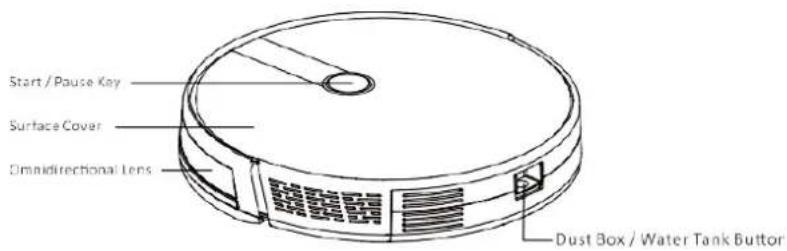
Front Robot
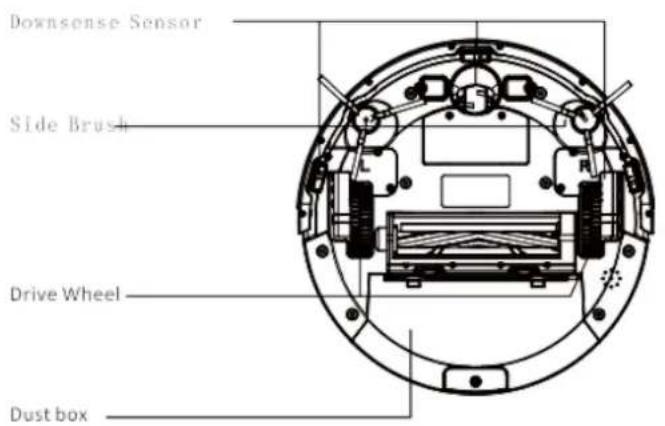
Back Robot
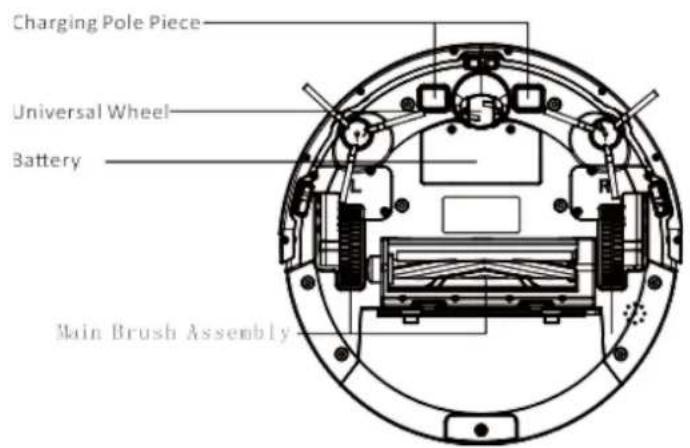
Dust container
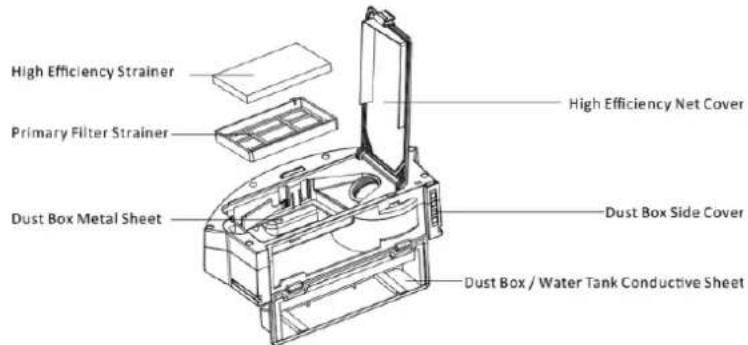
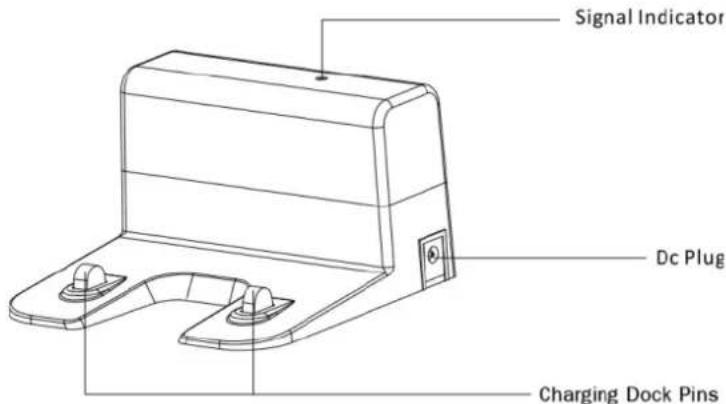
Charging dock
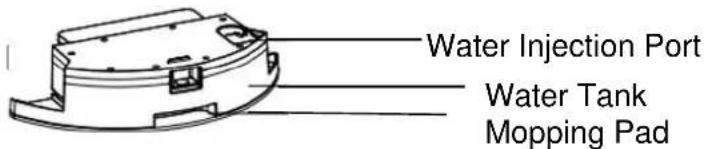
Water Tank and Mopping Pad Assembly
PRODUCT USAGE / PREPARATION
Remove Protection
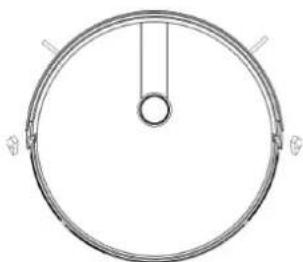
Before using the Robot, remove the protective strip on the Robot and remove the protective film on the charging dock.
Remove the protective strip
PRODUCT USE / ROBOT CHARGING
- Placing and charging: The charging seat is against the wall and placed on a flat ground. Do not place items within the range of 0.5m left and right and 1.5m ahead.
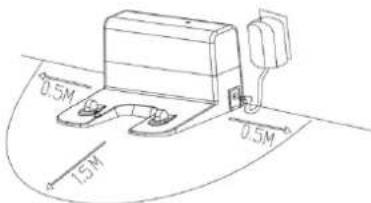
- Connect to the power supply.
- Installing side brushes: Install the side brushes according to the left and right (L/R).
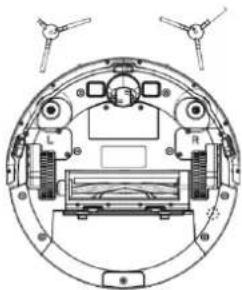
- Charging: Place the Robot on the charging seat for charging (During charging, the indicator light flashes. When the charging is over, the light remains on. The charging time is about 5 hours.)
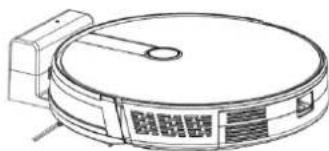
During the cleaning process, the Robot can sense that its power is insufficient and automatically enters "Back to Charge" mode and automatically finds the charging seat to charge.
Charging attention:
- The charging seat cannot be used in environments with a strong reflection such as direct sunlight and nearby mirrors. If there are any objects with strong reflection, please cover these 7cm from the bottom.
- In order to ensure the normal working hours of the Robot, please fully charge it before use. The charging time is about 5 hours.
- When charging, do not attach the water tank assembly while charging, so as to ensure the safety of charging and prevent wet rags from damaging the floor.
PRODUCT USE / START CLEANING
According to different cleaning needs, this product has a variety of cleaning modes to choose from.
Auto Cleaning
Applicable scenario: The most commonly used cleaning method is that the Robot uses a bow-shaped path to plan and clean the whole house according to the actual home environment.
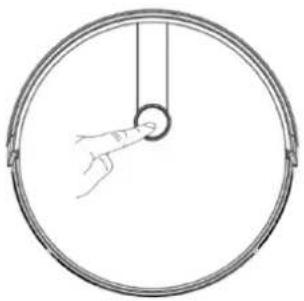
Setting method: In the shutdown state, press and hold the key, when the indicator light of the Robot is on, this indicates that the Robot is powered on. When the key is pressed for a short time, the Robot starts automatic
cleaning.
To enter the Robot super suction mode, Press the 山 once more.
Single Room Cleaning:
Applicable scenario: Used for cleaning a single room
Friendly reminder: When one single room is in need of cleaning, please close the door and the Robot will do centralized cleaning in the room.
If this room does not have a charging seat, the Robot will return to the original point after cleaning.
Single Room Cleaning mode is always in super suction cleaning mode.
Edge Cleaning
Applicable scenario: For indoor corners cleaning, the Robot cleans along the perimeter of fixed objects (such as walls), and returns to the charging seat after the edge cleaning is finished.
PRODUCT USE / PAUSE, AWAKEN & SHUTDOWN
Pause: During the operation of the Robot, press the Robot key to pause the operation of the Robot.
Awaken: If the Robot stops working for more than ten minutes, it will automatically enter sleep mode (all the Robot lights are off). You can wake up the Robot by clicking the Robot key first, then click the Robot key or APP to restart.
Shutdown: After the Robot stops working, press the Robot key for a long time. When the indicator light of the Robot is off, it means the Robot is shut down.
*After the Robot finishes its work, it is recommended not to shut it down, so as to keep it in a state of charge, in order to better carry out next time.
PRODUCT USAGE / TIME SCHEDULING SETTING
After the setting is completed, the Robot will automatically clean up at the scheduled time every day.
PRODUCT USE/WATER TANK USE
Do not use the floor mopping function on carpets.
After mopping the floor, please empty the water tank each time and remove the mopping pad.
Add water
Install the Water Tank Assembly
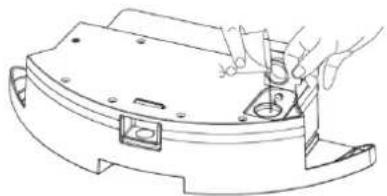
Install Mopping Pad Start Mopping the Floor


COMPONENT MAINTENANCE /DUST CONTAINER
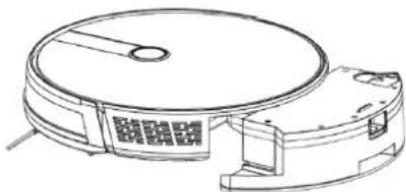
A. Press the dust container button to take out the dust container.
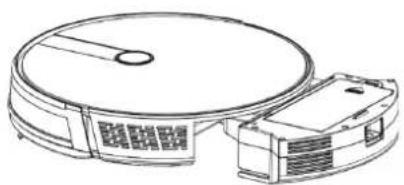
B. Open the dust container side cover
C. to take out the dust container
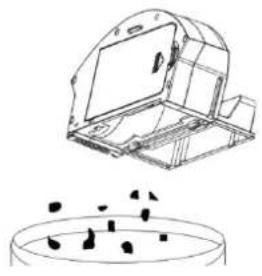
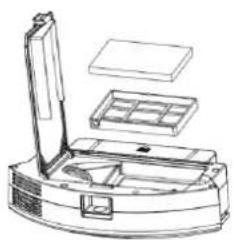
D. Open the high efficiency filter

E. Open the high-efficiency filter and take out the high-efficiency filter and the primary filter, it is not recommended to clean the high-efficiency filter with water. Tap gently to remove dust.
F. Rinse the primary filter
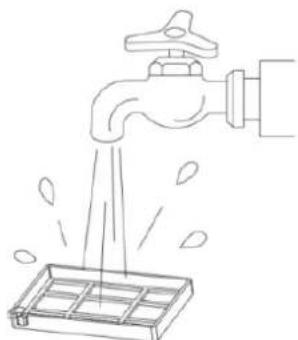
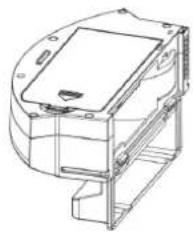
G. The dust container can be scrubbed clean with a dishcloth. Please pay attention: Do not wash the dust container with water
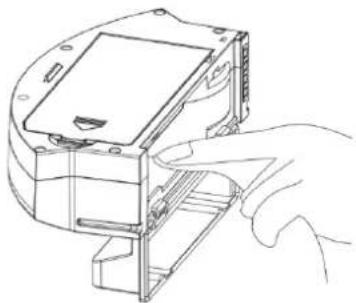
H. Dry the dust box and filter assembly, and keep it dry to ensure its service life.
Note: It is recommended to wash the primary filter with water after use of about 15 - 30 days. The maximum service life of the high efficiency filter is 3months.
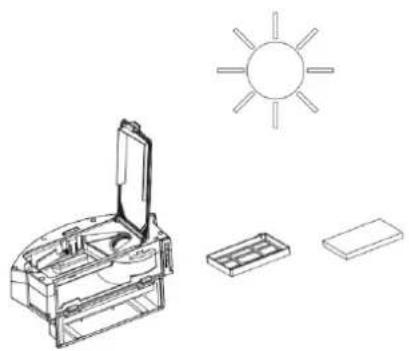
Replace the primary filter and the high efficiencyfilter into the dust container.
Note:
- Before installing the filter, please ensure that the high efficiency filter and the primary filter are in a dry state.
-
Do not expose the high efficiency filter and primaryfilter to the sunlight.
-
Close the dust container cover and install the dust container in the Robot.
Note: Do not wash the dust container with water.
COMPONENT MAINTENANCE/ WATER TANKAND MOPPING PAD
- Take out the watertank assembly
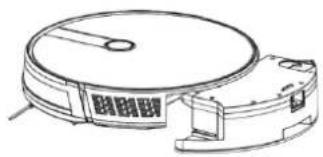
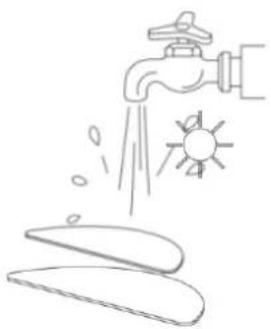
- Remove the mopping pad

- Empty the Water Tank
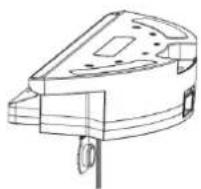
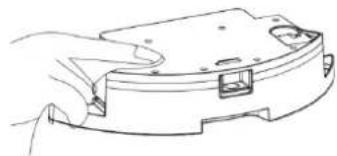
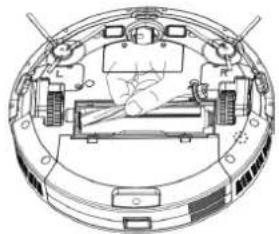
- Open the main brush cover assembly
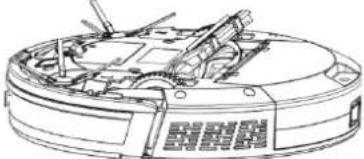
- Take out the main brush shaft
- Utility tool for cleaning tangled hair
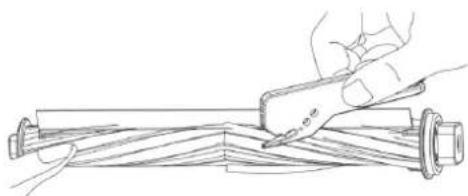
- Cleaning main brush
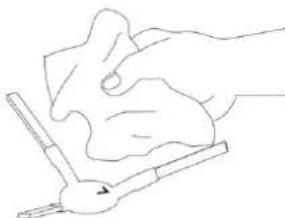
COMPONENT MAINTENANCE / CHARGING DOCK PINS, DOWN VIEW SENSOR, DRIVE WHEEL AND UNIVERSAL WHEEL
Kindly reminder: The interior of the charging dock pins, the down-view sensor and the bumper all contain sensitive Electronic components, please use a dry dishcloth when cleaning, and do not use a wetdishcloth, to prevent damage caused by water inflow.
Clean up charging dock pins
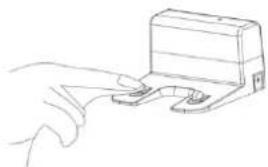
Clean the down-view sensor

Clean drive wheels and universal wheel

If you do not use the product for a longtime, please fully charge it before storing. Turn off the host and take care to supplying power to it every 3 months to maintain the battery life. If the battery is over discharged or is not used for a long time, the product may not be able to be charged. Please contact our company for after-sales maintenance, do not disassemble it yourself.
TROUBLESHOOTING
| No. | Prompt Tone | Cause of Failure | Solution |
| 1 | Wheels off the ground | ||
| 2 | Dust container not installed | Dust container removed and not installed | Return the dust container to the Robot and press the cleaning |
| 3 | Battery failure | Abnormal battery charging | Contact after-sales test battery |
| 4 | Please check if the wheel is stuck | Wheel jammed | Check whether the wheel is entangled with foreign objects and clean up the entangled objects. |
| 5 | Please check if the front of the robot is stuck | Front impact bracket stuck | Check whether the front of the robot car rebound normally |
| 6 | Robot connection failed | Machine failed to connect to server | Check whether the wireless network connected during distribution can connect to the internet |
| 7 | The battery is low, please charge the machine | Battery power less than 20% | The machine automatically enters the recharge mode |
| 8 | Please check whether the side brush is tangled or jammed | Abnormal edge brushing | Check whether the side brush is wound around the wire and fix this |
| 9 | Please move the machine to an open area. | The machine failed to get out of trouble. | Please move the Robot to an empty place and press the cleaning key again |
PRODUCT PARAMETER
| Classification | Projects | Parameter |
| Structural class | Diameter | 330 mm |
| Height | 76mm | |
| Net weight | 2.7 kg | |
| Battery | Voltage | 14.4 volts |
| Battery | 2500 mah rechargeable lithium battery pack | |
| parameter | Dust container capacity | 600 ml |
| Water tank capacity | 350 ml | |
| Charging type | Automatic charging / manual charging | |
| Cleaning mode | Auto / single room / edge / mop floor | |
| Primary charging time | About 5 hours | |
| Working time | About 100 minutes | |
| Robot | Rated power (w) | 28 |
| Operating voltage (v) | 14.4 |
- Due to the continuous improvement of the product, this information product is subject to the physical object, and our company reserves the right to update the product.
APP setting
1
- Please scan the QR code or search "Smart Life" and download App.
- After the App is installed, please follow the App instructions to register the account and login

P1
QUICK GUIDE FOR APP USING
Tap + on the top right corner to add device [Fig 6]; Tap Small Home Appliance [Fig 7]; Choose Robot Vacuum [Fig 8]; Click Confirm indicator rapidly blink [Fig 9];
Type your WIFI Password [Fig 10] and start device connection [Fig 11]; Adding device proceeded [Fig 12].

Fig 06
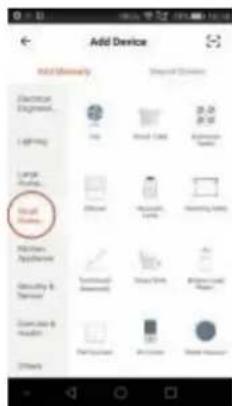
Fig 07
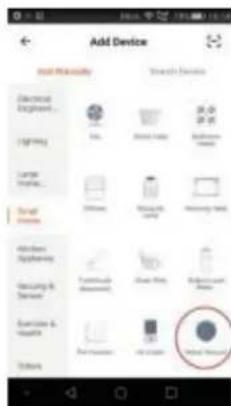
Fig 08
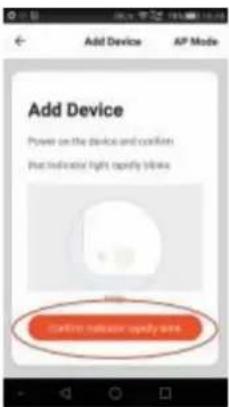
Fig 09 Fig 10

QUICK GUIDE FOR APP USING
Rename your device, e.g. Robot SWRC120 [Fig 13]; Start using App to control your robot [Fig 14].
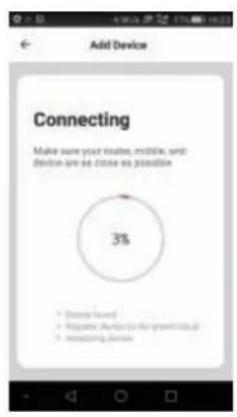
Fig 11
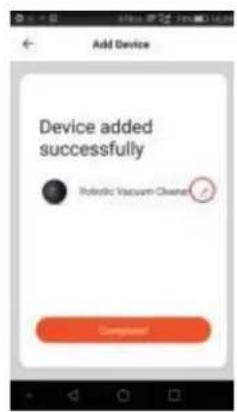
Fig 12
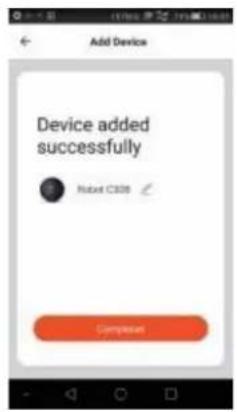
Fig 13
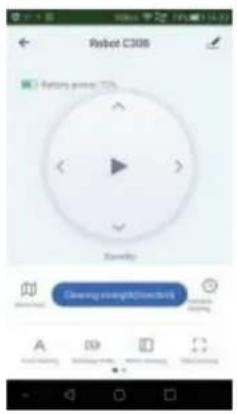
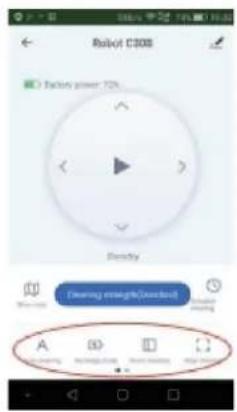
Fig 14 Fig 15
QUICK GUIDE FOR APP USING
2. APP Operation
You may click "Auto cleaning", "Recharge mode", "Room cleaning", "Edge cleaning", "Spot cleaning" as you want to start certain cleaning mode [Fig 15] [Fig 16]; Choose Cleaning strength to enter suction power setting interface [Fig 17];
3.Scheduling
Choose Schedule cleaning to enter scheduling interface and Choose "Add Schedule" [Fig 18]; choose the proper working time [Fig 19] and day (multiple Mon-Sun) [Fig 20].
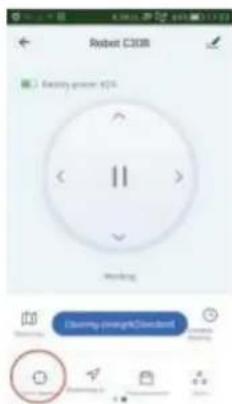
Fig 16 Fig 17
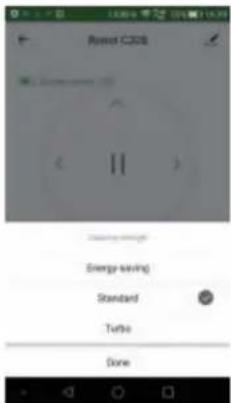
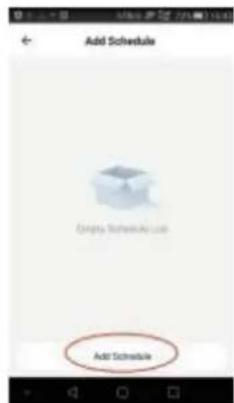
Fig 18
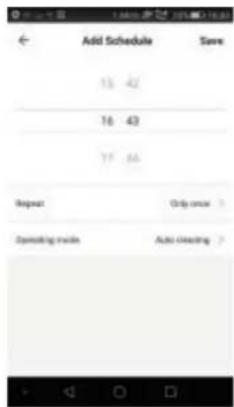
Fig 19
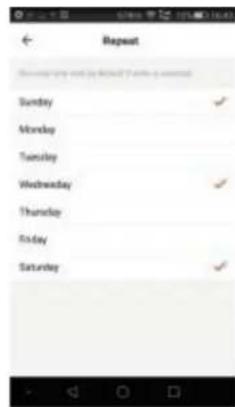
Fig 20
QUICK GUIDE FOR APP USING
4.Start / Pause / Standby / Sleeping mode
Press “▶”/“||” to start / pause the robot [Fig 21];
Note: When the robot pauses over 10 minutes, it will enter sleeping mode;
If it is in sleeping mode, press “▶”, the robot will be waken up to standby mode; Press the cleaning mode as you want to start working.
5. Working Map and Cleaning Record
The App will show the map of working cleaning path of the robot [Fig 22]; But it may not update in real time:
Tap "Cleaning record", it will show the cleaning records of working time and cleaned area, also you can clear the data[Fig 23].
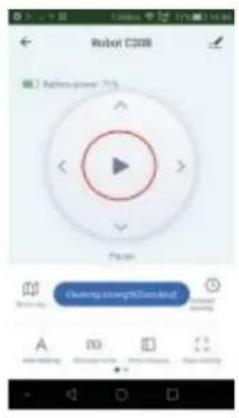
Fig 21
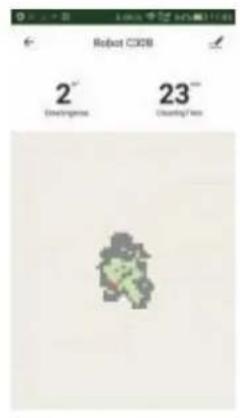
Fig 22
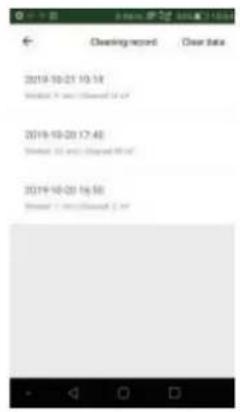
Fig 23
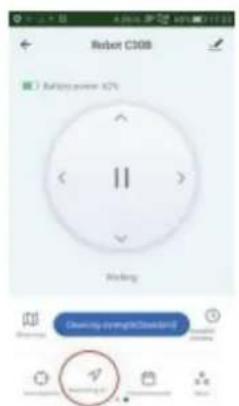
Fig 24
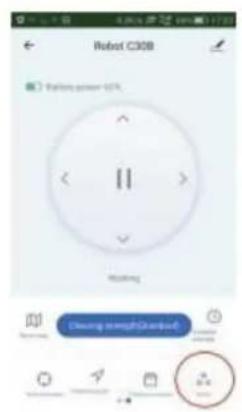
Fig 25
QUICK GUIDE FOR APP USING
6.Find robot
You may not know where the robot is when it finishes cleaning and stops. Then press "Positioning of" [Fig 24]; then there is "Ding Dong" sound prompt for you to find the robot.
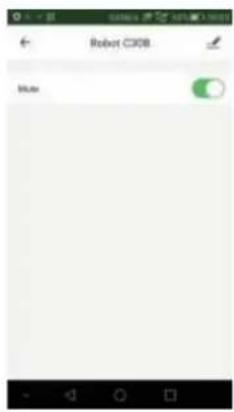
Fig 26

Fig 27
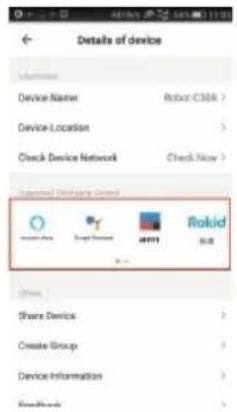
Fig 28

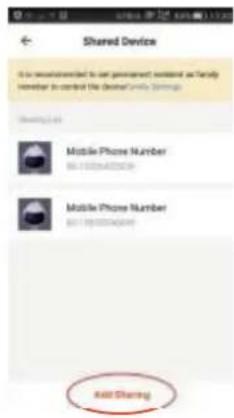
Fig 29 Fig 30
7. Mute
Tap "More" to enter mute function setting interface [Fig 25]; If mute function is active, the robot will cancel voice prompt, so it will not bother you [Fig 26].
8. Supported Third-party Control
The robot works with Amazon Alexa, Google Assistant, and some other third part control devices. Tap in the top right corner [Fig 27], then find "Supported Third-party Control" and tap corresponding icon to learn connection way [Fig 28].
9. Share Devices
Only one main ID for one single device is available. If you want to share the device to others in your family, tap on the right corner; Choose "Share devices" [Fig 29]; type correct registered cellphone number/ email ID to add additional users [Fig 30]. Note: other users have to register Tuya ID before added.
10. Reset WIFI
Changing the connection from existing WIFI network to new WIFI network, you need to re connect your robot to the new WIFI network after initializing your robot as follows: turn on the robot, after the voice prompts "Welcome to use sweeping robot", press the start button twice continuously, then the voice prompts "Connecting network", and WIFI icon begins to flash constantly, your robot is initialized; Then you could connect it to new network.
Thanks for buying our robots and wish you enjoy using.
Notes: The APP software is upgrading, the actual APP user interface may be different from the statements in this manual. Some functions may be added while some functions mentioned above may be deleted. As different countries has different networking policy, the real time map displaying function may be delayed or may not be
fulfilled. If other languages' version of this APP instruction is confusing or inaccurate, please refer to English version. Our company reserves the right to change the paprameters without prior notice.
WARRANTY
The warranty period for our products is 2 years, unless otherwise stated, starting from the date of initial purchase or the date of delivery.
If you have any problems or questions, you can easily access our help pages, troubleshooting tips, FAQ, and user manuals on our service site: https://sav.hkoenig.com.
By typing the reference name of your device in the search bar, you can access all available online support, designed to best meet your needs.
If you still cannot find an answer to your question or problem, then click on "Did the answer solve your problem?". This will direct you to the Customer Support Request Form, which you can fill out to validate your request and get help.
WARRANTY CONDITIONS
The warranty covers all failures occurring under normal use, in accordance with the usage and specifications in the user's manual.
This warranty does not apply to packaging or transportation problems during shipment of the product by the owner. It also does not include normal wear and tear of the product, nor maintenance or replacement of consumable parts.
EXCLUSION OF WARRANTY
- Accessories and wearing parts (^*)
- Normal maintenance of the device.
- All breakdowns resulting from improper use (shocks, failure to comply with power supply recommendations, poor conditions of use, etc.), insufficient maintenance or misuse of the device, as well as the use of unsuitable accessories.
- Damage of external origin: fire, water damage, electrical surge, etc.
- Any equipment that has been disassembled, even partially, by persons other than those authorized to do so (notably the user).
- The products whose serial number would be missing, deteriorated or illegible that would not allow its identification.
- The products subjected to leasing, demonstration, or exhibition
(*) Some parts of your device, called wear parts or consumables, deteriorate with time and frequency of use of your device. This wear and tear are normal but can be accentuated by poor conditions of use or maintenance of your device. These parts are therefore not covered by the warranty.
The accessories supplied with the device are also excluded from the warranty. They cannot be exchanged or refunded. However, some accessories can be purchased directly through our website: https://sav.hkoenig.com/.
ENVIRONMENT
CAUTION:
Do not dispose of this product as it has with other household products. There is a separation of this waste product into communities, you will need to inform your local authorities about the places where you can return this product. In fact, electrical and electronic products contain hazardous substances that have harmful effects on the environment or human health and should be recycled. The symbol here indicates that electrical and electronic equipment should be chosen carefully, a wheeled waste container is marked with a cross.
Adeva SAS / H.Koenig Europe - 8 rue Marc Seguin, 77290 Mitry-Mory, France www.hkoenig.com - sav@hkoenig.com - contact@hkoenig.com - Tél: +33 1 64 67 00 05
FRANÇAIS
CONSIGNES DE SECURITÉ
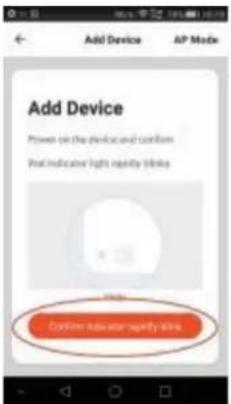
Figure 6 Figure 7 Figure 8
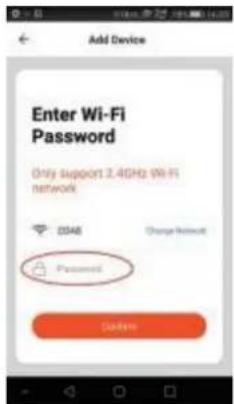
Figure 9 Figure 10
GUIDE RAPIDE D'UTILISATION DE L'APPLICATION
CONDITIONS DE GARANTIE
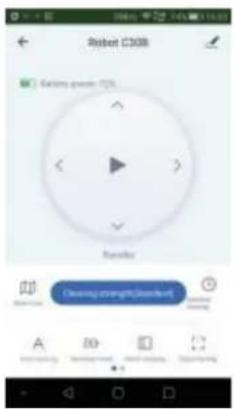
Fig 11 Fig 12 Fig 13
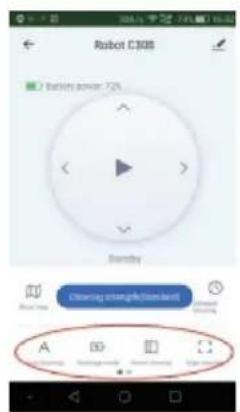
Fig 14 Fig 15
SNELLE HANDLEIDING VOOR GEBRUK VAN DE APP
2. APP-gebruik
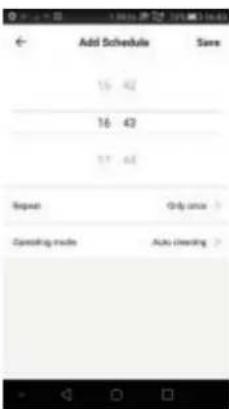
Fig 16 Fig 17 Fig 18
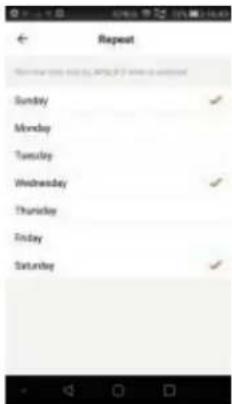
Fig 19
Fig 20
SNELLE HANDLEIDING VOOR GEBRUK VAN DE APP
4. Start / Pauze / Stand-by / Slaapmodus
Druk op "▶" / "||" om de robot te starten / pauzeren [Fig 21];

Fig 21 Fig 22 Fig 23
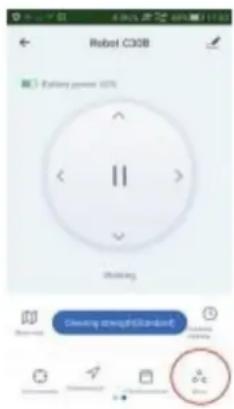
Fig 24
Fig 25
SNELLE HANDLEIDING VOOR GEBRUIK VAN DE APP
6. Zoek robot
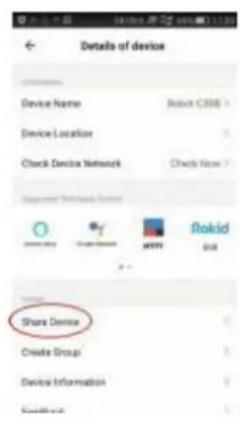
Fig 26 Fig 27 Fig 28
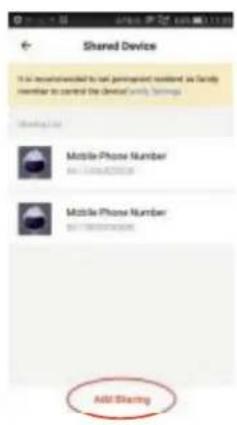
Fig 29 Fig 30
7. Gedempt
-
Please scan the QR code or search 'Smart Life' and download App.
-
After the App is installed, please follow the App instructions to register the account and login
P1