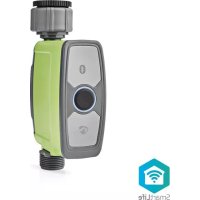
BTWV10GN - Irrigation timer NEDIS - Free user manual and instructions
Find the device manual for free BTWV10GN NEDIS in PDF.



User questions about BTWV10GN NEDIS
0 question about this device. Answer the ones you know or ask your own.
Ask a new question about this device
Download the instructions for your Irrigation timer in PDF format for free! Find your manual BTWV10GN - NEDIS and take your electronic device back in hand. On this page are published all the documents necessary for the use of your device. BTWV10GN by NEDIS.
USER MANUAL BTWV10GN NEDIS
to automate your sprinkler
BTWV10GN
natural_image
Line drawing of a handheld industrial device with two buttons and a handle (no text or symbols)EN
Quick start guide 6
DE
Kurzanleitung 9
FR
text_image
Technical diagram of a mechanical device with numbered parts labeled 1 through 7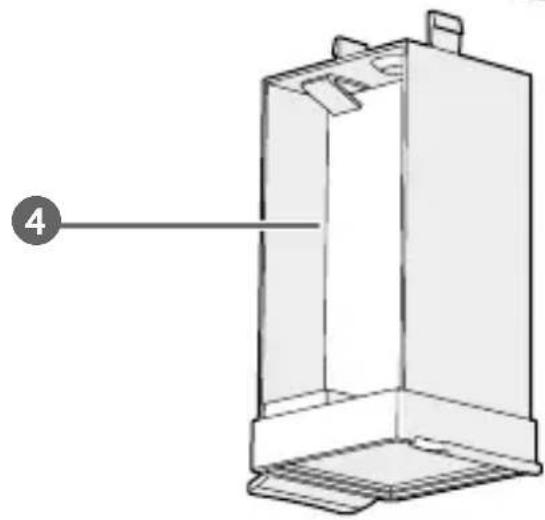
natural_image
Technical line drawing of a 3D mechanical component with labeled part '4' (no text or symbols on the diagram itself)B
text_image
Bluetooth Water Timer Last water usage 2L 1 2 3 4 5 6 7 8 ManualParameterPlanSensorMyC
natural_image
Technical line drawing of a mechanical device with a downward arrow indicating force or direction (no text or symbols present)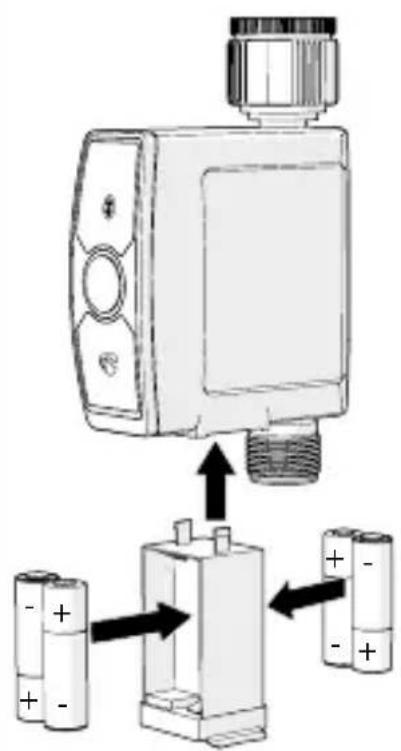
text_image
Diagram showing a device connected to two battery cells, with arrows indicating internal components and polarity indicators.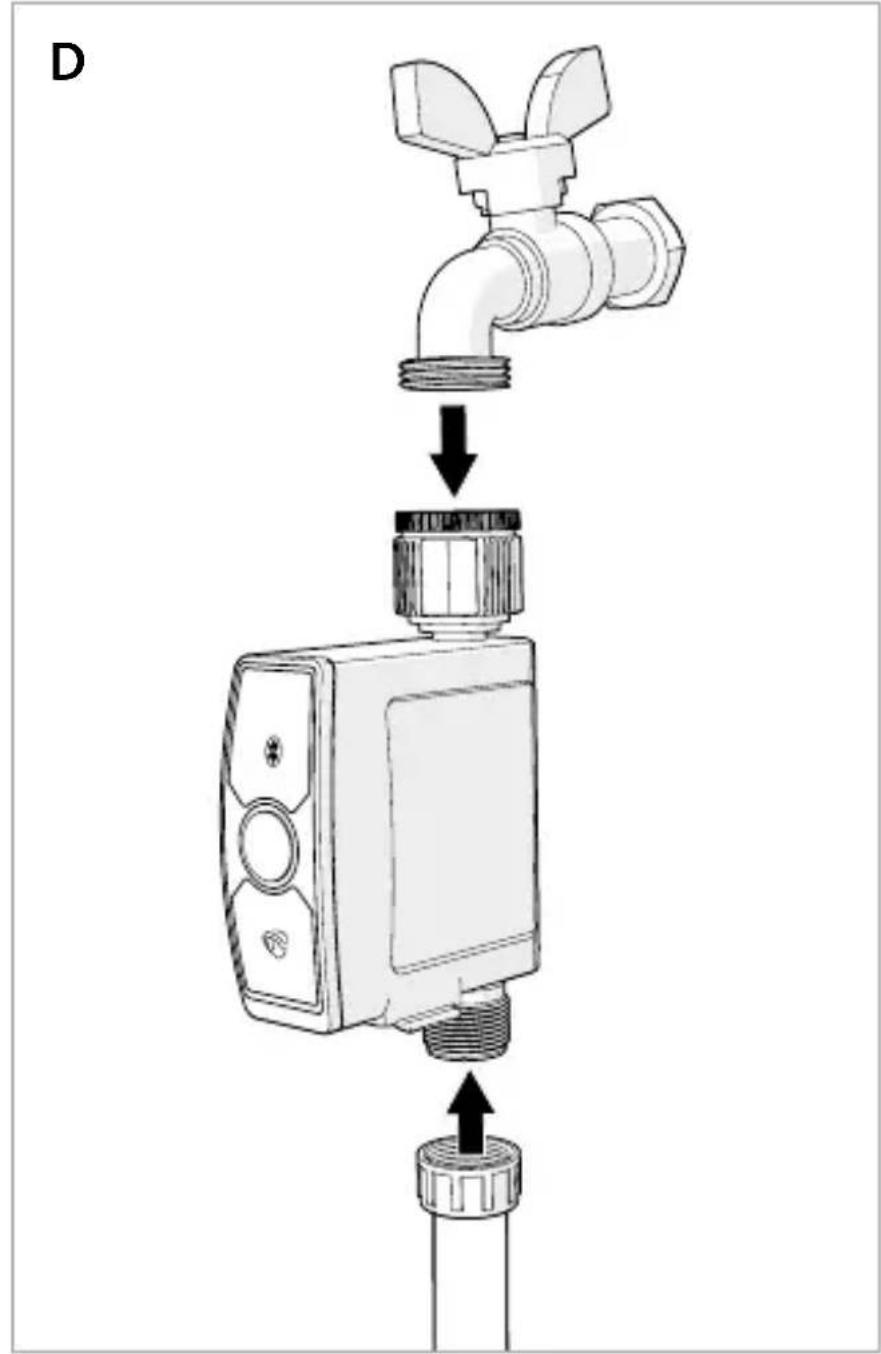
text_image
DSmart Bluetooth Water Control
BTWV10GN
For more information see the extended manual online: ned.is/btwv10gn
Intended use
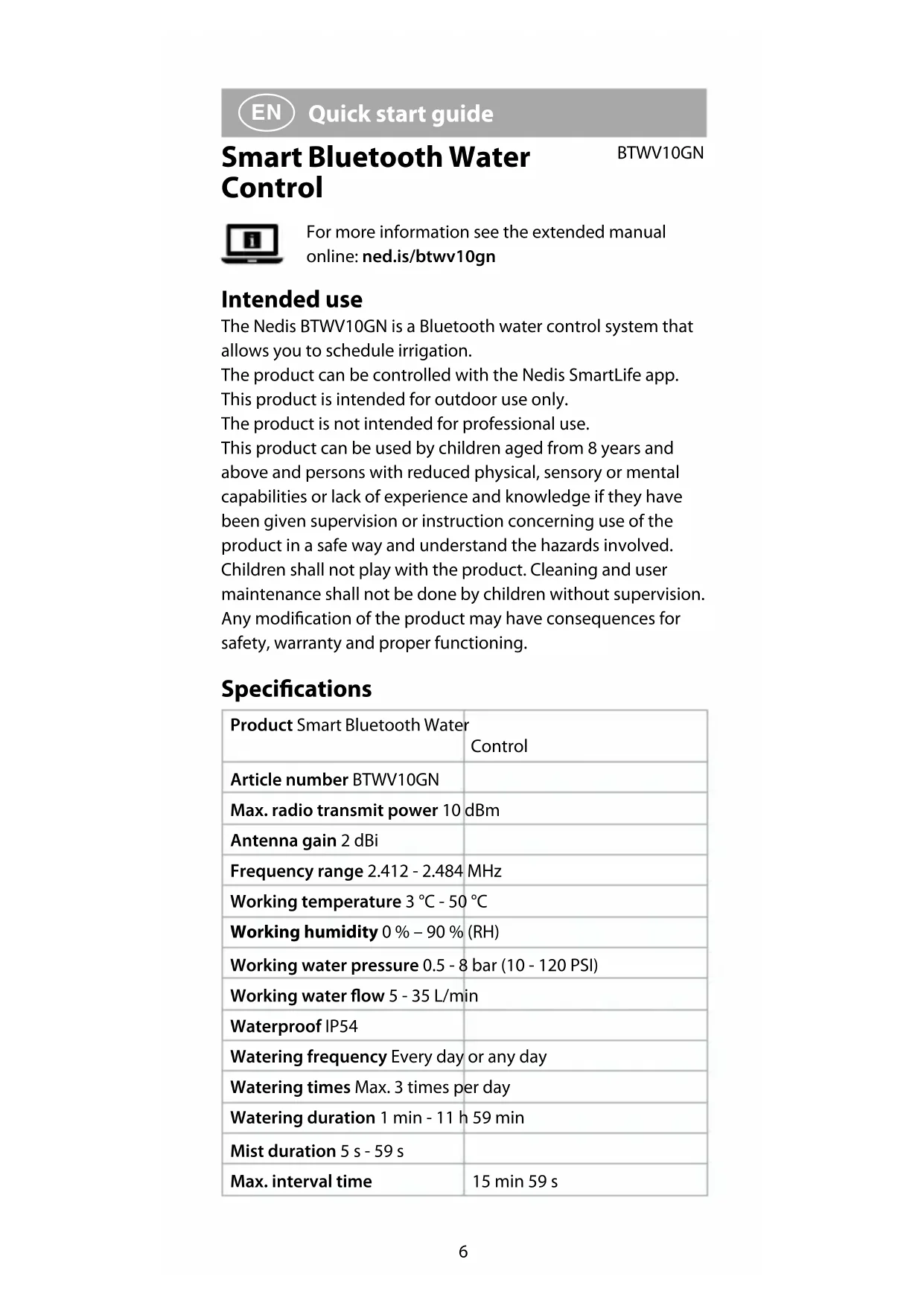
The Nedis BTWV10GN is a Bluetooth water control system that allows you to schedule irrigation.
The product can be controlled with the Nedis SmartLife app. This product is intended for outdoor use only.
The product is not intended for professional use.
This product can be used by children aged from 8 years and above and persons with reduced physical, sensory or mental capabilities or lack of experience and knowledge if they have been given supervision or instruction concerning use of the product in a safe way and understand the hazards involved.
Children shall not play with the product. Cleaning and user maintenance shall not be done by children without supervision.
Any modification of the product may have consequences for safety, warranty and proper functioning.
Specifications
| Product Smart Bluetooth Water | Control |
| Article number BTWV10GN | |
| Max. radio transmit power 10 dBm | |
| Antenna gain 2 dBi | |
| Frequency range 2.412 - 2.484 MHz | |
| Working temperature 3 °C - 50 °C | |
| Working humidity 0 % – 90 % (RH) | |
| Working water pressure 0.5 - 8 bar (10 - 120 PSI) | |
| Working water flow 5 - 35 L/min | |
| Waterproof IP54 | |
| Watering frequency Every day or any day | |
| Watering times Max. 3 times per day | |
| Watering duration 1 min - 11 h 59 min | |
| Mist duration 5 s - 59 s | |
| Max. interval time | 15 min 59 s |
Misting period 1 min - 11 h 59 min
Type of battery 4 x AA (not included)
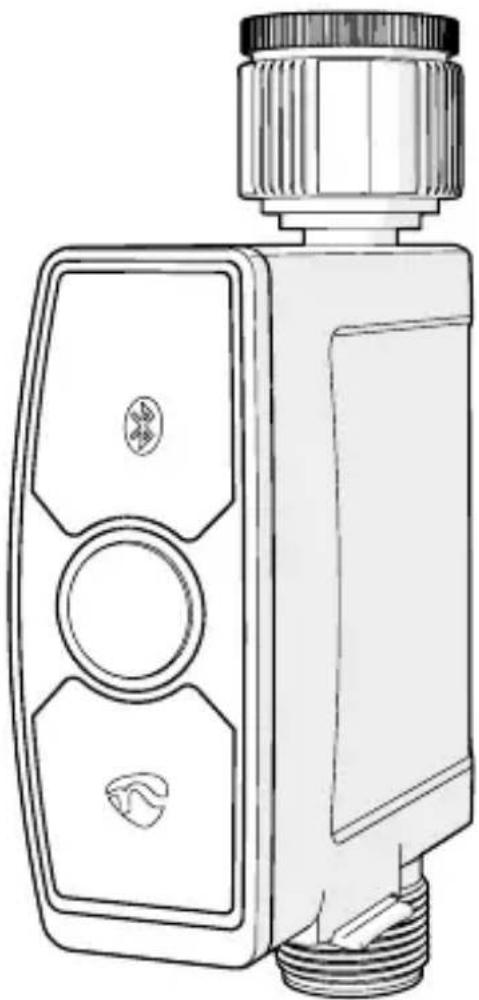
Main parts (image A)
1 Status indicator LED
2 Control button
3 Slot for battery compartment
4 Battery compartment
5 Water filter
6 Water inlet
7 Water outlet
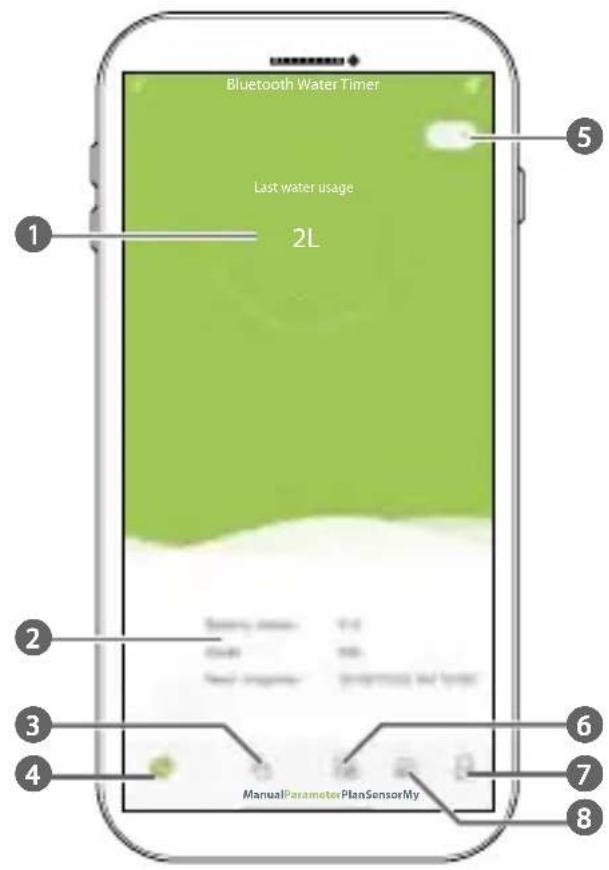
App overview (image B)
1 Last water usage
2 Battery status / Currently active mode / Remaining time until next irrigation
3 Manual mode
4 Parameter
5 Switch between Celsius and Fahrenheit.
6 Adjust irrigation schedules
7 Sensor
8 Details and instructions
Safety instructions
WARNING
- Ensure you have fully read and understood the instructions in this document before you install or use the product. Keep the packaging and this document for future reference.
- Only use the product as described in this document.
- Do not use the product if a part is damaged or defective. Replace a damaged or defective product immediately.
- Close supervision is necessary when the product is used by or near children, animals or infirm persons. Do not allow children to play with it or touch it.
- Keep the product out of reach from children.
- Only use batteries that correspond with the specifications.
- In the event of a leaking battery, do not allow the liquid to come in contact with the skin or eyes. If contact has been made, wash the affected area with copious amounts of water and seek medical advice.
- Remove the battery before the product is scrapped.
• Properly dispose of the empty battery. - This product may only be serviced by a qualified technician for maintenance to reduce the risk of electric shock.
Installing the Nedis SmartLife app
-
Download the Nedis Smartlife app for Android or iOS on your phone via Google Play or the Apple App Store.
-
Open the Nedis Smartlife app on your phone.
-
Create an account with your e-mail address and tap Continue.
You will receive a verification code on your e-mail address.
- Enter the received verification code.
- Create a password and tap Done.
- Tap Add Home to create a SmartLife Home.
- Set your location, choose the rooms you want to connect with and tap Done.
Placing the batteries (image C)
Use only size AA batteries (not included) for this product.
not use rechargeable batteries.
-
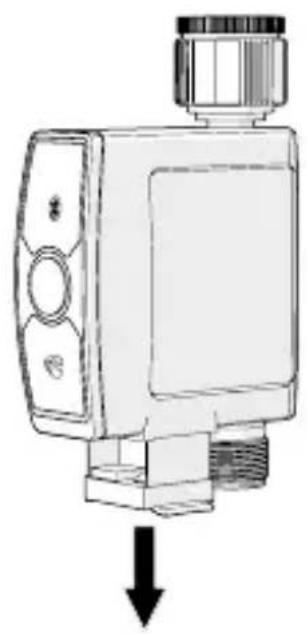
Pull the tabs of the battery compartment A④, to take A④ out of the product.
-
Place 4 batteries into A4.
Make sure to match the (+) and (-) polarity markings.
- Place A4 into the slot for the battery compartment A3.
Make sure A 4 is completely closed to ensure no water can run into A 4.
The status indicator LED A1 starts blinking.
Installing the product (image D)
- Connect the water inlet A 6 to an outside tap (not included) and the water outlet A 7 to a garden hose or sprinkler (not included).
Make sure to fasten the tap and the hose tightly to avoid water leakage.
Connecting the app
- Enable Bluetooth on your phone.
- Open the Nedis Smartlife app on your phone.
Make sure your phone is within 30 meters (open area) from the product.
The product automatically connects with the app.
The app notifies that there is a new product available to connect to the app.
- Follow the instructions in the app.
The product appears in the list of connected products. - Press the control button A2 to activate the product.
- Open the water tap to the desired position.
L is connect the product when freezing temperatures are expected, to avoid potential freeze damage.
Use the app to set and operate the product.
For more information about the working and possibilities of the app, consult the extended manual online.
Declaration of Conformity
We, Nedis B.V. declare as manufacturer that the product BTWV10GN from our brand Nedis ^® , produced in China,
has been tested according to all relevant CE standards and regulations and that all tests have been passed successfully. This includes, but is not limited to the RED 2014/53/EU regulation.
The complete Declaration of Conformity (and the safety datasheet if applicable) can be found and downloaded via: nedis.com/btwv10gn#support
For additional information regarding the compliance, contact the customer service:
Web: www.nedis.com
E-mail: service@nedis.com
Nedis B.V., de Tweeling 28
5215 MC 's-Hertogenbosch, the Netherlands

Kurzanleitung
Smarte
BTWV10GN
5215 MC 's-Hertogenbosch, the Netherlands

5215 MC 's-Hertogenbosch, the Netherlands
De Tweeling 28, 5215 MC 's-Hertogenbosch The Netherlands 04/21