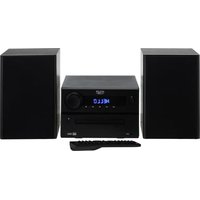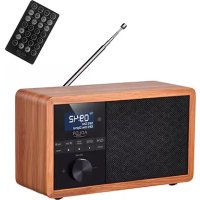
AD 1181 - Radio ADLER - Free user manual and instructions
Find the device manual for free AD 1181 ADLER in PDF.



| Product type | Radio CD BoomBox |
| Brand | Adler |
| Model | AD 1181 |
| Mains power | AC 100-240 V, 50/60 Hz |
| Battery power | 4 R14 (C, not included) batteries, 6 V |
| Output power | 12 W |
| Maximum power | 26 W |
| FM range | 87.5 - 108 MHz |
| Audio sources | FM, CD, USB, AUX, Bluetooth |
| Compatible CD formats | CD, CD-R/RW |
| Auxiliary input | 3.5 mm mini-jack |
| USB port | Yes, for playing audio files |
| Headphone output | Yes, 3.5 mm mini-jack |
| Equalizer | Flat, Classic, Jazz, Rock, Pop |
| Repeat functions | Repeat one, repeat all, random |
| FM station memory | Up to 20 stations |
| Usage | Indoor only |
| Maintenance and cleaning | Wipe with a dry cloth, do not use water or cleaning products |
| Storage | In a dry place |
| Safety | Do not expose to water, do not use near flammable materials, disconnect when not in use |
| Warranty | Warranty varies according to commercial use, contact the reseller |
| After-sales service | Spare parts and claims through the reseller |
| Repairs | Entrust to an authorized professional service center |
Frequently Asked Questions - AD 1181 ADLER
User questions about AD 1181 ADLER
0 question about this device. Answer the ones you know or ask your own.
Ask a new question about this device
Download the instructions for your Radio in PDF format for free! Find your manual AD 1181 - ADLER and take your electronic device back in hand. On this page are published all the documents necessary for the use of your device. AD 1181 by ADLER.
USER MANUAL AD 1181 ADLER
natural_image
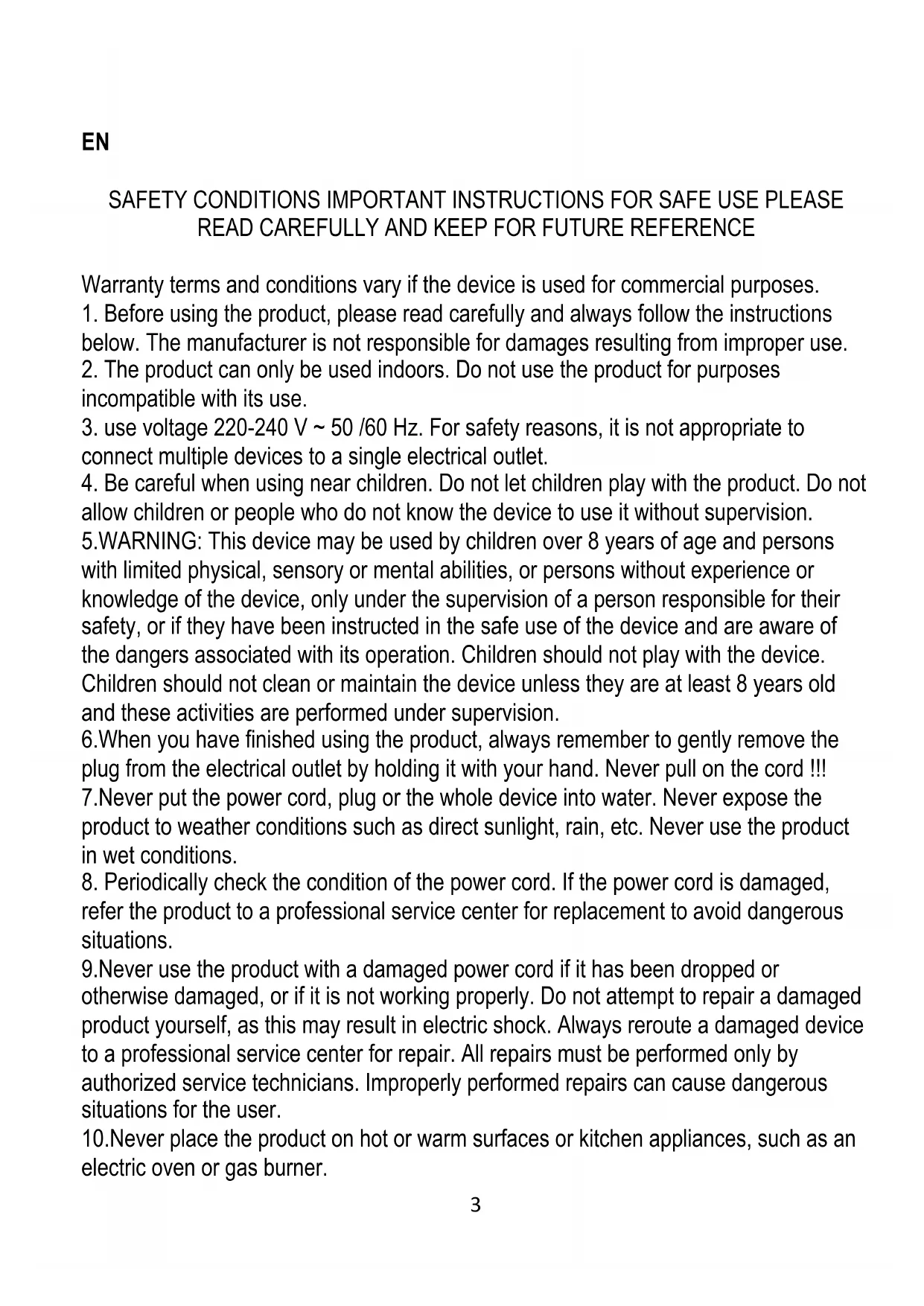
Black ADLER portable radio with analog clock and speaker, no visible text or symbols on device bodyAD 1181
| EN | User Manual | 3 | PL | Instrukcja obsługi | 49 |
| DE | Bedienungsanleitung | 5 | IT | Manuale d'uso | 52 |
| FR | Mode d'emploi | 8 | SV | Bruksanvisning | 55 |
| ES | Manual de usuario | 11 | BG | Ръководство за употреба | 58 |
| PT | Manual de Instruções | 14 | DA | Brugsanvisning | 61 |
| LT | Naudojimo instrukcija | 17 | SK | Používatel'ská príručka | 64 |
| LV | Lietošanas instrukcija | 20 | BS | Korisnički priručnik | 67 |
| ET | Kasutusjuhend | 23 | MK | Упатство за употреба | 70 |
| HU | Használati útmutató | 26 | HR | Korisnički priručnik | 73 |
| RO | Manual de utilizare | 29 | UK | Керівництво користувача | 75 |
| CS | Návod k použití | 32 | SR | Упутство за употребу | 78 |
| RU | Руководство пользователя | 34 | AR | دليل المستخدم | 81 |
| EL | Εγχειρίδιο χρήσης | 38 | AZ | İstifadəçi təlimatı | 83 |
| NL | Gebruikershandleiding | 41 | SQ | Manuali i përdorimit | 86 |
| SL | Navodila za uporabo | 44 | KA | Общегزجور | 89 |
| FI | Käyttöohje | 46 |
other
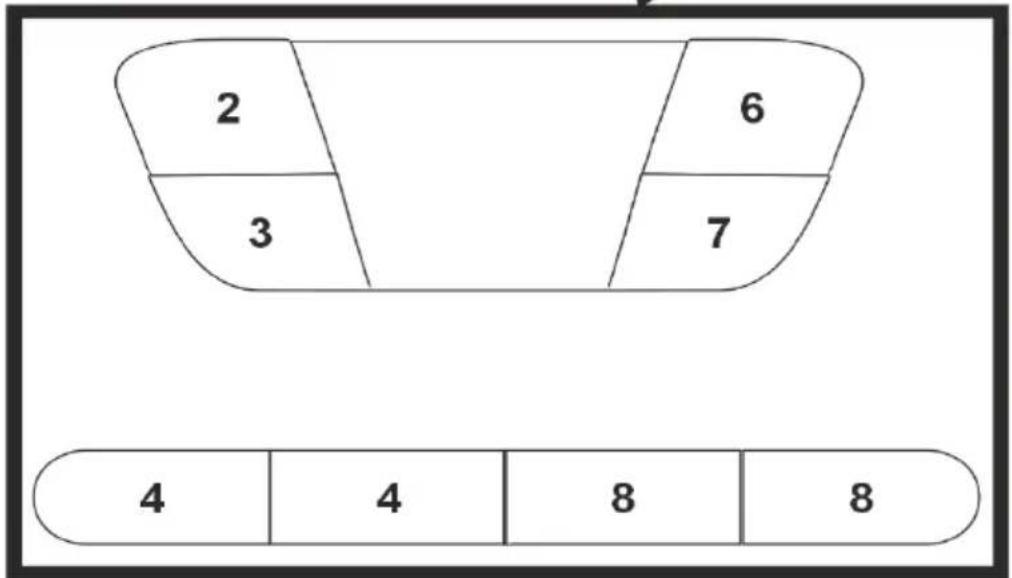
| Section | Value | |---|---| | Top Section | 2 | | Top Section | 6 | | Bottom Section | 3 | | Bottom Section | 7 | | Bottom Row | 4 | | Bottom Row | 8 | | Bottom Row | 8 |

EN
SAFETY CONDITIONS IMPORTANT INSTRUCTIONS FOR SAFE USE PLEASE READ CAREFULLY AND KEEP FOR FUTURE REFERENCE
Warranty terms and conditions vary if the device is used for commercial purposes.
-
Before using the product, please read carefully and always follow the instructions below. The manufacturer is not responsible for damages resulting from improper use.
-
The product can only be used indoors. Do not use the product for purposes incompatible with its use.
-
use voltage 220-240 V \~ 50 /60 Hz. For safety reasons, it is not appropriate to connect multiple devices to a single electrical outlet.
-
Be careful when using near children. Do not let children play with the product. Do not allow children or people who do not know the device to use it without supervision.
-
WARNING: This device may be used by children over 8 years of age and persons with limited physical, sensory or mental abilities, or persons without experience or knowledge of the device, only under the supervision of a person responsible for their safety, or if they have been instructed in the safe use of the device and are aware of the dangers associated with its operation. Children should not play with the device.
Children should not clean or maintain the device unless they are at least 8 years old and these activities are performed under supervision.
-
When you have finished using the product, always remember to gently remove the plug from the electrical outlet by holding it with your hand. Never pull on the cord !!!
-
Never put the power cord, plug or the whole device into water. Never expose the product to weather conditions such as direct sunlight, rain, etc. Never use the product in wet conditions.
-
Periodically check the condition of the power cord. If the power cord is damaged, refer the product to a professional service center for replacement to avoid dangerous situations.
-
Never use the product with a damaged power cord if it has been dropped or otherwise damaged, or if it is not working properly. Do not attempt to repair a damaged product yourself, as this may result in electric shock. Always reroute a damaged device to a professional service center for repair. All repairs must be performed only by authorized service technicians. Improperly performed repairs can cause dangerous situations for the user.
-
Never place the product on hot or warm surfaces or kitchen appliances, such as an electric oven or gas burner.
-
Never use the product near flammable materials.
- Do not let the cord hang from the edge of the meter or touch hot surfaces.
- Never leave the product connected to a power source unattended. Even if use is interrupted for a short time, unplug it from the mains, disconnect the power supply.
- For additional protection, it is recommended to install a residual current device (RCD) with a rated residual current of no more than 30 mA in the power circuit. Contact a professional electrician on this matter.
- Avoid getting the device wet.
- Wipe the device only with a dry cloth. Do not use water or cleaning fluids.
- The device should be stored in a dry room.
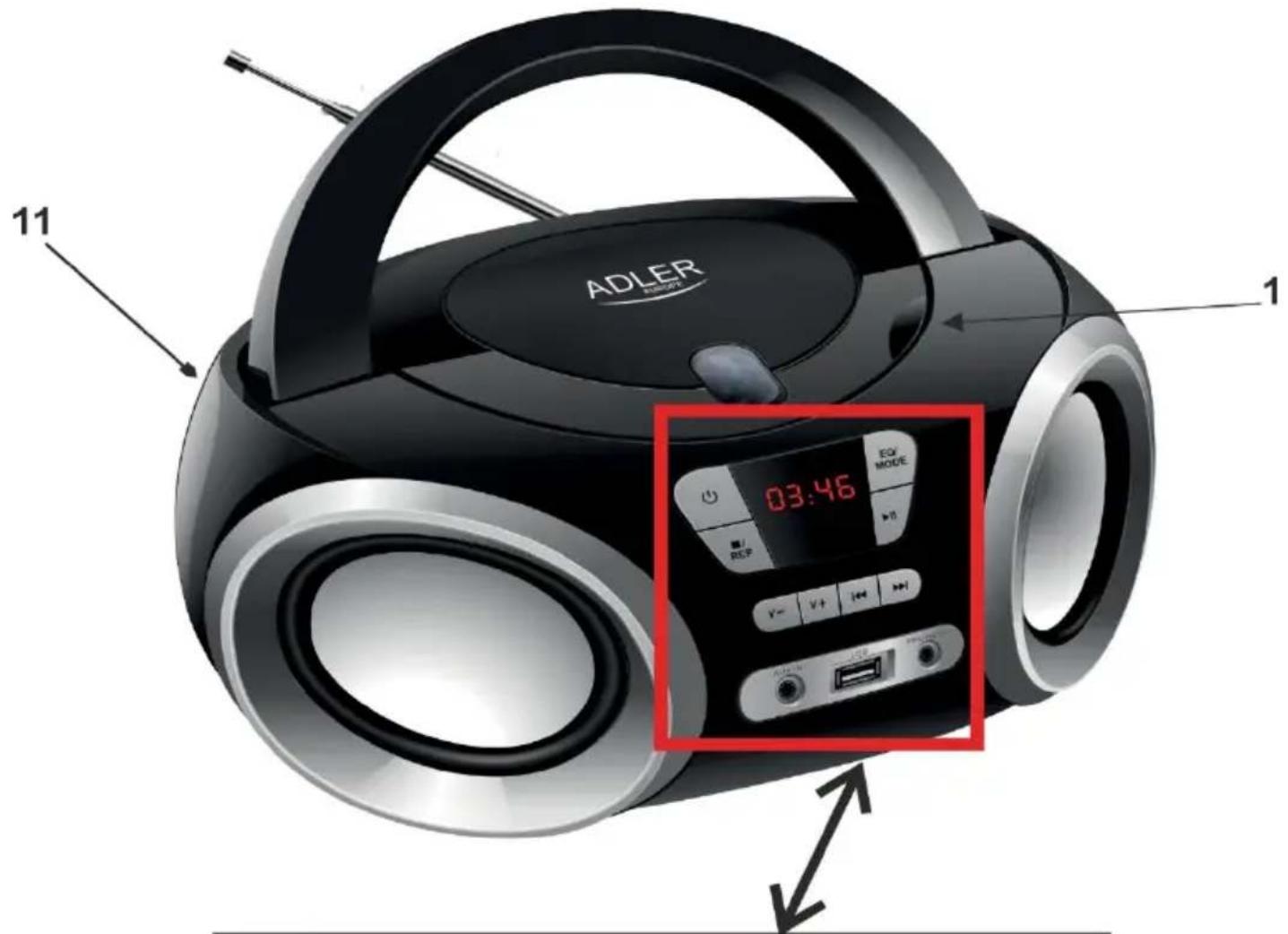
BoomBox device description:
- Opening/Closing the CD 2. Turn on / off 3. Stop / repeat 4. Mute / Report
- Headphone output 6. Mode / Equalizer 7. Play / Pause 8. Previous / Next track tuner up / down
- AUX In 10. USB In 11. AC power plug
Device Usage:
Configuring the device:
Step 1 Plug the power cord into a standard electrical outlet.
1A. Battery power:
Requires 4 C batteries, not included. Open the battery compartment at the bottom of the device and insert 4 pieces of size C batteries as shown in the battery compartment.
Step 2: Press the power button (2). The device will start up.
Step 3: Press the Mode / EQ button (6) to select the desired mode for use.
FM Mode:
Step 1: Set the function button and select the FM mode.
(Unfold the FM antenna to improve FM radio reception).
Step 2: Briefly press PREV (8) or NEXT (8) to go to the previous or next available station.
CD playback:
Step 1: Open the CD door (1) and insert a CD or CD-R / RW into the PLAYER.
Step 2: Set the function to CD mode (6).
Step 3: Press the Play / Pause button (7) to start playing the loaded CD.
Using the auxiliary input audio source (AUX) (5)
Required connector 3.5 mm mini jack cable (not supplied)
Step 1: Connect the 3.5 mm Mini Jack cable to the auxiliary input (AUX) (5) on the unit and the audio output on the MP3 player.
Step 2: Set the function to AUX IN mode (6). The sound played by the connected MP3 player will now be heard through the unit.
Control panel definitions
- POWER (2) Standby mode, press briefly to turn the unit on, and press briefly again to turn the unit off. Default setting in FM when first turned on.
- STOP / REPEAT (3) In FM mode: Briefly press once to read the stored stations, a maximum of 20 stations can be stored. In CD / USB mode: in playback mode, one short press to repeat the song, (Note: if the Record in the file shows "FILE", there is no sound in the file, it will show "ALL", third short press to repeat all recordings, fourth short press to cancel the function; long press to stop playback. In AUX mode: the button does not work.
- PREV / TUN- / NEXT / TUN + (8) In FM mode: One short press, the frequency moves to or back. Long press Search FM station
in the direction to or backward. In CD / USB mode: One short press Go to previous or next program; Long press Fast rewind and fast forward. In BT mode: Briefly press up or down to switch tracks. In AUX mode: This button does not work;
- MODE / EQ (6) Long press the EQ key to change the modulator settings : FLAT / CLASS / JAZZ / ROCK / POP ; In operation mode: press briefly to change the mode to radio / CD / USB / AUX.
- HEADPHONE OUTPUT (9)
- OPEN / CLOSE DISC FEEDER (1)
- PLAY / PAUSE / P + / SCAN (8) In FM mode: a single short press displays the frequency whose memory; a long press for 2 seconds automatically scans the FM frequency. In CD / USB / BT mode: first short press to pause, short press again to play; In AUX mode: key does not work;
- STOP / REP / MEM (7) In FM mode: a single short press is used to memorize frequencies, maximum can memorize 20 frequencies. In CD / USB mode: in playback mode, press once to repeat one song, press again to repeat all programs, a single short press delete this function and a long press seconds stop playback. In AUX / BT mode: Key without function.
- VOL + / VOL- (4) One short press to increase or decrease the volume by one step, long press to increase or decrease the volume by two or more steps. The maximum volume is 32.
- AUX (5) Use the auxiliary input to connect an external audio source (MP3 player) to the unit.
- USB (10) Press the Mode button on the unit or remote control to select USB mode and connect the USB.
- AC power input (11) Use the AC power input to connect the unit to an AC power source.
Technical details:
Input voltage:
100-240 V \~ 50/60 Hz.
Batteries: 6 V 4x1.5 V R14
Power output:
12 W.
Maximum power:
26 W.
FM: 87.5-108 MHz
Adler Sp. z o.o., Ordona 2a, 01-237 Warsaw, Poland hereby declares that the AD 1181 is in compliance with Directive 2014/53/EU.
The full text of the declaration of conformity EU is available at the following internet address:
For the sake of the environment. Dispose of cardboard packaging and polyethylene (PE) bags in the appropriate containers for separate collection of municipal waste according to their description. If there are batteries in the device, remove them and separately return them to the collection and storage facility. Return the used device to a suitable collection and storage facility, as the hazardous substances in it may pose a health and environmental hazard. The marking on the product indicates that the device should not be disposed of in the container with municipal waste. Waste electrical equipment, is waste that contains substances harmful to humans, animals and the environment. These substances can lead to contamination of the soil, water or air, and through this they can get into the human body and lead to numerous health ailments, such as: vision, hearing, speech disorders, they can also lead to kidney, liver and heart damage, and cause skin diseases. Harmful substances can also have adverse effects on the respiratory and reproductive systems and lead to cancerous changes. Consumption of plants growing on the complained of soils, and products made from them may risk the above-mentioned health effects. Do not dispose of the device in the municipal waste container!!!
Service If you wish to purchase spare parts or report any complaints, please contact directly with the seller who issued the receipt.