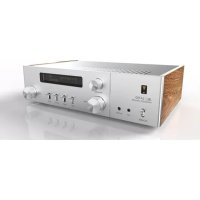
SA750 - Receiver JBL - Free user manual and instructions
Find the device manual for free SA750 JBL in PDF.

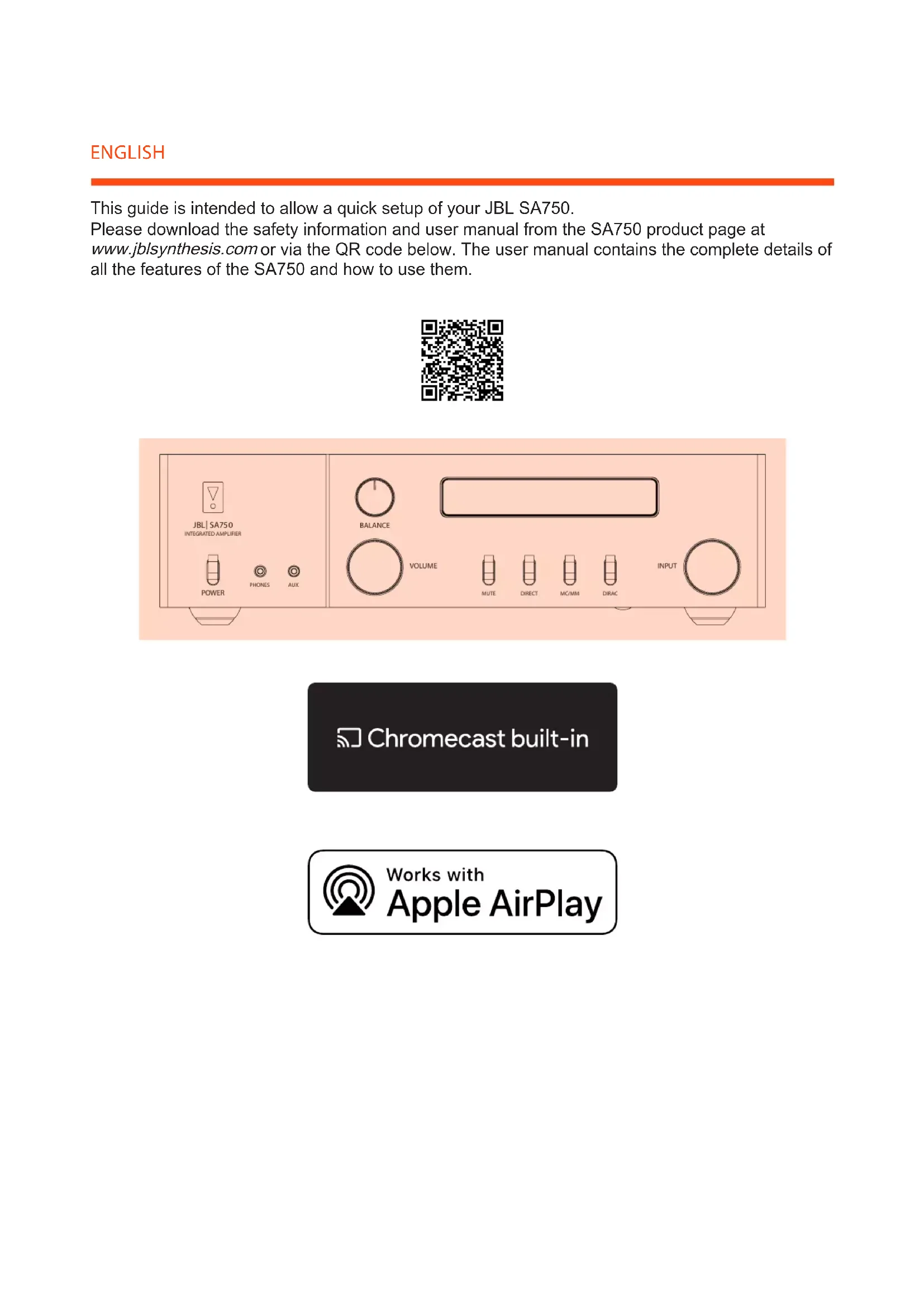


| Product type | Connected stereo receiver |
| Brand | JBL |
| Model | SA750 |
| Output power | 2 x 80 W under 8 ohms (estimated) |
| Network connectivity | Wi-Fi, Ethernet (via router) |
| Wireless streaming | Apple AirPlay 2, built-in Chromecast, Bluetooth |
| Dedicated app | Arcam MusicLife (iOS/Android) |
| Supported audio formats | MQA, FLAC, MP3, AAC, WAV, AIFF, ALAC |
| Analog inputs | 1 x RCA (Line), 1 x Phono (MM) |
| Digital inputs | 2 x Toslink optical, 1 x coaxial |
| Speaker outputs | 2 pairs (A/B), binding posts |
| Headphone output | 6.35 mm jack on front |
| Radio | Built-in FM/DAB+ |
| Multiroom compatibility | Yes (via AirPlay 2 and Chromecast) |
| Power supply | 100-240 V AC, 50/60 Hz |
| Power consumption | Standby: <0.5 W, Operation: 180 W (estimated) |
| Dimensions (W x H x D) | Approx. 430 x 100 x 340 mm |
| Weight | Approx. 10 kg |
| Maintenance and cleaning | Unplug before cleaning; use a soft, dry cloth; avoid chemical products |
| Safety | Do not expose to water; do not open; respect ventilation distances |
| Spare parts and repairability | Contact an authorized service center; no user-serviceable parts |
| General information | Certifications: FCC, IC, CE; RoHS compliant; 2-year warranty (depending on country) |
Frequently Asked Questions - SA750 JBL
User questions about SA750 JBL
0 question about this device. Answer the ones you know or ask your own.
Ask a new question about this device
Download the instructions for your Receiver in PDF format for free! Find your manual SA750 - JBL and take your electronic device back in hand. On this page are published all the documents necessary for the use of your device. SA750 by JBL.
USER MANUAL SA750 JBL
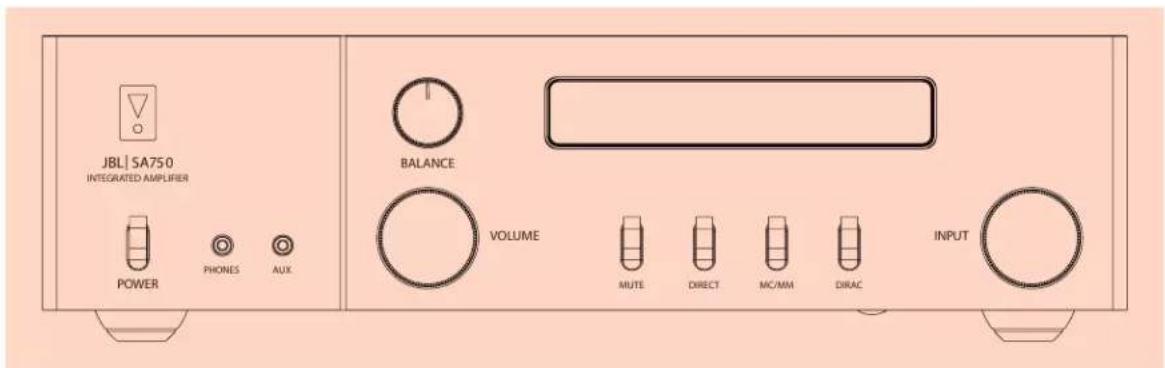
This guide is intended to allow a quick setup of your JBL SA750.
Please download the safety information and user manual from the SA750 product page at www.jblsynthesis.com or via the QR code below. The user manual contains the complete details of all the features of the SA750 and how to use them.
Chromecast built-in

Works with Apple AirPlay
- Connect the speaker outputs of the SA750 to your speakers.
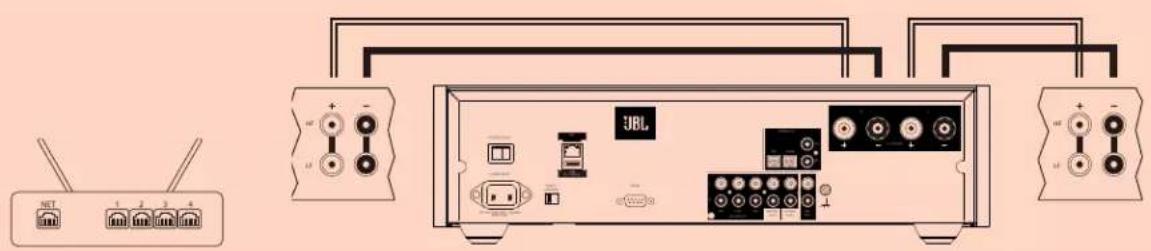
- Power the unit on and wait for one minute for it to initialize.
3a. Setup via Apple AirPlay:
Open the WiFi settings menu on the iPhone, select the JBL SA750 in the "set up new AirPlay speaker" menu and follow the on screen instructions. If assistance is needed please visit Apple's support website https://support.apple.com
Download and install the Google Home app from the App Store or Google Play.
Open Google Home App on your mobile device and follow the onscreen instructions to set up a new device. If assistance is needed please visit Google's support website
https://support.google.com



4a. To listen to audio via AirPlay:
Ensure your Apple device is connected to the same network as the SA750 and select the SA750 as the AirPlay audio playback device.
Ensure your device is connected to the same network as the SA750. Tap the Chromecast built-in icon from within the application and select the SA750 as the playback device.
4c. To listen to audio via MusicLife:
Download and install the MusicLife application from the App Store or Google Play.
Ensure your device is connected to the same network as the SA750 select the SA750 from the audio output menu and select your audio source from the list.


- Connect the SA750 to your router. Connect the speaker outputs of the SA750 to your speakers.
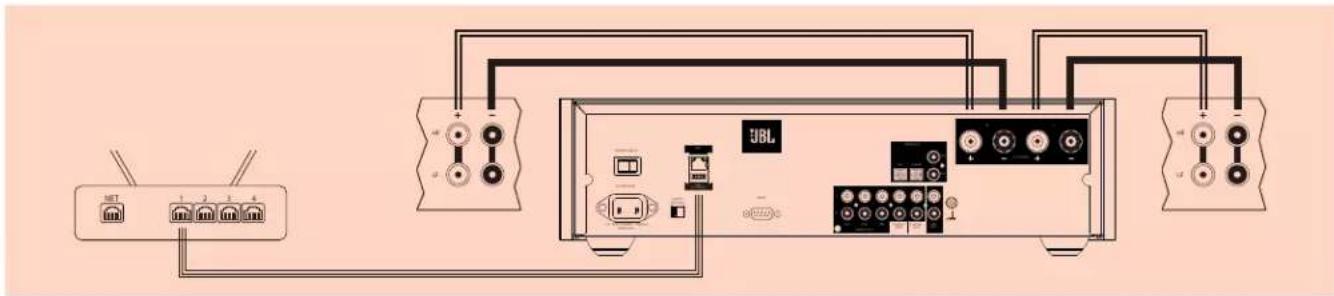
- Power the unit on and wait for one minute for it to initialize.
Download and install the Google Home app from the App Store or Google Play.
Open Google Home App on your mobile device and follow the onscreen instructions to set up a new device. If assistance is needed please visit Google's support website https://support.google.com


4a. To listen to audio via AirPlay:
Ensure your Apple device is connected to the same network as the SA750 and select the SA750 as the AirPlay audio playback device.
Ensure your device is connected to the same network as the SA750. Tap the Chromecast built-in icon from within the application and select the SA750 as the playback device.
4c. To listen to audio via MusicLife:
Download and install the MusicLife application from the App Store or Google Play.
Ensure your device is connected to the same network as the SA750 select the SA750 from the audio output menu and select your audio source from the list.


- Connect the speaker outputs of the SA750 to your speakers.
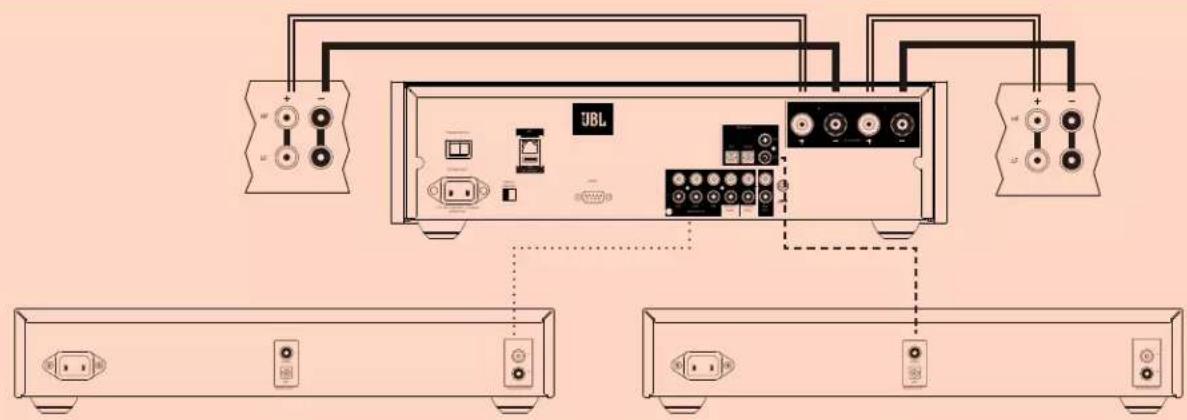
- Connect your source components to the required analog or digital input.
- Power the unit on and wait for one minute for it to initialize.
- Select the required input using the remote or front panel control.
Important Safety instructions
- Read these instructions.
- Keep these instructions.
- Heed all warnings.
- Follow all instructions.
- Do not use this apparatus near water.
- Clean only with dry cloth.
- Do not block any ventilation openings. Install in accordance with the manufacturer's instructions.
- Do not install near any heat sources such as radiators, heat registers, stoves, or other apparatus (including amplifiers) that produce heat.
- Do not defeat the safety purpose of the polarized or grounding-type plug. A polarized plug has two blades with one wider than the other. A grounding type plug has two blades and a third grounding prong. The wide blade or the third prong are provided for your safety. If the provided plug does not fit into your outlet, consult an electrician for replacement of the obsolete outlet.
- Protect the power cord from being walked on or pinched particularly at plugs, convenience receptacles, and the point where they exit from the apparatus.
- Only use attachments/accessories specified by the manufacturer.
- Use only with the cart, stand, tripod, bracket, or table specified by the manufacturer, or sold with the apparatus.
When a cart is used, use caution when moving the cart/apparatus combination to avoid injury from tip-over.

- Unplug this apparatus during lightning storms or when unused for long periods of time.
- Refer all servicing to qualified service personnel.
Servicing is required when the apparatus has been damaged in any way, such as power-supply cord or plug is damaged, liquid has been spilled or objects have fallen into the apparatus, the apparatus has been exposed to rain or moisture, does not operate normally, or has been dropped.
- Object or liquid entry
WARNING - Take care that objects do not fall and liquids are not spilled into the enclosure through any openings. The equipment shall not be exposed to dripping or splashing. Liquid-filled objects such as vases should not be placed on the equipment.
- Climate
The equipment has been designed for use in moderate climates and in domestic situations.
- Cleaning
Unplug the unit from the mains supply before cleaning.
The case should normally only require a wipe with a soft, lint-free cloth. Do not use chemical solvents for cleaning.
We do not advise the use of furniture cleaning sprays or polishes as they can cause permanent white marks.
- Power sources
Only connect the equipment to a power supply of the type described in the operating instructions or as marked on the equipment.
The primary method of isolating the equipment from the mains supply is to remove the mains plug. The equipment must be installed in a manner that makes disconnection possible.
- Abnormal smell
If an abnormal smell or smoke is detected from the equipment, turn the power off immediately and unplug the equipment from the wall outlet. Contact your dealer and do not reconnect the equipment.
- Damage requiring service
The equipment should be serviced by qualified service personnel when:
A. The power-supply cord or the plug has been damaged, or
B. Objects have fallen, or liquid has spilled into the equipment, or
C. The equipment has been exposed to rain, or
D. The equipment does not appear to operate normally or exhibits a marked change in performance, or
E. The equipment has been dropped or the enclosure damaged.

1
□
2 : x^ ( x) = y^ ( x) : 2 : x^ ( x) = y^ ( x) : y = 10( x)
-
1 + u7 = 70%
12 =
-
1 + u7 = 70%
-
12x - 1 > 0
5
10
□
-
CAUTION: To reduce the risk of electric shock, do not remove cover (or back). No user serviceable parts inside. Refer servicing to qualified service personnel.
WARNING: To reduce the risk of fire or electric shock, do not expose this apparatus to rain or moisture.

The lightning flash with an arrowhead symbol within an equilateral triangle, is intended to alert the user to the presence of uninsulated 'dangerous voltage' within the product's enclosure that may be of sufficient magnitude to constitute a risk of electric shock to persons

The exclamation point within an equilateral triangle is intended to alert the user to the presence of important operating and maintenance (servicing) instructions in the literature accompanying the product
CAUTION: In Canada and the USA, to prevent electric shock, match the wide blade of the plug to the wide slot in the socket and insert the plug fully into the socket.
Class II product
This equipment is a Class II or double insulated electrical appliance. It has been designed in such a way that it does not require a safety connection to electrical earth ("ground" in the U.S.)
CAUTION FCC AND IC STATEMENT FOR USERS (USA AND CANADA ONLY)
This device complies with part 15 of the FCC Rules. Operation is subject to the following two conditions: (1) This device may not cause harmful interference, and (2) this device must accept any interference received, including interference that may cause undesired operation.
CANICES-3(B)/NMB-3(B)
FCC SDOC SUPPLIER'S DECLARATION OF CONFORMITY
HARMAN International hereby declares that this equipment is in compliance with the FCC Part 15 Subpart B.
Federal Communication Commission Interference Statement
This equipment has been tested and found to comply with the limits for a Class B digital device, pursuant to Part 15 of the FCC Rules. These limits are designed to provide reasonable protection against harmful interference in a residential installation. This equipment generates, uses and can radiate radio frequency energy and, if not installed and used in accordance with the instructions, may cause harmful interference to radio communications. However, there is no guarantee that interference will not occur in a particular installation. If this equipment does cause harmful interference to radio or television reception, which can be determined by turning the equipment off and on, the user is encouraged to try to correct the interference by one or more of the following measures:
- Reorient or relocate the receiving antenna.
- Increase the separation between the equipment and receiver.
- Connect the equipment into an outlet on a circuit different from that to which the receiver is connected.
- Consult the dealer or an experienced radio/TV technician for help.
Caution: Changes or modifications not expressly approved by HARMAN could void the user's authority to operate the equipment.
(i) FCC AND IC INFORMATION FOR USERS
This device complies with Part 15 of the FCC rules and Industry Canada license-exempt RSS standard(s). Operation is subject to the following two conditions: (1) This device may not cause harmful interference; and (2) this device must accept any interference received, including interference that may cause undesired operation.
(ii) FCC/IC Radiation Exposure Statement
This equipment complies with FCC and ISED radiation exposure limits set forth for an uncontrolled environment.
In case this equipment has to subject to FCC/IC SAR (Specific Absorption Rate) exposure test, this equipment is designed to meet the requirements for exposure to radio waves established by the FCC and ISED. These requirements set a SAR limit of 1.6 W/kg averaged over one gram of tissue. The highest SAR value reported under this standard during product certification for use when properly worn on the body or on the head, with no separation. To meet RF exposure guidelines and reduce exposure to RF energy during the operation, this equipment should be positioned at least this distance away from the body or the head.
FCC and IC Caution:
High power radars are allocated as primary users of the 5.25 to 5.35 GHz and 5.65 to 5.85 GHz bands. These radar stations can cause interference with and/or damage to LE LAN (Licence-Exempt Local Area Network) devices. No configuration controls are provided for this wireless equipment allowing any change in the frequency of operations outside the FCC grant of authorization for US operation according to Part 15.407 of the FCC rules.
IC Caution:
User should also be advised that:
(i) The device for operation in the band 5150 - 5250 MHz is only for indoor use to reduce the potential for harmful interference to co-channel mobile satellite systems; (ii) the maximum antenna gain permitted for devices in the bands 5250 - 5350 MHz and 5470 - 5725 MHz shall comply with the e.i.r.p. limit: and
(ii) The maximum antenna gain permitted for devices in the band 5725 - 5825 MHz shall comply with the e.i.r.p. limits specified for point-to-point and non point-to-point operation as appropriate.
Use Restriction Attention in European Union, operation is limited to indoor use within the band 5150-5350 MHz.
Correct disposal of this product (Waste Electrical & Electronic Equipment)
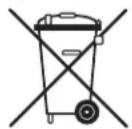
This symbol means the product must not be discarded as household waste, and should be delivered to an appropriate collection facility for recycling. Proper disposal and recycling helps protect natural resources, human health and the environment. For more information on disposal and recycling of this product, contact your local municipality, disposal service, or the shop where you bought this product.
This product is RoHS compliant.
This product is in compliance with Directive 2011/65/EU, and its amendments, on the restriction of the use of certain hazardous substances in electrical and electronic equipment.
REACH
REACH (Regulation No 1907/2006) addresses the production and use of chemical substances and their potential impacts on human health and the environment. Article 33(1) of REACH Regulation requires suppliers to inform the recipients if an article contains more than 0.1% (per weight per article) of any substance(s) on the Substances of Very High Concern (SVHC) Candidate List ('REACH candidate list'). This product contains the substance "lead"(CAS-No. 7439-92-1) in a concentration of more than 0.1% per weight. At the time of release of this product, except for the lead substance, no other substances of REACH candidate list are contained in a concentration of more than 0.1% per weight in this product. Note: On June 27, 2018, lead was added to the REACH candidate list. The inclusion of lead in the REACH candidate list does not mean that lead-containing materials pose an immediate risk or results in a restriction of permissibility of its use.
Instructions for Users on Removal, Recycling and Disposal of Used Batteries
To remove the batteries from your equipment or remote control, reverse the procedure described in the owner's manual for inserting batteries. For products with a built-in battery that lasts for the lifetime of the product, removal may not be possible for the user. In this case, recycling or recovery centers handle the dismantling of the product and the removal of the battery. If, for any reason, it becomes necessary to replace such a battery, this procedure must be performed by authorized service centers. In the European Union and other locations, it is illegal to dispose of any battery with household trash. All batteries must be disposed of in an environmentally sound manner. Contact your local waste-management officials for information regarding the environmentally sound collection, recycling and disposal of used batteries.
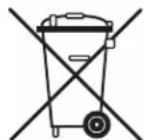
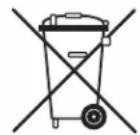
WARNING: Danger of explosion if battery is incorrectly replaced. To reduce risk of fire, explosion or leakage of flammable liquid/gas, don't disassemble, crush, puncture, short external contacts, expose to temperature above 60^ (140°F), sunshine or like, expose to extremely low air pressure or dispose of in fire or water. Replace only with specified batteries. The symbol indicating 'separate collection' for all batteries and accumulators shall be the crossed-out wheeled bin shown below:
According to EU Batteries Directive 2013/56/EU, any batteries, accumulators and button cells containing more than 0.0005% mercury, more than 0.002% cadmium or more than 0.004% lead, shall be marked with the chemical symbol for the metal concerned: Hg, Cd or Pb respectively. Please Refer to the below symbol:
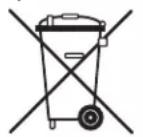
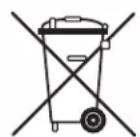
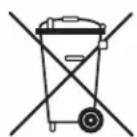
PbCc
HARMAN International hereby declares that this equipment is in compliance with the essential requirements and other relevant provisions of Directive 2014/53/EU.
HARMAN International Industries, Incorporated. All rights reserved. JBL is a trademark of HARMAN International Industries, Incorporated, registered in the United States and/or other countries.
Features, specifications and appearance are subject to change without notice.

| Apple AirPlay and the AirPlay logo, iPod, iPhone and iPad are trademarks of Apple Inc., registered in the U.S. and other countries. App Store is a service mark of Apple Inc. AirPlay 2 works with iPhone, iPad, and iPod touch with iOS 11.4 or later, Mac with OS X Mountain Lion or later, and PC with iTunes 10.2.2 or later. | |
| The Wi-Fi CERTIFIED Logo is certification marks of the Wi-Fi Alliance. | |
| Google, Google Play, Chromecast built-in, and other related marks are trademarks of Google LLC. The Google Assistant requires an internet connection and is not available in certain countries and languages. Availability and react of certain features and services are device, service, and network-dependent and may not be available in all areas. Controlling certain devices in your home requires compatible smart devices. Subscriptions for services and applications may be required and additional terms, conditions and/or charges may apply. | |
| MP3 | MPEG Layer-3 audio decoding technology licensed from Fraunhofer IIS and Thomson multimedia. |
| FLAC | FLAC Decoder Copyright © 2000, 2001, 2002, 2003, 2004, 2005, 2006, 2007, 2008 Josh Coalson Redistribution and use in source and binary forms, with or without modification, are permitted provided that the following conditions are met: - Redistributions of source code must retain the above copyright notice, this list of conditions and the following disclaimer: - Redistributions in binary form must reproduce the above copyright notice, this list of conditions and the following disclaimer in the documentation and/ or other materials provided with the distribution. - Neither the name of the Xiph.org Foundation nor the names of its contributors may be used to endorse or promote products derived from this software without specific prior written permission. THIS SOFTWARE IS PROVIDED BY THE COPYRIGHT HOLDERS AND Contributors 'AS IS' AND ANY EXPRESS OR IMPLIED WARRANTY, INCLUDING, BUT NOT LIMITED TO, THE IMPLIED WARRANTY OF MERCHANTABILITY AND FITNESS FOR A PARTICULAR PURPOSE ARE DISCLAIMED. IN NO EVENT SHALL THE FOUNDATION OR COLLABORATORS BE LIABLE FOR ANY DIRECT, INDIRECT, INCIDENTAL, SPECIAL, EXEMPLARY, OR CONSEQUENTIAL DAMAGES (INCLUDING, BUT NOT LIMITED TO, PROCEDURE OF SUBSTITUTE GOODS OR SERVICES; LOSS OF USE, DATA, OR PROFITS; OR BUSINESS INTERRUsION) HOWEVER CAUSED AND ON ANY THEORY OF LIABILITY, WHETHER IN CONTRACT, STRICT LIABILITY, OR TORT (INCLUDING NEGLIGENCE OR OTHERWISE) ARISING IN ANY WAY OUT OF THE USE OF THIS SOFTWARE, EVEN IF ADJUSSED OF THE POSSIBILITY OF SUCH DAMAGE. |
| MQA | MQA and the Sound Wave Device are registered trade marks of MQA Limited.© 2016 MQA (Master Quality Authenticated). MQA is an award-winning British technology that delivers the sound of the original master recording. The master MQA file is fully authenticated and is small enough to stream or download. Visit mqa.co.uk for more information. The SA750 includes MQA technology, which enables you to play back MQA audio files and streams, delivering the sound of the original master recording. MQA or MQA. indicates that the product is decoding and playing an MQA stream or file, and denotes provenance to ensure that the sound is identical to that of the source material. MQA, indicates it is playing an MQA Studio file, which has either been approved in the studio by the artist/producer or has been verified by the copyright owner. |
https://support.google.com.



CEPTINKAUHHOUYDOCTOBEPHEI NOCTABUNKA COJLACHO FCCSDOC
KoMaHnHaHRMAN Intemational HactoIIM 3aBnE,HTO daHHoe o6OpyIOBaHHe COOTBeTCTByET Tpe6OBaHm qactn 15 npaBn FCC, nopa3dEIn «B».
3aBHeHne FepalbHoN KOMnCCnCBr3n CUSA o nomexax
AnHoe obopyoBaHne npOuNo nCbItaHn 6bIIO np3HaHO kAc COoBtEcTByOooee OOrpAHueHnM dNla UΦpoBbIX yCtpoHCTB KNaCC A Bcorlacno Yactn 15 npabn FCC. 3TN Tpe6oBaHnpa3pa60taHbI dNIA OBeCneHnEO DOctAToHORO yPBOH 3aunTb OT BpeHbX NOMEX npN yCTaHOBke B DOME. DaHoe oobopyoBaHne rHeeppyet, NcNoB3yET N MoKET N3nyaTaPB aDnOaCTOTHyO 3heprNIO; erO yCTaHOBAKIN CnObnB3OBAHne C HApUWeHem INCTpyKm IOKET Co3daBaT BpeHbIe NOMEX IIN PAIDOCB3N. TeM He MeHeE, HET HNKAKOH rapaHTMN, 7TO NOMEX H eBO3NHKYHT B KaKOM-TO KOHKPeTHOM Cnyae YCTaHOBNK. ECN BpeHbIX bomeN IIN PnmeMa pAO-n TEleCNrHAOB BB3BaHbI NMeHHO DAHHBM OObpyoBaHnEM, qTO MOKHO ONpeDEJITb NytEm ERO BKIOUeHn I BkJIQUeHnI, TO NONB3OBaTeJIPOekOMHdyTCra NOnbTaBCaYCTpaHNb NOMEX C NOMOUsio ODNHO INN HeCKOlbKnx CNe dyIOux CnOco6OB:
- N3MeHHTb opneHTaIIO HIN MeCTOnOLOXKeHne PnEmHO aHTeHHbl.
- yBENHtbpacCToHneMeXdyO6OpyDObAHnEM npEmHHKOM.
-Подклioчntb obopydOBaHne И npIeMHNK Ko3eTkam, IMeIOUIM OTeJbHbIe KOHTpybl ceTN əNeKtponTuHnA. - O6paTnTbC3a KOHcyIbTaUnei/HoMoUbK DInIepy NII ONbTHOMy TexNkY No Tene-i paAnoo6OpdyObaHnIO.
OcToPOxHNo:BHeCHeNHe N3MeHeHn N MoDnΦnKauH, He ODo6peHHbIX KOMnHaHne HARMAN, MoKeT npBecTu K yTpTaTe noIb3oBaTeNaeM npaba Ha 3KcnPnyatauio o6OpdyoBaHna.
(i) INHΦOPMAUЯ FCC N ICДЯ NOЛьЗВATEJIЕ
DahHoe yctpoiCTBO coOTBeTcTBye TAcTH 15 npaBn FCC n CTanapTAM RSS MmHCTepCTBa npomblneHHocn KaHaBb, He Tpe6yoiuIM NlueeH3npoBAHn. PnIbOp dOJIKeH 3KcNpyATnpoBaTBc corNaCHO DBym CNeDyoUIM ycNoBIM: (1) daHoe yctpoiCTBO He DOnkHo cO3DaBt BpehBix NOMex, (2) daHoe yctpoiCTBO doJIKHO BbIepKINBaTB JIOBle NOMEX, BKIOuaY nomEXN, KOToPbIE MOrTy Bb3bIBaTb c60n Ba6oTe.
(ii) 3aBHeHne FCC/IC o Bo3JeIcTBn n3Jyehna
Dahnoe oboyobAHne cooTBeCTbByer orpaHueHnM yctaHOBHeHBM FCC n ISED Ira Bo3neCTBnI3nyehnB H keOHtponpyemOn cpe. CoNlachO pe3ynbTaTAM nCbTAHn FCC/IC no onpeDehenHIO ydehBOrO K03fHnAeHTa NorlooseHn (SAR) daHoe obOpdyOBaHne cooTBeCTbByET Tpe6oBAHNK BO3neCTBnO PAHOBHm YcTAHOBHeHHBM FCC n ISED. 3TN Tpe6oBAHNyE CTaHaBnBAOT npedJ SAR B pa3mepe1,6 BT/Kr,ycpeHHeHHb HA OAnH rpanm KINBo TKAHN MaKcMaJIbHOe 3NaueHne SAR onpeDeHNO B COOTBeCTBN C 3TN m CTanDaTOM B npoucece cepTnFkauu npOkyTA pnp HopMaJIbHOM HoHeHHy cTpojCtBa Ha TeNe IIN RoLoBE, BnToHYK kTeY To6bl co6JIocTH peKOMeHdauu N O Bo3NeCTBnO PAHNoACTTOHRe N3nyehn H CHN3ITb BO3NeCTBne PAHNoACTTOH N3HePrn B Xode pa60tbi, 3To o6OpdyOBaHne CneDuTy Pa3MeUaTb Ha yKa3aHHOM MInHMaJIbHO DoNyCTTMOM pacCToHNN OT TaI INI rIoBBi.
PpeDynpexKdEHNe FCCnIC:
AcToTHbIe dnaa3oHb5,25-5,35TcN5,65-5,85TcAIBnIOCTcOCHOBHbIMpa6OuMMn Dnana30HaMm MoUhBix paNIOKAtopoB. PAdnoJOKauHbHe CTAHmN MOryT cO3dABatb nomExn NnN NOpeXdAaYcTPOiCTBa, npEHa3HaueHbIe Ira 3KcNpyataun B 6e3NIeH3NOHHo NkALbHOI ceTN (LE LAN). DaHHe 6ecnpoBDHoe o6OpyDobAHne He coepKHT HnKaKIN CpeCTB HaCTPOIK, mo3BOJIIOxH MeHb pa6Ouyio qactoty 6e3 papeJeHNFCC npn EKnpyataun HA TeppnTopu nC7BA B COOTBeTCTBn C actBu 15.407 npaBn FCC.
PpeDynpexKdeneHc
Ponb3oBaTeYm ycTpoIcTba Heo6xOIMO 3HaTb cIeDyUoee:
i) 3To ycTpoIcTB, HcNoIb3yIOoee dHaana30n 5150-5250 MfU, npEHa3HaueHO dI pyPmeHHeN ToIbKO BHyTpno nOmeuHn, UTObl CBn3ntb BepoTHocB bpehBix NOMex dnn CnyTHNOBbIX CNCTEM MONBbHOCB3n, pa6OtaOuNX B COBMeCTHom KaHane; (ii) MAKcMaJIbHbIKo3ΦOnuHET YcUnleHnAHTeHbI, pa3peWHeHHd IaYcTPOIcTB B DnAna30Hax 5250-5350 MfU n 5470-5725 MfU, DOJKeH COOTBcTBOBaY cTaHOBNeHHbIM ppeJeBbIM 3HaueHnM 3KBNAeHTHO MoNUHO tNtPOnHO n3NyUeHn (e.i.r.p.); (iii) MAKcMaJIbHbIKo3ΦOnuHET YcUnleHn AHTeHbI, pa3peWHeHHd Iy cTPOIcTB B DnAna30e 5725-5825 MfU, DOJKeH COOTBcTBOBaY cTaHOBNeHHbIM ppeJeBbIM 3HaueHnM 3KBNAeHTHO MoNUHO tNtPOnHO n3NyUeHn yctAHOBneHHbIM dIy DByXToeHuOH CB3N IN WpOkoBeaTeJIbHO TpaHCnLIIN, B 3aBNCUMOCTN OT KOHKpeTHORO cNYaH.
B Ebponeckom Co103e 3Kcnnyataa daHnro o6opyobAHna pa3peheHa TOnbko BHytpn NmeueHH bDnna3oHe aactot 5150-5350 M
HaJIeJaIaJyTnIIN3aIcIgN 3TOI npOdyKTA (B COOTBeTCTBUN C DnpeKTHBOJ O6 yTnIIN3aIcIgN 3JIeKTpUneckoro I 3JIeKToPOnHOrO 6OpyDObAHN)
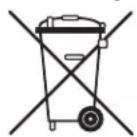
3TOT CMBON 03HauaeT,TO daHHbI npOdyKT 3aPpeSeHo yTNIN3npoBaTB BmecTe C bItOBbIMN OTOxOAMN. PpOdyKT Heo6XODMIO DocTaBnB B COOTBETCTBYUOnyI INKKT C6opa DnlaDJIbHeIeNepepa6botKn.HaJIeKaIaJy TYNIN3aUNI INpepa6botKa NOMAOT 3aUHTNTb NpnpOAnIbe pecypcb, 3dOpOBe IIOeN OKpykaIOuYcpey. YTo6bI NOyUHT DoONHInTeNbHyIO INHOpMaunIO 6 yTNIN3aUNI INpepa6botKe 3TOrO npOdykTA, 0bpatntecb B MeCTbI oPraH MyHUnIaNbHOB BlactN, B cLyK6y yTNIN3aUNI INB MaRa3IN, rDe Bbl npNo6pEnI 3TOT npOdyKT.

3TOT npOdyKT COOTBeCTByeT Tpe6oBaHnAm RoHS.
DAnHbI pOdyKT COOTBeTCTBye T DnpeKtNB 2011/65/EU nnonpaBkAM K Hei, OINcBIAIOUM OrpaHueHn IcNoJIb3OBaHn OnpedeJIeHHbIX OAnChbIX BeIeCTB B 3NeKtpueeCKOM n3NeKtpoHOM o6OpydoBaHn.
PerlaMeHT REACH
REACH (permaent N' 1907/2006) onncbbae npou3boctBO IN cnoIb3oBaHne XmUuecknx BeueCTB INx NOTeHNaIbHOe BO3deIcTBn H aDopOBbe HeIOBeka IN OKpykaOuOy Cpey. CtaTb 33(1) permaent RAeCH Tpe6yeT, UTo6bl NoCTabuKn COooaannn noNyataeam O BO3MOXbHbPnCKac, ECnn n3dene CoepEno 60one 0,1% (NCTORo BEca n3dene) IIO6oro BeueCTBA (ODHOro ININ HeCKoBknx) IN3 ctnnckA ooc6o OnaHbXBeueCTB (SVHC), TaKke NahtBaemoro "Nepehen BeueCTB-KaHndaTOB REACH". DaHoe n3dene CoepKNT CBHeU (CAS-No. 7439-92-1) B KOHcHTpaunn 60one 0,1% UcTcrTO Beca n3dene.
Ha MOMeHT BbInycka DaHHe N3dEne He coepKAno HnKaKnx DpyrNx BeueCTB n3 cncKa REACH, Kpome CBnHca B KOHcHTpaunn 60nee 0.1% OT YCHTORO BECa N3dEINJ.
PpmeHne.CBHeue6bIIO6abHeNpeyeHBeeCTBaKaHuaTobREACH2710H2018r.BKIOueHnCBNHcBapeyeHBeueCTB-KaHuaTobREACH He 03Haayet,TO pImeHHeNe H3deJIn,coepkaux CBNHeU,CBraHO C HeNocepTeBHbIM PnCKOM n3DopOBy INI BeET KOrpaHueHIO DoNyctUMocTN IX NcNilb3OBAHn.
INCTpykunI DJI NOIb3OBaTeJeI N O I3BJIeueHnI, nepepa6OTke n yTInn3aCnn
NCNoIb3OBaHHbIX 6aTapei
HTo6bI n3BneB 6aTapeu H3 O6OpydoBaHHn Hnn nyB Ta InCTaHnHO ynpAbeHH, BblOnHnTe B o6paTHOM npOeDpy UcTaHO B aTapeo, OncaHHIO B pykoBDCTBe Nb30BaTeJI. B cnyae, ecnn npOdyKT Ochauen BCTpoEHNO 6aTapee, pa6oTuoiB TeueHHe BCero CpOKa CNYKbI npOyKTA, NnB3OBeTb He CMOKe TcMAOCTeBHO N3BNeB 6aTapeo. B 3OTm CNYae 3aauy pa36bpKn npOyKTA uN3BneHH 6aTapeu PeeaiOt CEHTpb No nepepa6oTe KIN BOCCTAHOBLeHHIO. Ecn TaYIO 6aTapeo HxHIO AmEHTb, He3ABNCIMO OT npUHHBo, To Heo6XoIMNo 6paTtbcB A BTOPnOBAHH cepBCHNcIeHTp. 3akOHoDAteBCTBO Ebponeckoro Co03a N dpyrHex CTpa3npeaaet yTNImnPOBaTB 6aTapeu BMeCte C 6bITobM MyCopom. BCE 6aTapeu Heo6XoIMo yTNImnPOBaTB 3kONOrnCeKN 6e3onachim cnocOBm. 6oPaTInTECb K MeCthBM OPAraHm BlaNT, OTBeaQUMM 3a yTNImzAUIO TOxODOB, 3nONyehem CBeDeHN o6 3kONOrnueckn 6e3onachom c6ope, nepepa6oTe K yTNImzAUIN NCnOB3oBAHHbx 6aTapei.
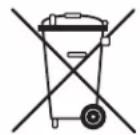
BHUMAHNE. HenpaBnBna 3aMeHa 6aTapeu CBA3aHa C onaHocTbO B3pBa. Yo6b Chn3ntb PnCK Bo3ropaHn, B3pbBa Hn yTeKn roipuee Jxndkctn nnra3, He pa3bnpaTe 6aTapeo, He cXnmaTe ee, He npokanbTaBaiTe, He 3aMbKaIte BHeWHne KOHTaKtB, He noDbepraTe BO3deJeCTBnIO TmpePAtyBbIwe 60Cn npAbx CoNHehBx NyeHe, He nCnoB3yTe BycNOBnx CBepxHn3KOr daBnEHHo B3dyxA H ne YTHIN3pye NTcem CxraHnA Ho ATKpbTOM ORHe INN NorpyxHn B Body. NcNoB3yTe DnA 3aMeHb ToNko 6aTapeu COOTBeTCTByUOpE rTNa. Bce 6aTapeu n AKKMyJrToPb, B OTHoWeHn KOTopb H NoOpJb3OBaTb Pa3DeNbHb C6Op, NOMeHu CNeDyUoMm CMBOJOM: NpeuepeKHyTb MyCopHb 6ak Ha KOnecax (CM.HNKe).
Cornacho NipekTBE EC o 6aTapex 2013/56/EU, IIO6bIe 6aTapei, AKKyMnyTOpbI MHNHAtOpHbI eJIeMeHTb NTaHn, CoepKauNc 6Ooe 0,0005 pTytn, 6Ooe 0,002% KaIMN HIN 6Ooe 0,004% CBHua, DOJXHbI 6bITb NOMEeHbIXMNueckm CnMBONOM COOTBETCTByuOero Metanla: Hg, Cd nPi Pb. Cm. cndyioui ciMbONl:
PbCc
KOMNAHn HARMAN International hactoum 3aBnE, yTO daHHoe o6OpyOBaHne COOTBeTCTByeT OCHOBbIM Tpe6OBAHnM INhBM COOTBeTCTByIOUm NonoKeHnM DInpeKTNBbl 2014/53/EU.
HARMAN International Industries, Incorporated Bce npaba 3aunuehJI JBL aBnTcra ToBapHbIM 3nakom kOMnH HARMAN International Industries, Incorporated, 3apeinctpnpoBaHbIM BCIIA n/nn npynx ctpaHax.
ФункионьпгБОЗМохнOCHTI,ТeХИчecКЕхapakTepeNTKIN BHeHIM BID ObopydoBaHnMOryT 6bITb N3MeHbI 6e3 npEeBapntelHoro yBeDoMHeHn.

HARMAN International, Incorporated
8500 Balboa Boulevard, Northridge, CA 91329 USA
Danzigerkade 16 1013 AP Amsterdam, Netherlands
Ground Floor, Westside 2, London Road, Apsley, Hemel Hempstead,
Hertfordshire, HP3 9TD, United Kingdom
www.jblsynthesis.com
© 2021 HARMAN International Industries, Incorporated. All rights reserved.
JBL is a trademarks of HARMAN International Industries, Incorporated,
registered in the United States and/or other countries.
Features, specifications and appearance are subject to change without notice.
Part No: SH316 Issue: A.0
- Important Safety instructions
- Class II product
- CAUTION FCC AND IC STATEMENT FOR USERS (USA AND CANADA ONLY)
- FCC SDOC SUPPLIER'S DECLARATION OF CONFORMITY
- Federal Communication Commission Interference Statement
- FCC AND IC INFORMATION FOR USERS
- (ii) FCC/IC Radiation Exposure Statement
- FCC and IC Caution:
- IC Caution:
- Correct disposal of this product (Waste Electrical & Electronic Equipment)
- This product is RoHS compliant.
- REACH
- Instructions for Users on Removal, Recycling and Disposal of Used Batteries
- CEPTINKAUHHOUYDOCTOBEPHEI NOCTABUNKA COJLACHO FCCSDOC
- 3aBHeHne FepalbHoN KOMnCCnCBr3n CUSA o nomexax
- INHΦOPMAUЯ FCC N ICДЯ NOЛьЗВATEJIЕ
- (ii) 3aBHeHne FCC/IC o Bo3JeIcTBn n3Jyehna
- PpeDynpexKdEHNe FCCnIC:
- PpeDynpexKdeneHc
- 3TOT npOdyKT COOTBeCTByeT Tpe6oBaHnAm RoHS.
- PerlaMeHT REACH
- INCTpykunI DJI NOIb3OBaTeJeI N O I3BJIeueHnI, nepepa6OTke n yTInn3aCnn
- NCNoIb3OBaHHbIX 6aTapei
Brand : JBL
Model : SA750
Category : Receiver