
Galaxy Win Pro - Cellphone SAMSUNG - Free user manual and instructions
Find the device manual for free Galaxy Win Pro SAMSUNG in PDF.
 FR
FR
 BG
BG
 CS
CS
 DA
DA
 DE
DE
 EL
EL
 EN
EN
 ES
ES
 ET
ET
 FI
FI
 HE
HE
 HU
HU
 ID
ID
 IT
IT
 KK
KK
 KO
KO
 LT
LT
 LV
LV
 MK
MK
 MN
MN
 NL
NL
 NO
NO
 PL
PL
 PT
PT
 RO
RO
 RU
RU
 SK
SK
 SL
SL
 SQ
SQ
 SV
SV
 TR
TR
 UK
UK
 VI
VI
 ZH
ZH
| Product Type | Mobile Phone |
| Brand | Samsung |
| Model | Galaxy Win Pro |
| Dimensions (H x W x D) | 132 x 67 x 9 mm |
| Weight | 140 g |
| Display | 4.5-inch TFT, 480 x 800 pixels resolution |
| Processor | 1.2 GHz quad-core |
| RAM Memory | 1 GB |
| Internal Storage | 4 GB (expandable via microSD up to 64 GB) |
| Battery | 2000 mAh, removable |
| Rear Camera | 5 megapixels |
| Front Camera | 0.3 megapixel |
| Operating System | Android 4.1 Jelly Bean |
| Connectivity | Wi-Fi 802.11 b/g/n, Bluetooth 4.0, GPS, 3G |
| Sensors | Accelerometer, proximity sensor |
| Care and Cleaning | Wipe with a soft dry cloth; do not use chemicals or abrasive cleaners |
| Safety | Do not expose to water; do not use with wet hands; use only approved accessories; respect operating temperatures (0–35°C) and storage temperatures (-20–50°C) |
| Spare Parts and Repairability | Spare parts available (battery, charger, screen); repair exclusively by a Samsung authorized technician |
| General Information | Manufacturer warranty subject to proper use; refer to the manual for detailed safety instructions |
Frequently Asked Questions - Galaxy Win Pro SAMSUNG
User questions about Galaxy Win Pro SAMSUNG
0 question about this device. Answer the ones you know or ask your own.
Ask a new question about this device
Download the instructions for your Cellphone in PDF format for free! Find your manual Galaxy Win Pro - SAMSUNG and take your electronic device back in hand. On this page are published all the documents necessary for the use of your device. Galaxy Win Pro by SAMSUNG.
USER MANUAL Galaxy Win Pro SAMSUNG
Please read this important safety information before you use the device. It contains general safety information for devices and may include content that does not apply to your device. Follow the warning and caution information to prevent injury to yourself or others and to prevent damage to your device.

The term 'device' refers to the product and its battery, charger, the items supplied with the product, and any Samsung-approved accessories used with the product.
Warning
Failure to comply with safety warnings and regulations can cause serious injury or death
Do not use damaged power cords or plugs, or loose electrical sockets
Unsecured connections can cause electric shock or fire.
Do not touch the device, the charger or its cables, or the electric socket using wet hands or other wet body parts
Doing so may result in electrocution.
Do not bend or damage the power cord
Doing so may cause electric shock or fire.
Do not use your device while it is charging or touch your device with wet hands
Doing so may cause electric shock.
Do not directly connect together the charger's positive and negative terminals
Doing so may cause fire or serious injury.
Do not use your device outdoor during a thunderstorm
Doing so may result in electric shock or device malfunction.
Use manufacturer-approved batteries, chargers, accessories, and supplies.
- Using generic batteries or chargers may shorten the life of your device or cause the device to malfunction. They may also cause a fire or cause the battery to explode.
- Use only Samsung-approved battery and charger specifically designed for your device. Incompatible battery and charger can cause serious injuries or damage to your device. Samsung cannot be responsible for the user's safety when using accessories or supplies that are not approved by Samsung.
Do not carry your device in your back pockets or on your waist.
- The device may be damaged, explode, or result in a fire if too much pressure is applied to it. You may be injured if you are bumped or fall.
Do not drop or cause an impact to the charger or the device.
Handle and dispose of the device and charger with care.
- Never dispose of the battery or device in a fire. Never place the battery or device on or in heating devices, such as microwave ovens, stoves, or radiators. The device may explode when overheated. Follow all local regulations when disposing of used battery or device.
- Never crush or puncture the device.
- Avoid exposing the device to high external pressure, which can lead to an internal short circuit and overheating.
Protect the device, battery and charger from damage.
- Avoid exposing your device and battery to very cold or very hot temperatures.
- Extreme temperatures can damage the device and reduce the charging capacity and life of your device and battery.
- Do not directly connect together the battery's positive and negative terminals and prevent them from coming into contact with metal objects. Doing so may cause the battery to malfunction.
- Never use a damaged charger or battery.
Do not store your device near or in heaters, microwaves, hot cooking equipment, or high pressure containers.
The battery may leak. Your device may overheat and cause a fire.
Do not use or store your device in areas with high concentrations of dust or airborne materials.
Dust or foreign materials can cause your device to malfunction and may result in fire or electric shock.
Prevent the multipurpose jack and the small end of the charger from contact with conductive materials, such as liquids, dust, metal powders, and pencil leads.
Conductive materials may cause a short circuit or corrosion of the terminals, which may result in an explosion or fire.
Do not bite or suck the device or the battery.
- Doing so may damage the device or result in an explosion or fire. Children or animals can choke on small parts. If children use the device, make sure that they use the device properly.
Do not insert the device or supplied accessories into the eyes, ears, or mouth.
Doing so may cause suffocation or serious injuries.
Do not handle a damaged or leaking Lithium Ion (Li-ion) battery.
For safe disposal of your Li-ion battery, contact your nearest authorised service centre.
Caution
Failure to comply with safety cautions and regulations can cause injury or property damage.
Do not use your device near other electronic devices.
- Most electronic devices use radio frequency signals. Your device may interfere with other electronic devices.
- Using an LTE data connection may cause interference with other devices, such as audio equipment and telephones.
Do not use your device in a hospital, on an aircraft, or in automotive equipment that can be interfered with by radio frequency.
- Avoid using your device within a 15 cm range of a pacemaker, if possible, as your device can interfere with the pacemaker.
- To minimise possible interference with a pacemaker, use your device only on the side of your body that is opposite the pacemaker.
If you use medical equipment, contact the equipment manufacturer before using your device to determine whether or not the equipment will be affected by radio frequencies emitted by the device. On an aircraft, using electronic devices can interfere with the aircraft's electronic navigational instruments. Make sure the device is turned off during takeoff and landing. After takeoff, you can use the device in flight mode if allowed by aircraft personnel. Electronic devices in your car may malfunction due to radio interference from your device. Contact the manufacturer for more information.
Do not expose the device to heavy smoke or fumes.
Doing so may damage the outside of the device or cause it to malfunction.
If you use a hearing aid, contact the manufacturer for information about radio interference.
The radio frequency emitted by your device may interfere with some hearing aids. Before using your device, contact the manufacturer to determine whether or not your hearing aid will be affected by radio frequencies emitted by the device.
Do not use your device near devices or apparatuses that emit radio frequencies, such as sound systems or radio towers.
Radio frequencies may cause your device to malfunction.
Turn off the device in potentially explosive environments.
- Turn off your device in potentially explosive environments instead of removing the battery.
- Always comply with regulations, instructions and signs in potentially explosive environments.
- Do not use your device at refuelling points (petrol stations), near fuels or chemicals, or in blasting areas.
- Do not store or carry flammable liquids, gases, or explosive materials in the same compartment as the device, its parts, or accessories.
If you notice strange smells or sounds coming from your device or the battery, or if you see smoke or liquids leaking from the device or battery, stop using the device immediately and take it to a Samsung Service Centre.
Failure to do so may result in fire or explosion.
Comply with all safety warnings and regulations regarding mobile device usage while operating a vehicle.
While driving, safely operating the vehicle is your first responsibility. Never use your mobile device while driving, if it is prohibited by law. For your safety and the safety of others, use your common sense and remember the following tips:
- Get to know your device and its convenience features, such as speed dial and redial. These features help you reduce the time needed to place or receive calls on your mobile device.
- Position your device within easy reach. Make sure you can access your wireless device without taking your eyes off the road. If you receive an incoming call at an inconvenient time, let your voicemail answer it for you.
- Suspend calls in heavy traffic or hazardous weather conditions. Rain, sleet, snow, ice, and heavy traffic can be hazardous.
- Do not take notes or look up phone numbers. Jotting down a "to do" list or flipping through your address book takes attention away from your primary responsibility of driving safely.
- Dial sensibly and assess the traffic. Place calls when you are not moving or before pulling into traffic. Try to plan calls when your car will be stationary.
- Do not engage in stressful or emotional conversations that may be distracting. Make the person you are talking to aware that you are driving and suspend conversations that could potentially divert your attention from the road.
Care and use your device properly
Keep your device dry
- Humidity and liquids may damage the parts or electronic circuits in your device.
- Do not turn on your device if it is wet. If your device is already on, turn it off and remove the battery immediately (if the device will not turn off or you cannot remove the battery, leave it as-is). Then, dry the device with a towel and take it to a service centre.
- This device has internal liquid indicators fitted. Water damage to your device may void the manufacturer's warranty.
Store your device only on flat surfaces
If your device falls, it may be damaged.
The device can be used in locations with an ambient temperature of 0°C to 35°C. You can store the device at an ambient temperature of -20°C to 50°C. Using or storing the device outside of the recommended temperature ranges may damage the device or reduce the battery's lifespan.
- Do not store your device in very hot areas such as inside a car in the summertime. Doing so may cause the screen to malfunction, result in damage to the device, or cause the battery to explode.
- Do not expose your device to direct sunlight for extended periods of time (on the dashboard of a car, for example).
- The battery can be stored separately in locations with an ambient temperature of 0°C to 45°C.
Do not store your device with metal objects, such as coins, keys, and necklaces
- Your device may be scratched or may malfunction. If the battery terminals come into contact with metal objects, this may cause a fire.
Do not store your device near magnetic fields
- Your device may malfunction or the battery may discharge from exposure to magnetic fields.
- Magnetic stripe cards, including credit cards, phone cards, passbooks, and boarding passes, may be damaged by magnetic fields.
Do not use your device or applications for a while if the device is overheated.
Prolonged exposure of your skin to an overheated device may cause low temperature burn symptoms, such as red spots and pigmentation.
Do not use your device with the back cover removed.
The battery may fall out of the device, which may result in damage or malfunction.
If your device has a camera flash or light, do not use it close to the eyes of people or pets.
Using a flash close to the eyes may cause temporary loss of vision or damage to the eyes.
Use caution when exposed to flashing lights.
While using your device, leave some lights on in the room and do not hold the screen too close to your eyes. - Seizures or blackouts can occur when you are exposed to flashing lights while watching videos or playing Flash-based games for extended periods. If you feel any discomfort, stop using the device immediately. - If anyone related to you has experienced seizures or blackouts while using a similar device, consult a physician before using the device.
If you feel discomfort, such as a muscle spasm, or disoriented, stop using the device immediately and consult a physician. - To prevent eye strain, take frequent breaks while using the device.
Reduce the risk of repetitive motion injuries.
When you repetitively perform actions, such as pressing keys, drawing characters on a touch screen with your fingers, or playing games, you may experience occasional discomfort in your hands, neck, shoulders, or other parts of your body. When using your device for extended periods, hold the device with a relaxed grip, press the keys lightly, and take frequent breaks. If you continue to have discomfort during or after such use, stop using the device and consult a physician.
Protect your hearing and ears when using a headset.
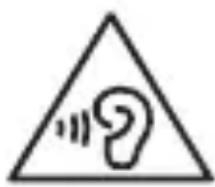
- Excessive exposure to loud sounds can cause hearing damage.
- Exposure to loud sounds while walking may distract your attention and cause an accident.
- Always turn the volume down before plugging the earphones into an audio source and use only the minimum volume setting necessary to hear your conversation or music.
- In dry environments, static electricity can build up in the headset. Avoid using headsets in dry environments or touch a metal object to discharge static electricity before connecting a headset to the device.
- Do not use a headset while driving or riding. Doing so may distract your attention and cause an accident, or may be illegal depending on your region.
Use caution when using the device while walking or moving.
Always be aware of your surroundings to avoid injury to yourself or others. - Make sure the headset cable does not become entangled in your arms or on nearby objects.
Do not paint or put stickers on your device.
- Paint and stickers can clog moving parts and prevent proper operation. If you are allergic to paint or metal parts of the device, you may experience itching, eczema, or swelling of the skin. When this happens, stop using the device and consult your physician.
Do not use the device if it is cracked or broken.
Broken glass or acrylic could cause injury to your hands and face. Take the device to a Samsung Service Centre to have it repaired.
Install mobile devices and equipment with caution.
- Ensure that any mobile devices or related equipment installed in your vehicle are securely mounted.
- Avoid placing your device and accessories near or in an airbag deployment area. Improperly installed wireless equipment can cause serious injury when airbags inflate rapidly.
Do not drop your device or cause impacts to your device.
- Your device may be damaged or may malfunction. If bent or deformed, your device may be damaged or parts may malfunction.
Ensure maximum battery and charger life
- Batteries may malfunction if they are not used for extended periods. Over time, an unused device will discharge and must be recharged before use.
- Disconnect the charger from power sources when not in use. Use the battery only for its intended purposes.
- Follow all instructions in this manual to ensure the longest lifespan of your device and battery. Damages or poor performance caused by failure to follow warnings and instructions can void your manufacturer's warranty.
- Your device may wear out over time. Some parts and repairs are covered by the warranty within the validity period, but damages or deterioration caused by using unapproved accessories are not.
When using the device, mind the following
- Hold the device upright, as you would with a traditional phone.
- Speak directly into the microphone.
Do not disassemble, modify, or repair your device
- Any changes or modifications to your device can void your manufacturer's warranty. If your device needs servicing, take your device to a Samsung Service Centre.
- Do not disassemble or puncture the battery, as this can cause explosion or fire.
- Turn off the device before removing the battery. If you remove the battery with the device turned on, it may cause the device to malfunction.
When cleaning your device, mind the following
- Wipe your device or charger with a towel or an eraser. Clean the battery terminals with a cotton ball or a towel.
- Do not use chemicals or detergents. Doing so may discolour or corrode the outside of the device or may result in electric shock or fire.
Do not use the device for anything other than its intended use.
Your device may malfunction.
Avoid disturbing others when using the device in public.
Allow only qualified personnel to service your device.
Allowing unqualified personnel to service your device may result in damage to your device and will void your manufacturer's warranty.
Handle SIM cards, memory cards, or cables with care.
- When inserting a card or connecting a cable to your device, make sure that the card is inserted or the cable is connected to the proper side.
- Do not remove a card while the device is transferring or accessing information, as this could result in loss of data and/or damage to the card or device.
- Protect cards from strong shocks, static electricity, and electrical noise from other devices.
- Do not touch gold-coloured contacts or terminals with your fingers or metal objects. If dirty, wipe the card with a soft cloth.
- Inserting a card or connecting a cable by force or improperly may result in damage to the multipurpose jack or other parts of the device.
Ensure access to emergency services.
Emergency calls from your device may not be possible in some areas or circumstances. Before travelling in remote or undeveloped areas, plan an alternative method of contacting emergency services personnel.
Protect your personal data and prevent leakage or misuse of sensitive information.
While using your device, be sure to back up important data. Samsung is not responsible for the loss of any data. When disposing of your device, back up all data and then reset your device to prevent misuse of your personal information. Carefully read the permissions screen when downloading applications. Be particularly cautious with applications that have access to many functions or to a significant amount of your personal information. Check your accounts regularly for unapproved or suspicious use. If you find any sign of misuse of your personal information, contact your service provider to delete or change your account information. In the event your device is lost or stolen, change the passwords on your accounts to protect your personal information. Avoid using applications from unknown sources and lock your device with a pattern, password, or PIN.
Do not distribute copyright-protected material
Do not distribute copyright-protected material without the permission of the content owners. Doing this may violate copyright laws. The manufacturer is not liable for any legal issues caused by the user's illegal use of copyrighted material.
Malware and viruses
To protect your device from malware and viruses, follow these usage tips. Failure to do so may result in damages or loss of data that may not be covered by the warranty service.
- Do not download unknown applications.
- Do not visit untrusted websites.
- Delete suspicious messages or email from unknown senders.
- Set a password and change it regularly.
- Deactivate wireless features, such as Bluetooth, when not in use. If the device behaves abnormally, run an antivirus program to check for infection.
- Run an antivirus program on your device before you launch newly-downloaded applications and files.
- Install antivirus programs on your computer and run them regularly to check for infection.
- Do not edit registry settings or modify the device's operating system.
Specific Absorption Rate (SAR) certification information
For more information, visit www.samsung.com/sar and search for your device with the model number.
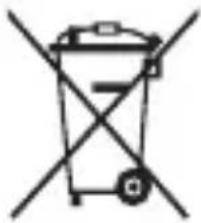
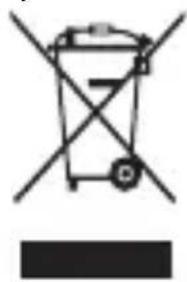
Correct disposal of this product
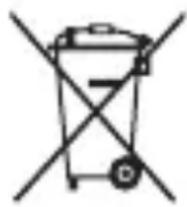

(Waste Electrical & Electronic Equipment)
(Applicable in countries with separate collection systems)
This marking on the product, accessories or literature indicates that the product and its electronic accessories (e.g. charger, headset, USB cable) should not be
disposed of with other household waste.
To prevent possible harm to the environment or human health from uncontrolled waste disposal, please separate these items from other types of waste and recycle them responsibly to promote the sustainable reuse of material resources.
Household users should contact either the retailer where they purchased this product, or their local government office, for details of where and how they can take these items for environmentally safe recycling.
Business users should contact their supplier and check the terms and conditions of the purchase contract. This product and its electronic accessories should not be mixed with other commercial wastes for disposal.
This product is RoHS compliant.
Correct disposal of batteries in this product
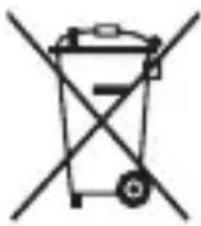
(Applicable in countries with separate collection systems)
This marking on the battery, manual or packaging indicates that the batteries in this product should not be disposed of with other household waste. Where
marked, the chemical symbols Hg, Cd or Pb indicate that the battery contains mercury, cadmium or lead above the reference levels in EC Directive 2006/66. If batteries are not properly disposed of, these substances can cause harm to human health or the environment.
To protect natural resources and to promote material reuse, please separate batteries from other types of waste and recycle them through your local, free battery return system.
Disclaimer
Some content and services accessible through this device belong to third parties and are protected by copyright, patent, trademark and/or other intellectual property laws. Such content and services are provided solely for your personal non-commercial use. You may not use any content or services in a manner that has not been authorised by the content owner or service provider. Without limiting the foregoing, unless expressly authorised by the applicable content owner or service provider, you may not modify, copy, republish, upload, post, transmit, translate, sell, create derivative works, exploit, or distribute in any manner or medium any content or services displayed through this device.
"THIRD PARTY CONTENT AND SERVICES ARE PROVIDED "AS IS." SAMSUNG DOES NOT WARRANTY CONTENT OR SERVICES SO PROVIDED, EITHER EXPRESSLY OR IMPLIEDLY, FOR ANY PURPOSE. SAMSUNG EXPRESSLY DISCLAIMS ANY IMPLIED WARRANTIES, INCLUDING BUT NOT LIMITED TO, WARRANTIES OF MERCHANTABILITY OR FITNESS FOR A PARTICULAR PURPOSE. SAMSUNG DOES NOT GUARANTEE THE ACCURACY, VALIDITY, TIMELINESS, LEGALITY, OR COMPLETENESS OF ANY CONTENT OR SERVICE MADE AVAILABLE THROUGH THIS DEVICE AND UNDER NO CIRCUMSTANCES, INCLUDING NEGLIGENCE, SHALL SAMSUNG BE LIABLE, WHETHER IN CONTRACT OR TORT, FOR ANY DIRECT, INDIRECT, INCIDENTAL, SPECIAL OR CONSEQUENTIAL DAMAGES, ATTORNEY FEES, EXPENSES, OR ANY OTHER DAMAGES ARISING OUT OF, OR IN CONNECTION WITH, ANY INFORMATION CONTAINED IN, OR AS A RESULT OF THE USE OF ANY CONTENT OR SERVICE BY YOU OR ANY THIRD PARTY, EVEN IF ADVISED OF THE POSSIBILITY OF SUCH DAMAGES."
Third party services may be terminated or interrupted at any time, and Samsung makes no representation or warranty that any content or service will remain available for any period of time. Content and services are transmitted by third parties by means of networks and transmission facilities over which Samsung has no control. Without limiting the generality of this disclaimer, Samsung expressly disclaims any responsibility or liability for any interruption or suspension of any content or service made available through this device.
Samsung is neither responsible nor liable for customer service related to the content and services. Any question or request for service relating to the content or services should be made directly to the respective content and service providers.
j 1
A
∴ P( k - 1,k)
y
.
.041j:
J 1
.
alil
∴ 4a 上
∴ b的 = 1
i
.
.
i 1
.
j
i
.
.
(SAR)
www.samsung.com/sar
AiiIeS g i jaiiie 1le yjoo no sgl ie aol oiaa
iJILsS g jlll 12n no Jalill n 8 aI i
J (USB JLS Aclal j)
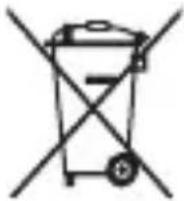
i jai 1
J 1
Jb000000000000000000000000000000000000000000
Jgall
j jll 1 k j g jg j j j j j j j j j j j j j j j
y
The device is installed on the cross.
- The device can be damaged, explode, or cause a fire if excessive pressure is applied to it. You can be injured or killed.
Do not expose the device to impact.
Do not place the device on soft surfaces.
This may damage its casing or impair its functions.
If you use a hearing aid, contact the manufacturer for information about radio interference.
The radio frequency emitted by your device may interfere with some hearing aids. Before using the device, contact the manufacturer to find out if your hearing aid is affected by the radio frequency emitted by the device.
Do not use the device near other devices and equipment that emit radio frequencies, such as audio systems and radios.
Radio frequencies may cause damage to the device.
Turn off the device when you are in areas with a potentially explosive atmosphere.
Instead of removing the battery, turn off your device in potentially explosive environments. Always follow regulations, instructions, and signs in potentially explosive environments. Do not use the device at gas stations, near fuels or chemicals, or in areas of explosion. Do not store or carry flammable liquids, gases, or explosive materials where the device, its parts, or accessories are located.
If you notice smoke or sound coming from the device or battery, or if you notice liquid or heat, stop using the device or battery immediately and take it to a Samsung service center.
Otherwise, you may cause a fire or explosion.
When using a mobile device in a vehicle, follow all warnings and instructions regarding safety.
Emergency calls. Never use your device while driving, as it is illegal. For your safety and the safety of others, use common sense and remember the following:
Use this device with its features for more convenient use, such as quick dialing and redialing. These features will help you save time when making or receiving calls. - Place your device in a comfortable position. Position it so that you can reach your hands-free device without having to stretch or strain. If you receive a call at an inconvenient time, let it ring and answer it later. - Use the device while driving with caution and in accordance with traffic laws. Rain, lightning, snow, and heavy traffic can be dangerous. Do not use a handheld phone or dial phone numbers while driving. Pull over and park before making or answering calls. - Use the device responsibly. Do not let calls distract you from your primary responsibility - driving safely. - Use the device hands-free and pull over when necessary. Do not use the device while driving unless it is legal and safe to do so. Always prioritize safety.
Use and handle your device properly.
Keep the device dry.
Humidity and liquids can damage the parts or electronic components of the device. Do not turn on the device if it is wet. If the device is already on, turn it off and remove the battery immediately (if the device cannot be turned off or the battery cannot be removed, leave it as is). After that, dry the device with a cloth and take it to a service center. This device is equipped with internal temperature indicators. Damage caused by water may void the manufacturer's warranty.
Store the device only on flat surfaces.
If the device falls, it may be damaged.
The device can be used in ambient temperatures between 0°C and 35°C. You can store the device at ambient temperatures between -20°C and 50°C. Using or storing the device outside these temperature ranges may damage the device or reduce battery life.
Do not store the device in very hot places, such as in a car during summer. This may cause damage to the screen, lead to device damage, or cause the battery to explode. Do not expose the device to direct sunlight for extended periods (for example, on a car dashboard). The battery can be stored separately in places with ambient temperatures between 0°C and 45°C.
Do not store the device with metal objects, such as coins, keys, or jewelry.
The device may be damaged if dropped. - If the battery comes into contact with metal objects, this may cause a fire.
Do not leave the device near magnets.
- The device may be damaged or the battery may rupture due to exposure to magnetic fields. Magnetic cards, including credit cards, phone cards, passes, and ID cards may be damaged by magnetic fields.
Do not use the device or its accessories for an extended period if the device is overheated.
Prolonged exposure of the skin to an overheated device may cause burn symptoms at low temperatures, such as red spots or pigmentation.
Do not use the device with a damaged screen.
The battery may leak, which could cause damage or malfunction.
If the device has a flash or light for the camera, do not use it close to the eyes of people or animals.
Using the flash close to the eyes may cause temporary vision loss or damage to eyesight.
Be careful when exposing to flashing lights.
Ensure adequate lighting in the room while using the device, and do not look at the screen too closely. - Exposure to flashing lights while watching videos or playing games with flashing lights for extended periods may cause seizures or loss of consciousness. If you feel any discomfort, stop using the device immediately. - If any of your relatives have a history of seizures or loss of consciousness while using similar devices, consult a doctor before using the device. - If you experience discomfort, such as muscle twitching or disorientation, stop using the device immediately and consult a doctor. To prevent eye strain, take regular breaks while using the device.
You may have a risk of discomfort when repeating movements.
When performing repetitive actions such as pressing keys, typing on the touch screen with your fingers, or playing games, you may experience discomfort in your hands, wrists, arms, or other parts of your body. Hold the device with a relaxed grip, press the keys lightly, and take regular breaks when using the device for extended periods. If you continue to experience discomfort during such use, stop using the device and consult a doctor.
Protect your hearing and ears when using headphones.
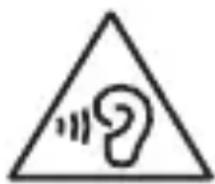
- Exposure to loud sounds may damage your hearing.
- Listening to loud sounds for a long time may distract your attention and lead to an incident.
Set the sound volume to a low level before connecting the earphones to an audio source. Use only the minimum sound setting required to hear a conversation or music. In a dry environment, static electricity may build up in the earphones. Avoid using the device in a dry environment or touch a metal object to discharge static electricity before connecting the earphones to the device. Do not use the earphones while driving a vehicle. This may distract your attention and cause an accident, and it may also be illegal in the country where you are traveling.
Be careful when using the device while walking or moving.
Pay attention to the surrounding environment to avoid injuring yourself or others. - Make sure the earphone cable is not tangled in your hands or near nearby objects.
Do not drop or place stickers on your device.
- Water and stickers can block the moving parts and interfere with proper functioning.
- If you are allergic to the device's materials or metal parts, you may experience itching, eczema, or skin irritation. If this occurs, stop using the device and consult your doctor.
Do not use the device if it is cracked or broken.
Broken glass or acrylic may cause injury to your hands or face. Take the device to a Samsung service center for repair.
Install mobile devices and equipment carefully.
- Make sure that all mobile devices or other equipment installed in your vehicle are placed safely.
- Avoid placing the device or accessories near the airbag deployment area. Improperly installed equipment may cause serious injury when the airbag inflates rapidly.
Do not drop the device or allow impacts to it.
Your device may be damaged or may not work properly. - If it is dropped or deformed, the device or certain parts may be damaged.
Ensure maximum battery life by charging the device properly.
The battery may be damaged if not used for long periods of time. Over time, an unused device should be stored properly before use. - Disconnect the charging cable from the contact when not in use. - Use the battery only for its intended purpose.
- Follow all instructions in this manual to ensure the longest possible life for your device and battery. Failure to follow these precautions and instructions may void the manufacturer's warranty.
- The device may wear over time. Some parts and repairs are covered by the warranty during the warranty period, but damage and wear caused by the use of unapproved accessories are not covered.
When using the device, pay attention to the following:
- Hold the device upright, as you would with a landline phone.
- Speak directly into the microphone.
Do not disassemble, modify, or repair the device yourself.
- Any modifications or changes to the device may void the manufacturer's warranty. If your device needs repair, take it to a Samsung service center. Do not disassemble or puncture the battery, as this may cause a fire or explosion.
- Disconnect the device before removing the battery. If you remove the battery while the device is on, it may cause damage to the device.
When cleaning the device, pay attention to the following:
Dispose of the device or charging device with care. - Clean the battery terminals with a dry cloth. Do not use chemical substances or cleaning agents. This may discolor or damage the device casing, and may cause electric shock or fire.
Do not use the device for any purpose other than its intended use.
The device may be damaged.
Remember to be considerate of others when using the device in public places.
Only allow qualified service personnel to service the device.
If the device is serviced by an unqualified or unauthorized person, it may be damaged and its warranty may be voided.
Work carefully with SIM cards, memory cards, and cables.
When inserting a card or connecting a cable to the device, you must check that the battery is installed correctly or that the cable is connected on the correct side. Do not remove the card while the device is transferring or processing information, as this may lead to data loss and/or damage to the card or the device. - Keep the cards away from strong impacts, static electricity, electrical noise, and other devices. Do not touch the card's contacts with your fingers or metal objects. If the card is dirty, wipe it with a soft cloth. - Inserting the card or connecting the cable with force or in the wrong way may damage the multifunction jack or other parts of the device.
Ensure access to services in special situations
In some areas or under certain circumstances, it may be impossible to make an emergency call. Before traveling to remote places or areas without infrastructure, plan an alternative method of contacting the technical department in emergency situations.
Protect your personal information and prevent its leakage or misuse
You must archive important information while using the device. Samsung is not responsible for the loss of your data. - When disposing of the device, archive all data and then reset the device to prevent misuse of your personal information. Carefully read the screen for permissions when installing applications. Be especially careful with applications that have access to many functions or a large part of your personal information. - Regularly check your accounts for unauthorized or suspicious use. If you find signs of misuse of your personal information, contact your service provider to delete or change the account information. If the device is lost or stolen, change the passwords of your accounts to protect your personal information. - Avoid using applications from unknown sources. Lock the device with a password, PIN, or pattern.
Do not distribute copyrighted material
Do not distribute copyrighted material without the permission of the owners. Failure to do so may lead to violation of copyright laws. The manufacturer is not responsible for any legal disputes resulting from the user's unlawful use of copyrighted material.
Malicious software and viruses
To protect the device from malicious software and viruses, follow these tips. Failure to follow these rules may lead to damage or loss of data, which may not be covered by the warranty.
Heed the instructions. Do not visit unreliable websites. - Avoid suspicious links from unknown sources. Ask for help or change settings. - Deactivate unused functions, such as Bluetooth, when not in use. If the device does not respond normally, run an antivirus program to check for infection. - Run the antivirus program on the device before starting the operating system and applications. - Install antivirus software on the computer and run it regularly to check for infection. Do not modify the system settings and do not change the operating system of the device.
Information about certification for specific absorption rate (SAR)
For more information, visit www.samsung.com/sar and search for your device by model number.
i
.
.
100 1
i 1
J 000000000000000000000000000000000000000000
.
y
J
Li-Ion)
jbi
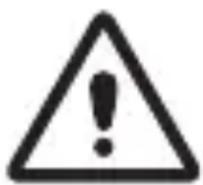
Jg JgJn Jn Jn
i 1
LTE
i 1
Therefore, AS is perpendicular to CG.
J
s 1 s 1 s 1 s 1 s 1 s 1 s 1 s 1 s
·
i 1
oalaiu uusr d ggs ygds
115
1
∴ b1 = 25/2
.
·
J 1 J 1 J 1 J 1 J 1 J 1 J 1 J 1 J 1 J 1 J 1 J 1 J 1 J 1 J 1 J 1 J 1 J 1 J 1 J 1 J 1 J 1 J 1 J 1 J 1 J 1 J 1 J 1 J 1 J 1 J 1 J 1 J 1 J 1 J
y
.
·
j
Therefore, 1/2 < 1/a < 1/a + 1
Therefore, 90°2
a
Therefore, the area of quadrilateral COBD is the sum of the area of triangle COD and the area of triangle BDO.
Therefore, it follows that
Therefore, 1/2 < 1/a < 3/2 (2)
Therefore, m = 3/11.
.
1
.
Laiis
i j 1
·
Cldss jy 1j yds oliss djl ydl jll ool ss
Sjogwalw
·
.2g Sj
.
1
. . ... + 10/1 = 1 + 10/1 + 1 > ( 10) !1
.
Therefore, 4/1 + 1/1 = 6
(2) The area of triangle APQ is 1/2 * AQ * PQ = 1/2 * 2t * 5
www.samsung.com/sar
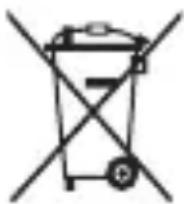
(A ∪ B) ∪ C
Therefore, the area of triangle ACD is equal to the area of triangle COD plus the area of triangle CDA.
Safety information
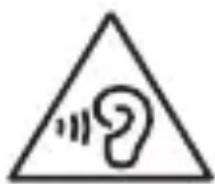
Protect your ears and your hearing from loud sounds.
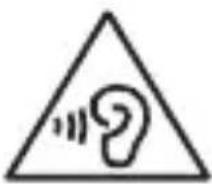
The overexposure to loud sounds can cause hearing damage or injury.
Hearing loud sounds for a long time may damage your hearing and cause accidents.
.
.17
·
.1101 111
. 1N7
This device complies with Part 15 of the FCC Rules. Operation is subject to the following two conditions: (1) This device may not cause harmful interference, and (2) this device must accept any interference received, including interference that may cause undesired operation.
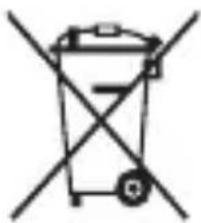
Battery: Pb, Hg, Cd per EC 2006/66. Dispose of properly.
Vishesh 3 Adivashoohgur dhr (SAR) Prmaun Jalan kara
Achivak Janaikarri www.samsung.com/sar paar jiae 3aegmabll nabur s aepnna
UdS UcPAd kA saH iNtTAR
Udtpada, Easosamroj Aor r lntreeray prar yeh makge g a ngit karei He k Udtpada Aor R isskia iolokotnik Eesomarri (Uda) chajr, Hcdsot, USB ke bcl) ko 3nny cghreelukcnye k sahng nirrtatnahi kiya Jana nna chaihi
Ainivnivit kcvirat nirrtarup sre pavayovrnap Aor marnvaiy rvaakoy k o sabivit nokshaln roekonne k liri, khya iun Ahcetm ko aonny prkaar ke kavare sae alng ka re aor saamgmi samsahghonl k deiachkaliion: Upuyogk co bduvala defne k liri uohucltntaradayri kup se rishayakkl k
Cyyawabmasaik UppayogakltaAoi kO Aapnne Aapatikl a Sre saepk KcRanna Chaihie Aor R knnu bgh k O nivm Aor r sh t Jachnl i chaihie I dss uLpada D arer Emskni Eelokotnik Easosarriok k O nirrtarpa Ka Lg Ayn Czyawabmasaik kChyare k Ssah y mshit lnhi kiya Jaana Chaihie
yeh Utpaad RoHS ka Anuopaaln karela
UdS UclpAad Me eetriy k a h
(3alg-3alg a 5
Beeetri, Mennyulnayal yea peke jinga par r yeh maikc g a ngilnt karlne h ke iusma utpada koi beeetriayo ko any charelukkayre k sahy nisrtataireit nhei kiyaa janaa chaihie] jihai vghinlat hoe, raasayanik pratloik Hg, Cd yga Pb ngilnt karrte hke b
me parrata, k e 206/66 ke sndh 5tare Achik h! yadte brotriyai uchit rupk snt nrtalarit nhi koi gie h, tao y Vaknul marnanvaiy mavatpoyovra gn k o nuokshan pohcva smknti Pakotik me mssahgna kki sahka kkrn Oer shamgni paon: Uppayogg ka o bdaivla de ne k lini krya a ln brotiriyak o Ayny prkacar k cchare sE Ahlgag k Aor i ng h Aapgnl rghaoniy mhpil teetriri riretn pruaalni se rishayekel k
Samsung does not warrant that the product or service will be uninterrupted or error-free. Samsung shall not be liable for any direct, indirect, incidental, special, consequential, or punitive damages, or any loss of profits or revenues, whether incurred directly or indirectly, or any loss of data, use, goodwill, or other intangible losses, resulting from (i) your use or inability to use the product or service; (ii) any unauthorized access to or alteration of your transmissions or data; (iii) any conduct or content of any third party on the product or service; or (iv) any other matter relating to the product or service.
To the fullest extent permitted by law, Samsung shall not be liable for any damages or losses arising out of or in connection with the use or inability to use the product or service, including but not limited to direct, indirect, incidental, special, consequential, or punitive damages, or any loss of profits, revenues, data, or goodwill, whether based on warranty, contract, tort, or any other legal theory, and whether or not Samsung has been advised of the possibility of such damages.
For any questions or concerns regarding the product or service, please contact Samsung's customer service center.
If the dryer is used for a long time, the lint filter and the condenser may become clogged, causing the temperature to rise and leading to malfunctions.
Do not dry clothes that have been treated with industrial chemicals.
After removing the dryer from the packaging, it is possible to use it for closing or other purposes.
If your dryer has a camera or is a boiler, do not place it near doors or windows.
Do not look directly at the bright light for a long time, and avoid touching it with your hands.
When removing the lint filter, be careful not to damage the filter.
If your dryer is not working properly, unplug it and contact a qualified technician. If you see sparks or smell burning, or if the dryer has been exposed to water, turn it off immediately and unplug it. If you feel any discomfort, stop using the dryer.
If you need to repair or maintain the dryer, consult a qualified technician. If you notice any damage or malfunction, stop using the dryer and contact a qualified technician. For safety, have the dryer repaired by a professional.
Reducing the risk of fire and electric shock
When cleaning the drum, using a damp cloth to wipe the inside of the drum, you may feel static electricity on your hands, arms, or other parts of your body. If the dryer is used for a long time, turn off the dryer, unplug it, and clean the drum with a damp cloth. If this condition persists or if you feel discomfort, stop using the dryer and consult a qualified technician.
When cleaning the dryer, be careful not to damage the drum and the heating element.
- Do not use harsh chemicals or abrasive cleaners.
- The cabinet may be damaged. When moving the dryer, be careful not to drop it or hit it against hard objects.
Before cleaning the lint filter, remove the lint and any debris. It is possible that the dryer may be connected to a power outlet. Do not place the dryer near a power outlet or use an extension cord. If the dryer is not working properly, unplug it and contact a qualified technician. It is possible that the dryer may be damaged or cause injury.
When the dryer is in use, keep the area around it clear of flammable materials.
- You must be aware of the safety precautions before starting the device.
- In your equipment manual or standard
- you should be familiar with the instructions.
Do not use the device or the tool without preparation.
It is possible to cause injury or damage if you do not follow the instructions. If the device or its parts are damaged, there is a risk of electric shock, fire, or injury. In such cases, stop using the device and consult a specialist.
If it is broken or damaged, do not use the device.
Do not use the device with wet hands or in contact with liquids. Contact the Samsung service center for repair.
Install the device in a safe place.
- Do not install the device in an unstable place, or attach it to unstable surfaces, or secure it firmly. Do not place the device or its accessories near heat sources or flammable materials. If the device or its accessories are exposed to heat, there is a risk of fire or malfunction.
Do not drop the device or subject it to strong impacts.
The device may be damaged or malfunction. - If you do not follow the instructions, the device may be damaged or malfunction.
Do not expose the device to high temperatures or humidity.
- The device may malfunction if it is exposed to high temperatures for a long time. If the device is exposed to high temperatures, it should be cooled down. If it is exposed to humidity, dry it thoroughly.
- Use the device only for its intended purpose. To ensure the longest possible service life of the device and its battery, follow the instructions in this manual. Failure to follow the instructions may result in damage or malfunction. The device may wear out over time. Some parts and accessories may be replaced, but damage caused by misuse or neglect is not covered.
Do not disassemble the device.
Do not install the phone near water. Keep the microphone away from moisture.
Do not use the device near water or in wet conditions.
Using the device with wet hands may cause damage. If service is required, contact Samsung service center. Do not expose the device to rain or moisture. Do not immerse the battery in water or wet it. - Remove the battery before cleaning the device. If you remove the battery while the device is on, it may cause malfunction.
If the device gets wet, dry it with a cloth.
Do not use the device with wet hands or in a humid environment. - Clean the battery terminals with a dry cloth or a soft brush. Do not use chemicals or detergents. This may cause corrosion, malfunction, or fire.
Do not place the device on an unstable surface.
The device may malfunction.
When the device is dropped, check for damage.
Only use the device with approved accessories.
Using unapproved accessories may cause damage and void the warranty.
Do not insert SIM cards, memory cards, or cables forcibly.
When inserting a card or connecting a cable, ensure it is inserted or connected correctly. If the device is dropped or the cable is pulled, the card may be ejected, which could cause damage to the card or the device. - Keep cards away from children and pets. - Protect cards from static electricity, electrical noise, and magnetic fields. - Do not touch the gold contacts or terminals with metal objects. If the card is bent, do not use it. Inserting or removing cards or cables improperly may damage the device or other equipment.
Check the power connection.
The power connection may be loose in some places or situations. If the device is used in a dusty or dirty environment, the power connection may become loose. Do not use the device in such conditions.
Protect the device from strong magnetic fields and do not place it near other electronic devices.
Keep the device away from moisture, dust, and mechanical shocks. Samsung is not responsible for damages caused by user negligence. If the device is damaged, contact a service center to have all defects repaired, and do not attempt to repair the device yourself. Read the instructions carefully before using the device. Be careful with the instructions to avoid malfunction or damage to the device. Follow the instructions for safe use and maintenance. If the device is not used properly, contact a service center for repair or replacement. If the device is dropped or damaged, follow the safety instructions to protect the device. Do not use the device in extreme temperatures, and do not expose it to moisture, dust, or use it with wet hands.
Copyrighted material
You may not use any part of the copyrighted material without permission. Unauthorized use may violate copyright laws. You may not reproduce, distribute, or create derivative works from copyrighted material without permission.
Safety warnings and precautions
Follow these instructions to protect the device from safety hazards and viruses. Failure to do so may cause device malfunction or damage, and may void the warranty.
- Do not use unauthorized accessories.
- Do not access unauthorized websites.
- Do not open suspicious emails or attachments from unknown senders. Delete them immediately and do not open them.
- Disable unused features such as Bluetooth when not in use. If the device is infected with a virus, run a virus scan and remove the virus.
- When downloading files and applications, run a virus scan on them.
- Install antivirus software on your computer and run regular scans to check for viruses. Do not change the default settings or disable the device's security features.
Device for measuring specific absorption rate (SAR)
To obtain a device with a specific SAR value, visit www.samsung.com/sar and search for your device model.
This device complies with safety standards
(For radio frequency exposure) (For other applicable standards)
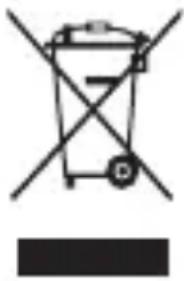
The device and its electronic accessories (e.g., chargers, cables, USB cables) should not be disposed of together with household waste.
To prevent possible harm to the environment or human health from uncontrolled waste disposal, please separate these items from other types of waste and recycle them responsibly.
Please contact your local authorities for information on how to properly dispose of these items.
To reduce the risk of fire or electric shock, when using this device, always follow basic safety precautions, including the following:
Do not use the device near water, and avoid using it with wet hands. Do not expose the device to rain or moisture. Do not use the device with damaged cords or plugs.
Do not use the device with a damaged battery or
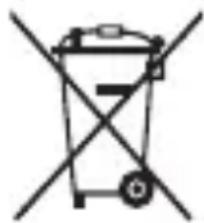
(for devices with replaceable batteries)
Do not mix old and new batteries or batteries of different types in the device. The symbols shown below indicate that the battery contains lead (Pb), cadmium (Cd), or mercury (Hg).
Batteries containing lead, cadmium, or mercury must be disposed of separately from household waste, as required by Directive 2006/66/EC. If the battery is not marked, it may still contain these substances.
To protect natural resources and promote material reuse, please dispose of batteries separately from other waste and recycle them through the designated battery collection points.
Copyright notice
This manual may contain content and services provided by third parties, which are protected by copyright and/or other intellectual property laws. Such content and services are provided solely for your personal, non-commercial use. You may not use any content or services in any way that is not permitted by the content provider or service provider. Without prior written permission from the copyright holder, you may not reproduce, modify, distribute, publish, display, perform, or create derivative works from any content or service in this manual.
SAMSUNG MAKES NO WARRANTIES, EXPRESS OR IMPLIED, WITH RESPECT TO THE CONTENT OR SERVICES. SAMSUNG DOES NOT WARRANT THAT THE CONTENT OR SERVICES WILL BE FREE FROM OMISSIONS, ERRORS, OR DEFECTS, OR THAT THEY WILL BE PROVIDED UNINTERRUPTED. SAMSUNG SHALL NOT BE LIABLE FOR ANY DAMAGES, INCLUDING BUT NOT LIMITED TO DIRECT, INDIRECT, INCIDENTAL, SPECIAL, OR CONSEQUENTIAL DAMAGES, ARISING OUT OF OR IN CONNECTION WITH THE USE OF OR INABILITY TO USE THE CONTENT OR SERVICES, EVEN IF SAMSUNG HAS BEEN ADVISED OF THE POSSIBILITY OF SUCH DAMAGES. THIS LIMITATION APPLIES REGARDLESS OF THE FORM OF ACTION, WHETHER IN CONTRACT, TORT, OR OTHERWISE.
SAMSUNG MAY TERMINATE OR SUSPEND THE CONTENT OR SERVICES AT ANY TIME, AND SAMSUNG MAKES NO COMMITMENT TO CONTINUE TO MAKE THE CONTENT OR SERVICES AVAILABLE AT ANY PARTICULAR TIME. THE CONTENT AND SERVICES ARE PROVIDED BY SAMSUNG OR ITS SUPPLIERS ON AN "AS IS" BASIS. SUBJECT TO THE FOREGOING, SAMSUNG RESERVES THE RIGHT TO MODIFY OR DISCONTINUE THE CONTENT OR SERVICES AT ANY TIME.
Samsung is not responsible for the provision of services related to the purchase of content or services. For any questions or inquiries regarding the content or services, please contact the content or service providers.
Do not use damaged power plugs, power cords, or power outlets.
A damaged power plug may cause electric shock or fire.
Do not touch the power plug, power cord, or power outlet with wet hands or other wet objects.
This may cause an electric shock.
Do not bend or damage the power cord.
This may cause an electric shock or fire.
Do not use the power outlet while it is wet or touch it with wet hands.
This may cause an electric shock.
Do not connect the power plug directly to the positive and negative terminals of the power outlet.
This may cause serious damage.
Do not use your device outdoors during a thunderstorm.
In adverse conditions, the device may get an electric shock or malfunction.
Use only batteries, chargers, and accessories approved by the manufacturer.
Using a generic battery or charger may shorten the working life of your device or cause incorrect functioning. It may also cause a fire or cause the battery to explode. Use only Samsung-approved batteries and chargers specifically designed for your device. Incompatible batteries and chargers may cause serious damage or malfunction of your device. Samsung cannot be held responsible for the user's safety when using accessories or devices not approved by Samsung.
Do not carry the device in your back pocket or near your waist.
- The device may overheat, explode, or cause a fire if excessive pressure is applied to it. If you sit on it or fall on it, you may be injured.
Do not listen to or make calls with the charger or the device.
Handle and dispose of the device and charger carefully.
Never dispose of the battery or device in fire. Never place the battery or device in heating devices, such as microwave ovens, stoves, or radiators. The device may explode if overheated. Follow all local regulations when disposing of a used battery or device. Never puncture or damage the device.
- Avoid placing the device under high pressure, which may lead to internal short circuit and overheating.
Do not drop or knock the device or the battery.
In adverse conditions, the device may malfunction, explode, or cause a fire. - The device or its parts may be damaged by small parts. If the device is used by children, ensure they use it correctly.
Do not place the device or the charger on soft surfaces, such as beds, sofas, or cushions.
In that case, it may cause a fire or serious damage.
If you do not require a lithium-ion (Li-Ion) battery, it will expire.
For safe handling and disposal of your lithium-ion battery, contact your nearest authorized service center.
Warning
If you do not follow the safety precautions, damage or injury may occur.
Do not use the device near other electronic devices.
- Most electronic devices use radio frequency signals. Your device may cause interference in the operation of other electronic devices. Using the device on an LTE connection may cause interference with other devices, such as audio equipment and telephones.
Do not use the device in a hospital, in an airplane, or in automotive equipment because it may cause interference with their radio frequency.
If possible, avoid using your device within 15 cm of a pacemaker, because the device may cause interference with the pacemaker's operation. To minimize interference with the pacemaker, use your device only on the side of your body opposite the pacemaker. - If you use medical equipment, contact the equipment manufacturer to determine if the equipment will be affected by radio frequency emissions from the device.
In an airplane, the use of electronic devices may cause interference with the aircraft's electronic navigation instruments. Turn off your device during takeoff and landing. After takeoff, you may use the device in flight mode if permitted by the crew. - Electronic devices in your car may not work properly due to radio interference from your device. Contact the manufacturer for more information.
Do not expose the device to heavy smoke or dust.
In extreme cases, this may cause damage to the device or improper functioning.
If you use a hearing aid, contact the manufacturer for information about radio interference.
Radio frequency emissions from your device may cause interference with certain hearing aids. Before using the device, contact the manufacturer to determine if your hearing aid will be affected by radio frequency emissions from the device.
Do not use your device near equipment that emits radio frequency, such as sound systems or radios.
Radio frequencies may cause your device to function improperly.
- Instead of removing the battery, disconnect the device from the potentially explosive atmosphere. In potentially explosive atmospheres, follow the instructions, warnings, and signs. Do not use the device in places where fuel is filled (gas stations), near fuel or chemicals, or in areas where dust or fumes with explosive properties are present. Do not insert or remove batteries, gas, or explosive materials in the same space where the device, its parts, or accessories are located.
If you notice an unusual smell or sound coming from your device or battery, or if you notice heat or leakage of liquid from the device or battery, stop using the device immediately and take it to a Samsung service center.
In extreme cases, this could lead to fire or explosion.
Follow all safety warnings and regulations that apply to the use of your device while driving.
While driving, your first responsibility is the safe operation of the vehicle. Never use your device while driving if it is prohibited by law. For your safety and the safety of others, use your device wisely and follow these tips:
Familiarize yourself with your device and its features, such as speed dialing and redialing. These features help you save time when making or receiving calls on your mobile device. - Position your device so it is easily accessible. Make sure you can reach your device without taking your eyes off the road. If you receive an incoming call at an inconvenient time, let your voicemail answer it for you. - Hang up or decline calls in heavy traffic or hazardous weather conditions. Rain, sleet, snow, ice, and heavy traffic can be dangerous. Do not take notes or look up phone numbers. Jotting down a note or looking up a contact takes your attention away from your primary responsibility of safe driving. - Dial carefully and check traffic. Place calls when you are not moving or before pulling into traffic. Try to plan your calls when you are not moving. Do not engage in stressful or emotional conversations that may distract you. Let the person you are talking to know that you are driving and pause conversations that could divert your attention from the road.
Properly handle and use your device
The device must always be dry
The device and its accessories may contain small parts. Keep it out of reach of children. Do not expose the device to rain or moisture. If the device is already wet, turn it off and remove the battery (if the device cannot be turned off or the battery cannot be removed, leave it as is). Then dry the device with a cloth and take it to a service center. This device has built-in temperature indicators. Exposure of the device to water may void the manufacturer's warranty.
Charge the device only on flat surfaces.
If the device falls, it may be damaged.
The device can be used in ambient temperatures from 0°C to 35°C. You can store the device at ambient temperatures from -20°C to 50°C. Using or storing the device outside these temperature ranges may cause damage to the device or reduce the battery life.
Do not leave the device in very hot places, such as inside a car in summer. Otherwise, the screen may malfunction, the device may be damaged, or the battery may explode. Do not expose the device to direct sunlight for long periods (e.g., on the dashboard of a car). The battery can be stored separately in places where the ambient temperature is between 0°C and 45°C.
Do not store the device together with metal objects, such as coins, keys, and necklaces.
The device may overheat or not function properly. If the battery contacts come into contact with metal objects, a fire may occur.
Do not store the device near magnetic fields.
- The device may be damaged or the battery may be discharged when exposed to magnetic fields. Magnetic cards, including credit cards, phone cards, bank cards, and internet cards, may be affected by magnetic fields.
Do not use the device for a long time if it becomes hot.
Prolonged exposure of your skin to a hot device may cause symptoms of low temperature burns, such as red spots or skin irritation.
Do not use the device with a damaged battery cover.
The battery may leak from the device, which may result in damage or malfunction.
If the device is equipped with a flash or light, do not use the light close to people's eyes.
Using the device near a fire may cause temporary loss of vision or damage to the eyes.
Pay careful attention when the device is placed on a surface.
- Before you start using it, make sure the device is turned on and do not hold the screen too close to your eyes.
- Some people may experience discomfort when the device is placed on a surface while watching videos or playing games. If you feel uncomfortable, stop using the device. If someone close to you feels discomfort or loses consciousness while using the device, consult a doctor before using it.
- If you experience dizziness, blurred vision, or eye strain, stop using the device and consult a doctor. To prevent discomfort, take regular breaks while using the device.
You are at risk of injury from repetitive movements.
When you repeat certain movements, such as pressing keys, drawing on the screen, or playing games, you may experience occasional discomfort in your hands, arms, shoulders, neck, or other parts of your body. When using the device for long periods, keep it relaxed, press the keys lightly, and take regular breaks. If you still feel discomfort during use, stop using the device and consult a doctor.
Protect your hearing when using headphones.
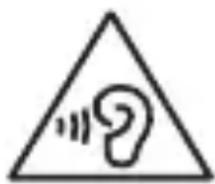
Listening at high volume can damage your hearing. Listening at high volume can distract you and cause accidents.
- Always adjust the volume before connecting headphones to the audio source and use only the minimum volume needed to hear your conversation or music. In dry environments, static electricity may occur in the headphones. Avoid using headphones in dry environments or touch a metal object to discharge static electricity before connecting the headphones to the device. Do not use headphones while driving. Otherwise, it may distract you and cause an accident, or it may be illegal depending on your region.
Be careful when using the device while walking or moving.
- Always be aware of your surroundings to avoid injury to yourself or others. Watch the headphone cable to avoid tripping over it or catching it on objects.
Do not expose the device to water or place heavy objects on it.
Water and heavy objects can damage the device's components and prevent proper operation. If you are allergic to certain materials or metals used in the device, you may experience itching, rash, or skin irritation. If this occurs, stop using the device and consult your doctor.
Do not use the device if it is cracked or broken.
Cracked glass or acrylic can injure your hands or face.
Do not service the device yourself. For service, contact Samsung to avoid damage.
Install the device carefully and with attention.
- Make sure the device and the corresponding equipment are installed correctly in your vehicle to ensure safe operation.
- Avoid placing the device near the air conditioning vents. Improper installation of the device may cause serious damage when the air conditioning vents are opened.
Do not drop the device and do not subject it to impacts.
Your device may be damaged or may not function properly. If it is scratched or deformed, your device may be damaged and some parts may not function.
Ensure maximum battery life and performance.
- Batteries may not work properly if they are not used for a long time.
- After some time, the device that is not used will discharge the battery. It must be charged before use.
- Disconnect the device from the power source when not in use. Use the battery only for its intended purpose.
Follow the instructions in this section to ensure the longest possible service life of your device's battery. Damage or reduced performance caused by improper use or failure to follow the instructions may void your warranty. - Your device may wear out over time. Some parts and repairs are covered by the warranty during the warranty period, but damage or deterioration caused by the use of unapproved accessories is not.
While using the device, perform the recommended tasks.
Hold the device correctly, just like a regular phone. Speak directly into the microphone.
Do not disassemble, modify, or repair your device.
- Any changes or modifications may void the manufacturer's warranty. If your device needs service, take it to a Samsung service center.
- Replace the battery only with the same or equivalent type recommended by the manufacturer.
- Remove the battery before disposing of the device. If you remove the battery while the device is on, it may cause the device to malfunction.
While using the device, follow the safety instructions.
Clean the device with a dry or slightly damp cloth. Do not use chemicals or detergents. Otherwise, it may cause discoloration or corrosion of the device's surface, or may result in electric shock or fire.
Use the device only for its intended purpose.
Your device may function properly.
Avoid distracting others when using the device in public.
Allow only qualified personnel to service your device.
Servicing by unqualified personnel may cause damage, and with that, void your warranty from the manufacturer.
Handle SIM cards, memory cards, and cables with care.
When inserting a card or connecting a cable to the device, make sure the card is inserted or the cable is connected in the correct direction. Do not remove the card while the device is transferring or accessing information, as this may result in loss of data and/or damage to the card or device. Keep cards away from strong impacts, static electricity, and electrical interference from other devices. Do not touch the gold contacts or connectors with fingers or metal objects. If the card is not clean, wipe it with a soft cloth. Inserting the card or connecting the cable incorrectly or improperly may cause damage to the memory card or other parts of the device.
Ensure access to emergency services.
Emergency calls from your device may not be possible in some areas or circumstances. Before traveling to remote or undeveloped areas, plan an alternative method for contacting emergency personnel.
Protect your personal data, and prevent leakage or misuse of sensitive information.
- When using the device, be sure to make backup copies of your important data. Samsung is not responsible for any data loss. When you want to dispose of your device, make a backup copy of your data, then reset your device to prevent unauthorized use of your personal data. Carefully read the notice about disposing of applications. Be especially careful with applications that have access to many functions or to significant amounts of your personal data.
- Please check your bills for unauthorized or suspicious use. If you notice any signs of misuse of your phone number, contact your operator to block or change your number for billing purposes. In case you lose it or it is stolen, immediately notify the authorities of your bills to protect your phone numbers.
- Avoid using applications from unknown sources and lock your device with a password, PIN, or pattern.
Do not distribute copyrighted material.
Do not distribute copyrighted material without the permission of the rights holder. Doing so may violate copyright laws. The manufacturer is not responsible for any legal claims arising from illegal use of copyrighted material.
Malware and viruses
To protect your device from malware and viruses, follow these usage tips. Otherwise, damage or loss of data may occur and may not be covered by the warranty.
Do not download unknown applications. Do not visit untrusted websites. - Delete suspicious messages or emails from unknown senders. - Set a password and change it regularly. - Deactivate wireless functions such as Bluetooth when not in use. If the device functions abnormally, scan it for infections with antivirus software. - Scan your device with antivirus software before starting newly downloaded applications and files. - Install antivirus software on your computer and regularly update it to check for infections. - Do not modify the registry or modify the operating system of the device.
Information about the SAR (Specific Absorption Rate) certificate
For more information, visit www.samsung.com/sar and search for your device by entering its model number.
Do not use the device while driving or operating machinery.
Do not use the device near medical equipment.
Do not use the device while charging or touch the charging port with wet hands.
Do not use the device in explosive environments.
Do not expose the device to high temperatures or direct sunlight.
Using the device while charging may cause electric shock or fire.
Do not use the device if the screen is cracked or damaged.
If the screen is cracked or damaged, do not use the device until it is repaired.
Avoid exposing the device to water, moisture, or high humidity.
If the device gets wet, do not use it until it has dried completely. If the device is damaged due to water, it may not be repairable. Only Samsung-certified repair centers can repair the device. Using unauthorized repair services may void the warranty. Samsung is not responsible for any damage caused by unauthorized repairs.
Do not use the device if the screen is cracked or broken.
If the screen is cracked, it may not be repairable. If the screen is severely damaged, it may not be repairable.
Do not disassemble or modify the device.
Do not expose the device to extreme temperatures.
- Do not place the device near heat sources such as radiators, stoves, or heaters. Do not place the device in direct sunlight. Do not use the device in humid environments. Follow all safety instructions provided with the device.
- Do not drop or throw the device. Do not subject the device to strong impacts or vibrations.
Keep the device away from water and moisture.
- Do not expose the device to extreme temperatures. High or low temperatures can damage the device, reduce battery life, and cause malfunctions.
- Do not use the device with wet hands. Do not use the device in the bathroom or near water. Do not use the device while charging.
Do not place the device near heat sources such as radiators, stoves, or heaters. Do not place the device in direct sunlight.
Do not use the device if it is damaged or cracked.
Do not touch the wires with wet hands or while standing on the ground or a damp floor.
The wire can be pulled out of the terminal block by pressing the lock, and can be inserted by pressing the lock.
Do not place heavy objects, heat sources, or sharp objects on the cable, and do not use it near water or in damp places.
Use only the specified terminal block.
When pulling out the wire, follow all rules, regulations, and precautions for safe operation.
When operating the machine, it is your responsibility to ensure safe operation. If the machine is used by others, do not touch the wires. Be aware of your own and others' safety, and consider the following advice:
- Be familiar with the operations such as turning on/off, quick stop, and restart. If the operation is dangerous, it should be performed within the specified time.
- Place the wires in a safe location. Check that the wires are not damaged by sharp objects. If an emergency stop is pressed, reset the emergency stop button. Do not use the wires in places where they may be exposed to water, oil, gas, or other liquids. Do not bend or pull the wires excessively. The "emergency stop" button should be pressed firmly, and it is your responsibility to ensure safe operation and to prevent accidents.
- Operate the buttons carefully, and check the condition of the machine. If the machine is operating, press the emergency stop button before operating. If the machine is not operating, the buttons can be operated.
- Be careful not to touch the wires with wet hands or while standing on the ground or a damp floor. If you touch the wires, you may receive an electric shock, so be careful.
Therefore, be careful and use as instructed.
Keep the wires away from heat.
- If the wire is damaged or the insulation is broken, it may cause a short circuit or fire. Do not use damaged wires. If the wire is damaged, turn off the power and replace it (if the wire is damaged, the power cannot be turned off, so the device is unusable). Then, clean the wire with a dry cloth and have it inspected by a qualified technician.
- The handset contains a battery. Do not expose the battery to excessive heat or fire.
Store the handset in a cool, dry place.
Do not drop or impact the handset.
The handset can be used in environments with temperatures between 0°C and 35°C. The handset must be stored at temperatures between -20°C and 50°C. Exceeding the specified temperature range may shorten the battery life or cause malfunction.
Do not leave the handset in a hot car or in places where the temperature exceeds 60°C. Leaving the handset in such conditions may cause the battery to leak or deform. Do not place the handset on unstable surfaces for long periods. It can be stored in places with temperatures between 0°C and 45°C.
Do not place the handset near metal objects such as coins, keys, or chains.
- The handset may be damaged if dropped or impacted. If the battery terminals come into contact with metal objects, a fire may occur.
Store the handset away from magnetic fields.
- Do not place the handset near magnetic cards, such as credit cards, or near electronic devices that emit magnetic fields. Magnetic fields can erase data stored on magnetic media.
If the handset is damaged, do not use it and contact the service center.
If the handset is damaged, do not attempt to repair it yourself. Contact the service center for repair.
Do not use the handset if the battery is leaking.
If the battery leaks, avoid contact with the liquid and contact the service center.
If your handset has a camera or flash, keep it away from the eyes of people and animals.
If you use the handset improperly, it may cause injury or damage.
AHHB4aI r3p3Jd eptexde6oJrOOMKToi 6aI.
- Tap ytcblg aunrna6aix yeD epeHd rApnir acaanTaN 6aJraH dJIrgn HUdHd3xT Onp 6yy 6apb.
- Ydaan xyraaand Bndeo y3x 3CB3n r3p3n 3aapr4tai TOrLOOM TorIOX yeHyD xypdAn aHNBuNX 6yR 3p3nD ePTcOHeep TaTAX yHax 3CB3n yxaH aIdax ToxnoJdoi rapDar. X3p3B 6ne TaHb 3BrynpB3n rap yTcbir aunrlaxaa dapyB X3p3B TaHbTaH xOJI60OTOn X3H H3r3H xYH INKIN TcCTaX3p3rC3aAunrIax 6aIx yeI3TataX yHaCaH 3CB3J yXaaH aIJaX 6aIcaH 6oIrap yTCbIR aUnrIaxbIH EmHe 3MUT3N 3EBnI.
XpB TaHd 6ne 3Bry npx, Wepme C TaTax, TOLrOJ 3prx uHHK TmDnI nI3Pb3I rap yTcBir aunrraxaa dapy 30rcooK, M43C 3OBJeOe AB. Hyd yapaxaac ypbduh cprnJxH tyIg rap ytcbr aunrnaK 6aix yeD3O np oipxoh 3ABCapJax 6ai.
Reduce the risk of electric shock.
If any part is damaged or worn, for example, cracked or broken, or if the cord or plug is damaged, or if the device has been dropped or damaged, or if it has been exposed to water or other liquids, do not use it. If the cord is damaged, have it replaced by the manufacturer or a qualified person. If the device is not working properly, or if it has been damaged, contact the manufacturer or a qualified person for repair.
When using the device, listen to the sounds it makes.
- The sound of the device may be a warning sign.
- When starting, the sound of the device may indicate a problem; if it is abnormal, stop using it.
- Before using the device, make sure the sound is normal. If you hear any unusual noise, stop using it.
If the device is used improperly, it may cause damage. Do not use the device if it is damaged. If the device is damaged, contact the manufacturer or a qualified person for repair. If the device is not working properly, do not use it. In some cases, using the device may be illegal in your area.
When using the device, be careful not to damage the cord.
- Keep the device away from heat and moisture.
- Do not use the device near flammable materials.
Do not use the device if it is damaged.
If the handset gets wet, wipe it with a clean, soft cloth. If you drop the handset or subject it to impact, it may be damaged. If the handset is dropped or impacted, the screen may be damaged. If the screen is damaged, stop using the handset and contact Samsung service center.
If the handset is wet or damaged, do not use it.
If the handset is damaged, the warranty is void. If the handset is damaged, contact Samsung service center for repair.
Do not use the handset in a dusty environment.
Keep the handset away from magnetic fields, as they can cause malfunctions. Do not place the handset near magnetic cards or other magnetic media, as the magnetic field can erase data stored on them. Improper use of the handset may cause data loss.
Do not drop or throw the handset.
If the handset is dropped or impacted, it may be damaged. If the handset is dropped or impacted, the internal components may be damaged and may not function properly.
The battery has a limited lifespan.
The battery does not need to be fully discharged before recharging. If the handset is not used for a long time, the battery may discharge. Recharge the battery before using the handset. The battery and other accessories should be disposed of properly. Do not dispose of them in household waste. The handset may be damaged if used with a non-approved battery or charger. If the handset is used with a non-approved battery or charger, it may cause damage to the handset and void the warranty.
When using the handset, observe the following precautions.
- Hold the handset with a firm grip and keep it away from your body.
- Keep the handset away from small children.
Do not disassemble, modify, or repair the handset yourself.
- If you make any modifications or changes to the handset, the warranty will be void. If the handset needs repair, contact Samsung service center.
- Do not use the handset near flammable gas or liquids. Turn off the handset before entering such areas. If the handset is used in such areas, it may cause a fire or explosion.
Tap yTcblr c3B3pI3x43dapaax 3yJInr anXaapHa yy!
- Rap yTac 3CB3I I3H3r3r4nI r aIyyp 3CB3I I3B3pI3r4eap. 3aHbI TepMHaBbIg XeBHeHrOep 3CB3JI aIyUpaap U3B3PJI3. XIMINH 6oJnc 3CB3I yraalrBIn 6oJnc 6yy aunrgna. NIM 6oJnc XpRJI3B3I rap yTachbI rAdHa TaIbIH 6yDar apnlaX, 3Bp3X, TOROHd Loxnylax 3CB3I rA1 rapaxad xyprrk 60J3Oswryi.
Tap ytcbir 3opnylaaltaac Hb eep 3opnilroop 6yy aunrna.
TahbI rap yTaChbI axKIIJIarAAHd aJdaa rapu maraIryn.
Tap ytcbr onoH HnHTnH ra3ap aunrnaXdaa 6ycdbH taBbH 6aIbI r aIdargyIaxaaac 3aJcXn.
Tap yTcaHx xHx 3acBap yIyIuIr3r 3OBXoH M3pr3KlnH xHyH3p xHJr3.
MəprəxlniH 6yc xynəp 3acyyIax Hb rap yTcblr rMT3JX 6oJ30Uryi 6eOeD yInB3Pn3rHuN 6ataIraar xyuHry 6oJroHO.
SIM KapT, caHax O'H KapT, Ka6eIbTaH 6oJIroOMxKToH XapbU.
- Kaptbir opyylax 3CB3J Ka6eHnR rap yTcaHd xOJIbOxDOo KapTBir 3EB TaIaap Hb opyyJk, Ka6eHnR 3EB TaIaH b XOJIbOcHbR HArTaI.
- Θετηλαλγ 6ολχ, καρτ 6ολον xερασικιριν τλΜτελχ 6ολοχ τυλ rap yτcaap M3d3πλι ΣaMxkyλχ εCB3π M3d3πλιδ xαHαχ 6aɪraa γεικ καρτbɪr 6yy calra. Kaptbir xyuyT3n 0oxnI, qaxnilraaHxknI, 6ycaI xp3rclnH qaxnilraaHbI dyy yIM3H3C xaMraan. AITIaR eHReT3KoHTaKTyyd 3CB3JI TepMnHaIyydaI rapaapaa 6yp xyp 3CB3JI MetaII 3d 3yIn 6yy xypr3. XpB 6oxnpDCOH 6aIBaI KapTBIR 3eJHeH aIyypaap apnX cB3PJI. KapTBir xyu3p/6bpyy opyylax, Ka6eIIMr MEn aIIN xUy3p/6bpyy XoJI6OBoI rap yTachbl OLOH 3OpnylaIbIH yyp 3CB3J 6ycaI d anHryd rMT3X MaarIgY.
Tyrp3H TycIaMxH yIyIuIr3Hd xaHdx 6oIomKToi 6aix.
3apim ra3ap 3CB3n HoxeJbAaId rap yTaChaaCaa Tpyr3H TycJamxH DyydIara xnx 6oIOMKryB 6aJx Maadry. AiclaarMaJ 3CB3n 6yypai XerKnlT3n ra3ap pyy aJaxbIH eMHe Tpyr3H TycJamxH YJlUHr3HN JxNITHydTaN xol6oo 6apnx eep apra 3amblr TeJIeBJe.
XyBnH M3d3JIa3xamraan, xyBnH 3M3r M3d3JIa3uacardaX, 6ypyy aunrglaardaxaac ypbduHaH cprnI.
- Tap ytcbr aunrnaa 6aXdaa uyxan M3d3nI3n HoeueJx ab. AInBaa M3d3nI3n aIdaarcaH ToxnoIdoJd Samsung xapnylara xyI3xryi.
- Tap ytcblr xaxdaa 6yx M3d3JIInr HHeOeJx aBaad, daaa Hb rap yTcaa daxinH fOpMaTlax, xyBnH M3d3JI3I TaHb 6ypyy aunrglaardaxaac cprn. AinBaa nporpam taTak abaxdaa 3EBWoeepnHb aHxaapalTan yHnK TaHnL. OIOH TOOHbI YINdAN 3CBN INX XmK3HN XyBN H MAnJxHaHdI nporpamyyad Hn 6OJIROOMKTOXAHd. 3eBwOepeIpyn 3CBnI cKnITaunrBaIgXbAraa 3cxnIg OJX M3dAnxHnTuln DaHcaa TOrTMol 7aIraX 6aN. Xp3B xyBnH M3d3AnInr TaHb 6ypy 3Opnilroop aUnrJaX 6aIraa Map H3r 7HHK TmD3r nI3Pb3n DaHChbl M3d3Anl3 yCTryylnx 3CB3n eepuJeXnH Tyln YnIyIINrEY3yyIrgnXd XaHd.
- This device complies with the requirements for radio frequency exposure and is safe for use.
- Before using any program, please read the user manual carefully.
Materials protected by copyright may not be reproduced.
Unauthorized reproduction of copyrighted materials may be prohibited. If necessary, consult the copyright holder. Unauthorized use of copyrighted materials may result in legal liability.
Virus program and antivirus.
To protect against viruses, follow the recommendations below. Otherwise, your device may be damaged or data may be lost.
- Do not install or uninstall programs.
- Do not disassemble or modify.
- Before using the device, read the instructions carefully. Keep them for future reference.
- Bluetooth functions may not work properly. If the device is not in wireless mode, install the antivirus program and update it regularly.
- Do not run programs that are not from trusted sources. Install antivirus software on your computer and update it regularly.
- Do not change or modify the system of the wireless device.
Information on the SAR (Specific Absorption Rate) for radio frequency exposure.
Do not carry the device in your pants pocket or on a belt.
Do not throw the battery or mobile device, and do not subject them to impact.
Be careful when working with mobile devices and chargers and when disposing of them.
- Never dispose of used batteries with the device. Never place batteries or device inside or on the surface of heating appliances, such as microwave ovens, ovens, or radiators. If overheated, the device may explode. Follow all local regulations for disposal of used batteries and devices. Do not drop or puncture the device.
- Avoid applying excessive pressure to the device, as this may cause a short circuit and damage.
Protect the mobile device, batteries, and charger from damage.
- Protect the device and battery from extreme temperatures.
- Overheating or overcooling may damage the device. In addition, it adversely affects the battery capacity and service life. Do not connect the positive and negative terminals of the battery together, and make sure they do not come into contact with metal objects. Otherwise, this may lead to battery damage. Do not use damaged chargers or batteries.
Do not store the device near heaters, microwave ovens, hot kitchen equipment, or in containers with high pressure.
- The battery may leak.
- The device may overheat and cause a fire.
Do not use or store the device in places with high concentrations of dust or aerosol substances.
Dust and foreign substances may cause device malfunction, and may also lead to fire or electric shock.
Avoid contact of the universal connector and the charger connector with conductive materials such as liquids, dust, metal powder, and pencil lead.
Conductive materials may cause short circuits or corrosion of the connectors, which in turn may lead to explosion or fire.
Do not chew or swallow the device or battery.
- This may cause damage, explosion, or fire of the device.
- Do not let children use the device or access the device's accessible paths.
- If the device is used by children, make sure they use it correctly.
Do not insert the device or accessories not intended for this purpose into the eyes, ears, or mouth.
This may lead to deterioration of vision or serious injuries.
It is forbidden to use damaged or leaking lithium-ion batteries.
Information on the safe disposal of lithium-ion batteries can be obtained from the nearest specialized service center.
Warning
Failure to comply with these warnings and safety instructions may result in injury or damage to equipment.
It is forbidden to use the device near electronic devices.
- Most electronic devices and devices emit radio frequency signals. The device may interfere with their operation.
- The history of data transmission via LTE may interfere with the operation of other devices.
To avoid interference with the operation of appropriate devices, it is forbidden to use the device in hospitals, airplanes, or automobiles.
- Keep the device turned on at a distance of at least 15 cm from a pacemaker. - To reduce the effect of the device on a pacemaker, hold the device to the opposite ear if the pacemaker is installed on the left side of the chest, and vice versa. - If you use any medical devices, contact their manufacturer to ensure that the radio frequency signals emitted by the device do not affect these devices. - The history of using the device in an airplane can cause interference with its navigation systems. Do not forget to turn off the device during takeoff and landing. After takeoff, it is allowed to use the device in autonomous mode with the permission of the flight crew.
- -
- -
- -
- -
- -
- -
- -
- -
- -
- -
- -
- -
- -
- -
- -
- -
- -
- -
- -
- -
- -
- -
- -
- -
- -
- -
- -
- -
- -
- -
- -
- -
- -
- -
- -
- -
- -
- -
- -
- -
- -
- -
- -
- -
- -
- -
- -
- -
- -
- -
- -
- -
- -
- -
- -
- -
- -
- -
- -
- -
- -
- -
- -
- -
- -
- -
- -
- -
- -
- -
- -
- -
- -
- -
- -
- -
- -
- -
- -
- -
- -
- -
- -
- -
- -
- -
- -
- -
- -
- This device may create interference in the operation of automotive electronic equipment. For additional information, contact the vehicle manufacturer.
Avoid excessive exposure to vapors and fumes on the device
This may damage the device housing or cause a malfunction.
If you use a hearing aid, contact its manufacturer for information on interaction with the device.
When turned on, the device may cause interference with some hearing aids. Before using the device, contact the manufacturer to ensure that the radio frequency signals emitted by the device do not affect the hearing aid.
Do not use the device near equipment or apparatus that emits radio waves, such as sound systems or radio equipment.
Radio waves may cause malfunctions in the device.
Turn off the device in a potentially explosive atmosphere.
In a potentially explosive atmosphere, turn off the device and do not remove the battery. In a potentially explosive atmosphere, strictly follow all rules, instructions, and warning signs. Do not use the device at gas stations, near fuel or chemical containers, or in areas where blasting operations are performed. Do not store or transport flammable liquids, gases, or explosive substances together with the device, its components, or accessories.
Do not store the device near sources of magnetic fields.
- Exposure to magnetic fields may cause malfunctions in the device or discharge the battery.
- Also, exposure to magnetic fields may damage cards with magnetic stripes, such as credit cards, phone cards, bank books, or boarding passes.
If the device overheats, take a break from using it.
Prolonged contact with an overheated device may cause skin redness or pigmentation.
Do not use the device without the rear cover.
The battery may fall out of the device, which could lead to damage or malfunctions.
If the device is equipped with a flash or flashlight, do not use them too close to the eyes of people or animals.
This may cause temporary loss of vision or damage to the eyes.
Protect your eyesight when using the device.
Do not hold the device too close to your eyes. When using it in a room, always leave at least one light source on. Prolonged viewing of video recordings and use of Flash may cause vision impairment, and if you have an eye condition, it may exacerbate its symptoms. If you experience any discomfort, immediately stop using the device.
- If any of your relatives have experienced vision impairment or dizziness when using a similar device, consult a doctor before using this device.
- If you experience discomfort, watery eyes, or visual disturbances, immediately stop using the device and consult a doctor.
- To reduce eye strain, take regular breaks while using the device.
Remember the risk of injury when using the device.
When performing repetitive actions, such as pressing keys, drawing symbols with your finger on the touch screen, and controlling games, you may experience discomfort in your arms, neck, shoulders, or other parts of the body. For prolonged use of the device, it is recommended to hold it in a relaxed hand, press keys without force, and take regular breaks. If discomfort occurs during or after using the device, consult a doctor.
Protect your hearing when using the headset.
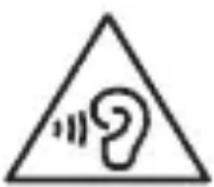
Prolonged exposure to sound at very high volume may cause hearing damage. During a call, high-volume sound can distract your attention and lead to accidents.
Before connecting the headphones, lower the volume level. Set the minimum volume level at which you can hold a conversation or listen to music. In low humidity conditions, static electricity may accumulate in the headset. In low humidity, do not use the headset; before each connection to the device, touch a metal object to discharge accumulated static electricity. Do not use the headset while driving or riding a bicycle. This may distract your attention and lead to an accident; it may also be prohibited in your country.
Exercise caution when talking on the device while walking or in motion.
To avoid injury, always be aware of your surroundings. Make sure the headset cord does not get tangled in your hands or clothing items.
Do not paint the device or apply stickers to it.
Paint or stickers may interfere with the normal operation of the device's moving parts. An allergic reaction to paint or metal parts of the device may be accompanied by itching, eczema, or skin inflammation. In this case, immediately stop using the device and consult a doctor.
Do not use the device if it has cracks or is broken.
Broken glass or acrylic parts may cause injury to hands or face. Take the device to a Samsung service center for repair.
Carefully install mobile devices and equipment.
- Keep mobile devices and equipment installed in the vehicle securely fastened. Do not place the device or its accessories in the airbag deployment zone or near it. Incorrect installation of wireless communication equipment may lead to serious injuries in the event of an airbag deployment.
Do not drop the device and avoid strong impact on it.
- This may lead to damage to the device or malfunctions in its operation.
- If the device is bent or deformed, it may be damaged, and components may malfunction.
Ensuring maximum battery and charger service life
- The battery may fail if not used for an extended period.
- If a fully charged battery is not used, it will discharge over time.
- After charging the battery, always disconnect the charger from the power source.
- Batteries should be used only for their intended purpose.
- To ensure maximum service life of the device and battery, follow all instructions in this manual. Damage and reduced performance of the device caused by failure to follow these warnings and instructions will void the manufacturer's warranty. Over time, the device wears out. Replacement of some parts and repair work are covered by warranty during the warranty period, while wear and damage to the device caused by the use of unapproved accessories are not.
When using the device, remember the following:
Hold the device vertically, like a cordless phone. Speak into the device's microphone.
Do not attempt to disassemble, repair, or modify the device.
Emergency call
In some areas and circumstances, emergency calls may not be possible. If you are traveling to remote or unserviced areas, arrange an alternative way to contact emergency services.
Take your personal data protection seriously. Avoid leaks or unauthorized use of important information.
- When using the device, do not forget to regularly create backup copies of your data. Samsung is not responsible for the loss of any data.
- Before disposing of the device, create a backup copy of your data and perform a factory reset to prevent your personal information from falling into the hands of others.
- When downloading applications, carefully read the access rights information. Pay special attention to applications that have access to many device functions or to your personal data.
- Regularly check your account statements for unauthorized or suspicious use. If you notice any signs of suspicious activity, contact your mobile operator to delete or change information about your account. In case of theft or loss of your device, change the passwords of your accounts and the screen lock to protect your personal data.
- Avoid using applications from unknown sources and always lock your device with a pattern, password, or PIN code.
Distribution of copyrighted materials is prohibited
Distribution of copyrighted materials without the permission of the respective owners is prohibited. This is a violation of copyright law. The manufacturer is not responsible for any illegal use of copyrighted materials.
Radio waves and viruses
This marking on the battery, manual, or packaging indicates that the batteries used in this product should not be disposed of with other household waste at the end of their service life.
The chemical symbols Hg, Cd, or Pb indicate that the battery contains mercury, cadmium, or lead in amounts exceeding the control levels in EU Directive 2006/66. If batteries are disposed of improperly, these substances can harm human health or the environment.
To protect natural resources and promote material reuse, separate batteries from other waste and recycle them through your local battery recycling system.
The symbol 'non-recyclable product' is applied in accordance with the technical regulation of the Customs Union 'On the safety of packaging' 005/2011 and indicates that the packaging of this product is not intended for repeated use and must be disposed of. It is prohibited to use the packaging of this product for storing food products.
The symbol “NeTЯ Meбница” indicates the possibility of recycling the packaging. The symbol may be supplemented with the designation of the packaging material in the form of a digital or letter designation.
Disclaimer of Liability
Some content and services available through this device belong to third parties and are protected by copyright law, patents, trademarks, and/or other intellectual property laws. Such content and services are provided solely for non-commercial personal use. Any use of content or services in a manner other than as specified by the owner of the content or the service provider is prohibited. Without limiting the foregoing, unless expressly approved by the owner of the applicable content or the service provider, you may not modify, copy, republish, upload, post, transmit, translate, sell, create derivative works, exploit, or distribute any content or services available through this device in any manner or by any means.
Content and services of third parties are provided ‘as is’. Samsung makes no warranties, express or implied, regarding the use of such content or services with any device. Samsung expressly disclaims any implied warranties, including (but not limited to) warranties of merchantability and fitness for a particular purpose. Samsung does not guarantee the accuracy, validity, timeliness, legality, or completeness of any content or services available through this device, and under no circumstances, including negligence, shall Samsung be liable, whether in contract or tort, for any direct, indirect, incidental, intentional, or consequential damages, attorney's fees, expenses, or any other losses arising from or in connection with the use of any information contained in any content or service, or as a result of the use of the latter by you or any third party, even if you or they have been advised of the possibility of such damages.
Services of third parties may be terminated or interrupted at any time, and Samsung makes no representation or warranty that any content or service will remain available for any period of time. Content and services are transmitted by third parties through networks and transmission facilities over which Samsung has no control. Without limiting the generality of this disclaimer, Samsung expressly disclaims any liability for any interruption or temporary cessation of the provision of content or services available through this device.
Samsung takes no responsibility for customer service related to this content or services. Any questions or requests for service related to the content or services should be directed to the respective providers of the content or services.
- Paint and adhesives
- If you are allergic to paint or the metal parts of the device, you may suffer from itching, eczema, or swelling of the skin. If this happens, stop using the device and consult a doctor.
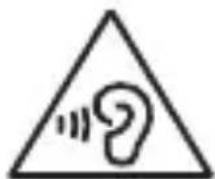
- 1
- 1 · 1
- 1
- 1
y
#
- ·
- 1996
- 1
- 1
- -
Do not use damaged cables, plugs, or loose electrical outlets.
Using unprotected connections may result in fire or electric shock.
Do not touch the device, charger, or its cable or electrical outlet with wet hands or other wet body parts.
This may result in electric shock with fatal consequences.
Do not bend or damage the power cable.
This may result in fire or electric shock.
Do not use the device while charging and do not touch the device with wet hands.
This may result in electric shock.
Do not connect the positive and negative poles of the charger to each other.
This may result in fire or serious injury.
Do not use the device during a thunderstorm.
This may result in electric shock or device malfunction.
Use only batteries, chargers, and accessories approved by Samsung.
Using third-party batteries or chargers may shorten the device's lifespan and cause malfunction. Their use may also result in battery damage or explosion. Use only Samsung-recommended batteries and chargers specifically designed for your device. Incompatible batteries and chargers may seriously damage or render the device inoperable. - Samsung is not responsible for user safety when using accessories or accessories not approved by Samsung.
Do not carry the device in your back pockets or on your waist.
- During operation, the device may be damaged, and this may lead to an explosion or fire. You may be injured when using it.
Do not throw or damage the battery or device.
Store the device and battery safely.
Never throw the battery or device into fire. Never place the battery or device inside or near heat sources such as microwave ovens, stoves, or radiators. If the device overheats, it may explode. Follow all local rules regarding the disposal of used batteries or devices.
Never disassemble the device or drill holes in it. Do not expose the device to high external pressure. This may cause an internal short circuit and overheating.
Protect the device, battery, and charger from damage.
- Avoid exposure to low and high temperatures on the device and battery. Extreme temperatures may damage the device and also reduce the battery capacity and service life of the device and battery. Do not connect the positive and negative terminals of the battery; avoid their contact with metal objects. This may cause battery malfunction. Never use damaged chargers or batteries.
Do not store the device near heaters, microwave ovens, gas stoves, or high-pressure containers or in their vicinity.
Radio waves may cause device malfunction.
Turn off the device in potentially explosive environments.
Turn off the device in potentially explosive environments and follow all instructions and signs. Do not use the device at gas stations, near fuel or chemicals, or in areas where blasting operations are carried out. Do not store or carry flammable liquids, gases, or explosives in the same compartment as the device, its parts, or accessories.
Failure to comply with these instructions may lead to injury or explosion.
Follow all safety rules and warnings when using mobile devices while driving.
When driving, you must ensure conditions for safe driving. Never use a mobile device while driving if it is prohibited by law. For your own safety and the safety of others, use common sense and follow these recommendations:
- It is recommended to familiarize yourself with your device and its useful functions, such as speed dial and redial. These functions allow you to make or receive calls with the help of the mobile device.
- Place the device in a safe place. Position the device so that it can be taken without leaving the road. If you are currently unable to make a call, let the voice assistant make the call for you. Make calls only when traffic conditions are safe or when the vehicle is parked. Rain, snow, ice, and heavy traffic can be dangerous. Do not make calls or answer phone calls. Working with a to-do list or reading an address book distracts from the main task - safe driving. When dialing, watch the traffic. Try to make calls only when the vehicle is stationary or before entering traffic. Try to schedule calls for times when the vehicle is parked. Do not engage in stressful or emotional conversations that may distract you from the road. Inform your interlocutors that you are driving and avoid conversations that may divert your attention from the road.
Keep an eye on the device and use it with care.
Protect the device from moisture and liquids.
- Moisture and all types of liquids can cause damage to parts or electronic circuits of the device. Do not turn on the device if moisture has gotten on it. If the device is turned on, turn it off and immediately remove the battery (if the device does not turn off or the battery cannot be removed, take it to a service center). After this, wipe the device with a cloth and take it to a service center.
- The device is equipped with built-in indicators.
- Damage caused by improper use of the device may
- void the manufacturer's warranty.
Store the device on a flat surface.
A fall can cause damage to the device.
The device can be used at ambient temperatures from 0°C to 35°C. The device can be stored at ambient temperatures from -20°C to 50°C.
Storing the device at higher or lower temperatures may damage it or reduce the battery life.
Do not store the device in very hot places, for example, inside a car in summer. This may cause screen malfunction, damage to the device, or battery explosion. - Avoid direct sunlight on the device for a long time (for example, on the car dashboard). - The battery can be stored separately from the device at ambient temperatures from 0°C to 45°C.
Do not store the device with metal objects such as coins, keys, and jewelry.
- This may cause deformation or malfunction of the device. Contact of battery contacts with metal objects may cause fire.
Do not store the device near magnetic fields.
Magnetic fields can damage the device or damage the battery. Magnetic fields can cause damage to cards with magnetic stripes, including credit and telephone cards, bank settlement books and passports.
Do not use the device or programs of the device during a thunderstorm.
Prolonged use of the device on your skin may cause symptoms of low-temperature burns, such as redness and pigmentation.
Do not use the device if the back cover is missing.
The battery may fall out of the device, which can cause damage or malfunction.
If your device is equipped with a flash or other light source, do not hold it too close to the eyes of people or animals.
Using the flash too close to the eyes may cause temporary vision loss or eye injury.
Safety precautions during use of the flash and following them
- When using the device, keep the light on and do not hold the screen too close to your eyes. - Getting the flash in the eyes or using the screen backlight while watching videos or repeating on a mobile device may cause discomfort or temporary vision loss. Stop using the device immediately if you feel any discomfort. - If using the device causes you discomfort or temporary vision loss, consult a doctor before continuing use. - If you feel discomfort, such as pain in the eyes or blurred vision, stop using the device and consult a doctor. - To avoid eye strain, take breaks during use.
Risk of injury from repetitive movements
When performing repetitive actions, such as pressing keys, drawing symbols with your finger on the touch screen, or using the device on a mobile phone, you may feel temporary discomfort in your hands, neck, back, or other parts of the body. During prolonged use of the device, hold it without tension, press keys lightly, and take breaks. If you feel discomfort during or after use, stop working and consult a doctor.
Protection of hearing and ears when using the headset
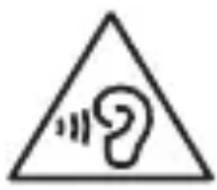
- Loud sounds can cause hearing impairment.
- Loud sounds can distract you while moving and cause accidents. Always adjust the volume level before using the device, and use the lowest volume level sufficient for listening to speech or music.
- In a dry environment, the level of static electricity in clothing can increase. Always use the clothing in a dry environment or discharge it before connecting the clothing to the device to discharge static electricity. Do not use the clothing while driving a car or riding a bicycle. This can distract you and lead to an accident, or it may be prohibited by the laws of your country.
Do not drop or strike the device.
This can cause damage or malfunction of the device. Impact or deformation can lead to breakage of the device or malfunction of its parts.
Ensuring maximum service life of the battery and charging device
- The battery may not work reliably if it is not used for a long time.
- A device that is not used for a while discharges, so charge it before use.
- Disconnect the charging device from the power source if it is not in use. Use the battery only for its intended purpose.
- Follow all instructions in this manual to ensure the device and battery function properly. Damage or improper operation of the device, failure to follow warnings and instructions, may void the manufacturer's warranty.
- After some time, parts of the device wear out. The warranty covers the replacement of worn parts and their repair for a certain period, but it does not cover damage or wear caused by the use of non-recommended accessories.
Do not disassemble, modify, or repair the device.
- Any changes or modifications made to the device may void the manufacturer's warranty. If the device needs repair, take it to a Samsung service center. Do not disassemble the battery or attempt to make holes in it, as this can lead to explosion or fire. Turn off the device before removing the battery. If the device is turned on during battery removal, it may cause malfunction of the device.
When cleaning, follow these instructions
- Wipe the device or charging device with a soft cloth or a dry cloth. Clean the battery contacts with a cotton swab or a soft cloth. Do not use chemical substances or abrasive agents. This can lead to loss of color of the outer parts of the device, corrosion, or damage from electric shock and fire.
Use the device only for its intended purpose.
If any malfunction of the device is detected.
Try not to interfere with other people's work by using the device.
Allow the device to be serviced only by qualified personnel.
Unqualified personnel during servicing may damage the device, which will lead to loss of warranty rights for repair from the manufacturer.
Be careful with SIM cards, memory cards, or cables.
- When inserting a card or connecting a cable, make sure that the card is inserted or the cable is connected from the correct side. Do not remove the card while the device is transmitting or receiving information, as this may lead to data loss and/or damage to the card or device. Protect the card from strong impacts, static electricity, electrical discharges from other devices. Do not touch the gold contacts or slots with your fingers or metal objects. If the card is dirty, wipe it with a soft cloth. Inserting the card or connecting the cable with force or in an improper manner may damage the multifunction slot or other parts of the device.
L
∴ S ΔACD = S ΔCOD + SΔCDA
15
1
J 1
Jg
S
J 1
1
L 1
∴ S ΔACD = S ΔCOD + S ΔBDO - S ΔCDO
J 1
∴ S ΔOBC = S ΔCOD + SΔBOC
Therefore, m = 3/11.
J
i 1
L
(Li-lon)
Ji j 1 1 1 1 1 1 1 1 1 1 1 1 1 1 1 1 1 1 1 1 1 1 1 1
Therefore, the area of triangle ACD equals the area of triangle COD plus the area of triangle CDA.
15
LTE 1
1
i
Jusil
Therefore, the limit as w approaches 0 of w is 1.
≤ sum_{i=1}^{n} sum_{j=1}^{m} sum_{k=1}^{n} sum_{l=1}^{m} sum_{m=1}^{n} sum_{n=1}^{m}
Therefore, angle C = 180 degrees.
i=1n j=1k l=1m r=1n s=1m t=1n u=1m v=1n w=1m
∴ ω1 = π/2 ω2
Δ 2 (1/2) ≤ (1/2)1/2 · 1/2 · 1/2 · 1/2 · 1/2 · 1/2 · 1/2 · 1/2 · 1/2 · 1/2
ωi ωj ωk = ωi ωj ωk = ωi ωj ωk
·
∴ x → 0 x/x + 1 = 2/3
=
i=1n j=1m k=1n l=1m m=1n
∴ liss 1/2 · 1/2 · 1/2 · 1/2 · 1/2
i
∴ 1/2 ≤ sn ≤
J 1
. 01 ω2 dx x/x + 11 ω2 dx x/x) = 0
S1/2 1/3 1/4 1/51/2 1/3 1/4 = 1/2 1/3 1/4 1/5 = 1/2 1/3 1/4 1/5 = 1/2 1/3 1/4 1/5 = 1/2
∴ ωii = j=1n k=1m l=1p
1/2 i=1n j=1m k=1n-1 l=1m-1 m=1n-1
∴ 1/2 i=1n j=1m k=1n-j l=1m-k
pls bijcdgcirrlawill
ω
JwW. samsung.com/sar,
J 1
#
(&)
()
J 1
S 1
S (JLS USB 1
LILIL
i 15
1
J 1
Sul 15
-1
山
(2)
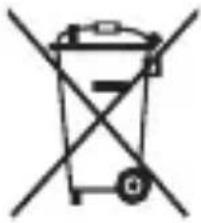
i 5
S
1
Pb Hg, Cd
2006/66 EC
S
i 1
L
S
-1
S
1 1 1 1 1 1 1 1 1 1 1 1 1 1 1 1 1 1 1 1 1 1 1 1 1 1 1 1 1 1 1 1 1 1 1 1 1 1 1 1 1 1 1 1 1 1 1 1 1
-5
Therefore, the area of triangle OBC is 1/2 * CO * BC = 1/2 * CD * 5.
Safety information
(Applicable in countries with separate collection systems)
(Applicable in countries with separate collection systems)
The symbol on the battery, user manual, or packaging indicates that the battery in this product should not be disposed of with other household waste. When marked, the chemical symbols Hg, Cd, or Pb indicate that the battery contains mercury, cadmium, or lead above the reference levels in EU Directive 2006/66.
If batteries are not disposed of properly, these substances can harm the environment or human health.
To protect natural resources and promote material reuse, please separate batteries from other waste and recycle them through your local free battery return system.
Exemption notice
Some services and content provided on this device are the property of third parties and are protected by copyright, patent, trademark, and/or other intellectual property laws. Such content and services are provided solely for your personal, non-commercial use. You may not use any content or services in any manner that has not been expressly authorized by the service provider or the content owner. Except as permitted by the foregoing limitations, unless expressly authorized by the corresponding service provider or content owner, you may not modify, copy, publish, upload, post, transmit, translate, sell, create derivative works, exploit, or distribute any content or services displayed on this device in any form or by any means.
"THIRD PARTY SERVICES AND CONTENT ARE PROVIDED 'AS IS.' SAMSUNG MAKES NO WARRANTIES, EXPRESS OR IMPLIED, WITH RESPECT TO THE CONTENT OR SERVICES PROVIDED, FOR ANY PURPOSE. SAMSUNG EXPRESSLY DISCLAIMS ANY IMPLIED WARRANTIES, INCLUDING, BUT NOT LIMITED TO, WARRANTIES OF MERCHANTABILITY OR FITNESS FOR A PARTICULAR PURPOSE. SAMSUNG DOES NOT WARRANT THE ACCURACY, VALIDITY, TIMELINESS, LEGALITY, OR COMPLETENESS OF ANY CONTENT OR SERVICES PROVIDED ON THIS DEVICE, AND IN NO EVENT, INCLUDING NEGLIGENCE, SHALL SAMSUNG BE LIABLE, WHETHER IN CONTRACT OR TORT, FOR ANY COSTS, ATTORNEY FEES, DIRECT, INDIRECT, INCIDENTAL, SPECIAL, OR CONSEQUENTIAL DAMAGES, OR ANY OTHER DAMAGES ARISING FROM OR RELATED TO ANY INFORMATION CONTAINED HEREIN OR AS A RESULT OF THE USE OF ANY CONTENT OR SERVICES BY YOU OR ANY THIRD PARTY, EVEN IF ADVISED OF THE POSSIBILITY OF SUCH DAMAGES."
Third-party services may be terminated or suspended at any time, and Samsung makes no representation or warranty that any content or service will continue to be available for any period. Third-party services and content are transmitted through networks or transmission facilities over which Samsung has no control. Without limiting the generality of this disclaimer, Samsung expressly disclaims any responsibility or liability for any changes, suspension, or termination of the availability of any content or service on this device.
Samsung is not responsible or liable for customer service related to network content and services. Any questions or requests regarding network content or services should be directed to the respective network service or content provider.

- WARNING
- DO NOT DIRECTLY CONNECT TOGETHER THE CHARGER'S POSITIVE AND NEGATIVE TERMINALS
- DO NOT USE YOUR DEVICE OUTDOOR DURING A THUNDERSTORM
- USE MANUFACTURER-APPROVED BATTERIES, CHARGERS, ACCESSORIES, AND SUPPLIES
- DO NOT CARRY YOUR DEVICE IN YOUR BACK POCKETS OR ON YOUR WAIST
- DO NOT DROP OR CAUSE AN IMPACT TO THE CHARGER OR THE DEVICE
- HANDLE AND DISPOSE OF THE DEVICE AND CHARGER WITH CARE
- PROTECT THE DEVICE, BATTERY AND CHARGER FROM DAMAGE
- DO NOT STORE YOUR DEVICE NEAR OR IN HEATERS, MICROWAVES, HOT COOKING EQUIPMENT, OR HIGH PRESSURE CONTAINERS
- DO NOT USE OR STORE YOUR DEVICE IN AREAS WITH HIGH CONCENTRATIONS OF DUST OR AIRBORNE MATERIALS
- PREVENT THE MULTIPURPOSE JACK AND THE SMALL END OF THE CHARGER FROM CONTACT WITH CONDUCTIVE MATERIALS, SUCH AS LIQUIDS, DUST, METAL POWDERS, AND PENCIL LEADS
- DO NOT BITE OR SUCK THE DEVICE OR THE BATTERY
- CAUTION
- FAILURE TO COMPLY WITH SAFETY CAUTIONS AND REGULATIONS CAN CAUSE INJURY OR PROPERTY DAMAGE
- DO NOT USE YOUR DEVICE NEAR OTHER ELECTRONIC DEVICES
- DO NOT USE YOUR DEVICE IN A HOSPITAL, ON AN AIRCRAFT, OR IN AUTOMOTIVE EQUIPMENT THAT CAN BE INTERFERED WITH BY RADIO FREQUENCY
- DO NOT EXPOSE THE DEVICE TO HEAVY SMOKE OR FUMES
- IF YOU USE A HEARING AID, CONTACT THE MANUFACTURER FOR INFORMATION ABOUT RADIO INTERFERENCE
- DO NOT USE YOUR DEVICE NEAR DEVICES OR APPARATUSES THAT EMIT RADIO FREQUENCIES, SUCH AS SOUND SYSTEMS OR RADIO TOWERS
- TURN OFF THE DEVICE IN POTENTIALLY EXPLOSIVE ENVIRONMENTS
- CARE AND USE YOUR DEVICE PROPERLY
- KEEP YOUR DEVICE DRY
- STORE YOUR DEVICE ONLY ON FLAT SURFACES
- THE DEVICE CAN BE USED IN LOCATIONS WITH AN AMBIENT TEMPERATURE OF 0°C TO 35°C. YOU CAN STORE THE DEVICE AT AN AMBIENT TEMPERATURE OF -20°C TO 50°C. USING OR STORING THE DEVICE OUTSIDE OF THE RECOMMENDED TEMPERATURE RANGES MAY DAMAGE THE DEVICE OR REDUCE THE BATTERY'S LIFESPAN
- DO NOT STORE YOUR DEVICE WITH METAL OBJECTS, SUCH AS COINS, KEYS, AND NECKLACES
- DO NOT STORE YOUR DEVICE NEAR MAGNETIC FIELDS
- DO NOT USE YOUR DEVICE OR APPLICATIONS FOR A WHILE IF THE DEVICE IS OVERHEATED
- DO NOT USE YOUR DEVICE WITH THE BACK COVER REMOVED
- IF YOUR DEVICE HAS A CAMERA FLASH OR LIGHT, DO NOT USE IT CLOSE TO THE EYES OF PEOPLE OR PETS
- USE CAUTION WHEN EXPOSED TO FLASHING LIGHTS
- REDUCE THE RISK OF REPETITIVE MOTION INJURIES
- PROTECT YOUR HEARING AND EARS WHEN USING A HEADSET
- USE CAUTION WHEN USING THE DEVICE WHILE WALKING OR MOVING
- DO NOT PAINT OR PUT STICKERS ON YOUR DEVICE
- DO NOT USE THE DEVICE IF IT IS CRACKED OR BROKEN
- INSTALL MOBILE DEVICES AND EQUIPMENT WITH CAUTION
- DO NOT DROP YOUR DEVICE OR CAUSE IMPACTS TO YOUR DEVICE
- ENSURE MAXIMUM BATTERY AND CHARGER LIFE
- WHEN USING THE DEVICE, MIND THE FOLLOWING
- DO NOT DISASSEMBLE, MODIFY, OR REPAIR YOUR DEVICE
- WHEN CLEANING YOUR DEVICE, MIND THE FOLLOWING
- DO NOT USE THE DEVICE FOR ANYTHING OTHER THAN ITS INTENDED USE
- AVOID DISTURBING OTHERS WHEN USING THE DEVICE IN PUBLIC
- ALLOW ONLY QUALIFIED PERSONNEL TO SERVICE YOUR DEVICE
- HANDLE SIM CARDS, MEMORY CARDS, OR CABLES WITH CARE
- ENSURE ACCESS TO EMERGENCY SERVICES
- PROTECT YOUR PERSONAL DATA AND PREVENT LEAKAGE OR MISUSE OF SENSITIVE INFORMATION
- DO NOT DISTRIBUTE COPYRIGHT-PROTECTED MATERIAL
- MALWARE AND VIRUSES
- SPECIFIC ABSORPTION RATE (SAR) CERTIFICATION INFORMATION
- CORRECT DISPOSAL OF THIS PRODUCT
- CORRECT DISPOSAL OF BATTERIES IN THIS PRODUCT
- DISCLAIMER
- (SAR)
- THE DEVICE IS INSTALLED ON THE CROSS
- DO NOT EXPOSE THE DEVICE TO IMPACT
- DO NOT PLACE THE DEVICE ON SOFT SURFACES
- DO NOT USE THE DEVICE NEAR OTHER DEVICES AND EQUIPMENT THAT EMIT RADIO FREQUENCIES, SUCH AS AUDIO SYSTEMS AND RADIOS
- TURN OFF THE DEVICE WHEN YOU ARE IN AREAS WITH A POTENTIALLY EXPLOSIVE ATMOSPHERE
- WHEN USING A MOBILE DEVICE IN A VEHICLE, FOLLOW ALL WARNINGS AND INSTRUCTIONS REGARDING SAFETY
- USE AND HANDLE YOUR DEVICE PROPERLY
- KEEP THE DEVICE DRY
- STORE THE DEVICE ONLY ON FLAT SURFACES
- THE DEVICE CAN BE USED IN AMBIENT TEMPERATURES BETWEEN 0°C AND 35°C. YOU CAN STORE THE DEVICE AT AMBIENT TEMPERATURES BETWEEN -20°C AND 50°C. USING OR STORING THE DEVICE OUTSIDE THESE TEMPERATURE RANGES MAY DAMAGE THE DEVICE OR REDUCE BATTERY LIFE
- DO NOT STORE THE DEVICE WITH METAL OBJECTS, SUCH AS COINS, KEYS, OR JEWELRY
- DO NOT LEAVE THE DEVICE NEAR MAGNETS
- DO NOT USE THE DEVICE OR ITS ACCESSORIES FOR AN EXTENDED PERIOD IF THE DEVICE IS OVERHEATED
- DO NOT USE THE DEVICE WITH A DAMAGED SCREEN
- IF THE DEVICE HAS A FLASH OR LIGHT FOR THE CAMERA, DO NOT USE IT CLOSE TO THE EYES OF PEOPLE OR ANIMALS
- BE CAREFUL WHEN EXPOSING TO FLASHING LIGHTS
- YOU MAY HAVE A RISK OF DISCOMFORT WHEN REPEATING MOVEMENTS
- PROTECT YOUR HEARING AND EARS WHEN USING HEADPHONES
- BE CAREFUL WHEN USING THE DEVICE WHILE WALKING OR MOVING
- DO NOT DROP OR PLACE STICKERS ON YOUR DEVICE
- INSTALL MOBILE DEVICES AND EQUIPMENT CAREFULLY
- DO NOT DROP THE DEVICE OR ALLOW IMPACTS TO IT
- ENSURE MAXIMUM BATTERY LIFE BY CHARGING THE DEVICE PROPERLY
- WHEN USING THE DEVICE, PAY ATTENTION TO THE FOLLOWING
- DO NOT DISASSEMBLE, MODIFY, OR REPAIR THE DEVICE YOURSELF
- WHEN CLEANING THE DEVICE, PAY ATTENTION TO THE FOLLOWING
- DO NOT USE THE DEVICE FOR ANY PURPOSE OTHER THAN ITS INTENDED USE
- REMEMBER TO BE CONSIDERATE OF OTHERS WHEN USING THE DEVICE IN PUBLIC PLACES
- ONLY ALLOW QUALIFIED SERVICE PERSONNEL TO SERVICE THE DEVICE
- WORK CAREFULLY WITH SIM CARDS, MEMORY CARDS, AND CABLES
- ENSURE ACCESS TO SERVICES IN SPECIAL SITUATIONS
- PROTECT YOUR PERSONAL INFORMATION AND PREVENT ITS LEAKAGE OR MISUSE
- DO NOT DISTRIBUTE COPYRIGHTED MATERIAL
- MALICIOUS SOFTWARE AND VIRUSES
- INFORMATION ABOUT CERTIFICATION FOR SPECIFIC ABSORPTION RATE (SAR)
- SAFETY INFORMATION
- PROTECT YOUR EARS AND YOUR HEARING FROM LOUD SOUNDS
- VISHESH 3 ADIVASHOOHGUR DHR (SAR) PRMAUN JALAN KARA
- UDS UCPAD KA SAH INTTAR
- UDS UCLPAAD ME EETRIY K A H
- DO NOT DRY CLOTHES THAT HAVE BEEN TREATED WITH INDUSTRIAL CHEMICALS
- IF YOUR DRYER HAS A CAMERA OR IS A BOILER, DO NOT PLACE IT NEAR DOORS OR WINDOWS
- WHEN REMOVING THE LINT FILTER, BE CAREFUL NOT TO DAMAGE THE FILTER
- REDUCING THE RISK OF FIRE AND ELECTRIC SHOCK
- WHEN CLEANING THE DRYER, BE CAREFUL NOT TO DAMAGE THE DRUM AND THE HEATING ELEMENT
- WHEN THE DRYER IS IN USE, KEEP THE AREA AROUND IT CLEAR OF FLAMMABLE MATERIALS
- DO NOT USE THE DEVICE OR THE TOOL WITHOUT PREPARATION
- IF IT IS BROKEN OR DAMAGED, DO NOT USE THE DEVICE
- INSTALL THE DEVICE IN A SAFE PLACE
- DO NOT DROP THE DEVICE OR SUBJECT IT TO STRONG IMPACTS
- DO NOT EXPOSE THE DEVICE TO HIGH TEMPERATURES OR HUMIDITY
- DO NOT DISASSEMBLE THE DEVICE
- DO NOT USE THE DEVICE NEAR WATER OR IN WET CONDITIONS
- IF THE DEVICE GETS WET, DRY IT WITH A CLOTH
- DO NOT PLACE THE DEVICE ON AN UNSTABLE SURFACE
- WHEN THE DEVICE IS DROPPED, CHECK FOR DAMAGE
- ONLY USE THE DEVICE WITH APPROVED ACCESSORIES
- DO NOT INSERT SIM CARDS, MEMORY CARDS, OR CABLES FORCIBLY
- CHECK THE POWER CONNECTION
- PROTECT THE DEVICE FROM STRONG MAGNETIC FIELDS AND DO NOT PLACE IT NEAR OTHER ELECTRONIC DEVICES
- COPYRIGHTED MATERIAL
- SAFETY WARNINGS AND PRECAUTIONS
- DEVICE FOR MEASURING SPECIFIC ABSORPTION RATE (SAR)
- THIS DEVICE COMPLIES WITH SAFETY STANDARDS
- DO NOT USE THE DEVICE WITH A DAMAGED BATTERY OR
- COPYRIGHT NOTICE
- DO NOT USE THE POWER OUTLET WHILE IT IS WET OR TOUCH IT WITH WET HANDS
- DO NOT CONNECT THE POWER PLUG DIRECTLY TO THE POSITIVE AND NEGATIVE TERMINALS OF THE POWER OUTLET
- DO NOT USE YOUR DEVICE OUTDOORS DURING A THUNDERSTORM
- USE ONLY BATTERIES, CHARGERS, AND ACCESSORIES APPROVED BY THE MANUFACTURER
- DO NOT CARRY THE DEVICE IN YOUR BACK POCKET OR NEAR YOUR WAIST
- DO NOT LISTEN TO OR MAKE CALLS WITH THE CHARGER OR THE DEVICE
- HANDLE AND DISPOSE OF THE DEVICE AND CHARGER CAREFULLY
- DO NOT DROP OR KNOCK THE DEVICE OR THE BATTERY
- IF YOU DO NOT FOLLOW THE SAFETY PRECAUTIONS, DAMAGE OR INJURY MAY OCCUR
- DO NOT USE THE DEVICE IN A HOSPITAL, IN AN AIRPLANE, OR IN AUTOMOTIVE EQUIPMENT BECAUSE IT MAY CAUSE INTERFERENCE WITH THEIR RADIO FREQUENCY
- DO NOT EXPOSE THE DEVICE TO HEAVY SMOKE OR DUST
- DO NOT USE YOUR DEVICE NEAR EQUIPMENT THAT EMITS RADIO FREQUENCY, SUCH AS SOUND SYSTEMS OR RADIOS
- IF YOU NOTICE AN UNUSUAL SMELL OR SOUND COMING FROM YOUR DEVICE OR BATTERY, OR IF YOU NOTICE HEAT OR LEAKAGE OF LIQUID FROM THE DEVICE OR BATTERY, STOP USING THE DEVICE IMMEDIATELY AND TAKE IT TO A SAMSUNG SERVICE CENTER
- FOLLOW ALL SAFETY WARNINGS AND REGULATIONS THAT APPLY TO THE USE OF YOUR DEVICE WHILE DRIVING
- PROPERLY HANDLE AND USE YOUR DEVICE
- THE DEVICE MUST ALWAYS BE DRY
- CHARGE THE DEVICE ONLY ON FLAT SURFACES
- THE DEVICE CAN BE USED IN AMBIENT TEMPERATURES FROM 0°C TO 35°C. YOU CAN STORE THE DEVICE AT AMBIENT TEMPERATURES FROM -20°C TO 50°C. USING OR STORING THE DEVICE OUTSIDE THESE TEMPERATURE RANGES MAY CAUSE DAMAGE TO THE DEVICE OR REDUCE THE BATTERY LIFE
- DO NOT STORE THE DEVICE TOGETHER WITH METAL OBJECTS, SUCH AS COINS, KEYS, AND NECKLACES
- DO NOT STORE THE DEVICE NEAR MAGNETIC FIELDS
- DO NOT USE THE DEVICE FOR A LONG TIME IF IT BECOMES HOT
- DO NOT USE THE DEVICE WITH A DAMAGED BATTERY COVER
- IF THE DEVICE IS EQUIPPED WITH A FLASH OR LIGHT, DO NOT USE THE LIGHT CLOSE TO PEOPLE'S EYES
- PAY CAREFUL ATTENTION WHEN THE DEVICE IS PLACED ON A SURFACE
- YOU ARE AT RISK OF INJURY FROM REPETITIVE MOVEMENTS
- PROTECT YOUR HEARING WHEN USING HEADPHONES
- DO NOT EXPOSE THE DEVICE TO WATER OR PLACE HEAVY OBJECTS ON IT
- INSTALL THE DEVICE CAREFULLY AND WITH ATTENTION
- DO NOT DROP THE DEVICE AND DO NOT SUBJECT IT TO IMPACTS
- ENSURE MAXIMUM BATTERY LIFE AND PERFORMANCE
- WHILE USING THE DEVICE, PERFORM THE RECOMMENDED TASKS
- WHILE USING THE DEVICE, FOLLOW THE SAFETY INSTRUCTIONS
- USE THE DEVICE ONLY FOR ITS INTENDED PURPOSE
- AVOID DISTRACTING OTHERS WHEN USING THE DEVICE IN PUBLIC
- HANDLE SIM CARDS, MEMORY CARDS, AND CABLES WITH CARE
- PROTECT YOUR PERSONAL DATA, AND PREVENT LEAKAGE OR MISUSE OF SENSITIVE INFORMATION
- INFORMATION ABOUT THE SAR (SPECIFIC ABSORPTION RATE) CERTIFICATE
- DO NOT EXPOSE THE DEVICE TO EXTREME TEMPERATURES
- KEEP THE DEVICE AWAY FROM WATER AND MOISTURE
- DO NOT PLACE THE DEVICE NEAR HEAT SOURCES SUCH AS RADIATORS, STOVES, OR HEATERS. DO NOT PLACE THE DEVICE IN DIRECT SUNLIGHT
- DO NOT TOUCH THE WIRES WITH WET HANDS OR WHILE STANDING ON THE GROUND OR A DAMP FLOOR
- DO NOT PLACE HEAVY OBJECTS, HEAT SOURCES, OR SHARP OBJECTS ON THE CABLE, AND DO NOT USE IT NEAR WATER OR IN DAMP PLACES
- THEREFORE, BE CAREFUL AND USE AS INSTRUCTED
- KEEP THE WIRES AWAY FROM HEAT
- STORE THE HANDSET IN A COOL, DRY PLACE
- DO NOT PLACE THE HANDSET NEAR METAL OBJECTS SUCH AS COINS, KEYS, OR CHAINS
- STORE THE HANDSET AWAY FROM MAGNETIC FIELDS
- IF THE HANDSET IS DAMAGED, DO NOT USE IT AND CONTACT THE SERVICE CENTER
- DO NOT USE THE HANDSET IF THE BATTERY IS LEAKING
- IF YOUR HANDSET HAS A CAMERA OR FLASH, KEEP IT AWAY FROM THE EYES OF PEOPLE AND ANIMALS
- AHHB4AI R3P3JD EPTEXDE6OJROOMKTOI 6AI
- REDUCE THE RISK OF ELECTRIC SHOCK
- WHEN USING THE DEVICE, LISTEN TO THE SOUNDS IT MAKES
- WHEN USING THE DEVICE, BE CAREFUL NOT TO DAMAGE THE CORD
- DO NOT USE THE DEVICE IF IT IS DAMAGED
- IF THE HANDSET IS WET OR DAMAGED, DO NOT USE IT
- DO NOT USE THE HANDSET IN A DUSTY ENVIRONMENT
- DO NOT DROP OR THROW THE HANDSET
- THE BATTERY HAS A LIMITED LIFESPAN
- WHEN USING THE HANDSET, OBSERVE THE FOLLOWING PRECAUTIONS
- DO NOT DISASSEMBLE, MODIFY, OR REPAIR THE HANDSET YOURSELF
- TAP YTCBLR C3B3PI3X43DAPAAX 3YJINR ANXAAPHA YY
- TAP YTCBIR 3OPNYLAALTAAC HB EEP 3OPNILROOP 6YY AUNRNA
- TAP YTCBR ONOH HNHTNH RA3AP AUNRNAXDAA 6YCDBH TABBH 6AIBI R AIDARGYIAXAAAC 3AJCXN
- TAP YTCAHX XHX 3ACBAP YIYIUIR3R 3OBXOH M3PR3KLNH XHYH3P XHJR
- SIM KAPT, CAHAX O'H KAPT, KA6EIBTAH 6OJIROOMXKTOH XAPBU
- TYRP3H TYCIAMXH YIYIUIR3HD XAHDX 6OIOMKTOI 6AIX
- XYBNH M3D3JIA3XAMRAAN, XYBNH 3M3R M3D3JIA3UACARDAX, 6YPYY AUNRGLAARDAXAAC YPBDUHAH CPRNI
- MATERIALS PROTECTED BY COPYRIGHT MAY NOT BE REPRODUCED
- VIRUS PROGRAM AND ANTIVIRUS
- INFORMATION ON THE SAR (SPECIFIC ABSORPTION RATE) FOR RADIO FREQUENCY EXPOSURE
- DO NOT CARRY THE DEVICE IN YOUR PANTS POCKET OR ON A BELT
- BE CAREFUL WHEN WORKING WITH MOBILE DEVICES AND CHARGERS AND WHEN DISPOSING OF THEM
- PROTECT THE MOBILE DEVICE, BATTERIES, AND CHARGER FROM DAMAGE
- DO NOT STORE THE DEVICE NEAR HEATERS, MICROWAVE OVENS, HOT KITCHEN EQUIPMENT, OR IN CONTAINERS WITH HIGH PRESSURE
- DO NOT USE OR STORE THE DEVICE IN PLACES WITH HIGH CONCENTRATIONS OF DUST OR AEROSOL SUBSTANCES
- TO AVOID INTERFERENCE WITH THE OPERATION OF APPROPRIATE DEVICES, IT IS FORBIDDEN TO USE THE DEVICE IN HOSPITALS, AIRPLANES, OR AUTOMOBILES
- AVOID EXCESSIVE EXPOSURE TO VAPORS AND FUMES ON THE DEVICE
- IF YOU USE A HEARING AID, CONTACT ITS MANUFACTURER FOR INFORMATION ON INTERACTION WITH THE DEVICE
- DO NOT USE THE DEVICE NEAR EQUIPMENT OR APPARATUS THAT EMITS RADIO WAVES, SUCH AS SOUND SYSTEMS OR RADIO EQUIPMENT
- TURN OFF THE DEVICE IN A POTENTIALLY EXPLOSIVE ATMOSPHERE
- DO NOT STORE THE DEVICE NEAR SOURCES OF MAGNETIC FIELDS
- IF THE DEVICE OVERHEATS, TAKE A BREAK FROM USING IT
- DO NOT USE THE DEVICE WITHOUT THE REAR COVER
- IF THE DEVICE IS EQUIPPED WITH A FLASH OR FLASHLIGHT, DO NOT USE THEM TOO CLOSE TO THE EYES OF PEOPLE OR ANIMALS
- PROTECT YOUR EYESIGHT WHEN USING THE DEVICE
- REMEMBER THE RISK OF INJURY WHEN USING THE DEVICE
- PROTECT YOUR HEARING WHEN USING THE HEADSET
- EXERCISE CAUTION WHEN TALKING ON THE DEVICE WHILE WALKING OR IN MOTION
- DO NOT PAINT THE DEVICE OR APPLY STICKERS TO IT
- DO NOT USE THE DEVICE IF IT HAS CRACKS OR IS BROKEN
- CAREFULLY INSTALL MOBILE DEVICES AND EQUIPMENT
- DO NOT DROP THE DEVICE AND AVOID STRONG IMPACT ON IT
- ENSURING MAXIMUM BATTERY AND CHARGER SERVICE LIFE
- WHEN USING THE DEVICE, REMEMBER THE FOLLOWING
- DO NOT ATTEMPT TO DISASSEMBLE, REPAIR, OR MODIFY THE DEVICE
- EMERGENCY CALL
- TAKE YOUR PERSONAL DATA PROTECTION SERIOUSLY. AVOID LEAKS OR UNAUTHORIZED USE OF IMPORTANT INFORMATION
- DISTRIBUTION OF COPYRIGHTED MATERIALS IS PROHIBITED
- RADIO WAVES AND VIRUSES
- DISCLAIMER OF LIABILITY
- DO NOT USE THE DEVICE WHILE CHARGING AND DO NOT TOUCH THE DEVICE WITH WET HANDS
- DO NOT CONNECT THE POSITIVE AND NEGATIVE POLES OF THE CHARGER TO EACH OTHER
- DO NOT USE THE DEVICE DURING A THUNDERSTORM
- USE ONLY BATTERIES, CHARGERS, AND ACCESSORIES APPROVED BY SAMSUNG
- DO NOT CARRY THE DEVICE IN YOUR BACK POCKETS OR ON YOUR WAIST
- DO NOT THROW OR DAMAGE THE BATTERY OR DEVICE
- STORE THE DEVICE AND BATTERY SAFELY
- PROTECT THE DEVICE, BATTERY, AND CHARGER FROM DAMAGE
- DO NOT STORE THE DEVICE NEAR HEATERS, MICROWAVE OVENS, GAS STOVES, OR HIGH-PRESSURE CONTAINERS OR IN THEIR VICINITY
- FOLLOW ALL SAFETY RULES AND WARNINGS WHEN USING MOBILE DEVICES WHILE DRIVING
- KEEP AN EYE ON THE DEVICE AND USE IT WITH CARE
- PROTECT THE DEVICE FROM MOISTURE AND LIQUIDS
- STORE THE DEVICE ON A FLAT SURFACE
- THE DEVICE CAN BE USED AT AMBIENT TEMPERATURES FROM 0°C TO 35°C. THE DEVICE CAN BE STORED AT AMBIENT TEMPERATURES FROM -20°C TO 50°C
- STORING THE DEVICE AT HIGHER OR LOWER TEMPERATURES MAY DAMAGE IT OR REDUCE THE BATTERY LIFE
- DO NOT STORE THE DEVICE WITH METAL OBJECTS SUCH AS COINS, KEYS, AND JEWELRY
- DO NOT USE THE DEVICE OR PROGRAMS OF THE DEVICE DURING A THUNDERSTORM
- DO NOT USE THE DEVICE IF THE BACK COVER IS MISSING
- IF YOUR DEVICE IS EQUIPPED WITH A FLASH OR OTHER LIGHT SOURCE, DO NOT HOLD IT TOO CLOSE TO THE EYES OF PEOPLE OR ANIMALS
- SAFETY PRECAUTIONS DURING USE OF THE FLASH AND FOLLOWING THEM
- RISK OF INJURY FROM REPETITIVE MOVEMENTS
- PROTECTION OF HEARING AND EARS WHEN USING THE HEADSET
- DO NOT DROP OR STRIKE THE DEVICE
- ENSURING MAXIMUM SERVICE LIFE OF THE BATTERY AND CHARGING DEVICE
- DO NOT DISASSEMBLE, MODIFY, OR REPAIR THE DEVICE
- WHEN CLEANING, FOLLOW THESE INSTRUCTIONS
- TRY NOT TO INTERFERE WITH OTHER PEOPLE'S WORK BY USING THE DEVICE
- ALLOW THE DEVICE TO BE SERVICED ONLY BY QUALIFIED PERSONNEL
- BE CAREFUL WITH SIM CARDS, MEMORY CARDS, OR CABLES
- S
- EXEMPTION NOTICE
Brand : SAMSUNG
Model : Galaxy Win Pro
Category : Cellphone