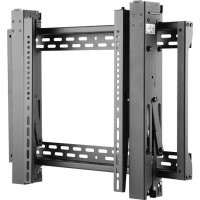
DMVWSC4570XUL - TV Stand Tripp Lite - Free user manual and instructions
Find the device manual for free DMVWSC4570XUL Tripp Lite in PDF.


| Product Type | Retractable Wall Mount for Video Display |
| Brand | Tripp Lite |
| Model | DMVWSC4570XUL |
| Material | Heavy-duty Steel |
| Color | Black |
| VESA Compatibility | 200x200, 300x300, 400x200, 400x400, 600x400 mm (and others) |
| Recommended Screen Size | 40 to 70 inches |
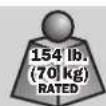
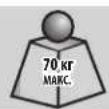
| Maximum Load Capacity | Up to 100 kg (estimated) |
| Tilt Adjustment | Yes, continuously adjustable |
| Height Adjustment | Yes, with micro-adjustment |
| Depth Adjustment | Yes, for precise adjustment |
| Lateral Micro-adjustment | Yes, for quick alignment |
| Locking System | Locking plates with screw tightening |
| Integrated Anti-theft | Compatible with padlock (not included) |
| Wall Mount Type | On wood studs or concrete/concrete block |
| Hardware Included | Screws, anchors, spacers for various screens |
| Warranty | 5 years limited |
| Intended Use | Indoor only |
| Recommended Installation | By a qualified professional |
| Product Dimensions (approx.) | Width: 70 cm, Height: 45 cm, Depth: 10 cm (without arms) |
Frequently Asked Questions - DMVWSC4570XUL Tripp Lite
User questions about DMVWSC4570XUL Tripp Lite
0 question about this device. Answer the ones you know or ask your own.
Ask a new question about this device
Download the instructions for your TV Stand in PDF format for free! Find your manual DMVWSC4570XUL - Tripp Lite and take your electronic device back in hand. On this page are published all the documents necessary for the use of your device. DMVWSC4570XUL by Tripp Lite.
USER MANUAL DMVWSC4570XUL Tripp Lite
For additional instructions on installing more than one video mount, visit www.triplite.com.

200x200/300x200/300x300
400x200/400x300/400x400
600x400

Espanol 16 • Français 31 • Pycckn 46 • Deutsch 61
WARRANTY REGISTRATION
Register your product today and be automatically entered to win an ISOBAR surge protector in our monthly drawing!

www.triplite.com/warranty


Manufacturing Excellence
1111 W. 35th Street, Chicago, IL 60609 USA • www.triplite.com/support
Copyright © 2019 Tripp Lite. All rights reserved.

WARNING
- Do not begin the installation until you have read and understood the instructions and warnings contained in this manual. If you have any questions regarding any of the instructions or warnings, please visit www.triplite.com/support
This product was designed to be installed and utilized ONLY as specified in this manual. Improper installation of this product may cause damage or serious injury.
This product should only be installed by someone of good mechanical ability, with basic building experience and a full understanding of this instruction manual. - Make sure that the unit can safely support the combined load of the equipment and all attached hardware and components.
- Always use an assistant or mechanical lifting equipment to safely lift and position equipment.
This product is intended for indoor use only. Using this product outdoors could lead to product failure and personal injury.
Warranty and Product Registration
5-Year Limited Warranty
Sell w r t f of initial purchase. If the product should prove defective in material or workmanship within that period, Seller will repair or replace the product, in its sole discretion.
THIS WARRANTY DOES NOT APPLY TO NORMAL WEAR OR TO DAMAGE RESULTING FROM ACCIDENT, MISUSE, ABUSE OR NEGLECT. SELLER MAKES NO EXPRESS WARRANTYES OTHER THAN THE WARRANTY EXPRESSLY SET FORTH HEREIN. EXCEPT TO THE EXTENT PROHIBITED BY APPLICABLE LAW, ALL IMPLIED WARRANTYES, INCLUDING ALL WARRANTYES OF MERCHANTIBILITY OR FITNESS, ARE LIMITED IN DURATION TO THE WARRANTY PERIOD SET FORTH ABOVE; AND THIS WARRANTY EXPRESSLY EXCUSES ALL INCIDENTAL AND CONSEQUENTIAL DAMAGES. (Some states do not allow limitations on how long an implied warranty lasts, and some states do not allow the exclusion or limitation of incidental or consequential damages, so the above limitations or exclusions may not apply to you. This warranty gives you specific legal rights, and you may have other rights which vary from jurisdiction to jurisdiction).
WARNING: The individual user should take care to determine prior to use whether this device is suitable, adequate or safe for the use intended. Since individual applications are subject to great variation, the manufacturer makes no representation or warranty as to the suitability or fitness of these devices for any specific application.
PRODUCT REGISTRATION
Visit www.triplite.com/warranty today to register your new Tripp Lite product. You'll be automatically entered into a drawing for a chance to win a FREE Tripp Lite product!
- No purchase necessary. Void where prohibited. Some restrictions apply. See website for details.
Tripp Lite has a policy of continuous improvement. Specifications are subject to change without notice. Photos and illustrations may differ slightly from actual products.
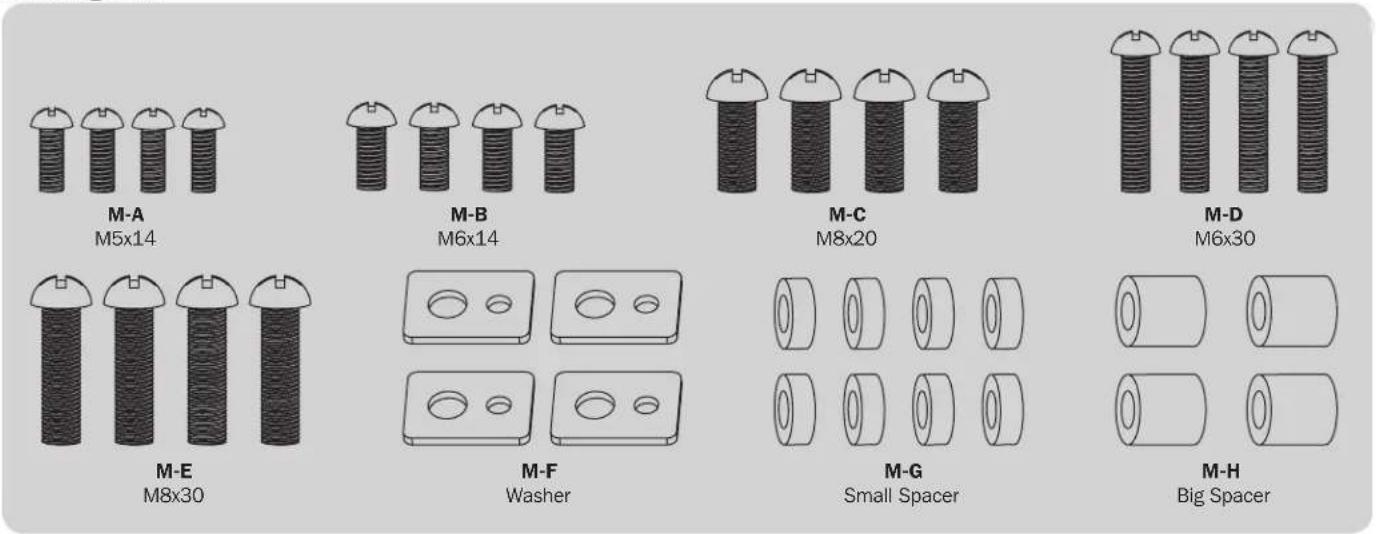
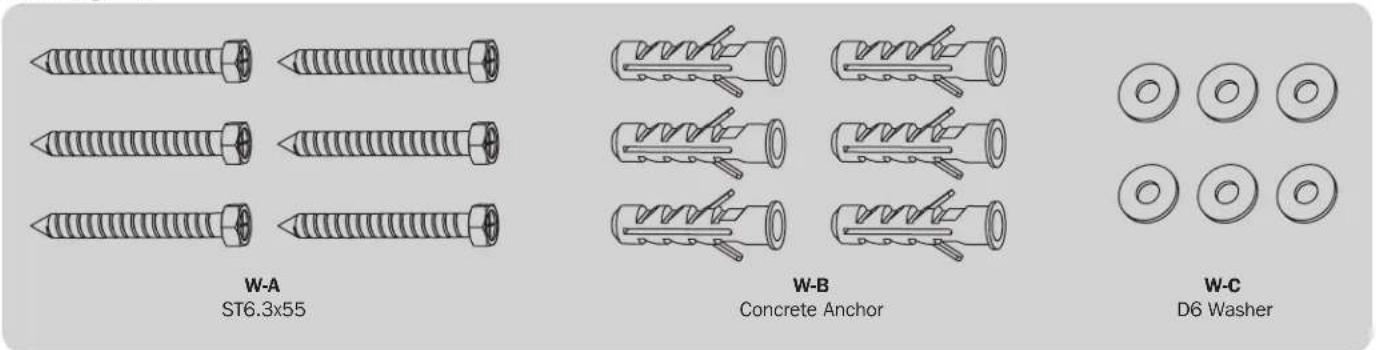
Component Checklist
IMPORTANT: Ensure that you have received all parts according to the component checklist prior to installing. If any parts are missing or faulty, visit www.triplite.com/support for service.
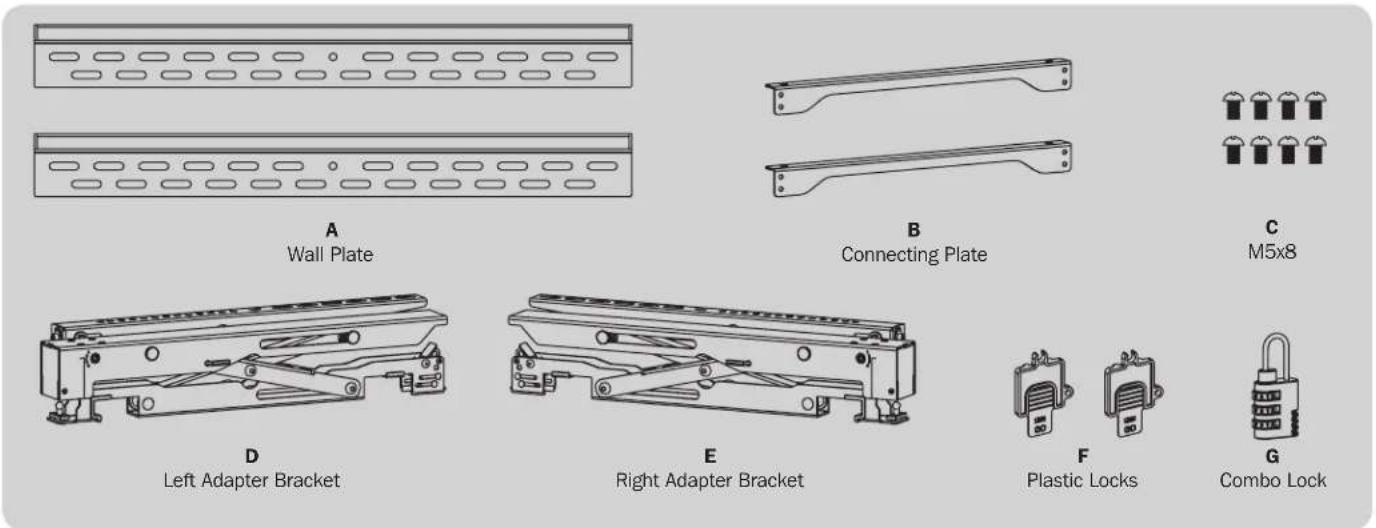
Package M
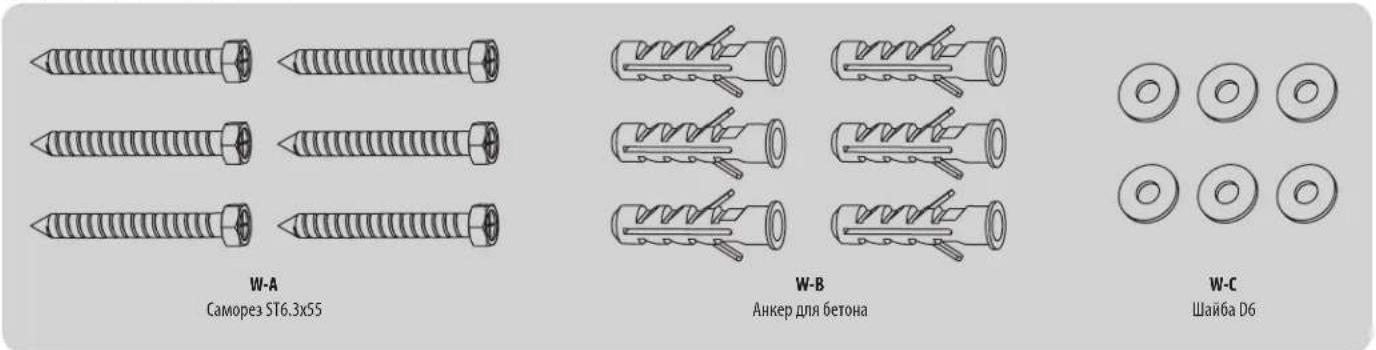
Package W
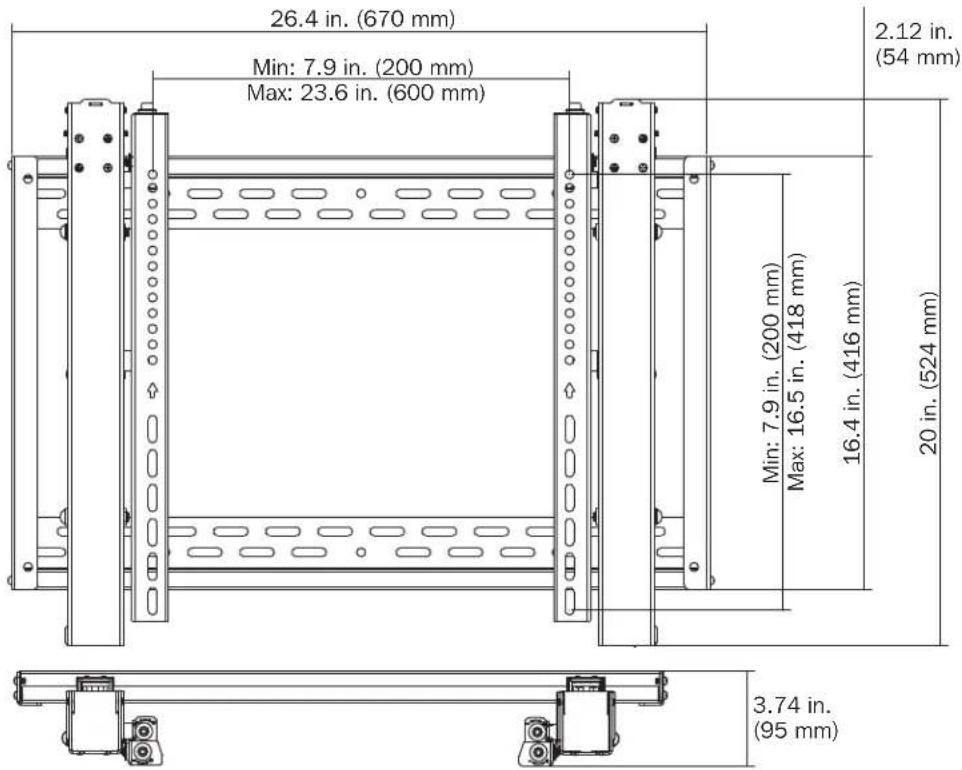
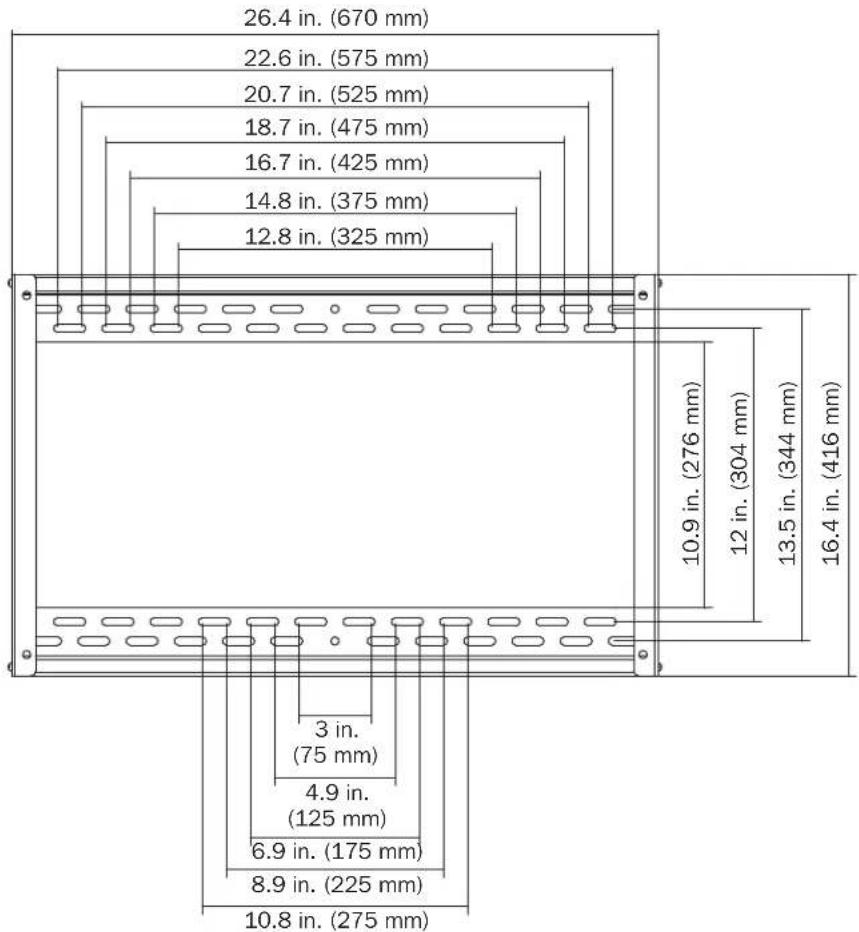
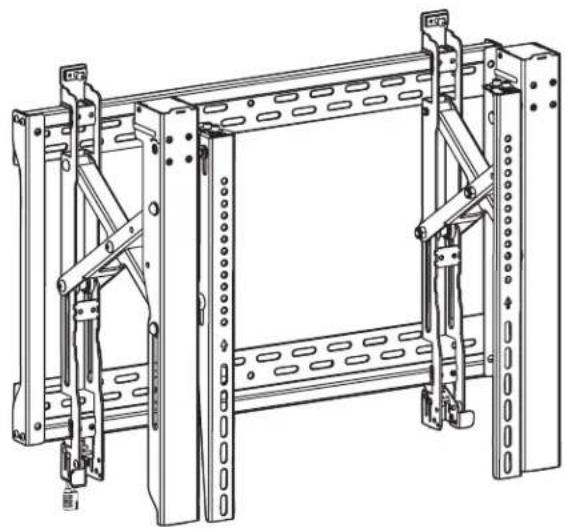
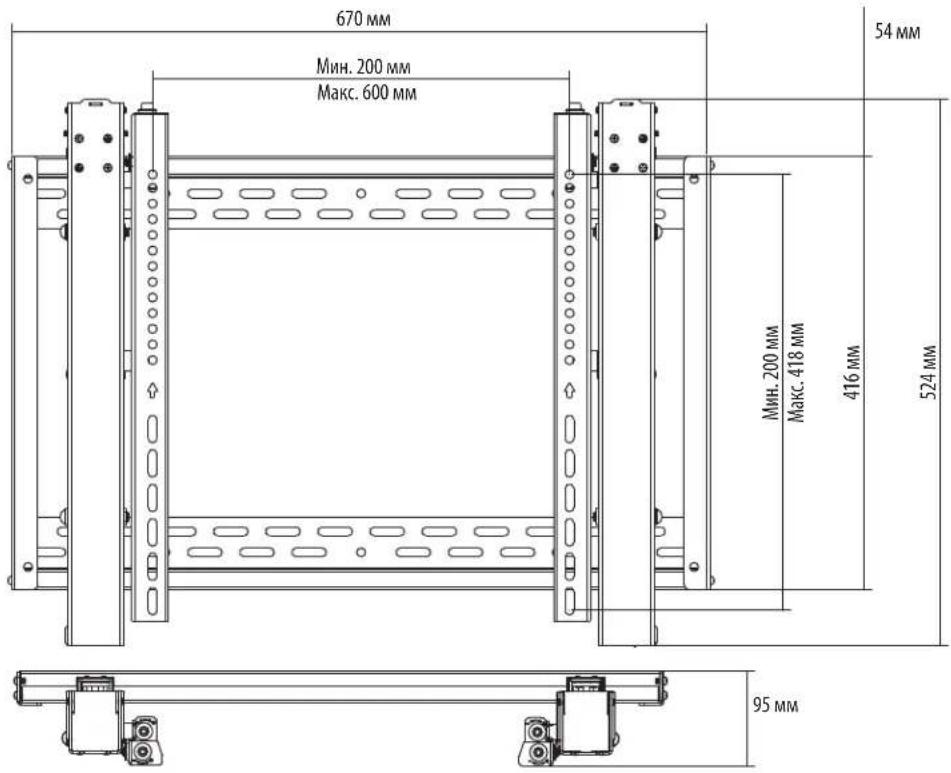
Product Dimensions

Assembly

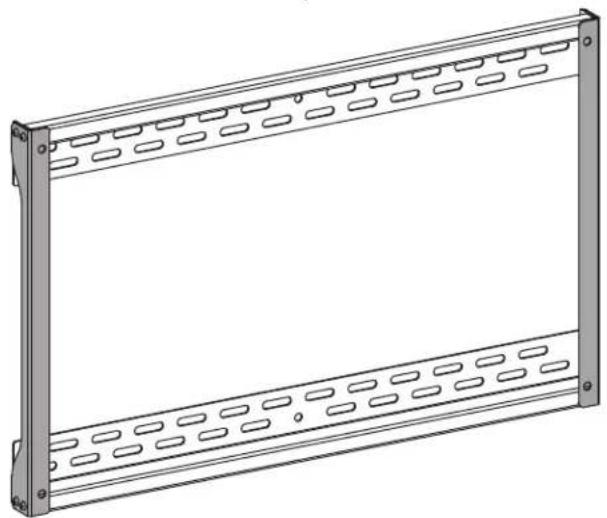
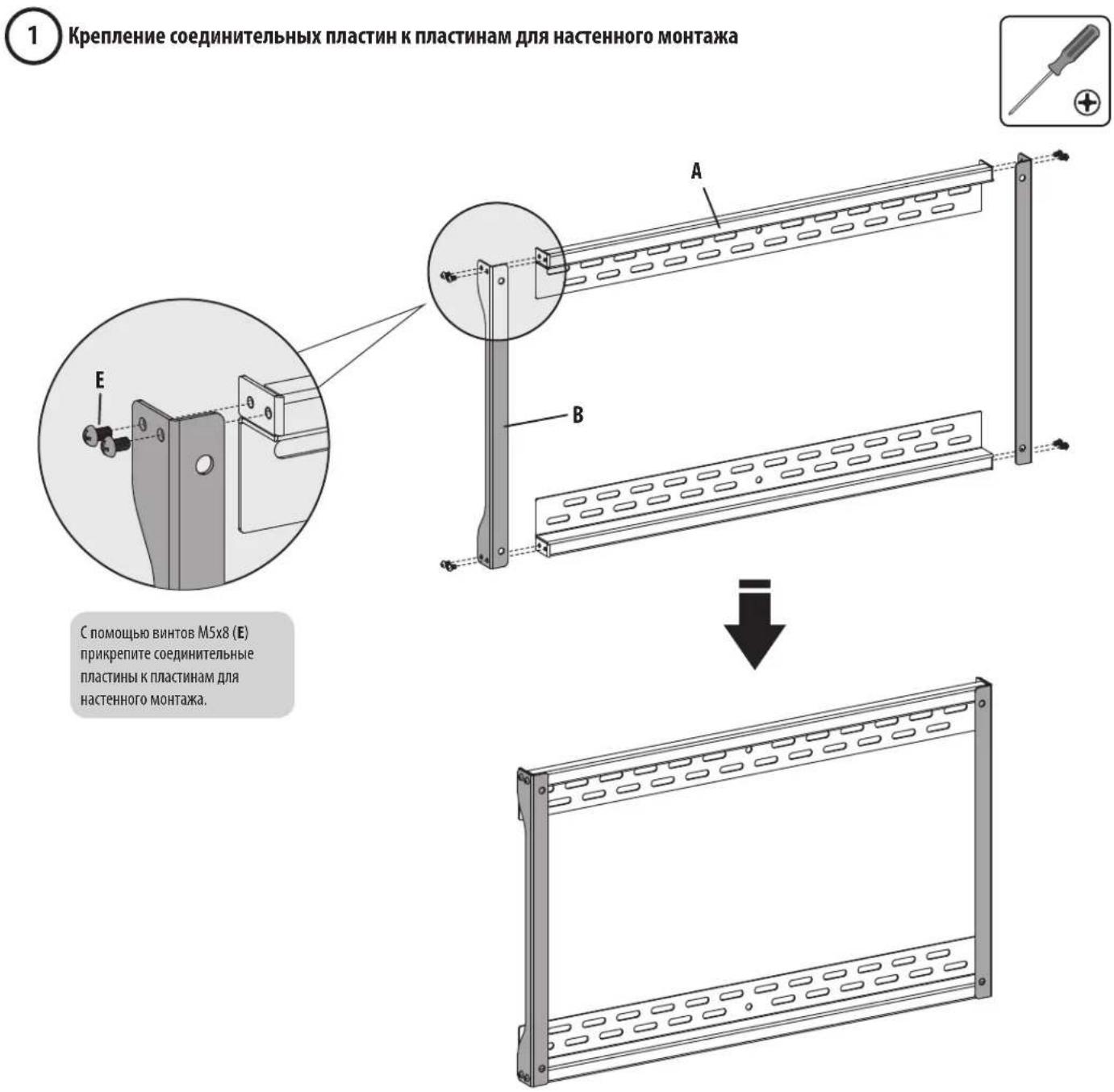
Attach Connecting Plates to Wall Plates
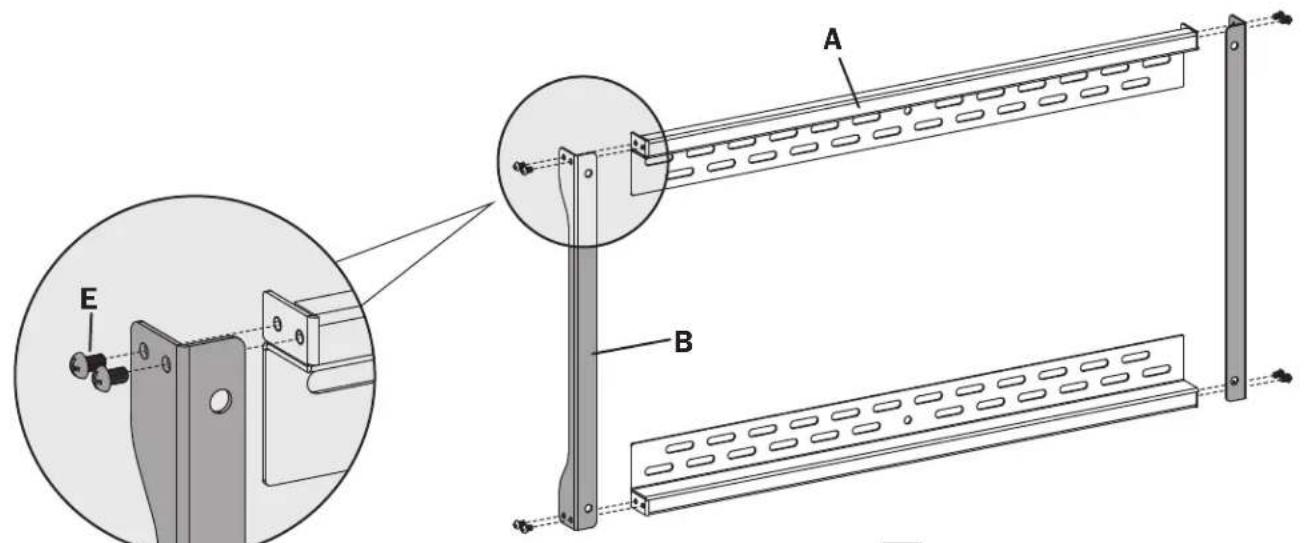
Using the M5x8 screws
(E), attach the connecting plates to the wall plates.

Assembly

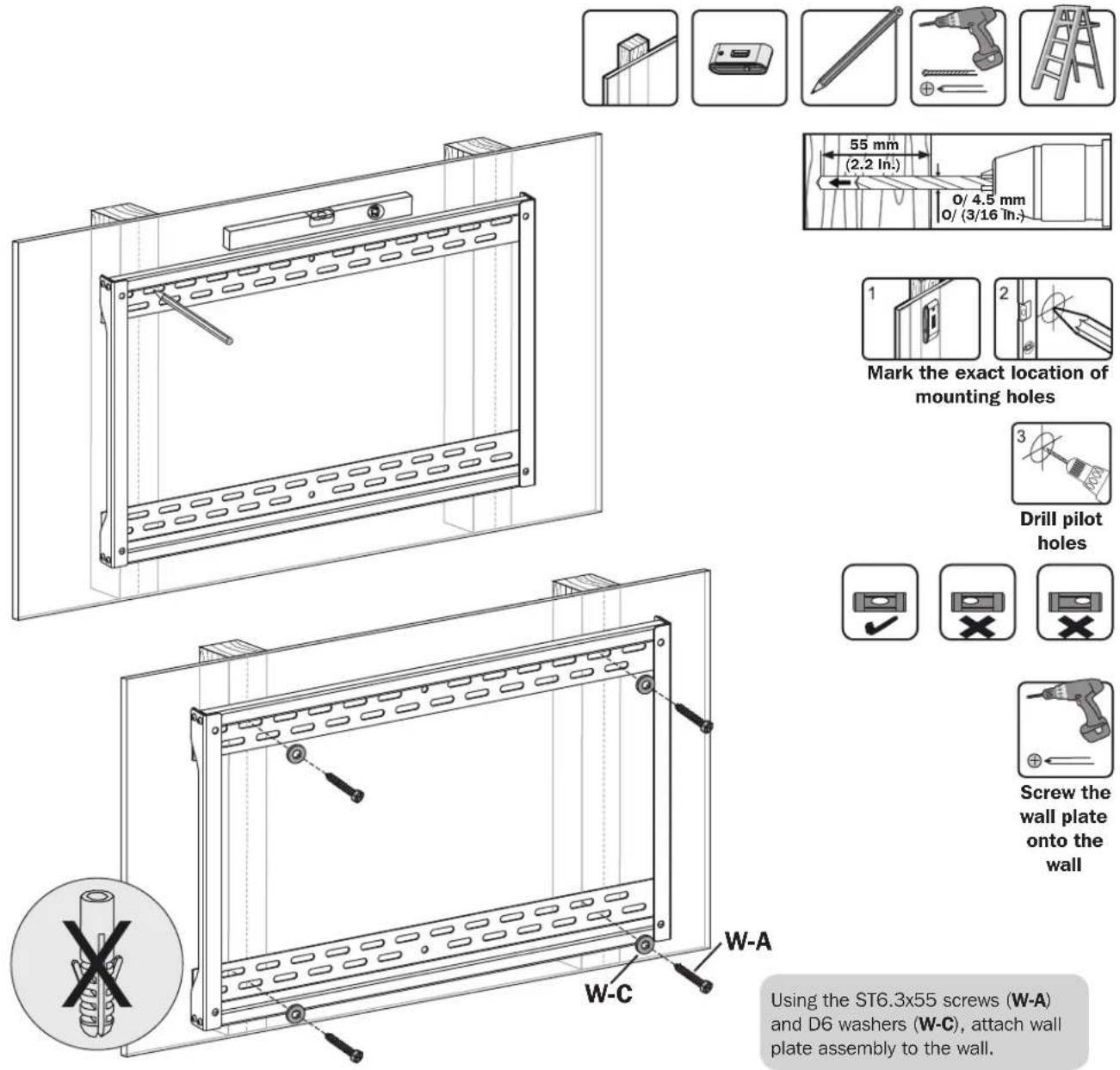
Mount on Wood Stud Wall
WARNING
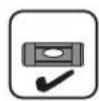
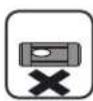
- Make sure that mounting screws are anchored into the center of the studs. Use of a stud finder is highly recommended.
- Installers are responsible to provide hardware for other types of mounting situations.
- Installers must verify that the supporting surface will safely support the combined load of the equipment and all attached hardware and components.
Assembly

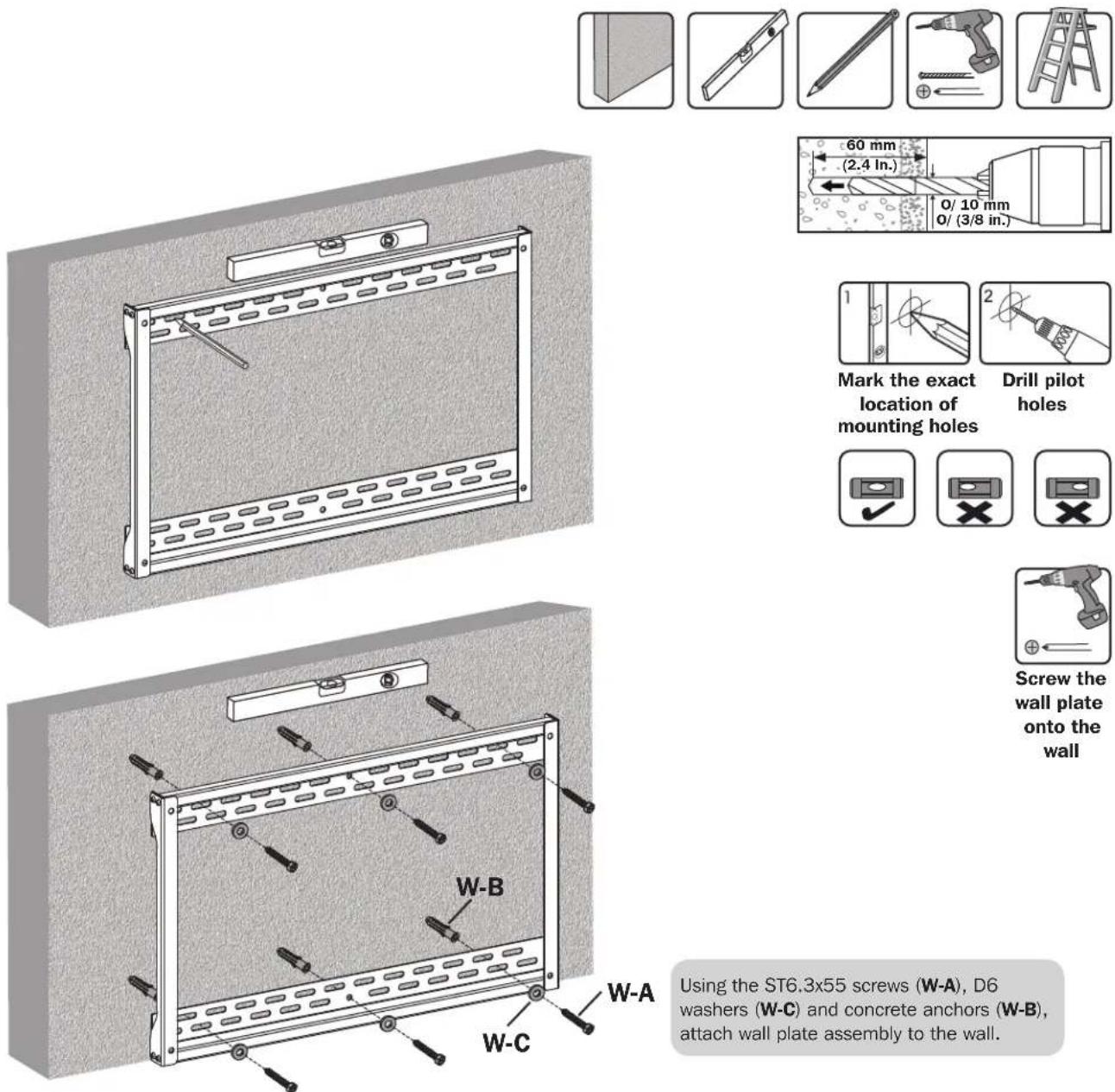
Mount on Solid Brick or Concrete Block Wall
WARNING
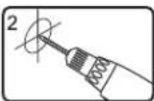
- When installing wall mounts onto a concrete masonry unit (also known as a CMU or "cinder block"), verify that the actual concrete thickness is at least 35mm (1-3/8") in order to hold the concrete anchors. DO NOT DRILL INTO MORTAR JOINTS! Be sure to mount the assembled wall-mount plate with the included concrete anchors, washers and anchor bolts onto solid sections of the blocks.
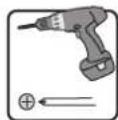
The solid sections can generally be found 25mm (1") toward the middle of the block from either end. An electric drill on a slow setting is suggested to drill the hole rather than a hammer drill so as to avoid breaking out the back of the hole when entering a hollow section. - Installers must verify that the supporting surface will safely support the combined load of the equipment and all attached hardware and components.
Assembly
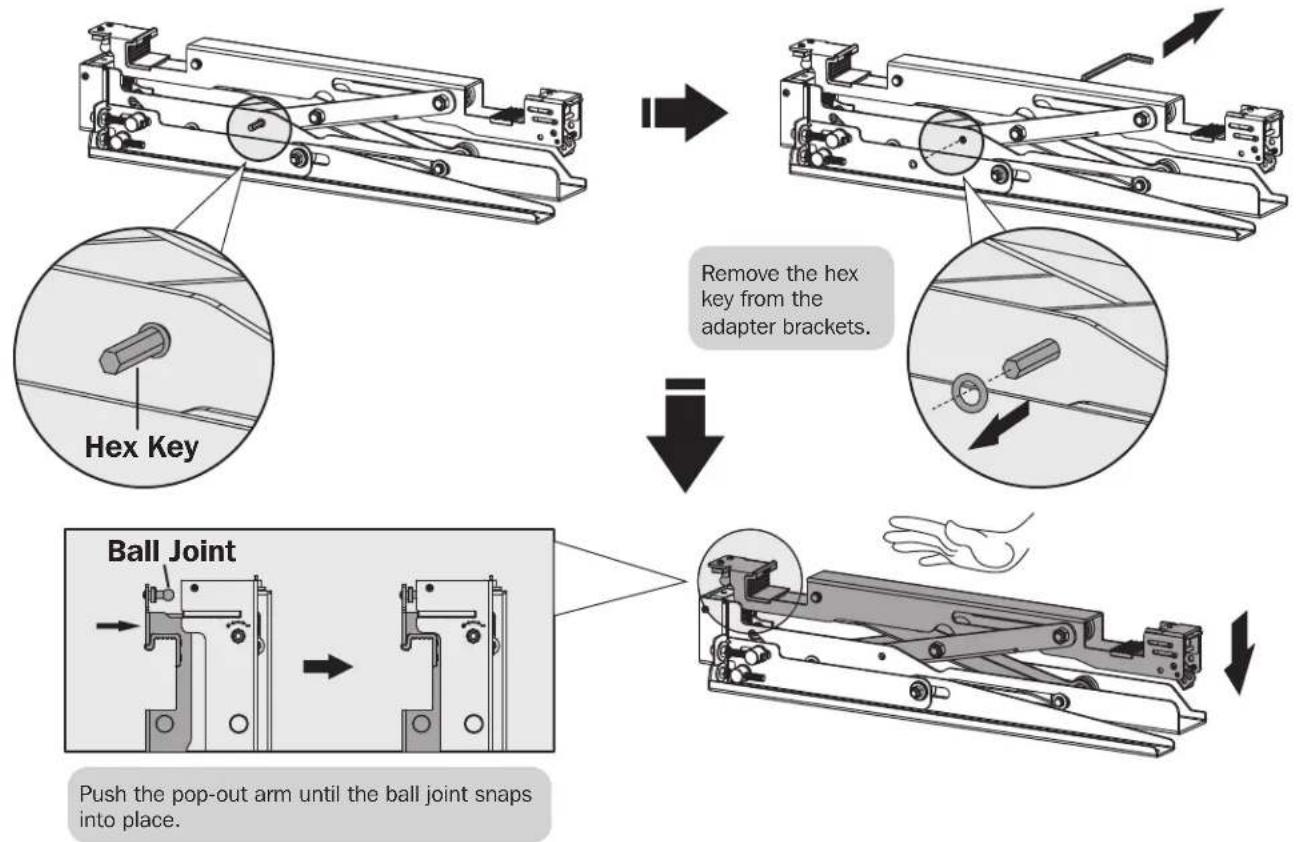
3 Install the Pop-Out Adapter Brackets
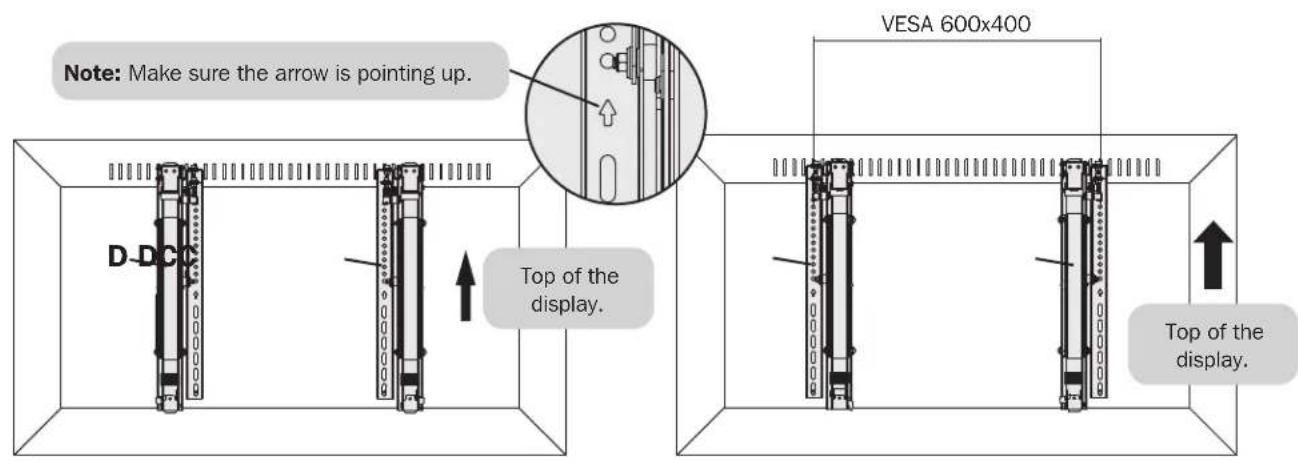
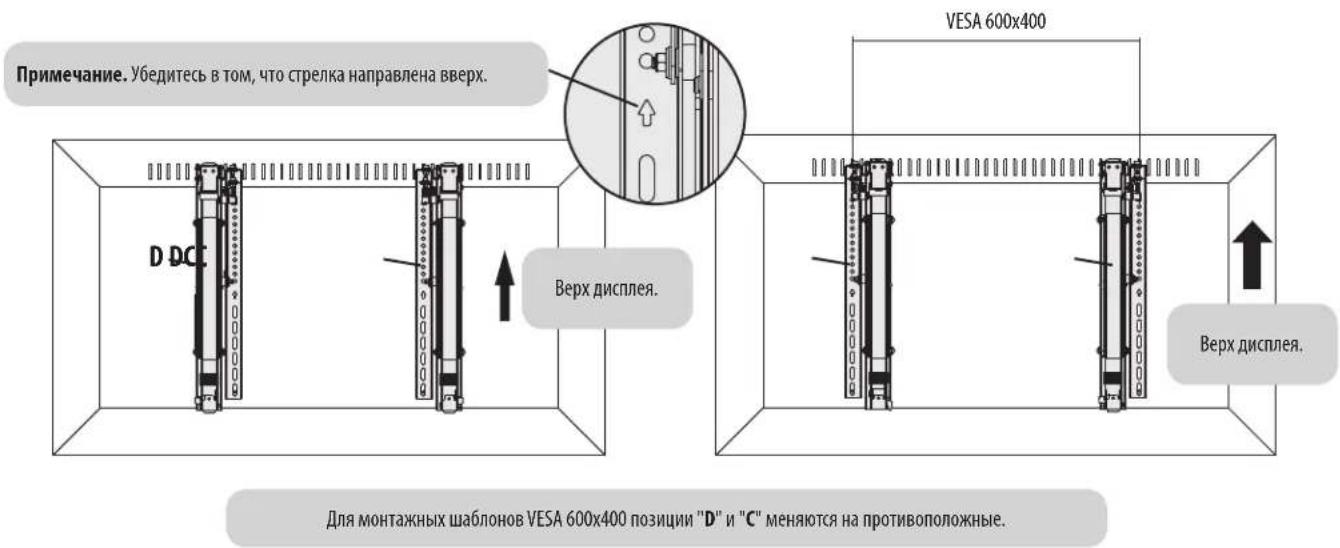
For VESA 600x400 mounting patterns, the "D" and "C" positions are flipped.
Assembly

For Flat Back Screens
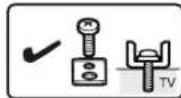
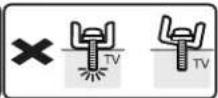
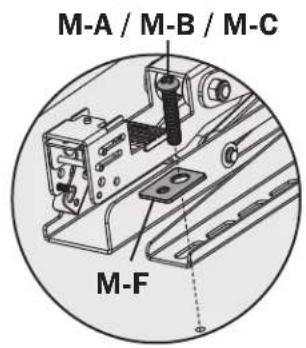
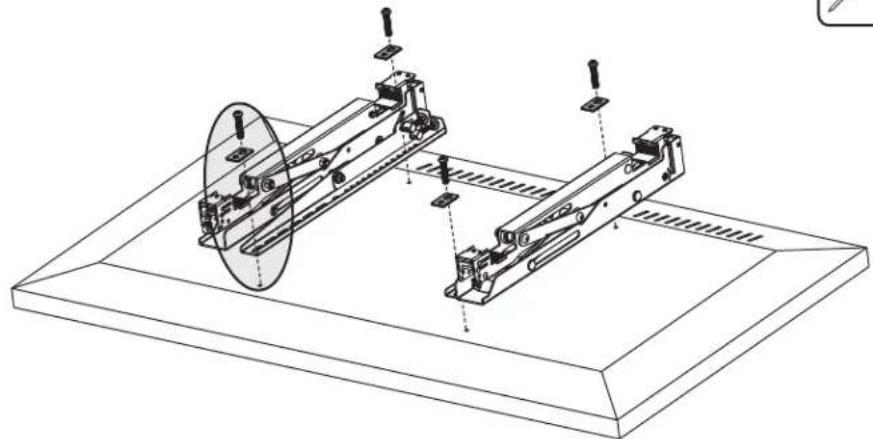
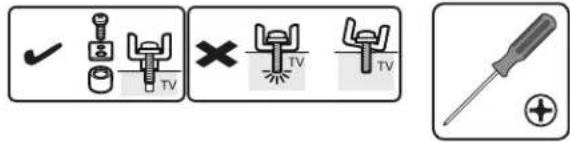
Note: Choose appropriate screws according to the type of screen.
- Firmly secure the adapter brackets onto the display using the screws and any other necessary hardware components included with the unit.

Do not over-tighten screws.
Assembly

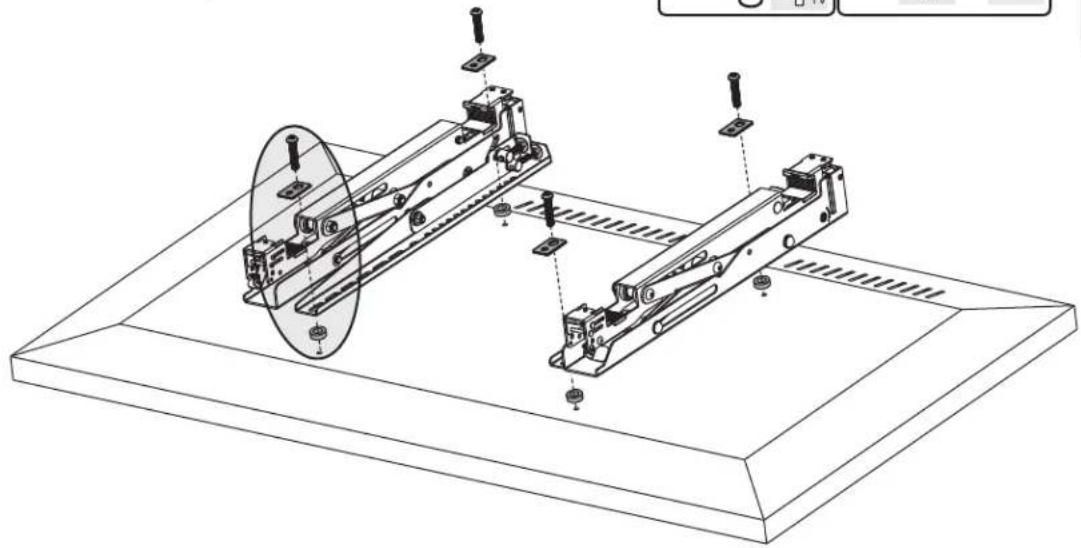
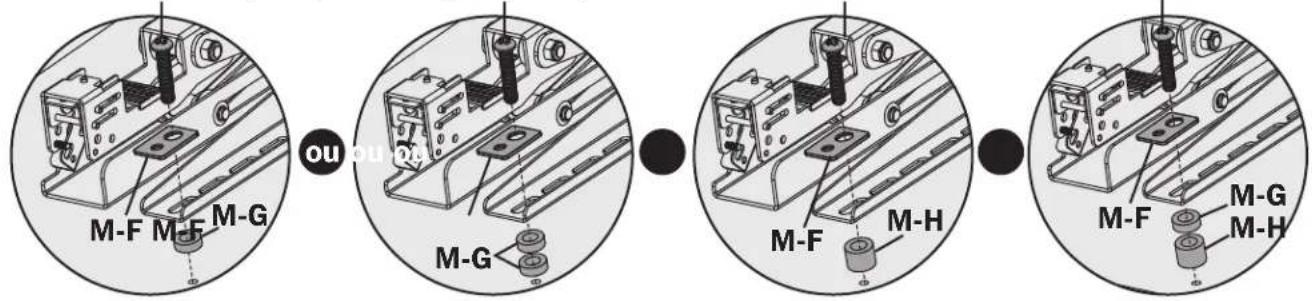
For Bump-Out Screen, Recessed Back Screen or to Access A/V Inputs
M-C M-C/M-D/M-EM-M/D/M-EM-D/M-E
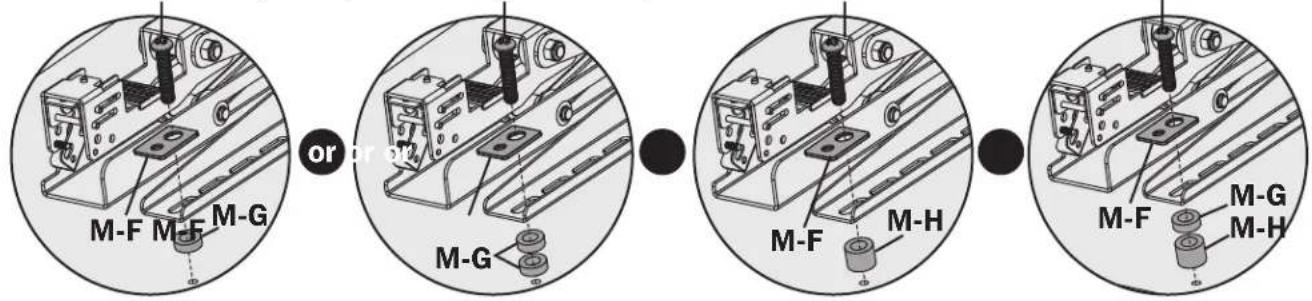
Note: Choose appropriate screws, washers and spacers (if necessary) according to the type of screen.
- Firmly secure the adapter brackets onto the display using the screws and any other necessary hardware components included with the unit.

Do not over-tighten screws.
Assembly

Attach the Display onto the Wall Plate
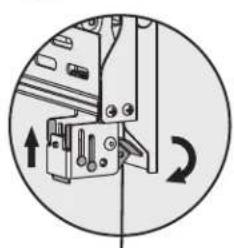
Locking Plate
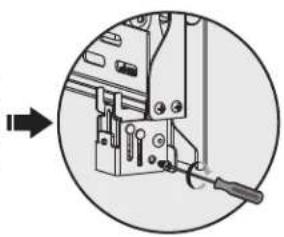
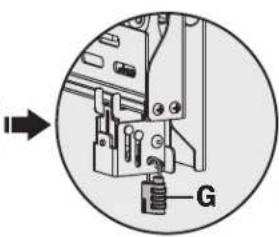
Turn the locking plates downward to fasten the wall plate. Tighten the screws to secure.
Use a padlock to prevent the display from tampering or theft.
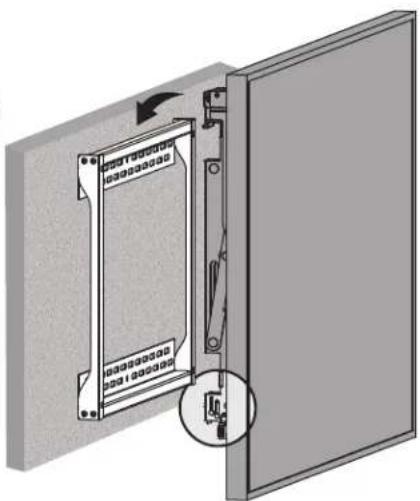


5
Adjustment
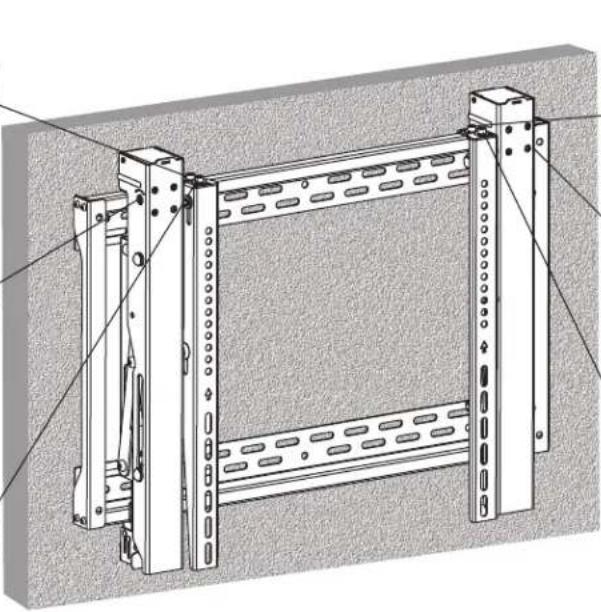
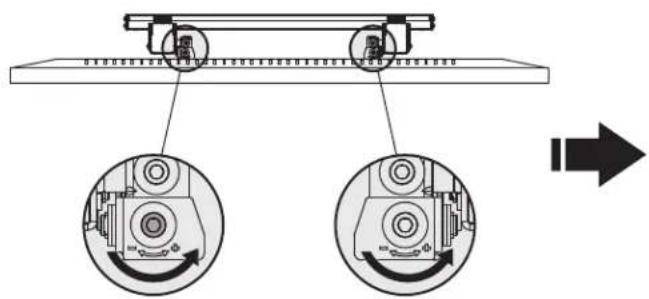
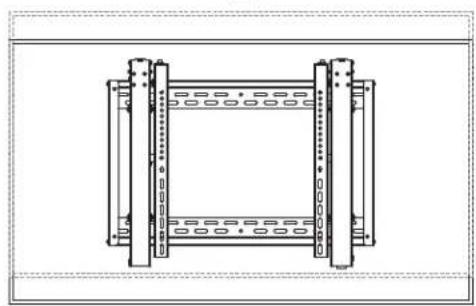
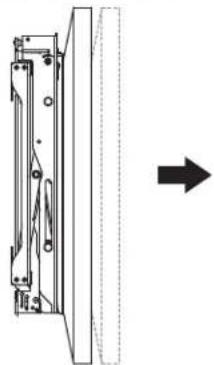
For fast alignment, push the display to the left or right.
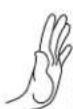

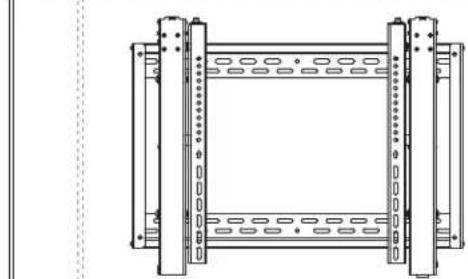


5a
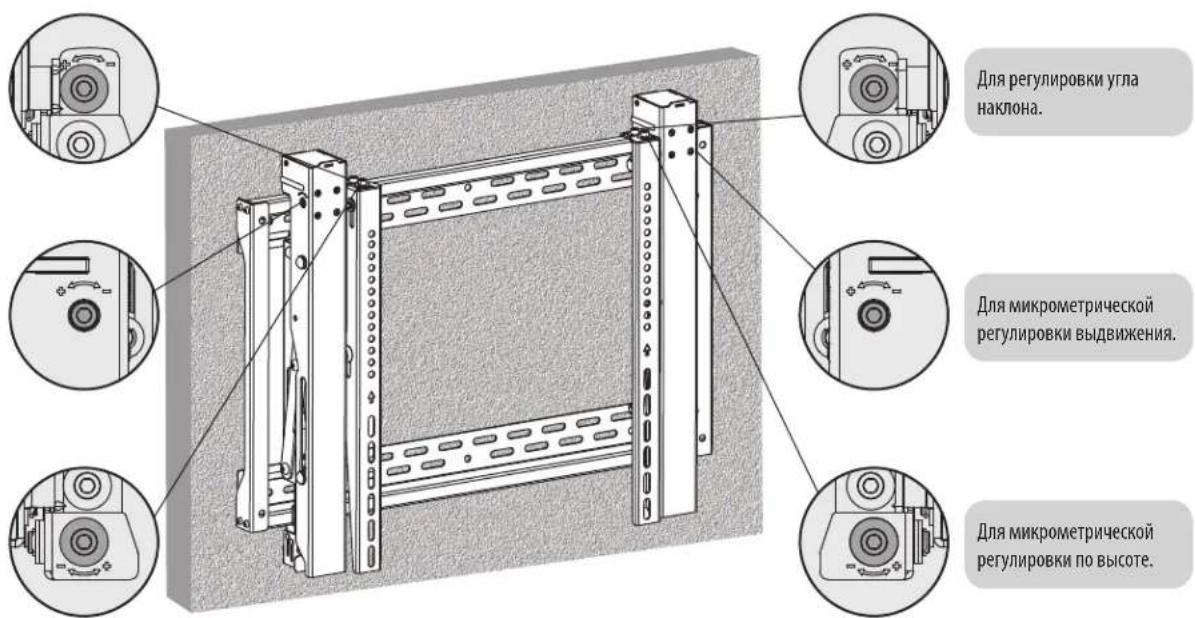
Micro Adjustment
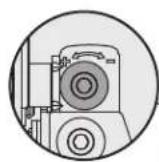
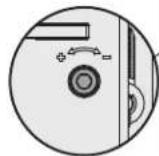
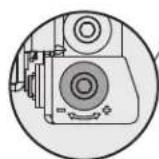
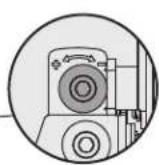
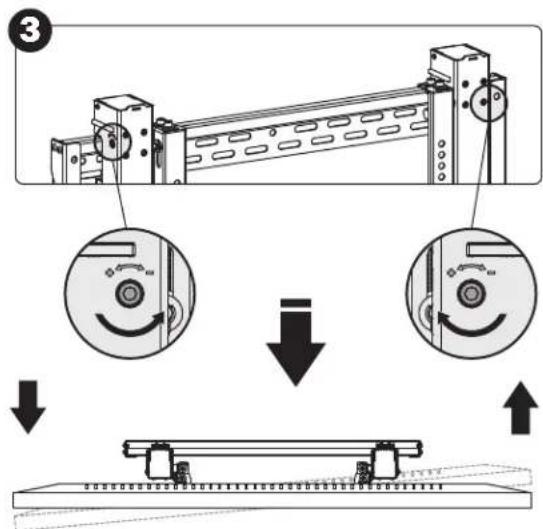
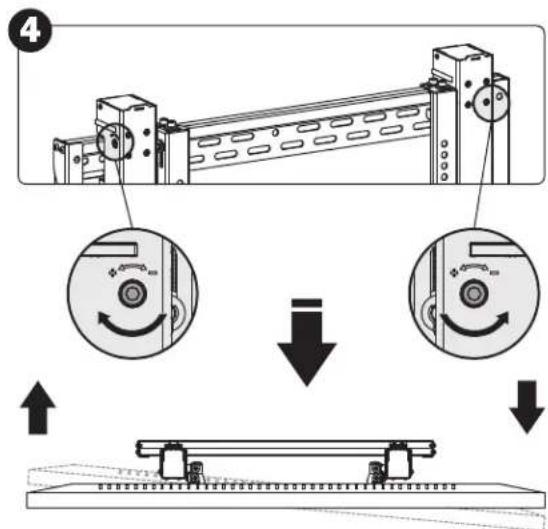
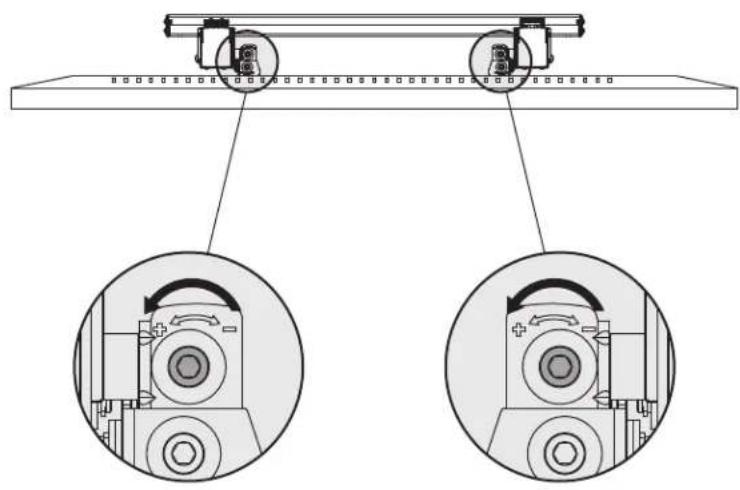
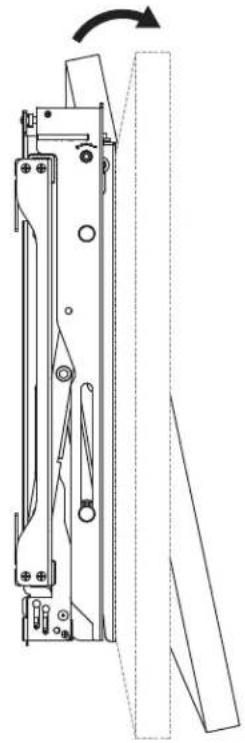
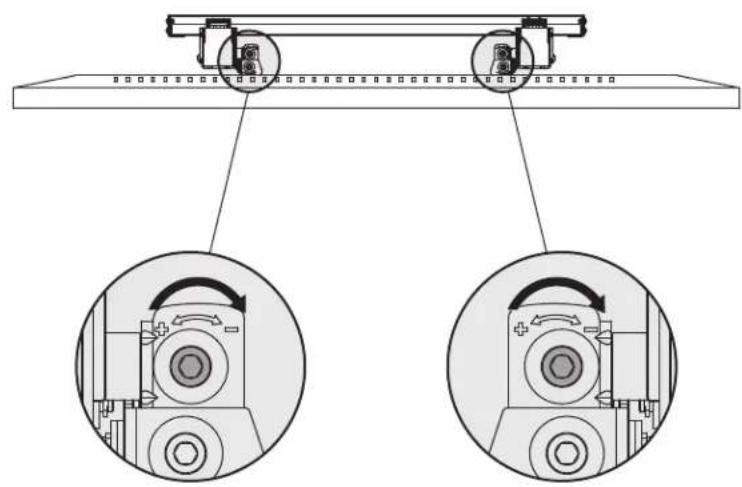
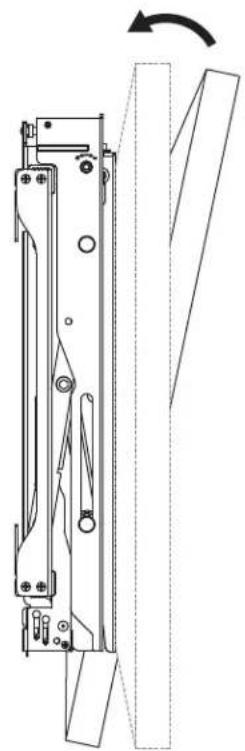
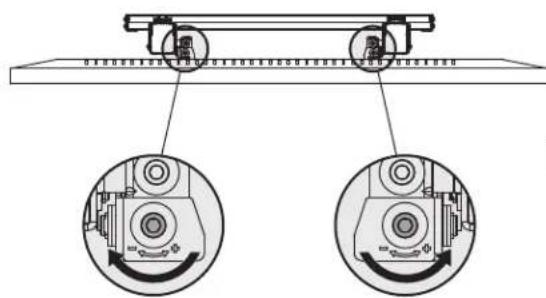
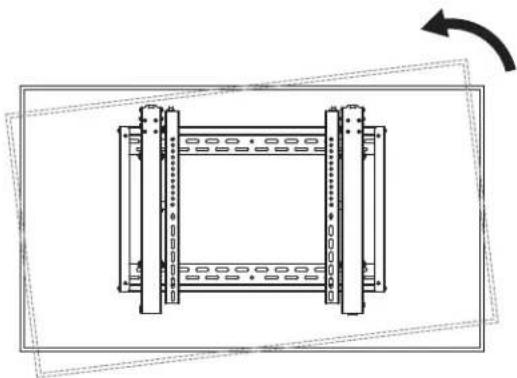
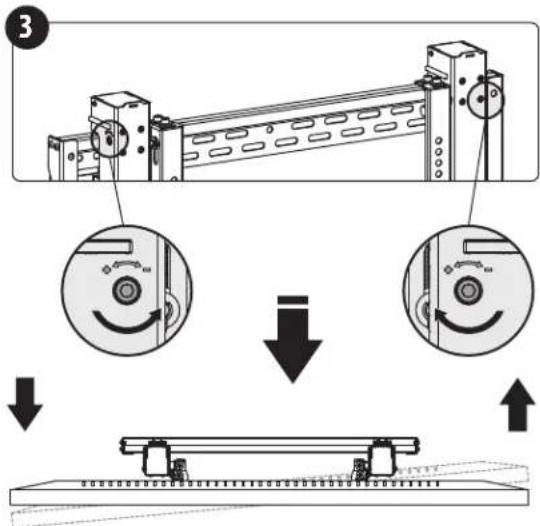
For tilt adjustment.
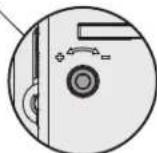
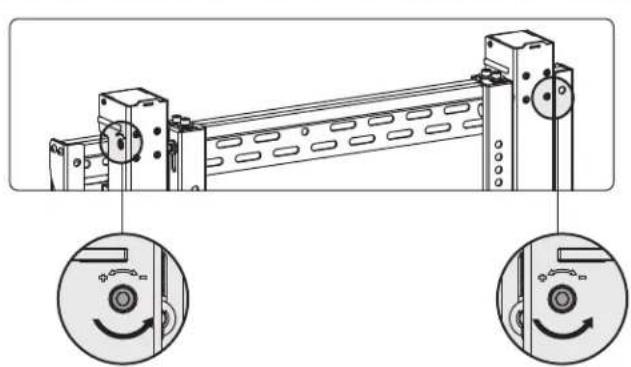
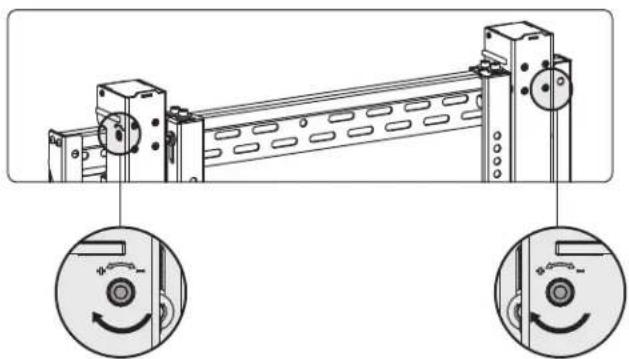
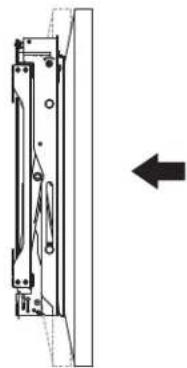
For in/out micro adjustment.
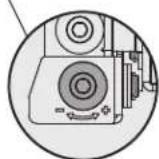
For up/down micro adjustment.
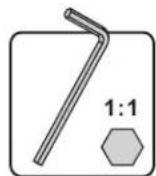
Assembly

Tilt Adjustment

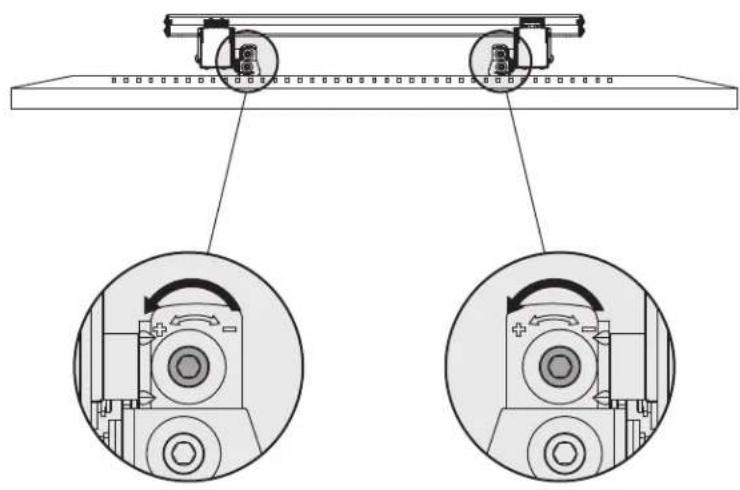

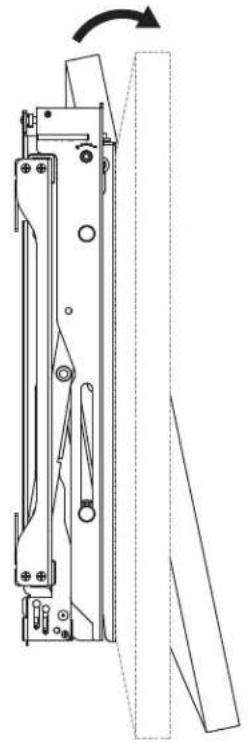

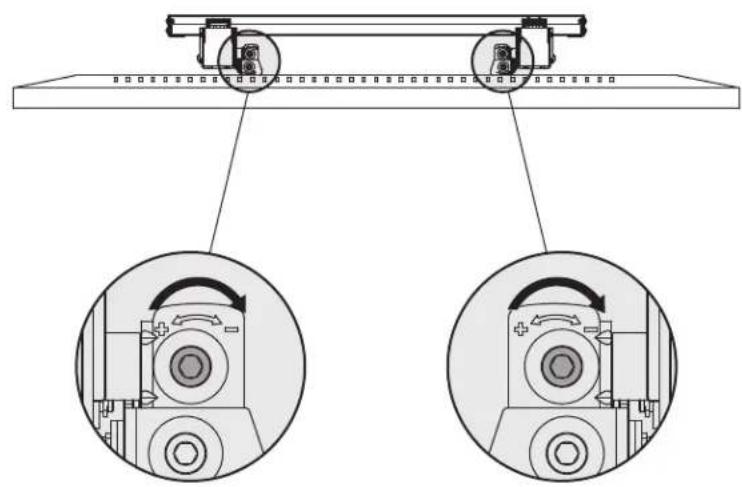

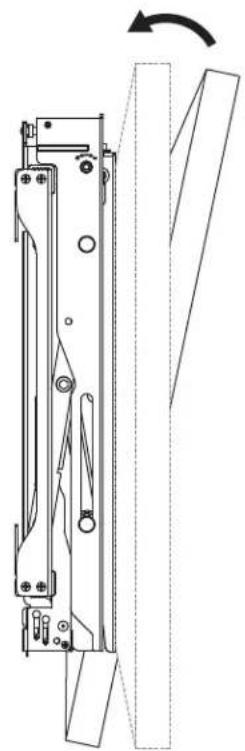
Assembly

Height Adjustment

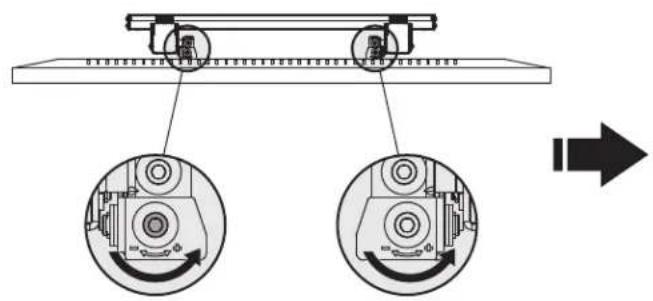


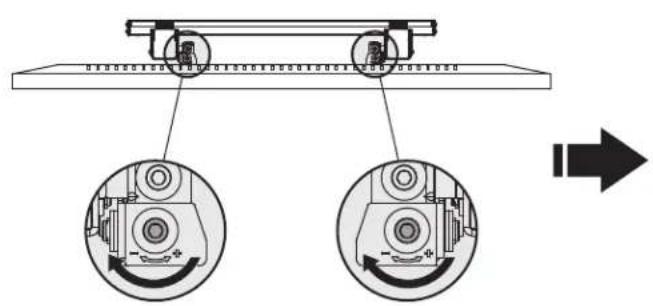
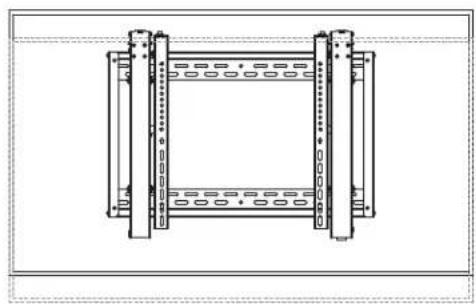

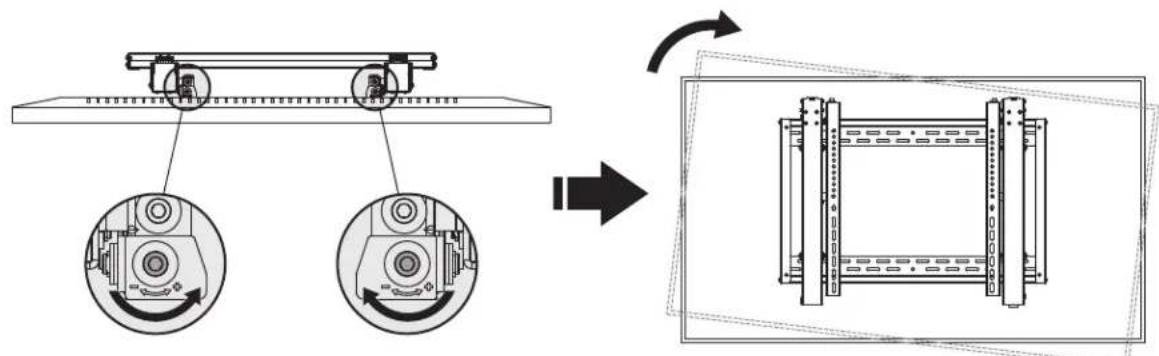

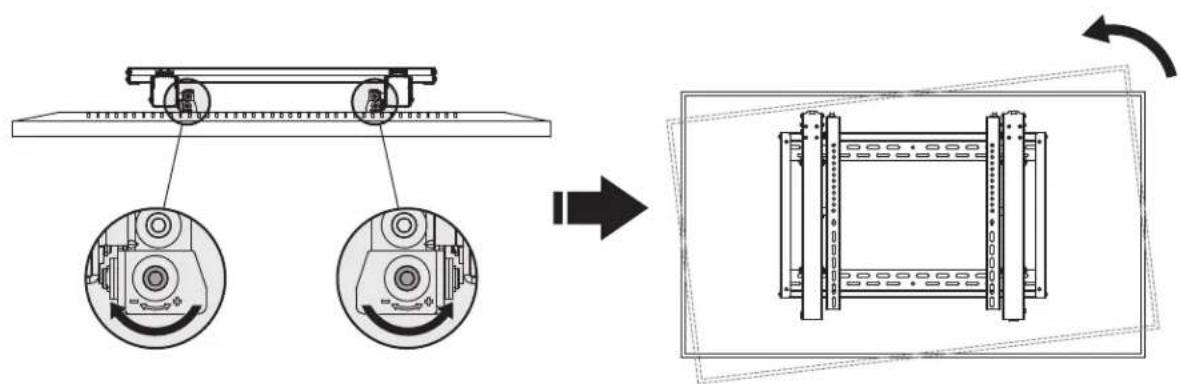
Assembly

Depth Adjustment
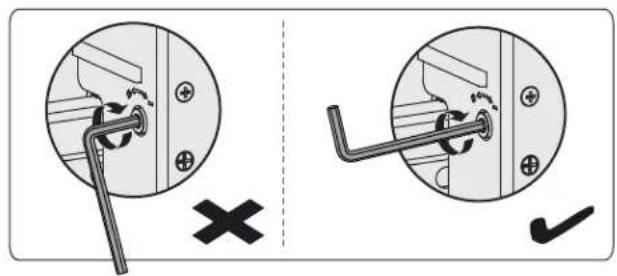
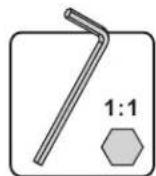
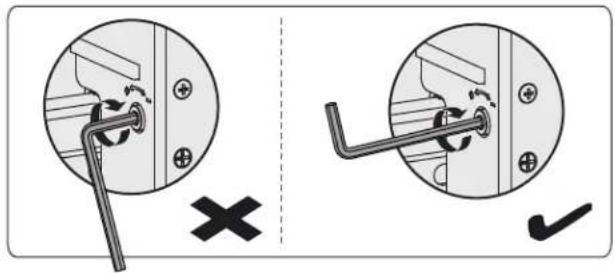
Note: Only use the long end of the hex key when tightening the adjustment screws.
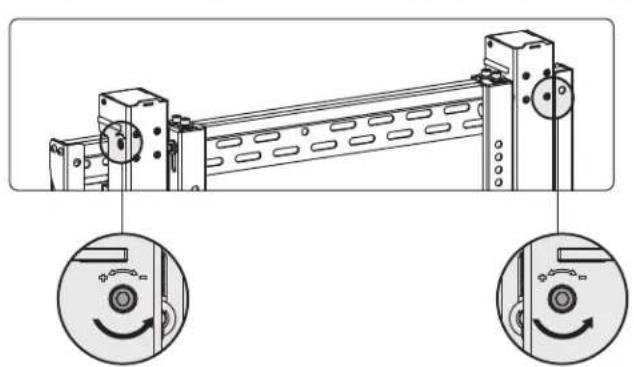
1

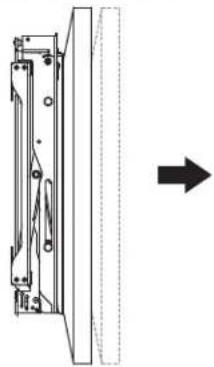
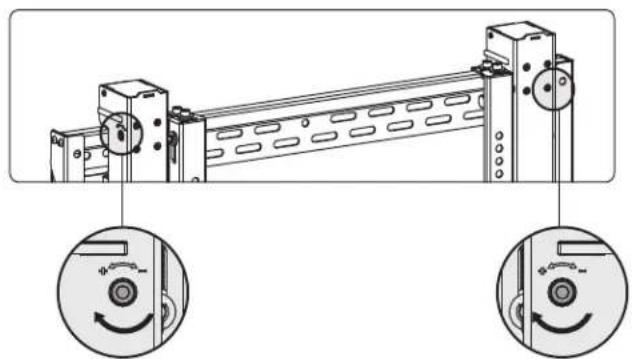
2

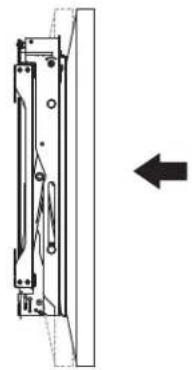
Assembly

Secure and Lock the Display
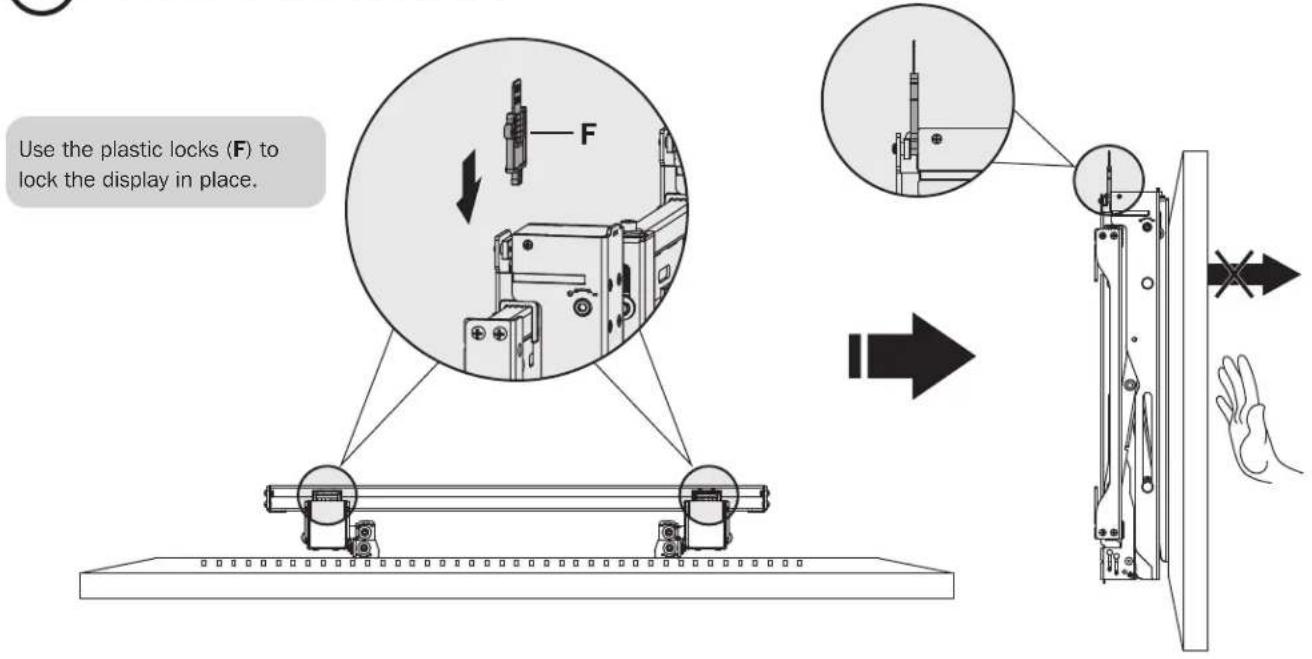
- Check that the bracket is secure and safe to use at regular intervals (at least every three months).
- Please visit www.triplite.com/support if you have any questions.


Manufacturing Excellence
1111 W. 35th Street, Chicago, IL 60609 USA • www.triplite.com/support

LVW06-46T
19-02-230 93-3842 Rss
1111 W. 35th Street, Chicago, IL 60609 USA • www.triplite.com/support
M-C M-C/M-D/M-E M-D/M-E M-D/M-E
PykoBODCTBO N0Ib30BaTeJia
BbIDBVXHNa BnDeOCTeHa
Mодъ: DMVWSC4570XUL
DOnOHnTeNbHbIe yKa3aHnHaNo yCTaHOBKe 6oOee YcE M OJHO KPOHHTeHa Cm. Ha CTpaHnue www.triplite.com.

200x200/300x200/300x300 400x200/
400x300/400x400
600x400

English 1 - Espanol 16 - Francais 31 - Deutsch 61
EAC


1111 W. 35th Street, Chicago, IL 60609 USA - www.tripplite.com/support
OxpaHaeTcA ABTOPCKHM npaBOM © 2019 Tripp Lite. Ipepeueatka 3anppuaetc.

BHUMAHNE!
He NaHnAte yCTAHOBky Do Tex nop, nKa He 03HaKOMITEcB co BcEMn yka3aHHMn m npdeynpejxdeHHMn, HIOXeHHBMn B HAcToIeM pykoBODCTBe, n He noMeTe nx Cmbl. Pp Bo3NKnOBeHHn IIO6bIX BonpoCob OTHocTeBHO IIO6bIX yka3aHHn nn npdeynpekDeHHnocTe CTpaHHu www.triplite.com/support.
JaHHOe H3dEne npHa3aHcHNOy yCTaHOBKn HcNoBb3oBaHn TObKO B cIeXyKa3aHHbIX B hAcToaem pyKoBOcTBe. HenpaBnHna YCTaHOBKa DaHORO H3dEIN MoKeT pNBecTN KpNHyHeHIO MaTePnAHLbHO rUep6a nn cyueCTbeHrO Bpea 3doOpBbIO IIOeI.
- YctahOBka daHoro n3dEmn DOnKHa npOn3BODHTCBcTbKO CneuaHnCTOM cDcTaTOOH TeHXuecko KBaHnOkaueH 6a3OBbIMn HABbKaMn CTPOTeNbCTBa, B NOHO Mepe NoHHMaUoumm Cmbln HhOpmaun, N3IOXeHNBOH B HactoIeM pykoBDCTBE.
- 86eHNTecB ToM, qTO daHHe N3JeHne MoKet C3aNaCOM BbIepKbBaTb CymMapHyO Harpy3ky, co3daBaEmO o6OpdyoBaHem M BcEMN BXoJiMeN B KOMnJIeKT DeTaAMN OCHACTKN DpyTMM KOMnHOHTAMN.
-Дяб63о纳o noIbema nHaIeXaIero pa3meuHnO obOpyOBaHnO 68aTeBHO o6paauTcB 3a NmOoiBIO nnNnNoIb3yTeB rpy30noIbEmhMnOobpyOBAHHm.
- DAnHoe H3deneHpeNa3HaueHOnIeNcNoB3OBAHHaTOnbKpItbIX NmoeJeHnX. NcNoB3oBaHne DaHHoro H3deneH aOTKpbITOM Bo3dyxMe MoKeT npHBecTH Kero BbIXOyD h cTPOH n pUChHeHIO BpeA 3doOpOBbIO IIOeH.
TapaHTnHbIe 06a3aTeNbCTBa
YcnoB5-NetHeW orpaHueHHo rapaHTM
Ppaeaeepaepneppeeppeeppeeppeeppeeppeeppeeppeeppeeppeeppeeppeeppeeppeeppeeppeeppeeppeeppeeppeeppeeppeeppeeppeeppeeppeeppeeppeeppeeppeeppeeppeeppeeppeeppeeppeeppeeppeeppeeppeeppeeppeeppeeppeeppeeppeeppeeppeeppeeppeep
H 1000000000000000000000000000000000000000000000000000000000000000000000000000000000000000
BHMAHIE! Do hauana mnoi3oBaHm daHnHOr oYcTb3a IIOB3oBaTeB doJINeY6eIb3B aTo, OTO OHO JANIELTC PnRTOIDbM, COOTBTCTBYOUM MIM 6eONIaIaEMIO pPMMENHH. B C83M C 601bUmm PA3HOOBpa3HM KOHNKpETbIX pPMMENHEI npMOBdTeNb He Daet KAKHX-NIb 3abepeHH mIA rapaHTHm OTHOENTbHO pIPOAOHCTA DAHHx IN3dEHN DIA KAKORO-NIbKOHNKpETHO pPMMENHR NIKX COOTBTCTB4KAMKNIo KOHNKpETbMX TpeBOAHm.
IpeueeHb KOMnneKtaun
BHIMAHHE! Npeq nayanom yctahOBky6eHTecB TOM, YTO BAMN ONyehb BCE Detann cornaH nopeuHO KOMnEKAUN. B cnyae oTcYrCTBn nn nobpejdeHH KAHX-N6o detanei obpaTtecb 3a nomouho na crpanuW www.triplite.com/support.
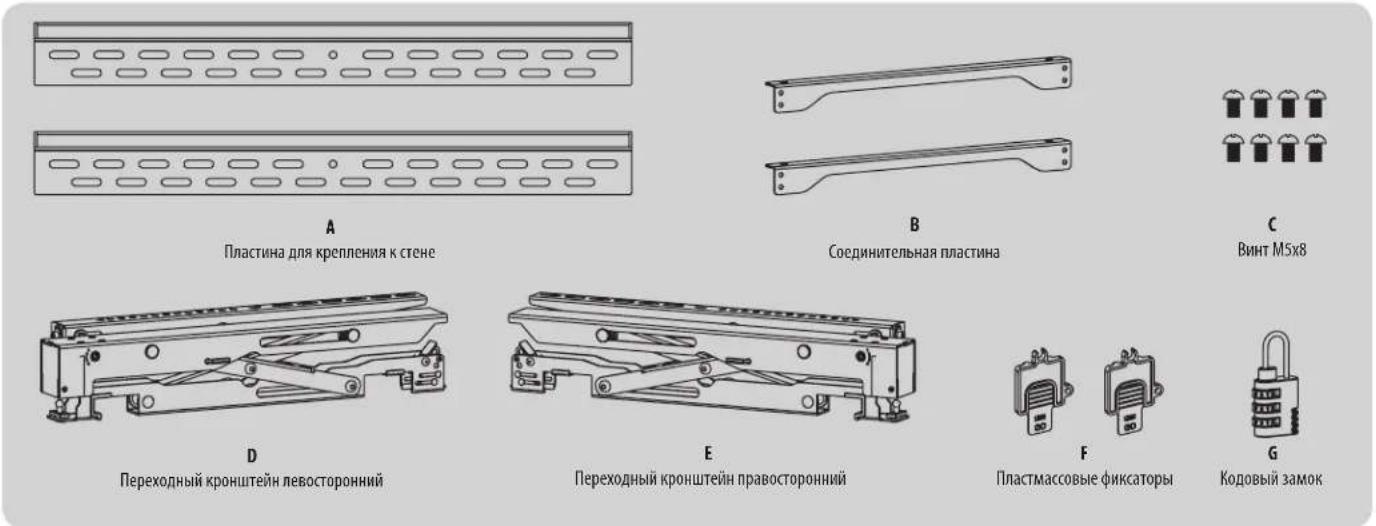
Ynakooyhbi KOMPNEKT M
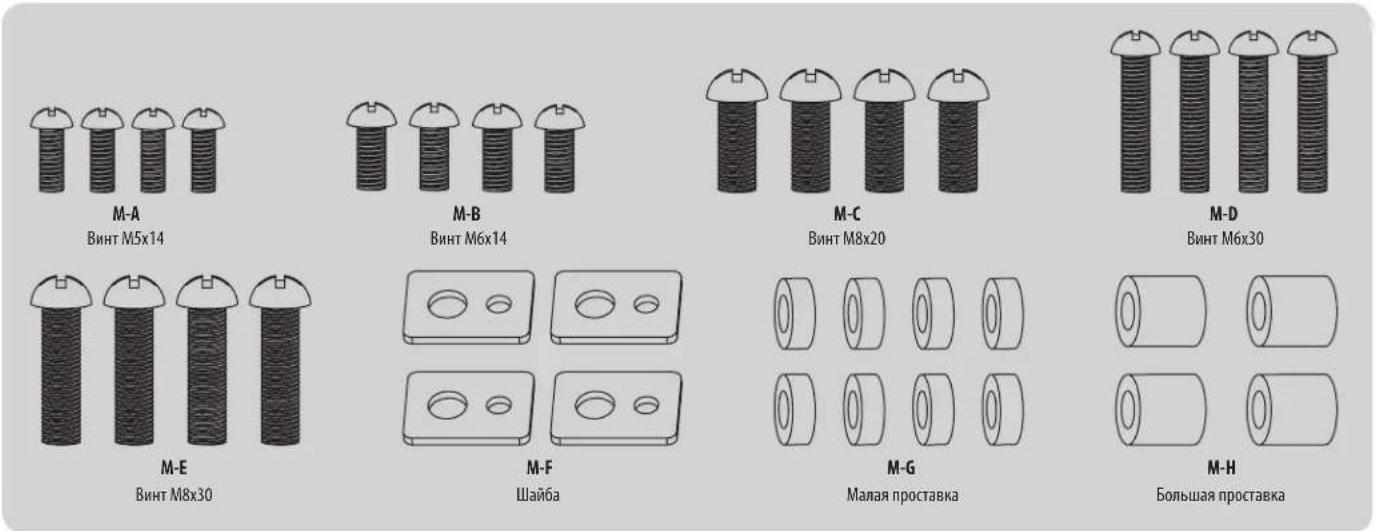
Ynakobouhbi KOMnneKT W
Pazmepbln3dennia

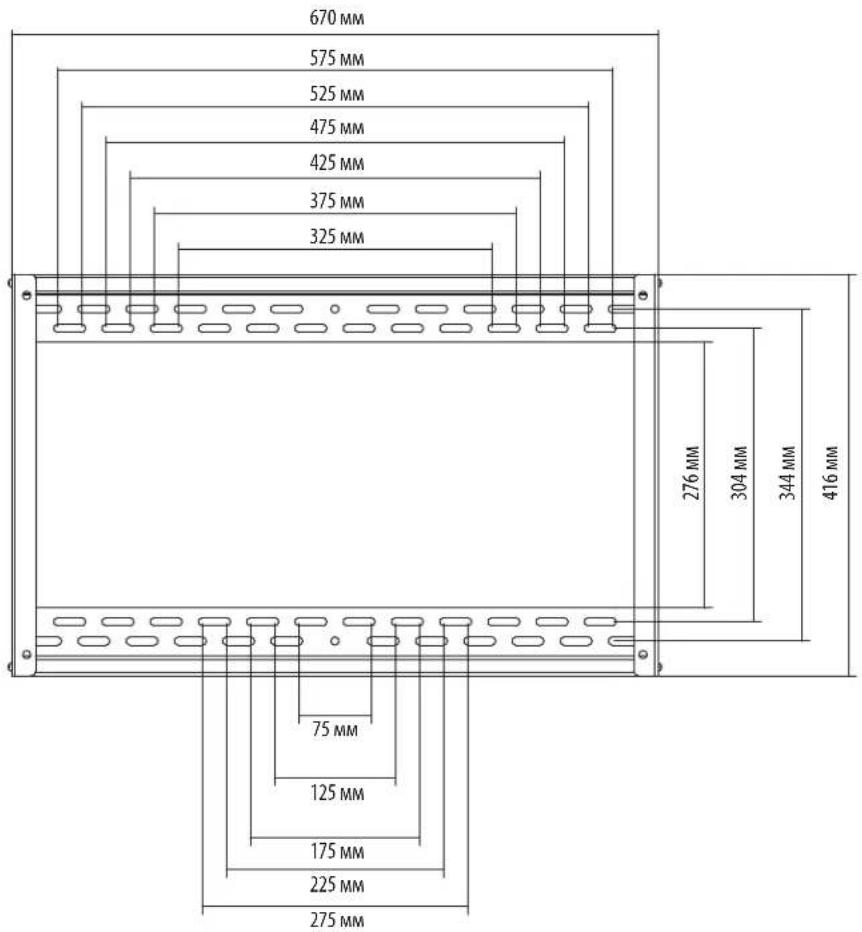
Popraok60pk
Popraok60pk

KpennneHn K cTeHe C dpeBaHHbIM KapKaCOM
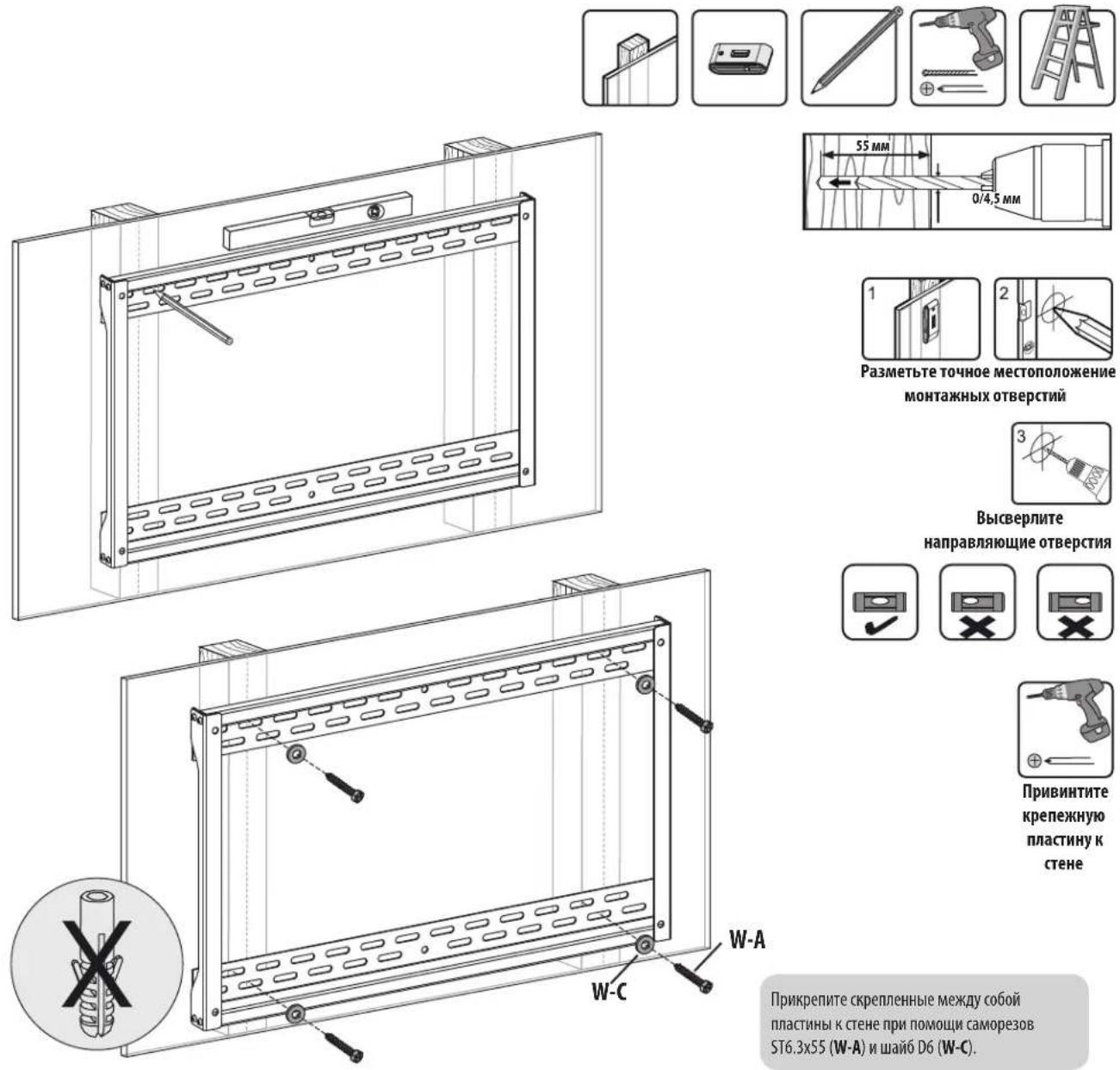
BHUMAHVEI!
Heo6xOIMO o6eTb BBeptbBaHne KpeTeKbIX BNHTOB No eHTpy 3IeHmToB Kapkaca. CToi cIbIO HactoTeNbHO peKOMeHnyetc HcNoIb30BaHne DeTeKtopa HeoHopodnocten.
- OTBETCTBENHOCTb 3a o6eCneHHe NpOxOpaIe KpeNKeKHO OCHaTKn IApDpyrMx CnOcOb MOHTaKa BO3NaIaraeTc H aYcTaHOBuNka.
- YctahOBuHK 6b3aH y6eHTb cB TOM, 4TO ONOPHAn NOBepXHOCTb C3aIacOM BbIePcHt cyMMapHyO Harpzky, co3daBaEMy 06OpdyoBaHem N BcEMN BXOJUIMM B KOMIINEKT DetAAMN OCHACTK IN DpyTMM KOMNOHEHTAMM.
Popraok60pk
2b
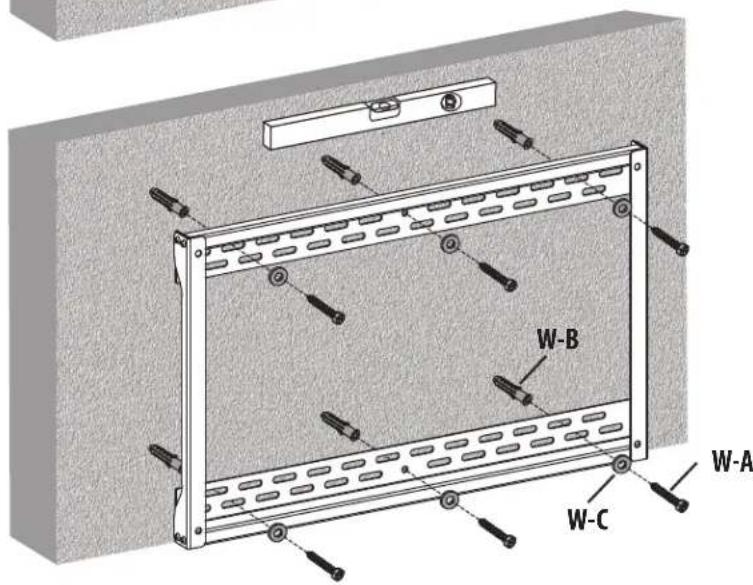
KpenneHn K cTeHe n3 cnlooHoro Knpnua nn 6eToHHbIX 6IokOB
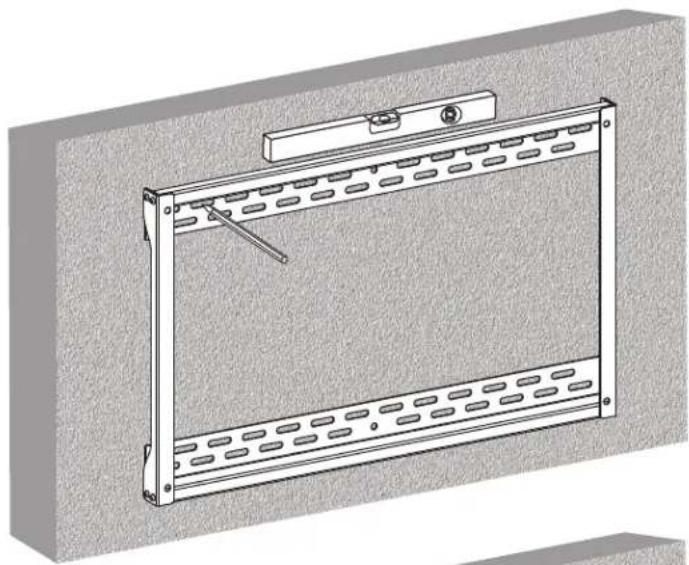
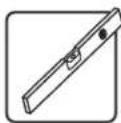

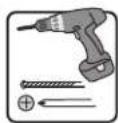

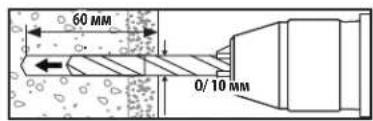
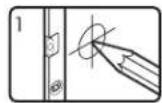
Pa3MeTbTeTOHoe
BbCBePnTe
MeToNoJoxHe HappaIouHe MOThaXbIX OTBepCTn OTBepCTn

PpmbnHTne KpeNExHyo PnaCTNYK CTHe
PnKpEnHtEckpeHHbE MeNdycoBOnPiactHbIKTeHe npnMoOuIcAmOpE3OBST6.3x55(W-A),Wai6D6(W-C)m AnKepeoB Dn46eToHa(W-B).
BHIMAHHE!
Ipn MoTtacke HactenHbIX KPOHTeHOB Ha 6eToHbI CTPOTeHbI 6nK (u3BcTHbI TaKke KaK BCN "Wnako6eHbI 6nK) y6eHITcB ToM, qTO
fakTMueckar ToIunHa 6eToHa CoCTaJIeRr He MeHee 35 MM C cIeIbO o6ecneHEn HaJNeKaaIe OHKcaUHN anKePob Ira 6eToHa. HE BblCBEPINBAHTE OTBEPCTN B
WBAX, 3AIOJIHEHHbIX CTPOTEHbIM PACTBOPOM! IpaTInHy IpaHCTeHOrO KpeIeHnB C6ope o8aTeNbHO CneDuET MOHTpObaTb C nOmoIbIO NoCTabIeMbIX
B KomIIeKe T c Hn AnKePob dJa 6eToHa, Wai6 N AnKePbIX 6oTbB CnIoOnHbX qAcTlx 6nOkOB.
Cnnoohbte cactn 06yHn haxoTcH a pacctOHH 25 MM ot IIO6oR n3 KpaEB 6nka K erO eHTpy. Bo n36exAHne pa3pyeHn 3aHne tEHN OTBepTm npnnnonadHn CbePb B nOlyu cactb, drr BBicBepnBaHn OTBepTn peKOMeHdyetc HcIOnb30BaT b 3JekTpueckyio dpelb Ha Manon CKOpocn BpaeeHn Bmecto nepopopota.
- YctahOBuIK 6o3aH y6eHTb CToT, 4TO onOpHn NOBepxHocTB C3aIacOM BbIepKHT cyMMapHyIO HArpy3Ky, cO3daBaEMy 06opydoBaHHem N BcEMN BXODaUMN B KOMNKeT DeTaAMn OCHACTKN DpyrIMM KOMNOHETMN.
Popraok60pk

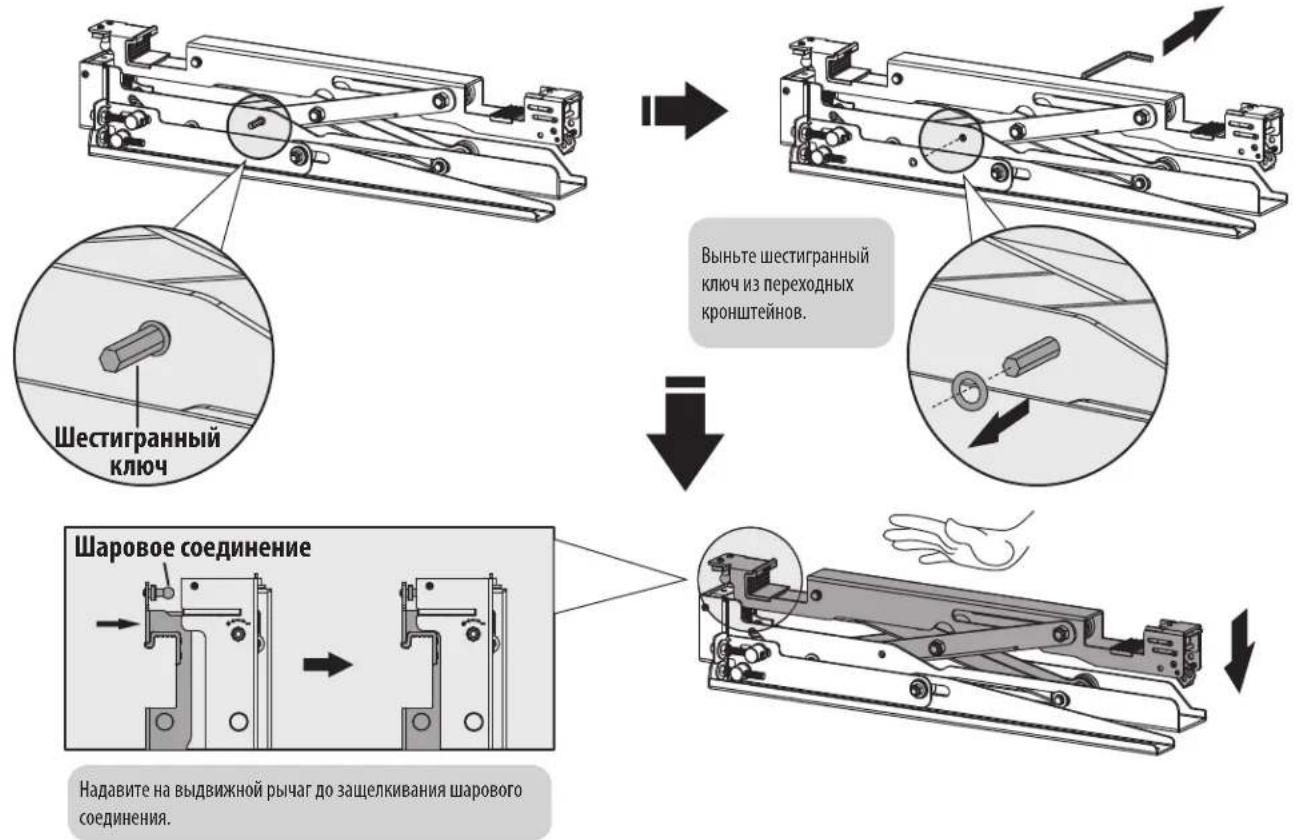
YcTaHOBKa BbIDBHXhIx NpeXoDhIX KpoHHTeHOB
Popraok60pk
He nepetarHbAte BHTbl.
Popraok60pk

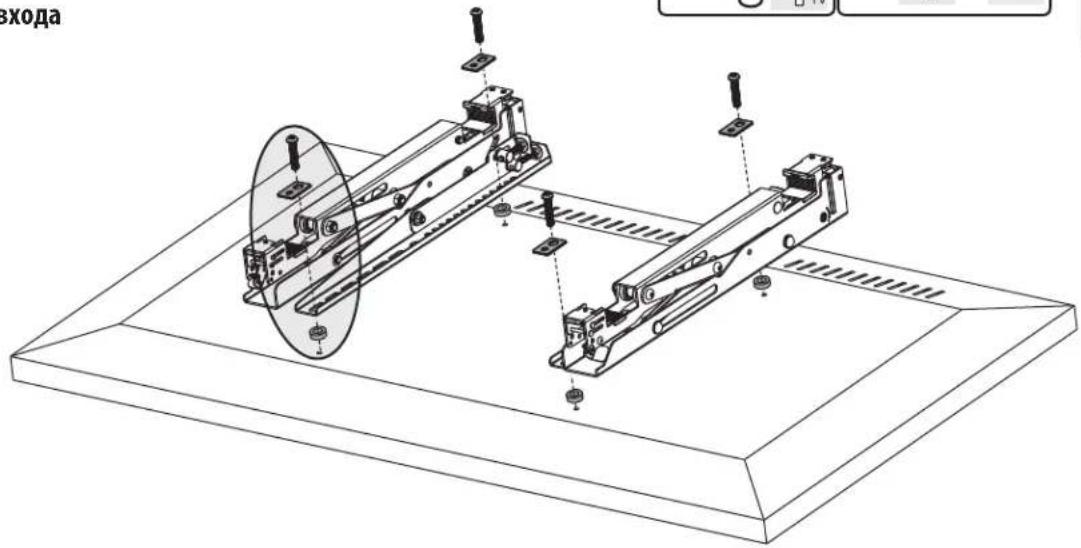
IJIy BbIIBNXHbIX 3KpaHOB/3KpaHOB,yCTaHaBnBaEMbIX 3anOJnIO nn IIN nn nOlyuHnN IOCTyna K pa3beMaM ayDnO-/ BnDEOBXoJa
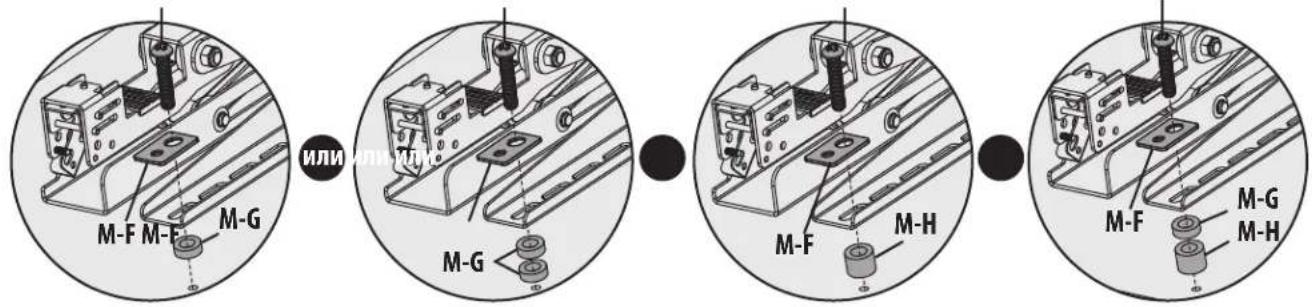
M-C M-C/M-D/M-EM-D/M-EM-D/M-E
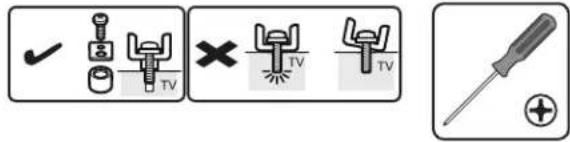
PnmeHne. BbIbIaTe NoxOAneBnHTbI, bIaBbI paCIOpKn (npn Heo6xOIMOCtN) COOTBTCTBNCTINOM kpaHa.
IpoHIO pNkpenHe npexOHNbIe KPOHHTeHbIKnCnTneo C nmoBbBnHTOB INHO6bIXpyrHX Heo6xoDmBbIX KpeiExKbIX 3nEmTOB, NOCTaBReMbx B KOMnTe.

He nepetarHbAte BHTbl.
Popraok60pk

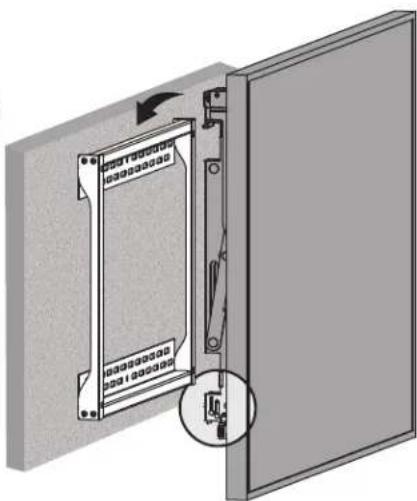
PpKpenTe dncnne K nactHe IaHcTeHHoro MoHTaKa
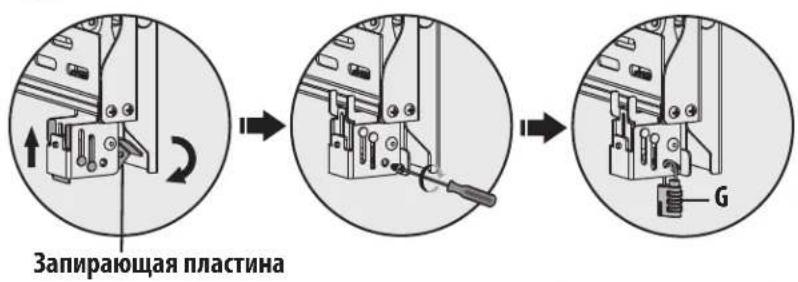
IOBepHnTe 3aInpaoue nIaCTnHb BnH3 DnI qKcaunnnactnHb HacteHHoro KpeHHnna.3aTnHTe BnHTb Do ynapa.
IINpnpoTbpaaenH BCKpbTnN Nn KpaKn DnCnne NcNoB3yTe HaeBcOHy 3aMOK.


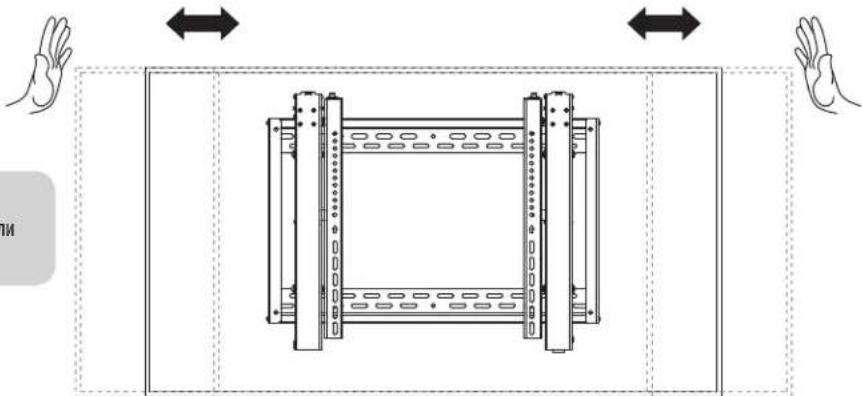
KoppeKTIpOBka noloxhen
ДЯБбТРОВБьравнваня ДИСПЕССВИНБTeEROBNEBOHIM Вправо.

Mukpoperynipobka
Popraok60pkn

Perynnpovka yrgna hakloha




Popraok60pk
5c
PerynnopBkA BbICOtbl
1

2
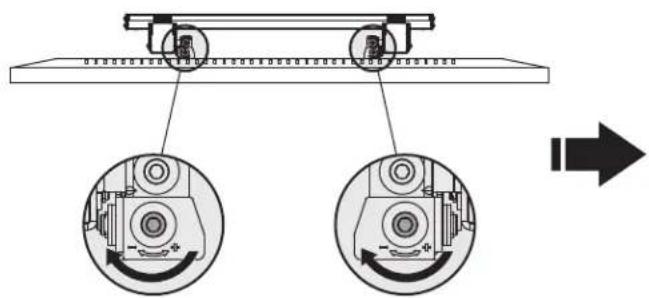
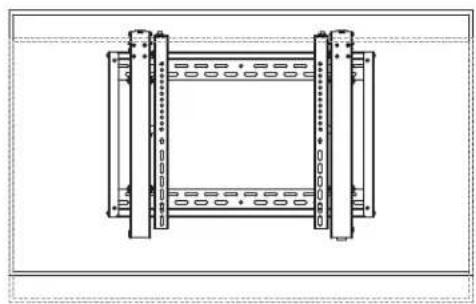
3
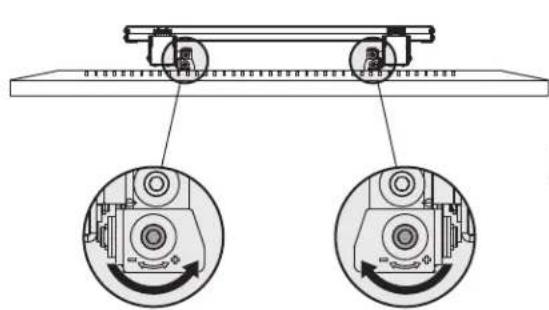

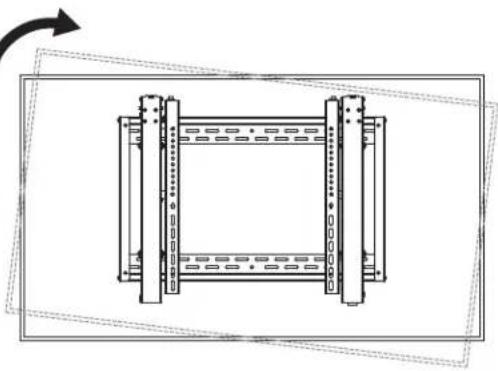
4

Popraok60pk
5d
Perynnpovka rny6nbl
PnmeH. np3ataKkepeynpOBOHyBHTOB NcnoB3yTe TOnbKO dHHbKOHeu WeChrPaHHo KIOUa.
1

2

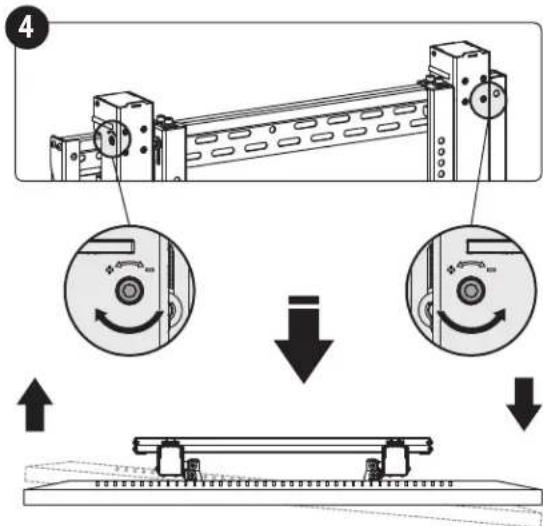
Popraok60pk

ФикcaииЗakpenneHneДИнпяe
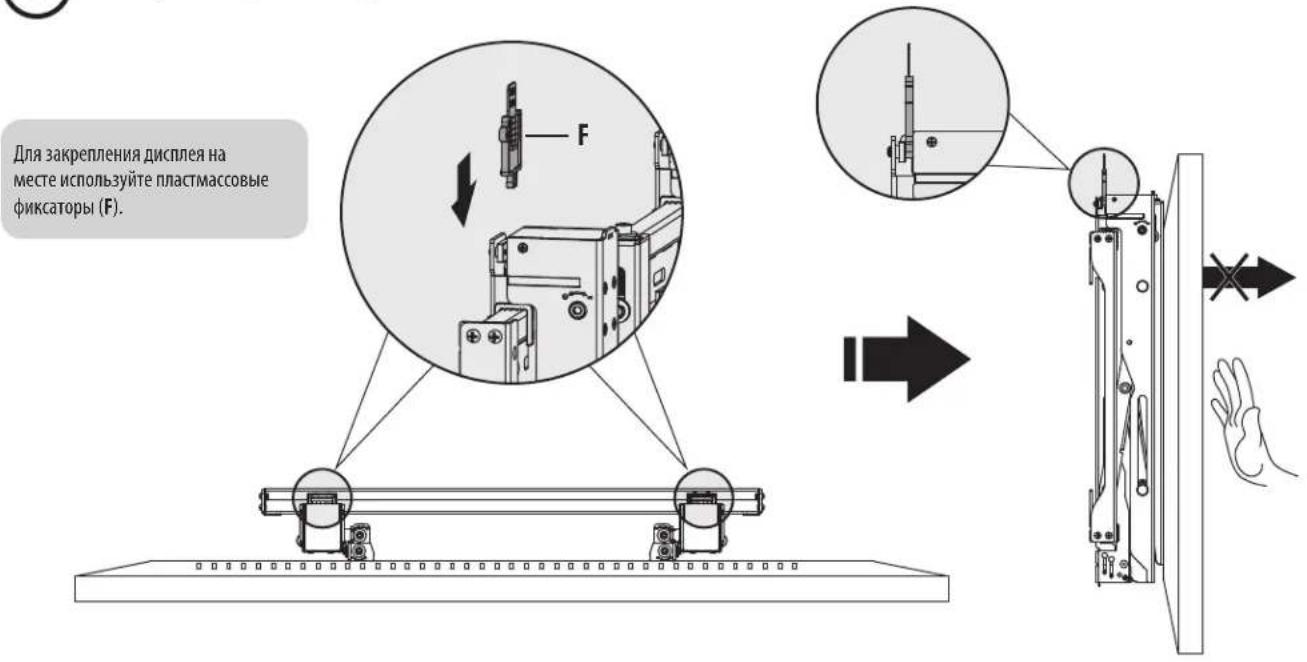
Perynpho (he pexe, qem pa3 B tpr mecaa) npobepa Te haoeknoctb kpenenna Kponhtema H6e0anchoctb erho nolbaohnn.
B Cnyuea Bo3HKnHOBeHHa KaKHX-Ni6o BOpocOB NocETHe CTpaHNUy www.triplite.com/support.


1111 W. 35th Street, Chicago, IL 60609 USA - www.triplite.com/support

Benutzerhandbuch
Manufacturing Excellence.
1111 W. 35th Street, Chicago, IL 60609 USA · www.triplite.com/support
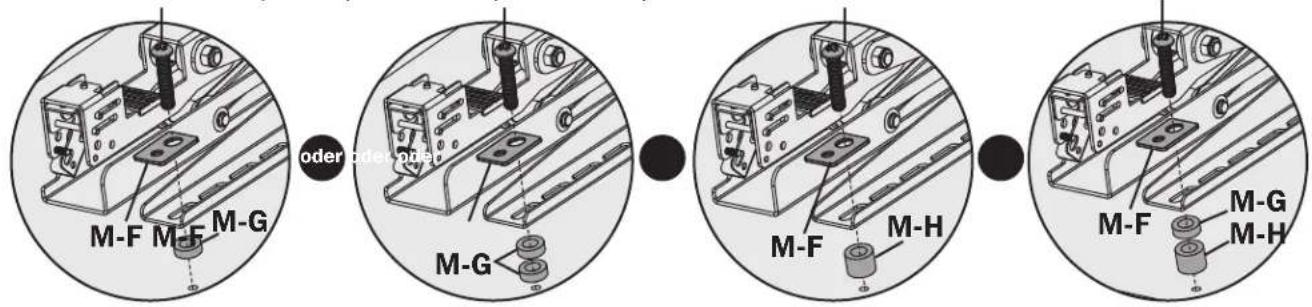
M-C M-C/M-D/M-EM-M/D/M-EM-D/M-E
Manufacturing Excellence
1111 W. 35th Street, Chicago, IL 60609 USA • www.triplite.com/support

LVW06-46T
19-02-230 93-3842 Rss