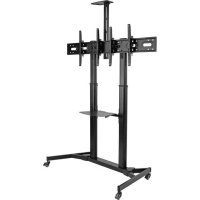
DMCSD3545M - TV Stand Tripp Lite - Free user manual and instructions
Find the device manual for free DMCSD3545M Tripp Lite in PDF.


| Product Type | Mobile TV Stand for Dual Flat Screen |
| Brand | Tripp Lite |
| Model | DMCSD3545M |
| VESA Compatibility | 200x200, 300x200, 300x300, 400x200, 400x300, 400x400 |
| Number of Screens Supported | 2 flat screens |
| Material | Metal and plastic |
| Adjustable Height | Yes, telescopic columns with locking pin |
| Included Shelves | DVD shelf, camera shelf |
| Cable Management | Yes, with cable covers |
| Casters | 4 casters with brakes and height adjustment |
| Usage | Indoor only |
| Warranty | 5 years limited |
| Recommended Maintenance | Check safety every 3 months |
| Support | www.triplite.com/support |
| Package Contents | Columns, bases, shelves, universal plate, brackets, screws, hex key |
Frequently Asked Questions - DMCSD3545M Tripp Lite
User questions about DMCSD3545M Tripp Lite
0 question about this device. Answer the ones you know or ask your own.
Ask a new question about this device
Download the instructions for your TV Stand in PDF format for free! Find your manual DMCSD3545M - Tripp Lite and take your electronic device back in hand. On this page are published all the documents necessary for the use of your device. DMCSD3545M by Tripp Lite.
USER MANUAL DMCSD3545M Tripp Lite
Dual Flat-Panel Mobile Cart
Model:DMCSD3545M

200x200/300x200
300x300/400x200
400x300/400x400

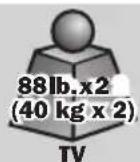


Espanol 17 • Français 33 • Pycckn 49 • Deutsch 65
WARRANTY REGISTRATION
Register your product today and be automatically entered to win an ISOBAR surge protector in our monthly drawing!
www.triplite.com/warranty


1111 W. 35th Street, Chicago, IL 60609 USA • www.triplite.com/support
Copyright © 2019 Tripp Lite. All rights reserved.
NOTE: Read the entire instruction manual before you start assembly and installation.

WARNING
- Do not begin the installation until you have read and understood the instructions and warnings contained in this manual. If you have questions regarding any of the instructions or warnings, please visit www.triplite.com/support.
- This product was designed to be installed and utilized ONLY as specified in this manual. Improper installation of this product may cause damage or serious injury.
- This product should only be installed by someone of good mechanical ability, with basic building experience and a full understanding of this instruction manual.
- Make sure the unit can safely support the combined load of the equipment and all attached hardware and components.
- Always use an assistant or mechanical lifting equipment to safely lift and position equipment.
- This product is intended for indoor use only. Using this product outdoors could lead to product failure and/or personal injury.
Warranty and Product Registration
5-Year Limited Warranty
Seller warrants this product, if used in accordance with all applicable instructions, to be free from original defects in material and workmanship for a period of 5 years from the date of initial purchase. If the product should prove defective in material or workmanship within that period, Seller will repair or replace the product, in its sole discretion.
THIS WARRANTY DOES NOT APPLY TO NORMAL WEAR OR TO DAMAGE RESULTING FROM ACCIDENT, MISUSE, ABUSE OR NEGLECT. SELLER MAKES NO EXPRESS WARRANTY OTHER THAN THE WARRANTY EXPRESSLY SET FORTH HEREIN. EXCEPT TO THE EXTENT PROHIBITED BY APPLICABLE LAW, ALL IMPLIED WARRANTYES, INCLUDING ALL WARRANTYES OF MERCHANTABILITY OR FITNESS, ARE LIMITED IN DURATION TO THE WARRANTY PERIOD SET FORTH ABOVE; AND THIS WARRANTY EXPRESSLY EXCULES ALL INCIDENTAL AND CONSEQUENTIAL DAMAGES. (Some states do not allow limitations on how long an implied warranty lasts, and some states do not allow the exclusion or limitation of incidental or consequential damages, so the above limitations or exclusions may not apply to you. This warranty gives you specific legal rights, and you may have other rights which vary from jurisdiction to jurisdiction).
WARNING: The individual user should take care to determine prior to use whether this device is suitable, adequate or safe for the use intended. Since individual applications are subject to great variation, the manufacturer makes no representation or warranty as to the suitability or fitness of these devices for any specific application.
PRODUCT REGISTRATION
Visit www.triplite.com/warranty today to register your new Tripp Lite product. You'll be automatically entered into a drawing for a chance to win a FREE Tripp Lite product!*
- No purchase necessary. Void where prohibited. Some restrictions apply. See website for details.
Tripp Lite has a policy of continuous improvement. Specifications are subject to change without notice. Photos and illustrations may differ slightly from actual products.
Component Checklist
IMPORTANT: Ensure you have received all parts according to the component checklist prior to installing. If any parts are missing or faulty, visit www.triplite.com/support for service.

A
Left Plastic Cover

B
Right Plastic Cover
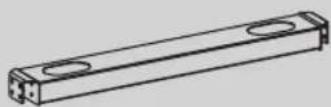
C
Middle Base
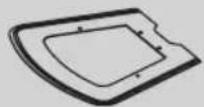
D
DVD Shelf

E
Universal Plate

G
F
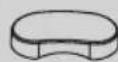
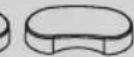
Top Covers
Cable Covers

H
Left Column

1
Right Column

J
Left Adapter Brackets

K
Right Adapter Brackets
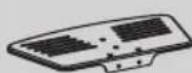
L
Camera Shelf
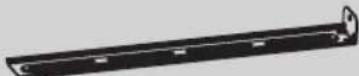
M
Connecting Plate

0
N
Crossbar
Support Bar
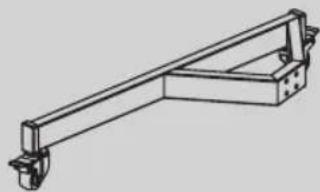
P
Left Base
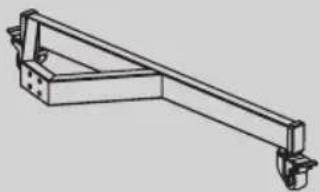
Q
Right Base
Component Checklist
Package P
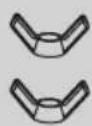
P-A
Butterfly Nuts
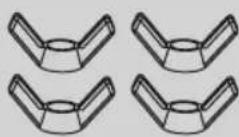
P-B
Butterfly Nuts
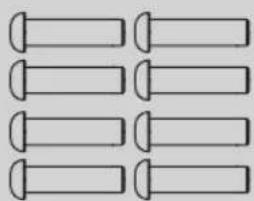
P-C
M8x30
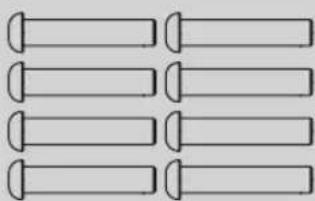
P-D
M8x40

P-E
M6x14
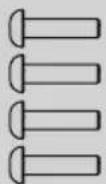
P-F
M6x25

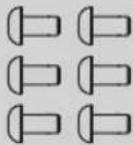
P-G
M6x8
P-H
M6x14
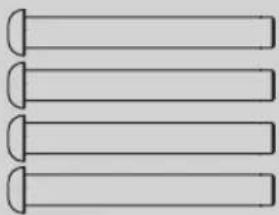
P-I
M8x65
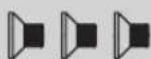
P-J
M4x6

P-K
M4x6
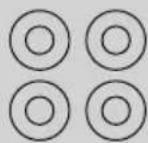
P-L
D8 Washers

P-M
D6 Washers

P-N
5 mm Hex Key

P-0
Wrench
Package M
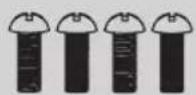
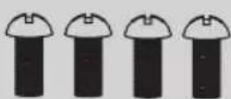
M-A
M5x14
M-B
M6x14

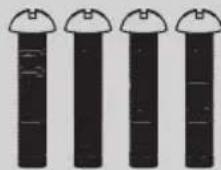
M-C
M8x20
M-D
M6x30
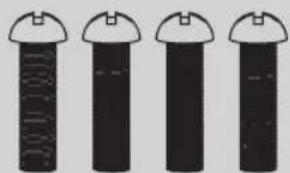
M-E
M8x30
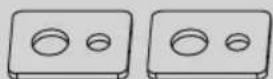
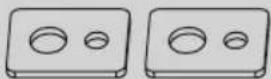
M-F
Washer


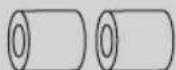
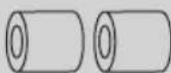
M-G
Small Spacer
M-H
Big Spacer
Assembly
1)Assemble the Base
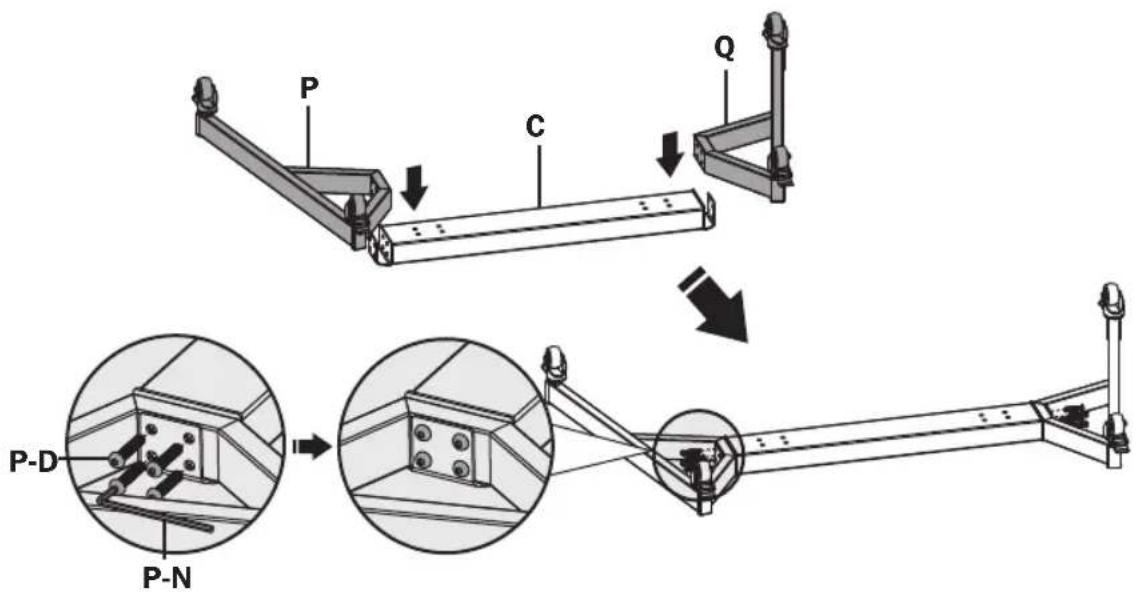
Using M8x40 screws (P-D) and the 5 mm hex key (P-N), attach the right base to the middle base. Repeat this step for the left base.
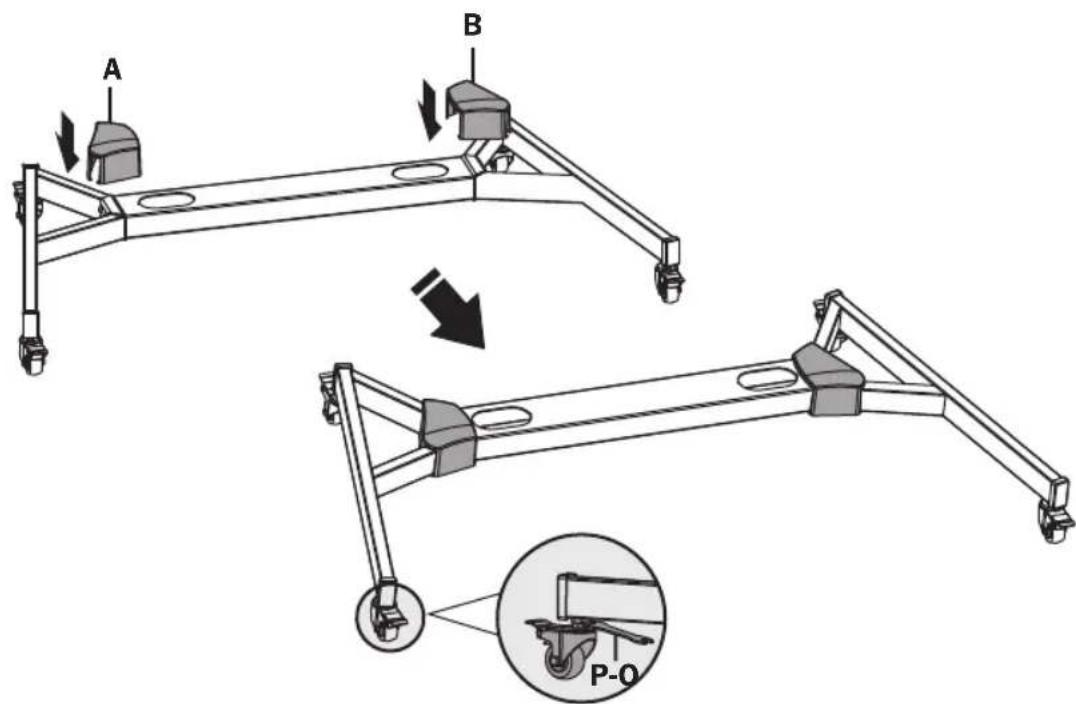
Note: Lock the brakes on the casters to avoid any sudden movements during installation. Each caster can be adjusted independently for fine adjustments. Slightly turn each caster nut to lower or raise the base.
Assembly

Attach the Columns to the Base
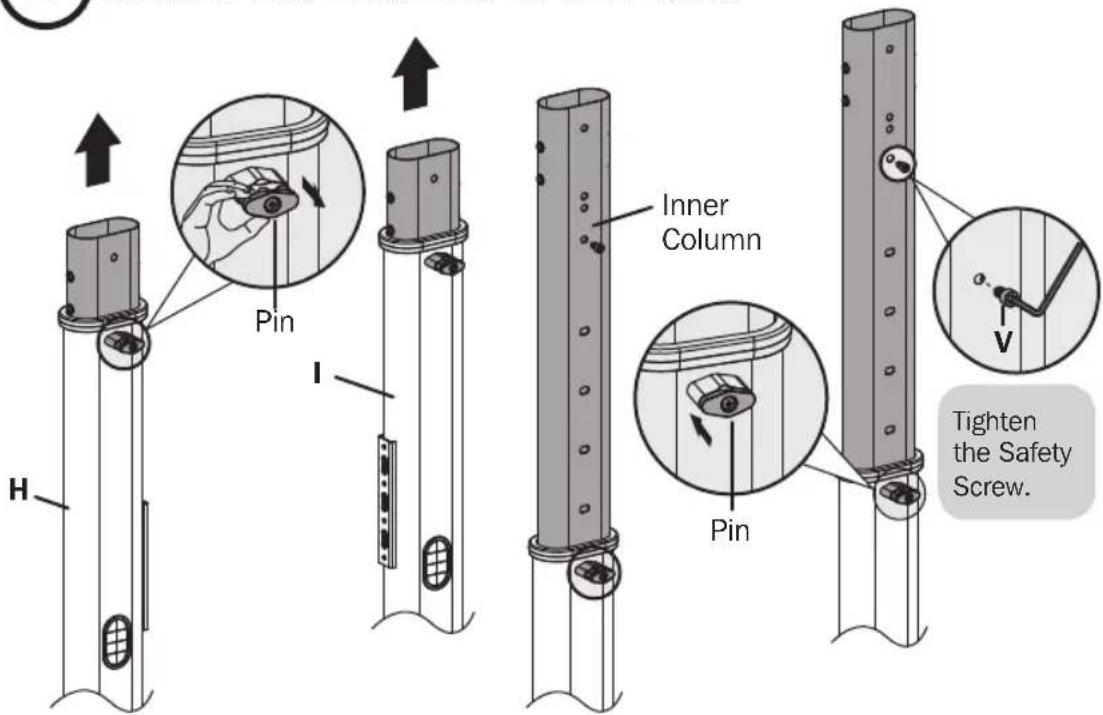
Pull the pin outward and lift the inner column upward at the same time until the inner column is at the desired height. Release the pin to secure.
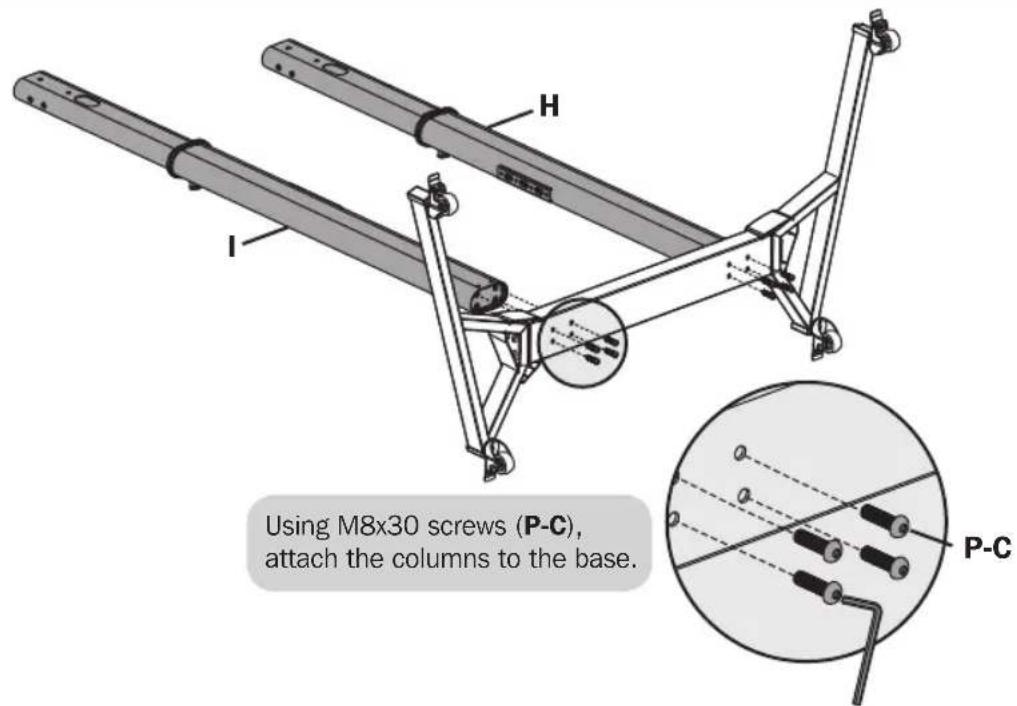
Assembly
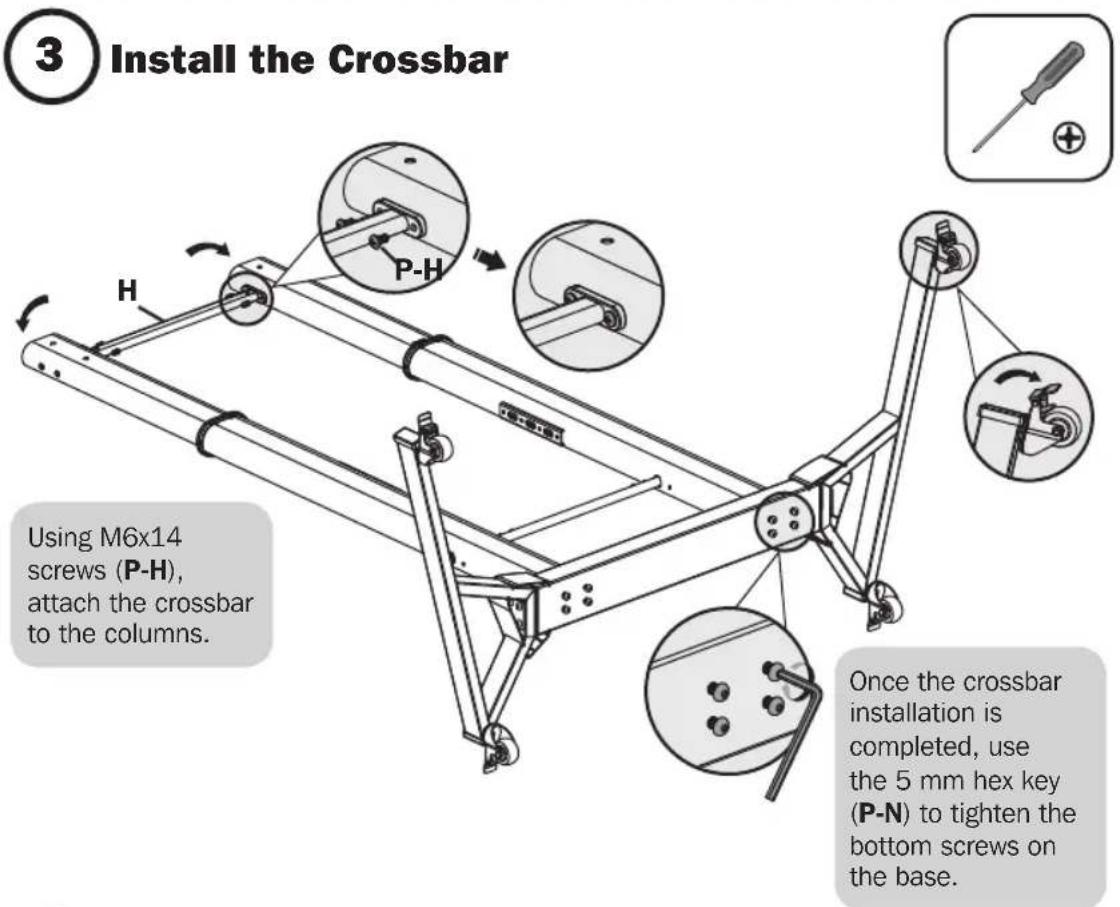
4 Install the Cable Covers
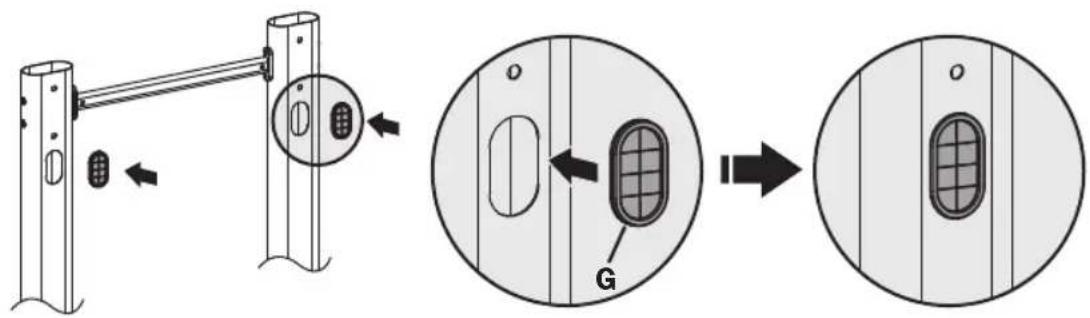
Assembly

Install the Universal Plate
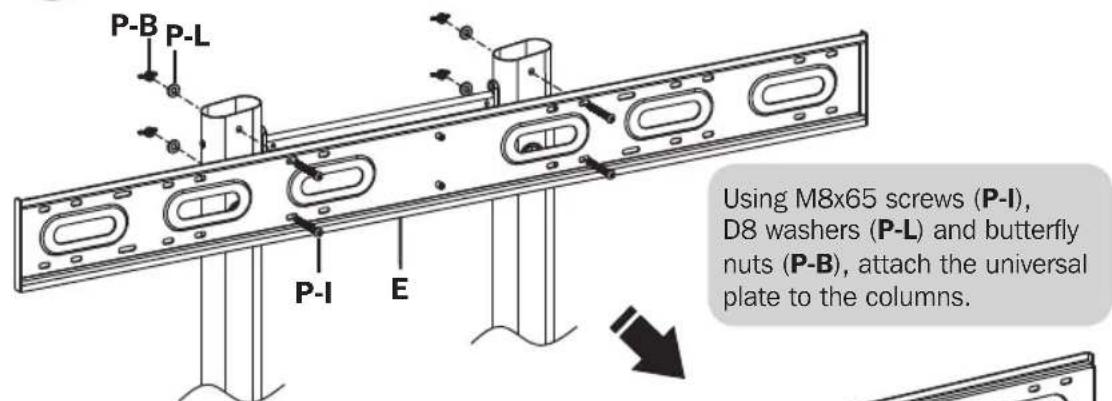
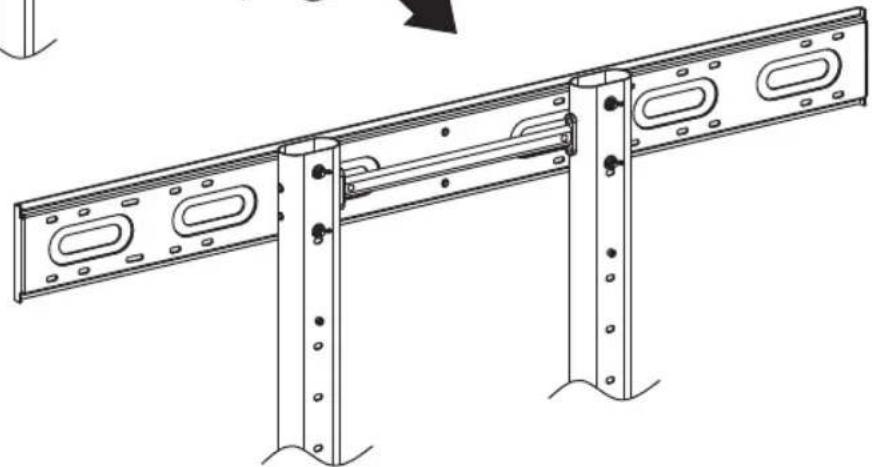
Assembly
6) Install the Adapter Brackets
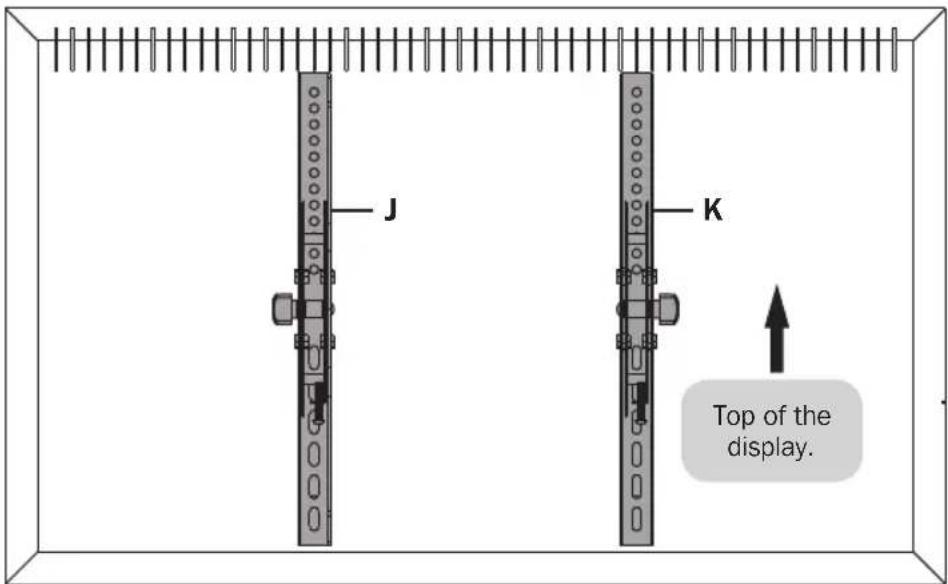
6a) Install the Adapter Brackets
For Flat-Back Screen
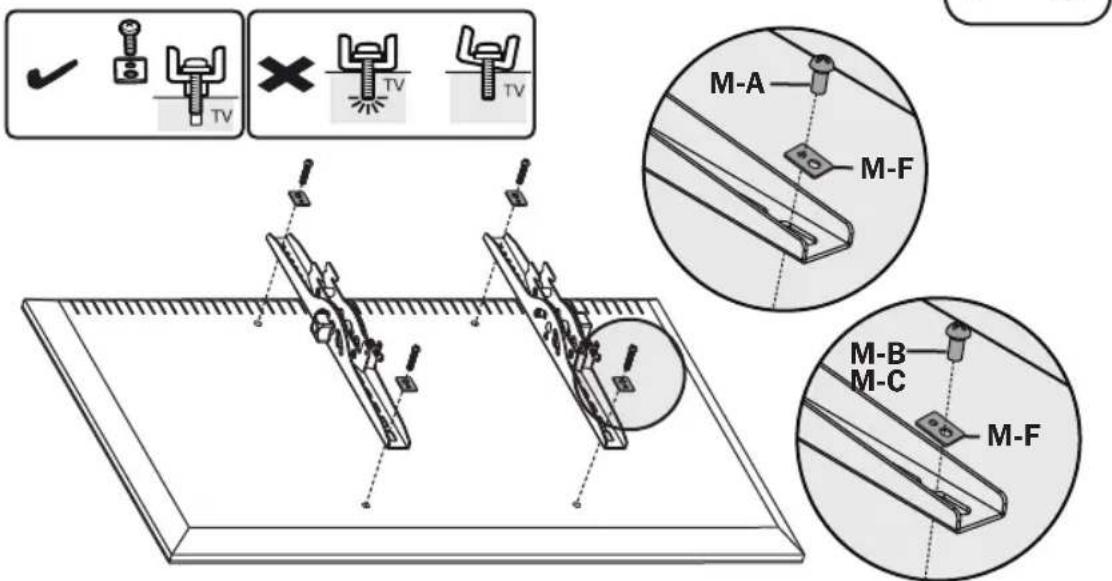
Note: Choose appropriate screws and washers according to the type of screen.
- Screw the adapter brackets onto the display.
Tighten all screws, but do not over-tighten.
Assembly

Install the Adapter Brackets
For Recessed-Back Screen or to Access A/V Inputs

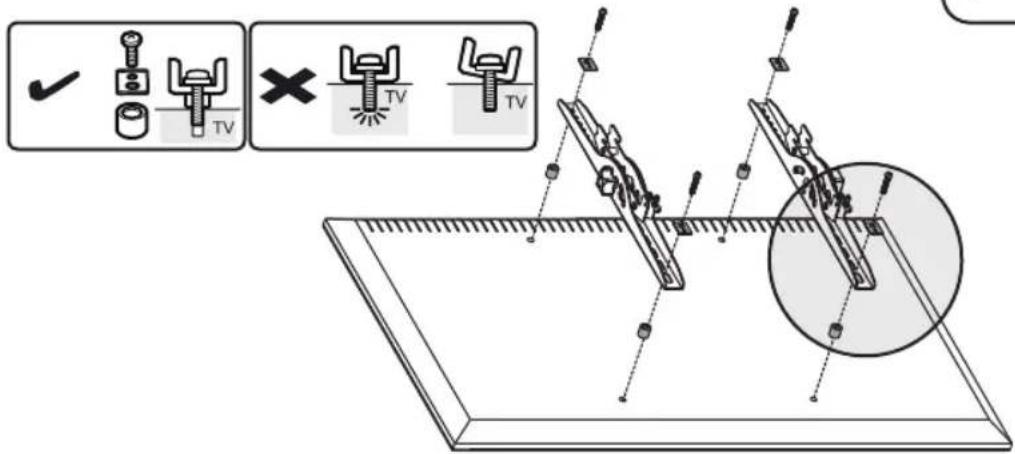
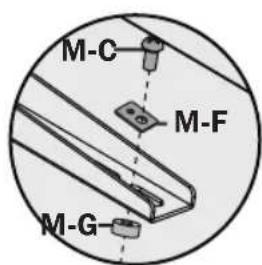
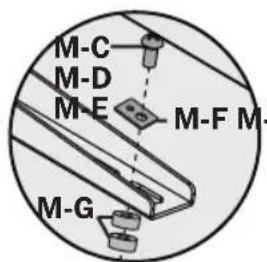
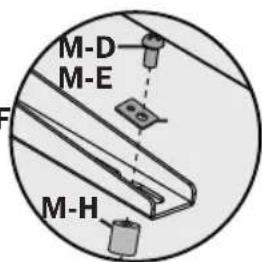
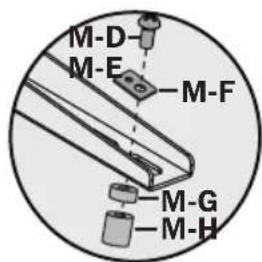
Note: Choose appropriate screws, washers and spacers (if necessary) according to the type of screen.
- Screw the adapter brackets onto the display.
Tighten all screws, but do not over-tighten.
Assembly
7 Attach the Displays onto the Universal Plate

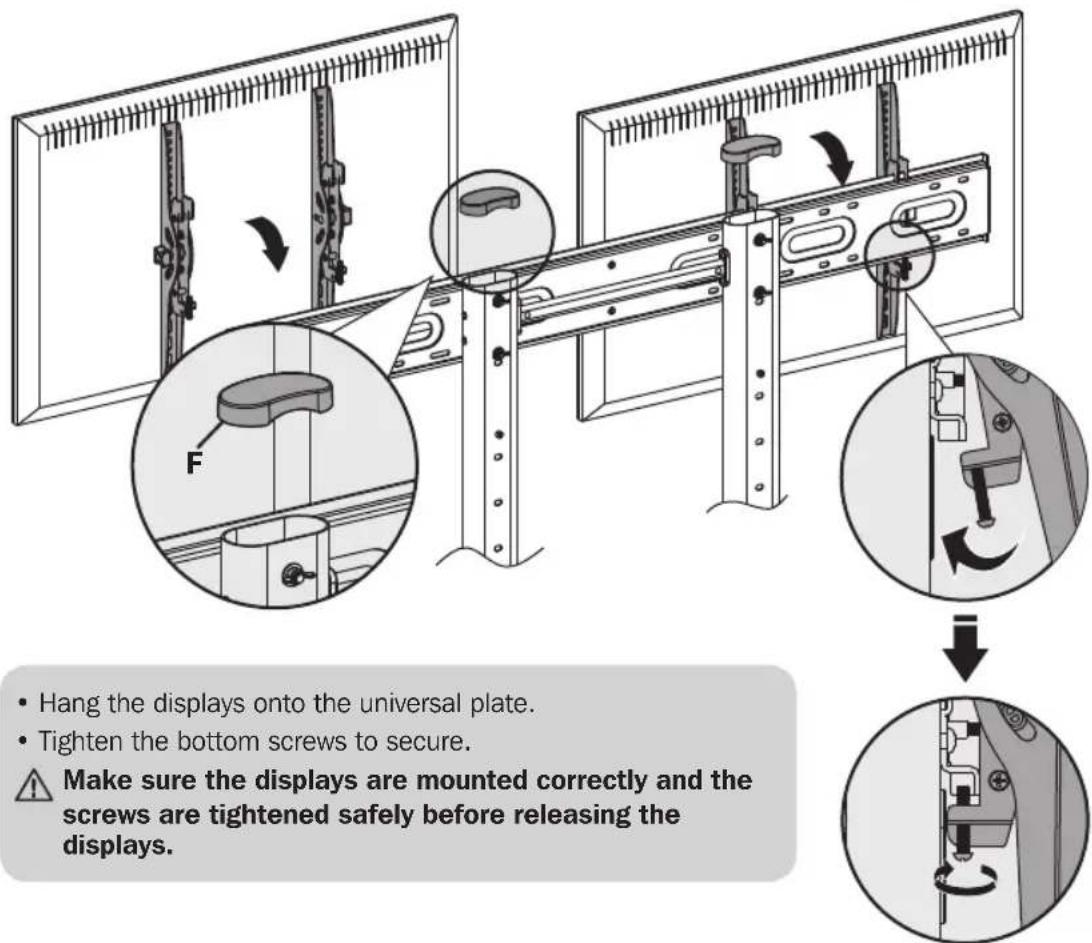
Assembly
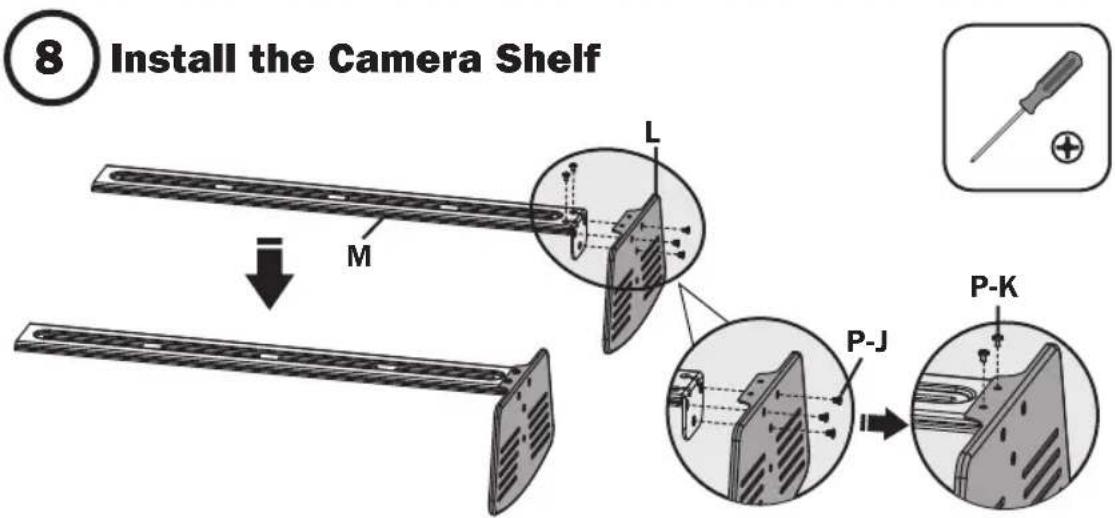
Using M4x6 screws (P-J) and (P-K), attach the camera shelf to the connecting plate.
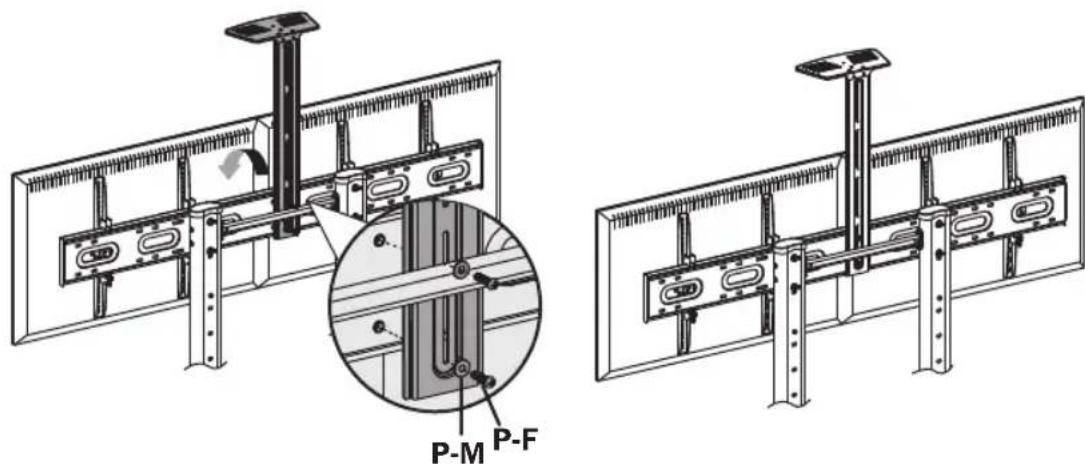
Using M6x25 screws (P-F) and D6 washers (P-M), attach the connecting plate to the universal plate.
Assembly
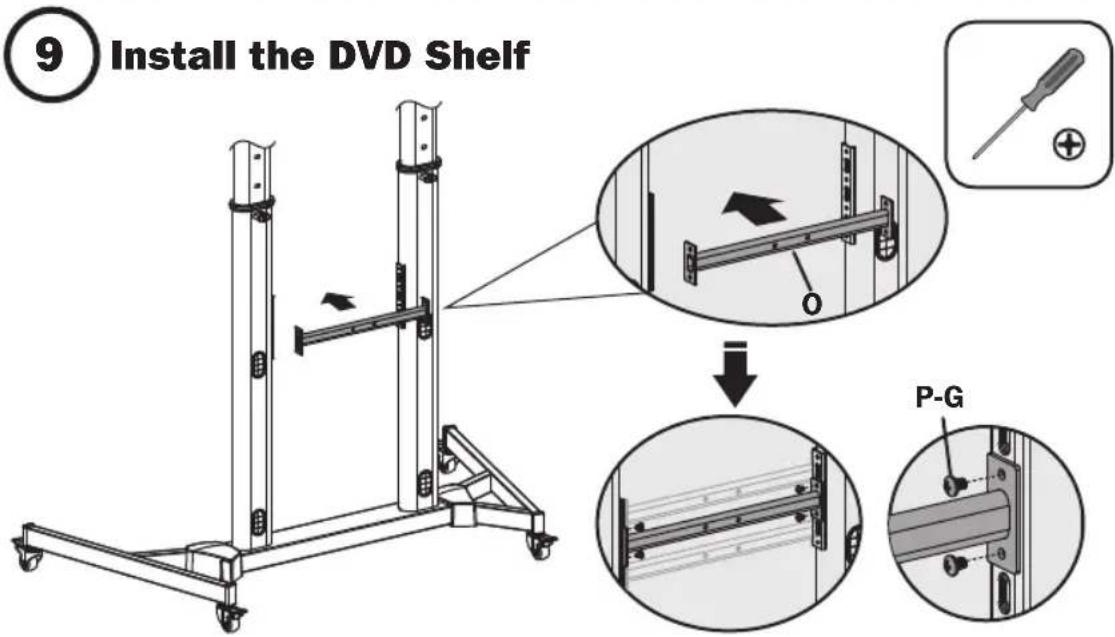
Using M6x8 screws (P-G), attach the support bar to the columns at the desired position.
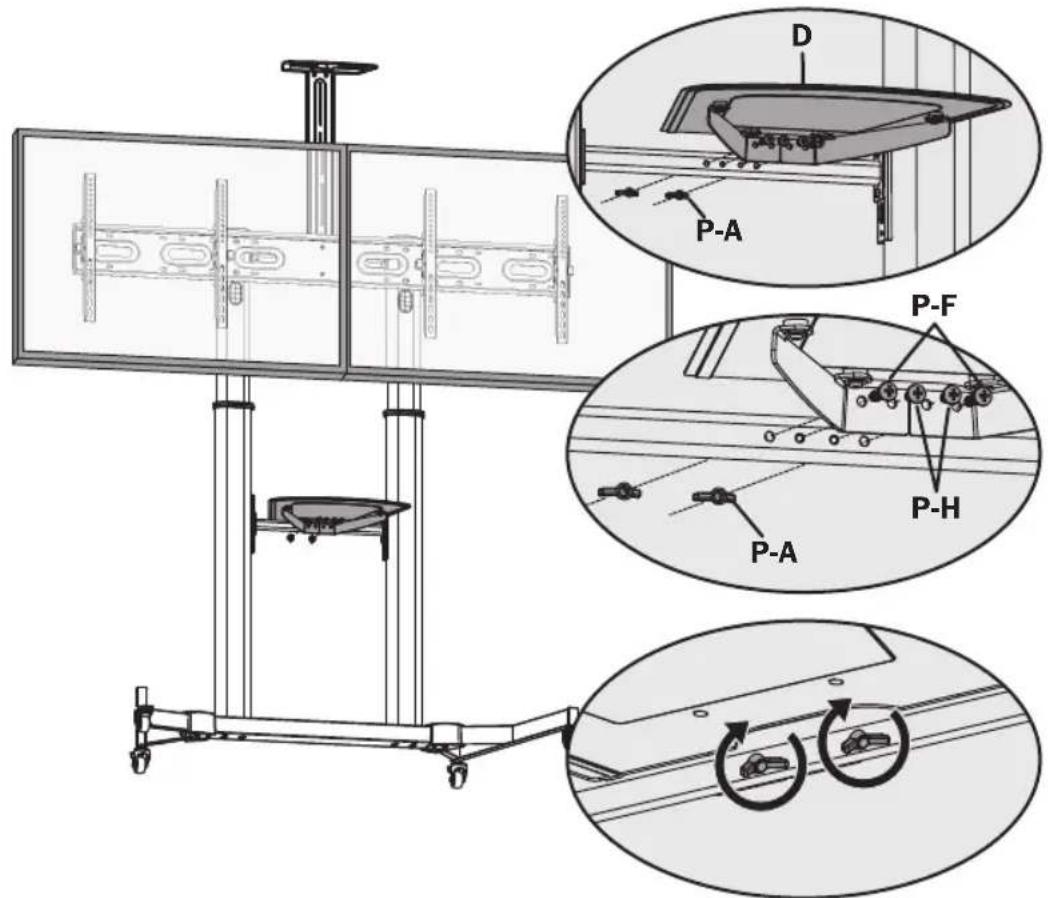
Using M6x25 screws (P-F), M6x8 screws (P-H) and butterfly nuts (P-A), attach the DVD shelf to the support bar.
Assembly
10 Cable Management
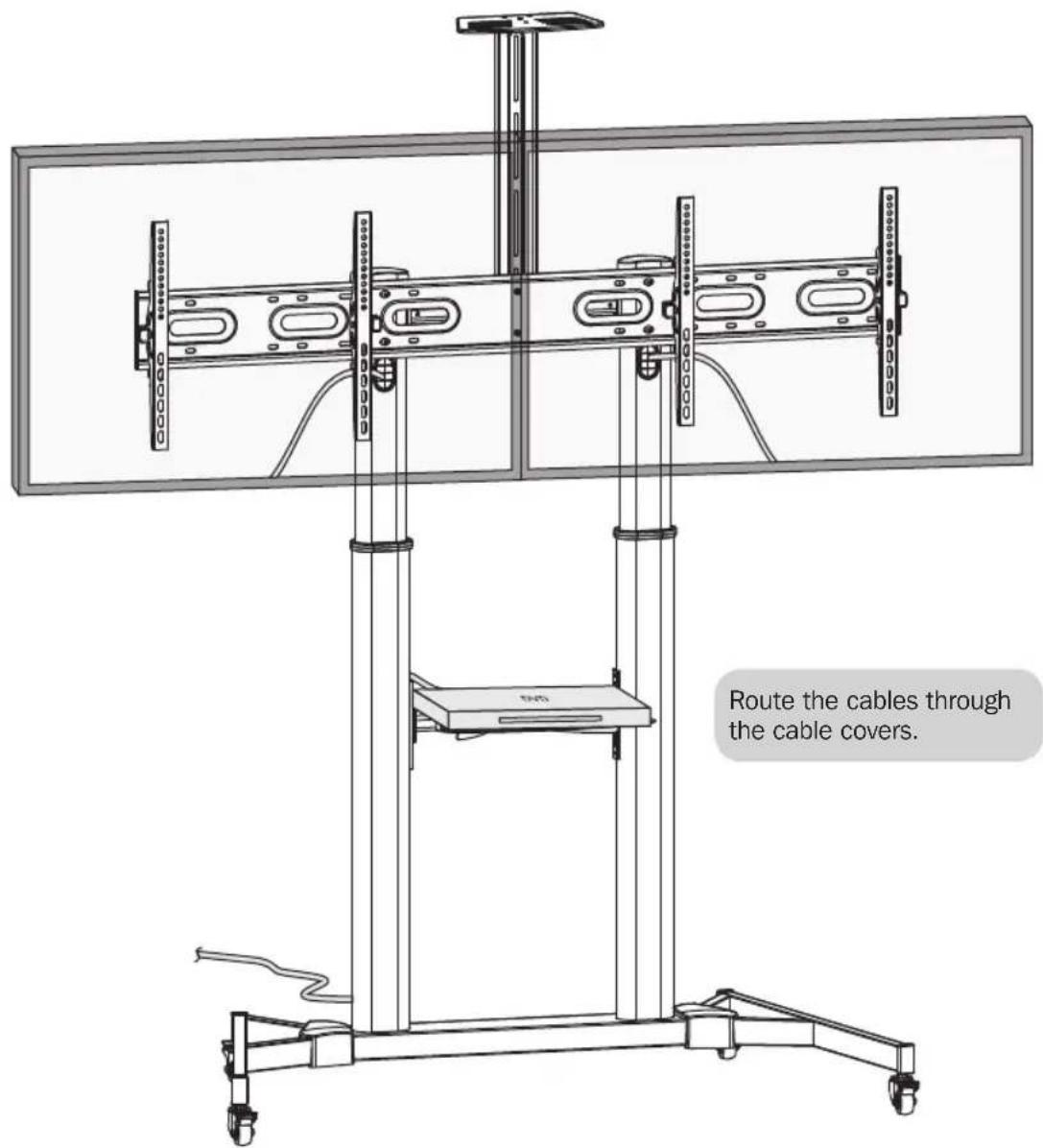
Assembly

11 Adjustment
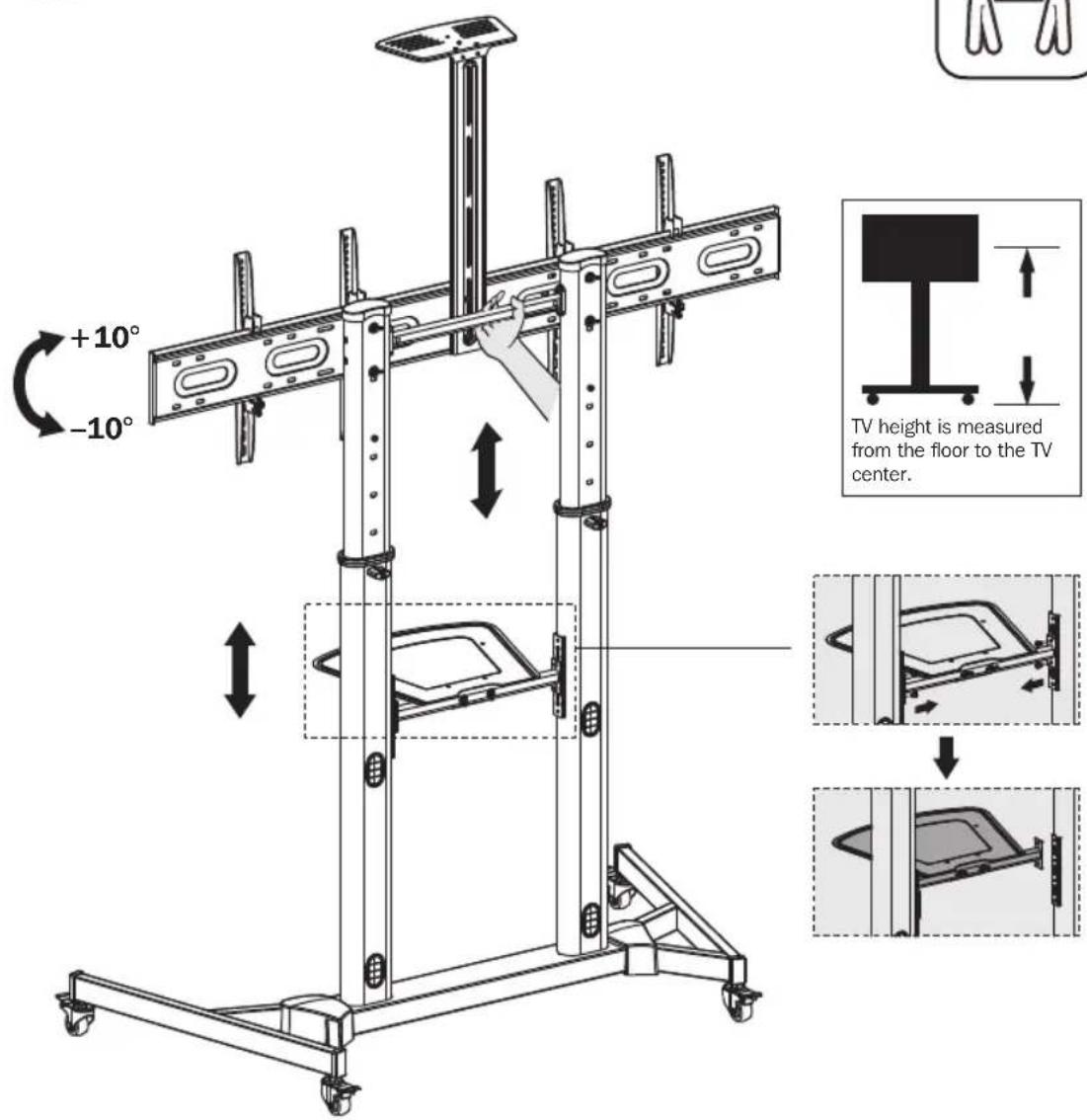

- Adjust the columns to the desired height before installing the display.
- If adjusting the column height after completing the display installation, first remove the DVD shelf, then adjust the columns to the desired height.
Maintenance
- Check that the bracket is secure and safe to use at regular intervals (at least every three months).
- Please visit www.triplite.com/support if you have any questions.


1111 W. 35th Street, Chicago, IL 60609 USA • www.triplite.com/support
1111 W. 35th Street, Chicago, IL 60609 EE UU • www.triplite.com/support
1111 W. 35th Street, Chicago, IL 60609 EE UU • www.triplite.com/support
1111 W. 35th Street, Chicago, IL 60609 USA • www.triplite.com/support
1111 W. 35th Street, Chicago, IL 60609 USA • www.triplite.com/support
PykoBODCTBO N0Ib3OBaTeJЯ
ПередвЖная Телека
Для ДByх ДиСплeeВс
ПлOCKИМ ЭкраHOM
Mоделы:DMCSD3545M

200x200/300x200
300x300/400x200
400x300/400x400
TelenB30p

DVD-npomprpbibatenb

BEB-KAMEPA
English 1 • Espanol 17 • Français 33 • Deutsch 65
EAC


PpOyIaIKbIbIcIeU KHeOCTB.
1111 W. 35th Street, Chicago, IL 60609 USA · www.triplite.com/support
OxpaHaeTcA ABTopcMn PabOM © 2019 Tripp Lite. NepeneaTa Ka anpeaaetca.
IPIMEYAHME. Ipeed hauanom yctahOBKm c6opkn moyn BHMMaTeNbHO n3yUHTe BCE pa3dJIbI pyKOBoDCTBa.

BHUMAHNE!
- He haunhaTe yCTaHOBky Do Tex nop, noka He 03HaKOMITecb CO BcEMn yKa3aHnMaN n npedynpejckdeHnMn B HactoIeM pykoBODCTBe N He noIMeTe N Cmbl. Pn B03HnKHObeHn BOpocOB OTHOCHTelbNo IIO6bIX yka3aHn Nnn npedynpejckdeHn NoceTNTe CTpaHnCy WWW. tripplite.com/support.
-Данhoeизденипретаншашию установки и сноьзоваяТОлбКВцелax,yka3aHHbIX BнсToяшем руковостBE.Неравиьна установка данHorо ИЗдени мочETnpNBecTN K npчненmoTePnaHborуш�сseCTBeHOROВрda 3dopoBbIIOJIoDEi. - YctaHOBKa DaHHoro H3dEINn I0JXHa IPOH3BOIDtBcra TOnbKO CneuHaNCTOM CdoCTaTOOH TeHXueCKo KBaHnΦHKaUeN 6a3ObIMn HaBbIKAMN CTpONTeNbCTBa, B NOnHO Mepe NOhMaIOUIM CmBiCJI NHΦOpMaUN, N3IOnKeHHoB HAcTOnAeM PYKOBODCTBe.
- Y6eHNTecb B TOM, qTO daHHoe H3dEHNHe MoXeT C 3aNacom BbldepxnBaTb cyMMapHyIO harpy3ky, c03daBaemyo6opydoBaHneM N BcEMN BXOJUHMN B KOMPNeKT DeTaIaMn OChactKN I pyrHMN KOMHOHeHTAMN.
-Дябeэл�аноуноьеминадлесацero pa3meшенио obopydobануоябяstelbno obpaasaiTeCb 3a nOmoьюпипьзуTecb rpy3oNoDembHbIM o60pdyobahnem.
-Данhoeи3делпретна3нayehoДгЯИспь30ВаняТольКВЗкрытбIXnomeшенyx.Испь30Ваньданногии3делпуНаОТкрытOMB3dUxMeMOжETПИВecTNKEROBbIXOуN3CTPOnI INDNUHHeHIOBpeDA3ILOpOBbI OIpDei.
TapaHTnHbIe 06aTeNbCTBa
YcnoBua 5-NetHei orpaHneHHoI rapaHTn
IpoaBeu rapaHTpye oTCyTCTBne H3NaaybHix dekeKTOB MaTePnAaN IN 3roTOBHeH N TeueHne 5 let C MoMeHa TepBOHaJIbHO NokynKn DaHHOro H3NeHn Pn yCNOBm ERO nCNOB3OBAHn B COOTBECTBn CO BCEMN PpIMeHMblMn K HeMy yKa3aHnMn. B cnyae IpoaBHeHn KaHXJIo6o deKeTob MATEPnAaN IN 3rTOBHeH N TeueHne Yka3aHnO nepnoa IpoaBeu ocUcEcbIeR pMoHT nIm ZameHy daHHOro H3NeHn CKNIOHTelbNo n CBOeMy yCMOTpeHIO.
JECTBNE HACTOUII IAPAHNTI HE PACNPOCTPAHRETCA HA CNYAIECTBEHHOTIO 3HOCA ININ IOBPEKDEHNA B P3YbTATE ABAPNI, HEADKEAUERO NCNOB3OBAHNIAHAPUHEINIPABINIKCNIYATAUININXANATHOCTNI.PODABELIEH PINEOCTABJREHTHKAKNXABHO BIPAXEHHbIX TAPAHNTI 3A INCKLIQUEHMEM INPIMO IN3LOXEHHO B HACTOUIEM DOKUMEHTE.3A INCKLIQUEHMEM CUYAEB,3AINPEUENHBHX DECTBYOUIM 3AKOHODATEJBCTBOM,BCE NIOPA3YMEBAEMBLE TAPAHNTI, BKIOUAYAR BCE TAPAHNTI INPIRODHOCTINI PPODAKIN INPPOAOHNII INCNIOJI3OBAHNIOHA3HAUEHNO,OPAHUNHEBI NO PPOJONKITIELBOCTNI DEICTBNI BBIJEYA3AHBM TAPAHNTIHBM CPOKOM;KPOME TOTO, IN3 HACTOUII IAPAHNTI ABHbIM O5PAC0M NCKLIQUAIOTCR BCE NIOOCHBE, CNYAIAHBE IN KOCBEHBBYEbTKN.(B HeKOTopbIX uTatax He donyckaetc BBEdeHne ORpAHueHnHa pDOJONKITIELBOCTIeCTBNI TEX INM INhIX pNDa3yMeBaEMBX raptAHN, A B HEKOTopbIX -NCKIOUHHe INNORpAHueHnPa3Mepa nOoCHbIX INN KOCBEHbIX y6bTKOB.B ETHX cnyaix Bbiien3IOKeHBe IOrpAHueHnIN MCKLIOUHMA MOYt HA BaC he paNPoctpaHbTcR.HactoiaarapAHNTI ppeOCTABJIeBAM KOHNpeTbIe IOpNJmueckne npaba,a habopdpyrnx BAuNX npab MoKet 6bTb pa3NNHbIM B 3ABMNMOCTN OTQPNCIDNUIN).
BHIMAHWEI Ho hauana nCnoB3oBAHn DaHnro yCTpoiCTBa nOb3oAteNB dOnJKeY6eDnTcB TOM, qTO OHO YBLaTeC pNPODhIM, COOTBeCTByoUmm IIN 6e3oNaChBM IIN npEtnoaraemrO npMHeHn. B CBAI C 60nbWM pa3Hoobpa3mE KOHKpeThbIX npMHeHn npO3BOInTeB He daET KaHX-Im6 3abepeHH mI rapaHTM OTHO tHO npuroHocTH daHHbIX MdEIM IIN KAKORO-NMO KOHKpeTHOrO npMHeHn INX COOTBeCTBnK KaHM-Im6 KOHKpeThBM Tpe6oAHm.
Ipeuehb KOMnneKtaun
BHIMAHHE!пекдачалом установи убадитесь в налочи BCex DeTanei cornacho nepechio komпгелктуи.В сныае осутstви пиоврждени Кaknx-n60 DeTanei obpaTntecb 3a nomошю настану www.triplite.com/support.

A
JIeBaIIaCTMaCCOBa 3aIyUka

B
PpBaBnactMaccOBa3arnyUka
C
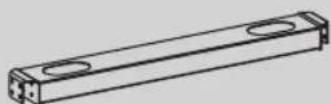
CpeHHeOchOBaHnE
D
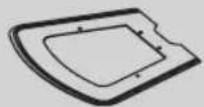
PonkaDnA DVD-npounrpblatea

E
YHbepcnaBHaNnactHa
F
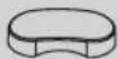
BepxHne 3aIyUuKn

G
3aunthbte NbHbte KaHaBbl

H
1111 W. 35th Street, Chicago, IL 60609 USA - www.triplite.com/support
Benutzerhandbuch
1111 W. 35th Street, Chicago, IL 60609 USA • www.triplite.com/support
1111 W. 35th Street, Chicago, IL 60609 USA • www.triplite.com/support
1904453 933909_RevB
- Dual Flat-Panel Mobile Cart
- WARRANTY REGISTRATION
- WARNING
- Warranty and Product Registration
- 5-Year Limited Warranty
- PRODUCT REGISTRATION
- Component Checklist
- Package P
- Package M
- Assembly
- 1)Assemble the Base
- Attach the Columns to the Base
- Install the Universal Plate
- 6) Install the Adapter Brackets
- 6a) Install the Adapter Brackets
- Install the Adapter Brackets
- Attach the Displays onto the Universal Plate
- Cable Management
- Maintenance
- PykoBODCTBO N0Ib3OBaTeJЯ
- ПередвЖная Телека
- Для ДByх ДиСплeeВс
- ПлOCKИМ ЭкраHOM
- BHUMAHNE!
- TapaHTnHbIe 06aTeNbCTBa
- YcnoBua 5-NetHei orpaHneHHoI rapaHTn
- Ipeuehb KOMnneKtaun
- Benutzerhandbuch
Brand : Tripp Lite
Model : DMCSD3545M
Category : TV Stand