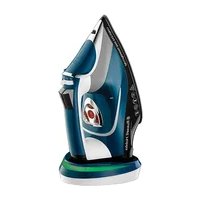
Cordless One Temperature 26020 - Iron RUSSELL HOBBS - Free user manual and instructions
Find the device manual for free Cordless One Temperature 26020 RUSSELL HOBBS in PDF.

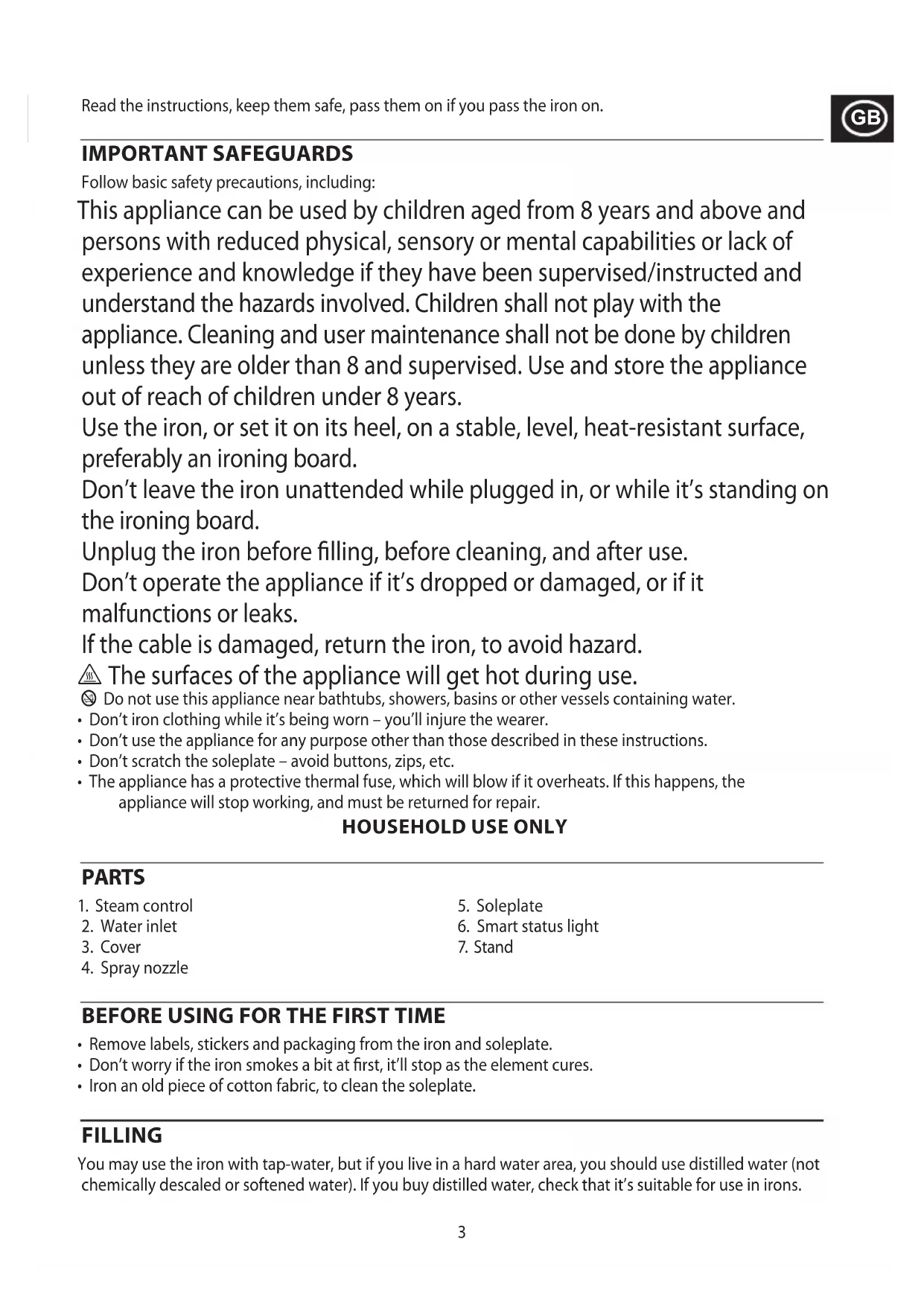


| Product type | Cordless iron |
| Brand | Russell Hobbs |
| Model | Cordless One Temperature 26020 |
| Power supply | Electric, charging base |
| Power | Approximately 2000 W |
| Water tank capacity | Approximately 200 ml |
| Soleplate | Smooth, scratch-resistant soleplate |
| Main functions | Dry ironing, steam ironing, spray, steam shot, vertical steam, automatic shut-off |
| Single temperature | Automatic setting: one temperature suitable for all ironable fabrics |
| Smart operating indicator | Red (heating), flashing green (ready), flashing red (needs reheating), slow flashing red (auto shut-off) |
| Automatic shut-off | Yes, after approximately 8 minutes of inactivity |
| Steam shot | Yes, with a 4-second wait between uses |
| Vertical steam | Yes, for de-wrinkling hanging clothes, curtains, etc. |
| Spray | Yes, with pump button |
| Self-cleaning | Yes, anti-scale function by steam evacuation |
| Maintenance | Wipe exterior with damp cloth; clean soleplate with vinegar; empty tank after use |
| Recommended water type | Tap water or demineralized water suitable for irons |
| Safety | Safety cut-off in case of overheating; automatic shut-off; cleaning and refilling by adult |
| Weight | Approximately 1.2 kg |
| Dimensions (L×W×H) | Approximately 30 × 15 × 20 cm |
| Use | Household use only |
Frequently Asked Questions - Cordless One Temperature 26020 RUSSELL HOBBS
User questions about Cordless One Temperature 26020 RUSSELL HOBBS
0 question about this device. Answer the ones you know or ask your own.
Ask a new question about this device
Download the instructions for your Iron in PDF format for free! Find your manual Cordless One Temperature 26020 - RUSSELL HOBBS and take your electronic device back in hand. On this page are published all the documents necessary for the use of your device. Cordless One Temperature 26020 by RUSSELL HOBBS.
USER MANUAL Cordless One Temperature 26020 RUSSELL HOBBS
Follow basic safety precautions, including:
This appliance can be used by children aged from 8 years and above and persons with reduced physical, sensory or mental capabilities or lack of experience and knowledge if they have been supervised/instructed and understand the hazards involved. Children shall not play with the appliance. Cleaning and user maintenance shall not be done by children unless they are older than 8 and supervised. Use and store the appliance out of reach of children under 8 years.
Use the iron, or set it on its heel, on a stable, level, heat-resistant surface, preferably an ironing board.
Don't leave the iron unattended while plugged in, or while it's standing on the ironing board.
Unplug the iron before filling, before cleaning, and after use.
Don't operate the appliance if it's dropped or damaged, or if it malfunctions or leaks.
If the cable is damaged, return the iron, to avoid hazard.
The surfaces of the appliance will get hot during use.
Do not use this appliance near bathtubs, showers, basins or other vessels containing water.
- Don't iron clothing while it's being worn - you'll injure the wearer.
- Don't use the appliance for any purpose other than those described in these instructions.
- Don't scratch the soleplate - avoid buttons, zips, etc.
- The appliance has a protective thermal fuse, which will blow if it overheats. If this happens, the appliance will stop working, and must be returned for repair.
HOUSEHOLD USE ONLY
PARTS
- Steam control
- Water inlet
- Cover
-
Spray nozzle
-
Soleplate
- Smart status light
- Stand
BEFORE USING FOR THE FIRST TIME
- Remove labels, stickers and packaging from the iron and soleplate.
- Don't worry if the iron smokes a bit at first, it'll stop as the element cures.
- Iron an old piece of cotton fabric, to clean the soleplate.
FILLING
You may use the iron with tap-water, but if you live in a hard water area, you should use distilled water (not chemically descaled or softened water). If you buy distilled water, check that it's suitable for use in irons.
- Open the water inlet cover.
- Pour slowly, to let the air in the reservoir escape, otherwise you'll cause an air lock and the water will overflow.
- Don't fill past max, or water will escape during use.
- Wipe up any spillage.
HEATING YOUR IRON
Your iron is heated by placing it onto the stand. The smart status light will show you when you need to reheat your iron and when it is ready to use. The smart status light operates as follows:
| Smart Status Light Remarks | |
| Steady red Your iron is heating up | |
| Flashing green Your iron is ready to use | |
| Flashing red Your iron needs reheating but you can carry on ironing for a little longer | |
| Flashing red, 3 beeps Your iron must be reheated as soon as possible | |
| Slowly pulsing red Auto shut-off activated |
Important Note:
Between ironing tasks always put the iron back onto the stand. This ensures the most efficient heating and gives you the best performance from your iron.
- Set the temperature control to the setting you require.
- Put the iron onto the stand and plug the stand into the power socket (switch the socket on, if it's switchable). The smart status light will light up red and your iron will start to heat up.
- When the smart status light flashes green your iron is ready to use.
USING
The temperature of your iron is safe to use on all ironable fabrics and garments.
DRY IRONING
If you're going to be dry ironing for 20 minutes or more, empty the reservoir first to avoid spontaneous bursts of steam.
- Set the steam control to .
- When the smart status light flashes green your iron is ready to use.
STEAM IRONING
- Set the steam control to the setting you want, = no steam, = high steam.
- When the smart status light flashes green your iron is ready to use.
SPRAY
Water spotting affects some fabrics. Test this out first on a hidden part of the fabric.
- Lift the iron off the fabric.
- Aim the spray nozzle at the fabric.
- Press the 12 button - you may have to press it 2 or 3 times to pump water through the system.
SHOT OF STEAM
- Steam is available when the temperature control is at or above.
- Lift the iron off the fabric.
- Press the button.
- Leave 4 seconds between shots, to let the temperature build up.
VERTICAL STEAMING
Remove wrinkles from hanging clothes, hanging curtains, and furnishing fabrics.
- Check that there's adequate ventilation behind the fabric, otherwise moisture may build up, causing mildew.
- Check that there's nothing behind the fabric that may be damaged by the steam.
- Check that pockets, turn-ups, and cuffs are empty.
- Check that there's water in the reservoir.
- Hold the iron close to (but not touching) the fabric.
- Press the button (you're using the "shot of steam" function vertically).
- Leave 4 seconds between shots, to let the temperature build up.
AFTERUSE
- Unplug the appliance.
- Open the water inlet cover.
- Hold the iron over a sink, turn it upside down, and drain the water from the reservoir.
- Close the cover.
- Sit the iron on the base and leave it to cool down completely.
- When cold, wipe off any moisture.
- Wipe outer surfaces with a damp cloth.
- Remove spots from the soleplate with a little vinegar - take care not to scratch it.
SELF CLEAN
To avoid scale build up, use the self clean function at least monthly in normal water areas, more often in hard water areas.
You'll need a basin or a large bowl to catch the water coming out of the soleplate.
- Fill the reservoir to the max mark.
- Sit the iron on the stand.
- Plug in the stand and wait till the smart status light flashes green.
- Hold the iron over the basin or bowl with the soleplate down.
- Move the steam control past to and hold it there.
- Gently move the iron to and fro, over the basin or bowl.
- Water and steam will wash scale and dust through the soleplate, and into the sink.
- When water and steam stop coming from the soleplate, release the steam control.
AUTO SHUT-OFF
- If the iron is motionless for about 8 minutes it will switch off.
- The smart status light will slowly pulse red.
- To switch on again, lift it off the stand then return it and allow it to heat up again until the smart status light flashes green.
RECYCLING
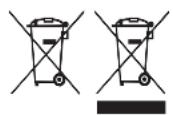
To avoid environmental and health problems due to hazardous substances, appliances and rechargeable and non-rechargeable batteries marked with one of these symbols must not be disposed of with unsorted municipal waste. Always dispose of electrical and electronic products and, where applicable, rechargeable and non-rechargeable batteries, at an appropriate official recycling/collection point.
APENAS PARA USO DOMÉSTICO
ESQUEMAS
He no6abnIte Hnueero B Body -3To nOBpeuT yTIOr.
- OtkpoTe KpbIshky BOO3a6OpHOro OTBepCTnA
- HanibaTe MeIeHNO, To6bI Bo3dyx MoR BbIuN3 pe3epByapa N He 06pa3ObaNoCb BO3dyHOn npo6Kn.
- He haIINBaIte BODy BblSe CIMBOna max Ha pe3epByape, HNaue OHa 6yJeT BblNBaTbCn npN cNoJIb3OBaHIn.
- 3akpoTe KpbIshky BOJ03a6OpHOrO OTBepCTn. BbITpuTe npoNtUO BODy.
HARPEB BAUERO YTIOFA
BaW yTOr HarpeBaetc npTem nomeueHn ero Ha noDctabky. HHTeJIeKTyalbHbI INHdNKaTOp COCTOHN IOKaKeT, KOrda ChOba Notpe6yeTcHarpeB yTOra n KOrda np6ob 6yTe rOtOB K NcNoJb3ObaHnIO.
IHTeJIeKtyaJIbHbI INHdNKaTOP COCTOHHa pa60TaET cIeDyUoIIM O6pa3OM:
ABTOMATNUECKOE BbIKJIIOUeyHne
- EcnnyTIOr He npememuAetcB TeueHne npn6n3nteJbHO 8 MInHy, OH BbIKluOaEcTc.
- INTeJIeKTyalbHbI INHdNKaTOp COCTOHHy 6ydt MeNHeH NoYbcnPOBaTb KpaChbIM UBeTOM.
- Дятугов chobвь BKIOUHTb np6op, NOHMMITE erO C NOCTaBKn, 3aTeM NOCTaBbTe 6paTHO n DaIte emy NOBTOPOH HArpeTbcra, NOKa INHTeJIeKToaIbHbI INdIKaTOP COCTOHNr He 3amIrAet 3eJIeHbIM UBeTOM.
ПОВТОРHAЯ ПЕPEАБOTKA
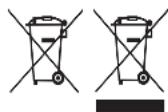
Bo n36eXaHne BO3dEICTBnB BpeHbIX BeIeCTB Ha OKpykaIOUyO CpeNy I 3OpOBBe np6opbl N 6bTapeo Ondopa30BOrO Nm MHOropa30BOrO NcNoIb30BaHn, NOMEueHHbIe ODHN m3 3TNX CNMBOLB, Heo6xOIMo yTNIIN3uPObA Tb OTJeBHO OT HecOpTIPoBaHHbIX 6bITOBbIX OTXoOB. O6raTeJIbHO yTNIIN3npYnte 3JKeKTPnueckne n 3JKeKTPoHHbIe n3DeInra, a TaKke (ecnn 3TO npImeHMo) 6bTapeo Ondopa30BOrO Nm MHOropa30BOrO INCNOJb30BaHnB COOTBEtCTByIOUnx OfNuaJIbHbIX PnyHKtax NOBtopHoi nepepa6OTKn / c6opa OTXoIDob.

DULEZITA BEZPECNOSTNI OPATRENI
IPIN ANO THN INPQTH XPHSE
Apaipoeote ole tsic tiketec, autokolnta n aalauka ouokeuaiaac ao to oidepo kai nnaoka tou.
Mnv avnouxnoe T evyie liyooc atmuoc ano to oidepo otynv apx, 0a otauatnoei moaic zoeatae i to oidepo.
- Σιδερωστέ ενα παλίο βαμβακερό πανί γιαν καθαρίσει ἡπλάκα του σιδερου.
IAPHPO2H
Mnpoeite va xpnoiunoioevepo puonc oTo oidepo, alambda eav katoikeite OE nepioxn onou to vepo exi
noaaa aata, ouviotatai va xpnoiunoioeTe anootayevo vepo (oxi xmuka apaaatomega evpo).Eav
ayopaoetaneoatayevo vepo, i otippei onuavon kataaannotntac yia odepwma. Mn
Ppootheoetinota oTo vepo - 0a npoknnei oTo oidepo.
IounCTBaHTo I NOdIpbJkKaTa He Tp8Ba Da ce N3BbPwBaT OT Deca, OCBeH aKO Te He ca HaI 8-roDnHa Bb3paCT n HЯKo rN HaIJIeJda.
I3noJ3BaIte n CbXpaHЯBaIte ypeDa daJeu OT DoCTbN Ha Deua PoJ 8 TOnHH.
I3noJ3BaIte IOTnra nn r noCTaBnTe Ha neTa Bbpx CyabHn, paBn, TOnIOyCToUHBn NOBbPxHOCTn, 3a npednoHTaHe Ha DbCKa 3a rJaDeHe.
He octabraye IOTnra 6e3 HaD3Op, DOkato e BkIIOyeHa B 3axpaHbaHeTo nII NOKATO e N3npaBeHa Bbpxy DbCKata.
aaiy aaii yaiy jilaiy aiiaai
J 3
puiu
·i sac
.
证 ^1
1.
2.5
3
1
1
2
3
4.
5.
6.
7
8
1
Jelllll llll llll llll llll llll llll llll llll
J 1
aall 1000
1
2
a_4 = 12
.4
Jawy ol ol olol Jau 20 clc, g ol jau 20 cl ol ol olal .5
.6
1.7
.8
J 9
i#
8 8 8 8 8 8 8 8 8 8 8 8 8 8 8
.2
sillglll lgl 1 g 1 1 1 1 1 1 1 1 1 1 1 1 1 1 1 1 1 1 1 1 1 1 1 1 1 1 1 1 1 1 1
在 Rt ABD 中:
1 = 2