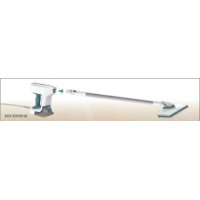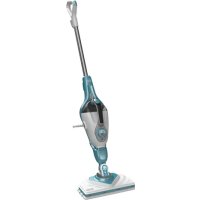
FSMH1605 - Steam cleaner BLACK & DECKER - Free user manual and instructions
Find the device manual for free FSMH1605 BLACK & DECKER in PDF.



| Product Type | Steam Mop Cleaner |
| Brand | Black & Decker |
| Model | FSMH1605 |
| Power Supply | 230 V ~, 1300 W |
| Water Tank Capacity | 350 ml |
| Weight | 2.7 kg |
| Heat-up Time | Approximately 15 seconds |
| Compatible Surfaces | Solid and laminated wood floors, linoleum, vinyl, tile, stone, marble |
| Steam Function | Button control; steam up to 45 minutes of continuous production |
| Cleaning Pad | Included, Velcro attachment, washable and reusable |
| Cleaning and Maintenance | Removable water tank for filling; wash pad after use |
| Safety | Hot steam; do not leave unattended; unplug before maintenance |
| Included Accessories | 1 cleaning pad, water tank |
| Spare Parts and Repairability | Replacement pad ref. FSMP20-XJ; power cable replaceable by a professional |
| General Information | Indoor household use; destroys 99.9% of bacteria with microfiber pad and 90 s of continuous steam |
| Dimensions (H x W x D) | Approximately 110 x 30 x 20 cm (estimation) |
Frequently Asked Questions - FSMH1605 BLACK & DECKER
User questions about FSMH1605 BLACK & DECKER
0 question about this device. Answer the ones you know or ask your own.
Ask a new question about this device
Download the instructions for your Steam cleaner in PDF format for free! Find your manual FSMH1605 - BLACK & DECKER and take your electronic device back in hand. On this page are published all the documents necessary for the use of your device. FSMH1605 by BLACK & DECKER.
USER MANUAL FSMH1605 BLACK & DECKER
www.blackanddecker.eu
FSM1605(R)
FSM1615
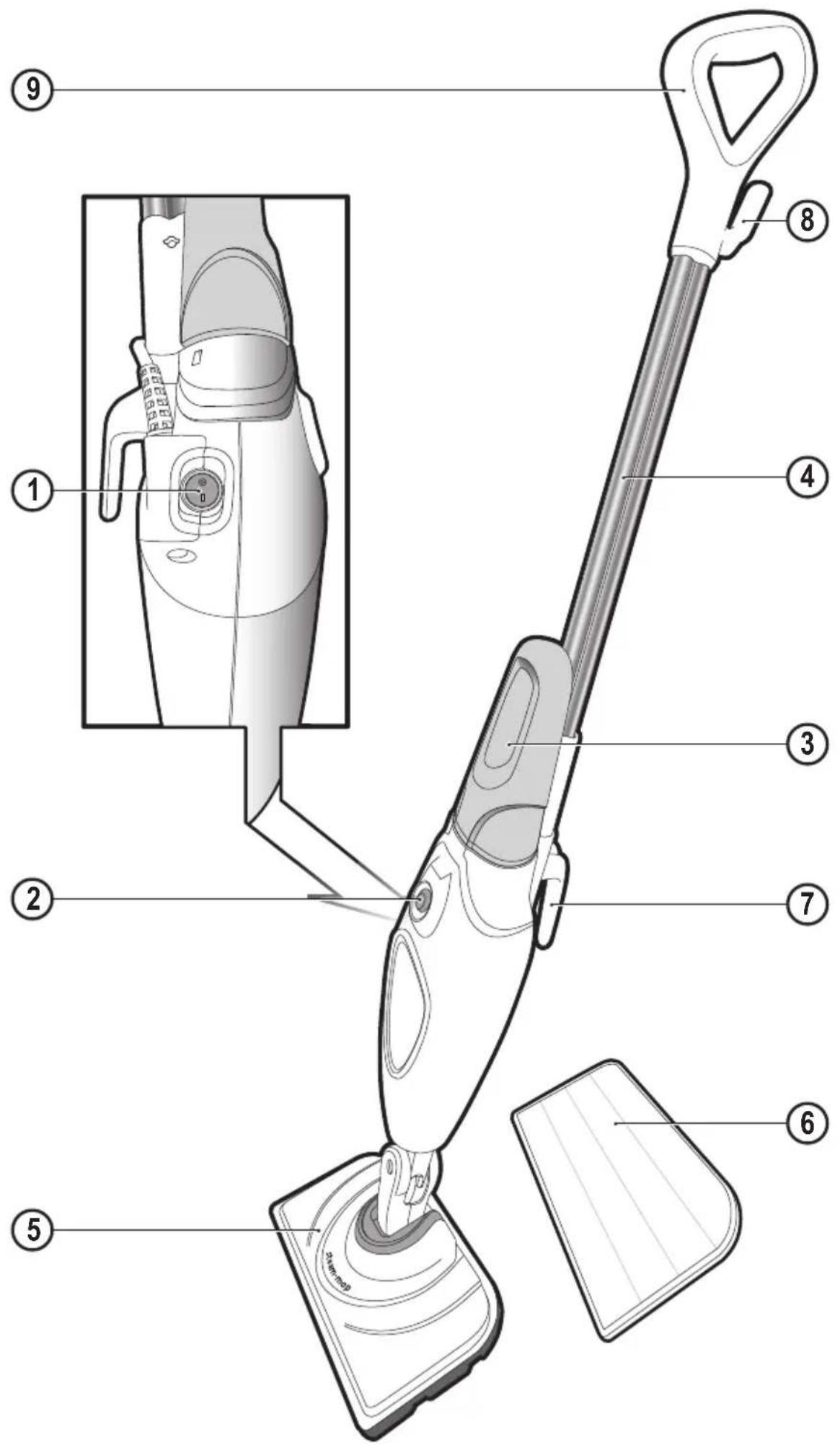
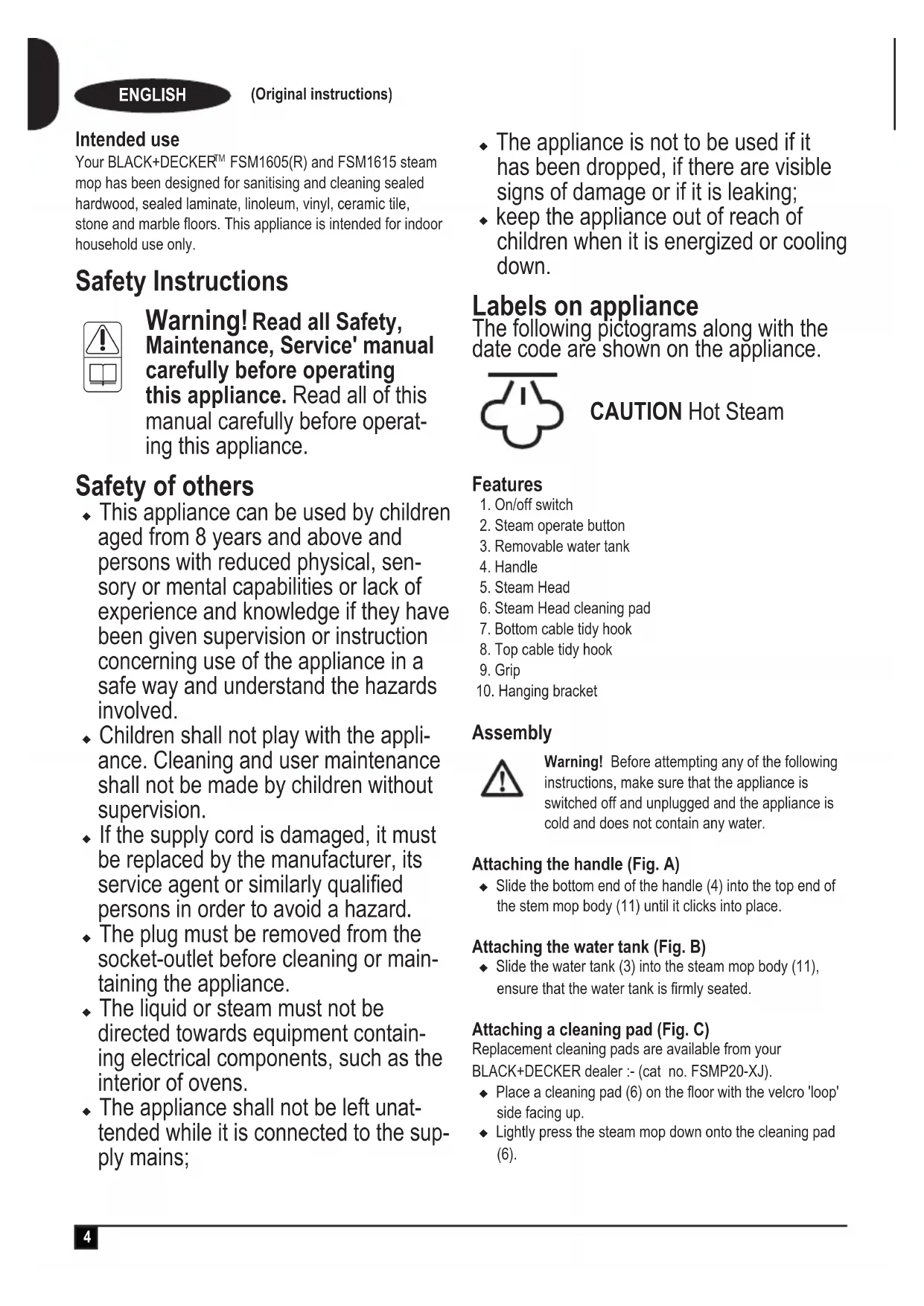
Intended use
Your BLACK+DECKER™ FSM1605(R) and FSM1615 steam mop has been designed for sanitising and cleaning sealed hardwood, sealed laminate, linoleum, vinyl, ceramic tile, stone and marble floors. This appliance is intended for indoor household use only.
Safety Instructions

Warning! Read all Safety, Maintenance, Service' manual carefully before operating this appliance. Read all of this manual carefully before operating this appliance.
Safety of others
- This appliance can be used by children aged from 8 years and above and persons with reduced physical, sensory or mental capabilities or lack of experience and knowledge if they have been given supervision or instruction concerning use of the appliance in a safe way and understand the hazards involved.
- Children shall not play with the appliance. Cleaning and user maintenance shall not be made by children without supervision.
- If the supply cord is damaged, it must be replaced by the manufacturer, its service agent or similarly qualified persons in order to avoid a hazard.
- The plug must be removed from the socket-outlet before cleaning or maintaining the appliance.
- The liquid or steam must not be directed towards equipment containing electrical components, such as the interior of ovens.
-
The appliance shall not be left unattended while it is connected to the supply mains;
-
The appliance is not to be used if it has been dropped, if there are visible signs of damage or if it is leaking;
- keep the appliance out of reach of children when it is energized or cooling down.
Labels on appliance
The following pictograms along with the date code are shown on the appliance.

CAUTION Hot Steam
Features
- On/off switch
- Steam operate button
- Removable water tank
- Handle
- Steam Head
- Steam Head cleaning pad
- Bottom cable tidy hook
- Top cable tidy hook
- Grip
- Hanging bracket
Assembly

Warning! Before attempting any of the following instructions, make sure that the appliance is switched off and unplugged and the appliance is cold and does not contain any water.
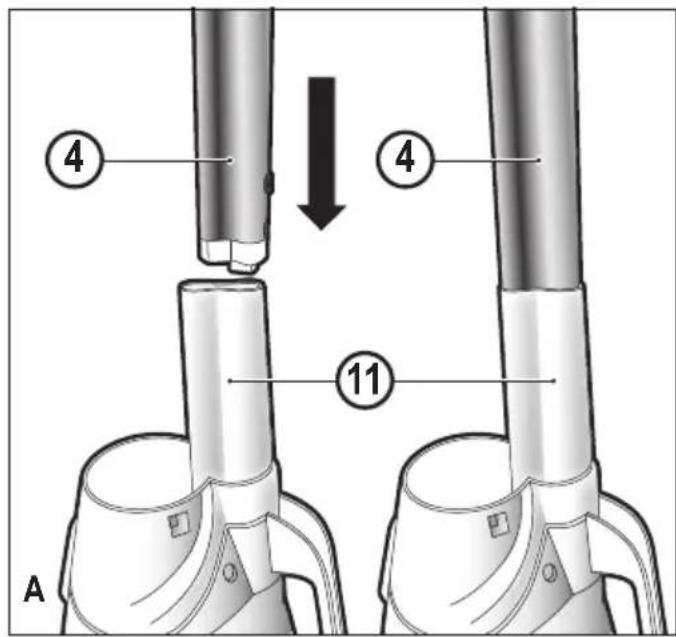
Attaching the handle (Fig. A)
◆ Slide the bottom end of the handle (4) into the top end of the stem mop body (11) until it clicks into place.
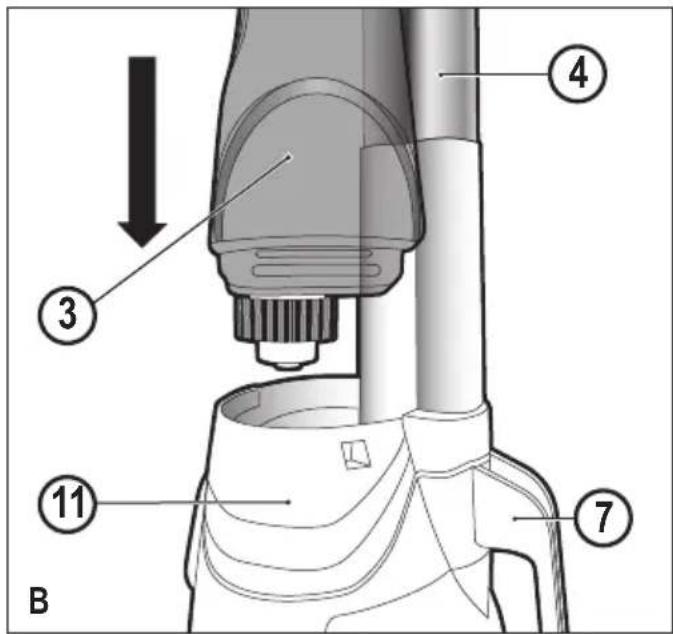
Attaching the water tank (Fig. B)
◆ Slide the water tank (3) into the steam mop body (11), ensure that the water tank is firmly seated.
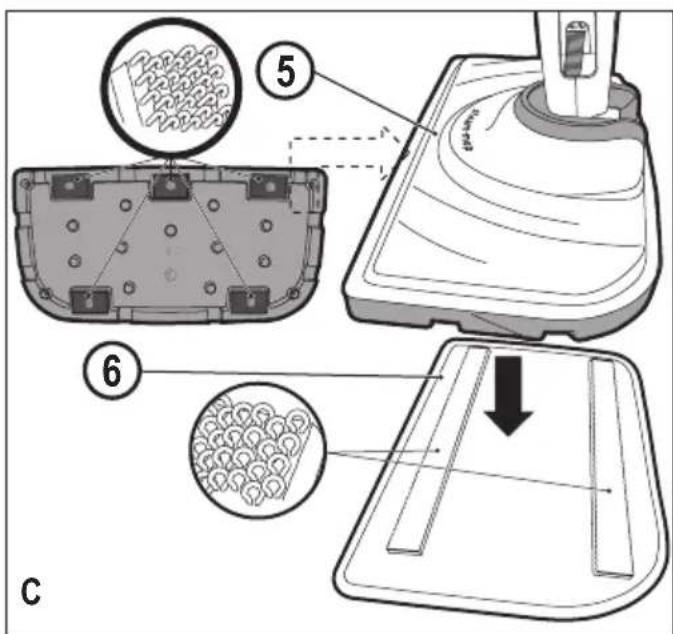
Attaching a cleaning pad (Fig. C)
Replacement cleaning pads are available from your BLACK+DECKER dealer :- (cat no. FSMP20-XJ).
◆ Place a cleaning pad (6) on the floor with the velcro 'loop' side facing up.
◆ Lightly press the steam mop down onto the cleaning pad (6).
Caution: Always place your steam mop with the handle (4) supported in the upright position when stationary and make sure the steam mop is turned off when not in use.
Removing a cleaning pad
Caution! Always wear suitable shoes when changing the cleaning pad on your steam mop. Do not wear slippers or open toed footwear.
- Return the handle (4) to the upright position and turn the steam mop 'OFF'.
◆ Wait until the steam mop cools down (approximately 5 minutes). - Lift the steam mop away from the cleaning pad freeing it from the velcro fastening.
Caution! Always place your steam mop with the handle (4) supported in the upright position when stationary and make sure the steam mop is turned off when not in use.
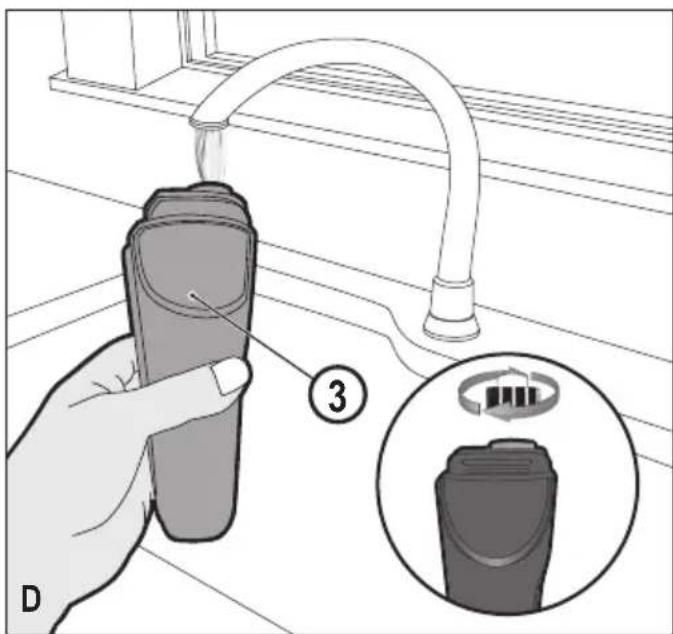
Filling the water tank (Fig. D)
The water tank on your steam mop is removable for convenient and easy filling.
Note! Fill the water tank with clean tap water.
Note! In areas of hard water, the use of de-ionised water is recommended.
◆ Remove the water tank (3).
◆ Remove the filter cap by unscrewing in an anti-clockwise direction.
◆ Fill the water tank (3) with water.
Warning! Your water tank has a 350ml capacity. Do not over fill the tank.
◆ Replace the filter cap by screwing in a clockwise direction.
◆ Re-fit the water tank (3).
Note! Ensure the filter cap is firmly secured.
Note! Do not use chemical cleaners with your steam mop water tank.
Use
Important! This unit will kill 99.9% of bacteria and germs when used in accordance with the instructions in this manual and with the micro fibre pad fitted and a continuous run time of 90 seconds.
Switching on and off
- To switch the appliance on, press the ON/Off button (1). It takes approximately 15 seconds for the steam mop to heat up.
◆ Press the steam operation button (2). This will operate the pump and the unit will begin to produce steam. - To stop steam generation, turn the steam operation button (2) to off. This will maintain power to the boiler for quicker start up.
◆ To switch the appliance off, press the ON/Off button (1).
Caution! Never leave the steam mop in one spot on any surface for any period of time. Always place the steam mop with the handle (4) supported in the upright position when stationary and make sure the steam mop is turned off when not in use.
Caution! Always empty the steam mop after use.
Note! When first filled or after running dry, it can take up to 45 seconds for steam to be produced.
Hints for optimum use
General
Caution: Never use the steam mop without first attaching a cleaning pad.
◆ Always vacuum or sweep the floor before using the steam mop.
- The easiest way to use the appliance is to tilt the handle to a 45° angle and clean slowly, covering a small area at a time.
Do not use chemical cleaners with your steam mop. To remove stubborn stains from vinyl or linoleum floors, you can pre-treat with a mild detergent and some water before using the steam mop.
Steam Cleaning
◆ Place a cleaning pad (6) on the floor with the velcro 'loop' side facing up.
◆ Lightly press the steam mop down onto the cleaning pad (6).
◆ Connect the steam mop to the mains.
◆ Press the ON/OFF button (1). It takes approximately 15 seconds for the steam mop to heat up.
◆ Press the steam operate button (2). After a few seconds, steam will start to come out of the steam head.
Note! When first filled or after running dry, it can take up to 45 seconds for steam to be produced.
It takes a few seconds for steam to enter the cleaning pad. The steam mop will now glide easily over the surface to be sanitized/cleaned.
◆ Push and pull the steam mop slowly across the surface to thoroughly steam clean each section.
- When you have finished using the steam mop, return the handle (4) to the upright position, making sure that it is supported and turn it 'OFF'. Wait until the steam mop cools down (approximately five minutes).
Caution! It is important to monitor the water level in the water tank (3). To refill the water tank and continue to sanitize/clean stand the mop upright making sure that the handle is supported and turn the steam mop 'OFF'. Unplug the unit from the electrical wall outlet, remove and refill the water tank (3).
Caution! Never leave the steam mop in one spot on any surface for any period of time. Always place the steam mop with the handle (4) supported in the upright position when stationary and make sure the steam mop is turned off when not in use.
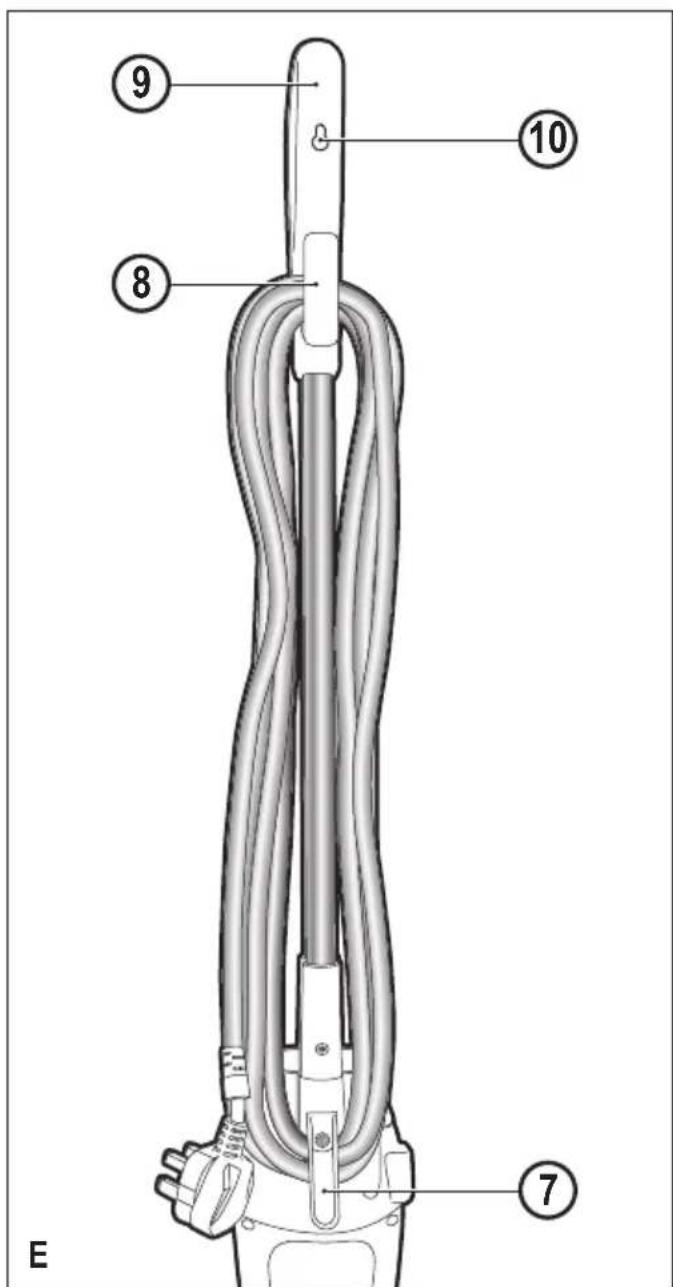
After use (Fig. E)
- Turn the steam mop 'OFF'. turn the steam operation button (2) to off and then press the ON/OFF button (1).
◆ Wait until the steam mop cools down.
◆ Unplug the steam mop from the electrical wall outlet.
◆ Empty the water tank.
◆ Remove the cleaning pad (6) and wash it ready for next use.
◆ Clip the supply cable around the cable tidy hooks (7 and 8)
There is a hanging bracket (10) built into the hand grip (9) which allows your steam mop to be hung from a suitable hook on the wall. Always ensure that your wall hook is capable of supporting the weight of the steam mop safely.
Technical Data
| FSM1605(R)(Type 1) | FSM1615(Type 1) | ||
| Voltage V | ac | 230 230 | |
| Power W 1300 | 1300 | ||
| Tank Capacity | ml 350 | 350 | |
| Weight kg 2.7 | 3.1 | ||
Troubleshooting
If your appliance seems not to operate properly, follow the instructions below. If this does not solve the problem, please contact your local BLACK+DECKER repair agent.
| Problem Step Possible solution | ||
| The steam mop is not turning on | 1. Check the unit is | plugged in at the wall socket. |
| 2. Check the unit is | switched on using the ON/OFF switch (1) | |
| 3. Check the fuse in the | plug. | |
| The steam mop is not producing steam | 4. Check the water tank | (3) is full and correctly fitted.NOTE: When first filled or after running dry it can take up to 45 seconds for steam to be produced. |
| 5. Check the steam | generation button is in the ON position. | |
| The steam mop stops producing steam during use | 6. Check step 1, then 2, | then 3. |
| The steam mop stops producing too little steam during use | 7. Check step 4, then 2, | then 3 |
| The steam mop is producing too little steam during use | 8. Check step 4 | |
| Where can I get further information/ accessories for my steam mop | 9. Refer to the assembly | chapter of the manual for correct fitting of parts and accessories. |
service.austria@sbdinc.com
Portugal Black & Decker Limited SARL Tel. 214667500
emeaservice@sbdinc.com
Middle East & Africa Black & Decker Tel. +971 4 8863030
www.blackanddecker.ae P.O.Box - 17164 Fax +971 4 8863333
service.mea@sbdinc.com Jebel Ali Free Zone (South), Dubai,
UAE