EasyManual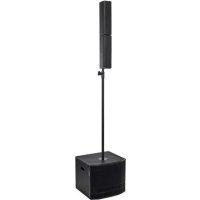
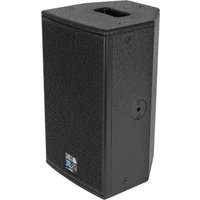
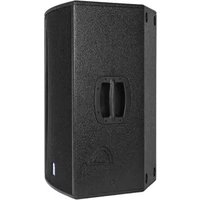
ES 802 - Speaker DB Technologies - Free user manual and instructions
Find the device manual for free ES 802 DB Technologies in PDF.



User questions about ES 802 DB Technologies
0 question about this device. Answer the ones you know or ask your own.
Ask a new question about this device
Download the instructions for your Speaker in PDF format for free! Find your manual ES 802 - DB Technologies and take your electronic device back in hand. On this page are published all the documents necessary for the use of your device. ES 802 by DB Technologies.
USER MANUAL ES 802 DB Technologies
- According to the standards EN 55103 this equipment is designed and suitable to operate in E3 (or lower E2, E1) Electromagnetic environments. This device complies with part 15 of the FCC Rules. Operation is subject to the following two conditions: (1) This device may not cause harmful interference, and (2) this device must accept any interference received, including interference that may cause undesired operation. Make sure that the loudspeaker is securely installed in a stable position to avoid any injuries or damages to persons or properties. For safety reasons di not place one loudspeaker on top of another without proper fastening systems. Before hanging the loudspeaker check all the components for damages, deformations, missing or damaged parts that may compromise safety during installation. If you use the loudspeakers outdoor avoid spots exposed to bad weather conditions. Contact dBTechnologies for accessories to be used with the speakers. dBTechnologies will not accept any responsibility for damages caused by inappropiate accessories or additional devices. WARNING3 ES 602 - 802 REV. 1.1 Cod. 420120228 REV. 1.2 ITALIANO ENGLISH DEUTSCH FRANÇAIS ESPAÑOL4 ES 602 - 802 Cod. 420120228 REV. 1.2 INDICE 1. INFORMAZIONI GENERALI p. 5
- BENVENUTI! p. 5
- PANORAMICA INTRODUTTIVA p. 5
- RIFERIMENTI PER L’UTENTE p. 5
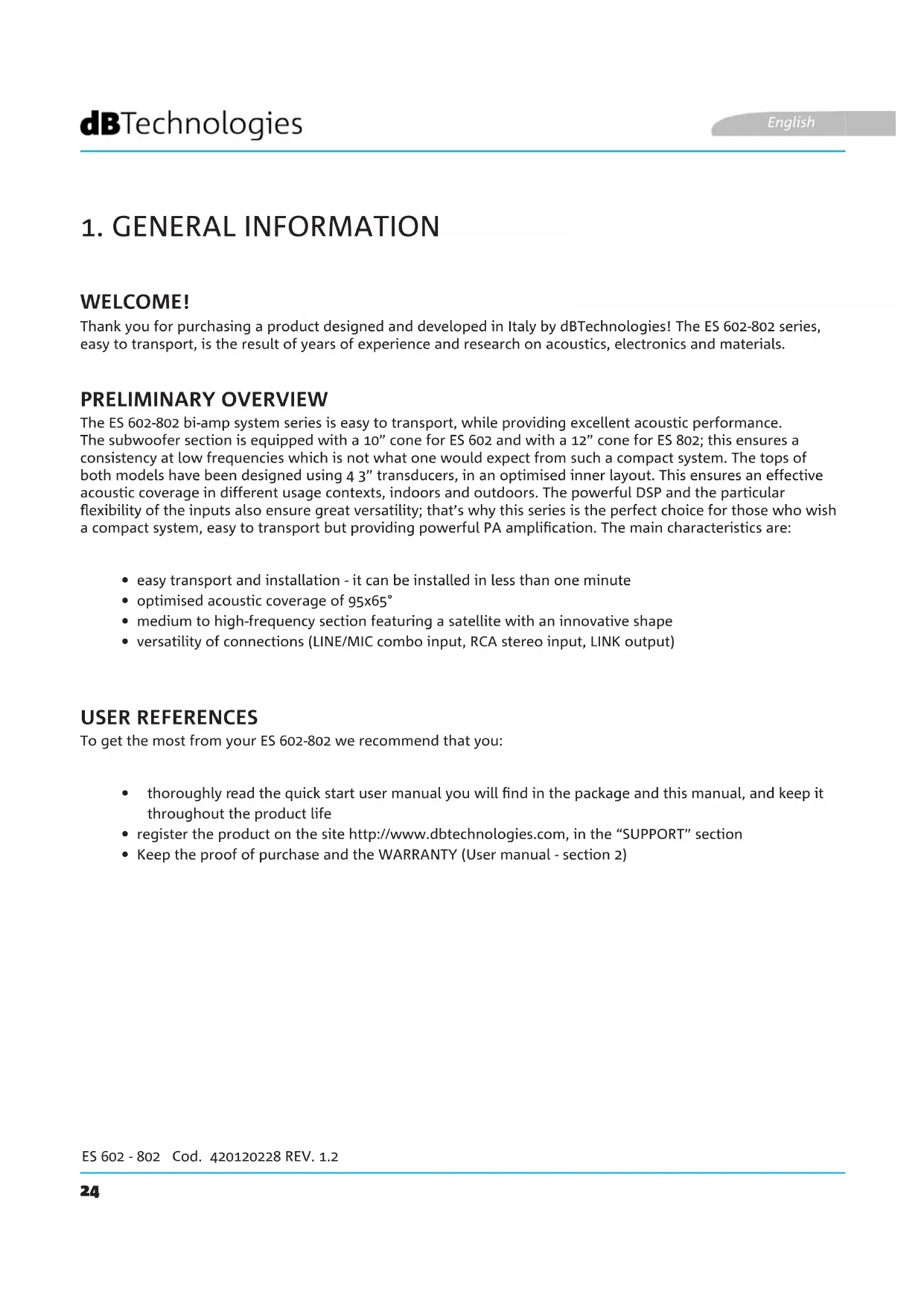
WELCOME! PRELIMINARY OVERVIEW USER REFERENCES Thank you for purchasing a product designed and developed in Italy by dBTechnologies! The ES 602-802 series, easy to transport, is the result of years of experience and research on acoustics, electronics and materials. The ES 602-802 bi-amp system series is easy to transport, while providing excellent acoustic performance. The subwoofer section is equipped with a 10” cone for ES 602 and with a 12” cone for ES 802; this ensures a consistency at low frequencies which is not what one would expect from such a compact system. The tops of both models have been designed using 4 3” transducers, in an optimised inner layout. This ensures an effective acoustic coverage in different usage contexts, indoors and outdoors. The powerful DSP and the particular exibility of the inputs also ensure great versatility; that’s why this series is the perfect choice for those who wish a compact system, easy to transport but providing powerful PA amplication. The main characteristics are: To get the most from your ES 602-802 we recommend that you:
- easy transport and installation - it can be installed in less than one minute
- optimised acoustic coverage of 95x65°
- medium to high-frequency section featuring a satellite with an innovative shape
- versatility of connections (LINE/MIC combo input, RCA stereo input, LINK output)
- thoroughly read the quick start user manual you will nd in the package and this manual, and keep it throughout the product life
- register the product on the site http://www.dbtechnologies.com, in the “SUPPORT” section
- Keep the proof of purchase and the WARRANTY (User manual - section 2) English25 ES 602 - 802 REV. 1.1 Cod. 420120228 REV. 1.2
MECHANICAL AND ACOUSTIC CHARACTERISTICS
DIMENSIONS ACOUSTIC COVERAGE The ES 602 and ES 802 systems are compact; they can be easily disassembled for transport and the main weight is that of the subwoofer section: 14.2 kg for ES 602, 16.4 kg for ES 802. For the installation of the satellite (ES 602) or of the 2 satellites (ES 802) the package includes 2 25 mm poles with M20 threading, one of which is telescopic and can be adjusted to reach a series of pre- set heights, to a maximum total height of about 208 cm (81,89 inch.) for ES 602 and of about 245 cm (96,46 inch.) for ES 802. The ES 602 and ES 802 systems feature an horizontal acoustic coverage of 95° and a vertical one of 65°. For ES 802, thanks to the accurate design of the 2 overlapping modules, ES-TOP A and ES-TOP B, the overall coverage is the same once they have been mounted in a stacked conguration. ACCESSORI For system transport and protection, the following items are available:
- protective cover for the subwoofer (TC-ES10 for ES 602, TC-ES12 for ES 802)
- backpack-protective cover for satellites (TC-ESTOP)
- transport trolley DT-50 English26 ES 602 - 802 Cod. 420120228 REV. 1.2 CHARACTERISTICS OF THE AMPLIFICATION AND CONTROL SECTION The D-class latest generation digital amplier DIGIPRO G3 is the core of the ES 602-802 systems; it provides a sound power of 800 W (Power Amp - Peak) for ES 602, and of 1200 W (Power Amp - Peak) for ES 802. Thanks to a switching power supply section featuring a particularly efcient auto-range function, the system is quiet, as it requires no active cooling system. The system is controlled by a powerful DSP, allowing to dene different pre-sets, according to one’s usage and installation requirements. ATTENTION!
- Protect the module from humidity
- Never try to open the amplier
- In case of malfunction, immediately cut off the power supply, by disconnecting the module from the mains, then contact an authorised repairman The DIGIPRO G3 panel consists of:
It allows to link the output signal to another ES speaker system or to another active speaker.
It allows to select through a rotary control the pre-set which is the most appropriate for the inputs and the installation environment.
7. RCA-TYPE STEREO INPUT
A stereo input allowing to connect a device like a CD or MP3 player or other external equipment, in addition or as an alternative to the main input, “CH1 CHANNEL” (1).
- Never use the speaker for a prolonged time while the limiter LED is on or blinking, indicating the equipment is running under excessive stress conditions.
- Only use cables equipped with high-quality genuine Neutrik® connectors. Using different or poor-quality connectors might affect the speaker operation.
The “CH1” combo input allows to input both a connection from MIXER/LINE and a microphone connection.
When on, the limiter LED indicates that the internal protection circuit, protecting the amplier from distortion and the transducers from overloads, has been activated. The on-signal LED indicates the presence of the input audio signal. English
- Only use cables equipped with high- quality genuine Neutrik® connectors. English28 ES 602 - 802 Cod. 420120228 REV. 1.2
8. LINE/MIC SELECTOR
It allows to select whether the incoming signal is a line signal or whether it comes from a microphone.
ON (I) OFF (0) system power supply switch
10. POWER SUPPLY INPUT
Input for the connector of the supplied power cord.
11. SATELLITE CONNECTION OUTPUT
Output allowing to connect the system to the ES-TOP A satellite through a SPEAKON balanced cable.
- The speaker is supplied equipped with a pre-installed fuse designed to operate within the 220-240 V range. If the system must operate within the 100-120 V range:
1. Disconnect all connections, including the
3. Replace the fuse with the one included in
PACKAGE CONTENTS Open the package and check that the ES 602-ES 802 system packaging contains all the items included in the supply. The packaging includes:
3. 2 poles having a diameter of 25 mm, with M20 threading, one of which telescopic, equipped with
height adjustment pin and locking hand wheel
4. quick start and documents related to warranty/safety
5. fuse to be installed if the system is to operate within the 100-120V range
- The speaker is supplied equipped with a pre-installed fuse designed to operate within the 220-240 V range. If the system must operate within the 100-120 V range:1. Disconnect all connections, including the power supply one 2. Wait for 5 minutes3. Replace the fuse with the one included in the package for the 100-120 V range4. Only use the supplied cable English30 ES 602 - 802 Cod. 420120228 REV. 1.2 INSTALLATION INSTALLING THE SATELLITE (ES 602) OR THE SATELLITES (ES 802) ON THE SUBWOOFER
1. Screw the lower 25 mm pole into
the specically designed hole on the subwoofer top side, as shown.
the hand wheel, then inserting the pin into the hole of the telescopic rod at the desired height. Then retighten the hand wheel.
1. Insert the ES-TOP A speaker on the pole using the
hole located in the lower section.
TOP A, ensuring that the contacts touch each other
3. To complete the installation of the 2
speakers slightly move them to the outside as shown in the gure until they lock with a click. ES 602 and 802: ES 602: ES 802: ES-TOP A ES-TOP A ES-TOP B upside down English31 ES 602 - 802 REV. 1.1 Cod. 420120228 REV. 1.2
CONNECTING THE INPUTS
4. Now insert the speaker assembly from the TOP A side using the hole
located on the bottom side. ATTENTION!
- Make sure that ES-TOP A is rmly in place, but never forcibly rotate it during installation, do avoid damaging the coupling system.• Never transport the ES-TOP A and ES-TOP B speakers while they are coupled to each other; always detach them when carrying them to avoid damaging the couplings.• For ES 802 only, make sure that you install ES-TOP A on the pole as shown in the gure and and not ES-TOP B, as the cable needs to be connected from the subwoofer to this specic satellite.
- Perform the connection to the main input (1) using a cable equipped with a XLR (balanced) or TRS (unbalanced) connector. For an overview of the most common cables available for audio connection please refer to the table below. Depending on the source (line/mixer or microphone), set the relevant selector (8) to the appropriate value. Turn the MASTER CONTROL (4) volume to the minimum level.
- If any, connect the secondary stereo input with RCA-type cables, setting the AUX VOLUME (6) to the minimum level. Later you’ll be able to mix the signal from this auxiliary input with the main input signal, through the respective volumes. Remember that the MASTER CONTROL (4) still controls the overall system output volume.
- Temporarily set DSP PRESET (5) to FLAT.
- Using the supplied SPEAKON cable, connect the output of the TOP OUTPUT MONO (11) output to the ES-TOP A input, for both one (ES 602), and two (ES 802) satellite installations.
- Insert the power supply connector into the relevant input (10), then turn the POWER selector to position “I”.
- The PEAK LED (3) temporarily lights up, then it goes off
- Progressively increase the master (4) and auxiliary (6, if any) volumes
- It should be noticed that the ON-SIGNAL LED (3) blinks to indicate the presence of the input audio signal
- Use the DSP PRESET (5) position that is the most appropriate for the application.
English34 ES 602 - 802 Cod. 420120228 REV. 1.2 The audio signal can be linked using a balanced XLR cable connection to a second unit, then in a cascade to a third one, and so on. To link the audio signal connect the LINK output (2) of the rst ES 602 or ES 802 to the input (1) of a second device. Perform the connection with the downstream system by turning the relevant selector (8) to the LINE position. The volumes of the linked systems will be independent of each other. CONNECTING OUTPUTS BETWEEN MULTIPLE MODULES (audio signal linking) LINK English35 ES 602 - 802 REV. 1.1 Cod. 420120228 REV. 1.2
The powerful DSP of the ES 602-802 systems provides 8 congurations, allowing to digitally equalise the audio signal according to different pre-set contexts and different usage needs. To select the relevant program just use a small screwdriver and turn the rotary control to the desired program number:
1. FLAT: the setting performs no equalisation, directly outputting the input signal with no changes
2. BASS BOOST: it emphasises the low frequencies
3. BASS REDUCTION: it reduces the low frequencies, and is particularly suitable for reverberating
environments, to improve intelligibility.
4. PLAYBACK: it performs an equalisation that is particularly suitable for the playback of music tracks from
sources like CDs, MP3 players or other portable systems.
5. CLUB: this setting helps equalising frequencies to improve listening in small indoor environments
6. VOCAL: an equalisation emphasising the voice frequency range, particularly suitable when a
microphone has been connected to input (1), and the relevant selector (8) has been set to MIC, or for the playback of speech.
7. MONITOR: This setting is suitable when using the ES 602-802 system as a personal monitor.
1. Check that the power supply upstream of the system is working properly
2. Check that the power cord is properly plugged
3. Check that the ON/OFF selector is turned to “I”.
1. Check that the input connections of the main audio signal and of the auxiliary one, if any, have been
2. Check that the cables in use are not damaged
3. Check that the mixer or the audio source are on and that they clearly indicate the presence of an
output signal to the speaker.
4. Check that the level of the main audio volume and of the auxiliary one, if any, are set to an appropriate
2. Check that the cables in use are not damaged; should that be the case, replace them (a damaged cable
may result in a signal loss or alteration)