ManualGo.com
GCM18V12GDC Professional - Saw BOSCH - Free user manual and instructions
Find the device manual for free GCM18V12GDC Professional BOSCH in PDF.



Download the instructions for your Saw in PDF format for free! Find your manual GCM18V12GDC Professional - BOSCH and take your electronic device back in hand. On this page are published all the documents necessary for the use of your device. GCM18V12GDC Professional by BOSCH.
USER MANUAL GCM18V12GDC Professional BOSCH
2610070552 _GCM18V-12GDC_20240712.indd 12610070552 _GCM18V-12GDC_20240712.indd 1 8/27/2024 9:31:45 AM8/27/2024 9:31:45 AM2 Table of Contents Safety Symbols The denitions below describe the level of severity for each signal word. Please read the manual and pay attention to these symbols. This is the safety alert symbol. It is used to alert you to potential personal injury hazards. Obey all safety messages that follow this symbol to avoid possible injury or death. DANGER indicates a hazardous situation which, if not avoided, will result in death or serious injury. WARNING indicates a hazardous situation which, if not avoided, could result in death or serious injury. CAUTION indicates a hazardous situation which, if not avoided, could result in minor or moderate injury. General Power Tool Safety Warnings ..............3
SAVE THESE INSTRUCTIONS
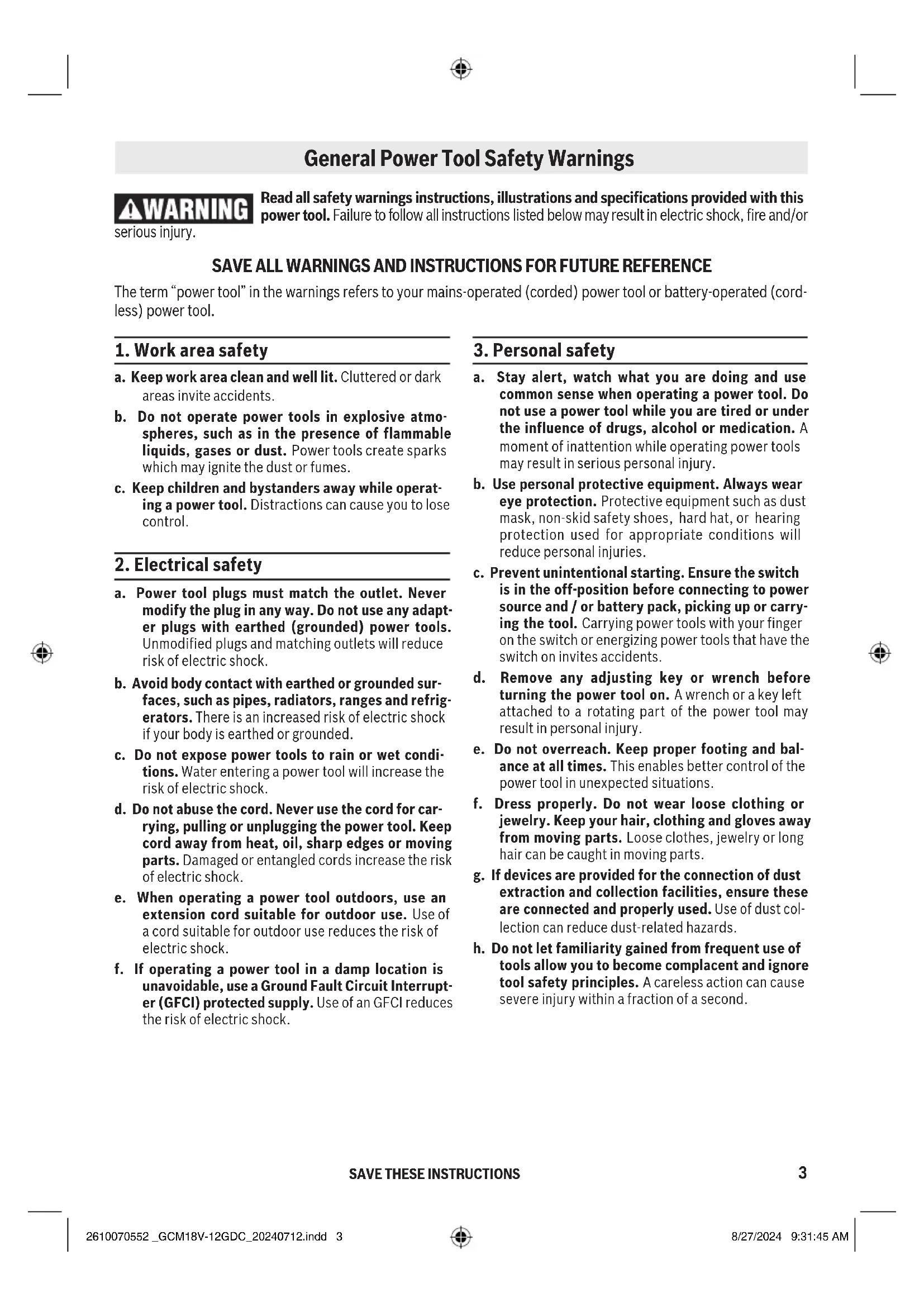
Read all safety warnings instructions, illustrations and specications provided with this power tool. Failure to follow all instructions listed below may result in electric shock, re and/or serious injury. SAVE ALL WARNINGS AND INSTRUCTIONS FOR FUTURE REFERENCE The term “power tool” in the warnings refers to your mains-operated (corded) power tool or battery-operated (cord- less) power tool. General Power Tool Safety Warnings
a. Keep work area clean and well lit. Cluttered or dark areas invite accidents. b. Do not operate power tools in explosive atmo- spheres, such as in the presence of flammable liquids, gases or dust. Power tools create sparks which may ignite the dust or fumes. c. Keep children and bystanders away while operat- ing a power tool. Distractions can cause you to lose control.
2. Electrical safety
a. Power tool plugs must match the outlet. Never modify the plug in any way. Do not use any adapt- er plugs with earthed (grounded) power tools. Unmodified plugs and matching outlets will reduce risk of electric shock. b. Avoid body contact with earthed or grounded sur- faces, such as pipes, radiators, ranges and refrig- erators. There is an increased risk of electric shock if your body is earthed or grounded. c. Do not expose power tools to rain or wet condi- tions. Water entering a power tool will increase the risk of electric shock. d. Do not abuse the cord. Never use the cord for car- rying, pulling or unplugging the power tool. Keep cord away from heat, oil, sharp edges or moving parts. Damaged or entangled cords increase the risk of electric shock. e. When operating a power tool outdoors, use an extension cord suitable for outdoor use. Use of a cord suitable for outdoor use reduces the risk of electric shock. f. If operating a power tool in a damp location is unavoidable, use a Ground Fault Circuit Interrupt- er (GFCI) protected supply. Use of an GFCI reduces the risk of electric shock.
a. Stay alert, watch what you are doing and use common sense when operating a power tool. Do not use a power tool while you are tired or under the influence of drugs, alcohol or medication. A moment of inattention while operating power tools may result in serious personal injury. b. Use personal protective equipment. Always wear eye protection. Protective equipment such as dust mask, non-skid safety shoes, hard hat, or hearing protection used for appropriate conditions will reduce personal injuries. c. Prevent unintentional starting. Ensure the switch is in the off-position before connecting to power source and / or battery pack, picking up or carry- ing the tool. Carrying power tools with your finger on the switch or energizing power tools that have the switch on invites accidents. d. Remove any adjusting key or wrench before turning the power tool on. A wrench or a key left attached to a rotating part of the power tool may result in personal injury. e. Do not overreach. Keep proper footing and bal- ance at all times. This enables better control of the power tool in unexpected situations. f. Dress properly. Do not wear loose clothing or jewelry. Keep your hair, clothing and gloves away from moving parts. Loose clothes, jewelry or long hair can be caught in moving parts. g. If devices are provided for the connection of dust extraction and collection facilities, ensure these are connected and properly used. Use of dust col- lection can reduce dust-related hazards. h. Do not let familiarity gained from frequent use of tools allow you to become complacent and ignore tool safety principles. A careless action can cause severe injury within a fraction of a second. 2610070552 _GCM18V-12GDC_20240712.indd 32610070552 _GCM18V-12GDC_20240712.indd 3 8/27/2024 9:31:45 AM8/27/2024 9:31:45 AM4
SAVE THESE INSTRUCTIONS
General Power Tool Safety Warnings
4. Power tool use and care
a. Do not force the power tool. Use the correct power tool for your application. The correct power tool will do the job better and safer at the rate for which it was designed. b. Do not use the power tool if the switch does not turn it on and off. Any power tool that cannot be controlled with the switch is dangerous and must be repaired. c. Disconnect the plug from the power source and/ or remove the battery pack, if detachable, from the power tool before making any adjustments, changing accessories, or storing power tools. Such preventive safety measures reduce the risk of starting the power tool accidentally. d. Store idle power tools out of the reach of chil- dren and do not allow persons unfamiliar with the power tool or these instructions to operate the power tool. Power tools are dangerous in the hands of untrained users. e. Maintain power tools and accessories. Check for misalignment or binding of moving parts, break- age of parts and any other condition that may affect the power tool’s operation. If damaged, have the power tool repaired before use. Many accidents are caused by poorly maintained power tools. f. Keep cutting tools sharp and clean. Properly main- tained cutting tools with sharp cutting edges are less likely to bind and are easier to control. g. Use the power tool, accessories and tool bits etc. in accordance with these instructions, taking into account the working conditions and the work to be performed. Use of the power tool for operations different from those intended could result in a haz- ardous situation. h. Keep handles and grasping surfaces dry, clean and free from oil and grease. Slippery handles and grasping surfaces do not allow for safe handling and control of the tool in unexpected situations.
5. Battery tool use and care
a. Recharge only with the charger specified by the manufacturer. A charger that is suitable for one type of battery pack may create a risk of fire when used with another battery pack. b. Use power tools only with specifically designated battery packs. Use of any other battery packs may create a risk of injury and fire. c. When battery pack is not in use, keep it away from other metal objects like paper clips, coins, keys, nails, screws, or other small metal objects that can make a connection from one terminal to another. Shorting the battery terminals together may cause burns or a fire. d. Under abusive conditions, liquid may be ejected from the battery, avoid contact. If contact acci- dentally occurs, flush with water. If liquid con- tacts eyes, additionally seek medical help. Liquid ejected from the battery may cause irritation or burns. e. Do not use a battery pack or tool that is damaged or modifed. Damaged or modifed batteries may exhibit unpredictable behaviour resulting in fire, explosion or risk of injury. f. Do not expose a battery pack or tool to fire or excessive temperature. Exposure to fire or tem- perature above 265 °F may cause explosion. g. Follow all charging instructions and do not charge the battery pack or tool outside the temperature range specified in the instructions. Charging improperly or at temperatures outside the specified range may damage the battery and increase the risk of fire.
a. Have your power tool serviced by a qualified repair person using only identical replacement parts. This will ensure that the safety of the power tool is maintained. b. Never service damaged battery packs. Service of battery packs should only be performed by the man- ufacturer or authorized service providers. 2610070552 _GCM18V-12GDC_20240712.indd 42610070552 _GCM18V-12GDC_20240712.indd 4 8/27/2024 9:31:45 AM8/27/2024 9:31:45 AM5 Safety Instructions for Miter Saws
SAVE THESE INSTRUCTIONS
a. Miter saws are intended to cut wood or wood-like products, they cannot be used with abrasive cut- off wheels for cutting ferrous material such as bars, rods, studs, etc. Abrasive dust causes moving parts such as the lower guard to jam. Sparks from abrasive cutting will burn the lower guard, the kerf insert and other plastic parts. b. Use clamps to support the workpiece whenever possible. If supporting the workpiece by hand, you must always keep your hand at least 100 mm (4”) from either side of the saw blade. Do not use this saw to cut pieces that are too small to be securely clamped or held by hand. If your hand is placed too close to the saw blade, there is an increased risk of injury from blade contact. c. The workpiece must be stationary and clamped or held against both the fence and the table. Do not feed the workpiece into the blade or cut “free- hand” in any way. Unrestrained or moving workpiec- es could be thrown at high speeds, causing injury. d. Push the saw through the workpiece. Do not pull the saw through the workpiece. To make a cut, raise the saw head and pull it out over the work- piece without cutting, start the motor, press the saw head down and push the saw through the workpiece. Cutting on the pull stroke is likely to cause the saw blade to climb on top of the workpiece and violently throw the blade assembly towards the operator. e. Never cross your hand over the intended line of cutting either in front or behind the saw blade. Supporting the workpiece “cross handed” i.e. hold- ing the workpiece to the right of the saw blade with your left hand or vice versa is very dangerous. f. Do not reach behind the fence with either hand closer than 100 mm (4”) from either side of the saw blade, to remove wood scraps, or for any other reason while the blade is spinning. The prox- imity of the spinning saw blade to your hand may not be obvious and you may be seriously injured. g. Inspect your workpiece before cutting. If the workpiece is bowed or warped, clamp it with the outside bowed face toward the fence. Always make certain that there is no gap between the workpiece, fence and table along the line of the cut. Bent or warped workpieces can twist or shift and may cause binding on the spinning saw blade while cutting. There should be no nails or foreign objects in the workpiece. h. Do not use the saw until the table is clear of all tools, wood scraps, etc., except for the workpiece. Small debris or loose pieces of wood or other objects that contact the revolving blade can be thrown with high speed.
i. Cut only one workpiece at a time. Stacked multiple
workpieces cannot be adequately clamped or braced and may bind on the blade or shift during cutting. j. Ensure the miter saw is mounted or placed on a level, firm work surface before use. A level and firm work surface reduces the risk of the miter saw becoming unstable. k. Plan your work. Every time you change the bevel or miter angle setting, make sure the adjustable fence is set correctly to support the workpiece and will not interfere with the blade or the guard- ing system. Without turning the tool “ON” and with no workpiece on the table, move the saw blade through a complete simulated cut to assure there will be no interference or danger of cutting the fence. l. Provide adequate support such as table exten- sions, saw horses, etc. for a workpiece that is wider or longer than the table top. Workpieces longer or wider than the miter saw table can tip if not securely supported. If the cut-off piece or workpiece tips, it can lift the lower guard or be thrown by the spinning blade. m. Do not use another person as a substitute for a table extension or as additional support. Unsta- ble support for the workpiece can cause the blade to bind or the workpiece to shift during the cutting operation pulling you and the helper into the spin- ning blade. n. The cut-off piece must not be jammed or pressed by any means against the spinning saw blade. If confined, i.e. using length stops, the cut-off piece could get wedged against the blade and thrown vio- lently. o. Always use a clamp or a fixture designed to prop- erly support round material such as rods or tub- ing. Rods have a tendency to roll while being cut, causing the blade to “bite” and pull the work with your hand into the blade. p. Let the blade reach full speed before contacting the workpiece. This will reduce the risk of the work- piece being thrown. 2610070552 _GCM18V-12GDC_20240712.indd 52610070552 _GCM18V-12GDC_20240712.indd 5 8/27/2024 9:31:46 AM8/27/2024 9:31:46 AM6
SAVE THESE INSTRUCTIONS
Safety Instructions for Miter Saws q. If the workpiece or blade becomes jammed, turn the miter saw off. Wait for all moving parts to stop and disconnect the plug from the power source and/or remove the battery pack. Then work to free the jammed material. Continued sawing with a jammed workpiece could cause loss of control or damage to the miter saw. r. After nishing the cut, release the switch, hold the saw head down and wait for the blade to stop before removing the cut-off piece. Reaching with your hand near the coasting blade is dangerous. s. Hold the handle rmly when making an incom- plete cut or when releasing the switch before the saw head is completely in the down position. The braking action of the saw may cause the saw head to be suddenly pulled downward, causing a risk of injury. t. Avoid overheating the saw blade tips. 2610070552 _GCM18V-12GDC_20240712.indd 62610070552 _GCM18V-12GDC_20240712.indd 6 8/27/2024 9:31:46 AM8/27/2024 9:31:46 AM7
SAVE THESE INSTRUCTIONS
Additional Safety Rules GFCI and personal protection devices like electrician’s rub- ber gloves and footwear will further enhance your personal safety. Do not use AC only rated tools with a DC power supply. While the tool may appear to work, the electrical compo- nents of the AC rated tool are likely to fail and create a hazard to the operator. Keep handles dry, clean and free from oil and grease. Slippery hands cannot safely control the power tool. Develop a periodic maintenance schedule for your tool. When cleaning a tool be careful not to disassemble any portion of the tool since internal wires may be misplaced or pinched or safety guard return springs may be improp- erly mounted. Certain cleaning agents such as gasoline, car- bon tetrachloride, ammonia, etc. may damage plastic parts. Some dust created by power sanding, sawing, grinding, drill- ing, and other construction activities contains chemicals known to cause cancer, birth defects or other reproduc- tive harm. Some examples of these chemicals are:
- Lead from lead-based paints,
- Crystalline silica from bricks and cement and other masonry products, and
- Arsenic and chromium from chemically-treated lumber. Your risk from these exposures varies, depending on how often you do this type of work. To reduce your exposure to these chemicals: work in a well ventilated area, and work with approved safety equipment, such as those dust masks that are specially designed to lter out microscopic particles. 2610070552 _GCM18V-12GDC_20240712.indd 72610070552 _GCM18V-12GDC_20240712.indd 7 8/27/2024 9:31:46 AM8/27/2024 9:31:46 AM8 The operation of any power tool can result in foreign objects being thrown into the eyes, which can result in severe eye damage. Always wear safety goggles that comply with ANSI Z87.1 (shown on pack age) before commencing power tool operation.
SAVE THESE INSTRUCTIONS
DESIGNATED NO-CARRY AREA Avoid positioning hands, ngers or arms A danger zone – avoid placing hands, ngers or arms in these areas. never attempt to move or lift the saw in these areas. A danger zone – never lift or carry saw by the main switch handle. Electric Brake Your saw is equipped with an automatic electric brake which is designed to stop the blade from spinning in about ve (5) seconds after you release the trigger switch. It is useful when making certain cuts in wood where a coasting blade would result in a wide, impre- cise cut. When electrical power is lost due to blown fuse or other causes, the motor will gradually slow down and the braking action is initiated ONLY by the release of the trigger switch. The electric blade brake of your miter saw has been designed for highest degree of reliability, but unexpect- ed circumstances such as contamination on the com- mutator and brushes or failure of motor’s components can cause the brake not to activate. If this condition occurs, turn the saw “ON” and “OFF” four to ve times without contacting the workpiece. If the tool operates but the brake does not consistently stop the blade in about ve seconds, DO NOT use saw and have it ser- viced immediately. The brake action of this saw is not intended as a safety fea- ture. Remember to let the saw blade come to a com- plete stop before raising the blade from the workpiece. As always, the guard system is your best protection against unintentional contact with a spin- ning saw blade. NEVER wedge open or defeat the closing action of the lower guard. Electrical Requirements 2610070552 _GCM18V-12GDC_20240712.indd 82610070552 _GCM18V-12GDC_20240712.indd 8 8/27/2024 9:31:47 AM8/27/2024 9:31:47 AM9 Licenses Copyright (C) 2009–2016 ARM LIMITED All rights reserved. Redistribution and use in source and binary forms, with or without modication, are permitted provided that the follow- ing conditions are met: – Redistributions of source code must retain the above copyright notice, this list of conditions and the following disclaimer. – Redistributions in binary form must reproduce the above copyright notice, this list of conditions and the following disclaimer in the documentation and/or other materials provided with the distribution. – Neither the name of ARM nor the names of its contrib- utors may be used to endorse or promote products derived from this software without specic prior written permission. THIS SOFTWARE IS PROVIDED BY THE COPYRIGHT HOLD- ERS AND CONTRIBUTORS "AS IS" AND ANY EXPRESS OR IMPLIED WARRANTIES, INCLUDING, BUT NOT LIMITED TO,
ANY WAY OUT OF THE USE OF THIS SOFTWARE, EVEN IF ADVISED OF THE POSSIBILITY OF SUCH DAMAGE. 2610070552 _GCM18V-12GDC_20240712.indd 92610070552 _GCM18V-12GDC_20240712.indd 9 8/27/2024 9:31:47 AM8/27/2024 9:31:47 AM10 Symbols Important: Some of the following symbols may be used on your tool. Please study them and learn their meaning. Proper interpretation of these symbols will allow you to operate the tool better and safer. Symbol Designation / Explanation V Volts (voltage) A Amperes (current) Hz Hertz (frequency, cycles per second) W Watt (power) kg Kilograms (weight) min Minutes (time) s Seconds (time) CFM Cubic feet per minute [or ft3/min] (air ow rate)
Diameter (size of drill bits, grinding wheels, etc.) n0 No load speed (rotational speed at no load) n Rated speed (maximum attainable speed) .../min Revolutions or reciprocation per minute (revolutions, strokes, surface speed, orbits etc. per minute) 0 O position (zero speed, zero torque...) 1, 2, 3, ... I, II, III, Selector settings (speed, torque or position settings. Higher number means greater speed) Innitely variable selector with o (speed is increasing from 0 setting) Arrow (action in the direction of arrow) Alternating current (type or a characteristic of current) Direct current (type or a characteristic of current) Alternating or direct current (type or a characteristic of current) Class II construction (designates double insulated construction tools) Earthing terminal (grounding terminal)
2610070552 _GCM18V-12GDC_20240712.indd 102610070552 _GCM18V-12GDC_20240712.indd 10 8/27/2024 9:31:48 AM8/27/2024 9:31:48 AM11 Important: Some of the following symbols may be used on your tool. Please study them and learn their meaning. Proper interpretation of these symbols will allow you to operate the tool better and safer. Symbols Symbol Designation / Explanation Designates Li-ion battery recycling program Designates Ni-Cad battery recycling program Alerts user to read manual Alerts user to wear eye protection This symbol designates that this tool is listed by Underwriters Laboratories. This symbol designates that this component is recognized by Underwriters Laboratories. This symbol designates that this tool is listed by Underwriters Laboratories, to United States and Canadian Standards. This symbol designates that this tool is listed by the Canadian Standards Association. This symbol designates that this tool is listed by the Canadian Standards Association, to United States and Canadian Standards. This symbol designates that this tool is listed by the Intertek Testing Services, to United States and Canadian Standards. This symbol designates that this tool complies to NOM Mexican Standards. 2610070552 _GCM18V-12GDC_20240712.indd 112610070552 _GCM18V-12GDC_20240712.indd 11 8/27/2024 9:31:49 AM8/27/2024 9:31:49 AM12
1. Switch Lock-OFF Release Buttons – One of these two
buttons must be pressed before the power switch can be pressed.
2. Power Switch – The power switch used with the “Lock-
OFF” button energizes the unit.
3. Main Handle – This handle contains the power switch.
Pulling this handle down lowers the blade into the work- piece.
4. Lower Blade Guard/Lower Guard Lip – The lower blade
guard helps protect your hands from the spinning blade. It retracts as the blade is lowered. Lip can be used to raise the lower guard in the event that the guard becomes jammed on a workpiece.
6. Chip Deector – Deects cut-o workpieces from enter-
ing the upper guard.
7. Upper Guard – Covers upper portion of the blade.
8. Sliding Fences – Support for the workpiece. The fenc-
es have a cast-in scale to make repetitive cuts easy. The fences also have holes to secure an auxiliary fences if desired.
9. Stationary Fence – Stationary fence is bolted to the
base and will support the workpiece when the sliding fence is removed.
10. Kerf Inserts – Kerf inserts can be adjusted to dierent
blade widths to minimize workpiece tear-out.
11. Miter Detent Override – Allows detent action to be
locked out, allowing for micro-adjustments to any miter angle. Getting To Know Your Miter Saw
saw table at any desired miter angle.
lever locks the head assembly at the desired bevel angle.
15. Miter Scale/Miter Pointer – The pointer rotates with
the table and blade. It points to the miter scale to indi- cate the angle setting before a cut is made.
16. Miter Detent Plate – The position of the plate can be
adjusted to set the accuracy of its detent locations.
17. Miter Detents – There are ten (10) miter detent slots
for fast and accurate miter cuts of common miter angles.
18. Table – Provides workpiece support, rotates for
desired miter cuts and rotates the head assembly. The front extended part of the table is called the miter arm.
19. Base – Provides working surface to support work-
20. Tool Mounting Pads – The four corners of the saw
provide areas to clamp, bolt or nail the saw to a at work surface.
port. Useful when cutting long workpieces.
23. Rubber Deector – Attaches to bottom of chute.
Deects dust into the chute.
24. Dust Chute – Directs sawdust up and through the
elbow and to the bag.
25. Elbow – Connects the dust chute to the dust bag. Can
be rotated to direct dust.
26. Dust Bag – Has a zipper at the bottom. Bag can be
uncoupled from elbow for emptying.
27. Mechanism Lock Lever – Holds saw in full back posi-
29. Lower Guard Link – Allows for smooth movement of
30. Clamp – Use to hold the workpiece to the table and
base – insert into clamp post location (item 39).
31. Connectivity Module Compartment – Bosch Con-
nectivity Module is used to connect the tool to Bosch Toolbox app on a mobile device.
depth of the blade travel.
34. Pivot Post – Provides support for the saw head, dust
collection system and other functional parts.
35. Axial Glide Mechanism – Allows saw to smooth-
ly slide in and out. Can be locked in full rear or fully extended positions.
36. Bevel Scale and Pointers – Scale is large and angled
- allows user to easily read bevel angles. Pointer indi- cates what the current angle is.
37. Bevel Post – Provides rotating support for all miter
saw parts above the table.
38. Bevel Detent Pin (Crown Molding Setting) – When
engaged, it locks the head assembly to the bevel angle of 33.9° to the left or right.
39. Clamp Post Locations – Two vertical post holes in the
through holes in the miter scale. These screws are loosened when adjusting position of the detent plate.
41. Bevel Range Selector Knob – Allows selection of
3 bevel ranges: “0-45° Left”, “0-45° Right” or “Max. Bevel Angle to 47°.”
42. Arbor Lock – Press arbor lock button to keep blade
from rotating when loosening or tightening arbor bolt during blade removal or installation.
43. Head Assembly Lock Pin – Used to lock the head
assembly in the lower position for transporting.
44. Glide Movement Controller – Adjusts to regulate
movement of the glide mechanism.
45. Mounting Holes for Optional Crown Stop or Length
46. Battery Bay – used to insert Bosch battery or
AMPShare Battery packs.
47. Battery Pack (sold separately)
48. Battery Pack Release button – used to remove bat-
tery pack from the battery bay.
49. Cast-in Carry Handles – Used for lifting and trans-
50. User Interface – used to select the preset speed
levels and to indicate the status of the power tool and battery.
51. Set Screws for Laser Line Guide – used to adjust the
Allowed ambient temperature: – during charging – during operation – during storage 32…113 °F (0…+45 °C) -4…122 °F (-20…+50 °C) 32…122 °F (0…+50 °C) Cordless Miter Saw GCM18V-12GDC Battery Packs/Chargers Please refer to the battery/charger list, included with your tool. Intended Use Use this miter saw only as intend- ed. Unintended use may result in personal injury and property damage. Connectivity Module (sold separately) Please refer to the operating/safety instructions, included with connectivity module. Key Moldings / Positioning Maximum Size Base Molding Against Fence 7-1/4" (185mm) from 47° Left to 31.6° Right 4" (100mm) from 31.6° Right to 60° Right 38° Crown Molding Angled Against Fence* 5-1/2" (140mm) 45° Crown Molding Angled Against Fence* 6" (152mm) Crown Molding Flat on Table 11-1/2" (292mm)
- Within miter range of 0° to 47° Left Miter / Bevel Maximum Height x Width 0°/ 0° 3-1/2" x 13-1/2" (89mm x 343mm) 0°/ 0° with 3/4" (19 mm) table spacer 2-7/8" x 15" (73mm x 381mm) 45°/ 0° 3-1/2" x 9-1/2" (89mm x 241mm) 0°/ 45° (Left) 2" x 13-1/2" (50mm x 343mm) 0°/ 45° (Right) 1-1/2" x 13-1/2" (38mm x 343mm) 45°/ 45° (Left) 2" x 9-1/2" (20mm X 241mm) 45°/ 45° (Right) 1-1/2" x 9-1/2" (38mm X 241mm) 2610070552 _GCM18V-12GDC_20240712.indd 152610070552 _GCM18V-12GDC_20240712.indd 15 8/27/2024 9:31:51 AM8/27/2024 9:31:51 AM16 Unpacking And Checking Contents Unpacking the Miter Saw – When removing this tool from packaging materials, reach down to the two side carry-handle locations and slowly lift until it clears the package. To avoid severe pinching, never lift or move this saw by gripping any component of the mechanism support system. This symbol is placed at various locations on the tool to warn the user of pinch-point areas. Checking Contents in Package – Open the top of the package and look for the included loose parts. Refer to the diagram below. Some small parts such as the bevel lock lever and miter lock knob require attachment to the tool before it is ready for use – See “Attaching Loose Parts” on page
Workpiece Clamp Manual Miter Lock Knob Loose Parts - 1 of each shown Check off for each part 6/4mm Hex Key 2.5mm Hex Key 2610070552 _GCM18V-12GDC_20240712.indd 162610070552 _GCM18V-12GDC_20240712.indd 16 8/27/2024 9:31:52 AM8/27/2024 9:31:52 AM17 Tools Needed For Assembly Combination Square 6/4mm Hex Key (supplied) #2 Phillips Screwdriver NOTE: A 6mm and a 4mm hex key can be substituted for the supplied 6/4mm hex key. no gap or overlap
2. Flip square (shown in
square against the drawn line. There should be no gap or overlap at the bottom end. drawn line 3/4" (19mm) board with straight top edge
1. Position square and
draw a light line Combination Square Must Be True - Checking Combination Square 2610070552 _GCM18V-12GDC_20240712.indd 172610070552 _GCM18V-12GDC_20240712.indd 17 8/27/2024 9:31:53 AM8/27/2024 9:31:53 AM18 Assembly Attaching Loose Parts Attaching the Miter Lock Knob – Locate the miter lock knob 12 from among the loose parts.
1. Look under the turntable’s front arm above the lock
lever and locate the 10mm hole (see Fig. 1).
2. Insert the long shaft of the miter lock knob through
this hole until it stops.
3. Turn the knob clockwise (about 10 full revolutions)
until it is tight or “locked.”
4. Loosen the knob 1/2 turn to unlock it. The table is
now free to be moved on the base. Using the Miter Lock Knob –
1. Loosen the miter lock knob.
2. While holding the knob in your palm, reach down
with your index or middle nger and pull up the detent lever. While gripping knob, rotate table left or right to needed miter angle and release the lever.
3. Tighten the knob once you are at the correct angle.
NOTE: It is recommended to tighten the miter lock knob before all cuts. It is required to tighten the knob before cutting at any angle between detent engagements or when the miter detent override system is in use. Storing the 6/4mm Hex Key – There is a storage loca- tion on the saw to store the 6/4mm hex key. Insert the short leg of the hex key through the rubber grommet as shown. Place the long leg into the tool rest and press down into the retainer clip (see Fig. 2). NOTE: The 6/4mm hex key is needed to change the blade and to make tool adjustments. If lost, two sepa- rate hex keys may be substituted: a 4mm hex key and a 6mm hex key. Inserting and Releasing Battery Pack Slide charged battery pack 47 into the battery bay 46 until the battery pack locks into position (Fig. 3). Your tool is equipped with a secondary locking latch to prevent the battery pack from completely falling out of the battery bay, should it become loose due to vibration. To remove the battery pack, press the battery pack release button 48 and slide the battery pack completely out of the battery bay (Fig. 3). To avoid possible injury, disconnect battery pack before performing any assembly, adjust- ments or repairs.
1. Position the saw in the UP position and at 0° bevel.
If in the DOWN position, press down slightly on the saw head assembly and pull out the head assembly lock pin (item 43, page 12); then allow the saw head to come up.
2. Rotate Lower Blade Guard until there is a clear
access to the Blade Bolt (Fig. 4).
3. Press and hold the arbor lock (red button on oppo-
site side of upper guard – item 42, page 12). Rotate the blade slowly while pressing the arbor lock until it fully seats into its lock position.
4. Using the 6/4mm hex key, loosen the blade bolt by
rmly turning it clockwise. NOTE: This bolt has left- hand threads.
5. Remove the blade bolt and outer washer. Carefully
grab the blade. Slide the blade away from the inner washer and o the arbor shaft, then down and away from the saw. Leave the inner washer on the arbor shaft (see Fig. 5). INSTALLING 12" (305mm) BLADE To avoid injury, do not use a blade larger or smaller than 12" diameter and 1" (25.4mm) arbor. The blade’s maximum plate thickness is 0.100" (2.54mm). To reduce risk of injury, use saw blade rated 4000/min (RPM) or greater.
1. Follow all “Moving Guard Assembly” and “Removing
2. Carefully handle the new blade. Check that the rota-
tion arrow on the blade matches the rotation arrow on the lower guard. Slide the blade up and between the sides of the chip deector and over the arbor shaft. Move the blade so its arbor hole goes around the support ring of the inner washer (see Fig. 4 and 5).
3. Place the outer washer over the arbor shaft and
nger-tighten the blade bolt (counterclockwise). Check that the blade remained on the inner washer’s support ring.
4. Rotate the blade slowly while pressing the arbor lock
until it fully seats into its lock position.
5. Using the 6/4mm hex key, rmly tighten the blade
bolt counterclockwise. NOTE: This bolt has left- hand threads. Do not over tighten. A 6mm hex key may be used as an alternate.
6. Remove the lower guard link from the rear cover
plate screw. Rotate the lower guard and cover plate around the front cover plate screw until the cover plate’s slot slides under the rear cover plate screw head. Fully tighten both cover plate screws using the 6/4mm hex key.
7. Place the lower guard link back to the original posi-
tion, then rmly nger-tighten the link knob to the pivot post. It may be necessary to retract the lower guard while tightening the link knob.
8. Be sure the arbor lock is released so the blade turns
9. Place the 6/4mm hex key back in storage area.
Blade Bolt Blade Rotation Arrow Lower Blade Guard Guard Link Fig. 4 Outer Washer Blade Bolt Saw Blade Arbor Shaft Support Ring Inner Washer Fig. 5 2610070552 _GCM18V-12GDC_20240712.indd 192610070552 _GCM18V-12GDC_20240712.indd 19 8/27/2024 9:31:54 AM8/27/2024 9:31:54 AM20 Assembly Tighten the cover plate screws. Loose cover plate screws may interfere with and hang up lower blade guard. Never use saw without cover plate securely in place. Lower guard will not function properly. After installing a new blade, make sure the blade does not interfere with the table insert at 0° and 45° bevel positions. Lower the blade into the blade slot and check for any contact with the base or turntable structure. If the blade contacts base or table, seek authorized service. Assembling Dust Collection System The dust collection system used on this tool is unique because it is not attached to the upper guard. This placement provides superior dust collection for the majority of cuts. When adjusting or removing any dust collection components, be sure the saw is unplugged.
ATTACHING AND ADJUSTING THE DUST BAG
Attaching and Removing Dust Bag – To attach the dust bag, squeeze the two red tabs together and slide the dust bag into the dust port rib (see Fig. 6). Adjusting Dust Bag – After attaching the bag, it is rec- ommended to do a “dry cut” before cutting with the saw – this means: unplug the tool, preset it for intended cut and practice the cut. For some bevel cuts, the sliding fence may have to be moved or removed to avoid being cut or making contact with the dust bag. The bag’s posi- tion may also need a rotating adjustment if it contacts the workpiece during a slide cut.
USING AND CLEANING THE DUST BAG
Be extremely careful when disposing of dust. Materials in ne particle form may be explosive. Do not throw sawdust on an open re. Spontaneous combustion, in time, may result from the mixture of oil or water with dust particles. Using Dust Bag – Attach the clean bag to the elbow. Adjust the elbow and dust bag, if necessary, so they do not interfere with the tool during the intended cutting operation. Cleaning Dust Bag – After the dust bag is 2/3 to 3/4 full, remove it from the saw. Bring the bag to a proper container and pull open the zipper located on the bot- tom of the bag. Hold the bag by the coupler end and shake it vigorously until all the dust and debris fall from it. Close zipper and reattach the bag. NOTE: Clean the bag at the end of the cutting session and before trans- porting or storing the saw (see Fig. 6). Red Tabs Dust Bag Elbow Dust Chute Coupler Zipper Rubber Deflector Fig. 6 2610070552 _GCM18V-12GDC_20240712.indd 202610070552 _GCM18V-12GDC_20240712.indd 20 8/27/2024 9:31:55 AM8/27/2024 9:31:55 AM21
ATTACHING A VACUUM CLEANER/ DUST
EXTRACTOR The saw’s dust port will accept the typical nozzles from 35 mm (13/8") vacuum cleaner hoses, and Bosch VH– Series hoses. To connect the saw with a 1¼" (32mm) or 1½" (38mm) hose, the Bosch VAC024 adapter can be used (sold separately). Note: the sizes above indicate the hose diameters and not the nozzle diameters. Attaching to Vacuum – Insert the vacuum nozzle into (or onto) the exit port as far as it will go (Fig. 7). Check to see that the vacuum hose is free from the mechanism and cutting path before plugging saw into power source. Assembly Dust port 1¼" (32mm) hose 35mm (1⅜") hose Bosch VH-series hose VAC024 1½" (38mm) hose Fig. 7 2610070552 _GCM18V-12GDC_20240712.indd 212610070552 _GCM18V-12GDC_20240712.indd 21 8/27/2024 9:31:55 AM8/27/2024 9:31:55 AM22 Adjustments Using the Head Assembly Lock Pin
HEAD ASSEMBLY LOCK PIN
The head assembly lock pin 43 is located on the right side of the pivot post 34. It is used to hold the saw’s head assembly in the DOWN position. This position prevents the head from bouncing up and down during transportation. This also makes the saw more compact for lifting and storage. This position is also required for some calibrating procedures. TO ENGAGE THE HEAD ASSEMBLY LOCK PIN
1. Check that the depth stop plate 33 is disengaged, or
pressed in to the right position.
2. Grasp the saw’s main handle 3 and press down on
3. While pressing the saw head down, push in on the
head assembly lock pin. Release the head assem- bly. The head will be locked in the DOWN position (see Fig. 8).
1. Grasp the main handle and press down on the head
2. While pressing the head down, pull out the head
assembly lock pin. Release the lock pin, but main- tain your grip on the main handle. Slowly allow the spring-loaded saw head to come up to the top of its travel and then release the handle. Using the Glide Movement Controller
TO ADJUST THE GLIDE MOVEMENT
CONTROLLER The glide movement controller 44 is attached to the upper joint of the glide mechanism; it is designed to control the smoothness of the saw’s glide action. When assembled at the factory, the controller is not adjusted; therefore, the movement is very smooth. To adjust the glide mechanism’s smoothness, slightly tighten or loos- en the two screws at the top by using the 6/4mm hex key or a 4mm hex key (see Fig. 9).
The lock lever 27 is located on the rear left side of the mechanism. When engaged, it locks the system (item 35 – page 12) in either the full forward or the full back position and prevents movement while transporting the saw. When held in the full back position, the saw is more compact for lifting and storage. The full back position is often used while performing chop cuts.
and push (slide) the head assembly back as far as it goes. The upper housings will be upright and closed.
2. Lift the tab on the lock lever to engage its wedge
into the joint area between the two lower housings. Release the lock lever tab and the main handle. The head assembly will be locked in the full back posi- tion. Saw in the Full Forward Position – (Fig. 11)
1. Grasp the main handle (item 3 – page 12) and pull
(slide) the head assembly toward you as far as it goes. The mechanism will be fully extended.
2. Lift the tab on the lock lever to engage its wedge
into the joint area between the two lower housings. Release the lock lever tab and the main handle. The head assembly will be locked in the full forward posi- tion. From Back or Forward Positions – (Fig. 12)
1. Grip the tab on the lock lever and press down until
its wedge comes out from between the two lower housings. Release your grip; the mechanism is now free to slide forward and back.
Fig. 12 2610070552 _GCM18V-12GDC_20240712.indd 232610070552 _GCM18V-12GDC_20240712.indd 23 8/27/2024 9:31:56 AM8/27/2024 9:31:56 AM24 Adjustments Depth of Cut Adjustment When a new blade is installed, it may be necessary to check the clearance of the blade to the turntable struc- ture. The depth stop plate is a feature provided to allow for (normal) full-depth cuts or non-through cuts used to cut grooves.
SETTING BLADE DEPTH FOR NORMAL FULL-
1. When making normal full-depth cuts, push the depth
stop plate 33 in toward the saw head (see Fig. 13). This will allow the depth stop screw 32 to pass through the hole in the plate.
2. Check for full depth of cut:
- Set table at 0° miter and push saw fully back. - Pull out head assembly lock pin 43 to the release position. - Push down saw head and watch the depth stop screw pass through the stop plate without any binding or contact with the plate.
NOTE: For best results, Bosch recommends the use of a table saw with an optional dado blade set for cutting grooves and non-through cuts. In the event this is not available, the feature described below is a convenient alternative.
1. Release (pull out) the head asembly lock pin and
allow the saw head to move fully up. Slide saw head to the full back position.
2. Pull the depth stop plate out away from the saw head
down the saw head while watching the depth stop screw contact the top surface of the depth stop plate. The screw will not pass through the hole in the plate.
4. Turn the knob at the end of the depth stop screw
(while the threaded end is in contact with stop plate) and watch the bottom of the saw blade move. This adjustment sets the depth of cut. See page 52 for “Cutting Grooves” instructions.
2. Look for four round holes in the miter scale plate.
In each hole is a screw 40. Use the small end of the 6/4mm hex key or a 4mm hex key to loosen all four screws 1 to 2 turns. This will loosen the miter detent plate 16 (see Fig. 15).
3. Lock saw down using the head assembly lock pin
(item 43 – page 12).
4. Hold one side of a 90° combination square against
the fence and rotate the table (and detent plate) until the side of the saw blade is in full contact with the other side of the square (Fig. 16).
5. Tighten all four screws – loosen and reset the miter
scale pointer to the “0” position.
MITER SCALE POINTER ADJUSTMENT
1. Rotate table to 0° position and lock in place.
2. Raise the head assembly to the full UP position.
3. Loosen the pointer adjust screw that holds the miter
scale pointer in place (see Fig. 17).
4. Position the pointer to align with the 0° line. Tighten
the screw. Kerf Insert Adjustment The kerf inserts should be adjusted close to the blade, but without touching the blade, to avoid tear-out on the bottom of the workpiece.
1. Hold the saw head assembly down and push in the
head assembly lock pin (item 43 – page 12) to keep the saw in the DOWN position.
3. Adjust the kerf inserts as close to the blade (teeth)
as possible without touching the blade.
4. Tighten the kerf screws.
NOTE: At extreme bevel angles, the saw blade may slightly cut into kerf insert.
CHECKING 0° BEVEL STOP SETTING
1. Hold the saw head assembly down and push in the
head assembly lock pin (item 43 – page 12) to keep the saw in the DOWN position.
2. Slide the head assembly completely to the back and
engage the lock lever (item 27 – page 12) by lifting up the nger tab.
5. Check the position of the bevel range selector knob;
it should be at the “0-45° Left” position.
6. Tilt the saw assembly to the left (counterclockwise),
then rotate to the right (clockwise) until it hits the stop in the vertical position – this is where the saw is currently set to make a 0° cut.
8. Use a combination square to check that the blade
is 90° (square) to the table. Place the square’s ruler edge against the table and slide it to contact the blade with the vertical side of the square’s head (see Fig. 19).
9. Check that the saw blade’s plate (not teeth) is touch-
ing the square’s 90° side. If the saw blade’s plate is not in full contact with the square’s body 90° side, follow the “Adjusting 0° Bevel Stop” procedures. Contacting Blade Combination Square Fig. 19 Kerf Inserts Kerf Screws Fig. 18 2610070552 _GCM18V-12GDC_20240712.indd 262610070552 _GCM18V-12GDC_20240712.indd 26 8/27/2024 9:31:58 AM8/27/2024 9:31:58 AM27 45° Bevel Stop – Adjustment Procedure
CHECKING 45° BEVEL STOP SETTING
1. Hold the saw head assembly down and push in the
head assembly lock pin (item 43 – page 12) to keep the saw in the DOWN position.
2. Slide the head assembly completely to the back and
engage the lock lever (item 27 – page 12) by lifting up the nger tab.
3. Rotate the table to the 0° miter position.
4. Pull up the bevel lock lever to unlock. Move the left
sliding fence fully to the left.
5. Check the position of the bevel range selector knob;
it should be at the “0-45° Left” position.
6. Tilt the saw assembly to the left (counter-clockwise)
until it hits the 45° stop – this is where the saw’s 45° stop is set to make a 45° left bevel cut.
7. Use a combination square to check that the blade
is 45° to the table. Remove the rule blade from the combination square. Place only the combination square’s head on the saw’s table with its long at side resting on the table and its 45° side against the tilted blade (see Fig. 21).
8. Check that only the saw blade’s plate (not teeth) is
touching the square’s 45° side. If the saw blade’s plate is not in full contact with the square’s head 45° side, follow the “Adjusting 45° Bevel Stop” proce- dures. Adjustments
2. Loosen bolt heads “A” and “B” using a 10mm open
end wrench or socket (with socket wrench). Loosen bolts at least one full turn (see Fig. 20).
3. Loosen set screw “D” using the 4mm end of the
6/4mm hex key (provided with tool, but may also use a standard 4mm hex key). Loosen screw at least three full turns.
4. Place combination square on table and against blade
5. Using the 4mm end of hex key, turn set screw “C”
and watch the saw blade tilt. Turn screw “C” until the blade is aligned (full contact) with the square’s body’s edge. After aligning, remove hex key.
6. Tighten set screw “D” using 4mm hex key.
7. Tighten bolt heads “A” and “B” using 10mm open
be in line with the bevel scale’s 0° lines.
9. Push down the bevel lock lever to lock.
1. Pull up the bevel lock lever to unlock. Move the left
sliding fence fully to the left.
2. Tilt the saw assembly to the left (counterclockwise)
until it hits the 45° stop.
3. Place only the combination square’s head on the
saw’s table with its long at side resting on the table and its 45° side against the tilted blade.
4. Place an 8mm open end wrench on bolt head “F”
5. While turning bolt “F,” watch the blade tilt – turn “F”
until the saw blade plate is in full contact with the 45° side of the square’s head (see Fig. 21).
6. If needed, adjust bevel scale pointers (item 36 –
page 12) to be in line with the bevel scale’s 45° lines. First, adjust right bevel pointer; then tilt saw head to the right 45° stop position (see page 49 – “Bevel Range 2 = 0-45° Right”) and adjust the left bevel pointer. Tilt the saw head to the 0° position – both pointers should be on the bevel scale’s 0° lines.
7. Push down the bevel lock lever to lock at the desired
CHECKING BEVEL LOCK TENSION
1. Pull up the bevel lock lever to release tension. If it
feels too hard to pull up, an adjustment may be required.
2. Check the tilt resistance. Grab main handle and
slowly tilt the saw to the left. While tilting, some resistance should be felt. At approximately 30°, the resistance should become lower. If little or no resis- tance is felt, an adjustment may be required.
3. Check bevel lock tension. Push down on the bevel
lock lever – normally more pressure is needed at the start; then the lever should go fully down to the lock position with a “thump”. A) If it is too hard to push the lever fully down, then it may require tension adjustment. B) Check locking power: Tilt the saw to about 30° and push down on bevel lock lever. Firmly press on the right side of the saw head - If the saw head tilts more than 1/2° from the locked position, then the bevel lock tension needs adjustment.
ADJUSTING BEVEL LOCK TENSION
The bevel lock lever tension has been set at the factory. After extensive use of the tool, it may requirean adjust- ment. Before adjusting tension, the tilt resistance should be set.
1. Pull up the bevel lock lever to release tension.
2. Adjusting Tilt Resistance (see step 2 above).
A) If resistance is too low, slightly tighten (1/16th turn) the large lock nut “H” using a 24mm socket or wrench. B) If resistance is too high, slightly loosen (1/16th turn) the large lock nut “H” using a 24mm socket or wrench.
3. Adjusting Tension (see steps 1 and 3 above) Pull up
and push down the bevel lock lever. A) If the lever is too hard to pull or push, the tension can be decreased by using a 17mm socket or wrench to loosen lock nut “E” (1/8th turn). Check again. B) If the lever is too easy to pull or push or if the saw head does not fully lock at a bevel setting, then the tension can be increased by using a 17mm socket or wrench to tighten lock nut “E” (1/8th turn). Check again. Adjusts Bevel Lock Tension Adjusts Tilting Resistance
17 mm Wrench or 17 mm Socket 24 mm Wrench or 24 mm Socket Adjustments Fig. 23 2610070552 _GCM18V-12GDC_20240712.indd 292610070552 _GCM18V-12GDC_20240712.indd 29 8/27/2024 9:31:59 AM8/27/2024 9:31:59 AM30 Adjusting Front Stabilizing Bolt The front stabilizing bolt is located on the bottom of the saw’s base near the 0° miter detent slot (Fig. 24). It provides additional support when making slide cuts. The stabilizing bolt has been factory set. If it is loose or needs adjustment, follow these steps:
1. Move the saw so that you have easy access to the
bolt area. Loosen the stabilizing bolt and the jam nut using a 10mm wrench.
2. Place the saw back on your work table. Unscrew the
stabilizing nut until it contacts the table.
3. Move the saw again so that you have access to the
bolt area. While holding the head of the bolt with a 10mm wrench or pliers, use a 10mm open end wrench to fully tighten the jam nut against the boss in the saw’s base. Bos
- Never lift this saw by grasping the base exten- sions when they are in the extended position.
- Unplug electric cord and wind up. Use the hook and loop strap to hold the wrapped cord together.
- Never lift the saw by gripping any of the mech- anism parts. The saw may move and cause severe injuries to your ngers or hands.
- To avoid back injury, hold the tool close to your body when lifting. Bend your knees so you can lift with your legs, not your back. Lifting the saw from the back is the preferred method. This will tip the tool toward your body.
- Never lift tool by holding switch handle. This may cause serious damage.
- Never lift the miter saw by the power cord or the operational handle. Attempting to lift or carry the tool by the power cord will damage the insulation and the wire connections, resulting in electric shock or re.
- Place the saw on a rm, level surface where there is plenty of room for handling and properly sup- porting the workpiece. ONLY lift this saw by the cast-in carry handles at each side of the bottom of the base (see Fig. 25).
LIFTING SAW FROM REAR
1. Set bevel angle at 0° and lock in place using the bevel
2. Rotate table to the extreme left position and lock in
place using miter lock knob 12.
3. Push saw head back and lock in DOWN position
using the head assembly lock pin 43.
4. Engage mechanism lock lever 27 so the saw is
locked in the retracted position.
5. Check that each base table extension 22 is in the
closed position and locked in place.
6. Use both hands and reach down to grip each cast-in
carry handle 49. Whenever possible, lift from the back of the saw.
Fig. 25 To avoid possible injury, disconnect battery pack before performing any assembly, adjust- ments or repairs. 2610070552 _GCM18V-12GDC_20240712.indd 312610070552 _GCM18V-12GDC_20240712.indd 31 8/27/2024 9:32:00 AM8/27/2024 9:32:00 AM32 Transporting and Mounting Mounting Applications Be certain the miter saw is mounted or placed on a level, rm work surface before using. A level and rm work surface reduces the risk of the miter saw becoming unstable.
WORKBENCH PERMANENT ATTACHMENT
1. Each of the four mounting holes should be bolted
securely using 5/16" (M8) bolts, lock washers and hex nuts (not included), see Fig. 26.
2. Locate and mark where the saw is to be mounted.
3. Drill four 5/16" (8mm) diameter holes through work-
4. Place the miter saw on the workbench, aligning
holes in base with holes drilled in workbench. Install bolts, lock washers and hex nuts. ALTERNATE ATTACHMENT The smaller mounting holes at each corner can be used for nails or longer drywall screws. The supporting surface where the saw is to be mounted should be examined carefully after mounting to ensure that no movement can occur during use. If any tipping or walking is noted, secure the workbench or stand before operating the miter saw. Be careful not to over-drive nail or over-torque the bolt. This could crack foot or damage base.
TEMPORARY MOUNTING USING CLAMPS
- If necessary, clamp the miter saw to a workbench or table top.
- Place two or more “C” clamps on the clamping areas and secure (see Fig. 27). There are clamping areas at all four corners of the saw.
- Be careful not to place clamps over the base exten- sion clamping levers (see Fig. 27).
- Mounting with clamps may prevent access to some wide miter angles. Bolt Hole Nail Hole Rear Mounting Holes Fig. 26 Clamp Area Clamp Area Fig. 27 2610070552 _GCM18V-12GDC_20240712.indd 322610070552 _GCM18V-12GDC_20240712.indd 32 8/27/2024 9:32:01 AM8/27/2024 9:32:01 AM33 Preparing for Saw Operations To avoid possible injury, disconnect battery pack before performing any assembly, adjust- ments or repairs. Switch Activation For safety, the switch lever 2 is designed to prevent accidental starts. To operate safety switch, slide the switch “Lock-OFF” release button 1 with either thumb to disengage the lock, then pull the power switch trig- ger and release the switch “Lock-OFF” release button (Fig. 28). When the power switch trigger is released, the switch “Lock-OFF” release button will engage the power switch trigger automatically, and the lever will no longer operate until either “Lock-O” release button is engaged again. NOTE: Padlock hole 2a can accommodate a padlock with a long shackle of up to 5/16" (8mm) in diameter (not provided with miter saw) to prevent unauthorized use. Built-in LED Light Your tool is equipped with a powerful LED light for bet- ter visibility when cutting. The light has the ability to turn on when only partially depressing the trigger (Fig. 28). The light will stay on for 30 seconds after the trig- ger has been released. This allows the cut to be more visible before the saw blade begins to spin. Laser Line Guide Laser radiation. Do not expose users of telescopic optics. Class 1 Laser product. Your tool is equipped with a laser line guide that will turn on when the trigger is partially depressed.
LASER LINE ADJUSTMENT
- Make sure the table is set to 0° miter position and locked. Slide the head assembly all the way to the back. Draw a straight cutting line on the workpiece. Slowly lower the head assembly using the main han- dle. - Position the workpiece so that the teeth of the saw blade line up with the cutting line. Hold the work- piece in this position and slowly guide head assem- bly back up. Clamp the workpiece. - Turn on the laser beam by depressing the trigger without pressing the lock-o button (Fig. 28). The laser beam must be aligned with the cutting line on the workpiece along its entire length (Fig. 29). If adjustment is required, turn the left 51a and right 51b set screws with a 2.5mm hex allen wrench until the laser beams are aligned with the cutting line on the workpiece. One full turn of the set screw counterclockwise moves the laser beam from left to right; one full turn of the set screw clockwise moves the laser beam from right to left.
Fig. 28 Cutting Line Laser Line (Left) 51a 51b Laser Line (Right) Fig. 29 2610070552 _GCM18V-12GDC_20240712.indd 332610070552 _GCM18V-12GDC_20240712.indd 33 8/27/2024 9:32:01 AM8/27/2024 9:32:01 AM34 Preparing for Saw Operations User Interface (Fig. 30) The user interface 50 is used to select the preset speed levels and to indicate the status of the power tool and battery. ECO MODE When full power is not needed, the saw’s energy-sav- ing ECO mode can be used to reduce the saw’s output power in order to extend the runtime. If the ECO mode is active, the speed level/mode indi- cator 50d displays the symbol “E” and “ECO” icon 50b lights up. SPEED PRESETS The speed settings and the ECO mode are prepro- grammed and can be adjusted via the ‘Bosch Toolbox’ app. For more information on the ‘Bosch Toolbox’ appli- cation, refer to the “Connectivity” chapter on the next page. The table below describes the preset speeds and ECO mode speed.
BATTERY CHARGE INDICATOR
When the battery charge indicator 50a is glowing green, the battery is charged and the number of bars shows the level of the charge. Glowing yellow and only one bar indicates that the bat- tery needs to be charged or replaced soon. Glowing red and only one bar means that the battery charge is depleted. TEMPERATURE INDICATOR If the temperature indicator 50g is glowing yellow, the critical temperature of the motor, electronics or battery has been reached. Run the power tool at no load and allow it to cool down. If the temperature indicator is glowing red, power tool is overheated and will switch o. Allow the power tool to cool down.
SMARTPHONE STATUS INDICATOR
It is necessary to purchase and install a Bosch con- nectivity module and install the 'BoschToolbox' app to receive information and messages as alerted by the smartphone status indicator. See the Connectivity chapter on the next page. Green Smartphone status indicator 50e means that there is non-critical information available in the 'Bosch Toolbox' app for user to read. Yellow smartphone status indicator 50e means that there is important information available (e.g. tempera- ture warning). Red smartphone status indicator 50e means that there is critical information available. It is recommended that the user reviews the message immediately.
POWER TOOL STATUS FRAME
Green light of the power tool status frame 50f means everything is functioning properly. Yellow light means that: a. Critical temperature has been reached (the tem- perature indicator 50g is also glowing yellow) - run the tool at no load and allow it to cool down, or b. Battery is almost depleted (the battery charge indi- cator 50a is also glowing yellow) - charge or replace the battery soon. Red light means that: a. The tool is overheated (the temperature indicator 50a is glowing red) – turn the tool o and on again,
b. Battery is depleted (the battery charge indicator 50a is also glowing red) - charge or replace the battery. Flashing blue light means that the power tool is con- nected to a mobile device or settings are being trans- ferred. The user must press the user interface button 50c to accept and store the new setting(s). 50b
50a 50c 50d 50e 50f 50g Fig. 30 Preset Speeds Eco 2550 /min 1 3000 /min 2 3500 /min 3 4000 /min 2610070552 _GCM18V-12GDC_20240712.indd 342610070552 _GCM18V-12GDC_20240712.indd 34 8/27/2024 9:32:01 AM8/27/2024 9:32:01 AM35 Preparing for Saw Operations Connectivity To reduce the risk of injury read the operating instruc- tions included with Bosch connectivity module. Operating instructions for connectivity module include important information not covered in this manual. This power tool is Bluetooth capable and select fea- tures can be adjusted remotely using a mobile device. Utilizing these features requires installation of a Bosch Bluetooth connectivity module and a mobile device with the Bosch Toolbox app installed. If connectivity module is not purchased with the tool, or if the replacement of the module or the battery becomes necessary, please follow this procedure (See Fig. 31): - Tilt the head assembly to the left to simplify the pro- cess.
Using a at screwdriver or a coin, remove the cover A from the connectivity module compartment 31 located side of the side of handle 3, by turning it 1/4 turn counter-clockwise. - If the tool is already equipped with the connectivity module, remove the battery B, but do not remove the connectivity module C. - If the connectivity module is installed for the rst time, remove the plastic placeholder D from the connectivity module compartment, and place the connectivity module C in the compartment observ- ing correct orientation. Note: Store the placeholder D in a safe place. Reinsert the placeholder again if the connectivity module is removed. - Next place new battery B on the top of the connec- tivity module with the “+” polarity facing up . - Place the cover A over the battery and turn it 1/4- turn clockwise to lock using a at screwdriver or a coin.
USING THE ‘BOSCH TOOLBOX’ APP
The 'Bosch Toolbox' app can be downloaded from the App Store or Google Play. Install the ‘Bosch Toolbox’ app on your mobile device or make sure you are running the latest version of the app. Launch the ‘Bosch Toolbox’ app on your mobile device and click on “My Tools” icon/tile. Follow the app direc- tions to pair the tool with the mobile device.
BENEFITS SUMMARY OF CONNECTIVITY
When used with the connectivity module, the ‘Bosch Toolbox’ app will allow for the following with the tool: – Registration and personalisation – Status check and warning messages – General information and settings – Adjusting the speed levels The help button on the app explains the features of the app. The info button on the app displays tool informa- tion and specications. The alerts button displays any alerts received from the tool.
Fig. 31 2610070552 _GCM18V-12GDC_20240712.indd 352610070552 _GCM18V-12GDC_20240712.indd 35 8/27/2024 9:32:02 AM8/27/2024 9:32:02 AM36 Preparing for Saw Operations Body and Hand Position Position your body and hands properly to make cutting eas- ier and safer. Failure to follow all instructions, iden- tied below by bullet (•) symbols, may result in serious personal injury (see Fig. 32 below).
- Never place hands near cutting area. Keep hands and arms outside the “NO HANDS” zone. The “No Hands Zone” is an area 6 inches (152mm) wide on left and right side of the blade cutting path. Portion of the Fence in this are also is considered a part of the “No Hands Zone”. The “No Hands Zone” for zero miter and zero bevel cuts is marked on the tool with lines and “No Hands” sym- bols. The “No Hands Zone” for all slide and miter right cuts is dened in gure below.
The “No Hands Zone” for all slide and miter left cuts is dened in gure below.
With all bevel cuts the “No Hands Zone” extends verti- cally up to the bottom of the upper guard when the head assembly is in the lowest cut position.
152mm 6" (152mm) 6" (152mm) 6" (152mm) 6" (152mm) Mesa Hoja Protector superiorHerramienta Ángulo de biselZona de manos no Zona de manos no6"(152mm)6"(152mm) 2610070552 _GCM18V-12GDC_20240712.indd 362610070552 _GCM18V-12GDC_20240712.indd 36 8/27/2024 9:32:03 AM8/27/2024 9:32:03 AM37 Use sliding base extensions, sliding fence, and addi- tional workpiece supports (see page 38) to properly support the workpiece and hold or clamp it outside of the “No Hands Zone”. Workpiece can be held against table and fence by hand only outside of the “No Hands Zone”.
- Hold workpiece rmly against table and fence to prevent movement.
- Keep hands in position until trigger has been released and blade has completely stopped.
- Never place hands on mechanism components.
- Keep feet rmly on the oor and maintain proper balance.
- Follow the miter arm when mitering left or right. Stand slightly to the side of the saw blade. Be aware of the path of the saw blade. Make a dry run with the saw “OFF” by conducting a simulated cut- ting cycle, and observe the projected path of the saw blade. Keep hands out of the path of saw blade. DRY RUN – It is important to know where the blade will intersect with the workpiece during cutting operations. Always perform the simulated cutting sequence with the power tool switched “OFF” to gain an understand- ing of the projected path of the saw blade. Mentally note where the path of the saw blade will fall and set up your work to keep your hands and arms out of the path of the spinning blade. Adjust your clamps and fences so that the smooth lower guard and cutting action is not interfered with during cutting operation. The lower guard may not automatically open under certain cutting conditions; for example, when trying to cut workpieces that are near the maximum cut- ting height capacity. Under these conditions or during the blade travel motion of cut, the workpiece can stop the lower guard movement before the downward motion of the arm could pre-open the lower guard. If this occurs: Workpiece must be securely clamped with clamp 30. This frees a hand to raise the guard 4 by the lip just enough to clear the workpiece (see Fig. 33). Start the saw and begin your cut. Once you have cleared the position where the lower guard may bind, release the guard and it will continue to operate automatically as you cut.
1. Insert the clamp’s knurled bar down into a clamp
post hole; there are two post holes located in the base behind the fence. The knurled end must be in the post at least 1/2" (13mm).
2. Slide the clamp down until its rubber foot contacts
3. Adjust the clamp height so it does not touch the slid-
4. Rotate the clamp’s knob until the workpiece is rmly
5. Move saw head up and down and forward and back
to be sure it clears the clamp. There may be extreme com- pound cuts where clamp cannot be used. Support workpiece with your hand outside the “No Hands” zone. Do not try to cut short pieces that cannot be clamped and cause your hand to be in the “No Hands” zone. Be aware of the path of the saw blade. Make a dry run with the saw O by conducting a simulated cutting cycle, and observe the projected path of the saw blade. Keep hands at least six (6) inches (152mm) away from the projected path of the saw blade. Clamps – Other hold-down devices such as C-clamps can be used to hold the workpiece rmly against the table and the fence. Make sure the clamps are clear of the cutting path. SLIDING FENCES To provide sufficient (mini- mum 6") spacing from hand to saw blade, extend the sliding fences and sliding base extensions when making extreme bevel, miter, or compound cuts (Fig. 32). Operating Sliding Fences
2. Slide fence 39 to the desired position.
3. Tighten the lock knob clockwise to lock sliding fence
position. Removing Sliding Fences The sliding fence may need to be removed when pre- forming extreme bevel cuts and most compound cuts.
2. Lift and remove sliding fence.
The tethering cable will help prevent the sliding fence from getting misplaced.
Long workpieces have a tendency to tip over unless clamped down and properly supported from under- neath. Do not use another person as a substitute for a table exten- sion or as additional support. Unstable support for the workpiece can cause the blade to bind or the workpiece to shift during the cutting operation, causing you to con- tact the spinning blade. Operating Base Extensions – These extensions pro- vide extra workpiece support and are especially useful when cutting long workpieces. To reposition the exten- sions 22, simply unlock the base extension lock levers 21, reposition the extensions and relock the levers (see Fig. 36). The left extension lock lever tightens by rotating clockwise and the right lock lever tightens by rotating counterclockwise.
ADDITIONAL WORKPIECE SUPPORT
Blocks – Long pieces need extra support. The base height (3-3/4"/95mm) is designed to match the stan- dard lumber of two 2xs (38mm) and one 1x (19mm). Boards of these thicknesses can be used to create aux- iliary support extensions for long workpieces (see Fig. 37). Always ensure that support- ing surfaces are able to prop- erly support the workpiece and allow for secure holding by hand outside of the “No Hand Zone”, or clamping with a clamp inside or outside of the “No Hand Zone” – see page 36 for “No Hand Zone” and appropriate hand positions. Always adjust the sliding base extension to support workpiece. Unsupported workpiece can move out of position during cut and cause injury and/or tool damage. Be aware of the path of the saw blade. Make a dry run with the saw O by conducting a simulated cutting cycle, and observe the projected path of the saw blade. Keep hands at least six (6) inches (152mm) away from the projected path of the saw blade.
Certain types of molding need a fence face extension because of the size and position of the workpiece. Holes are provided in the fence to attach an auxiliary fence. The auxiliary fence is used with the saw in the 0° bevel position only.
1. Place a piece of wood against the miter saw fence
(see Fig. 38). Wood can have a maximum height of 5-1/2" (140mm). Check that auxiliary fence assembly does not interfere with head assembly. See dimension drawing – Fig. 39. Check for interference between auxiliary fence and saw head componenents by performing a dry run. Fence interference can prevent proper saw operation and cause injury and/or tool damage.
2. Mark the locations of the support holes on the wood
from the back side of the fence.
3. Drill and countersink the holes on the front of the
4. Fasten from front of fence: Attach (each) auxiliary
fence using two (2) 3/16" (M5) at head machine screws. With 3/4" (19mm) auxiliary fence, use 1-1/2" (38mm) long screws. Secure behind metal fence with washer and machine nuts. Fasten from back of fence: With 3/4" (19mm) auxil- iary fence, use 1/4" (M6) round head wood screws (3/4"/20mm long). Drill four pilot holes through aux- iliary fence and run screws from rear of metal fence. Be aware of the path of the saw blade. Make a dry run with the saw O by con- ducting a simulated cutting cycle, and observe the projected path of the saw blade. Keep hands at least six (6) inches (152mm) away from the projected path of the saw blade.
5. Make a full depth cut to create the blade slot. Check
for interference between the auxiliary fence and the lower blade guard. Make adjustments as necessary.
6. For best splinter-free cuts, use the chop cut method.
7. When making slide cuts, the center must be notched
(50mm) 2-5/8" (67mm) 2-5/8" (67mm)
(178mm) NOTCH OUT 2-1/2" (64mm) 9.5" (240mm)
2. Grip the lock knob, and then reach down with your
index nger to pull up on the miter detent lever 13 – pull lever until it is out from the detent plate.
3. While gripping the lock knob and lever, rotate the
saw’s table. Stop table rotation at the desired angle as indicated by the miter scale pointer 15.
4. Release the lever into a detent 17 in the detent
plate 16 or at an angle between detents. If close to a detent, use the detent override feature.
5. Tighten the miter lock knob before cutting.
NOTE: It is recommended to tighten the miter lock knob before all cuts. It is required to tighten the knob before cutting at any angle between detents or when the miter detent override system is in use. Miter Detent Override The miter detent override feature allows the miter detent action to be locked out, allowing for micro adjustments at any miter angle. When the desired miter angle is too close to a standard mitering angle that has a detent slot, this feature prevents the wedge on the miter detent lever from slipping into the detent slot on the miter detent plate.
1. Lift and hold the miter detent lever 13.
2. Push the detent override clip 11 forward and latch in
place over receiving edge on turntable arm. Release miter detent lever (Fig. 41).
3. Rotate table to any position on the miter scale.
4. Lock the miter lock knob to retain miter position.
To Disengage: Loosen miter lock knob and lift the miter detent lever to release the detent override clip. The clip should auto- matically disengage and the table should lock into any desired miter detent.
- A “chop cut” is a cross-cut made when the saw is held to the rearmost position and is operated like a conventional (non-sliding) miter saw. Using the chop cut method lowers the cross-cutting capacity; how- ever, many users prefer using this method because it is quicker when making repeat cuts. This method can also produce more accurate cuts because the saw head is locked in the retracted position.
- This saw has bevel angle stops that accurately stop at critical angles: 45° Left/Right and 0° Right. It comes factory-set and should not require adjustment. How- ever, after extensive use or if the tool has received a hard impact, it may require an adjustment.
- A chop cut can cut pieces with a width of 5-1/2" (140mm) or less
PREPARING FOR CHOP CUT
1. With the saw head in the UP position, push it back
over the fence to the rear.
2. Engage the mechanism lock lever (item 27 – page
12) by lifting up the nger tab. Check that mecha-
nism movement is stopped.
3. Properly position your workpiece and clamp it rmly
to the table and/or fence. Use clamping position that does not interfere with oper- ation. Before switching “ON”, lower head assembly to make sure clamp clears guard and head assembly. Be aware of the path of the saw blade. Make a dry run with the saw O by conducting a simulated cutting cycle, and observe the projected path of the saw blade. Keep hands at least six (6) inches (152mm) away from the projected path of the saw blade.
1. Activate the switch, then fully lower the saw head to
2. Hold the saw head down until the blade comes to a
complete stop. Return the saw head to the UP posi- tion. Remove workpiece. Fig. 42 2610070552 _GCM18V-12GDC_20240712.indd 422610070552 _GCM18V-12GDC_20240712.indd 42 8/27/2024 9:32:06 AM8/27/2024 9:32:06 AM43 Saw Operations Slide Cuts WHAT’S A SLIDE CUT?
- A “slide cut” is made with the head assembly unlocked and able to move away from the fence. This movement is supported and precisely controlled by the axial glide system. The maximum cross-cutting capacity is utilized by using this method. • A slide cut is best used for cross-cutting workpieces wider than can be done with a chop cut – pieces wider than 5-1/2" (140mm) and up to a maximum width of 13-3/8" (340mm) across.NEVER pull the saw toward you during a cut. The blade can suddenly climb up on top of the workpiece and force itself toward you.
PREPARING FOR SLIDE CUT
1. Place the saw head in the UP position.
2. Disengage the mechanism lock lever (item 27 –
page 12) by pushing down on the nger tab. With the head assembly in the UP position, move it fully to the front and back to check that axial glide system moves smoothly. 3. Properly position your workpiece and clamp it rmly to the table and/or fence. Use a clamping position that does not interfere with oper-ation. Before switching “ON”, lower head assembly to make sure clamp clears guard and head assembly.Be aware of the path of the saw blade. Make a dry run with the saw O by conducting a simulated cutting cycle, and observe the projected path of the saw blade. Keep hands at least six (6) inches (152 mm)away from the projected path of the saw blade.
1. Grasp the switch handle and pull the saw head
assembly (in UP position) away from the fence – see Arrow 1 in Fig. 43. 2. Activate the switch, and then fully lower the saw head assembly – on larger pieces, this action may also start the cut – see Arrow 2 in Fig. 43.3. Push down and back so the saw head assembly moves toward the fence and to the full rear position until you complete the cut. See Arrow 3 in Fig. 43. NOTE: If high resistance is felt, do not apply exces-sive force – stop cutting, wait until blade stops and investigate problem.4. Hold the saw head down until the blade comes to a complete stop. Return the saw head to the UP posi-tion and remove the workpiece.
- A “miter cut” is a cross-cut made with the blade per- pendicular to the horizontal table. The blade is not tilted and the bevel pointers are both on the 0° lines.
- Miter cuts can be made at any angle across a work- piece within this saw’s range, from 52° left to 60° right.
- The miter scale shows the angle of the blade relative to the saw’s fence. The miter pointer is attached to the turntable and indicates the saw’s miter position before the cut is made.
- Ten positive detents are provided for fast and accurate preset miter angles – locations are at 45°, 31.6°, 22.5°, 15° left and right, and center at 0°. The right side has an additional detent of 60°.
- The crown molding detents on the left and right are at 31.6° for compound cutting 38° “spring angle” crown molding lying at on the table (see Cutting Crown Molding on page 53).
- For precision settings at miter angles very close to the miter detents, use the miter detent override to prevent the detent from automatically engaging the detent slot. See detent override instructions on page 41.
- A miter cut can be made either as a chop cut or slide cut, depending on the width of the work- piece.
- The kerf inserts should be adjusted to be as close to the blade as possible to reduce splintering (see kerf insert instructions on page 25).
READING THE MITER SCALE
The miter scale used on this saw includes several scales of information to help the user accurately preset this saw before making the cuts (see Fig. 44). “31.6” detent position for cutting 38° “spring angle” crown molding flat on table “35.3” position for cutting 45° “spring angle” crown molding flat on table 1 of 10 Detent Symbols Pitch angles for roofs Calibration information Miter scale information Fig. 44 2610070552 _GCM18V-12GDC_20240712.indd 442610070552 _GCM18V-12GDC_20240712.indd 44 8/27/2024 9:32:07 AM8/27/2024 9:32:07 AM45 Saw Operations 12 RUN
RISE 12/12 ROOF ANGLE = 45° (SLOPE) RAFTER 12 RUN
RISE 6/12 ROOF ANGLE = 26.56° (SLOPE) RAFTER Pitch angle information – The top section of the miter scale shows angle settings required to cut roof rafters to the “Pitch Angle” system. 2/2, 4/12, 6/12, etc., are all pitch angles. This system is based on using the English “inches.” A 6/12 pitch angle roof equals a ratio of 6" “rise” for every 12" “run” (see Fig. 45).Crown molding information – There are miter position settings for compound-cutting crown molding at on the table. Crown molding with 38° “spring angle” uses the 31.6 setting (with detent) and crown molding with 45° “spring angle” uses the 35.3 setting. NOTE: This cutting method also requires that specic bevel angles are set – see Cutting Crown Molding on page 53.Fig. 45 2610070552 _GCM18V-12GDC_20240712.indd 452610070552 _GCM18V-12GDC_20240712.indd 45 8/27/2024 9:32:07 AM8/27/2024 9:32:07 AM46 Saw Operations Miter cutting 6-3/4" (171mm) base boards – This saw can miter cut 6-3/4" (171mm) tall base boards vertically positioned against the fence at any angle from 0° to 52°. All angled cuts must be made with the base board placed on the left side of the table. For certain cuts, the base board will have to be ipped upside down or placed with the face side against the fence. Always use a C-clamp to hold the base board to the fence before making cuts. NOTE: For cutting standard base board up to 3-7/8" (100mm) tall, no special placement is required and it can be miter cut at any angle left or right. SETTING SAW TO MAKE A MITER CUT
3. Extend the base extensions 22 and fence on the side
on which the cut will be made (see Workpiece Sup- port on page 38).
4. Properly position workpiece. Make sure workpiece
is clamped rmly against the table or the fence. Use a clamping position that does not interfere with oper- ation. Before switching “ON” saw, lower saw head to make sure the clamp clears guard and head assem- bly.
5. Follow procedures for either chop cut or slide cut
6. Wait until saw blade comes to a complete stop
before returning head to the raised position and then remove workpiece. Workpiece Clamp Fig. 46
Fig. 47 2610070552 _GCM18V-12GDC_20240712.indd 462610070552 _GCM18V-12GDC_20240712.indd 46 8/27/2024 9:32:08 AM8/27/2024 9:32:08 AM47 Saw Operations “33.9” positions are for cutting 38° “spring angle” crown molding flat on table Note: Saw has a 33.9 detent feature to automatically hold it at this bevel angle setting “30” positions are for cutting 45° “spring angle” crown molding flat on table Watch While Tilting to Right
BEVEL SCALE INFORMATION
Watch While Tilting to Left Bevel Cuts WHAT’S A BEVEL CUT?
- A “bevel cut” is a cross-cut made with the blade per- pendicular to the fence and with the table set at 0° miter. The blade can be tilted to any angle within the saw’s range: the left is 0 to 47° and the right is 0 to 47°.
- The bevel scale is sized and positioned for easy read- ing – see Fig. 48. Note: when performing right and left bevel cuts it is necessary to move the sliding fence away from the blade to avoid cutting into the fence. When compound cutting on the right it will be necessary to remove the right siding fence – see page 38. Fig. 48 2610070552 _GCM18V-12GDC_20240712.indd 472610070552 _GCM18V-12GDC_20240712.indd 47 8/27/2024 9:32:08 AM8/27/2024 9:32:08 AM48 Saw Operations Bevel Range Selector Knob Right Side of Table
1. Lift Bevel Lock (other side of table). 2. Tilt saw slightly to left. Move fence as needed.4. Set saw to desired angle - Push down Bevel Lock. 3. Rotate Knob to desired range: Right or Max. 47°(0-45° Left is automatic - no need to rotate knob).
Right 0-45° Left 0-45° Right Fig. 49 Bevel range selector knob – This saw has a front con- trol on the right side of the table arm. This is called the bevel range selector knob 41. It is linked to stops and locking mechanisms in the rear which control the tool’s ability to quickly and accurately be positioned to make bevel cuts. There are positive stops at the important 45° left, 0° (vertical), and 45° right angles (see Fig. 49).
USING THE BEVEL RANGE SELECTOR KNOB
Bevel Range 1 = 0-45° Left This left-side bevel range is the default setting. To operate in Bevel Range 1:
1. Move the left sliding fence out to clear saw assembly
3. Grasp the main handle with the right hand and tilt
the saw assembly to the angle desired.
4. Once in the desired bevel position, hold the saw
assembly with right hand and use left hand to fully press down the bevel lock lever below table height. NOTE: Without turning the saw “ON”, perform a dry cut to make sure the fence clears the guards and adjust if necessary. 2610070552 _GCM18V-12GDC_20240712.indd 482610070552 _GCM18V-12GDC_20240712.indd 48 8/27/2024 9:32:08 AM8/27/2024 9:32:08 AM49 Bevel Range 2 = 0-45° Right To operate in Bevel Range 2:
1. Move the right sliding fence out to clear saw assem-
3. Grasp the main handle with the left hand and tilt the
saw assembly slightly to the left while rotating the spring-loaded bevel range selector knob with the right hand so the knob’s indicator points to “0-45° Right” as on the label.
4. Once in the desired bevel position, hold the saw
assembly with right hand and use left hand to fully press down the bevel lock lever below table height. NOTE: When the saw assembly is tilted back to left past 0°, the bevel control knob will snap back to the default bevel range 1. This is designed to regain the preset bevel stop at the important 0° position. Bevel Range 3 = Max. Bevel Angle to 47° Left or Right This full-capacity bevel range setting overrides all pre- set stops and allows for cutting at bevel angles beyond the normal 45° on either side. To operate in Bevel Range 3:
1. Move the left and right sliding fences out to clear saw
3. Grasp the main handle with the left hand and tilt the
saw assembly slightly to the left while rotating the spring-loaded bevel range selector knob with the right hand so the knob’s indicator points to the red square below “Max. Bevel Angle to 47° Left or Right.”
4. Once in needed bevel position, hold saw head by the
- The saw has bevel angle stops that accurately stop at critical angles: 45° left, 0°, and 45°. It comes facto- ry-set and should not need to be adjusted. However, after extensive use or if the tool has received a hard impact, it may require an adjustment.
- The saw has a bevel angle detent pin 38 which can only be engaged at 33.9° left or right - this is the bevel angle required when cutting 38° “spring angle” crown molding at on the table. NOTE: If the bevel detent pin automatically engages at 33.9° and prevents tilting the saw to another angle, simply pull it to the front and rotate its cross pin 1/4 turn so it rests in the disengaged position. If pin is sticking in, tilt and rock saw head side to side as you pull on it (see Fig. 52). SETTING SAW TO MAKE A BEVEL CUT
1. Lift up the bevel lock lever to unlock (see item 14 –
range selector knob. NOTE: If in the 0° position and moving to “0-45° Range,” it may be necessary to move the head assembly slightly to the left before the selector knob can be turned.
3. Grasp the main handle and tilt the saw head assem-
bly to the desired angle while watching one of the bevel angle pointers – watch the right pointer when tilting to the left or the left pointer when tilting to the right.
4. Continue to hold saw and push down on the bevel
lock lever (with your left hand) to lock. Let go of tool.
5. Follow the chop cut or slide cut procedures in this
Fig. 53 Fig. 52 2610070552 _GCM18V-12GDC_20240712.indd 502610070552 _GCM18V-12GDC_20240712.indd 50 8/27/2024 9:32:09 AM8/27/2024 9:32:09 AM51 Saw Operations Compound Cuts For compound cutting, adjust sliding fence clear of blade path and guard system. Before sawing, always check that there is no interference between moving and stationary parts of the saw. Do not operate the saw in the following range of miter and bevel combinations: Left Bevel 45° to 47° PLUS Right Miter 40° to 42°. These miter and bevel combi- nations may result in interference between the sliding and stationary parts of the saw or between the sliding parts and the work piece. WHAT’S A COMPOUND CUT?
- A “compound cut” is a single cross-cut made with the saw blade preset at two angles combining a miter angle (relative to the vertical fence) with a bevel angle (relative to the horizontal table).
- Miter angles will be with the table rotated away from 0° and within this saw’s range from 52° left to 60° right.
- A bevel angle is when the blade is tilted away from 0°. This saw’s range is from 47° left to 47° right. NOTE: If the bevel detent pin automatically engag- es at 31.6° and prevents tilting the saw to another angle, simply pull it to the front and rotate its cross pin 1/4 turn so it rests in the disengaged position. If pin is sticking in, tilt and rock saw head side to side as you pull on it.
- A compound cut can be made as a chop cut or a slide cut. Follow these instructions for making your compound cut:
1. Extend the base extensions 22 and fence 8. (See
Sliding Fences and Base Extensions on page 38 and 39).
2. Properly position workpiece. Make sure workpiece
is clamped rmly against the table or the fence (Fig. 54). Use clamping position that does not interfere with oper- ation. Before switching on, lower head assembly to make sure clamp clears guard and head assembly. Be aware of the path of the saw blade. Make a dry run with the saw O by conducting a simulated cutting cycle, and observe the projected path of the saw blade. Keep hands at least six (6) inches (152mm) away from the projected path of the saw blade.
3. Set miter 15 and bevel 36 angles according to the
instructions on page 44 – 47 for miter and bevel cuts.
4. Follow the procedures for chop cut or slide cut.
5. Wait until blade comes to a complete stop before
returning head assembly to the raised position and/ or removing workpiece. Cutting crown molding at on the table requires com- pound cuts. See cutting crown molding section on page 53.
Fig. 54 2610070552 _GCM18V-12GDC_20240712.indd 512610070552 _GCM18V-12GDC_20240712.indd 51 8/27/2024 9:32:09 AM8/27/2024 9:32:09 AM52 Saw Operations Cutting Grooves The depth stop adjustment is a feature used when cut- ting grooves in the workpiece. The depth adjustment is used to limit blade depth to cut grooves. NOTE: Read and understand all instructions on page 22 in the “Adjustments” section on “Setting Blade Depth for Non-Through Cuts for Cutting Grooves.” NOTE: For best results, Bosch recommends the use of a table saw with an optional dado blade set for cutting grooves and non-through cuts. In the event this is not available, the feature described below is a convenient alternative. A groove should be cut as a slide cut.
1. For adjustment of groove depth, pull out depth stop
plate 33 and rotate depth stop screw 32 (Fig. 55). Rotating the depth stop screw clockwise will raise saw blade and rotating the screw counterclockwise will lower the blade.
2. For minor adjustments, simply rotate the depth stop
screw to the desired location. Be aware of the path of the saw blade. Make a dry run with the saw O by conducting a simulated cutting cycle, and observe the projected path of the saw blade. Keep hands at least six (6) inches (152mm) away from the projected path of the saw blade.
3. Cut the two outside grooves rst.
4. After cutting a groove, shut saw “OFF” and wait for
5. To remove material between cuts, move the work-
piece to the right or left. The saw must come to a complete stop before moving workpiece.
- Base molding can be cut vertical against fence or at on the table. The maximum size that can be verti- cal on the fence is 6-3/4" (171mm), at on table is 13-1/2" (343mm).
- Follow the table for helpful hints on cutting base molding for corners that have 90° angles.
- Cutting base molding can be done either as a chop cut or a slide cut depending on the size of the work- piece. Cutting Crown Molding Crown molding cuts must be positioned properly to t exactly. There are two ways to cut crown molding: at on table or angled to table and fence. Crown molding’s “spring angle” is the angle between the back of the molding and the bottom at surface that ts against the wall. This miter saw has special miter detents at 31.6° and bevel detents at 33.9°. These detents allow you to easily position most crown molding at on the table and make precise cuts for 90° corners. NOTE: These detents can- not be used with 45° crown molding. These detents are only for use with crown molding that has a 38° “spring angle.” See also page 56 for miter and bevel angle charts for cutting crown molding that has 38° and 45° spring angles. Each chart lists the exact miter and bevel set- tings required for a wide range of corner angles. Even though these angles are standards, most rooms do not have angles of exactly 90°; therefore, you will need to ne-tune your settings. The optional Bosch GAM 220 MF and GAM 270 MFL Digital Anglender/Protractors measure spring angles and corner angles, then automatically determine the exact miter and bevel settings necessary to make each crown molding cut t perfectly.
Molding in Vertical Position: Back of molding is against the fence Molding in Horizontal Position: Back of molding is at on the table Bevel Angle Bevel = 0º Bevel = 45º Molding piece being cut To left of corner To right of corner To left of corner To right of corner Inside corner of wall Miter Angle Left at 45º Right at 45º 0º 0º Position of molding on saw Bottom against table Bottom against table Top against fence Bottom against fence Finished side Keep left side of cut Keep right side of cut Keep left side of cut Keep left side of cut Outside corner of wall Miter Angle Right at 45º Left at 45º 0º 0º Position of molding on saw Bottom against table Bottom against table Bottom against fence Top against fence Finished side Keep left side of cut Keep right side of cut Keep right side of cut Keep right side of cut 2610070552 _GCM18V-12GDC_20240712.indd 532610070552 _GCM18V-12GDC_20240712.indd 53 8/27/2024 9:32:10 AM8/27/2024 9:32:10 AM54 Saw Operations
CROWN MOLDING ANGLED TO TABLE AND
FENCE The preferred method for cutting crown molding with this saw is with the molding lying at on the table. The advantage to cutting molding angled against fence is that no bevel setting is required. Only the miter angle is adjusted. The maximum crown molding width that can be cut and angled to table and fence is 6-1/2" (165mm). When cutting crown molding in this fashion it is recom- mended to purchase and use the optional Crown Stop Set (see page 63). Follow these instructions for cutting crown molding angled to table and fence.
1. Position the molding so the bottom (decorative
part, which is installed against the wall) is against the fence.
3. Support crown molding against the fence (see “Body
and Hand Position” on page 36.) Be aware of the path of the saw blade. Make a dry run with the saw O by conducting a simulated cutting cycle, and observe the projected path of the saw blade. Keep hands at least six (6) inches (152mm) away from the projected path of the saw blade.
4. Follow the procedures for chop or slide cut (see
5. Wait until blade comes to a complete stop before
returning head assembly to the raised position and/ or removing workpiece. NOTE: Always take a test cut using scrap to conrm correct angles. 45° Miter Optional Crown Stop Crown Molding Angled Against Fence Bottom Edge of Molding Fig. 57 Miter and Bevel Settings for Standard Crown Molding Cuts (When Workpiece Angled Against Fence) Fence Table Molding Placed Upside Down Bottom Edge Crown Stop Any Crown Molding Up To 6" (152mm) Note: Always place bottom edge against fence Miter (Table) Setting Bevel (Tilt) Setting Inside Corner - Left end Use the left end of the cut 45° Right 0° Left Right end Use the right end of the cut 45° Left 0° Right Outside Corner - Left end Use the left end of the cut 45° Left 0° Right Right end Use the right end of the cut 45° Right 0° Left Inside Corner Outside Corner Assumptions: Molding is milled consistently.Corner is 90°. For other cor- ner angles, divide actual measurement by 2. 2610070552 _GCM18V-12GDC_20240712.indd 542610070552 _GCM18V-12GDC_20240712.indd 54 8/27/2024 9:32:11 AM8/27/2024 9:32:11 AM55 Saw Operations CROWN MOLDING LYING FLAT ON TABLENOTE: Position workpiece with its back at on the saw table.Always place top edge of molding against fence (deco-rative edge is at the bottom of crown molding.)“Spring angle” refers to angle between wall and crown molding.Cutting crown molding at on the table can be done either as a chop cut or a slide cut depending on the width of the workpiece.Refer to special auxiliary fence for narrow cutos when cutting crown at on table (see page 57).
1. For 90° corner, set the bevel 36 and miter 15 angles
using charts below. Tighten the miter lock knob 12 and the bevel lock lever 14.2. Position molding on saw table. Clamp workpiece in place using the quick clamp 30.Use clamping position that does not interfere with oper-ation. Before switching “ON”, lower head assembly to make sure clamp clears guard and head assembly.Be aware of the path of the saw blade. Make a dry run with the saw O by conducting a simulated cutting cycle, and observe the projected path of the saw blade. Keep hands at least six (6) inches (152mm) away from the projected path of the saw blade.3. Follow procedures for either chop cut or slide cut (see pages 42–43).4. Wait until blade comes to a complete stop before returning head assembly to the raised position and/or removing workpiece.NOTE: Always take a test cut using scrap to conrm correct angles. CrownMolding 14 1236Fig. 58Bevel Scale Settings Miter Scale SettingsFor 45° Spring AngleFor 45° Spring AngleFor 38° Spring AngleFor 38° Spring Angle
2610070552 _GCM18V-12GDC_20240712.indd 552610070552 _GCM18V-12GDC_20240712.indd 55 8/27/2024 9:32:11 AM8/27/2024 9:32:11 AM56 Miter and Bevel Settings for Standard Crown Molding Cuts (With Molding Flat on Table) Assumptions: Molding is milled consistently. Corner is exactly 90°. Molding Spring Angle 38° Molding Spring Angle 45° Note: Always place top edge against fence Miter (Table) Setting Bevel (Tilt) Setting Miter (Table) Setting Bevel (Tilt) Setting Inside Corner - Left end Use the left end of the cut 31.6° Right 33.9° Left 35.3° Right 30° Left Right end Use the right end of the cut 31.6° Left 33.9° Right 35.3° Left 30° Right Outside Corner - Left end Use the left end of the cut 31.6° Left 33.9° Right 35.3° Left 30° Right Right end Use the right end of the cut 31.6° Right 33.9° Left 35.3° Right 30° Left Saw Operations Fence Table Top of Molding Against Fence Ceiling 45° Spring Angle 38° Spring Angle 52° 45° 38° 45° Wall Ceiling Wall 45/45° Crown Molding 38/52° Crown Molding Inside Corner Outside Corner 2610070552 _GCM18V-12GDC_20240712.indd 562610070552 _GCM18V-12GDC_20240712.indd 56 8/27/2024 9:32:12 AM8/27/2024 9:32:12 AM57 Saw Operations Crown Molding Auxiliary Fence When making a compound cut on a molding lying at on the table, narrow cut-o pieces (2" [50mm] or less in width) may be propelled at high speed over the fence and beyond the back of the tool (see Fig. 59). Use auxiliary fence as instructed and shown in gures below. An auxiliary fence is used to add support to the cut-o workpiece such as large crown molding when cut at on the table (see Fig. 60). It will reduce splintering and movement of the unsupported cut-o piece of wood after the cut is made. MAKING AN AUXILIARY FENCE: Required pieces: Wood Board (described below) 4 – Flat Head Machine Screws – 1/4" diameter (M6); 2-1/2" (65mm) long 4 – 1/4" (M6) Flat Washers 4 – Nuts
1. Cut a nominal 1" x 2" wood board to a length of
26-1/16" (662mm) long. NOTE: 1" x 2" nominal equals 3/4" x 1-1/2" (19x38mm) actual. 3/4" (19mm) plywood cut to size may be substituted.
2. Drill four holes through the board using a 5/16"
(8mm) diameter drill bit. Countersink the holes deep enough so that the at head screws will rest below the front work surface – use a 1/2" (13mm) diameter drill bit (see Fig. 61). Remove the sliding fences from the tool – see page 38.
1. Place the at head screws through the holes in the
auxiliary fence, then the holes in the stationary fence on the tool.
2. Place the washers and nuts over the screw threads
and against the stationary fence. Tighten nuts. FIRST-TIME USE OF THE AUXILIARY FENCE: NOTE: The rst time the auxiliary fence is used, it will be cut through by the saw blade – cutting through cre- ates minimal clearance which reduces splintering on the workpiece. Set the miter angle and the bevel angle required before making the rst cut. Be aware of the path of the saw blade. Make a dry run with the saw O by conducting a simulated cutting cycle, and observe the projected path of the saw blade. Keep hands at least six (6) inches (152mm) away from the projected path of the saw blade. Clamp the workpiece, then make cut – example: com- pound cutting large crown molding at on the table (see Fig. 58). Small Cut-off Piece Stationary Fence Auxiliary FenceSmall Cut-off Piece Fig. 59 Fig. 60 2610070552 _GCM18V-12GDC_20240712.indd 572610070552 _GCM18V-12GDC_20240712.indd 57 8/27/2024 9:32:12 AM8/27/2024 9:32:12 AM58 10-19/32" (498mm) 3-1/16" (78mm) 3-1/16" (78mm) 7-15/32" (190mm) 8" (203mm) OVERALL LENGTH = 26-1/16" (662mm) OVERALL HEIGHT = 1-1/2" (38mm) Drill 4 Holes = 5/16" (8mm) Diameter 5/16" (8mm) New Auxiliary Fence (assembled to Miter Saw) Stationary Fence Saw Base Top of Base and Table Note: The Stationary Fence is permanently attached to the Saw Base (do not remove) Stationary Fence 5/16" (8mm) Hole Through 1/2" (13mm) Countersink 1/4" (M6)Flat Head Machine Screw x 2-1/2" (65mm) Long (need 4) Flat Washer (need 4) Nut (need 4) Top of Base and Table Saw Base New Auxiliary Fence Board: 3/4" Wide x 1-1/2" High (19x38mm) Saw Operations Auxiliary Fence – Using an Auxiliary Fence when cut- ting Crown molding at on the table will reduce splin- tering of your workpiece and movement of small cut-o pieces. Remove the saw’s sliding fences (see page 38) before attaching the auxiliary fence. Build auxiliary fence by following pattern below – Mate- rial: 3/4" x 1-1/2" (19x38mm) wood. Add 4 holes as dimensioned on pattern -or- Add holes following the next steps:
1. Cut wood to the outside dimensions shown and tem-
porarily attach to saw’s stationary fence using two C-clamps.
2. Use 1/4" (6mm) drill bit to drill rst through existing
holes in the rear of the stationary fence and then through the wood.
3. Remove wood, countersink the front of the wood
and permanently attach to saw’s fence with hard- ware shown below. 2610070552 _GCM18V-12GDC_20240712.indd 582610070552 _GCM18V-12GDC_20240712.indd 58 8/27/2024 9:32:12 AM8/27/2024 9:32:12 AM59 Saw Operations Special Cuts Use clamping position that does not interfere with oper- ation. Before switching on, lower head assembly to make sure clamp clears guard and head assembly. Be aware of the path of the saw blade. Make a dry run with the saw O by conducting a simulated cutting cycle, and observe the projected path of the saw blade. Keep hands at least six (6) inches (152mm) away from the projected path of the saw blade. To provide sufficient (mini- mum 6" [152mm]) spacing from hand to saw blade, extend the sliding fence and base extensions when making extreme bevel, miter or compound cuts. Cutting bowed material and round material are only two examples of special cuts.
CUTTING BOWED MATERIAL
If workpiece is bowed or warped, clamp it with the outside bowed face toward the fence 8. Always make certain that there is no gap between the workpiece, fence and table along the line of cut. Bent or warped workpieces can twist or rock and may cause binding on the spinning saw blade while cutting (see Fig. 62).
CUTTING ROUND OR IRREGULARLY SHAPED
MATERIAL For round material such as dowel rods or tubing, always use a clamp 30 or a xture designed to clamp the work- piece rmly against the fence and table. Rods have a tendency to roll while being cut, causing the blade to “bite” and pull the work with your hand into the blade (see Fig. 63). Bowed Material No Gap at This Point
Fig. 63 2610070552 _GCM18V-12GDC_20240712.indd 592610070552 _GCM18V-12GDC_20240712.indd 59 8/27/2024 9:32:13 AM8/27/2024 9:32:13 AM60 To avoid accidents, always disconnect battery pack from tool before cleaning or performing any maintenance. Maintenance and Lubrication Service All tool service should be performed by a Bosch Fac- tory Service Center or an Authorized Bosch Service Station. Preventive maintenance performed by unau- thorized personnel may result in misplacing of internal wires and components which could cause serious haz- ard. Batteries Be alert for battery packs that are nearing their end of life. If you notice decreased tool performance or signicantly shorter running time between charges then it is time to replace the battery pack. Failure to do so can cause the tool to operate improperly or damage the charger. Care of Blades Blades become dull even from cutting regular lumber. If you nd yourself forcing the saw forward to cut instead of just guiding it through the cut, chances are the blade is dull or coated with wood pitch. When cleaning gum and wood pitch from blade, unplug the saw and remove the blade. Remember, blades are designed to cut, so handle carefully. Wipe the blade with kerosene or similar solvent to remove the gum and pitch. Unless you are experienced in sharpening blades, we recommend you do not try. Tool Lubrication Preventive maintenance performed by unauthorized personnel may result in misplacing of internal wires and components which could cause serious hazard. We recommend that all tool service be performed by a Bosch factory Service Center or Authorized Bosch Service Station. Periodically lubricate moving parts with a silicone, or light oil spray. Do not use grease because it tends to attract and hold sawdust. Bearings All bearings in this tool are lubricated with a sucient amount of high-grade lubricant for the life of the unit under normal operating conditions. No further lubrica- tion is required. Cleaning Certain cleaning agents and solvents damage plastic parts. Some of these are: gasoline, carbon tetra- chloride, chlorinated cleaning solvents, ammonia and household detergents that contain ammonia. Ventilation openings and switch levers must be kept clean and free of foreign matter. Do not attempt to clean by inserting pointed objects through openings. Check regularly to make sure the lower guard and all moving parts are working properly. 2610070552 _GCM18V-12GDC_20240712.indd 602610070552 _GCM18V-12GDC_20240712.indd 60 8/27/2024 9:32:13 AM8/27/2024 9:32:13 AM61 Troubleshooting
PROBLEM CAUSE CORRECTIVE ACTION
Brake does not stop blade in about 5 seconds.
2. Authorized service.
Motor does not start.
1. Battery pack not charged.
2. Battery pack not installed properly.
3. Battery pack temperature is too hot
or cold for operation.
4. Electronic Motor Protection turned
5. Burned out switch.
1. Charge battery if needed.
2. Confirm battery is locked and
secured to the tool.
3. Let battery sit a few minutes or
until it reaches normal operating temperature. 4a. Remove battery an replace. 4b. Let tool sit a few minutes or until it reaches normal operating tem- perature.
5. Have switch replaced by an Autho-
rized Bosch Service Center or Ser- vice Station.
6. Authorized service.
Head assembly does not bevel to desired position.
1. Bevel detent pin is engaged and
locks bevel angle at 33.9°.
then rotate pin 1/4 turn to keep out.
2. Change bevel range selector knob
position (see page 48). Blade hits table. Misalignment. Authorized service. Angle of cut not accurate. Angle stops at 0° or 45° need adjust- ment. See Adjustments section (pages 22–30). Cannot rotate table to change miter angle.
1. Miter lock knob is tightened.
2. Miter detent lever is engaged with a
3. Vacuum or blow out dust around
turntable; wear eye protection. Head assembly will not fully raise or blade guard will not fully close.
1. Head assembly lock pin is engaged.
1. Pull out lock pin, allowing head
assembly to go up (see page 22).
2. Clean head assembly.
3. Authorized service.
Blade binds, jams, burns wood. Rough cuts.
1. Improper operation.
1. See Saw Operations section.
ter blade designed for material being cut.
Head assembly slides forward and back when making a chop cut. Mechanism lock lever is disengaged. Pull up on mechanism lock lever tab to engage (see page 23). Bevel angle is not securely held when bevel lock lever is pushed. Bevel lock lever needs tension adjust- ment. Increase bevel lock lever force by adjust- ing tension nut (see page 27). Glide mechanism is dicult to move forward and back. Glide movement controller is set too tight. Loosen two screws on the movement controller (see page 22). Troubleshooting Guide - General 2610070552 _GCM18V-12GDC_20240712.indd 622610070552 _GCM18V-12GDC_20240712.indd 62 8/27/2024 9:32:13 AM8/27/2024 9:32:13 AM63 Troubleshooting Troubleshooting Guide - General
1. Saw blade not round.
2. Saw blade damaged.
3. Check that blade is properly seated
on the inner washer. See Removing and Installing Blades on page 19.
4. Authorized service.
Head assembly does not slide freely when attempting a slide cut. Mechanism lock lever is engaged. Push down on mechanism lock lever to disengage (see page 23). Blade does not cut completely through workpiece.
1. Depth stop plate is pulled out for
2. Replacement blade is less than 12"
(50mm) 2-5/8" (67mm) 2-5/8" (67mm)
(178mm) NOTCH OUT 2-1/2" (64mm) 9.5" (240mm)
1. Lift Bevel Lock (other side of table). 2. Tilt saw slightly to left. Move fence as needed.4. Set saw to desired angle - Push down Bevel Lock. 3. Rotate Knob to desired range: Right or Max. 47°(0-45° Left is automatic - no need to rotate knob).
(50mm) 2-5/8" (67mm) 2-5/8" (67mm)
(178mm) NOTCH OUT 2-1/2" (64mm) 9.5" (240mm)
1. Lift Bevel Lock (other side of table). 2. Tilt saw slightly to left. Move fence as needed.4. Set saw to desired angle - Push down Bevel Lock. 3. Rotate Knob to desired range: Right or Max. 47°(0-45° Left is automatic - no need to rotate knob).