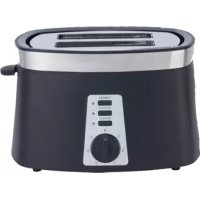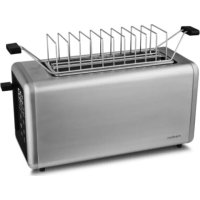
MD 12103 - Toaster MEDION - Free user manual and instructions
Find the device manual for free MD 12103 MEDION in PDF.


| Product type | Toaster |
| Brand | Medion |
| Model | MD 12103 |
| Dimensions (L x W x H) | Approx. 38.4 x 15.6 x 18.7 cm |
| Weight | Not specified |
| Power supply | 220-240 V~, 50-60 Hz |
| Rated power | 1250 - 1450 W |
| Standby consumption | ≤ 0.5 W |
| Number of slots | 2 |
| Browning levels | 7 (1-7) |
| Functions | Toast, defrost, reheat, 20s extension, function memory |
| Preset bread types | Bread, bagel, waffle, pastry, toast |
| Toasting accessory | For rolls and croissants |
| Auto shut-off | Yes, after a few minutes of inactivity |
| Safety function | Emergency stop via ON/STOP button, automatic disconnection in case of fault |
| Care and cleaning | Removable crumb tray, housing cleanable with a damp cloth |
| Cord storage | Wrap under the appliance |
| Protection class | I |
| Customer service | Hotline France: 02 55 66 12 45, Switzerland: 0848 33 33 32, Belgium: 02 200 61 98 |
Frequently Asked Questions - MD 12103 MEDION
User questions about MD 12103 MEDION
0 question about this device. Answer the ones you know or ask your own.
Ask a new question about this device
Download the instructions for your Toaster in PDF format for free! Find your manual MD 12103 - MEDION and take your electronic device back in hand. On this page are published all the documents necessary for the use of your device. MD 12103 by MEDION.
USER MANUAL MD 12103 MEDION
7.1. Function memory 129
7.2.Defrosting frozen slices of bread 129 EN
7.3.Warming up slices of bread 129
7.4. Extending the cooking process 129
7.5. Using the bun warmer 130
7.6. Removing stuck slices of bread 130
- Cleaning the appliance 131
8.1. Emptying the crumb tray 131
8.2. Cleaning the appliance 131
- Storing/transporting 131
- Troubleshooting 132
- Disposal 132
- Technical specifications 133
- EU declaration of conformity 133
- Service information 134
- Legal Notice 134
1. Information about this user manual

Thank you for choosing our product. We hope you enjoy using this appliance.
Please read the safety instructions and the user manual carefully before using the appliance for the first time. Note the warnings on the appliance and in the user manual.
Always keep the user manual close to hand. If you sell the appliance or give it away, please ensure that you also pass on this user manual. It is an essential component of the product.
1.1. Explanation of symbols
If a block of text is marked with one of the warning symbols listed below, the hazard described in that text must be avoided to prevent the potential consequences described there from occurring.

DANGER!
Warning: risk of fatal injury!

WARNING!
Warning: risk of possible fatal injury and/or serious irreversible injuries!
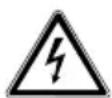
WARNING!
Warning: risk of electric shock!
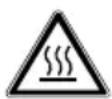
WARNING!
Warning: danger due to hot surfaces!

CAUTION!
Warning: risk of minor and/or moderate injuries!

NOTICE!
Follow these instructions to prevent damage to the appliance!

More detailed information about using the appliance!

Follow the instructions in the user manual!
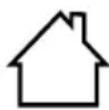
Indoor use only

Symbol for alternating current (AC)
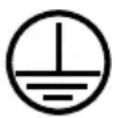
Electrical protection class I
2. Proper use
The appliance is designed exclusively for toasting, defrosting and warming up suitable slices of bread and for toasting bread rolls. This appliance is designed for use in private households and similar household applications, such as:
- in kitchens for staff in retail outlets, offices and other commercial areas
on agricultural estates - by customers in hotels, motels and other accommodation facilities
- in bed-and-breakfast establishments.
The appliance is not intended for commercial or industrial use.
Please note that we shall not be liable in cases of improper use:
- Do not modify the appliance without our consent and do not use any auxiliary equipment that we have not approved or supplied.
- Only use replacement parts or accessories that we have supplied or approved.
- Comply with all the information in this user manual, especially the safety instructions. Any other use is considered improper and can cause personal injury or property damage.
3. Safety instructions
IMPORTANT SAFETY INSTRUCTIONS - READ CAREFULLY AND KEEP FOR FUTURE REFERENCE!
- Keep the appliance and its accessories out of the reach of children.
This appliance can be used by children of 8 years and older, and by people with reduced physical, sensory or mental capacity, or with a lack of experience and/or knowledge, but only with proper supervision, or if they have been told how to use the appliance safely, and have understood the risks involved if they use it improperly.
Children must not be allowed to play with the appliance.
- Cleaning and user maintenance shall not be carried out by children unless they are older than 8 years and supervised.
Children younger than 8 must be kept away from the appliance and the mains cable.
Never leave the appliance unattended during operation.
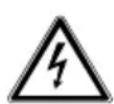
WARNING!
Risk of electric shock/short circuit!
There is a risk of electric shock and/or short circuit due to live parts.
DE
FR
NL
ES
IT
EN
- Only connect the appliance to a properly installed and easily accessible socket that is close to where you are using the appliance. The local mains voltage must correspond to the technical specifications for the appliance.
No action is required by the user to switch the product between 50 and 60Hz . The product is suitable for both 50Hz and 60Hz .
The socket must be easily accessible so that you can unplug the appliance from the mains quickly if necessary.
Unplug the mains plug of the appliance from the socket:
- when you are cleaning the appliance
- when you are removing slices of bread stuck in the appliance
- if the appliance is damp or wet
- during thunderstorms
-
if the appliance is left unattended
-
when you are no longer using the appliance
Always hold the mains plug to pull it out, never pull the mains cable.
- Do not allow the mains cable to come into contact with hot objects or surfaces (e.g. cooker hob).
Before using the appliance for the first time and after each use, check the appliance and the mains cable for damage. Do not use if the appliance or the mains cable is visibly damaged or if the appliance has been dropped.
- Contact our Service team without delay if the appliance has been damaged during transport.
- Completely unwind the mains cable.
- Do not kink or crush the mains cable.
In case of faults, press the cancel button and unplug the mains plug from the socket.
Never reach into the bread slot.
■ Do not, under any circumstances, make any unauthorised modifications to the appliance or try to open and/or repair a component yourself.
■ If there is damage to the mains connection cable on this appliance, it must be replaced by the manufacturer, its customer service department or another suitably qualified person. This is necessary to avoid hazards.
- Do not let the appliance come into contact with water or other liquids. The appliance must not be submerged in water or other liquids, nor exposed to running water or used in damp environments, as this may result in an electric shock. Keep the appliance, the mains cable and the mains plug away from wash basins, sinks or similar.
- Do not place any objects filled with liquid (e.g. vases or drinks) on or near the appliance.
- Do not touch the appliance or the mains cable with damp or wet hands.
Use the appliance indoors only. Do not use the appliance outdoors.
-
Do not expose the appliance to extreme conditions. Avoid:
-
high humidity or wet conditions
- extremely high or low temperatures
- direct sunlight
- open flames.

WARNING!
Risk of fire!
The appliance will become hot during operation. Flammable items in the immediate vicinity of the appliance could catch fire.
- Do not position the appliance over a hot-plate or other heat-generating appliances (grill, deep fat fryer); this applies even if an extraction fan is installed above it.
- Never operate the toaster underneath or in the vicinity of flammable materials such as curtains.
- Do not operate the toaster with an external timer or a separate remote control system.

WARNING!
Risk of fire!
Slices of bread and other baked goods can burn.
■ Do not insert any foreign objects or pack-DE aged food (e.g. aluminium foil, cling film) FR into the bread slots.
Always use the toaster with the crumb tray.
Empty the crumb tray regularly.
■ Do not place bread or other baked goods directly on top of the bread slot. Use the bun warmer.

WARNING!
Risk of fire!
Insufficient air circulation can lead to heat accumulation.
Leave a little space between this appliance and other appliances or the wall to allow air to circulate freely.
- Do not cover the appliance during operation.
Never toast bread in the slots and warm bread rolls on the bun warmer at the same time.
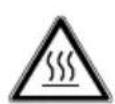
CAUTION! Risk of injury!
The housing and the metal bars of the bun warmer become hot during operation. There is a risk of burns.
When using any baked goods other than standard sliced bread, there is additional risk of burns since their small size may result in hot parts being touched when removing them.
Therefore, during operation, only touch the appliance using the buttons and handles provided for this purpose.
After use, only hold the bun warmer by the plastic handles, not the metal bars.
- Only move or clean the toaster after it has cooled down. Hold the housing by the sides when moving the appliance.

NOTICE!
Possible damage to the appliance!
Material damage due to improper use/incorrect appliance set-up.
Place the appliance on a stable, level surface.
■ Do not place the appliance on the edge of a table. It could tip over and fall down.
■ Ensure that the mains cable does not become a tripping hazard and do not use an extension cable. Do not allow the mains cable to hang over the edge of the worktop. IT
- Never use a knife or other metal objects to remove slices of bread that have become stuck. The heating elements could be damaged.
For more information on how to clean the product and the surfaces that come into contact with food, see section "8. Cleaning the appliance".
Chemical additives in furniture coatings may corrode the material of the appliance feet and cause residue on the furniture surface.
Place the appliance on a heat-resistant surface if necessary.

CAUTION!
Risk to health!
Acrylamide, which forms in charred or burnt bread, can cause cancer.
Aim for toast with a light or medium level of browning. Remove burnt parts.
4. Package contents

DANGER!
Risk of choking and suffocation!
There is a risk of choking and suffocation due to swallowing or inhaling small parts or plastic wrap.
-
Keep all packaging materials used out of the reach of children. Keep the plastic packaging out of the reach of children.
-
Please check your package contents to ensure that all items are included and in perfect condition. If anything is missing or damaged, please contact us within 14 days of purchase.
The following items are supplied with your product:
- Toaster
- Bun warmer
Short manual
5. Appliance overview
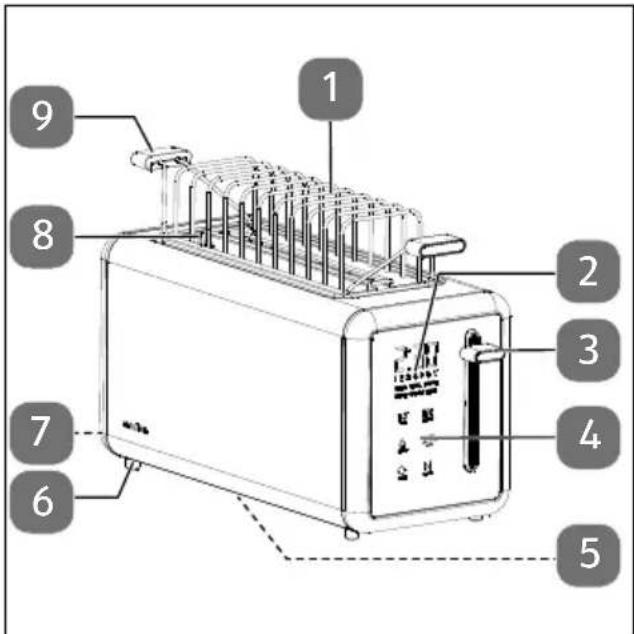
Fig. 1 - Parts overview
- Bun warmer
- Display field (see Fig. 2)
- Operating button
- Function buttons
- Mains cable winding (on base, not shown)
- Appliance foot
- Crumb tray
- Bread slot
- Bun warmer handle
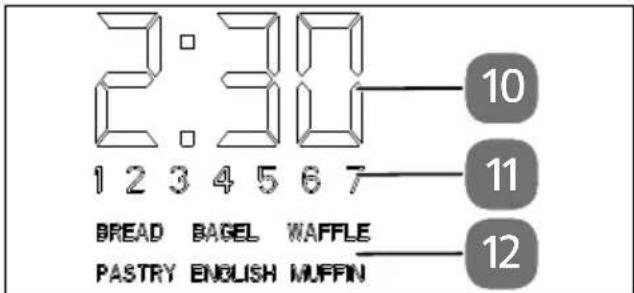
Fig. 2 - Display field
- Toasting time
- Browning setting 1-7
- Bread type
| Function button | |
| ON / STOP | Switch on/stop |
| 20s MORE | Extend the cooking process by 20 seconds |
| 1-7 LEVEL | Browning setting |
| PROGRAMS | Bread type (bread, bagel, waffle, pastry, toasties) |
| DEFROST | Defrost |
| REHEAT | Warm up |
6. Before first use
Remove all packaging materials.

CAUTION!
Risk of burning!
The housing becomes hot during operation.
During operation, only touch the appliance using the buttons and handles provided for this purpose.
Before using the appliance for the first time, proceed as follows to remove residues left over from the production process:
- Connect the toaster to a domestic power socket.
Press the7 function button several times until the highest browning setting 7 appears in the display field and press the down operating button to switch on the toaster.

A small amount of steam and odour is normal when you use the toaster for the first time. Ventilate the space well.
- When the toaster has switched off, repeat this process four times.
The appliance is now ready for use.
7. Using the toaster

WARNING!
Risk of fire!
Insufficient air circulation can lead to heat accumulation.
Leave a little space between this appliance and other appliances or the wall to allow air to circulate freely.
- Do not cover the appliance during operation.
Never toastbreadin the slots and warm baked goods on the bun warmer at the same time.

WARNING!
Risk of fire!
Slices of bread and other baked goods can burn.
If there is smoke, immediately press the function button and pull out the mains plug. Allow the appliance to cool down and remove the blockage/dirt as described under "7.6. Removing stuck slices of bread" on page 130.
Always use the toaster with the crumb tray. Empty the crumb tray regularly.
- Do not place bread or other baked goods directly on top of the bread slot. Use the bun warmer.
Do not warm baked goods with ingredients that can melt and drip down, e.g. glazes, butter or cheese.
To toastbread,proceedasfollows:
Insert the crumb tray correctly.
Connect the toaster to a domestic power socket.
Place two slices of bread in a bread slot o use the bun warmer (see "7.5. Using the bun warmer" on page 130).

When toasting raisin bread or other fruit bread, remove all loose raisins from the slice of bread before placing it into the bread slot. This prevents pieces from falling into the toaster or sticking to the protective grille in the bread slot.
Press the function button to select the bread type.
| Anzeige Bread type | |
| Bread | Bread |
| Bagel | Bagel |
| Waffle | Waffle |
| Pastry | Pastry |
| English muffin | Toasties |
The cooking time is automatically adjusted to the bread type
Press the7 function button once or several times until the browning setting is shown in the display field: 1 = low browning setting, ±b7 = highest browning setting.
- When using the toaster for the first time or if you are unsure which browning setting is right for you, choose a lower to medium setting.
The level of browning may vary depending on the type of bread.

If only one bread slot is used, the level of 'browning on a slice of bread is darker than if both bread slots are used with the same browning setting.
i
You can ensure a higher level of browning by toasting the bread several times in immediate succession.
Wait approx. 30 seconds between each time you toast it to achieve an even level of browning.
- Push down the operating button until it audibly clicks into place.
The heating element will switch on automatically. The display field shows the selected bread type, the selected browning setting and the cooking time. The function button lights up.
As soon as the bread has reached the set level of browning, it will pop up from the bread slot. The heating elements switch off.
If you want to end toasting prematurely, press the cancel button. The heating elements will switch off and the bread will pop up from the bread slot.
If no button is pressed for a few minutes, the appliance switches to standby mode. The display field goes out.
Press the button or press down the operating button to exit standby mode.
7.1. Function memory
The appliance has a function memory that performs the last selected function when you press the operating button without having previously selected a different setting. This is also the case after a power interruption.
i
Therefore, check the settings before toasting and deactivate the defrost function if necessary to avoid excessive toasting.
7.2. Defrosting frozen slices of bread
If you want to toast frozen slices of bread, FR press the defrost button . The button lights up. NL
Press the7 function button once or several times until the desired browning setting is shown in the display field.
Press down the operating button.
i
In comparison to normal toasting, the defrosting process takes a little longer at the same browning setting.
7.3. Warming up slices of bread
If you want to reheat a slice of bread that has already been cooled down or toasted, first press the reheat button and then press down the operating button. The button lights up.
7.4. Extending the cooking process
Toast the bread as described above.
If you want to slightly increase the browning setting, press the 20s button. The button lights up.
Press down the operating button.
The cooking process at the selected brown-ing setting is extended by 20 seconds.
7.5. Using the bun warmer

CAUTION!
Risk of burning!
The metal bars become very hot.
After use, only hold the bun warmer by the plastic handles, not the metal bars.
Use the bun warmer to bake baked goods such as bread rolls, flatbreads, croissants, etc. or to reheat several slices of bread in succession.
Slices of bread:
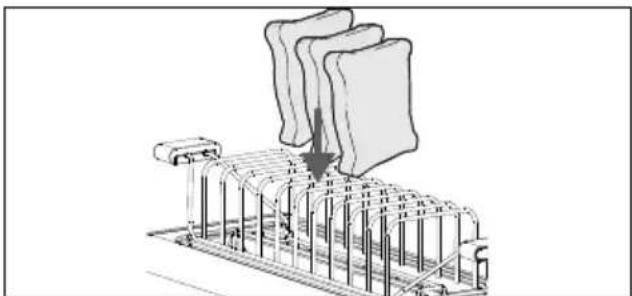
Fig. 3 - Placing slices of bread in the bun warmer
Insert the individual slices of bread between the holders of the bun warmer (see Fig. 3).
Select the reheat function as described above or press the 1-7 function button until the browning setting 1 is shown in the display field.
Press down the operating button.
Bread rolls/croissants:
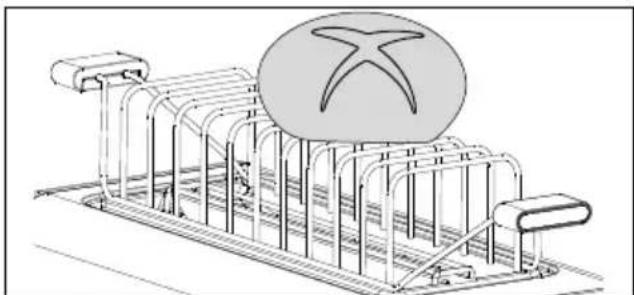
Fig. 4 - Warming bread rolls
Place one or two bread rolls or similar on the bun warmer
Press the7 function button until the browning setting 1 is shown in the display field.
Press down the operating button.
7.6. Removing stuck slices of bread
Make sure that the slice of bread is not too thick. If, nevertheless, a slice of bread does get stuck in the bread slot, proceed as follows:
Switch off the toaster by pressing the cancel button and pull out the mains plug.
Wait until the appliance has cooled down.
Use a blunt, non-metallic object (e.g. the handle of a wooden spoon) to release the stuck bread without touching the heating elements on the toaster.
8. Cleaning the appliance

DANGER!
Risk of electric shock!
There is a risk of electric shock due to live parts.
- Never immerse the appliance in water or other liquids.
Unplug the mains plug from the socket before cleaning the appliance housing.

CAUTION!
Risk of burning!
The appliance becomes hot during operation.
Always allow the appliance to cool down thoroughly before cleaning.

NOTICE!
Risk of damage!
Damage to the appliance due to improper handling of the sensitive surfaces.
- Do not use chemical solutions or cleaning agents because these may damage the appliance surface or the labels on it.
8.1. Emptying the crumb tray
If the toaster is used regularly, empty the crumb tray approximately once per week to get rid of crumbs. Allow the appliance to cool down first.
Clean the crumb tray in warm soapy water if necessary. Dry the crumb tray thoroughly and put it back into the appliance.
8.2. Cleaning the appliance
Hold the appliance over a sink with both hands and tip it so that the bread slots are upside-down. Gently shake the appliance and turn it in all directions to enable the bread remnants to fall out of the bread slots.
Only use a damp cloth and mild soap solution to clean the housing.
9. Storing/transporting
- When you are not using the appliance, unplug the mains plug.
Wind the mains cable around the mains cable winding on the underside of the appliance.
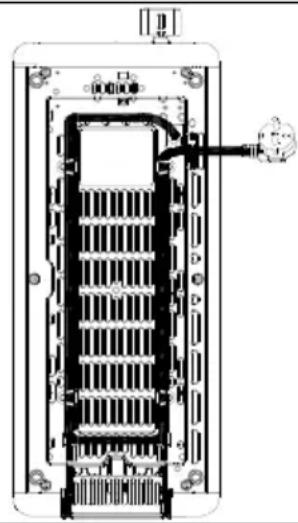
Fig. 5 - Winding up the mains cable
- Store the appliance in a dry, dust-free and frost-free place, away from direct sunlight.
Do not store the appliance within the reach of children.
To avoid damage during transport, we recommend that you use the original packaging.
10. Troubleshooting
The appliance left our warehouse in perfect condition. However, if you identify a problem, try to solve it using the Troubleshooting table below. If you do not succeed, contact our customer service team.
| Problem | Possible cause | Troubleshooting |
| The appliance is not working. Operating button does not engage. | The appliance is not plugged into a socket. | Connect the appliance to a socket. The mains voltage must match the technical specifications for the appliance. |
| The bread does not pop up after toasting. | A slice of bread has become stuck. | Proceed as described in "7.6. Removing stuck slices of bread" on page 130. |
11. Disposal
PACKAGING
Your appliance has been packaged to protect it from damage during transport.
The packaging is made of materials that can be disposed of in an environmentally friendly manner and recycled properly.
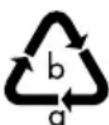
Observe the following packaging material label regarding waste separation with the abbreviations (a) and numbers (b):
1-7:plastics/20-22:paper and cardboard/80-98:composite materials Only for France
The "Triman" symbol tells the consumer that the product can be recycled, is covered by an extended system of manufacturer's responsibility and must be sorted by material type in France.
(Spain only)
This symbol indicates disposal according to the type of packaging material used (blue = paper and cardboard; yellow = plastic, metal, composite packaging; green = glass).
Use the disposal options available to you in your area.
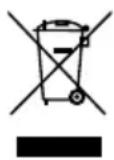
APPLIANCE
Old appliances that carry the symbol illustrated may not be disposed of in ordinary household waste.
In accordance with Directive 2012/19/EU, the appliance must be disposed of correctly at the end of its service life.
This involves separating the materials in the appliance for the purpose of recycling as well as minimising the environmental impact and negative effects on human health.
Take old appliances to an electrical scrap collection point or a recycling centre.
Contact your local waste disposal company or your local authority for more information on this subject.
12. Technical specifications
| Distributor | MEDION | AG |
| Am Zehnhof 77 | ||
| 45307 Essen | ||
| GERMANY | ||
Modeliden- MD12103
tifier:
Rated voltage: 220 - 240V ,50 - 60Hz
Rated power: 1250-1450 W
Protection
class:
Housing Approx.
dimensions 38.4× 15.6× 18.7cm
(L× W× H)
Standby mode ≤ 0.5W
power con
summption
Maximum 20 minutes
time until
standby mode
is reached dur
ing inactivity

13. EU declaration of conformity
CE MEDION AG hereby declares that the product conforms to the following European Union requirements:
EMC Directive 2014/30/EU
Low Voltage Directive 2014/35/EU
- Ecodesign Directive 2009/125/EC
RoHS Directive 2011/65/EU
14. Service information
Please contact our Customer Service team if your device ever stops working the way you want or expect it to. There are several ways for you to contact us:
- In our Service-Community, you can meet other users, as well as our staff, and you can exchange your experiences and pass on your knowledge there. You will find our Service-Community at community.medion.com.
- Alternatively, use our contact form at www.medion.com/contact.
- You can also contact our Service team via our hotline or by post.
| Hotline number |
| 0333 3213106 |
| Opening times |
| Mon – Fri: 08.00 – 20.00Sat – Sun: 10.00 – 16.00 |
| Service address |
| MEDION Electronics Ltd. 120 Faraday Park, Faraday Road, Dorcan Swindon SN3 5JF, Wiltshire United Kingdom |
You can download this and many other sets of operating instructions from our service portal at www.medionservice.com. We have stopped providing printed copies of our warranty terms and conditions as part of our commitment to sustainability, but you can access the warranty terms and conditions on our service portal.
You can also scan the QR code below and to download the operating instructions onto your mobile device from the service portal.
15. Legal Notice
Copyright 2025
Date: 28. July 2025
All rights reserved.
These operating instructions are protected by copyright.
Mechanical, electronic and any other forms of reproduction are prohibited without the written permission of the manufacturer.
Copyright is owned by the company:
MEDION AG
Am Zehnhof 77
45307 Essen
Germany
Please note that you cannot use the address above for returns. Please always contact our Customer Service team first.