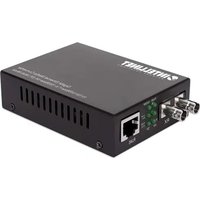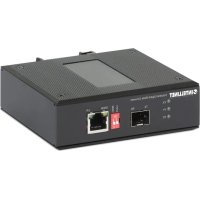
508971 - Audio/video converter Intellinet - Free user manual and instructions
Find the device manual for free 508971 Intellinet in PDF.

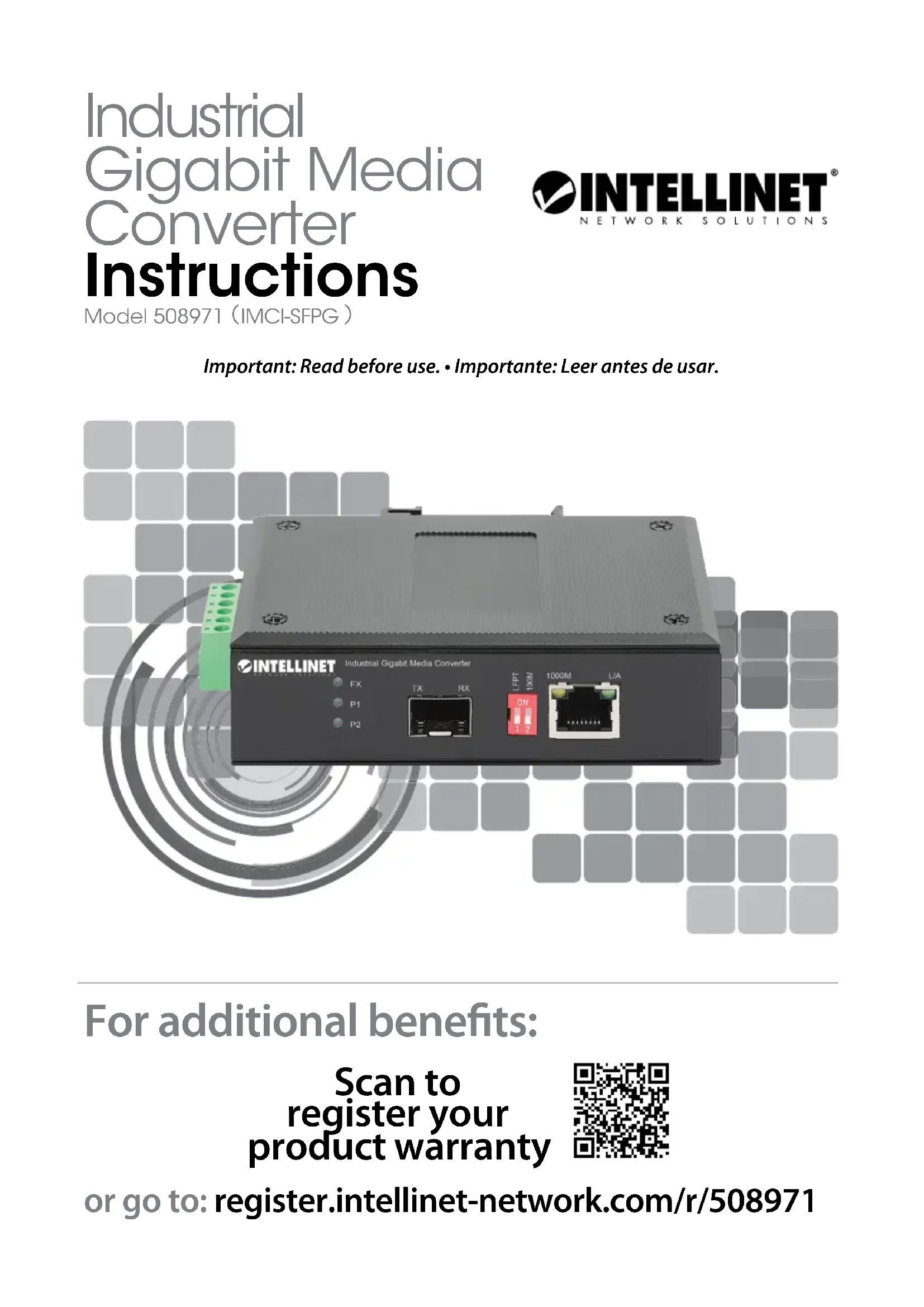


| Product Type | Fiber Optic / Copper Media Converter |
| Brand | Intellinet |
| Model | 508971 |
| Copper Connector | 1 RJ45 port 10/100/1000 Mbps |
| Fiber Connector | 1 SFP slot 1000Base-X |
| Max. Copper Distance | 100 m (Cat5e cable or higher) |
| Max. Fiber Distance | Up to 120 km (depending on SFP module) |
| Housing | Metal, IP40, slim profile |
| Mounting | DIN rail or desktop |
| Power Supply | Redundant DC input 12-56 V DC via terminal block |
| Power Consumption | Approx. 5 W |
| Dimensions (approx.) | 100 x 75 x 25 mm |
| Weight (approx.) | 300 g |
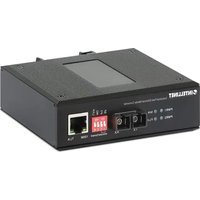
| LED Indicators | P1/P2 (power), FX (fiber), 1000M (speed), L/A (link/activity) |
| DIP Switch | LFPT (Link Fault Pass Through) and 100M (speed limitation) |
| Compatibility | IEEE 802.3ab, 802.3z |
| Operating Humidity | 5% to 95% non-condensing (estimated) |
| Standards | CE, RoHS |
| Maintenance | Disconnect before cleaning; use a dry lint-free cloth |
| Installation | Place on a flat surface, avoid interference sources, maintain a 25 mm distance for ventilation |
| Safety | Do not open the housing, observe the specified supply voltages |
Frequently Asked Questions - 508971 Intellinet
User questions about 508971 Intellinet
0 question about this device. Answer the ones you know or ask your own.
Ask a new question about this device
Download the instructions for your Audio/video converter in PDF format for free! Find your manual 508971 - Intellinet and take your electronic device back in hand. On this page are published all the documents necessary for the use of your device. 508971 by Intellinet.
USER MANUAL 508971 Intellinet
Industrial Gigabit Media Converter Instructions
Model 508971 (IMCI-SFPG)

Important: Read before use. • Important: Leer antes de usar.
For additional benefits:

Scan to register your product warranty
or go to: register.intellinet-network.com/r/508971
Media converters connect two Ethernet networks over a longer distance using fiber optic cable.
Features
One 10/100/1000 RJ45 port supporting a maximum distance of 100m (300 ft.)
- One SFP port for 1000Base-X optical transceiver modules and distances up to 120 km( 75mi.)
- IP40 slim-type metal housing to withstand harsh industrial conditions
- Option for DIN-rail installation
- Two redundant DC inputs (12 - 56 V) with terminal block
For specifications, visit intellinetnetwork.com. Register your product at register.intellinet-network.com/r/508971 or scan the QR code on the cover.

Placement
Desktop Installation
Prior to use, place/position the device:
- on a level surface that can support the device with at least 25mm (approx. 1'' ) of clearance for ventilation;
away from sources of electrical noise: radios, transmitters, broadband amplifiers; - within 100m (approx. 328^ ) of network devices it's to be connected to.
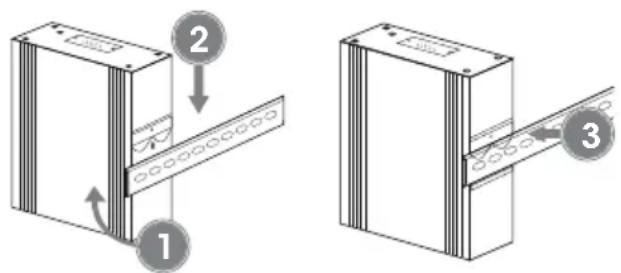
DIN-Rail Installation
1 Angle spring of mounting clip over top lip of DIN rail.
2 Push device down till clip clicks onto rail.
3 Ensure installation is stable.

Connections
This product requires an SFP transceiver module that provides fiber optic connections.
1 Insert the transceiver into the media converter and route the fiber optic cable into the transceiver.
2 Route the other end of the fiber optic cable into a suitable port in your fiber optic network.
Maximum length and fiber cable specification depend on the model.
RJ45
Connect the UTP port of the media converter to powered RJ45 device; e.g., to a network camera. Cat5e or better cabling is recommended.

Example

Power
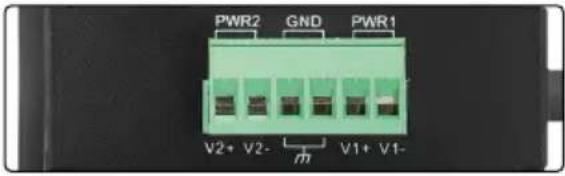
Terminal Block Installation
NOTE: Ensure all power is off/disconnected before beginning!
1 Loosen appropriate screws. Insert bare power-supply wires into appropriate terminals (positive wire into positive [V1 + ] terminal, negative wire into negative [V1-] terminal, ground wire to ground [GND] terminal).
2 Tighten appropriate screws to secure wires. Repeat these steps for a second power supply if desired (V2 + ,V2 - ,GND)
3 Install block into the device.

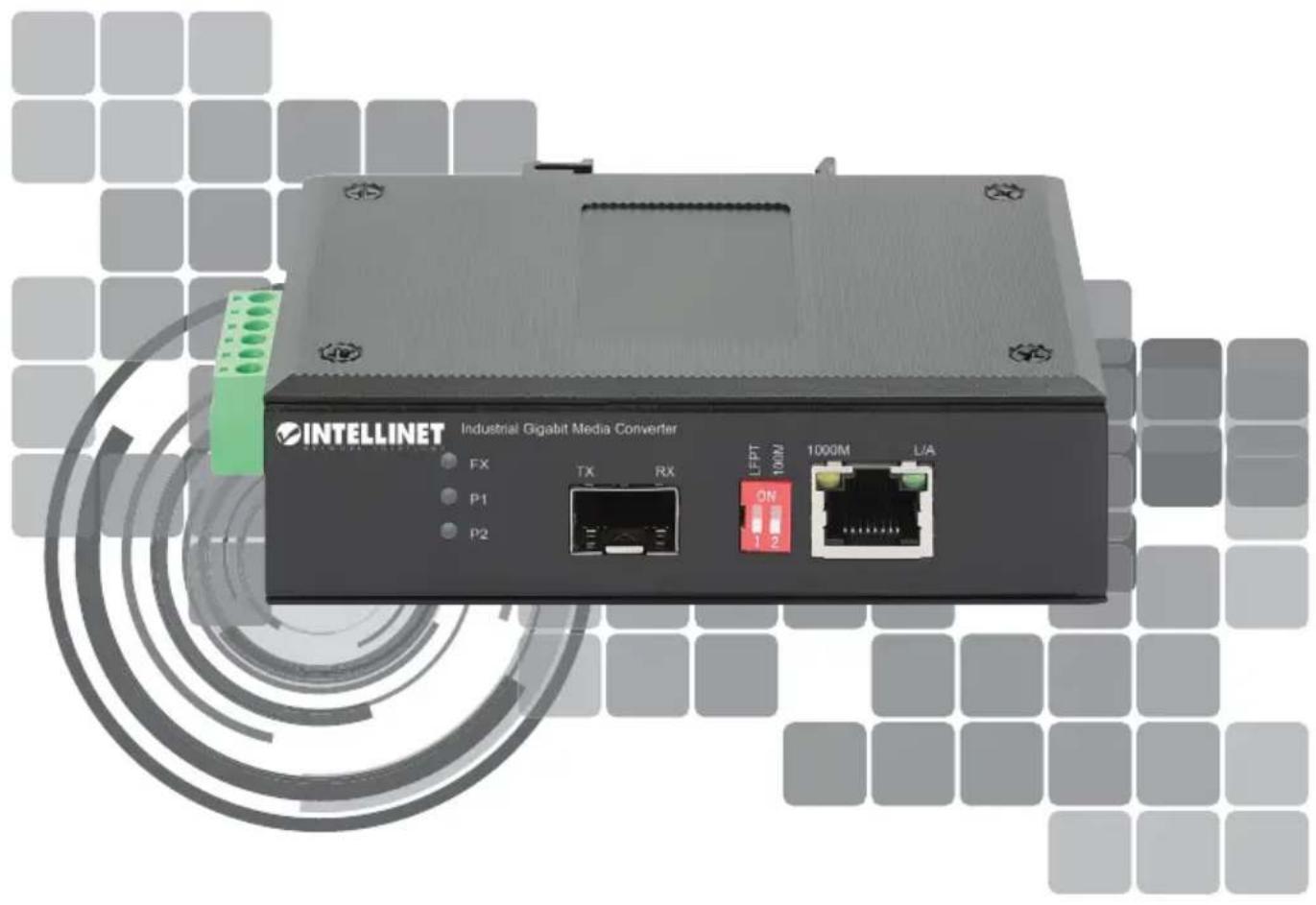
Front panel
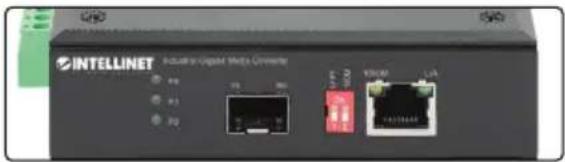
LEDs
| LED Color Status Description | ||
| P1/P2 Green | On Power channel is powered. | |
| Off Power channel is not powered. | ||
| FX Green | On Fiber port is connected. | |
| Off Fiber port is not connected. | ||
| Flashing Sending or receiving data. | ||
| 1000M Yellow | On 1000 Mbps speed | |
| Off 10/100 Mbps speed | ||
| L/A Green | On Valid port connection. | |
| Off Connection not established. | ||
| Flashing Sending or receiving data. | ||
DIP Switch—LFPT/100M
| Switch Position Description | ||
| LFPT | ON | Link Fault Pass Through enabled: Devices on a link must acknowledge that they are online before data can be transmitted. When one of the devices doesn't respond, data cannot be sent. |
| OFF Link | Fault Pass Through disabled | |
| 100M | ON | Copper interface management — restricts data transfer rate to 100Mbps |
| OFF No | data transfer rate restriction | |
DIP Switch—LFPT/100M
(Applicable In The European Union And Other European Countries With Separate Collection Systems)
ENGLISH: This symbol on the product or its packaging

means that this product must not be treated as unsorted household waste. In accordance with
EU Directive 2012/19/EU on Waste Electrical and
This equipment has been tested and found to comply with the limits for a Class A digital device, pursuant to Part 15 of the Federal Communications Commission (FCC) Rules. These limits are designed to provide reasonable protection against harmful interference when the equipment is operated in a commercial environment. This equipment generates, uses and can radiate radio frequency energy, and if not installed and used in accordance with the instruction manual may cause harmful interference to radio communications.
Operation of this equipment in a residential area is likely to cause harmful interference, in which case the user will be required to correct the interference at his own expense. Any changes or modifications made to this equipment without the approval of the manufacturer could result in the product not meeting the Class A limits, in which case the FCC could void the user's authority to operate the equipment.
CE
ENGLISH : This device complies with the requirements of CE 2014/30/EU (UKCA Electromagnetic Compatibility Regulations 2016) and / or 2014/35/EU (UKCA Electrical Equipment [Safety] Regulations 2016). The Declaration of Conformity for is available at:
support.intellinet-network.com/barcode/508971





intellinet-network.com
All trademarks and trade names are the property of their respective owners. © IC Intracom. All rights reserved. Intellinet Network Solutions is a trademark of IC Intracom, registered in the U.S. and other countries.