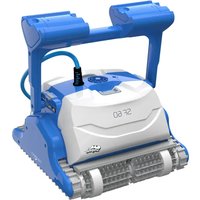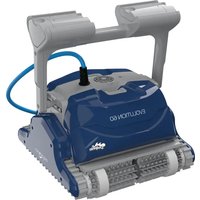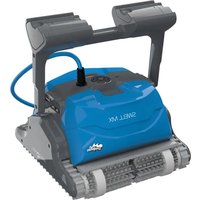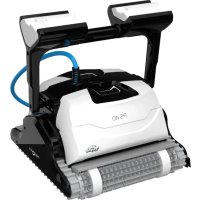
Dolphin PS40 - Robot vacuum MAYTRONICS - Free user manual and instructions
Find the device manual for free Dolphin PS40 MAYTRONICS in PDF.



| Product Type | Robot pool cleaner |
| Brand | Maytronics |
| Model | Dolphin PS40 |
| Dimensions (W x D x H) | 44 x 40 x 25 cm |
| Weight | 8 kg |
| Power type | Digital power supply with floating cable |
| Input voltage | 100-250 VAC, 50-60 Hz |
| Power | 180 W |
| Output voltage | <30 VDC |
| Power supply protection rating | IP54 |
| Motor protection rating | IP68 |
| Minimum water depth | 0.8 m |
| Maximum water depth | 5 m |
| Recommended water temperature | 6 to 34 °C |
| Recommended pH | 7.0 - 7.8 |
| Max chlorine | 4 ppm |
| Main functions | Automatic cleaning of floor, walls, and waterline; active brushing; fine filtration |
| Filtration system | Filter cartridges (4x standard, 4x ultrafine optional) |
| Included brushes | Combination brush, PVC brush, Wonder Brush (depending on version) |
| Floating cable length | Not specified (adapted to pool size) |
| Routine maintenance | Regular cleaning of filter cartridges; impeller check |
| Off-season storage | Drain water, clean filters, store on caddy away from sun and frost |
| Safety | Automatic shut-off at end of cycle; mandatory use of residual current circuit breaker; do not enter pool during operation |
| Available spare parts | Filter cartridges, brushes, floating cable, power supply, impeller kit |
Frequently Asked Questions - Dolphin PS40 MAYTRONICS
User questions about Dolphin PS40 MAYTRONICS
0 question about this device. Answer the ones you know or ask your own.
Ask a new question about this device
Download the instructions for your Robot vacuum in PDF format for free! Find your manual Dolphin PS40 - MAYTRONICS and take your electronic device back in hand. On this page are published all the documents necessary for the use of your device. Dolphin PS40 by MAYTRONICS.
USER MANUAL Dolphin PS40 MAYTRONICS
Dolphin Explorer Classic 9 / Top 9
EN
User Instructions. p. 1
FR
5.2. Putting the Pool Cleaner into the pool 5
5.3. Removing the Pool Cleaner from the pool 6
- ROUTINE MAINTENANCE 7
6.1. Cleaning the filter cartridges 7
6.2. Dismantling and cleaning the impeller 8
- OFF SEASON STORAGE 9
8.TROUBLESHOOTING. 10
Dolphin Explorer Classic 9 / Top 9
User Instructions
1. INTRODUCTION
Thank you for purchasing a Maytronics Robotic Pool Cleaner.
We are sure that your Maytronics Robotic Pool Cleaner will provide you with reliable, convenient and cost effective pool cleaning. Its reliable filtration in all pool conditions, active brushing, and all-surface climbing brush enhance maximum pool hygiene.
The Robotic Pool Cleaners by Maytronics deliver advanced cleaning technology, long lasting performance and easy maintenance. You and your family will be free to enjoy swimming with full confidence that your pool is completely clean.
2. SPECIFICATIONS
Motor protection: IP 68
Minimum depth: 0.80m/2.6ft
Maximum depth: 5m/16.4ft
Digital switch-mode power supply
Input-100-250ACVOLTS
50-60 Hertz
180 Watt
Output-<30VDC
IP54
3. WARNINGS AND CAUTIONS
3.1.Warnings

- Use the originally supplied power supply only
- Ensure the electrical outlet is protected by a ground fault interrupter (GFI) or an earth leakage interrupter (ELI)
- Keep the power supply out of standing water
Position the power supply at least 3m / 10ft away from the edge of the pool - Do not enter the pool while the Pool Cleaner is working
Unplug the power supply before servicing
3.2. Cautions
When not in use store the Pool Cleaner on its Caddy in a shaded area.
Use the Pool Cleaner in the following water conditions only:
| Chlorine Max 4 ppm |
| pH 7.0 - 7.8 |
| Temperature 6-34°C (43-93°F) |
| NaCl Maximum = 5000 ppm |
4. POOL CLEANER PARTS
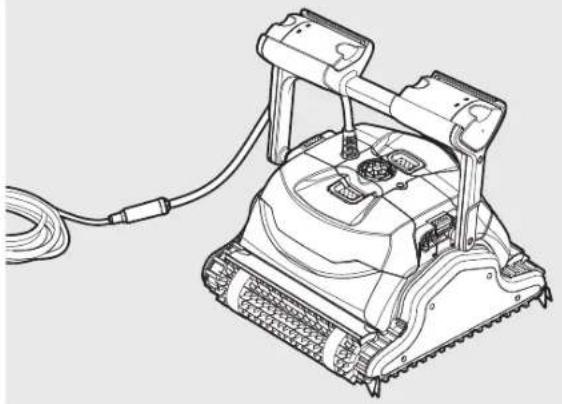
Dolphin Explorer Classic 9
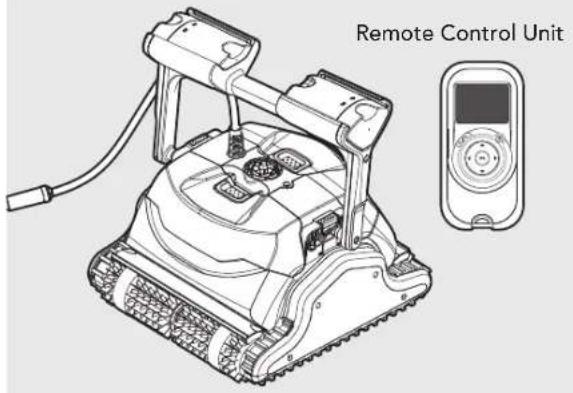
Dolphin Explorer Top 9
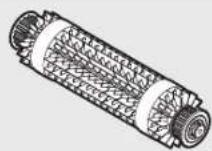
Brushes
Combined Brush
All surface climbing brush, ideal for most pool surfaces.
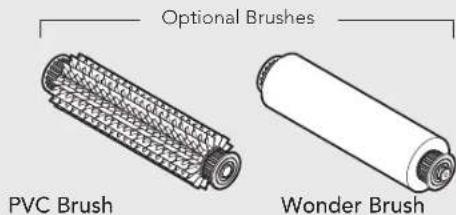
For concrete, PVC, fiberglass and liner.
For smooth ceramics.
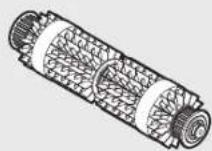
Combined Brush
All surface climbing brush, ideal for most pool surfaces.
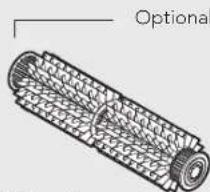
Brushes
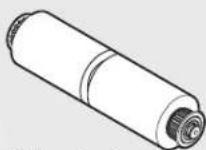
Wonder Brush
PVC Brush
For concrete, PVC, fiberglass and liner.
For smooth ceramics.
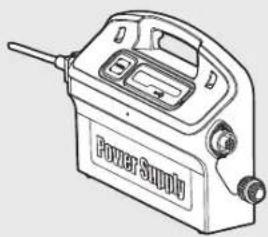
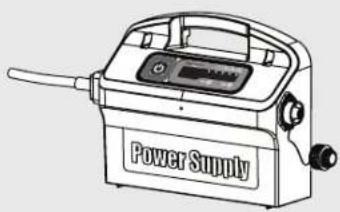
Power supply unit
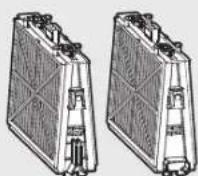
Filtration
Cartridge with Net filters (X4)
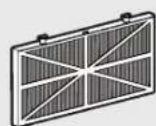
Ultra-fine filter (X4) (optional)
Dolphin Explorer Classic 9 / Top 9 | User Instructions
5. USING THE POOL CLEANER
The Pool Cleaner is very simple to use. Simply put it into the pool and make sure that it is properly sitting on the floor of the pool. Turn it ON and let it get the job done.
5.1. Setup
Before using the Pool Cleaner for the first time perform the following steps:
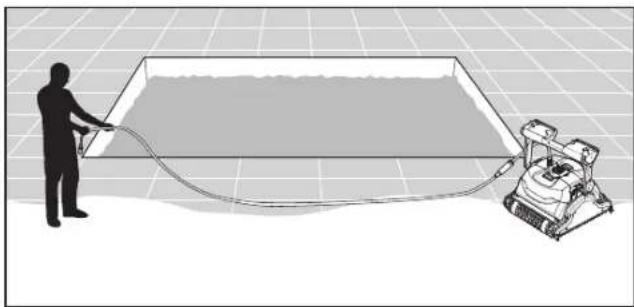
Unwind the cable and stretch it out completely so that it has no kinks.
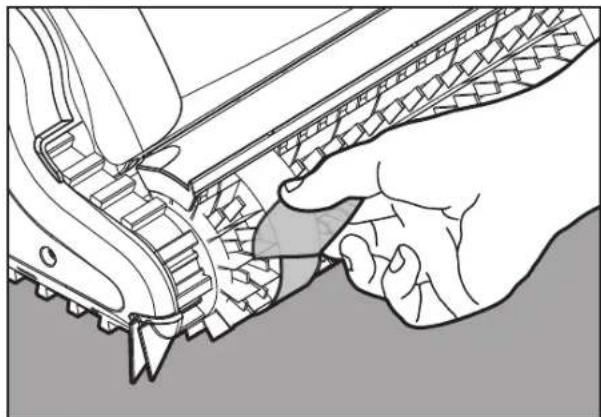
Some models arrive with plastic coverings on the brushes.
Remove them before use.
5.1.1. Adjusting the handle angle
The robot's handle should be adjusted and locked diagonally in order to ensure optimum cleaning results.
The handle angle can be adjusted also to determine the speed at which the robot advances along the water-line.
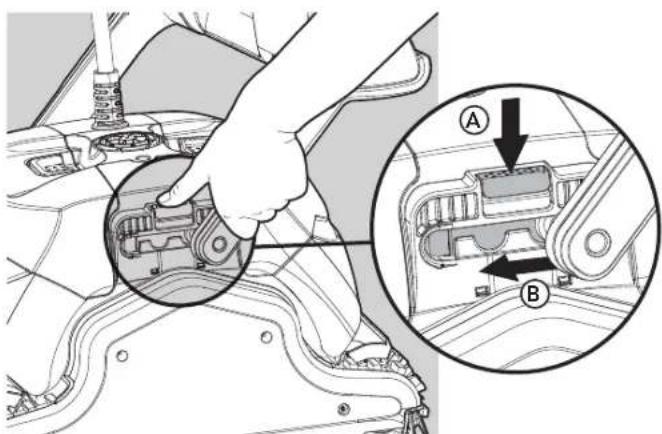
To adjust the handle angle:
A. Press the latch down and hold it in position.
B. Move the handle to the desired position and release the latch to hold the handle in place.
Position the power supply so that it is approximately in the middle of the long side of the pool at a distance of 3m / 10ft
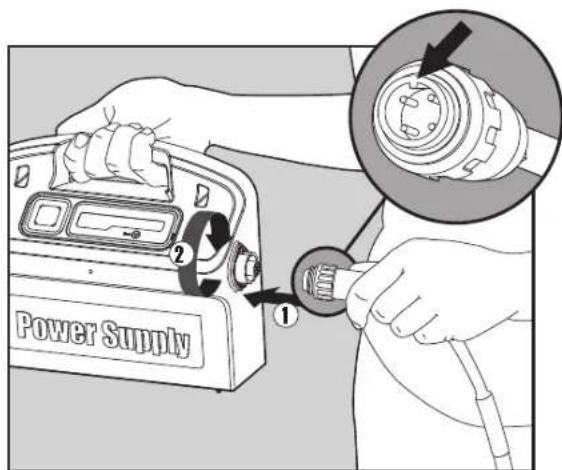
Attach the floating cable to the power supply by inserting it with the notch on the connector (1) lined up with the groove in the socket on the power supply and turning clockwise (2).
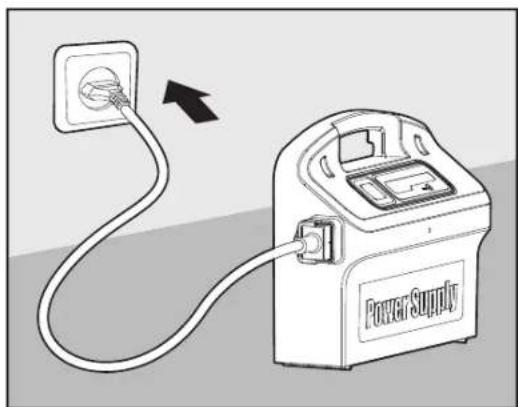
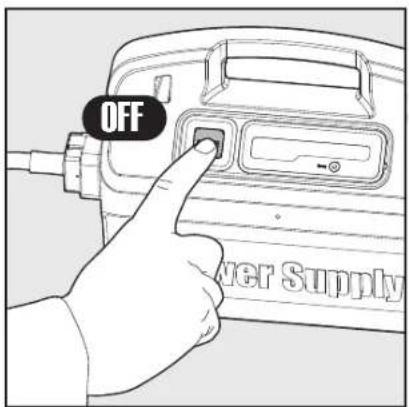
Plug in the power supply and leave it in the OFF position.
5.2. Putting the Pool Cleaner into the pool
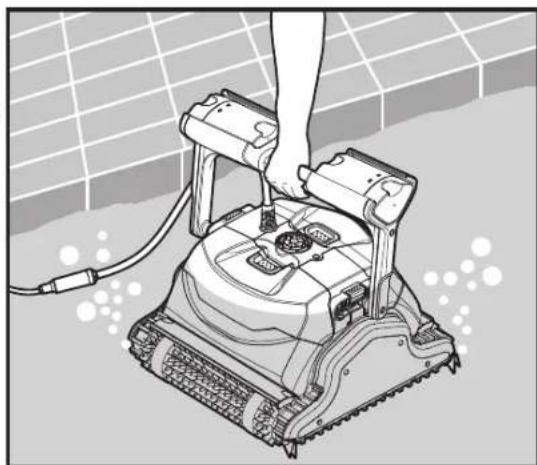
If your Pool Cleaner is equipped with brushes that contain sponges, dip the brushes in the water and squeeze them so that they will absorb water the first time you use the Pool Cleaner, or if the brushes have dried out between uses.
Release the Pool Cleaner and let it sink to the floor of the pool.
Make sure that the floating cable is free of any obstructions.
To avoid kinks in the floating cable, place approximately enough cable in the water for the Pool Cleaner to reach the farthest corner of the pool.
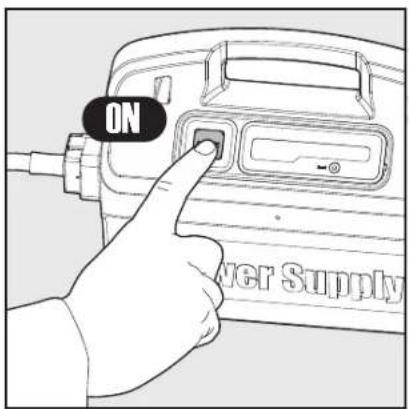
Turn the power supply ON.
The Pool Cleaner will now operate until it has reached
the end of the cleaning cycle.
5.3. Removing the Pool Cleaner from the pool
Turn OFF and unplug the power supply.
Using the floating cable, bring the Pool Cleaner to the pool's edge.
Using the handle remove the Pool Cleaner from the pool.
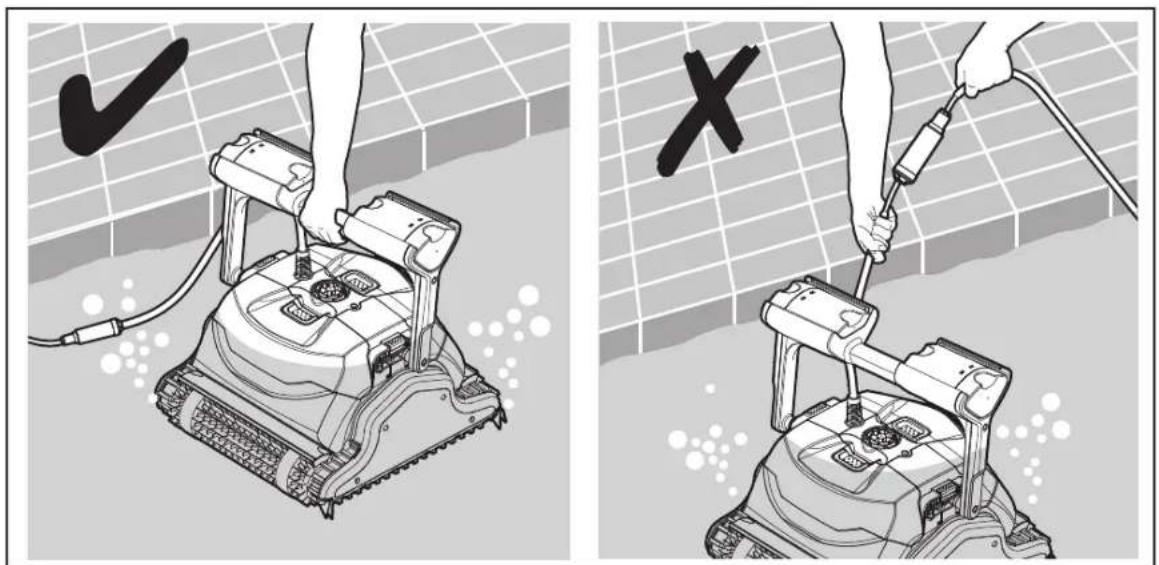
DO NOT PULL THE POOL CLEANER FROM THE POOL USING THE CABLE.
6. ROUTINE MAINTENANCE
6.1. Cleaning the filters of the cartridges

Unplug the power supply before any servicing activity.
Note: Do not let the filters of the cartridges dry out before cleaning.
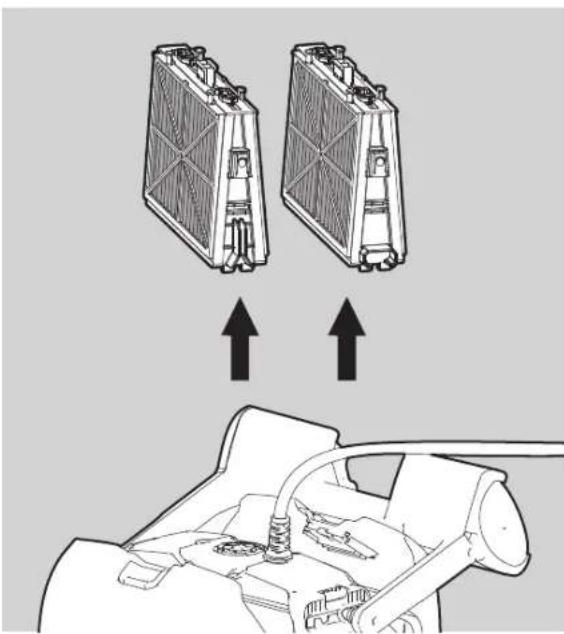
- Open the filter covers and remove the cartridges from both sides of the robot.
- Open the clips and remove the filters.
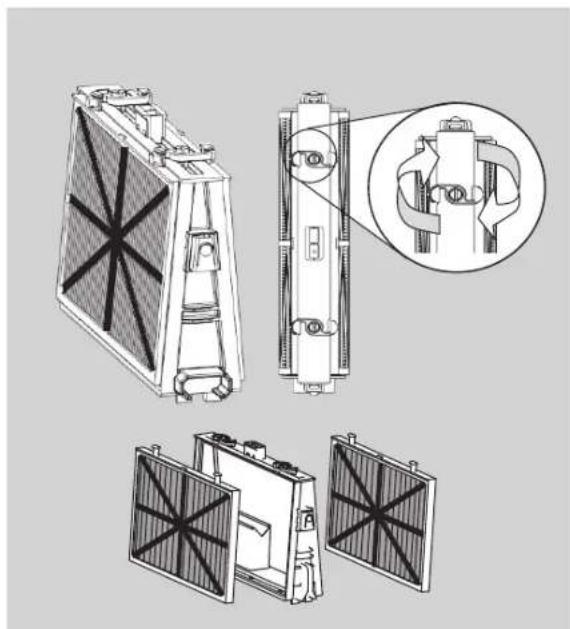
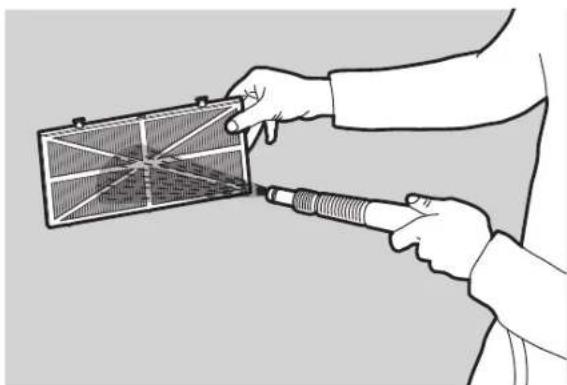
- Clean the filters with a hose.
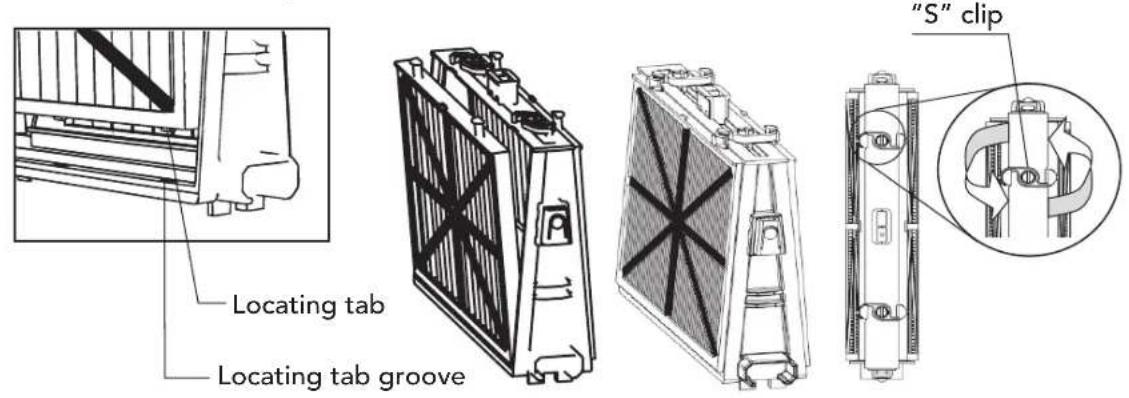
- Reassembling the filter elements Insert the locating tabs at the bottom of the filter element into their grooves on the base frame then close the "S" clip.
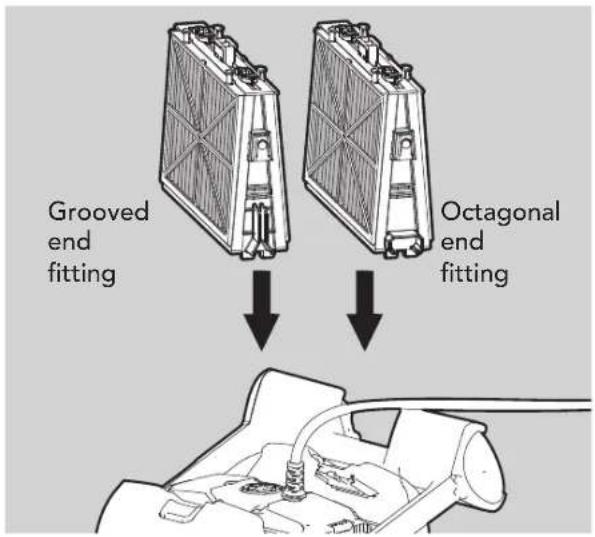
Reinstall the base frames with filters according to the diagram.
Do not force the filters into place.
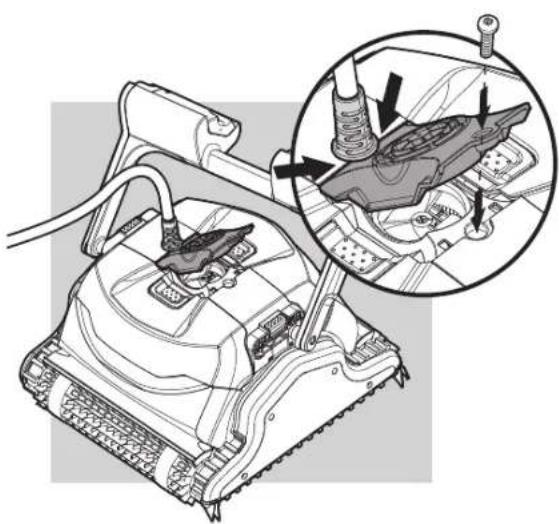
6.2. Dismantling and cleaning the impeller
Unplug the power supply before cleaning.
Dismantle the impeller cover and clean around the impeller housing, then reassemble.
(Use Phillips head screwdriver).
If the Pool Cleaner will not be in use for an extended period, perform the following storage steps:
Make sure that no water is left in the Pool Cleaner
- Thoroughly clean the filters of the cartridges and insert in place
Roll up the cable so that it has no kinks and place on the Caddy
- Store the pool cleaner upright on the Caddy in a protected area out of direct sun/rain/frost at a temperature of between 5^ - 45^ / 41^ - 113^
8. TROUBLESHOOTING
If the suggested solutions do not solve the problem contact your dealer
| Problem Solution | |
| Pool Cleaner does not move 1. | Check that the power supply cable is plugged properly into the power supply socket. Check power to the socket and reconnect Pool Cleaner 2. Ensure the power outlet is functioning properly and that it has not tripped the breaker in the fuse box 3. Turn the power supply off. Wait 30 seconds then turn it back on 4. Unplug the power supply. Open the impeller cover and check that nothing is trapped in the impeller |
| The Pool Cleaner moves but does not clean the pool | 1. Clean the filters of the cartridges 2. After the Pool Cleaner starts moving observe it for several minutes and make sure that it keeps moving. If it stops moving check the impeller and the drive system to see if any debris is stuck there |
| The Pool Cleaner cleans only part of the pool | 1. Check that there is enough slack in the cable for the Pool Cleaner to reach all of the pool 2. Clean the filters of the cartridges 3. For Classic 9 only: You may enhance the pool coverage by adjusting the handle float. For optimal pool coverage the Pool Cleaner should turn on the floor at 90° angle (the Pool Cleaner rotates twice before completing the 90° turn). • If the Pool Cleaner turns in an angle wider than 90°, pull out the handle float on the cable's entry-side (A) • If the Pool Cleaner does not complete a 90° turn, pull out the handle float opposite to the cable's entry-side (B) 4. Check the brushes to see if they are obstructed or worn out |
| The Pool Cleaner floats instead of sitting on the floor of the pool | 1. Try removing the air again 2. With the Pool Cleaner in the water squeeze the combined brush/Wonder brush to make sure that they are completely water absorbent |
| Cable has kinks 1. To remove the kinks stretch the cable out completely and let it lie for at least a day in the sun 2. Clean the filters of the cartridges | |
| The Pool Cleaner doesn't climb the walls | 1. Clean the filters of the cartridges 2. Check the level of the chemicals of the water. Improper levels may allow the growth of algae making the walls slippery. If so, adjust the levels and scrub the walls 3. Check that the brushes aren't worn out 4. For Top 9 only: Check that the wall climbing mode hasn't been cancelled via the remote control unit |
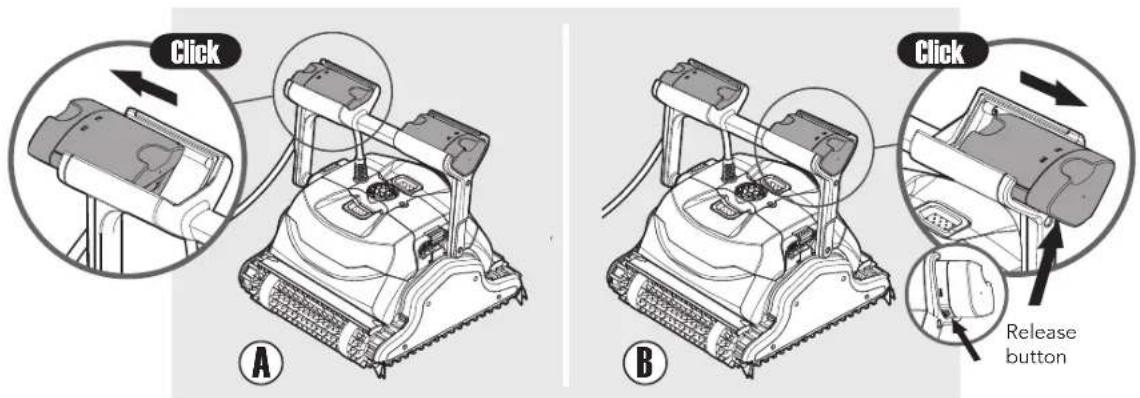
To move the floats back to their original position: while pressing the release button on the base of the handle float - push the handle float back.