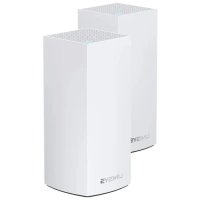
Atlas Pro 6 MX5502 - Router LINKSYS - Free user manual and instructions
Find the device manual for free Atlas Pro 6 MX5502 LINKSYS in PDF.



| Product Type | WiFi 6 Mesh Router (AX5400) |
| Brand | Linksys |
| Model | Atlas Pro 6 MX5502 |
| Dimensions | 7.8 cm x 7.8 cm x 18.5 cm |
| Weight | 0.95 kg |
| Power Supply | 12 V, 3 A |
| Radio Frequencies | 2.4 GHz and 5 GHz |
| Number of Antennas | 13 (internal) |
| Ports | 1 Internet port (Gigabit), 4 Ethernet ports (Gigabit), 1 USB 3.0 port |
| Buttons | Power on/off, WPS, Reset |
| Indicator Light | Multicolor (blue, purple, red, yellow) for status |
| WiFi Standards | IEEE 802.11 a/b/g/n/ac/ax |
| Wireless Security | WPA2-Personal, WPA3-Personal |
| Encryption | Up to 128 bits |
| Advanced Features | Parental controls, device prioritization, guest access, WPS, speed test |
| Operating Temperature | 0°C to 40°C |
| Storage Temperature | -20°C to 60°C |
| Operating Humidity | 10% to 80% non-condensing |
| Storage Humidity | 5% to 90% non-condensing |
| Required App | Linksys App (iOS 11.4+, Android 6+) |
| Maintenance and Cleaning | Clean with a soft, dry cloth. Do not use liquid products. |
| Spare Parts and Repairability | No user-serviceable parts. Repair by a certified professional. |
| Certifications | FCC, IC, CE, Wi-Fi |
Frequently Asked Questions - Atlas Pro 6 MX5502 LINKSYS
User questions about Atlas Pro 6 MX5502 LINKSYS
0 question about this device. Answer the ones you know or ask your own.
Ask a new question about this device
Download the instructions for your Router in PDF format for free! Find your manual Atlas Pro 6 MX5502 - LINKSYS and take your electronic device back in hand. On this page are published all the documents necessary for the use of your device. Atlas Pro 6 MX5502 by LINKSYS.
USER MANUAL Atlas Pro 6 MX5502 LINKSYS
Where to find more help 6
7
9
Log in to the Linksys app 9
10
Devices 11
To view or change device details 12
Wi-Fi Settings 13
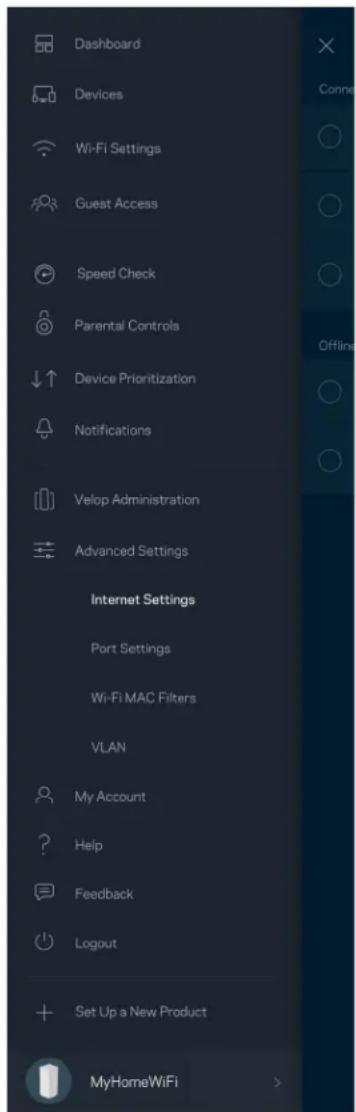
Advanced Settings 14
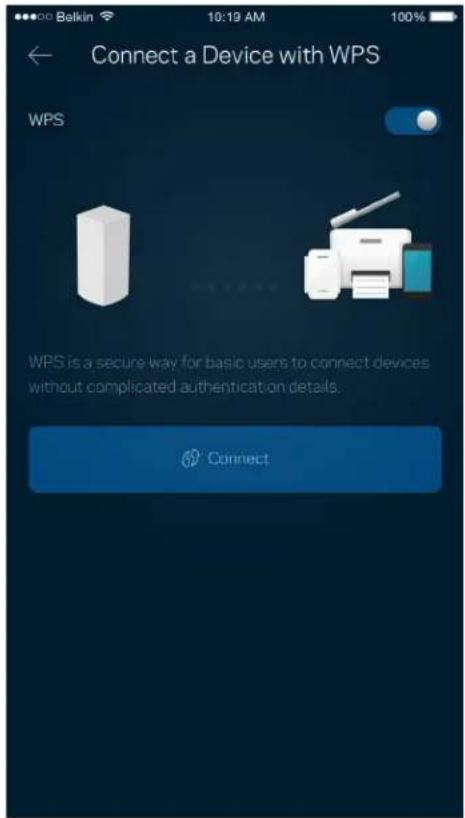
Connect a Device with WPS 15
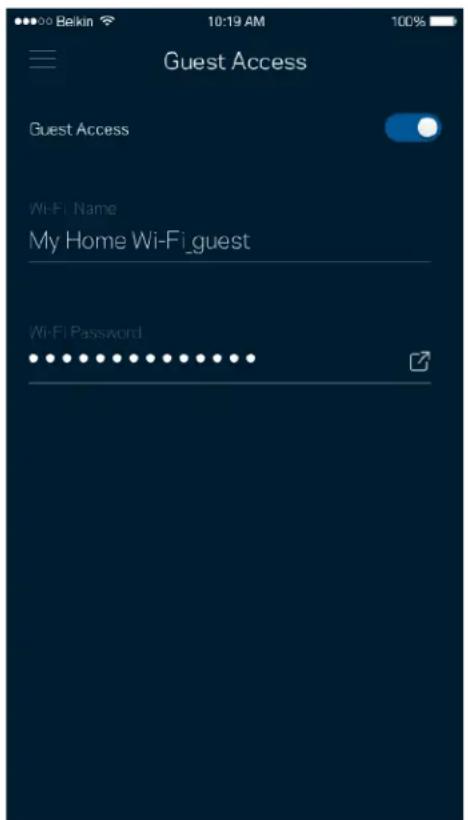
Guest Access 16
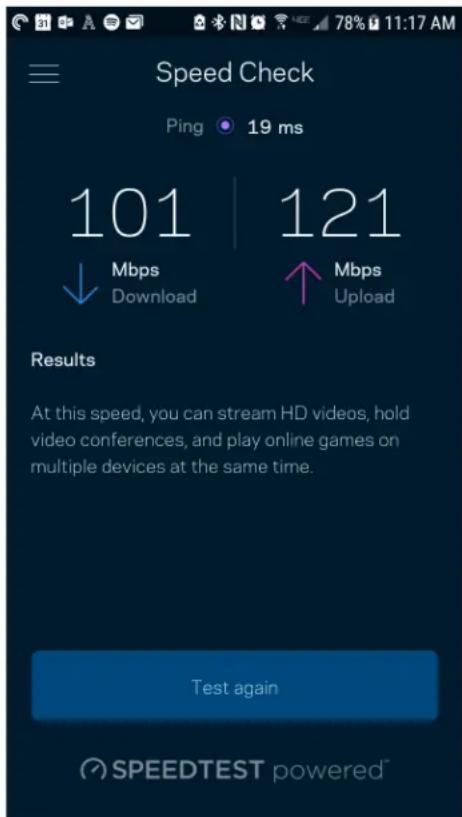
Speed Check 17
Parental Controls 18
Device Prioritization 19
Notifications 20
21
Advanced Settings 23
Internet Settings 23
Port Settings 24
Wi-Fi MAC Filters 25
My Account 26
Feedback 27
Help 28
Connect Directly To Velop 29
Velopadminpassword 30
How to restore factory defaults 31
Specifications 32
Linksys Velop 32
Environmental 32
Product Overview
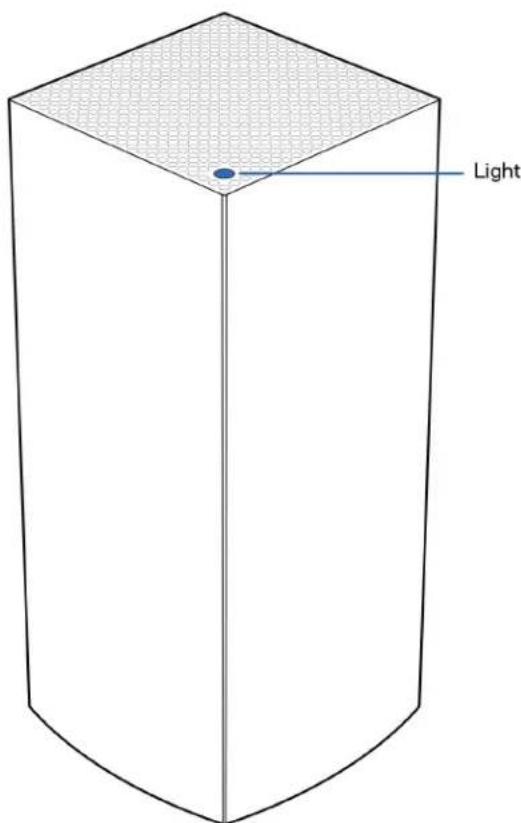
Front/top
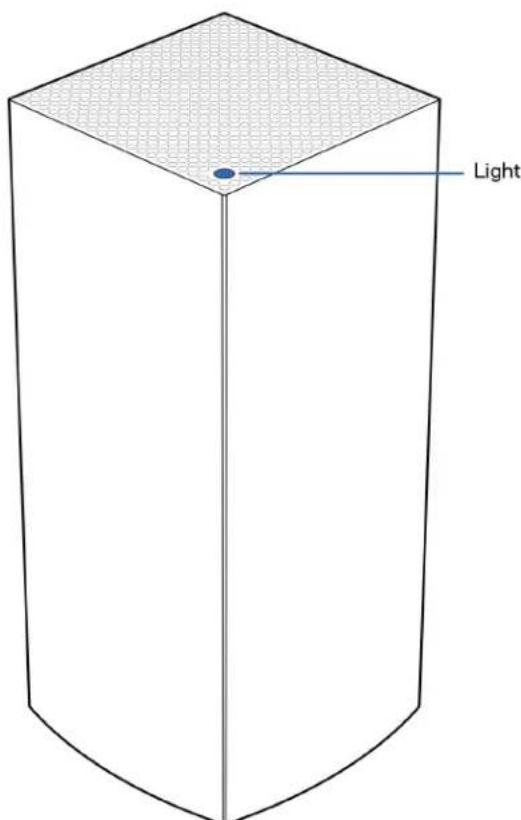
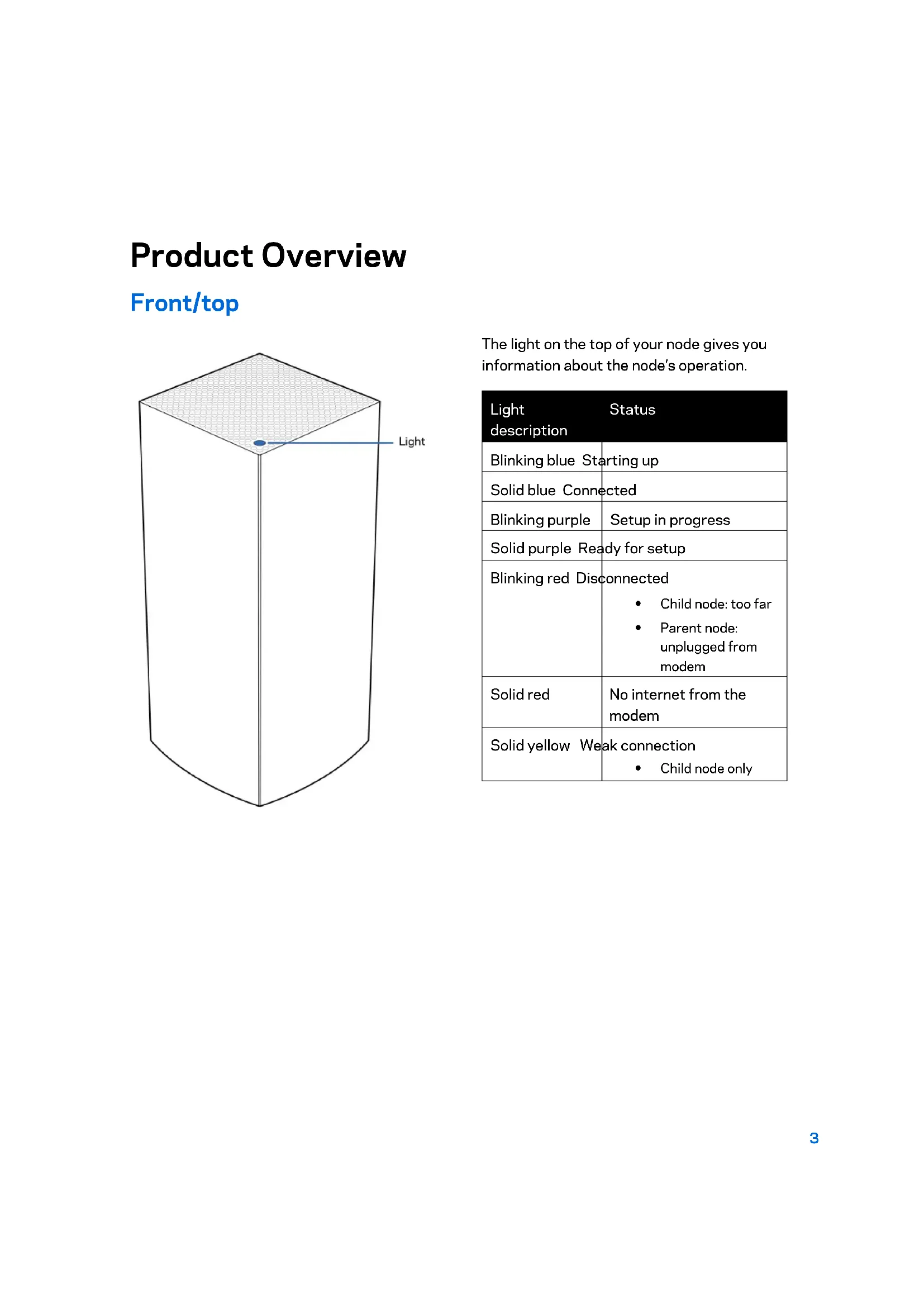
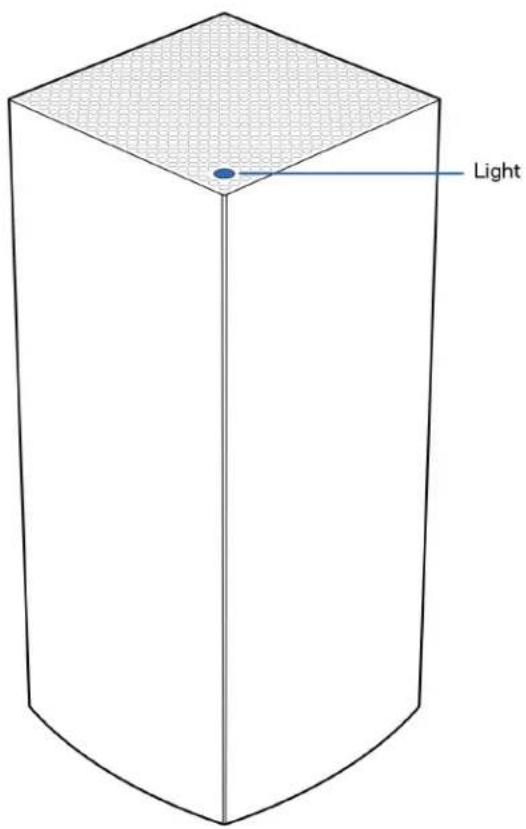
The light on the top of your node gives you information about the node's operation.
| Light status description | |
| Blinking blue Starting up | |
| Solid blue Connected | |
| Blinking purple | Setup in progress |
| Solid purple Ready for setup | |
| Blinking red Disconnected • Child node: too far • Parent node: unplugged from modem | |
| Solid red | No internet from the modem |
| Solid yellow Weak connection • Child node only | |
Back
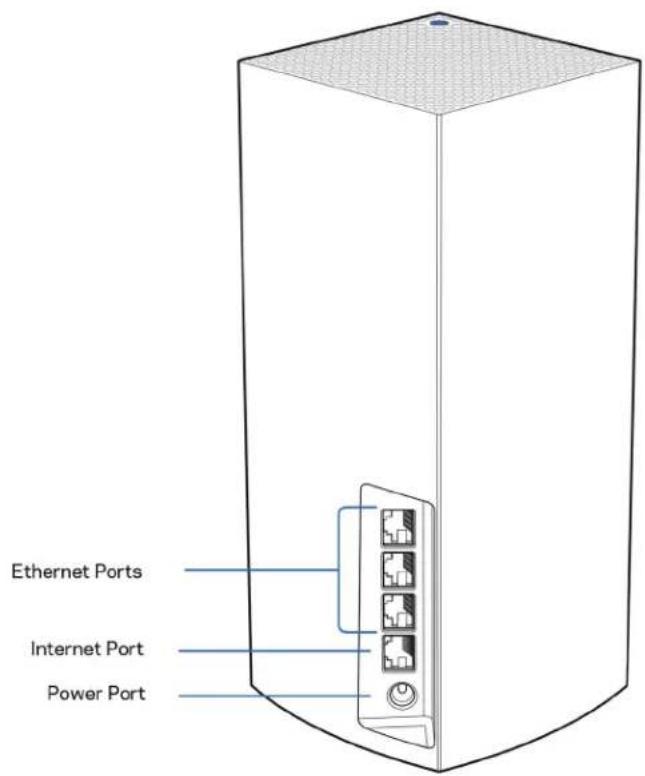
Ethernet ports—Connect ethernet cables to these Gigabit ethernet (10/100/1000) ports and to other wired devices on your network. If you have more than one node in your Velop system, use one of these ports to connect to your modem or modem-router.
Note—For best performance, use a CAT5e or higher rated cable on the Ethernet port.
Internet port—Connect an ethernet cable to the yellow gigabit (10/100/1000) port, and to a broadband internet cable/DSL or fiber modem. If you are using this router as a child node in a mesh Wi-Fi system, you can use this port to create a wired connection to another node.
Power port—Connect the included AC power adapter to this port.
Bottom
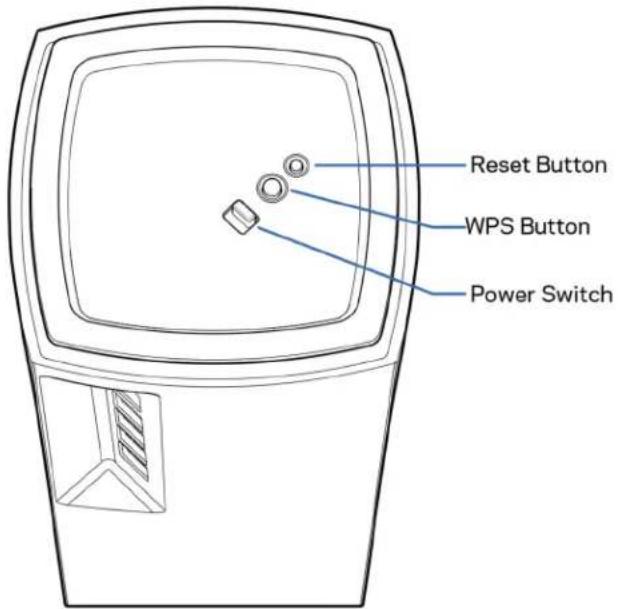
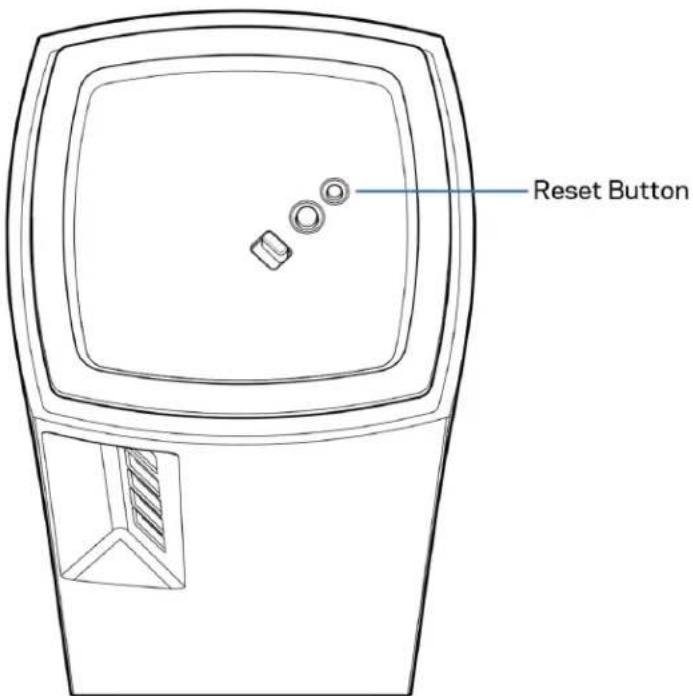
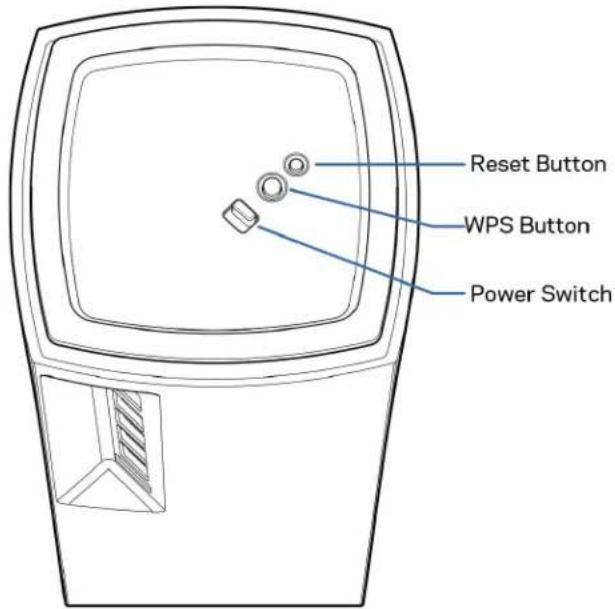
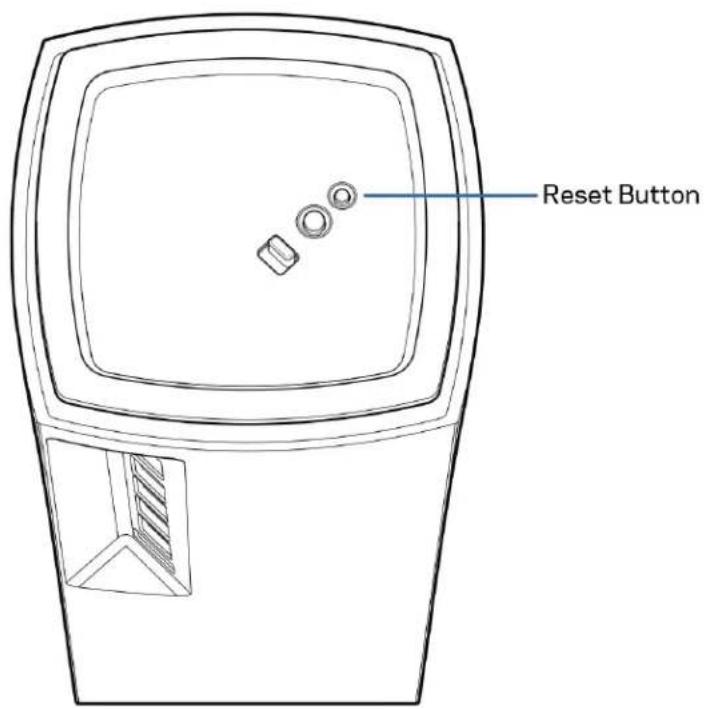
Reset button—Press and hold until the light on top of the node turns red, fades and flashes bright red again to reset the node to its factory defaults.
Wi-Fi Protected Setup button—Press to connect WPS-enabled network devices.
Power switch—Slide to | (on) to power on the node.
Help
Where to find more help
- Linksys.com/support/Velop
- Linksys app help (launch the app and click Help in the main navigation menu)
Note—Licenses and notices for third party software used in this product may be viewed on http://supportlinksys.com/en-us/license. Please contact http://supportlinksys.com/en-us/gplcodecenter for questions or GPL source code requests.
Set Up
IMPORTANT—Velop nodes can be set up as primary nodes or child nodes. A primary node must be connected with an ethernet cable to your modem or modem router. Once set up wirelessly, secondary nodes can be connected to another node wirelessly or with ethernet cables.
If you are adding this new node as parent node to an existing Velop whole home mesh Wi-Fi system, factory reset all nodes and add them to the system after the new node is setup and working.
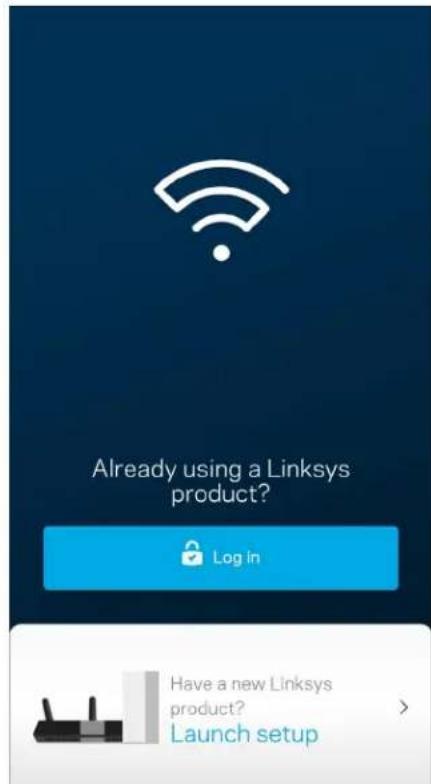
Download the Linksys app. You need this app to set up Velop.
Go to the app store for your device and search for Linksys.

Install the app, open it and follow the instructions.
Note—The app works with iOS 11.4 and later, and Android 6 and later.
You will create a Linksys Smart Wi-Fi account so you can use the app to view or change your Velop system settings from anywhere you have an internet connection.
Among the many things you can do with Linksys Smart Wi-Fi:
- Change your Wi-Fi name and password
- Set up guest access
- Connect devices to Wi-Fi with WPS
- Block internet with parental controls
Test your internet connection speed
Note—During setup we'll send a verification email. From your home network, click the link in the email.
Other than plugging in the power and the ethernet cable, the app-based setup process does the work for you. Once connected, use the app to personalize your Wi-Fi by giving it a name and password. You also can give nodes names based on where they are so you can identify them in the rare case where things need attention.
Print this page, then record your Wi-Fi and account settings in the table as a reference. Store your notes in a safe place.
| Wi-Fi Name Wi-Fi Password | |
| Admin Password | |
| Guest Access Name | |
| Guest Access Password | |
| Linksys App Login Email | |
| Linksys App Password |
Velop System Settings
Using your Linksys app, you can view or change Velop system settings to make your Wi-Fi more secure or to work better with a device or game. You can access settings from anywhere in the world if you have an internet connection. You can also access settings using your router password when connected to your home network even if you do not have an internet connection.
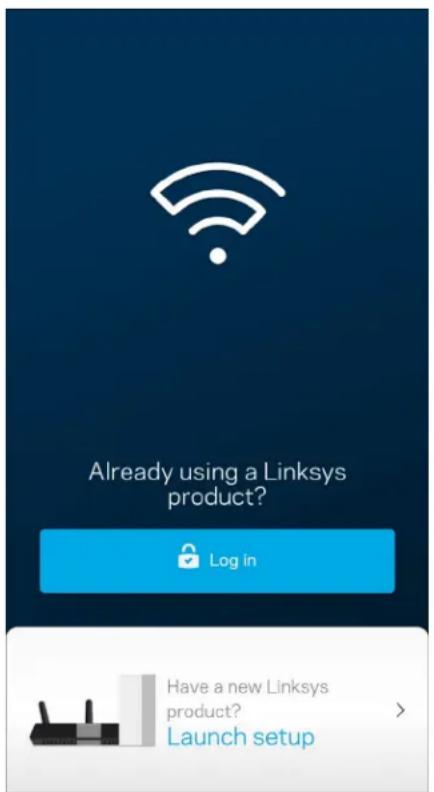
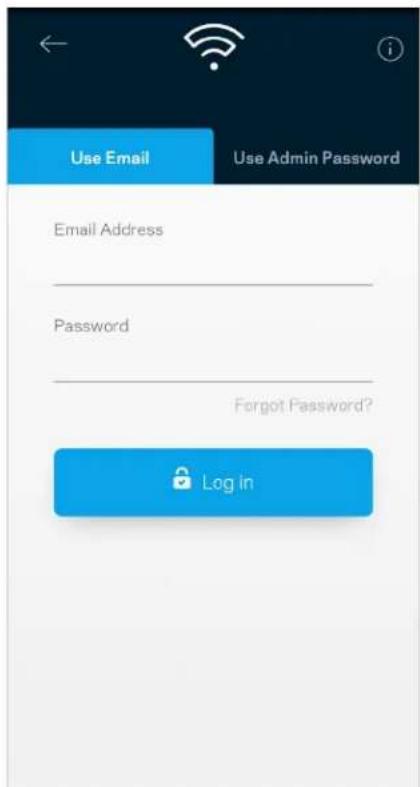
Log in to the Linksys app
1. Open the Linksys app.
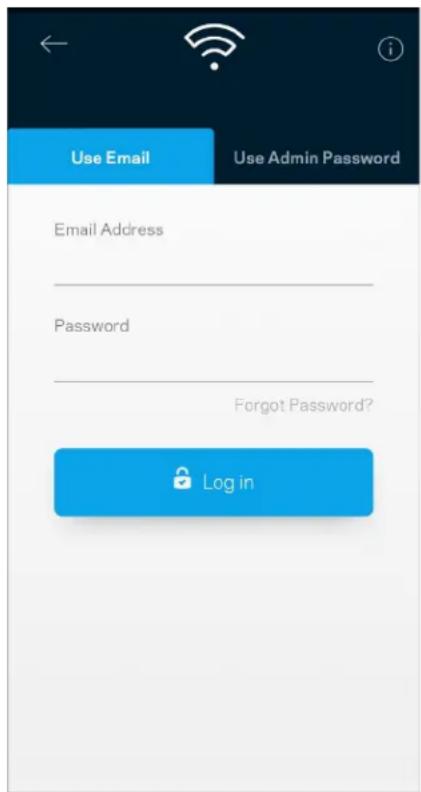
- Enter the email address you used when creating your account.
- Enter your account password.
- Tap Log in.
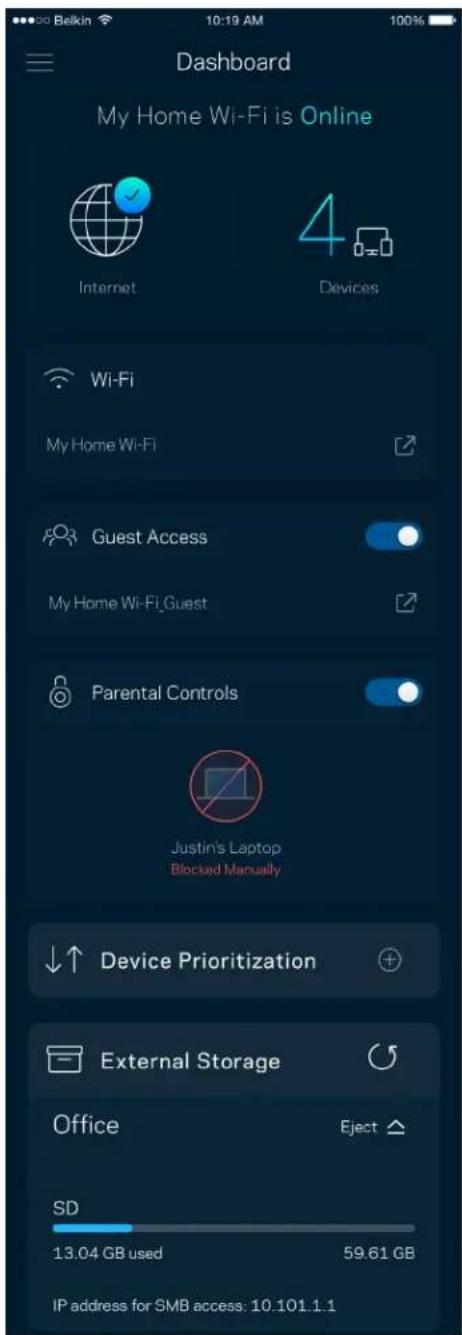
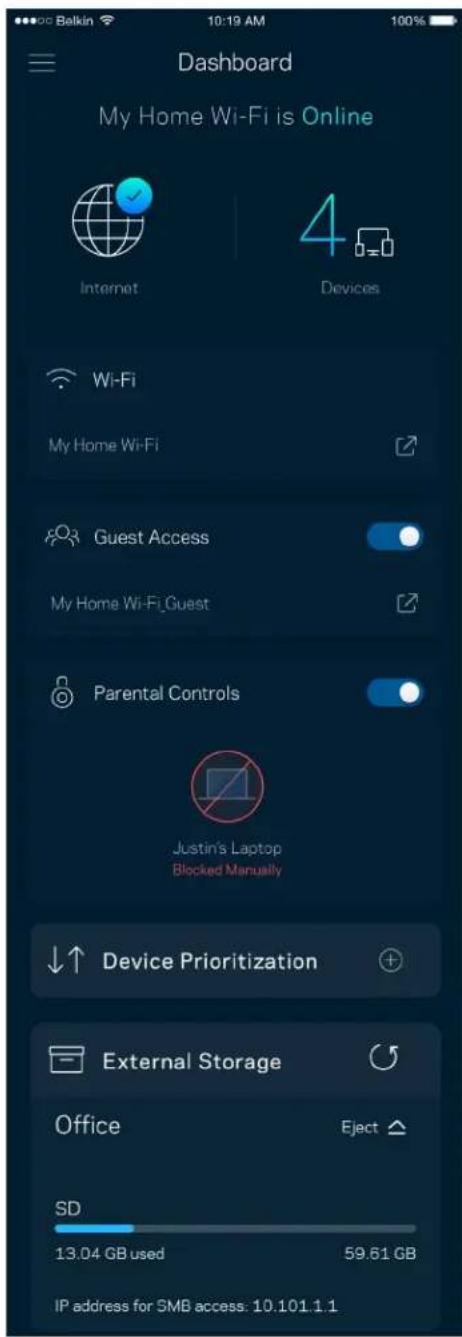
Dashboard
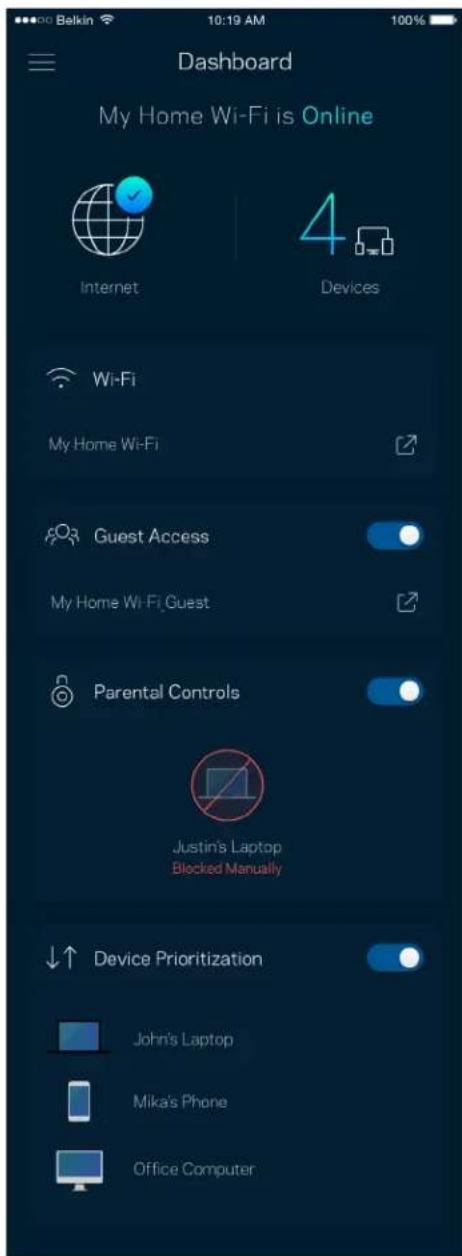
- Dashboard is a snapshot of your Wi-Fi. See how many devices are connected to your Velop system.
- Share Wi-Fi password and allow guest access to your Wi-Fi. Dashboard also shows you if any devices have parental controls on them or have been prioritized for Wi-Fi access.
Devices
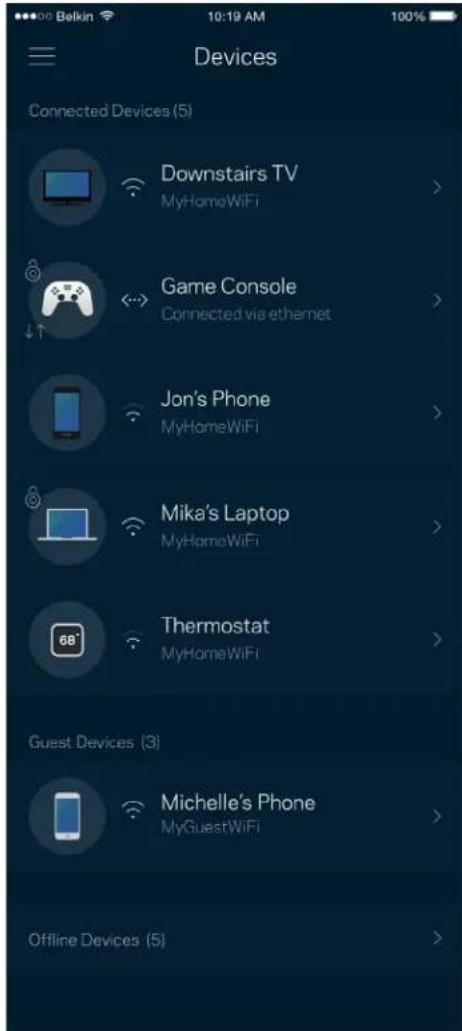
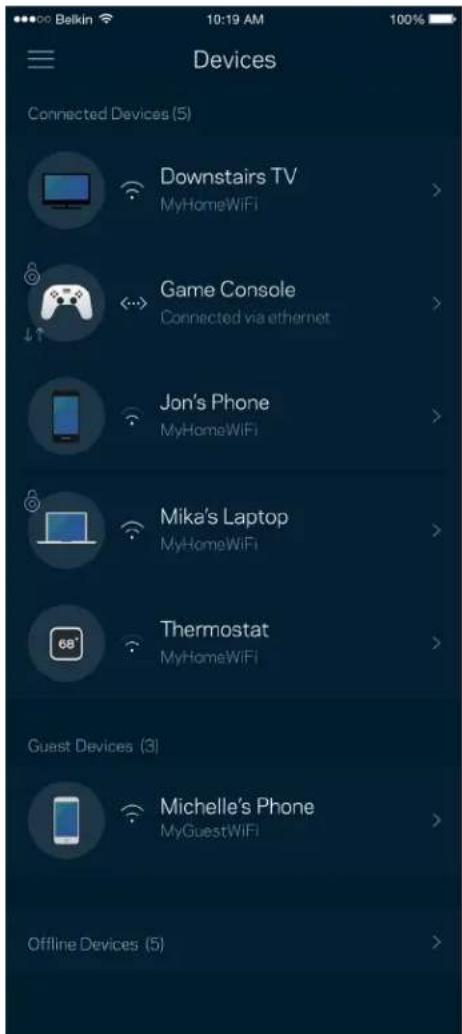
View and change details for all devices connected to your Wi-Fi. You can view devices on your main network and your guest network, or display information about each device.
To view or change device details
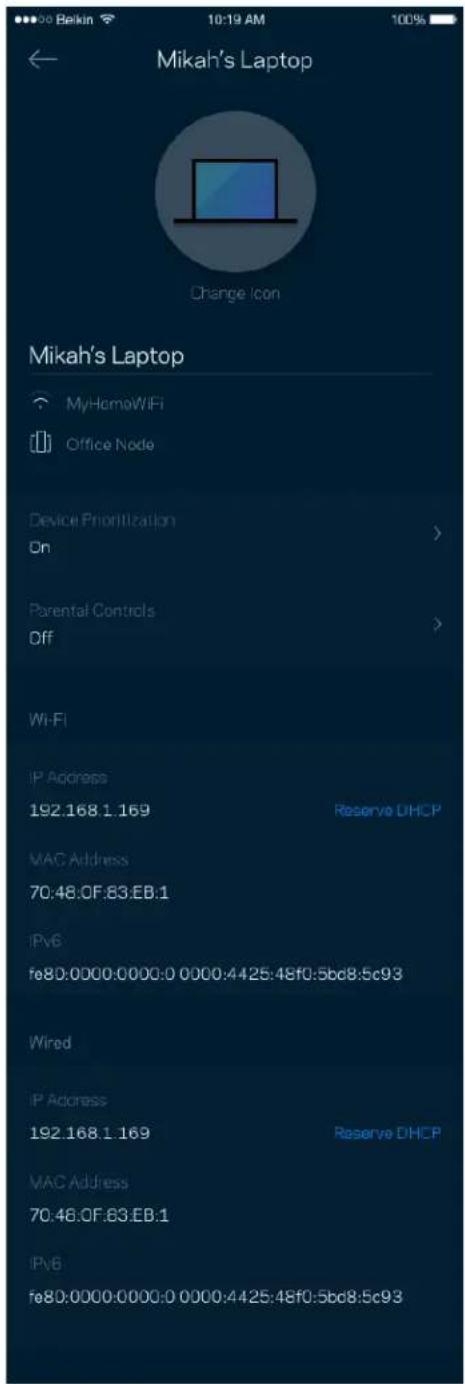
From the Devices screen you can edit device names and change the device icons. You also can prioritize devices, set parental controls, and see Wi-Fi details. Tap on any device to see details.
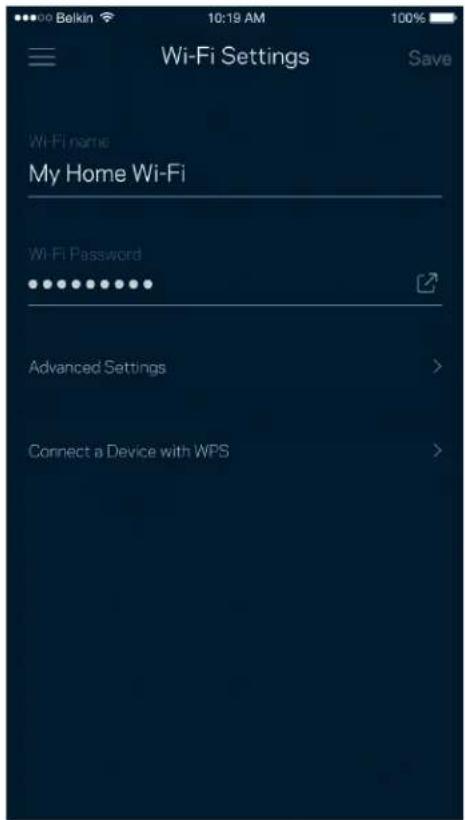
Wi-Fi Settings
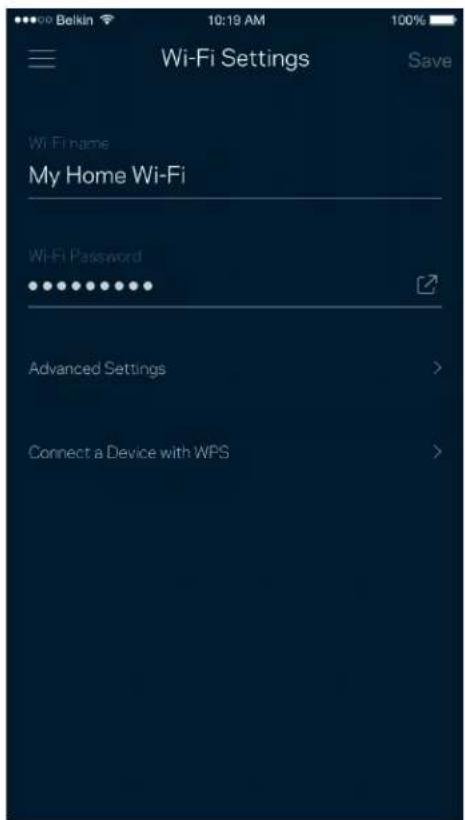
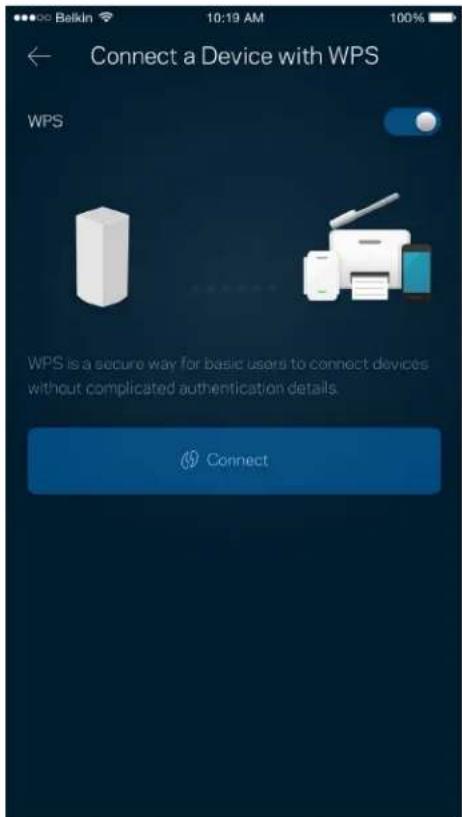
View or change your Wi-Fi name and password and connect devices using Wi-Fi Protected Setup™.
Advanced Settings
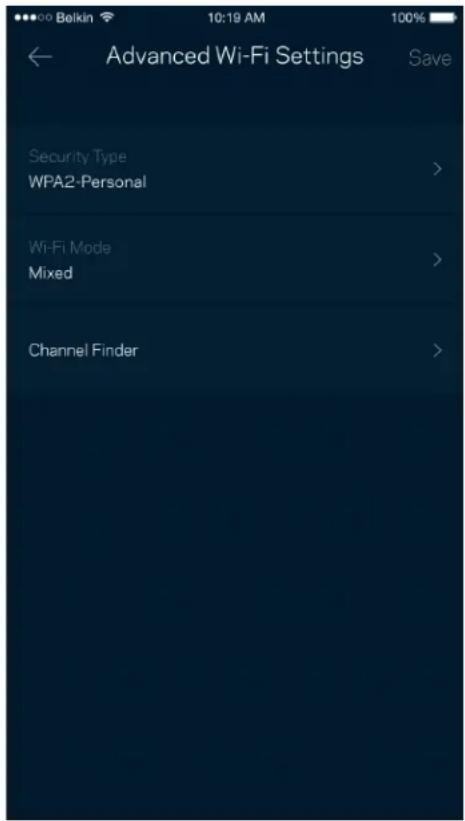
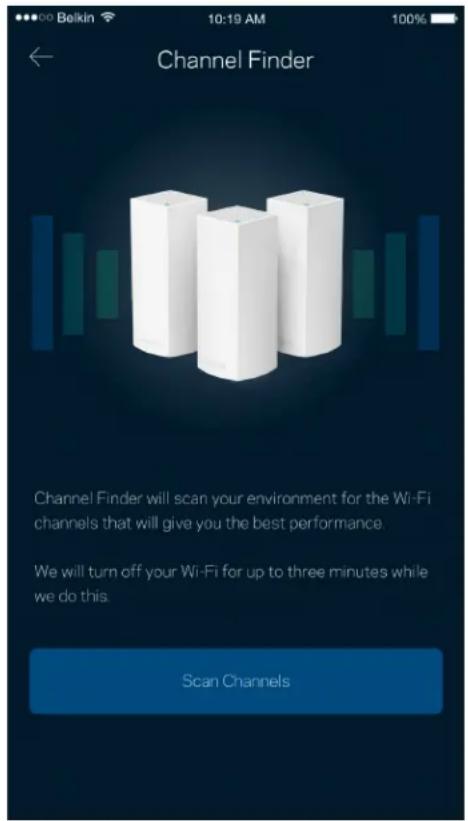
Advanced users can change the default security type and Wi-Fi mode. Do not change these unless you have a lot of experience with Wi-Fi networks. Channel Finder will search for the most-open Wi-Fi channels in your area to ensure you get the best performance from your Velop system. If you have more than one node in your Velop system, Channel Finder will find the best channel for each node.
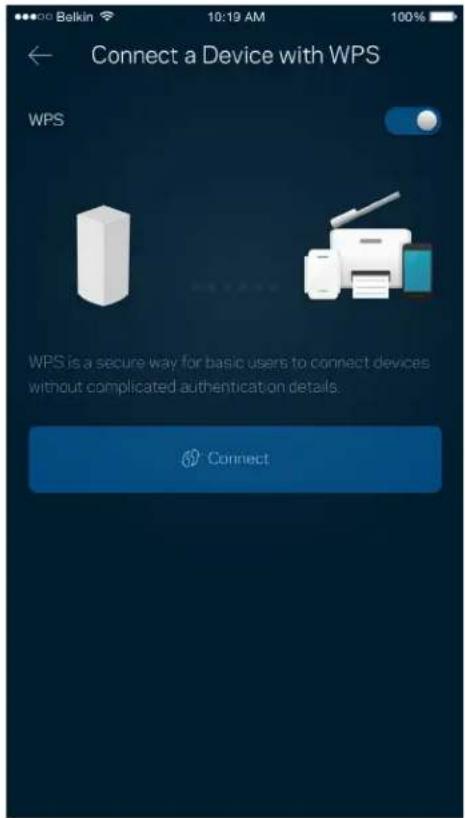
Connect a Device with WPS
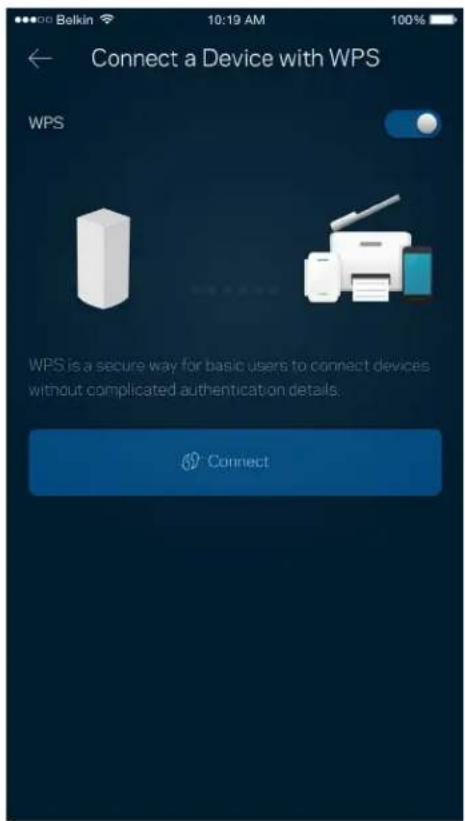
Wi-Fi Protected Setup allows you to easily connect wireless devices to your Wi-Fi without manually entering security settings.
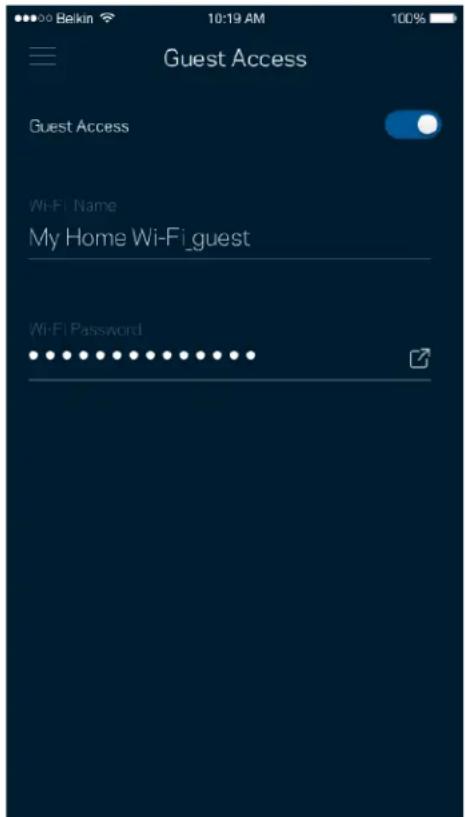
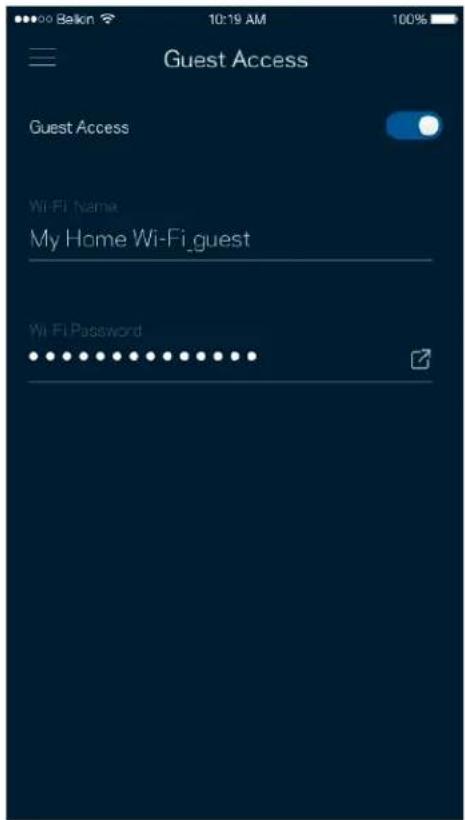
Guest Access
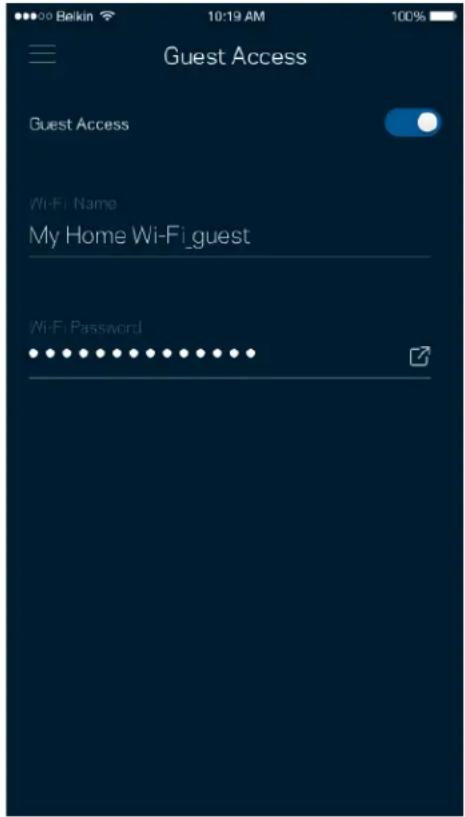
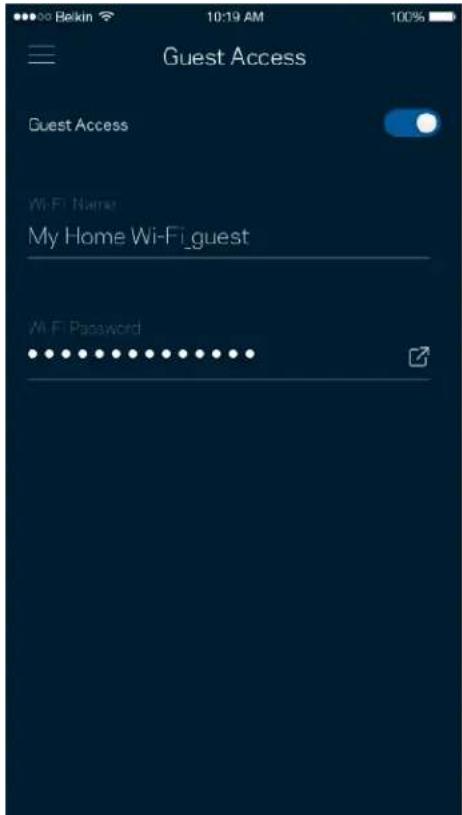
Use your Guest Access to allow guests to get online while restricting their access to other resources connected to your Wi-Fi. Send the password by text message or email.
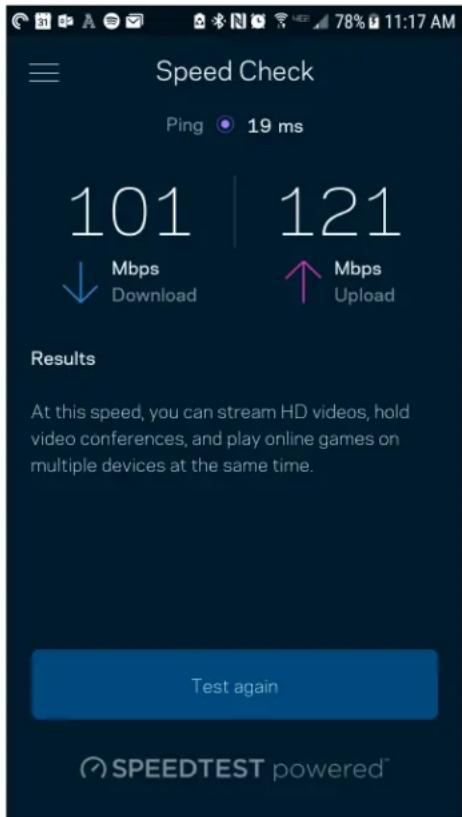
Speed Check
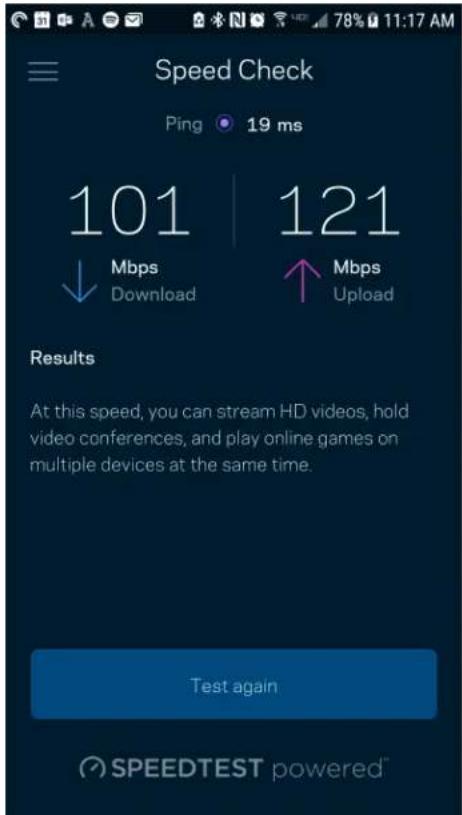
Run a speed check to make sure you are getting the speeds you are paying for. Speed check also helps in Device Prioritization because results determine how Wi-Fi is distributed to the prioritized devices.
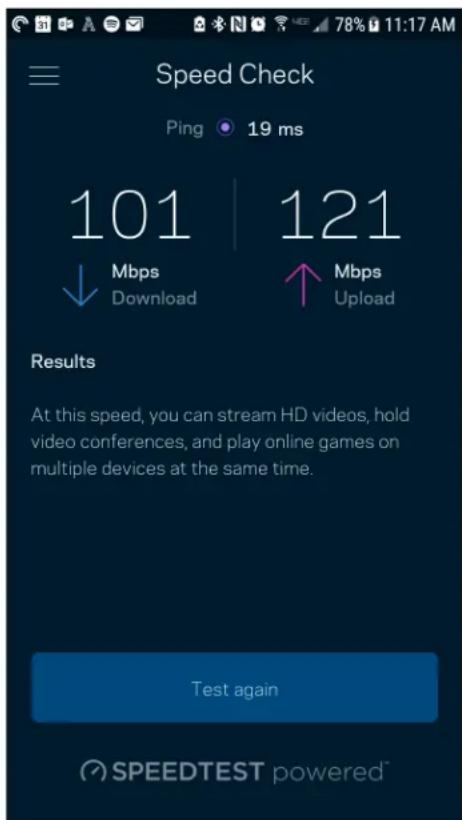
Download speed is the rate at which internet content is transferred to your Velop system.
- Upload speed is the rate at which you can upload content to the internet.
Note—Internet connection speeds are determined by a variety of factors, including ISP account type, local and worldwide internet traffic, and number of devices in your home that are sharing the internet connection.
Parental Controls
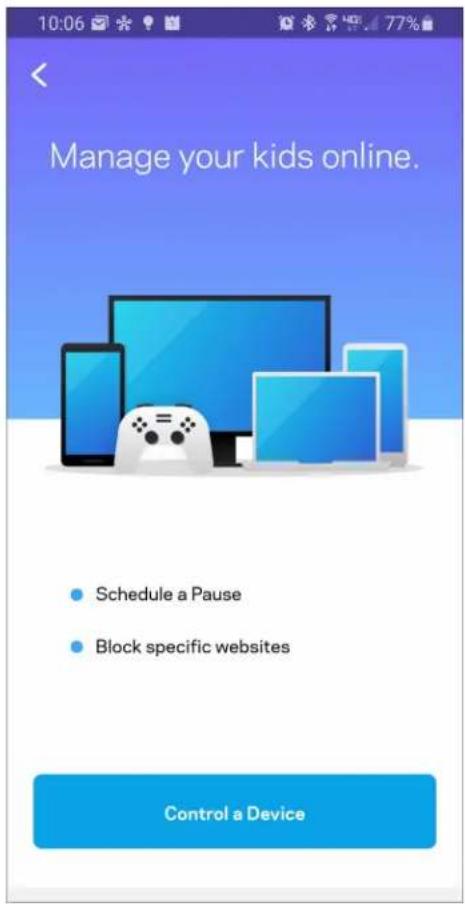
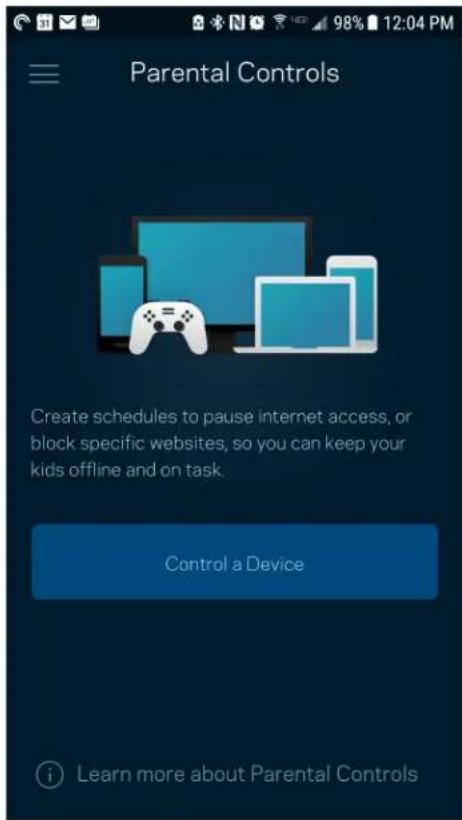
Parental controls allow you to control when your kids are online and what they're doing there. Pause internet to specific devices, or block specific websites.
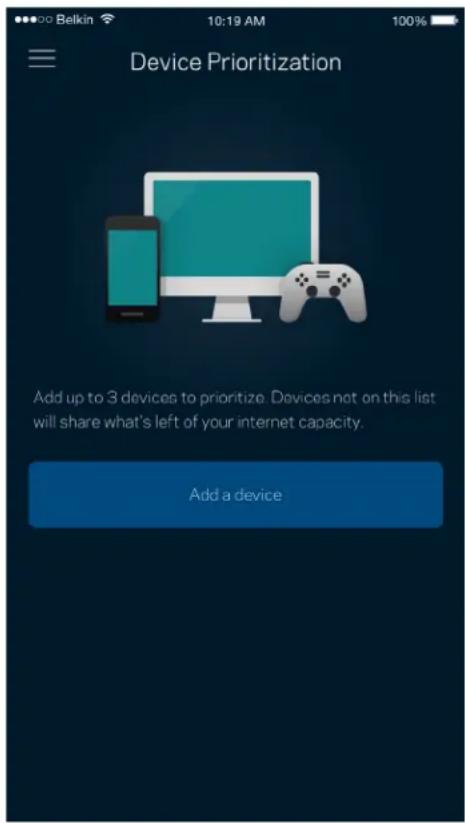
Device Prioritization
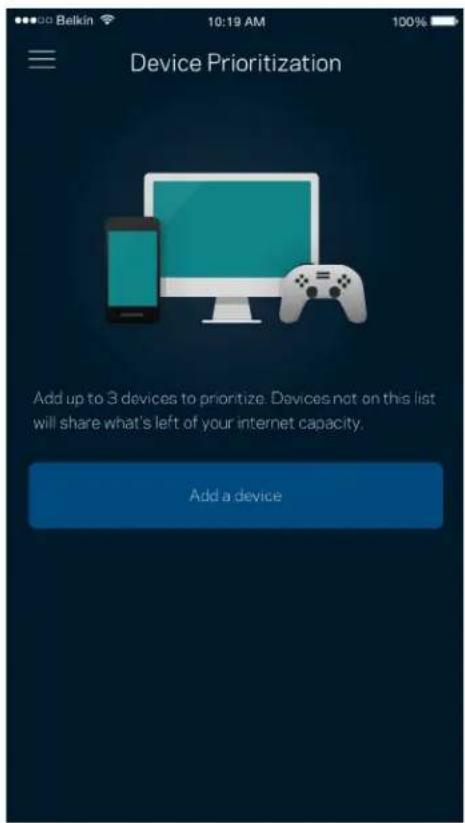
Choose up to three devices for priority usage of your internet connection. Those devices - wired and/or wireless - always will have the best access when connected. Velop runs a speed check to determine how to best distribute Wi-Fi to prioritized devices. Other devices will share the leftover capacity. Prioritized devices appear on Dashboard.
Notifications
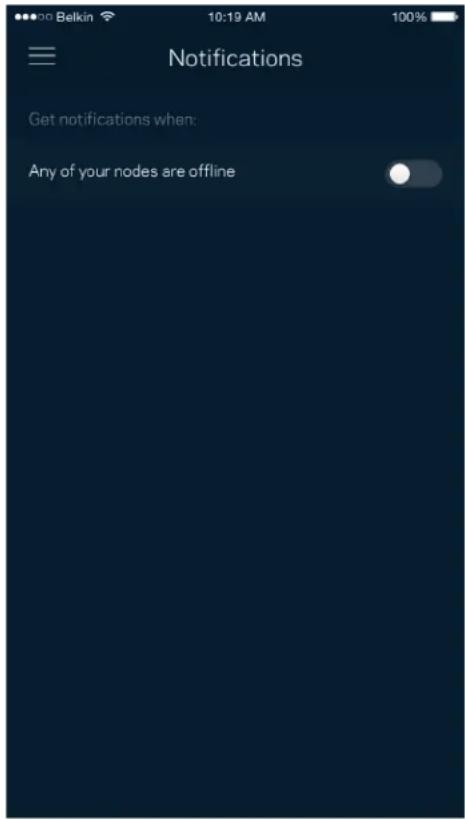
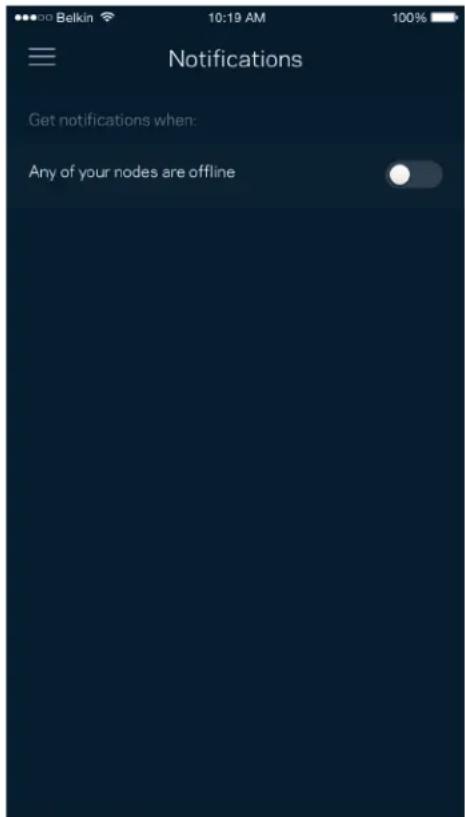
If you have more than one node, Velop can notify you when secondary nodes in your system go offline. Secondary nodes are any that are not wired to your modem. You have to turn on notifications in your mobile device settings to allow Velop to notify you.
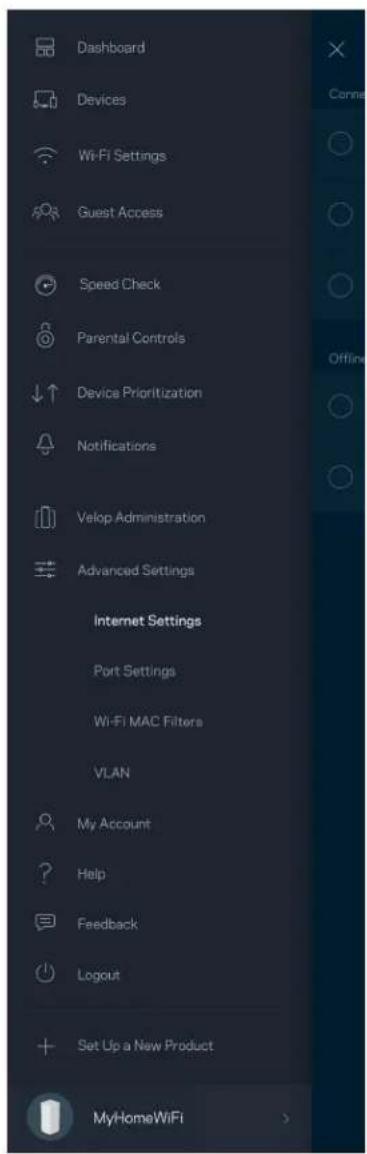
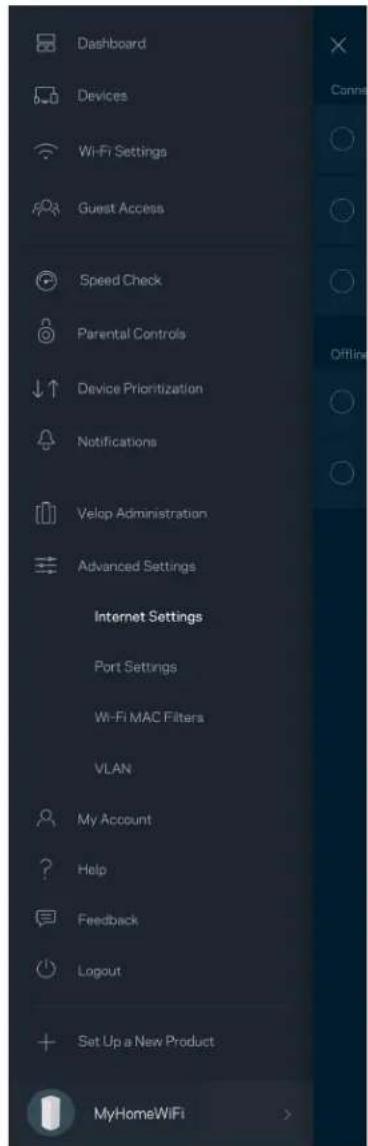
Velop Administration
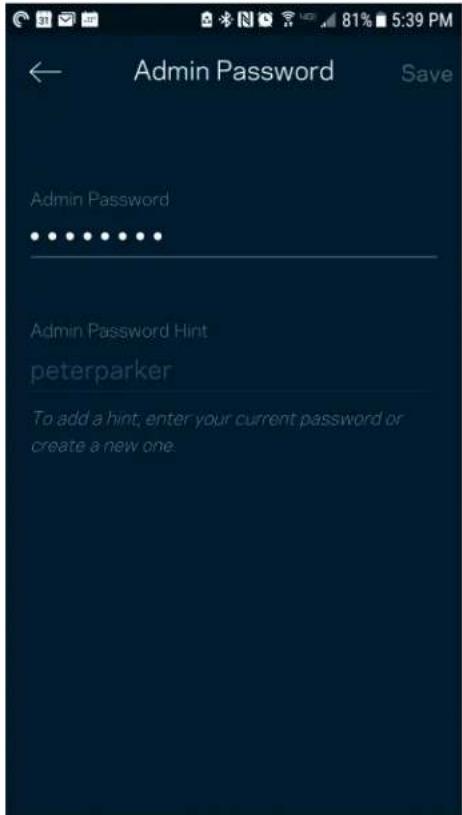
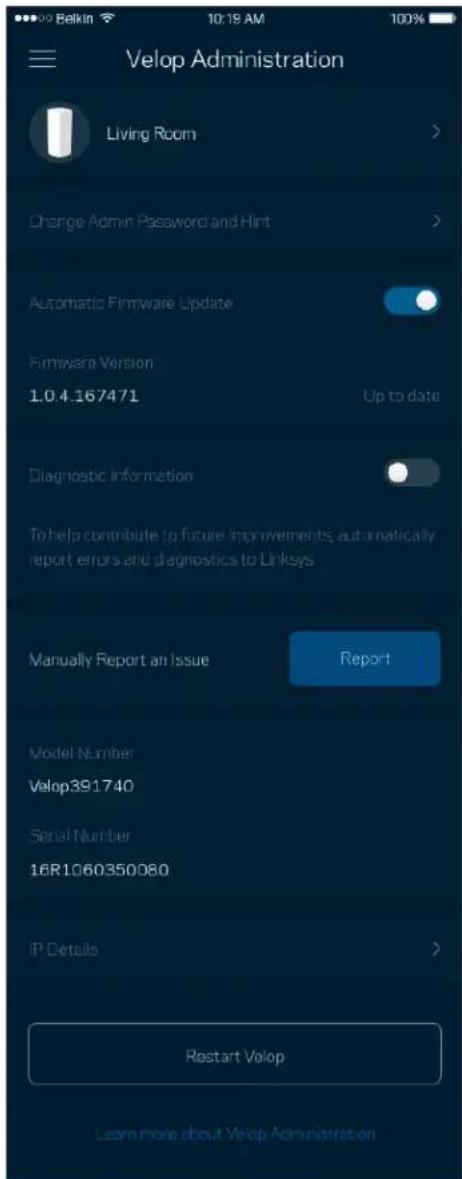
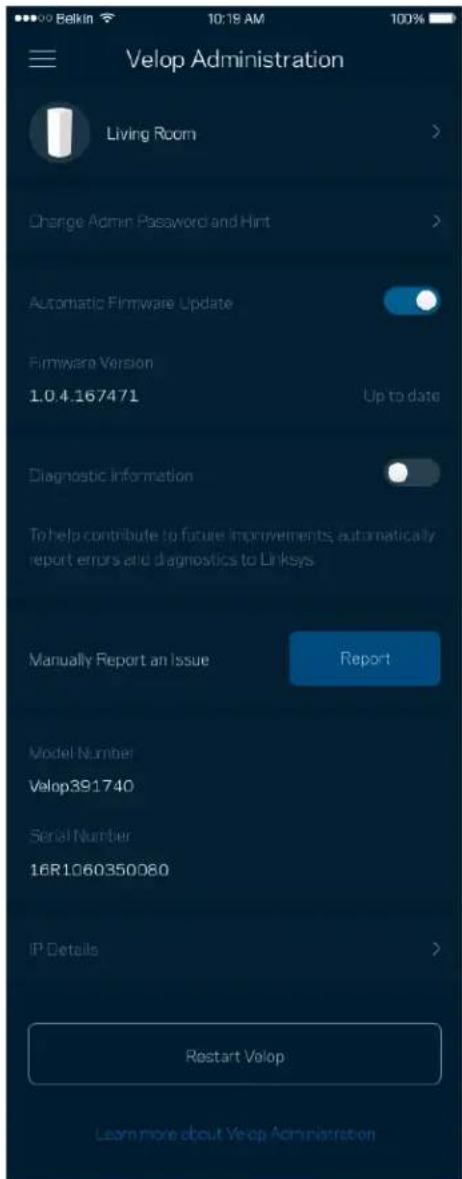
Use the Velop Administration screen to change the admin password and hint, and check various identifiers (model number, serial number, and IP details) for all nodes in your Wi-Fi.
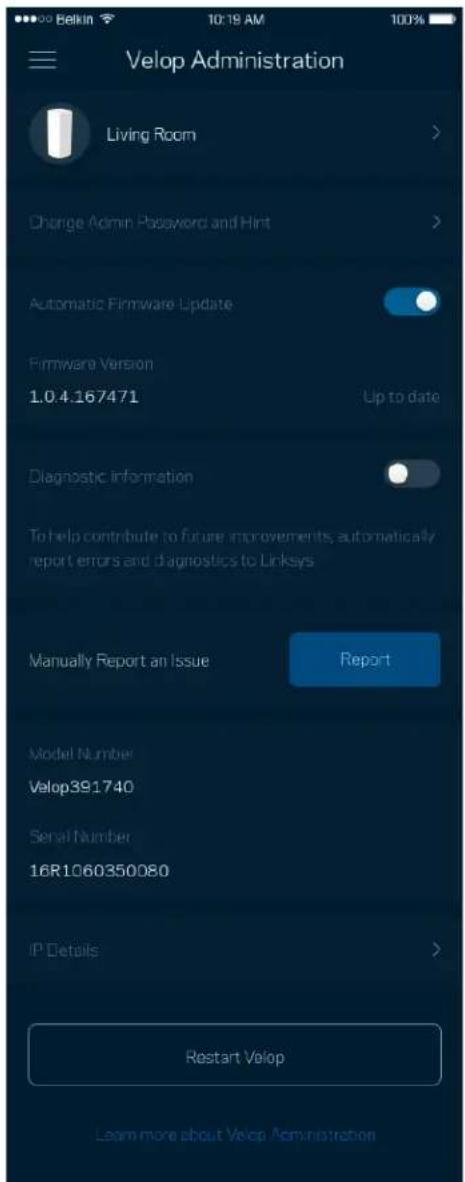
Opt in to automatically report crashes to Linksys and contribute to improving the Wi-Fi experience. You also can manually report specific issues to Linksys.
The following information will be sent with your description of the issue:
| • App version | • Login Type (cloud: show email address associated, local: display "Velop admin") |
| • Device model | • WAN Connection type (display Wi-Fi or ethernet) |
| • Device OS version | • Time: date (mo/day/year, time, time zone) |
Advanced Settings
Internet Settings
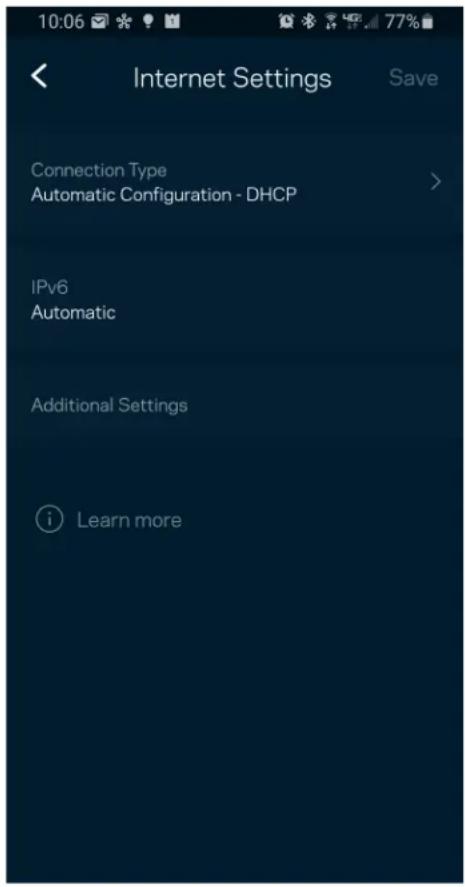
You can choose how your Velop system connects to the internet. The default is Automatic
Configuration - DHCP. Other connection types depend on your internet service provider or how you plan to use your Velop system. Advanced users can use Additional Settings to clone MAC addresses and set MTU (maximum transmission unit).
Port Settings
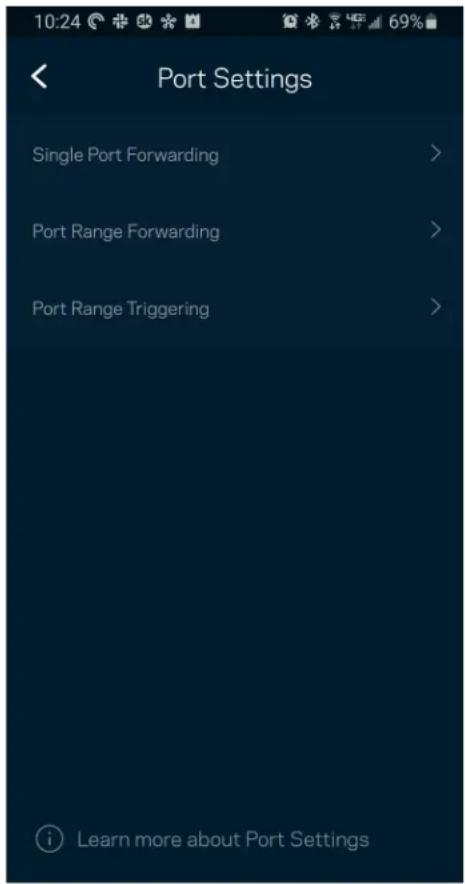
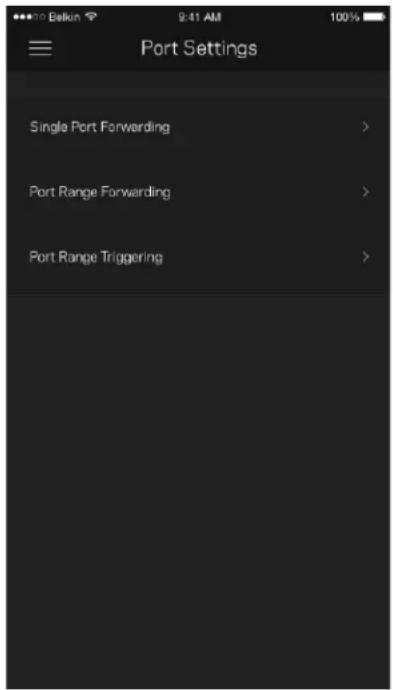
Port forwarding—for a single port, multiple ports or a range of ports—sends traffic inbound on a specific port or ports to a specific device or port on your Wi-Fi. In port range triggering, Velop watches outgoing data for specific port numbers. Velop remembers the IP address of the device that requests the data so that when the requested data returns, it is routed back to the proper device.
Wi-Fi MAC Filters
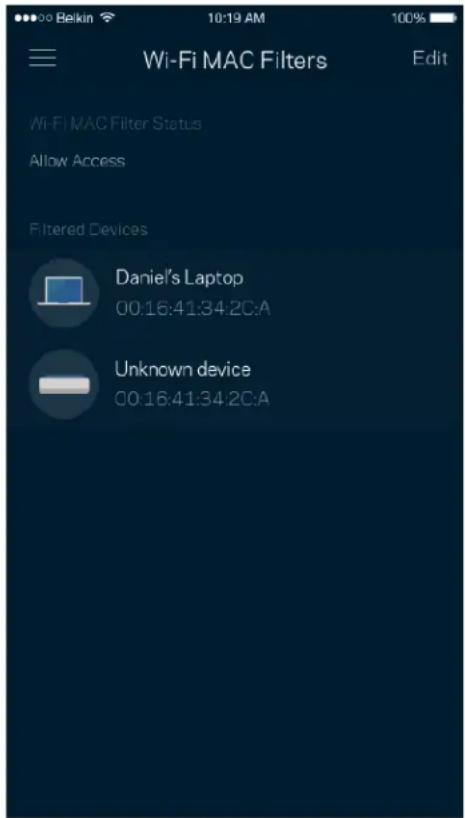
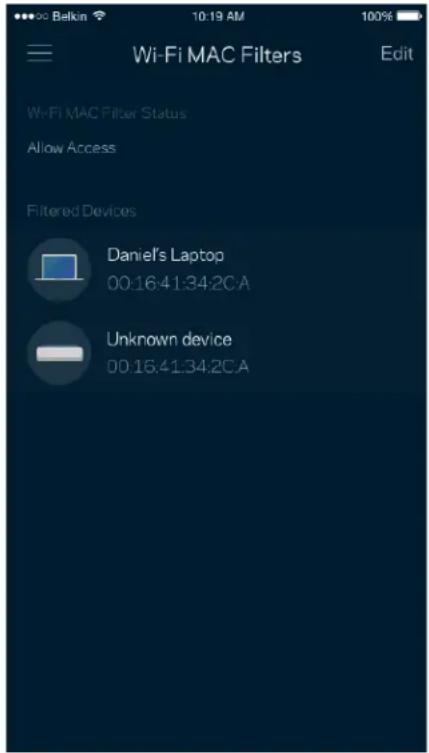
Every network device has a unique 12-digit MAC (media access control) address. You can create a list of MAC addresses and regulate how devices use your Wi-Fi.
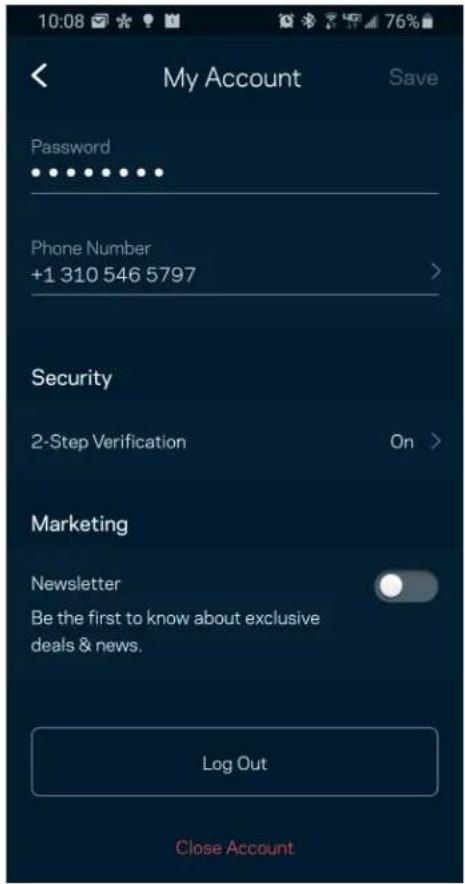
My Account
Change your Linksys app password and opt in to receive the latest news and deals from Linksys.
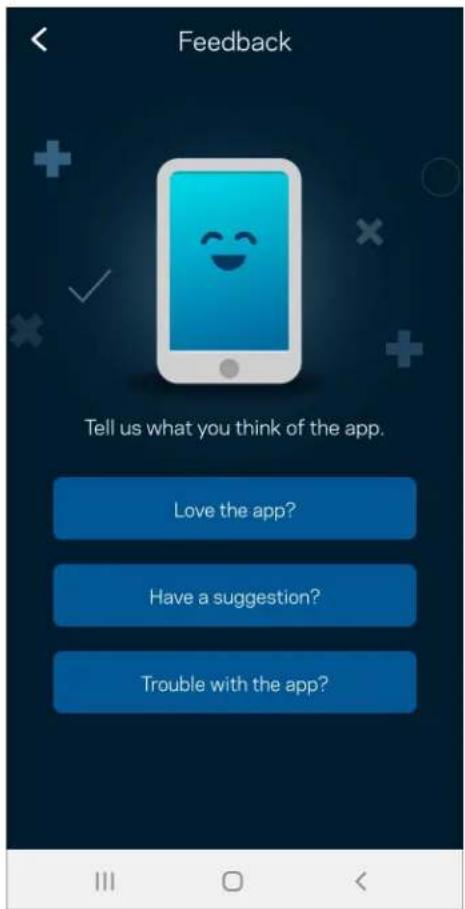
Feedback
Here's your chance to tell us what you think. Rate the app at your app store, send us a suggestion, or report an issue that's keeping you from a great experience.
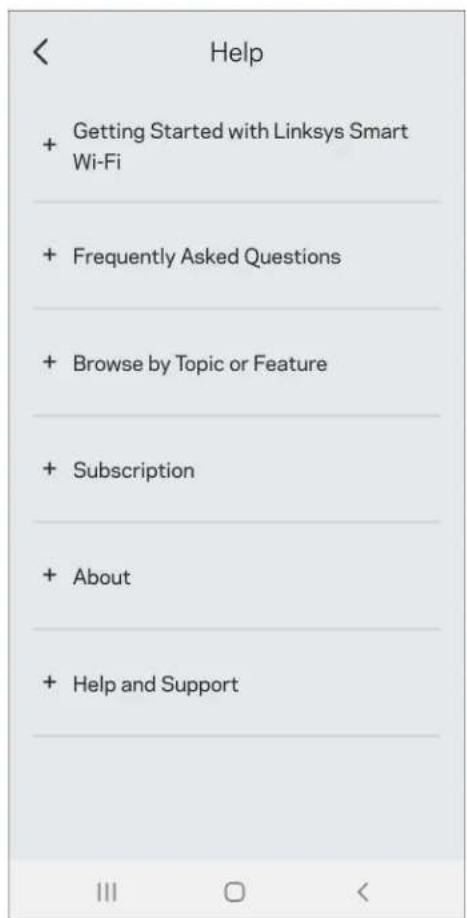
Help
Having trouble with the app? Just need a little more information about a feature? Tap Help for an explanation.
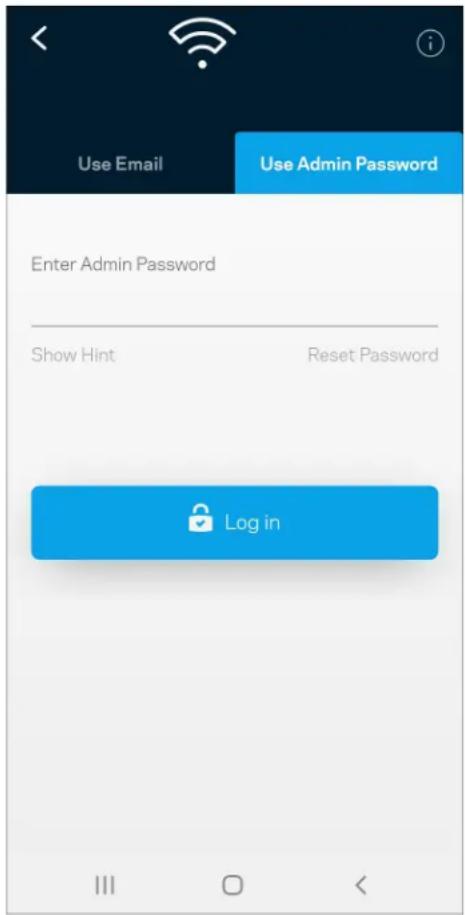
Connect Directly To Velop
If you are not connected to the internet you still can access your Velop system. Connect to your Wi-Fi name, launch the Linksys app and tap Use Admin Password. You will not be able to access your Linksys Wi-Fi account when not online.
Velop admin password
We created a secure admin password during setup. To change it, tap Velop Administration and Change Velop Password and Hint.
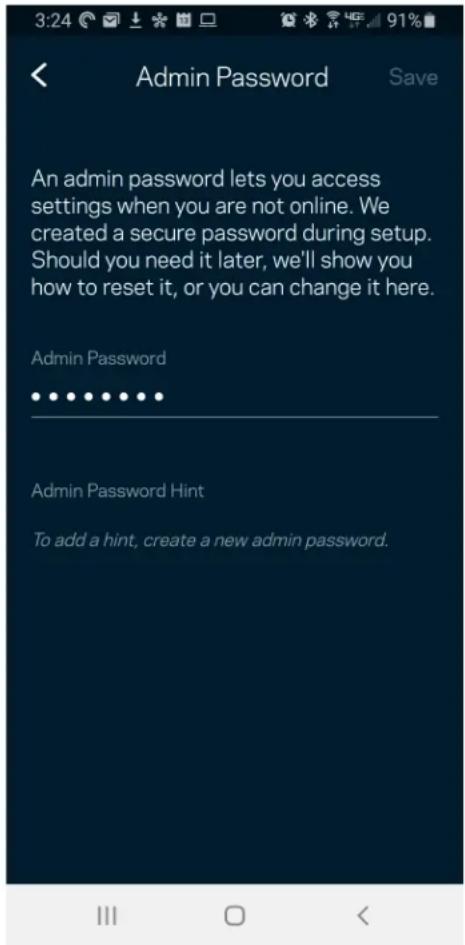
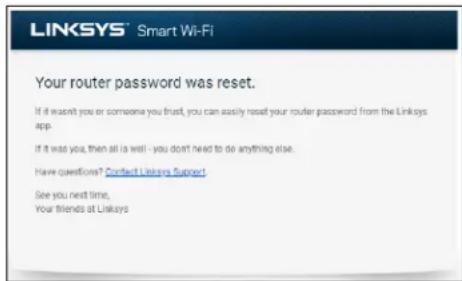
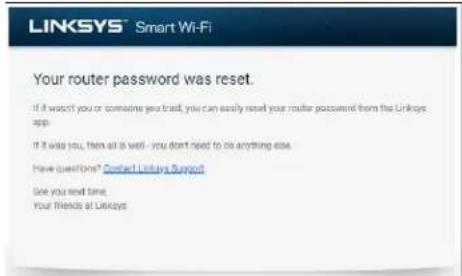
To keep your Velop system secure, we'll send you an email if someone changes the admin password.
How to restore factory defaults
You should never need to factory reset your Velop—a very disruptive process. A factory reset restores your Velop system to the state it was when you took it out of its box, requiring you to go through the setup process again. All settings you have customized in setup and since - things such as Wi-Fi name, passwords, security type - will be erased. All wireless devices will disconnect from your Wi-Fi.
To reset Velop:
- With your node connected to power and turned on, press and hold the Reset button on the bottom. The light on top of the node will turn red and fade in pulses. Do not release the button until the light goes out and then turns bright red.
Specifications
Linksys Velop
Model Name Velop AX5400WiFi6 System
Model Number MX5500 series
Switch Port Speed 10/100/1000 Mbps
Radio Frequency 2.4 GHz and 5 GHz
of Antennas 5 (internal)
Ports Ethernet, Internet, Power
Buttons Power switch, WPS, reset
Light One, multicolored light for power and status
Security Features WPA2-Personal, WPA3-Personal
Security Key Bits Up to 128-bit encryption
Environmental
Dimensions 3.4 inches x 3.4 inches x 7.3 inches
Unit Weight .50 kg (1.1 lb)
Power 12V, 2A
Certifications FCC, IC, CE, Wi-Fi (IEEE 802.11a/b/g/n/ac, draft 802.11ax)
Operating Temp. 32^ to 104^ (0 to 40^ )
Storage Temp. -4° to 140° F (-20 to 60° C)
Operating Humidity 10% to 80% relative humidity, non-condensing
Storage Humidity 5% to 90% non-condensing
Notes:
For regulatory, warranty, and safety information, go to Linksys.com/support/Velop.
Specifications are subject to change without notice.
Maximum performance derived from IEEE Standard 802.11 specifications. Actual performance can vary, including lower wireless network capacity, data throughput rate, range and coverage.
Performance depends on many factors, conditions and variables, including distance from the access point, volume of network traffic, building materials and construction, operating system used, mix of wireless products used, interference and other adverse conditions.
Visit linksys.com/support/Velop for award-winning technical support.
BELKIN, LINKSYS and many product names and logos are trademarks of the Belkin group of companies. Third-party trademarks mentioned are the property of their respective owners.
© 2021 Belkin International, Inc. and/or its affiliates. All rights reserved.
LINKSYS
GUIA DEL USUARIO
VELOP
Serie MX5500
Tabla de Contents
Administration Velop 21
Administration Velop
Certifications FCC, IC, CE, Wi-Fi (IEEE 802.11a/b/g/n/ac, draft 802.11ax)
(1000/100/10)Gigabit Ethernet (Ethernet)
.ETernet 1000000000000000000000000000000000000000000000
DSL/1000/100/10) gigabit (Ethernet) 1s
aal jll jll l 1000

y 1
1
-1yH-FiePrcfetcdgSetupj 1
j (on) | j
a
linksys.com/supf
(a) (a) (a) (a) (a) (a) (a) (a) (a) (a) (a) (a) (a) (a) (a) (a) (a) (a) (a) (a) (a) (a) (a) (a) (a) (a) (a) (a) (a) (a) (a) (a) (a) (a) (a
http://support.linksys.com/en-us/gplcodecenter http://support.linksys.com/en-us/licenses
.(GPL)
e 15
.VelopJ. J. J. J. J. J. J. J. J. J. J. J. J. J. J. J. J. J. J. J. J. J. J. J. J. J. J. J. J. J. J. J. J. J. J. J. J. J. J. J. J. J. J. J. J. J. J. J. J. J. J.

Android 6 plis 10000000000000000000000000000000000000000000000000000000000000000000000000000
L L Linksys Smart Wi-Fi
Lai aalai jai Wfi-Fi
gall
WPS Wi-Fi
Aa aalnlae paae 1
yjdydlalae j
y
Wi-Fi
| Wi-Fi | |
| Wi-Fi sararccs | |
| sararccs | |
| sararccs | |
| sararccs | |
| sararccs | |
| sararccs | |
| sararccs | |
| sararccs | |
| sararccs | |
| sararccs | |
| sararccs |
Velop
Jai Jai Jai Jai Jai Jai Jai Jai Jai Jai Jai Jai Jai Jai Jai Jai Jai Jai Jai Jai Jai Jai Jai Jai Jai Jai Jai Jai Jai Jai Jai Jai Jai Jai Jai Jai Jai Jai Jai Jai Jai Jai Jai Jai Jai Jai Jai
Linksys
.1
aal alie aai i 2
3.
J 4
Wifi-Fi 2000 1985 1984 1983 1982 1981 1979 1978 1977 1976 1975 1974 1973 1972 1971 1970
W-Fi
i 1
la jia jia jia jia jia jia
ydi ydi ydi ydi ydi ydi ydi ydi ydi ydi ydi ydi ydi ydi ydi ydi ydi ydi ydi ydi ydi ydi ydi ydi ydi ydi ydi ydi ydi ydi ydi ydi ydi ydi ydi ydi ydi ydi ydi ydi ydi ydi ydi ydi ydi ydi ydi ydi ydi ydi ydi
aalw rnrnll aale Wl-Fi kkiie 1000000000000000000000000000000000000000000000000000
y j 1
Velop 1
Change Velop (Velop) Velop Administration
Vetepbji jraa) Password and Hint
Jgall Jy 15
a
e 1 1 1 1 1 1 1 1 1 1 1 1 1 1 1 1 1 1 1 1 1 1 1 1 1 1 1 1 1 1 1 1 1 1
:Velop lae
Igall gall gall Jy. glall gall gall biall sale | jie gaii gaii gaii gaii gaii gaii gaii gaii gaii gaii gaii gaii gaii gaii gaii gaii gaii gaii gaii gaii gaii gaii gaii gaii gaii gaii gaii gaii gaii gaii gaii gaii gaii gaii
Linksys Velop
KbIeJaHaMePHTeOuEPiMoou 6
IbpeohauHaHa Hacmpouka 7
Hacmpouku Ha cucmeMama Velop 9
BIn3aHe B npJIOxKeHHeTo Linksys 9
Ta6I0 3a yIpaBJIeHne 10
UcTpoiCTBa 11
3a da BnHTe HJIa IpOMeHtE IOp6HtE daHHN 3a ycTpoIcTBaTa 12
HacrtpoKHaWi-Fi 13
PazhipeHH HacTpoiKn 14
Cbpb3BaHeHa yctpoiCTBO c WPS 15
IocTbI 3a roCTH 16
IIpoBepKa Ha ckOpocTHa 17
PoIHTeJIckn KOHTpoJI 18
3aIaBaHe Ha IIpHOpHTeTH Ha ycTpoiCTBaTa 19
N3BecTna 20
AdmHHnctpnpaHe Ha Velop 21
Pa3HpeHH HacTpoKn 23
Hactpoyn 3a HHTepHer 23
HactpoynHa npToBete 24
Wi-Fi MAC Φιλτρη 25
Moryakaynt 26
06paTHa Bpb3ka 27
IIomoi 28
C8bpnceme ce dupekmno c Velop 29
AdmHHnctpaTopcKa npoJa 3a Velop 30
Kakda 863cmohoume fba6puhume hacmpouku no nodpa36upane 31
Cneuguukauuu 32
Linksys Velop 32
IaHHn 3a OKoJIHaTa cpeJa 32
06u npereHa npoDKTa
Преeding/rogнayaact
CBeTnHaTaBropHata yact Ha Bb3eNa Bn daBa HhΦopMaun 3a pa6oTata my.
Cbbp3BaHeHa yctpoiCTBOc WPS
Wi-Fi Protected Setup Bn daBa Bb3MOxHocT da Cbbp3BaTe lecHo 6e3KmHn ycTpoiCTBa KbM Baata Wi-Fi, 6e3 da BbBexkdaTe pbuHO hAcTpoiKnTe 3a cnrypHocT.
Дocтбл за госту
N3noJ3BaIe DoCTbI 3a roCTn, 3a da daTe Bb3MOXHOCT Ha roCTIte 3a Bpb3Ka C nHTepHeT, KaTo cBueBpeMeHNO orpaHnUHTe doCTbI na IM do npyIte pecypcn, Cbbp3aHn KbM BaWata Wi-Fi.
I3npaTe napoJaTa C TeKCTOBO CbOSeHne HnNo IMeJ.
ПоберkaHa cKopoocTTa
CTaptnaIte npOBepKa Ha cKOpocTtA, 3a da ce yBepnte, ye noLyuBaTe cKOpocTnTe, 3a KOnTo nlaatae. PpOBepkata Ha cKOpocTtBA Bn nomara i npn 3aJaBaHeto Ha npnoptetn Ha yctpoiCTBaTa, Tb KaTO pezyltaTte onpeJeIant Ka Wi-Fi ce pa3nppeJen KbM yctpoiCTBaTa C npnoptET.
- Ckopoct npu n3TeTJIHe e cKopoCTTa, c KOrTo nHTepHeT cbDbpKaHneTo ce npexBbPJIa KbM BaWata cncTeMa Velop.
- CkopoCt npn KaUbaHe e cKopoCtTa, c KOrTo MoKeTe Da KaUbaTe cbIbPkaHne B INHTepHET.
3a6eJekka - Ckopocmume Ha unhmeHem Bpb3kama ce onpeDeIam om MHOKeCMBo foakmOpu BkIouumelno om muna Ha npoofuna Bu npu docmaBuaKa Ha unhmeHem ycLyu, MecmHua u CBemOBnue unhmeHem mpaΦuk, KaKmo U om 6pOHa ycmpoUcmbama B doma Bu, Koumo cnodeJarn Bpb3kama c unhmeHem.
PoДиТeLСКИ KOHTpOЛ
PojnteJcknT KOHTpoJ Bn DaBa Bb3MOXHocT da KOHTpoJIpaTe Kora deaTa Bn ca OHJaH n KaKBO npaBt Tam. CnpTe BpeMeHHo INTEpHET DOCTbNa do KOHKpeTHN yCTpoiCTBa IIn 6LoKpuIte KOHKpeTHN ye6 caITObE.

3aDabaHe Ha npOpNTeTu Ha yCTpoiCTBaTa
I36epeTe do TpN yctpoiCTBa, KOITo Da n3noJ3BaT C npnOpHT Bpb3KaTa Bn C nHTepHeT. Te3n yctpoiCTBa - Ka6eHNn HnN 6e3KnHn - BNHaN ige NmAT Na-Do6bp Doc7bN, KORato Ca CBbp3aHn. Velop cTapTnpa npOBepKa Ha cKOpocTTa, 3a da onpeJIn KAK Na-Do6pe Da pa3nPpeJIn Wi-Fi Ha yctpoiCTBaTc npOpHT. Dpyrnte yctpoiCTBa ue cn POnelT octHaJnna KanauNTet. YcTPOICTBaTc npOpHTc ce noka3BaT B Ta6loto 3a ynpabJIeHne.
U3BecTna
Ako imate noBee ot eDnH b3eI, Velop moKe da Bn yBeDMn, KOraTo dOnbHnTeHN Bb3Jn ot BaWata cncTeMa cTahat oFnaH. DOnbHnTeHN Bb3Jn ca BCNUK Te3N, KOHTo He ca Cbbp3AH C MoDeMa Bn Upe3 Ka6JIHa Bp3ka. Tp8Ba Da BkIIOHTe N3BecTna Ta B NaCTpoiKITE Ha MOBInHOto cn yctpoiCTBO, 3a da moKe Velop da Bn yBeDMra.
AdmHnctpnpaHe Ha Velop
I3noJ3BaIe ekpaHa Velop Administration (AdmHnCTpnpaHe Ha Velop), 3a da CMeHnTe aDMnHnCTpaTOPcKaTa npOJa n nocka3ka n da npOBepnte pa3nUHnTe ndHTnΦnKaTOpn (Homep H moJeIa, cepneH Homep i DaHH 3a IP) 3a BCnKb Bb3nn BbB BaWata Wi-Fi.
I36epete aBToMaTuHc bO6aBaHe Ha OTKa3HTe B Linksys n daTc CBOr npHoc 3a noo6pRaHe Ha pa6oTaHa Wi-Fi. MoxTe cBIO TaKa Da cO6aBaTe pUHO Ha Linksys 3a HraKo np6bEmn.
3aeDnO c BaWeTo onncHne Ha npo6leMa ige 6bDe n3npaTeHa cIeHaTa INHΦOpMaunr:
Pa60Tha BlaJxHocT 10%do80%OTHOCTeJIHaBlaJxHocT,6e3 KOHdeH3aIgA
BnaKHOCT3a 5%—90%6e3 KOHDeH3aUra
cbxpaheHne
3a6eJekn:
3a npabHa nHΦopMaun, rapaunu u yka3aHnna 3a 6e3onacnoct nocetete Linksys.com/support/Velop.
CneuKauTe noJekat Ha npomHa 6e3 npedn3BecTne.
MaKcImaJIHnTe pa6oTHn poka3aTeHn ca n3BLeueHn ot cneuΦnKaUHTe Ha CtaHapT 802.11 Ha IEEE. DeIcTBnTEJIHnTe pa6oTHn poka3aTeHn MoT da ca pa3LIuHn, BKJIouHTeJIHO no-HncbK KaIauHTet 3a pa6oTa B 6e3KnuHa mpeJka, npOnyckaTeHn CnOco6HoCT 3a DaHHN, dIina3OH n PokpHTne. EΦeKTUBHocTTa 3abncn OT MHO OaKTOpN, ycIOBn I IpOMeHINB, BKJIouHTeJIHO pa3CTOJHHeTO OT ToUKaTa Ha DoCTbN, o6ema Ha MPexKOBn TpaΦNK, CTPOteJIHnTe MaTePnaJI N KOHCTpyKzIyTA, n3NoJ3BaHaTAt OepaCUNHn CnCTeMa, n3NoJ3BaHnN KOMIIeK TnpOdykTn 3a 6e3Knyen DoCTbN, cmUeHNrTa n dpyrN He6laoropnAHTHn YcIOBn.
Iocete linksys.com/support/Velop 3a Bpb3ka c Hauata TexHnuecka noDpBxK, ydoCToBaHa C Harpa.
BELKIN, LINKSYS и многоимена на пождуктулоготипс са Тьровский Маркни Групату духжесва Belkin. Уnome haTte Tbprobckn Маркни Трети CTpaHи ca co6ctbeHocT Ha CbOTBeTHNTE IMnpitexkaTeJI.
© 2020 Belkin Systems, Inc. n/nn HeHnTe fHnnaHn. BcnuKn npaba 3ana3eHn.
LINKSYS
PRIRUCKA PRO UZIVATELE
VELOP
MX5500 Series
Obsah
Prehledproduktu 3
Pridni a horni ccast 3
Zadni strana 4
Dolní strana 5
Kde ziskate dal'si pomoc 6
Nastaveni 7
Nastaveni systému Velop 9
Prijhaste se do applikace Linksys 9
Panel 10
Zafrzení 11
Cislo modelu MX5500 Series
Rychlost prepinanych portu 10/100/1000 Mb/s
Frekvence vysilani 2,4 GHz a 5 GHz
Pocet antén 13 (interni)
Porty USB 3.0,ethernet,internet,napajenf
Administration of Velop 21
Avancerede indstlinger 23
Internetindstillinger 23
Portindstillinger 24
Wi-Fi MAC-filtre 25
Min konto 26
Tilbagemelding 27
Hjaelp 28
Administration of Velop
Certificeringer FCC, IC, CE, Wi-Fi (IEEE 802.11a/b/g/n/ac, draft 802.11ax)
IwocvaeavapepetreTcEpyoataaKecpvthetaic 31
Ipoδιαγραφές 32
Port Settings (Puθμioεις θυρων)
H npowonn upc -yia a thupa, noa c hupc n eupoc uupwv- anooteaetnv eoepxoeyn kukloopopa ano maoukepimevn upa n thupe c e ia oukyekmuevn ouokeun n upa oTo Wi-Fi oac. KaTaNv evpyonoinan eupouc 0uov, to Velop leyexi ta eepxómeva dsoeva yia oukyekmuevouc apouwv. To Velop tua Tn 1suehuvon IP tnc ouokeun c onoia zntae i ta dsoeva, etoi wote, otav ta zntouvea dsoeva eniotpeovuv, va 0taauov niaw otn owotn ouakeun.
Wi-Fi MAC Filters (DiItpa MAC aoupauou
Kahe oukeun dukou exe i maovadk 12nphi dueuovon MAC (Media Access Control). Mnpetve a
dmuynote mia iota dieuuvoswv MAC kal vpuoiae t wc o uakeu c npouonotouv to Wi-Fi oac.
My Account (O loyapiaaou)
Velopi susteemi seaded 9
Linksyse rakendusse sisselogimine 9
Esipaneel 10
Seadmed 11
Velopi administratssoon 21
Täpsemad seaded 23
Internetiseaded 23
Pordi seaded 24
Wi-Fi MAC-filtrid 25
Minu konto 26
Tagasiside 27
Abi 28
Velopi susteemi seaded
Velop Administration (Administration Velop)
Tanusftvanyok FCC, IC, CE, Wi-Fi (IEEE 802.11a/b/g/n/ac, draft 802.11ax)
Uzemi hɔm. 0-40°C
Tárolásihom.-20-60°C
WPA2-Personal, WPA3-Personal
protezione
FCC, IC, CE, Wi-Fi (IEEE 802.11a/b/g/n/ac, bozza 802.11ax)
Temperatura di
Da 0 a 40^ C
funzionamento
Temperatura di
Da-20 a 60^ C
conservazione
Grust Aksus to use sur, Gsut 1wi-Fi iRc sier eir his rss aksus to the to ttt. 1, gustoRt 10
スを一にデスト
Wi-Fi Protected Setup WPS
音 · 8JiJiJiJiJiJiJiJiJiJiJiJiJiJiJiJiJiJiJiJiJiJiJiJiJiJiJiJiJiJiJiJiJiJiJiJiJiJiJiJi

華藥藻
Android 6 i
DiWi-Fi WFi Wi-Fi WFi WFi WFi WFi WFi WFi WFi WFi WFi WFi WFi WFi WFi WFi WFi WFi WFi WFi WFi WFi WFi WFi WFi WFi WFi WFi WFi WFi WFi WFi WFi WFi WFi WFi WFi WFi WFi WFi WFi WFi WFi WFi WFi WFi WFi WFi WFi WFi WFi WFi WFnWFi WFi WFi WFi WFi WFi WFi WFi WFi WFi WFi WFi WFi WFi WFi WFi WFi WFi WFi WFi WFi WFi WFi WFi WFi WFi WFi WFi WFi WFi WFi WFi WFi WFi WFi
长
i-Fi Protected SetupTM to use.hw Wi-Fi iin and hoi wihn in n thenghag h t h eel h
高格终止
© 2020 Belkin International, Inc.
LINKSYS
NAUDOTOJO VADOVAS
"VELOP"
MX5500 serija
Turinys
Gaminio apzvalga 3
Priekis/vir'sutiné dalis 3
Galiné puse 4
Apatiné dalis 5
"Wi-Fi" MAC filtrai 25
Manopaskyra 26
Atiliepimai 27
Pagalba 28
Tiesiogai prisijunkite prie ,Velop" 29
Device Prioritization (Apparaatprioritering)
Certificering FCC, IC, CE, Wi-Fi (IEEE 802.11a/b/g/n/ac, concept 802.11ax)
Velop-systeminnstlinger 9
Velop-systeminnstillinger
Knapper Strømbryter, WPS, tilbakerstilling
Certificacoes FCC, IC, CE, Wi-Fi (IEEE 802.11a/b/g/n/ac, draft 802.11ax)
Temp.de 0\~40°C (32°-104F)
funccionamento
Temp.de -20~60°C (-4°~140 F)
armazenamento
Certificacoes FCC, IC, CE, Wi-Fi (IEEE 802.11a/b/g/n/ac, draft 802.11ax)
Temperatura de 0 a 40^ C;.
funcionamento
Temperatura de -20 a 60^ C armazenamento
Stocare externa Error! Bookmark not defined.
HenocpeedcmbeHnoe nookluoyehue K Velop 29
IapoiBaIMHHcTpaTopa Velop 30
BocsmohoeHeue 3aobodckux Hacmpoek 31
Texnueckue xapakmepucmuku 32
Linksys Velop
ΦиЗнчecкнх.apаКтерпстнкn
063op npoodykTa
Bud cpepn/cbepxy
HnDnKaTOp Ha BepXHei nHaEny y3na npedocTabIeT HhOpMaunO pa6oTe y3na.
Khonnka WPS—HaxMMTeIaNoIeKIIIOueHnIeTeBExyCTPOIcTB,NOIePKeINBaIOuIX WPS.
BbIKIOuOaTeIb NITaHnI —pepeDINbTe B NOIOXeHne «I» (BkI.) yTo6bl BKNIOUHTb NITaHnE y3na
CnpaBka
Kya o6paTb8a 3a dOoHnTeIbHO nHΦopMauei
- Linksys.com/support/Velop
CnpabKaB npnloXeHm Linksys (3anyctnte npnloXeHne n Bbl6epnte «CnpabKa» Br rnaBHom MeHIO)
Приимechаим. Лuceнци и уBEDомлени сморонец поразамного обесень,在 support.linksys.com/en-us/licenses。Овацайесь no adpecy http://support.linksys.com/en-us/gplcodecenter c Bonpocamu undanpocamu omhocumelho ucxodno koda GPL.
Hac troponka
BAxHO. MoXHo Hacmpaubamb y3Ib Velop B Kauecme OCHOBhIx Uu doeepHX. OChOBho y3eJdoJIkeH 6bIMb noeknouen K Modemy uU K Modemy-Mapwpymu3amopy c nomouy Ka6eY Ethernet. DooepHue y3Ib HacmpaubaiomcB beCnpoBodHom pexKume, noce yezo ux MoXHo nooknOuyamb K dpzum y3IaM no beCnpoBodHou cemu uU Ka6eJaMu Ethernet.
Ipu do6abLeHuu 3mo2o HOBOO y3la B Kauecmbe podumelbckoo y3la B cyuecmbyouyio odhopaHeOByIO beCnpobOdyIO cemb domaunu cucmembl Velop heo6xodumo BoccmahOBumb 3abODCKue Hacmpouku Ha BCex y3nax u do6abumb 3mu y3lbB cucmemy nocr Heacmpouku u 3anyckaHOBOO y3la.
3arpy3nte npinloxehne Linksys. 3To npinloxehne Heo6xoImo Ira HacTpoKu Velop.
OtkpoTe mara3n npIoJKeHn dIy BaIero yCTpoIcTba n haIaTe npIoJKeHne Linksys.

YcTaHOBnTe npInoJKeHne,OTKpoIe erO n CLeNyTe INHCTpyKzmaM.
Приимechани.Дялэмоzo npuloxhenma mpebyemcra onepauonha cucmema iOS 11.4 uLU 6oJee no3dHeBercuU lu6o Android 6 uLU 6oJee no3dHeBercuU.
PoiKJIIOUeHHe yCTpOiCTBa c NOMOuWPS
C nomouy Wi-Fi Protected Setup moxno ydo6no noKIOaTb 6ecnpoOdbhe ycTpoCTBa K cetn Wi-Fi, He BBOra hacTpoKn 6e30nachOCTn BpyHyIO.
TocTeBovdoCTyP
TocTeB0IdoCTyn daet BO3MOxHOCbBaAMTOCTaM NOb3OBaTbCnHTepHeTOM, Ho 6e3 doctyna K dpyrIm pecypcam, noKJIIOueHHbIM K BaSeI cTeN Wi-Fi. NapoJIb moXHO OTIPaBnTc nOmoUbSMScoo6uHnI nn IIO 3JeKTPOHNOuTe.
I3mepenie cKopoctn
3aynctte n3mepenie cKOpocTn, uTo6bl oPpeJeNTb, DeiCTBnteHNo IIN cKOpocTB BaWero
noKluoyehn K INTEpHety COOTBeTcTByET yka3aHHo B ycIobnx Tapnfo Horo pHaHa. N3mepenie
ckopocTn TAKke NOMORAET npu npabLeHnn PnpOpTeTom ycTpoICTB, noCKOlbky noJyuHeHHle
pe3yltbTaTb daIO T Bo3MOxHocTb onpeJeNTb, KaK doCTyn K Wi-Fi pacnPpeJeHn CpeDn npOpTeTHbIX
ycTpoICTB.
- CkopoocTb 3arpy3kn - 3TO cKopoocTb, c KOTopoJ daHHbIe IpepeaIOTCra N3 INHTepHeTa B cnCTemy Velop.
- Ckopoctb otnpabkn - 3TO CKopoctb, C KOTopoB Bbl MoKeTe NpepaBaT bdaHhIe B INHTepHET.
Приимechаим.СкорocмьnodКлоченяКИнмер hemу 3abucum om MHOжecmbaфakmopOB,В momчсile om mapuФа y nocmaBuzuka ycIyze ИнмepHema,om lokaJIbHoZO u BcemupHzo mpaФИКВИнмер heme,amakke om KOLUChmBa odHOBpeMeHHo nodKlIOUeHHbIX KИнмер hemy ycmpoUcmbyBAC doma.
PoInteIbckn KOHTpoIb
C nomoubjo poDHTeJIbCKoro KOHTPOJRA MoXHO ynpabJIbTB BpeMeHem, KOrda y BaIUX DeTei 6ydet DoCTyn K INTEPHeTу, I DOCTUHNbIMn pecypcAm. MoXHO npIOCTaHOBNTb DOCTyn K INTEPHeTc OnpedeJIeHHbIX yCTpOJCTB INI 3AnPeTITb DOCTYK ONpeDeJIeHHbIM caITam.
PpnoopntyctpoiCTB
AdmHnCTpnpOBaHne Velop
Ha 3kpAne «AdMNHcTpnpOBaHnE Velop» MoXHO n3MeHnTb napoIb n NOcka3ky adMNHcTpapOa, a TaKKe npOBepnTb pa3JIuHbIe daHHbIe (Homep MOdeJI, cepNIHbI HOMep, daHHbIe IP-aDpeca) Bcex y3IOB BaWe cTe Ni-Fi.
MoKHO aBToMaTnueckn OtnpaBnAeTB OTheB O c6oX B Linksys, yTo6bI nOmoYb HAM ByLyUeHn 6ecnpoBOndbIX ycTpoiCTB. TakaKe MoKHO BpyHyIO OtnpaBnAeTB B Linksys coo6uEHHa 06 onpeJeJIeHHbIX npo6IeMax.
BmecTe c onncanem HeoJaKn 6yJeT OTnpaBHeHa CneDyUOaJnHOpMaIya:
Homep moeln MX5500 series
Ckopocb nopTa 10/100/1000 M6nT/c
KOMMYTaIuN:
PapnoacToTa 2,4 n 5 TgU
KoJIuYeCTBO aHTeHH 13 (BHyTp.)
IopTb USB 3.0,Ethernet,HTepHET,NTaHne
KhoNk BbIKJIouaTeIb nITaHnI, WPS, c6poc
INHdkKaTOp OINMHMOrOuBcTHbI INHdkKaTOp NHTaHnI COCTOHHN
БezonaachocTb WPA2-Personal, WPA3-Personal
Pa3pIINocTb KIOUa 128-6nTHoe UΦpoBaHne
6e3oNaChOCTn
Cislo modelu MX5500 series
Rychlost portov 10/100/1000 Mb/s
Frekvencia signalu 2,4 GHz a 5 GHz
Počet antén 13 (internet)
Rozhrania USB 3.0, ethernet, internet, napájanie
Teza enote ,95 kg (2.15 lb)
Napajanje 12V,3A
Certifikati FCC, IC, CE, Wi-Fi (IEEE 802.11a/b/g/n/ac, osnutek 802.11ax)
Temperatura za delovanje 32^ do 104^ (0^ do 40^)
Temperatura za shranjevanje -4°F do 140°F (-20°C do 60°C)
Vlažnost za delovanje 10 do 80% relativne vlažnosti, brez kondenzacije
Vlažnost za shranjevanje 5% do 90% brez kondenzacije
Opombe:
Za upravne, garancijske in varnostne informacije obišcite Linksys.com/support/Velop.