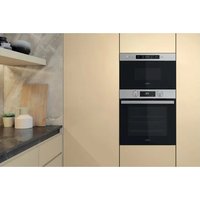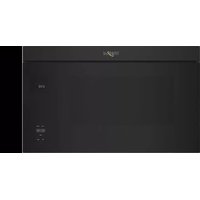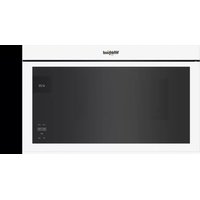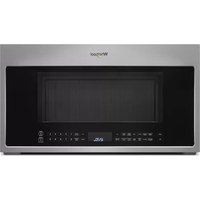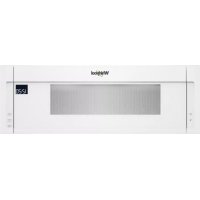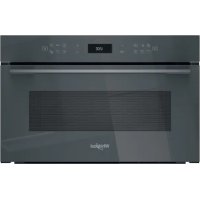
WMD7O4TSG - Microwave WHIRLPOOL - Free user manual and instructions
Find the device manual for free WMD7O4TSG WHIRLPOOL in PDF.



| Product type | Microwave oven |
| Brand | Whirlpool |
| Model | WMD7O4TSG |
| Maximum microwave power | 1000 W |
| Available power levels | 90, 160, 350, 500, 650, 800, 1000 W |
| Main functions | Microwave, Crisp, Grill, Grill + Microwave, 6th Sense Defrost, 6th Sense Reheat, 6th Sense Menu (Crisp, Cooking, Steam, Rice & Pasta), Hydraulic Self-Cleaning, Smart Clean, Timer, Lock |
| Included accessories | Glass turntable, Turntable support, Crisp plate, Crisp plate handle, Metal rack, Steam basket with lid |
| Capacity | Not specified (estimated: approx. 20-25 L) |
| Control type | Electronic with rotary knob and digital display |
| Display | Digital display |
| Defrost function | Yes (6th Sense, with program by type and weight) |
| Reheat function | Yes (6th Sense, automatic) |
| Automatic cooking function | Yes (6th Sense Menu: Crisp, Cooking, Steam, Rice & Pasta) |
| Automatic cleaning | Smart Clean (steam) and Hydraulic Self-Cleaning |
| Eco mode | Yes (reduces display brightness) |
| Demo mode | Yes (for demonstration without heating) |
| Child lock | Yes (press and hold 5 seconds) |
| Timer | Yes (independent of cooking functions) |
| Number of favorite functions | Up to 10 |
| Delayed start | Yes (via settings) |
| After-sales service | Contact Whirlpool with data plate codes |
| Available documents | User manual PDF (128 pages) and translations on request |
Frequently Asked Questions - WMD7O4TSG WHIRLPOOL
User questions about WMD7O4TSG WHIRLPOOL
0 question about this device. Answer the ones you know or ask your own.
Ask a new question about this device
Download the instructions for your Microwave in PDF format for free! Find your manual WMD7O4TSG - WHIRLPOOL and take your electronic device back in hand. On this page are published all the documents necessary for the use of your device. WMD7O4TSG by WHIRLPOOL.
USER MANUAL WMD7O4TSG WHIRLPOOL
THANK YOU FOR BUYING A WHIRLPOOL PRODUCT In order to receive a more complete assistance, please register your product on www.register10.eu

Before using the appliance carefully read the Safety Instruction.
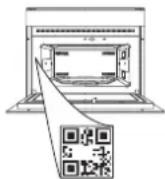
PLEASE SCAN THE QR CODE ON YOUR APPLIANCE IN ORDER TO REACH MORE INFORMATION
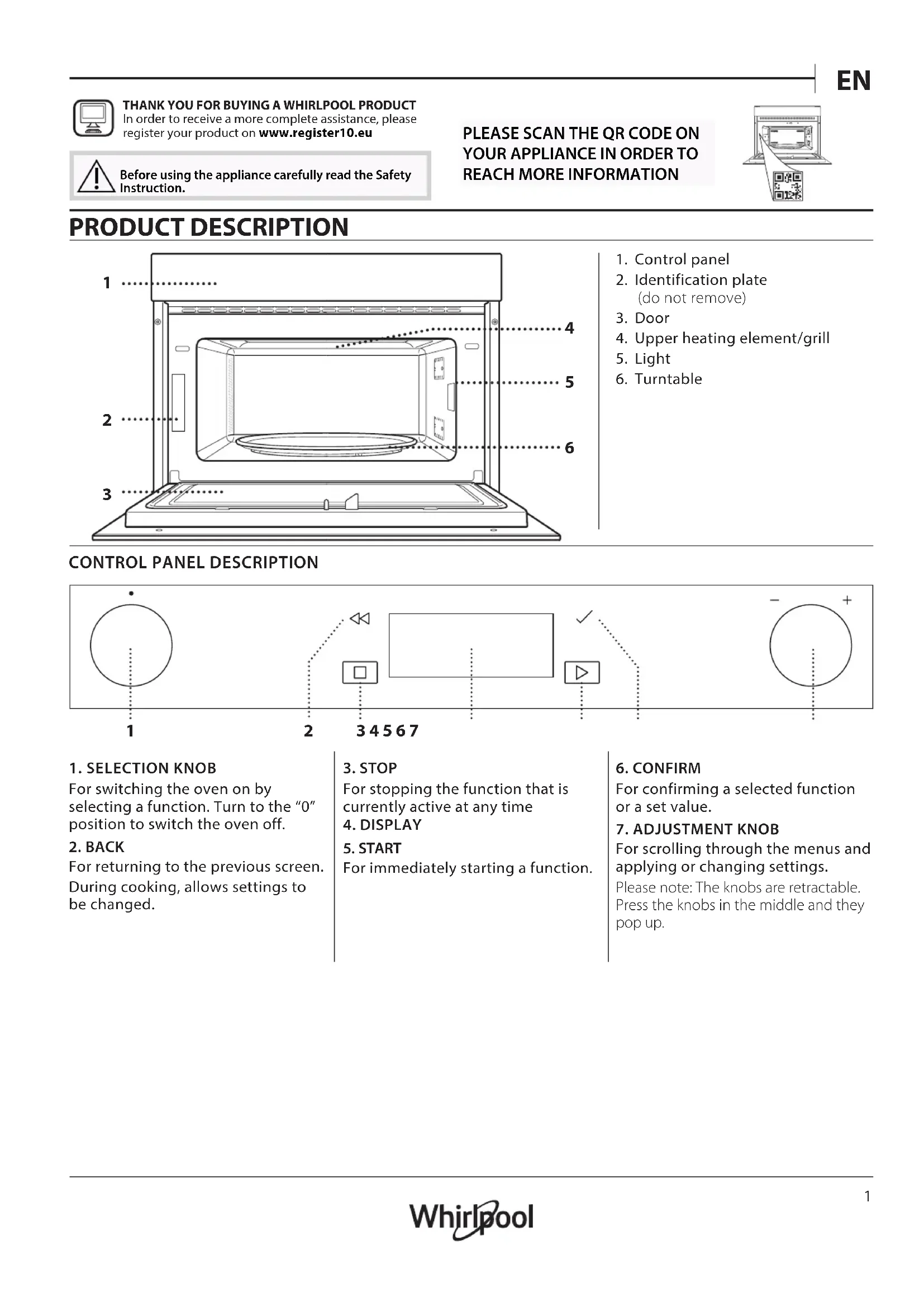
PRODUCT DESCRIPTION
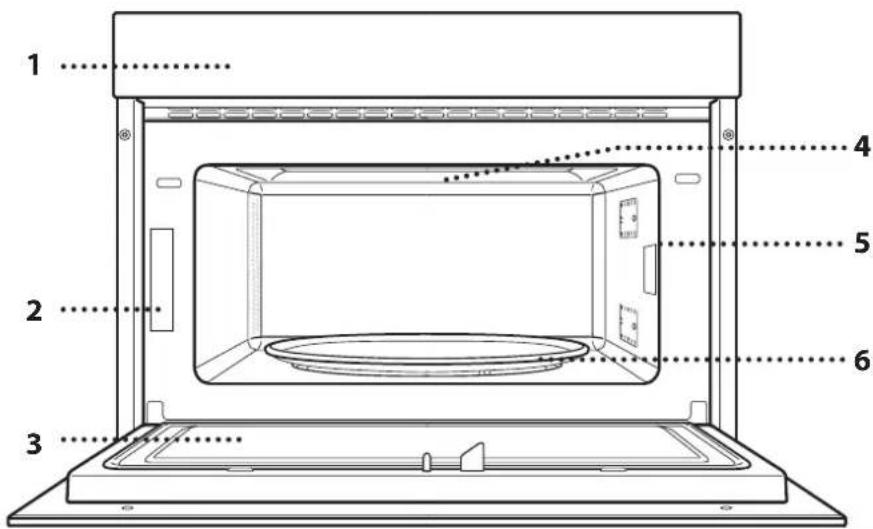
- Control panel
- Identification plate (do not remove)
- Door
- Upper heating element/grill
- Light
- Turntable
CONTROL PANEL DESCRIPTION

flowchart
graph TD
    A["•"] --> B["1"]
    B --> C["2"]
    C --> D["34567"]
    D --> E["✓"]
    E --> F["+"]
    F --> G["-"]
    G --> H["•"]
1. SELECTION KNOB
For switching the oven on by selecting a function. Turn to the "0" position to switch the oven off.
2. BACK
For returning to the previous screen. During cooking, allows settings to be changed.
3. STOP
For stopping the function that is currently active at any time
4. DISPLAY
5. START
For immediately starting a function.
6. CONFIRM
For confirming a selected function or a set value.
7. ADJUSTMENT KNOB
For scrolling through the menus and applying or changing settings.
Please note: The knobs are retractable. Press the knobs in the middle and they pop up.
ACCESSORIES
TURNTABLE
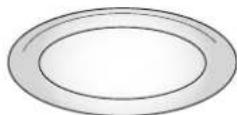
Placed on its support, the glass turntable can be used with all cooking methods.
The turntable must always be used
as a base for other containers or accessories.
TURNTABLE SUPPORT
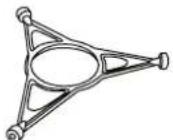
Only use the support for the glass turntable.
Do not rest other accessories on the support.
CRISP PLATE
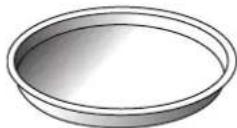
Only for use with the designated functions.
The Crisp plate must always be placed in the centre of the glass turntable and can be pre-heated
when empty, using the special function for this purpose only. Place the food directly on the Crisp plate.
HANDLE FOR CRISP PLATE
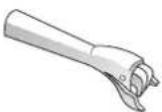
Useful for removing the hot Crisp plate from the oven.
The number and the type of accessories may vary depending on which model is purchased.
There are a number of accessories available on the market. Before you buy, ensure they are suitable for microwave use and resistant to oven temperatures.
Metallic containers for food or drink should never be used during microwave cooking.
WIRE RACK

This allows you to place food closer to the grill, for perfectly browning your dish.
Place the wire rack on the turntable, making sure that it does not come
into contact with other surfaces.
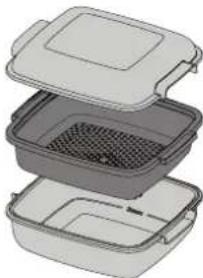
STEAMER
natural_image
3D illustration of a multi-tiered plastic container with lid open, showing internal compartments and contents (no text or symbols)To steam foods such as fish or vegetables, place these in the basket (2) and pour drinking
.....2 water (100 ml) into the bottom of the steamer (3) to achieve the right amount of steam.
....3 To boil foods such as potatoes, pasta, rice or cereals, place these directly on the bottom of the steamer (the basket is not
required) and add an appropriate amount of drinking water for the amount you are cooking.
For best results, cover the steamer with the lid (1) provided.
Always place the steamer on the glass turntable and only use it with the appropriate cooking functions, or with microwave function.
The steamer bottom has been designed also to be used in combination with the special Smart clean function.
Other accessories that are not supplied can be purchased separately from the After-sales Service.
Always ensure that foods and accessories do not come into contact with the inside walls of the oven.
Always ensure that the turntable is able to turn freely before starting the oven. Take care not to unseat the turntable whilst inserting or removing other accessories.
FUNCTIONS

MICROWAVE
For quickly cooking and reheating food or drinks.
| 1000 | Quickly reheating drinks or other foods with a high water content. |
| 800 Cooking vegetables. | |
| 650 Cooking meat and fish. | |
| 500 | Cooking meaty sauces, or sauces containing cheese or egg. Finishing off meat pies or pasta bakes. |
| 350 | Slow, gently cooking. Perfect for melting butter or chocolate. |
| 160 | Defrosting frozen foods or softening butter and cheese. |
90 Softening ice cream.
ACTION FOOD POWER (W) DURATION (min.)
| Reheat 2 cups | 1000 1 - 2 | ||
| Reheat | Mashed potatoes(1 kg) | 1000 9 - 11 | |
| Defrost | Minced Meat (500 g) | 160 | 13 - 14 |
| Cook | Sponge cake | 800 | 6 - 7 |
| Cook | Egg custard | 650 | 11 - 12 |
| Cook | Meat loaf | 800 | 18 - 20 |

CRISP
For perfectly browning a dish, both on the top and bottom of the food. This function must only be used with the special Crisp plate.
| FOOD | DURATION (min.) |
| Leavened cake | 7 - 10 |
| Hamburger | 8 - 10* |
* Turn food halfway through cooking.
Required accessories: Crisp plate, handle for the Crisp plate

GRILL
For browning, grilling and gratins. We recommend turning the food during cooking.
| FOOD | DURATION (min.) |
| Toast | 10 - 12 |
| Prawns | 18 - 22 |
Recommended accessories: Wire rack

GRILL+ MW
For quickly cooking and gratinating dishes, combining the microwave and grill functions.
| FOOD | POWER (W) | DURATION (min.) |
| Potatoes gratin | 650 | 20 - 22 |
| Roast chicken | 650 | 40 - 45 |
Recommended accessories: Wire rack

6TH SENSE DEFROST
For quickly defrosting various different types of food simply by specifying their weight. Food should be placed directly on the glass turntable, except for Crisp Bread Defrost. Turn the food when prompted
CRISP BREAD DEFROST
This exclusive function allows you to defrost frozen bread. Combining both Defrost and Crisp technologies, your bread will taste and feel as if it were freshly baked. Use this function to quickly defrost and heat frozen rolls, baguettes & croissants. The Crisp Plate must be used in combination with this function, directly placed on wire shelf.
| FOOD | WEIGHT (g) | |
 | TIMED DEFROST | - |
 | MEAT | 100 - 2000 |
 | POULTRY | 100 - 2500 |
 | FISH | 100 - 1500 |
 | CRISP BREAD DEFROST | 50 - 500 |

6TH SENSE REHEAT
For reheating ready-made food that is either frozen or at room temperature. The oven automatically calculates the settings required to achieve the best results in the shortest amount of time. Place food on a microwave-safe and heatproof dinner plate or dish.
| FOOD | WEIGHT (g) | |
 | PLATED MEAL | 250 - 500 |
 | FROZEN LASAGNA | 250 - 500 |
 | SOUP | 200 - 800 |
 | WATER | 100 - 500 |

6TH SENSE MENU
These functions automatically select the best temperature and cooking method for all types of food. CRISP
For quickly reheating and cooking frozen foods and giving them a golden, crunchy top. Only use this function with the crisp plate provided. Turn the food when prompted.
| FOOD WEIGHT (g) | |
| PIZZA [FROZEN] 200 - 800 | |
| BURGER PATTIES 200 - 600 | |
| POTATOES FRIED [FROZEN] 200 - 500 | |
| CHICKEN NUGGETS [FROZEN] 100 - 500 | |
| FISH FINGERS [FROZEN] 100 - 500 |
Required accessories: Crisp plate, handle for crisp plate
COOK
For cooking foods quickly and achieving optimal results. Use a heatproof container suitable for microwave use.
| FOOD WEIGHT (g) | |
| ROAST CHICKEN 800 - 1500 | |
| POTATOES GRATIN 200 - 1000 | |
| STUFFED VEGETABLES 200 - 800 | |
| PORK RIBS 200 - 800 | |
| SCRAMBLED EGGS 100 - 500 | |
| POPCORN 90 |
STEAM
For steam-cooking foods such as vegetables or fish, using the steamer provided. Distribute evenly the food into the steamer basket and and pour drinking water (100 ml) into the bottom of the steamer. The oven automatically calculates the settings required to achieve perfect results. During the initial part of the cooking, microwaves generate steam, bringing the water add into the bottom of the steamer to boil.
| FOOD WEIGHT (g) | ||
| 1 | ROOTS VEGETABLES STEAMED | 150 - 500 |
| 2 | SOFT VEGETABLES STEAMED | 150 - 500 |
| 3 | VEGETABLES STEAMED [FROZEN] | 150 - 500 |
| 4 | FISH FILLETS STEAMED | 150 - 500 |
| 5 | POULTRY BREAST STEAMED | 150 - 500 |
Required accessories: Steamer
RICE & PASTA
To quickly cook rice or pasta. This function must only be used in combination with the steamer.
Set recommended cook time for rice or pasta accordingly.
| FOOD | PORTIONS | WEIGHT (g) |
| RICE | 100 | |
| 200 | ||
| 300 | ||
| 400 | ||
| PASTA | 70 | |
| 140 | ||
| 210 |
Required accessories: Steamer bottom and lid

HYDRO SELF CLEAN
The action of the steam released during this special cleaning cycle allows dirt and food residues to be removed with ease. Pour a cup of drinking water into the supplied steamer bottom (3) only or on a microwave proof container and activate the function.

SETTINGS
For adjusting the oven settings.
When "ECO" mode is active the brightness of the display will be reduced to save energy and lamp switches off after 1 minute.
When "DEMO" is "On" all commands are active and menus available but the oven doesn't heat up. To deactivate this mode, access "DEMO" from "SETTINGS" menu and select "Off". By selecting "FACTORY RESET", the product switches off and then it returns to first switch on. All settings will be deleted.

FAVORITES
For retrieving the list of 10 favorite functions.
FIRST TIME USE
1. SELECT THE LANGUAGE
You will need to set the language and the time when you switch on the appliance for the first time: "English" will show on the display.
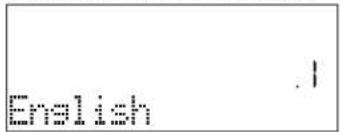
Turn the adjustment knob to scroll through the list of available languages and select the one you require. Press √ to confirm your selection.
Please note: The language can subsequently be changed by selecting "LANGUAGE" in "SETTINGS" menu.
2. SET THE TIME
After selecting the power, you will need to set the current time: The two digits for the hour will flash on the display.
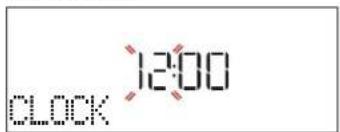
Turn the adjustment knob to set the current hour and
DAILY USE
1. SELECT A FUNCTION
Turn the selection knob to switch on the oven and show the function you require on the display.
To select an item from a menu (the display will show the first available item), turn the adjustment knob until the item you require is shown.
The display will show the name of the function and its basic settings: Press √ to confirm.
![[ ] - - - w GRILL+MU](/content/2026/03/523068/images/ed670990197e220b1653d7b87e0eda1659afb82232cd5cc315dcd4a755c142c2.jpg)
2. SET THE FUNCTION
After having selected the function you require, you can change its settings. The display will show the settings that can be changed in sequence. Pressing ◀ allows you to change the previous setting again.
POWER
![[ ] 800_w MW POWER](/content/2026/03/523068/images/3a8bb56c1eb81b5c7ab9cad304bd382acaa19d7f958dc0c520b0d02e459fd9b3.jpg)
When the value flashes on the display, turn the adjustment knob to change it, then press √ to confirm and continue with the settings that follow (if possible). press : The two digits for the minutes will flash on the display. Turn the adjustment knob to set the minutes and press √ to confirm.
Please note: You may need to set the time again following lengthy power outages. Select "CLOCK" in "SETTINGS" menu.
3. CLEAN THE OVEN
A new oven may release odours that have been left behind during manufacturing: this is completely normal. Before starting to cook food, we therefore recommend cleaning the oven with it empty in order to remove any possible odours.
Remove any protective cardboard or transparent film from the oven and remove any accessories from inside it.
Activate the "Smart Clean" function. Follow the instructions for setting the function correctly.
Please note: It is advisable to air the room after using the appliance for the first time.
DURATION
![[ ] - - : - - s DURATION](/content/2026/03/523068/images/7edf6f083f1ece7ecef1dcc99baa0424b59a4d2bdb37543ad1a8fc45beab44aa.jpg)
When the icon flashes on the display, turn the adjustment knob to set the cooking time you require and then press √ to confirm.
Please note: You can adjust the cooking time that has been set during cooking by pressing ◀: turn the adjustment knob to amend it and then press √ to confirm.
In non-microwave functions you do not have to set the cooking time if you want to manage cooking manually (untimed): Press √ or to confirm and start the function.
By selecting this mode, you cannot program a delayed start.
. 6 ^th SENSE
These functions automatically select the best cooking mode, power and duration for all the dishes available.
When required, simply indicate the characteristic of food to obtain an optimal result.
WEIGHT / PORTIONS
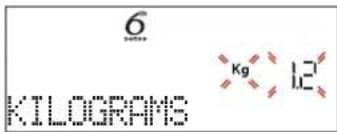
To set the function correctly, follow the indications on the display, when prompted, and turn the adjustment
knob to set the required value then press to confirm.
DONENESS
In 6^th Sense functions it is possible to adjust the doneness level.
![[ ] 6 DONENESS](/content/2026/03/523068/images/ba9ff15176be171478e60b44228ec431249cc7bf026f920bbc1d7a98d56b28e4.jpg)
When prompted, turn the adjustment knob to select the desired level between Light/Low (-1) and Extra/High (+1). Press √ or to confirm and start the function.
3. ACTIVATE THE FUNCTION
At any time, if the default values are those desired or once you have applied the settings you require, press ▶ to activate the function.
Every time the ▶ is pressed again, the cooking time will be increased by a further 30 seconds (5 minutes steps In functions which do not activate the microwave).
During the delay phase, by pressing ▶ the oven will ask if you want to skip this phase, starting immediately the function.
Please note: At any time you can stop the function that has been activated by pressing
JET START
When the oven is switched off, press ▶ to activate cooking with the microwave function set at full power (1000 W) for 30 seconds.
4. PAUSE COOKING / TURN OR STIR FOOD
PAUSE
By opening the door, the cooking will be temporarily paused through deactivating heating elements.
To resume the cooking, close the door and press ▶.
Please note: During "6 ^th Sense" functions open the door only when prompted.
TURN OR STIR FOOD
Some 6 ^th Sense Cook recipes will require to turn or stir the food during cooking.
![[ ] 100 180°C TURN FOOD](/content/2026/03/523068/images/a8a7107a27a0282108eb0aac54db39ce739a508f298559d54790a53940019fe7.jpg)
An audible signal will sound and the display shows the action to be done.
Open the door, do the action prompted by the display and close the door, then press ▶ to continue cooking.
Please note: When turning or stirring is needed, after 2 minutes, even if no action is performed, the oven will resume the cooking.
5. END OF COOKING
An audible signal will sound and the display will indicate that cooking is complete.
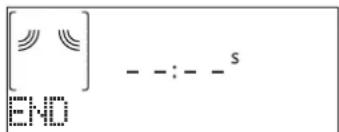
Press to continue cooking in manual mode adding time in steps of 30 seconds (in microwave functions) or 5 minutes (without microwave) or turn the adjustment knob to extend the cooking time by setting a new duration. In both cases, the cooking parameters will be retained.
By pressing √ or the cooking starts again.
. FAVORITES
To make the oven easier to use, it can save up to 10 of your favorite functions.
Once cooking is complete the display will prompt you to save the function in a number between 1 and 10 on your list of favorites.
![[ ] _ _ _ _ s ADD FAVORITE?](/content/2026/03/523068/images/f3d06f85b205f4a040417c6510fa623b36bf5ce9b4a026d515327fde9efcc743.jpg)
If you would like to save a function as a favorite and store the current settings for future use, press √ otherwise, to ignore the request press ◀◀
Once √ has been pressed, turn the adjustment knob to select the number position, then press √ to confirm.
Please note: If the memory is full or the number chosen has already been taken, the oven will ask you to confirm overwriting the previous function.
To call up the functions you have saved at a later time, turn the selection knob on "FAVORITE": The display will show your list of favorite functions.
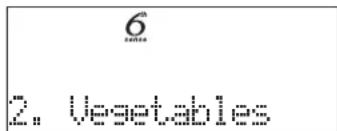
Turn the adjustment knob to select the function, confirm by pressing √, and then press to activate.
. SMART CLEAN
Remove all accessories (with the exception of the glass turntable) from the microwave oven before activating the function.
Turn the selection knob to access the "Smart clean" function.
![[ ] 10:00 Smart Clean](/content/2026/03/523068/images/971398ccf0d615e2449d67f5368037f1cb20e1ccf9c3b202c0c17379773f6164.jpg)
Press to activate the cleaning function: the display will prompt in sequence actions to be performed before starting the cleaning. Press √ anytime when done.
When required, pour a cup of drinking water into the supplied steamer bottom or in a microwave resistant container, then close the door.
After the last confirmation, press ▶ to start the
cleaning cycle.
Once finished, remove the container, finish the cleaning with the help of a smooth cloth and then dry the oven cavity using a damp microfibre cloth.
. MINUTEMINDER
When the oven is switched off, the display can be used as a timer. To activate this function, make sure that the oven is switched off and turn the adjustment knob: The ⏻ icon will flash on the display.
Turn the adjustment knob to set the length of time you require and then press √ to activate the timer.
An audible signal will sound and the display will indicate once the minuteminder has finished counting down the selected time.
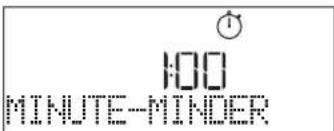
Once the minuteminder has been activated, you can also select and activate a function. Turn the selection knob to select the function you require.
Once the function has started, the timer will continue to count down independently without interfering with the function itself.
During this phase, it isn't possible to see the minuteminder (only the ⏻ icon will be displayed), that will continue counting down in background. To retrieve the minuteminder screen press □ to stop the function that is currently active.
. KEYLOCK
To lock the keypad, press and hold for at least five seconds. Do this again to unlock the keypad.
![[ ] 0:30 KEYLOCK](/content/2026/03/523068/images/be0b542f333fbd846d45bca8d576c12681ebb6b827ba228725483a6d933c39a2.jpg)
Please note: This function can also be activated during cooking. For safety reasons, the oven can be switched off at any time.
CLEANING
Make sure that the appliance has cooled down before carrying out any maintenance or cleaning.
Never use steam cleaning equipment.
Do not use wire wool, abrasive scourers or abrasive/corrosive cleaning agents, as these could damage the surfaces of the appliance.
INTERIOR AND EXTERIOR SURFACES
- Clean the surfaces with a damp microfibre cloth. If they are very dirty, add a few drops of pH-neutral detergent. Finish off with a dry cloth.
- Clean the glass in the door with a suitable liquid detergent.
- At regular intervals, or in case of spills, remove the turntable and its support to clean the bottom of the oven, removing all food residue.
- Activate the "Smart Clean" function for an optimum cleaning of the internal surfaces.
- The grill does not need to be cleaned as the intense heat burns away any dirt. Use this function on a regular basis.
ACCESSORIES
All accessories are dishwasher safe with the exception of the Crisp plate.
The Crisp plate should be cleaned using water and a mild detergent. For stubborn dirt, rub gently with a cloth. Always leave the Crisp plate to cool down before cleaning.
TROUBLESHOOTING
| Problem Possible cause Solution | ||
| The oven is not working. | Power cut.Disconnection from the mains. | Check for the presence of mains electrical power and whether the oven is connected to the electricity supply.Turn off the oven and restart it to see if the fault persists. |
| The oven makes noises, even when it is switched off. | Cooling fan active. | Open the door or hold or wait until the cooling process has finished. |
| The display shows the letter “F” followed by a number. | Software fault. | Contact the Call Center and state the number following the letter “F”. |
Policies, standard documentation and additional product information can be found by:
• Using the QR on your product
- Visiting our website docs.whirlpool.eu
• Alternatively, contact our After-sales Service (See phone number in the warranty booklet). When contacting our After-sales Service, please state the codes provided on your product's identification plate.

DANKE, DASS SIE SICH FÜR EIN WHIRLPOOL-PRODUKT ENTSCHIEDEN HABEN
natural_image
3D illustration of a multi-tiered plastic container with lid, showing internal compartments and contents (no text or symbols)MERCI D'AVOIR CHOISI UN PRODUIT WHIRLPOOL
natural_image
3D illustration of a multi-tiered plastic food container with lid, showing interior and exterior views (no text or symbols)natural_image
3D illustration of a multi-tiered plastic waste container with lid, showing internal compartments and storage (no text or symbols)natural_image
3D illustration of a multi-tiered plastic food container with lid, showing interior compartments and storage (no text or symbols)natural_image
3D illustration of a multi-tiered plastic container with lid open, showing internal compartments and contents (no text or symbols)natural_image
3D illustration of a multi-tiered plastic food container with lid and side compartments (no text or symbols)natural_image
Illustration of a multi-tiered plastic food container with lid and side compartments (no text or symbols)TAK FORDI DU HAR K∅BT ET WHIRLPOOL PRODUKT
natural_image
3D illustration of a multi-tiered plastic container with lid open, showing internal compartments and contents (no text or symbols)Anbring disse i kurven (2) og ....1 hæld vand (100 ml) i bunden af dampkogeren (3) for at opnå
natural_image
Stacked plastic food containers with lid, showing interior compartments and mesh texture (no text or symbols)natural_image
3D illustration of a multi-tiered plastic container with lid open, showing internal compartments and mesh texture (no text or symbols)natural_image
3D illustration of a multi-tiered plastic container with lid open, showing internal mesh structure (no text or symbols)natural_image
3D illustration of a multi-tiered plastic container with lid open, showing internal compartments and contents (no text or symbols)VĂ MULȚUMIM CĂ AȚI ACHIZIȚIONAT UN PRODUS WHIRLPOOL
natural_image
Stacked diagram of a multi-compartment food storage unit with lid and side compartments (no text or symbols)natural_image
3D illustration of a multi-tiered plastic container with lid, showing internal mesh structure (no text or symbols)TACK FÖR ATT DU HAR KÖPT EN PRODUKT FRÅN WHIRLPOOL
flowchart
graph TD
    A["Circle"] --> B["Square"]
    B --> C["Rectangle"]
    C --> D["Downward Arrow"]
    D --> E["Circle with plus sign"]
    style A fill:#fff,stroke:#000
    style B fill:#fff,stroke:#000
    style C fill:#fff,stroke:#000
    style D fill:#fff,stroke:#000
    style E fill:#fff,stroke:#000