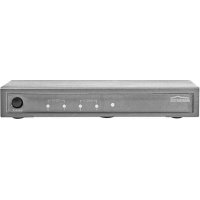
Split 422 - Splitter MARMITEK - Free user manual and instructions
Find the device manual for free Split 422 MARMITEK in PDF.



| Product type | Active HDMI splitter |
| Brand | Marmitek |
| Model | Split 422 |
| Dimensions (HxWxD) | 155 x 70 x 25 mm |
| Weight | 260 g |
| Power supply | External power adapter 5V DC / 2A (input 100-240V AC) |
| Number of HDMI inputs | 2 (built-in switch) |
| Number of HDMI outputs | 2 |
| Supported resolutions | 480i, 480p, 576i, 576p, 720p, 1080i, 1080p, 1920x1200 (PC) |
| Supported 3D formats | 1080p@23.98/24Hz, 720p@59.94/60/50Hz |
| Maximum pixel frequency | 225 MHz |
| Bit rate per link | 2.25 Gbps |
| Maximum video data rate | 6.75 Gbps |
| Maximum HDMI cable length | 15 meters |
| Main features | HDMI distribution 1 to 2, 2-input switch, signal repeater/equalizer, compatible with Full HD 1080p and 3D, Deep Color 36-bit, Dolby TrueHD, DTS HD Master Audio, Lip-Sync, CEC |
| Enclosure | Metal (interference shielding) |
| Operating temperature | 0 to +70 °C |
| Ambient humidity | 10% to 85% |
| Maintenance and cleaning | Clean with a dry cloth. Do not use liquids or aerosols. |
| Safety precautions | Indoor use only. Do not expose to moisture. Do not open the enclosure. Keep out of reach of children. Unplug during thunderstorms. |
| Spare parts and repairability | No user-serviceable parts. Contact the supplier for any repairs. |
Frequently Asked Questions - Split 422 MARMITEK
User questions about Split 422 MARMITEK
0 question about this device. Answer the ones you know or ask your own.
Ask a new question about this device
Download the instructions for your Splitter in PDF format for free! Find your manual Split 422 - MARMITEK and take your electronic device back in hand. On this page are published all the documents necessary for the use of your device. Split 422 by MARMITEK.
USER MANUAL Split 422 MARMITEK
- To prevent short circuits, this product should only be used inside and only in dry spaces. Do not expose the components to rain or moisture. Do not use the product close to a bath, swimming pool etc.
- Do not expose the components of your systems to extremely high temperatures or bright light sources.
- In case of improper usage or if you have altered and repaired the product yourself, all guarantees expire. Marmitek does not accept responsibility in the case of improper usage of the product or when the product is used for purposes other than specified. Marmitek does not accept responsibility for additional damage other than covered by the legal product responsibility.
- This product is not a toy. Keep out of reach of children.
- Do not open the product: the device may contain live parts. The product should only be repaired or serviced by a qualified expert.
- Only connect the adapter to the mains after checking whether the mains voltage is the same as the values on the identification tags. Never connect an adapter or power cord when it is damaged. In that case, contact your supplier.
1 INTRODUCTION
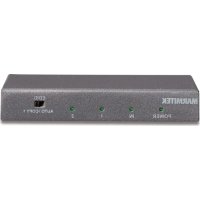
Congratulations on your purchase of the Marmitek Split 422! This active HDMI splitter connects HD screens (e.g. HDTV and HD projector) with one HDMI source (Blu-ray Player, HD set-top box, PlayStation3, Xbox 360, etc.). In contrast to passive HDMI splitters, this is done without any signal or encryption loss and while retaining optimum image quality. It is also ideal for use in combination with an HDMI extender (e.g. to another room). The Split 422 supports Full HD 1080p and 3D (so is suitable for use with your own 3D equipment).
Marmitek products are manufactured with great care and are of the highest quality. Please read this manual carefully and follow the instructions to ensure you make the most of the opportunities offered by this product.
2 CONTENT
1x HDMI splitter
1x Power adapter
1x HDMI cable
1x Usage instructions
3 ADVANTAGES
- For connecting gaming computers such as PlayStations and Xbox, Blu-ray Players, satellite receivers and all other HDMI devices.
• Built-in HDMI switcher makes it easy to switch between the 2 connected HDMI sources. - Suitable for Full HD 1080p and all 3D formats.
- With built-in repeater and equalizer for correcting any signal loss, allowing you to connect up to 15 metres of HDMI cable to the output.
- No interruptions because solid metal, interference-free, top quality housing is used.
• HDMI certified by ATC (Authorized Test Centers). - Meets HDCP norms (High-bandwidth Digital Content Protection).
HDMI v1.3 PROPERTIES
• Video bandwidth 225 MHz (enables image to be provided in 1080p, 12-bit and 60Hz)
• 3D (suitable for use with your own 3D equipment).
- Deep Color 36-bit (billions instead of millions of colours, better reproduction of subtle gradation variances and higher contrasts).
- Dolby TrueHD & DTS HD Master Audio (high quality audio support).
- Lip-Sync (prevents synchronisation problems between image and sound).
- CEC (operate numerous CEC devices with one remote control).
4 INSTALLATION
![graph TD A["HD SET TOP BOX"] --> B["Blu Ray / DVD"] A --> C["SATELLITE / DECODER"] A --> D["PC / MOVIE BOX"] B --> E["Computer"] C --> E D --> E E --> F["HD TV or 3D TV"]](/content/2026/03/521565/images/a9887cb8c572bed77f32da32f2466cfbc2e196ebbba32f9ada43a9abf524a79a.jpg)
- Connect the HDMI sources to the 'input' on the Split422 via HDMI cables.
- Connect the HDMI screens (HDTV or HD projector) to the Split 422's 'output' via HDMI cables.
- Connect the power adapter to the Split 422 and plug into the socket.
Tip for installation:
Only use High Speed HDMI® certified cables for the best picture and sound quality. Do not use much force to connect or disconnect the HDMI cables otherwise they may become damaged.
5 USE
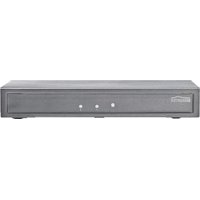
The maximum resolution that can be used is entirely dependent on the HDMI source and the connected HDMI screens. The resolution of the HDMI source must be set so that both HDMI screens support it. Check the instructions for the connected HDMI equipment to verify the maximum supported resolution and how this can be set. Once all equipment is connected and set in the correct way, switch everything off and then on again. Select the correct HDMI input on your HDMI screen and you should then see the same signal on each screen, with the same resolution. The 'Select' button on the front of the Split422 can be used to manually switch between the two HDMI sources. Both HDMI screens will switch to the same HDMI source.
Tip for usage:
Ensure that the HDMI source and screens fully support the HDCP protocol in order to prevent any problems.
6 FREQUENTLY ASKED QUESTIONS
No (or bad) image and sound
If you see a bad image or no image at all after connecting the HDMI splitter, try to establish what the problem is by connecting your devices, one by one, to your screen (TV, monitor or projector). This will allow you to establish whether the problem lies in the HDMI sources, the HDMI cables, the HDMI splitter or the screen. HDMI equipment that has not been tested and certified by ATC (Authorized Test Centers) may cause image and sound problems.
- Check whether the Split 422's power adapter is connected and plugged in;
- Only use High Speed HDMI® certified cables for the best picture and sound quality;
- Do not use HDMI cables that are longer than specified in the technical data;
- Check whether the HDMI cables and/or connectors are damaged;
- Both the HDMI source as well as your screen must fully support HDMI;
- Check whether your HDMI sources and screen support HDCP (High-bandwidth Digital Content Protection).
No proper 3D picture
- Check whether the HDMI source has been set to 3D and/or that this is set to automatic.
- Both the HDMI source as well as the HD screen must support the same 3D formats.
- Check whether the proper 3D picture is reproduced by directly connecting the HDMI source to the screen with an HDMI cable.
Do you have a question that has not been answered here? Then have a look at www.marmitek.com
7 TECHNICAL DATA
Resolution
Supported HDTV Resolutions 480i, 480p, 576i, 576p, 720p, 1080i, 1080p Supported PC Resolution (max.) 1920x1200 Supported 3D formats 1080p@23.98/24 Hz, 720p@59.94/60/50 Hz Maximum Pixel Frequency (max.) 225MHz Single link Bit Rate (max.) 2.25Gbps Video Data Rate (max.) 6.75Gbps Output Video HDMI HDCP1.0/1.1
Inputs and outputs
HDMI Input (19-pin female) 2 HDMI HDMI Output (19-pin female) 2 HDMI Maximum HDMI cable length 15m
Splitter housing
Dimensions (HxWxD) 155x70x25mm Weight 260g
Environment
Ambient temperature +0 to +70°C Ambient humidity 10% up to 85%
Power
External power adapter Input: 100-240VAC @50-60Hz Output: 5VDC @ 2A
Specifications may be modified without prior notice.
8 ALSO AVAILABLE
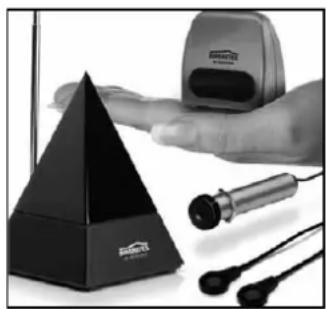
Infrared extension
Marmitek offers several products to operate your devices, even when these are placed in a closed cupboard or in a different room. This as well wired as wireless. More information about these so called infrared extenders can be found at www.marmitek.com.
Connecting multiple devices
You want to connect multiple A/V devices? With the Marmitek Connect series you can connect all your devices with just one cable, retaining quality. More information about this so called switchgear can be found at www.marmitek.com.

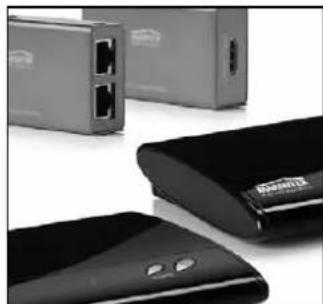
Watch Anywhere
To watch the content of your HD devices anywhere, even in another room, you can choose for Marmitek's wired or wireless AV solutions. Using the built-in infrared extender, you can operate your devices through walls and floors. More information about these so called HDMI transmitters can be found at www.marmitek.com


Environmental Information for Customers in the European Union
European Directive 2002/96/EC requires that the equipment bearing this symbol on the product and/or its packaging must not be disposed of with unsorted municipal waste. The symbol indicates that this product should be disposed of separately from regular household waste streams. It is your responsibility to dispose of this and other electric and electronic equipment via designated collection facilities appointed by the government or local authorities. Correct disposal and recycling will help prevent potential negative consequences to the environment and human health. For more detailed information about the disposal of your old equipment, please contact your local authorities, waste disposal service, or the shop where you purchased the product.
SICHERHEITSHINWEISE
Tipps zur Installation:


Regarder partout


Dimensioni (A x L x P) 155x75x25mm
Peso 260g
Ambiente
Temperatura ambientale +0 ai +70°C
Guardare ovunque

VEILIGHEIDSWAARSCHUWINGEN

DECLARATION OF CONFORMITY
Hereby, Marmitek BV, declares that this Split 422 is in compliance with the essential requirements and other relevant provisions of the following Directives:
Directive 2004/108/ec of the european parliament and of the council of 15 December 2004 on the approximation of the laws of the Member States relating to electromagnetic compatibility
Directive 2006/95/EC of the European Parliament and of the Council of 12 December 2006 on the harmonisation of the laws of Member States relating to electrical equipment designed for use within certain voltage limits
Directive 2002/95/EC of the European Parliament and of the Council of 27 January 2003 on the restriction of the use of certain hazardous substances in electrical and electronic equipment
Commission Regulation (EC) No 278/2009 of 6 April 2009 implementing Directive 2005/32/EC of the European Parliament and of the Council with regard to ecodesign requirements for no-load condition electric power consumption and average active efficiency of external power supplies

- 1 INTRODUCTION
- 2 CONTENT
- 3 ADVANTAGES
- HDMI V1.3 PROPERTIES
- 4 INSTALLATION
- TIP FOR INSTALLATION
- 5 USE
- TIP FOR USAGE
- 6 FREQUENTLY ASKED QUESTIONS
- NO (OR BAD) IMAGE AND SOUND
- NO PROPER 3D PICTURE
- 7 TECHNICAL DATA
- RESOLUTION
- INPUTS AND OUTPUTS
- SPLITTER HOUSING
- ENVIRONMENT
- POWER
- 8 ALSO AVAILABLE
- INFRARED EXTENSION
- CONNECTING MULTIPLE DEVICES
- WATCH ANYWHERE
- ENVIRONMENTAL INFORMATION FOR CUSTOMERS IN THE EUROPEAN UNION
- SICHERHEITSHINWEISE
- TIPPS ZUR INSTALLATION
- REGARDER PARTOUT
- AMBIENTE
- GUARDARE OVUNQUE
- VEILIGHEIDSWAARSCHUWINGEN
- DECLARATION OF CONFORMITY
- HEREBY, MARMITEK BV, DECLARES THAT THIS SPLIT 422 IS IN COMPLIANCE WITH THE ESSENTIAL REQUIREMENTS AND OTHER RELEVANT PROVISIONS OF THE FOLLOWING DIRECTIVES
Brand : MARMITEK
Model : Split 422
Category : Splitter