
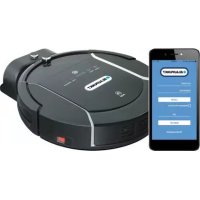
Bluebot XVAC - Robot vacuum BLAUPUNKT - Free user manual and instructions
Find the device manual for free Bluebot XVAC BLAUPUNKT in PDF.
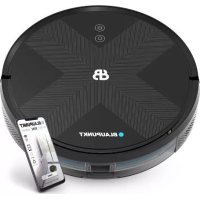



| Product type | Robot vacuum cleaner |
| Brand | Blaupunkt |
| Model | Bluebot XVAC |
| Robot dimensions | 350 × 350 × 80 mm |
| Robot weight | 3.0 kg |
| Battery | Lithium-ion 2600 mAh, 14.4 V |
| Rated power | 25 W |
| Charging station | Dimensions 160 × 143 × 80 mm, power 11.4 W |
| Filtration | Gauze, sponge and HEPA filter |
| Connectivity | Wi-Fi 2.4 GHz and Bluetooth |
| Mobile app | Bluebot (iOS and Android) |
| Navigation | Zigzag cleaning and random mode |
| Sensors | 3 drop sensors, infrared obstacle avoidance sensor, edge sensor |
| Cleaning modes | Automatic, spot, scheduled, random (for carpets) |
| Scheduling | Scheduled cleaning via the app |
| Auto return | To the charging station when battery is below 20% or at end of cycle |
| Suction power adjustment | Silent, standard, high (via app) |
| Side brush | 2 brushes (L and R), replacement recommended every 3 to 6 months |
| Main brush | Removable for regular cleaning |
| Safety | Drop sensors, do not use on stairs without barrier, do not use outdoors |
| Warranty | 2 years against manufacturing defects |
| Package contents | Robot, charging station, power cord, side brushes, instruction manual |
Frequently Asked Questions - Bluebot XVAC BLAUPUNKT
User questions about Bluebot XVAC BLAUPUNKT
0 question about this device. Answer the ones you know or ask your own.
Ask a new question about this device
Download the instructions for your Robot vacuum in PDF format for free! Find your manual Bluebot XVAC - BLAUPUNKT and take your electronic device back in hand. On this page are published all the documents necessary for the use of your device. Bluebot XVAC by BLAUPUNKT.
USER MANUAL Bluebot XVAC BLAUPUNKT
THANKS FOR CHOOSING BLAUPUNKT BLUEBOT XVAC

GENERAL SAFETY REGULATIONS
- Before using this product, please read the following safety instructions and follow all routine safety precautions.
- Please read the instructions carefully, and please keep the instructions.
- Any operation inconsistent with this instruction manual may cause damage to this product.
!NOTE!
- Only authorized technicians can disassemble this product. Users are not recommended to disassemble this product by themselves.
- This product can only use the power adapter provided by the factory. If other adapters are used, the product may be damaged.
- Do not touch wires, sockets, or power adapters when your hands are wet.
- Do not use cloth curtains or body parts to roll into the product's drive wheels.
- Do not place this product near cigarette butts, lighters, and other smoldering fires.
- Please clean the product after charging.
- Do not bend wires excessively or place heavy objects and sharp objects on the machine.
- This product is an indoor household product. Do not use it outdoors.
- Do not sit on the product.
- Do not use this product in wet environments (e.g., bathrooms).
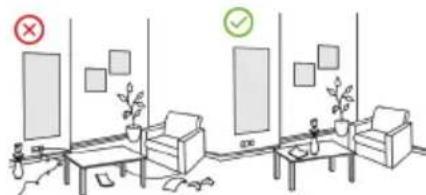
- Before using this product, remove all fragile items (e.g., glasses, lamps) from the floor, as well as items (e.g., wires, paper sheets, curtains) that may entangle the side brushes or block the air suction passages.
- Do not place this product in locations where it could easily fall (e.g., on desks or chairs).
- Before use, carefully check that the power adapter is properly connected to the socket; otherwise, the battery may be damaged.
- To prevent tripping, inform other household members when this product is in operation.
- If the dust box is full, empty it before using this product.
- This product is designed for use in temperatures ranging from 0 to 40 degrees Celsius.
- Do not use this product in high-temperature environments.
- Before disposing of the product, remove the battery from the machine.
- Ensure that the product is powered off before removing the battery.
- Dispose of used batteries in an environmentally responsible manner.
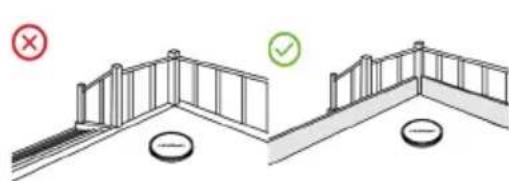
- It is recommended to block stairways or areas where the robot could fall. The anti-drop sensors help prevent the robot from tumbling down stairs or steep drops, but they may be less effective when dirty or when used on reflective or very dark-colored floors.
WARNING: 1. Use only
- Use only the original rechargeable battery and charging dock provided by the manufacturer. Non-rechargeable batteries are strictly prohibited. Refer to the "Product Parameters" section for battery specifications.
- Do not use the product near burning or extremely hot objects, such as a fireplace.
- It is forbidden to use products in environments with open flames or fragile objects.
- It is forbidden to use products in extremely hot (above 40°C) or extremely cold (below 0°C) conditions.
- It is forbidden to approach human hair, clothes, fingers, and other body parts to the opening and operating parts of the product.
- It is forbidden to use products on wet or stagnant ground.
- It is forbidden for products to absorb any articles such as stones and waste paper that may clog products.
- It is forbidden for products to absorb any inflammable substances, such as petrol, toner, and toner for printers or photocopiers. Prohibit the use of products in clean areas with flammable items.
- It is forbidden for products to absorb any burning articles, such as cigarettes, matches, ashes, and other articles that may cause fire.
- It is forbidden to place articles at the suction opening. Do not use the product when the suction port is blocked. Clean up dust, cotton wool, hair, etc. at the suction opening to ensure smooth air circulation at the suction opening.
- Use the power cord carefully to avoid damage. It is forbidden to use the power cord to drag or pull the product and the product charging seat. It is forbidden to use the power cord as a handle. It is forbidden to clamp the power cord in the crack of the door. It is forbidden to pull the power cord at sharp corners and edges. It is forbidden for the product to run over the power cord, and the power cord should be kept away from heat sources.
- Do not use a damaged charging seat.
- Even if the product has been severely damaged, burning the product is prohibited, as it may lead to an explosion of the product's battery.
PRODUCT COMPOSITION / PACKAGE CONTENTS
Instruction manual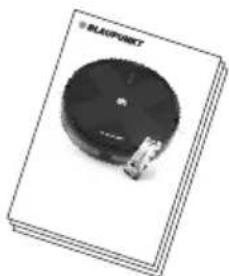
Charging station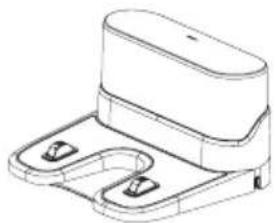
Remote control (incl. Battery x2)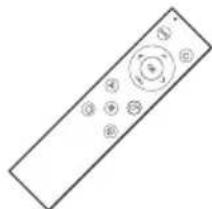
Dustbin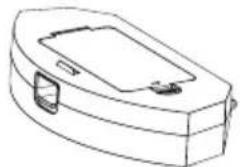
Robot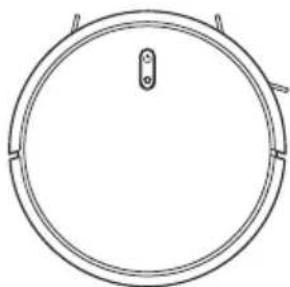
Side brush x4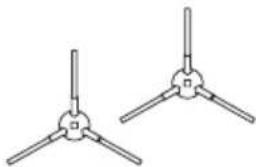
Adapter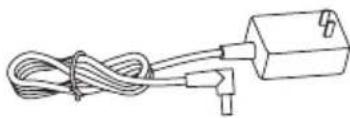
Cleaning brush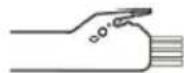
Magnetic strip
Hepa filter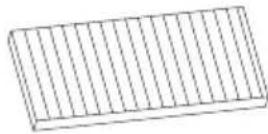
PRODUCT COMPOSITION / PART NAME
Front robot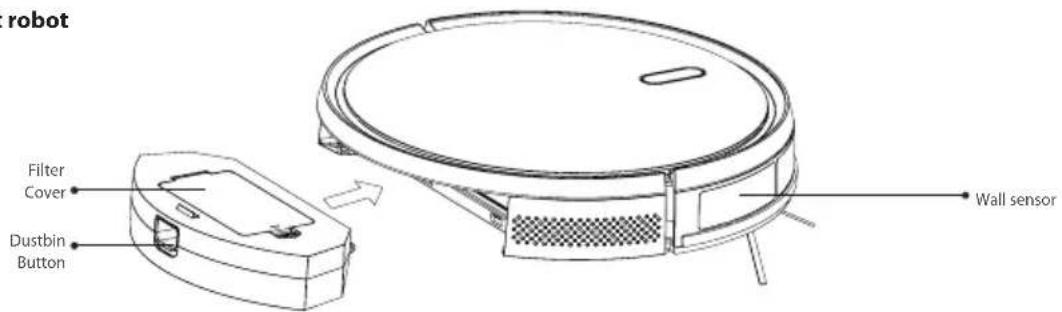
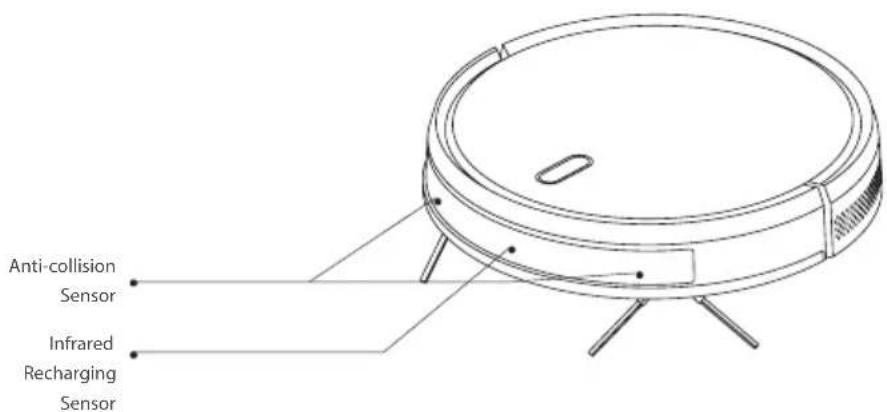
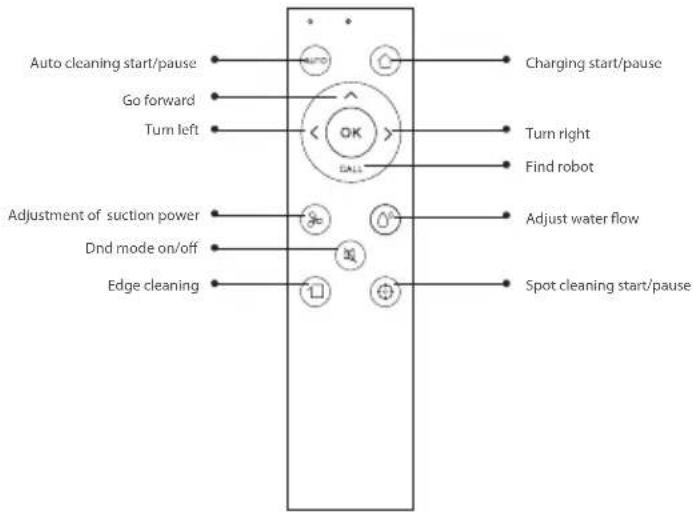
ROBOT REMOTE CONTROL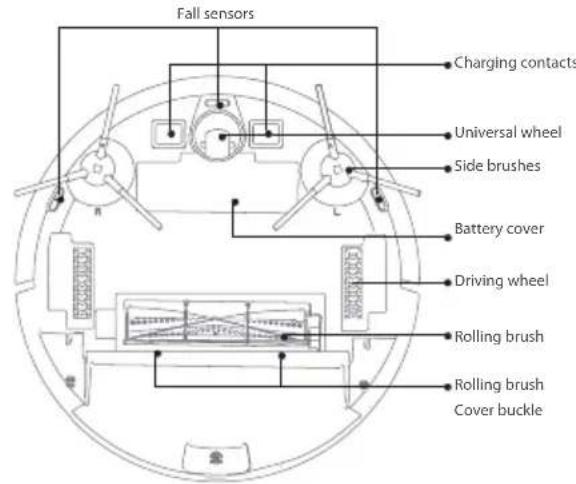
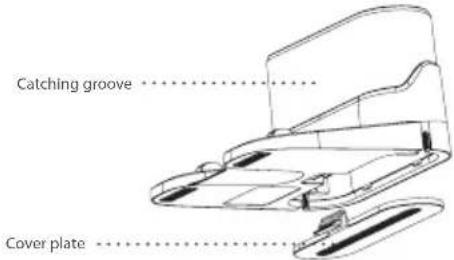
CHARGING STATION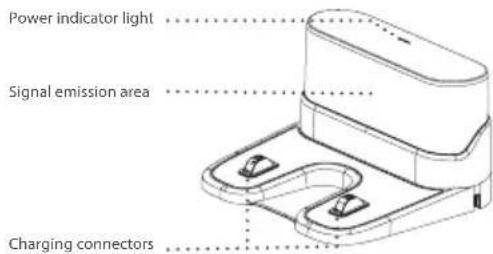
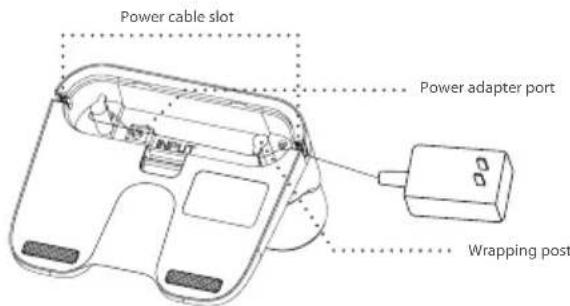
FUNCTIONS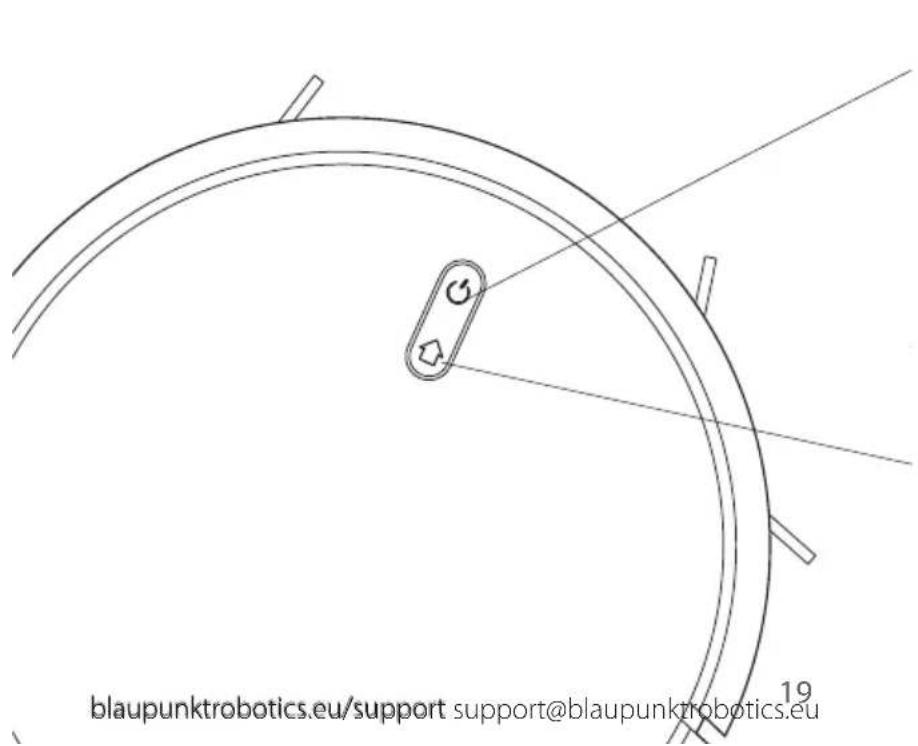
CLEANING ON &OFF
- Short press to start clean/pause
- Long press for 3secs for on/off
- Blue: normal operation or charging. Red: abnormal condition or low battery.
- Purple: robot is not connected to the network.
RESET WIFI
- Press the two buttons simultaneously for 3 seconds.
INSTALLATION INSTRUCTIONS
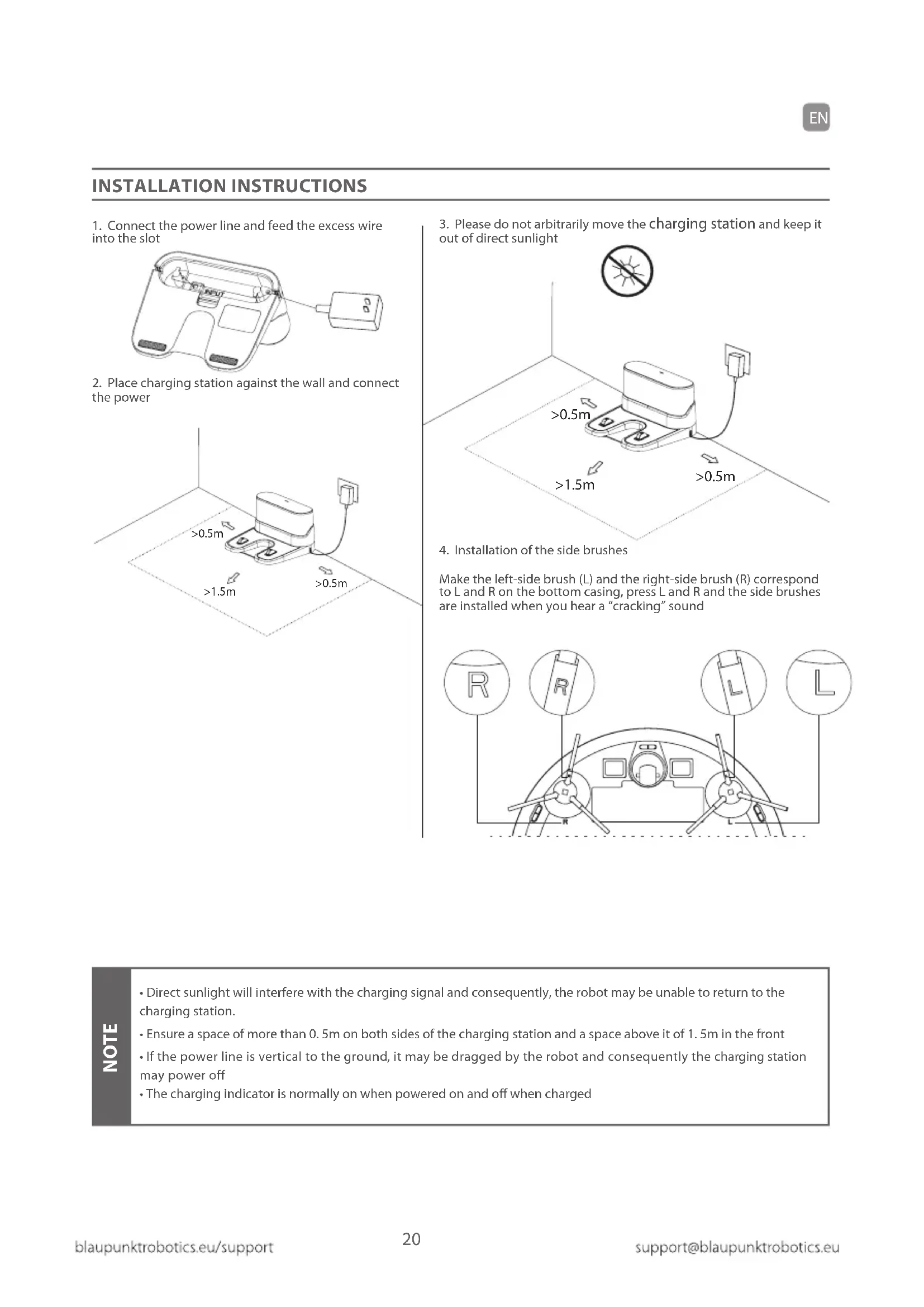
- Connect the power line and feed the excess wire into the slot.
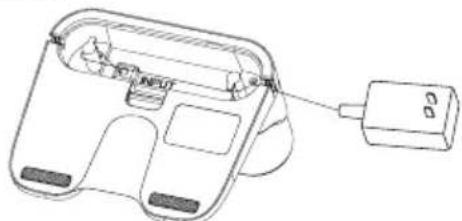
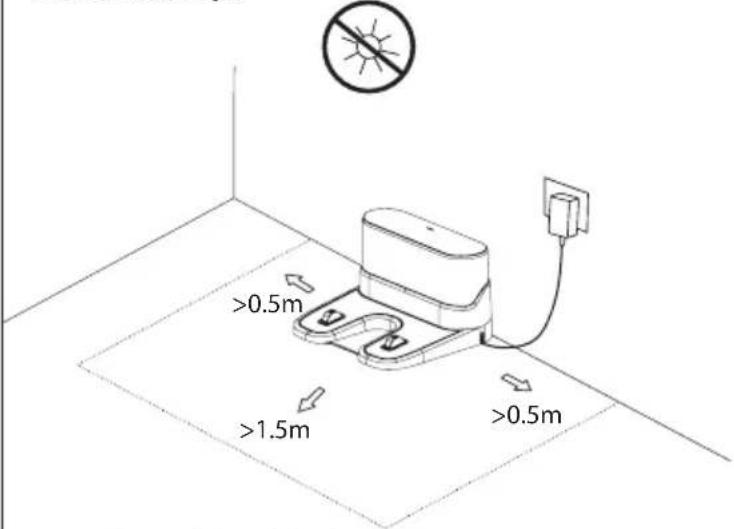
- Place the charging station against the wall and connect the power.
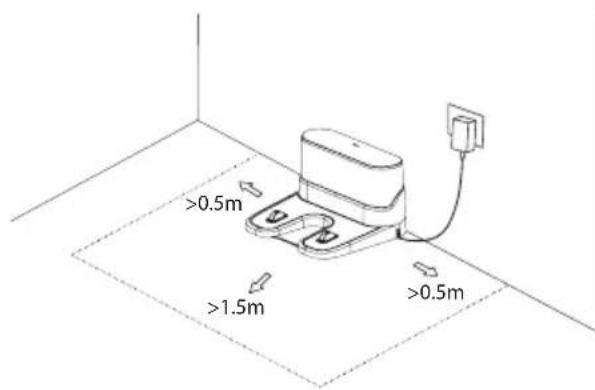
- Please do not arbitrarily move the charging station and keep it out of direct sunlight.
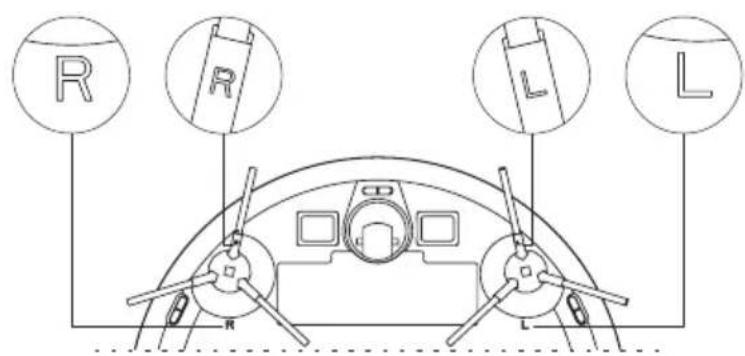
- Installation of the side brushes.
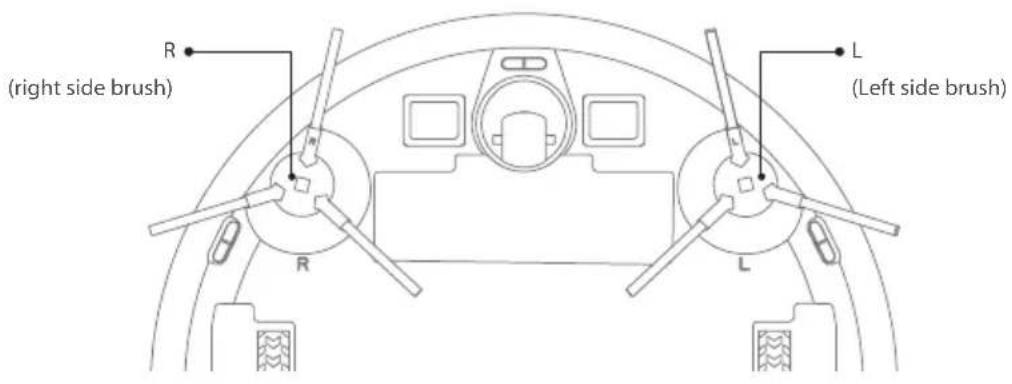
Make the left-side brush (L) and the right-side brush (R) correspond to L and R on the bottom casing. Press L and R, and the side brushes are installed when you hear a "cracking" sound.
NOTE
- Direct sunlight will interfere with the charging signal and consequently, the robot may be unable to return to the charging station.
- Ensure a space of more than 0.5m on both sides of the charging station and a space above it of 1.5m in the front.
- If the power line is vertical to the ground, it may be dragged by the robot and consequently the charging station may power off. The charging indicator is normally on when powered on and off when charged.
INSTALLATION INSTRUCTIONS
- Connect the power line and feed the excess wire into the slot.
- Place the charging station against the wall and connect the power.
- Do not arbitrarily move the charging station and keep it out of direct sunlight.
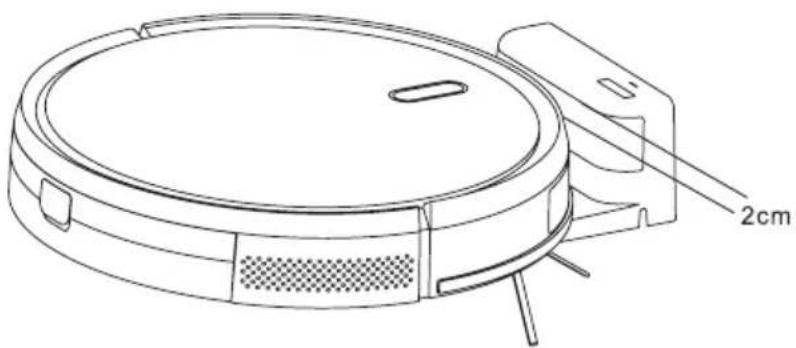
If the robot cannot be started due to a low battery, please charge the robot on the charging station and the robot will start automatically. The robot can only work normally when the battery level is above 20%. As shown in the picture, the charging station is correctly positioned in front of the robot and the distance between the front of the robot and the charging station should be about 2 cm. The charging plates of the robot need to connect to the charging plates of the charging station.
4. Installation of the side brushes
Make the left-side brush (L) and the right-side brush (R) correspond to L and R on the bottom casing. Press L and R and the side brushes are installed when you hear a "cracking" sound.
5. Starting up and charging
Press and hold the power button to switch on the robot. Charge the robot on the charging station when the power indicator light is normally on.
6. Connect the mobile APP (optional)
Please download the BlueBot App from the Android or iOS store. Then refer to the WiFi connection guideline in a later section of this manual, then connect the mobile APP.
7. Start cleaning
After the robot is powered on, short press the power button on the robot or use the mobile APP or the remote control to start cleaning.
ON/OFF
Press and hold the ON/OFF key for 3 seconds to turn the robot on or off.
Clean/Pause
After the machine is started, short press the ON/OFF key on the robot or start the machine using the mobile APP or the remote control.
- The machine cannot shut down when the robot is being charged.
- The cleaning robot cannot be used to remove liquids.
- If the battery level is less than 20%, the machine cannot work. Please charge it. The machine will return to the charging station automatically if the battery level is less than 20%. Please clear various wires (including the power line of the charging station) on the ground before use to avoid outage and damage to objects or wires when wires are dragged by the robot.
APP CONNECTION GUIDE
1
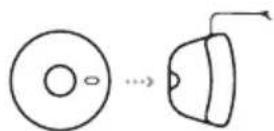
Place the robot in the charging station to charge. Ensure the robot is fully charged before use.
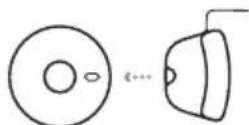
Remove the robot from the charging station.
2

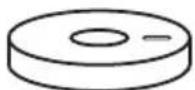
4
Download the app for your specific robot. The app is called 'Bluebot app' and can be found in both the App Store and Google Play.


APPLE ANDROID
Register a new account if you are not yet an existing user.
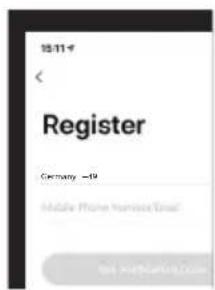
Once registered, ensure the robot is removed from its charging station. Turn on your robot by holding the 'On button'. When your robot has turned on, press both the 'Home button' and 'On button' simultaneously. Hold until the robot states that Wi-Fi connection has been lost.
Open the Bluebot app and press the ^+ icon to add your device.
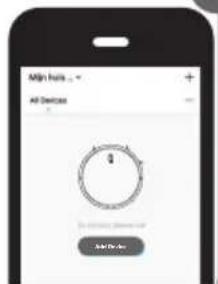
Select the XVAC (BLE+Wi-Fi) device to add.
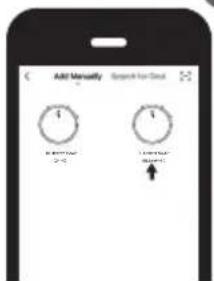
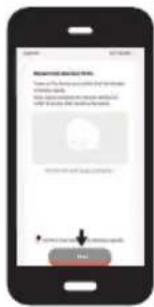
Power on the XVAC and ensure your smartphone's Bluetooth is on.
Note: Please complete the network distribution within 3 minutes. After 3 minutes, you must restart the process from the beginning.
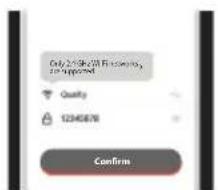
Enter your Wi-Fi password and press confirm.
Only 2.4 GHz Wi-Fi networks are supported. Please see your router manual for help.
Your robot is connecting to the Bluebot app, please wait.
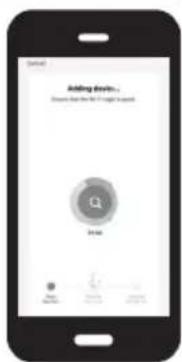
After the connection is complete, you may give your robot a name.
Happy vacuuming!
INSTALLATION INSTRUCTIONS
CHARGING
Automatic mode: The robot will return to the charging station automatically after work.
Manual mode: In the suspended state, a short press on the HOME key on the robot or via the App or remote control to start charging.
The indicator light is blinking when the robot is being charged.
NOTE
If the robot fails to locate the charging station, it will return to the original position automatically. Please put the robot back on the charging station manually. Push the robot gently towards the charging station until the charging plates of the robot connect with the charging plates of the charging station.
CLEANING MODE
After starting, the robot will follow a zig-zag cleaning program to cover the whole floor and finish the cleaning of each room in an orderly and efficient manner. The robot will return to the charging station and charge automatically after cleaning has finished.
COMPLETED AREA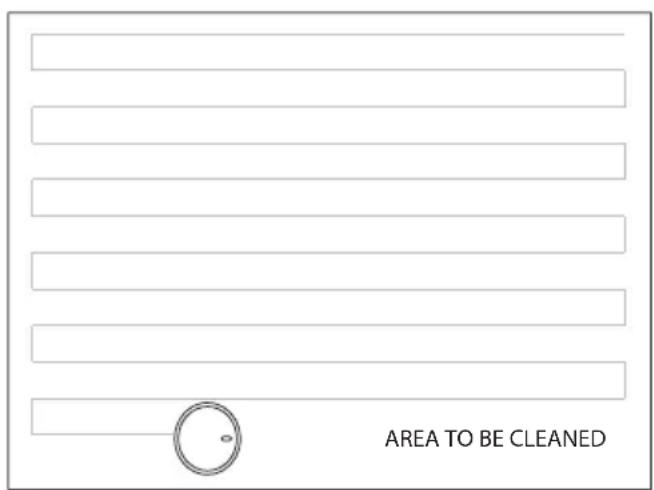
FIXED-TIME CLEANING
Fixed-time cleaning time can be set using the mobile APP. The robot will start cleaning automatically at the appointed time and return to the charging station after work.
FIXED-POINT CLEANING
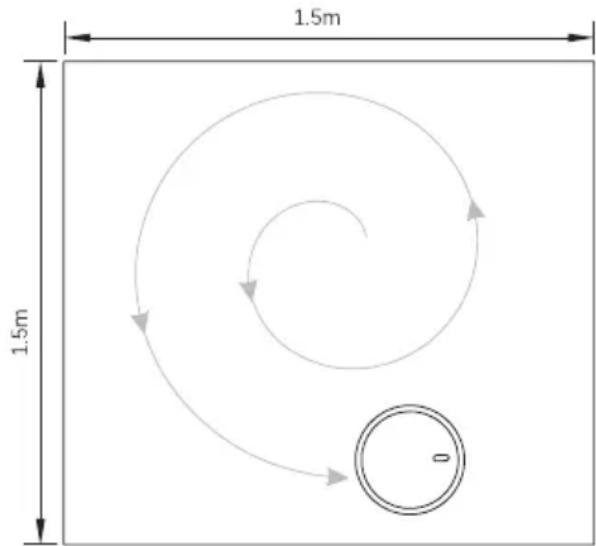
Press and hold the Home button for 3 seconds, the robot will locate itself, clean a circular area with a diameter of 1.5 m, and will then return to the starting location and stop working automatically after the cleaning is finished.
INSTALLATION INSTRUCTIONS
WIFI RESET
If the mobile phone cannot be connected to the robot due to modification of router configuration and password or for other reasons, please press and hold the key and the Home key simultaneously for 3 seconds until a voice prompt lets you know that the WiFi has been reset and the indicator light turns purple and flickers slowly.
SILENT MODE
You can turn the robot voice on and off using the mobile APP.
RANDOM MODE (for high pile carpet):
When cleaning high pile carpet, click the random mode in the APP and the robot will start random cleaning and achieve a better performance. The cleaning time is unlimited until the power is less than 20% and then the robot will be charged.
ADJUSTMENT OF SUCTION POWER
You can adjust the suction power to silent, standard and high through the mobile APP.
DAILY MAINTENANCE
ROLLING BRUSH (Clean it regularly)
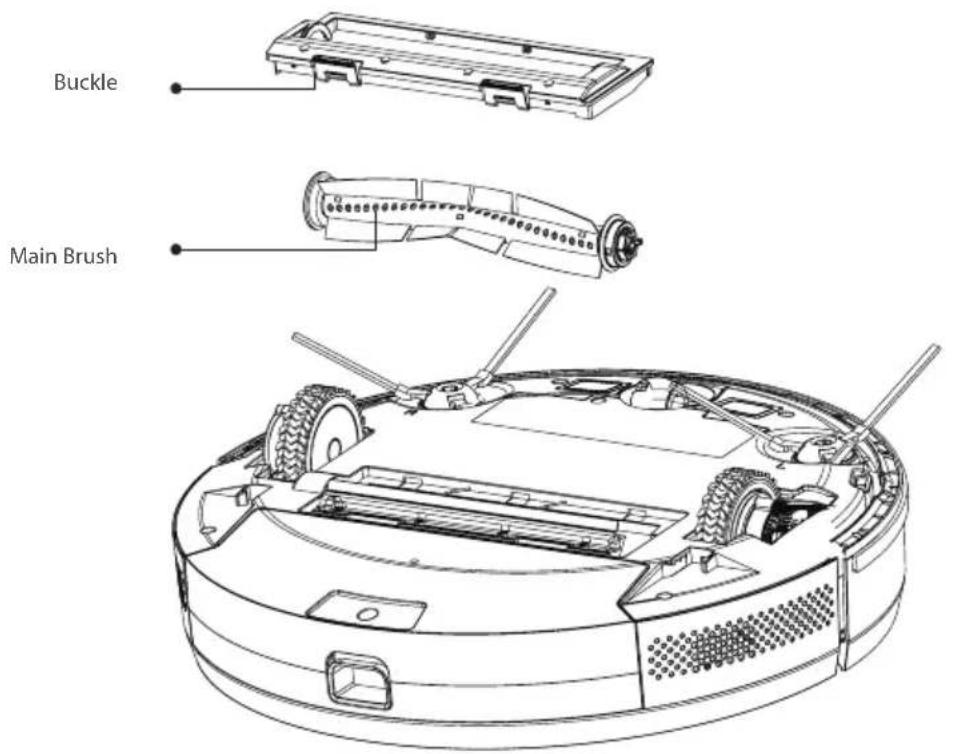
- Turn over the robot and press the buckle on the rolling brush cover to remove the rolling brush.
- Remove any dust outside and inside the rolling brush using a tiny brush and clean the rolling brush.
- Re-assemble the rolling brush and press the rolling brush cover tightly to fix the buckle.
DAILY MAINTENANCE
SIDE BRUSH (Clean it regularly)
- Turn over the robot and pull the side brush out upwards.
- Remove hair and dirt and reassemble the side brush.
- Make sure the left-side brush (L) and the right-side brush (R) correspond to L and R on the bottom casing, press L and R to reinstall them.
NOTE
Replace the side brush every 3-6 months to ensure the cleaning effect.
DUSTBIN AND FILTER (Clean it regularly)
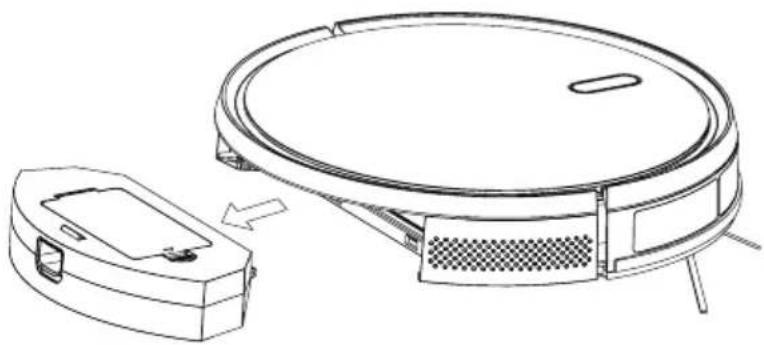
- Press the button and pull out the dustbin backwards.
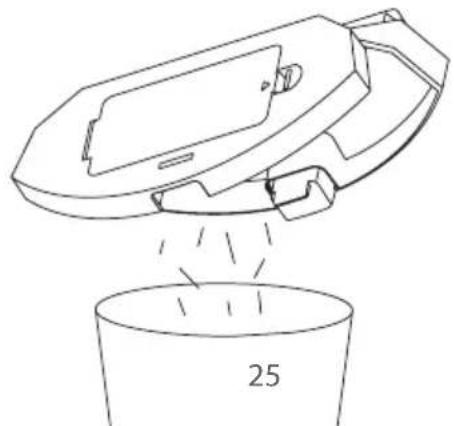
- Open and clean the dustbin.
DAILY MAINTENANCE
DUSTBIN AND FILTER (Clean it regularly)
- Press the button and pull out the dustbin backwards.
- Open and clean the dustbin.
FILTER CLEANING (Clean it regularly)
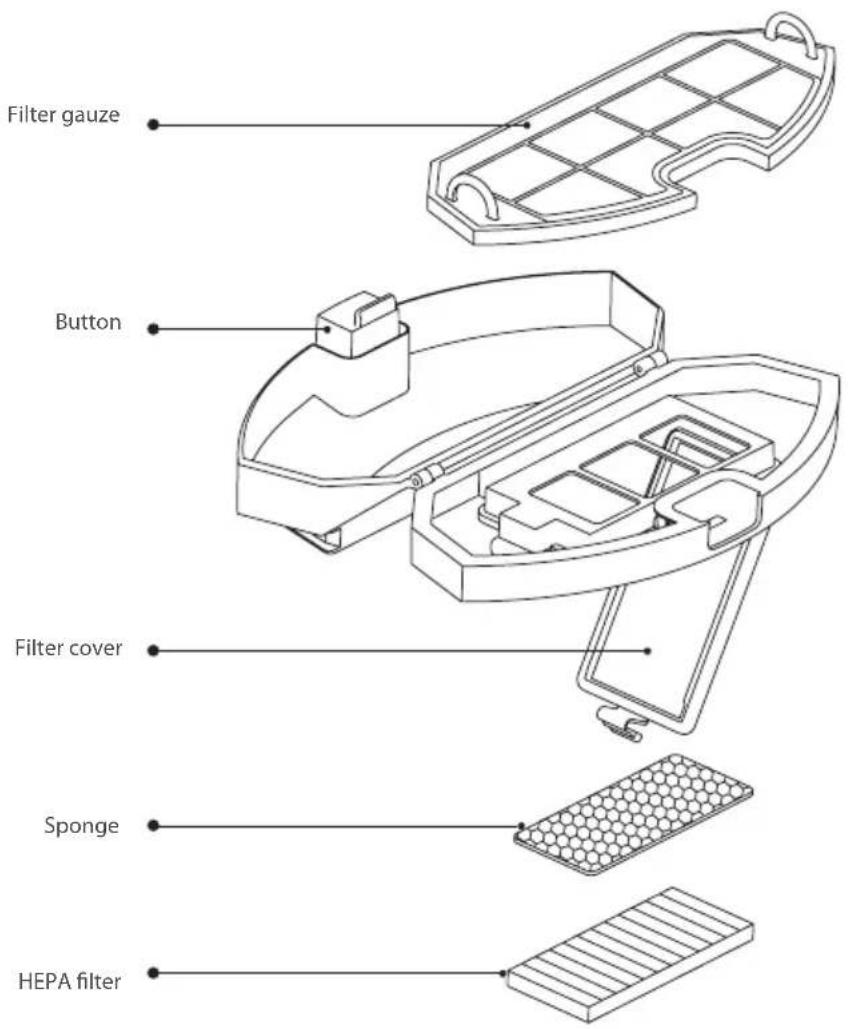
- After every cleaning round, remove the filter gauze, sponge, and HEPA filter.
- Clean the removed filter gauze, sponge, and HEPA filter, if needed you can use water.
- Shake off the water drops and dry it naturally, then use it after it is completely dry.
- After it is dry, install it in the sequence: filter gauze - sponge - HEPA filter.
NOTE
- Please wash the filter using clear water and do not use any detergent.
- Please do not clean the filter using a brush or fingers.
- Dry the filter in the air for at least 24 hours.
- Replace the filter every 3-6 months.
DAILY MAINTENANCE
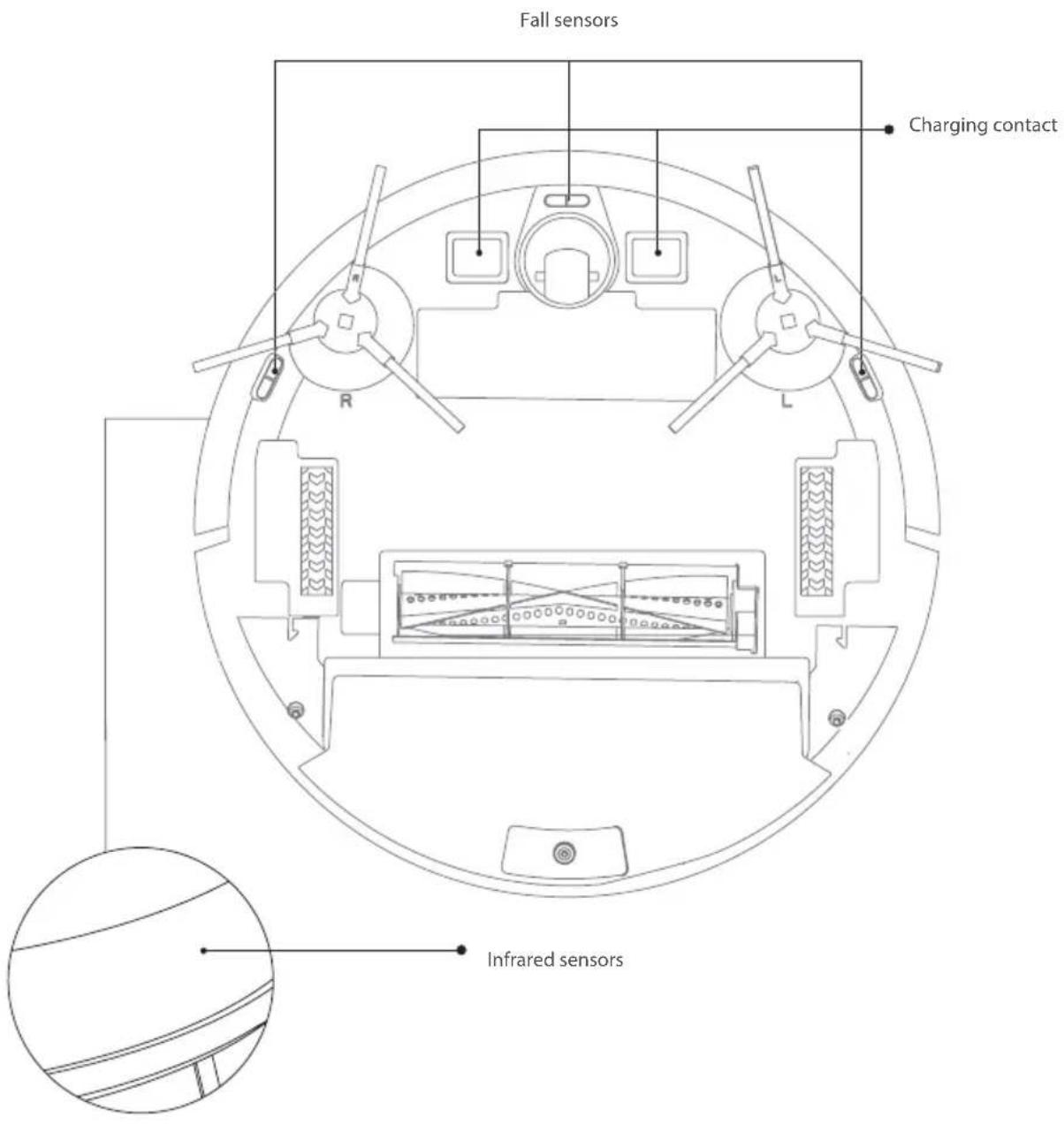
SENSOR (Clean it regularly)
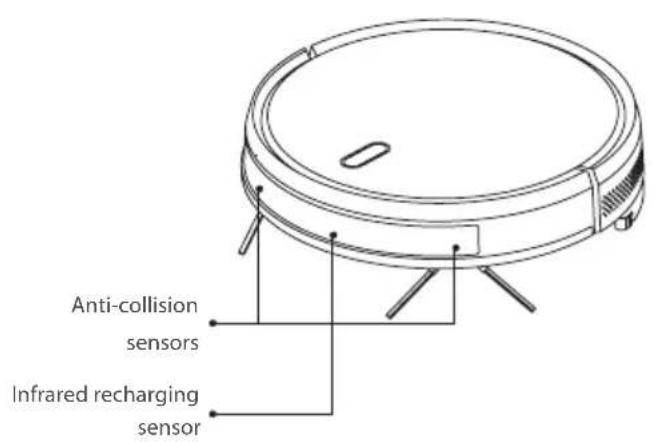
Clean the sensors with a dry, soft cleaning cloth:
- Clean the sensors along the wall on the right.
- Three anti-dropping sensors at the bottom of the robot.
- Infrared avoidance sensor in the front of the robot.
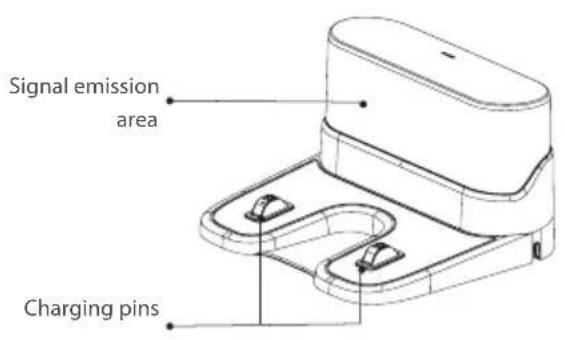
- Charging station: clean the charging station top, sides, and bottom (please turn the power off during cleaning).
DAILY MAINTENANCE
SENSOR (Cleaned monthly)
BATTERY
The robot is provided with high-performance lithium-ion batteries. To maintain battery performance, please keep the robot charged in daily use. If the robot is left unused for a long period, please shut it down and keep it properly. Charge it at least every three months to avoid damaging the batteries due to excessive discharge.
FIRMWARE UPGRADE
Upgrade the firmware using the mobile APP. If new firmware is detected, upgrade it according to the notification in the App. The battery level should be > 50% during a firmware upgrade, so the robot should be placed on the charging station.
BASIC PARAMETERS
ROBOT
| Item Parameter | |
| Model BLUEBOT XVAC | |
| Overall dimension 350X350X80mm | |
| Product Weight 3.0 kg | |
| Li-battery 2600mAh | |
| Rated Voltage 14.4V | |
| Rated power 25W |
CHARGING STATION
| Item Parameter | |
| Overall dimension 160x143X80mm | |
| Rated Power 11.4W | |
| Rated Output 11.4W |
USAGE LIMITATIONS
The product is intended solely for floor cleaning in a home environment and must not be used outdoors (e.g., on an open terrace), on non-floor surfaces (e.g., sofas), or in commercial or industrial settings. Do not use the product in elevated areas (such as a penthouse, open terrace, or furniture tops) without a protective barrier. Do not use the product in temperatures above 40°C or below 0°C, or when there are liquids or sticky substances on the floor. Before use, hang up any cables on the floor to prevent the robot from dragging them. Clear fragile objects and debris (such as vases and plastic bags) from the floor to avoid damaging valuables if the robot gets stuck or bumps into them. People with physical, sensory, or mental impairments (including children) must not use or operate the product. Children must not use the product as a toy. Keep children and pets away while the robot is in operation. Keep the main brush and other cleaning tools out of children's reach. Do not place objects (including children and pets) on a stationary or moving robot. Keep hair, fingers, and other body parts of humans or pets away from the suction inlet while the robot is working. Do not use the product to clean burning objects (such as lit cigarette butts). Do not use the product on long-pile carpets (some dark carpets may not be cleaned properly). Prevent the robot from suctioning hard or sharp objects (such as construction debris, glass, or iron nails). Do not move the robot by holding the protective cover of the laser distance sensor or the collision bumper. Clean or maintain the robot and charging station only when they are turned off or unplugged. Do not wipe any part of the product with a wet cloth or any liquid. The LEDs emit very strong UV radiation. Do not look directly into the LED light; UV radiation can harm your eyes. To prevent even slight exposure, wear protective eyewear. If LEDs are embedded in devices, indicate using warning labels against the UV light LED used. Keep out of reach of children. Use the product according to the User Manual. Users are responsible for any damages or injuries caused by improper use. Battery and Charging: Do not use batteries, charging stations, or chargers provided by third parties. Do not dismantle, repair, or modify the battery or charging station. Keep the charging station away from heat sources (such as heating plates). Do not wipe or clean the charging station with a wet cloth or wet hands. Do not discard used batteries improperly; dispose of them through a professional recycling agency. If the power cord is damaged or broken, discard it immediately and replace it through official channels. Ensure the robot is turned off during transportation and is transported in its original packaging. If the robot is left unused for an extended period, fully charge it and store it in a cool, dry place. Charge the robot at least every three months to prevent battery damage from excessive discharge.
COMMON PROBLEMS
| Problem Solution | |
| The robot does not start | -In case of a low battery level, please place the robot on the charging station and make sure that the charging plates of the robot and charging station connect. The robot will start automatically (if the robot is completely powered off, it can be started automatically after it has charged for a while)-If the environment temperature is lower than 0°C or higher than 50°C, please use it at a temperature of 0-40°C |
| The robot cannot be charged | -Please move the robot away from the charging station and check if the indicator light of the charging station lights up. Confirm that both ends of the charging station power adapter are well connected. Make sure that the charging station is correctly positioned in front of the robot and that the distance between the front of the robot and the charging station is around 2 cm-Check if there is poor contact between the charging plates of the robot and the charging station, please clean the charging plates or push the side brushes aside when these block the connection between the charging plates |
| The robot does not recharge | The robot is too far away from the charging station, please put the robot near the charging station and try again |
| Abnormal behavior Shut down the robot by pressing and holding the on/off button and restart the robot after 10 minutes | |
| Abnormal noise | The main brush, side brush or wheel may be entwined with foreign matter, please shut down the robot and re-move any foreign matter |
| Cleaning ability declines or dust falls out | -The dustbin is full, please clear it-The filter is blocked, please clear or replace it-The main brush is entwined with foreign matter, please clear it |
| WiFi cannot be connected | -The WiFi signal is bad, please ensure that there is a good WiFi signal-The WiFi is connected abnormally, please reset the WIFI (router), download the latest APP and try to reconnect it-Password is incorrect-The wifi is either on the 5 Ghz frequency band or on a mixed band of 2.4 and 5 Ghz. The cleaning robot only uses the 2.4G frequency band.Please log in to your router and make sure that the two Ghz frequencies are split in 2.4 and 5 Ghz and give these different names. Instructions on how to do this can be found in your router manual. |
| Fixed-time cleaning fails | In case of a low battery level, fixed-time cleaning can only be started when the battery level is 30% or more |
| Does the robot consume power when it is placed on the charging station | The robot consumes a little power when placed on the charging station. This assures the best performance of the battery |
WARRANTY
This product has a 2-year warranty for manufacturing defects. The warranty period is counted from the date of purchase of the product, according to the purchase invoice. The product warranty only covers manufacturing defects. Defects resulting from improper use are not covered by the warranty, such as (but not limited to) dropping the robot, improper transportation, connection to the mains power supply not in compliance with the voltage specified in this manual, insertion of foreign objects, and natural wear of parts such as plastic parts (caps, buttons, handles, latch locks, power cables, etc.) and metal parts (wires, motors, etc.).
Also not covered are damages due to agents of nature, lightning, food, sea, oxidation, humidity, etc. The product will lose its warranty if it presents defects which, after analysis by our technicians, are characterized as being improperly used, used for professional use, or used for a purpose for which it is not intended (according to the Owner's Manual). This warranty will be void if it is found that the device has been tampered with or has been repaired by a person or service not authorized by Blaupunkt. The guarantee is only valid with the receipt/invoice provided at purchase.
Blaupunkt undertakes to provide the above-mentioned services in the warranty period only in places where it maintains an authorized service. Consumers who are not located near an authorized service center should be responsible for the costs and risks of transport to the authorized service of their choice.
Natural 'wear and tear' is not covered under warranty.
This product is for domestic use only.
DISPOSAL AND RECYCLING
This marking indicates that this product should not be disposed of with other household wastes throughout the EU. To prevent possible harm to the environment or human health from uncontrolled waste disposal, recycle it responsibly to promote the sustainable reuse of material resources. To return your used device, please use the return and collection systems or contact the retailer where the product was purchased. They can take this product for environmentally safe recycling.
THANK YOU FOR CHOOSING THE BLUEBOT XVAC ROBOT VACUUM!

Remote control (battery x2 included)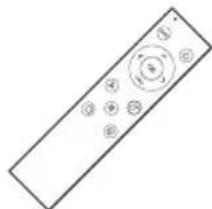
Dust box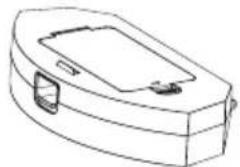
Robot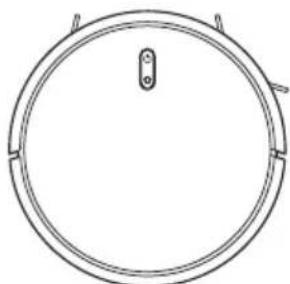
Side brushes x4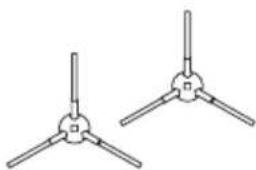
Adapter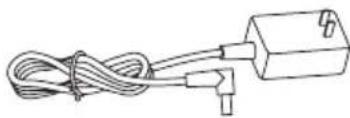
Cleaning brush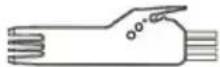
Magnetic strip
HEPA filter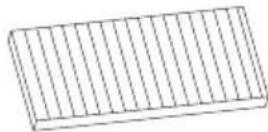
PRODUCT COMPOSITION / PART NAME
Front robot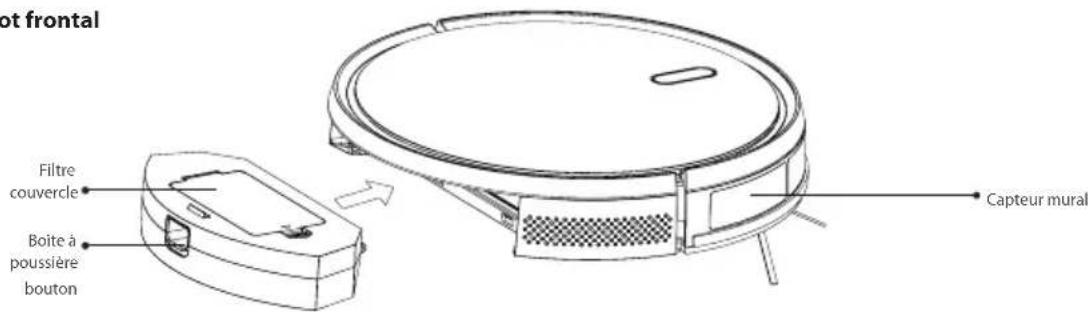
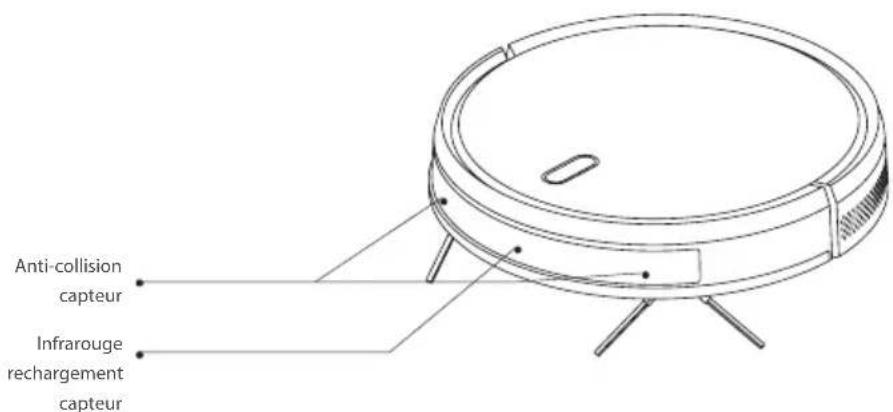
ROBOT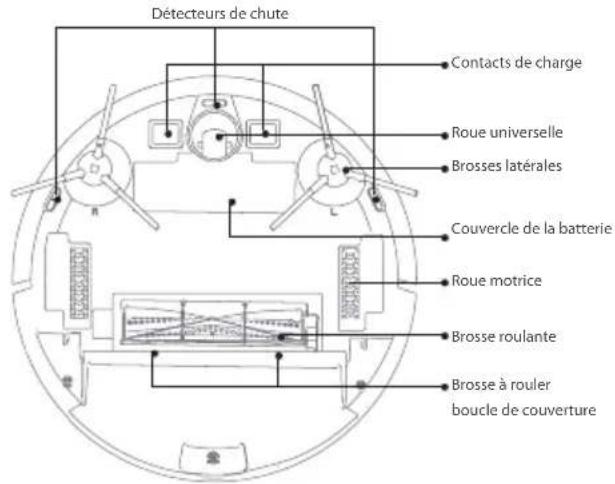
REMOTE CONTROL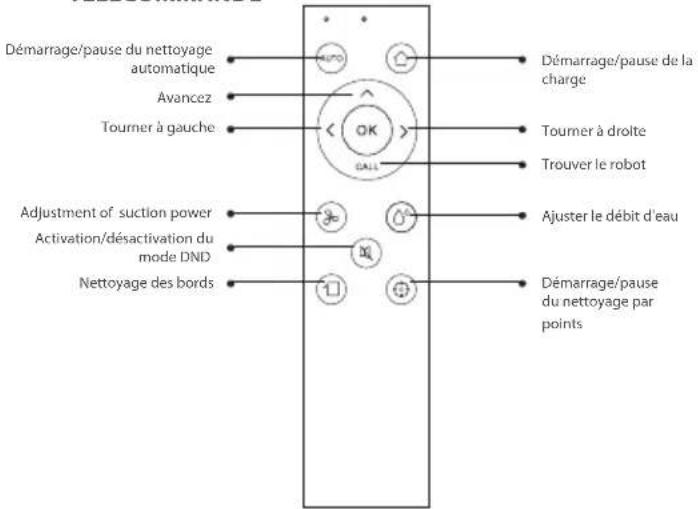
CHARGING STATION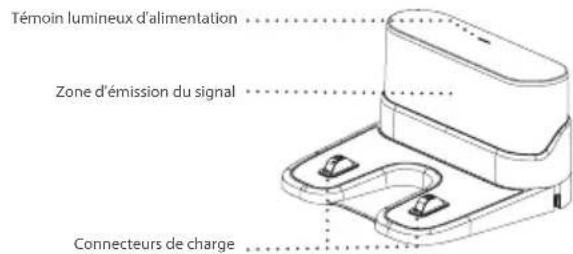
DISPOSAL AND RECYCLING
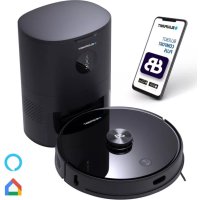


- THANKS FOR CHOOSING BLAUPUNKT BLUEBOT XVAC
- GENERAL SAFETY REGULATIONS
- NOTE
- WARNING: 1. USE ONLY
- PRODUCT COMPOSITION / PACKAGE CONTENTS
- PRODUCT COMPOSITION / PART NAME
- CLEANING ON &OFF
- RESET WIFI
- INSTALLATION INSTRUCTIONS
- INSTALLATION OF THE SIDE BRUSHES
- STARTING UP AND CHARGING
- CONNECT THE MOBILE APP (OPTIONAL)
- START CLEANING
- ON/OFF
- CLEAN/PAUSE
- APP CONNECTION GUIDE
- CHARGING
- CLEANING MODE
- FIXED-TIME CLEANING
- FIXED-POINT CLEANING
- WIFI RESET
- SILENT MODE
- ADJUSTMENT OF SUCTION POWER
- DAILY MAINTENANCE
- ROLLING BRUSH (CLEAN IT REGULARLY)
- SIDE BRUSH (CLEAN IT REGULARLY)
- DUSTBIN AND FILTER (CLEAN IT REGULARLY)
- FILTER CLEANING (CLEAN IT REGULARLY)
- SENSOR (CLEAN IT REGULARLY)
- BATTERY
- FIRMWARE UPGRADE
- BASIC PARAMETERS
- USAGE LIMITATIONS
- COMMON PROBLEMS
- WARRANTY
- DISPOSAL AND RECYCLING
- THANK YOU FOR CHOOSING THE BLUEBOT XVAC ROBOT VACUUM
Brand : BLAUPUNKT
Model : Bluebot XVAC
Category : Robot vacuum