UE 900 - Headphones ULTIMATE EARS - Free user manual and instructions
Find the device manual for free UE 900 ULTIMATE EARS in PDF.



| Product Type | In-ear headphones |
| Brand | Ultimate Ears |
| Model | UE 900 |
| Connectivity | Wired (3.5 mm jack) |
| Cable Type | Detachable, with microphone and 3-button remote |
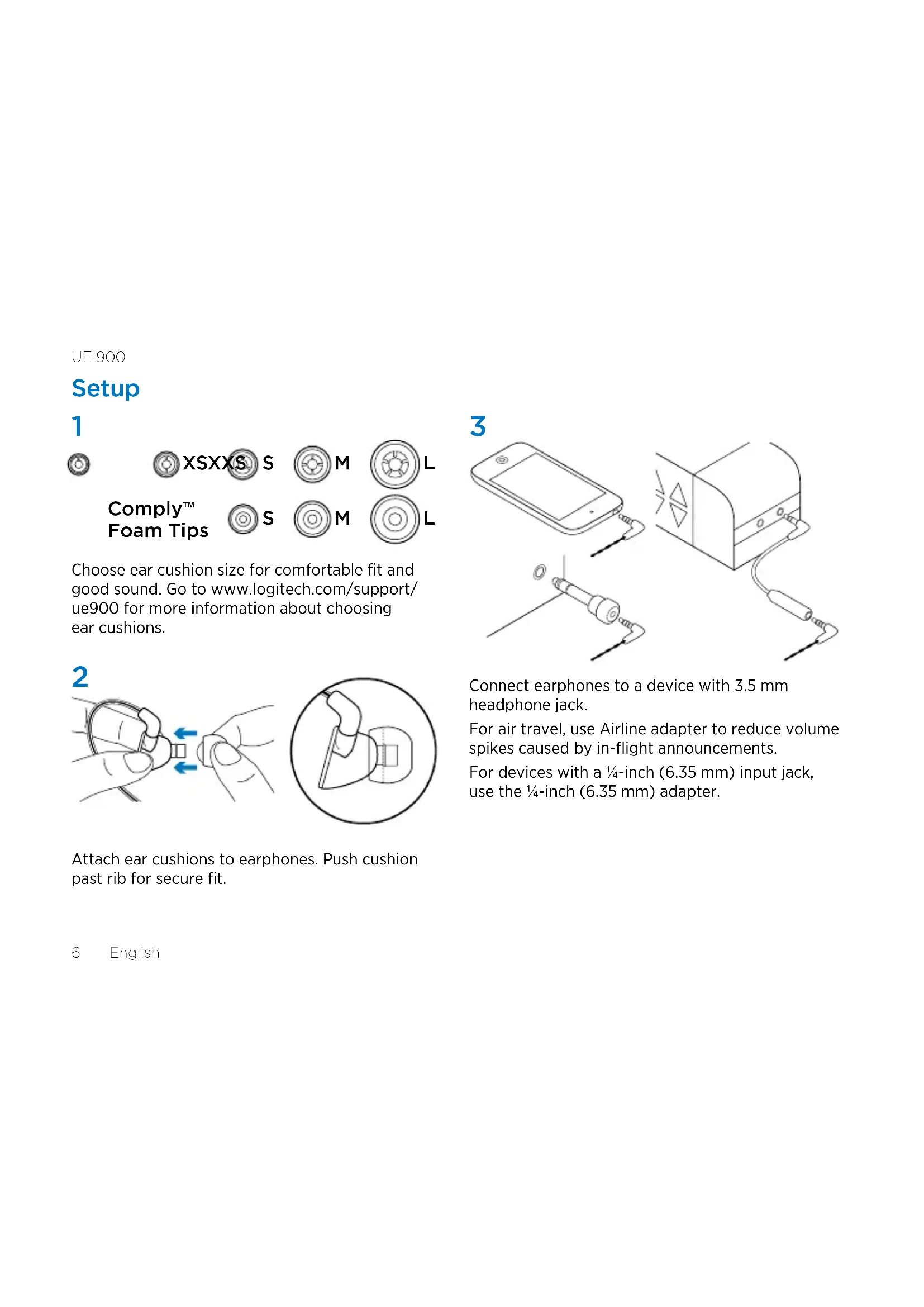
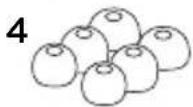
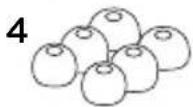
| Eartips Included | 5 pairs of silicone (XXS, XS, S, M, L) and 3 pairs of Comply foam (S, M, L) |
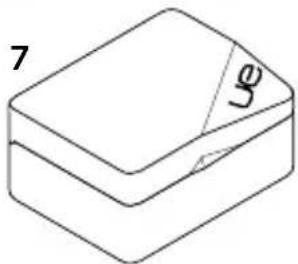
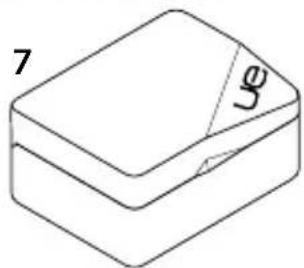
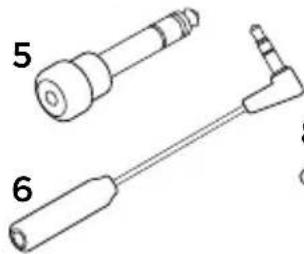
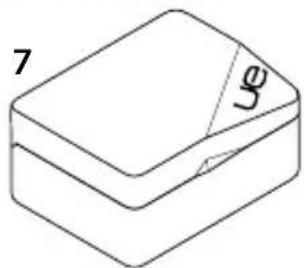
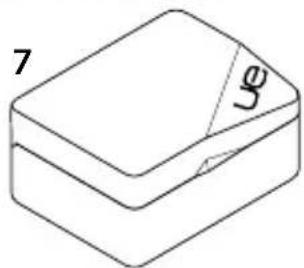
| Accessories Provided | 6.35 mm adapter, acoustic attenuator, hard protective case, soft case |
| Main Functions | Play/pause, volume control, call management, track navigation (next/previous) |
| Care | Clean the eartips with a clean cloth after removing them |
| Repairability | Detachable cable and replaceable earphones |
| Safety | Built-in acoustic attenuator to reduce volume peaks on airplanes |
| Recommended Use | On-the-go, sports, daily listening |
| Compatibility | Smartphones, computers, tablets, audio players with 3.5 mm jack |
| Approximate Weight | 15 g (with cable) |
| Available Spare Parts | Cables and eartips |
Frequently Asked Questions - UE 900 ULTIMATE EARS
User questions about UE 900 ULTIMATE EARS
0 question about this device. Answer the ones you know or ask your own.
Ask a new question about this device
Download the instructions for your Headphones in PDF format for free! Find your manual UE 900 - ULTIMATE EARS and take your electronic device back in hand. On this page are published all the documents necessary for the use of your device. UE 900 by ULTIMATE EARS.
USER MANUAL UE 900 ULTIMATE EARS
Getting started with
Ultimate Ears™ 900
Noise-Isolating Earphones
natural_image
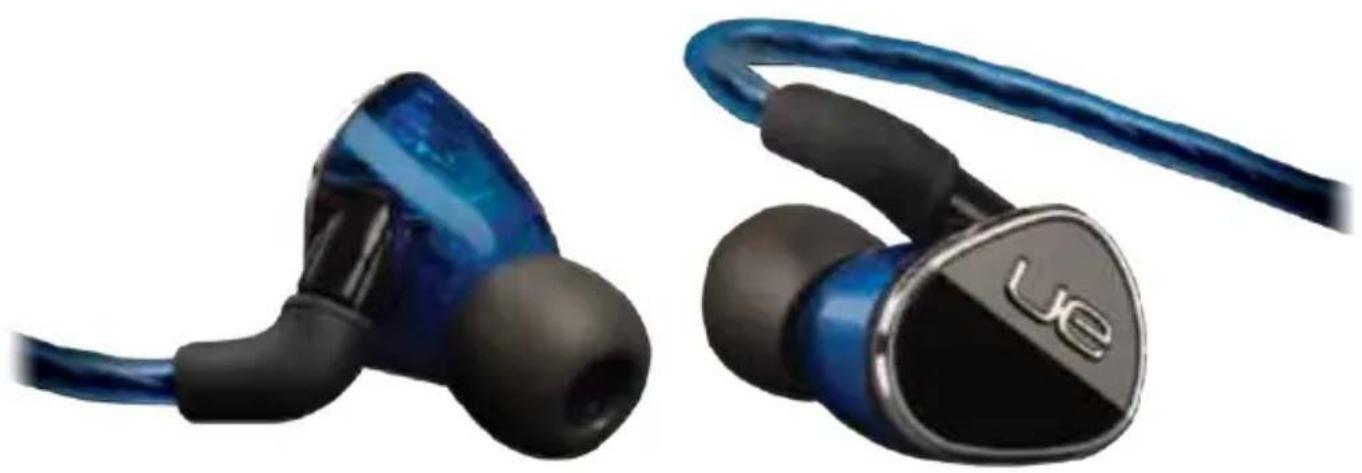
Close-up of two blue audio earchairs with black caps and a blue cord, no visible text or symbols on the devices themselves.UE 900
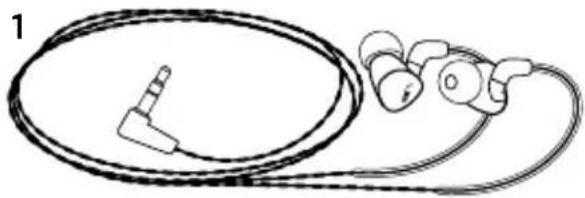
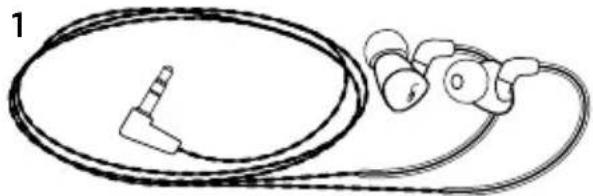
- UE 900 earphones with audio cable
- Vi Cable with microphone and control
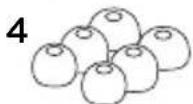
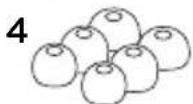
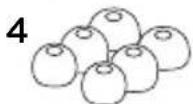
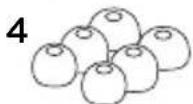
- Soft silicone ear cushions, 5 additional pairs: XXS, XS, S, M, L
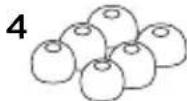
- Comply™ Foam Tips, 3 pairs of ear cushions: S, M, L
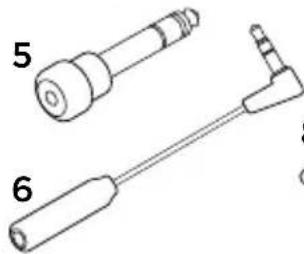
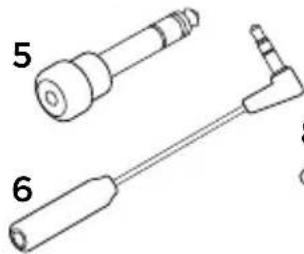
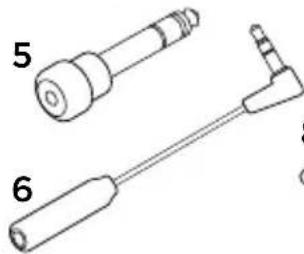
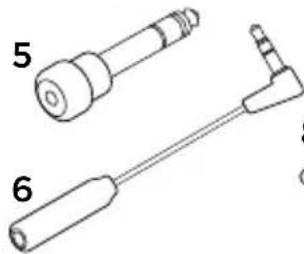
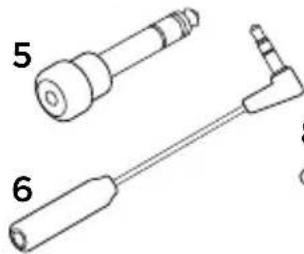
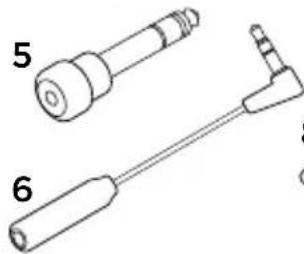
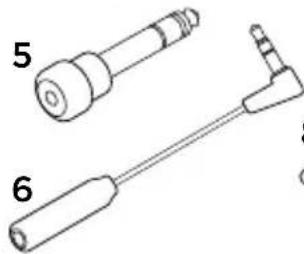
- 14 -inch (6.35 mm) adapter
- Airline adapter (reduces in-flight volume spikes)
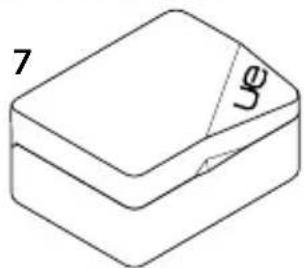
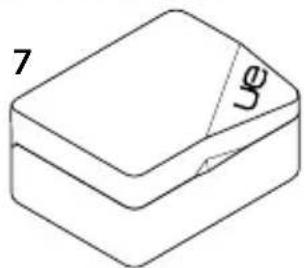
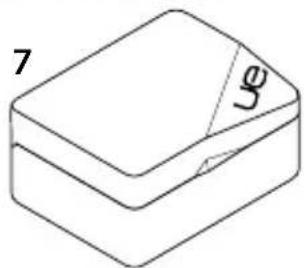
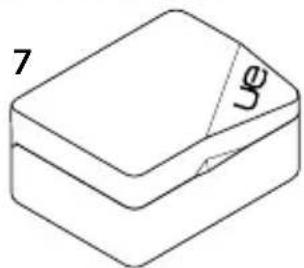
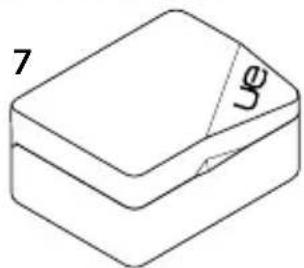
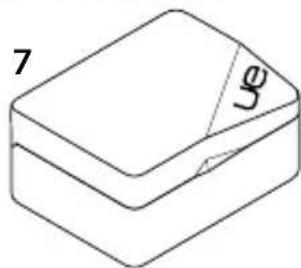
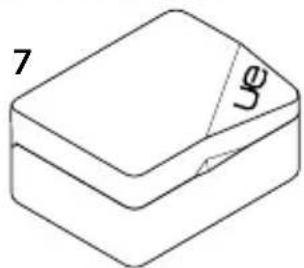
- Protective hard case
- Pouch
natural_image
Line drawing of a medical device with attached earphones and tubing (no text or symbols)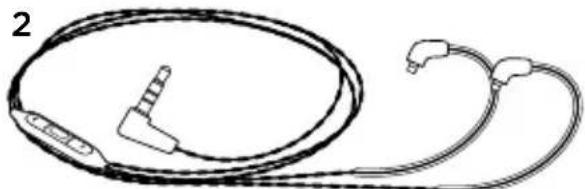
natural_image
Line drawing of a medical or electronic device with two coiled cables and connectors (no text or symbols)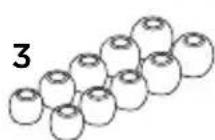
natural_image
Simple line drawing of a rectangular box with a label '7' and a small arrow pointing to the side (no text or symbols on the box itself)
natural_image
Technical line drawing of two mechanical tools labeled 5 and 6 (no text or symbols on the tools themselves)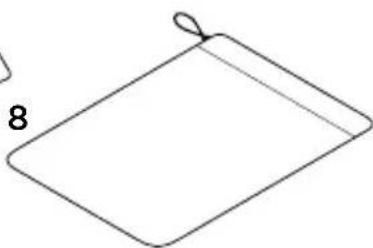
natural_image
Simple line drawing of a folded paper or sheet with a loop (no text or symbols)Features
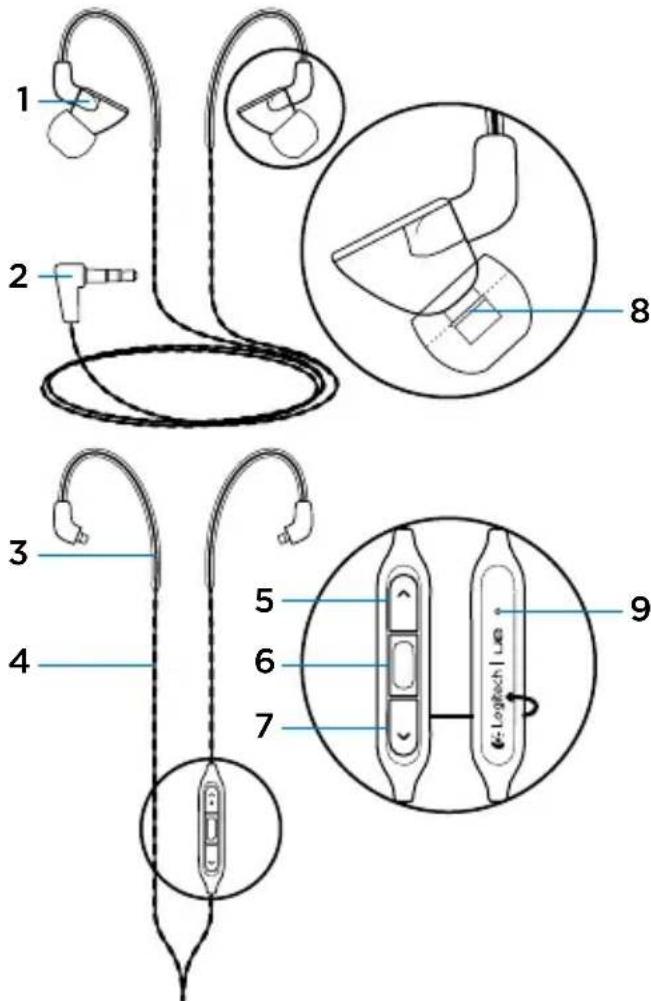
- Earphone
- 3.5 mm connector
- Pre-formed ear loop
- Detachable cable
- Volume up
- Media/calling controls
• One click:
Play/pause (audio source)
Call answer/hang up (mobile phone)
- Double click: Next track (audio source)
- Triple click:
Previous track (audio source)
- Volume down
- Ear cushion retaining rib
- Microphone
UE 900
Setup
1


XSXXS S

M

L
Comply™ Foam Tips

S

M

L
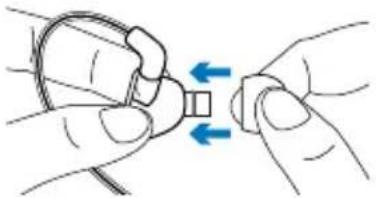
Choose ear cushion size for comfortable fit and good sound. Go to www.logitech.com/support/ue900 for more information about choosing ear cushions.
2
natural_image
Illustration of two hands holding a small object with blue arrows indicating direction (no text or symbols)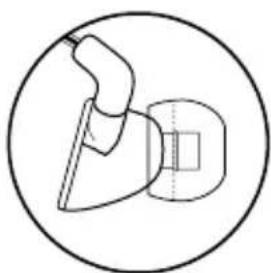
natural_image
Simple line drawing of a tool or device inside a circle (no text or symbols)Attach ear cushions to earphones. Push cushion past rib for secure fit.
3
natural_image
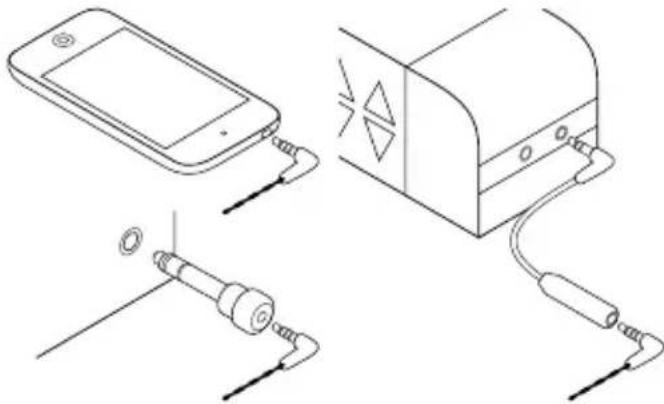
Diagram showing connections between a smartphone, a device with a lamp, and a cable (no text or symbols present)Connect earphones to a device with 3.5 mm headphone jack.
For air travel, use Airline adapter to reduce volume spikes caused by in-flight announcements.
For devices with a 14 -inch (6.35 mm) input jack, use the 14 -inch (6.35 mm) adapter.
UE 900

Wear the earphones
- Wrap cable around ear.
- Insert right earphone (marked "R") in right ear and left earphone (marked "L") in left ear.
- When using the vi cable with microphone, gently pull cable tight to remove slack.
- When using the audio-only cable, slide cinch up the back of the head until secure.
Note: Do not remove earphone from ear by pulling on cable.
Changing cables
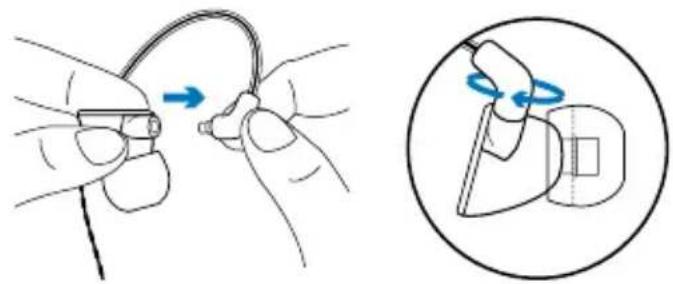
- Hold earphone. Hold cable where it attaches to earphone.
- Gently pull cable from earphone.
- Attach new cable. Cable snaps into place. Note: Make sure to connect the "R" (right) cable to the "R" earphone and the "L" (left) cable to the "L" earphone.
UE 900
Cleaning the earphones
natural_image
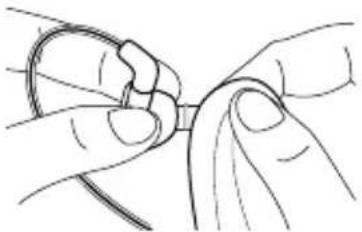
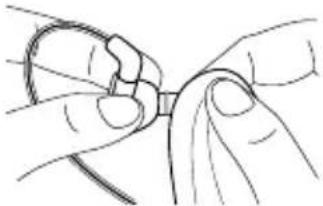
Line drawing of hands tying a knot around a string (no text or symbols)Remove cushion and wipe with clean cloth.
Storing the earphones
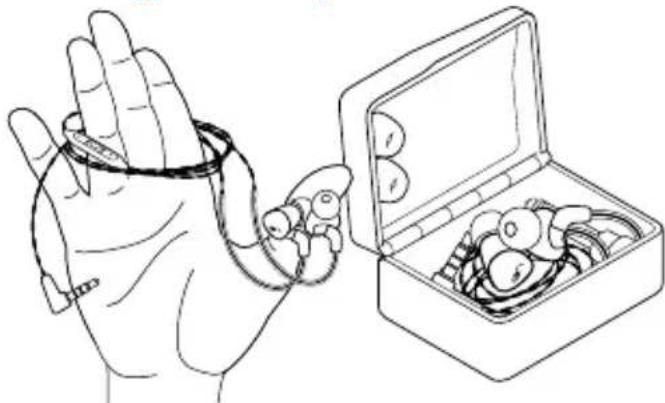
natural_image
Line drawing of a hand holding an object next to an open box filled with coins (no text or symbols)- Wrap cable around three fingers.
- Place earphones in case.
Troubleshooting
- No sound or faint sound Fully insert cable connector into headphone jack on your device. Check cable attachment to earphone. Try increasing earphone volume, and check the volume in your media application.
- Diminished sound quality or weak bass Check ear cushion seal. Try another ear cushion size. Check for blockage where ear cushion connects to earphone. Remove blockage with clean cloth.
- Earphones not working with a computer Specify audio settings for your operating system:
Windows ^® (Control Panel)
- Voice playback and recording: Computer's soundcard
• Sound playback: Computer's speakers
UE 900
Mac® OS (Preferences)
• Sound input: Internal microphone
• Sound output: Internal speakers
For more information, go to www.logitech.com/support/ue900. Also refer to your operating system documentation.
- Detached ear cushion Make sure to press ear cushion past rib on earphone.
Additional help
For online help, go to www.logitech.com/support/ue900
What do you think?
Please take a minute to tell us.
Thank you for purchasing our product.
www.logitech.com/ithink
UE 900
Inhalt
natural_image
Line drawing of a medical device with attached earphones and tubing (no text or symbols)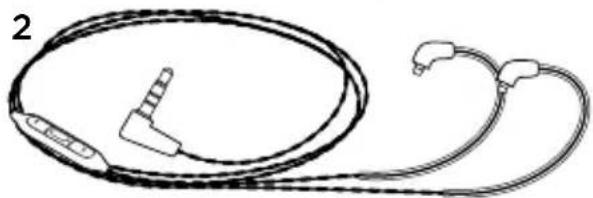
natural_image
Line drawing of a medical or electronic device with coiled cable and connectors (no text or symbols)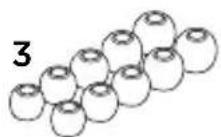
natural_image
Technical line drawing of two mechanical components labeled 5 and 6 (no text or symbols beyond labels)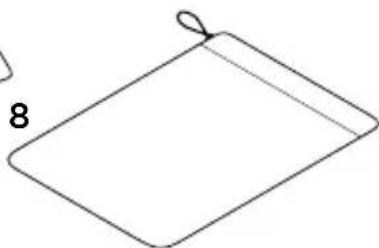
natural_image
Simple line drawing of a folded paper or sheet with a loop (no text or symbols)Funktionen
natural_image
Illustration showing hands holding a small component with blue arrows indicating movement, alongside a magnified view of the same component (no text or symbols)natural_image
Diagram showing connections between a smartphone, a device with a light bulb, and a plug (no text or symbols present)natural_image
Illustration showing two-step cable installation: one with a cable being inserted, the other with a hand holding a tool (no text or symbols)natural_image
Line drawing of hands tying a knot (no text or symbols)natural_image
Line drawing of a hand holding a stringed object next to an open box filled with coins (no text or symbols)www.logitech.com/ithink
UE 900
Contenu
natural_image
Line drawing of a medical device with attached earphones and tubing (no text or symbols)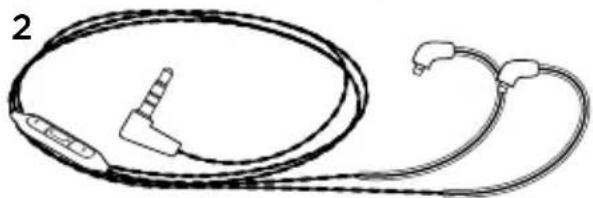
natural_image
Line drawing of a medical or electronic device with coiled cable and connectors (no text or symbols)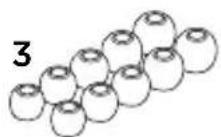
natural_image
Technical line drawing of two mechanical components labeled 5 and 6 (no text or symbols on parts)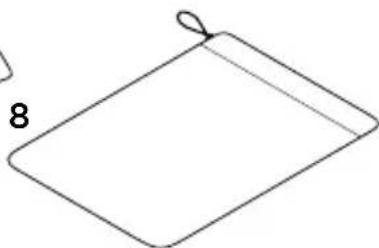
natural_image
Simple line drawing of a folded paper or sheet with a loop (no text or symbols)Fonctionnalités
natural_image
Illustration of two hands holding a small object with blue arrows indicating direction (no text or symbols)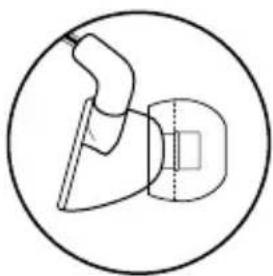
natural_image
Simple line drawing of a tool or device inside a circle (no text or symbols)natural_image
Diagram showing connections between a smartphone, a device with a light bulb, and a plug (no text or symbols present)natural_image
Illustration showing two-step cable installation: one with a cable being inserted, the other with a tool partially visible (no text or symbols)natural_image
Line drawing of hands tying a knot around a ring (no text or symbols)natural_image
Line drawing of a hand holding a medical device next to an open box containing medical instruments (no text or symbols)www.logitech.com/ithink
UE 900
natural_image
Line drawing of a medical device with attached earphones and tubing (no text or symbols)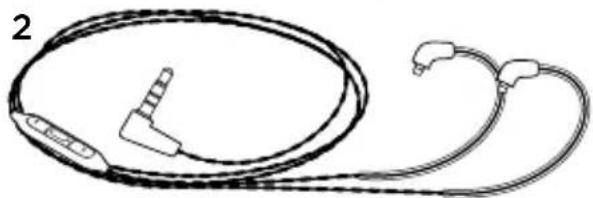
natural_image
Line drawing of a medical or electronic device with coiled cable and connectors (no text or symbols)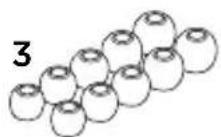
natural_image
Simple line drawing of a 3D rectangular block with a cutout labeled 'Jg' and number '7' (no text or symbols beyond labels)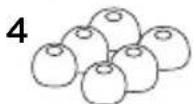
natural_image
Technical line drawing of two mechanical components labeled 5 and 6 (no text or symbols beyond labels)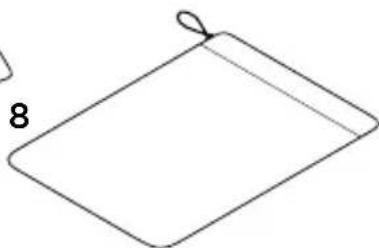
natural_image
Simple line drawing of a folded paper or sheet with a loop (no text or symbols)Caratteristiche
natural_image
Illustration of hands holding a small object with blue arrows indicating direction (no text or symbols)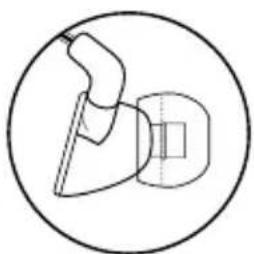
natural_image
Simple line drawing of a mechanical component inside a circle (no text or symbols)natural_image
Diagram showing connections between a smartphone, a device with a light bulb, and a plug (no text or symbols present)natural_image
Illustration showing two-step cable installation: one with a cable being inserted, the other with a tool partially inserted (no text or symbols)natural_image
Line drawing of hands tying a knot around a small object (no text or symbols)natural_image
Line drawing of a hand holding an object next to an open box filled with small objects (no text or symbols)www.logitech.com/ithink
UE 900
Esta caja contiene
natural_image
Line drawing of a medical device with attached earphones and tubing (no text or symbols)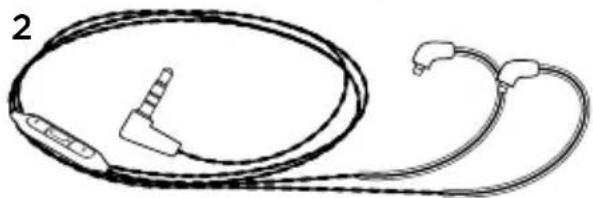
natural_image
Line drawing of a medical or electronic device with coiled cable and connectors (no text or symbols)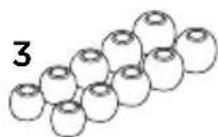
natural_image
Simple line drawing of a 3D rectangular block with a cutout labeled 'Jg' and number '7' (no text or symbols beyond labels)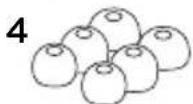
natural_image
Technical line drawing of two mechanical tools labeled 5 and 6 (no text or symbols on the tools themselves)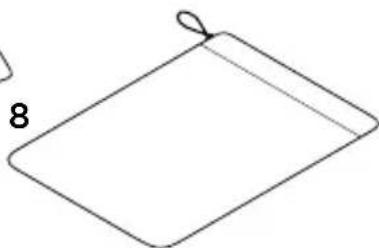
natural_image
Simple line drawing of a folded paper or sheet with a loop (no text or symbols)Características
natural_image
Illustration of hands holding a small object with blue arrows indicating direction (no text or symbols)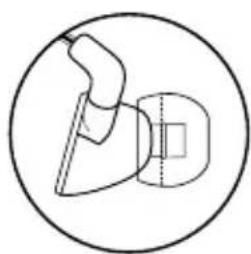
natural_image
Simple line drawing of a mechanical component inside a circle (no text or symbols)natural_image
Diagram showing connections between a smartphone, a device with a light bulb, and a plug (no text or symbols present)natural_image
Illustration showing two-step cable installation: one with a cable being inserted, the other with a tool partially inserted (no text or symbols)natural_image
Line drawing of hands tying a knot around a small object (no text or symbols)natural_image
Line drawing of a hand holding a string attached to a box filled with items (no text or symbols)www.logitech.com/ithink
UE 900
natural_image
Line drawing of a medical device with attached earphones and tubing (no text or symbols)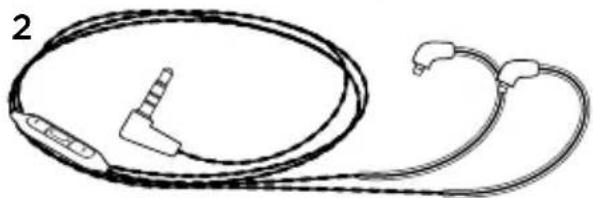
natural_image
Line drawing of a medical or electronic device with coiled cable and connectors (no text or symbols)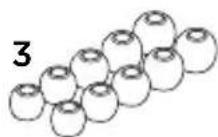
natural_image
Simple line drawing of a 3D rectangular block with a cutout labeled 'Jg' and number '7' (no text or symbols beyond labels)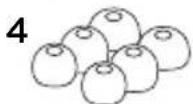
natural_image
Technical line drawing of two mechanical tools labeled 5 and 6 (no text or symbols on the tools themselves)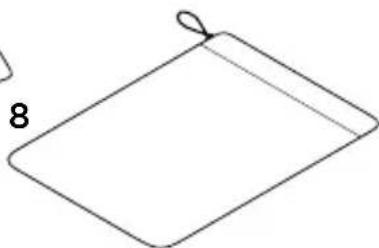
natural_image
Simple line drawing of a folded paper or sheet with a loop (no text or symbols)Características
natural_image
Illustration of hands holding a small object with blue arrows indicating direction (no text or symbols)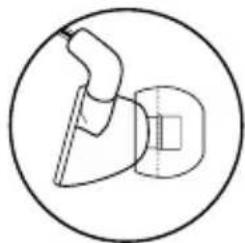
natural_image
Simple line drawing of a mechanical component inside a circle (no text or symbols)natural_image
Diagram showing connections between a smartphone, a device with a light indicator, and a plug (no text or symbols present)Ligue os auscultadores a um dispositivo com tomada de auscultadores de 3,5 mm.
natural_image
Illustration showing two-step cable installation: one with a cable being inserted, the other with a tool partially visible (no text or symbols)natural_image
Line drawing of hands tying a knot around a small object (no text or symbols)natural_image
Line drawing of a hand holding a stringed object next to an open box filled with coins (no text or symbols)www.logitech.com/ithink
UE 900
Pakketinhoud
natural_image
Line drawing of a medical device with attached earphones and tubing (no text or symbols)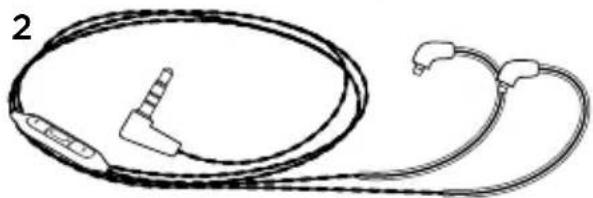
natural_image
Line drawing of a medical or electronic device with two coiled cables and connectors (no text or symbols)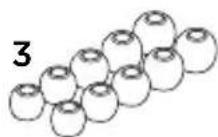
natural_image
Technical line drawing of two mechanical components labeled 5 and 6 (no text or symbols beyond labels)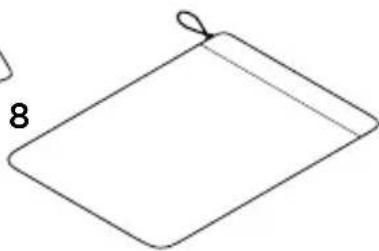
natural_image
Simple line drawing of a folded paper or sheet with a loop detail (no text or symbols)UE 900
Kenmerken
natural_image
Illustration of hands holding a small object with blue arrows indicating direction (no text or symbols)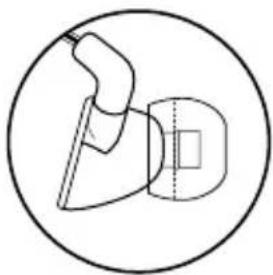
natural_image
Simple line drawing of a tool or device inside a circle (no text or symbols)natural_image
Diagram showing connections between a smartphone, a device with a light bulb, and a plug (no text or symbols present)natural_image
Illustration showing two-step cable installation: one with a cable being inserted, the other with a tool partially visible (no text or symbols)De in-ear phones schoonmaken
natural_image
Line drawing of hands tying a knot around a small object (no text or symbols)natural_image
Line drawing of a hand holding a stringed object next to an open box filled with coins (no text or symbols)www.logitech.com/ithink
UE 900
natural_image
Line drawing of a medical device with attached earphones and tubing (no text or symbols)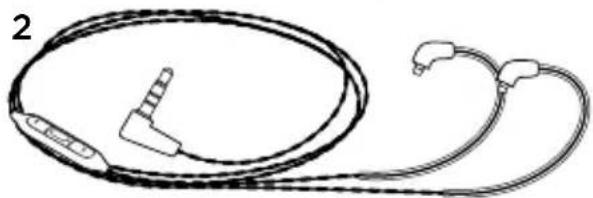
natural_image
Line drawing of a medical or electronic device with coiled cable and connectors (no text or symbols)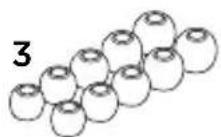
natural_image
Simple line drawing of a 3D rectangular block with a cutout labeled 'Jg' and number '7' (no text or symbols beyond labels)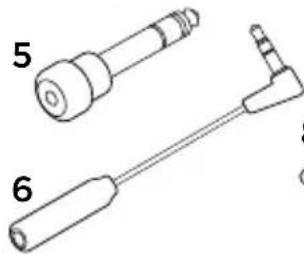
natural_image
Technical line drawing of two mechanical components labeled 5 and 6 (no text or symbols beyond labels)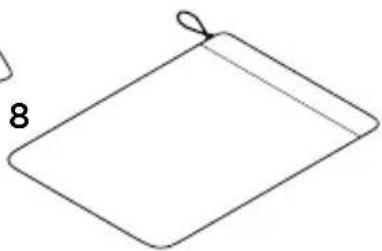
natural_image
Simple line drawing of a folded paper or sheet with a loop detail (no text or symbols)Funktioner
natural_image
Illustration of hands holding a small object with blue arrows indicating direction (no text or symbols)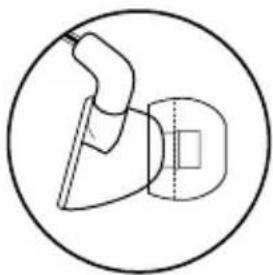
natural_image
Simple line drawing of a tool or device inside a circle (no text or symbols)natural_image
Diagram showing connections between a smartphone, a device with a light bulb, and a plug (no text or symbols present)natural_image
Illustration showing hands holding a cable with a magnified view of the cable being cut (no text or symbols present)natural_image
Line drawing of hands tying a knot around a small object (no text or symbols)natural_image
Line drawing of a hand holding a small object next to an open box filled with items (no text or symbols)- Linda sladden runt tre fingrar.
- Placera hörlurarna i fodralet.
Felsökning
www.logitech.com/ithink
UE 900
Pakken indeholder
natural_image
Line drawing of a medical device with attached earphones and tubing (no text or symbols)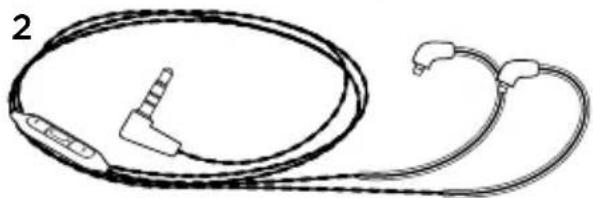
natural_image
Line drawing of a medical or electronic device with two coiled cables and connectors (no text or symbols)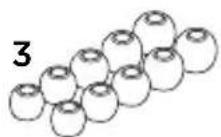
natural_image
Technical line drawing of two mechanical components labeled 5 and 6 (no text or symbols beyond labels)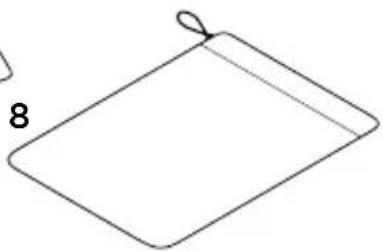
natural_image
Simple line drawing of a folded paper or sheet with a loop detail (no text or symbols)Oversigt
natural_image
Illustration of hands holding a small object with blue arrows indicating direction (no text or symbols)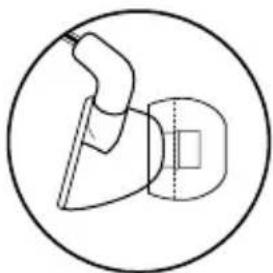
natural_image
Simple line drawing of a tool or device inside a circle, no text or symbols presentnatural_image
Diagram showing connections between a smartphone, a device with a light indicator, and a plug (no text or symbols present)natural_image
Illustration showing two-step cable installation: one with a cable being inserted, the other with a tool partially inserted (no text or symbols)natural_image
Line drawing of hands tying a knot around a small object (no text or symbols)natural_image
Line drawing of a hand holding a wristband next to an open box filled with small objects (no text or symbols)www.logitech.com/ithink
UE 900
Pakningens innhold
- UE 900 øretelefoner med lydledning
- Vi-ledning med mikrofon og kontroll
- Myke øreputer i silikon, 5 ekstra par: XXS, XS, S, M, L
- Comply™-øreputer i skum, 3 par øreputer: S, M, L
- ¼-tommesadapter (6,35 mm)
- Flyadapter (reduserer volumtopper på fly)
- Beskyttende, hardt etui
- Etui
natural_image
Line drawing of a medical device with attached earphones and tubing (no text or symbols)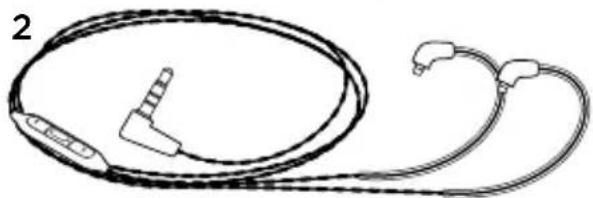
natural_image
Line drawing of a medical or electronic device with two coiled cables and connectors (no text or symbols)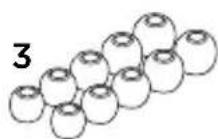
natural_image
Simple line drawing of a 3D rectangular block with a cutout labeled '7' and a small arrow labeled '6' (no text or symbols beyond labels)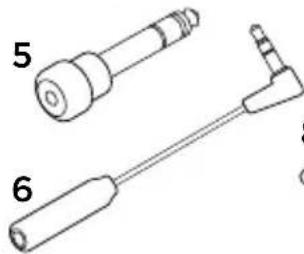
natural_image
Technical line drawing of two mechanical components labeled 5 and 6 (no text or symbols beyond labels)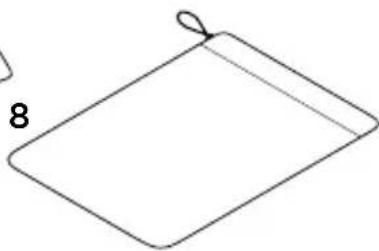
natural_image
Simple line drawing of a folded paper or sheet with a loop detail (no text or symbols)Funksjoner
natural_image
Illustration of two hands holding a small object with blue arrows indicating direction (no text or symbols)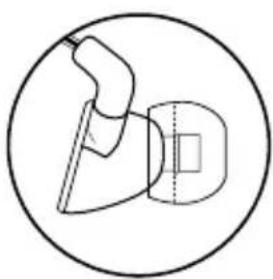
natural_image
Simple line drawing of a mechanical device inside a circle (no text or symbols)natural_image
Diagram showing three connected devices: a smartphone, a device with a light source, and a plug inserted into a cable (no text or symbols present)Kople øretelefonene til en enhet med 3,5 mm inngang.
natural_image
Illustration showing hands holding a cable with a magnified view of the cable being cut (no text or symbols present)natural_image
Line drawing of hands holding a small object, no text or symbols presentnatural_image
Line drawing of a hand holding a small object next to an open box filled with items (no text or symbols)www.logitech.com/ithink
UE 900
Pakkauksen sisältö
natural_image
Line drawing of a medical device with attached earphones and tubing (no text or symbols)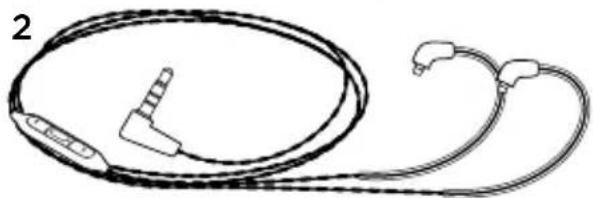
natural_image
Line drawing of a medical or electronic device with coiled cable and connectors (no text or symbols)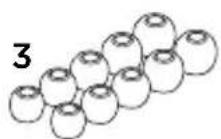
natural_image
Simple line drawing of a 3D rectangular block with a cutout labeled 'Jg' and number '7' (no text or symbols beyond labels)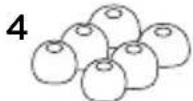
natural_image
Technical line drawing of two mechanical components labeled 5 and 6 (no text or symbols beyond labels)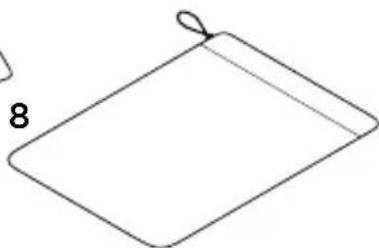
natural_image
Simple line drawing of a folded paper or sheet with a loop (no text or symbols)Ominaisuudet
natural_image
Illustration showing hands holding a small component with blue arrows indicating direction, alongside a close-up of the same hand (no text or symbols)natural_image
Diagram showing three connected devices: a smartphone, a device with a light bulb, and a plug inserted into a socket (no text or symbols present)natural_image
Illustration showing two-step cable installation: one with a cable being inserted, the other with a tool partially visible (no text or symbols)natural_image
Line drawing of hands holding a small object, possibly a tool or component (no text or symbols present)natural_image
Line drawing of a hand holding a ring with beads, next to an open box filled with round objects (no text or symbols)www.logitech.com/ithink
www.logitech.com/support/ue900

België/Belgique Dutch: +32-(0)2 200 64 44; French: +32-(0)2 200 64 40
Česká Republika +420 239 000 335
European, English: +41-(0)22 761 40 25
Mid. East., & Fax: +41-(0)21 863 54 02
African Hq.
Morges,
Switzerland
Eastern Europe English: 41-(0)22 761 40 25
United States +1 646-454-3200
Argentina +0800 555 3284
Brasil +0800 891 4173
Canada +1-866-934-5644
Chile +1230 020 5484
Latin America +1 800-578-9619
Mexico +001 800 578 9619

POWER TO THE MUSIC
www.logitech.com
© 2012 Logitech. Logitech, the Logitech logo, and other Logitech marks are owned by Logitech and may be registered. Microsoft, Windows, and the Windows logo are trademarks of the Microsoft group of companies. Mac and the Mac logo are trademarks of Apple Inc., registered in the U.S. and other countries. Comply is a registered trademark of Hearing Components. All other trademarks are the property of their respective owners. Logitech assumes no responsibility for any errors that may appear in this manual. Information contained herein is subject to change without notice.
620-004017.005