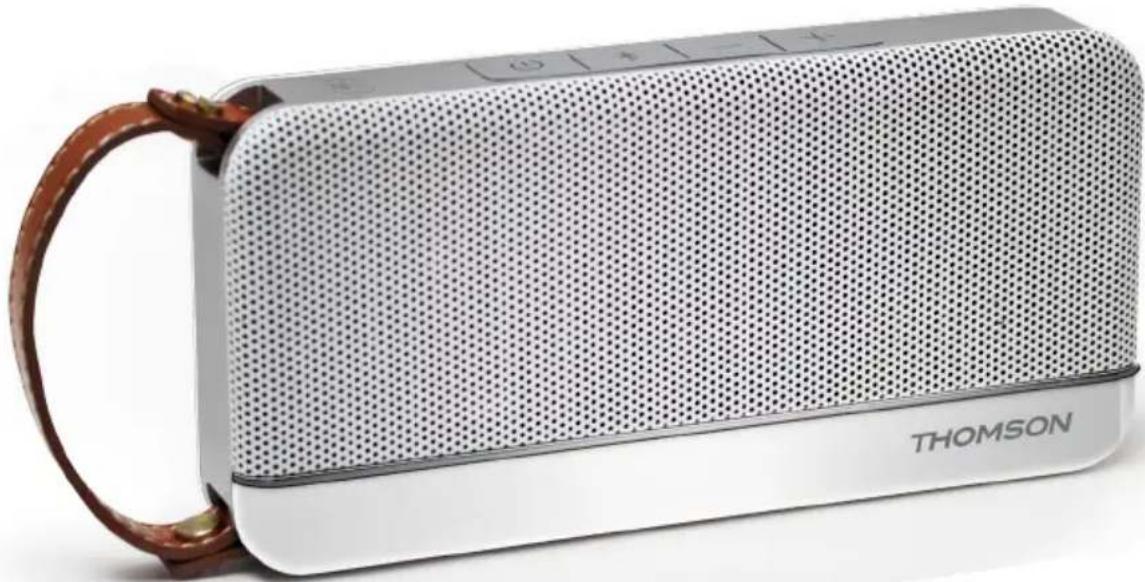
WS02GM - Bluetooth speaker THOMSON - Free user manual and instructions
Find the device manual for free WS02GM THOMSON in PDF.



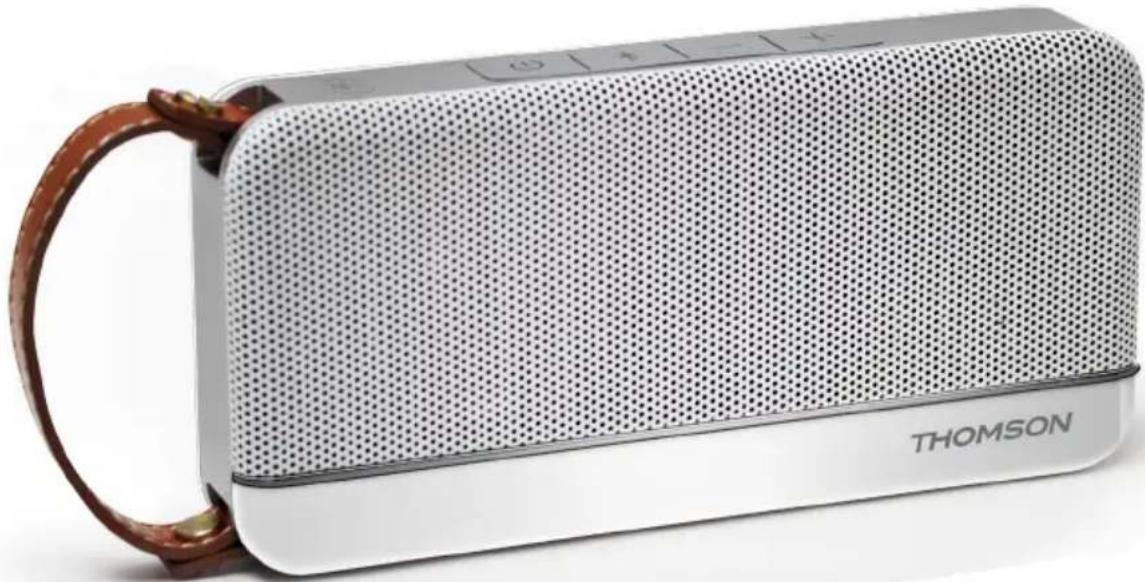
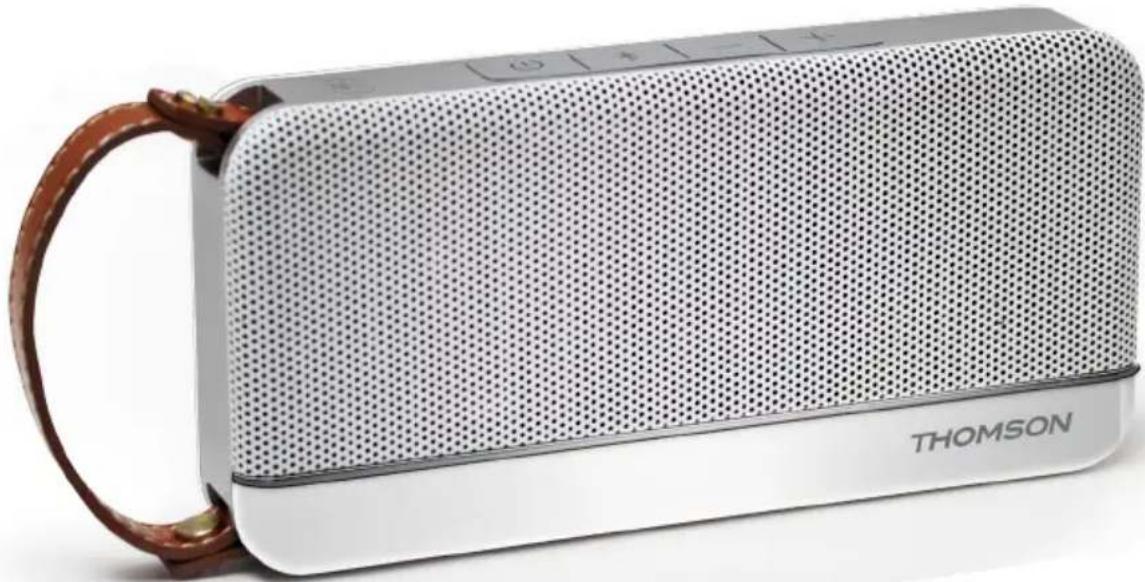
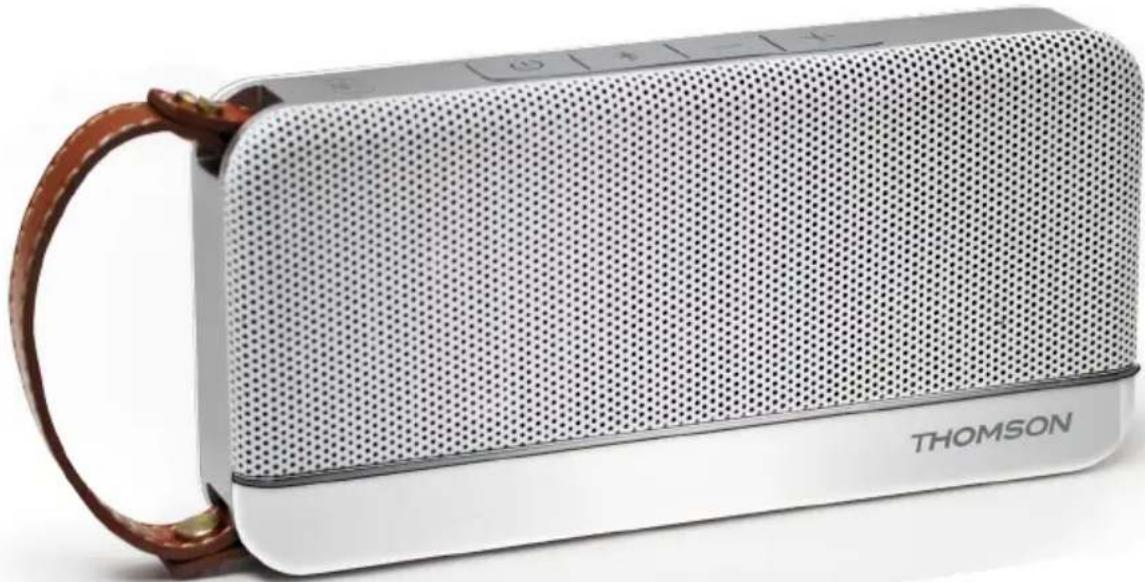
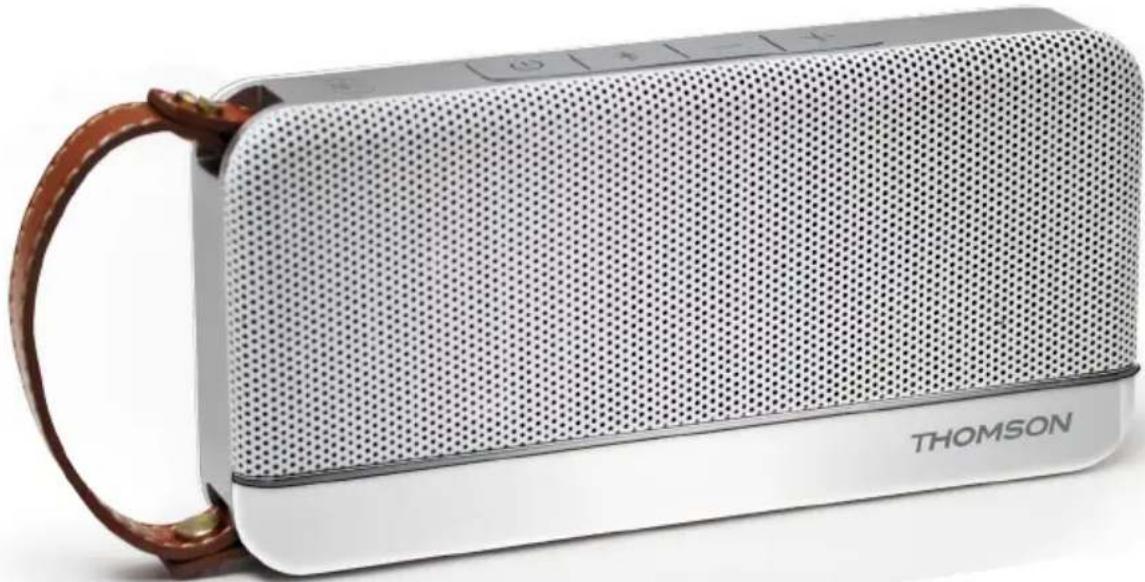
| Product type | Portable Bluetooth speaker |
| Brand | Thomson |
| Model | WS02GM |
| Power supply | Built-in rechargeable battery 3.7 V (Lithium-ion), charge via USB 5 V |
| Connectivity | Bluetooth, NFC, AUX input (3.5 mm jack) |
| Main functions | Wireless music playback, hands-free function for calls, volume and track controls, NFC pairing |
| Indicators | Red LED (charging), blue LED (Bluetooth) |
| Safety | Double insulation, CE mark, battery warnings (risk of chemical burn) |
| Package contents | 1 speaker, 1 USB cable, 1 AUX cable, 1 instruction manual |
| Compatibility | Bluetooth devices (smartphones, tablets), NFC-enabled devices (Android 4.1+) |
| General information | Made in China, imported by Bigben Interactive France, brand THOMSON under license |
Frequently Asked Questions - WS02GM THOMSON
User questions about WS02GM THOMSON
0 question about this device. Answer the ones you know or ask your own.
Ask a new question about this device
Download the instructions for your Bluetooth speaker in PDF format for free! Find your manual WS02GM - THOMSON and take your electronic device back in hand. On this page are published all the documents necessary for the use of your device. WS02GM by THOMSON.
USER MANUAL WS02GM THOMSON
customerservice@bigben-interactive.be
ESPANA, sat@bigbeninteractive.es
ITALIA, support@bigbeninteractive.it
www/bigben.eu
THOMSON
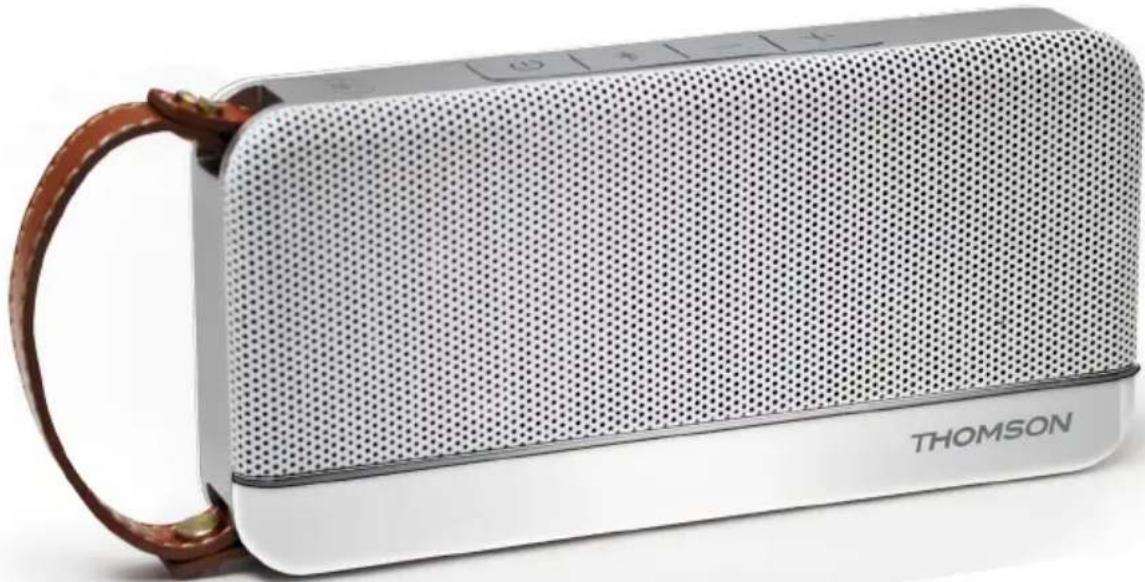
Bluetooth Speaker
WS02
OPERATING INSTRUCTIONS
PLEASE READ OPERATING INSTRUCTIONS CAREFULLY BEFORE USE AND KEEP FOR FUTURE REFERENCE.
Warnings and precautions
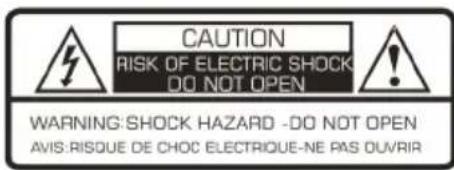

The lightning bolt with an arrowhead within a triangle indicates the presence of uninsulated dangerous voltage within the product enclosure that may be of sufficient magnitude to constitute a risk of electric shock to persons.

The exclamation point within a triangle indicates the presence of important operating and maintenance (servicing) instructions in the literature accompanying the unit.

This symbol indicates that this product incorporates double insulation between hazardous mains voltage and user accessible parts.
Important safety instructions
- Read these instructions.
- Keep these instructions.
Heed all warnings. - Follow all instructions.
Refer all servicing to qualified service personnel. - Do not expose the unit to dripping or splashing and make sure that no objects filled with liquids, such as vases, are placed on it.
Class I appliances must be connected to the mains socket outlet with a protective-earth connection. - The mains plug connects the device and should remain operable during use.
- To disconnect the unit from the mains, the plug should be fully disconnected from the mains socket outlet. The mains plug should not be obstructed and should be easily accessible during use.
- When a power indicator light is on, it indicates the unit is connected to the mains supply. When the light is off, it indicates the unit is fully disconnected from the mains supply.
INFORMATION ABOUT BATTERIES (applicable only if batteries included)
- Polarity must be respected when inserting batteries.
- The batteries should be inserted in such a way as to avoid any short circuit.
- Do not mix used and new batteries.
- Do not mix alkaline, standard (carbon-zinc) and rechargeable (nickel-cadmium) batteries.
- Do not expose the battery to excessive heat such as sunshine or fire.
- Remove the batteries when they have not been used for a long time.
- If the liquid contained in the batteries comes in contact with eyes or skin, immediately and carefully wash the affected area with clear water and consult a doctor.
- The product/remote control may contain a coin/buttn type battery:
WARNING
Do not ingest the battery. Chemical burn hazard. This product contains a coin/button cell battery. If the coin/button cell battery is swallowed, it can cause severe internal burns in just 2 hours and can lead to death. Keep new and used batteries away from children. If the battery compartment does not close securely, stop using the product and keep it away from children. If you think batteries might have been swallowed or placed inside any part of the body, seek immediate medical attention.
CAUTION
Danger of explosion if battery is incorrectly replaced.
Replace battery only with the same or equivalent type.
In the box
1 x Bluetooth speaker
1 x Micro USB charge cable
1 x User manual
1 x AUX cable
Charging the speaker (3.7V rechargeable battery built-in)
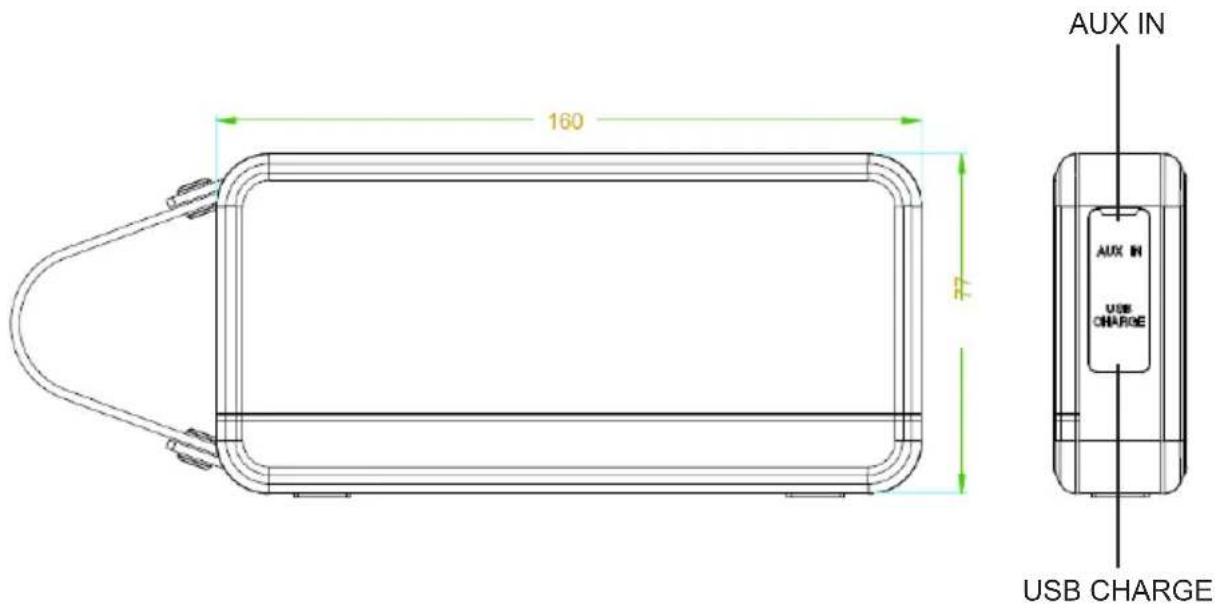
- Connect WS02 to PC/Laptop/Mac or any 5V USB adaptor (not included) via the USB cable included.
- RED LED turns ON during charging, turns OFF after fully charged.
- Unplug USB cable after fully charged.
- BLUE LED twinkles when power is lower than 21% , with voice talk "Battery Level Low".
- Speaker turns off automatically in 5 minutes if no pairing action.
Pairing with Bluetooth enabled devices (Mobile phones/Tables etc.)
- Keep the speaker and device within 1 meter of each other.
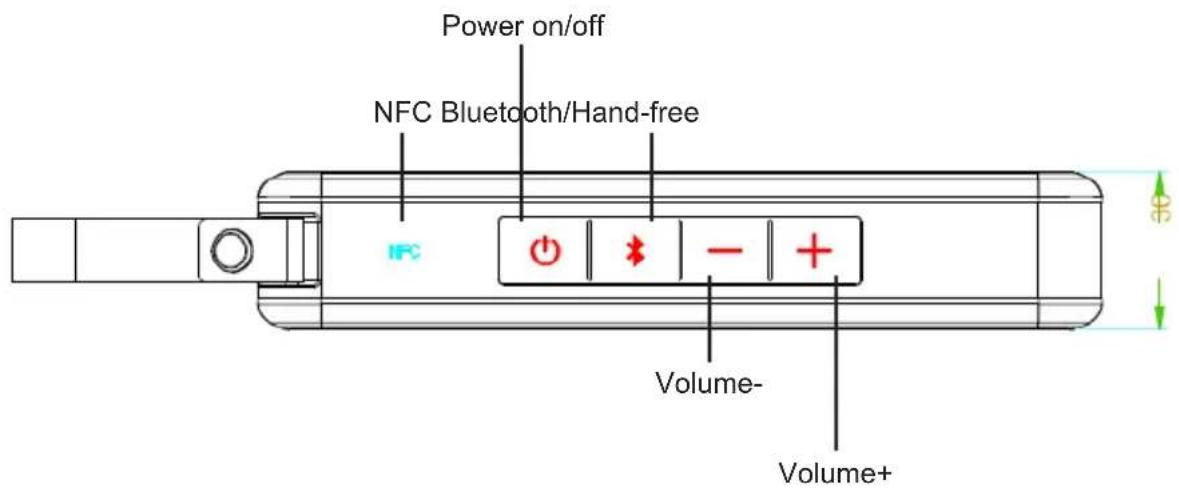
- Hold the power button for 2 seconds to turn the speaker on, LED of volume buttons turn on in blue color for 10 seconds.
- LED of Bluetooth/Hand-free LED blinks quickly in blue with voice talk "Bluetooth Mode", while the speaker enters search mode.
- Start the Bluetooth function on your mobile device and look for "WS02" in the Bluetooth device list (depending on the Bluetooth version of your device you may need to enter pass code '0000').
- After successfully paired, the LED will change to solid blue, with voice talk "Bluetooth paired".
Note:
- If pairing is not successful, turn off the speaker and re-pair again.
After successful pairing, paired devices will remember each other so there is no need to pair again unless pairing information is deleted. - To pair with a new device, just follow steps 1-5 above after disconnect with existing device.
Re-connecting to a paired device
If the speaker does not connect to the last used device automatically, then you will need to select it manually from the list of devices on your mobile device.
Break existing Bluetooth connection
- When speaker is paired with any device already, hold the Bluetooth button for 3 seconds to break existing connection with voice talk "Bluetooth Disconnected", then you can connect to other devices.
- If paired device is disconnected by out of range, then it will reconnect when back to the range. It will turn off automatically if out of range more for than 5 minutes.
Pairing WS02 via NFC with NFC enabled devices
- Turn on WS02.
- Enable NFC and Bluetooth on your phone (NFC settings may be found under your devices' "More/ Additional Settings").
- Lightly swipe your phone down the NFC logo on top of device, while making minimal contact. The indicator shall turns solid ON that means successfully paired.
- Compatibility: Most smartphones with NFC running Android 4.1 "Jellybean" and later.
Answer phone calls by Bluetooth/Hand-free button when there is a coming call
- Press Bluetooth/Hand-free button to answer.
- Long press to reject.
- Press again to end the call.
How to Play/Pause when there is NOT a coming call
- Press Bluetooth/Hand-free button to start the music.
- Press again to pause.
- Long press to enter the pairing mode.
Volume-/Volume+
- Long Press volume+/- button to turn up/down volume.
- Short Press volume+/- button to skip to next track or go back to previous one.
- Either control volume by Bluetooth device.
Connecting external devices (AUX port)
- You can connect any music device to the WS02 speaker via the AUX port using the cable included.
- Bluetooth LED indicator blink slowly with voice talk "Aux in Mode".
- When disconnect Aux-in, it will go back to Bluetooth mode with voice talk "Bluetooth Mode".
- The speaker will not use the Bluetooth function while connected via this cable.
Remarks:
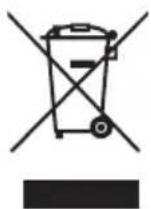
Don't discard the electrical and electronic appliances in the regular waste disposal.
a) Take them to a collection point.
b) Some components in these appliances may be hazardous to health and the environment.
- If there is an incoming call while WS02 is connected to your cell phone for music playback, it will pause at once when you answer the call and resume after the call ended. (Sometimes it will pause after end the call, it depends on your cell phone.)
- The Bluetooth® word, mark and logo are registered trademarks owned by Bluetooth SIG, Inc. and any use of such marks by Bigben Interactive is under license. Other trademarks and trade names are those of their respective owners.
- THOMSON is a trademark of TECHNICOLOR SA or its affiliates used under license to Bigben Interactive.
- Hereby, Bigben Interactive SA, declares that the WS02 device complies with the essential requirements of the directive 1995/5/EC of the European Parliament and of the Council of 9 March 1999 on radio equipment and telecommunications terminal equipment and the mutual recognition of their conformity.
To download the full statement, please visit our website: http://www/bigben-interactive.co.uk/support and the section "declaration of conformity".
Imported by BIGBEN INTERACTIVE SA
396, Rue de la Voyette
CRT2-FRETIN
CS 90414
59814 LESQUIN Cedex - France
www/bigben.eu
Made in China



REACH

customerservice@bigben-interactive.be
ESPANA, sat@bigbeninteractive.es
ITALIA, support@bigbeninteractive.it
www/bigben.eu
THOMSON
Bluetooth Speaker
WS02
customerservice@bigben-interactive.be
ESPANA, sat@bigbeninteractive.es
ITALIA, support@bigbeninteractive.it
www/bigben.eu
THOMSON
Bluetooth Speaker
WS02
ISTRUZIONI PER L'USO
PRIMA DI UTILIZZARE IL PRODOTTO, LEGGERE ATTENTAMENTE LE ISTRUZIONI PER L'USO E CONSERVARLE PER CONSULTAZIONI FUTURE.
customerservice@bigben-interactive.be
ESPANA, sat@bigbeninteractive.es
ITALIA, support@bigbeninteractive.it
www/bigben.eu
Bluetooth Speaker
WS02
customerservice@bigben-interactive.be
ESPANA, sat@bigbeninteractive.es
ITALIA, support@bigbeninteractive.it
www/bigben.eu
customerservice@bigben-interactive.be
ESPANA, sat@bigbeninteractive.es
ITALIA, support@bigbeninteractive.it
www/bigben.eu
Bluetooth Speaker
WS02
BEDIENINGSINSTRUCTIES
LEES ALVORENS EEN GEBRUK DE HANDLEIDING AANDACHTIG DOOR EN BEWAAR HET VOOR TOEKOMSTIG NASLAG.
customerservice@bigben-interactive.be
ESPANA, sat@bigbeninteractive.es
ITALIA, support@bigbeninteractive.it
www/bigben.eu
Bluetooth-högtalare
WS02
ANVÄNDARMANUAL
LÄS IGENOM ANVÄNDARMANUALEN INNAN DU ANVÄNDER PRODUKTEN, OCH SPARA MANUALEN FÖR FRAMTIDA BRUK.
customerservice@bigben-interactive.be
ESPANA, sat@bigbeninteractive.es
ITALIA, support@bigbeninteractive.it
www/bigben.eu